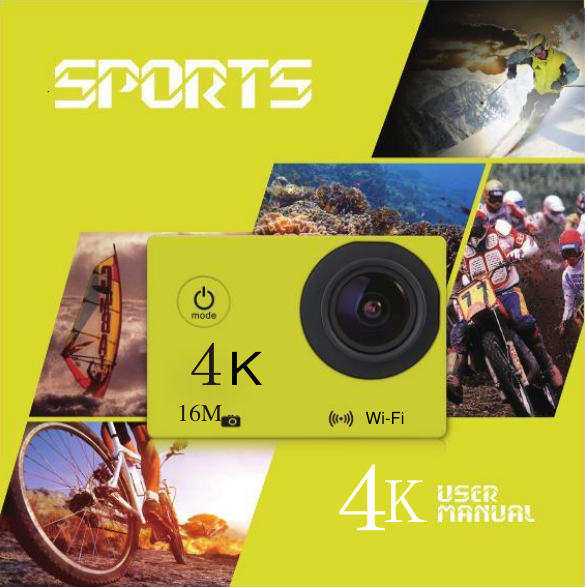
Ausek AT-30R Action Camera User Manual

AUSEK Limited Action Camera Users Manual

User Manual

 16M 4K 4K Fi KWi-Fi
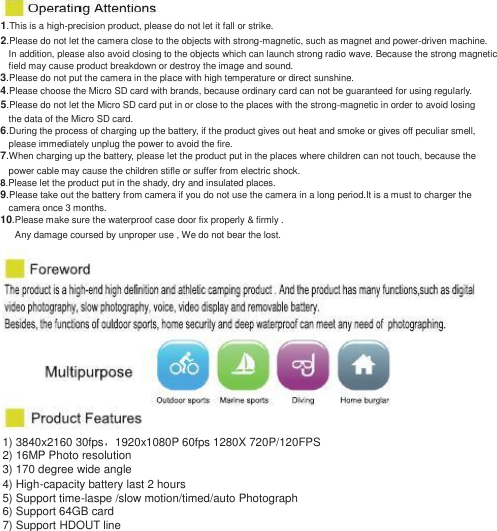
1.This is a high-precision product, please do not let it fall or strike. 2.Please do not let the camera close to the objects with strong-magnetic, such as magnet and power-driven machine. In addition, please also avoid closing to the objects which can launch strong radio wave. Because the strong magnetic   field may cause product breakdown or destroy the image and sound. 3.Please do not put the camera in the place with high temperature or direct sunshine. 4.Please choose the Micro SD card with brands, because ordinary card can not be guaranteed for using regularly. 5.Please do not let the Micro SD card put in or close to the places with the strong-magnetic in order to avoid losing the data of the Micro SD card. 6.During the process of charging up the battery, if the product gives out heat and smoke or gives off peculiar smell, please immediately unplug the power to avoid the fire. 7.When charging up the battery, please let the product put in the places where children can not touch, because the power cable may cause the children stifle or suffer from electric shock. 8.Please let the product put in the shady, dry and insulated places. 9.Please take out the battery from camera if you do not use the camera in a long period.It is a must to charger the camera once 3 months. 10.Please make sure the waterproof case door fix properly & firmly . Any damage coursed by unproper use , We do not bear the lost.  1) 3840x2160 30fps,1920x1080P 60fps 1280X 720P/120FPS   2) 16MP Photo resolution 3) 170 degree wide angle   4) High-capacity battery last 2 hours   5) Support time-laspe /slow motion/timed/auto Photograph 6) Support 64GB card   7) Support HDOUT line
User ManualProduct Name: Action CameraModel:AT-30R,AT-30, AT-36DR, AT-36, AT-Q303, AT-Q305, AT-Q300, AT-38DR, AT-38Manufacture: AUSEK Limited
 16 4K 4K
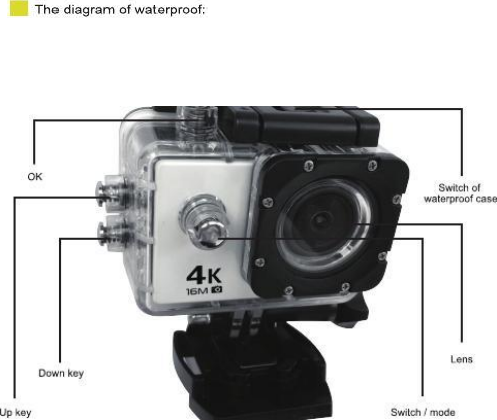
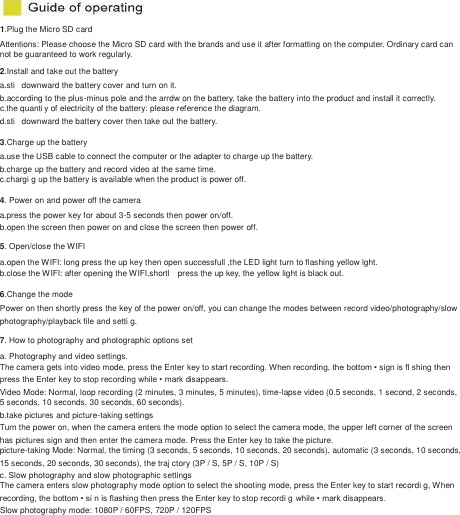
1.Plug the Micro SD card   Attentions: Please choose the Micro SD card with the brands and use it after formatting on the computer. Ordinary card can   not be guaranteed to work regularly. 2.Install and take out the battery   a.sti   downward the battery cover and turn on it. b.according to the plus-minus pole and the arrdw on the battery, take the battery into the product and install it correctly.   c.the quanti y of electricity of the battery: please reference the diagram.   d.sti   downward the battery cover then take out the battery. 3.Charge up the battery a.use the USB cable to connect the computer or the adapter to charge up the battery. b.charge up the battery and record video at the same time. c.chargi g up the battery is available when the product is power off. 4. Power on and power off the camera a.press the power key for about 3-5 seconds then power on/off. b.open the screen then power on and close the screen then power off. 5. Open/close the WIFI a.open the WIFI: long press the up key then open successfull ,the LED light turn to flashing yellow lght. b.close the WIFI: after opening the WIFI,shortl    press the up key, the yellow light is black out. 6.Change the mode Power on then shortly press the key of the power on/off, you can change the modes between record video/photography/slow   photography/playback file and setti g. 7. How to photography and photographic options set a. Photography and video settings. The camera gets into video mode, press the Enter key to start recording. When recording, the bottom • sign is fl shing then   press the Enter key to stop recording while • mark disappears.   Video Mode: Normal, loop recording (2 minutes, 3 minutes, 5 minutes), time-lapse video (0.5 seconds, 1 second, 2 seconds,   5 seconds, 10 seconds, 30 seconds, 60 seconds). b.take pictures and picture-taking settings Turn the power on, when the camera enters the mode option to select the camera mode, the upper left corner of the screen has pictures sign and then enter the camera mode. Press the Enter key to take the picture. picture-taking Mode: Normal, the timing (3 seconds, 5 seconds, 10 seconds, 20 seconds), automatic (3 seconds, 10 seconds,   15 seconds, 20 seconds, 30 seconds), the traj ctory (3P / S, 5P / S, 10P / S) c. Slow photography and slow photographic settings The camera enters slow photography mode option to select the shooting mode, press the Enter key to start recordi g, When   recording, the bottom • si n is flashing then press the Enter key to stop recordi g while • mark disappears. Slow photography mode: 1080P / 60FPS, 720P / 120FPS
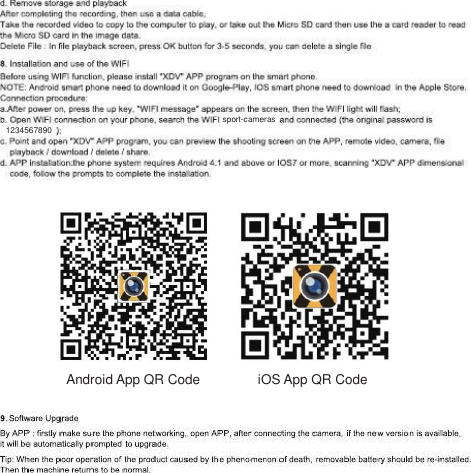
 1234567890 sport-cameras  Android App QR Code iOS App QR Code
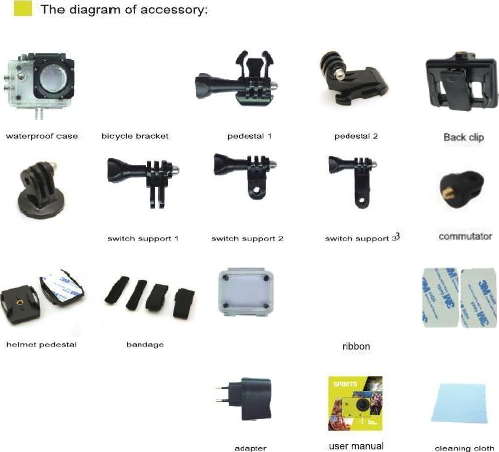
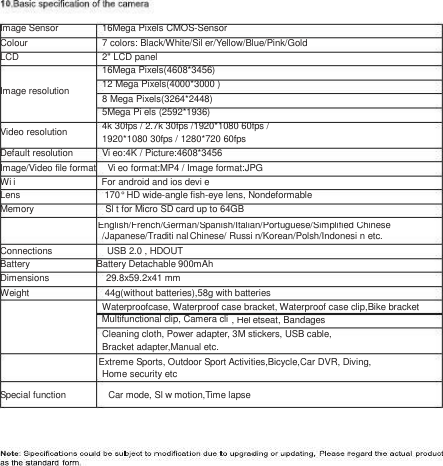
Image Sensor Colour LCD   Image resolution Video resolution Default resolution 16Mega Pixels CMOS-Sensor 7 colors: Black/White/Sil er/Yellow/Blue/Pink/Gold   2" LCD panel   16Mega Pixels(4608*3456) 12 Mega Pixels(4000*3000 ) 8 Mega Pixels(3264*2448)   5Mega Pi els (2592*1936) 4k 30fps / 2.7k 30fps /1920*1080 60fps / 1920*1080 30fps / 1280*720 60fps   Vi eo:4K / Picture:4608*3456    Image/Video file format   Vi eo format:MP4 / Image format:JPG   Wi i          For android and ios devi e   Lens          170° HD wide-angle fish-eye lens, Nondeformable   Memory               Sl t for Micro SD card up to 64GB   /Japanese/Traditi nal Chinese/ Russi n/Korean/Polsh/Indonesi n etc. Connections           USB 2.0 , HDOUT Battery       Battery Detachable 900mAh   Dimensions       29.8x59.2x41 mm   Weight         44g(without batteries),58g with batteries   Waterproofcase, Waterproof case bracket, Waterproof case clip,Bike bracket   Cleaning cloth, Power adapter, 3M stickers, USB cable,   Bracket adapter,Manual etc.   Home security etc   Special function     Car mode, Sl w motion,Time lapse English/French/German/Spanish/Italian/Portuguese/Simplified Chinese  Multifunctional clip, Camera cli , Hel etseat, Bandages  Extreme Sports, Outdoor Sport Activities,Bicycle,Car DVR, Diving,
FCC Caution.  This device complies with part 15 of the FCC Rules. Operation is subject to the following two conditions: (1) This device may not cause harmful interference, and (2) this device must accept any interference received, including interference that may cause undesired operation.  Any Changes or modifications not expressly approved by the party responsible for compliance could void the user's authority to operate the equipment.  Note: This equipment has been tested and found to comply with the limits for a Class B digital device, pursuant to part 15 of the FCC Rules. These limits are designed to provide reasonable protection against harmful interference in a residential installation. This equipment generates uses and can radiate radio frequency energy and, if not installed and used in accordance with the instructions, may cause harmful interference to radio communications. However, there is no guarantee that interference will not occur in a particular installation. If this equipment does cause harmful interference to radio or television reception, which can be determined by turning the equipment off and on, the user is encouraged to try to correct the interference by one or more of the following measures: -Reorient or relocate the receiving antenna. -Increase the separation between the equipment and receiver. -Connect the equipment into an outlet on a circuit different from that to which the receiver is connected. -Consult the dealer or an experienced radio/TV technician for help.  The device has been evaluated to meet general RF exposure requirement. The device can be used in portable exposure condition without restriction.

Navigation menu