Amber Innovation A003S Smart power bank User Manual Exhibit 08 Users Manual

Amber Innovation Smart power bank Exhibit 08 Users Manual

Exhibit 08 Users Manual

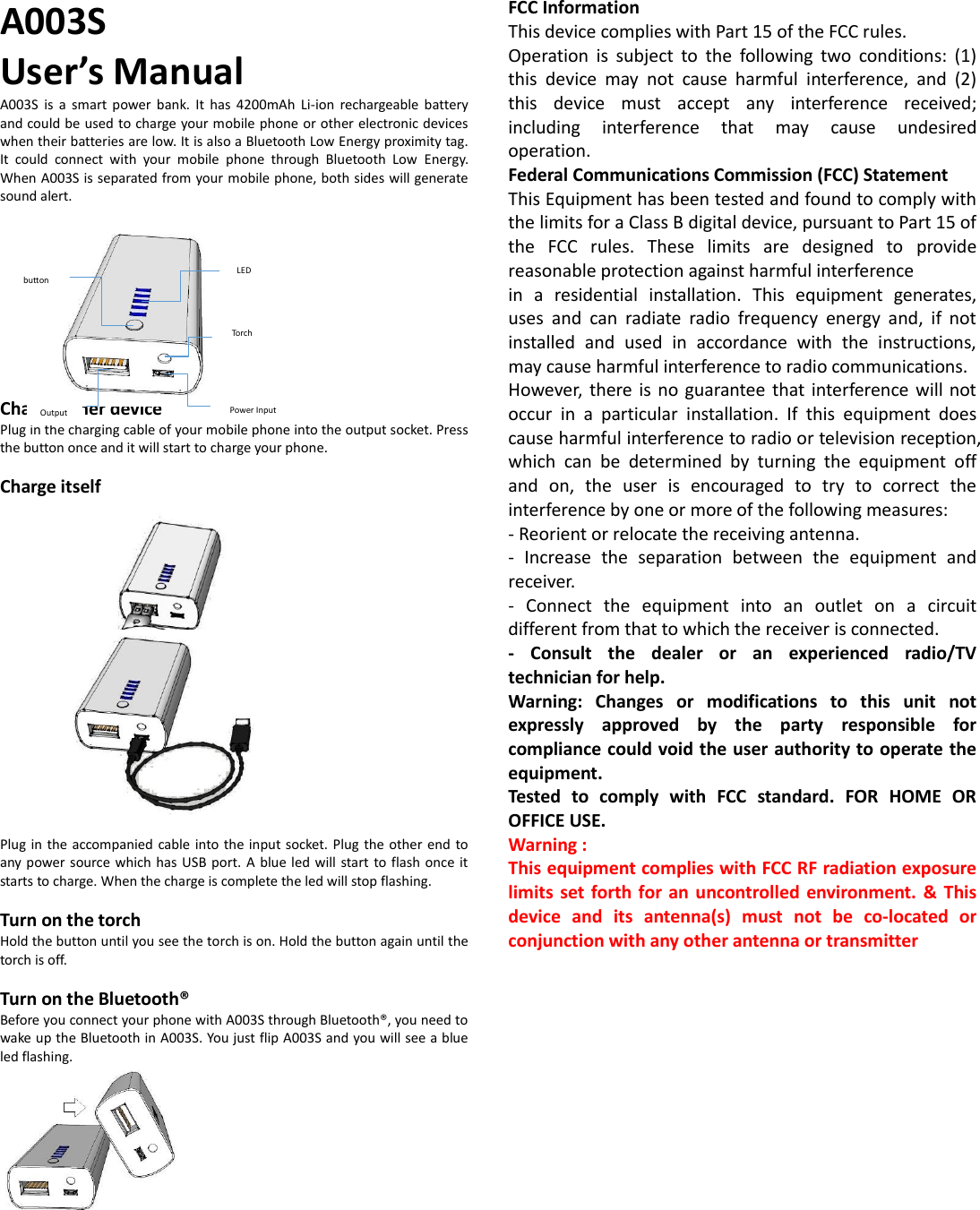
A003S User’s Manual A003S  is  a  smart  power  bank.  It  has  4200mAh  Li-ion  rechargeable  battery and could be used to charge your mobile phone or other electronic devices when their batteries are low. It is also a Bluetooth Low Energy proximity tag. It  could  connect  with  your  mobile  phone  through  Bluetooth  Low  Energy. When A003S is separated from your mobile phone, both sides will generate sound alert.         Charge other device Plug in the charging cable of your mobile phone into the output socket. Press the button once and it will start to charge your phone.  Charge itself Plug in the accompanied cable into the input socket. Plug  the other end  to any power source which has USB port.  A  blue  led  will  start to flash once it starts to charge. When the charge is complete the led will stop flashing.  Turn on the torch Hold the button until you see the torch is on. Hold the button again until the torch is off.  Turn on the Bluetooth® Before you connect your phone with A003S through Bluetooth®, you need to wake up the Bluetooth in A003S. You just flip A003S and you will see a blue led flashing.           FCC Information This device complies with Part 15 of the FCC rules. Operation  is  subject  to  the  following  two  conditions:  (1) this  device  may  not  cause  harmful  interference,  and  (2) this  device  must  accept  any  interference  received; including  interference  that  may  cause  undesired operation. Federal Communications Commission (FCC) Statement This Equipment has been tested and found to comply with the limits for a Class B digital device, pursuant to Part 15 of the  FCC  rules.  These  limits  are  designed  to  provide reasonable protection against harmful interference in  a  residential  installation.  This  equipment  generates, uses  and  can  radiate  radio  frequency  energy  and,  if  not installed  and  used  in  accordance  with  the  instructions, may cause harmful interference to radio communications. However,  there  is no guarantee  that  interference will not occur  in  a  particular  installation.  If  this  equipment  does cause harmful interference to radio or television reception, which  can  be  determined  by  turning  the  equipment  off and  on,  the  user  is  encouraged  to  try  to  correct  the interference by one or more of the following measures: - Reorient or relocate the receiving antenna. -  Increase  the  separation  between  the  equipment  and receiver. -  Connect  the  equipment  into  an  outlet  on  a  circuit different from that to which the receiver is connected. -  Consult  the  dealer  or  an  experienced  radio/TV technician for help. Warning:  Changes  or  modifications  to  this  unit  not expressly  approved  by  the  party  responsible  for compliance could void the user authority to operate the equipment. Tested  to  comply  with  FCC  standard.  FOR  HOME  OR OFFICE USE. Warning : This equipment complies with FCC RF radiation exposure limits set forth for an uncontrolled environment.  &  This device  and  its  antenna(s)  must  not  be  co-located  or conjunction with any other antenna or transmitter                 LED Torch Power Input Output button

Navigation menu