GameTech 300-00008 One-Way Base Station Modem Unit Transmitter User Manual RF

Gametech International One-Way Base Station Modem Unit Transmitter RF

User Manual

Copyright 2004 GameTech International, Inc. All rights reserved. Unauthorized use of this material without the express written consent of GameTech is prohibited. Diamond, Diamond Plus Bingo, Diamond VIP, Diamond TED, GameTech, AllTrak, TED, TED2C and Pay-N-Play are either registered trademarks of or trademarks owned by GameTech. “Windows” is a registered trademark of Microsoft Corporation in the United States and/or other countries.Radio Frequency (RF) Installation and SupportRevised: 01/15/04TML-30002-0010-43(Supersedes TML-30002-0010-42)
ii  GameTech International, Inc.
iiiGameTech International, Inc.GameTech International, Inc.900 Sandhill RoadReno, NV 89521Welcome to GameTech International, Inc. (GTI)Purpose of this GuideThis manual is designed to be used by GTI staff. It provides the instructions for using Radio Frequency (RF).
iv  GameTech International, Inc.
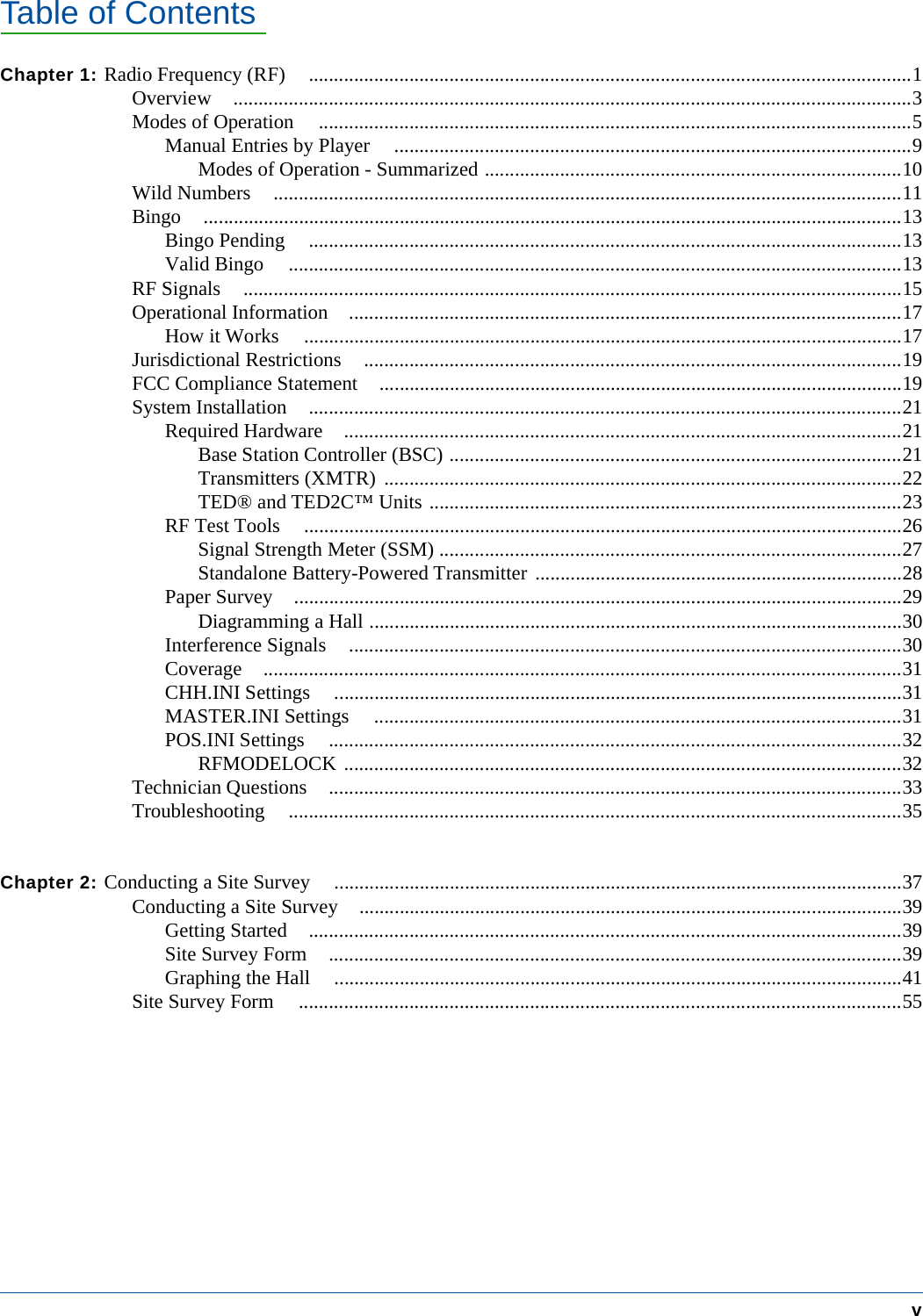
Table of ContentsvChapter 1: Radio Frequency (RF) ........................................................................................................................1Overview .......................................................................................................................................3Modes of Operation ......................................................................................................................5Manual Entries by Player .......................................................................................................9Modes of Operation - Summarized ...................................................................................10Wild Numbers .............................................................................................................................11Bingo ...........................................................................................................................................13Bingo Pending ......................................................................................................................13Valid Bingo ..........................................................................................................................13RF Signals ...................................................................................................................................15Operational Information ..............................................................................................................17How it Works .......................................................................................................................17Jurisdictional Restrictions ...........................................................................................................19FCC Compliance Statement ........................................................................................................19System Installation ......................................................................................................................21Required Hardware ...............................................................................................................21Base Station Controller (BSC) ..........................................................................................21Transmitters (XMTR) .......................................................................................................22TED® and TED2C™ Units ..............................................................................................23RF Test Tools .......................................................................................................................26Signal Strength Meter (SSM) ............................................................................................27Standalone Battery-Powered Transmitter .........................................................................28Paper Survey .........................................................................................................................29Diagramming a Hall ..........................................................................................................30Interference Signals ..............................................................................................................30Coverage ...............................................................................................................................31CHH.INI Settings .................................................................................................................31MASTER.INI Settings .........................................................................................................31POS.INI Settings ..................................................................................................................32RFMODELOCK ...............................................................................................................32Technician Questions ..................................................................................................................33Troubleshooting ..........................................................................................................................35Chapter 2: Conducting a Site Survey .................................................................................................................37Conducting a Site Survey ............................................................................................................39Getting Started ......................................................................................................................39Site Survey Form ..................................................................................................................39Graphing the Hall .................................................................................................................41Site Survey Form ........................................................................................................................55
vi  GameTech International, Inc.
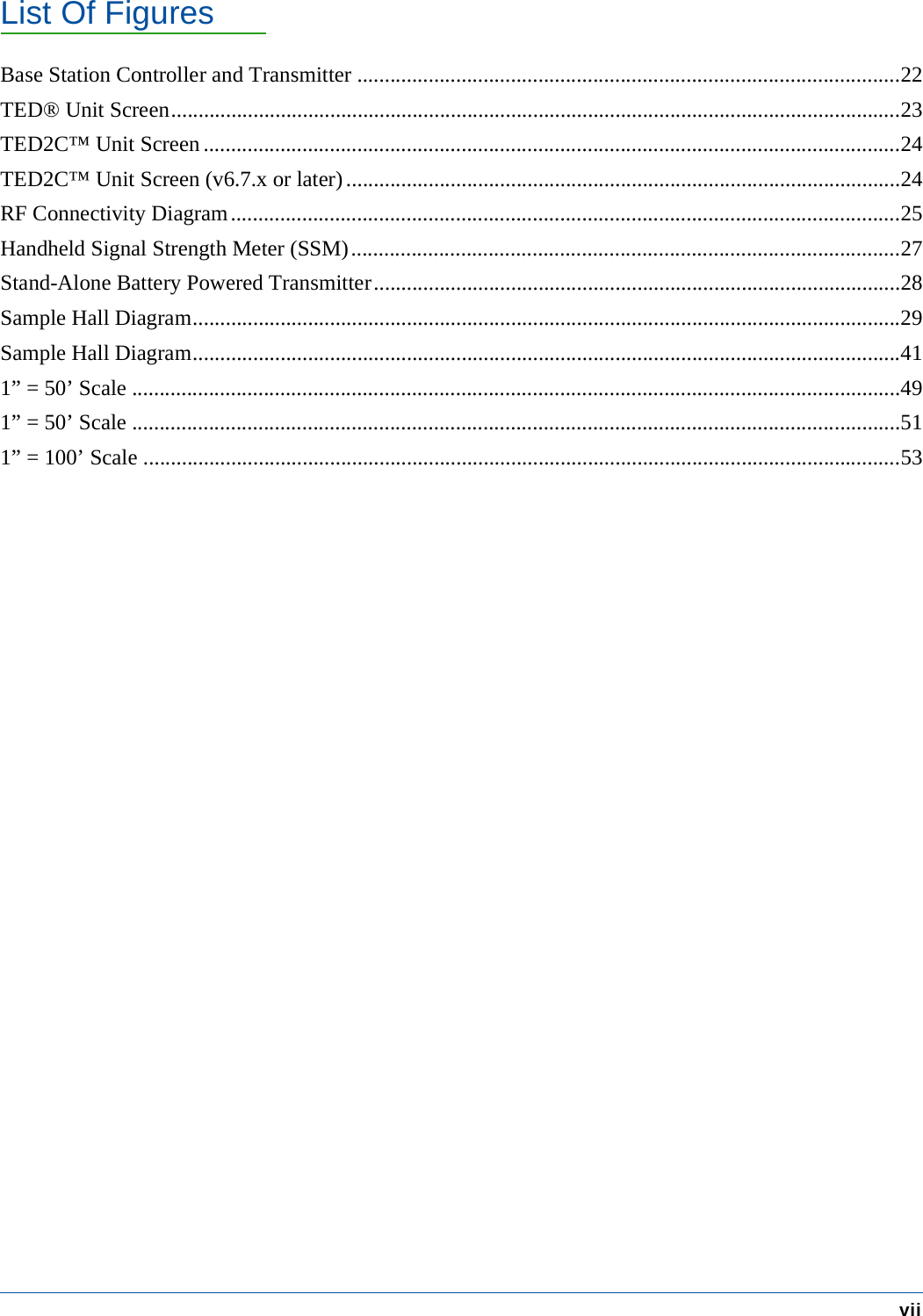
List Of FiguresviiBase Station Controller and Transmitter ...................................................................................................22TED® Unit Screen.....................................................................................................................................23TED2C™ Unit Screen ...............................................................................................................................24TED2C™ Unit Screen (v6.7.x or later).....................................................................................................24RF Connectivity Diagram..........................................................................................................................25Handheld Signal Strength Meter (SSM)....................................................................................................27Stand-Alone Battery Powered Transmitter................................................................................................28Sample Hall Diagram.................................................................................................................................29Sample Hall Diagram.................................................................................................................................411” = 50’ Scale ............................................................................................................................................491” = 50’ Scale ............................................................................................................................................511” = 100’ Scale ..........................................................................................................................................53
viii  GameTech International, Inc.
CHAPTER 1:  RADIO FREQUENCY (RF)ObjectivesIn this chapter:• An Overview of RF• Modes of Operation• RF Signals• Operational Information•How it Works• Jurisdictional Restrictions• System Installation• Hardware: Base Station Controllers and Transmitters• RF Test Tools• Signal Strength Meter (SSM)• Standalone Battery Powered Transmitter• Getting Started• Paper Survey• Questions and Answers• Troubleshooting
2 Radio Frequency (RF)GameTech International, Inc.
Radio Frequency (RF) 3GameTech International, Inc. OverviewOverviewWith Radio Frequency (RF), TED® and/or TED2C™ users can enjoy the advantages of play-ing with wireless electronics. Depending on the mode being used, users can enjoy from a “Fully Automatic” mode of play which does all the daubing, game and session changes to a “Game Change Only” mode which signals game and session changes only.Note:  All modes of play involve RF signals. The least amount of RF interaction occurs when the hall isconfigured to use UNIT_RFMODE=0 (Game Change Only). In this mode, the TED® and/or TED2C™ unitsare notified of game and session changes only. The player is responsible for entering the numbers as they arecalled on the numeric keypad.Note:  If a unit loses the RF signal, a unit alarm will sound and a visual flashing message will display on theTED® and/or TED2C™ screen displaying “RF Signal Lost.” The unit will drop into non-RF manual modeuntil a signal is once again received. See “RF Signals” on page 15 for further information.
4 Radio Frequency (RF)Overview GameTech International, Inc.
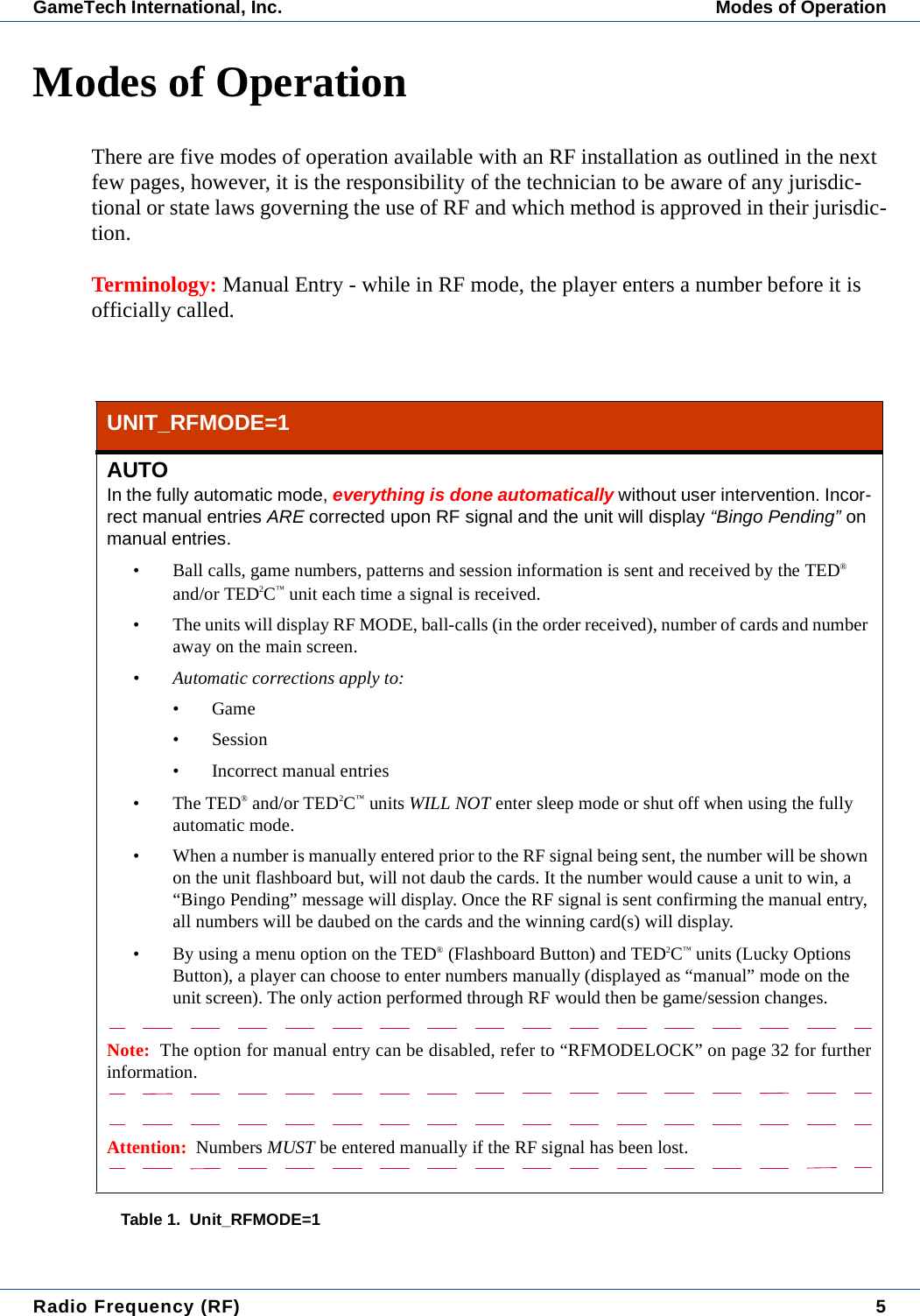
Radio Frequency (RF) 5GameTech International, Inc. Modes of OperationModes of OperationThere are five modes of operation available with an RF installation as outlined in the next few pages, however, it is the responsibility of the technician to be aware of any jurisdic-tional or state laws governing the use of RF and which method is approved in their jurisdic-tion.Terminology: Manual Entry - while in RF mode, the player enters a number before it is officially called.UNIT_RFMODE=1AUTOIn the fully automatic mode, everything is done automatically without user intervention. Incor-rect manual entries ARE corrected upon RF signal and the unit will display “Bingo Pending” on manual entries.• Ball calls, game numbers, patterns and session information is sent and received by the TED® and/or TED2C™ unit each time a signal is received.• The units will display RF MODE, ball-calls (in the order received), number of cards and number away on the main screen.• Automatic corrections apply to:•Game• Session• Incorrect manual entries•The TED® and/or TED2C™ units WILL NOT enter sleep mode or shut off when using the fully automatic mode.• When a number is manually entered prior to the RF signal being sent, the number will be shown on the unit flashboard but, will not daub the cards. It the number would cause a unit to win, a “Bingo Pending” message will display. Once the RF signal is sent confirming the manual entry, all numbers will be daubed on the cards and the winning card(s) will display.• By using a menu option on the TED® (Flashboard Button) and TED2C™ units (Lucky Options Button), a player can choose to enter numbers manually (displayed as “manual” mode on the unit screen). The only action performed through RF would then be game/session changes.Note:  The option for manual entry can be disabled, refer to “RFMODELOCK” on page 32 for furtherinformation.Attention:  Numbers MUST be entered manually if the RF signal has been lost.Table 1.  Unit_RFMODE=1
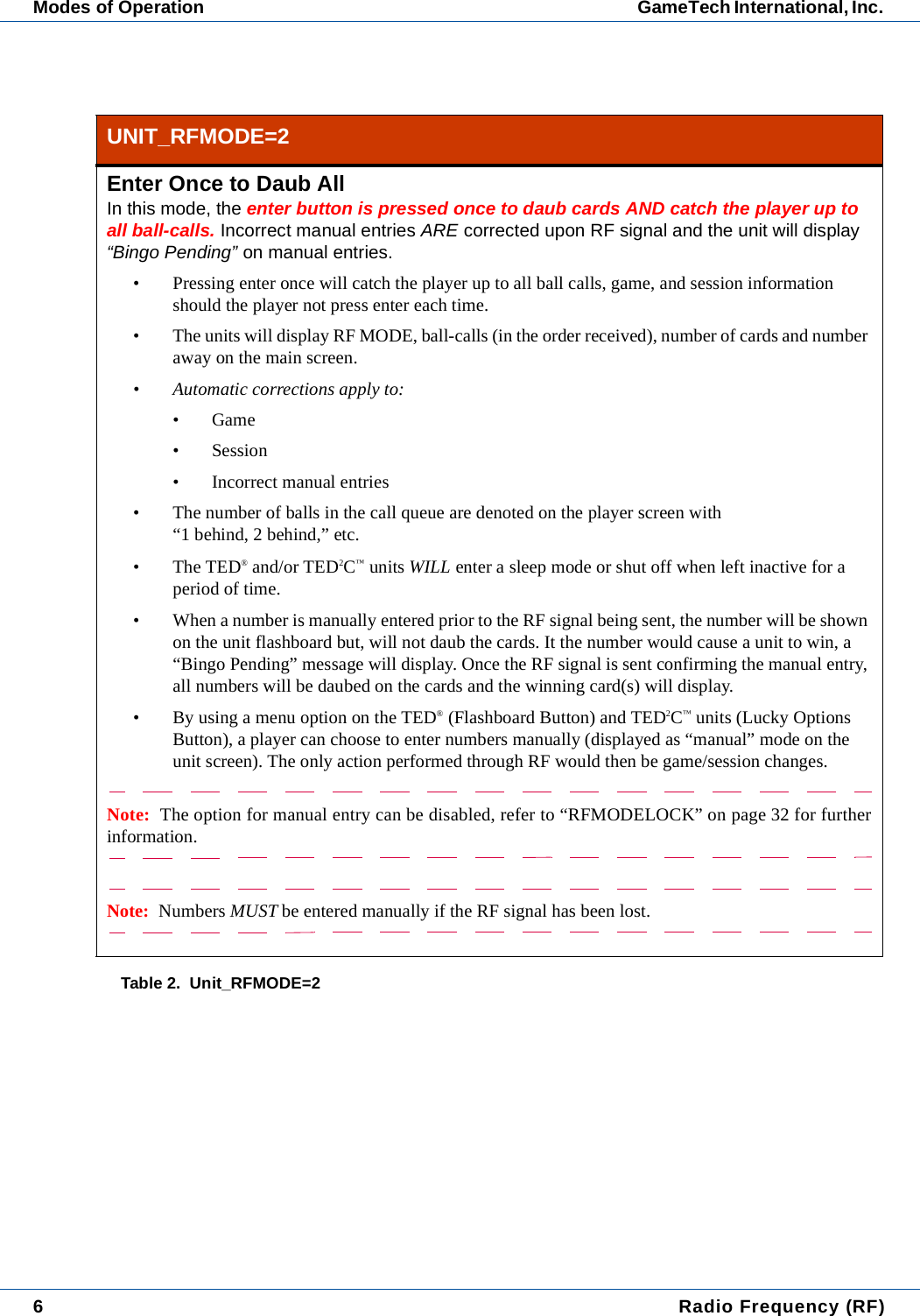
6 Radio Frequency (RF)Modes of Operation GameTech International, Inc. UNIT_RFMODE=2Enter Once to Daub AllIn this mode, the enter button is pressed once to daub cards AND catch the player up to all ball-calls. Incorrect manual entries ARE corrected upon RF signal and the unit will display “Bingo Pending” on manual entries.• Pressing enter once will catch the player up to all ball calls, game, and session information should the player not press enter each time.• The units will display RF MODE, ball-calls (in the order received), number of cards and number away on the main screen.• Automatic corrections apply to:•Game• Session• Incorrect manual entries• The number of balls in the call queue are denoted on the player screen with “1 behind, 2 behind,” etc.•The TED® and/or TED2C™ units WILL enter a sleep mode or shut off when left inactive for a period of time.• When a number is manually entered prior to the RF signal being sent, the number will be shown on the unit flashboard but, will not daub the cards. It the number would cause a unit to win, a “Bingo Pending” message will display. Once the RF signal is sent confirming the manual entry, all numbers will be daubed on the cards and the winning card(s) will display.• By using a menu option on the TED® (Flashboard Button) and TED2C™ units (Lucky Options Button), a player can choose to enter numbers manually (displayed as “manual” mode on the unit screen). The only action performed through RF would then be game/session changes.Note:  The option for manual entry can be disabled, refer to “RFMODELOCK” on page 32 for furtherinformation.Note:  Numbers MUST be entered manually if the RF signal has been lost.Table 2.  Unit_RFMODE=2
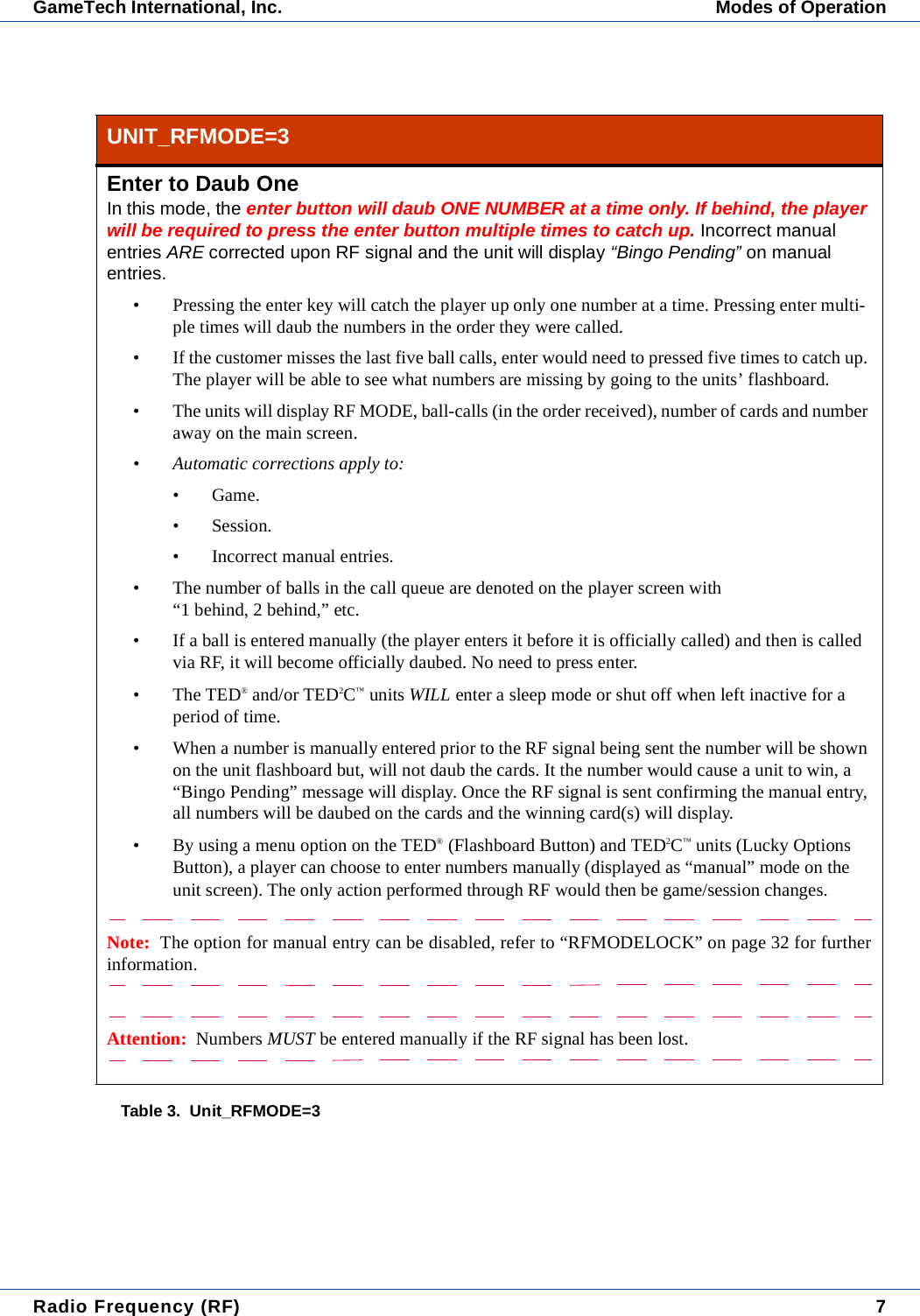
Radio Frequency (RF) 7GameTech International, Inc. Modes of OperationUNIT_RFMODE=3Enter to Daub OneIn this mode, the enter button will daub ONE NUMBER at a time only. If behind, the player will be required to press the enter button multiple times to catch up. Incorrect manual entries ARE corrected upon RF signal and the unit will display “Bingo Pending” on manual entries.• Pressing the enter key will catch the player up only one number at a time. Pressing enter multi-ple times will daub the numbers in the order they were called.• If the customer misses the last five ball calls, enter would need to pressed five times to catch up. The player will be able to see what numbers are missing by going to the units’ flashboard.• The units will display RF MODE, ball-calls (in the order received), number of cards and number away on the main screen.• Automatic corrections apply to:• Game.• Session.• Incorrect manual entries.• The number of balls in the call queue are denoted on the player screen with “1 behind, 2 behind,” etc.• If a ball is entered manually (the player enters it before it is officially called) and then is called via RF, it will become officially daubed. No need to press enter.•The TED® and/or TED2C™ units WILL enter a sleep mode or shut off when left inactive for a period of time.• When a number is manually entered prior to the RF signal being sent the number will be shown on the unit flashboard but, will not daub the cards. It the number would cause a unit to win, a “Bingo Pending” message will display. Once the RF signal is sent confirming the manual entry, all numbers will be daubed on the cards and the winning card(s) will display.• By using a menu option on the TED® (Flashboard Button) and TED2C™ units (Lucky Options Button), a player can choose to enter numbers manually (displayed as “manual” mode on the unit screen). The only action performed through RF would then be game/session changes.Note:  The option for manual entry can be disabled, refer to “RFMODELOCK” on page 32 for furtherinformation.Attention:  Numbers MUST be entered manually if the RF signal has been lost.Table 3.  Unit_RFMODE=3
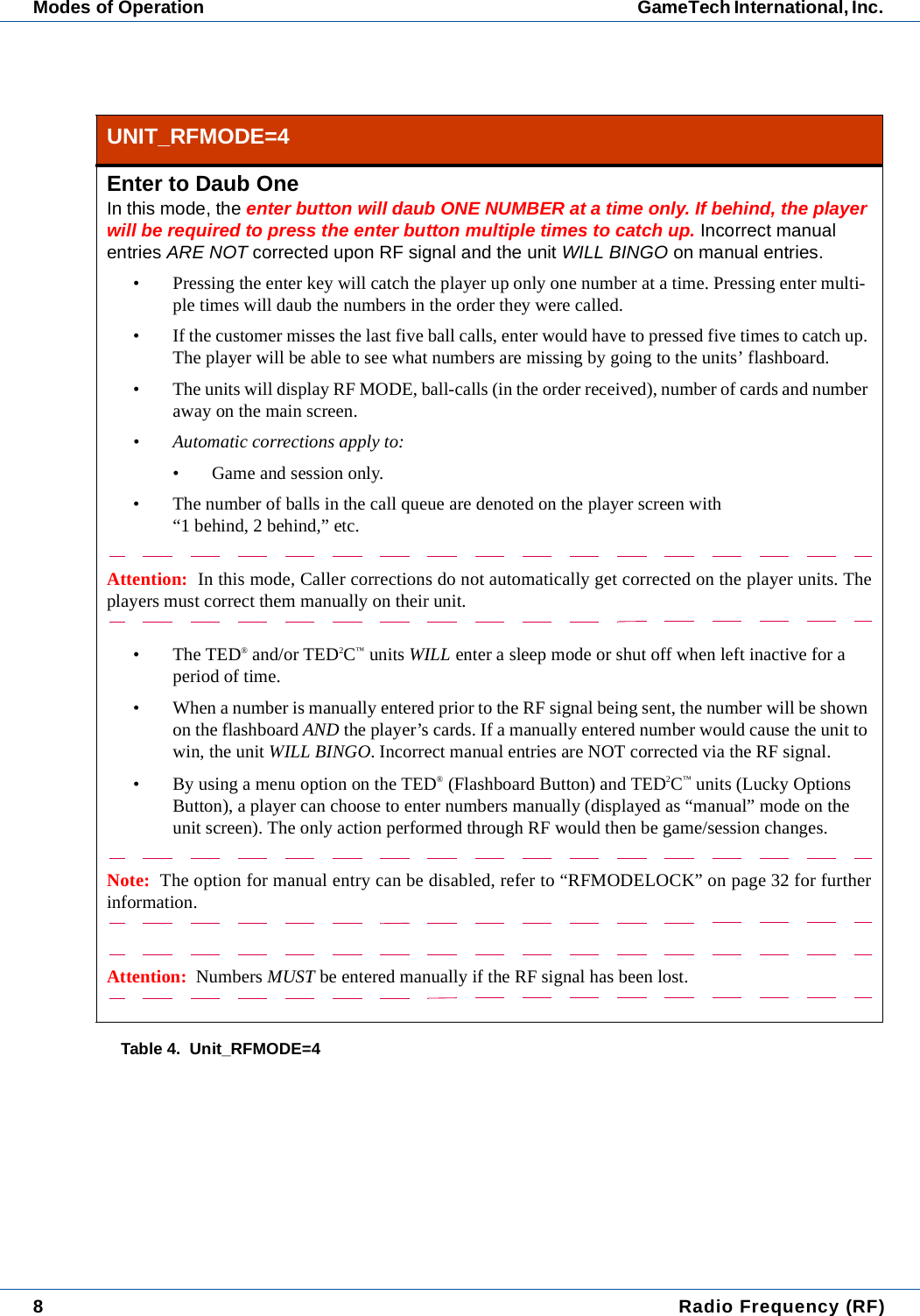
8 Radio Frequency (RF)Modes of Operation GameTech International, Inc. UNIT_RFMODE=4Enter to Daub OneIn this mode, the enter button will daub ONE NUMBER at a time only. If behind, the player will be required to press the enter button multiple times to catch up. Incorrect manual entries ARE NOT corrected upon RF signal and the unit WILL BINGO on manual entries.• Pressing the enter key will catch the player up only one number at a time. Pressing enter multi-ple times will daub the numbers in the order they were called.• If the customer misses the last five ball calls, enter would have to pressed five times to catch up. The player will be able to see what numbers are missing by going to the units’ flashboard.• The units will display RF MODE, ball-calls (in the order received), number of cards and number away on the main screen.• Automatic corrections apply to:• Game and session only.• The number of balls in the call queue are denoted on the player screen with “1 behind, 2 behind,” etc.Attention:  In this mode, Caller corrections do not automatically get corrected on the player units. Theplayers must correct them manually on their unit.•The TED® and/or TED2C™ units WILL enter a sleep mode or shut off when left inactive for a period of time.• When a number is manually entered prior to the RF signal being sent, the number will be shown on the flashboard AND the player’s cards. If a manually entered number would cause the unit to win, the unit WILL BINGO. Incorrect manual entries are NOT corrected via the RF signal.• By using a menu option on the TED® (Flashboard Button) and TED2C™ units (Lucky Options Button), a player can choose to enter numbers manually (displayed as “manual” mode on the unit screen). The only action performed through RF would then be game/session changes.Note:  The option for manual entry can be disabled, refer to “RFMODELOCK” on page 32 for furtherinformation.Attention:  Numbers MUST be entered manually if the RF signal has been lost.Table 4.  Unit_RFMODE=4
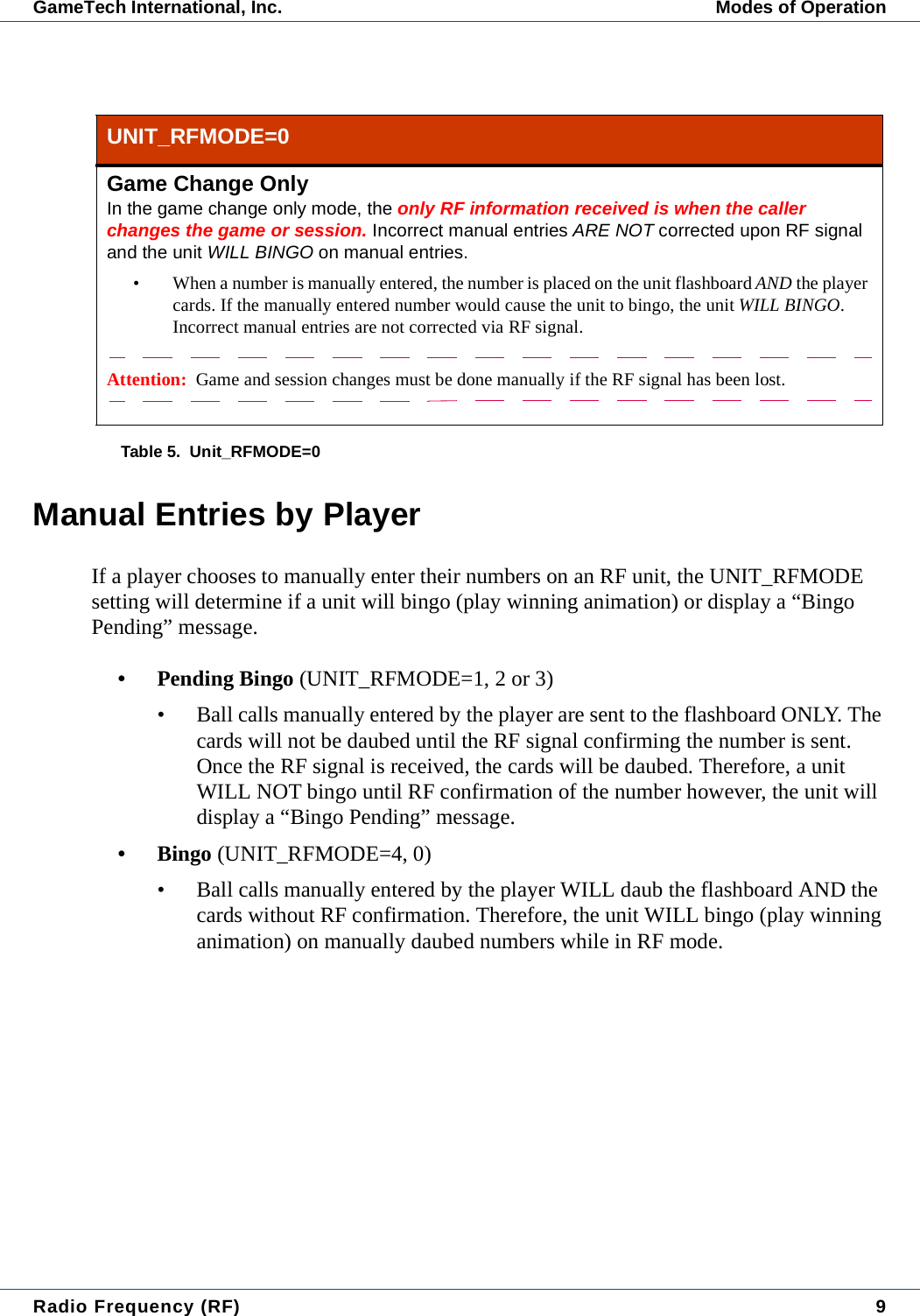
Radio Frequency (RF) 9GameTech International, Inc. Modes of OperationManual Entries by PlayerIf a player chooses to manually enter their numbers on an RF unit, the UNIT_RFMODE setting will determine if a unit will bingo (play winning animation) or display a “Bingo Pending” message.• Pending Bingo (UNIT_RFMODE=1, 2 or 3)• Ball calls manually entered by the player are sent to the flashboard ONLY. The cards will not be daubed until the RF signal confirming the number is sent. Once the RF signal is received, the cards will be daubed. Therefore, a unit WILL NOT bingo until RF confirmation of the number however, the unit will display a “Bingo Pending” message.•Bingo (UNIT_RFMODE=4, 0)• Ball calls manually entered by the player WILL daub the flashboard AND the cards without RF confirmation. Therefore, the unit WILL bingo (play winning animation) on manually daubed numbers while in RF mode.UNIT_RFMODE=0Game Change OnlyIn the game change only mode, the only RF information received is when the caller changes the game or session. Incorrect manual entries ARE NOT corrected upon RF signal and the unit WILL BINGO on manual entries.• When a number is manually entered, the number is placed on the unit flashboard AND the player cards. If the manually entered number would cause the unit to bingo, the unit WILL BINGO. Incorrect manual entries are not corrected via RF signal.Attention:  Game and session changes must be done manually if the RF signal has been lost.Table 5.  Unit_RFMODE=0
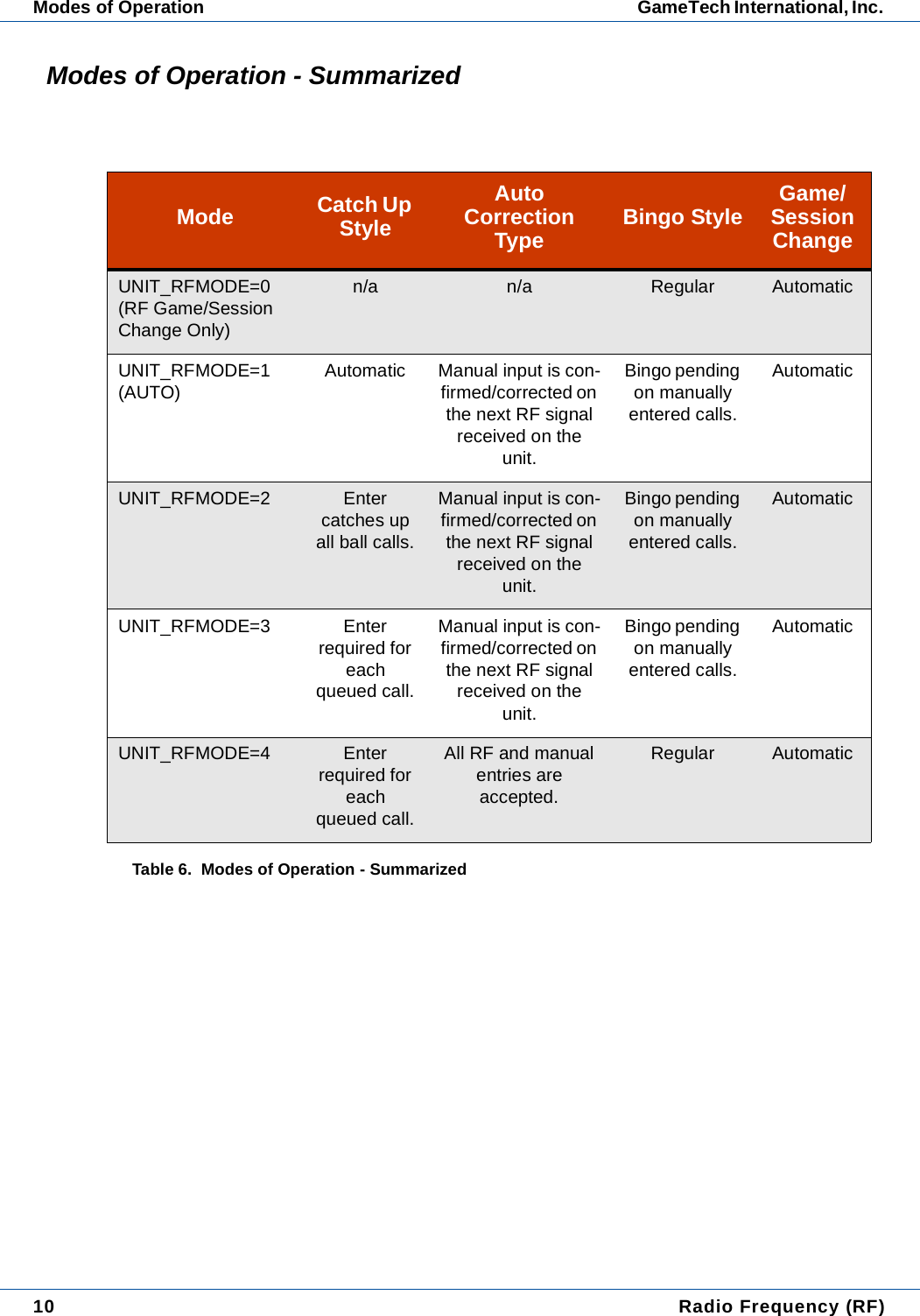
10  Radio Frequency (RF)Modes of Operation GameTech International, Inc. Modes of Operation - SummarizedMode Catch Up StyleAuto Correction Type Bingo Style Game/Session ChangeUNIT_RFMODE=0(RF Game/Session Change Only)n/a n/a Regular AutomaticUNIT_RFMODE=1(AUTO) Automatic Manual input is con-firmed/corrected on the next RF signal received on the unit.Bingo pending on manually entered calls.AutomaticUNIT_RFMODE=2 Enter catches up all ball calls.Manual input is con-firmed/corrected on the next RF signal received on the unit.Bingo pending on manually entered calls.AutomaticUNIT_RFMODE=3 Enter required for each queued call.Manual input is con-firmed/corrected on the next RF signal received on the unit.Bingo pending on manually entered calls.AutomaticUNIT_RFMODE=4 Enter required for each queued call.All RF and manual entries are accepted.Regular AutomaticTable 6.  Modes of Operation - Summarized
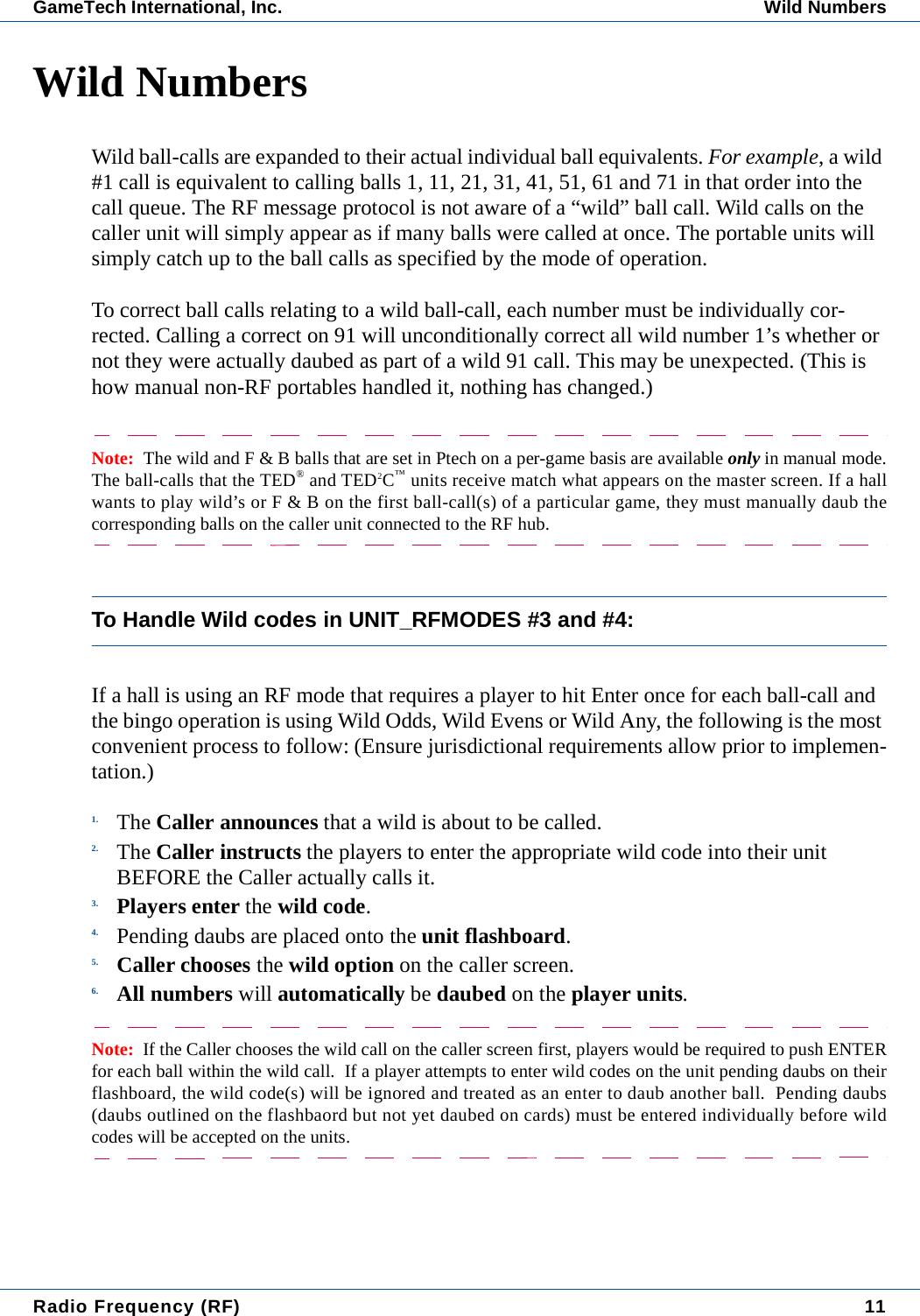
Radio Frequency (RF) 11GameTech International, Inc. Wild NumbersWild NumbersWild ball-calls are expanded to their actual individual ball equivalents. For example, a wild #1 call is equivalent to calling balls 1, 11, 21, 31, 41, 51, 61 and 71 in that order into the call queue. The RF message protocol is not aware of a “wild” ball call. Wild calls on the caller unit will simply appear as if many balls were called at once. The portable units will simply catch up to the ball calls as specified by the mode of operation.To correct ball calls relating to a wild ball-call, each number must be individually cor-rected. Calling a correct on 91 will unconditionally correct all wild number 1’s whether or not they were actually daubed as part of a wild 91 call. This may be unexpected. (This is how manual non-RF portables handled it, nothing has changed.)Note:  The wild and F & B balls that are set in Ptech on a per-game basis are available only in manual mode.The ball-calls that the TED® and TED2C™ units receive match what appears on the master screen. If a hallwants to play wild’s or F & B on the first ball-call(s) of a particular game, they must manually daub thecorresponding balls on the caller unit connected to the RF hub.To Handle Wild codes in UNIT_RFMODES #3 and #4:If a hall is using an RF mode that requires a player to hit Enter once for each ball-call and the bingo operation is using Wild Odds, Wild Evens or Wild Any, the following is the most convenient process to follow: (Ensure jurisdictional requirements allow prior to implemen-tation.)1. The Caller announces that a wild is about to be called.2. The Caller instructs the players to enter the appropriate wild code into their unit BEFORE the Caller actually calls it.3. Players enter the wild code.4. Pending daubs are placed onto the unit flashboard.5. Caller chooses the wild option on the caller screen.6. All numbers will automatically be daubed on the player units.Note:  If the Caller chooses the wild call on the caller screen first, players would be required to push ENTERfor each ball within the wild call.  If a player attempts to enter wild codes on the unit pending daubs on theirflashboard, the wild code(s) will be ignored and treated as an enter to daub another ball.  Pending daubs(daubs outlined on the flashbaord but not yet daubed on cards) must be entered individually before wildcodes will be accepted on the units.
12  Radio Frequency (RF)Wild Numbers GameTech International, Inc.
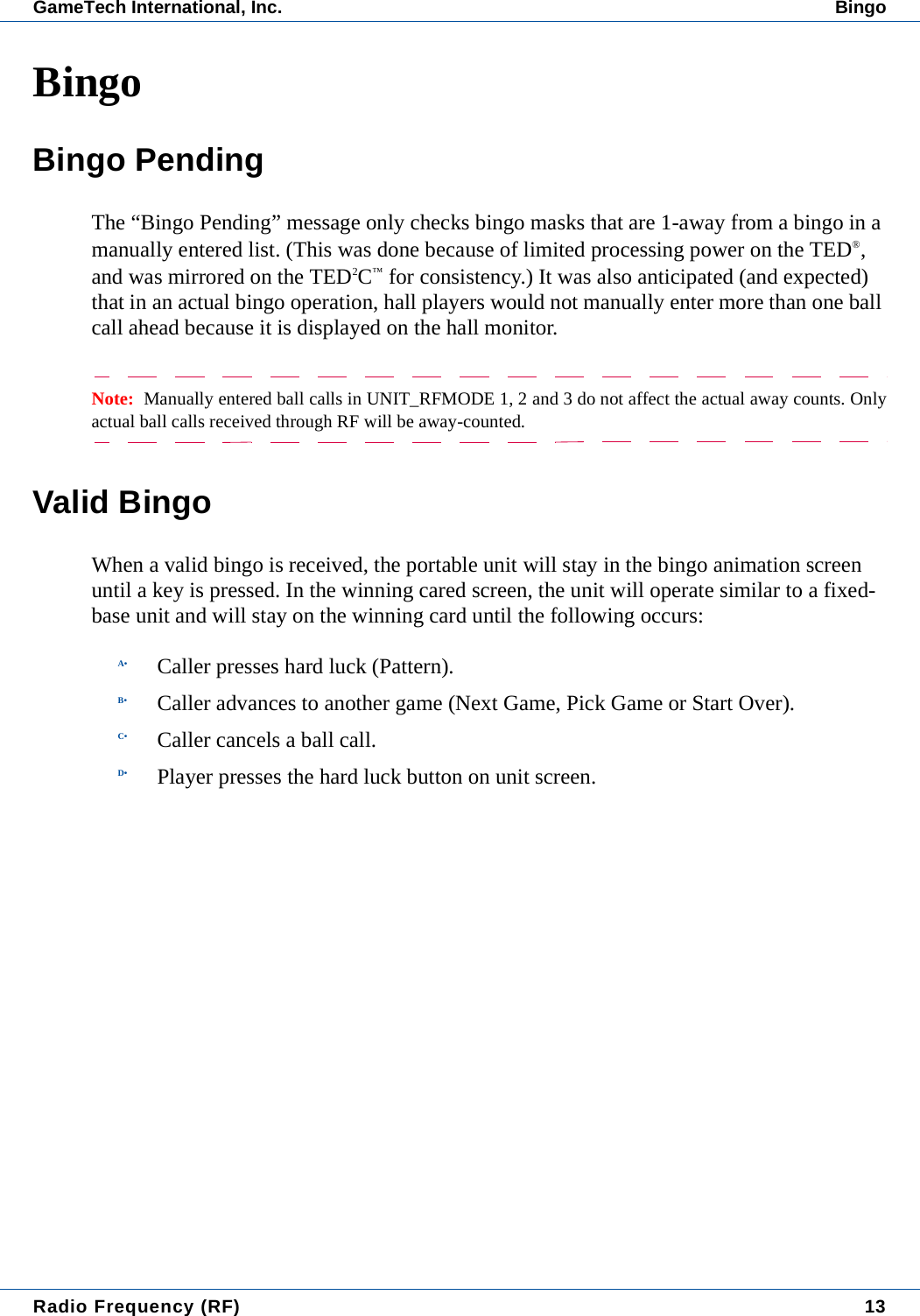
Radio Frequency (RF) 13GameTech International, Inc. BingoBingoBingo PendingThe “Bingo Pending” message only checks bingo masks that are 1-away from a bingo in a manually entered list. (This was done because of limited processing power on the TED®, and was mirrored on the TED2C™ for consistency.) It was also anticipated (and expected) that in an actual bingo operation, hall players would not manually enter more than one ball call ahead because it is displayed on the hall monitor.Note:  Manually entered ball calls in UNIT_RFMODE 1, 2 and 3 do not affect the actual away counts. Onlyactual ball calls received through RF will be away-counted.Valid BingoWhen a valid bingo is received, the portable unit will stay in the bingo animation screen until a key is pressed. In the winning cared screen, the unit will operate similar to a fixed-base unit and will stay on the winning card until the following occurs:A• Caller presses hard luck (Pattern).B• Caller advances to another game (Next Game, Pick Game or Start Over).C• Caller cancels a ball call.D• Player presses the hard luck button on unit screen.
14  Radio Frequency (RF)Bingo GameTech International, Inc.
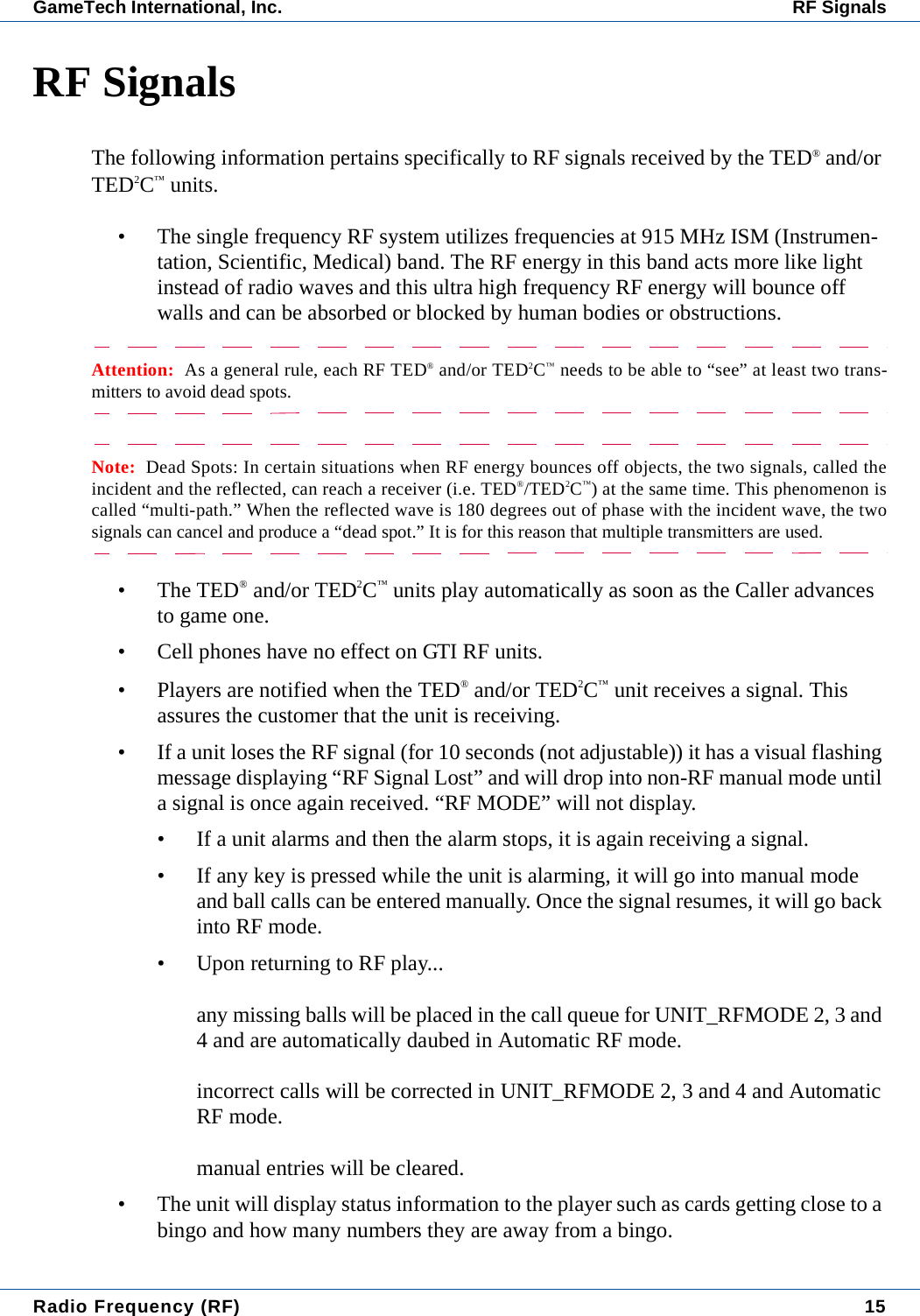
Radio Frequency (RF) 15GameTech International, Inc. RF SignalsRF SignalsThe following information pertains specifically to RF signals received by the TED® and/or TED2C™ units.• The single frequency RF system utilizes frequencies at 915 MHz ISM (Instrumen-tation, Scientific, Medical) band. The RF energy in this band acts more like light instead of radio waves and this ultra high frequency RF energy will bounce off walls and can be absorbed or blocked by human bodies or obstructions.Attention:  As a general rule, each RF TED® and/or TED2C™ needs to be able to “see” at least two trans-mitters to avoid dead spots.Note:  Dead Spots: In certain situations when RF energy bounces off objects, the two signals, called theincident and the reflected, can reach a receiver (i.e. TED®/TED2C™) at the same time. This phenomenon iscalled “multi-path.” When the reflected wave is 180 degrees out of phase with the incident wave, the twosignals can cancel and produce a “dead spot.” It is for this reason that multiple transmitters are used.• The TED® and/or TED2C™ units play automatically as soon as the Caller advances to game one.• Cell phones have no effect on GTI RF units.• Players are notified when the TED® and/or TED2C™ unit receives a signal. This assures the customer that the unit is receiving. • If a unit loses the RF signal (for 10 seconds (not adjustable)) it has a visual flashing message displaying “RF Signal Lost” and will drop into non-RF manual mode until a signal is once again received. “RF MODE” will not display.• If a unit alarms and then the alarm stops, it is again receiving a signal.• If any key is pressed while the unit is alarming, it will go into manual mode and ball calls can be entered manually. Once the signal resumes, it will go back into RF mode.• Upon returning to RF play...any missing balls will be placed in the call queue for UNIT_RFMODE 2, 3 and 4 and are automatically daubed in Automatic RF mode.incorrect calls will be corrected in UNIT_RFMODE 2, 3 and 4 and Automatic RF mode.manual entries will be cleared.• The unit will display status information to the player such as cards getting close to a bingo and how many numbers they are away from a bingo.
16  Radio Frequency (RF)RF Signals GameTech International, Inc.
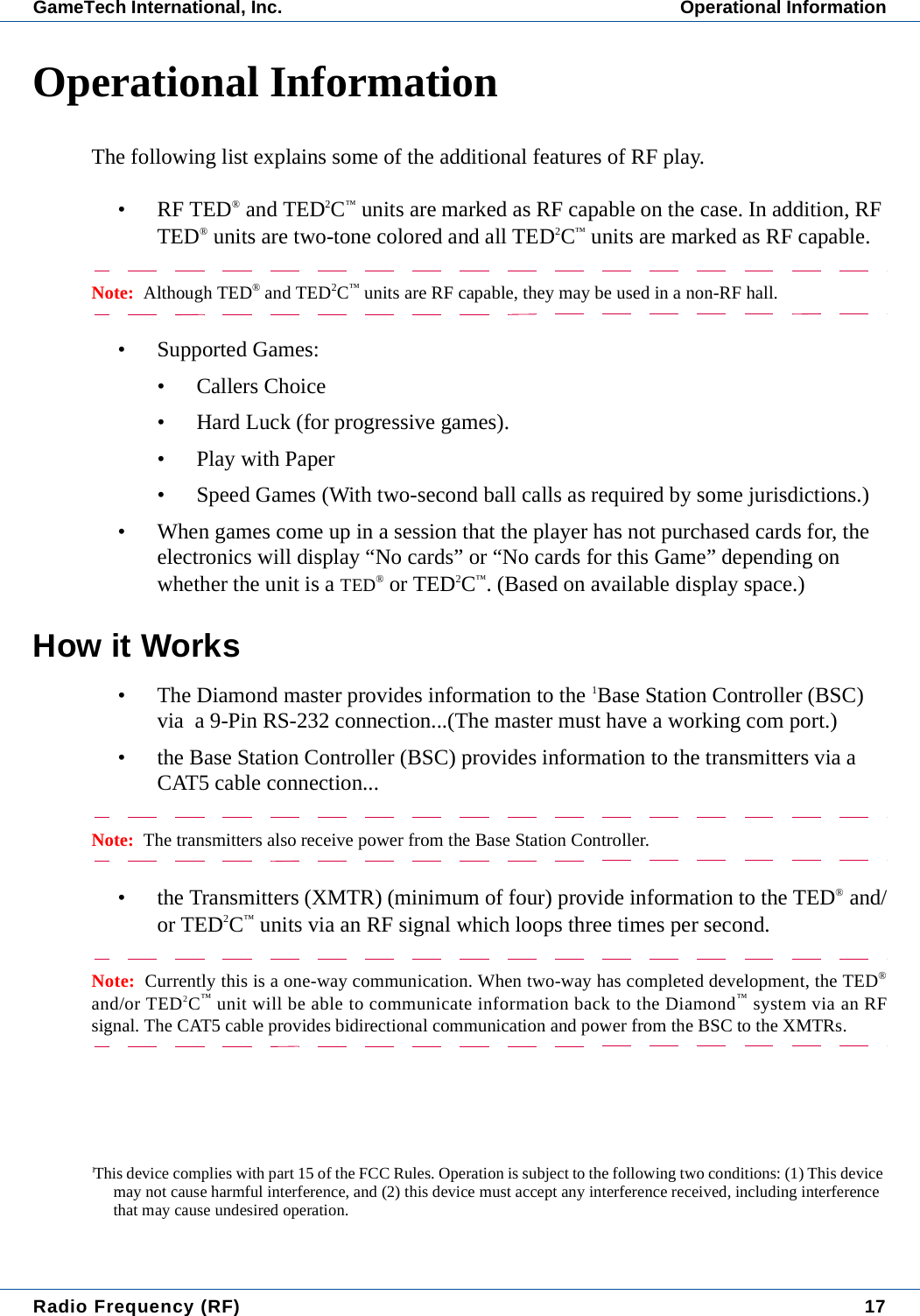
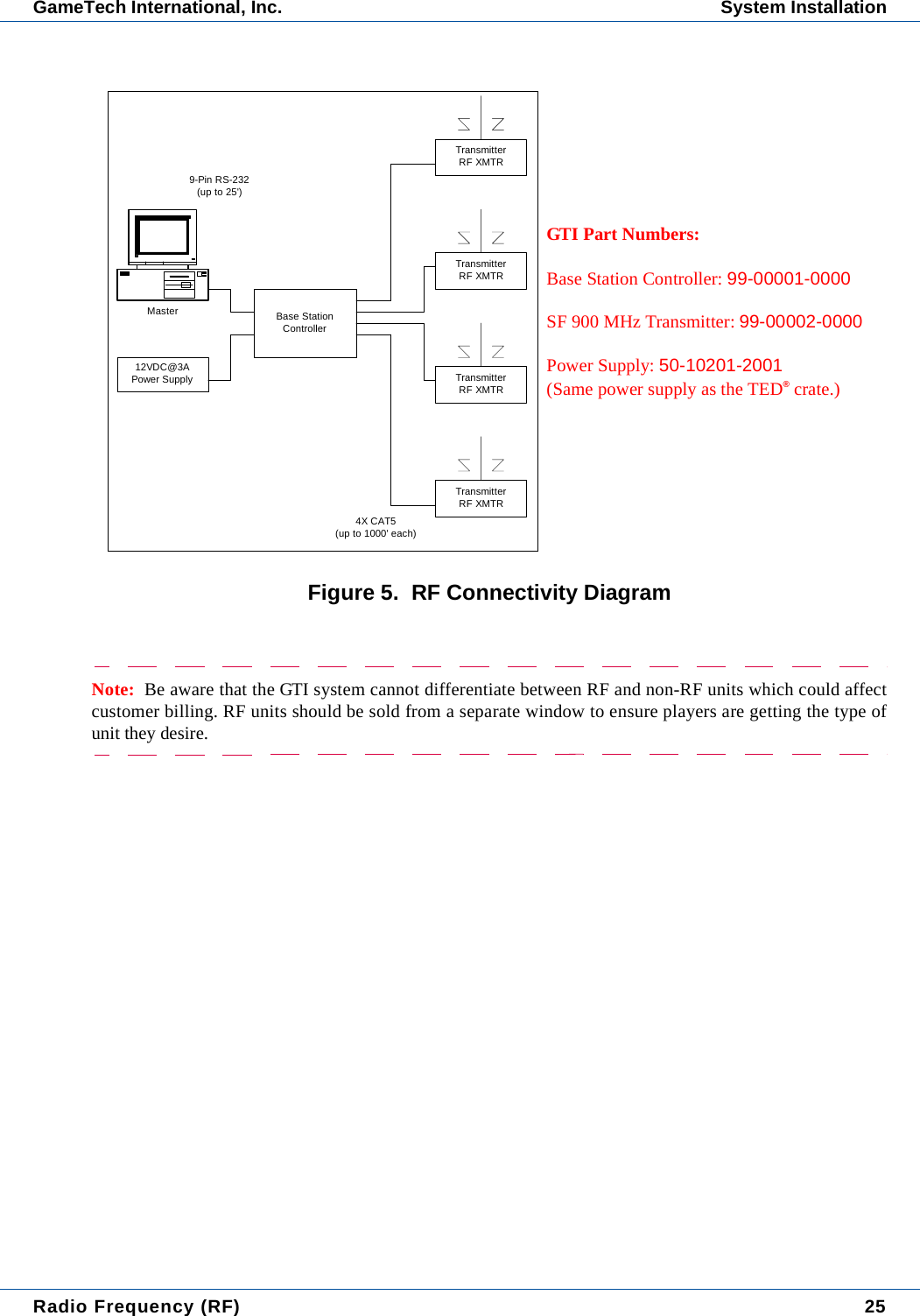
Radio Frequency (RF) 17GameTech International, Inc. Operational InformationOperational InformationThe following list explains some of the additional features of RF play.• RF TED® and TED2C™ units are marked as RF capable on the case. In addition, RF TED® units are two-tone colored and all TED2C™ units are marked as RF capable.Note:  Although TED® and TED2C™ units are RF capable, they may be used in a non-RF hall.• Supported Games:• Callers Choice• Hard Luck (for progressive games).•Play with Paper• Speed Games (With two-second ball calls as required by some jurisdictions.)• When games come up in a session that the player has not purchased cards for, the electronics will display “No cards” or “No cards for this Game” depending on whether the unit is a TED® or TED2C™. (Based on available display space.)How it Works• The Diamond master provides information to the 1Base Station Controller (BSC) via  a 9-Pin RS-232 connection...(The master must have a working com port.)• the Base Station Controller (BSC) provides information to the transmitters via a CAT5 cable connection...Note:  The transmitters also receive power from the Base Station Controller.• the Transmitters (XMTR) (minimum of four) provide information to the TED® and/or TED2C™ units via an RF signal which loops three times per second.Note:  Currently this is a one-way communication. When two-way has completed development, the TED®and/or TED2C™ unit will be able to communicate information back to the Diamond™ system via an RFsignal. The CAT5 cable provides bidirectional communication and power from the BSC to the XMTRs.1This device complies with part 15 of the FCC Rules. Operation is subject to the following two conditions: (1) This device may not cause harmful interference, and (2) this device must accept any interference received, including interference that may cause undesired operation.
18  Radio Frequency (RF)Operational Information GameTech International, Inc.
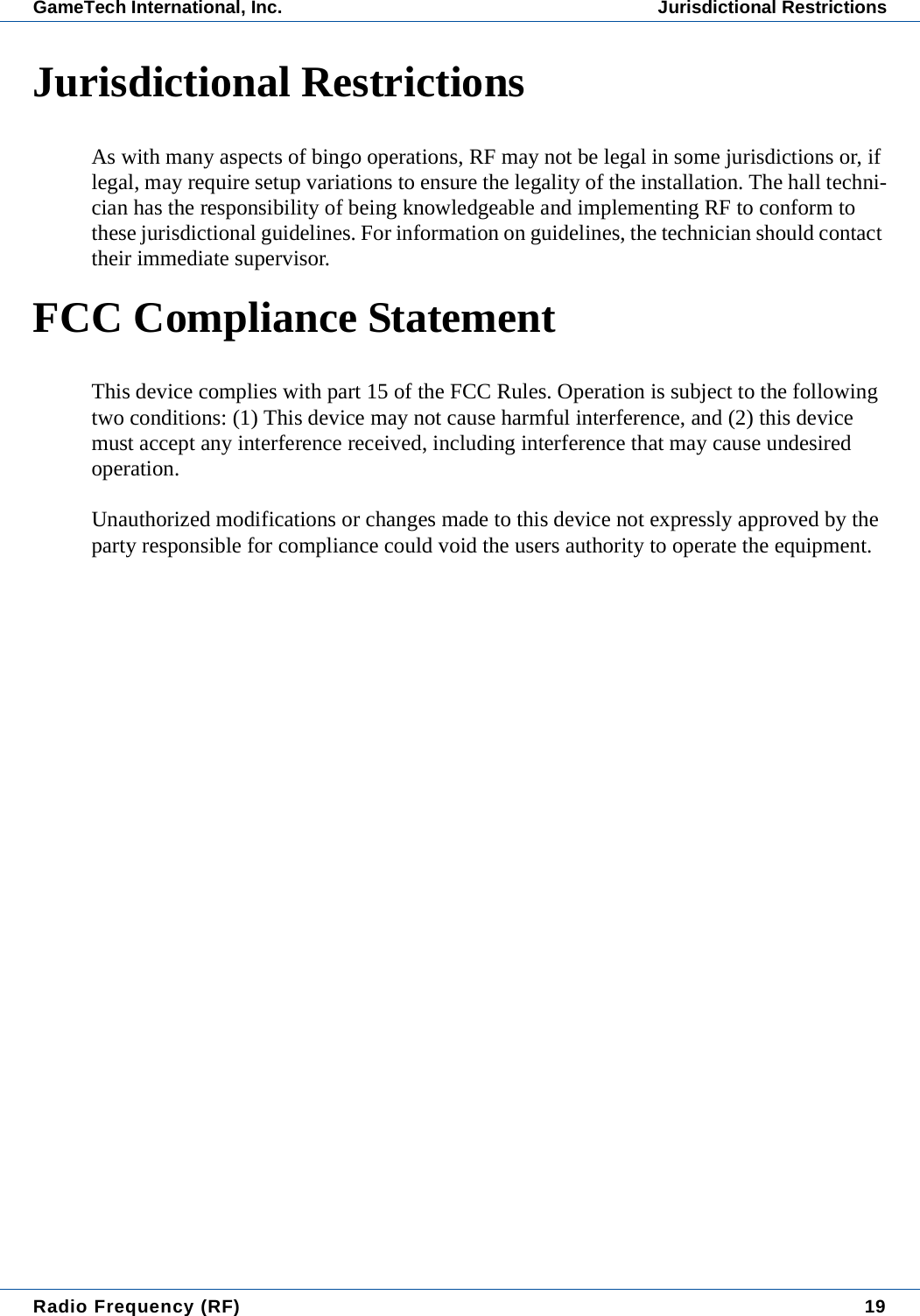
Radio Frequency (RF) 19GameTech International, Inc. Jurisdictional RestrictionsJurisdictional RestrictionsAs with many aspects of bingo operations, RF may not be legal in some jurisdictions or, if legal, may require setup variations to ensure the legality of the installation. The hall techni-cian has the responsibility of being knowledgeable and implementing RF to conform to  these jurisdictional guidelines. For information on guidelines, the technician should contact their immediate supervisor.FCC Compliance StatementThis device complies with part 15 of the FCC Rules. Operation is subject to the following two conditions: (1) This device may not cause harmful interference, and (2) this device must accept any interference received, including interference that may cause undesired operation.Unauthorized modifications or changes made to this device not expressly approved by the party responsible for compliance could void the users authority to operate the equipment.
20  Radio Frequency (RF)FCC Compliance Statement GameTech International, Inc.
Radio Frequency (RF) 21GameTech International, Inc. System InstallationSystem InstallationRequired HardwareThe GameTech 900 MHz RF TED® and TED2C™ system contains three basic components as follows:Base Station Controller (BSC)The BSC should be installed within close proximity of the ball call PC (up to 25’) and within 6’ of an AC power plug (GTI Part #99-00001-0000).Note:  The BSC should remain within easy access. If transmission problems occur, a reset may be required.A reset can be accomplished by cycling the power to the BSC (there is no reset button).
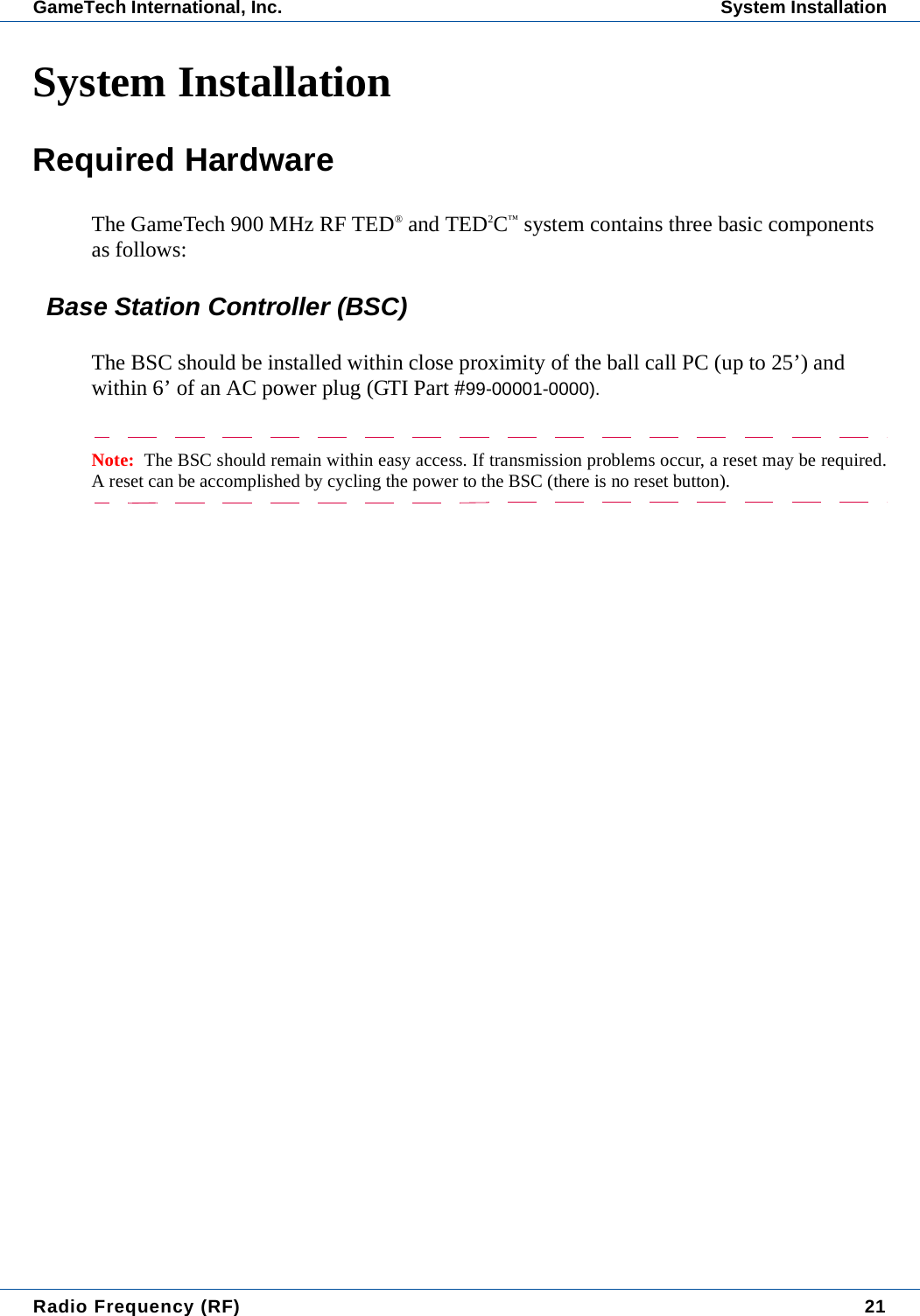
22  Radio Frequency (RF)System Installation GameTech International, Inc. Transmitters (XMTR)• There is a minimum of four transmitters (GTI Part #99-00002-0000) that should be strategically placed around the hall to ensure full line of sight coverage from at least two transmitters to the TED® / TED2C™ units over the entire playing floor. (Range: 100’ radius, 200’ diameter.)• The XMTRs can be placed right-side up or upside down but, the antenna must be perpendicular to the floor for maximum coverage over the playing area. • The CAT5 cables should be routed from each XMTR to the BSC and connected to ensure a clean installation.Figure 1.  Base Station Controller and TransmitterNote: The Transmitter and the Battery Powered Transmitter visually appear to be exactly the same however, when the battery is plugged into each unit, they will respond differently as follows:•1Transmitter - Green light will be on, red light will not.•Battery Powered Transmitter (used for site survey only) - Green light will be on indicating power, red light blinks at one second intervals.1. This device complies with part 15 of the FCC Rules. Operation is subject to the following two conditions: (1) This device may not cause harmful interference, and (2) this device must accept any interference received, including inter-ference that may cause undesired operation.Transmitter (XMTR)Base Station Controller (BSC)Red: SignalGreen: Power
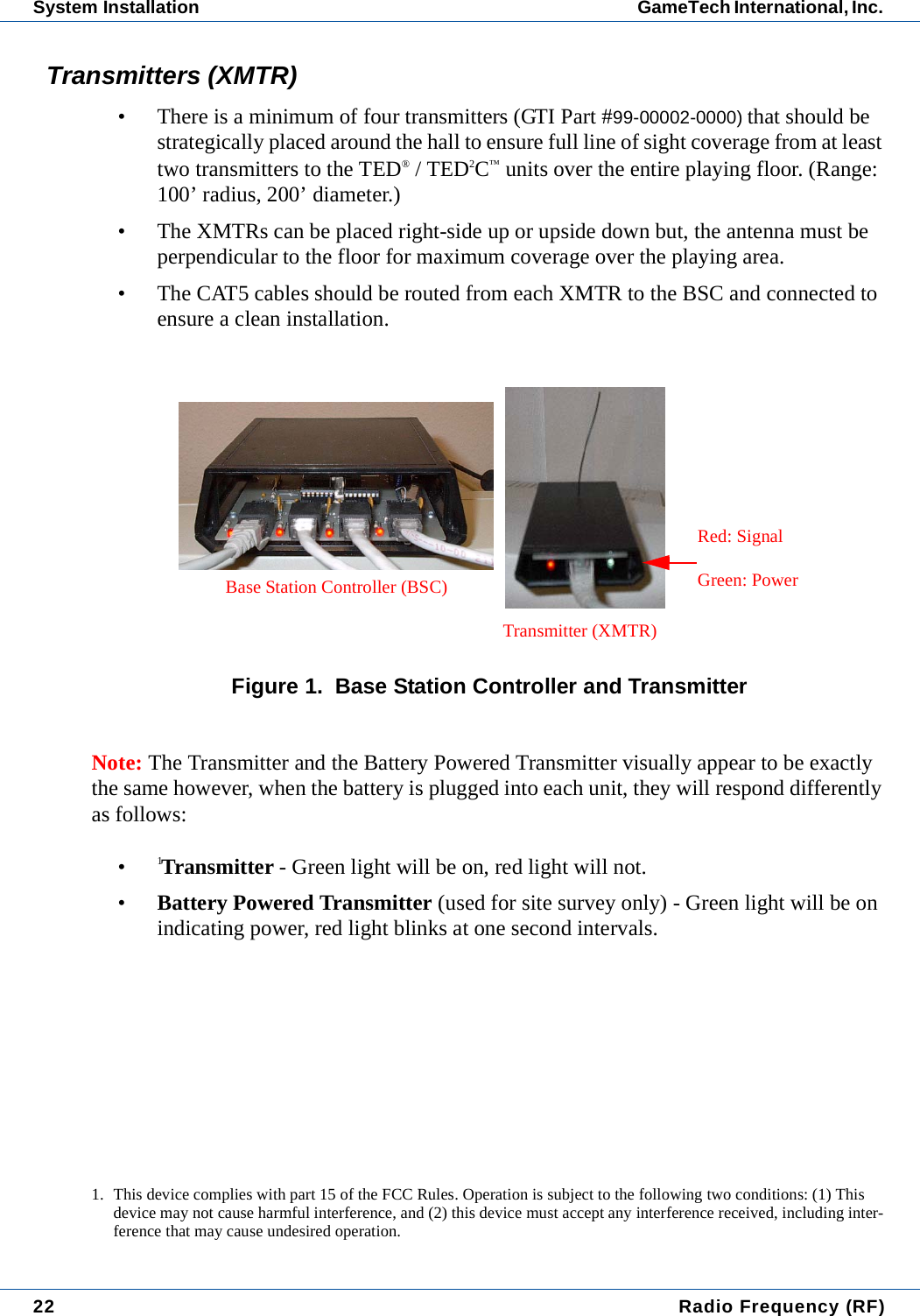
Radio Frequency (RF) 23GameTech International, Inc. System InstallationTED® and TED2C™ UnitsThe TED® and TED2C™ units2 are standard GameTech products that have 900 MHz RF receivers installed. Each unit has hardware modifications to accommodate the RF receivers and special software for using the new source of data from the RF module. These units will be marked as RF capable as shown below.Figure 2.  TED® Unit Screen2. These devices comply with part 15 of the FCC Rules. Operation is subject to the following two conditions: (1) These devices may not cause harmful interference, and (2) these devices must accept any interference received, including interference that may cause undesired operation.
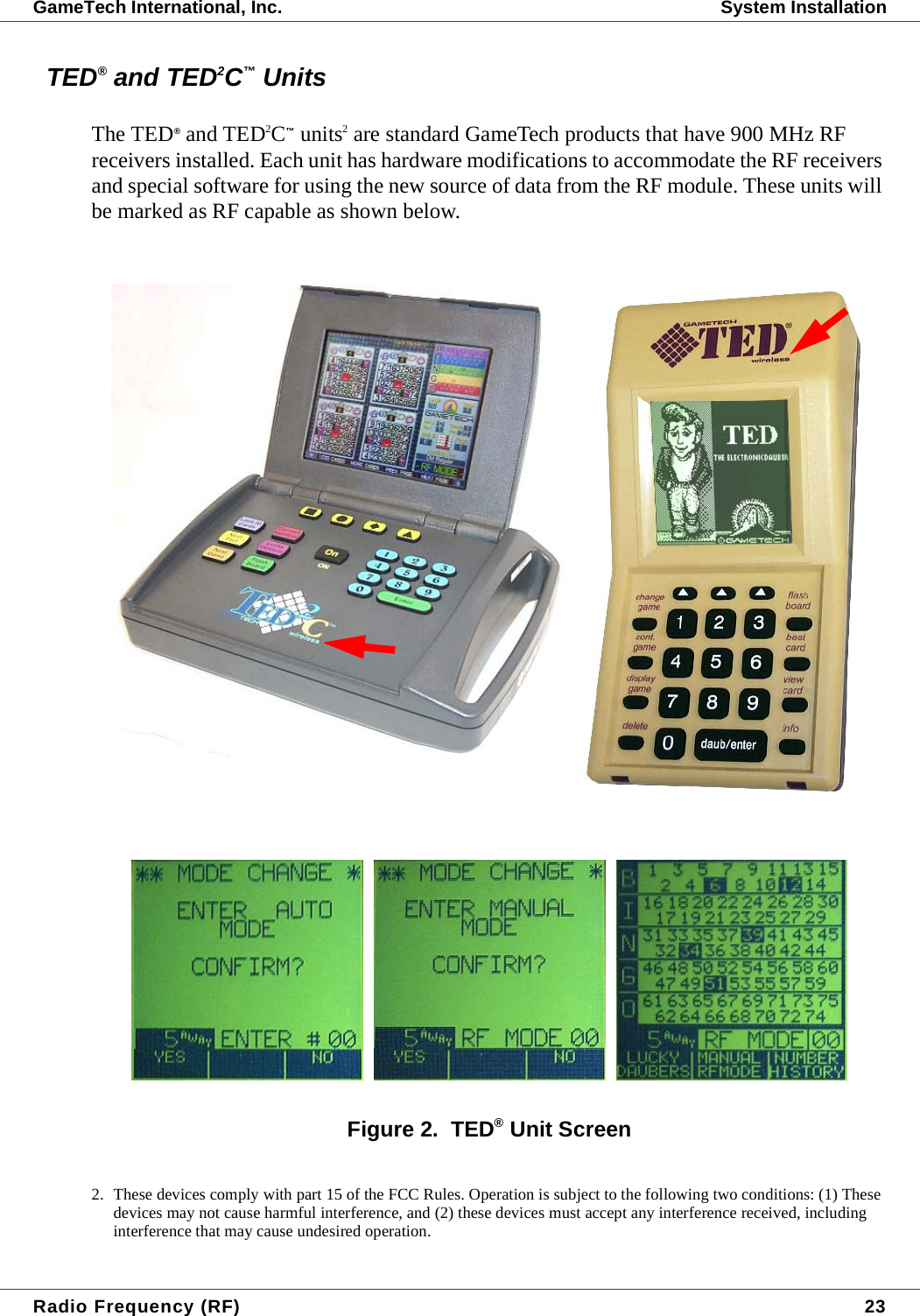
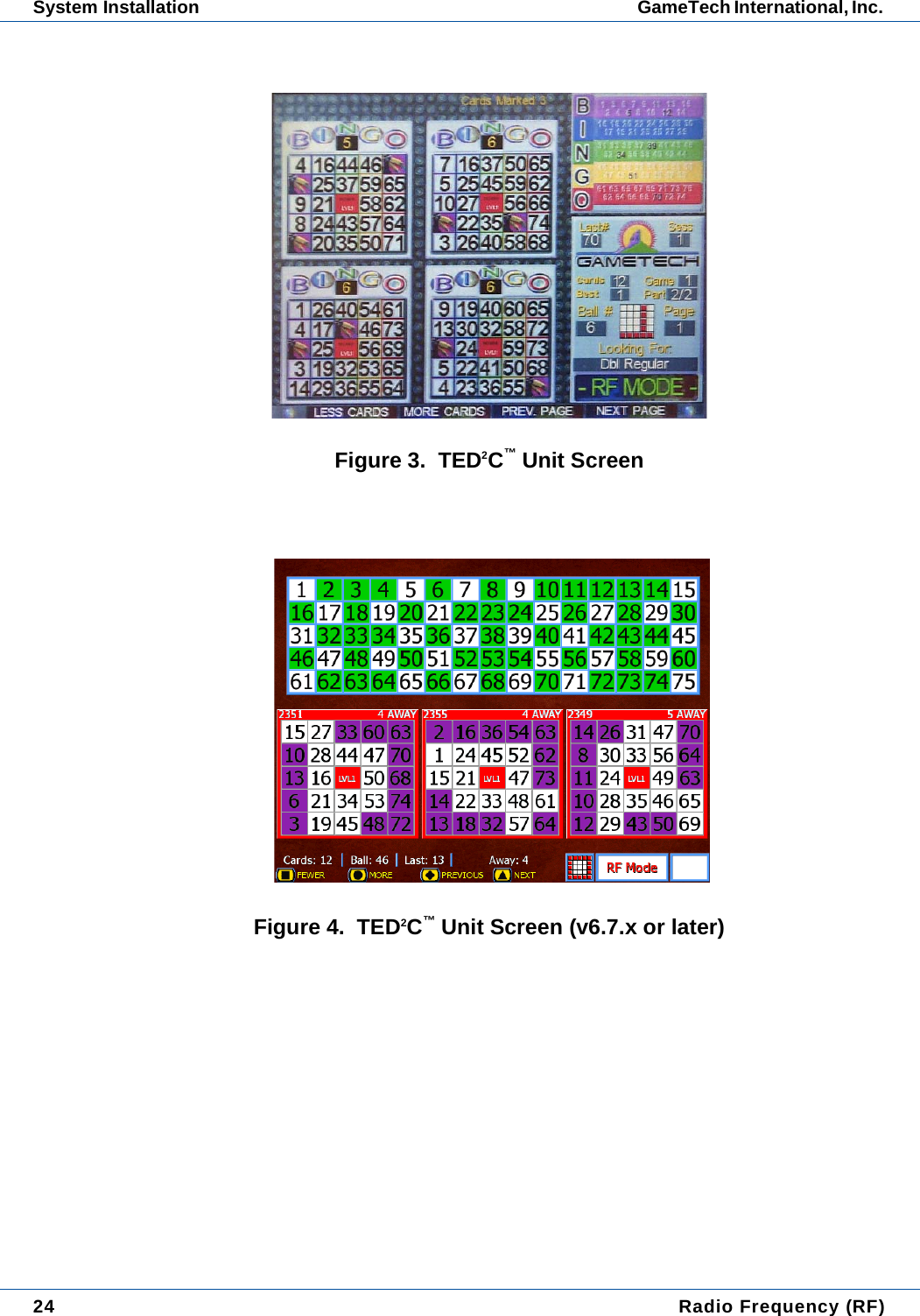
24  Radio Frequency (RF)System Installation GameTech International, Inc. Figure 3.  TED2C™ Unit ScreenFigure 4.  TED2C™ Unit Screen (v6.7.x or later)
Radio Frequency (RF) 25GameTech International, Inc. System InstallationFigure 5.  RF Connectivity DiagramNote:  Be aware that the GTI system cannot differentiate between RF and non-RF units which could affectcustomer billing. RF units should be sold from a separate window to ensure players are getting the type ofunit they desire.Master12VDC@3APower SupplyTransmitterRF XMTRTransmitterRF XMTRTransmitterRF XMTRTransmitterRF XMTRBase StationController4X CAT5(up to 1000' each)9-Pin RS-232(up to 25')GTI Part Numbers:Base Station Controller: 99-00001-0000SF 900 MHz Transmitter: 99-00002-0000Power Supply: 50-10201-2001 (Same power supply as the TED® crate.)
26  Radio Frequency (RF)System Installation GameTech International, Inc. RF Test ToolsSuitability of a hall is determined by two factors: Interference and Coverage. Engineering has developed two tools to help in the evaluation of the hall, a Signal Strength Meter (SSM) and a Standalone Battery Powered Transmitter. (Contact your supervisor to obtain the RF testing tools if you are required to do a site survey, part numbers are listed below. )• 99-90000-0001 SF RF Site Survey Kit (consisting of the following): • 99-90000-0002 SF RF Survey Receiver • 99-90000-0003 SF RF Survey Transmitter • 99-56400-0001 SF RF Transmitter Battery Cable
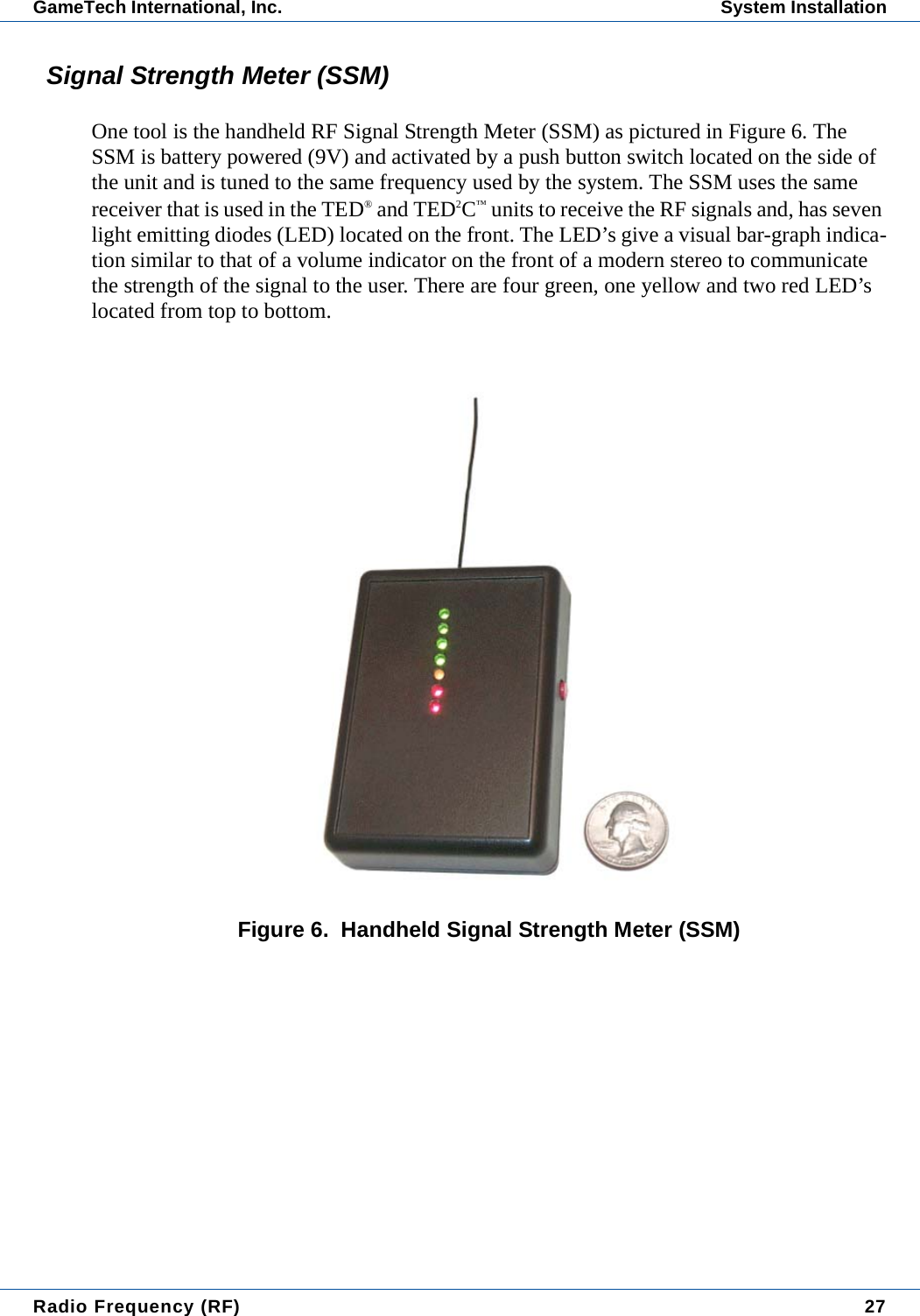
Radio Frequency (RF) 27GameTech International, Inc. System InstallationSignal Strength Meter (SSM)One tool is the handheld RF Signal Strength Meter (SSM) as pictured in Figure 6. The SSM is battery powered (9V) and activated by a push button switch located on the side of the unit and is tuned to the same frequency used by the system. The SSM uses the same receiver that is used in the TED® and TED2C™ units to receive the RF signals and, has seven light emitting diodes (LED) located on the front. The LED’s give a visual bar-graph indica-tion similar to that of a volume indicator on the front of a modern stereo to communicate the strength of the signal to the user. There are four green, one yellow and two red LED’s located from top to bottom.Figure 6.  Handheld Signal Strength Meter (SSM)
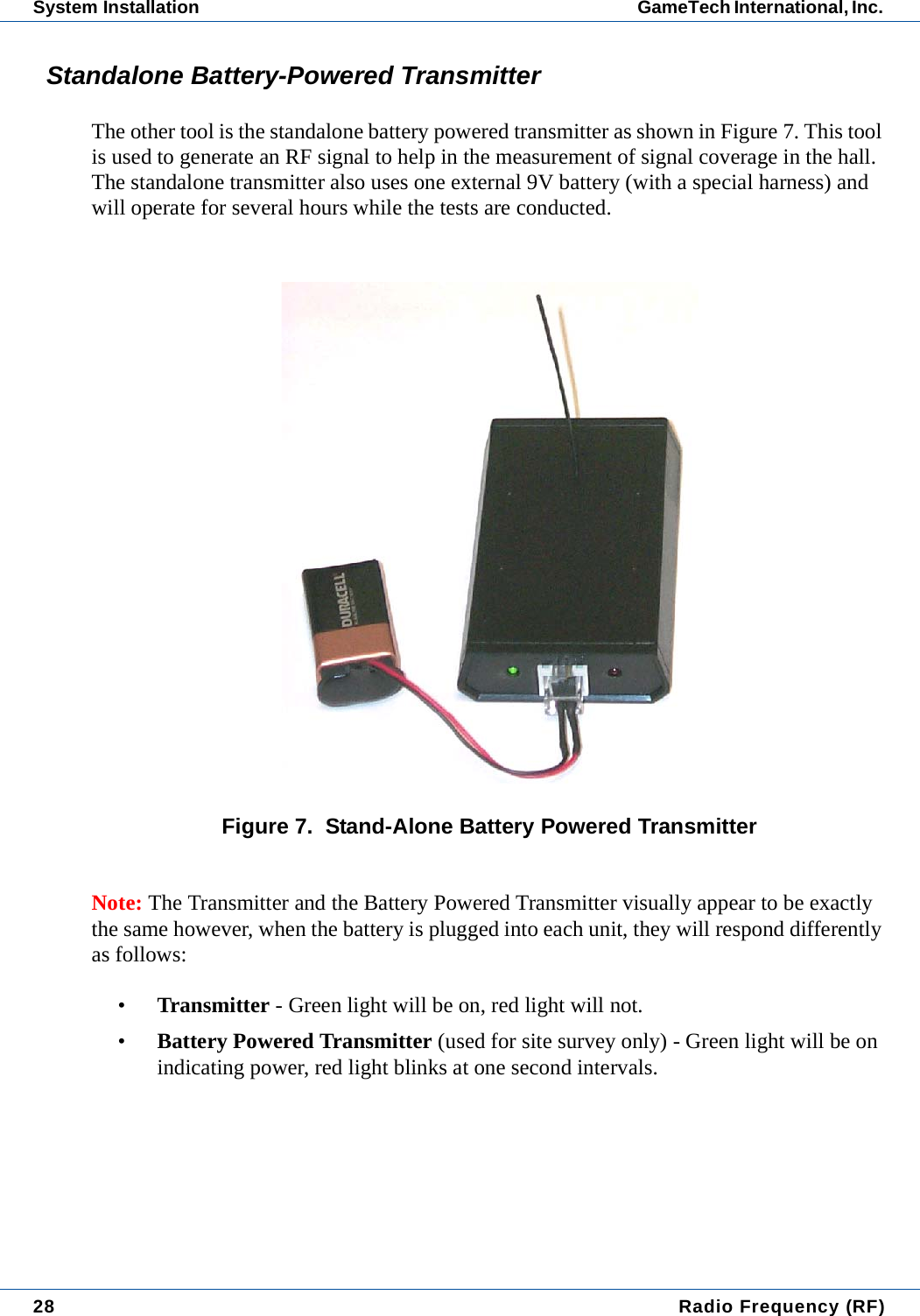
28  Radio Frequency (RF)System Installation GameTech International, Inc. Standalone Battery-Powered TransmitterThe other tool is the standalone battery powered transmitter as shown in Figure 7. This tool is used to generate an RF signal to help in the measurement of signal coverage in the hall. The standalone transmitter also uses one external 9V battery (with a special harness) and will operate for several hours while the tests are conducted. Figure 7.  Stand-Alone Battery Powered TransmitterNote: The Transmitter and the Battery Powered Transmitter visually appear to be exactly the same however, when the battery is plugged into each unit, they will respond differently as follows:•Transmitter - Green light will be on, red light will not.•Battery Powered Transmitter (used for site survey only) - Green light will be on indicating power, red light blinks at one second intervals.
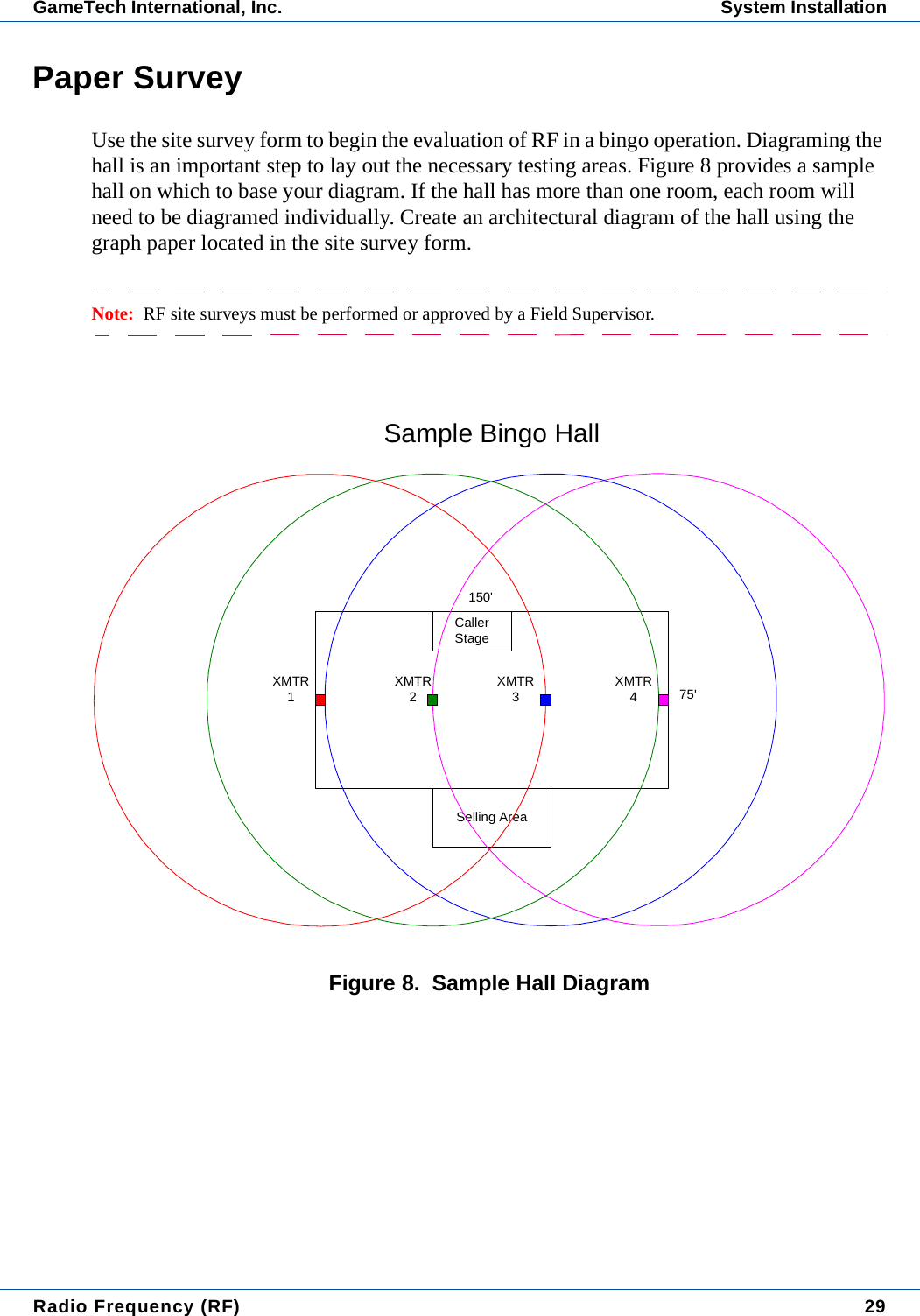
Radio Frequency (RF) 29GameTech International, Inc. System InstallationPaper SurveyUse the site survey form to begin the evaluation of RF in a bingo operation. Diagraming the hall is an important step to lay out the necessary testing areas. Figure 8 provides a sample hall on which to base your diagram. If the hall has more than one room, each room will need to be diagramed individually. Create an architectural diagram of the hall using the graph paper located in the site survey form.Note:  RF site surveys must be performed or approved by a Field Supervisor.Figure 8.  Sample Hall DiagramSelling AreaCallerStage75'150'Sample Bingo HallXMTR1XMTR2XMTR3XMTR4
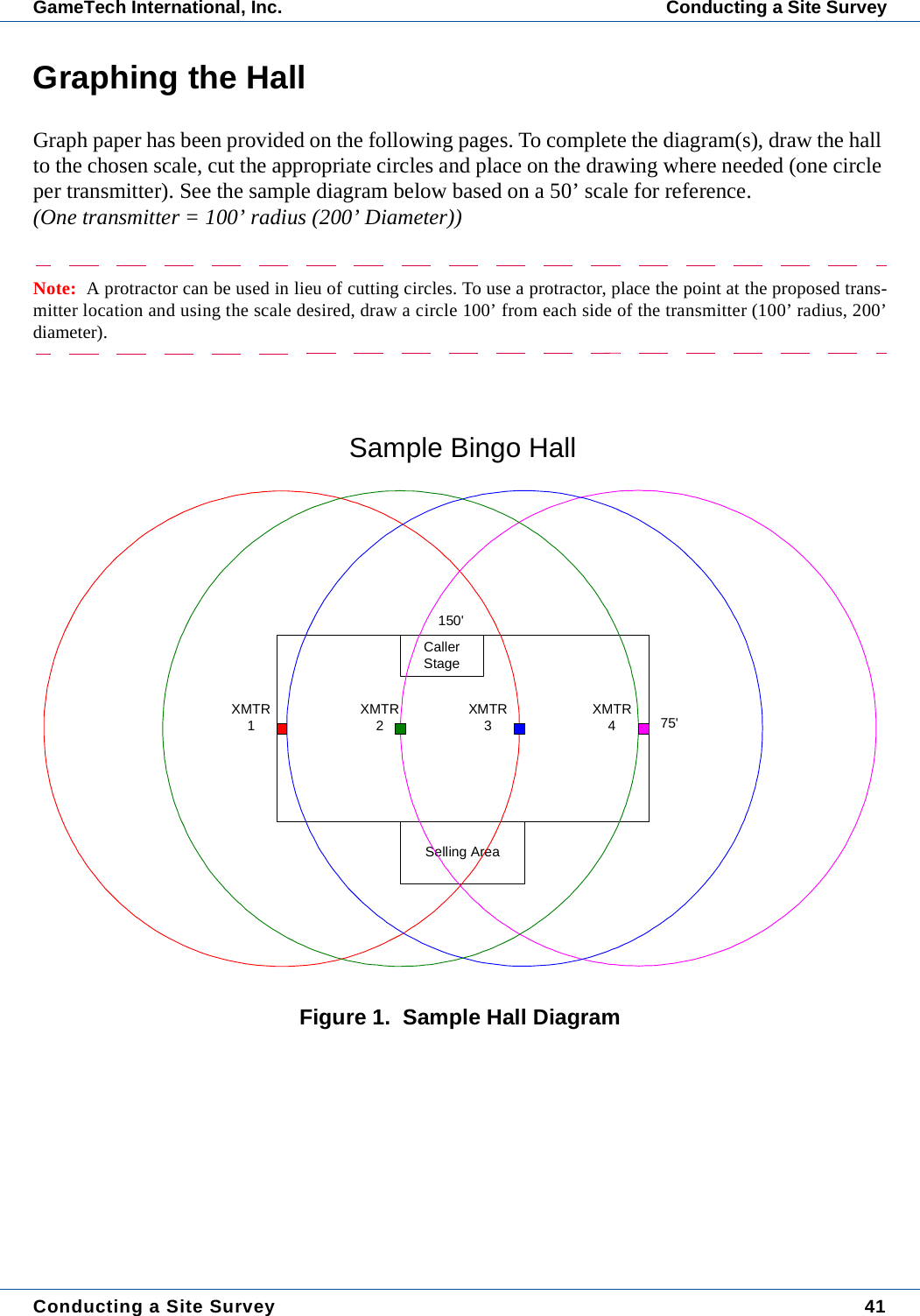
30  Radio Frequency (RF)System Installation GameTech International, Inc. Diagramming a Hall• Print the site survey form.• Measure the room(s) in the hall.• Locate where the master computer is placed.  The Base Station Controller (BSC) needs to be located within a 25 ft. cable length of it.  • Once the location of the BSC is determined, the optimum placement of the trans-mitters and routing of the CAT5 cables from the BSC to each transmitter needs to be determined.  Each transmitter can cover a circular area with a radius of about 100 feet (200’ diameter). Use the site survey form to assist in the placement.• Using the site survey form to create a diagram, cut out four circles representing the 100’ radius of the transmitters. Adhere to the rule that each location on the floor must be able to see at least two transmitters. The sample hall in Figure 8 displays the radiation patterns of each respective transmitter. (The scale of the drawing has been reduced for this document.)• The transmitters are represented by the small squares down the center line of the hall.  Ceiling mounting is highly recommended because it keeps the signal from being blocked by player's bodies and the height gives the best overall coverage for each transmitter.Note:  On a ceiling mount the transmitter should be mounted with the antenna pointing down. In addition,ensure the antenna is straight and perpendicular to the floor.Interference SignalsWhen walking through the hall with all equipment (computers, etc.) turned on and no active transmitters, only the bottom red LED on the SSM should be illuminated when the power switch is pressed.  Noise or other insignificant signals may cause the second red LED to flash randomly.  If a constant yellow or green illumination is present, the source of the interfering signal must be determined and considered.Examples of Possible Interferences:Location and Isolation of Interferences:When walking through the hall and interference is picked up, attempt to locate the item(s) either visually or by asking persons in the area. If the signal is too strong and cannot be moved in frequency or eliminated, it may disqualify the hall from using as an RF system.-Wireless Gaming Devices -Wireless microphones -Cordless Phones-Cell Phones -Walkie Talkies -Radios
Radio Frequency (RF) 31GameTech International, Inc. System InstallationCoverage• Position the standalone battery-powered transmitters in locations determined by the paper survey.• The SSM is then used to determine the adequacy of coverage of the transmitter placement.• With the system active at least one green LED should illuminate in all locations within the circle defined by the paper survey.  Remember with one transmitter only, you may see the "dead spots" from location to location as you move through the area.  This is normal. The SSM's receiver is calibrated to respond like those in the TED® and TED2C™.• One green LED illuminated is sufficient signal for essentially error free data transmission.  When the entire system is installed it's expected for the top green LEDs to blink during normal system operation.  Each transmitter is turned on sequentially by the BSC.  No two transmitters are ever on at the same time.  Consequently, the signal strength indicated by the green LEDs will vary caus-ing the top LEDs to blink on and off at the scan rate of the system.  This phe-nomenon is caused by the SSM picking up transmitters close by (large signal) and those farther away (small signal).• If the signal strength, as indicated by the SSM, is adequate throughout the hall, the hall can be considered a good candidate for the RF system.CHH.INI SettingsMake the following changes to the [GENERAL] section of the CHH.INI: (\CHH directory)USE_RF=1.................................................... This setting should always be one.MASTER.INI SettingsMake the following changes to the [GENERAL] section of the MASTER.INI:(\TXT directory)RFENABLED=0.........................0=Off or 1, 2, 3 or 4 for appropriate com port.Note:  When RF is enabled, the pick game option on the caller screen is disabled.
32  Radio Frequency (RF)System Installation GameTech International, Inc. POS.INI SettingsIn Diamond POS v6.8.1 or later, sets the auto-daubing RF mode that the TED® and/or TED2C™ unit will use. In the POS.INI file, [GENERAL] section, set the UNIT_RFMODE=X where x=:UNIT_RFMODE=X1=Auto (Default mode)2=UNIT_RFMODE 23=UNIT_RFMODE 34=UNIT_RFMODE 40=Game Change OnlyNote:  If the RF signal is lost, the unit will enter manual mode regardless of this setting.RFMODELOCKIn addition, in Diamond POS v6.8.1, the system can be further configured to allow or disal-low a player to switch to manual mode from the UNIT_RFMODE=X designated above. The player simply accesses the Lucky Options menu (TED2C™) or the Flashboard option (TED®). (This option is not available if the UNIT_RFMODELOCK=1.)UNIT_RFMODELOCK=00=(Default) Allows the player to switch to manual mode.1=Does not allow the player to switch to manual mode.For the TED® and TED2C™ units, download the following files (or later) to all RF-enabled units using the Program All function in Manager Functions. The POS will also need to be rebooted for these settings to take effect.CHH.EXE (9/20/03)TED325.BIN (9/20/03)Note:  It is recommended that these settings not be changed during a session.
Radio Frequency (RF) 33GameTech International, Inc. Technician QuestionsTechnician QuestionsQ: How long will the battery on the SSM lasts?A: Quite a long time since it is activated only when the button is pushed and the button is momentary.Q: Any special way that the SSM should be held while performing tests?  A: With antenna straight up is best.Q: Where should the BPT be placed? Is on top of a bingo table close enough when the real unit will go in the same location just 20 feet higher?  Does it need to be exactly where the other transmitter will go? A: Without people in the room, just on a table or maybe a 6' step ladder.  People make the biggest difference in signal propagation.Q: How long should the tech stop in each location to ensure that they are getting a good signal?  How many locations should they check for signal at?  A: They should go to the extremes of the hall (corners) and then down the center stopping for 5 to 10 seconds at each location about 20' feet apart. With a single BPT when they stop they should move the SSM around for the best signal. With one BPT there will be dead spots during this test.Q: Can we assume that the hall will be empty when the test is done?  Do we care? A: Only if the BPT is on the ground level and if there are a few bodies around it probably won't be a big deal. Q: How do you know when the battery is dead on the BPT? A: There are two LEDs on the BPT, a Green and Red. The Green LED indicates power and is always on when there is power applied. The Red one blinks at a 1 sec-ond rate when transmitting (transmission is constant even though the LED blinks).  When the Red LED stops blinking the Green one is dim it is time to change the bat-tery.  A typical 9V alkaline battery has a capacity of about 590 mAH so the BPT should easily last at least 12-15 hours if left on continuously.
34  Radio Frequency (RF)Technician Questions GameTech International, Inc. Q: In the “Interference” information, what are some examples of devices that may interfere (cordless phones, walkie talkies, etc.)? Possibly other wireless gaming devices? A: You hit on two of the biggies.  Wireless microphones are another potential source.  At the BETA hall we experimented with both a cordless phone and the Wireless mic and neither caused any problems. There is currently no data on other wireless gaming devices like the Fortunet system.  Some Commercial Power com-panies use 928 MHz for their SCADA (System Control And Data Acquisition) sys-tems and communicate with their substations with it. This is a very remote possibility for interference.Q: In the “Coverage” information, is there any special way that they need to mount the BPT when doing the test? Height, location, antenna direction, etc.A: At the BETA hall, the XMTRs were mounted upside down attached to the ceil-ing framework. Learning from that experience each XMTR enclosure now has a small slot cut in the bottom to accommodate a tie wrap mount technique.
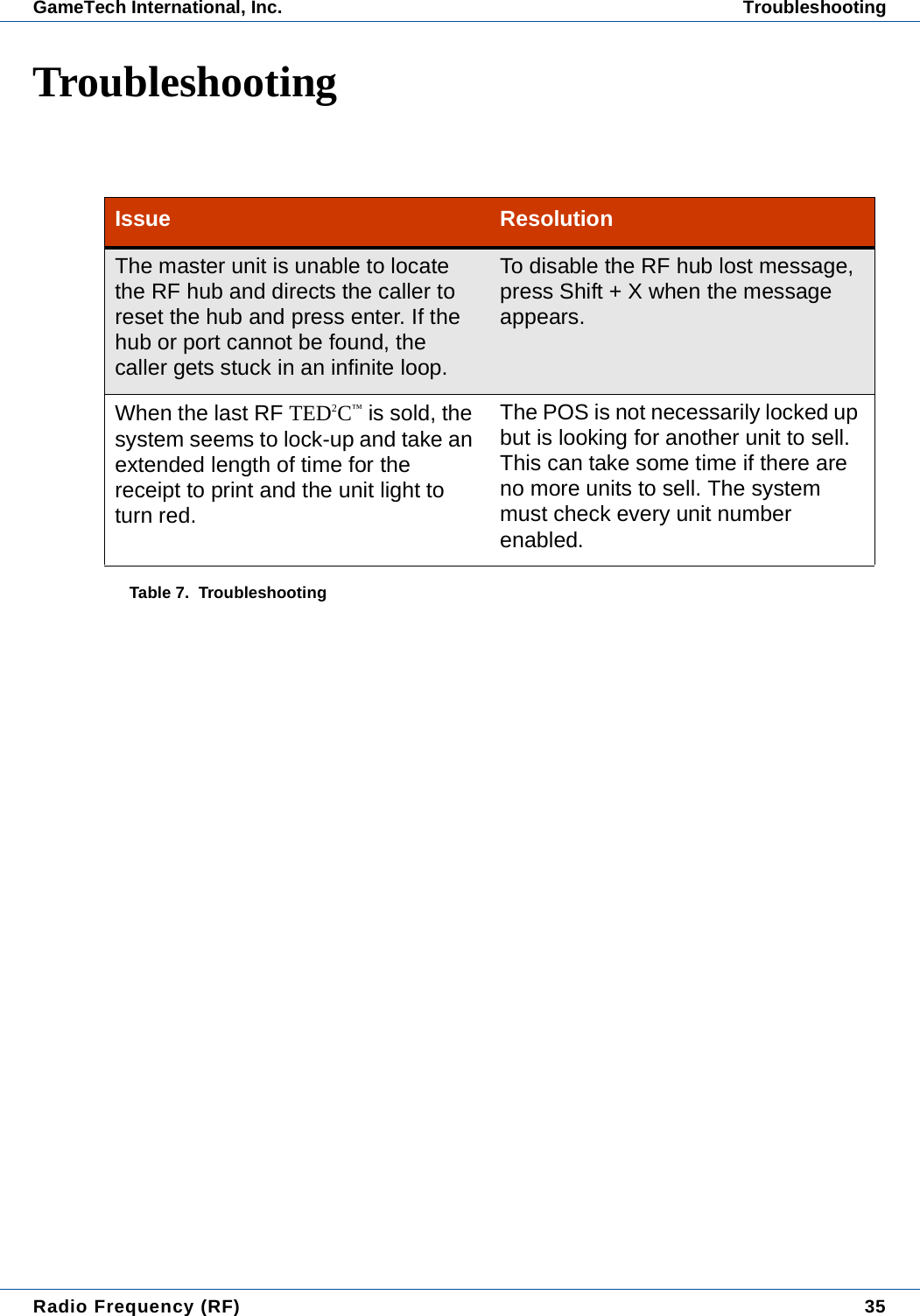
Radio Frequency (RF) 35GameTech International, Inc. TroubleshootingTroubleshootingIssue ResolutionThe master unit is unable to locate the RF hub and directs the caller to reset the hub and press enter. If the hub or port cannot be found, the caller gets stuck in an infinite loop.To disable the RF hub lost message, press Shift + X when the message appears.When the last RF TED2C™ is sold, the system seems to lock-up and take an extended length of time for the receipt to print and the unit light to turn red. The POS is not necessarily locked up but is looking for another unit to sell. This can take some time if there are no more units to sell. The system must check every unit number enabled.Table 7.  Troubleshooting
36  Radio Frequency (RF)Troubleshooting GameTech International, Inc.
CHAPTER 2:  CONDUCTING A SITE SURVEYRevised: 08/26/03TML-30002-0011 Revision 41(Supersedes TML-30002-0011 Revision 40)ObjectivesIn this chapter:• Conducting a Site Survey• Site Survey Form
38  Conducting a Site SurveyGameTech International, Inc.
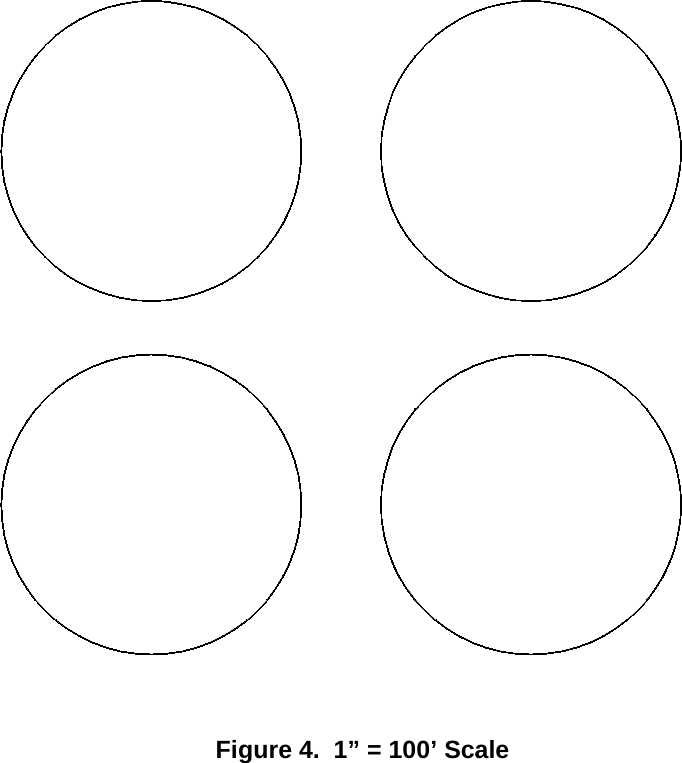
Conducting a Site Survey 39GameTech International, Inc. Conducting a Site SurveyConducting a Site SurveyPrior to conducting the site survey, the technician should read and be familiar with the informa-tion contained in the GameTech RF Installation and Support manual. The site survey must be completed prior to considering a hall for RF and must include the following information:• Information on how the site survey was performed.• Results of site survey.• Transmitter locations.• Site survey notes.For assistance call Customer Support at 1-800-959-1727.Note:  RF site surveys must be performed or approved by a Field Supervisor.Getting StartedTo provide guidance for conducting an RF site survey, use the following as a guideline.1. Contact field supervisor to obtain testing tools as follows:• Signal Strength Meter (SSM)• Standalone Battery Powered Transmitter2. Print the site survey form.3. Walk the hall using the SSM to check for interference with all equipment turned on (comput-ers etc.) and no active transmitters. If hall passes this step, continue to next step.Attention:  As a general rule, each RF TED® and/or TED2C™ needs to be able to “see” at least two trans-mitters to avoid dead spots.4. Using the site survey form, measure and diagram the hall.5. Mount BPT (Battery Powered Transmitter) based on hall diagram.6. If results are positive, hall can be installed with RF (must be approved by Field Supervisor).Site Survey FormThe site survey form is provided for technician use. Please ensure the information is completed in detail. Several diagrams are provided to diagram the hall to scale. For transmitter radius, use the provided circles or a protractor to ensure the proper coverage.
40  Conducting a Site SurveyConducting a Site Survey GameTech International, Inc.
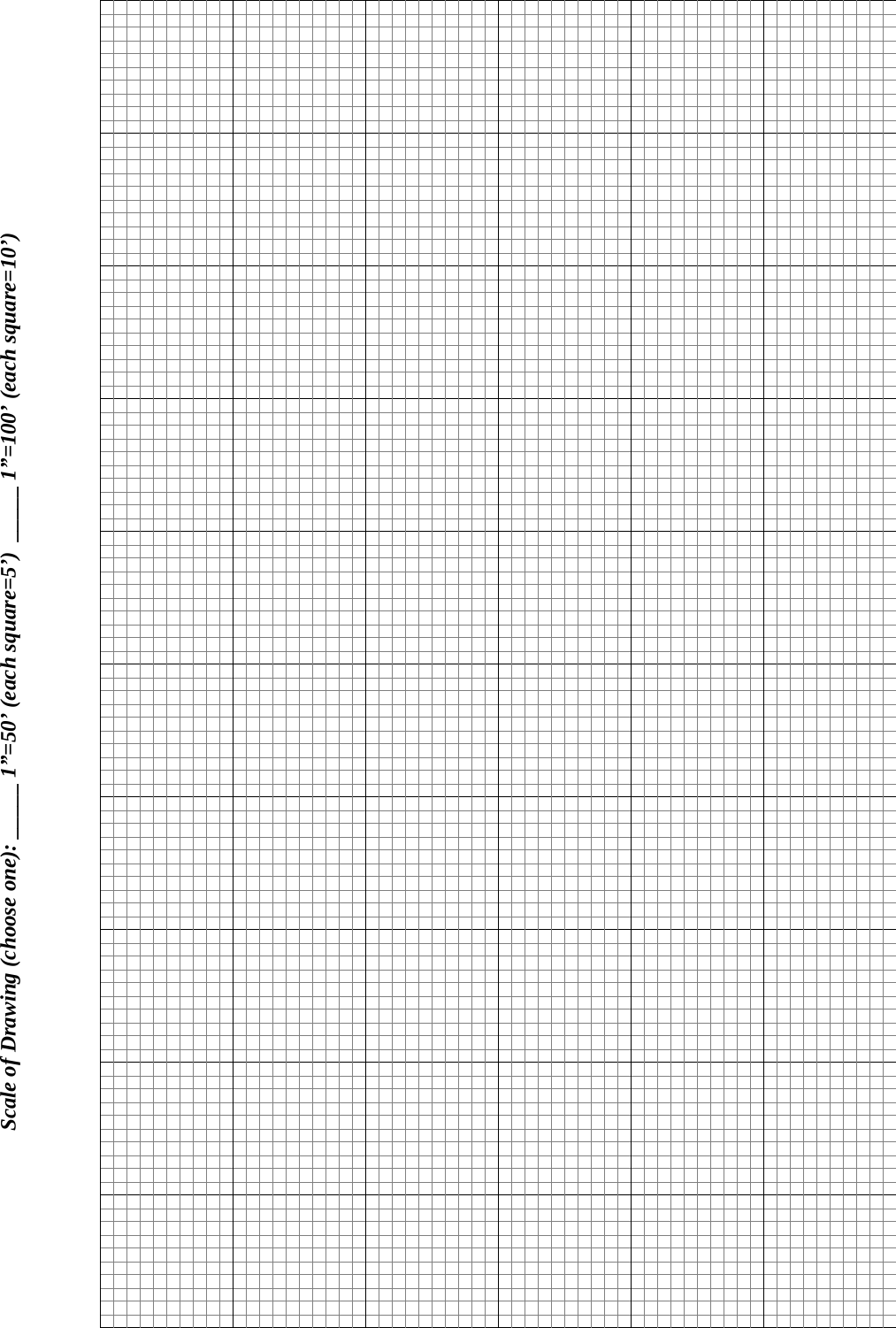
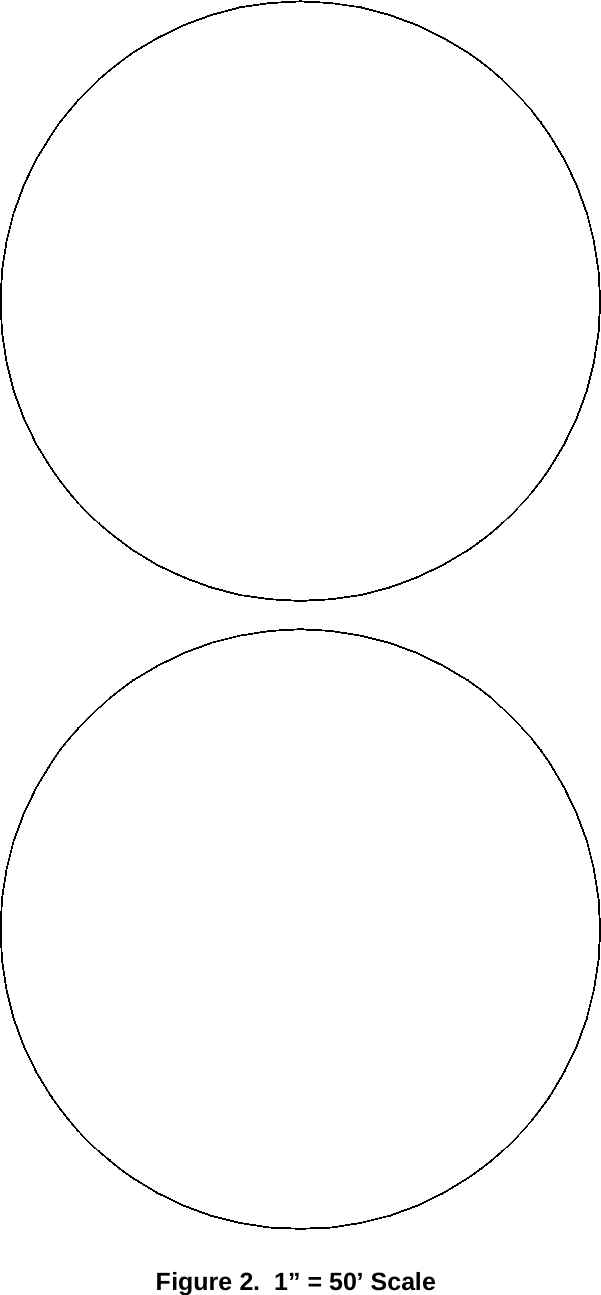
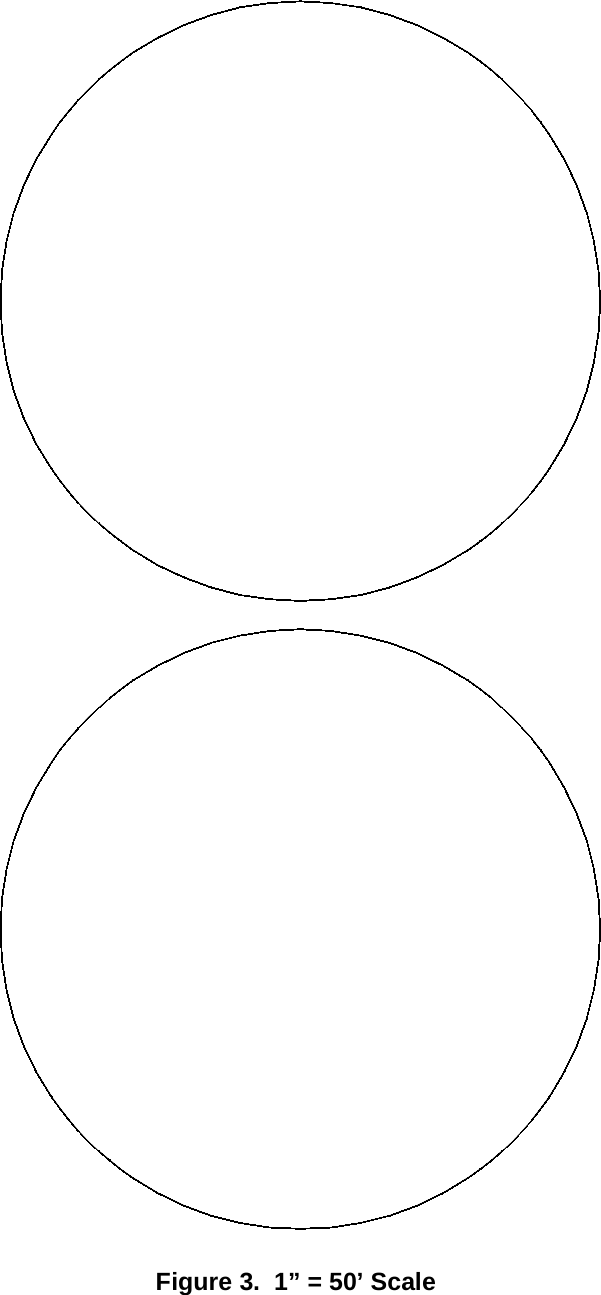
Conducting a Site Survey 41GameTech International, Inc. Conducting a Site SurveyGraphing the HallGraph paper has been provided on the following pages. To complete the diagram(s), draw the hall to the chosen scale, cut the appropriate circles and place on the drawing where needed (one circle per transmitter). See the sample diagram below based on a 50’ scale for reference.(One transmitter = 100’ radius (200’ Diameter))Note:  A protractor can be used in lieu of cutting circles. To use a protractor, place the point at the proposed trans-mitter location and using the scale desired, draw a circle 100’ from each side of the transmitter (100’ radius, 200’diameter).Figure 1.  Sample Hall DiagramSelling AreaCallerStage75'150'Sample Bingo HallXMTR1XMTR2XMTR3XMTR4
Scale of Drawing (choose one): _____ 1”=50’ (each square=5’)  _____ 1”=100’ (each square=10’)
Figure 2.  1” = 50’ Scale
Figure 3.  1” = 50’ Scale
Figure 4.  1” = 100’ Scale
Site Survey Form
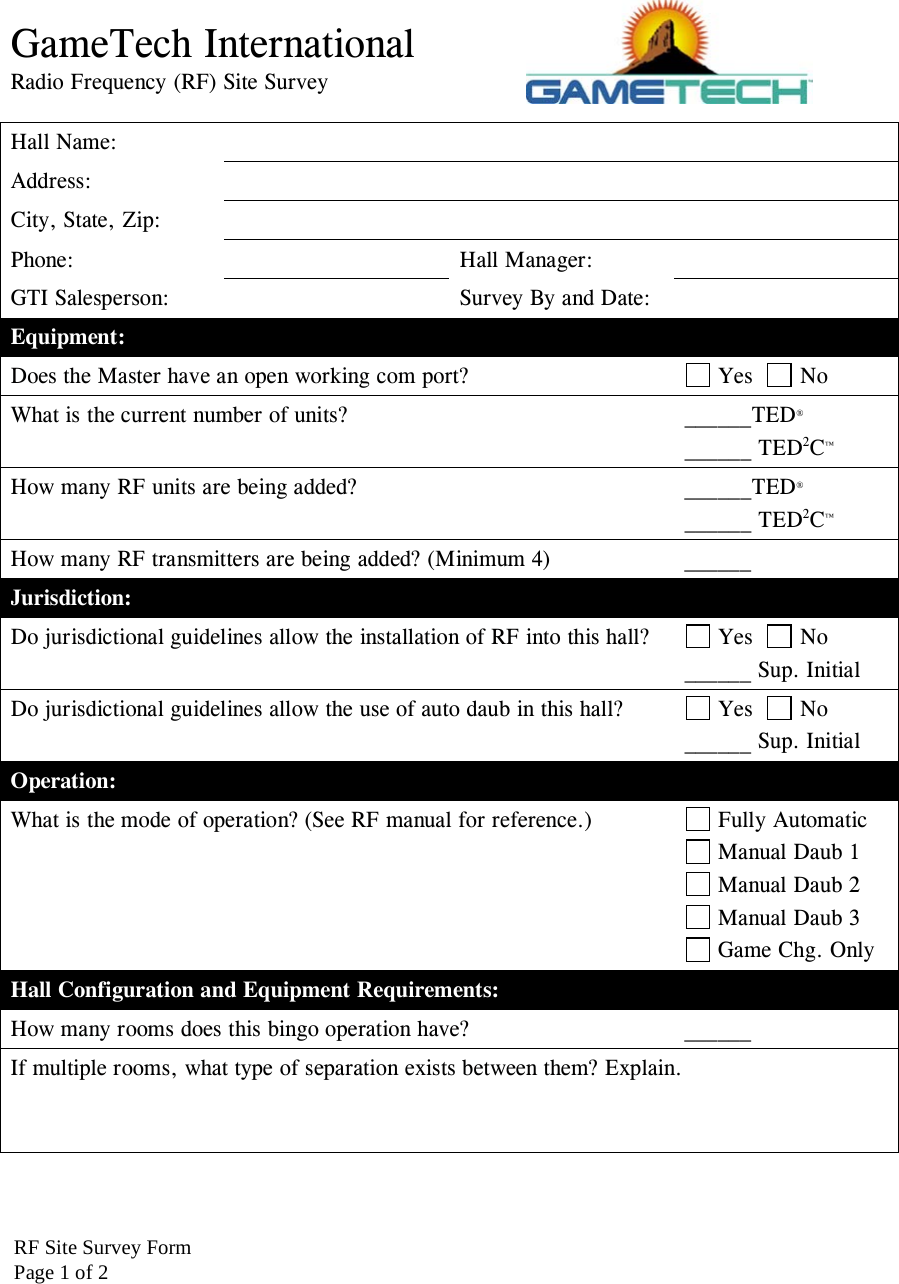
GameTech International Radio Frequency (RF) Site Survey  Hall Name:   Address:  City, State, Zip:   Phone:   Hall Manager:  GTI Salesperson:    Survey By and Date:   Equipment: Does the Master have an open working com port?   Yes    No What is the current number of units?  ______TED® ______ TED2C™ How many RF units are being added?  ______TED® ______ TED2C™ How many RF transmitters are being added? (Minimum 4)  ______  Jurisdiction: Do jurisdictional guidelines allow the installation of RF into this hall?   Yes    No ______ Sup. Initial Do jurisdictional guidelines allow the use of auto daub in this hall?   Yes    No ______ Sup. Initial Operation: What is the mode of operation? (See RF manual for reference.)   Fully Automatic  Manual Daub 1  Manual Daub 2  Manual Daub 3  Game Chg. Only Hall Configuration and Equipment Requirements: How many rooms does this bingo operation have?  ______ If multiple rooms, what type of separation exists between them? Explain.    RF Site Survey FormPage 1 of 2
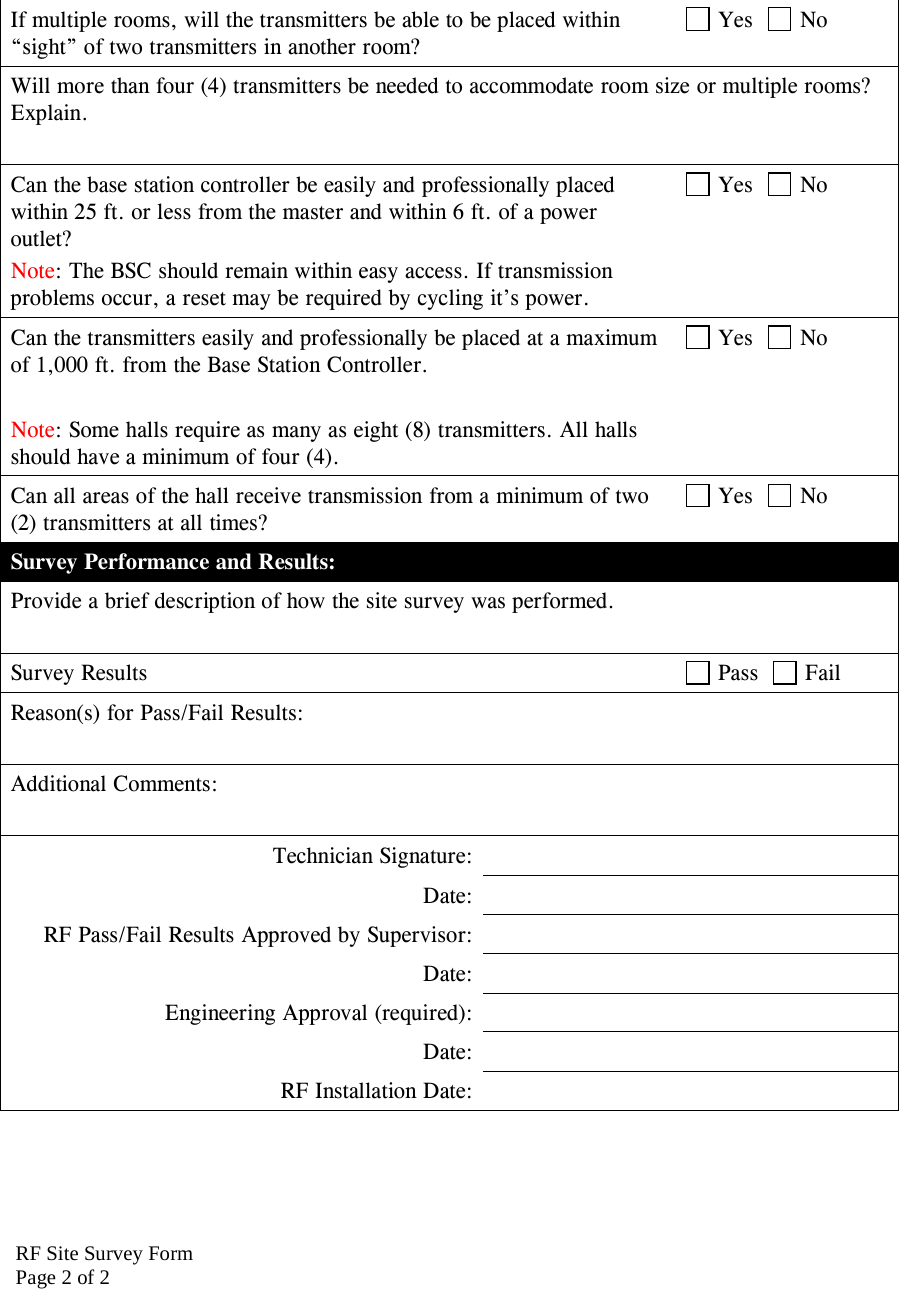
RF Site Survey FormPage 2 of 2If multiple rooms, will the transmitters be able to be placed within “sight” of two transmitters in another room?  Yes    No Will more than four (4) transmitters be needed to accommodate room size or multiple rooms? Explain.  Can the base station controller be easily and professionally placed within 25 ft. or less from the master and within 6 ft. of a power outlet? Note: The BSC should remain within easy access. If transmission problems occur, a reset may be required by cycling it’s power.  Yes    No Can the transmitters easily and professionally be placed at a maximum of 1,000 ft. from the Base Station Controller.   Note: Some halls require as many as eight (8) transmitters. All halls should have a minimum of four (4).  Yes    No Can all areas of the hall receive transmission from a minimum of two (2) transmitters at all times?  Yes    No Survey Performance and Results: Provide a brief description of how the site survey was performed.  Survey Results   Pass    Fail Reason(s) for Pass/Fail Results:  Additional Comments:  Technician Signature:  Date:  RF Pass/Fail Results Approved by Supervisor:  Date:  Engineering Approval (required):  Date:  RF Installation Date:
58  Conducting a Site SurveySite Survey Form GameTech International, Inc.
IndexAAlarm 15BBase Station Controller (BSC) 21CCallers Choice 17Cell Phones 15Conducting a Site Survey 39Connectivity Diagram 25Coverage 31DDead Spots 15Diagramming a Hall 30FFCC Compliance Statement 19Fully Automatic 5GGame Change Only 9Graph Paper 41Graphing the Hall 41HHard Luck 17How it Works 17IInterference Signals 30Isolation of Interferences 30JJurisdictional Restrictions 19MManual Daub #1 6Manual Daub #2 7Manual Mode 15Modes of Operation 5OOperational Information 17Overview 3PPaper Survey 29Play with Paper 17Possible Interferences 30Protractor 41RRequired Hardware 21RFCHH.INI Settings 31MASTER.INI Settings 31POS.INI Settings 32RF Signal 15RF Signals 15RF Test Tools 26SSignal Strength Meter (SSM) 27Site Survey - Getting Started 39Site Survey Form 39, 55Site Survey Kit 26Speed Games 17Standalone Battery-Powered Transmitter 28Supported Games 17Survey Receiver 26Survey Transmitter 26System Installation 21TTechnician Questions 33Transmitter Battery Cable 26Transmitters (XMTR) 22Troubleshooting 35
ii  GameTech International, Inc.
iiiGameTech International, Inc.
Send Us Your CommentsIf you have any comments about the usability or accuracy of this manual, please send them to us. Your comments help us to better understand your needs and improve this user guide.Send your comments to: GameTech™ InternationalAttn: Publications900 Sandhill RoadReno, Nevada89521Phone: (775) 850-6000Fax: (775) 850-6093E-mail: publications@gtiemail.comThank you.

Navigation menu