Contents
- 1. user Manual
- 2. user manual
user Manual
Check before use!
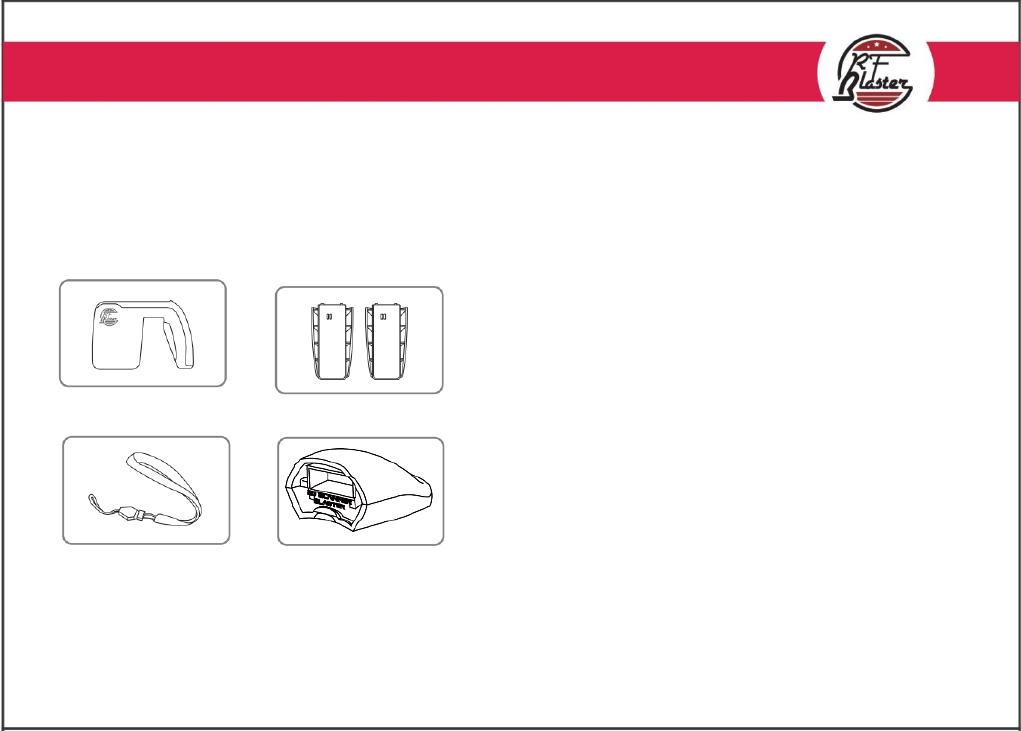
1. Make sure the box includes all the items listed below.
2. Connect battery to a reader and hold power button for 2 seconds to see if LED turns on with a beep sound
3. Use it after charging if battery is running low
4. This device is used for Professional only.
Reader Batteries
Wrist Strap 2D Scanner
Contents
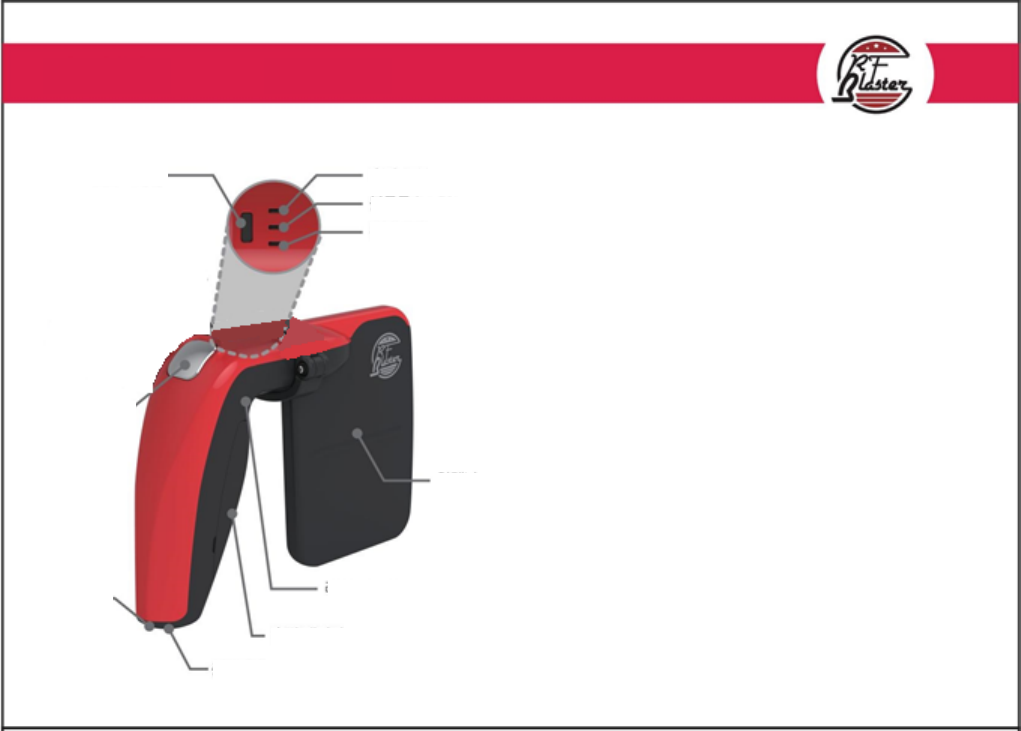
Power Button: Hold button for 2 seconds to turn on/off
Charge LED: Red - Charging
Green - Charging completed
Blinking Red with buzzer - Low battery alarm
Bluetooth LED: Blinking Blue - Standby for bluetooth connection
Blue - Bluetooth connected
Power/ Reading LED: Blue - Reader is on
Blinking Blue while Red is on - Reading
Antenna: Maximize readness by facing forth.
Tip - Tilt reader a little while facing forth, and draw ∞
Reading Toggle Button: Trigger to alternate reading
Reset Switch: Hold switch for 5 seconds to restore them to
default setting
Battery: Charging duration is 2 to 3 hrs.
Last for 3hrs in constant reading mode and 8 to 10 hrs
in normal condition
Standard: Micro USB charger
Functions
Power Button
Reading Toggle
Button
Wrist Strap
Anchor
Charging
Adapter
Battery
Reset Button
Antenna
Power LED
B
l
uetoot
h
LED
C
h
arge LED
Hereby, Hanmi IT co.,ltd Convergence Declares that this RB-T02 is in compliance with the essential requirements
and other relevant provisions of directive 1999/5/EC.
This device complies with Part 15 of the FCC Rules. Operation is subject to the following two conditions: (1) this device may not cause harmful interference,
and (2) this device must accept any interference received, including interference that may cause undesired operation.
FCC WARNING:
This equipment may generate or use radio frequency energy. Changes or modifications to this equipment may cause harmful interference unless
the modifications are expressly approved in the instruction manual. The user could the lose the authority to operate this equipment if an
unauthorized change or modification is made.
Caution
1. Recommended to use wrist strap to reduce the risk of fall damage
2. Although circuit board is water resistant, keep away from water
3. We do not hold responsibility for your own modification
4. Check with a technitian to use adaptor, other than provided
5. Do not apply too much impact or over exertion of power
6. Avoid high temperature and humidity
7. Constant reading mode may cause exothermic.
Occurance of extraordinary exothermic must be reported to
Customer Service (Tell: 82-1588-9708)
Caution