Leedarson Lighting 8ASSZAH0 Motion Sensor User Manual

LEEDARSON LIGHTING CO., LTD. Motion Sensor

User Manual

  User Guide Motion sensor                 ------------------------------------------------------------------------------------------------------------------------------------------------------------------ THANK YOU We  appreciate  the trust  and  confidence you  have  placed in  Defiant  through  the  purchase of this sensor.  We  strive  to continually create quality products designed to enhance your home. Visit us online to see our full line of products available for your home improvement needs. Thank you for choosing Defiant!
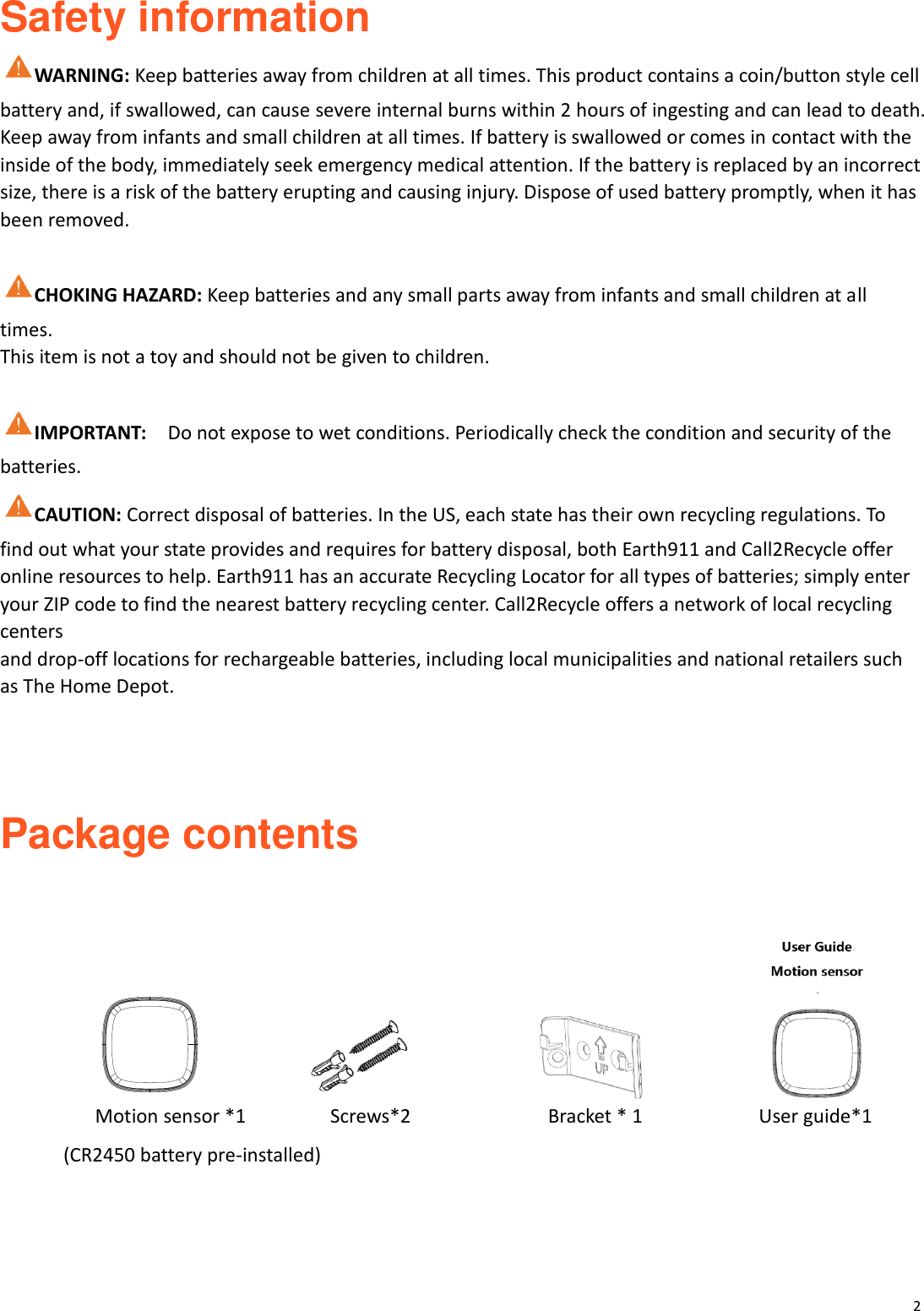
2  Safety information   WARNING: Keep batteries away from children at all times. This product contains a coin/button style cell battery and, if swallowed, can cause severe internal burns within 2 hours of ingesting and can lead to death. Keep away from infants and small children at all times. If battery is swallowed or comes in contact with the inside of the body, immediately seek emergency medical attention. If the battery is replaced by an incorrect size, there is a risk of the battery erupting and causing injury. Dispose of used battery promptly, when it has been removed.  CHOKING HAZARD: Keep batteries and any small parts away from infants and small children at all times. This item is not a toy and should not be given to children.  IMPORTANT:    Do not expose to wet conditions. Periodically check the condition and security of the batteries. CAUTION: Correct disposal of batteries. In the US, each state has their own recycling regulations. To find out what your state provides and requires for battery disposal, both Earth911 and Call2Recycle offer online resources to help. Earth911 has an accurate Recycling Locator for all types of batteries; simply enter your ZIP code to find the nearest battery recycling center. Call2Recycle offers a network of local recycling centers and drop-off locations for rechargeable batteries, including local municipalities and national retailers such as The Home Depot.    Package contents                                                          Motion sensor *1                Screws*2                     Bracket * 1                      User guide*1 (CR2450 battery pre-installed)
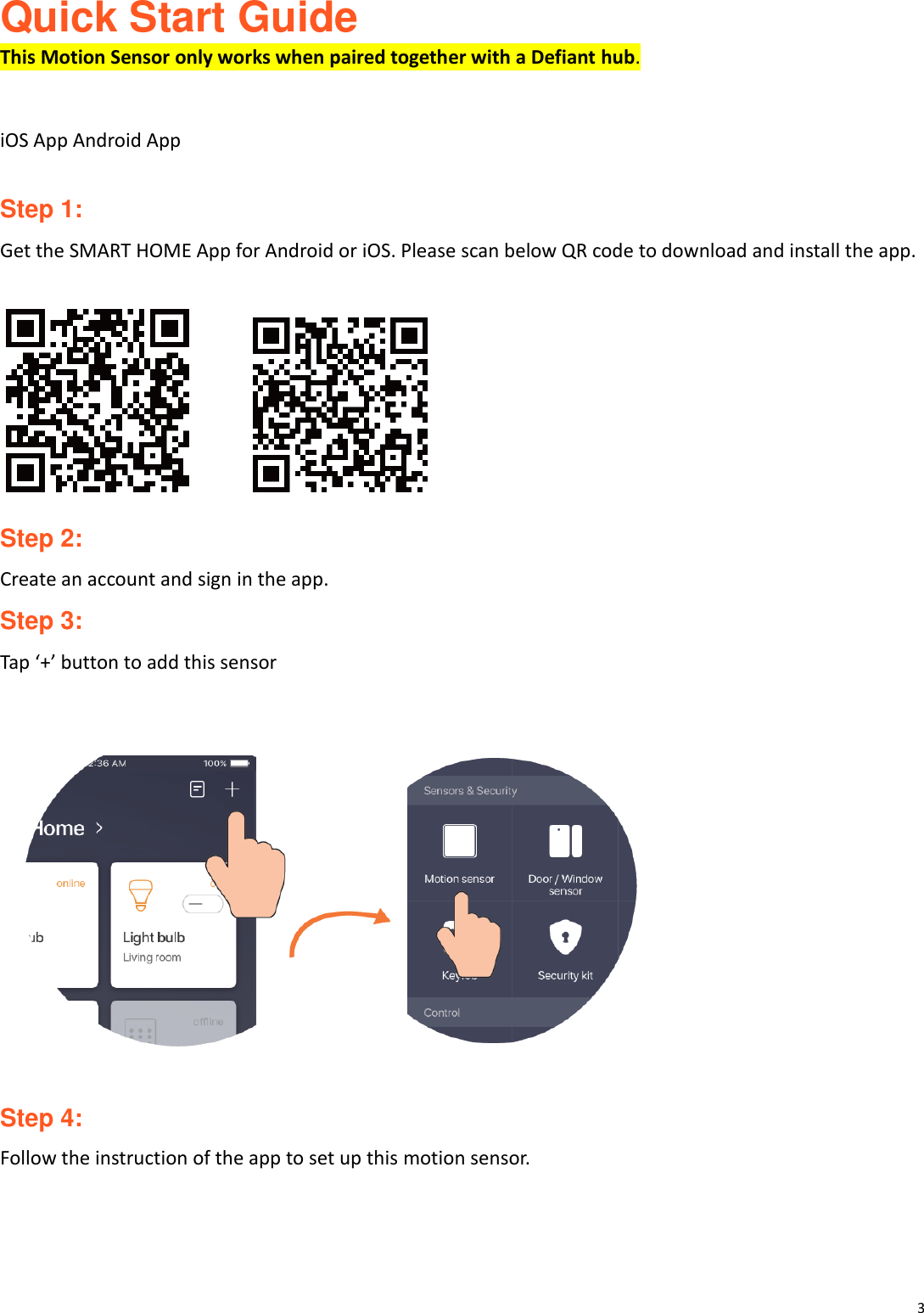
3  Quick Start Guide This Motion Sensor only works when paired together with a Defiant hub.   iOS App Android App  Step 1: Get the SMART HOME App for Android or iOS. Please scan below QR code to download and install the app.         Step 2: Create an account and sign in the app. Step 3: Tap ‘+’ button to add this sensor          Step 4: Follow the instruction of the app to set up this motion sensor.
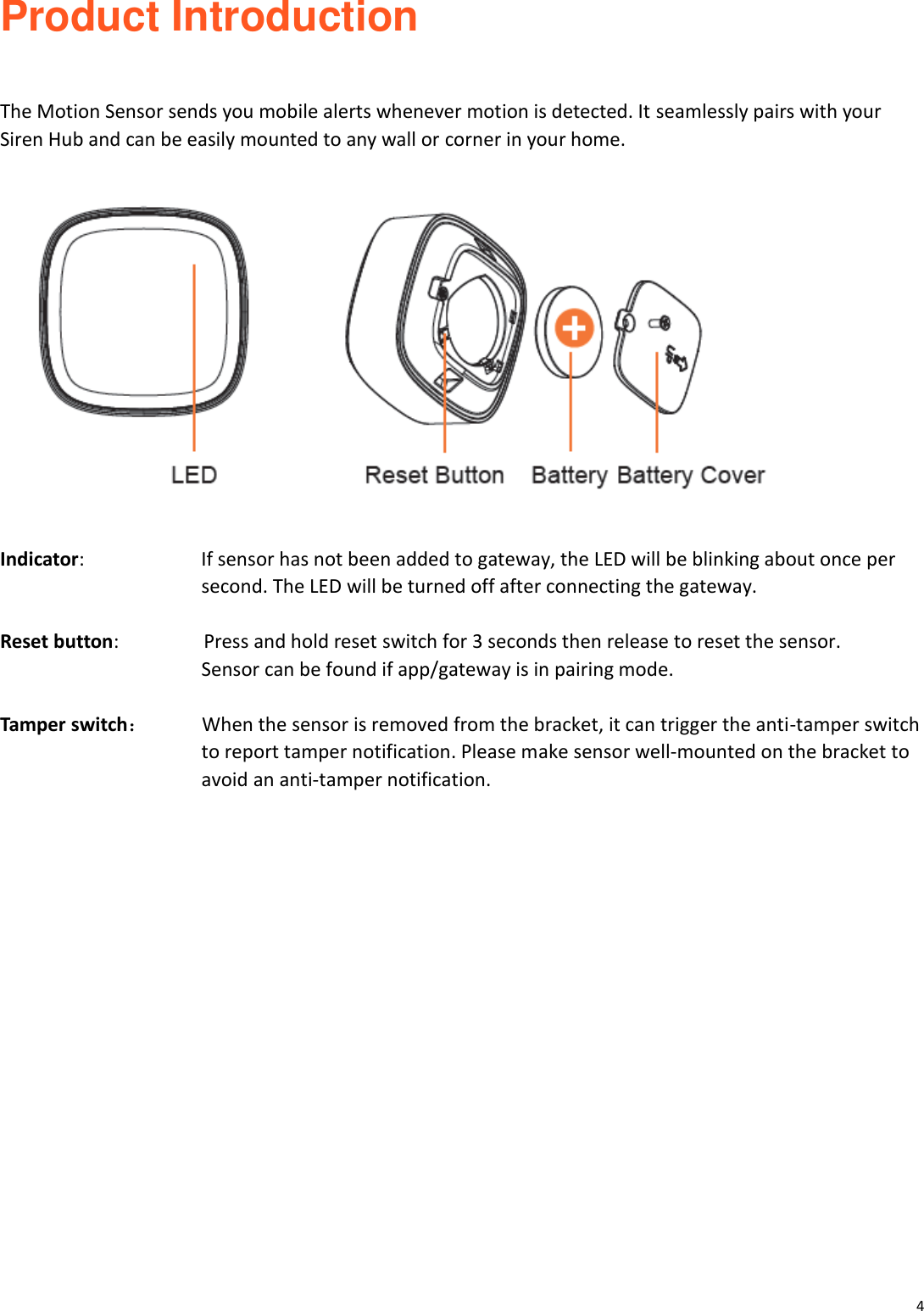
4  Product Introduction   The Motion Sensor sends you mobile alerts whenever motion is detected. It seamlessly pairs with your Siren Hub and can be easily mounted to any wall or corner in your home.    Indicator:            If sensor has not been added to gateway, the LED will be blinking about once per   second. The LED will be turned off after connecting the gateway.  Reset button:           Press and hold reset switch for 3 seconds then release to reset the sensor.   Sensor can be found if app/gateway is in pairing mode.    Tamper switch:     When the sensor is removed from the bracket, it can trigger the anti-tamper switch   to report tamper notification. Please make sensor well-mounted on the bracket to avoid an anti-tamper notification.
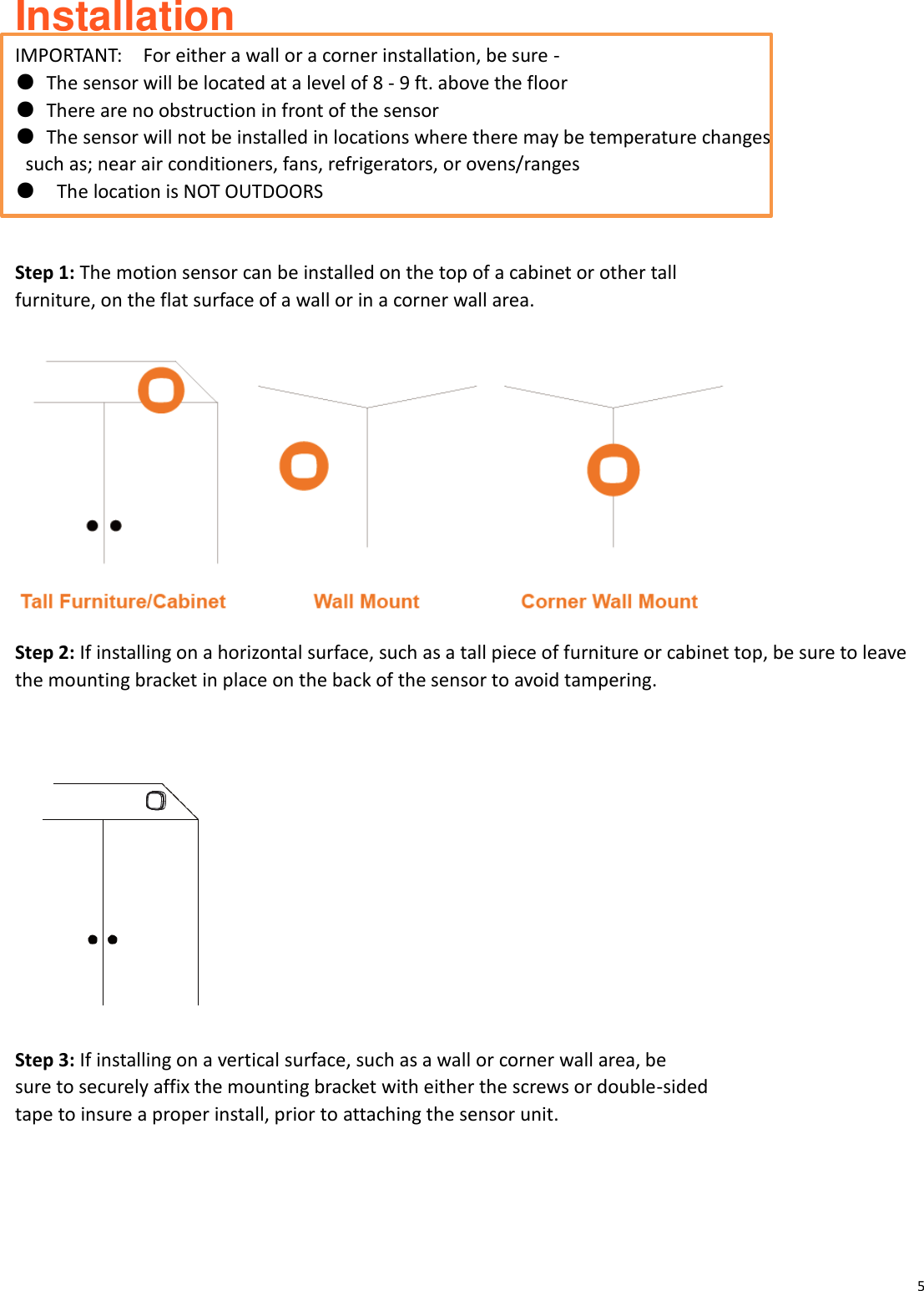
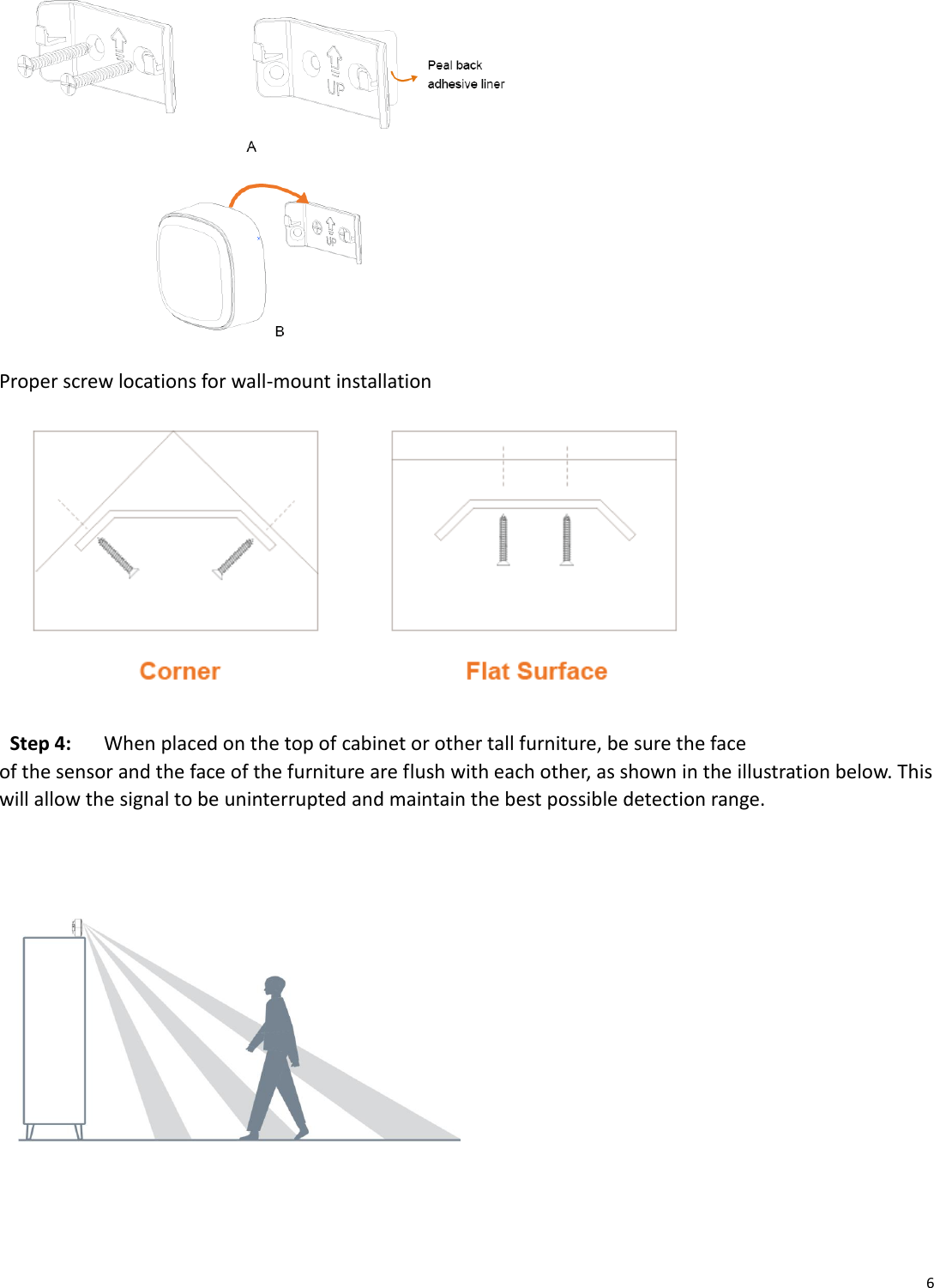
5  Installation   IMPORTANT:    For either a wall or a corner installation, be sure - ●  The sensor will be located at a level of 8 - 9 ft. above the floor ●  There are no obstruction in front of the sensor   ●  The sensor will not be installed in locations where there may be temperature changes   such as; near air conditioners, fans, refrigerators, or ovens/ranges ●  The location is NOT OUTDOORS  Step 1: The motion sensor can be installed on the top of a cabinet or other tall   furniture, on the flat surface of a wall or in a corner wall area.   Step 2: If installing on a horizontal surface, such as a tall piece of furniture or cabinet top, be sure to leave the mounting bracket in place on the back of the sensor to avoid tampering.    Step 3: If installing on a vertical surface, such as a wall or corner wall area, be sure to securely affix the mounting bracket with either the screws or double-sided tape to insure a proper install, prior to attaching the sensor unit.
6   Proper screw locations for wall-mount installation  Step 4:   When placed on the top of cabinet or other tall furniture, be sure the face of the sensor and the face of the furniture are flush with each other, as shown in the illustration below. This will allow the signal to be uninterrupted and maintain the best possible detection range.
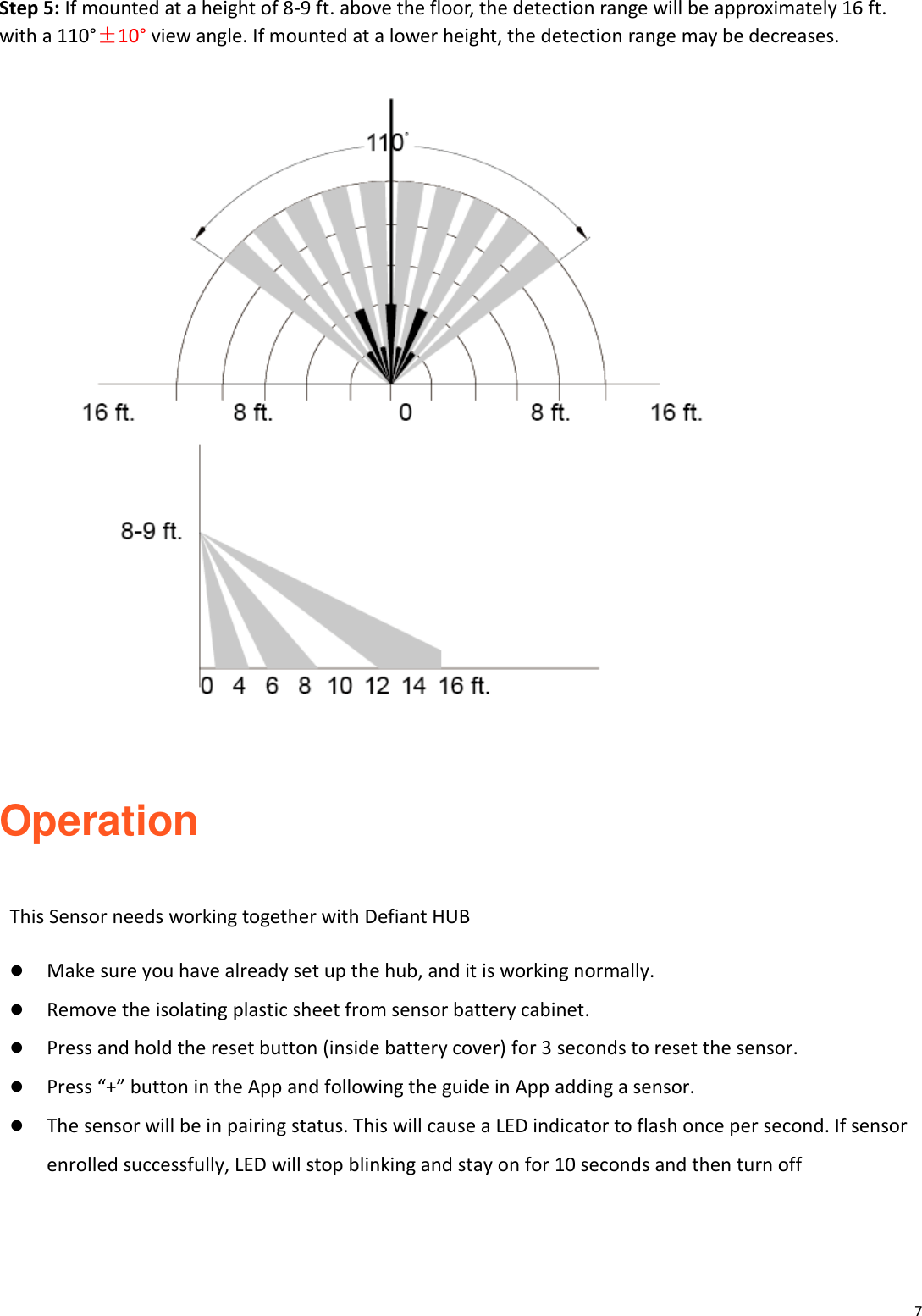
7  Step 5: If mounted at a height of 8-9 ft. above the floor, the detection range will be approximately 16 ft. with a 110°±10° view angle. If mounted at a lower height, the detection range may be decreases.    Operation  This Sensor needs working together with Defiant HUB   Make sure you have already set up the hub, and it is working normally.    Remove the isolating plastic sheet from sensor battery cabinet.  Press and hold the reset button (inside battery cover) for 3 seconds to reset the sensor.  Press “+” button in the App and following the guide in App adding a sensor.    The sensor will be in pairing status. This will cause a LED indicator to flash once per second. If sensor enrolled successfully, LED will stop blinking and stay on for 10 seconds and then turn off
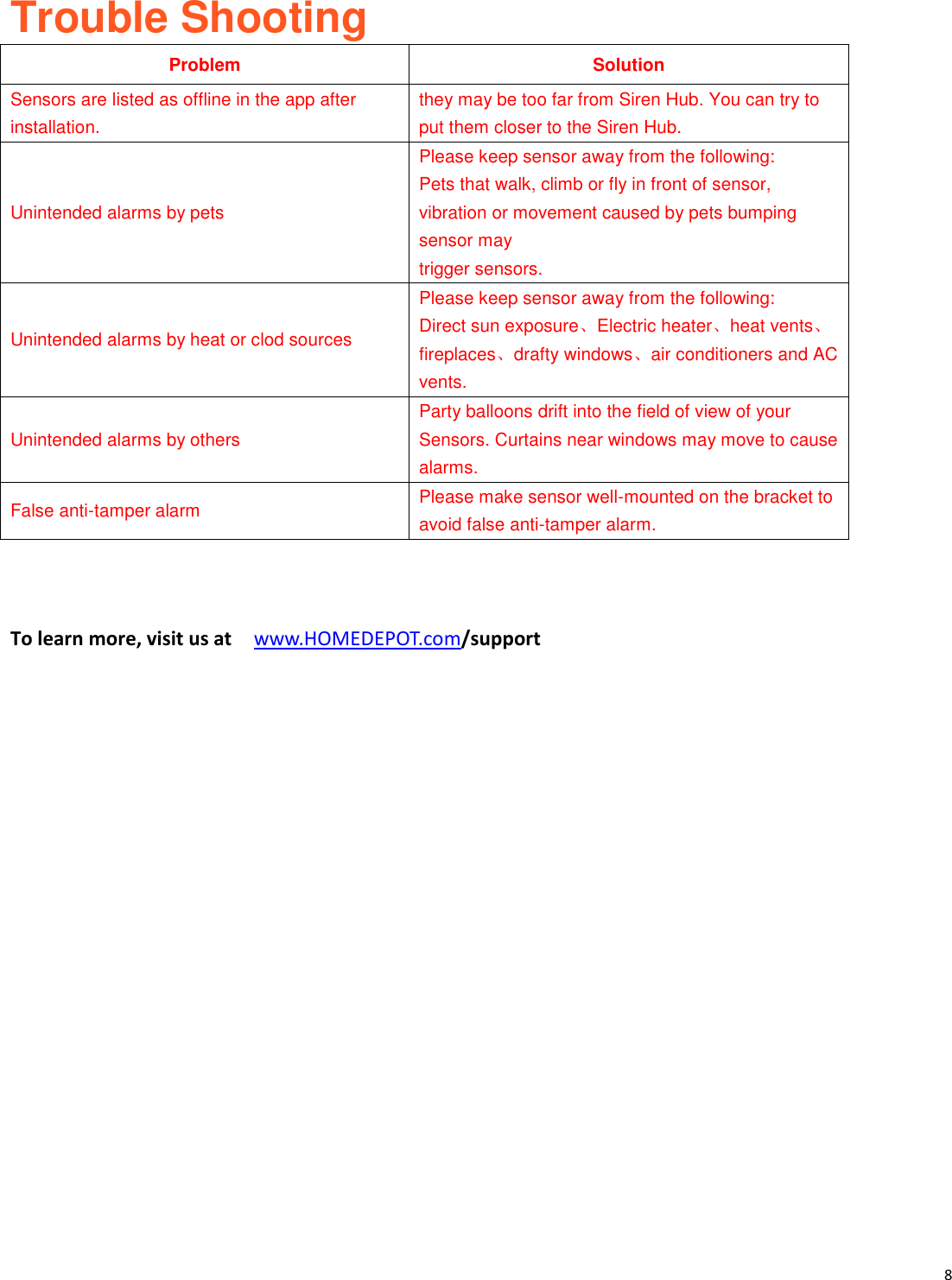
8   Trouble Shooting Problem Solution Sensors are listed as offline in the app after installation.   they may be too far from Siren Hub. You can try to put them closer to the Siren Hub. Unintended alarms by pets   Please keep sensor away from the following:   Pets that walk, climb or fly in front of sensor, vibration or movement caused by pets bumping sensor may     trigger sensors.   Unintended alarms by heat or clod sources   Please keep sensor away from the following:   Direct sun exposure、Electric heater、heat vents、fireplaces、drafty windows、air conditioners and AC vents.   Unintended alarms by others   Party balloons drift into the field of view of your Sensors. Curtains near windows may move to cause alarms.   False anti-tamper alarm     Please make sensor well-mounted on the bracket to avoid false anti-tamper alarm.        To learn more, visit us at   www.HOMEDEPOT.com/support
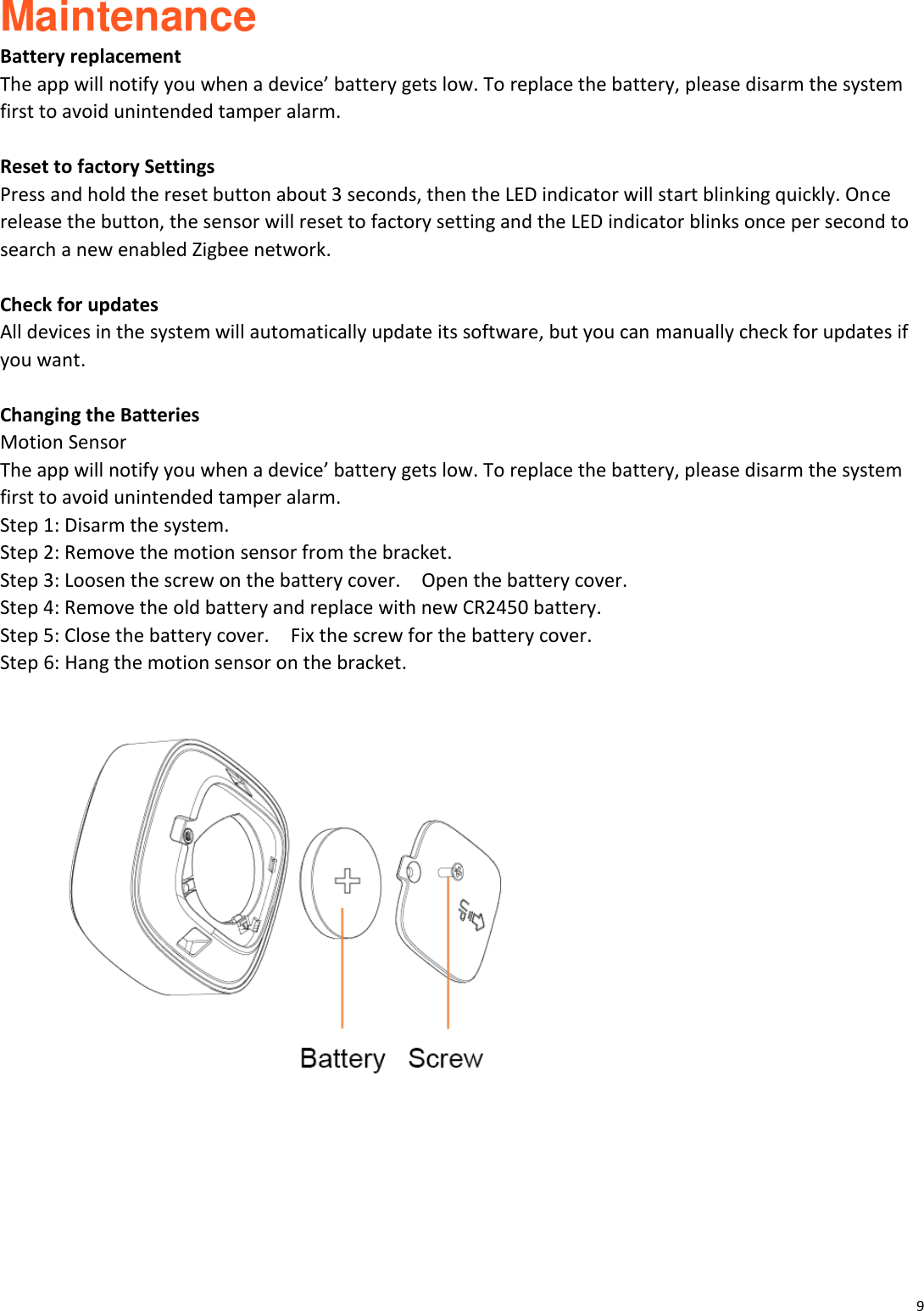
9  Maintenance Battery replacement The app will notify you when a device’ battery gets low. To replace the battery, please disarm the system first to avoid unintended tamper alarm.  Reset to factory Settings Press and hold the reset button about 3 seconds, then the LED indicator will start blinking quickly. Once release the button, the sensor will reset to factory setting and the LED indicator blinks once per second to search a new enabled Zigbee network.  Check for updates All devices in the system will automatically update its software, but you can manually check for updates if you want.  Changing the Batteries Motion Sensor   The app will notify you when a device’ battery gets low. To replace the battery, please disarm the system first to avoid unintended tamper alarm. Step 1: Disarm the system. Step 2: Remove the motion sensor from the bracket. Step 3: Loosen the screw on the battery cover.    Open the battery cover.   Step 4: Remove the old battery and replace with new CR2450 battery. Step 5: Close the battery cover.    Fix the screw for the battery cover.   Step 6: Hang the motion sensor on the bracket.
10   Compliance Information FCC ID: 2AB2Q8ASSZAH0 This device complies with Part 15 of the FCC Rules. Operation is subject to the following two conditions: (1) this device may not cause harmful interference, and (2) this device must accept any interference received, including interference that may cause undesired operation.  FCC Caution: Changes  or  modifications  not  expressly  approved  by  the  part  responsible  for  compliance  could  void  the user's authority to operate the equipment.  FCC Statement: "This equipment has been tested and found to comply with the limits for a Class B digital device, pursuant to  part  15  of  the  FCC  Rules.  These  limits  are designed  to  provide  reasonable  protection against harmful interference in a residential installation. This equipment generates, uses and  can radiate  radio frequency energy and, if not installed and used in accordance with the instructions, may cause harmful interference to radio  communications.  However,  there  is  no  guarantee  that  interference  will  not  occur  in  a  particular installation. If this equipment does cause harmful interference to radio or television reception, which can be  determined  by  turning  the  equipment  off  and  on,  the  user  is  encouraged  to  try  to  correct  the interference by one or more of the following measures: —Reorient or relocate the receiving antenna. —Increase the separation between the equipment and receiver. —Connect the equipment into an outlet on a circuit different from that to which the receiver is connected. —Consult the dealer or an experienced radio/TV technician for help." This equipment complies with FCC radiation exposure limits set forth for an uncontrolled environment. This equipment should be installed and operated with a minimum distance of 20cm between the radiator and any part of your body.       Warranty 1 YEAR LIMITED WARRANTY This product is guaranteed to be free of defects in materials and workmanship for 1 year from the date of purchase.
11   Guarantee does not include normal wear and tear, bulbs or batteries. Contact the Customer Service Team or visit www.HOMEDEPOT.com.   Wireless protocol: ZigBee 3.0 This device is fully ZigBee 3.0 certified and will work with other open ZigBee 3.0 certified systems.  Questions, problems, missing parts? Before returning to the store, call Defiant Customer Service M-F 9am-6pm PST 1-888-XXXX-XXXX HOMEDEPOT.COM

Navigation menu