LIDACHENG TECHNOLOGY IXSW055 Switch Wireless Controller User Manual

SHENZHEN LIDACHENG TECHNOLOGY CO.,LTD Switch Wireless Controller

Contents

User Manual

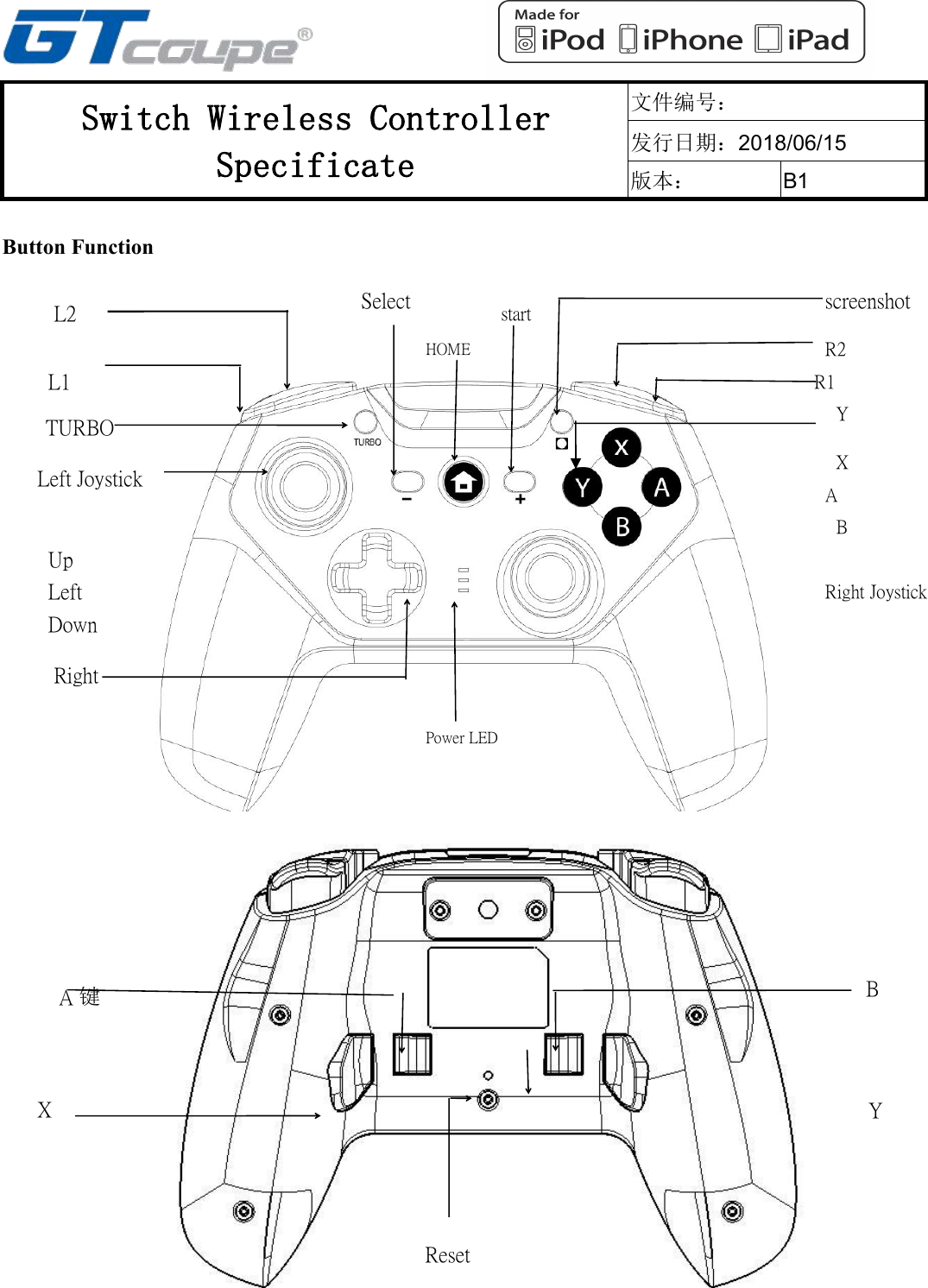
Switch Wireless ControllerSpecificate文件编号:发行日期:2018/06/15版本:B1A键右摇杆B键A键Button FunctionLeftUpscreenshotDownRightPower LEDSelectLeft JoystickTURBOL1L2HOMER2R1XBYstartResetYXABRight Joystick
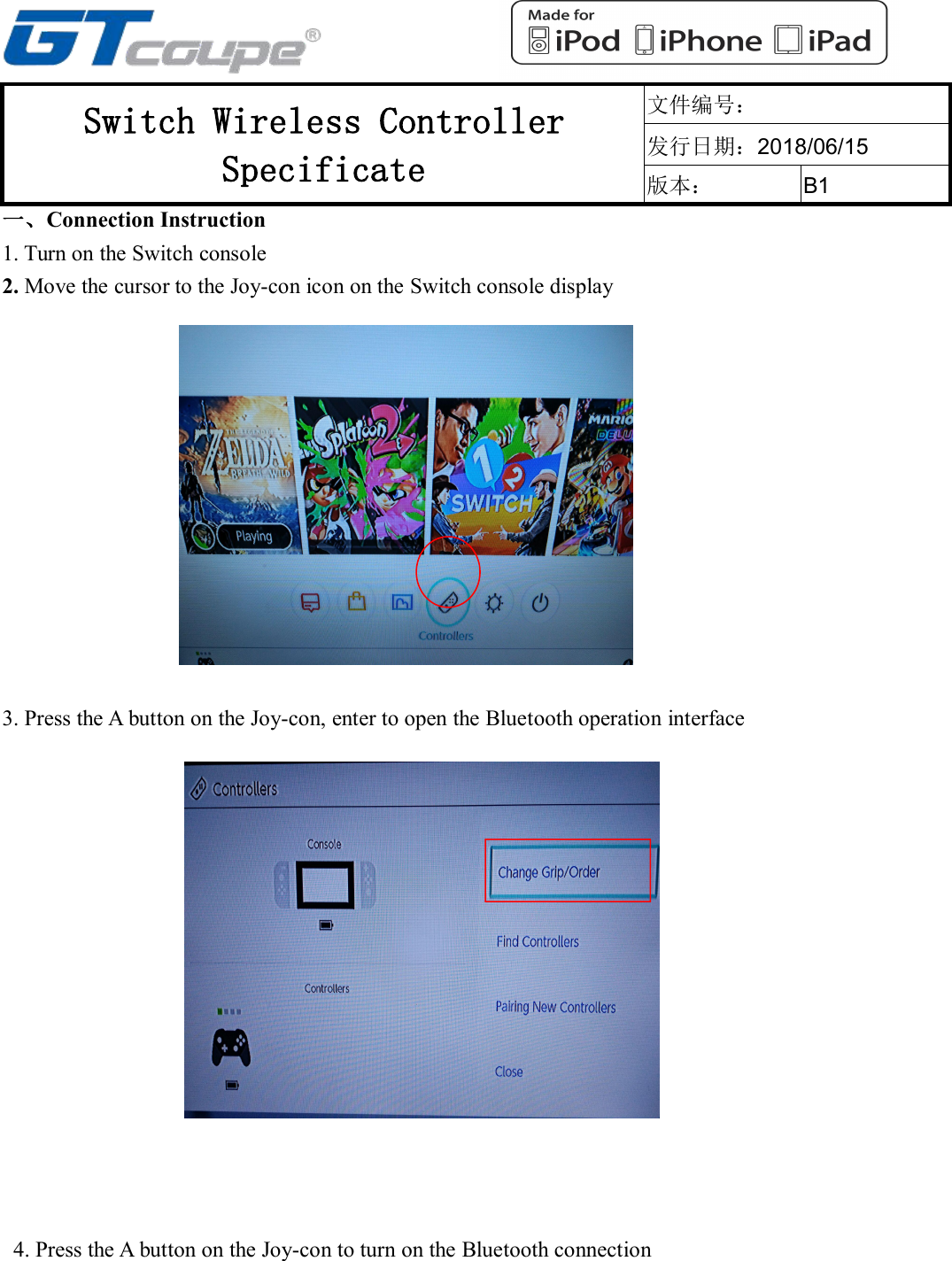
Switch Wireless ControllerSpecificate文件编号:发行日期:2018/06/15版本:B1一、Connection Instruction1. Turn on the Switch console2. Move the cursor to the Joy-con icon on the Switch console display3. Press the A button on the Joy-con, enter to open the Bluetooth operation interface4. Press the A button on the Joy-con to turn on the Bluetooth connection
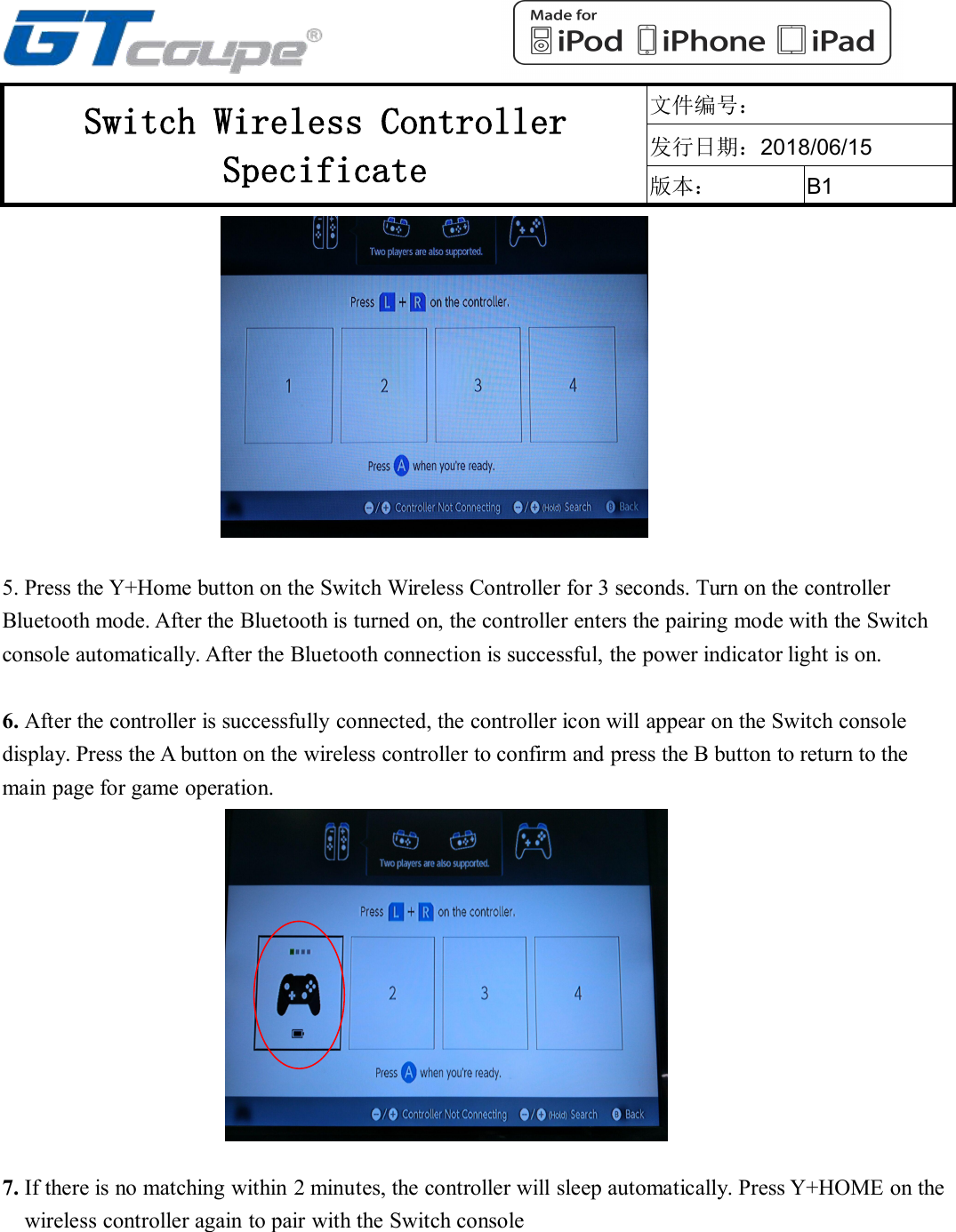
Switch Wireless ControllerSpecificate文件编号:发行日期:2018/06/15版本:B15. Press the Y+Home button on the Switch Wireless Controller for 3 seconds. Turn on the controllerBluetooth mode. After the Bluetooth is turned on, the controller enters the pairing mode with the Switchconsole automatically. After the Bluetooth connection is successful, the power indicator light is on.6. After the controller is successfully connected, the controller icon will appear on the Switch consoledisplay. Press the A button on the wireless controller to confirm and press the B button to return to themain page for game operation.7. If there is no matching within 2 minutes, the controller will sleep automatically. Press Y+HOME on thewireless controller again to pair with the Switch console
FCC STATEMENT :This device complies with Part 15 of the FCC Rules. Operation is subjectto the following two conditions:(1) This device may not cause harmful interference, and(2) This device must accept any interference received, includinginterference that may cause undesired operation.Warning: Changes or modifications not expressly approved by the partyresponsible for compliance could void the user's authority to operate theequipment.NOTE: This equipment has been tested and found to comply with thelimits for a Class B digital device, pursuant to Part 15 of the FCC Rules.These limits are designed to provide reasonable protection againstharmful interference in a residential installation. This equipmentgenerates uses and can radiate radio frequency energy and, if notinstalled and used in accordance with the instructions, may cause harmfulinterference to radio communications. However, there is no guaranteethat interference will not occur in a particular installation. If this equipmentdoes cause harmful interference to radio or television reception, whichcan be determined by turning the equipment off and on, the user isencouraged to try to correct the interference by one or more of thefollowing measures:Reorient or relocate the receiving antenna.Increase the separation between the equipment and receiver.Connect the equipment into an outlet on a circuit different from that towhich the receiver is connected.Consult the dealer or an experienced radio/TV technician for help.RF warning statement:The device has been evaluated to meet general RF exposurerequirement. The device can be used in portable exposure conditionwithout restriction.

Navigation menu