PHOENIX SOLUTIONS BHF010001 Bluetooth Car Kit User Manual BHF 01Manual Draft 3

PHOENIX Solutions Co., Ltd Bluetooth Car Kit BHF 01Manual Draft 3

user manual

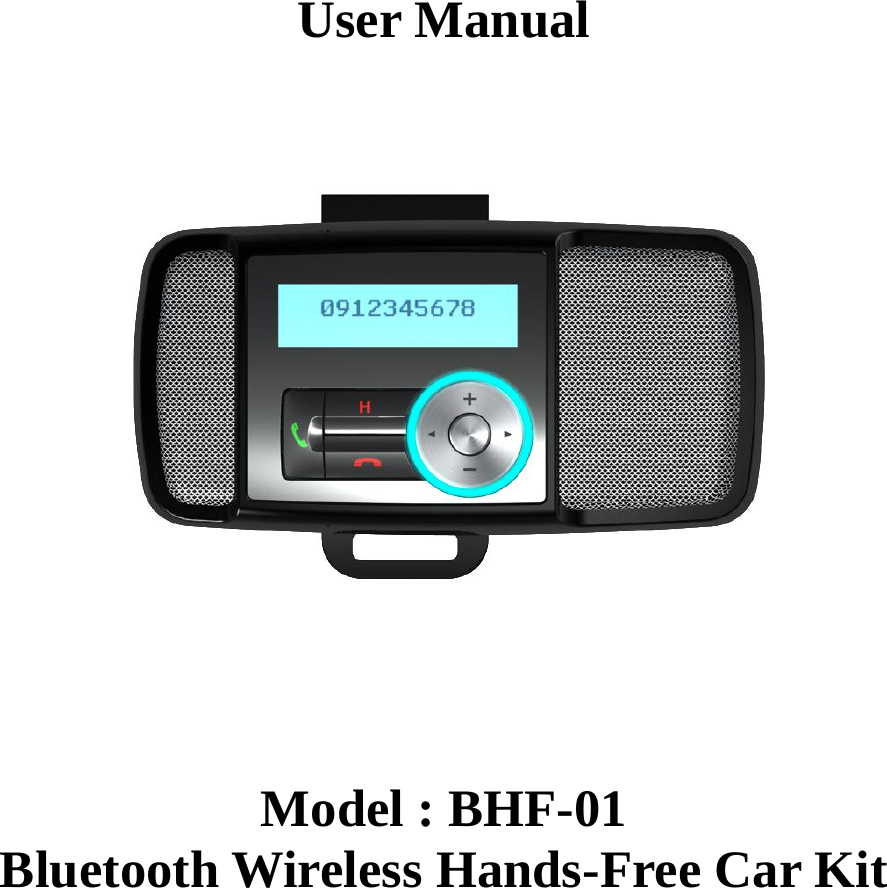
   User Manual       Model : BHF-01 Bluetooth Wireless Hands-Free Car Kit
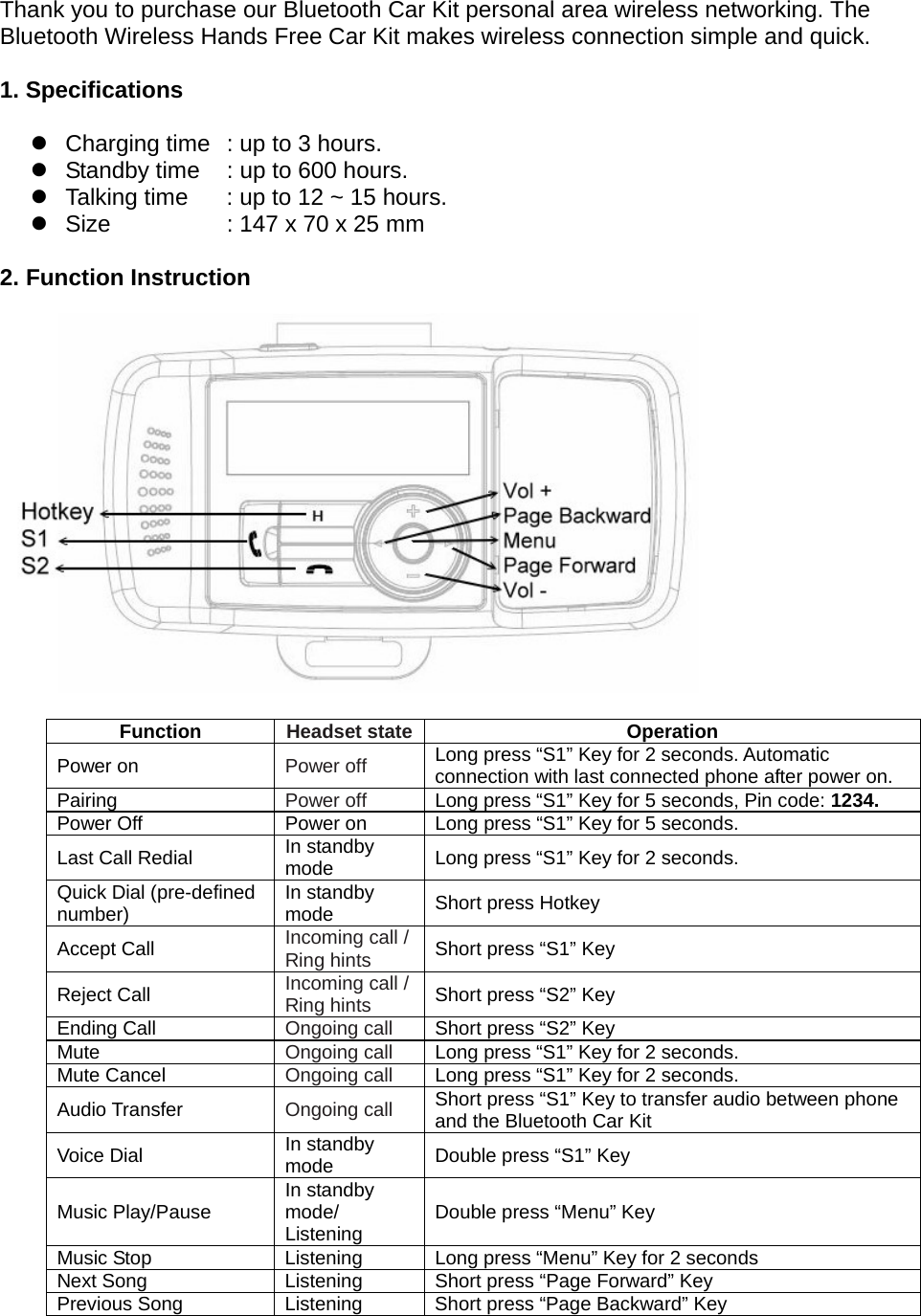
 Thank you to purchase our Bluetooth Car Kit personal area wireless networking. The Bluetooth Wireless Hands Free Car Kit makes wireless connection simple and quick.    1. Specifications   z  Charging time   : up to 3 hours. z  Standby time    : up to 600 hours. z  Talking time    : up to 12 ~ 15 hours. z  Size    : 147 x 70 x 25 mm    2. Function Instruction                Function  Headset state Operation Power on  Power off Long press “S1” Key for 2 seconds. Automatic connection with last connected phone after power on. Pairing  Power off  Long press “S1” Key for 5 seconds, Pin code: 1234. Power Off  Power on  Long press “S1” Key for 5 seconds. Last Call Redial  In standby mode  Long press “S1” Key for 2 seconds. Quick Dial (pre-defined number)  In standby mode  Short press Hotkey Accept Call  Incoming call / Ring hints Short press “S1” Key Reject Call  Incoming call / Ring hints Short press “S2” Key Ending Call  Ongoing call Short press “S2” Key Mute  Ongoing call  Long press “S1” Key for 2 seconds. Mute Cancel  Ongoing call  Long press “S1” Key for 2 seconds. Audio Transfer  Ongoing call Short press “S1” Key to transfer audio between phone and the Bluetooth Car Kit   Voice Dial  In standby mode  Double press “S1” Key Music Play/Pause  In standby mode/ Listening  Double press “Menu” Key Music Stop  Listening  Long press “Menu” Key for 2 seconds Next Song  Listening  Short press “Page Forward” Key   Previous Song  Listening  Short press “Page Backward” Key
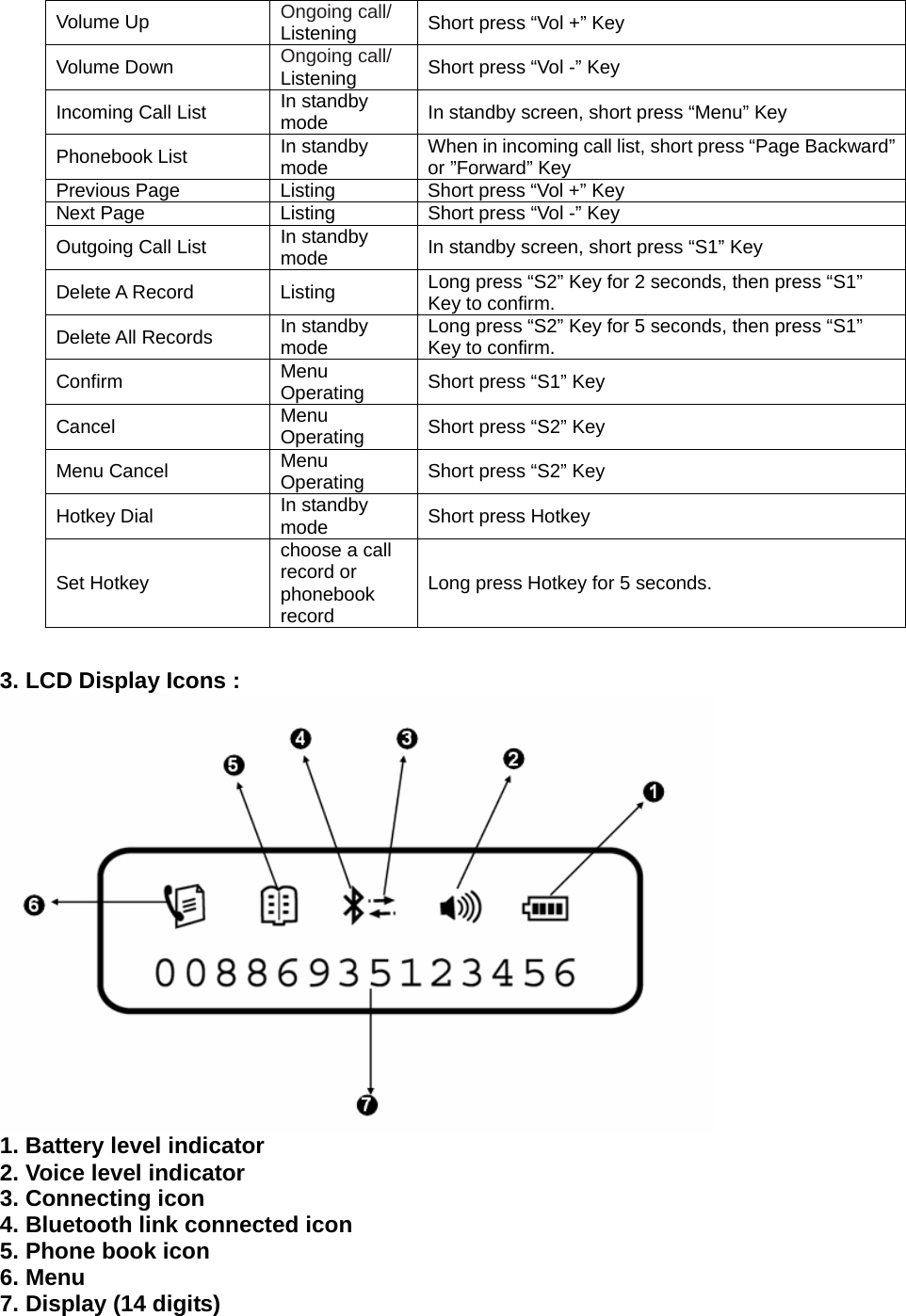
Volume Up  Ongoing call/ Listening  Short press “Vol +” Key Volume Down  Ongoing call/ Listening  Short press “Vol -” Key Incoming Call List  In standby mode  In standby screen, short press “Menu” Key Phonebook List  In standby mode  When in incoming call list, short press “Page Backward” or ”Forward” Key Previous Page  Listing  Short press “Vol +” Key Next Page  Listing  Short press “Vol -” Key Outgoing Call List  In standby mode  In standby screen, short press “S1” Key Delete A Record  Listing  Long press “S2” Key for 2 seconds, then press “S1” Key to confirm. Delete All Records  In standby mode  Long press “S2” Key for 5 seconds, then press “S1” Key to confirm. Confirm  Menu Operating  Short press “S1” Key Cancel  Menu Operating  Short press “S2” Key Menu Cancel  Menu Operating  Short press “S2” Key Hotkey Dial  In standby mode  Short press Hotkey Set Hotkey choose a call record or phonebook record Long press Hotkey for 5 seconds.   3. LCD Display Icons :  1. Battery level indicator 2. Voice level indicator 3. Connecting icon 4. Bluetooth link connected icon 5. Phone book icon 6. Menu   7. Display (14 digits)
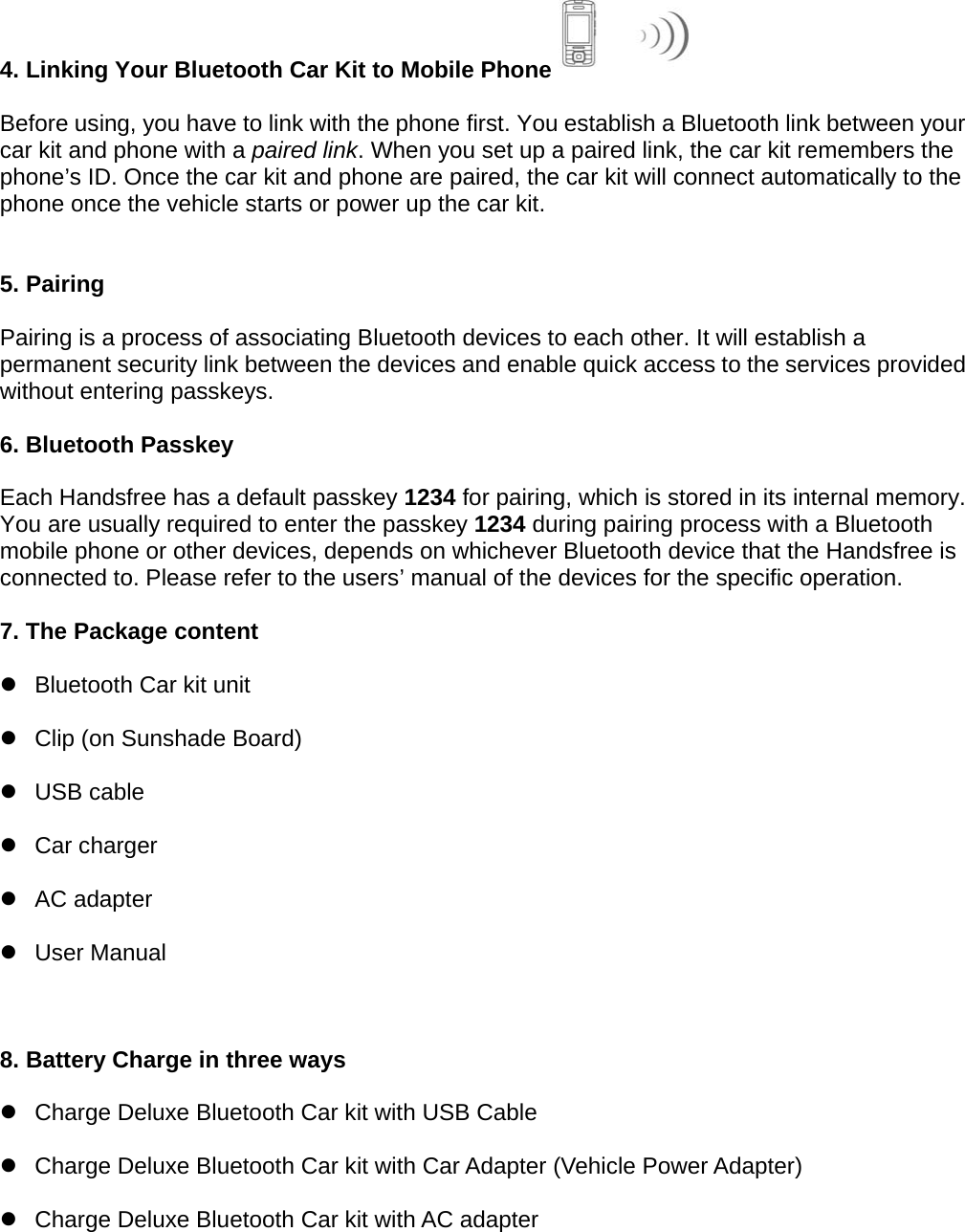
 4. Linking Your Bluetooth Car Kit to Mobile Phone   Before using, you have to link with the phone first. You establish a Bluetooth link between your car kit and phone with a paired link. When you set up a paired link, the car kit remembers the phone’s ID. Once the car kit and phone are paired, the car kit will connect automatically to the phone once the vehicle starts or power up the car kit.   5. Pairing  Pairing is a process of associating Bluetooth devices to each other. It will establish a permanent security link between the devices and enable quick access to the services provided without entering passkeys.  6. Bluetooth Passkey  Each Handsfree has a default passkey 1234 for pairing, which is stored in its internal memory. You are usually required to enter the passkey 1234 during pairing process with a Bluetooth mobile phone or other devices, depends on whichever Bluetooth device that the Handsfree is connected to. Please refer to the users’ manual of the devices for the specific operation.  7. The Package content z  Bluetooth Car kit unit   z  Clip (on Sunshade Board)   z USB cable  z Car charger  z AC adapter  z User Manual   8. Battery Charge in three ways  z  Charge Deluxe Bluetooth Car kit with USB Cable z  Charge Deluxe Bluetooth Car kit with Car Adapter (Vehicle Power Adapter) z  Charge Deluxe Bluetooth Car kit with AC adapter
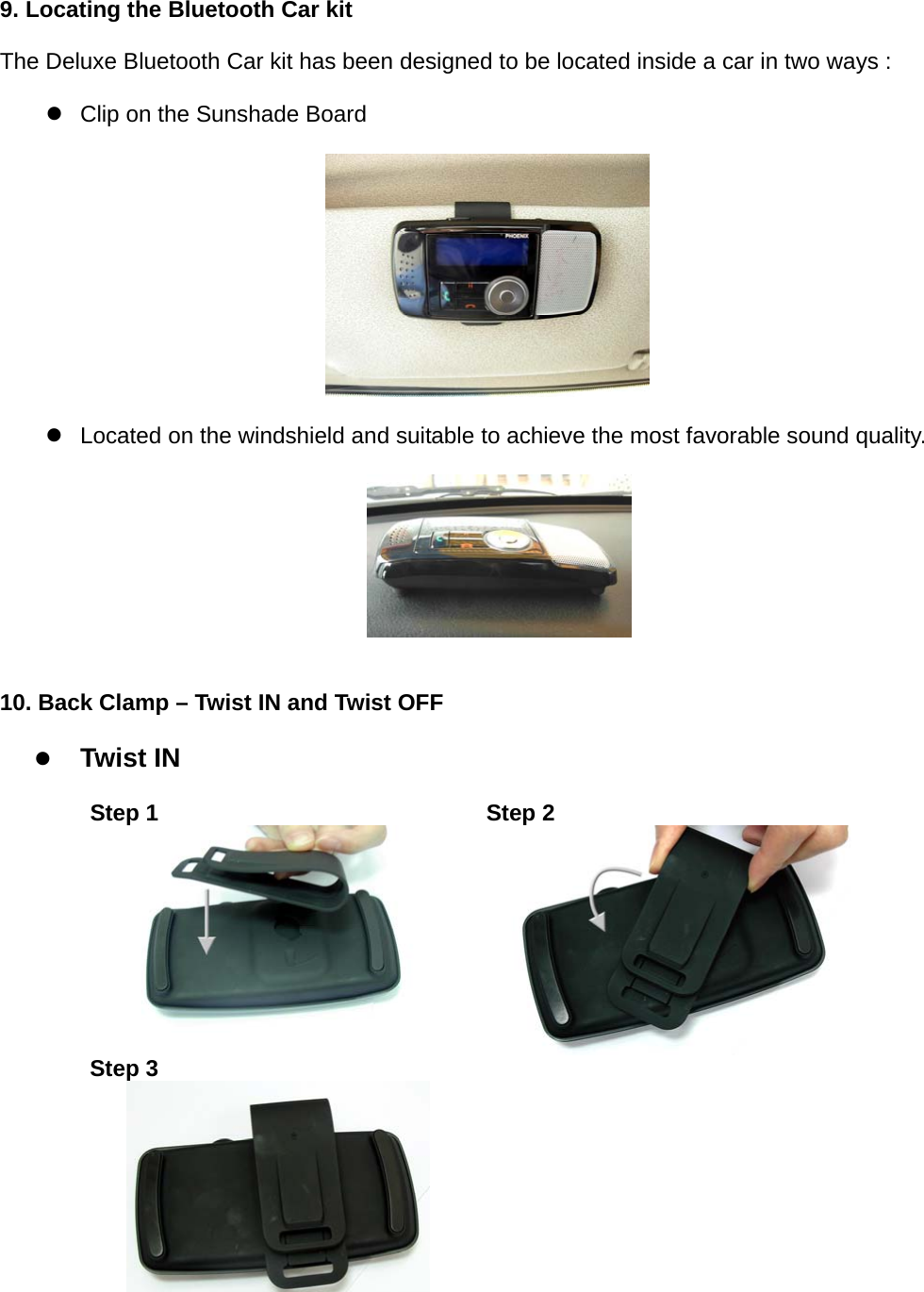
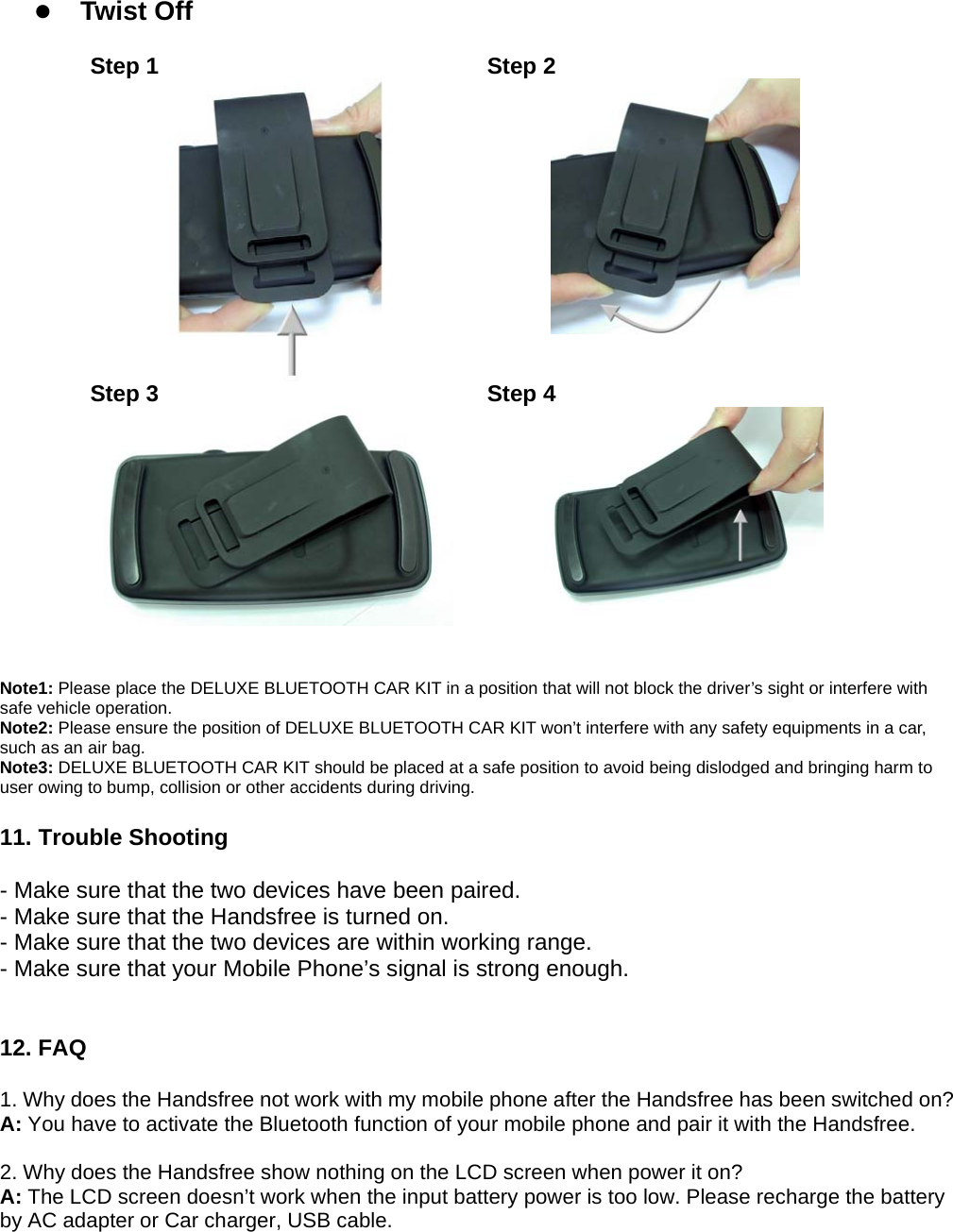
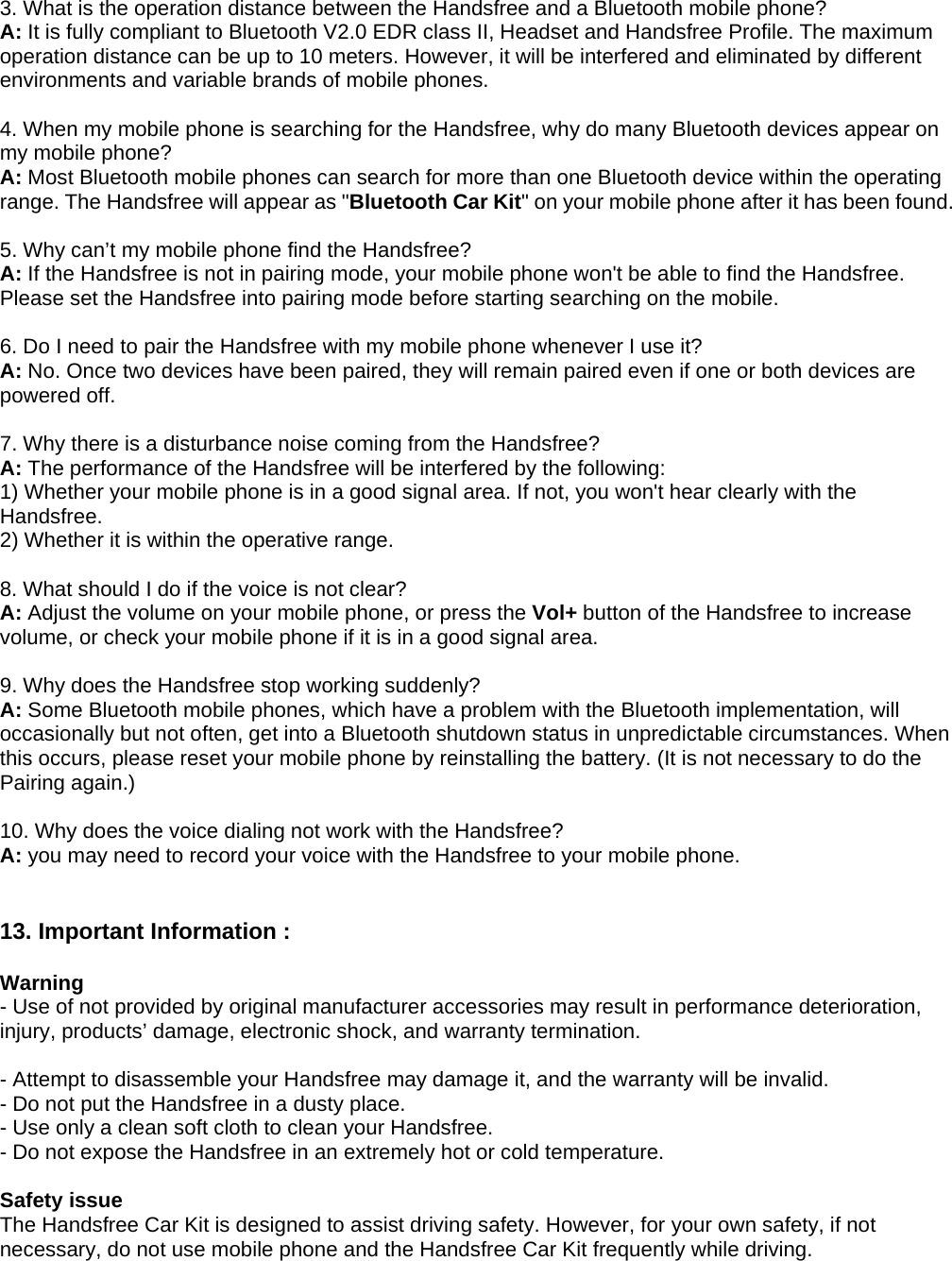
9. Locating the Bluetooth Car kit   The Deluxe Bluetooth Car kit has been designed to be located inside a car in two ways :    z  Clip on the Sunshade Board         z  Located on the windshield and suitable to achieve the most favorable sound quality.               10. Back Clamp – Twist IN and Twist OFF    z Twist IN    Step 1  Step 2  Step 3
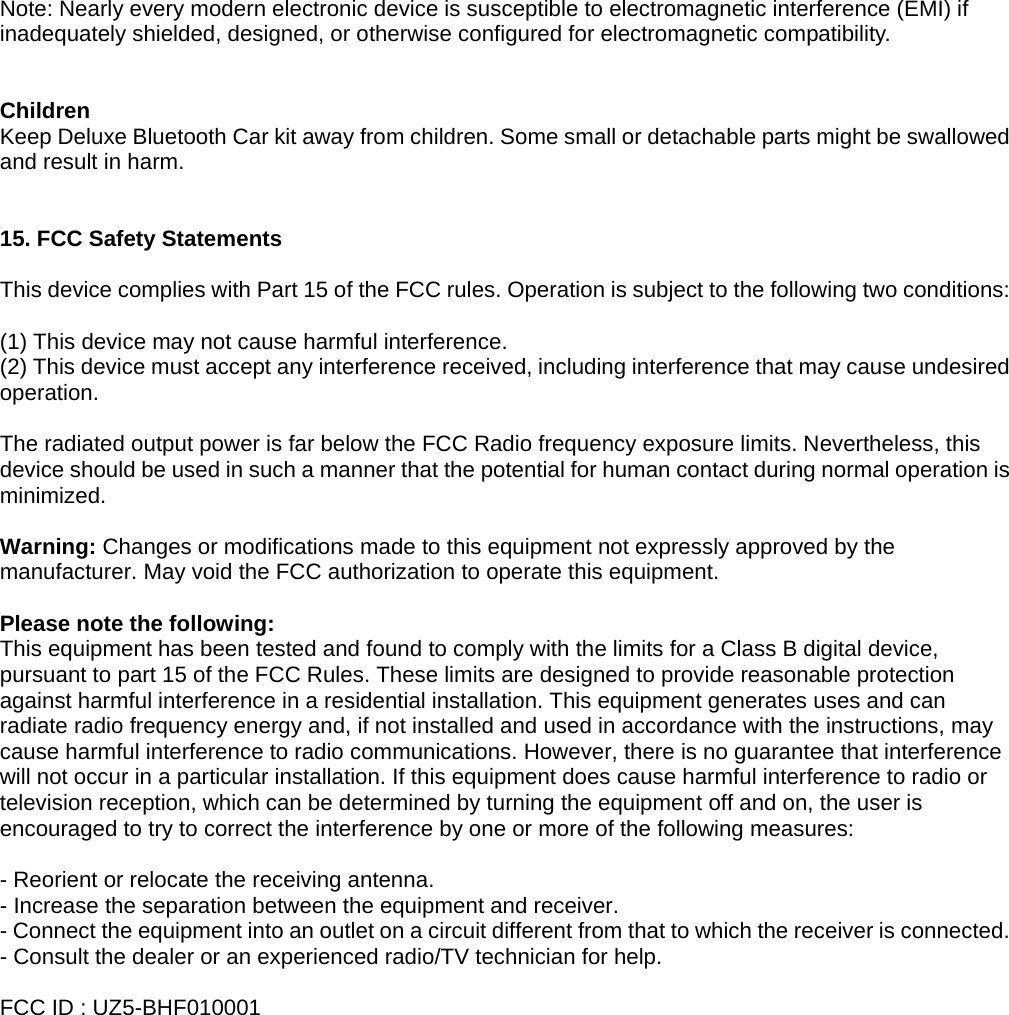
 z Twist Off              Step 1  Step 2  Step 3  Step 4    Note1: Please place the DELUXE BLUETOOTH CAR KIT in a position that will not block the driver’s sight or interfere with safe vehicle operation.   Note2: Please ensure the position of DELUXE BLUETOOTH CAR KIT won’t interfere with any safety equipments in a car, such as an air bag.   Note3: DELUXE BLUETOOTH CAR KIT should be placed at a safe position to avoid being dislodged and bringing harm to user owing to bump, collision or other accidents during driving.  11. Trouble Shooting  - Make sure that the two devices have been paired. - Make sure that the Handsfree is turned on. - Make sure that the two devices are within working range. - Make sure that your Mobile Phone’s signal is strong enough.   12. FAQ  1. Why does the Handsfree not work with my mobile phone after the Handsfree has been switched on? A: You have to activate the Bluetooth function of your mobile phone and pair it with the Handsfree.  2. Why does the Handsfree show nothing on the LCD screen when power it on? A: The LCD screen doesn’t work when the input battery power is too low. Please recharge the battery by AC adapter or Car charger, USB cable.
3. What is the operation distance between the Handsfree and a Bluetooth mobile phone? A: It is fully compliant to Bluetooth V2.0 EDR class II, Headset and Handsfree Profile. The maximum operation distance can be up to 10 meters. However, it will be interfered and eliminated by different environments and variable brands of mobile phones.    4. When my mobile phone is searching for the Handsfree, why do many Bluetooth devices appear on my mobile phone? A: Most Bluetooth mobile phones can search for more than one Bluetooth device within the operating range. The Handsfree will appear as "Bluetooth Car Kit" on your mobile phone after it has been found.  5. Why can’t my mobile phone find the Handsfree? A: If the Handsfree is not in pairing mode, your mobile phone won't be able to find the Handsfree. Please set the Handsfree into pairing mode before starting searching on the mobile.    6. Do I need to pair the Handsfree with my mobile phone whenever I use it? A: No. Once two devices have been paired, they will remain paired even if one or both devices are powered off.  7. Why there is a disturbance noise coming from the Handsfree? A: The performance of the Handsfree will be interfered by the following: 1) Whether your mobile phone is in a good signal area. If not, you won't hear clearly with the Handsfree. 2) Whether it is within the operative range.  8. What should I do if the voice is not clear? A: Adjust the volume on your mobile phone, or press the Vol+ button of the Handsfree to increase volume, or check your mobile phone if it is in a good signal area.  9. Why does the Handsfree stop working suddenly? A: Some Bluetooth mobile phones, which have a problem with the Bluetooth implementation, will occasionally but not often, get into a Bluetooth shutdown status in unpredictable circumstances. When this occurs, please reset your mobile phone by reinstalling the battery. (It is not necessary to do the Pairing again.)  10. Why does the voice dialing not work with the Handsfree? A: you may need to record your voice with the Handsfree to your mobile phone.   13. Important Information :    Warning - Use of not provided by original manufacturer accessories may result in performance deterioration, injury, products’ damage, electronic shock, and warranty termination.    - Attempt to disassemble your Handsfree may damage it, and the warranty will be invalid. - Do not put the Handsfree in a dusty place. - Use only a clean soft cloth to clean your Handsfree. - Do not expose the Handsfree in an extremely hot or cold temperature.  Safety issue The Handsfree Car Kit is designed to assist driving safety. However, for your own safety, if not necessary, do not use mobile phone and the Handsfree Car Kit frequently while driving.
Note: Nearly every modern electronic device is susceptible to electromagnetic interference (EMI) if inadequately shielded, designed, or otherwise configured for electromagnetic compatibility.   Children  Keep Deluxe Bluetooth Car kit away from children. Some small or detachable parts might be swallowed and result in harm.   15. FCC Safety Statements  This device complies with Part 15 of the FCC rules. Operation is subject to the following two conditions:  (1) This device may not cause harmful interference. (2) This device must accept any interference received, including interference that may cause undesired operation.   The radiated output power is far below the FCC Radio frequency exposure limits. Nevertheless, this device should be used in such a manner that the potential for human contact during normal operation is minimized.  Warning: Changes or modifications made to this equipment not expressly approved by the manufacturer. May void the FCC authorization to operate this equipment.  Please note the following: This equipment has been tested and found to comply with the limits for a Class B digital device, pursuant to part 15 of the FCC Rules. These limits are designed to provide reasonable protection against harmful interference in a residential installation. This equipment generates uses and can radiate radio frequency energy and, if not installed and used in accordance with the instructions, may cause harmful interference to radio communications. However, there is no guarantee that interference will not occur in a particular installation. If this equipment does cause harmful interference to radio or television reception, which can be determined by turning the equipment off and on, the user is encouraged to try to correct the interference by one or more of the following measures:  - Reorient or relocate the receiving antenna. - Increase the separation between the equipment and receiver. - Connect the equipment into an outlet on a circuit different from that to which the receiver is connected. - Consult the dealer or an experienced radio/TV technician for help.  FCC ID : UZ5-BHF010001

Navigation menu