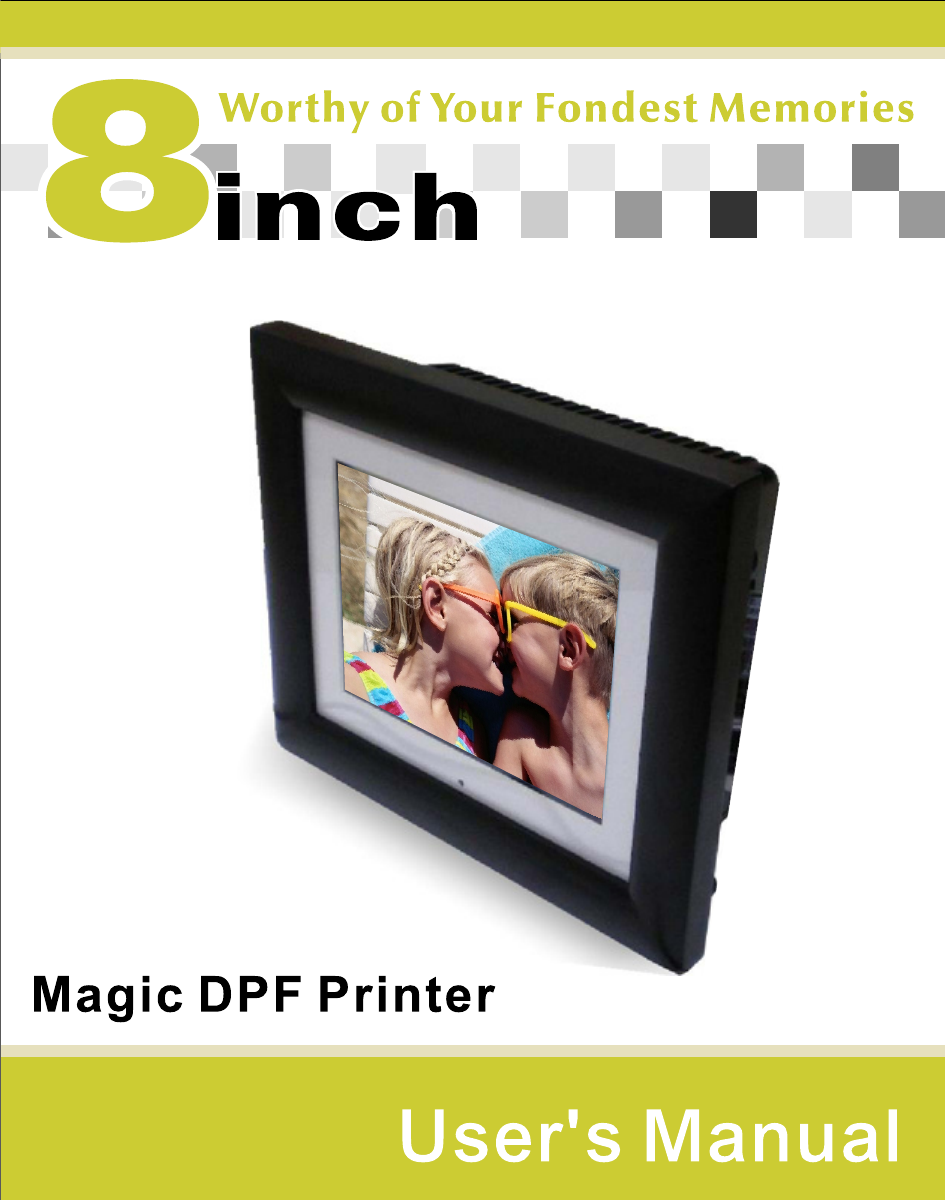
Win Accord 8INCHPRINTER 8 inch magic DPF Printer User Manual

WIN ACCORD LTD., 8 inch magic DPF Printer

User Manual

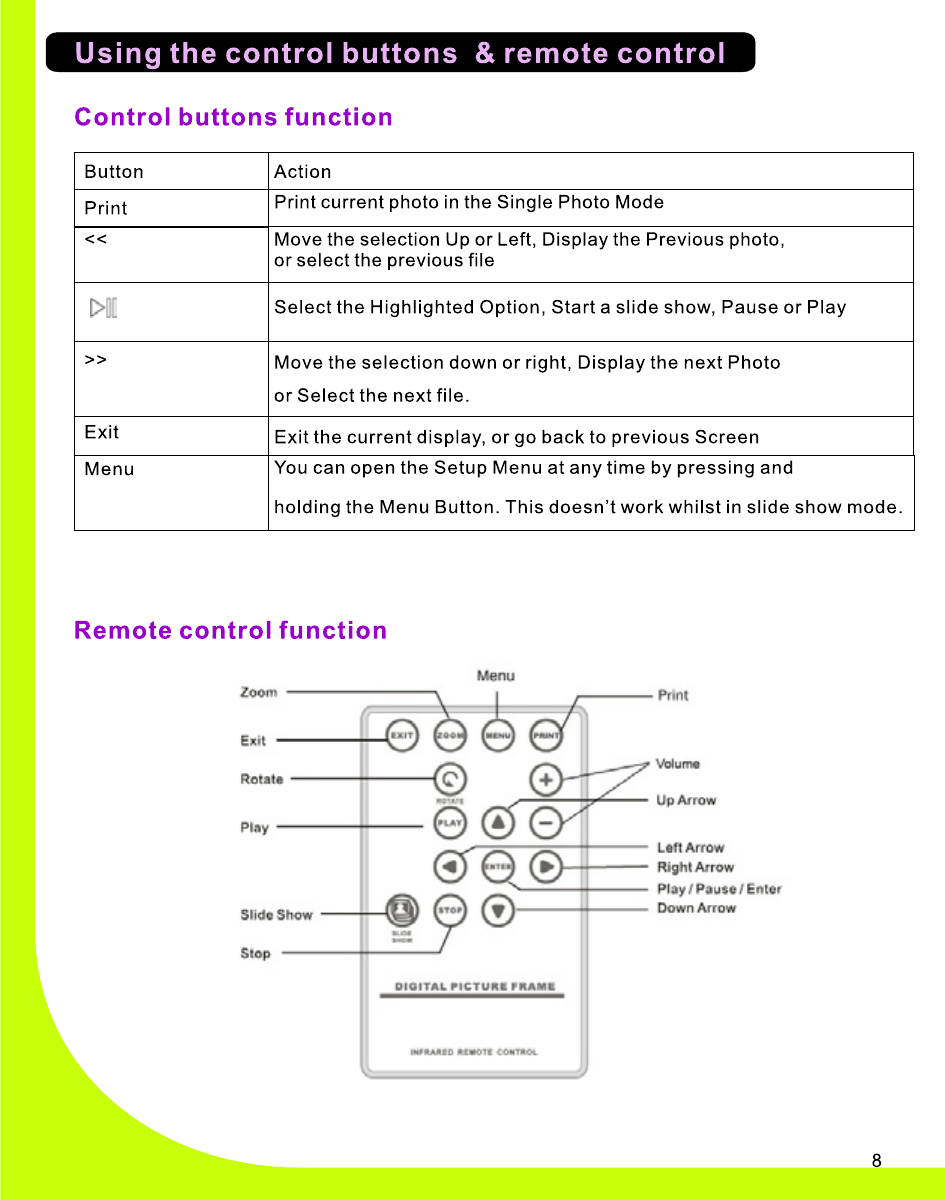
8  Magic DPF PrinterUser ManualRemote control
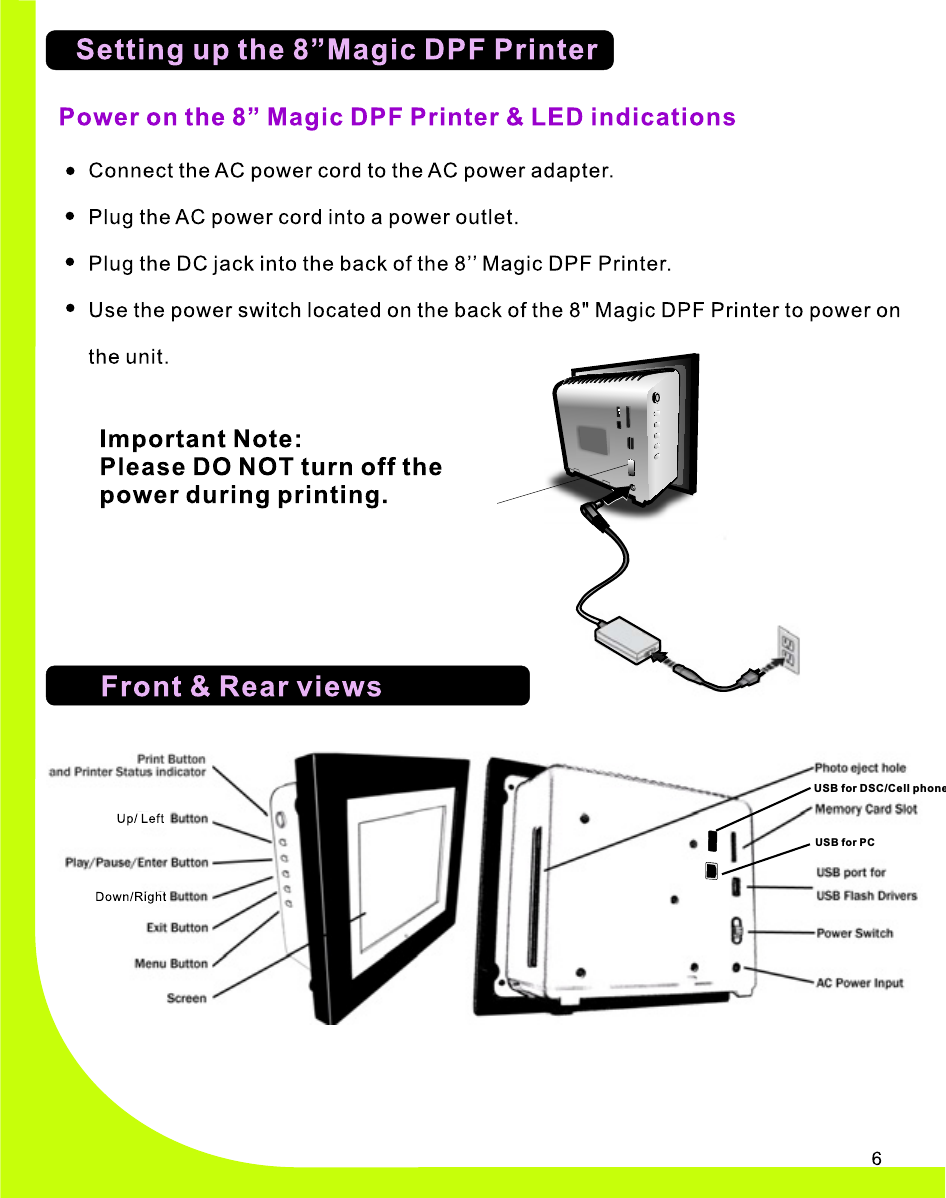
USB for DSC/Cell phoneUSB for PC
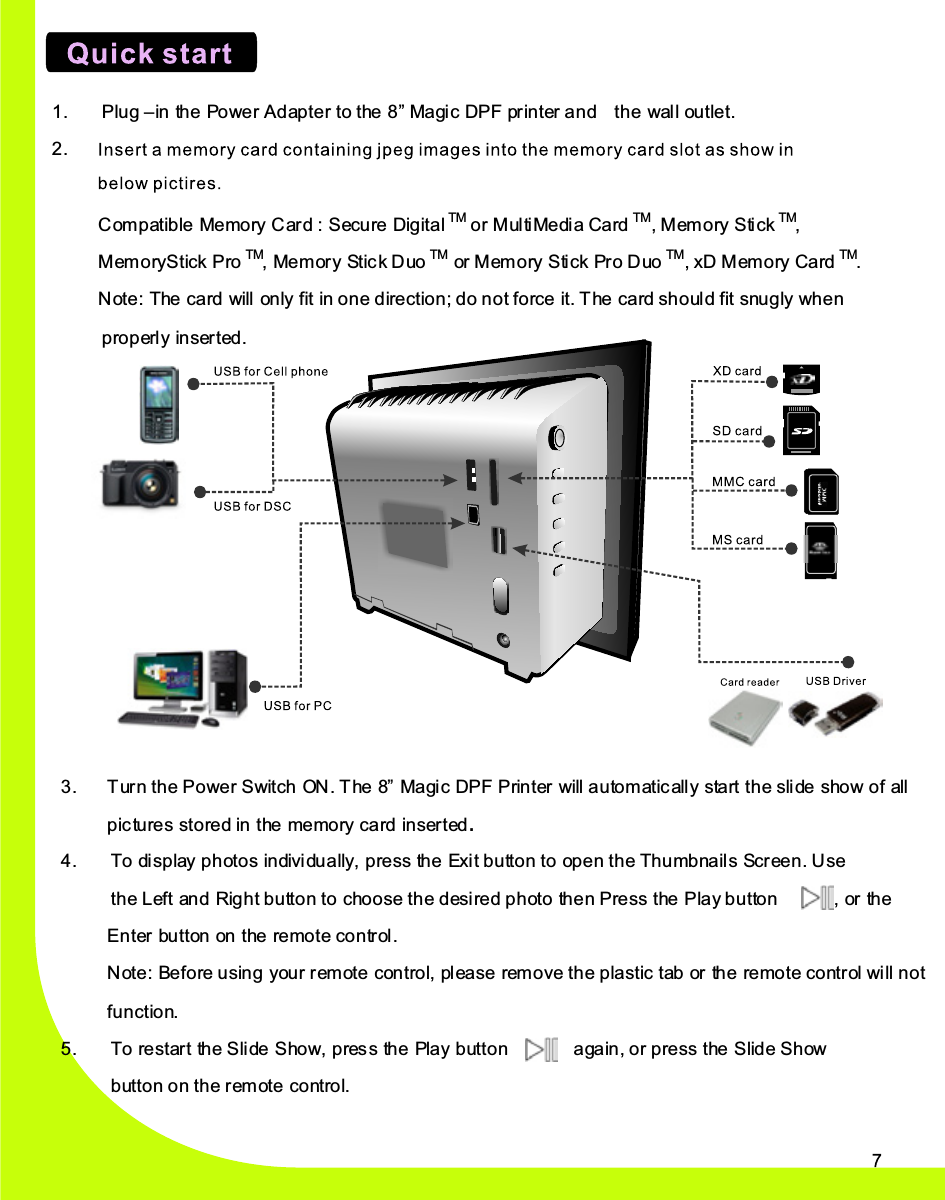
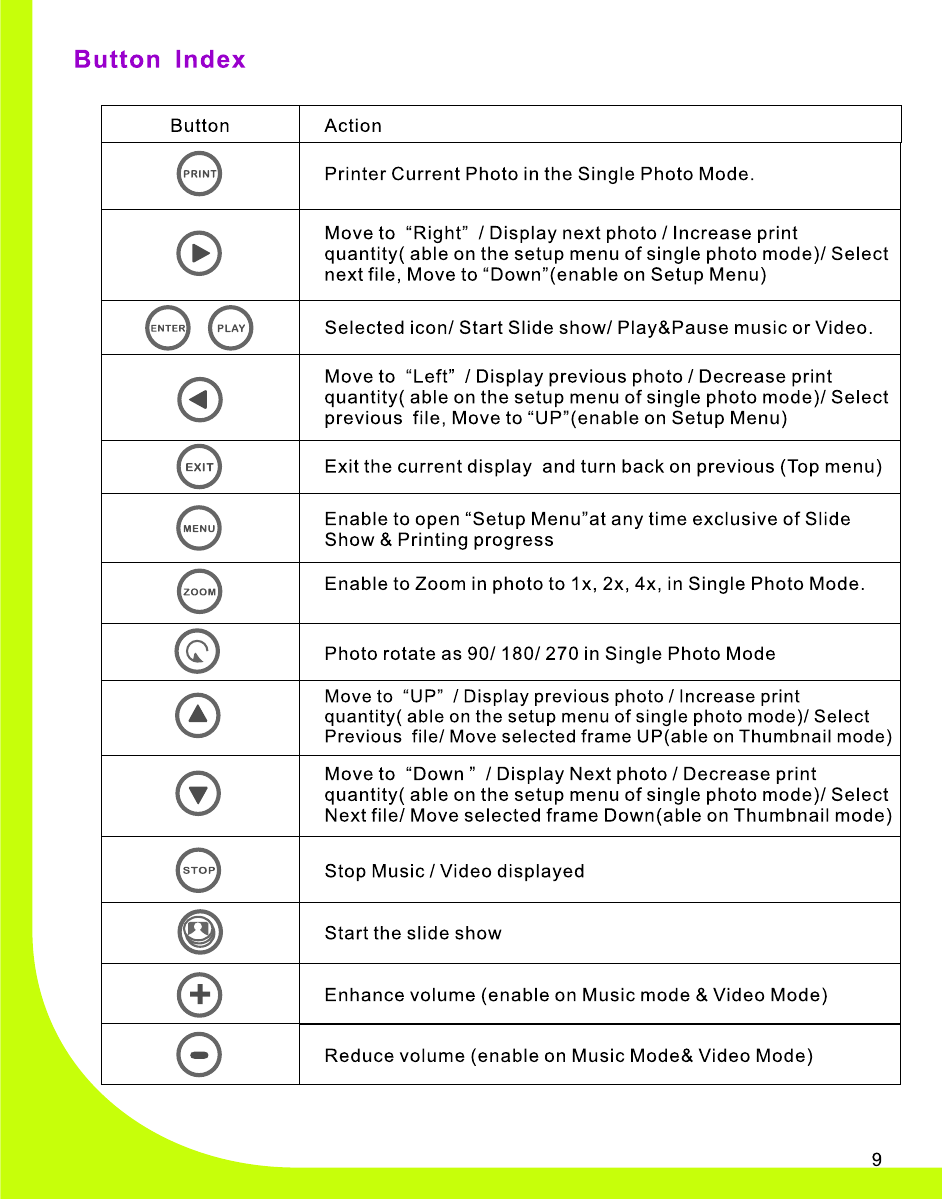
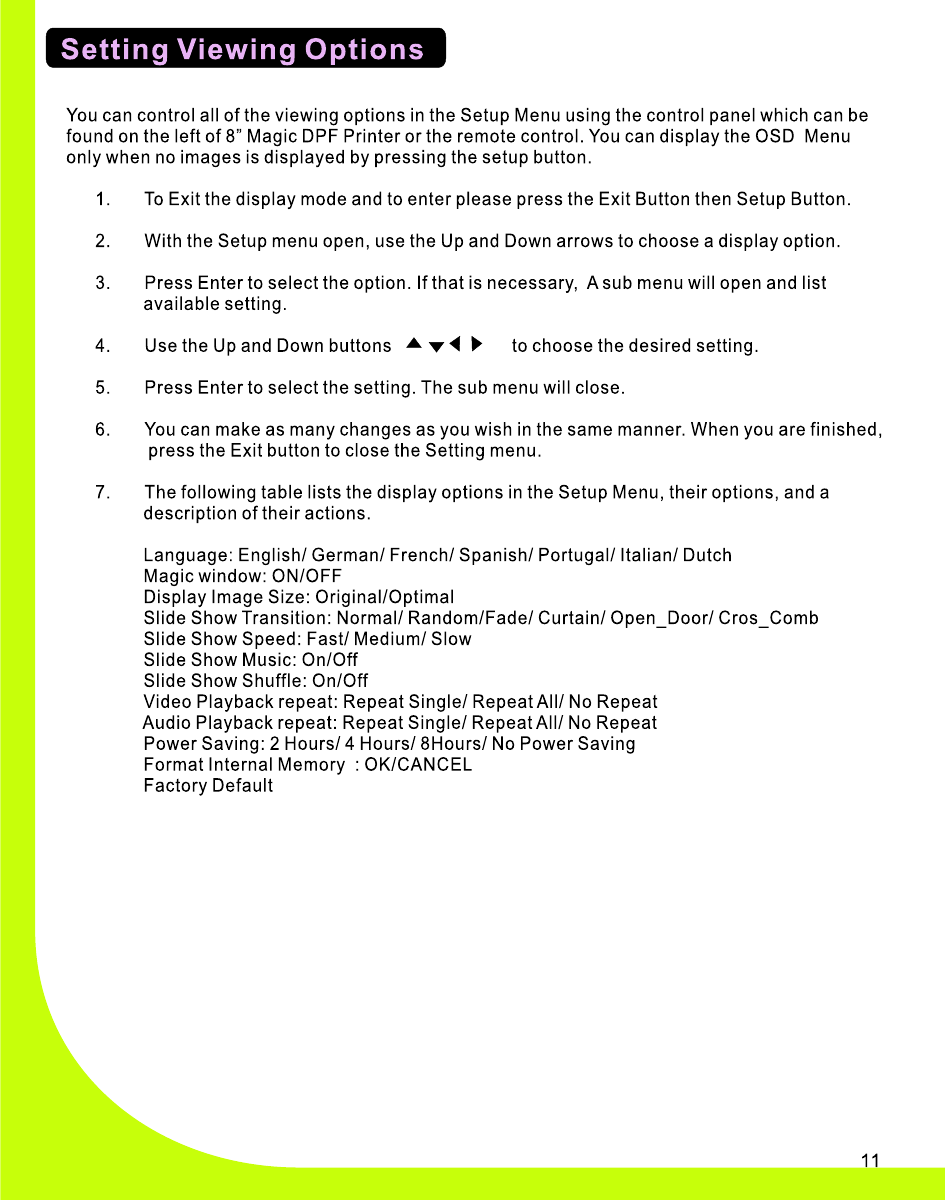
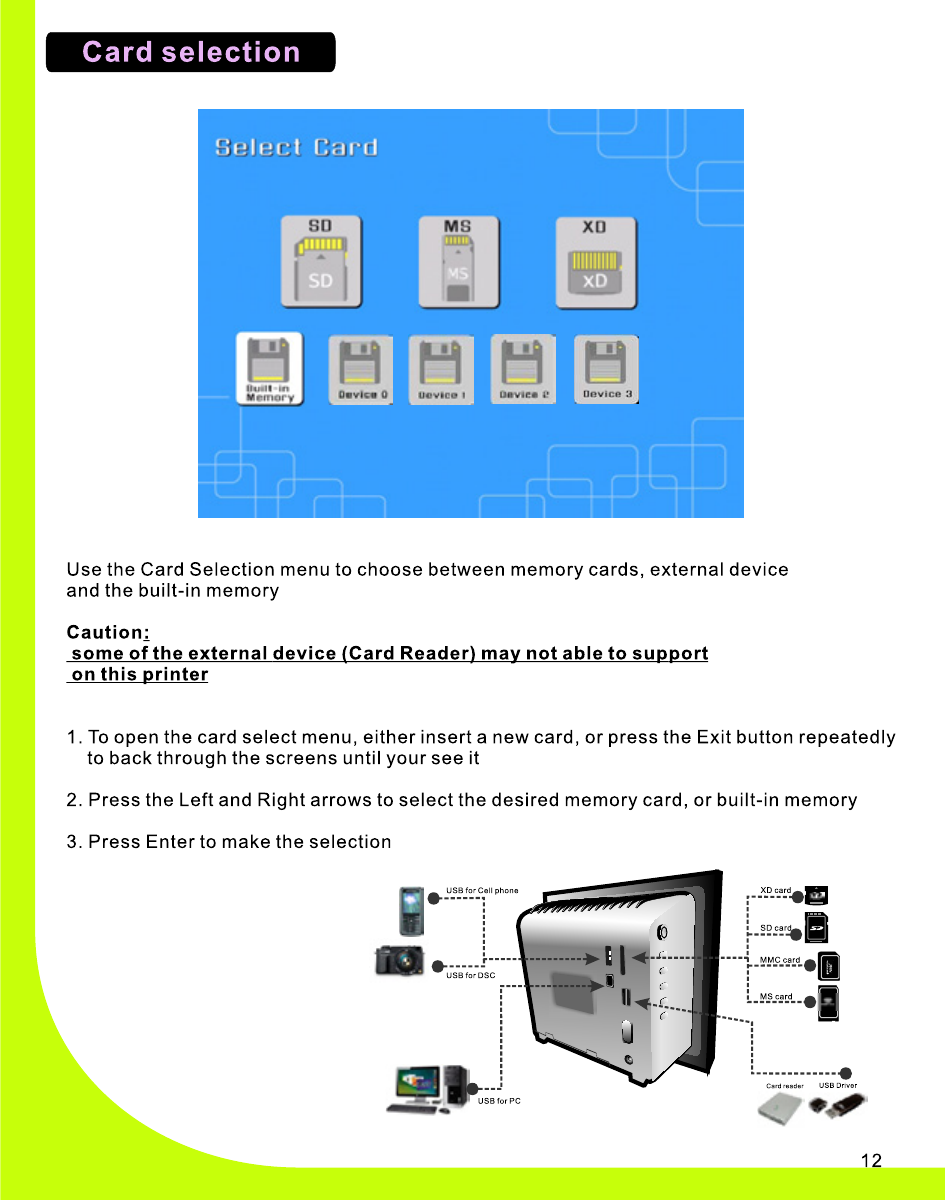
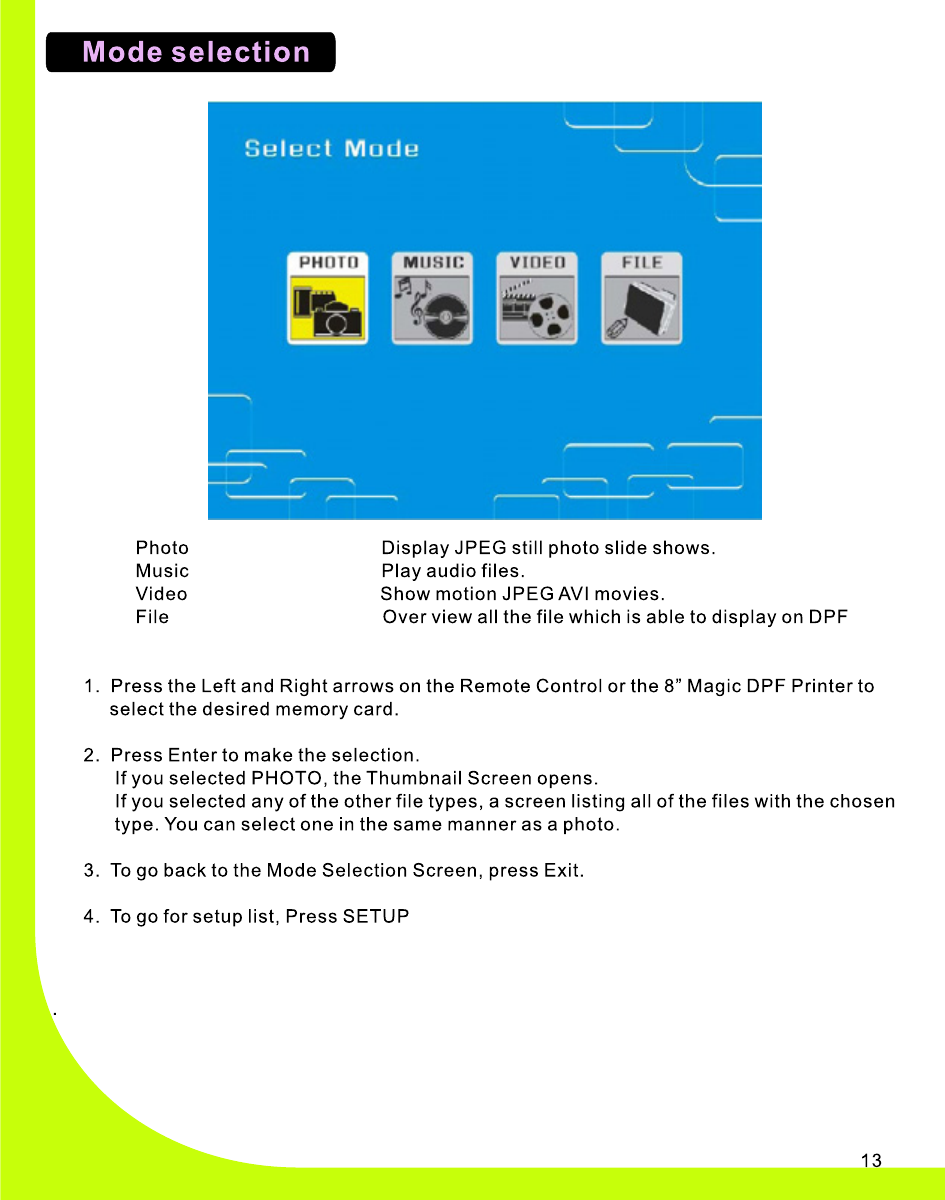
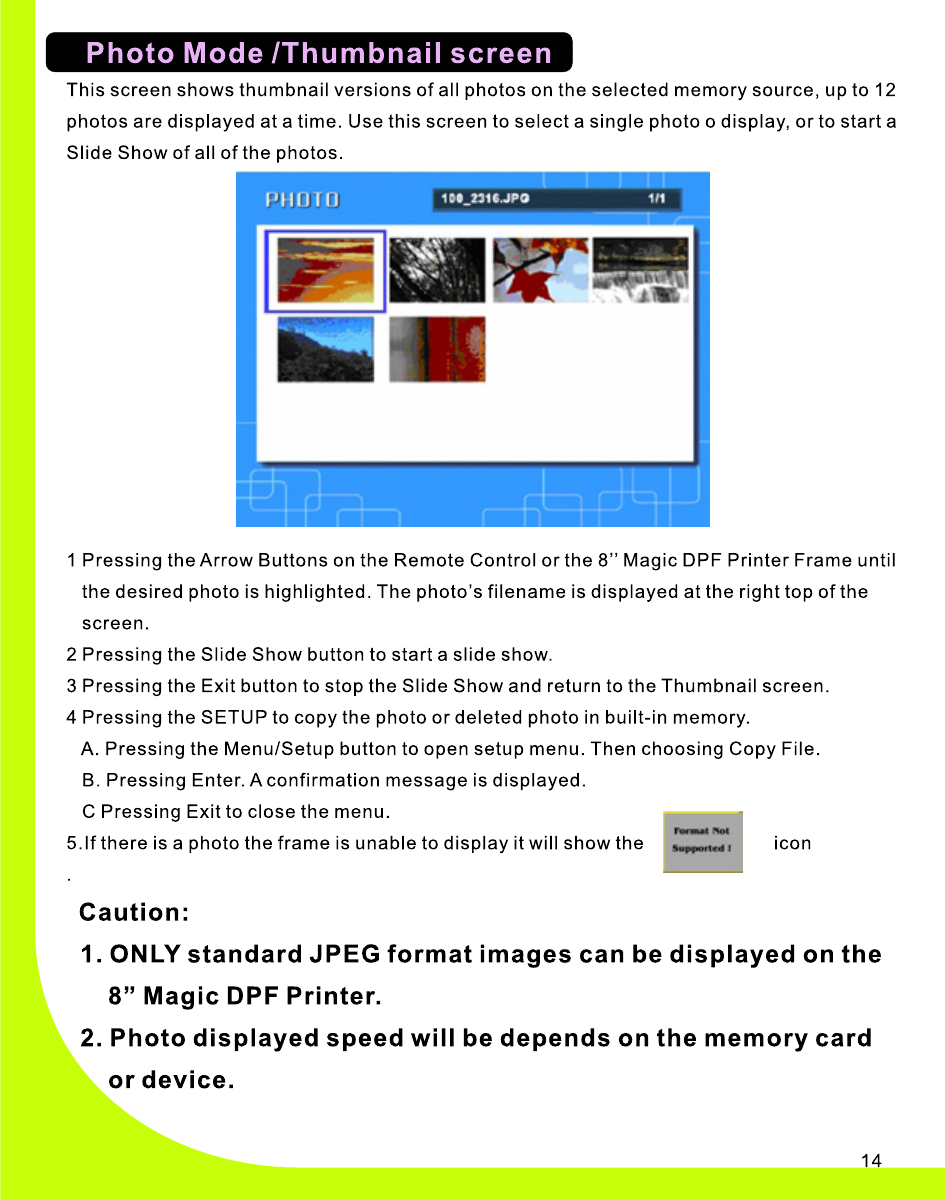
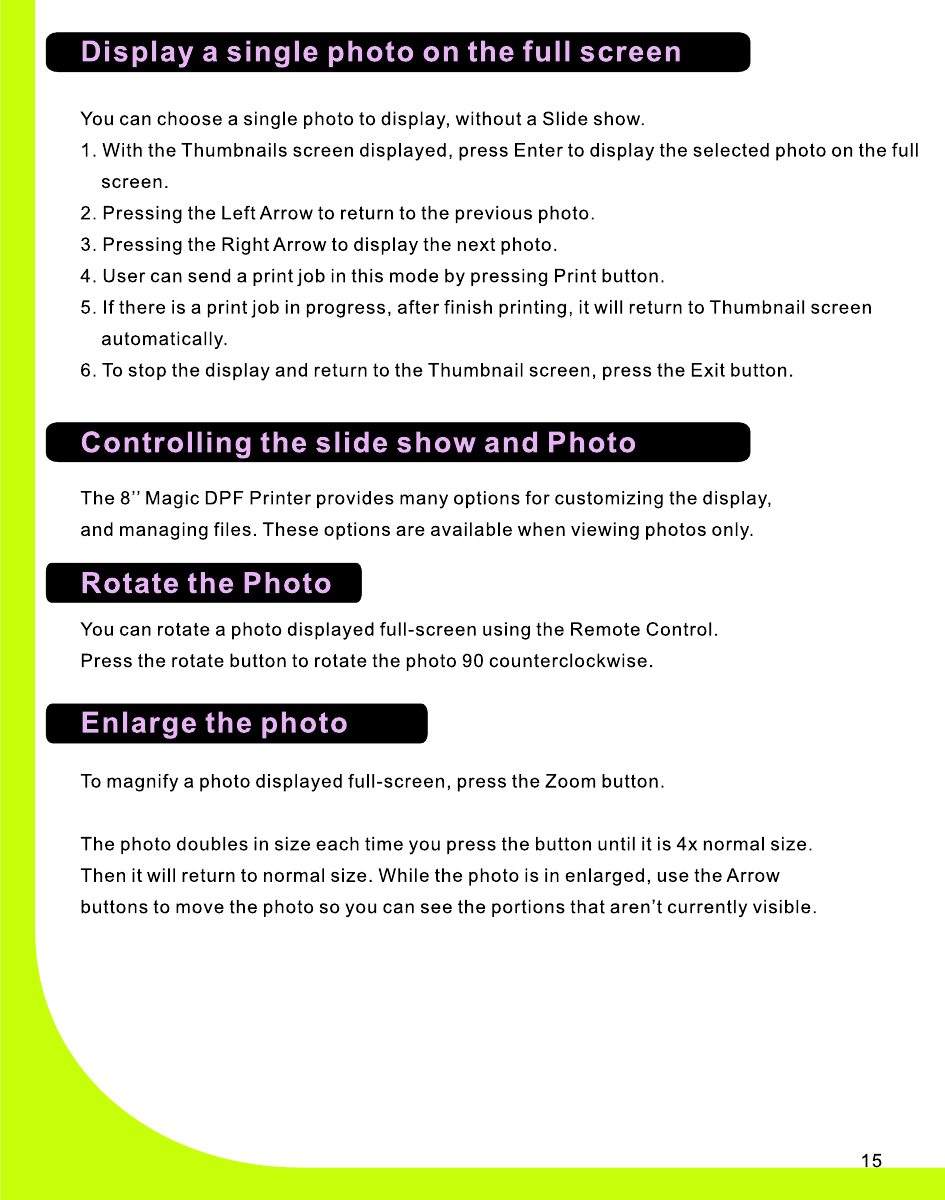
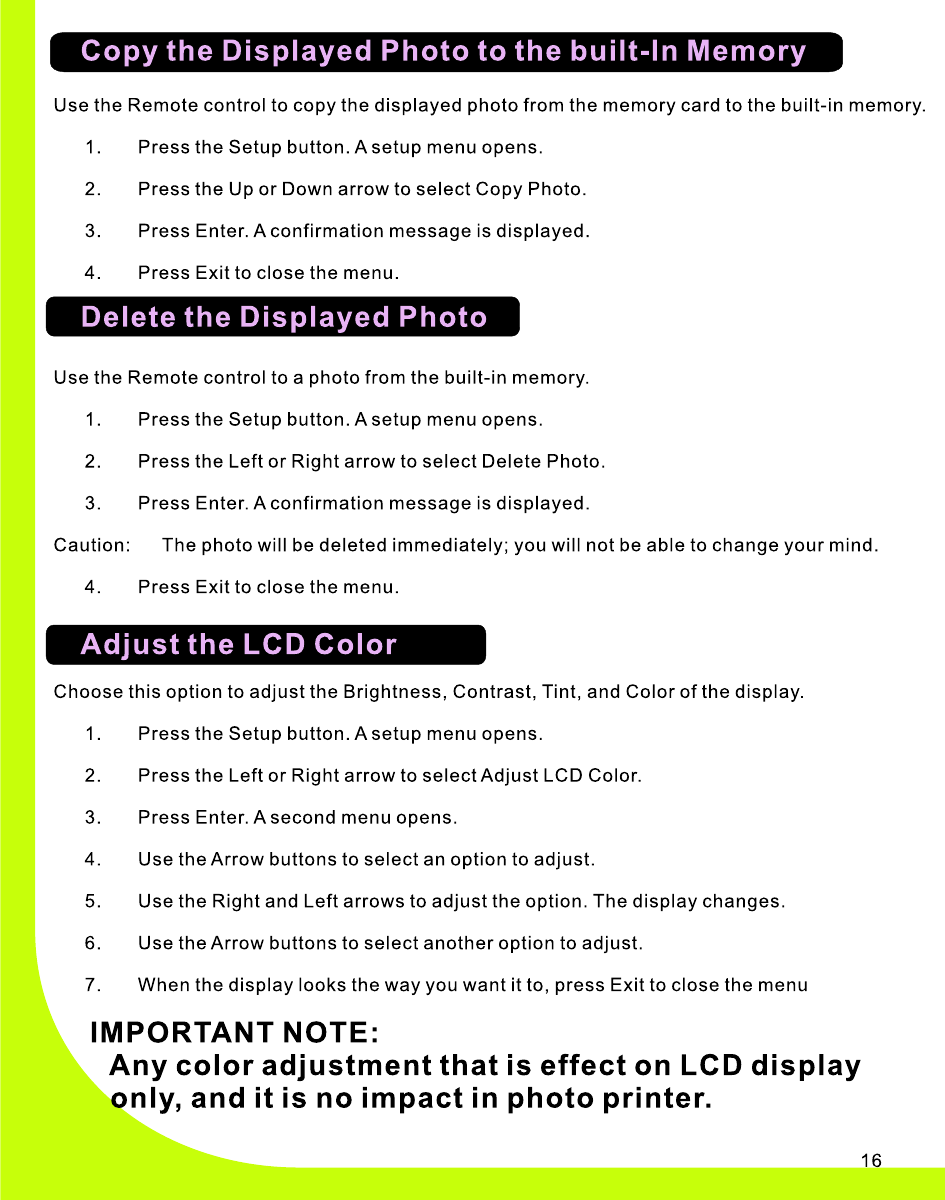
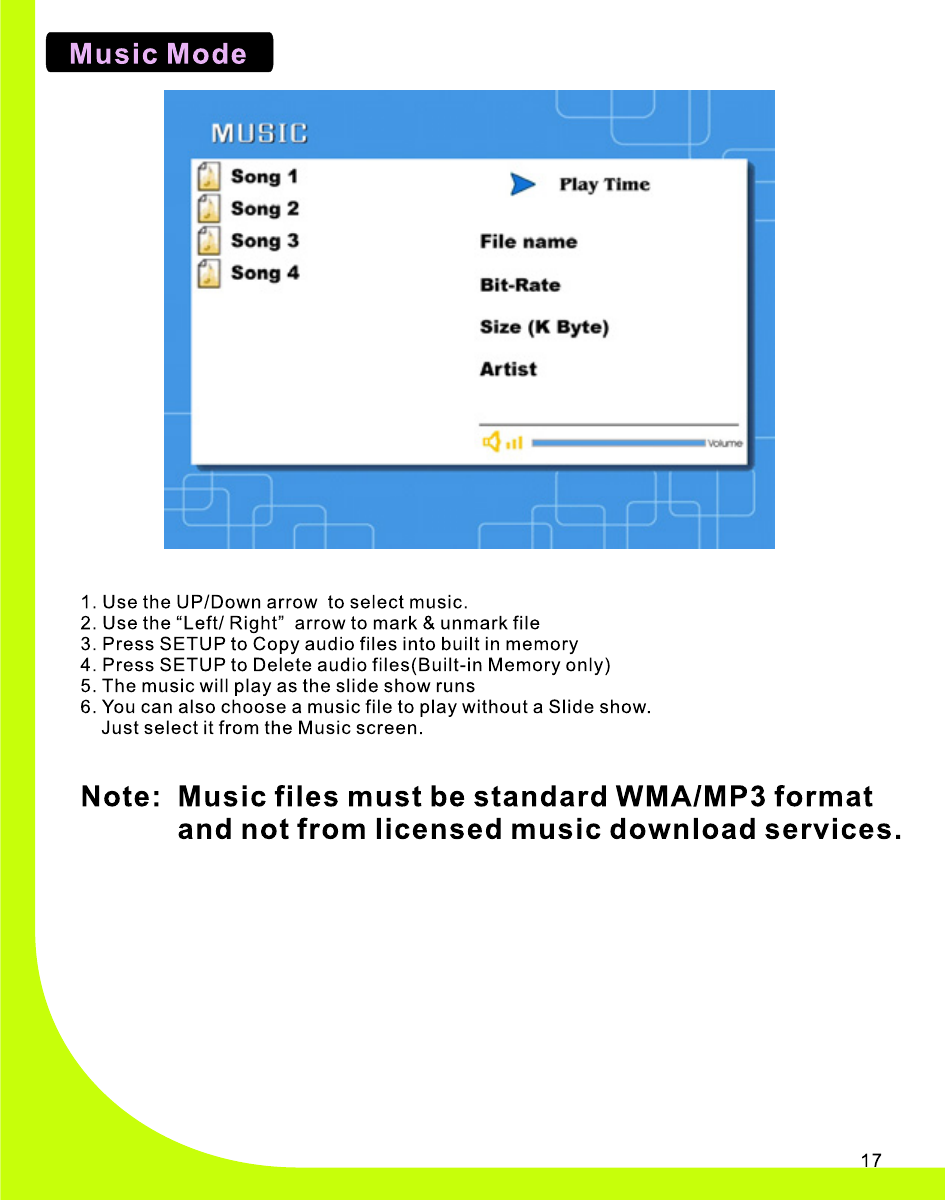
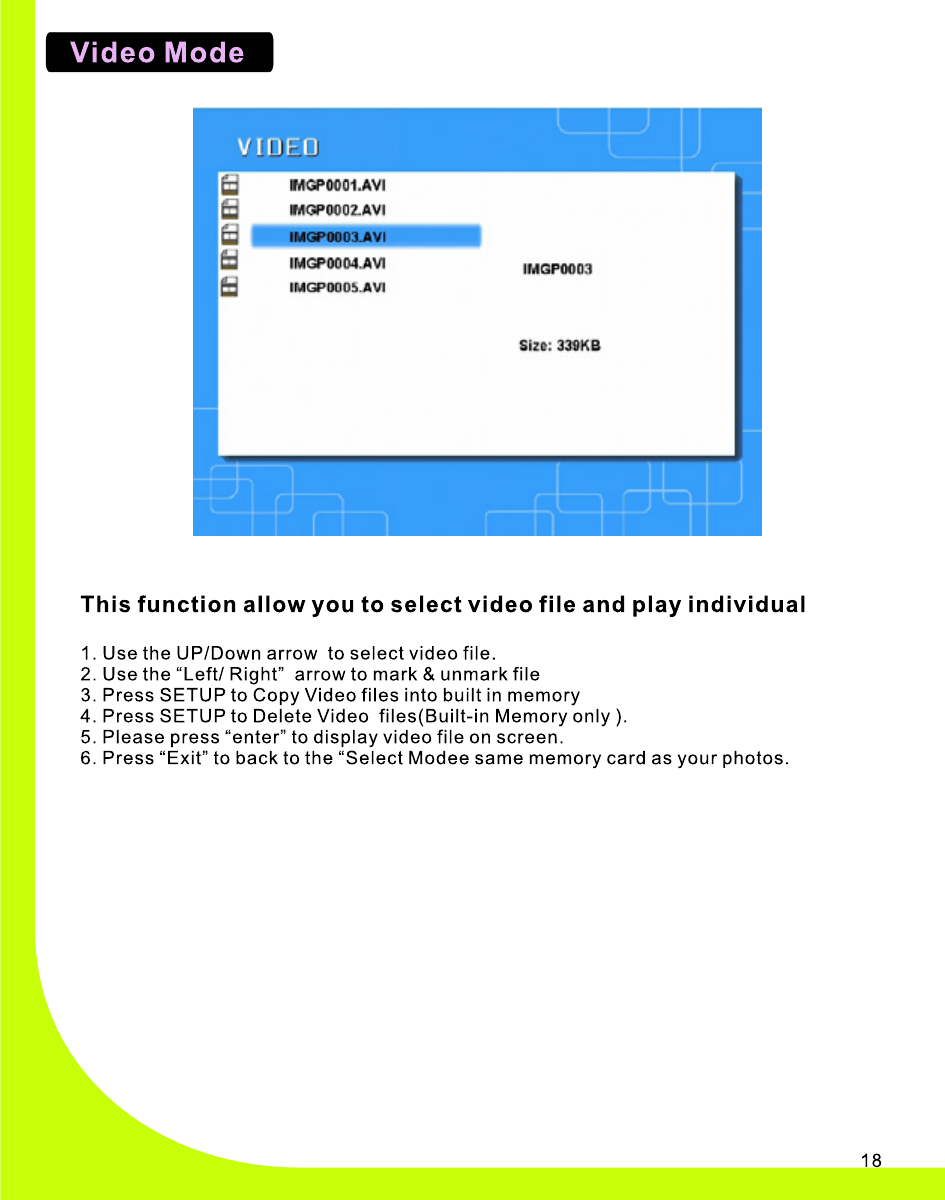
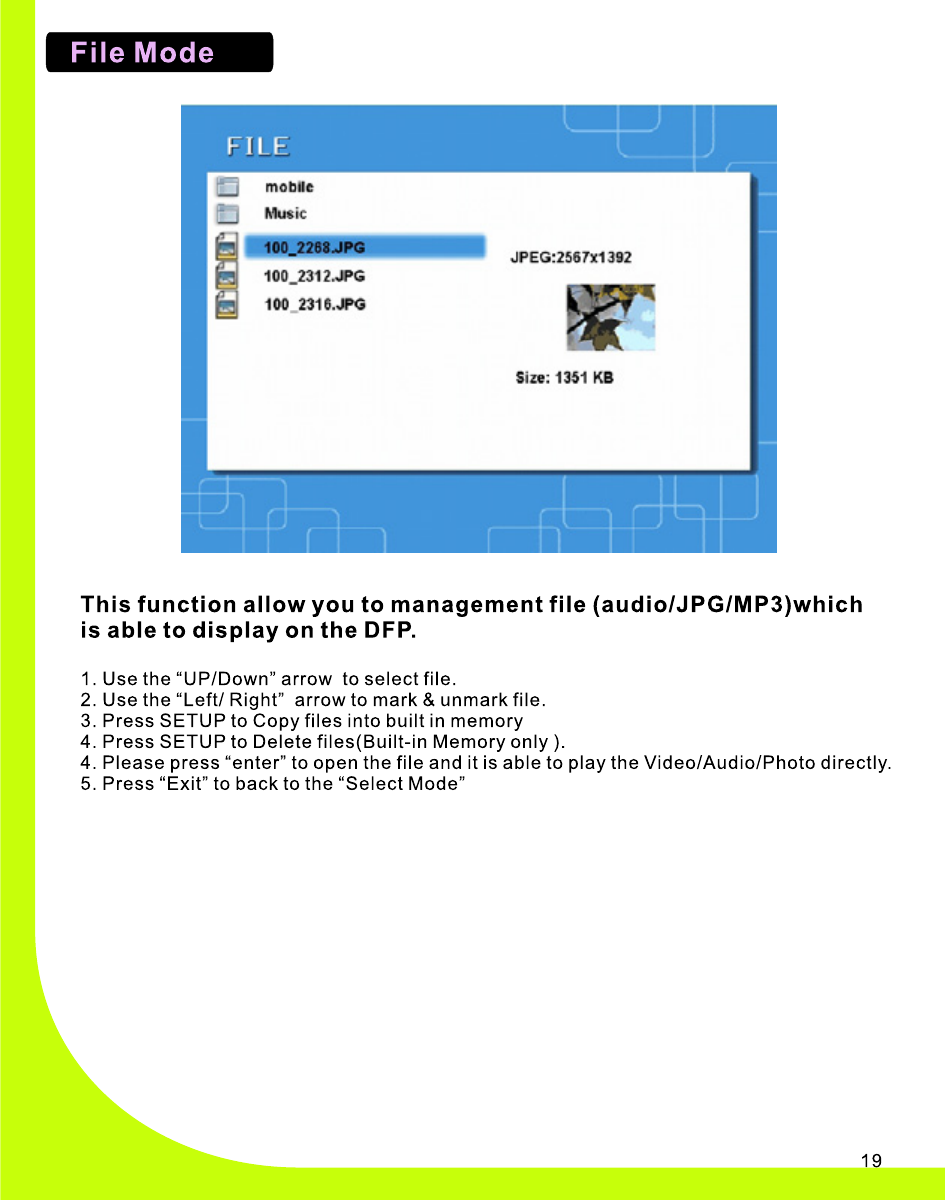
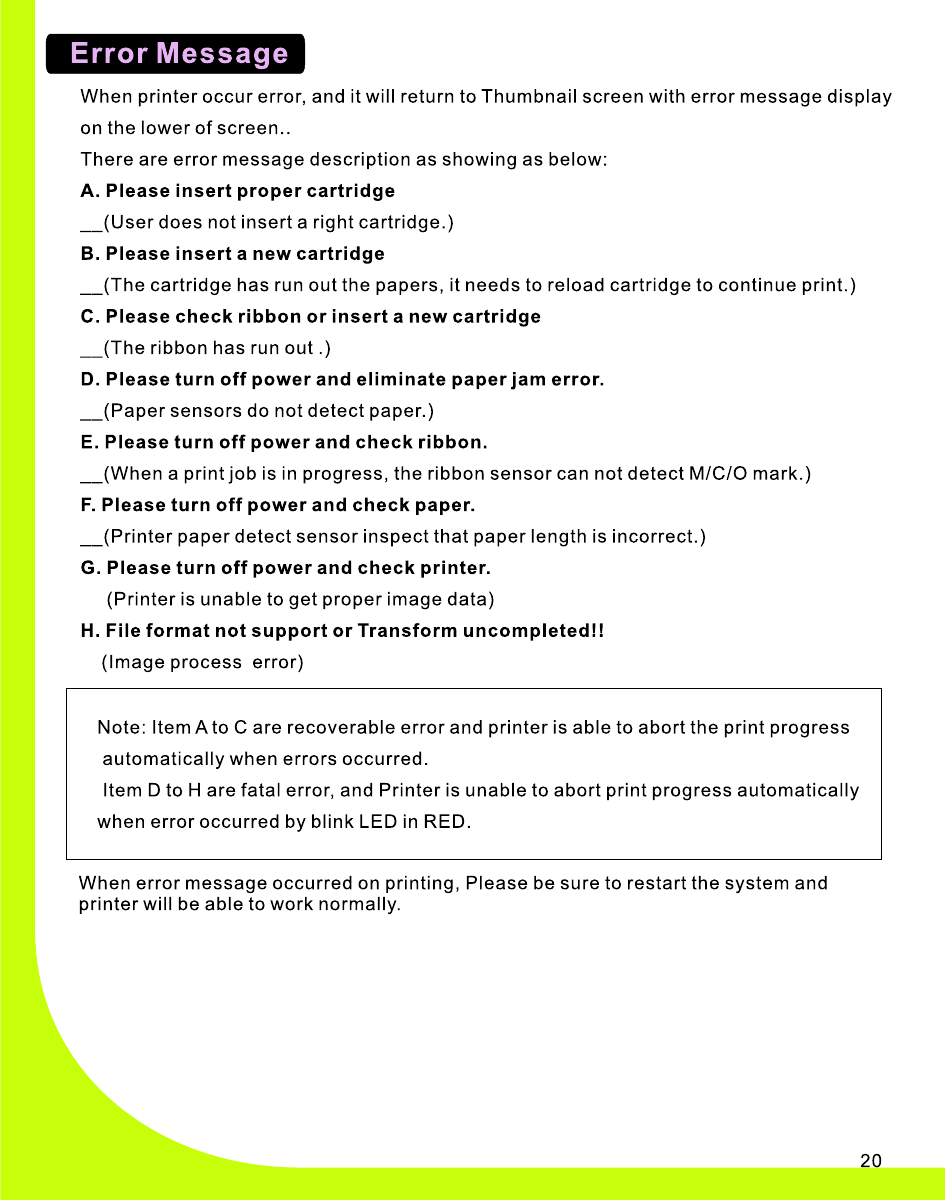
3.    Turn the Power Switch ON . The 8”  Magic DPF Printer will automatically  start  the  slide  show  of all  pictures  stored  in the memory  card  inserted. 4.    To  display  photos individually, press the Exi t button to open the Thumbnails Scr ee n. Use the Left an d Right button to  choose  the  desire d  photo th e n Press the Play button            ,  or  the Enter bu tton  on the remote control. Note: Be fo re  using  your  remote  control,  pl ea se  remove the plastic tab or  th e  remote  control  will not function. 5.  To  restart  th e  Slide Show, press th e  Pla y button       again, or press the Slide Show button on the remote  control. 1.    Plug –in the Po we r Adapter to the 8” Magic DPF pr in ter  and    the wall ou tle t. 2.    Insert a Memory Card with Des ired Viewing Photos into the memory  card  slot as  show  in below p ictur es.   Compatible Memory Card : Secure Digital TM or MultiMedia Card TM,   Memory Stick TM,   MemoryStick Pro TM,  Mem ory Stic k Duo TM or  Memory Stick Pr o  Duo TM,  xD  Memory Card TM. Note: The  card  will only fit in one direction; do not force it. The  card  should  fit  snugly  when properly  inserted.
+
Changes or modifications not expressly approved by the party responsible for compliance could void the user's authority to operate the equipment. This equipment has been tested and found to comply with the limits for a Class B digital device, pursuant to Part 15 of the FCC Rules.  These limits are designed to provide reasonable protection against harmful interference in a residential installation. This equipment generates uses and can radiate radio frequency energy and, if not installed and used in accordance with the instructions, may cause harmful interference to radio communications.  However, there is no guarantee that interference will not occur in a particular installation.  If this equipment does cause harmful interference to radio or television reception, which can be determined by turning the equipment off and on, the user is encouraged to try to correct the interference by one or more of the following measures:-- Reorient or relocate the receiving antenna.   -- Increase the separation between the equipment and receiver.     -- Connect the equipment into an outlet on a circuit different from that to which the receiver is connected.   -- Consult the dealer or an experienced radio/TV technician for help

Navigation menu