

Release Notes: Junos Space Security Director Release 19.4R1
File info: application/pdf · 26 pages · 1.02MB
Release Notes: Junos Space Security Director Release 19.4R1
Junos Space Security Director Release 19.4R1 - Juniper ...
Installation and Upgrade Instructions | 9. Installing and Upgrading Security Director Release 19.4R1 | 9. Adding Security Director Log Collector ...
31 gen 2022 — Manage devices—Starting in Security Director Release 19.4R1, you can configure additional device parameters to effectively manage an SRX Series device.
Full PDF Document

If the inline viewer fails, it will open the original document in compatibility mode automatically. You can also open the file directly.
Extracted Text
1

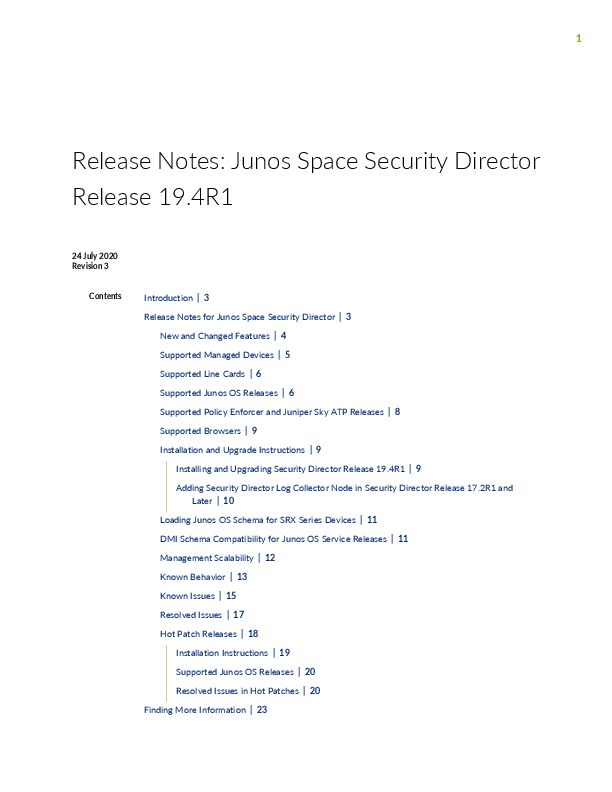
Release Notes: Junos Space Security Director Release 19.4R1

24 July 2020 Revision 3

Contents

Introduction | 3 Release Notes for Junos Space Security Director | 3
New and Changed Features | 4 Supported Managed Devices | 5 Supported Line Cards | 6 Supported Junos OS Releases | 6 Supported Policy Enforcer and Juniper Sky ATP Releases | 8 Supported Browsers | 9 Installation and Upgrade Instructions | 9
Installing and Upgrading Security Director Release 19.4R1 | 9 Adding Security Director Log Collector Node in Security Director Release 17.2R1 and
Later | 10 Loading Junos OS Schema for SRX Series Devices | 11 DMI Schema Compatibility for Junos OS Service Releases | 11 Management Scalability | 12 Known Behavior | 13 Known Issues | 15 Resolved Issues | 17 Hot Patch Releases | 18
Installation Instructions | 19 Supported Junos OS Releases | 20 Resolved Issues in Hot Patches | 20 Finding More Information | 23

2
Documentation Feedback | 24 Requesting Technical Support | 24
Self-Help Online Tools and Resources | 25 Creating a Service Request with JTAC | 25 Revision History | 25

3
Introduction
The Junos Space Security Director application is a powerful and easy-to-use solution that enables you to secure your network by creating and publishing firewall policies, IPsec VPNs, Network Address Translation (NAT) policies, Intrusion Prevention System (IPS) policies, and application firewalls.
NOTE: You need IPS and application firewall licenses to push IPS policies and application firewall signatures to a device.
Release Notes for Junos Space Security Director
IN THIS SECTION New and Changed Features | 4 Supported Managed Devices | 5 Supported Line Cards | 6 Supported Junos OS Releases | 6 Supported Policy Enforcer and Juniper Sky ATP Releases | 8 Supported Browsers | 9 Installation and Upgrade Instructions | 9 Loading Junos OS Schema for SRX Series Devices | 11 DMI Schema Compatibility for Junos OS Service Releases | 11 Management Scalability | 12 Known Behavior | 13 Known Issues | 15 Resolved Issues | 17 Hot Patch Releases | 18

4
New and Changed Features
This section describes the new features and enhancements to existing features in Junos Space Security Director Release 19.4R1.
� Manage licenses--Starting in Junos Space Security Director Release 19.4R1, you can manage licenses for features such as antispam, antivirus, IDP signature, Juniper Sky Advanced Threat Prevention (Juniper Sky ATP), and unified threat management (UTM). You can also manage licenses for virtual appliance.
You can use license management to:
� Deploy a license on the devices managed by Security Director and view the history of deployed licenses. � Configure a schedule for polling devices for license details. � Enable the license notification settings and configure e-mail recipients to send e-mail with license
expiry details.
� Manage devices--Starting in Security Director Release 19.4R1, you can configure additional device parameters to effectively manage an SRX Series device. In the Basic Setup section, you can now configure parameters such as root password, Web API, REST API, health monitoring, and so on. We've also added a User Management section, where you can configure parameters such as user details, authentication methods, password settings, access profile, address pool and so on.
� Monitor threats--Starting in Security Director Release 19.4R1, you can monitor threat events related to IPS, antivirus, antispam, device authentication failure, screen, SecIntel, and Juniper Sky ATP. You can view the data in both Summary View and Detailed View. On the Threat Monitoring page, you can use the time-frame slider and instantly focus on areas of unusual activity by dragging the slider to the area of interest to you. The data is automatically reloaded with threats that occurred in the newly selected time range.
� Predefined report--Starting in Security Director Release 19.4R1, we've added a predefined Threat Application Risk Assessment report, which displays statistics related to:
� Application risk assessment � Threat and malware assessment � User and Web access assessment
The report provides detailed results on the basis of top high-risk applications, threats and malware, top bandwidth usage by applications, top malware source countries, and so on.
� Synchronize out-of-band changes for IPS policy--Starting in Junos Space Security Director Release 19.4R1, you can synchronize (that is, import or reject) out-of-band changes for an IPS policy from a device to Security Director manually or automatically. Automatic synchronization is applicable for a device-specific policy, and manual synchronization is applicable for both device-specific and group policies.

5
For devices running Junos OS Release 18.2 and later, you can synchronize the changes from the standard or unified firewall policies page. For devices running Junos OS Release 18.1 and earlier, you can synchronize the changes from the IPS Policies page.
Supported Managed Devices
Security Director Release 19.4R1 manages the following devices: � SRX100 � SRX110 � SRX210 � SRX220 � SRX240 � SRX240H � SRX300 � SRX320 � SRX320-POE � SRX340 � SRX345 � SRX550 � SRX550M � SRX650 � SRX1400 � SRX1500 � SRX3400 � SRX3600 � SRX4100 � SRX4200 � SRX5400 � SRX5600 � SRX5800 � SRX4600

6
� vSRX � MX240 � MX480 � MX960 � MX2010 � MX2020 � LN1000-V � LN2600 The following log collection systems are supported: � Security Director Log Collector � Juniper Secure Analytics (JSA) as Log Collector on JSA Release 2014.8.R4 and later � QRadar as Log Collector on QRadar Release 7.2.8 and later

Supported Line Cards

Table 1 on page 6 shows the supported Juniper Networks line cards in Junos Space Security Director Release 19.4R1.

Table 1: Supported Line Cards

Device

Line Cards

SRX5800 SRX320

� SRX5K IOC4 � SRX5K RE3 � SRX5K SCB4
SRX-MP-WLAN-WW

Supported Junos OS Releases
Security Director Release 19.4R1 supports the following Junos OS releases: � 10.4 � 11.4

7
� 12.1 � 12.1X44 � 12.1X45 � 12.1X46 � 12.1X47 � 12.3X48 � 15.1X49 � vSRX 15.1X49 � 16.1R3-S1.3 � 15.1X49-D110 � 17.3 � 17.4 � 18.1 � 18.2 � 18.3 � 18.4 � 19.1 � 19.2 � 19.3 � 19.4 SRX Series devices require Junos OS Release 12.1 or later to synchronize the Security Director description field with the device.
The logical systems feature is supported only on devices running Junos OS Release 11.4 or later.
NOTE: To manage an SRX Series device by using Security Director, we recommend that you install the matching Junos OS schema on the Junos Space Network Management Platform. If the Junos OS schemas do not match, a warning message is displayed during the publish preview workflow.

8

Supported Policy Enforcer and Juniper Sky ATP Releases

Table 2 on page 8 shows the supported Policy Enforcer and Juniper Sky Advanced Threat Prevention (Juniper Sky ATP) releases.

Table 2: Supported Policy Enforcer and Juniper Sky ATP Releases

Security Director Release

Compatible Policy Enforcer Release

Junos OS Release (Juniper Sky ATP-supported Devices)

16.1R1

16.1R1

Junos OS Release 15.1X49-D60 and later

16.2R1

16.2R1

Junos OS Release 15.1X49-D80 and later

17.1R1

17.1R1

Junos OS Release 15.1X49-D80 and later

17.1R2

17.1R2

Junos OS Release 15.1X49-D80 and later

17.2R1

17.2R1

Junos OS Release 15.1X49-D110 and later

17.2R2

17.2R2

Junos OS Release 15.1X49-D110 and later

18.1R1

18.1R1

Junos OS Release 15.1X49-D110 and later

18.1R2

18.1R2

Junos OS Release 15.1X49-D110 and later

18.2R1

18.2R1

Junos OS Release 15.1X49-D110 and later

18.3R1

18.3R1

Junos OS Release 15.1X49-D110 and later

18.4R1

18.4R1

Junos OS Release 15.1X49-D110 and later

19.1R1

19.1R1

Junos OS Release 15.1X49-D110 and later

19.2R1

19.2R1

Junos OS Release 15.1X49-D120 and later

19.3R1

19.3R1

Junos OS Release 15.1X49-D120 and later

19.4R1

19.4R1

Junos OS Release 15.1X49-D120 and later

9
Supported Browsers
Security Director Release 19.4R1 is best viewed on the following browsers: � Mozilla Firefox � Google Chrome � Microsoft Internet Explorer 11
Installation and Upgrade Instructions
IN THIS SECTION Installing and Upgrading Security Director Release 19.4R1 | 9 Adding Security Director Log Collector Node in Security Director Release 17.2R1 and Later | 10
This section describes how you can install and upgrade Junos Space Security Director and Log Collector. Installing and Upgrading Security Director Release 19.4R1 Junos Space Security Director Release 19.4R1 is supported only on Junos Space Network Management Platform Release 19.4R1 that can run on the following devices: � JA2500 � Junos Space virtual appliance � Kernel-based virtual machine (KVM) server installed on CentOS Release 7.2.1511 In Junos Space Security Director Release 19.4R1, a single image installs Security Director, Log Director, and the Security Director Logging and Reporting modules. All three applications are installed when you install the Security Director Release 19.4R1 image.
NOTE: Starting in Junos Space Security Director Release 17.2R1 onward, Log Collector version information is stored in the /etc/juniper-release file on Log Collector. In previous Junos Space Security Director releases, Log Collector version information is stored in the /etc/redhat-release file on Log Collector.

10
NOTE: An integrated Log Collector on a JA2500 appliance or Junos Space virtual appliance supports only 500 events per second (eps). For more information about installing and upgrading Security Director Release 19.4R1, see Security Director Installation and Upgrade Guide. Adding Security Director Log Collector Node in Security Director Release 17.2R1 and Later For distributed Log Collector deployment, you must add only a Log Receiver node. You can add the node directly to Security Director using admin credentials, as in the case of the JSA node. For security reasons, non-root credentials are used to add a node.
CAUTION: For Security Director Log Collector, provide the default credentials: username is admin and password is juniper123. You must change the default password by using the Log Collector CLI command configureNode.sh as shown in Figure 1 on page 10.
Figure 1: Change Password
For JSA, provide the admin credentials that are used to log in to the JSA console. For information about how to add the Log Collector node to Security Director, see Security Director Installation and Upgrade Guide.

11
Loading Junos OS Schema for SRX Series Devices
You must download and install correct Junos OS schema to manage SRX Series devices. To download the correct schema, from the Network Management Platform list, select Administration > DMI Schema, and click Update Schema. See Updating a DMI Schema.

DMI Schema Compatibility for Junos OS Service Releases

The following tables explain how the Junos Space Network Management Platform chooses Device Management Interface (DMI) schemas for devices running Junos OS Service Releases.

If a Junos OS Service Release is installed on your device with a major release version of a DMI schema installed on Junos Space Network Management Platform, then Junos Space chooses the latest corresponding major release of DMI schemas, as shown in Table 3 on page 11.

Table 3: Device with Service Release and Junos Space with FRS Release

Junos OS Version on Junos Space DMI Schemas Junos Space Default Junos Space Version

Device

Installed

Version

Chosen for Platform

18.4R1-S1

18.4R1.8 18.3R1.1 18.2R1.1

18.2R1.1

18.4R1.8

If a Junos OS Service Release is installed on your device without a matching DMI schema version in Junos Space Network Management Platform, then Junos Space chooses the default DMI schema version, as shown in Table 4 on page 11.

Table 4: Device with Service Release and Junos Space without matching DMI Schema

Junos OS Version on Junos Space DMI Schemas Junos Space Default Junos Space Version

Device

Installed

Version

Chosen for Platform

18.4R1-S1

18.3R1.1 18.2R1.1

18.2R1.1

18.2R1.1

If more than one version of the DMI schemas are installed in Junos Space Platform for a single Junos OS Service Release version, Junos Space chooses the latest version of the DMI schema, as shown in Table 5 on page 12.

12

Table 5: Device with Service Release and Junos Space with more than one DMI Schemas

Junos OS Version on Junos Space DMI Schemas

Device

Installed

Junos Space Default Junos Space Version

Version

Chosen for Platform

18.4R1-S1

18.4R1.8 18.4R1.7 18.4R1.6 18.3R1.1

18.3R1.1

18.4R1.8

If a Junos OS Service Release is installed on your device without a corresponding DMI schema version in Junos Space Network Management Platform, then Junos Space chooses a default DMI schema version, as shown in Table 6 on page 12.

Table 6: Device with Service Release and Junos Space without more DMI Schemas

Junos OS Version on Junos Space DMI Schemas Junos Space Default

Device

Installed

Version

Junos Space Version Chosen for Platform

18.4R1.1

18.3R1.1 18.2R1.1

18.2R1.1

18.2R1.1

For information about Junos OS compatibility, see Junos OS Releases Supported in Junos Space Network Management Platform.

Management Scalability
The following management scalability features are supported in Security Director: � By default, monitor polling is set to 15 minutes and resource usage polling is set to 10 minutes. This
polling time changes to 30 minutes for a large-scale data center setup such as one for 200 SRX Series devices managed in Security Director.
NOTE: You can manually configure the monitor polling on the Administration>Monitor Settings page.
� Security Director supports up to 15,000 SRX Series devices with a six-node Junos Space fabric. In a setup with 15,000 SRX Series devices, all settings for monitor polling must be set to 60 minutes. If monitoring is not required, disable it to improve the performance of your publish and update jobs.

13
� To enhance the performance further, increase the number of update subjobs thread in the database. To increase the update subjobs thread in the database, run the following command:
#mysql -u <mysql-username> -p <mysql-password> sm_db; mysql> update RuntimePreferencesEntity SET value=20 where name='UPDATE_MAX_SUBJOBS_PER_NODE'; mysql> exit

NOTE: For mysql username and password, contact Juniper Support.

Table 7 on page 13 shows the supported firewall rules per policy that are processed concurrently.

Table 7: Supported Firewall Rules per Policy

Number of Device Rules Processed Concurrently

JBoss Node Count

Memory

Platform OpenNMS

Function

Log Collector

Hard Disk

5,000�7,000

1

64 GB of RAM

Enabled

Dedicated node Any

15,000

1

64 GB of RAM

Off or dedicated node Dedicated node Any

40,000

2

64 GB of RAM per Off or dedicated node Dedicated node Any

node

100,000

2

64 GB of RAM per Off or dedicated node Dedicated node SSD

node

required

NOTE: If you use a database dedicated setup (SSD hard disk VMs) for the deployment mentioned in Table 7 on page 13, the performance of publish and update is better compared to the performance in a normal two-node Junos Space fabric setup.

Known Behavior
This section contains the known behavior and limitations in Junos Space Security Director Release 19.4R1.

14
� You must disable OpenNMS before installing the integrated Log Collector. To disable OpenNMS: 1. Select Network Management Platform > Administration > Applications.
2. Right-click Network Management Platform, and select Manage Services.
3. Select Network Monitoring, and click the Stop Service icon. The network monitoring service is stopped, and the status of OpenNMS is changed to Disabled.
NOTE: You must ensure that Junos Space Network Management Platform and Security Director are already installed on a JA2500 appliance or Junos Space virtual appliance.
� The Enable preview and import device change option is disabled by default. To enable this option: 1. Select Network Management Platform > Administration > Applications.
2. Right-click Security Director, and select Modify Application Settings.
3. From Update Device, select the Enable preview and import device change option.
� If you restart the JBoss application servers manually in a six-node setup one-by-one, the Junos Space Network Management Platform and Security Director user interfaces are launched within 20 minutes, and the devices reconnect to Junos Space Network Management Platform. You can then edit and publish the policies. When the connection status and the configuration status of all devices are UP and IN SYNC, respectively, click Update Changes to update all security-specific configurations or pending services on SRX Series devices.
� To generate reports in the local time zone of the server, you must modify /etc/sysconfig/clock to configure the time zone. Changing the time zone on the server by modifying /etc/localtime does not generate reports in the local time zone.
� If the vSRX VMs in NSX Manager are managed in Security Director Release 17.1R1 and Policy Enforcer Release 17.1R1, then after upgrading to Security Director Release 19.4R1 and Policy Enforcer Release 19.4R1, you must migrate the existing vSRX VMs in NSX Manager from Policy Enforcer Release 17.1R1 to Release 19.4R1. To migrate the existing vSRX VMs: 1. Log in to the Policy Enforcer server by using SSH.

15
2. Run the following commands: cd /var/lib/nsxmicro ./migrate_devices.sh
� If the NSX Server SSL certificate has expired or changed, communication between Security Director and NSX Manager fails, thereby impacting the functionality of NSX Manager, such as sync NSX inventory and security group update. To refresh the NSX SSL certificate: 1. Log in to Policy Enforcer by using SSH.
2. Run the following command: nsxmicro_refresh_ssl --server <<NSX IP ADDRESS>>--port 443 This script fetches the latest NSX SSL certificate and stores it for communication between Security Director and NSX Manager.
� In a setup where other applications are installed in Junos Space Network Management Platform along with Security Director, the JBoss PermSize must be increased from 512m to 1024m in the /usr/local/jboss/domain/configuration/host.xml.slave file. Under <jvm name="platform">, change the following values in the <jvm-options> tag: <option value="-XX:PermSize=1024m"/> <option value="-XX:MaxPermSize=1024m"/>
� When you import addresses via CSV, a new address object is created by appending a_1 to the address object name if the address object is already present in Security Director.
Known Issues
This section lists the known issues in Security Director Release 19.4R1. For the most complete and latest information about known Security Director defects, use the Juniper Networks online Junos Problem Report Search application.

16
� An icon showing out-of-band changes is seen for firewall and IPS policies, although the corresponding policy changes are not made on the device. Workaround: Clear the out-of-band icon on the policies when changes are not made on the device. Navigate to corresponding policy and right-click the policy. Select View Device Policy Changes and reject all changes, and then click OK. PR1484953
� Cipher list CLIs deploy works only when you perform "save" or "save and deploy". Workaround: You must save or deploy the selected Cipher list before viewing the preview changes. PR1485949
� When you import multiple devices with default IPS policies simultaneously, only one default IPS policy is imported. The default IPS policies of other devices are not imported. PR1470335 Workaround: Do either of the following: � If default IPS policies are configured, import devices individually. � If you want to simultaneously import multiple devices with default IPS policies, create and update default IPS policies from Standard Policies or Unified Policies > Global Options > IDP Default.
� An object conflict occurs while you are importing Web filter profiles with duplicate names, although the values are the same. PR1420341 Workaround: Select either Overwrite with Imported Value or Keep Existing Object to avoid duplicate objects.
� Unified IPS support for a logical system (LSYS) device is not provided. PR1465554 � Security Director does not support routing instances and proxy profiles in an antivirus pattern update
for the UTM default configuration. PR1462331 � When out-of-band changes are imported to a logical system (LSYS) device, a job is created for the root
device along with the LSYS device, although changes are made only in the LSYS device. PR1448667 � The newly created first rule of a rule group always moves to the previous rule group when out-of-band
changes are imported. PR1451550 Workaround: Manually move the imported rule to the appropriate rule group. � Import fails when a device is imported only with UTM custom objects without a UTM policy. PR1447779 Workaround: Delete the UTM custom objects if they are not used in a policy or assign a UTM policy. � Update fails for unified policies when an SSL proxy profile that is set as global in a device is not used in any policy for that device. PR1407389 � Junos Space Security Director fails to import VPN if a device uses master password encryption because VPN preshared key with $8$ format is not supported. PR1416285 � Junos Space Security Director generates wrong CLI commands for deleting advanced policy-based routing (APBR) rules. PR1417708 � A policy analysis report with a large number of rules cannot be generated. PR1418125

17
� When a column filter is used, the deselect all and clear all options do not clear selected items occasionally. PR1424112
� The Show Unused option is not available for URL categories. PR1431345 � Restart of single node does not recover system issue only present on single node. PR1478804
Workaround: Restart all JBoss nodes. For known issues in Policy Enforcer, see Policy Enforcer Release Notes.
Resolved Issues
This section lists the issues fixed in Security Director and Policy Enforcer Release 19.4R1. For the most complete and latest information about resolved Security Director and Policy Enforcer issues, use the Juniper Networks online Junos Problem Report Search application. � Unable to add an existing address object to the address group. PR1475903 � Specific Juniper Sky ATP event is not seen in monitor events. PR1450608 � A false failure message is displayed for firewall update. PR1458913 � Data is not available on the Application page. PR1469852 � Issues while importing firewall policies. PR1471660 � Unable to import address objects in a subdomain. PR1472500 � Device and file policy are not available. PR1477018 � Search displays incorrect result for address and service objects. PR1478643 � Jobs failed to complete on the VIP node. PR1478802 � Issues after upgrading Security Director. PR1479339 � Unable to modify custom report definitions. PR1479836 � Duplicate ECM Log message is seen. PR1469226 � Tunnel name is not getting updated. PR1471546 � Migration from NSM jobs fails. PR1474842 � Random digits are appended to the VPN name. PR1475408 � Unable to see graphs or statistics on Monitor > VPN > Overview/Tunnels page. PR1384470 � When updating a policy on the device, Security Director changes the policy destination and source.
PR1468755 � The Username field is blank for dynamic VPN events. PR1480657

18
� Unable to add JSA as a logging node after the Junos Space database restore. PR1464623 � Issues while enabling the Auto Sync Policy Changes option. PR1455243 � Issue seen while downloading and installing an IDP signature in Security Director and Devices. PR1458694 � Issue with IPS and Application Signature downloads. PR1468881 � Service objects search fails for an IPS policy. PR1469745 � Policy update fails due to transaction rollback. PR1464513 � Port range search of services in firewall rule page does not work. PR1442093 � Application firewall publish or update fails due to deprecated configuration pushed to a device.
PR1452201 � Issue with renaming rule-set. PR1478209 � Policy rule edition does not discard changes when you click "X" icon. PR1478255 � Routing-instance does not get bind to interface while creating a new VPN or editing an old VPN.
PR1478948 � Modifying a VPN phase 1 profile causes phase 2 custom profile deletion. PR1480479 � Issue with service range search. PR1451532 � Issue with snapshot rollback of policy. PR1479200 � You must not import a device with UTM traffic-options because Security Director shows a delta and
update fails. PR1419135
Hot Patch Releases
This section describes the installation procedure and resolved issues in Junos Space Security Director Release 19.4R1 hot patches. During hot patch installation, the script performs the following operations: � Blocks the device communication. � Stops JBoss, JBoss Domain Controller (JBoss-dc), and jmp-watchdog services. � Backs up existing configuration files and EAR files. � Updates the Red Hat Package Manager (RPM) files. � Restarts the watchdog process, which restarts JBoss and JBoss-dc services. � Unblocks device communication after restarting the watchdog process for device load balancing.

19
NOTE: You must install the hot patch on Security Director Release 19.4R1.53 or on any previously installed hot patch. The hot patch installer backs up all the files which are modified or replaced during hot patch installation.
Installation Instructions Perform the following steps in the CLI of the JBoss-VIP node only: 1. Download the Security Director 19.4R1 Patch vX from the download site.
Here, X is the hot patch version. For example, v1, v2, and so on. 2. Copy the SD-19.4R1-hotpatch-vX.tgz file to the /home/admin location of the VIP node.
3. Verify the checksum of the hot patch for data integrity: md5sum SD-19.4R1-hotpatch-vX.tgz.
4. Extract the SD-19.4R1-hotptach-vX.tgz file: tar -zxvf SD-19.4R1-hotpatch-vX.tgz
5. Change the directory to SD-19.4R1-hotpatch-vX. cd SD-19.4R1-hotpatch-vX
6. Execute the patchme.sh script from the SD-19.4R1-hotpatch-vX folder: sh patchme.sh The script detects whether the deployment is a standalone deployment or a cluster deployment and installs the patch accordingly.
A marker file, /etc/.SD-19.4R1-hotpatch-vX, is created with the list of Red-hat Package Manager (RPM) details in the hot patch.
NOTE: We recommend that you install the latest available hot-patch version, which is the cumulative patch.

20

Supported Junos OS Releases
Security Director Release 19.4R1 V3 and later hot patches support the following Junos OS releases: � 20.1 � 20.2

Resolved Issues in Hot Patches

Table 8 on page 20 lists the resolved issues in Security Director Release 19.4R1 hot patches.

Table 8: Resolved Issues in Hot Patches

PR

Description

Hot Patch Version

PR1506356

Disabling monitoring for a device does not stop polling the device. V3

PR1505663

Unexpected results are returned when using global search for

V3

Policies.

PR1509739

After an upgrade, the UTM policy configuration lines for

V3

traffic-options are deleted.

PR1500407

Security Director replaces an address object but displays

V3

unexpected behavior and information.

PR1500139

Policy hit count fix to support Junos 20.x and above.

V3

PR1518308

User is unable to create threat prevention policy when unified policy V3 is configured.

PR1516070

User is unable to configure port-overloading-factor for the NAT V3 pool.

PR1513934

There is an issue with the hit count settings.

V3

PR1508560

There is an issue while calculating rules to publish when attempting V3 to update through change management.

PR1508215

External API authentication failback does not work.

V3

PR1512652

An error message is displayed on the Tunnels page.

V3

21

Table 8: Resolved Issues in Hot Patches (continued)

PR

Description

Hot Patch Version

PR1517200

Individual CPU and memory data is not displayed on the dashboard V3 widgets.

PR1438931

After an upgrade to Junos Space Security Director Release 19.1R1, V2 the applications are not visible on the Application Visibility page.

PR1456719

The log search by policy name fails if the policy name has a special V2 character.

PR1464623

Unable to add JSA as a logging node after the Junos Space database V2 is restored.

PR1468161

Security Director does not push the proper detector version or V2 signature database for vSRX 3.0.

PR1472468

Event logs from Juniper Secure Analytics (JSA) to Security Director V2 show a wrong subdomain.

PR1478355

Security Director dashboard widgets fail to load data whenever a V2 specific device is selected.

PR1479934

There is inconsistency in the grid view of application visibility data. V2

PR1480360

The policy import or publish job fails with a null exception.

V2

PR1485485

Device-related jobs on Security Director fail.

V2

PR1486055

Multiple IKE policy pre-shared-key statements are pushed to the V2 firewall.

PR1486200

After you configure a VPN, the traffic-selector information does V2 not get saved.

PR1486740

Search does not work for objects in the firewall, IPS, or NAT policies. V2

PR1487660

Search does not work for user IDs in security policies.

V2

PR1488781

The pre-shared keys for the VPNs in Security Director do not get V2 updated on the devices correctly.

22

Table 8: Resolved Issues in Hot Patches (continued)

PR

Description

Hot Patch Version

PR1489303

When a rule is cloned in firewall policies, the cloned rule does not V2 contain the tunnel information.

PR1490998

Junos Space is unable to push policy changes due to the connection V2 limit for Enhanced Web Filtering.

PR1491008

Users cannot create a usable custom role name to be used in the V2 source-identity field of the policy.

PR1492280

Data is not seen in the application-related widgets when a specific V2 device is selected.

PR1493326

Unable to change the name of the IPS policy for an SRX Series

V2

device.

PR1493795

When you run a publish or update job from Security Director, an V2 error message is seen.

PR1494500

After you upgrade Junos Space Security Director, an error message V2 is seen in the global policy rules.

PR1496012

IPv6 address object search does not work as expected.

V2

PR1497220

Security Director sends license expiry e-mails to the users for all V2 the devices.

PR1497931

When user is creating an application or service object, a warning V2 message appears for the source port.

PR1499371

If the VPN name exceeds 32 characters in the device end point V2 settings, Security Director fails to truncate the VPN name.

PR1499409

Security Director is unable to search for a shared object.

V2

PR1501027

The import CSV address-group is not populated with the addresses. V2

PR1451532

There is an issue while searching for a service range.

V1

PR1486183

The renamed IPS policies are not referenced in the firewall policies. V1

23

Table 8: Resolved Issues in Hot Patches (continued)

PR

Description

Hot Patch Version

PR1480647

VPNs on Security Director remain down as Security Director is V1 unable to generate a unique IKE policy name.

PR1484611

Security Director does not push the pre-shared key (PSK) to the V1 VPNs as the PSKs are getting encrypted twice.

PR1485780

The users are unable to export the filtered PDF.

V1

PR1469745

Service objects search fails for an IPS policy.

V1

PR1479795

Security Director device updates fail when an SRX Series cluster V1 failover occurs.

NOTE: If the hot patch contains a UI fix, then you must clear the Web browser's cache to reflect the latest changes.

Finding More Information
For the latest, most complete information about known and resolved issues with Junos Space Network Management Platform and Junos Space Management Applications, see the Juniper Networks Problem Report Search application at: http://prsearch.juniper.net.
Juniper Networks Feature Explorer is a Web-based application that helps you to explore and compare Junos Space Network Management Platform and Junos Space Management Applications feature information to find the correct software release and hardware platform for your network. Find Feature Explorer at: http://pathfinder.juniper.net/feature-explorer/.
Juniper Networks Content Explorer is a Web-based application that helps you explore Juniper Networks technical documentation by product, task, and software release, and download documentation in PDF format. Find Content Explorer at: http://www.juniper.net/techpubs/content-applications/content-explorer/.

24
Documentation Feedback
We encourage you to provide feedback, comments, and suggestions so that we can improve the documentation. You can provide feedback by using either of the following methods: � Online feedback system--Click TechLibrary Feedback, on the lower right of any page on the Juniper
Networks TechLibrary site, and do one of the following:
� Click the thumbs-up icon if the information on the page was helpful to you. � Click the thumbs-down icon if the information on the page was not helpful to you or if you have
suggestions for improvement, and use the pop-up form to provide feedback. � E-mail--Send your comments to techpubs-comments@juniper.net. Include the document or topic name,
URL or page number, and software version (if applicable).
Requesting Technical Support
Technical product support is available through the Juniper Networks Technical Assistance Center (JTAC). If you are a customer with an active J-Care or Partner Support Service support contract, or are covered under warranty, and need post-sales technical support, you can access our tools and resources online or open a case with JTAC. � JTAC policies--For a complete understanding of our JTAC procedures and policies, review the JTAC User
Guide located at https://www.juniper.net/us/en/local/pdf/resource-guides/7100059-en.pdf. � Product warranties--For product warranty information, visit http://www.juniper.net/support/warranty/. � JTAC hours of operation--The JTAC centers have resources available 24 hours a day, 7 days a week,
365 days a year.

25
Self-Help Online Tools and Resources
For quick and easy problem resolution, Juniper Networks has designed an online self-service portal called the Customer Support Center (CSC) that provides you with the following features: � Find CSC offerings: https://www.juniper.net/customers/support/ � Search for known bugs: https://prsearch.juniper.net/ � Find product documentation: https://www.juniper.net/documentation/ � Find solutions and answer questions using our Knowledge Base: https://kb.juniper.net/ � Download the latest versions of software and review release notes:
https://www.juniper.net/customers/csc/software/ � Search technical bulletins for relevant hardware and software notifications:
https://kb.juniper.net/InfoCenter/ � Join and participate in the Juniper Networks Community Forum:
https://www.juniper.net/company/communities/ � Create a service request online: https://myjuniper.juniper.net To verify service entitlement by product serial number, use our Serial Number Entitlement (SNE) Tool: https://entitlementsearch.juniper.net/entitlementsearch/
Creating a Service Request with JTAC
You can create a service request with JTAC on the Web or by telephone. � Visit https://myjuniper.juniper.net. � Call 1-888-314-JTAC (1-888-314-5822 toll-free in the USA, Canada, and Mexico). For international or direct-dial options in countries without toll-free numbers, see https://support.juniper.net/support/requesting-support/.
Revision History
30 January, 2020--Revision 1--Junos Space Security Director Release 19.4R1. 14 May, 2020--Revision 2--Junos Space Security Director Release 19.4R1 V2 Hot Patch Release. 24 July, 2020--Revision 3--Junos Space Security Director Release 19.4R1 V3 Hot Patch Release.

26
Copyright � 2020 Juniper Networks, Inc. All rights reserved. Juniper Networks, the Juniper Networks logo, Juniper, and Junos are registered trademarks of Juniper Networks, Inc. and/or its affiliates in the United States and other countries. All other trademarks may be property of their respective owners. Juniper Networks assumes no responsibility for any inaccuracies in this document. Juniper Networks reserves the right to change, modify, transfer, or otherwise revise this publication without notice.