

Schneider Modicon M241 Logic Controller User Guide
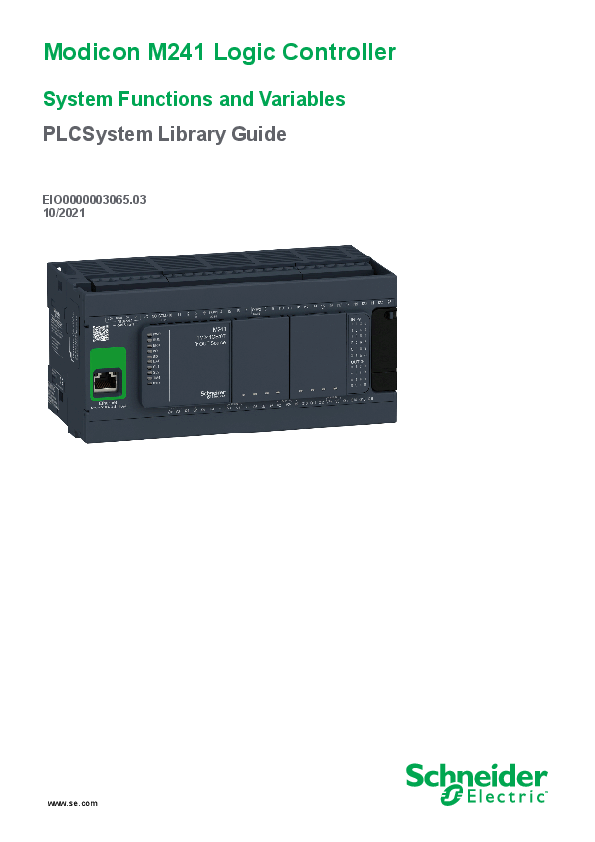
File info: application/pdf · 70 pages · 2.16MB
Modicon M241 Logic Controller
System Functions and Variables
Extracted Text
Modicon M241 Logic Controller
System Functions and Variables PLCSystem Library Guide
EIO0000003065.03 10/2021
www.se.com

Legal Information
The Schneider Electric brand and any trademarks of Schneider Electric SE and its subsidiaries referred to in this guide are the property of Schneider Electric SE or its subsidiaries. All other brands may be trademarks of their respective owners.
This guide and its content are protected under applicable copyright laws and furnished for informational use only. No part of this guide may be reproduced or transmitted in any form or by any means (electronic, mechanical, photocopying, recording, or otherwise), for any purpose, without the prior written permission of Schneider Electric.
Schneider Electric does not grant any right or license for commercial use of the guide or its content, except for a non-exclusive and personal license to consult it on an "as is" basis. Schneider Electric products and equipment should be installed, operated, serviced, and maintained only by qualified personnel.
As standards, specifications, and designs change from time to time, information contained in this guide may be subject to change without notice.
To the extent permitted by applicable law, no responsibility or liability is assumed by Schneider Electric and its subsidiaries for any errors or omissions in the informational content of this material or consequences arising out of or resulting from the use of the information contained herein.
As part of a group of responsible, inclusive companies, we are updating our communications that contain non-inclusive terminology. Until we complete this process, however, our content may still contain standardized industry terms that may be deemed inappropriate by our customers.
� 2021 Schneider Electric. All rights reserved

Table of Contents

System Functions and Variables

EIO0000003065.03

Safety Information ......................................................................................7
About the Book...........................................................................................8
M241 System Variables.............................................................................10
System Variables: Definition and Use ...................................................10
Understanding System Variables....................................................10
Using System Variables ................................................................. 11 PLC_R and PLC_W Structures ............................................................12
PLC_R: Controller Read-Only System Variables..............................13 PLC_W: Controller Read/Write System Variables ............................15 SERIAL_R and SERIAL_W Structures .................................................16 SERIAL_R[0...1]: Serial Line Read-Only System Variables...............16 SERIAL_W[0...1]: Serial Line Read/Write System Variables .............16 ETH_R and ETH_W Structures............................................................17 ETH_R: Ethernet Port Read-Only System Variables ........................18 ETH_W: Ethernet Port Read/Write System Variables .......................20 TM3_MODULE_R Structure ................................................................20 TM3_MODULE_R[0...13]: TM3 Modules Read-Only System
Variables ......................................................................................20 TM3_BUS_W Structure .......................................................................21
TM3_BUS_W: TM3 Bus System Variables ......................................21 PROFIBUS_R Structure ......................................................................21
PROFIBUS_R: PROFIBUS Read-Only System Variables.................21 CART_R Structure ..............................................................................22
CART_R_STRUCT: Cartridge Read-Only System Variables.............22
M241 System Functions............................................................................23
M241 Read Functions .........................................................................23 GetImmediateFastInput: Read Input of an Embedded Expert I/
O .................................................................................................23 GetRtc: Get Real Time Clock .........................................................24 IsFirstMastColdCycle: Indicate if this Cycle is the First MAST
Cold Start Cycle ............................................................................24 IsFirstMastCycle: Indicate if this Cycle is the First MAST
Cycle............................................................................................ 25 IsFirstMastWarmCycle: Indicate if this Cycle is the First MAST
Warm Start Cycle .........................................................................26
M241 Write Functions .........................................................................26 InhibitBatLed: Enables or Disable the Battery Led............................27 PhysicalWriteFastOutputs: Write Fast Output of an Embedded
Expert I/O .....................................................................................27 SetRTCDrift: Set Compensation Value to the RTC ...........................28
M241 User Functions ..........................................................................29 FB_ControlClone: Clone the Controller ...........................................29 DataFileCopy: Copy File Commands ..............................................30 ExecuteScript: Run Script Commands ............................................32
M241 Disk Space Functions ................................................................33 FC_GetFreeDiskSpace: Gets the Free Memory Space ....................33 FC_GetLabel: Gets the Label of Memory ........................................34 FC_GetTotalDiskSpace: Gets the Size of Memory ...........................35
3

System Functions and Variables 4

TM3 Read Functions ...........................................................................36 TM3_GetModuleBusStatus: Get TM3 Module Bus Status.................36 TM3_GetModuleFWVersion: Get TM3 Module Firmware
Version ......................................................................................... 36 TM3_GetModuleInternalStatus: Get TM3 Module Internal
Status ..........................................................................................37
M241 PLCSystem Library Data Types ........................................................40 PLC_RW System Variables Data Types................................................40 PLC_R_APPLICATION_ERROR: Detected Application Error
Status Codes ................................................................................41 PLC_R_BOOT_PROJECT_STATUS: Boot Project Status
Codes ..........................................................................................42 PLC_R_IO_STATUS: I/O Status Codes ..........................................42 PLC_R_SDCARD_STATUS: SD Card Slot Status Codes .................42 PLC_R_STATUS: Controller Status Codes......................................43 PLC_R_STOP_CAUSE: From RUN State to Other State
Transition Cause Codes ................................................................44 PLC_R_TERMINAL_PORT_STATUS: Programming Port
Connection Status Codes ..............................................................45 PLC_R_TM3_BUS_STATE: TM3 Bus Status Codes ........................45 PLC_W_COMMAND: Control Command Codes..............................45 DataFileCopy System Variables Data Types .........................................45 DataFileCopyError: Detected Error Codes ......................................46 DataFileCopyLocation: Location Codes ..........................................46 ExecScript System Variables Data Types..............................................46 ExecuteScriptError: Detected Error Codes ......................................46 ETH_RW System Variables Data Types................................................47 ETH_R_FRAME_PROTOCOL: Frame Transmission Protocol
Codes ..........................................................................................47 ETH_R_IP_MODE: IP Address Source Codes.................................47 ETH_R_PORT_DUPLEX_STATUS: Transmission Mode
Codes ..........................................................................................47 ETH_R_PORT_IP_STATUS: Ethernet TCP/IP Port Status
Codes ..........................................................................................48 ETH_R_PORT_LINK_STATUS: Communication Link Status
Codes ..........................................................................................48 ETH_R_PORT_SPEED: Communication Speed of the Ethernet
Port Codes ...................................................................................48 ETH_R_RUN_IDLE: Ethernet/IP Run and Idle States Codes ............48 TM3_MODULE_RW System Variables Data Types ...............................48 TM3_ERR_CODE: TM3 Expansion Module Detected Error
Codes ..........................................................................................49 TM3_MODULE_R_ARRAY_TYPE: TM3 Expansion Module Read
Array Type ....................................................................................49 TM3_MODULE_STATE: TM3 Expansion Module State
Codes ..........................................................................................49 TM3_BUS_W_IOBUSERRMOD: TM3 bus error mode.....................49
Cartridge System Variables Data Types................................................50 CART_R_ARRAY_TYPE: Cartridge Read Array Type......................50 CART_R_MODULE_ID: Cartridge Read Module Identifier................50 CART_R_STATE: Cartridge Read State..........................................50
EIO0000003065.03

System Functions and Variables
System Function Data Types ...............................................................50 IMMEDIATE_ERR_TYPE: GetImmediateFastInput Read Input of Embedded Expert I/O Codes..........................................................50 RTCSETDRIFT_ERROR: SetRTCDrift Function Detected Error Codes ..........................................................................................51
Appendices ................................................................................................53
Function and Function Block Representation .............................................54 Differences Between a Function and a Function Block ...........................54 How to Use a Function or a Function Block in IL Language ....................55 How to Use a Function or a Function Block in ST Language ...................57
Glossary .....................................................................................................61 Index ...........................................................................................................67

EIO0000003065.03

5

Safety Information
Safety Information

System Functions and Variables

Important Information
Read these instructions carefully, and look at the equipment to become familiar with the device before trying to install, operate, service, or maintain it. The following special messages may appear throughout this documentation or on the equipment to warn of potential hazards or to call attention to information that clarifies or simplifies a procedure.
The addition of this symbol to a "Danger" or "Warning" safety label indicates that an electrical hazard exists which will result in personal injury if the instructions are not followed.

This is the safety alert symbol. It is used to alert you to potential personal injury hazards. Obey all safety messages that follow this symbol to avoid possible injury or death.
! DANGER
DANGER indicates a hazardous situation which, if not avoided, will result in death or serious injury.
! WARNING
WARNING indicates a hazardous situation which, if not avoided, could result in death or serious injury.
! CAUTION
CAUTION indicates a hazardous situation which, if not avoided, could result in minor or moderate injury.
NOTICE
NOTICE is used to address practices not related to physical injury.

Please Note

Electrical equipment should be installed, operated, serviced, and maintained only by qualified personnel. No responsibility is assumed by Schneider Electric for any consequences arising out of the use of this material.
A qualified person is one who has skills and knowledge related to the construction and operation of electrical equipment and its installation, and has received safety training to recognize and avoid the hazards involved.

EIO0000003065.03

7

System Functions and Variables
About the Book

About the Book

Document Scope
This document will acquaint you with the system functions and variables offered within the Modicon M241 Logic Controller. The M241 PLCSystem library contains functions and variables to get information from and send commands to the controller system.
This document describes the data type functions and variables of the M241 PLCSystem library.
The following knowledge is required: � Basic information on the functionality, structure, and configuration of the M241 Logic Controller. � Programming in the FBD, LD, ST, IL, or CFC language. � System variables (global variables).

Validity Note

This document has been updated for the release of EcoStruxureTM Machine Expert V2.0.1.

Related Documents

Title of Documentation
EcoStruxure Machine Expert Programming Guide

Reference Number EIO0000002854 (ENG); EIO0000002855 (FRE);

EIO0000002856 (GER);

EIO0000002858 (SPA);

EIO0000002857 (ITA);

EIO0000002859 (CHS)

Modicon M241 Logic Controller Hardware Guide EIO0000003083 (ENG);

EIO0000003084 (FRE);

EIO0000003085 (GER);

EIO0000003086 (SPA);

EIO0000003087 (ITA);

EIO0000003088 (CHS)

Modicon M241 Logic Controller Programming Guide

EIO0000003059 (ENG); EIO0000003060 (FRE);

EIO0000003061 (GER);

EIO0000003062 (SPA);

EIO0000003063 (ITA);

EIO0000003064 (CHS)

You can download these technical publications and other technical information from our website at www.se.com/ww/en/download/ .

8

EIO0000003065.03

About the Book
Product Related Information

System Functions and Variables

WARNING
LOSS OF CONTROL
� The designer of any control scheme must consider the potential failure modes of control paths and, for certain critical control functions, provide a means to achieve a safe state during and after a path failure. Examples of critical control functions are emergency stop and overtravel stop, power outage and restart.
� Separate or redundant control paths must be provided for critical control functions.
� System control paths may include communication links. Consideration must be given to the implications of unanticipated transmission delays or failures of the link.
� Observe all accident prevention regulations and local safety guidelines.1
� Each implementation of this equipment must be individually and thoroughly tested for proper operation before being placed into service.
Failure to follow these instructions can result in death, serious injury, or equipment damage.
1 For additional information, refer to NEMA ICS 1.1 (latest edition), "Safety Guidelines for the Application, Installation, and Maintenance of Solid State Control" and to NEMA ICS 7.1 (latest edition), "Safety Standards for Construction and Guide for Selection, Installation and Operation of Adjustable-Speed Drive Systems" or their equivalent governing your particular location.
WARNING
UNINTENDED EQUIPMENT OPERATION
� Only use software approved by Schneider Electric for use with this equipment.
� Update your application program every time you change the physical hardware configuration.
Failure to follow these instructions can result in death, serious injury, or equipment damage.

EIO0000003065.03

9

System Functions and Variables
M241 System Variables

M241 System Variables

Overview

This chapter:
� gives an introduction to the system variables, page 10
� describes the system variables, page 13 included with the M241 PLCSystem library

System Variables: Definition and Use

Overview

This section defines system variables and how to implement them in the Modicon M241 Logic Controller.

Understanding System Variables
Introduction
This section describes how system variables are implemented. System variables: � allow you to access general system information, perform system diagnostics, and command simple actions. � are structured variables conforming to IEC 61131-3 definitions and naming conventions. You can access the system variables using the IEC symbolic name PLC_GVL. Some of the PLC_GVL variables are read-only (for example, PLC_R) and some are read/write (for example, PLC_W). � are automatically declared as global variables. They have system-wide scope and can be accessed by any Program Organization Unit (POU) in any task.

Naming Convention
The system variables are identified by:
� a structure name that represents the category of system variable. For example, represents a structure name of read-only variables used for the controller diagnostic.
� a set of component names that identifies the purpose of the variable. For example, i_wVendorID represents the controller vendor ID.
You can access the system variables by typing the structure name of the variables followed by the name of the component.
Here is an example of system variable implementation: VAR myCtr_Serial : DWORD; myCtr_ID : DWORD; myCtr_FramesRx : UDINT; END_VAR myCtr_Serial := PLC_GVL.PLC_R.i_dwSerialNumber; myCtr_ID := PLC_GVL.PLC.R.i_wVendorID; myCtr_FramesRx := SERIAL_R[0].i_udiFramesReceivedOK
NOTE: The fully-qualified name of the system variable in the example above is PLC_GVL.PLC_R. The PLC_GVL is implicit when declaring a variable using the Input Assistant, but it may also be entered with the prefix. Good programming practice often dictates the use of the fully-qualified variable name in declarations.

10

EIO0000003065.03

M241 System Variables

System Functions and Variables

System Variables Location
Two system variables are defined for use when programming the controller:
� located variables
� unlocated variables
They are used in EcoStruxure Machine Expert programs according to the structure_name.component_name %MW addresses from 0 to 59999 can be accessed directly. Addresses greater than this are considered out of range by EcoStruxure Machine Expert and can only be accessed through the structure_ name.component_name convention.
The located variables:
� have a fixed location in a static %MW area: %MW60000 to %MW60199 for read-only system variables.
� are accessible through Modbus TCP, Modbus serial, and EtherNet/IP requests both in RUNNING and STOPPED states.
The unlocated variables:
� are not physically located in the %MW area.
� are not accessible through any fieldbus or network requests unless you locate them in the relocation table, and only then these variables can be accessed in RUNNING and STOPPED states. The relocation table uses the following dynamic %MW areas:
 %MW60200 to %MW61999 for read-only variables
 %MW62200 to %MW63999 for read/write variables

Using System Variables
Introduction
This section describes the steps required to program and to use system variables in EcoStruxure Machine Expert.
System variables are global in the application scope, and you can use them in all the Program Organization Units (POUs) of the application.
System variables do not need to be declared in the Global Variable List (GVL). They are automatically declared from the controller system library.

EIO0000003065.03

11

System Functions and Variables

M241 System Variables

Using System Variables in a POU
EcoStruxure Machine Expert has an auto-completion feature. In a POU, start by entering the system variable structure name (PLC_R, PLC_W...) followed by a dot. The system variables are displayed in the Input Assistant. You can select the desired variable or enter the full name manually.

NOTE: In the example above, after you type the structure name PLC_R., EcoStruxure Machine Expert offers a pop-up menu of possible component names/variables.
Example
The following example shows the use of some system variables: VAR myCtr_Serial : DWORD; myCtr_ID : WORD; myCtr_FramesRx : UDINT; END_VAR myCtr_Serial := PLC_R.i_dwSerialNumber; myCtr_ID := PLC_R.i_wVendorID; myCtr_FramesRx := SERIAL_R[0].i_udiFramesReceivedOK;

PLC_R and PLC_W Structures

Overview

This section lists and describes the different system variables included in the PLC_R and PLC_W structures.

12

EIO0000003065.03

M241 System Variables

System Functions and Variables

PLC_R: Controller Read-Only System Variables

Variable Structure
This table describes the parameters of the PLC_R system variable (PLC_R_ STRUCT type):

Modbus Address (1) 60000

Variable Name i_wVendorID

60001

i_wProductID

60002 60004

i_dwSerialNumber i_byFirmVersion

60006

i_byBootVersion

60008 60010 60012 60013
60014 60015
60016

i_dwHardVersion i_dwChipVersion i_wStatus i_wBootProjectStatus
i_wLastStopCause i_wLastApplicationError
i_lwSystemFault_1

Type

Comment

WORD
WORD
DWORD ARRAY[0..3] OF BYTE
ARRAY[0..3] OF BYTE
DWORD DWORD PLC_R_STATUS, page 43 PLC_R_BOOT_ PROJECT_STATUS, page 42 PLC_R_STOP_ CAUSE, page 44 PLC_R_ APPLICATION_ ERROR, page 41 LWORD

Controller Vendor ID.
101A hex = Schneider Electric Controller Reference ID.
NOTE: Vendor ID and Reference ID are the components of the Target ID of the controller displayed in the communication settings view (Target ID = 101A XXXX hex). Controller Serial Number Controller Firmware Version [aa.bb.cc.dd]: � i_byFirmVersion[0] = aa � ... � i_byFirmVersion[3] = dd Controller Boot Version [aa.bb.cc.dd]: � i_byBootVersion[0] = aa � ... � i_byBootVersion[3] = dd Controller Hardware Version. Controller Coprocessor Version. State of the controller.
Returns information about the boot application stored in non-volatile memory.
Cause of the last transition from RUN to another state.
Cause of the last controller exception.
Bit field FFFF FFFF FFFF FFFF hex indicates no error detected.
A bit at low level means that an error has been detected: � bit 0 = Expert I/O error detected � bit 1 = TM3 error detected � bit 2 = Ethernet IF1 error detected � bit 3 = Ethernet IF2 error detected � bit 4 = Serial 1 in overcurrent error detected � bit 5 = Serial 2 error detected � bit 6 = CAN 1 error detected � bit 7 = Cartridge 1 error detected � bit 8 = Cartridge 2 error detected � bit 9 = TM4 error detected � bit 10 = SD Card error detected � bit 11 = Firewall error detected � bit 12 = DHCP server error detected � bit 13 = OPC UA server error detected

EIO0000003065.03

13

System Functions and Variables

Modbus Address (1) 60020

Variable Name i_lwSystemFault_2

60024 60025 60026

i_wIOStatus1 i_wIOStatus2 i_wClockBatterystatus

60028 60030

i_dwAppliSignature1 i_dwAppliSignature2

60032
60034
n/a n/a n/a n/a n/a

i_dwAppliSignature3
i_dwAppliSignature4
i_sVendorName i_sProductRef i_sNodeName i_dwLastStopTime i_dwLastPowerOffDate

n/a

i_uiEventsCounter

n/a

i_wTerminalPortStatus

n/a

i_wSdCardStatus

n/a

i_wUsrFreeFileHdl

14

M241 System Variables

Type

Comment

LWORD
PLC_R_IO_STATUS, page 42 PLC_R_IO_STATUS, page 42 WORD
DWORD DWORD
DWORD DWORD STRING(31) STRING(31) STRING(99) DWORD DWORD
UINT
PLC_R_TERMINAL_ PORT_STATUS, page 45 PLC_R_SDCARD_ STATUS, page 42 WORD

Bit field FFFF hex indicates no error detected.
If i_wIOStatus1 = PLC_R_IO_SHORTCUT_FAULT, the meaning of i_lwSystemFault_2 is:
� bit 0 = 0: short-circuit detected in output group 0 (Q0...Q1)
� bit 1 = 0: short-circuit detected in output group 1 (Q2...Q3)
� bit 2 = 0: short-circuit detected in output group 2 (Q4...Q7)
� bit 3 = 0: short-circuit detected in output group 3 (Q8...Q11)
� bit 4 = 0: short-circuit detected in output group 4 (Q12...Q15)
Embedded Expert I/O status.
TM3 I/O status.
Status of the battery of the RTC: � 0 = Battery change needed � 100 = Battery fully charged
Other values (1...99) represents the percentage of charge. For example, if the value is 75, it represents that the battery charge is 75%. First DWORD of 4 DWORD signature (16 bytes total).
The application signature is generated by the software during build. Second DWORD of 4 DWORD signature (16 bytes total).
The application signature is generated by the software during build. Third DWORD of 4 DWORD signature (16 bytes total).
The application signature is generated by the software during build. Fourth DWORD of 4 DWORD signature (16 bytes total).
The application signature is generated by the software during build. Name of the vendor: "Schneider Electric". Reference of the controller. Node name on EcoStruxure Machine Expert Network. The time of the last detected STOP in seconds beginning with January 1, 1970 at 00:00 UTC. The date and time of the last detected power off in seconds beginning with January 1, 1970 at 00:00 UTC.
NOTE: Convert this value into date and time by using the function SysTimeRtcConvertUtcToDate. For more information about Time and Date conversion, refer to the Systime Library Guide (see EcoStruxure Machine Expert, Getting & Setting Real Time Clock, SysTimeRtc and SysTimeCore Library Guide). Number of external events detected on inputs configured for external event detection since the last cold start.
Reset by a Cold Start or by the PLC_W.q_ wResetCounterEvent command. Status of the USB Programming Port (USB Mini-B).
Status of the SD card.
Number of available File Handles.
A File Handle is the resource allocated by the system when you open a file.

EIO0000003065.03

M241 System Variables

System Functions and Variables

Modbus Address (1) n/a

Variable Name i_udiUsrFsTotalBytes

Type UDINT

Comment User FileSystem total memory size (in bytes).

n/a

i_udiUsrFsFreeBytes

n/a

i_uiTM3BusState

n/a

i_ExpertIO_RunStop_Input

n/a

i_x10msClk

UDINT PLC_R_TM3_BUS_ STATE, page 45
BYTE BOOL

It is the size of the non-volatile memory for the directory /usr/. User FileSystem free memory size (in bytes).
TM3 bus state.
i_uiTM3BusState can have the following values:
� 1: TM3_CONF_ERROR
Configuration mismatch between physical configuration and EcoStruxure Machine Expert configuration.
� 3: TM3_OK
Physical configuration matches EcoStruxure Machine Expert configuration.
� 4: TM3_POWER_SUPPLY_ERROR
TM3 bus is not powered (for example when the Logic Controller is powered by USB).
Run/Stop input location is:
� 16...FF hex if the expert I/O is not configured
� 0 for %IX0.0
� 1 for %IX0.1
� 2 for %IX0.2
� ...and so on. TimeBase bit of 10 ms.

n/a

i_x100msClk

BOOL

This variable is toggling On/Off with period = 10 ms. The value toggles when the logic controller is in Stop and in Run state.
TimeBase bit of 100 ms.

n/a

i_x1sClk

BOOL

This variable is toggling On/Off with period = 100 ms. The value toggles when the logic controller is in Stop and in Run state.
TimeBase bit of 1 s.

(1) means that the Modbus Address is not accessible through the application.

This variable is toggling On/Off with period = 1 s. The value toggles when the logic controller is in Stop and in Run state.

n/a means there is no pre-defined Modbus address mapping for this system variable.

PLC_W: Controller Read/Write System Variables

Variable Structure

This table describes the parameters of the PLC_W system variable (PLC_W_ STRUCT type):

%MW n/a

Variable Name q_wResetCounterEvent

Type WORD

n/a

q_uiOpenPLCControl

UINT

n/a

q_wPLCControl

PLC_W_COMMAND, page 45

n/a means that there is no pre-defined %MW mapping for this system variable

Comment Transition from 0 to 1 resets the events counter (PLC_ R.i_uiEventsCounter).
To reset the counter again, it is necessary to write 0 to this variable before another transition from 0 to 1 can take place.
When the value of the variable passes from 0 to 6699, the command previously written in the following PLC_W. q_wPLCControl is executed.
Controller RUN / STOP command executed when the system variable PLC_W.q_uiOpenPLCControl value passes from 0 to 6699.

EIO0000003065.03

15

System Functions and Variables

M241 System Variables

SERIAL_R and SERIAL_W Structures

Overview

This section lists and describes the different system variables included in the SERIAL_R and SERIAL_W structures.

SERIAL_R[0...1]: Serial Line Read-Only System Variables
Introduction
SERIAL_R is an array of two SERIAL_R_STRUCT type. Each element of the array returns diagnostic system variables for the corresponding serial line.
For the M241 Logic Controller: � Serial_R[0] refers to the serial line 1 � Serial_R[1] refers to the serial line 2

Variable Structure
This table describes the parameters of the SERIAL_R[0...1] system variables:

%MW

Variable Name

Type

Comment

Serial Line n/a n/a n/a

i_udiFramesTransmittedOK i_udiFramesReceivedOK i_udiRX_MessagesError

UDINT UDINT UINT

Number of frames successfully transmitted.
Number of frames received without any errors detected.
Number of frames received with errors detected (checksum, parity).

Modbus Specific

n/a

i_uiSlaveExceptionCount

n/a

i_udiSlaveMsgCount

n/a

i_uiSlaveNoRespCount

n/a

i_uiSlaveNakCount

n/a

i_uiSlaveBusyCount

n/a

i_uiCharOverrunCount

UINT UINT UINT UINT UINT UINT

Number of Modbus exception responses returned by the logic controller.
Number of messages received from the Master and addressed to the logic controller.
Number of Modbus broadcast requests received by the logic controller.
Not used
Not used
Number of character overruns.

n/a means that there is no predefined %MW mapping for this system variable

Not used means that the variable is not maintained by the system, and that if the value of the variable is non-zero, it should be considered extraneous

The SERIAL_R counters are reset on: � Download. � Controller reset. � SERIAL_W[x].q_wResetCounter command. � Reset command by Modbus request function code number 8.

SERIAL_W[0...1]: Serial Line Read/Write System Variables
Introduction
SERIAL_W is an array of two SERIAL_W_STRUCT type. Each element of the array resets the SERIAL_R system variables for the corresponding serial line to be reset.

16

EIO0000003065.03

M241 System Variables

System Functions and Variables

For the M241 Logic Controller: � Serial_W[0] refers to the serial line 1 � Serial_W[1] refers to the serial line 2

Variable Structure
This table describes the parameters of the SERIAL_W[0...1] system variable:

%MW n/a

Variable Name q_wResetCounter

Type WORD

n/a means that there is no predefined %MW mapping for this system variable.

Comment
Transition from 0 to 1 resets all SERIAL_R[0...1] counters.
To reset the counters again, it is necessary to write 0 to this variable before another transition from 0 to 1 can take place.

ETH_R and ETH_W Structures

Overview

This section lists and describes the different system variables included in the ETH_R and ETH_W structures.

EIO0000003065.03

17

System Functions and Variables

M241 System Variables

ETH_R: Ethernet Port Read-Only System Variables

Variable Structure
This table describes the parameters of the ETH_R system variable (ETH_R_ STRUCT type):

%MW 60050

Variable Name i_byIPAddress

60052

i_bySubNetMask

60054

i_byGateway

60056

i_byMACAddress

60059 n/a
n/a

i_sDeviceName i_wIpMode
i_byFDRServerIPAddress

n/a

i_udiOpenTcpConnections

n/a

i_udiFramesTransmittedOK

n/a

i_udiFramedReceivedOK

n/a

i_udiTransmitBufferErrors

n/a

i_udiReceiveBufferErrors

n/a

i_wFrameSendingProtocol

n/a

i_wPortALinkStatus

n/a

i_wPortASpeed

n/a

i_wPortADuplexStatus

n/a

i_udiPortACollisions

n/a

i_byIPAddress_If2

n/a

i_bySubNetMask_If2

n/a

i_byGateway_If2

Type ARRAY[0..3] OF BYTE
ARRAY[0..3] OF BYTE
ARRAY[0..3] OF BYTE
ARRAY[0..5] OF BYTE
STRING(15) ETH_R_IP_MODE, page 47 ARRAY[0..3] OF BYTE
UDINT UDINT
UDINT
UDINT
UDINT
ETH_R_FRAME_ PROTOCOL, page 47 ETH_R_PORT_ LINK_STATUS, page 48 ETH_R_PORT_ SPEED, page 48 ETH_R_PORT_ DUPLEX_STATUS, page 47 UDINT
ARRAY[0..3] OF BYTE ARRAY[0..3] OF BYTE ARRAY[0..3] OF BYTE

Comment IP address [aaa.bbb.ccc.ddd]:
� i_byIPAddress[0] = aaa � ... � i_byIPAddress[3] = ddd Subnet Mask [aaa.bbb.ccc.ddd]: � i_bySub-netMask[0] = aaa � ... � i_bySub-netMask[3] = ddd Gateway address [aaa.bbb.ccc.ddd]: � i_byGateway[0] = aaa � ... � i_byGateway[3] = ddd MAC address [aa.bb.cc.dd.ee.ff]: � i_byMACAddress[0] = aa � ... � i_byMACAddress[5] = ff Name used to get IP address from server. Method used to obtain an IP address.
The IP address [aaa.bbb.ccc.ddd] of the DHCP or BootP server:
� i_byFDRServerIPAddress[0] = aaa � ... � i_byFDRServerIPAddress[3] = ddd Equals 0.0.0.0 if Stored IP or Default IP used. Number of open TCP connections. Number of frames successfully transmitted. Reset at Power ON or with reset command ETH_W.q_ wResetCounter. Number of frames successfully received. Reset at Power ON or with reset command ETH_W.q_wResetCounter. Numbers of frames transmitted with detected errors. Reset at Power ON or with reset command ETH_W.q_ wResetCounter. Numbers of frames received with detected errors. Reset at Power ON or with reset command ETH_W.q_ wResetCounter. Ethernet protocol configured for frames sending (IEEE 802.3 or Ethernet II).
Link of the Ethernet Port (0 = No Link, 1 = Link connected to another Ethernet device).
Ethernet Port network speed (10Mb/s, 100Mb/s).
Ethernet Port duplex status (0 = Half or 1 = Full duplex).
Number of frames involved in one or more collisions and subsequently transmitted successfully. Reset at Power ON or with reset command ETH_W.q_wResetCounter. IP address of the TM4 expansion module.
Subnet Mask of the TM4 expansion module.
Gateway address of the TM4 expansion module.

18

EIO0000003065.03

M241 System Variables

System Functions and Variables

%MW n/a n/a n/a n/a
n/a n/a

Variable Name i_byMACAddress_If2 i_sDeviceName_If2 i_wIpMode_If2 i_wPortALinkStatus_If2
i_wPortASpeed_If2 i_wPortADuplexStatus_If2

n/a

i_wPortAIpStatus_If2

Modbus TCP/IP Specific

n/a

i_udiModbusMessageTransmitted

n/a

i_udiModbusMessageReceived

n/a

i_udiModbusErrorMessage

EtherNet/IP Specific

n/a

i_udiETHIP_IOMessagingTransmitted

n/a

i_udiETHIP_IOMessagingReceived

n/a

i_udiUCMM_Request

n/a

i_udiUCMM_Error

n/a

i_udiClass3_Request

n/a

i_udiClass3_Error

n/a

i_uiAssemblyInstanceInput

n/a

i_uiAssemblyInstanceInputSize

n/a

i_uiAssemblyInstanceOutput

n/a

i_uiAssemblyInstanceOutputSize

n/a

i_uiETHIP_ConnectionTimeouts

n/a

i_ucEipRunIdle

Type ARRAY[0..3] OF BYTE STRING(15) ETH_R_IP_MODE, page 47 ETH_R_PORT_ LINK_STATUS, page 48 ETH_R_PORT_ SPEED, page 48 ETH_R_PORT_ DUPLEX_STATUS, page 47 ETH_R_PORT_IP_ STATUS, page 48 UDINT
UDINT
UDINT
UDINT
UDINT
UDINT
UDINT
UDINT
UDINT
UINT
UINT
UINT
UINT
UINT ETH_R_RUN_IDLE, page 48

Comment MAC address of theTM4 expansion module.
Name used to get IP address of the TM4 expansion module. Method used to obtain the IP address of the TM4 expansion module.
Link of the TM4 expansion module Ethernet Port: � 0: No link � 1: Link connected to another Ethernet device
Ethernet Port network speed of the TM4 expansion module (10Mb/s or 100Mb/s).
Ethernet Port duplex status of the TM4 expansion module:
� 0: Half � 1: Full duplex
Ethernet TCP/IP port stack status of the TM4 expansion module.
Number of Modbus messages transmitted.
Reset at Power ON or with reset command ETH_W.q_ wResetCounter. Number of Modbus messages received.
Reset at Power ON or with reset command ETH_W.q_ wResetCounter. Modbus detected error messages transmitted and received.
Reset at Power ON or with reset command ETH_W.q_ wResetCounter.
EtherNet/IP Class 1 frames transmitted.
Reset at Power ON or with reset command ETH_W.q_ wResetCounter. EtherNet/IP Class 1 frames received.
Reset at Power ON or with reset command ETH_W.q_ wResetCounter. EtherNet/IP Unconnected Messages received.
Reset at Power ON or with reset command ETH_W.q_ wResetCounter. EtherNet/IP invalid Unconnected Messages received.
Reset at Power ON or with reset command ETH_W.q_ wResetCounter. EtherNet/IP Class 3 requests received.
Reset at Power ON or with reset command ETH_W.q_ wResetCounter. EtherNet/IP invalid class 3 requests received.
Reset at Power ON or with reset command ETH_W.q_ wResetCounter. Input Assembly Instance number. See the appropriate Programming Guide of your controller for more information. Input Assembly Instance size. See the appropriate Programming Guide of your controller for more information. Output Assembly Instance number. See the appropriate Programming Guide of your controller for more information. Output Assembly Instance size. See the appropriate Programming Guide of your controller for more information. Number of connection timeouts. Reset at Power ON or with reset command ETH_W.q_wResetCounter.
Run (value = 1)/Idle(value = 0) flag for EtherNet/IP class 1 connection.

EIO0000003065.03

19

System Functions and Variables

M241 System Variables

%MW n/a

Variable Name i_byMasterIpTimeouts

Type BYTE

n/a

i_byMasterIpLost

BYTE

n/a

i_wPortAIpStatus

ETH_R_PORT_IP_ STATUS, page 48

n/a means that there is no predefined %MW mapping for this system variable.

Comment
Ethernet Modbus TCP Master timeout events counter.
Reset at Power ON or with reset command ETH_W.q_ wResetCounter. Ethernet Modbus TCP Master link status: 0 = link OK, 1 = link lost. Ethernet TCP/IP port stack status.

ETH_W: Ethernet Port Read/Write System Variables

Variable Structure
This table describes the parameters of the ETH_W system variable (ETH_W_ STRUCT type):

%MW n/a

Variable Name q_wResetCounter

Type WORD

n/a means that there is no predefined %MW mapping for this system variable.

Comment
Transition from 0 to 1 resets all ETH_R counters.
To reset again, it is necessary to write 0 to this variable before another transition from 0 to 1 can take place.

TM3_MODULE_R Structure

Overview

This section lists and describes the different system variables included in the TM3_MODULE_R structure.

TM3_MODULE_R[0...13]: TM3 Modules Read-Only System Variables
Introduction
The TM3_MODULE_R is an array of 14 TM3_MODULE_R_STRUCT type. Each element of the array returns diagnostic system variables for the corresponding TM3 expansion module.
For the Modicon M241 Logic Controller: � TM3_MODULE_R[0] refers to the TM3 expansion module 0 � ... � TM3_MODULE_R[13] refers to the TM3 expansion module 13

Variable Structure
The following table describes the parameters of the TM3_MODULE_R[0...13] system variable:

%MW n/a n/a

Var Name i_wProductID i_wModuleState

Type WORD TM3_MODULE_ STATE, page 49

n/a means that there is no predefined %MW mapping for this system variable.

Comment TM3 expansion module ID. Describes the state of the TM3 module.

20

EIO0000003065.03

M241 System Variables

System Functions and Variables

TM3_BUS_W Structure

Overview

This section lists and describes the different system variables included in the TM3_BUS_W structure.

TM3_BUS_W: TM3 Bus System Variables

Variable Structure
This table describes the parameters of the TM3_BUS_W system variable (TM3_ BUS_W_STRUCT type):

Var Name q_wIOBusErrPassiv
q_wIOBusRestart

Type TM3_BUS_W_IOBUSERRMOD
TM3_BUS_W_IOBUSINIT

Comment
When set to ERR_ACTIVE (the default), bus errors detected on TM3 expansion modules stop I/O exchanges.
When set to ERR_PASSIVE, passive I/O error handing is used: the controller attempts to continue data bus exchanges.
When set to 1, restarts the I/O expansion bus. This is only necessary when q_wIOBusErrPassiv is set to ERR_ACTIVE and at least one bit of TM3_MODULE_R[i] .i_wModuleState is set to TM3_BUS_ERROR.

For more information, refer to I/O Configuration General Description (see Modicon M241 Logic Controller, Programming Guide).

PROFIBUS_R Structure

PROFIBUS_R: PROFIBUS Read-Only System Variables

Variable Structure
This table describes the parameters of the PROFIBUS_R system variable (PROFIBUS_R_STRUCT type):

%MW n/a n/a n/a

Variable Name i_wPNOIdentifier i_wBusAdr i_CommState

Type WORD UINT UDINT

n/a

i_CommError

UDINT

n/a

i_ErrorCount

UDINT

n/a means that there is no predefined %MW mapping for this system variable.

Comment
Slave identification code (1...126).
PROFIBUS slave address.
Value representing the state of the PROFIBUS module: � 0x00: Undeterminable � 0x01: Not configured � 0x02: Stop � 0x03: Idle � 0x04: Operate
If the value is non-zero, a communication error was detected by the Profibus Module indicated by an error code (see TM4 Expansion Modules - Programming Guide).
Communication error counter.

EIO0000003065.03

21

System Functions and Variables

M241 System Variables

CART_R Structure

CART_R_STRUCT: Cartridge Read-Only System Variables

Variable Structure
The following table describes the parameters of the CART_R_STRUCT system variable:

%MW n/a
n/a n/a

Var Name i_uiModuleId
i_uifirmwareVersion i_udiCartState

Type
CART_R_MODULE_ ID, page 50
UINT
CART_R_STATE, page 50

n/a means that there is no predefined %MW mapping for this system variable.

Comment Module ID
Firmware version Cartridge state

22

EIO0000003065.03

M241 System Functions
M241 System Functions

System Functions and Variables

Overview

This chapter describes the system functions included in the M241 PLCSystem library.

M241 Read Functions

Overview

This section describes the read functions included in the M241 PLCSystem library.

GetImmediateFastInput: Read Input of an Embedded Expert I/O
Function Description
This function returns the value of the input, which may be different from the logical value of that input. The value is read directly from the hardware at function call time. Only I0 to I7 can be accessed through this function.

Graphical Representation

IL and ST Representation
To see the general representation in IL or ST language, refer to the chapter Function and Function Block Representation, page 54.

I/O Variable Description

The following table describes the input variables:

Input Block Input

Type INT INT

Comment Not used. Input Index to read from 0...7.

The following table describes the output variable:

Output GetImmediateFastInput

Type BOOL

Comment
Value of the input <Input> � FALSE/ TRUE.

The following table describes the input/output variables:

EIO0000003065.03

23

System Functions and Variables Input/Output Error
ErrID

M241 System Functions

Type

Comment

BOOL

FALSE= operation is successful.

IMMEDIATE_ERR_TYPE, page 50

TRUE= operation error, the function returns an invalid value.
Operation error code when Error is TRUE.

GetRtc: Get Real Time Clock Function Description
This function returns RTC time in seconds in UNIX format (time expired in seconds since January 1, 1970 at 00:00 UTC).
Graphical Representation

IL and ST Representation
To see the general representation in IL or ST language, refer to the chapter Function and Function Block Representation, page 54.

I/O Variable Description

The following table describes the I/O variable:

Output GetRtc

Type DINT

Comment RTC in seconds in UNIX format.

Example
The following example describes how to get the RTC value: VAR MyRTC : DINT := 0; END_VAR MyRTC := GetRtc();
IsFirstMastColdCycle: Indicate if this Cycle is the First MAST Cold Start Cycle
Function Description
This function returns TRUE during the first MAST cycle after a cold start (first cycle after download or reset cold).
Graphical Representation

24

EIO0000003065.03

M241 System Functions

System Functions and Variables
IL and ST Representation
To see the general representation in IL or ST language, refer to the chapter Function and Function Block Representation, page 54.

I/O Variable Description

The table describes the output variable:

Output IsFirstMastColdCycle

Type BOOL

Comment
TRUE during the first MAST task cycle after a cold start.

Example
Refer to the function IsFirstMastCycle, page 25.
IsFirstMastCycle: Indicate if this Cycle is the First MAST Cycle Function Description
This function returns TRUE during the first MAST cycle after a start.
Graphical Representation

EIO0000003065.03

IL and ST Representation
To see the general representation in IL or ST language, refer to the chapter Function and Function Block Representation, page 54.

I/O Variable Description

Output IsFirstMastCycle

Type BOOL

Comment
TRUE during the first MAST task cycle after a start.

Example
This example describes the three functions IsFirstMastCycle, IsFirstMastColdCycle and IsFirstMastWarmCycle used together.
Use this example in MAST task. Otherwise, it may run several times or possibly never (an additional task might be called several times or not called during 1 MAST task cycle): VAR MyIsFirstMastCycle : BOOL; MyIsFirstMastWarmCycle : BOOL; MyIsFirstMastColdCycle : BOOL; END_VAR MyIsFirstMastWarmCycle := IsFirstMastWarmCycle(); MyIsFirstMastColdCycle := IsFirstMastColdCycle(); MyIsFirstMastCycle := IsFirstMastCycle(); IF (MyIsFirstMastWarmCycle) THEN

25

System Functions and Variables

M241 System Functions

(*This is the first Mast Cycle after a Warm Start: all variables are set to their initialization values except the Retain variables*) (*=> initialize the needed variables so that your application runs as expected in this case*) END_IF; IF (MyIsFirstMastColdCycle) THEN (*This is the first Mast Cycle after a Cold Start: all variables are set to their initialization values including the Retain Variables*) (*=> initialize the needed variables so that your application runs as expected in this case*) END_IF; IF (MyIsFirstMastCycle) THEN (*This is the first Mast Cycle after a Start, i.e. after a Warm or Cold Start as well as STOP/RUN commands*) (*=> initialize the needed variables so that your application runs as expected in this case*) END_IF;

IsFirstMastWarmCycle: Indicate if this Cycle is the First MAST Warm Start Cycle Function Description
This function returns TRUE during the first MAST cycle after a warm start.

Graphical Representation

IL and ST Representation
To see the general representation in IL or ST language, refer to the chapter Function and Function Block Representation, page 54.

I/O Variable Description

This table describes the output variable:

Output IsFirstMastWarmCycle

Type BOOL

Comment
TRUE during the first MAST task cycle after a warm start.

Example
Refer to the function IsFirstMastCycle, page 25.

M241 Write Functions

Overview

This section describes the write functions included in the M241 PLCSystem library.

26

EIO0000003065.03

M241 System Functions

System Functions and Variables

InhibitBatLed: Enables or Disable the Battery Led
Function Description
This function enables or disables the display of the battery LED indicator, regardless of its charge level.

Graphical Representation

Inhibit BOOL

InhibitBatLed
INT InhibitBatLed

IL and ST Representation
To see the general representation in IL or ST language, refer to the chapter Function and Function Block Representation, page 54.

I/O Variable Description
The following table describes the input variable:

Input Inhibit

Type BOOL

Comment
If TRUE, disables the display of the battery LED.
If FALSE, enables the display of the battery LED.

The following table describes the output variable:

Output InhibitBatLed

Type INT

Comment
A value of 0 indicates that no error was detected while executing the function block. A non-zero indicates that an error was detected.

Example
This example describes how to disable the battery led display: (* Disable Battery LED Information *) SEC.InhibitBatLed(TRUE);
PhysicalWriteFastOutputs: Write Fast Output of an Embedded Expert I/O Function Description
This function writes a state to the Q0 to Q3 outputs at function call time.
Graphical Representation

EIO0000003065.03

27

System Functions and Variables

M241 System Functions

IL and ST Representation
To see the general representation in IL or ST language, refer to the chapter Function and Function Block Representation, page 54.

I/O Variable Description

The following table describes the input variables:

Input Q0Value Q1Value Q2Value Q3Value

Type BOOL BOOL BOOL BOOL

Comment Requested value for the output 0. Requested value for the output 1. Requested value for the output 2. Requested value for the output 3.

The following table describes the output variable:

Output PhysicalWriteFastOutputs

Type WORD

Comment Output value of the function.

NOTE: Only the first 4 bits of the output value are significant and used as a bit field to indicate if the output is written.
If the bit corresponding to the output is 1, the output is written successfully.
If the bit corresponding to the output is 0, the output is not written because it is already used by an expert function.
If the bit corresponding to the output is 1111 bin, all of the 4 outputs are written correctly.
If the bit corresponding to the output is 1110 bin, Q0 is not written because it is used by a frequency generator.

SetRTCDrift: Set Compensation Value to the RTC
Function Description
This function accelerates or slows down the frequency of the RTC to give control to the application for RTC compensation, depending on the operating environment (temperature, ...). The compensation value is given in seconds per week. It can be positive (accelerate) or negative (slow down).
NOTE: The SetRTCDrift function must be called only once. Each new call replaces the compensation value by the new one. The value is kept in the controller hardware while the RTC is powered by the main supply or by the battery. If both battery and power supply are removed, the RTC compensation value is not available.

Graphical Representation

28

EIO0000003065.03

M241 System Functions

System Functions and Variables
IL and ST Representation
To see the general representation in IL or ST language, refer to the chapter Function and Function Block Representation, page 54.

I/O Variables Description
This table describes the input parameters:

Inputs RtcDrift

Type SINT(-36...+73)

Comment Correction in seconds per week (-36 ... +73).

NOTE: The parameters Day, Hour, and Minute are used only to ensure backwards compatibility. NOTE: If the value entered for RtcDrift exceeds the limit value, the controller firmware sets the value to its maximum value.
This table describes the output variable:

Output SetRTCDrift

Type
RTCSETDRIFT_ERROR, page 51

Comment
Returns RTC_OK (00 hex) if command is correct otherwise returns the ID code of the detected error.

Example
In this example, the function is called only once during the first MAST task cycle. It accelerates the RTC by 4 seconds a week (18 seconds a month). VAR MyRTCDrift : SINT (-36...+73) := 0; MyDay : DAY_OF_WEEK; MyHour : HOUR; MyMinute : MINUTE; END_VAR IF IsFirstMastCycle() THEN MyRTCDrift := 4; MyDay := 0; MyHour := 0; MyMinute := 0; SetRTCDrift(MyRTCDrift, MyDay, MyHour, MyMinute); END_IF

M241 User Functions

Overview

This section describes the FB_Control_Clone, DataFileCopy and ExecuteScript functions included in the M241 PLCSystem library.

FB_ControlClone: Clone the Controller
Function Block Description
Cloning is by default possible by SD card or Controller Assistant. When user rights are enabled and the View right ExternalCmd is denied for the ExternalMedia group, the cloning function is not allowed. In this case, the function block enables cloning functionality one time on the next controller power on.
NOTE: You can choose whether user rights are included in the clone on the Clone Management page of the Web server (see Modicon M241 Logic Controller, Programming Guide).

EIO0000003065.03

29

System Functions and Variables

M241 System Functions

This table shows how to set the function block and the user rights:

Function block setting xEnable = 1 xEnable = 0

When user rights enabled Cloning is allowed Cloning is not allowed

When user rights disabled Cloning is allowed Cloning is not allowed

Graphical Representation

IL and ST Representation
To see the general representation in IL or ST language, refer to the chapter Function and Function Block Representation, page 54.

I/O Variable Description

The following table describes the input variables:

Input xEnable

Type BOOL

Comment If TRUE, enables the cloning functionality one time. If FALSE, disables the cloning functionality.

The following table describes the output variables:

Output xError

Type UDINT

Comment
A value of 0 indicates that no error was detected while executing the function block. A non-zero indicates that an error was detected.

DataFileCopy: Copy File Commands
Function Block Description
This function block copies memory data to a file and vice versa. The file is located either within the internal file system or an external file system (SD card). The DataFileCopy function block can:
� Read data from a formatted file or � Copy data from memory to a formatted file. For further information, refer to
Non-Volatile Memory Organization (see Modicon M241 Logic Controller, Programming Guide).
Graphical Representation

30

EIO0000003065.03

M241 System Functions

System Functions and Variables
IL and ST Representation
To see the general representation in IL or ST language, refer to the chapter Function and Function Block Representation, page 54.

Input xExecute

Type BOOL

sFileName xRead

STRING BOOL

xSecure

BOOL

iLocation

INT

uiSize

UINT

dwAdd

DWORD

I/O Variable Description
This table describes the input variables:
Comment
On rising edge, starts the function block execution.
On falling edge, resets the outputs of the function block when any ongoing execution terminates.
NOTE: With the falling edge, the function continues until it concludes its execution and updates its outputs. The outputs are retained for one cycle and reset. File name without extension (the extension .DTA is automatically added). Use only a...z, A...Z, 0...9 alphanumeric characters. TRUE: copy data from the file identified by sFileName to the internal memory of the controller. FALSE: copy data from the internal memory of the controller to the file identified by sFileName.
TRUE: The MAC address is always stored in the file. Only a controller with the same MAC address can read from the file.
FALSE: Another controller with the same type of memory can read from the file. 0: the file location is /usr/DTA in internal file system. 1: the file location is /usr/DTA in external file system (SD card).
NOTE: If the file does not already exist in the directory, the file is created.
Indicates the size in bytes. Maximum is 65534 bytes.
Only use addresses of variables conforming to IEC 61131-3 (variables, arrays, structures), for example:
Variable : int;
uiSize := SIZEOF (Variable);
Indicates the address in the memory that the function will read from or write to.
Only use addresses of variables conforming to IEC 61131-3 (variables, arrays, structures), for example:
Variable : int;
dwAdd := ADR (Variable);

Output xDone xBusy xError eError

WARNING
UNINTENDED EQUIPMENT OPERATION
Verify that the memory location is of the correct size and the file is of the correct type before copying the file to memory.
Failure to follow these instructions can result in death, serious injury, or equipment damage.

This table describes the output variables:

Type
BOOL
BOOL
BOOL DataFileCopyError, page 46

Comment TRUE = indicates that the action is successfully completed. TRUE = indicates that the function block is running. TRUE = indicates that an error is detected and the function block aborted the action. Indicates the type of the data file copy detected error.

EIO0000003065.03

31

System Functions and Variables

M241 System Functions

NOTE: If you modify data within the memory (variables, arrays, structures) used to write the file, a CRC integrity error results.

Example
This example describes how to copy file commands: VAR LocalArray : ARRAY [0..29] OF BYTE; myFileName: STRING := `exportfile'; EXEC_FLAG: BOOL; DataFileCopy: DataFileCopy; END_VAR DataFileCopy( xExecute:= EXEC_FLAG, sFileName:= myFileName, xRead:= FALSE, xSecure:= FALSE, iLocation:= DFCL_INTERNAL, uiSize:= SIZEOF(LocalArray), dwAdd:= ADR(LocalArray), xDone=> , xBusy=> , xError=> , eError=> );

ExecuteScript: Run Script Commands
Function Block Description
This function block can run the following SD card script commands: � Download � Upload � SetNodeName � Delete � Reboot � ChangeModbusPort
For information on the required script file format, refer to Script Files for SD Cards (see Modicon M241 Logic Controller, Programming Guide).

Graphical Representation

IL and ST Representation
To see the general representation in IL or ST language, refer to the chapter Function and Function Block Representation, page 54.

32

EIO0000003065.03

M241 System Functions

System Functions and Variables

Input xExecute
sCmd
Output xDone xBusy xError eError

Type BOOL
STRING

I/O Variable Description
This table describes the input variables:
Comment
On detection of a rising edge, starts the function block execution.
On detection of a falling edge, resets the outputs of the function block when any on-going execution terminates.
NOTE: With the falling edge, the function continues until it concludes its execution and updates its outputs. The outputs are retained for one cycle and reset.
SD card script command syntax.
Simultaneous command executions are not allowed: if a command is being executed from another function block or from an SD card script then the function block queues the command and does not execute it immediately.
NOTE: An SD card script executed from an SD card is considered as being executed until the SD card has been removed.

This table describes the output variables:

Type BOOL
BOOL
BOOL ExecuteScriptError, page 46

Comment TRUE indicates that the action is successfully completed. TRUE indicates that the function block is running. TRUE indicates error detection; the function block aborts the action. Indicates the type of the execute script detected error.

Example
This example describes how to execute an Upload script command: VAR EXEC_FLAG: BOOL; ExecuteScript: ExecuteScript; END_VAR ExecuteScript( xExecute:= EXEC_FLAG, sCmd:= `Upload "/usr/Syslog/*"', xDone=> , xBusy=> , xError=> , eError=> );

M241 Disk Space Functions

Overview

This section describes the disk space functions included in this library.

FC_GetFreeDiskSpace: Gets the Free Memory Space
Function Description
This function retrieves the amount of free memory space of a memory medium (user disk, system disk, SD card) in bytes. The name of the memory medium is transferred:
� User disk = "/usr" � System disk = "/sys" � SD card = "/sd0"

EIO0000003065.03

33

System Functions and Variables

M241 System Functions

The free memory space of a remote device cannot be accessed. If a remote device is specified as parameter, then the function returns "-1".

Graphical Representation

IL and ST Representation
To see the general representation in IL or ST language, refer to the chapter Function and Function Block Representation, page 54.

I/O Variable Description

This table describes the input variables:

Input i_sVolumeName
iq_uliFreeDiskSpace

Data type STRING[80]
ULINT

Description
Name of the device whose free memory space must be accessed
Free memory space in bytes

This table describes the output variables:

Output FC_GetFreeDiskSpace

Data type DINT

Description
0: The amount of free memory space was retrieved successfully
-1: Error when attempting to access the amount of free memory. For example, an invalid device or remote device was selected
-318: Invalid parameter (i_sVolumeName)

FC_GetLabel: Gets the Label of Memory
Function Description
This function retrieves the label of a memory medium. If a device has no label, then an empty string is returned. The name of the memory medium (user disk, system disk, SD card) is transferred:
� User disk = "/usr" � System disk = "/sys" � SD card = "/sd0"
Graphical Representation

IL and ST Representation
To see the general representation in IL or ST language, refer to the chapter Function and Function Block Representation, page 54.

34

EIO0000003065.03

M241 System Functions

System Functions and Variables

I/O Variable Description

This table describes the input variables:

Input i_sVolumeName iq_sLabel

Data type STRING[80] STRING[11]

Description Name of the device whose label must be accessed Label of the device

This table describes the output variables:

Output FC_GetLabel

Data type DINT

Description 0: The label was retrieved successfully -1: Error when accessing the label -318: Invalid parameter

FC_GetTotalDiskSpace: Gets the Size of Memory
Function Description
This function retrieves the size of a memory medium (user disk, system disk, SD card) in bytes. The name of the memory medium is transferred:
� User disk = "/usr" � System disk = "/sys" � SD card = "/sd0" The size of a remote device cannot be accessed. If a remote device is specified as parameter, then the function returns "-1".
Graphical Representation

IL and ST Representation
To see the general representation in IL or ST language, refer to the chapter Function and Function Block Representation, page 54.

I/O Variable Description

This table describes the input variables:

Input i_sVolumeName
iq_uliTotalDiskSpace

Data type STRING[80]
ULINT

Description
Name of the device whose memory size must be accessed
Size of the memory medium in byte

This table describes the output variables:

EIO0000003065.03

35

System Functions and Variables

Output FC_GetTotalDiskSpace

Data type DINT

M241 System Functions
Description 0: Size was retrieved successfully -1: Error when reading the size -318: At least one of the parameters is invalid

TM3 Read Functions

Overview

This section describes the TM3 read functions included in the M241 PLCSystem library.

TM3_GetModuleBusStatus: Get TM3 Module Bus Status
Function Description
This function returns the bus status of the module. The index of the module is given as an input parameter.

Graphical Representation

IL and ST Representation
To see the general representation in IL or ST language, refer to the chapter Function and Function Block Representation, page 54.

I/O Variable Description

The following table describes the input variable:

Input ModuleIndex

Type BYTE

Comment
Index of the module (0 for the first expansion, 1 for the second, and so on).

The following table describes the output variable:

Output TM3_GetModuleBusStatus

Type TM3_ERR_ CODE, page 49

Comment
Returns TM3_OK (00 hex) if command is correct otherwise returns the ID code of the detected error.

TM3_GetModuleFWVersion: Get TM3 Module Firmware Version Function Description
This function returns the firmware version of a specified TM3 module.

36

EIO0000003065.03

M241 System Functions

Graphical Representation

System Functions and Variables

IL and ST Representation
To see the general representation in IL or ST language, refer to the chapter Function and Function Block Representation, page 54.

I/O Variable Description

The following table describes the input variables:

Input ModuleIndex

Type BYTE

Comment
Index of the module (0 for the first expansion, 1 for the second, and so on).

The following table describes the output variable:

Output TM3_GetModuleFWVersion

Type UINT

Comment
Returns the firmware version of the module, or FFFF hex if the information cannot be read.
For example, 001A hex indicates firmware version 26.

TM3_GetModuleInternalStatus: Get TM3 Module Internal Status Function Description
This function selectively reads the I/O channel status of a TM3 analog or temperature module, indicated by ModuleIndex. The function block writes the status for each requested channel starting at the memory location pointed to by pStatusBuffer.
NOTE: This function block is intended to be used with analog and temperature I/O modules. To get status information for digital I/O modules, see TM3_ GetModuleBusStatus, page 36.
Graphical Representation

IL and ST Representation
To see the general representation in IL or ST language, refer to the chapter Function and Function Block Representation, page 54.

EIO0000003065.03

37

System Functions and Variables

M241 System Functions

I/O Variable Description
Each analog/temperature I/O channel of the requested module requires one byte of memory. If there is not sufficient memory allocated to the buffer for the number of I/O module channel statuses requested, it is possible that the function will overwrite memory allocated for other purposes, or perhaps attempt to overwrite a restricted area of memory.
WARNING
UNINTENDED EQUIPMENT OPERATION
Ensure that pStatusBuffer is pointing to a memory area that has been sufficiently allocated for the number of channels to be read.
Failure to follow these instructions can result in death, serious injury, or equipment damage.

The following table describes the input variables:

Input ModuleIndex
StatusOffset StatusSize pStatusBuffer

Type BYTE
BYTE BYTE POINTER TO BYTE

Comment
Index of the expansion module (0 for the module closest to the controller, 1 for the second closest, and so on)
Offset of the first status to be read in the status table.
Number of bytes to be read in the status table.
Buffer containing the read status table.

The following table describes the output variable:

Output TM3_GetModuleInternalStatus

Type
TM3_ERR_CODE, page 49

Comment
Returns TM3_NO_ERR (00 hex) if command is correct otherwise returns the ID code of the error. For the purposes of this function block, any returned value other than zero indicates that the module is not compatible with the status request, or that the module has other communication issues.

Example
The following examples describe how to get the module internal status: VAR TM3AQ2_Channel_0_Output_Status: BYTE; END_VAR TM3AQ2 is on position 1 Status of channel 0 is at offset 0 We read 1 channel TM3_GetModuleInternalStatus(1, 0, 1, ADR(TM3AQ2_Channel_0_ Output_Status)); status of channel 0 is in TM3AQ2_Channel_0_Output_Status
TM3AQ2 module (2 outputs)
Getting the status of first output QW0 � StatusOffset = 0 (0 inputs x 2) � StatusSize = 1 (1 status to read) � pStatusBuffer needs to be at least 1 byte
VAR TM3AM6_Channels_1_2_Input_Status: ARRAY[1..2] OF BYTE;

38

EIO0000003065.03

M241 System Functions

System Functions and Variables
END_VAR TM3AM6 is on position 1 Status of channel 1 is at offset 9 We read 2 consecutive channels TM3_GetModuleInternalStatus(1, 9, 2, ADR(TM3AM6_Channels_1_ 2_Input_Status)); status of channel 1 is in TM3AM6_Channels_1_2_Input_Status [1] status of channel 2 is in TM3AM6_Channels_1_2_Input_Status [2]
TM3AM6 module (4 inputs, 2 outputs)
Getting the status of input IW1 & IW2 (IW0 being the first one) � StatusOffset = 9 (4 inputs x 2 + 1 to skip IW0 status) � StatusSize = 2 (2 statuses to read) � pStatusBuffer needs to be at least 2 bytes

EIO0000003065.03

39

System Functions and Variables

M241 PLCSystem Library Data Types

M241 PLCSystem Library Data Types

Overview

This chapter describes the data types of the M241 PLCSystem library.
There are 2 kinds of data types available: � System variable data types are used by the system variables, page 10 of the M241 PLCSystem Library (PLC_R, PLC_W,...). � System function data types are used by the read/write system functions, page 23 of the M241 PLCSystem Library.

PLC_RW System Variables Data Types

Overview

This section lists and describes the system variable data types included in the PLC_R and PLC_W structures.

40

EIO0000003065.03

M241 PLCSystem Library Data Types

System Functions and Variables

PLC_R_APPLICATION_ERROR: Detected Application Error Status Codes

Enumerated Type Description
The PLC_R_APPLICATION_ERROR enumeration data type contains the following values:

Enumerator PLC_R_APP_ERR_UNKNOWN
PLC_R_APP_ERR_NOEXCEPTION PLC_R_APP_ERR_WATCHDOG
PLC_R_APP_ERR_ HARDWAREWATCHDOG

Value FFFF hex
0000 hex 0010 hex
0011 hex

PLC_R_APP_ERR_IO_CONFIG_ERROR

0012 hex

PLC_R_APP_ERR_UNRESOLVED_ EXTREFS PLC_R_APP_ERR_IEC_TASK_CONFIG_ ERROR

0018 hex 0025 hex

PLC_R_APP_ERR_ILLEGAL_INSTRUCTION 0050 hex

PLC_R_APP_ERR_ACCESS_VIOLATION

0051 hex

PLC_R_APP_ERR_DIVIDE_BY_ZERO

0102 hex

PLC_R_APP_ERR_PROCESSORLOAD_ WATCHDOG

0105 hex

PLC_R_APP_ERR_DIVIDE_REAL_BY_ ZERO PLC_R_APP_ERR_EXPIO_EVENTS_ COUNT_EXCEEDED PLC_R_APP_ERR_APPLICATION_ VERSION_MISMATCH

0152 hex 4E20 hex 4E21 hex

Comment Undefined error detected.

What to do
Contact your Schneider Electric service representative.

No error detected.

�

Task watchdog expired.

Check your application. A reset is needed to enter Run mode.

System watchdog expired.

If the problem is reproducible,
verify that there are no configured but disconnected communication ports. Otherwise, update the firmware. If the problem still persists, contact your Schneider Electric service representative.

Incorrect I/O configuration parameters detected.
Undefined functions detected.

Your application might be corrupted. To resolve this issue, use one of the methods:
1. Build > Clean All
2. Export/Import your application.
3. Upgrade EcoStruxure Machine Expert to the latest version.
Delete the unresolved functions from the application.

Incorrect Task configuration parameters detected.
Undefined instruction detected.

Your application might be corrupted. To resolve this issue, use one of the methods:
1. Build > Clean All
2. Export/Import your application.
3. Upgrade EcoStruxure Machine Expert to the latest version.
Debug your application to resolve the problem.

Attempted access to reserved memory area.

Debug your application to resolve the problem.

Integer division by zero detected.

Debug your application to resolve the problem.

Processor overloaded by Application Tasks.

Reduce the application workload by improving the application architecture. Increase the task cycle duration. Reduce event frequency.

Real division by zero detected.

Debug your application to resolve the problem.

Too many events on expert I/Os are Reduce the number of event

detected.

tasks.

Mismatch in the application version detected.

The application version in the logic controller does not match the version in EcoStruxure Machine Expert. Refer to Applications (see EcoStruxure Machine Expert, Programming Guide).

EIO0000003065.03

41

System Functions and Variables

M241 PLCSystem Library Data Types

PLC_R_BOOT_PROJECT_STATUS: Boot Project Status Codes

Enumerated Type Description
The PLC_R_BOOT_PROJECT_STATUS enumeration data type contains the following values:

Enumerator PLC_R_NO_BOOT_PROJECT PLC_R_BOOT_PROJECT_CREATION_IN_ PROGRESS PLC_R_DIFFERENT_BOOT_PROJECT

Value 0000 hex 0001 hex
0002 hex

PLC_R_VALID_BOOT_PROJECT

FFFF hex

Comment Boot project does not exist in non-volatile memory.
Boot project is being created.
Boot project in non-volatile memory is different from the project loaded in memory.
Boot project in non-volatile memory is the same as the project loaded in memory.

PLC_R_IO_STATUS: I/O Status Codes

Enumerated Type Description
The PLC_R_IO_STATUS enumeration data type contains the following values:

Enumerator PLC_R_IO_OK PLC_R_IO_NO_INIT PLC_R_IO_CONF_FAULT PLC_R_IO_SHORTCUT_FAULT PLC_R_IO_POWER_SUPPLY_FAULT

Value FFFF hex 0001 hex 0002 hex 0003 hex 0004 hex

Comment Inputs/Outputs are operational. Inputs/Outputs are not initialized. Incorrect I/O configuration parameters detected. Inputs/Outputs short-circuit detected. Inputs/Outputs power supply error detected.

PLC_R_SDCARD_STATUS: SD Card Slot Status Codes

Enumerated Type Description
The PLC_R_SDCARD_STATUS enumeration data type contains the following values:

Enumerator NO_SDCARD SDCARD_READONLY SDCARD_READWRITE SDCARD_ERROR

Value 0000 hex 0001 hex 0002 hex 0003 hex

Comment No SD card detected in the slot or the slot is not connected.
SD card is in read-only mode.
SD card is in read/write mode.
Error detected in the SD card. More details on the error are written to the file FwLog.txt.

42

EIO0000003065.03

M241 PLCSystem Library Data Types

System Functions and Variables

PLC_R_STATUS: Controller Status Codes

Enumerated Type Description
The PLC_R_STATUS enumeration data type contains the following values:

Enumerator PLC_R_EMPTY PLC_R_STOPPED PLC_R_RUNNING PLC_R_HALT
PLC_R_BREAKPOINT

Value 0000 hex 0001 hex 0002 hex 0004 hex
0008 hex

Comment Controller does not contain an application.
Controller is stopped.
Controller is running.
Controller is in a HALT state (see the controller state diagram in your controller programming guide (see Modicon M241 Logic Controller, Programming Guide)).
Controller has paused at a breakpoint.

EIO0000003065.03

43

System Functions and Variables

M241 PLCSystem Library Data Types

PLC_R_STOP_CAUSE: From RUN State to Other State Transition Cause Codes

Enumerated Type Description
The PLC_R_STOP_CAUSE enumeration data type contains the following values:

Enumerator PLC_R_STOP_REASON_UNKNOWN

Value 00 hex

PLC_R_STOP_REASON_HW_WATCHDOG 01 hex

PLC_R_STOP_REASON_RESET PLC_R_STOP_REASON_EXCEPTION

02 hex 03 hex

PLC_R_STOP_REASON_USER

04 hex

PLC_R_STOP_REASON_IECPROGRAM

05 hex

PLC_R_STOP_REASON_DELETE

06 hex

PLC_R_STOP_REASON_DEBUGGING PLC_R_STOP_FROM_NETWORK_ REQUEST

07 hex 0A hex

PLC_R_STOP_FROM_INPUT PLC_R_STOP_FROM_RUN_STOP_SWITCH PLC_R_STOP_REASON_RETAIN_ MISMATCH

0B hex 0C hex 0D hex

PLC_R_STOP_REASON_BOOT_APPLI_ MISMATCH

0E hex

PLC_R_STOP_REASON_POWERFAIL

0F hex

Comment
Initial value or stop cause is indeterminable.

What to do
Contact your local Schneider Electric representative.

Stopped after hardware watchdog timeout.

Contact your local Schneider Electric representative.

Stopped after reset. Stopped after exception.
Stopped after a user request.
Stopped after a program command request (for example: control command with parameter PLC_W.q_wPLCControl:=PLC_ W_COMMAND.PLC_W_STOP;).

See reset possibilities in Controller State Diagram.
Verify your application, and correct if necessary. See System and Task Watchdogs (see Modicon M241 Logic Controller, Programming Guide). A reset is needed to enter Run mode.
Refer to Stop Command in Commanding State Transitions (see Modicon M241 Logic Controller, Programming Guide).
�

Stopped after a remove application command.
Stopped after entering debug mode. Stopped after a request from the network, the controller Web server, or PLC_W command. Stop required by a controller input. Stop required by the controller switch. Stopped after an unsuccessful check context test during rebooting.

See the Applications tab of the Controller Device Editor (see Modicon M241 Logic Controller, Programming Guide).
�
�
�
�
There are retained variables in non-volatile memory that do not exist in the executing application.

Verify your application, correct if necessary, then reestablish the boot application.

Stopped after an unsuccessful compare between the boot application and the application that was in the memory before rebooting.
Stopped after a power interruption.

Create a valid boot application.
�

For more information for reasons the controller has stopped, refer to the Controller State Description.

44

EIO0000003065.03

M241 PLCSystem Library Data Types

System Functions and Variables

PLC_R_TERMINAL_PORT_STATUS: Programming Port Connection Status Codes

Enumerated Type Description
The PLC_R_TERMINAL_PORT_STATUS enumeration data type contains the following values:

Enumerator TERMINAL_NOT_CONNECTED TERMINAL_CONNECTION_IN_PROGRESS TERMINAL_CONNECTED TERMINAL_ERROR

Value 00 hex 01 hex 02 hex 0F hex

Comment No PC is connected to the programming port. Connection is in progress. PC is connected to the programming port. Error detected during connection.

PLC_R_TM3_BUS_STATE: TM3 Bus Status Codes

Enumerated Type Description
The PLC_R_TM3_BUS_STATE enumeration data type contains the following values:

Enumerator TM3_CONF_ERROR
TM3_OK
TM3_POWER_SUPPLY_ERROR

Value 01 hex
03 hex 04 hex

Comment
Error detected due to mismatch in the physical configuration and the configuration in EcoStruxure Machine Expert.
The physical configuration and the configuration in EcoStruxure Machine Expert match.
Error detected in power supply.

PLC_W_COMMAND: Control Command Codes

Enumerated Type Description
The PLC_W_COMMAND enumeration data type contains the following values:

Enumerator PLC_W_STOP PLC_W_RUN PLC_W_RESET_COLD PLC_W_RESET_WARM

Value 0001 hex 0002 hex 0004 hex 0008 hex

Comment Command to stop the controller. Command to run the controller. Command to initiate a Controller cold reset. Command to initiate a Controller warm reset.

DataFileCopy System Variables Data Types

Overview

This section lists and describes the system variable data types included in the DataFileCopy structures.

EIO0000003065.03

45

System Functions and Variables

M241 PLCSystem Library Data Types

DataFileCopyError: Detected Error Codes

Enumerated Type Description
The DataFileCopyError enumeration data type contains the following values:

Enumerator ERR_NO_ERR ERR_FILE_NOT_FOUND ERR_FILE_ACCESS_REFUSED ERR_INCORRECT_SIZE ERR_CRC_ERR ERR_INCORRECT_MAC

Value 00 hex 01 hex 02 hex 03 hex 04 hex 05 hex

Description No error detected. The file does not exist. The file cannot be opened. The request size is not the same as size read from file. The CRC is not correct and the file is assumed to be corrupted. The controller attempting to read from the file does not have the same MAC address as that contained in the file.

DataFileCopyLocation: Location Codes

Enumerated Type Description
The DataFileCopyLocation enumeration data type contains the following values:

Enumerator DFCL_INTERNAL DFCL_EXTERNAL DFCL_TBD

Value 00 hex 01 hex 02 hex

Description Data file with DTA extension is located in /usr/Dta directory. Data file with DTA extension is located in /sd0/usr/Dta directory. Not used.

ExecScript System Variables Data Types

Overview

This section lists and describes the system variable data types included in the ExecScript structures.

ExecuteScriptError: Detected Error Codes

Enumerated Type Description
The ExecuteScriptError enumeration data type contains the following values:

Enumerator CMD_OK ERR_CMD_UNKNOWN ERR_SD_CARD_MISSING ERR_SEE_FWLOG

Value 00 hex 01 hex 02 hex 03 hex

ERR_ONLY_ONE_COMMAND_ALLOWED CMD_BEING_EXECUTED

04 hex 05 hex

Description
No error detected.
The command is invalid.
SD card is not present.
There was an error detected during command execution, see FwLog. txt. For more information, refer to File Type (see Modicon M241 Logic Controller, Programming Guide).
An attempt was made to execute several scripts simultaneously.
A script is already in progress.

46

EIO0000003065.03

M241 PLCSystem Library Data Types

System Functions and Variables

ETH_RW System Variables Data Types

Overview

This section lists and describes the system variable data types included in the ETH_R and ETH_W structures.

ETH_R_FRAME_PROTOCOL: Frame Transmission Protocol Codes

Enumerated Type Description
The ETH_R_FRAME_PROTOCOL enumeration data type contains the following values:

Enumerator ETH_R_802_3 ETH_R_ETHERNET_II

Value 00 hex 01 hex

Comment The protocol used for frame transmission is IEEE 802.3. The protocol used for frame transmission is Ethernet II.

ETH_R_IP_MODE: IP Address Source Codes

Enumerated Type Description
The ETH_R_IP_MODE enumeration data type contains the following values:

Enumerator ETH_R_STORED ETH_R_BOOTP ETH_R_DHCP ETH_DEFAULT_IP

Value 00 hex 01 hex 02 hex FF hex

Comment Stored IP address is used. Bootstrap protocol (BOOTP) is used to get an IP address. DHCP protocol is used to get an IP address. Default IP address is used.

ETH_R_PORT_DUPLEX_STATUS: Transmission Mode Codes

Enumerated Type Description
The ETH_R_PORT_DUPLEX_STATUS enumeration data type contains the following values:

Enumerator ETH_R_PORT_HALF_DUPLEX ETH_R_FULL_DUPLEX ETH_R_PORT_NA_DUPLEX

Value 00 hex 01 hex 03 hex

Comment Half duplex transmission mode is used. Full duplex transmission mode is used. No duplex transmission mode is used.

EIO0000003065.03

47

System Functions and Variables

M241 PLCSystem Library Data Types

ETH_R_PORT_IP_STATUS: Ethernet TCP/IP Port Status Codes

Enumerated Type Description
The ETH_R_PORT_IP_STATUS enumeration data type contains the following values:

Enumerator WAIT_FOR_PARAMS WAIT_FOR_CONF DATA_EXCHANGE ETH_ERROR
DUPLICATE_IP

Value 00 hex 01 hex 02 hex 03 hex
04 hex

Comment Waiting for parameters. Waiting for configuration. Ready for data exchange. Ethernet TCP/IP port error detected (cable disconnected, invalid configuration, and so on). IP address already used by another equipment.

ETH_R_PORT_LINK_STATUS: Communication Link Status Codes

Enumerator ETH_R_LINK_DOWN ETH_R_LINK_UP

Enumerated Type Description

The ETH_R_PORT_LINK_STATUS enumeration data type contains the following values:

Value 00 hex 01 hex

Comment Communication link not available to another device. Communication link available to another device.

ETH_R_PORT_SPEED: Communication Speed of the Ethernet Port Codes

Enumerated Type Description
The ETH_R_PORT_SPEED enumeration data type contains the following values:

Enumerator ETH_R_SPEED_NA ETH_R_SPEED_10_MB ETH_R_100_MB

Value 0 dec 10 dec 100 dec

Comment Network speed is not available. Network speed is 10 megabits per second. Network speed is 100 megabits per second.

ETH_R_RUN_IDLE: Ethernet/IP Run and Idle States Codes

Enumerated Type Description
The ETH_R_RUN_IDLE enumeration data type contains the following values:

Enumerator IDLE RUN

Value 00 hex 01 hex

Comment EtherNet/IP connection is idle. EtherNet/IP connection is running.

TM3_MODULE_RW System Variables Data Types

Overview

This section lists and describes the system variable data types included in the TM3_MODULE_R and TM3_MODULE_W structures.

48

EIO0000003065.03

M241 PLCSystem Library Data Types

System Functions and Variables

TM3_ERR_CODE: TM3 Expansion Module Detected Error Codes

Enumerated Type Description
The TM3_ERR_CODE enumeration data type contains the following values:

Enumerator TM3_NO_ERR TM3_ERR_FAILED
TM3_ERR_PARAMETER TM3_ERR_COK
TM3_ERR_BUS

Value 00 hex 01 hex
02 hex 03 hex
04 hex

Comment Last bus exchange with the expansion module was successful.
Error detected due to the last bus exchange with the expansion module was unsuccessful. Parameter error detected in the last bus exchange with the module.
Temporary or permanent hardware error detected on one of the TM3 expansion modules.
Bus error detected in the last bus exchange with the expansion module.

TM3_MODULE_R_ARRAY_TYPE: TM3 Expansion Module Read Array Type Description
The TM3_MODULE_R_ARRAY_TYPE is an array of 0...13 TM3_MODULE_R_ STRUCT.

TM3_MODULE_STATE: TM3 Expansion Module State Codes

Enumerated Type Description
The TM3_MODULE_STATE enumeration data type contains the following values:

Enumerator TM3_EMPTY TM3_CONF_ERROR
TM3_BUS_ERROR TM3_OK TM3_MISSING_OPT_MOD

Value 00 hex 01 hex
02 hex 03 hex 05 hex

Comment No module. Physical expansion module does not match with the one configured in EcoStruxure Machine Expert. Bus error detected in the last exchange with the module. Last bus exchange with this module was successful.
Optional module is not physically present.

TM3_BUS_W_IOBUSERRMOD: TM3 bus error mode

Enumerated Type Description
The TM3_BUS_W_IOBUSERRMOD enumeration data type contains the following values:

Enumerator IOBUS_ERR_ACTIVE
IOBUS_ERR_PASSIVE

Value 00 hex
01 hex

Comment
Active mode. The logic controller stops all I/O exchanges on the TM3 bus on detection of a permanent error. Refer to I/O Configuration General Description (see Modicon M241 Logic Controller, Programming Guide).
Passive mode. I/O exchanges continue on the TM3 bus even if an error is detected.

EIO0000003065.03

49

System Functions and Variables

M241 PLCSystem Library Data Types

Cartridge System Variables Data Types

Overview

This section lists and describes the system variable data types included in the Cartridge structure.

CART_R_ARRAY_TYPE: Cartridge Read Array Type Description
The CART_R_ARRAY_TYPE is an array of 0..1 CART_R_STRUCT.

CART_R_MODULE_ID: Cartridge Read Module Identifier

Enumerated Type Description
The CART_R_MODULE_ID enumeration data type contains the following values:

Enumerator CART_R_MODULE_ID CART_R_MODULE_ID CART_R_MODULE_ID CART_R_MODULE_ID CART_R_MODULE_ID CART_R_MODULE_ID

Value 40 hex 41 hex 42 hex 48 hex 49 hex FF hex

Description TMC4AI2 TMC4AQ2 TMC4TI2 TMC4HOIS01 TMC4PACK01 None

CART_R_STATE: Cartridge Read State

Enumerated Type Description
The CART_R_STATE enumeration data type contains the following values:

Enumerator CONFIGURED INITIALIZED_NOT_CONFIGURED NOT_INITIALIZED

Value 00 hex 01 hex 02 hex

Comment Cartridge is configured. Cartridge is initialized but not configured. Cartridge is not initialized.

System Function Data Types

Overview

This section describes the different system function data types of the M241 PLCSystem library.

IMMEDIATE_ERR_TYPE: GetImmediateFastInput Read Input of Embedded Expert I/O Codes
Enumerated Type Description
The enumeration data type contains the following values:

50

EIO0000003065.03

M241 PLCSystem Library Data Types
Enumerator IMMEDIATE_NO_ERROR IMMEDIATE_UNKNOWN IMMEDIATE_UNKNOWN_PARAMETER

Type Word Word Word

System Functions and Variables
Comment No errors detected. The reference of Immediate function is incorrect or not configured. A parameter reference is incorrect.

RTCSETDRIFT_ERROR: SetRTCDrift Function Detected Error Codes

Enumerated Type Description
The RTCSETDRIFT_ERROR enumeration data type contains the following values:

Enumerator RTC_OK RTC_BAD_DAY RTC_BAD_HOUR RTC_BAD_MINUTE RTC_BAD_DRIFT RTC_INTERNAL_ERROR

Value 00 hex 01 hex 02 hex 03 hex 04 hex 05 hex

Comment RTC drift correctly configured. Not used. Not used. Not used. RTC Drift parameter out of range. RTC Drift settings rejected on internal error detected.

EIO0000003065.03

51

Appendices

System Functions and Variables

What's in This Part
Function and Function Block Representation ...................................................54

Overview

This appendix extracts parts of the programming guide for technical understanding of the library documentation.

EIO0000003065.03

53

System Functions and Variables

Function and Function Block Representation

Function and Function Block Representation

What's in This Chapter
Differences Between a Function and a Function Block .....................................54 How to Use a Function or a Function Block in IL Language ...............................55 How to Use a Function or a Function Block in ST Language .............................57

Overview

Each function can be represented in the following languages: � IL: Instruction List � ST: Structured Text � LD: Ladder Diagram � FBD: Function Block Diagram � CFC: Continuous Function Chart
This chapter provides functions and function blocks representation examples and explains how to use them for IL and ST languages.

Differences Between a Function and a Function Block

Function

A function: � is a POU (Program Organization Unit) that returns one immediate result. � is directly called with its name (not through an instance). � has no persistent state from one call to the other. � can be used as an operand in other expressions.
Examples: boolean operators (AND), calculations, conversion (BYTE_TO_INT)

Function Block

A function block:
� is a POU (Program Organization Unit) that returns one or more outputs.
� needs to be called by an instance (function block copy with dedicated name and variables).
� each instance has a persistent state (outputs and internal variables) from one call to the other from a function block or a program.
Examples: timers, counters

54

EIO0000003065.03

Function and Function Block Representation

System Functions and Variables

In the example, Timer_ON is an instance of the function block TON:

How to Use a Function or a Function Block in IL Language

General Information

This part explains how to implement a function and a function block in IL language.
Functions IsFirstMastCycle and SetRTCDrift and Function Block TON are used as examples to show implementations.

Using a Function in IL Language

This procedure describes how to insert a function in IL language:

Step Action

1

Open or create a new POU in Instruction List language.

NOTE: The procedure to create a POU is not detailed here. For more information, refer to Adding and Calling POUs (see EcoStruxure Machine Expert, Programming Guide).

2

Create the variables that the function requires.

3

If the function has 1 or more inputs, start loading the first input using LD instruction.

4

Insert a new line below and:

� type the name of the function in the operator column (left field), or

� use the Input Assistant to select the function (select Insert Box in the contextual menu).

5

If the function has more than 1 input and when Input Assistant is used, the necessary

number of lines is automatically created with ??? in the fields on the right. Replace the ???

with the appropriate value or variable that corresponds to the order of inputs.

6

Insert a new line to store the result of the function into the appropriate variable: type ST

instruction in the operator column (left field) and the variable name in the field on the right.

To illustrate the procedure, consider the Functions IsFirstMastCycle (without input parameter) and SetRTCDrift (with input parameters) graphically presented below:

EIO0000003065.03

55

System Functions and Variables

Function without input parameter: IsFirstMastCycle

Graphical Representation

with input parameters: SetRTCDrift

Function and Function Block Representation

Function
IL example of a function without input parameter:
IsFirstMastCycle

In IL language, the function name is used directly in the operator column:
Representation in POU IL Editor

IL example of a function with input parameters:
SetRTCDrift

Using a Function Block in IL Language

This procedure describes how to insert a function block in IL language:

Step Action

1

Open or create a new POU in Instruction List language.

NOTE: The procedure to create a POU is not detailed here. For more information, refer to Adding and Calling POUs (see EcoStruxure Machine Expert, Programming Guide).

2

Create the variables that the function block requires, including the instance name.

3

Function Blocks are called using a CAL instruction:

� Use the Input Assistant to select the function block (right-click and select Insert Box in the contextual menu).

56

EIO0000003065.03

Function and Function Block Representation

System Functions and Variables

Function Block TON

Step Action

� Automatically, the CAL instruction and the necessary I/O are created. Each parameter (I/O) is an instruction:
� Values to inputs are set by ":=". � Values to outputs are set by "=>".

4

In the CAL right-side field, replace ??? with the instance name.

5

Replace other ??? with an appropriate variable or immediate value.

To illustrate the procedure, consider this example with the TON Function Block graphically presented below:
Graphical Representation

Function Block TON

In IL language, the function block name is used directly in the operator column:
Representation in POU IL Editor

How to Use a Function or a Function Block in ST Language

General Information

This part explains how to implement a Function and a Function Block in ST language.
Function SetRTCDrift and Function Block TON are used as examples to show implementations.

Using a Function in ST Language
This procedure describes how to insert a function in ST language:

EIO0000003065.03

57

System Functions and Variables

Function and Function Block Representation

Function SetRTCDrift

Step 1
2 3

Action
Open or create a new POU in Structured Text language. NOTE: The procedure to create a POU is not detailed here. For more information, refer to Adding and Calling POUs (see EcoStruxure Machine Expert, Programming Guide).
Create the variables that the function requires.
Use the general syntax in the POU ST Editor for the ST language of a function. The general syntax is:
FunctionResult:= FunctionName(VarInput1, VarInput2,.. VarInputx);

To illustrate the procedure, consider the function SetRTCDrift graphically presented below:
Graphical Representation

Function SetRTCDrift

The ST language of this function is the following:
Representation in POU ST Editor
PROGRAM MyProgram_ST VAR myDrift: SINT(-29..29) := 5; myDay: DAY_OF_WEEK := SUNDAY; myHour: HOUR := 12; myMinute: MINUTE; myRTCAdjust: RTCDRIFT_ERROR; END_VAR myRTCAdjust:= SetRTCDrift(myDrift, myDay, myHour, myMinute);

Using a Function Block in ST Language

This procedure describes how to insert a function block in ST language:

Step 1
2
3

Action
Open or create a new POU in Structured Text language. NOTE: The procedure to create a POU is not detailed here. For more information on adding, declaring and calling POUs, refer to the related documentation (see EcoStruxure Machine Expert, Programming Guide).
Create the input and output variables and the instance required for the function block: � Input variables are the input parameters required by the function block � Output variables receive the value returned by the function block
Use the general syntax in the POU ST Editor for the ST language of a Function Block. The general syntax is:
FunctionBlock_InstanceName(Input1:=VarInput1, Input2:=VarInput2,... Ouput1=>VarOutput1, Ouput2=>VarOutput2,...);

Function Block TON

To illustrate the procedure, consider this example with the TON function block graphically presented below:
Graphical Representation

58

EIO0000003065.03

Function and Function Block Representation

System Functions and Variables

Function Block TON

This table shows examples of a function block call in ST language:
Representation in POU ST Editor

EIO0000003065.03

59

Glossary
EIO0000003065.03

System Functions and Variables
A
%:
According to the IEC standard, % is a prefix that identifies internal memory addresses in the logic controller to store the value of program variables, constants, I/O, and so on.
application:
A program including configuration data, symbols, and documentation.
ARRAY:
The systematic arrangement of data objects of a single type in the form of a table defined in logic controller memory. The syntax is as follows: ARRAY [<dimension>] OF <Type>
Example 1: ARRAY [1..2] OF BOOL is a 1-dimensional table with 2 elements of type BOOL.
Example 2: ARRAY [1..10, 1..20] OF INT is a 2-dimensional table with 10 x 20 elements of type INT.
B
BOOL: (boolean) A basic data type in computing. A BOOL variable can have one of these values: 0 (FALSE), 1 (TRUE). A bit that is extracted from a word is of type BOOL; for example, %MW10.4 is a fifth bit of memory word number 10.
Boot application: (boot application) The binary file that contains the application. Usually, it is stored in the controller and allows the controller to boot on the application that the user has generated.
BOOTP: (bootstrap protocol) A UDP network protocol that can be used by a network client to automatically obtain an IP address (and possibly other data) from a server. The client identifies itself to the server using the client MAC address. The server, which maintains a pre-configured table of client device MAC addresses and associated IP addresses, sends the client its pre-configured IP address. BOOTP was originally used as a method that enabled diskless hosts to be remotely booted over a network. The BOOTP process assigns an infinite lease of an IP address. The BOOTP service utilizes UDP ports 67 and 68.
byte:
A type that is encoded in an 8-bit format, ranging from 00 hex to FF hex.
C
CAN: (controller area network) A protocol (ISO 11898) for serial bus networks, designed for the interconnection of smart devices (from multiple manufacturers) in smart systems and for real-time industrial applications. Originally developed for use in automobiles, CAN is now used in a variety of industrial automation control environments.
CFC: (continuous function chart) A graphical programming language (an extension of the IEC 61131-3 standard) based on the function block diagram language that works like a flowchart. However, no networks are used and free positioning of
61

System Functions and Variables
graphic elements is possible, which allows feedback loops. For each block, the inputs are on the left and the outputs on the right. You can link the block outputs to the inputs of other blocks to create complex expressions.
configuration:
The arrangement and interconnection of hardware components within a system and the hardware and software parameters that determine the operating characteristics of the system.
control network:
A network containing logic controllers, SCADA systems, PCs, HMI, switches, ...
Two kinds of topologies are supported: � flat: all modules and devices in this network belong to same subnet. � 2 levels: the network is split into an operation network and an inter-controller network.
These two networks can be physically independent, but are generally linked by a routing device.
CRC: (cyclical redundancy check) A method used to determine the validity of a communication transmission. The transmission contains a bit field that constitutes a checksum. The message is used to calculate the checksum by the transmitter according to the content of the message. Receiving nodes, then recalculate the field in the same manner. Any discrepancy in the value of the 2 CRC calculations indicates that the transmitted message and the received message are different.

D
DHCP: (dynamic host configuration protocol) An advanced extension of BOOTP. DHCP is more advanced, but both DHCP and BOOTP are common. (DHCP can handle BOOTP client requests.)
DWORD: (double word) Encoded in 32-bit format.

E
element:
The short name of the ARRAY element.
EtherNet/IP: (Ethernet industrial protocol) An open communications protocol for manufacturing automation solutions in industrial systems. EtherNet/IP is in a family of networks that implement the common industrial protocol at its upper layers. The supporting organization (ODVA) specifies EtherNet/IP to accomplish global adaptability and media independence.
Ethernet:
A physical and data link layer technology for LANs, also known as IEEE 802.3.

F
FB:
(function block) A convenient programming mechanism that consolidates a group of programming instructions to perform a specific and normalized action, such as speed control, interval control, or counting. A function block may comprise configuration data, a set of internal or external operating parameters and usually 1 or more data inputs and outputs.

62

EIO0000003065.03

EIO0000003065.03

System Functions and Variables
firmware:
Represents the BIOS, data parameters, and programming instructions that constitute the operating system on a controller. The firmware is stored in nonvolatile memory within the controller.
function block diagram:
One of the 5 languages for logic or control supported by the standard IEC 611313 for control systems. Function block diagram is a graphically oriented programming language. It works with a list of networks where each network contains a graphical structure of boxes and connection lines representing either a logical or arithmetic expression, the call of a function block, a jump, or a return instruction.
function block:
A programming unit that has 1 or more inputs and returns 1 or more outputs. FBs are called through an instance (function block copy with dedicated name and variables) and each instance has a persistent state (outputs and internal variables) from 1 call to the other.
Examples: timers, counters
function:
A programming unit that has 1 input and returns 1 immediate result. However, unlike FBs, it is directly called with its name (as opposed to through an instance), has no persistent state from one call to the next and can be used as an operand in other programming expressions.
Examples: boolean (AND) operators, calculations, conversions (BYTE_TO_INT)
G
GVL: (global variable list) Manages global variables within an EcoStruxure Machine Expert project.
H
hex: (hexadecimal)
I
I/O: (input/output)
ID: (identifier/identification)
IEC 61131-3:
Part 3 of a 3-part IEC standard for industrial automation equipment. IEC 61131-3 is concerned with controller programming languages and defines 2 graphical and 2 textual programming language standards. The graphical programming languages are ladder diagram and function block diagram. The textual programming languages include structured text and instruction list.
IEC: (international electrotechnical commission) A non-profit and non-governmental international standards organization that prepares and publishes international standards for electrical, electronic, and related technologies.
IEEE 802.3:
63

System Functions and Variables
A collection of IEEE standards defining the physical layer, and the media access control sublayer of the data link layer, of wired Ethernet.
IL: (instruction list) A program written in the language that is composed of a series of text-based instructions executed sequentially by the controller. Each instruction includes a line number, an instruction code, and an operand (refer to IEC 611313).
INT: (integer) A whole number encoded in 16 bits.
IP: (Internet protocol Part of the TCP/IP protocol family that tracks the Internet addresses of devices, routes outgoing messages, and recognizes incoming messages.

L
LD: (ladder diagram) A graphical representation of the instructions of a controller program with symbols for contacts, coils, and blocks in a series of rungs executed sequentially by a controller (refer to IEC 61131-3).
LED: (light emitting diode) An indicator that illuminates under a low-level electrical charge.
LWORD: (long word) A data type encoded in a 64-bit format.

M
MAC address: (media access control address) A unique 48-bit number associated with a specific piece of hardware. The MAC address is programmed into each network card or device when it is manufactured.
MAST:
A processor task that is run through its programming software. The MAST task has 2 sections:
� IN: Inputs are copied to the IN section before execution of the MAST task. � OUT: Outputs are copied to the OUT section after execution of the MAST
task. Modbus:
The protocol that allows communications between many devices connected to the same network.
%MW:
According to the IEC standard, %MW represents a memory word register (for example, a language object of type memory word).

N
network:
A system of interconnected devices that share a common data path and protocol for communications.
NVM:

64

EIO0000003065.03

EIO0000003065.03

System Functions and Variables
(Non-volatile memory) A non-volatile memory that can be overwritten. It is stored on a special EEPROM that can be erased and reprogrammed.
P
PCI: (peripheral component interconnect) An industry-standard bus for attaching peripherals.
PLC: (programmable logic controller) An industrial computer used to automate manufacturing, industrial, and other electromechanical processes. PLCs are different from common computers in that they are designed to have multiple input and output arrays and adhere to more robust specifications for shock, vibration, temperature, and electrical interference among other things.
POU: (program organization unit) A variable declaration in source code and a corresponding instruction set. POUs facilitate the modular re-use of software programs, functions, and function blocks. Once declared, POUs are available to one another.
program:
The component of an application that consists of compiled source code capable of being installed in the memory of a logic controller.
protocol:
A convention or standard definition that controls or enables the connection, communication, and data transfer between 2 computing system and devices.
R
RTC: (real-time clock) A battery-backed time-of-day and calender clock that operates continuously, even when the controller is not powered for the life of the battery.
run:
A command that causes the controller to scan the application program, read the physical inputs, and write to the physical outputs according to solution of the logic of the program.
S
SINT: (signed integer) A 15-bit value plus sign.
STOP:
A command that causes the controller to stop running an application program.
string:
A variable that is a series of ASCII characters.
ST: (structured text) A language that includes complex statements and nested instructions (such as iteration loops, conditional executions, or functions). ST is compliant with IEC 61131-3.
system variable:
A variable that provides controller data and diagnostic information and allows sending commands to the controller.
65

System Functions and Variables
T
task: A group of sections and subroutines, executed cyclically or periodically for the MAST task or periodically for the FAST task. A task possesses a level of priority and is linked to inputs and outputs of the controller. These I/O are refreshed in relation to the task. A controller can have several tasks.
TCP: (transmission control protocol) A connection-based transport layer protocol that provides a simultaneous bi-directional transmission of data. TCP is part of the TCP/IP protocol suite.
U
UDINT: (unsigned double integer) Encoded in 32 bits.
UINT: (unsigned integer) Encoded in 16 bits.
unlocated variable: A variable that does not have an address (refer to located variable).
V
variable: A memory unit that is addressed and modified by a program.
W
watchdog: A watchdog is a special timer used to ensure that programs do not overrun their allocated scan time. The watchdog timer is usually set to a higher value than the scan time and reset to 0 at the end of each scan cycle. If the watchdog timer reaches the preset value, for example, because the program is caught in an endless loop, an error is declared and the program stopped.
WORD: A type encoded in a 16-bit format.

66

EIO0000003065.03

Index
B
Battery led InhibitBatLed .....................................................27
C
CART_R_ARRAY_TYPE Data Types ........................................................50
CART_R_MODULE_ID Data Types ........................................................50
CART_R_STATE Data Types ........................................................50
CART_R_STRUCT System Variable.................................................22
cycle IsFirstMastColdCycle .........................................24 IsFirstMastCycle ................................................25 IsFirstMastWarmCycle .......................................26
D
Data Types CART_R_ARRAY_TYPE .................................... 50 CART_R_MODULE_ID ......................................50 CART_R_STATE ...............................................50 DataFileCopyError .............................................46 DataFileCopyLocation ........................................46 ETH_R_FRAME_PROTOCOL ............................ 47 ETH_R_IP_MODE .............................................47 ETH_R_PORT_DUPLEX_STATUS .....................47 ETH_R_PORT_IP_STATUS ...............................48 ETH_R_PORT_LINK_STATUS ...........................48 ETH_R_PORT_SPEED...................................... 48 ETH_R_RUN_IDLE ...........................................48 ExecuteScriptError ............................................. 46 IMMEDIATE_ERR_TYPE ...................................50 PLC_R_APPLICATION_ERROR ........................41 PLC_R_BOOT_PROJECT_STATUS ................... 42 PLC_R_IO_STATUS ..........................................42 PLC_R_SDCARD_STATUS................................ 42 PLC_R_STATUS ...............................................43 PLC_R_STOP_CAUSE ...................................... 44 PLC_R_TERMINAL_PORT_STATUS .................. 45 PLC_R_TM3_BUS_STATE................................. 45 PLC_W_COMMAND .......................................... 45 RTCSETDRIFT_ERROR .................................... 51 TM3_BUS_W_IOBUSERRMOD .........................49 TM3_ERR_CODE .............................................. 49 TM3_MODULE_R_ARRAY_TYPE ......................49 TM3_MODULE_STATE ...................................... 49
DataFileCopy copying data to or from a file ...............................30
DataFileCopyError Data Types ........................................................46
DataFileCopyLocation Data Types ........................................................46
E
embedded I/O GetImmediateFastInput ......................................23 PhysicalWriteFastOutputs ..................................27
ETH_R
EIO0000003065.03

System Functions and Variables
system variable..................................................18 ETH_R_FRAME_PROTOCOL
Data Types ........................................................47 ETH_R_IP_MODE
Data Types ........................................................47 ETH_R_PORT_DUPLEX_STATUS
Data Types ........................................................47 ETH_R_PORT_LINK_STATUS
Data Types ........................................................48 ETH_R_PORT_SPEED
Data Types ........................................................48 ETH_W
system variable..................................................20 ExecuteScript
running script commands....................................32 ExecuteScriptError
Data Types ........................................................46
F
FB_ControlClone function block ....................................................29
FC_GetFreeDiskSpace function .............................................................33
FC_GetLabel function .............................................................34
FC_GetTotalDiskSpace function .............................................................35
file copy commands DataFileCopy..................................................... 30
function FC_GetFreeDiskSpace ......................................33 FC_GetLabel .....................................................34 FC_GetTotalDiskSpace ......................................35
function blocks FB_ControlClone ...............................................29
functions differences between a function and a function block ...............................................................54 how to use a function or a function block in IL language .........................................................55 how to use a function or a function block in ST language .........................................................57
G
GetImmediateFastInput getting the value of a fast input ............................23
GetRtc getting real time clock (RTC) value ......................24
I
IMMEDIATE_ERR_TYPE Data Types ........................................................50
InhibitBatLed Enabling or disabling the Battery led....................27
IsFirstMastColdCycle first cold start cycle.............................................24
IsFirstMastCycle first mast cycle ...................................................25
IsFirstMastWarmCycle first warm start cycle...........................................26
M
M241 PLCSystem
67

System Functions and Variables

DataFileCopy..................................................... 30 ExecuteScript ....................................................32 GetImmediateFastInput ......................................23 GetRtc ..............................................................24 InhibitBatLed .....................................................27 IsFirstMastColdCycle .........................................24 IsFirstMastCycle ................................................25 IsFirstMastWarmCycle .......................................26 PhysicalWriteFastOutputs ..................................27 SetRTCDrift ....................................................... 28 TM3_GetModuleBusStatus ................................. 37
P
PhysicalWriteFastOutputs writing output of an embedded expert I/O .............27
PLC_R system variable..................................................13
PLC_R_APPLICATION_ERROR Data Types ........................................................41
PLC_R_BOOT_PROJECT_STATUS Data Types ........................................................42
PLC_R_IO_STATUS Data Types ........................................................42
PLC_R_SDCARD_STATUS Data Types ........................................................42
PLC_R_STATUS Data Types ........................................................43
PLC_R_STOP_CAUSE Data Types ........................................................44
PLC_R_TERMINAL_PORT_STATUS Data Types ........................................................45
PLC_R_TM3_BUS_STATE Data Types ........................................................45
PLC_W system variable..................................................15
PLC_W_COMMAND Data Types ........................................................45
PROFIBUS_R system variable..................................................21

SERIAL_R......................................................... 16 SERIAL_W ........................................................16 TM3_BUS_W ....................................................21 TM3_MODULE_R .............................................. 20 System Variable CART_R_STRUCT ............................................22 System Variables Definition ........................................................... 10 Using ................................................................ 11
T
TM3 module bus status TM3_GetModuleBusStatus ................................. 36
TM3 module firmware version TM3_GetModuleFWVersion................................ 36
TM3 module internal status TM3_GetModuleInternalStatus ...........................37
TM3_BUS_W system variable..................................................21
TM3_BUS_W_IOBUSERRMOD Data Types ........................................................49
TM3_ERR_CODE Data Types ........................................................49
TM3_GetModuleBusStatus getting the bus status of a TM3 module................36
TM3_GetModuleFWVersion getting the firmware version of a TM3 module ......36
TM3_GetModuleInternalStatus getting the internal status of a TM3 module ..........37
TM3_MODULE_R system variable..................................................20
TM3_MODULE_R_ARRAY_TYPE Data Types ........................................................49
TM3_MODULE_STATE Data Types ........................................................49

R
real time clock GetRtc ..............................................................24 SetRTCDrift ....................................................... 28
RTC GetRtc ..............................................................24 SetRTCDrift ....................................................... 28
RTCSETDRIFT_ERROR Data Types ........................................................51

S
script commands ExecuteScript ....................................................32
SERIAL_R system variable..................................................16
SERIAL_W system variable..................................................16
SetRTCDrift accelerating or slowing the RTC frequency ..........28
system variable ETH_R .............................................................. 18 ETH_W .............................................................20 PLC_R ..............................................................13 PLC_W .............................................................15 PROFIBUS_R ...................................................21
68

EIO0000003065.03

Schneider Electric 35 rue Joseph Monier 92500 Rueil Malmaison France + 33 (0) 1 41 29 70 00 www.se.com
As standards, specifications, and design change from time to time, please ask for confirmation of the information given in this publication.
� 2021 � Schneider Electric. All rights reserved. EIO0000003065.03