

File info: application/pdf · 44 pages · 1.05MB
MANUAL - GlucoRx
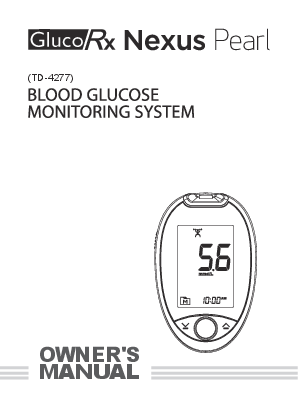
Thank you for using the GlucoRx Nexus Pearl Blood Glucose. Monitoring System. This manual provides important information to help you to use the system properly.
Full PDF Document

If the inline viewer fails, it will open the original document in compatibility mode automatically. You can also open the file directly.
Extracted Text
(TD-4277)
OWNER'S MANUAL

Dear GlucoRx Nexus Pearl System Owner:
Thank you for using the GlucoRx Nexus Pearl Blood Glucose Monitoring System. This manual provides important information to help you to use the system properly. Before using this product, please read the following contents thoroughly and carefully. Regular monitoring of your blood glucose levels can help you and your doctor gain better control of your diabetes. Due to its compact size and easy operation, you can use the GlucoRx Nexus Blood Glucose Monitoring System to easily monitor your blood glucose levels by yourself anywhere, any time. If you have other questions regarding your product, please contact GlucoRx Customer care on 01483 755133.
Version 1.0 2020/05
311-4277000-XXX 3

IMPORTANT SAFETY PRECAUTIONS
READ BEFORE USE
1. Use this device ONLY for the intended use described in this manual.
2. Do NOT use accessories which are not specified by the manufacturer.
3. Do NOT use the device if it is not working properly or if it is damaged.
4. Do NOT under any circumstances use the device on newborns or infants.
5. This device does NOT serve as a cure for any symptoms or diseases. The data measured is for reference only. Always consult your doctor to have the results interpreted.
6. Before using this device to test blood glucose, read all instructions thoroughly and practice the test. Carry out all the quality control checks as directed.
7. Keep the device and testing equipment away from young children. Small items such as the battery cover, batteries, test strips, lancets and vial caps are choking hazards.
8. Use of this instrument in a dry environment, especially if synthetic materials are present (synthetic clothing, carpets etc.) may give damaging static discharges that may cause erroneous results.
9. Do not use this instrument in close proximity to sources of strong electromagnetic radiation, as these may interfere with the accurate operation.
10. Proper maintenance and periodic control solution testing are essential to the longevity of your device. If you are concerned about the accuracy of measurement, please contact your local customer service or place of purchase for help.
KEEP THESE INSTRUCTIONS IN A SAFE PLACE
4

TABLE OF CONTENTS

IMPORTANT SAFETY PRECAUTIONS

4

BEFORE YOU BEGIN

7

Important Information

7

Intended Use

8

Test Principle

8

Contents of System

9

Meter Overview

10

Display Screen

11

Test Strip

12

SETTING YOUR METER

13

THE FIVE MEASURING MODES

16

BEFORE TESTING

17

Control Solution Testing

17

Performing a Control Solution Test

17

TESTING WITH BLOOD SAMPLE

20

Preparing your Lancing Device for Blood Testing

20

Preparing the Puncture Site

20

Performing a Blood Glucose Test

21

About Alternative Site Testing (AST)

25

METER MEMORY

26

Reviewing Test Results

26

Reviewing Blood Glucose Day Average Results

27

5

DOWNLOADING RESULTS ONTO A COMPUTER

28

MAINTENANCE

29

Batteries

29

Replacing the Batteries

30

Caring for Your Meter

31

Caring for Your Test Strips

32

Important Control Solution Information

33

SYSTEM TROUBLESHOOTING

34

Result Readings

34

Error Messages

36

Troubleshooting

37

DETAILED INFORMATION

39

SYMBOL INFORMATION

40

SPECIFICATIONS

41

6

BEFORE YOU BEGIN

Important Information

 Severe dehydration and excessive water loss may cause readings which are lower than actual values. If you believe you are suffering from severe dehydration, consult a healthcare professional immediately.
 If your blood glucose results are lower or higher than usual and you do not have any symptoms of illness, first repeat the test. If you have symptoms or continue to get results which are higher or lower than usual, follow the treatment advice of your healthcare professional.
 Use only capillary whole blood sample to test your blood glucose. Using other substances will give incorrect results.
 If you are experiencing symptoms that are inconsistent with your blood glucose test results and you have followed all instructions described in this owner's manual, contact your healthcare professional.
 We do not recommend using this product on severely hypotensive individuals or patients in shock. Please consult your healthcare professional before use.
 The measurement unit used for indicating the concentration of blood or plasma glucose can either have a weight dimension (mg/dL) or a molarity (mmol/L). The approximate calculation rule for conversion of mg/dL in mmol/L is:

mg/dL mmol/L

Divided by 18 Times 18

= mmol/L = mg/dL

For example: 1) 120 mg/dL � 18 = 6.6 mmol/L 2) 7.2 mmol/L x 18 = 129 mg/dL approximately.
Your GlucoRx Nexus meter is preset to display results in mmol/L only.
7

Intended Use
Your system is intended for use outside the body (in vitro diagnostic use) by people with diabetes at home and by healthcare professionals in clinical settings as an aid to monitor the effectiveness of diabetes control. It is intended to be used for the quantitative measurement of glucose (sugar) in fresh whole blood samples (from the finger, palm, forearm and upper arm), and from venous whole blood. It should not be used for the diagnosis of diabetes or testing on newborns. Professionals may test with capillary and venous whole blood; home use is limited to capillary whole blood testing.
Test Principle
Your system measures the amount of sugar (glucose) in whole blood. The glucose testing is based on the measurement of electrical current generated by the reaction of glucose with the reagent in the strip. Your meter measures the current, calculates the blood glucose level then displays the result. The strength of the current produced by the reaction depends on the amount of glucose in the blood sample.
8

Contents of System

Your new GlucoRx Nexus system kit includes:

Meter Owner's Manual Warranty Card Quick Start User Guide Daily Log Book

Lancing Device with AST cap 2 x 1.5V AAA Alkaline Batteries Control Solution 10 Glucose Test Strips 10 Sterile Lancets

Carry Case

NOTE If any items are missing from your kit or opened prior to use, please contact GlucoRx Customer Care on 01483 755133.
9

Meter Overview

Left Side

Front

Right Side

Back

TEST STRIP EJECTOR Eject the used strip by pushing this button up.
DISPLAY SCREEN DOWN BUTTON ( ) Enter the DAY AVG mode in meter memory and silence a reminder alarm. TEST STRIP SLOT WITH STRIP INDICATION LIGHT Insert test strip here to turn the meter on for testing. UP BUTTON ( ) Silence a reminder alarm and to enter memory mode. DATA PORT Download test results with a cable connection. BATTERY COMPARTMENT M BUTTON (M) Enter the meter memory. The button lights up when results appear. - Green: result in range - Red: result out of range or ketone warning 10

Display Screen

Test Result Error Message / Ketone Warning Low Battery Symbol Day Average Memory Mode Date / Time Measurement Unit Alarm Reminder

Measuring Mode AC � before meal PC � after meal General (no show) � any time of day QC � control solution test
Test Strip Symbol
Blood Drop Symbol
Exercise Mode

11

Test Strip
Absorbent Hole Apply a drop of blood here. The blood will be automatically absorbed.
Confirmation Window This shows if enough blood has been applied to the absorbent hole of the test strip.
Test Strip Handle Hold this part to insert the test strip into the slot.
Contact Bars Insert this end of the test strip into the meter. Push it in firmly until it will go no further.
Attention!
Test results may be incorrect if the contact bar is not fully inserted into the test slot.

The front side of the test strip should face up when inserting the test strip.

Front

Back

NOTE The GlucoRx Nexus Pearl meter should only be used with GlucoRx Nexus Test Strips. Using other test strips with your meter can produce inaccurate results.
12

SETTING YOUR METER
Before using your meter for the first time or if you change the meter battery, you should check and update these settings. Make sure you complete the steps below and have your desired settings saved. To Enter the Setting Mode Start with the meter off (no test strip inserted). Press and hold and at the same time.
1. Setting the date With the year flashing, press or to choose the correct year. Press M.
With the month flashing, press or to choose the correct month. Press M. With the date flashing, press or to choose the correct date. Press M.
2. Setting the time format Press or to select the desired time format --- 12h or 24h. Press M.
13

3. Setting the time With the hour flashing, press or to choose the correct hour. Press M.
With the minute flashing, press or to choose the correct minute. Press M.
4. Setting the low and high target range for measuring mode The sequence of the low and high target range setting is: Gen low  Gen high  AC low  AC high  PC low PC high Exercise low  Exercise high. With the settings mentioned above flashing in sequence, press or until the desired target appears. Press M to confirm.
NOTE See below for the default value (low/high) of each measuring mode: General: 3.9/6.7 mmol/L AC: 3.9/7.2 mmol/L PC: 3.9/10.0 mmol/L Exercise: 3.9/6.7 mmo/L Source: American Diabetes Association. Standards of Medical Care in Diabetes- 2018 Jan; 41(Supplement 1): S1-S2. 5. Setting the Buzzer With the buzzer display, press or
to switch between On and Off. Press M.
14

6. Setting a reminder alarm You may set up any or all of the reminder alarms (1-4). The meter displays "OFF" and , press or to turn on or turn off the first reminder alarm. Press or to select "On", then press M to set the hour. When the hour is flashing, press to add an hour. Press M to confirm and go to minutes. Press to add one minute. Hold longer to add faster. Press M to confirm and go to the next alarm setting. If you do not want to set an alarm, press M to skip this step. If you want to turn off an alarm, find the alarm number by pressing M in the setting mode. Press or to change from "ON" to "OFF".
At the time of your alarm, the meter will beep and automatically turn on. You can press to silence the alarm and insert a test strip to begin testing. If you do not press , the meter will beep for 2 minutes then switch off. If you do not want to test at this time, press M button to switch off the meter.
Congratulations! You have completed all settings!
NOTE These parameters can ONLY be changed in the setting mode. If your meter is idle for 3 minutes during the setting mode, it will switch off automatically.
15

THE FIVE MEASURING MODES

Your meter provides you with five modes for measuring General, AC, PC, Exercise and QC.

Modes

Use when

General (displays as "Gen")

any time of day, regardless of time since last meal

AC

no food intake for at least 8 hours

PC

2 hours after a meal

Exercise

testing after exercise

QC

testing with the control solution

You can switch between each mode by:

1. Start with the meter switched off. Insert a test strip to turn on the meter. The screen will display flashing blood drop and test strip symbols.

2. Press to switch between General, AC, PC, Exercise and QC; or Press to go straight to QC mode.

16

BEFORE TESTING
Control Solution Testing
TaiDoc Control Solution contains a known amount of glucose that reacts with your test strips and is used to ensure your meter and strips are working together correctly.
Do a control solution test when: you first receive your meter, at least once a week to routinely check your meter and test strips, you begin using a new vial of test strips, you suspect your meter or test strips are not working properly, your blood glucose test results are not consistent with how you feel or if you think the results are not accurate, practicing the testing process, or you have dropped or think you may have damaged your meter.
Performing a Control Solution Test
1. Insert a Test Strip to Turn on your Meter Insert a test strip into your meter. Wait for the meter to display the test strip and blood drop symbols.
17

2. Press to mark this test as a control solution test. With "QC" displayed, the meter will store your test result in memory under "QC". If you press again, the "QC" will disappear and this test is no longer a control solution test.
WARNING When doing a control solution test, you have to mark it so that the test result will NOT mix with the blood glucose TEST RESULTS stored in the memory. Failure to do so will mix up the blood glucose test results with the control solution test results in memory.
3. Apply Control Solution. Shake the control solution vial thoroughly before use. Squeeze out a drop and wipe it off, then squeeze another drop and place it on the tip of the vial cap. Hold the meter to move the absorbent hole of test strip to touch the drop. Once the confirmation window fills completely, your meter will begin counting down. To avoid contaminating the control solution, do not directly apply control solution onto a strip.
18

4. Read and Compare the Result
After counting down to 0, the test result of control solution will appear on your display. Compare this result with the range printed on your test strip vial and it should fall within this range. If not, please read the instructions again and repeat control solution test.

Example
6.5~8.8

NOTE Example results range only! Please read the exact range from your test strip vial.

Out-of-range results If you continue to have test results fall outside the range printed on your test strip vial, the meter and strips may not be working together properly. Do NOT test your blood. Contact GlucoRx Customer care on 01483 755133 for help.
NOTE The control solution range printed on your test strip vial is for control solution use only. It is not a recommended range for your blood glucose level. See the Maintenance section for important information about your control solution.
19

TESTING WITH BLOOD SAMPLE
NOTE To reduce the chance of infection:  Never share a lancet or the lancing device. GlucoRx Lancing
device is for self-use only.  Always use a new, sterile lancet. Lancets are for single use only.  Avoid getting hand lotion, oils, dirt, or debris in or on the lancets
and the lancing device.
Preparing your Lancing Device for Blood Glucose Testing
Please follow the instructions in the lancing device insert for collecting a blood sample.
Preparing the Puncture Site
Stimulating blood perfusion by rubbing the puncture site before blood extraction has a significant influence on the glucose value obtained.
Blood from a site that has not been rubbed exhibits a measurably different glucose concentration than blood from the finger. When the puncture site was rubbed prior to blood extraction, the difference was significantly reduced.
Please follow the suggestions below before obtaining a drop of blood:
* Select your puncture site either at fingertips or another body part (please see section "Alternative Site Testing" (AST) on how to select other appropriate sites).
* Hand wash the puncture site with warm water and dry thoroughly before testing.
* Rub the puncture site for about 20 seconds before penetration.
* Use a clear cap (included in kit) while setting up your lancing device.
20

 Fingertip testing
Press the lancing device's tip firmly against the side of your fingertip. Press the release button to prick your finger. A click indicates that the puncture is complete.

 Blood from sites other than the fingertip

Replace your lancing device cap with 1
the clear cap for alternative site

testing. Pull the cocking control back

until it clicks. When lancing the

2

forearm, upper arm or hand, avoid

lancing the areas with obvious veins

to avoid excess bleeding.

NOTE
Choose a different puncture site each time you test. Repeated punctures at the same spot may cause soreness and calluses.
Please consult your healthcare professional before you begin AST.
It is recommended that you discard* the first drop of blood as it may contain tissue fluid which may affect your test result. * WHO Guidelines on drawing blood: best practices in phlebotomy, 2010 Section 7.2.2.

Performing a Blood Glucose Test

1. Insert a Test Strip to Turn on your Meter

Wait for your meter to display the

test strip

and blood drop

symbols.

21

2. Select the appropriate measuring mode by pressing . For selecting the measuring mode, please refer to the " FIVE MEASURING MODES" section.
3. Obtain a Blood Sample Use your pre-set lancing device to puncture the desired site. After penetration, discard the first drop of blood with a clean cotton swab. Gently squeeze the punctured area to obtain another drop of blood. Be careful NOT to smear the blood sample.
The volume of blood sample must be at least 0.5 microlitre (L) of volume. ( actual size).
4. Apply the Sample Position the blood drop to touch the absorbent hole of your test strip. Blood will be drawn in and after the confirmation window is completely filled, the meter should begin counting down.
22

NOTE Do not press the puncture site against your test strip or try to smear the blood. If you do not apply a blood sample to the test strip within 3 minutes, your meter will automatically turn off. You must remove and reinsert the test strip to start a new test. The confirmation window should be filled with blood before your meter begins to count down. If there is insufficient blood volume in the test strip confirmation window, you can apply more blood to the same strip as long as you see the blinking blood drop symbol displayed on the meter screen (before countdown begins). The meter will give an `E-F' error message within a few seconds if there is still underfill, in which case discard the used test strip and retest with a new one. If you have trouble filling the confirmation window, please contact your healthcare professional or GlucoRx Customer care on 01483 755133 for assistance.
5.Read the Result The result of your blood glucose test will appear after the meter counts to 0. This reading will automatically be stored in the memory.
23

6.Eject the Used Test Strip and Remove the Lancet To eject your test strip, point the strip at a sharps disposal container. Your meter will turn itself off automatically after the test strip is ejected. Always follow the instructions in the lancing device insert when removing the lancet.
WARNING The used lancet and test strip may be biohazardous. Please discard them carefully according to your local regulations.
24

About Alternative Site Testing (AST)
Important: There are limitations with doing AST. Please consult your healthcare professional before you do AST.
What is AST? Alternative site testing (AST) means that people use parts of the body other than fingertips to check their blood glucose levels. This system allows you to test on the palm, forearm and the upper arm with equivalent results to fingertip testing.
What's the advantage? Fingertips feel pain more readily because they are full of nerve endings (receptors). At other body sites, since nerve endings are not so condensed, you will not feel as much pain as at the fingertip.
When to use AST? Food, medication, illness, stress and exercise can affect blood glucose levels. Capillary blood at the fingertip reflects these changes faster than capillary blood at other sites. Therefore when testing blood glucose during or immediately after meal, physical exercise or any other events, take blood sample from your finger only.
We strongly recommend you do AST ONLY at the following intervals:
In a pre-meal or fasting state (more than 2 hours since your last meal). Two hours or more after taking insulin. Two hours or more after exercise.
Do NOT use AST if: You think your blood glucose is low. You are unaware you have hypoglycaemia. Your AST results do not match the way you feel. You are testing for hyperglycaemia. Your routine glucose results are often fluctuating.
25

METER MEMORY
Your meter stores the 1000 most recent blood glucose test results along with respective dates and times in its memory. To enter the meter memory, start with your meter off and then press or M to enter memory mode.
Reviewing Test Results
1. Press and release or M.
will appear on the display and the first reading you see is the last blood glucose result along with date, time and the measuring mode.
2. Press or to recall the test results stored in your meter with each press.

3. Press

or

to scroll

through all the test results stored

in the meter each time you press.

Press to scroll down to view

the old test result and press to

scroll up to see the new one. Keep

pressing to scroll up to the first

reading, you will see "toP"on the

meter display; keep pressing to

scroll down to the last reading, you

will see "End" on the meter display.

Press and hold M to switch off the

meter.

26

Reviewing Blood Glucose Day Average Results
1. Press and release to enter memory mode for average results with and " " displayed on the screen. Your 7-day average result measured in general mode will appear on the display.
2. Press or to review 14-, 21-, 28-, 60- and 90- day average results stored in each measuring mode in the order of Gen, AC, PC, and then Exercise.
3. Exit the meter memory Press or and the meter will display the day average result in sequence. Long press M to turn off the meter.
NOTE Any time you wish to exit the memory, keep pressing M button for 5 seconds or leave it without any action for 3 minutes. Your meter will switch off automatically. Control solution results are NOT included in the day average. If using your meter for the first time, "---" displays when you recall the test results or review the average result. It indicates that there is no test result in the memory.
27

DOWNLOADING RESULTS ONTO A COMPUTER
You can use Your GlucoRx Nexus meter with a USB cable and the GlucoRx Healthcare Software System to view test results on a personal computer. To learn more about this system or to obtain a USB cable separately, please contact GlucoRx Customer care on 01483 755133.
1. Obtaining the required cable and installing the software For downloading the GlucoRx Healthcare Software System, please visit the GlucoRx website: http://www.glucorx.co.uk.
2. Connecting to a personal computer
Connect your cable to a USB port on the computer. With the meter turned off, connect the other end of the USB cable to the meter data port. "USb" will appear on your meter display, indicating that it is in communication mode.
3. Data transmission Follow the instructions provided in the software to transfer data. Results with date and time will be transmitted. Remove the cable and your meter will automatically turn off.
NOTE While the meter is connecting to the PC, it will be unable to perform a blood glucose test.
28

MAINTENANCE
Batteries
Your meter comes with two 1.5V AAA size alkaline batteries. Low Battery Signal
Your meter will display one of the below messages to alert you when the meter power is getting low. 1. The symbol appears along with display messages: Your meter is functional and the result remains accurate, but it is time to change the batteries.
2. The symbol appears with E-b and : The power is not enough to do a test. Please change your batteries immediately.
29

Replacing the Batteries
To replace the batteries, make sure that your meter is turned off. 1. Press the edge of the battery cover and lift it up to remove. 2. Remove the old batteries and replace with two 1.5V AAA alkaline
batteries. 3. Close the battery cover. If the batteries are inserted correctly, you will
hear a "beep" afterwards.
NOTE Replacing the batteries does not affect your test results stored in memory. As with all batteries, these batteries should be kept away from children. If swallowed, promptly seek medical assistance. Batteries may leak chemicals if unused for a long time. Remove the batteries if you are not going to use the device for an extended period (i.e. 3 months or more). Properly dispose of the batteries according to your local environmental regulations.
30

Caring for Your Meter
To avoid your meter and test strips attracting dirt, dust or other contaminants, please wash and dry your hands thoroughly before use.
Cleaning 1. To clean your meter exterior, wipe it with one disinfecting wipe
(Example:Micro-Kill PlusTM) to clean exposed surfaces thoroughly and remove any visible dirt, blood or any other body fluid with the wipe. Then dry the device with a soft, dry and clean cloth. Do NOT rinse your meter with water. 2. Do NOT use organic solvents to clean your meter.
Meter Storage Storage condition: -20�C~60�C (-4�F~140�F) , and between 10% to 93% relative humidity. Always store or transport your meter in its original storage case. Avoid dropping and heavy impact. Avoid direct sunlight and high humidity.
Meter Disposal A used meter should be treated as contaminated and may carry a risk of infection during measurement. The batteries in your used meter should be removed and the meter disposed in accordance with local regulations. This meter falls outside the scope of the European Directive 2012/19/EU-Directive on waste electrical and electronic equipment (WEEE).
31

Caring for Your Test Strips
Storage conditions: 2�C~30�C (35.6�F~86�F), and between 10% to 85% relative humidity. Do not freeze. Store your test strips in their original vial only. Do not transfer to another container. Store test strip packages in a cool and dry place. Keep away from direct sunlight and heat. After removing a test strip from the vial, immediately close the vial cap tightly. Touch the test strip with clean and dry hands. Use each test strip immediately after removing it from the vial. Do not use test strips beyond the expiry date. This may cause inaccurate results. Do not bend, cut or alter a test strip in any way. Keep the strip vial away from children since the cap and the test strip may be a choking hazard. If swallowed, promptly see a doctor for help. For further information, please refer to the GlucoRx Nexus test strip package insert.
32

Important Control Solution Information
Use only TaiDoc control solution with your meter. Do not use the control solution beyond the expiry date or 3 months after first opening. Write the opening date on your control solution vial and discard the remaining solution after 3 months. It is recommended that the control solution test be done at room temperature (20�C-25�C / 68�F-77�F). Make sure your control solution, meter and test strips are at this specified temperature range before testing. Shake the vial before use, discard the first drop of control solution and wipe off the dispenser tip to ensure a pure sample and an accurate result. Tightly close the control solution cap and store bottle between 2�C and 30�C (35.6�F and 86�F). Do NOT freeze.
33

SYSTEM TROUBLESHOOTING
If you follow the recommended action but the problem persists, or error messages other than the ones below appear, please call GlucoRx Customer care on 01483 755133. Do not ever attempt to repair or dissemble your meter.

Result Readings

INDICATOR NOT
APPLICABLE RED
GREEN
RED

MESSAGE

WHAT IT MEANS

< 1.1 mmol/L

Example only Example only Example only

Value is below the individual target area.

General / Exercise

AC

PC

< 3.9 mmol/L < 3.9 mmol/L < 3.9 mmol/L

Value is within the individual target area.

General / Exercise

AC

PC

3.9 to 6.6 mmol/L

3.9 to 7.1 mmol/L

3.9 to 9.9 mmol/L

Value is above the individual target area.

General / Exercise

AC

PC

 6.7 mmol/L  7.2 mmol/L  10.0 mmol/L

34

RED
NOT APPLICABLE

 15.0 mmol/L Ketone Warning: This is shown when your blood glucose result is equal to or higher than 15.0 mmol/L.
What to Do: Check blood ketone if checking ketones is part of your diabetes management program.
> 33.3 mmol/L

NOTE In above column, value is below/within/above the individual target area, they are for Examples only.
Source: American Diabetes Association. Standards of Medical Care in Diabetes- 2018 Jan; 41(Supplement 1): S1-S2.

35

Error Messages

MESSAGE

WHAT IT MEANS

WHAT TO DO

Appears when the batteries cannot provide enough power for a test.

Replace the batteries immediately.

Appears when a used test strip is inserted.

Repeat with a new test strip.

Problem in operation.

Repeat the test with a new test strip.
If the meter still does not work, please contact GlucoRx Customer care on 01483 755133 for assistance.

Appears when test strip is removed while counting down, or insufficient blood volume.

Review the instructions and repeat test with a new test strip. If the problem persists, please contact GlucoRx Customer care on 01483 755133 for help.

Appears when ambient temperature is above or below system operation range.

System operation range is 10oC to 40oC (50oF to 104oF). Repeat the test after the meter and test strip are in the above temperature range.

36

Troubleshooting

1. If the meter does not display a message after inserting a test strip:

POSSIBLE CAUSE Batteries exhausted. Test strip inserted upside down or incompletely.
Defective meter or test strips.

WHAT TO DO
Replace the batteries.
Insert the test strip with contact bar end first and facing up.
Please contact GlucoRx Customer care on 01483 755133.

2. If the test does not start after applying sample:

POSSIBLE CAUSE Insufficient blood sample.
Defective test strip.
Sample applied after automatic switch-off (3 minutes after last user action).
Defective meter.

WHAT TO DO
Repeat the test using a new test strip with larger volume of blood sample.
Repeat the test with a new test strip.
Repeat the test with a new test strip.
Apply sample only when flashing " " appears on the display.
Please contact GlucoRx Customer care on 01483 755133.

37

3. If the control solution testing result is out of range.

POSSIBLE CAUSE

WHAT TO DO

Error in performing the test.

Read instructions thoroughly and repeat the test again.

Control solution vial was poorly shaken.

Shake the control solution vigorously and repeat the test again.

Expired or contaminated control solution.

Check the expiry date of your control solution.

Control solution that is too warm or too cold.

Control solution, meter and test strips should be at room
temperature (20�C-25�C / 68�F77�F) before testing.

Defective test strip.

Repeat the test with a new strip.

Meter malfunction.

Please contact GlucoRx Customer care on 01483 755133.

38

DETAILED INFORMATION

Your meter provides you with plasma equivalent results.

Time of day

Normal blood glucose range for people with diabetes (mmol/L)

Fasting and before meal 4 to 7 mmol/L

2 hours after meals < 9 mmol/L

Source: Diabetes UK. Blood glucose target. Balance: No.234, 2010 April. P.69
Please work with your doctor to determine a target range that works best for you.
*1: American Diabetes Association position statement on the Diabetes Control and Complications Trial (1993).

39

SYMBOL INFORMATION

SYMBOL

REFERENT

SYMBOL

REFERENT

In vitro diagnostic medical device

Manufacturer

Consult instructions for use

Caution

Temperature limit

Humidity limitation

Use-by date

CE mark

Batch code

Serial number

Authorised representative in the European Community

Catalogue number

This device does not belong to household waste and must be returned to a collection point for recycling electric and electronic devices according to local laws. If it contains batteries, the batteries should be removed and disposed in accordance with locations for separate collection of spent batteries.

40

SPECIFICATIONS
Model Numbers: TD-4277 Dimensions & Weight: 96 (L) x 61 (W) x 26 (H) mm, 67.2 g Power source: Two 1.5V AAA alkaline batteries Display: LCD with backlight Memory: 1000 measurement results with respective date and time External output: USB Cable Auto electrode inserting detection Auto sample loading detection Auto reaction time count-down Auto shutdown after 3 minutes of idleness Temperature Warning Operating condition: 10�C to 40�C (50�F to 104�F), 10% to 85% R.H. (no condensing) Meter Storage/Transportation condition: -20�C to 60�C (-4�F to 140�F), 10% to 93% R.H. (no condensing) Strip Storage/Transportation Conditions: 2�C to 30�C (35.6�F to 86�F), 10% to 85% R.H. (no condensing) Measurement units: fixed mmol/L Measurement range: 1.1 to 33.3 mmol/L Expected Service Life: 5 years Operating Altitude: Up to 2000m, for indoor use Degree of Pollution: Pollution degree 2
This device has been tested to meet the electrical and safety requirements of: IEC/EN 61010-1, IEC/EN 61010-2-101, EN 61326-1, IEC/EN 61326-2-6.
41

TaiDoc Technology Corporation B1-7F, No. 127, Wugong 2nd Rd., Wugu Dist., 24888 New Taipei City, Taiwan www.taidoc.com
MedNet EC-REP GmbH Borkstrae 10, 48163 Mnster, Germany
Distributed by GlucoRx Ltd. Unit 1C Henley Business Park, Pirbright Road, Guildford, Surrey, GU3 2DX, UK Website: www.glucorx.co.uk Customer careline: 01483 755133

0123

For self-testing.