

File info: application/pdf · 9 pages · 244.77KB
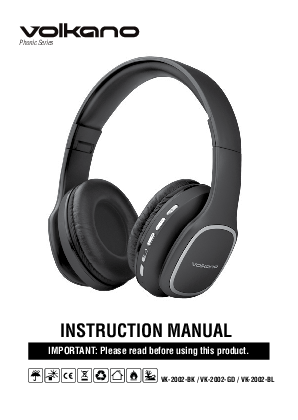
INSTRUCTION MANUAL - Volkano
Select Bluetooth (on older Android devices Bluetooth is found in the Wireless &. Networks Menu). If Bluetooth is not on, turn it on.
Extracted Text
Phonic Series
INSTRUCTION MANUAL
IMPORTANT: Please read before using this product.
VK-2002-BK / VK-2002-GD / VK-2002-BL

SPECIFICATIONS
Bluetooth: Version: V5.0 Chipset: JL-6925 Profiles: AVRCP, A2DP, HFP Range: 10 m
Impedance: 64  Frequency Range: 20 Hz ~ 20 kHz Sensitivity: 108 dB Battery: 400 mAh Li-Ion Driver Size: 40 mm Charging Time: 2.5 Hours Charge Input: 5 V DC, 1 A Playtime (at 50% volume): 18 ~ 24 Hours

IDENTIFYING PARTS

1. Power On /Off

2. + Next / Volume Up

3.

Play / Pause / Call

4. - Previous / Volume Down

5. M Mode Button: FM Radio / MP3 (Micro SD Card) / Bluetooth

6. Microphone

7. USB Charging Port

8. Aux Input

9. Micro SD Card Slot

1 2 3 4 5
6 7 8 9

INCLUDED IN THE BOX
� Volkano Phonic Bluetooth Folding Headphones � Instruction Manual � USB to Micro USB Cable � 3.5 mm Aux Line Input Cable
CHARGING
Please ensure that the battery is fully charged before using the device for the first time.
� Connect the provided USB charger cable to the charging slot on the headset Connect the other end of the USB charger to a 5 V USB wall charger or available USB port on your computer.
� The LED indicator light will display a red color when charging. � When the headphone is fully charged, the LED indicator light will flash twice and
turn off.

POWERING UP

� To switch the headphones on, press and hold the seconds until the blue LED light flashes.
� To switch the headphones off, press and hold the seconds until the blue LED lights go off.

Power Button for about 3 Power Button for about 3

LOCATING THE BLUETOOTH MENU

iPhone, iPad, and iPod Touch a. On your device, go to Settings. b. Select Bluetooth. If Bluetooth is not on, turn it on. c. The iPhone / iPad / iPod will automatically search for new devices.
AndroidTM Phones and Tablets d. On your device, go to the Settings Menu. e. Select Bluetooth (on older Android devices Bluetooth is found in the Wireless &
Networks Menu). If Bluetooth is not on, turn it on. f. Select "Search for Devices" if your phone or tablet does not automatically search for
new devices.

CONNECTING WITH PAIRED DEVICES
� Switch on the headphones. � Press the M Mode Button to switch to Bluetooth Mode. � The red and blue LED lights will flash, this means that the headphone is ready to
pair with a Bluetooth device. � Ensure that your device's Bluetooth is on. Search for the "Phonic". When your
phone finds the device, confirm pairing by selecting the device from the list. � When successfully paired, the blue LED light will flash slowly. � The headphones are now paired and ready to be used with your device.

CONTROLS

1. Volume Controls

Function

Operation

Notes

Increase Volume Decrease Volume

Long press the Next Track / + Volume Up Button
Long press the Previous Track / - Volume Down Button

Volume can be controlled either by the control buttons on the headphone or via the paired device.

2. Audio Controls Function
Play or Pause Track Next Track
Previous Track

Operation

Press the Play / Pause Button

Short press the
Short press the Button

Next Track / + Volume Up Button Previous Track / - Volume Down

3. Controlling MP3 Playback Function

Operation

Enter MP3 Mode

Insert your Micro SD Card. The device will begin reading from the card, or press the M Mode Button until the headphone switches to MP3 Mode.

4. FM Mode Function
Enter FM Mode

Operation Press the M Mode Button to cycle to FM Mode

Auto-Scan Fine Tune

Long press the Play Button to auto-scan stations
Press the + Volume Up / Forward Button to skip a station and continue searching, or - Volume Down / Backward to return to a station.

Aux-In Mode
� You do not have to switch the headphones "ON" for this mode. � Insert the provided audio cable into the Aux Input on the headphones, and the
other end of the audio cable to the playback device's output / line out. � In this mode, you can only control the playback volume with your playback
device and not with the volume controls on the headphones.

SAFETY PRECAUTIONS
� The product should only be used with the parts provided by the manufacturer. � This product is intended for indoor use only. � Never use your Phonic Series Headphones near water or in areas where it can come
into contact with water. Never handle the Phonic Series Headphones if they have been dropped in water or any other liquid. If the product comes into contact with water while still plugged in, this is a safety hazard. � Always make sure your hands are dry before touching the USB cable or power connections. � Do not operate the product with a damaged cable, or after it, malfunctions, has been dropped or damaged in any manner. � The Phonic Series Headphones are intended for personal use only. Commercial use invalidates the warranty and the supplier cannot be held responsible for injury or damage caused when using the device for any other purpose than that which it was intended for. � The Phonic Series Headphones are not intended for use by children or persons with reduced physical, sensory or mental capabilities, or lack of experience and knowledge, unless they have been given supervision or instruction concerning use of the device by a person responsible for their safety. Extreme caution must be exercised. � Children should be supervised to ensure that they do not play with the Phonic Series � Headphones. Packaging must never be left within reach of children, since it is potentially dangerous.
CLEANING AND CARING INSTRUCTIONS
� Before Cleaning: Ensure that your Phonic Series Headphones are turned off and not charging before cleaning or maintaining them.
� Cleaning: Wipe down the surface of your Phonic Series Headphones using a soft, slightly damp cloth.
� Do not use any harsh or abrasive cleaning chemicals or materials on your Phonic Series Headphones as doing so may damage or scratch the surface finish.
� Do not expose your Phonic Series Headphones to direct sunlight or high temperatures for extended periods of time.
� Do not store in temperatures over 60� C.

TROUBLESHOOTING
1. No Power Recharge your Phonic Series Headphones using the included Micro USB Cable. Try using a different Micro USB Cable.
2. Music is not playing over Bluetooth Make sure your Bluetooth device has A2DP profile. Check if both devices are paired and connected over Bluetooth. Restart the Headphones to reconnect your Bluetooth device.
3. Bluetooth� device will not reconnect with Headphones. Navigate to your Bluetooth Settings Menu on your Bluetooth device. Tap "Phonic" and select "Forget". Now follow the steps to pair your device again.
FCC Notice: This device complies with Part 15 of the FCC Rules. Operation is subject to the two following conditions:
1. This device may not cause harmful interference. 2. This device must accept any interference received, including interference that may cause
undesired operation.
TECHNICAL SUPPORT
Please do not attempt to fix the product by yourself. If you are experiencing any problems with the product, please do not return it to the store you bought it from. You can contact our technical support representatives and they will assist you with any questions you might have.
ENVIRONMENTALLY FRIENDLY DISPOSAL
Do not dispose of electrical appliances as unsorted municipal waste, use separate collection facilities. Contact your local government for information regarding the collection systems available. If electrical appliances are disposed of in landfills or dumps, hazardous substances can leak into the groundwater and get into the food chain, damaging your health and well-being.

DISCLAIMER
All product and company names are trademarksTM or registered� trademarks of their respective holders. Use of them does not imply any affiliation with or endorsement by them.
WARRANTY
These Volkano Phonic Series Bluetooth Headphones include a standard 12-month limited warranty against manufacturing defects and faults. Should your product be unboxed with any faulty parts, poor finishing, visible damage, or fail to perform due to a manufacturing defect or poor workmanship, please return it with your proof of purchase (till slip or invoice) to the store of purchase for an exchange, or repair, depending on the store's returns policy.
This warranty commences from the date of purchase. Kindly retain your proof of purchase as well as the packaging for your warranty period.
NOTE: The warranty does not apply to a product that: a. Has failed due to excessive wear and tear beyond what is considered to be reasonable. b. Has been misused or neglected. c. Has been damaged accidentally or by acts of God including fire and flooding. d. Has been used or operated contrary to operating or maintenance instructions outlined in this
manual.
The Store of Purchase / Seller cannot accept any returned products that have not been returned in accordance with this warranty or which does not follow their own Returns Policy. Please refer to the Store of Purchase / Sellers Returns Policy for details.
Should you require any further assistance or have any questions on your warranty, please contact the store of purchase.