

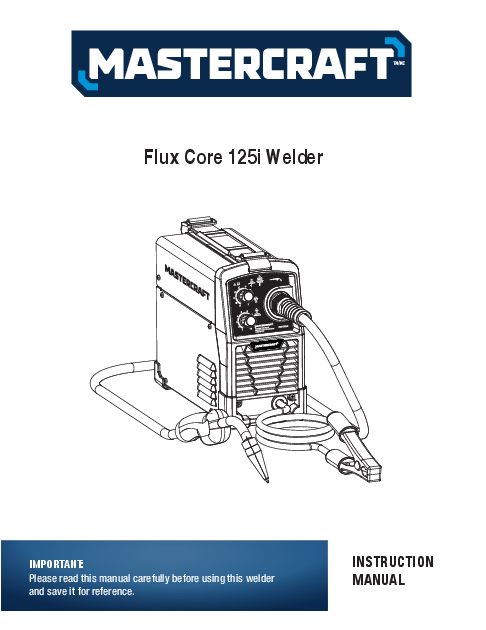
Mastercraft Flux Core 125i Welder
Instruction Manual
Important Information
Please read this manual carefully before using this welder and save it for reference.
Safety Guidelines
Consult Owner's Manual Before Operating ?
Warning! ⚠️
Electric Shock Can Kill! ⚡
Fumes and Gases ?
Fire Hazards ?
Arc Rays ?
Hot Materials ?
Magnetic Fields ?
Please read and save these instructions. Read through this owner's manual carefully before using product. Protect yourself and others by observing all safety information, warnings, and cautions.
- Keep the environment you will be welding in free from flammable materials.
- Always keep a fire extinguisher accessible to your welding environment.
- Always have a qualified person install and operate this equipment.
- Make sure the area is clean, dry and ventilated. Do not operate the welder in humid, wet or poorly ventilated areas.
- Always have your welder maintained by a qualified technician in accordance with local, provincial and national codes.
- Always be aware of your work environment. Be sure to keep other people, especially children, away from you while welding.
- Check all components to ensure they are clean and in good operating condition before use.
- Do not operate the welder if the output cable, wire, or any part of the system is wet.
- Do not allow any body part to come into contact with the wire if you are in contact with the material being welded, ground or wire from another welder.
- Do not weld if you are in an awkward position. Always have a secure stance while welding to prevent accidents. Wear a safety harness if working above ground.
- Do not drape cables over or around your body.
- Wear a full-coverage helmet with shade (see ANSI Z87.1 safety standard) and safety glasses while welding.
- Wear proper gloves and protective clothing to prevent your skin from being exposed to hot metals, UV and IR rays.
- Do not overuse or overheat your welder. Allow proper cooling time between duty cycles.
- Always use this welder in the rated duty cycle to prevent excessive heat and failure.
- Do not attempt to repair or maintain the welder while the power is on.
- Do not touch the wire and the ground or grounded work piece at the same time.
- Do not use a welder to thaw frozen pipes.
Warning! In order to avoid mistakes that could cause serious injury, read the following steps carefully and understand them thoroughly before using this welder.
Specifications
| Model number | Power | Voltage | Output current | Duty cycle | Suggested wire | Wire Diameter | Dimensions (L x W x H) | Net weight |
|---|---|---|---|---|---|---|---|---|
| 058-1926-6 | 120 V, 60 Hz, 1 Phase | 42 V (no load) | 30-125 A | 30% at 90 A | Flux-cored wire | 0.030 and 0.035" (0.8 and 0.9 mm) | 12 3/8 x 5 11/16 x 10 13/16" (31.5 x 14.5 x 27.5 cm) | 14 lb 14 oz (6.75 kg) |
| Material | For Metal Thickness | Use Wire Size |
|---|---|---|
| Steel | 18-gauge-3/16" | 0.030" (0.8 mm) |
| 3/64-3/16" | 0.035" (0.9 mm) | |
| 1.2-5 mm |
Package Contents
1. Remove cartons, bags or foam containing the welder and accessories.
2. Check the contents with the packing list below.
| ITEM | QTY. |
|---|---|
| Flux Core Inverter Welder | 1 unit |
| Welding torch | 1 pc |
| Grounding clamp with 6' (1.8 m) cable | 1 pc |
| Contact tip 0.030''(0.8mm) | 1 pc |
| Shoulder strap | 1 pc |
| Operator's manual | 1 manual |
Assembly Preparations
Instructions for shoulder strap installation
Step 1: Get the strap through the buckle. Leave 165mm on each end.
Step 2: Put the shoulder pad in the middle of the strap.
Step 3: Pull the two ends through the buckle.
Step 4: Pull the strap tight enough until it is locked in place by the buckle. Install the strap onto the machine.
Assembly Instructions
1. Power requirement
AC single-phase 120 V (110-130V), 60 Hz fused with a 20-A time-delayed fuse or circuit breaker is required. DO NOT OPERATE THIS UNIT if the ACTUAL power source voltage is less than 105 V AC or greater than 132 V AC.
2. Extension cord
During normal use an extension cord is not necessary. It is strongly recommended that an extension cord should not be used because of the voltage drop they produce. This drop in voltage can affect the performance of the welder. If you need to use an extension cord it must be a #12 gauge cord at the least. Do not use an extension cord over 25' (7.6 m) in length.
3. Install the wire roller
Before installing any welding wire into the unit, the properly-sized groove must be positioned on the wire drive mechanism. Adjust the drive roller according to the following steps, see following picture about the wire feeder structure:
3.1: Open the door to the welder drive compartment.
3.2: Remove the drive tension (1) by loosening the tension adjusting knob and lifting the drive tension adjustor away from the drive tension arm (2). Pull the drive tension arm away from the drive roller (3).
3.3: If a wire is already installed in the welder, roll it back onto the wire spool by hand-turning the spool counter-clockwise. Be careful not to allow the wire to come out of the rear end of the inlet guide tube without holding onto it or it will unspool itself. Put the end of the wire into the hole on the outside edge of the wire spool and bend it over to hold the wire in place. Remove the spool of wire from the drive compartment of the welder.
3.4: Rotate the drive roller cap counter-clockwise and remove it from the drive roller.
3.5: Pull the drive roller off of the drive roller shaft.
Recommended Wire
3.6: Depending on the wire diameter, select the correct groove according to the following table about the relationship between wire diameter and wire roller groove size.
| Wire Diameter | Roller Groove |
|---|---|
| 0.030" (0.8 mm) | 0.030" (0.8 mm) |
| 0.035" (0.9 mm) | 0.035" (0.9 mm) |
The drive roller has two wire-size grooves built into it. When installing the drive roller, the number stamped on the drive roller for the wire size you are using should be facing you. Push the drive roller onto the drive roller shaft.
3.7: Reinstall the drive roller cap and lock in place by turning it clockwise.
3.8: Close the door to the welder drive compartment.
4. Install the wire
4.1: Select the wire.
| Wire Type | Available or not |
|---|---|
| MIG wire | No |
| Flux-core wire 0.030" (0.8 mm) | Yes |
| Flux-core wire 0.035" (0.9 mm) | Yes |
This welder uses both 4" (10 cm) spools of 0.030 or 0.035" (0.8 or 0.9 mm) thick wire.
Self-shielding flux-core wire can be used on this welder. Steel from 18 gauge up to 3/16" thick can be welded with this wire.
NOTE:
- Metal thinner than 18 gauge cannot be welded with this machine. Attempting to do so will cause burn-through in the metal you are intending to weld.
- Remove any wire that is rusty; if the whole spool is rusty, discard it.
4.2.1: Remove the nozzle and contact tip from the end of the torch assembly.
4.2.2: Make sure the proper groove on the drive roller is in place for the wire installed. If not, change the drive roller as described above.
4.2.3: Unwrap the spool of wire and then find the leading end of the wire. The wire goes through a hole in the outer edge of the spool and is bent over the spool edge to prevent the wire from unspooling BUT DO NOT UNHOOK IT at this point.
4.2.4: Place the spool on the spool holder in such a manner that the welding wire comes off the bottom of the spool into the drive mechanism. See following diagram.
4.2.5: The welder can use 4" (10 cm) spool, please see the following chart. The adjustment knob is designed to adjust the pressure tension of the wire spool.
4.2.6: Once adjustment knob is installed, set the spool tension.
- a) With one hand, turn the wire spool and continue turning it while adjusting the tension on the spool.
- b) With your free hand, tighten the drive tension adjustment knob.
- c) Stop tightening when drag is felt on the wire spool that you are turning, then stop hand-turning the wire spool.
4.2.7: After checking to make sure that your welder is disconnected from the AC power source, free the leading end of the wire from the spool, but do not let go of it until told to do so, or the wire will unspool itself.
4.2.8: Using a wire cutter, cut the bent end off the leading end of the wire so that only a straight leading end remains.
4.2.9: Loosen the tension adjusting knob by holding the drive tension arm in place and lift the tension arm up off the drive roller.
4.2.10: Insert the leading end of the wire into the inlet guide tube. Then push it across the drive roller and into the torch assembly about 6" (15 cm).
4.2.11: Line the wire up to place in the groove of drive roller, then allow the drive tension arm to drop onto the drive roller.
4.2.12: Flip the quick-release drive tension back up into position on the drive tension arm.
4.2.13: Tighten (turn clockwise) the drive tension adjusting knob until the tension roller is applying enough force on the wire to prevent it from slipping out of the drive assembly.
4.2.14: Let go of the wire.
4.2.15: Connect the welder power cord to the AC power source. Turn the welder ON. Set the VOLTAGE switch to the voltage (heat) setting recommended for the gauge metal that is to be welded. Refer to the label mounted on the cover, inside the wire feed compartment.
4.2.16: Set the WIRE SPEED control to the middle of the wire speed range.
4.2.17: Straighten the torch cable and pull the trigger on the welding torch to feed the wire through the torch assembly. When at least 1" (2.5 cm) of the wire sticks out past the end of the torch, release the trigger.
4.2.18: Turn the power switch to the OFF position.
4.2.19: Select a contact tip stamped with the same diameter as the wire being used.
NOTE: Due to inherent variances in flux-cored welding wire, it may be necessary to use a contact tip one size larger than your flux core wire if wire jams occur.
4.2.20: Slide the contact tip over the wire (protruding from the end of the torch). Thread the contact tip into the end of the torch and hand-tighten securely.
4.2.21: Install the nozzle on the torch assembly. For best results, coat the inside of the nozzle with antistick spray or gel.
4.2.22: Cut off the excess wire that extends past the end of the nozzle.
4.2.23: Turn the welder ON.
5. Setting the wire tension
5.1: Press the trigger on the torch.
5.2: Turn the drive tension adjustment knob clockwise, increasing the drive tension until the wire seems to feed smoothly without slipping.
CAUTION: If TOO MUCH tension is applied to the wire spool, the wire will slip on the drive roller or will not be able to feed at all. If TOO LITTLE tension is applied, the spool of wire will want to unspool itself. Readjust the drive brake tension as necessary to correct for either problem.
WARNING! Arc flash can injure eyes! To reduce the risk of arc flash, make sure that the wire coming out of the end of the torch does not come into contact with work piece, ground clamp or any grounded material during the drive tension setting process, or arcing will occur.
Key Parts Instructions
Key Parts Diagram
A: Power indicator
B: Overload Indicator
C: Welding Cable and Flux-Core Gun
D: Voltage
E: Ground cable and clamp
F: ON/OFF switch
G: Power cord
H: Wire feeder
Power Indicator
When the machine is turned on, the power indicator will be on.
Overload Indicator
When this indicator is on, it shows the machine is overloaded and the internal temperature is too high. Weld output will turn off automatically but the fan will still be working. When the internal temperature is decreased, the overload light will turn off and the machine will be ready to weld.
Welding Voltage
Set output voltage and wire speed. Refer to the "set up" chart inside the wire feed compartment.
Welding cable and Flux-Core gun
The welding wire is driven through the welding cable and Flux-Core gun to the work piece. It is fixed to the drive system.
Ground cable and clamp
The ground cable and clamp is attached to the work piece to complete the flow of current needed to weld.
ON/OFF switch
In the "off" position, no power is being supplied to the welder. In the "ON" position, power is supplied to the main transformer and control circuit.
Power cord
The power cord connects the welder to the 120-V power supply. Plug the 15-A plug into a 120-V/20-A receptacle to supply power to the welder.
WARNING! If any part is missing or damaged, do not plug in the welder until the missing or damaged part is replaced.
Operating Instructions
1. Main control component
Power switch - The power switch supplies electrical current to the welder. Whenever the power switch is in the ON position, the welding circuit is activated. ALWAYS turn the power switch to the OFF position and unplug the welder before performing any maintenance.
Voltage selector - The voltage selector controls the welding heat. This unit has two-step voltage control. Refer to the label inside the welder side door for recommended voltage selector settings for your welding job.
Wire speed control - The wire speed control adjusts the speed at which the wire is fed out of the welding torch. The wire speed needs to be closely matched (tuned in) to the rate at which it is being melted off. Some things that affect wire speed selection are the type and diameter of the wire being used, the heat setting selected, and the welding position to be used.
Note: The wire will feed faster without an arc. When an arc is being drawn, the wire speed will slow down.
2. Hold the torch
The best way to hold the welding torch is the way that feels most comfortable to you. While practicing using your new welder, experiment holding the torch in different positions until you find the one that seems to work best for you.
3. Position the torch to the work piece
There are two angles of the torch nozzle in relation to the work piece that must be considered when welding.
3.1. Angle A can be varied, but in most cases the optimum angle will be 60 degrees, the point at which the torch handle is parallel to the work piece. If angle A is increased, penetration will increase. If angle A is decreased, penetration will decrease also.
3.2. Angle B can be varied for two reasons: to improve the ability to see the arc in relation to the weld puddle and to direct the force of the arc.
4. Distance from the work piece
If the nozzle is held off the work piece, the distance between the nozzle and the work piece should be kept constant and should not exceed 1/4" (6 mm) or the arc may begin sputtering, signaling a loss in welding performance.
5. Tuning in the wire speed
This is one of the most important parts of MIG welder operation and must be done before starting each welding job or whenever any of the following variables are changed: heat setting, wire diameter, or wire type.
5.1. Connect the ground clamp to a scrap piece of the same type of material which you will be welding. It should be equal to or greater than the thickness of the actual work piece, and free of oil, paint, rust, etc.
5.2. Select a heat setting.
5.3. Hold the torch in one hand, allowing the nozzle to rest on the edge of the workpiece farthest away from you, and at an angle similar to that which will be used when welding.
5.4. With your free hand, turn the wire speed dial to maximum and continue to hold onto the knob.
5.5. Lower your welding helmet and pull the trigger on the torch to start an arc, then begin to drag the torch toward you while simultaneously turning the wire speed dial counter-clockwise.
5.6. LISTEN! As you decrease the wire speed, the sound that the arc makes will change from a sputtering to a high-pitched buzzing sound and then will begin sputtering again if you decrease the wire speed too much. The point on the wire speed adjustment where the high-pitched buzzing sound is achieved is the correct setting. You can use the wire speed control to slightly increase or decrease the heat and penetration for a given heat setting by selecting higher or lower wire speed settings. Repeat this tune-in procedure if you select a new heat setting, a different diameter wire, or a different type of welding wire.
6. Welding Techniques
6.1 Moving the torch
Torch travel refers to the movement of the torch along the weld joint and is broken into two elements: direction and speed. A solid weld bead requires that the welding torch be moved steadily and at the right speed along the weld joint. Moving the torch too fast, too slow, or erratically will prevent proper fusion or create a lumpy, uneven bead.
Travel direction is the direction the torch is moved along the weld joint in relation to the weld puddle. The torch is either PUSHED into the weld puddle or PULLED away from the weld puddle.
Push ?
Pull ?
For most welding jobs, you will pull the torch along the weld joint to take advantage of the greater weld puddle visibility.
Travel speed is the rate at which the torch is being pushed or pulled along the weld joint. For a fixed heat setting, the faster the travel speed, the lower the penetration and the lower and narrower the finished weld bead. Likewise, the slower the travel speed, the deeper the penetration and the higher and wider the finished weld bead.
6.2 Types of welding bead
As you become more familiar with your new welder and better at laying some simple weld beads, you can begin to try some different weld bead types.
The stringer bead is formed by travelling with the torch in a straight line while keeping the wire and nozzle centered over the weld joint. See following figure.
The weave bead is used when you want to deposit metal over a wider space than would be possible with a stringer bead. It is made by weaving from side to side while moving with the torch. It is best to pause momentarily at each side before weaving back the other way.
6.3 Welding position
FLAT POSITION. This is easiest of the welding positions and is most commonly used. It is best if you can weld in the flat position if at all possible as good results are easier to achieve.
HORIZONTAL POSITION. This is performed very much the same as the flat weld except that angle B (see HOLDING THE TORCH) is such that the wire is directed more toward the metal above the weld joint. This is to help prevent the weld puddle from running downward while still allowing slow enough travel speed. A good starting point for angle B is about 30 degrees DOWN from being perpendicular to the work piece.
VERTICAL POSITION. It is easier for many people to pull the torch from top to bottom. It can be difficult to prevent the puddle from running downward. Pushing the torch from bottom to top may provide better puddle control and allow slower rates of travel speed to achieve deeper penetration. When vertical welding, angle B (see HOLDING THE TORCH) is usually always kept at zero, but angle A will generally range from 45 to 60 degrees to provide better puddle control.
OVERHEAD POSITION. This is the most difficult welding position. Angle A (see HOLDING THE TORCH) should be maintained at 60 degrees. Maintaining this angle will reduce the chances of molten metal falling into the nozzle. Angle B should be held at zero degrees so that the wire is aiming directly into the weld joint. If you experience excessive dripping of the weld puddle, select a lower heat setting. Also, the weave bead tends to work better than the stringer.
6.4 Multiple pass welding
Butt Weld Joints. When butt welding thicker materials, you will need to prepare the edges of the material to be joined by grinding a bevel on the edge of one or both pieces of the metal being joined. When this is done, a V is created between the two pieces of metal, that will have to be welded closed. In most cases more than one pass or bead will need to be laid into the joint to close the V. Laying more than one bead into the same weld joint is known as a multiple-pass weld. The illustrations in following figure show the sequence for laying multiple pass beads into a single V butt joint.
Fillet Weld Joints. Most fillet weld joints, on metals of moderate to heavy thickness, will require multiple pass welds to produce strong joint. The illustrations in Figure 19 show the sequence of laying multiple pass beads into a T fillet joint and a lap fillet joint.
NOTE: WHEN USING SELF-SHIELDING FLUX-CORED WIRE it is very important to thoroughly chip and brush the slag off each completed weld bead before making another pass or the next pass will be of poor quality.
WARNING! PEENING THE SLAG FROM A WELD JOINT CAUSES SMALL CHIPS OF METAL TO FLY THROUGH THE AIR.
- Metallic chips flying through the air can cause eye injury or injury to other parts of the head, hands or exposed portions of the body.
- Wear goggles or eyeglasses with side shields and protect the hands and other exposed parts of the body with protective garments, or if possible, work with a shield between the body and the workpiece.
WARNING! EXPOSURE TO A WELDING ARC IS EXTREMELY HARMFUL TO THE EYES AND SKIN! Prolonged exposure to the welding arc can cause blindness and burns. Never strike an arc or begin welding until you are adequately protected. Wear flameproof welding gloves, a heavy long-sleeved shirt, cuffless trousers, high-topped shoes and an ANSI-approved welding helmet.
WARNING! ELECTRIC SHOCK CAN KILL! To prevent ELECTRIC SHOCK, do not perform any welding while standing, kneeling, or lying directly on the grounded work.
Maintenance
The welder needs regular maintenance:
- Periodically clean dust, dirt, grease, etc. from your welder. Every six months, or as necessary, remove the cover panel from the welder and air blow any dust and dirt that may have accumulated inside the welder.
- Replace power cord, ground cable ground clamp, or electrode assembly when damaged or worn.
- Store in a clean dry facility, free from corrosive gas, excess dust and high humidity. Store in a temperature range from -12 to 49°C (10 to 120°F) and relative humidity not more than 90%.
- When transporting or storing the welder after use, it is recommended to repack the product as it was received for protection. Cleaning is required before storage and you must seal the plastic bag in the box for storage.
Troubleshooting
| Problem | Possible Cause | Corrective Action |
|---|---|---|
| Welder does not work when the main switch is turned on. | 1. No power input. 2. The power cord or power plug is broken. 3. Main switch is broken. 4. Transformer is broken. |
1. Check circuit or fuse of power source. 2. Replace power cord. 3. Replace switch. 4. Replace the transformer. |
| Welder cannot weld. | 1. Incorrect power input. 2. Inadequate current at output. 3. Poor connection of output cable. |
1. Check the power source. 2. Check the welding cable and grounding are reliably connected to welder and workpiece. 3. Check the output connection. |
| Welder blows fuse. | Wrong fuse in power supply. Check the fuse in power. | Source should be 20 A. |
| Arc is hard to start. | 1. The wrong wire. 2. Base metal not grounded reliably. |
1. Use the correct one. 2. Make sure the connection is good. |
| Bad wire feed. | 1. There is not enough pressure. 2. Adjustor of spool holder is too loose. 3. Wire has been oxidized. |
1. Tighten the drive tension adjustor on wire feeder. 2. Adjust the wing nut on the spool holder. 3. Replace wire spool. |
| Others. | Contact us. |
Parts List
Exploded View
| NO. | Description | QTY. | NO. | Description | QTY. |
|---|---|---|---|---|---|
| 1 | Strap | 1 | 19 | Potentiometer Knob | 2 |
| 2 | Door latch | 1 | 20 | Front panel | 2 |
| 3 | Top panel | 1 | 21 | Front panel PCB board | 1 |
| 4 | Wire feeder | 1 | 22 | Torch cable support | 1 |
| 5 | Spool holder | 1 | 23 | Left panel | 2 |
| 6 | Middle panel | 1 | 24 | Output transformer | 1 |
| 7 | Power switch | 1 | 25 | Switch | 1 |
| 8 | Cable holder | 2 | |||
| 9 | Power cord | 1 | |||
| 10 | Main control board | 1 | |||
| 11 | Fan | 1 | |||
| 12 | Right panel | 1 | |||
| 13 | Left rear foot | 1 | |||
| 14 | Right rear foot | 1 | |||
| 15 | Housing | 1 | |||
| 16 | Front panel | 1 | |||
| 17 | Ground cable with clamp | 1 | |||
| 18 | Flux-Core gun | 1 |
WARNING! If any part is missing or damaged, do not use the product until the missing or damaged part has been replaced.
NOTE: The manufacturer and/or distributor has provided the parts list and assembly diagram in this manual as a reference tool only. Neither the manufacturer nor distributor makes any representation or warranty of any kind to the buyer that he or she is qualified to make any repairs to the products, or that he or she is qualified to replace any parts of the products. In fact, the manufacturend/or distributor expressly states that all repairs and parts replacements should be undertaken by certified and licensed technicians, and not by the buyer. The buyer assumes all risk and liability arising out of his or her repairs to the original products or replacement parts thereto, or arising out of his or her installation of replacement parts thereto.
Warranty
3-Year Limited Warranty
This Mastercraft product is guaranteed for a period of three (3) years from the date of original retail purchase, against defects in materials and workmanship.
Subject to the conditions and limitations described below, this product, if returned to us with proof of purchase within the stated warranty period and if covered under this warranty, will be repaired or replaced (with the same model, or one of equal value or specification), at our option. We will bear the cost of any repair or replacement and any costs of labour relating thereto.
These warranties are subject to the following conditions and limitations:
- a) a bill of sale verifying the purchase and purchase date must be provided;
- b) this warranty will not apply to any product or part thereof which is worn or broken or which has become inoperative due to abuse, misuse, accidental damage, neglect or lack of proper installation, operation or maintenance (as outlined in the applicable owner's manual or operating instructions) or which is being used for industrial, professional, commercial or rental purposes;
- c) this warranty will not apply to normal wear and tear or to expendable parts or accessories that may be supplied with the product which are expected to become inoperative or unusable after a reasonable period of use;
- d) this warranty will not apply to routine maintenance and consumable items such as, but not limited to, fuel, lubricants, vacuum bags, blades, belts, sandpaper, bits, fluids, tune-ups or adjustment;
- e) this warranty will not apply where damage is caused by repairs made or attempted by others (i.e. persons not authorized by the manufacturer);
- f) this warranty will not apply to any product that was sold to the original purchaser as a reconditioned or refurbished product (unless otherwise specified in writing);
- g) this warranty will not apply to any product or part thereof if any part from another manufacturer is installed therein or any repairs or alterations have been made or attempted by unauthorized persons;
- h) this warranty will not apply to normal deterioration of the exterior finish, such as, but not limited to, scratches, dents, paint chips, or to any corrosion or discolouring by heat, abrasive and chemical cleaners;
- i) this warranty will not apply to component parts sold by and identified as the product of another company, which shall be covered under the product manufacturer's warranty, if any.
Additional Limitations
This warranty applies only to the original purchaser and may not be transferred. Neither the retailer nor the manufacturer shall be liable for any other expense, loss or damage, including, without limitation, any indirect, incidental, consequential or exemplary damages arising in connection with the sale, use or inability to use this product.
Notice to Consumer
This warranty gives you specific legal rights, and you may have other rights, which may vary from province to province. The provisions contained in this warranty are not intended to limit, modify, take away from, disclaim or exclude any statutory warranties set forth in any applicable provincial or federal legislation.
Made in China
Imported by
Mastercraft Canada Toronto, Canada M4S 2B8
