

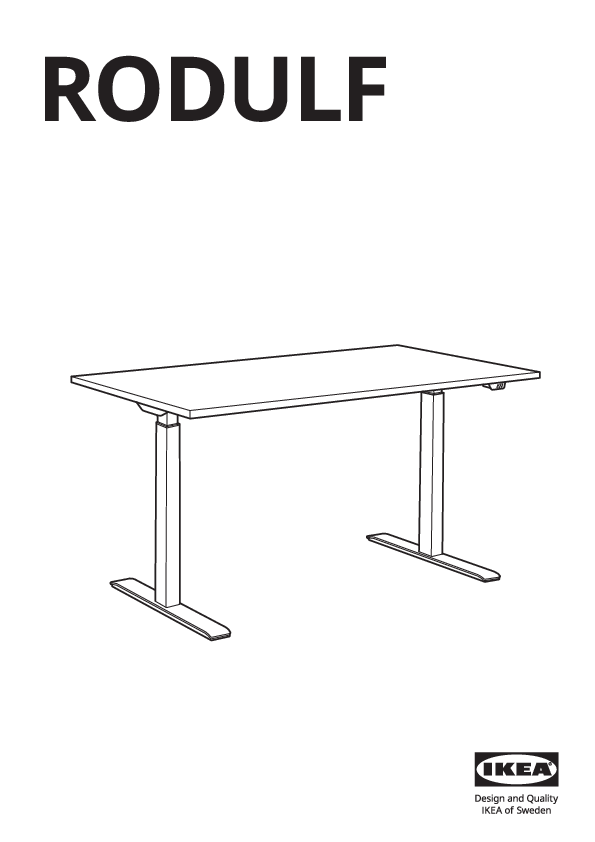
RODULF
IKEA Design and Quality
IKEA of Sweden
Product Overview
This document provides assembly instructions for the IKEA RODULF sit/stand desk frame.
Important Safety Information:
- Do not use power tools for assembly. Use the provided tools. [tool]
- Assemble on a soft, clean surface, such as a rug, to prevent scratching. [assemble on soft surface]
- If you encounter difficulties, consult the manual or contact IKEA. [consult manual] [contact IKEA]
Parts List
| Part | Description | Quantity | Part Number |
|---|---|---|---|
| Bolt | M6x15 | 4x | 100162 |
| Bolt | M8x20 | 10x | 131187 |
| Bolt | M6x12 | 10x | 100712 |
| Screw | M6x16 | 2x | 107624 |
| Screw | M6x10 | 2x | 108433 |
| Screw | M4x12 | 2x | 109560 |
| Foot | Adjustable Foot | 4x | 10052706 |
| Tool | Wrench | 1x | 130772 |
| Tool | Allen Key | 1x | 124325 |
| Control Box | Main Control Unit | 1x | 10074543 |
| Control Panel | Handset/Control Panel | 1x | 10074542 |
| Various small parts | For cable management and internal components | Various | 138690, 138691, 138692, 153940, 153941, 153942, 153943, 194928 |
Assembly Steps
Step 1: Attach mounting rails to the tabletop.
Attach the two mounting rails, marked with measurement indicators, to the underside of the tabletop using ten (10) screws (100712) and the Allen key (124325). Ensure the rails are parallel and correctly positioned.
Shows two metal rails with ruler markings being screwed onto the underside of a tabletop. An Allen key and screws are depicted.
Step 2: Attach leg brackets to the tabletop.
Position the leg brackets onto the tabletop, aligning them with the mounting rails. Secure each bracket with four (4) screws (107624) using the wrench (130772). Do not use power tools for this step.
Illustrates leg brackets being attached to the tabletop. An arrow indicates the correct orientation of the bracket. A symbol shows a screw and a crossed-out power drill.
Step 3: Attach the legs to the leg brackets.
Insert the desk legs into the attached leg brackets. Secure each leg with four (4) bolts (131187) using the Allen key (124325).
Shows desk legs being inserted into the leg brackets and fastened with bolts and an Allen key.
Step 4: Attach the crossbar.
Attach the crossbar between the two desk legs using two (2) screws (107624) and the Allen key (124325). Ensure the crossbar is level.
Depicts a crossbar being connected between the two desk legs with screws and an Allen key.
Step 5: Connect leg cables to the control box.
Route the cables from each desk leg towards the center. Connect these cables to the designated ports on the control box (10074543).
Shows cables from the legs being routed and plugged into a central control box.
Step 6: Attach the cable management bracket.
Attach the cable management bracket or cover to the underside of the desk frame using eight (8) bolts (131187) and the Allen key (124325).
Illustrates a cable management bracket being secured to the desk frame with bolts and an Allen key.
Step 7: Mount the control box.
Mount the control box (10074543) to the underside of the desk, securing it with screws (100162) and the Allen key (124325).
Shows the control box being attached to the desk's underside using screws and an Allen key.
Step 8: Secure cables.
Use cable clips (109560) and screws (108433) to organize and secure all cables along the desk frame and legs.
Depicts cables being neatly managed and secured with clips and screws to the desk structure.
Step 9: Attach the feet.
Screw the four (4) adjustable feet (10052706) into the bottom of each desk leg to allow for leveling.
Shows adjustable feet being screwed into the base of the desk legs.
Step 10: Connect the control panel.
Connect the control panel cable (10074542) to the corresponding port on the control box (10074543).
Close-up view of the control panel cable being plugged into the control box.
Step 11: Route control panel cable.
Route the control panel cable along the desk frame and secure it using the cable management clips. The control panel can be mounted on either side.
Shows the control panel cable being guided through clips on the desk frame.
Step 12: Connect power.
Connect the power cord to the control box (10074543). Plug the other end into a wall outlet.
Illustrates the power cord being connected to the control box.
Step 13: Final cable connections and routing.
Ensure all cables are properly connected and routed. The diagram shows connecting the control panel cable and potentially other accessory cables to the control box.
Detailed view of connecting various cables to the control box, showing ports and cable routing.
Step 14: Final cable management.
Tuck away any excess cables neatly using the provided clips and channels for a clean workspace.
Shows cables being organized and secured within the desk's cable management features.
Step 15: Final assembly check.
Perform a final check to ensure all components are securely fastened. The desk is now ready for use.
The fully assembled RODULF sit/stand desk frame is shown.
Step 16: Attach cable cover.
Attach the cable cover or modesty panel to the front of the desk frame using four (4) clips or fasteners.
Shows a cover panel being attached to the desk frame, with close-ups of clip engagement.
Step 17: Final wiring and setup.
Connect the cables from the legs to the control box and then connect the control panel and power cord. The diagram shows the final wiring configuration and the desk being tilted or adjusted.
Shows the final wiring configuration and a circular arrow indicating the desk's movement or adjustment.
Usage and Safety
[i] The RODULF desk is designed for sit/stand use.
Maximum Load Capacity:
The desk can support a maximum weight of 80 kg (176 lbs).
- Correct Usage: Distribute weight evenly across the tabletop. [correct loading]
- Incorrect Usage: Avoid placing excessive weight on one side or exceeding the maximum load. [incorrect loading]