

File info: application/pdf · 31 pages · 385.85KB
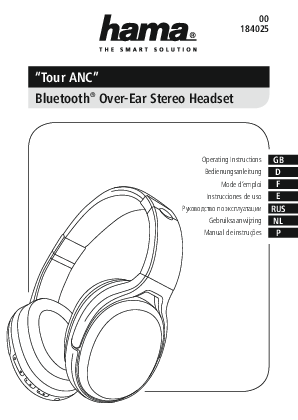
"Tour ANC" Bluetooth Over-Ear Stereo Headset
3 Note •The Bluetooth connection remains available during charging. •Ifthe battery level is low when using the headset, avoice says ‘Low Battery’.Connect the headset to asuitable USB port using the charging cable. 5. Op…
PDF "Tour ANC" Bluetooth Over-Ear Stereo Headset
3 Note •The Bluetooth connection remains available during charging. •Ifthe battery level is low when using the headset, avoice says 'Low Battery'.Connect the headset to asuitable USB port using the charging cable. 5. Op…
00184025 / Hama Bluetooth "Tour ANC" headphones, over-ear, active noise cancelling, micro
manual
Full PDF Document

If the inline viewer fails, it will open the original document in compatibility mode automatically. You can also open the file directly.
Extracted Text
00 184025
"Tour ANC" Bluetooth� Over-Ear Stereo Headset
Operating Instructions GB Bedienungsanleitung D
Mode d`emploi F Instrucciones de uso E    RUS Gebruiksaanwijzing NL Manual de instru�es P

1 2 3
4 5
6

7 8 9 10

G Operating instruction

Controls and Displays
1. Volume + / Next song 2. Volume - / Previous song 3. ANC ON LED indicator 4. ANC ON/OFF switch 5. LED function indicator 6. Multifunction button (MFB): Power / Play / Pause / Call
acceptance 7. Microphone 8. 3.5-mm AUX input 9. Charging LED indicator 10. Micro-USB charging socket
Thank you for choosing a Hama product. Take your time and read the following instructions and information completely. Please keep these instructions in a safe place for future reference. If you sell the device, please pass these operating instructions on to the new owner.
1. Explanation of Warning Symbols and Notes

with the legal requirements. � Dispose of packaging material immediately according to locally
applicable regulations. � Do not modify the product in any way. Doing so voids the
warranty.
Warning - Battery
� Only use suitable charging devices or USB connections for charging.
� As a rule, do not charge devices or USB connections that are defective and do not try to repair them yourself.
� Do not overcharge the product or allow the battery to completely discharge.
� Avoid storing, charging or using batteries in extreme temperatures.
� When stored over a long period of time, batteries should be charged regularly (at least every three months).

Warning
This symbol is used to indicate safety instructions or to draw your attention to specific hazards and risks.
Note
This symbol is used to indicate additional information or important notes.
2. Package Contents � 1x Bluetooth� Over-Ear Stereo Headset ,,Tour ANC" � 1x Micro-USB charging cable � 1x 3.5-mm stereo AUX cable with microphone � These operating instructions
3. Safety Notes � The product is intended for private, non-commercial use only. � Protect the product from dirt, moisture and overheating, and
only use it in a dry environment. � Do not drop the product and do not expose it to any major
shocks. � Do not operate the product outside the power limits given in
the specifications. � Do not open the device or continue to operate it if it becomes
damaged. � Since the battery is integrated and cannot be removed, you will
need to dispose of the product as a whole. Do this in compliance

Warning - High volumes
� High sound pressure level! � There is a risk of hearing damage. � To prevent hearing loss, avoid listening at high volume levels
for long periods. � Always keep the volume at a reasonable level. Loud
volumes, even over short periods, can cause hearing loss. � Using this product limits your perception of
ambient noise. For this reason, do not operate any vehicles or machines while using this product.
4. Getting Started
� The headset is equipped with a rechargeable battery. The battery must be fully charged before using the device for the first time.
� Ensure that the headset is switched off before charging it. � Begin charging by connecting the included USB charging cable
to the charging socket (10) as well as to the USB connection of a PC/laptop. � Alternatively, you can charge the headset using a suitable USB charger. Please refer to the operating instructions for the USB charger used. � The LED (9) is constantly lit red during charging. � It takes around 2-3 hours until the battery is completely charged. � Once the charging process is complete, the LED (9) is lit green. � Disconnect all cable and mains connections after use.

2

Note

Note � Bluetooth� password

� The Bluetooth� connection remains available during charging.
� If the battery level is low when using the headset, a voice says `Low Battery'. Connect the headset to a suitable USB port using the charging cable.
5. Operation Switching the headset off/on � Press and hold the MFB button (6) for about 3 seconds until
a voice says `Hello' and the LED (5) flashes alternating red and blue. � To switch the device off, press and hold the MFB button (6) for about 5 seconds until a voice says `Goodbye' and the red LED (5) flashes and goes out.
Note

Some terminal devices require a password in order to connect to another Bluetooth� device. � If your terminal device requests a password for connection
with the headset, enter 0000.
Note
� If the connection was successful, the LED (5) flashes and a voice says `Your device is connected'.
� If the connection attempt takes longer than 600 seconds to complete, it is cancelled and the LEDs go out. In this case, repeat the steps listed previously under 5.1 Bluetooth� pairing.
5.2. Automatic Bluetooth� connection (after successful pairing)

The functions described in this section are only available for Bluetooth�-capable terminal devices.
5.1. Bluetooth� pairing
Note � Pairing
� Make sure that your Bluetooth�-capable terminal device is on and Bluetooth� is activated.
� Make sure that your Bluetooth�-capable terminal device is visible for other Bluetooth� devices.
� For more information, please refer to the operating instructions of your terminal device.
� The headset and the terminal device should not be any further than 1 metre away from each other. The smaller the distance, the better.
� Switch the headset on using the MFB button (6). � Press and hold the MFB button (6) for about 5 seconds until a voice
says `Hello' and the LED (5) flashes alternating red and blue. The headset is searching for a Bluetooth� connection. � Open the Bluetooth� settings on your terminal device and wait until Hama BTH TOUR ANC appears in the list of Bluetooth� devices found. � Select Hama BTH TOUR ANC and wait until the headset is listed as connected in the Bluetooth� settings on your terminal device.

Note
� Make sure that your Bluetooth�-capable terminal device is on and Bluetooth� is activated.
� Make sure that your Bluetooth�-capable terminal device is visible for other Bluetooth� devices.
� For more information, please refer to the operating instructions of your terminal device.
� Switch the headset on using the MFB button (6). The blue LED begins to flash and the headset automatically connects with the last terminal device used.
Note
� If the connection was successful, the LED (5) flashes and a voice says `Your device is connected'.
� If the connection attempt takes longer than 600 seconds to complete, it is cancelled and the LEDs go out. In this case, repeat the steps listed previously under 5.1.
� It may be necessary to make settings on your terminal device to enable automatic connection with the paired headset.

3

Note � Connection impaired

Note � Call quality

After the headset and terminal device have been paired, a connection is established automatically. If the Bluetooth� connection is not established automatically, check the following: � Check the Bluetooth� settings of your terminal device to see
whether Hama BTH TOUR ANC is connected. If not, repeat the steps listed under 5.1. Bluetooth� pairing. � Check whether obstacles are impairing the range. If so, move the devices closer together. � The performance can also be affected by a weak battery.

To increase the call quality, make sure that you are near the headset with your mobile phone during the call.
5.6. ANC function This headset comes with a noise cancelling function (ANC) to reduce unwanted ambient noise (for example, the noise of an air-conditioning system). To switch on the function, press and hold the ANC button (4) until the LED (3) lights up. To switch this function off again, press the ANC button (4) once more. The LED (4) goes out.

5.3. Bluetooth� multipoint connection This headset can be connected with two Bluetooth�-enabled terminal devices simultaneously. � First connect the headset with the first terminal device as described in 5.1. � Then disable Bluetooth� on that terminal device. � Next, connect the headset with the second terminal device as
described in 5.1. � Activate Bluetooth� on the first terminal device once more. The
headset now connects to that terminal device automatically.
5.4. Audio playback
Note
� Note that the functions described under 5.4. and 5.5. are only possible with an active Bluetooth� connection.
� Your terminal device must also support the individual functions.
� For more information, please refer to the operating instructions of your terminal device.
� Functions can still be controlled directly via the terminal device.
� Set the volume on your terminal device to a low level. � If the connection was successful, a voice says `Your device is
connected' and the blue LED (5) flashes. � Start audio playback on the connected terminal device. � Press Volume + (1) to increase the volume. � Press Volume - (2) to reduce the volume. � Press the MFB button (6) to start or pause audio playback. � Press and hold Volume + (1) to skip to the next title. � Press and hold Volume - (2) to skip to the previous title.

5.7. Audio input socket In addition to connecting this headset via Bluetooth�, you can connect it using the included AUX cable. To do so, insert one end of the cable into the terminal device and the other end into the Audio input socket (6) on the left side of your headset. The Bluetooth� connection is automatically ended when you plug in the audio cable. The headset now functions as a wired headset.
5.8. Disconnecting the headset � Switch the headset off. � Disconnect the headset via the Bluetooth� settings on your
terminal device.
6. Care and Maintenance Only clean this product with a slightly damp, lint-free cloth and do not use aggressive cleaning agents. Make sure that water does not get into the product.
7. Warranty Disclaimer Hama GmbH & Co KG assumes no liability and provides no warranty for damage resulting from improper installation/mounting, improper use of the product or from failure to observe the operating instructions and/or safety notes.
8. Service and Support Please contact Hama Product Consulting if you have any questions about this product. Hotline: +49 9091 502-115 (German/English) Further support information can be found here: www.hama.com

5.5. Hands-free function
� Press the MFB button (6) once to answer an incoming call. � Press the MFB button(6) twice or use your telephone to reject an
incoming call. � During a call, press the MFB button (6) once to end the call.

4

9. Technical Data

Bluetooth� Headset

Earphone/microphone impedance

32  / < 2,2 k

Frequency

20 Hz � 20 kHz / 100 Hz � 10 kHz

Earphone/microphone sensitivity

100 dB / -42 dB

WBCV

 75 mV

Range

max. 10 m

10. Recycling Information
Note on environmental protection: After the implementation of the European Directive 2012/19/EU and 2006/66/EU in the national legal system, the following applies: Electric and electronic devices as well as batteries must not be disposed of with household waste. Consumers are obliged by law
to return electrical and electronic devices as well as batteries at the end of their service lives to the public collecting points set up for this purpose or point of sale. Details to this are defined by the national law of the respective country. This symbol on the product, the instruction manual or the package indicates that a product is subject to these regulations. By recycling, reusing the materials or other forms of utilising old devices/Batteries, you are making an important contribution to protecting our environment.

Bluetooth� technology Profile
Transmission frequency Battery

v4.1 + EDR HFP V1.6 / HSP V1.2 / A2DP V1.2/
AVRCP V1.4 / DI V1.3 2,4 � 2,48 GHz
Li-Po 3,7 V

11. Declaration of Conformity Hereby, Hama GmbH & Co KG declares that the radio equipment type [00184025] is in compliance with Directive 2014/53/EU. The full text of the EU
declaration of conformity is available at the following internet address: www.hama.com -> 00184025 -> Downloads.

Frequency band(s)

2402 MHz � 2480 MHz

Battery capacity Current consumption

500 mAh max. 380 mA

Maximum radio-frequency power transmitted

8.30 mW E.I.R.P.

Charging voltage

max. 5 V USB

Total weight

215 g

Battery life in standby mode
Talking time / Music playback time with Bluetooth� ON
Talking time / Music playback time with Bluetooth� ON + NC ON

240 h 20 h / 18 h 15 h / 12 h

5

D Bedienungsanleitung

Bedienungselemente und Anzeigen
1. Lautst�rke + / N�chstes Lied 2. Lautst�rke - / Vorheriges Lied 3. LED-Anzeige ANC EIN 4. Schalter ANC EIN / AUS 5. LED-Funktionsanzeige 6. Multifunktionstaste (MFB) / Power/ Play/Pause /Rufannahme 7. Mikrofon 8. 3,5mm AUX-Eingang 9. LED-Ladeanzeige 10. Micro-USB Ladebuchse
Vielen Dank, dass Sie sich f�r ein Hama Produkt entschieden haben! Nehmen Sie sich Zeit und lesen Sie die folgenden Anweisungen und Hinweise zun�chst ganz durch. Bewahren Sie diese Bedienungsanleitung anschlie�end an einem sicheren Ort auf, um bei Bedarf darin nachschlagen zu k�nnen. Sollten Sie das Ger�t ver�u�ern, geben Sie diese Bedienungsanleitung an den neuen Eigent�mer weiter.
1. Erkl�rung von Warnsymbolen und Hinweisen

� Der Akku ist fest eingebaut und kann nicht entfernt werden, entsorgen Sie das Produkt als Ganzes gem�� den gesetzlichen Bestimmungen.
� Entsorgen Sie das Verpackungsmaterial sofort gem�� den �rtlich g�ltigen Entsorgungsvorschriften.
� Nehmen Sie keine Ver�nderungen am Ger�t vor. Dadurch verlieren sie jegliche Gew�hrleistungsanspr�che.
Warnung � Akku
� Verwenden Sie nur geeignete Ladeger�te oder USBAnschl�sse zum Aufladen.
� Verwenden Sie defekte Ladeger�te oder USB-Anschl�sse generell nicht mehr und versuchen Sie nicht, diese zu reparieren.
� �berladen oder tiefentladen Sie das Produkt nicht. � Vermeiden Sie Lagerung, Laden und Benutzung bei
extremen Temperaturen. � Laden Sie bei l�ngerer Lagerung regelm��ig (mind.
viertelj�hrig) nach.

Warnung

Warnung � Hohe Lautst�rke

Wird verwendet, um Sicherheitshinweise zu kennzeichnen oder um Aufmerksamkeit auf besondere Gefahren und Risiken zu lenken.
Hinweis
Wird verwendet, um zus�tzlich Informationen oder wichtige Hinweise zu kennzeichnen.
2. Packungsinhalt � 1x Bluetooth�-Over-Ear-Stereo-Headset ,,Tour ANC" � 1x Micro-USB Ladekabel � 1x 3.5mm Stereo AUX-Kabel mit Mikrofon � diese Bedienungsanleitung
3. Sicherheitshinweise � Das Produkt ist f�r den privaten, nicht-gewerblichen
Haushaltsgebrauch vorgesehen. � Sch�tzen Sie das Produkt vor Schmutz, Feuchtigkeit und
�berhitzung und verwenden Sie es nur in trockenen R�umen. � Lassen Sie das Produkt nicht fallen und setzen Sie es keinen heftigen
Ersch�tterungen aus. � Betreiben Sie das Produkt nicht au�erhalb seiner in den technischen
Daten angegebenen Leistungsgrenzen. � �ffnen Sie das Produkt nicht und betreiben Sie es bei
Besch�digungen nicht weiter.

� Hoher Schalldruck! � Es besteht das Risiko eines Geh�rschadens. � Um einen Verlust des H�rsinns zu verhindern, vermeiden
Sie das H�ren bei gro�em Lautst�rkepegel �ber lange Zeitr�ume. � Halten Sie die Lautst�rke immer auf einem vern�nftigen Niveau. Hohe Lautst�rken k�nnen � selbst bei kurzer Dauer � zu H�rsch�den f�hren. � Die Benutzung des Produktes schr�nkt Sie in der Wahrnehmung von Umgebungsger�uschen ein. Bedienen Sie daher w�hrend der Benutzung keine Fahrzeuge oder Maschinen.
4. Inbetriebnahme
� Das Headset verf�gt �ber einen wieder aufladbaren Akku. Vor der ersten Anwendung muss der Akku vollst�ndig aufgeladen werden.
� Stellen Sie sicher, dass das Headset vor dem Aufladen ausgeschaltet ist. � Starten Sie den Ladevorgang, indem Sie das beiliegende USB-
Ladekabel an die Ladebuchse (10) und an den USB-Anschluss eines PCs/Notebooks anschlie�en. � Alternativ k�nnen Sie das Headset �ber ein geeignetes USBLadeger�t laden. Beachten Sie hierzu die Bedienungsanleitung des verwendeten USB-Ladeger�ts. � Die LED (9) leuchtet w�hrend des Ladevorgangs dauerhaft rot. � Es dauert ca. 2-3 Stunden, bis der Akku vollst�ndig aufgeladen ist. � Nach Abschluss des Ladevorgangs leuchtet die LED (9) gr�n. � Trennen Sie anschlie�end alle Kabel- und Netzverbindungen.

6

Hinweis

Hinweis � Bluetooth� Passwort

� W�hrend des Ladevorgangs ist die Bluetooth� Verbindung weiterhin verf�gbar.
� Bei niedrigem Akkustand w�hrend der Benutzung des Headsets erfolgt die Ansage ,,Low Battery". Verbinden Sie das Headset mit Hilfe des Ladekabels mit einem geeigneten USB-Anschluss.

Manche Endger�te ben�tigen f�r die Einrichtung der Verbindung mit einem anderen Bluetooth� Ger�t ein Passwort.
� Geben Sie f�r die Verbindung mit dem Headset das Passwort 0000 ein, wenn Sie zur Eingabe von Ihrem Endger�t aufgefordert werden.

5. Betrieb Ein-/ Ausschalten des Headsets � Dr�cken Sie die MFB-Taste (6) f�r ca. 3 Sekunden, bis die Ansage
,,Hello" ert�nt und die LED (5) abwechselnd rot und blau blinkt. � Zum Ausschalten dr�cken Sie die MFB-Taste (6) f�r ca. 5 Sekunden,
bis die Ansage ,,Goodbye" ert�nt, sowie die rote LED (5) blinkt und erlischt.
Hinweis

Hinweis
� Wenn die Verbindung erfolgreich war, blinkt die LED (5) und es ert�nt die Ansage ,,Your device is connected".
� Wenn der Verbindungvorgang l�nger als 600 Sekunden dauert, erl�schen die LEDs und der Vorgang wird abgebrochen.
� In diesem Fall wiederholen Sie die oben unter 5.1 genannten Schritte zur Bluetooth� Erstverbindung (Pairing).

Die in diesem Kapitel beschriebenen Funktionen sind nur mit Bluetooth�-f�higen Endger�ten m�glich.

5.2.Automatische Bluetooth� Verbindung (nach bereits erfolgtem Pairing)

5.1. Bluetooth� Erstverbindung (Pairing)

Hinweis

Hinweis � Pairing
� Stellen Sie sicher, dass Ihr Bluetooth�-f�higes Endger�t eingeschaltet ist und dass Bluetooth� aktiviert ist.
� Stellen Sie sicher, dass Ihr Bluetooth�-f�higes Endger�t f�r andere Bluetooth� Ger�te sichtbar ist.
� Beachten Sie hierzu die Bedienungsanleitung Ihres Endger�tes.
� Das Headset und das Endger�t sollten nicht weiter als 1 Meter voneinander entfernt sein. Je geringer der Abstand, desto besser.
� Schalten Sie das Headset mit der MFB Taste (6) ein. � Dr�cken und halten Sie die MFB-Taste (6) f�r ca. 5 Sekunden bis die
Ansage ,,Hello" ert�nt, sowie die LED (5) abwechselnd blau und rot blinkt. Das Headset sucht nach einer Bluetooth� Verbindung. � �ffnen Sie auf Ihrem Endger�t die Bluetooth� Einstellungen und warten Sie bis in der Liste der gefundenen Bluetooth� Ger�te Hama BTH TOUR ANC angezeigt wird. � W�hlen Sie Hama BTH TOUR ANC aus und warten Sie, bis das Headset als verbunden in den Bluetooth� Einstellungen Ihres Endger�tes angezeigt wird.

� Stellen Sie sicher, dass Ihr Bluetooth�-f�higes Endger�t eingeschaltet ist und dass Bluetooth� aktiviert ist.
� Stellen Sie sicher, dass Ihr Bluetooth�-f�higes Endger�t f�r andere Bluetooth� Ger�te sichtbar ist.
� Beachten Sie hierzu die Bedienungsanleitung Ihres Endger�tes.
� Schalten Sie das Headset mit der MFB Taste (6) ein. Die blaue LED beginnt zu blinken und das Headset verbindet sich automatisch mit dem zuletzt genutzten Endger�t.
Hinweis
� Wenn die Verbindung erfolgreich war, blinkt die LED (5) und es ert�nt die Ansage ,,Your device is connected".
� Wenn der Verbindungvorgang l�nger als 600 Sekunden dauert, erl�schen die LEDs und der Vorgang wird abgebrochen. In diesem Fall wiederholen Sie die oben unter 5.1 genannten Schritte.
� Gegebenenfalls m�ssen Sie die Einstellung auf dem Endger�t vornehmen, um die automatische Verbindung mit dem Headset zuzulassen.

7

Hinweis - Verbindung beeintr�chtigt
Nach einer erfolgreichen Erstverbindung erfolgt die Verbindung automatisch. Sollte sich die Bluetooth� Verbindung nicht automatisch wiederherstellen, pr�fen Sie die folgenden Punkte: � Kontrollieren Sie in den Bluetooth� Einstellungen des
Endger�tes, ob Hama BTH TOUR ANC verbunden ist. Wenn nicht, wiederholen Sie die unter 5.1. Bluetooth� Erstverbindung genannten Schritte. � Kontrollieren Sie, ob Hindernisse die Reichweite beeintr�chtigen. Wenn ja, positionieren Sie die Ger�te n�her zueinander. � Auch bei schwacher Batterie kann die Leistung beeintr�chtigt sein.
5.3. Bluetooth� Multipoint Verbindung Dieses Headset kann sich mit zwei Bluetooth�-f�higen Endger�ten gleichzeitig verbinden (Multipoint). � Verbinden Sie zun�chst das Headset wie unter 5.1 beschrieben mit
dem ersten Endger�t. � Deaktivieren Sie anschlie�end die Bluetooth� Funktion auf diesem
Endger�t. � Verbinden Sie dann das Headset wie unter 5.1 beschrieben mit dem
zweiten Endger�t. � Aktivieren Sie die Bluetooth� Funktion auf dem ersten Endger�t
erneut. Das Headset verbindet sich dann auch mit diesem Endger�t mittels der automatischen Bluetooth� Verbindung.
5.4. Audio-Wiedergabe
Hinweis
� Beachten Sie, dass die unter 5.4. und 5.5. beschriebenen Funktionen nur bei einer aktiven Bluetooth� Verbindung m�glich sind.
� Zudem m�ssen die einzelnen Funktionen von Ihrem Endger�t unterst�tzt werden.
� Beachten Sie hierzu die Bedienungsanleitung Ihres Endger�tes.
� Die Funktionen lassen sich weiterhin auch direkt �ber das Endger�t steuern.
� Stellen Sie die Lautst�rke Ihres Endger�tes auf ein niedriges Niveau ein.
� Schalten Sie das Headset mit der MFB Taste (6) ein. Eine erfolgreiche Verbindung wird durch die Ansage ,,Your device is connected" und das blinken der blauen LED (5) angezeigt.
� Starten Sie die Audiowiedergabe auf dem verbundenen Endger�t. � Dr�cken Sie Lautst�rke+ (1), um die Lautst�rke zu erh�hen. � Dr�cken Sie Lautst�rke- (2), um die Lautst�rke zu reduzieren.

� Dr�cken Sie die MFB Taste (6), um die Audio-Wiedergabe anzuhalten oder zu starten.
� Dr�cken und halten Sie Lautst�rke+ (1), um zum n�chsten Titel zu springen.
� Dr�cken und halten Sie Lautst�rke- (2), um zum vorherigen Titel zu springen
5.5. Freisprechfunktion � Dr�cken Sie einmal die MFB Taste (6), um einen eingehenden Anruf
anzunehmen. � Dr�cken Sie die MFB Taste (2) zweimal oder nutzen Sie ihr Telefon,
um den eingehenden Anruf abzuweisen. � Dr�cken Sie w�hrend des Gespr�chs einmal die MFB Taste (2), um
den Anruf zu beenden.
Hinweis � Gespr�chsqualit�t
Achten Sie darauf, dass Sie sich mit Ihrem Mobiltelefon w�hrend eines Anrufs in der N�he des Headsets befinden, um die Gespr�chsqualit�t zu erh�hen.
5.6. ANC-Funktion Dieses Headset ist mit einer Noise Cancelling Funktion (ANC) ausgestattet um unerw�nschte Umgebungsger�usche (z.B. das Rauschen einer Klimaanlage) zu reduzieren. Um die Funktion einzuschalten dr�cken und halten Sie die Taste ANC (4) bis die LED (3) leuchtet. Um diese Funktion wieder auszuschalten dr�cken Sie die Taste ANC (4) erneut. Die LED (4) erlischt.
5.7. Audio-Eingang Zus�tzlich zur Verbindung �ber Bluetooth� k�nnen Sie dieses Headset auch mit Hilfe des beiliegenden AUX-Kabels verbinden. Stecken Sie hierzu ein Ende in das Endger�t und das andere Ende in den Audio-Eingang (6) auf der linken Seite ihres Headsets. Beim Einstecken des Audiokabels wird die Bluetooth�-Verbindung automatisch beendet. Das Headset funktioniert jetzt wie ein kabelgebundenes Headset.
5.8. Trennen des Headsets � Schalten Sie das Headset aus. � Trennen Sie das Headset �ber die Bluetooth� Einstellungen Ihres
Endger�tes.
6. Wartung und Pflege Reinigen Sie dieses Produkt nur mit einem fusselfreien, leicht feuchten Tuch und verwenden Sie keine aggressiven Reiniger. Achten Sie darauf, dass kein Wasser in das Produkt eindringt.

8

7. Haftungsausschluss Die Hama GmbH & Co KG �bernimmt keinerlei Haftung oder Gew�hrleistung f�r Sch�den, die aus unsachgem��er Installation, Montage und unsachgem��em Gebrauch des Produktes oder einer Nichtbeachtung der Bedienungsanleitung und/oder der Sicherheitshinweise resultieren.
8. Service und Support Bitte wenden Sie sich bei Fragen zum Produkt gerne an die HamaProduktberatung. Hotline: +49 9091 502-115 (Deu/Eng) Weitere Supportinformationen finden sie hier: www.hama.com
9. Technische Daten
Bluetooth� Headset

Impedanz Kopfh�rer/Mikrofon

32  / < 2,2 k

Frequenz Kopfh�rer/Mikrofon 20 Hz � 20 kHz / 100 Hz � 10 kHz

Empfindlichkeit Kopfh�rer/ Mikrofon

100 dB / -42 dB

WBCV

 75 mV

Reichweite

max. 10 m

Bluetooth�-Technologie Profile

v4.1 + EDR
HFP V1.6 / HSP V1.2 / A2DP V1.2/ AVRCP V1.4 / DI V1.3

Gespr�chs- / Musikzeit Bluetooth� AN
Gespr�chs- / Musikzeit Bluetooth� AN + NC AN

20 h / 18 h 15 h / 12 h

10. Entsorgungshinweise
Hinweis zum Umweltschutz: Ab dem Zeitpunkt der Umsetzung der europ�ischen Richtlinien 2012/19/EU und 2006/66/EG in nationales Recht gilt folgendes: Elektrische und elektronische Ger�te sowie Batterien d�rfen nicht mit dem Hausm�ll entsorgt werden. Der Verbraucher ist gesetzlich verpflichtet,
elektrische und elektronische Ger�te sowie Batterien am Ende ihrer Lebensdauer an den daf�r eingerichteten, �ffentlichen Sammelstellen oder an die Verkaufsstelle zur�ckzugeben. Einzelheiten dazu regelt das jeweilige Landesrecht. Das Symbol auf dem Produkt, der Gebrauchsanleitung oder der Verpackung weist auf diese Bestimmungen hin. Mit der Wiederverwertung, der stofflichen Verwertung oder anderen Formen der Verwertung von Altger�ten/Batterien leisten Sie einen wichtigen Beitrag zum Schutz unserer Umwelt.

11. Konformit�tserkl�rung Hiermit erkl�rt die Hama GmbH & Co KG, dass der Funkanlagentyp [00184025] der Richtlinie 2014/53/EU entspricht. Der vollst�ndige Text der EU-
Konformit�tserkl�rung ist unter der folgenden Internetadresse verf�gbar: www.hama.com -> 00184025 -> Downloads.

Frequenzband/Frequenzb�nder
Abgestrahlte maximale Sendeleistung

2402 MHz � 2480 MHz 8.30 mW E.I.R.P.

Sendefrequenz

2,4 � 2,48 GHz

Akku

Li-Po 3,7 V

Akkukapazit�t

500 mAh

Stromaufnahme

max. 380 mA

Ladespannung

max. 5 V USB

Gewicht gesamt

215 g

Standby-Zeit

240 h

9

F Mode d`emploi

�l�ments de commande et d'affichage
1. R�glage du volume + / piste suivante 2. R�glage du volume - / piste pr�c�dente 3. Voyant LED ANC MARCHE 4. Commutateur ANC MARCHE/ARR�T 5. LED de fonctionnement 6. Touche multifonctions (MFB) / Power / Play/Pause / prise
d'appel 7. Microphone 8. Entr�e AUX de 3,5 mm 9. LED t�moin de charge 10. Prise de charge micro USB
Nous vous remercions d'avoir choisi un produit Hama. Veuillez prendre le temps de lire l`ensemble des remarques et consignes suivantes. Veuillez conserver ce mode d`emploi � port�e de main afin de pouvoir le consulter en cas de besoin. Transmettezle au nouveau propri�taire avec l'appareil le cas �ch�ant.
1. Explication des symboles d`avertissement et des remarques

cessez de l'utiliser. � La batterie est install�e de fa�on permanente et ne peut pas
�tre retir�e ; recyclez le produit en bloc conform�ment aux directives l�gales. � Recyclez les mat�riaux d'emballage conform�ment aux prescriptions locales en vigueur. � N'apportez aucune modification � l'appareil. Des modifications vous feraient perdre vos droits de garantie.
Avertissement � Batterie
� Utilisez exclusivement un chargeur appropri� ou une connexion USB pour la recharge.
� Cessez d`utiliser tout chargeur ou toute connexion USB d�fectueux et ne tentez pas de r�parer ces derniers.
� Ne surchargez ou ne d�chargez pas totalement le produit. � �vitez un stockage, une charge ou une utilisation � des
temp�ratures extr�mes. � Rechargez r�guli�rement le produit (au moins une fois par
trimestre) en cas de stockage prolong�.

Avertissement
Ce symbole est utilis� pour indiquer des consignes de s�curit� ou pour attirer votre attention sur des dangers et risques particuliers.
Remarque
Ce symbole est utilis� pour indiquer des informations suppl�mentaires ou des remarques importantes.
2. Contenu de l`emballage � 1 casque micro circum-auriculaire Bluetooth� st�r�o `Tour ANC � 1 c�ble de charge micro USB � 1 c�ble AUX st�r�o de 3,5 mm avec microphone � Ce mode d'emploi
3. Consignes de s�curit� � Ce produit est destin� � une utilisation domestique non
commerciale. � Prot�gez le produit de toute salet�, humidit�, surchauffe et
utilisez-le uniquement dans des locaux secs. � Prot�gez le produit des secousses violentes et �vitez tout choc
ou toute chute. � N`utilisez pas le produit en dehors des limites de puissance
indiqu�es dans les caract�ristiques techniques. � Ne tentez pas d`ouvrir le produit en cas de d�t�rioration et

Avertissement � Avertissement concernant le volume d`�coute
� Forte pression acoustique ! � Risque de traumatisme auditif. � Pour �viter toute perte auditive, abstenez-vous d'�couter des
fichiers audio � un niveau sonore �lev� de fa�on prolong�e. � Maintenez en permanence un niveau de volume raisonnable.
Un volume excessif - m�me � courte dur�e - est susceptible d`endommager votre ou�e. � L`utilisation du produit limite votre perception des bruits ambiants. N`utilisez donc pas le produit lorsque vous conduisez un v�hicule ou faites fonctionner une machine.
4. Mise en service
� Le casque micro dispose d'une batterie rechargeable. La batterie doit �tre totalement recharg�e avant la premi�re utilisation du casque micro.
� Assurez-vous que le casque micro est bien hors tension avant de commencer la charge de l'appareil.
� D�marrez le cycle de charge de la batterie en branchant le c�ble USB fourni � la prise de charge (10) et au port USB d'un ordinateur (portable ou non).
� Vous pouvez �galement charger le casque micro � l'aide d'un chargeur USB adapt�. Veuillez �galement consulter le mode d'emploi du chargeur USB utilis�.
� La LED (9) reste allum�e en rouge pendant la charge. � La charge compl�te de la batterie dure env. 2-3 heures.

10

� Une fois la charge termin�e, la LED (9) s'allume en vert. � D�branchez alors tous les c�bles et connexions secteur.
Remarque
� Pendant le cycle de charge, la connexion Bluetooth� reste disponible.
� Vous entendrez le message `Low Battery' en cas de niveau de batterie faible pendant l'utilisation. Branchez alors le casque micro � un port USB adapt� � l'aide du c�ble de charge.
5. Fonctionnement Mise sous/hors tension du casque micro � Appuyez sur la touche MFB (6) pendant env. 3 secondes jusqu'�
ce que vous entendiez le message `Hello' et que la LED (5) clignote en rouge et en bleu en alternance. � Pour mettre le casque hors tension, appuyez sur la touche MFB (6) pendant env. 5 secondes jusqu'� ce que vous entendiez le message `Goodbye' et que la LED rouge (5) clignote, puis s'�teigne.
Remarque
� Les fonctions d�crites dans ce chapitre sont disponibles uniquement sur des appareils compatibles Bluetooth�.

� S�lectionnez l'appareil Hama BTH TOUR ANC, puis patientez jusqu'� ce que le casque micro apparaisse en tant que connect� dans les r�glages Bluetooth� de votre appareil.
Remarque � Mot de passe Bluetooth�
Certains appareils mobiles requi�rent un mot de passe pour la configuration de la connexion avec un autre appareil Bluetooth�. � Saisissez 0000 pour la connexion avec le casque micro
dans le cas o� votre appareil mobile exige la saisie d`un mot de passe.
Remarque
� La LED (5) clignote et vous entendez le message `Your device is connected' en cas de connexion conforme.
� Les LED s'�teignent et le processus de connexion s'interrompt dans le cas o� la proc�dure dure plus de 10 min.
� Dans ce cas, r�p�tez les �tapes d�crites plus haut, au point 5.1 relatif � la premi�re connexion Bluetooth� (couplage).
5.2. Connexion Bluetooth� automatique (apr�s un premier couplage r�ussi)

5.1. Premi�re connexion Bluetooth� (couplage)

Remarque

Remarque � Couplage
� V�rifiez que votre appareil compatible Bluetooth� est bien sous tension et que sa fonction Bluetooth� est activ�e.
� V�rifiez �galement que votre appareil Bluetooth� est bien d�tectable par d`autres appareils Bluetooth�.
� Veuillez consulter le mode d'emploi de votre appareil � ce sujet.
� La distance entre le casque micro et votre appareil ne devrait pas exc�der un m�tre. Plus la distance est courte, meilleure sera la connexion.
� Mettez le casque micro sous tension � l'aide de la touche MFB (6).
� Maintenez la touche MFB (6) enfonc�e pendant env. 5 secondes jusqu'� ce que vous entendiez le message `Hello' et que la LED (5) clignote alternativement en rouge et en bleu. Le casque micro recherche une connexion Bluetooth�.
� Ouvrez le menu des param�tres Bluetooth� sur votre appareil et attendez que l'appareil Hama BTH TOUR ANC apparaisse dans la liste des appareils Bluetooth� d�tect�s.

� V�rifiez que votre appareil compatible Bluetooth� est bien sous tension et que sa fonction Bluetooth� est activ�e.
� V�rifiez �galement que votre appareil Bluetooth� est bien d�tectable par d`autres appareils Bluetooth�.
� Veuillez consulter le mode d'emploi de votre appareil � ce sujet.
� Mettez le casque micro sous tension � l'aide de la touche MFB (6). La LED bleue se met � clignoter et le casque micro se connecte automatiquement au dernier appareil utilis�.
Remarque
� La LED (5) clignote et vous entendez le message `Your device is connected' en cas de connexion conforme.
� Les LED s'�teignent et le processus de connexion s'interrompt dans le cas o� la proc�dure dure plus de 10 min. Dans ce cas, r�p�tez les �tapes d�crites plus haut, au point 5.1.
� Le cas �ch�ant, vous devrez param�trer votre appareil afin d'autoriser la connexion automatique avec le casque micro.

11

Remarque - Mauvaise connexion
Apr�s une premi�re connexion conforme, les connexions suivantes sont �tablies automatiquement. Si la connexion Bluetooth� ne s'�tablit pas automatiquement, contr�lez les points suivants : � V�rifiez, dans les param�tres Bluetooth� de votre appareil,
que Hama BTH TOUR ANC est bien connect�. Si tel n'est pas le cas, r�p�tez les �tapes d�crites au point 5.1. Premi�re connexion Bluetooth�. � V�rifiez la pr�sence d'obstacles susceptibles de r�duire la port�e. Si tel est le cas, rapprochez les appareils l'un de l'autre. � Une batterie faible est �galement susceptible d'influencer n�gativement le bon fonctionnement du produit.
5.3. Connexion Bluetooth� Multipoint Ce casque micro peut se connecter simultan�ment � deux appareils supportant Bluetooth� (Multipoint). � Connectez tout d'abord le casque micro au premier appareil,
comme d�crit au point 5.1. � D�sactivez ensuite la fonction Bluetooth� sur cet appareil. � Connectez ensuite le casque micro au second appareil, comme
d�crit au point 5.1. � R�activez la fonction Bluetooth� sur le premier appareil. Le
casque micro se connecte �galement � cet appareil gr�ce � la connexion Bluetooth� automatique.
5.4. Lecture audio
Remarque
� Veuillez noter que vous ne pourrez utiliser une des fonctions d�crites aux paragraphes 5.4. et 5.5. qu'avec une connexion Bluetooth� active.
� Ces diff�rentes fonctions doivent �galement �tre prises en charge par votre appareil.
� Veuillez consulter le mode d'emploi de votre appareil � ce sujet.
� Vous pourrez continuer � piloter directement les fonctions sur votre appareil.
� R�glez le volume de votre appareil � un niveau bas. � Mettez le casque micro sous tension � l'aide de la touche MFB
(6). Lorsque la connexion est �tablie vous entendez le message �Your device is connected� et la LED bleue (5) clignote. � Lancez la lecture audio sur l`appareil connect�. � Utilisez la touche R�glage du volume + (1) pour augmenter le volume.

� Utilisez la touche R�glage du volume - (2) pour diminuer le volume.
� Appuyez sur la touche MFB (6) afin d'interrompre ou de lancer la lecture audio.
� Maintenez la touche de r�glage du volume + (1) enfonc�e afin de passer au titre suivant.
� Maintenez la touche de r�glage du volume - (2) enfonc�e afin de passer au titre pr�c�dent.
5.5. Fonction mains libres � Appuyez une fois sur la touche MFB (6) afin de r�pondre � un
appel entrant. � Appuyez deux fois sur la touche MFB (2) ou utilisez votre
t�l�phone afin de refuser un appel entrant. � Pendant une conversation, appuyez une fois sur la touche MFB
(2) afin de terminer l'appel.
Remarque � Remarque concernant la qualit� de la communication
Pendant un appel, veillez � rester avec votre t�l�phone portable � proximit� du casque micro afin d`augmenter la qualit� de la conversation.
5.6. Fonction ANC Ce casque micro est �quip� d'une `Noise Cancelling Function' (ANC) permettant de r�duire les bruits environnants non souhait�s (par ex. le bruissement d'un climatiseur). Pour activer cette fonction, maintenez la touche ANC (4) enfonc�e jusqu'� ce que la LED (3) s'allume. Pour d�sactiver cette fonction, appuyez � nouveau sur la touche ANC (4). La LED (4) s`�teint.
5.7. Entr�e audio Outre une connexion via Bluetooth�, vous pouvez �galement connecter ce casque micro � l'aide du c�ble AUX fourni. Ins�rez une extr�mit� dans l'appareil et l'autre extr�mit� dans l'entr�e audio (6) situ�e sur le c�t� gauche de votre casque micro. Lors du branchement du c�ble audio, la connexion Bluetooth� prend fin automatiquement. Le casque micro fonctionne d�sormais comme un casque micro connect� par c�ble.
5.8. D�connexion du casque micro � Mettez le casque micro hors tension. � D�connectez le casque micro � l'aide des param�tres Bluetooth�
de votre appareil.
6. Soins et entretien Nettoyez le produit uniquement � l'aide d'un chiffon non pelucheux l�g�rement humide ; �vitez tout d�tergent agressif. Veillez � ce qu'aucun liquide ne p�n�tre dans le produit.

12

7. Exclusion de garantie La soci�t� Hama GmbH & Co KG d�cline toute responsabilit� en cas de dommages provoqu�s par une installation, un montage ou une utilisation non conformes du produit ou encore provoqu�s par le non respect des consignes du mode d`emploi et/ou des consignes de s�curit�.
8. Service et assistance En cas de question concernant le produit, veuillez vous adresser au service de conseil produits de Hama. Ligne t�l�phonique directe : +49 9091 502-115 (allemand/anglais) Vous trouverez de plus amples informations concernant l`assistance sur notre site internet : www.hama.com
9. Caract�ristiques techniques

Imp�dance du casque/ microphone
Fr�quence du casque/ microphone
Sensibilit� du casque/ microphone
WBCV

Casque micro Bluetooth� 32  / < 2,2 k
20 Hz � 20 kHz / 100 Hz � 10 kHz 100 dB / -42 dB  75 mV

Port�e

max. 10 m

Technologie Bluetooth� Profils

v4.1 + EDR
HFP V1.6 / HSP V1.2 / A2DP V1.2/ AVRCP V1.4 / DI V1.3

Autonomie de conversation / de lecture musicale Bluetooth� AN
Autonomie de conversation / de lecture musicale
Bluetooth� AN + NC AN

20 h / 18 h 15 h / 12 h

10. Consignes de recyclage
Remarques concernant la protection de l�environnement : Conform�ment � la directive europ�enne 2012/19/EU et 2006/66/CE, et afin d`atteindre un certain nombre d`objectifs en mati�re de protection de l`environnement, les r�gles suivantes doivent �tre appliqu�es: Les appareils �lectriques et �lectroniques ainsi que les batteries ne
doivent pas �tre �limin�s avec les d�chets m�nagers. Le pictogramme "picto" pr�sent sur le produit, son manuel d`utilisation ou son emballage indique que le produit est soumis � cette r�glementation. Le consommateur doit retourner le produit/la batterie usag�(e) aux points de collecte pr�vus � cet effet. Il peut aussi les remettre � un revendeur. En permettant le recyclage des produits et des batteries, le consommateur contribuera ainsi � la protection de notre environnement. C`est un geste �cologique.

11. D�claration de conformit� Le soussign�, Hama GmbH & Co KG, d�clare que l`�quipement radio�lectrique du type [00184025] est conforme � la directive 2014/53/UE. Le texte complet de
la d�claration UE de conformit� est disponible � l`adresse internet suivante: www.hama.com -> 00184025 -> Downloads.

Bandes de fr�quences
Puissance de radiofr�quence maximale

2402 MHz � 2480 MHz 8.30 mW E.I.R.P.

Fr�quence d'�mission

2,4 � 2,48 GHz

Batterie

Li-Po 3,7 V

Capacit� de la batterie

500 mAh

Consommation de courant

max. 380 mA

Tension de charge

max. 5 V USB

Poids total

215 g

Autonomie en veille

240 h

13

E Instrucciones de uso

Elementos de manejo e indicadores
1. Volumen +/Siguiente canci�n 2. Volumen -/Canci�n anterior 3. Indicador LED ANC encendido 4. Interruptor ANC encendido/apagado 5. Indicador LED de funcionamiento 6. Tecla multifunci�n (MFB): Power / Play / Pause / Respuesta
llamadas 7. Micr�fono 8. Entrada AUX de 3,5 mm 9. LED de indicaci�n de carga 10. Cable de carga micro USB
Le agradecemos que se haya decidido por un producto de Hama. T�mese tiempo y l�ase primero las siguientes instrucciones e indicaciones. Despu�s, guarde estas instrucciones de manejo en un lugar seguro para poder consultarlas cuando sea necesario. Si vende el aparato, entregue estas instrucciones de manejo al nuevo propietario.
1. Explicaci�n de los s�mbolos de aviso y de las indicaciones

� Deseche el material de embalaje en conformidad con las disposiciones locales sobre el desecho vigentes.
� No realice cambios en el aparato. Esto conllevar�a la p�rdida de todos los derechos de la garant�a.
Aviso � Bater�a
� Utilice solo cargadores adecuados o conexiones USB para efectuar la carga.
� No siga utilizando cargadores o conexiones USB defectuosos y no intente repararlos.
� No sobrecargue ni descargue el producto en profundidad. � Evite el almacenamiento, la carga y el uso en condiciones de
temperatura extrema. � En caso de almacenamiento prolongado, realice una recarga
regularmente (m�n. trimestralmente).
Advertencia � Volumen alto

Aviso
Se utiliza para caracterizar las indicaciones de seguridad o para llamar la atenci�n sobre peligros y riesgos especiales.
Nota
Se utiliza para caracterizar informaciones adicionales o indicaciones importantes.
2. Contenido del paquete � 1 Headset circumaural Bluetooth� est�reo �Tour ANC� � 1 cable de carga micro USB � 1 cable AUX est�reo de 3,5 mm con micr�fono � Estas instrucciones de manejo
3. Instrucciones de seguridad � El producto es para el uso dom�stico privado, no comercial. � Proteja el producto de la suciedad, la humedad y el
sobrecalentamiento y util�celo s�lo en recintos secos. � No deje caer el producto ni lo someta a sacudidas fuertes. � No opere el producto fuera de los l�mites de potencia indicados en
los datos t�cnicos. � No abra el producto y no lo siga operando de presentar deterioros. � La pila recargable est� montada de forma fija y no se puede retirar,
deseche el producto como una unidad y en conformidad con los reglamentos locales.

� �Nivel ac�stico elevado! � Existe riesgo de sufrir da�os auditivos. � Para evitar la p�rdida de audici�n, evite la escucha a niveles
ac�sticos elevados durante periodos prolongados de tiempo. � Mantenga siempre el volumen a un nivel razonable. Los
vol�menes altos pueden causar da�os auditivos, tambi�n en caso de breve exposici�n a ellos. � El uso del producto le limita la percepci�n de ruidos del entorno. Por tanto, no maneje veh�culos o m�quinas mientras usa el producto.
4. Puesta en funcionamiento
� El headset incorpora una bater�a recargable. La bater�a debe haberse cargado completamente antes del primer uso.
� Aseg�rese de que el headset est� apagado antes de proceder a su carga.
� Inicie el proceso de carga conectando el cable de carga USB adjunto a la hembra de carga (10) y al puerto USB de un PC/ ordenador port�til.
� Alternativamente, puede cargar el headset utilizando un cargador USB. Para ello, tenga en cuenta las instrucciones de manejo del cargador USB utilizado.
� El LED (9) luce de color rojo de manera continua durante el proceso de carga.
� La carga completa de la bater�a puede llevar aprox. 2-3 horas. � Finalizado el proceso de carga, el LED (9) luce de color verde. � Seguidamente, interrumpa todas las conexiones por cable y de red.

14

Nota

Nota � Contrase�a Bluetooth�

� Durante el proceso de carga, la conexi�n Bluetooth� sigue estando disponible.
� Si el nivel de la bater�a est� bajo mientras se utilizan los auriculares, aparece el mensaje �Low Battery� (bater�a baja). Conecte los auriculares a una conexi�n USB adecuada utilizando el cable de carga.
5. Funcionamiento Conexi�n/desconexi�n del headset � Mantenga pulsada la tecla MFB (6) durante aprox. 3 segundos
hasta que se oiga el mensaje �Hello� y el LED (5) parpadee en rojo y azul alternativamente � Para desconectarlo, pulse la tecla MFB (6) durante aprox. 5 segundos hasta que se emita el mensaje �Goodbye� y el LED (5) rojo parpadee y se apague.
Nota
Las funciones descritas en este cap�tulo solo est�n disponibles en terminales compatibles con Bluetooth�.
5.1. Conexi�n inicial Bluetooth� (vinculaci�n)
Nota � Vinculaci�n
� Aseg�rese de que su terminal compatible con Bluetooth� est� encendido y de que se ha activado Bluetooth�.
� Aseg�rese de que su terminal compatible con Bluetooth� est� visible para otros dispositivos Bluetooth�.
� Observe tambi�n las instrucciones de uso de su terminal. � Entre el headset y el terminal no deber�a haber m�s de 1 metro de
separaci�n. Cuanto menor sea la distancia entre ellos, mejor. � Encienda el headset con la tecla MFB (6). � Mantenga pulsada la tecla MFB (6) durante aprox. 5 segundos
hasta que se escuche el mensaje �Hello� y el LED azul y rojo (5) parpadeen alternativamente. El headset busca una conexi�n Bluetooth�. � En el terminal, abra la configuraci�n Bluetooth� y espere hasta que se muestre Hama BTH TOUR ANC en la lista de los dispositivos Bluetooth� encontrados. � Seleccione Hama BTH TOUR ANC y espere hasta que el altavoz se muestre como conectado en la configuraci�n Bluetooth� de su terminal.

Algunos terminales requieren una contrase�a para la configuraci�n de la conexi�n con otro dispositivo Bluetooth�. � Introduzca, para la conexi�n con el headset, la contrase�a
0000 si el terminal lo requiriese.
Nota
� Si la conexi�n se ha realizado correctamente, parpadea el LED (5) y se oye el mensaje �Your device is connected� (Su dispositivo est� conectado).
� Si el proceso de conexi�n dura m�s de 600 segundos, los LEDs de estado se apagan y el proceso se interrumpe. En tal caso, repita los pasos nombrados anteriormente bajo el punto 5.1, relativos a la conexi�n inicial Bluetooth� (vinculaci�n).
5.2. Conexi�n Bluetooth� autom�tica (una vez realizada la vinculaci�n)
Nota
� Aseg�rese de que su terminal compatible con Bluetooth� est� encendido y de que se ha activado Bluetooth�.
� Aseg�rese de que su terminal compatible con Bluetooth� est� visible para otros dispositivos Bluetooth�.
� Observe tambi�n las instrucciones de uso de su terminal. � Encienda el headset con la tecla MFB (6). El LED azul comienza a
parpadear y el headset se conecta autom�ticamente con el �ltimo terminal utilizado.
Nota
� Si la conexi�n se ha realizado correctamente, parpadea el LED (5) y se oye el mensaje �Your device is connected� (Su dispositivo est� conectado).
� Si el proceso de conexi�n dura m�s de 600 segundos, los LEDs de estado se apagan y el proceso se interrumpe. En tal caso, repita los pasos nombrados anteriormente bajo el punto 5.1.
� De ser necesario, puede que deba efectuar los ajustes necesarios en el terminal para permitir la conexi�n autom�tica con el headset

15

Nota - Fallo en la conexi�n
La conexi�n se establece de forma autom�tica tras el establecimiento correcto de la conexi�n inicial. De no establecerse la conexi�n Bluetooth� de forma autom�tica, compruebe los siguientes puntos: � Compruebe, en la configuraci�n Bluetooth� del terminal, si
Hama BTH TOUR ANC se ha conectado. De no ser as�, repita los pasos indicados en 5.1. Conexi�n inicial Bluetooth�. � Verifique la presencia de obst�culos que puedan afectar al alcance. De haberlos, reduzca la separaci�n entre los dispositivos. � El rendimiento tambi�n puede verse afectado por una carga baja de la pila.
5.3. Conexi�n Bluetooth� Multipoint Este headset puede conectarse simult�neamente con dos terminales compatibles con Bluetooth� (Multipoint). � En primer lugar, conecte el headset con el primer terminal como
se describe en 5.1. � Seguidamente, desactive la funci�n Bluetooth� en dicho terminal. � A continuaci�n, conecte el headset con el segundo terminal como
se describe en 5.1. � Vuelva a activar la funci�n Bluetooth� en el primer terminal.
El headset se conecta tambi�n a dicho terminal mediante la conexi�n Bluetooth� autom�tica.
5.4. Reproducci�n de audio
Nota
� Tenga en cuenta que las funciones descritas en 5.4. y 5.5. solo son posibles con una conexi�n Bluetooth� activa.
� Adem�s, cada una de las funciones debe ser compatible con su terminal.
� Observe tambi�n las instrucciones de uso de su terminal. � Puede seguir controlando las funciones directamente desde
el terminal.
� Baje el volumen de su terminal. � Una conexi�n realizada correctamente se indica mediante el
mensaje �Your device is connected� (Su dispositivo est� conectado) y el parpadeo del LED (5) azul. � Inicie la reproducci�n de audio en el terminal conectado. � Pulse Volumen+ (1) para aumentar el volumen. � Pulse Volumen- (2) para reducir el volumen. � Pulse la tecla MFB (6) para pausar o iniciar la reproducci�n de audio.

� Pulse y mantenga pulsado Volumen+ (1) para saltar al siguiente t�tulo.
� Pulse y mantenga pulsado Volumen- (2) para saltar al t�tulo anterior.
5.5. Funci�n de manos libres � Pulse una vez la tecla MFB (6) para aceptar una llamada entrante. � Pulse dos veces la tecla MFB (6) o emplee su tel�fono para rechazar
la llamada entrante. � Durante la conversaci�n, pulse una vez la tecla MFB (6) para
finalizar la llamada.
Nota � Calidad de audio
Durante las llamadas, mant�ngase, junto con el tel�fono m�vil, cerca del headset, para aumentar la calidad de audio.
5.6. Funci�n ANC Estos auriculares van equipados con una funci�n de cancelaci�n de ruido (ANC) para reducir los ruidos ambientales no deseados (por ejemplo, el zumbido de un apartado de aire acondicionado). Para activar la funci�n, pulse y mantenga pulsada la tecla ANC (4) hasta que luzca el LED (3). Para desconectar esta funci�n, vuelva a pulsar la tecla ANC (4). El LED (4) se apaga.
5.7. Entrada de audio Adem�s de la conexi�n a trav�s de bluetooth�, tambi�n puede conectar estos auriculares utilizando el cable AUX incluido. Inserte un extremo en el dispositivo y el otro extremo en la entrada de audio (6) situada en el lado izquierdo de los auriculares. Al introducir el cable de audio, finaliza autom�ticamente la conexi�n por Bluetooth�. Ahora, los auriculares funcionan estando conectados por cable.
5.8. Desconexi�n del headset � Apague el headset. � Desconecte el headset mediante los ajustes de Bluetooth� de
su terminal.
6. Mantenimiento y cuidado Limpie este producto s�lo con un pa�o ligeramente humedecido que no deje pelusas y no utilice detergentes agresivos. Aseg�rese de que no entre agua en el producto.
7. Exclusi�n de responsabilidad Hama GmbH & Co KG no se responsabiliza ni concede garant�a por los da�os que surjan por una instalaci�n, montaje o manejo incorrectos del producto o por la no observaci�n de las instrucciones de manejo y/o de las instrucciones de seguridad.

16

8. Servicio y soporte Si tiene que hacer alguna consulta sobre el producto, dir�jase al asesoramiento de productos Hama. L�nea directa: +49 9091 502-115 (Alem�n/Ingl�s) Encontrar m�s informaci�n de soporte aqu�: www.hama.com
9. Datos t�cnicos

Impedancia auriculares/ micr�fono
Frecuencia
Sensibilidad auriculares/ micr�fono
WBCV

Auriculares Sports Bluetooth� 32  / < 2,2 k
20 Hz � 20 kHz / 100 Hz � 10 kHz 100 dB / -42 dB  75 mV

Alcance

max. 10 m

10. Instrucciones para desecho y reciclaje
Nota sobre la protecci�n medioambiental: Despu�s de la puesta en marcha de la directiva Europea 2012/19/EU y 2006/66/EU en el sistema legislativo nacional, se aplicara lo siguiente: Los aparatos el�ctricos y electr�nicos, as� como las bater�as, no se deben evacuar en la basura dom�stica. El usuario est� legalmente obligado a
llevar los aparatos el�ctricos y electr�nicos, as� como pilas y pilas recargables, al final de su vida �til a los puntos de recogida comunales o a devolverlos al lugar donde los adquiri�. Los detalles quedaran definidos por la ley de cada pa�s. El s�mbolo en el producto, en las instrucciones de uso o en el embalaje hace referencia a ello. Gracias al reciclaje, al reciclaje del material o a otras formas de reciclaje de aparatos/pilas usados, contribuye Usted de forma importante a la protecci�n de nuestro medio ambiente.
11. Declaraci�n de conformidad Por la presente, Hama GmbH & Co KG, declara que el tipo de equipo radioel�ctrico [00184025] es conforme con la Directiva 2014/53/UE. El texto completo de la declaraci�n
UE de conformidad est� disponible en la direcci�n Internet siguiente: www.hama.com -> 00184025 -> Downloads.

Tecnolog�a Bluetooth� Perfil

v4.1 + EDR
HFP V1.6 / HSP V1.2 / A2DP V1.2/ AVRCP V1.4 / DI V1.3

Banda o bandas de frecuencia
Potencia m�xima de radiofrecuencia

2402 MHz � 2480 MHz 8.30 mW E.I.R.P.

Frecuencia de transmisi�n

2,4 � 2,48 GHz

Bater�a

Li-Po 3,7 V

Capacidad de la bater�a

500 mAh

Consumo de corriente

max. 380 mA

Tensi�n de carga

max. 5 V USB

Peso total

215 g

Tiempo de stand-by
Tiempo de conversaci�n/m�sica con Bluetooth� activado
Tiempo de conversaci�n/m�sica con Bluetooth� activado + ANC activado

240 h 20 h / 18 h 15 h / 12 h

17

R

    1.   /   2.   /   3.   ANC EIN 4.  ANC 5.    6.   (MFB):  /
 /  /    7.  8.  AUX 3,5  9.    10.   Micro-USB
     Hama.     .         .          .
1.

   ,       .

   .
2.   �  Bluetooth�- ,,Tour ANC", 1 . �   Micro-USB, 1 . �  AUX 3,5   , 1 . �
3.   �      . �   ,    .
   . �  .    . �   . �   .
 . �    .
   . �       . �     .
     .

.
�     .
�      .
�       .
�      ,   .
�           .
.
�   ! �    . �
       . �    .   ,  ..    ,      . �           .          .
4.    �     .
       . �     . �    ,   USB p   (10)    USB . �        USB.     . �      (9)   . �      . 2-3 . �        (9). �         .

18


 - Bluetooth�.

�     Bluetooth� . �
    Low Battery ( ).      USB    .
5.      �      (6)
   3 ,     �Hello�   (5)        . �   ,      (6)    5 ,     �Goodbye�     (5)     .


         Bluetooth�. �
 (0000),  .

�       (5)    �Your device is connected� (  ).
�       600 ,       .         Bluetooth� (. 5.1).
5.2.     Bluetooth�

,    ,    Bluetooth�- .
5.1.   Bluetooth� (Pairing)
 -
�        Bluetooth�.
�   Bluetooth� ,      .
�      .
�        1    .     ,   .
�    MFB (6). �      (6)
   5 ,     �Hello�    (5)        .     Bluetooth�. �   Bluetooth�         Hama BTH TOUR ANC. �  Hama BTH TOUR ANC  ,           Bluetooth�.


�        Bluetooth�.
�   Bluetooth� ,      .
�      .
�    MFB (6).    ,       ,       .
�    ,    � �.

�       (5)    �Your device is connected� (  ).
�       600 ,       .        5.1.
�  ,     ,      .

19

 -
        .   Bluetooth�   ,  : �   Bluetooth�
     Hama BTH TOUR ANC.        5.1. �    Bluetooth��. �  ,      .       . �        .

�   ,  - (2). �     ,
  MFB (6). �     ,
+ (1). �     ,
- (2).
5.5.
�    ,    (6).
�      ,     (6),    .
�   ,       (6).

5.3.    Bluetooth� (Multipoint)         Bluetooth� ( Multipoint). �       ,
    5.1. �       Bluetooth�. �       ,
    5.1. �    Bluetooth�   .
      .
5.4.

�    5.4  5.5      Bluetooth�.
�          .
�      .
�       .
�      .
�      �Your device is connected� (  )      (5).
�     . �   ,   +
(1).

 -
   ,       .
5.6.  ANC      (ANC)      (,  ).         ANC (4),      (3).        ANC (4).   (4) .
5.7.      Bluetooth�             AUX.         ,   --    (6)    .      Bluetooth�  .      .
5.8.   �  . �     Bluetooth�
.
6.           .     .   ,      .

20

7.
 Hama GmbH & Co KG     ,    ,       ,          .

8.
               Hama.    : +49 9091 502-115 (, )   : www.hama.com

9.

 , /

  Bluetooth�
32  / < 2,2 k


20 Hz � 20 kHz / 100 Hz � 10 kHz

, /

100 dB / -42 dB


 75 mV


max. 10 m

 Bluetooth�


v4.1 + EDR
HFP V1.6 / HSP V1.2 / A2DP V1.2/ AVRCP V1.4 / DI V1.3
2,4 � 2,48 GHz


Li-Po 3,7 V


500 mAh


max. 380 mA

 /     Bluetooth�

20 h / 18 h

 /     Bluetooth�

15 h / 12 h

10.
  :         2012/19/EU  2006/66/EU  :    ,
   . ,  ,      ,               ,    .        .         ,     .  ,                 .        ,          .

11.     Hama GmbH & Co KG ,    [00184025]    2014/53/.
        : www.hama.com -> 00184025 -> Downloads.

/

2402 MHz � 2480 MHz


8.30 mW E.I.R.P.


max. 5 V USB


215 g


240 h

21

N Gebruiksaanwijzing

Bedieningselementen en weergaven 1. Volume + / Volgend lied 2. Volume - / Vorig lied 3. Led-indicator ANC IN 4. Schakelaar ANC IN / UIT 5. LED-functieweergave 6. Multifunctionele knop (MFB): Power / Play / Pauze / Gesprek
aannemen 7. Microfoon 8. AUX-ingang 3,5 mm 9. Led-indicator voor het opladen 10. Micro-USB-laadpoort
Hartelijk dank dat u voor een product van Hama heeft gekozen. Neem de tijd om de volgende aanwijzingen en instructies volledig door te lezen. Berg deze gebruiksaanwijzing vervolgens op een goede plek op zodat u hem als naslagwerk kunt gebruiken. Op zodat u hem als naslagwerk kunt gebruiken. Mocht u het toestel verkopen, geeft u dan ook deze gebruiksaanwijzing aan de nieuwe eigenaar.
1. Verklaring van waarschuwingssymbolen en instructies
Waarschuwing
Wordt gebruikt voor veiligheidsinstructies of om de aandacht te trekken op bijzondere gevaren en risico`s.
Aanwijzing
Wordt gebruikt voor extra informatie of belangrijke informatie.
2. Inhoud van de verpakking � 1x Bluetooth� Over-Ear-stereo-headset ,,Tour ANC" � 1x Micro-USB-oplaadkabel � 1x AUX-stereokabel 3,5 mm met microfoon � deze bedieningsinstructies
3. Veiligheidsinstructies � Het product is bedoeld voor niet-commercieel privegebruik in
huiselijke kring. � Bescherm het product tegen vuil, vocht en oververhitting en
gebruik het alleen in droge omgevingen. � Laat het product niet vallen en stel het niet bloot aan zware
schokken of stoten. � Gebruik het product niet buiten de in de technische gegevens
vermelde vermogensgrenzen. � Open het product niet en gebruik het niet meer als het
beschadigd is. � De accu is vast ingebouwd en kan niet worden verwijderd,

voer het product derhalve als ��n geheel af overeenkomstig de wettelijke voorschriften. � Het verpakkingsmateriaal direct en overeenkomstig de lokaal geldende afvoervoorschriften afvoeren. � Verander niets aan het toestel. Daardoor vervalt elke aanspraak op garantie.
Waarschuwing � accu
� Gebruik alleen geschikte laadapparatuur of USBaansluitingen voor het opladen.
� Gebruik defecte laadapparatuur of USB-aansluitingen niet meer en probeer ze niet te repareren.
� Het op te laden product niet overladen of diepontladen. � Opbergen, opladen en gebruiken bij extreme temperaturen
vermijden. � Indien de accu's gedurende langere tijd worden
opgeborgen, dan dienen ze ten minste elke 3 maanden te worden opgeladen.
Waarschuwing � Hoog volume
� Hoog geluidsdrukniveau! � Gevaar voor gehoorschade. � Om gehoorverlies te voorkomen, dient u het horen bij
een hoog geluidsdrukniveau gedurende lange periodes te vermijden. � Houd het geluidsvolume te allen tijde op een verstandig niveau. Grote geluidsvolumen kunnen � zelfs kortstondig � tot gehoorbeschadiging leiden. � De gebruikmaking van het product beperkt u in de waarneming van omgevingsgeluiden. Bedient u om deze reden tijdens het gebruik ervan geen voertuigen of machines.
4. Inbedrijfstelling � De headset beschikt over een oplaadbare accu. V��r het eerste
gebruik dient de accu volledig te worden opgeladen. � Controleer of de headset is uitgeschakeld voordat met het opladen
wordt begonnen. � Start het opladen door de meegeleverde USB-oplaadkabel op
aansluitpunt voor het opladen (10) en op de USB-aansluiting van een pc/notebook aan te sluiten. � Alternatief kan de headset via een geschikt USB-laadtoestel worden opgeladen. Neem in dat geval de bedieningsinstructies van het gebruikte USB-laadtoestel in acht. � Het ledje (9) brandt tijdens het opladen constant rood. � Het duurt ca. 2-3 uur totdat de accu geheel is opgeladen. � Nadat het opladen is voltooid brandt het ledje (9) groen. � Aansluitend alle kabel- en netverbindingen scheiden.

22

Aanwijzing

Aanwijzing � Bluetooth�-password

� Tijdens het opladen is de Bluetooth�-verbinding gewoon beschikbaar.
� Bij een lage laadtoestand van de accu tijdens het gebruik van de headset verschijnt de melding ,,Low Battery". Verbind de headset met behulp van de oplaadkabel met een geschikte USB-poort.
5. Gebruik en werking Headset in-/ uitschakelen � Houd de MFB-knop (6) gedurende ca. 3 seconden ingedrukt totdat
de mededeling ,,Hello" weerklinkt en het ledje (5) afwisselend rood en blauw knippert. � Druk gedurende ca. 5 seconden op de MFB-knop (6) totdat de mededeling ,,Goodbye" weerklinkt en het rode ledje (5) knippert en vervolgens uitgaat.
Aanwijzing

Sommige toestellen hebben voor het tot stand brengen van de verbinding met een ander Bluetooth�-toestel een password nodig.
� Voer voor de verbinding met de headset het password 0000 in, indien uw eindtoestel de invoer van een password verlangt.
Aanwijzing
� Indien de verbinding succesvol was, dan knippert het ledje (5) en er weerklinkt de mededeling ,,Your device is connected".
� Indien de verbindingspoging langer dan 600 seconden duurt, dan gaan de LEDs uit en wordt het verbinden geannuleerd.
� In dit geval herhaalt u de hierboven onder 5.1 genoemde stappen voor de eerste maal een Bluetooth�-verbinding tot stand brengen (pairing/koppelen).

De in dit hoofdstuk beschreven functies zijn alleen met Bluetooth-geschikte toestellen mogelijk.

5.2. Automatische Bluetooth-verbinding (na een reeds uitgevoerde koppeling)

5.1. Bluetooth� koppeling tot stand brengen (Pairing)

Aanwijzing

Aanwijzing � Pairing
� Controleer of uw Bluetooth�-geschikt eindtoestel is ingeschakeld en dat de Bluetooth�-functie is geactiveerd.
� Controleer of uw Bluetooth�-geschikt eindtoestel voor andere Bluetooth�-apparatuur zichtbaar is.
� Lees hiervoor de bedieningsinstructies van uw eindtoestel a.u.b.
� De headset en het eindtoestel dienen niet meer dan 1 meter van elkaar te zijn verwijderd. Hoe dichter bij elkaar, des te beter.
� Schakel de headset met de MFB toets (6) in. � Houd de MFB-knop (6) gedurende ca. 5 seconden ingedrukt totdat
de mededeling ,,Hello" weerklinkt en het ledje (5) afwisselend rood en blauw knippert. De headset zoekt naar een Bluetooth�verbinding. � Open op uw eindtoestel de Bluetooth�-instellingen en wacht totdat in de lijst van gevonden Bluetooth�-apparatuur Hama BTH TOUR ANC wordt weergegeven. � Selecteer Hama BTH TOUR ANC en wacht totdat de headset als zijnde ,,verbonden" in de Bluetooth�-instellingen van uw eindtoestel wordt weergegeven.

� Controleer of uw Bluetooth�-geschikt weergave toestel is ingeschakeld en dat de Bluetooth�-functie is geactiveerd.
� Controleer of uw Bluetooth�-geschikt eindtoestel voor andere Bluetooth�-apparatuur zichtbaar is.
� Lees hiervoor de bedieningsinstructies van uw eindtoestel a.u.b.
� Schakel de headset met de MFB toets (6) in. De blauwe LED begint te knipperen en de headset verbindt zich automatisch met het als laatste gebruikte eindtoestel.
Aanwijzing
� Indien de verbinding succesvol was, dan knippert het ledje (5) en er weerklinkt de mededeling ,,Your device is connected".
� Indien de verbindingspoging langer dan 600 seconden duurt, dan gaan de LEDs uit en wordt het verbinden geannuleerd. In dit geval herhaalt u de hierboven onder 5.1 genoemde stappen.
� Eventueel dient u de instelling op het eindtoestel uit te voeren, teneinde de automatische verbinding met de headset toe te staan.

23

Aanwijzing - Verbinding gestoord
Nadat de eerste verbinding succesvol tot stand is gebracht wordt de verbinding normaliter steeds weer automatisch uitgevoerd. Indien de Bluetooth�-verbinding echter niet wederom automatisch tot stand wordt gebracht, dan dienen de hieronder vermelde punten te worden gecontroleerd: � Controleer in de Bluetooth�-instellingen van uw eindtoestel
of Hama BTH TOUR ANC is verbonden. Is dit niet het geval, dan herhaalt u de onder 5.1. De eerste maal een Bluetooth�-verbinding tot stand brengen (koppelen) vermelde stappen. � Controleer of hindernissen het bereik negatief be�nvloeden. Indien dit het geval is, dan plaatst u de toestellen dichter bij elkaar. � Ook kan bij een zwakke accu het zendvermogen beperkt zijn.

� Druk op Volume + (1), teneinde het geluidsniveau te verhogen. � Druk op Volume - (2), teneinde het geluidsniveau te verlagen. � Druk op de MFB toets (6), teneinde de audioweergave te pauzeren
of te starten. � Houd de toets Volume + (1) ingedrukt, teneinde naar de volgende
titel te springen. � Houd de toets Volume - (2) ingedrukt, teneinde naar de vorige
titel te springen.
5.5. Handsfree-functie � Druk eenmaal op de MFB toets (6) teneinde een binnenkomend
gesprek aan te nemen. � Druk tweemaal op de toets MFB (6) of gebruik uw telefoon
teneinde het binnenkomende gesprek te weigeren. � Druk tijdens het gesprek eenmaal op de MFB toets (6), teneinde het
gesprek te be�indigen.
Aanwijzing � Gesprekskwaliteit

5.3. Bluetooth� Multipoint-verbinding Deze headset kan zich met twee Bluetooth�-geschikte eindtoestellen tegelijkertijd verbinden (Multipoint). � Verbind allereerst de headset zoals onder 5.1 is beschreven met het
eerste eindtoestel. � Deactiveer aansluitend de Bluetooth�-functie op dit eindtoestel. � Verbind dan de headset zoals onder 5.1 is beschreven met het
tweede eindtoestel. � Activeer de Bluetooth�-functie op het eerste eindtoestel opnieuw.
De headset verbindt zich dan tevens met dit eindtoestel door middel van de automatische Bluetooth�-verbinding.
5.4. Audioweergave
Aanwijzing � verbinding stagneert
� Houd er rekening mee, dat de onder 5.4. en 5.5. beschreven functies uitsluitend bij een actieve Bluetooth�-verbinding mogelijk zijn.
� Bovendien dienen de afzonderlijke functies van uw eindtoestel te worden ondersteund.
� Lees hiervoor de bedieningsinstructies van uw eindtoestel a.u.b.
� De functies kunnen verder tevens direct via het eindtoestel worden geregeld.
� Stel het volume van uw eindtoestel op een laag niveau in. � Een succesvolle verbinding wordt door de mededeling ,,Your
device is connected" en het knipperen van het blauwe ledje (5) aangegeven. � Start de audioweergave op het verbonden eindtoestel.

Let erop dat u met uw mobiele telefoon tijdens een telefoongesprek in de buurt van de luidspreker blijft teneinde de gesprekskwaliteit te waarborgen.
5.6. ANC-functie Deze headset is met een noise cancelling-functie (ANC) uitgerust om ongewenste omgevingsgeluiden (bijv. het ruisen van een airco) te reduceren. Om de functie in te schakelen, houdt u de toets ANC (4) ingedrukt totdat het ledje (3) brandt. Druk opnieuw op de toets ANC (4) om deze functie weer uit te schakelen. Het ledje (4) gaat uit.
5.7. Audio-ingang Naast de verbinding via Bluetooth� kunt u deze headset ook met behulp van de meegeleverde AUX-kabel verbinden. Steek hiervoor ��n kabeleinde in het eindapparaat en het andere kabeleinde in de audio-ingang (6) op de linkerzijde van uw headset. Bij het aansluiten van de audiokabel wordt de Bluetooth�verbinding automatisch verbroken. De headset functioneert nu als een kabelgebonden headset.
5.8. Headset scheiden � Schakel de headset uit. � Verbreek de verbinding met de headset via de Bluetooth�-
instellingen van uw eindtoestel.
6. Onderhoud en verzorging Reinig dit product uitsluitend met een pluisvrije, licht vochtige doek en maak geen gebruik van agressieve reinigingsmiddelen. Let erop dat er geen water in het product binnendringt.

24

7. Uitsluiting van garantie en aansprakelijkheid Hama GmbH & Co KG aanvaardt geen enkele aansprakelijkheid of garantieclaims voor schade of gevolgschade, welke door ondeskundige installatie, montage en ondeskundig gebruik van het product ontstaan of het resultaat zijn van het niet in acht nemen van de bedieningsinstructies en/of veiligheidsinstructies.
8. Service en support Neem bij vragen over het product contact op met de afdeling Productadvies van HAMA. Hotline: +49 9091 502-115 (Duits/Engels) Meer support-informatie vindt u hier: www.hama.com
9. Technische specificaties

Bluetooth� Sports oortjes

Impedantie oortelefoon/ microfoon

32  / < 2,2 k

Frequentie

20 Hz � 20 kHz / 100 Hz � 10 kHz

Gevoeligheid oortelefoon/ microfoon

100 dB / -42 dB

WBCV

 75 mV

Bereik

max. 10 m

Bluetooth�-technologie Profielen
Zendfrequentie

v4.1 + EDR
HFP V1.6 / HSP V1.2 / A2DP V1.2/ AVRCP V1.4 / DI V1.3
2,4 � 2,48 GHz

Gespreks- / muziektijd Bluetooth� AAN
Gespreks- / muziektijd Bluetooth� AAN + NC AAN

20 h / 18 h 15 h / 12 h

10. Aanwijzingen over de afvalverwerking
Notitie aangaande de bescherming van het milieu: Ten gevolge van de invoering van de Europese Richtlijn 2012/19/EU en 2006/66/EU in het nationaal juridisch system, is het volgende van toepassing: Elektrische en elektronische apparatuur, zoals batterijen mag niet met het huisvuil weggegooid worden. Consumenten zijn wettelijk
verplicht om electrische en elctronische apparaten zoals batterijen op het einde van gebruik in te dienen bij openbare verzamelplaatsen speciaal opgezet voor dit doeleinde of bij een verkooppunt. Verdere specificaties aangaande dit onderwerp zijn omschreven door de nationale wet van het betreffende land. Dit symbool op het product, de gebruiksaanwijzing of de verpakking duidt erop dat het product onderworpen is aan deze richtlijnen. Door te recycleren, hergebruiken van materialen of andere vormen van hergebruiken van oude toestellen/batterijen, levert u een grote bijdrage aan de bescherming van het mileu.

11. Conformiteitsverklaring Hierbij verklaar ik, Hama GmbH & Co KG, dat het type radioapparatuur [00184025] conform is met Richtlijn 2014/53/EU. De volledige tekst van de EU-
conformiteitsverklaring kan worden geraadpleegd op het volgende internetadres: www.hama.com -> 00184025 -> Downloads.

Frequentieband(en)
Maximaal radiofrequent vermogen

2402 MHz � 2480 MHz 8.30 mW E.I.R.P.

Accu

Li-Po 3,7 V

Accucapaciteit

500 mAh

Stroomverbruik

max. 380 mA

Oplaadspanning

max. 5 V USB

Gewicht totaal

215 g

Stand-by-tijd

240 h

25

O Manual de instru�es

Elementos de comando e indicadores
1. Volume +/M�sica seguinte 2. Volume -/M�sica anterior 3. LED de indica��o ANC LIGADO 4. Interruptor ANC LIGADO/DESLIGADO 5. LED de indica��o do funcionamento 6. Bot�o multifun�es (MFB): Power/Play/Pause/Atender
chamada 7. Microfone 8. Entrada AUX de 3,5 mm 9. LED de indica��o do carregamento 10. Tomada de carregamento micro USB
Agradecemos que se tenha decidido por este produto Hama! Antes de utilizar o produto, leia completamente estas indica�es e informa�es. Guarde, depois, estas informa�es num local seguro para consultas futuras. Se transmitir o produto para um novo propriet�rio, entregue tamb�m as instru�es de utiliza��o.
1. Descri��o dos s�mbolos de aviso e das notas

� Elimine imediatamente o material da embalagem em conformidade com as normas locais aplic�veis.
� N�o efectue modifica�es no aparelho. Perda dos direitos de garantia.
Aviso � Bateria
� Utilize apenas carregadores adequados ou liga�es USB para efetuar o carregamento.
� De modo geral, n�o utilize carregadores ou liga�es USB que apresentem danos, nem tente reparar os mesmos.
� N�o submeta o produto a um carregamento excessivo ou a um descarregamento completo.
� Evite guardar, carregar e utilizar a bateria sob temperaturas extremas.
� No caso de um per�odo de armazenamento prolongado, carregue a bateria regularmente (pelo menos, trimestralmente).

Aviso
� utilizado para identificar informa�es de seguran�a ou chamar a aten��o para perigos e riscos especiais.
Nota
� utilizado para identificar informa�es adicionais ou notas importantes.
2. Conte�do da embalagem � 1 Headset est�reo circum-auricular Bluetooth� ,,Tour ANC" � 1 cabo de carregamento micro USB � 1 cabo AUX est�reo de 3,5 mm com microfone � Estas instru�es de utiliza��o
3. Indica�es de seguran�a � O produto est� previsto apenas para utiliza��o dom�stica
e n�o comercial. � Proteja o produto contra sujidade, humidade e sobreaquecimento
e utilize-o somente em ambientes secos.. � N�o deixe cair o produto nem o submeta a choques fortes. � N�o utilize o produto fora dos limites de desempenho indicados
nas especifica�es t�cnicas. � N�o abra o produto nem o utilize caso este esteja danificado. � A bateria est� instalada de forma fixa e n�o pode ser removida.
Elimine o produto completo de acordo com a legisla��o em vigor.

Aviso - Volume alto
� Elevada press�o sonora! � Existe risco de danos auditivos. � Para evitar perda da audi��o, evite escutar a um volume
elevado durante um longo per�odo. � Mantenha sempre o volume de som num n�vel moderado.
Um volume de som elevado, mesmo durante um per�odo curto, poder� causar les�es auditivas. � A utiliza��o do produto limita a perce��o de ru�dos ambiente. Por conseguinte, durante a utiliza��o, n�o opere quaisquer ve�culos ou m�quinas.
4. Coloca��o em funcionamento
� Os auscultadores disp�em de uma bateria recarreg�vel. Antes da primeira utiliza��o, a bateria tem de ser totalmente carregada.
� Certifique-se que os auscultadores est�o desligados antes do carregamento.
� Inicie o processo de carregamento, conectando o cabo de carregamento USB juntamente fornecido � tomada de carregamento (10) e � liga��o USB de um PC/Notebook.
� Alternativamente pode carregar os auscultadores atrav�s de um carregador USB adequado. Para tal, consulte o manual de instru�es do carregador USB utilizado.
� O LED (9) acende-se permanentemente a vermelho durante o processo de carregamento.
� Demora cerca de 2-3 horas at� que a bateria esteja completamente carregada.
� Quando o processo de carregamento terminar, o LED (9) acende a verde.
� Desligue posteriormente todas as liga�es de cabos e � rede el�trica.

26

Nota

Nota � Palavra-passe Bluetooth�

� Durante o processo de carregamento, a liga��o Bluetooth� continua dispon�vel.
� Em caso de bateria fraca durante a utiliza��o dos microauscultadores ouve-se a indica��o ,,Low Battery". Com a ajuda do cabo de carregamento, conecte os microauscultadores a uma liga��o USB adequada.

Alguns dispositivos requerem a introdu��o de uma palavrapasse para estabelecer a liga��o a outro dispositivo Bluetooth�.
� Para estabelecer a liga��o aos auscultadores introduza a palavra-passe 0000 se tal lhe for solicitado pelo seu dispositivo final.

5. Opera��o
Ligar/desligar auscultadores
� Prima o bot�o MFB (6) durante cerca de 3 segundos at� ouvir a indica��o ,,Hello" e o LED (5) piscar alternadamente a vermelho e azul.
� Para desligar, prima o bot�o MFB (6) durante cerca de 5 segundos at� ouvir a indica��o ,,Goodbye" e o LED vermelho (5) piscar e apagar.

Nota
� Se a liga��o for estabelecida com �xito, o LED (5) pisca e ouve-se a indica��o ,,Your device is connected".
� Quando o processo de liga��o demora mais do que 600 segundos, os LED apagam-se e o processo � cancelado. Nesse caso, repita os passos descritos no ponto 5.1 referentes � primeira liga��o Bluetooth (emparelhamento).

Nota
As fun�es descritas nesta sec��o apenas s�o poss�veis com dispositivos com a funcionalidade Bluetooth�.
5.1. Primeira liga��o Bluetooth� (emparelhamento)
Nota � Emparelhamento
� Certifique-se de que o seu dispositivo Bluetooth� est� ligado e que o Bluetooth� est� ativado.
� Certifique-se de que o seu dispositivo Bluetooth� est� vis�vel para outros dispositivos Bluetooth�.
� Para tal, consulte o manual de instru�es do seu dispositivo.
� Os auscultadores e o dispositivo n�o devem estar a mais de 1 metro de dist�ncia um do outro. Quanto menor a dist�ncia, melhor.
� Ligue os auscultadores com a tecla MFB (6). � Prima e mantenha o bot�o MFB (6) premido durante cerca de
5 segundos at� ouvir a indica��o ,,Hello" e o LED (5) piscar alternadamente a azul e vermelho. Os auscultadores procuram uma liga��o Bluetooth�. � Abra o menu de defini�es Bluetooth� no seu dispositivo final e aguarde at� a lista de dispositivos Bluetooth� encontrados apresentar Hama BTH TOUR ANC. � Selecione Hama BTH TOUR ANC e aguarde at� que os auscultadores sejam apresentados como ligados nas defini�es Bluetooth� do seu dispositivo final.

5.2. Liga��o Bluetooth� autom�tica (ap�s emparelhamento j� efetuado)
Nota
� Certifique-se de que o seu dispositivo Bluetooth� est� ligado e que o Bluetooth� est� ativado.
� Certifique-se de que o seu dispositivo Bluetooth� est� vis�vel para outros dispositivos Bluetooth�.
� Para tal, consulte o manual de instru�es do seu dispositivo. � Ligue os auscultadores com a tecla MFB (6). Os LED azuis ficam
intermitentes e os auscultadores ligam-se automaticamente ao �ltimo dispositivo utilizado.
Nota
� Se a liga��o for estabelecida com �xito, o LED (5) pisca e ouve-se a indica��o ,,Your device is connected".
� Quando o processo de liga��o demora mais do que 600 segundos, os LED apagam-se e o processo � cancelado. Nesse caso, repita os passos descritos no ponto 5.1.
� Pode ser necess�rio configurar o dispositivo final, para permitir a liga��o autom�tica aos auscultadores.

27

Aviso - Liga��o afetada
Ap�s uma primeira liga��o bem-sucedida, a liga��o � realizada automaticamente. Caso a liga��o Bluetooth� n�o seja estabelecida automaticamente, verifique os seguintes aspetos: � Nas defini�es Bluetooth� do dispositivo, verifique se Hama
BTH TOUR ANC est� ligado. Caso tal n�o se verifique, repita os passos indicados no ponto 5.1. referentes � primeira liga��o Bluetooth�. � Verifique se existem obst�culos a afetar o alcance. Caso existam, coloque os dispositivos mais pr�ximos um do outro. � O desempenho tamb�m pode ficar prejudicado quando a bateria est� fraca.
5.3. Liga��o Bluetooth� Multipoint Estes auscultadores permitem ser ligados em simult�neo a dois dispositivos com Bluetooth� (Multipoint). � Primeiro, ligue os auscultadores como descrito no ponto
5.1 ao primeiro dispositivo. � Em seguida, desative a fun��o Bluetooth� nesse dispositivo. � Depois, ligue os auscultadores como descrito no ponto
5.1 ao segundo dispositivo. � Volte a ativar a fun��o Bluetooth� no primeiro dispositivo.
Os auscultadores ligam-se ent�o tamb�m � esse dispositivo por meio da liga��o Bluetooth� autom�tica.
5.4. Reprodu��o de �udio
Nota
� Tenha em aten��o que as fun�es explicadas nos pontos 5.4. e 5.5. s� s�o poss�veis com uma liga��o Bluetooth� ativa.
� Al�m disso, as v�rias fun�es t�m que ser suportadas pelo seu dispositivo final.
� Para tal, consulte o manual de instru�es do seu dispositivo. � As fun�es tamb�m se podem comandar diretamente
atrav�s do dispositivo.
� Regule o volume de som do seu dispositivo para um n�vel baixo. � Uma liga��o estabelecida com �xito � exibida atrav�s da indica��o
,,Your device is connected" e o piscar do LED azul (5). � Inicie a reprodu��o de �udio no dispositivo final ligado. � Prima Volume + (1), para aumentar o volume. � Prima o Volume - (2) para reduzir o volume. � Prima atecla MFB (6), para iniciar ou interromper a reprodu��o
de �udio. � Prima e mantenha premido Volume + (1) para passar para a faixa
seguinte. � Prima e mantenha premido Volume - (2) para voltar � faixa anterior.

5.5. Fun��o de alta-voz � Prima uma vez a tecla MFB (6) para atender uma chamada
recebida. � Prima a tecla MFB (6) duas vezes ou utilize o seu telefone para
rejeitar uma chamada recebida. � Durante a chamada, prima uma vez a tecla MFB (6) para terminar
a chamada.
Nota � Qualidade da chamada
Assegure-se de que se encontra, com o seu telem�vel, na proximidade dos auscultadores durante a chamada, de modo a aumentar a qualidade da mesma.
5.6. Fun��o ANC Estes microauscultadores est�o equipados com uma fun��o de Noise Cancelling (ANC) para reduzir ru�dos ambiente indesejados (por exemplo, o barulho de um ar condicionado). Para ligar a fun��o, prima e mantenha o bot�o ANC (4) premido at� o LED (3) acender. Para voltar a desligar esta fun��o, prima o bot�o ANC (4) novamente. O LED (4) apaga-se.
5.7. Entrada de �udio Para al�m do emparelhamento atrav�s da fun��o Bluetooth�, estes microauscultadores tamb�m podem ser conectados com a ajuda do cabo AUX fornecido. Para tal, insira uma extremidade do cabo no dispositivo e a outra extremidade na entrada de �udio (6) localizada no lado esquerdo dos seus microauscultadores. Ao inserir o cabo de �udio, a liga��o Bluetooth� � automaticamente terminada. Os microauscultadores funcionam agora como microauscultadores ligados por cabo.
5.8. Desligar os auscultadores � Desligue os auscultadores. � Desligue os auscultadores atrav�s das configura�es Bluetooth� do
seu dispositivo final.
6. Manuten��o e conserva��o limpe o produto apenas com um pano sem fiapos ligeiramente humedecido e n�o utilize produtos de limpeza agressivos. Certifique-se de que n�o entra �gua para dentro do produto.
7. Exclus�o de garantia A Hama GmbH & Co KG n�o assume qualquer responsabilidade ou garantia por danos provocados pela instala��o, montagem ou manuseamento incorrectos do produto e n�o observa��o do das instru�es de utiliza��o e/ou das informa�es de seguran�a.

28

8. Contactos e apoio t�cnico
Em caso de d�vidas sobre o produto, contacte o servi�o de assist�ncia ao produto da Hama. Linha de apoio ao cliente: +49 9091 502-115 (alem�o/ingl�s) Para mais informa�es sobre os servi�os de apoio ao cliente, visite: www.hama.com

9. Especifica�es t�cnicas
Imped�ncia auscultadores/ microfone

Auscultadores de desporto Bluetooth�
32  / < 2,2 k

Frequ�ncia

20 Hz � 20 kHz / 100 Hz � 10 kHz

Sensibilidade auscultadores/ microfone

100 dB / -42 dB

WBCV

 75 mV

Alcance

max. 10 m

10. Indica�es de elimina��o
Nota em Protec��o Ambiental: Ap�s a implementa��o da directiva comunit�ria 2012/19/ EU e 2006/66/EU no sistema legal nacional, o seguinte aplica-se: Os aparelhos el�ctricos e electr�nicos, bem como baterias, n�o podem ser eliminados juntamente com o lixo dom�stico. Consumidores est�o obrigados por lei a colocar
os aparelhos el�ctricos e electr�nicos, bem como baterias, sem uso em locais p�blicos espec�ficos para este efeito ou no ponto de venda. Os detalhes para este processo s�o definidos por lei pelos respectivos pa�ses. Este s�mbolo no produto, o manual de instru�es ou a embalagem indicam que o produto est� sujeito a estes regulamentos. Reciclando, reutilizando os materiais dos seus velhos aparelhos/baterias, esta a fazer uma enorme contribui��o para a protec��o do ambiente.
11. Declara��o de conformidade O(a) abaixo assinado(a) Hama GmbH & Co KG declara que o presente tipo de equipamento de r�dio [00184025] est� em conformidade com a Diretiva 2014/53/UE. O
texto integral da declara��o de conformidade est� dispon�vel no seguinte endere�o de Internet: www.hama.com -> 00184025 -> Downloads.

Tecnologia Bluetooth� Perfil

v4.1 + EDR
HFP V1.6 / HSP V1.2 / A2DP V1.2/ AVRCP V1.4 / DI V1.3

Banda(s) de frequ�ncias Pot�ncia m�xima transmitida

2402 MHz � 2480 MHz 8.30 mW E.I.R.P.

Frequ�ncia de transmiss�o

2,4 � 2,48 GHz

Bateria

Li-Po 3,7 V

Capacidade da bateria

500 mAh

Consumo de energia

max. 380 mA

Tens�o de carregamento

max. 5 V USB

Peso total

215 g

Tempo de standby
Tempo em conversa��o/m�sica Bluetooth� AN
Tempo em conversa��o/m�sica Bluetooth� AN + NC AN

240 h 20 h / 18 h 15 h / 12 h

29

Hama GmbH & Co KG 86652 Monheim / Germany
www.hama.com
The Bluetooth� word mark and logos are registered trademarks owned by Bluetooth SIG, Inc. and any use of such marks by Hama GmbH & Co KG is under license. Other trademarks and trade names are those of their respective owners.
All listed brands are trademarks of the corresponding companies. Errors and omissions excepted, and subject to technical changes. Our general terms of delivery and payment are applied.

00184025/07.19