

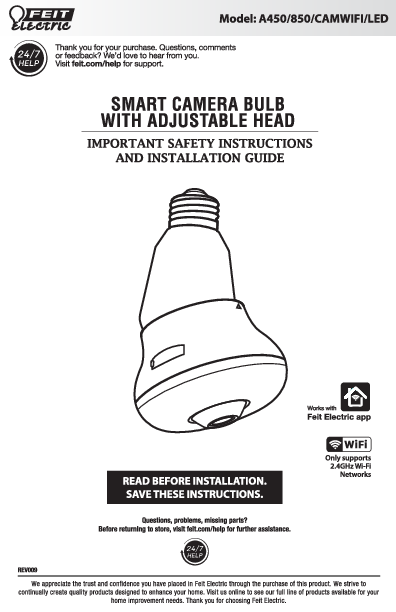
Feit Electric Smart Camera Bulb with Adjustable Head
Model: A450/850/CAMWIFI/LED
Thank you for your purchase. Questions, comments or feedback? We'd love to hear from you. Visit feit.com/help for support.
IMPORTANT SAFETY INSTRUCTIONS AND INSTALLATION GUIDE
READ BEFORE INSTALLATION. SAVE THESE INSTRUCTIONS.
Works with Feit Electric app
? Wi-Fi: Only supports 2.4GHz Wi-Fi Networks
Questions, problems, missing parts? Before returning to store, visit feit.com/help for further assistance.
Safety Information
IMPORTANT SAFEGUARDS
ALWAYS FOLLOW BASIC SAFETY PRECAUTIONS WHEN USING ELECTRICAL PRODUCTS, ESPECIALLY WHEN CHILDREN ARE PRESENT.
- ⚠️ CAUTION: Please read all information carefully before installation.
- ⚠️ CAUTION: Suitable for Damp Locations.
- ⚠️ CAUTION: Do not use with dimmers.
- ⚠️ CAUTION: Use only on 120VAC 60Hz circuit. This product is not user-serviceable. Do not attempt to open the product enclosure for any reason. Reliable operating temperature is -4°F to 104°F (-20°C to 40°C).
- ⚠️ CAUTION: This device is not intended for use with emergency exits.
FCC Statement
This device complies with part 15 of the FCC Rules. Operation is subject to the following two conditions: (1) This device may not cause harmful interference, and (2) this device must accept any interference received, including interference that may cause undesired operation. Note: This equipment has been tested and found to comply with the limits for a Class B digital device, pursuant to part 15 of the FCC Rules. These limits are designed to provide reasonable protection against harmful interference in a residential installation. This equipment generates, uses and can radiate radio frequency energy and, if not installed and used in accordance with the instructions, may cause harmful interference to radio communications. However, there is no guarantee that interference will not occur in a particular installation. If this equipment does cause harmful interference to radio or television reception, which can be determined by turning the equipment off and on, the user is encouraged to try to correct the interference by one or more of the following measures: Reorient or relocate the receiving antenna. Increase the separation between the equipment and receiver. Connect the equipment into an outlet on a circuit different from that to which the receiver is connected. Consult the dealer or an experienced radio/TV technician for help. Any changes or modifications not expressly approved by the manufacturer could void the user's authority to operate the equipment. CAN ICES-005 (Β).
The device has been evaluated to meet general RF exposure requirement. The device can be used in portable exposure condition without restriction. The device can be used in mobile (min 7.87 in.) exposure condition without restriction.
Limited Warranty
This product is warrantied to be free from defects in workmanship and materials for up to 1 year from date of purchase. If the product fails within the warranty period, please visit feit.com/help for instructions on replacement/refund or call 866.326.BULB. REPLACEMENT OR REFUND IS YOUR SOLE REMEDY. EXCEPT TO THE EXTENT PROHIBITED BY APPLICABLE LAW, ANY IMPLIED WARRANTIES ARE LIMITED IN DURATION TO THE DURATION OF THIS WARRANTY. LIABILITY FOR INCIDENTAL OR CONSEQUENTIAL DAMAGES IS HEREBY EXPRESSLY EXCLUDED. Some states and provinces do not allow the exclusion of incidental or consequential damages, so the above limitation or exclusion may not apply to you. This warranty gives you specific legal rights, and you may also have other rights which vary from state to state or province to province.
Pre-Assembly
HARDWARE INCLUDED
NOTE: Hardware not shown to actual size.
Illustration showing AA (Smart Camera Bulb) and BB (Reset Pin).
| Part | Description | Quantity |
|---|---|---|
| AA | Smart Camera Bulb | 1 |
| BB | Reset Pin | 1 |
Description
Diagram of the Smart Camera Bulb showing Microphone, Status Light, Reset Button, Speaker, MicroSD Card Slot, and E26 Base.
Input Power: 120VAC 60Hz, 10W
Status Light Meanings
- Blinking RED = Pairing Mode
- Solid RED = Rebooting
- Blinking BLUE = No Wi-Fi Connection
- Solid BLUE = Connected to Wi-Fi
MicroSD Card Slot
Add a maximum 128GB MicroSD card (sold separately) to enable recording. Only supports microSD card with FAT32 format.
Reset Button
Press and hold for 5 seconds with the Reset Pin (BB) to reset the camera.
Installation
1 Installing the smart camera bulb
Turn OFF the light switch before installing. Screw in the Smart Camera Bulb (AA) clockwise into an E26 socket until it is fully secure.
Illustration showing the Smart Camera Bulb (AA) being screwed into an E26 socket.
2 Adjusting the smart camera bulb head angle
Turn ON the light switch. Add the device to the Feit Electric app (see the App Setup section). Carefully pan or tilt the camera head until the desired viewing angle is achieved.
Illustration showing the camera head being tilted and panned, with arrows indicating direction of movement. Note: In the Feit Electric app, you can Flip Camera Screen in the Basic Feature Settings.
App Setup
Downloading and installing the Feit Electric app
- Search for the Feit Electric app in the App Store or Google Play Store.
- Download and install the Feit Electric app on your smart device.
- Connect to a 2.4GHz Wi-Fi network that covers your installation location.
Feit Electric App
? Wi-Fi: Only supports 2.4GHz Wi-Fi Networks
Setting Up the Smart Camera Bulb using the Feit Electric App
- Check to be sure the camera is in pairing mode. The RED status light must be blinking rapidly to connect. If the light is not already blinking, press and hold the Reset Button until you hear an audible tone. Use the Feit Electric app to complete the setup.
- Tap Add Device or the + sign. Tap Security & Camera and then select Camera. You will be prompted to enter your Wi-Fi network and password.
- Follow the directions in the Feit Electric app to pair your device using the QR code. Hold the phone approximately 6-12 inches from the camera and wait for the tone.
- You can find more pairing methods in the dropdown menu on the device set-up page.
Need Help?
Thank you for your purchase. Questions, comments or feedback? We'd love to hear from you. Visit feit.com/help for support or connect with us:
? @FeitElectric, @FeitElectricInc, feitelectriclighting
Troubleshooting
| PROBLEM | CORRECTIVE ACTION |
|---|---|
| Camera will not connect to my Wi-Fi network |
|
| The camera is offline |
|
| What do the blinking LEDs mean? |
|
| Live video stream is slow to load |
|
| How do I reset the camera to reenter pairing mode? |
|
| The camera is not recording |
WARNING: Reformatting MicroSD Card will delete all videos stored on card. Please go through the troubleshooting section before doing so or contact our Customer Support Team. |
| How do I set the camera to Event or Continuous Recording? |
|
| How can I check the available space on the MicroSD Card? |
|
| What happens when the MicroSD Card reaches full capacity? |
|
| Can I use a new MicroSD Card if I do not want to record over existing videos? |
WARNING: Reformatting MicroSD Card will delete all videos stored on card. Please go through the troubleshooting section before doing so or contact our Customer Support Team. |
SD™, microSD™, and SDHC™ are trademarks or registered trademarks of SD-3C, LLC in the United States, other countries, or both.
