

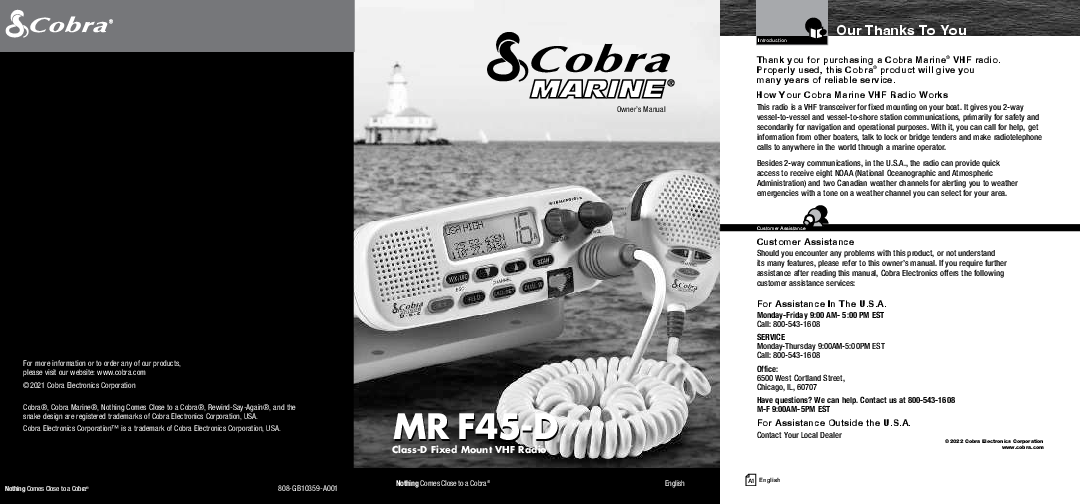
Cobra MR F45-D Class-D Fixed Mount VHF Radio Owner's Manual
File info: application/pdf · 40 pages · 8.20MB
MR F45 Manual - English
Product Help/Manuals
\n Product Help/Manuals\n
mr f45 manual english
Full PDF Document

If the inline viewer fails, it will open the original document in compatibility mode automatically. You can also open the file directly.
Extracted Text
Owner's Manual

For more information or to order any of our products, please visit our website: www.cobra.com �2021 Cobra Electronics Corporation
Cobra�, Cobra Marine�, Nothing Comes Close to a Cobra�, Rewind-Say-Again�, and the snake design are registered trademarks of Cobra Electronics Corporation, USA. Cobra Electronics CorporationTM is a trademark of Cobra Electronics Corporation, USA.

Nothing Comes Close to a Cobra�

808-GB10359-A001

MR F45-D
Class-D Fixed Mount VHF Radio
Nothing Comes Close to a Cobra�

English

Introduction

Our Thanks To You

Thank you for purchasing a Cobra Marine� VHF radio. Properly used, this Cobra� product will give you many years of reliable service.
How Your Cobra Marine VHF Radio Works This radio is a VHF transceiver for fixed mounting on your boat. It gives you 2-way vessel-to-vessel and vessel-to-shore station communications, primarily for safety and secondarily for navigation and operational purposes. With it, you can call for help, get information from other boaters, talk to lock or bridge tenders and make radiotelephone calls to anywhere in the world through a marine operator.
Besides 2-way communications, in the U.S.A., the radio can provide quick access to receive eight NOAA (National Oceanographic and Atmospheric Administration) and two Canadian weather channels for alerting you to weather emergencies with a tone on a weather channel you can select for your area.

Customer Assistance
Customer Assistance Should you encounter any problems with this product, or not understand its many features, please refer to this owner's manual. If you require further assistance after reading this manual, Cobra Electronics offers the following customer assistance services:

For Assistance In The U.S.A.
Monday-Friday 9:00 AM- 5:00 PM EST Call: 800-543-1608

SERVICE Monday-Thursday 9:00AM-5:00PM EST Call: 800-543-1608

Office: 6500 West Cortland Street, Chicago, IL, 60707

Have questions? We can help. Contact us at 800-543-1608 M-F 9:00AM-5PM EST

For Assistance Outside the U.S.A. Contact Your Local Dealer

�2022 Cobra Electronics Corporation www.cobra.com

A1 English

Introduction

Transceiver Controls, Indicators And Connections

Backlit LCD Screen

Radio Status and Data Display
Instant Channel 16/9 Button

Down Button

Up Button
Active Channel Number

Simplex Operation Icon
Squelch Knob

On-Off Power/ Volume Knob

Weather/UIC

Speaker

Button

High/Low Power Button
Position Coordinates � Latitude and Longitude

Dual-Watch Button
Call/Set Scan Button Button

Microphone Cord Connection Socket
DSC Distress Button (Behind Red Spring Loaded Cover)

Antenna Socket
A2 English

Power Connection
External Speaker Jack
Global Positioning System (GPS) Jack

Introduction

Microphone And Product Features

Microphone With Auxiliary Controls

�

Up/Down

Buttons Can be used

Talk Button

Microphone

instead of those

on the transceiver.

Instant Channel 16/9 Button Can be used instead of the one on the transceiver.

Down Button

Up Button
Instant Channel 16/9 Button

Product Features

�

Dual Power

Scan

Selectable to one (1) or 25 watts output Lets you scan through all channels in the

power for near or distant calling.

active channel map to find conversations

USA/International/Canada Channels

in progress.

Allows operation on any of the three (3) Dual-Watch

different channel maps established for these Lets you monitor two (2) channels at once

areas.

-- Channel 16 and one (1) user selectable

All NOAA Weather Channels

channel.

Instant access to all of the National Weather Controls On The Microphone

Channels, 24 hours a day.

Handy control buttons on the microphone

Emergency Weather Alert Can alert you with an audible tone and visual

let you operate one (1) handed at a distance from the radio.

alarm if threatening weather is nearby.

Illuminated Buttons

Instant Channel 16/9 Instant access to the priority

Helps you quickly find the buttons you need in low light conditions.

Channel 16 and calling Channel 9.

Mounting Kits Included

Digital Selective Calling (DSC

Radio can be mounted on or under almost

Class-D) Allows the ability to maintain a listening watch on

any flat surface using one (1) of the included brackets.

VHF Channel 16 while simultaneously monitoring Waterproof

Channel 70 for DSC calls. Allows sending a

Submersible to one (1) meter of water

distress message at the touch of a button as well for 30 minutes -- meets JIS7 Standards.

as specific station-to-station calls. Radio utilizes

two (2) built-in encoders (receivers).

A3 English

Introduction

Table Of Contents

Introduction Our Thanks To You . . . . . . . . . . . . . . . . . . . . . . . . . . . . . . . . . . . . . . . . . . . . . . . . . . . A1 Customer Assistance . . . . . . . . . . . . . . . . . . . . . . . . . . . . . . . . . . . . . . . . . . . . . . . . . . A1 Transceiver Controls, Indicators And Connections . . . . . . . . . . . . . . . . . . . . . . . . . . . A2 Microphone . . . . . . . . . . . . . . . . . . . . . . . . . . . . . . . . . . . . . . . . . . . . . . . . . . . . . . . . . A3 Product Features . . . . . . . . . . . . . . . . . . . . . . . . . . . . . . . . . . . . . . . . . . . . . . . . . . . . . A3 Important Safety Information. . . . . . . . . . . . . . . . . . . . . . . . . . . . . . . . . . . . . . . . . . . . . 2 Recommendations For Marine Communication. . . . . . . . . . . . . . . . . . . . . . . . . . . . . . . 4

VHF Marine Radio Protocols FCC Licensing Information. . . . . . . . . . . . . . . . . . . . . . . . . . . . . . . . . . . . . . . . . . . . . . . 5 VHF Marine Radio Procedures. . . . . . . . . . . . . . . . . . . . . . . . . . . . . . . . . . . . . . . . . . . . 6 Voice Calling . . . . . . . . . . . . . . . . . . . . . . . . . . . . . . . . . . . . . . . . . . . . . . . . . . . . . . . . . 7 Digital Selective Calling (DSC) . . . . . . . . . . . . . . . . . . . . . . . . . . . . . . . . . . . . . . . . . . . . 8 Maritime Mobile Service Identity (MMSI) . . . . . . . . . . . . . . . . . . . . . . . . . . . . . . . . . . . 9 Radiotelephone Calls . . . . . . . . . . . . . . . . . . . . . . . . . . . . . . . . . . . . . . . . . . . . . . . . . . 10 Emergency Messages And Distress Procedure . . . . . . . . . . . . . . . . . . . . . . . . . . . . . . 10 Marine Distress Procedure -- DSC . . . . . . . . . . . . . . . . . . . . . . . . . . . . . . . . . . . . . . . 13

Installation and Start-Up Included In This Package. . . . . . . . . . . . . . . . . . . . . . . . . . . . . . . . . . . . . . . . . . . . . . . 14 Optional Accessories . . . . . . . . . . . . . . . . . . . . . . . . . . . . . . . . . . . . . . . . . . . . . . . . . . 15 Mounting And Powering The Radio . . . . . . . . . . . . . . . . . . . . . . . . . . . . . . . . . . . . . . . 16 Antenna Requirements And Attachment . . . . . . . . . . . . . . . . . . . . . . . . . . . . . . . . . . . 20 External Devices And Connections. . . . . . . . . . . . . . . . . . . . . . . . . . . . . . . . . . . . . . . . 22
Operating Your Radio Getting Started. . . . . . . . . . . . . . . . . . . . . . . . . . . . . . . . . . . . . . . . . . . . . . . . . . . . . . . 24 Set-Up Routines. . . . . . . . . . . . . . . . . . . . . . . . . . . . . . . . . . . . . . . . . . . . . . . . . . . . . . 28 Voice Transmission . . . . . . . . . . . . . . . . . . . . . . . . . . . . . . . . . . . . . . . . . . . . . . . . . . . 32 Weather Radio And Alert . . . . . . . . . . . . . . . . . . . . . . . . . . . . . . . . . . . . . . . . . . . . . . . 34 Advanced Operation. . . . . . . . . . . . . . . . . . . . . . . . . . . . . . . . . . . . . . . . . . . . . . . . . . . 35 Digital Select Calling (DSC) Set-Up . . . . . . . . . . . . . . . . . . . . . . . . . . . . . . . . . . . . . . . 38 Digital Select Calling (DSC) Operation . . . . . . . . . . . . . . . . . . . . . . . . . . . . . . . . . . . . . 44 Maintenance & Troubleshooting . . . . . . . . . . . . . . . . . . . . . . . . . . . . . . . . . . . . . . . . . 56 Specifications. . . . . . . . . . . . . . . . . . . . . . . . . . . . . . . . . . . . . . . . . . . . . . . . . . . . . . . . 57
Appendix VHF Marine Channel Assignments. . . . . . . . . . . . . . . . . . . . . . . . . . . . . . . . . . . . . . . . 58 Weather Channel Assignments . . . . . . . . . . . . . . . . . . . . . . . . . . . . . . . . . . . . . . . . . . 71 World City Time Zones . . . . . . . . . . . . . . . . . . . . . . . . . . . . . . . . . . . . . . . . . . . . . . . . 72
Warranty Limited 3-Year Warranty . . . . . . . . . . . . . . . . . . . . . . . . . . . . . . . . . . . . . . . . . . . . . . . 73
Customer Service Product Service . . . . . . . . . . . . . . . . . . . . . . . . . . . . . . . . . . . . . . . . . . . . . . . . . . . . . . 74 Flush Mount Template . . . . . . . . . . . . . . . . . . . . . . . . . . . . . . . . . . . . . . . . . . . . . . . . . 75
Nothing Comes Close to a Cobra� 1

Introduction

Important Safety Information

Important Safety Information

�

Before installing and using your Cobra Marine VHF radio,

please read these general precautions and warnings.

Warning And Caution Statements
To make the most of this radio, it must be installed and used properly. Please read the installation and operating instructions carefully before installing and using it. Special attention must be paid to the WARNING and CAUTION statements in this manual.

WARNING Statements identify conditions that could result in personal injury or loss of life.

CAUTION Statements identify conditions that could cause damage to the radio or other equipment.

Safety Training Information This Cobra Marine radio is designed for and classified as "Occupational Use Only." It must only be used in the course of employment by individuals aware of both the hazards and the ways to minimize those hazards. This radio is NOT intended for use in an uncontrolled environment by the "General Population."
This radio has been tested and complies with the FCC RF exposure limits for "Occupational Use Only." This Cobra Marine VHF radio also complies with the following guidelines and standards regarding RF energy and electromagnetic energy levels as well as evaluation of those levels for human exposure:
n FCC OET Bulletin 65 Edition 97-01 Supplement C, Evaluating Compliance with FCC Guidelines for Human Exposure to Radio Frequency Electromagnetic Fields.
n American National Standards Institute (C95.1-1992), IEEE Standard for Safety Levels with Respect to Human Exposure to Radio Frequency Electromagnetic Fields, 3 kHz to 300 GHz.
n American National Standards Institute (C95.3-1992), IEEE Recommended Practice for the Measurement of Potentially Hazardous Electromagnetic Fields -- RF and Microwave.

2 English

Introduction

Important Safety Information

The following WARNINGS and CAUTIONS will make you aware of RF exposure hazards and how to assure you operate the radio within the FCC RF exposure limits established for it.

WARNINGS Your radio generates electromagnetic RF (radio frequency) energy when it is transmitting. To insure that you and those around you are not exposed to excessive amounts of that energy, DO NOT touch the antenna when transmitting and KEEP yourself and all others on your vessel the required distance away from the antenna while transmitting. SEE page 30 in the antenna requirements section for further information.
DO NOT operate the radio without a proper antenna or equivalent dummy load attached. Doing so may expose you to excessive RF energy and will damage the radio.
DO NOT transmit more than 50% of the time the radio is in use -- 50% duty cycle. The radio is transmitting when the Talk button is pressed and the transmit information shows on the LCD screen.
ALWAYS use only Cobra authorized accessories.
DO NOT operate the radio in an explosive atmosphere, near blasting sites, or in any area where signs are posted prohibiting radio transmissions.
NEVER connect the transceiver to AC power. It can be a fire hazard, may cause an electric shock, and may damage the transceiver.
NEVER mount the transceiver or microphone where they might interfere with operation of your vessel or cause injury.
DO NOT allow children or anyone unfamiliar with proper procedures to operate the radio without supervision.
Failure to observe any of these warnings may cause you to exceed FCC RF exposure limits or create other dangerous conditions.

NOTE Throughout this manual, the term "Transceiver" will be used to identify the main unit containing the LCD screen and controls. The term "Radio" will be used to identify the entire equipment including transceiver, microphone, antenna and any attached external speakers.

Nothing Comes Close to a Cobra� 3

Introduction

Recommendations For Marine Communication

CAUTIONS
AVOID using or storing the radio at temperatures below -4�F (-20�C) or above 140�F (60�C).
NEVER connect the transceiver to DC power greater than 16 volts or to any DC source with reversed polarity. Doing so will damage the transceiver.
DO NOT cut the power cables attached to the transceiver. Improper reconnection with reversed polarity will damage the transceiver.
POSITION your radio, external speakers, and cables at least three (3) feet (0.9 m) away from your vessel's magnetic navigation compass. CHECK your compass before and after installation to be sure that it has not introduced any deviation.
DO NOT attempt to service any internal parts yourself. Have any necessary service performed by a qualified technician.
DO NOT drop the transceiver or microphone. Doing so may crack the case or damage a waterproof seal. Once these items have been dropped, the original waterproofing cannot be guaranteed.
DO NOT use chemicals or solvents such as mineral spirits and alcohol to clean your radio. They may damage the case surfaces.

Changes or modifications to your radio MAY VOID its compliance with FCC (Federal Communications Commission) rules and make it illegal to use.

Recommendations For Marine Communication

�

The frequencies your radio uses are set aside to enhance safety afloat and for

vessel navigation and operational messages over a range suitable for nearshore

voyages. If the 25 watt maximum output of your radio isn't sufficient for the

distances you travel from the coast, consider installing more powerful radio

equipment such as HF single side band or satellite radio for your vessel.

The U.S. Coast Guard does not endorse cellular telephones as substitutes for marine radios. They generally cannot communicate with rescue vessels and, if you make a distress call on a cellular telephone, only the party you call will be able to hear you. Additionally, cellular telephones may have limited coverage over water and can be hard to locate. If you don't know where you are, the Coast Guard will have difficulty finding you if you're using a cellular telephone.

However, cellular telephones can have a place on board where cellular coverage is available -- to allow social conversations and keep the marine frequencies uncluttered and available for their intended uses.

4 English

FCC Licensing Information
VHF Marine Radio Protocols

FCC LICENSING INFORMATION

�

Cobra Marine VHF radios comply with the FCC (Federal Communication Commission)

requirements that regulate the Maritime Radio Service.

This Cobra Marine radio incorporates a VHF FM transceiver designed for use in the frequency range of 156.025 to 163.275 MHz. It requires 13.8 volts DC and has a switchable RF output power of one (1) or 25 watts.

The transceiver is capable of Class-D (Digital Selective Calling) operation in accordance with CFR Part 47, Section 80,225.

The radio operates on all currently allocated marine channels and is switchable for use according to U.S.A., International, or Canadian regulations. It features instant access to emergency Channel 16 and calling Channel 9 as well as NOAA (National Oceanic and Atmospheric Administration) All Hazards Radio with Alert that can be accessed by pressing one (1) key.

Station License

An FCC ship station license is no longer required for any vessel traveling in U.S.A. waters which uses a VHF marine radio, RADAR, or EPIRB (Emergency Position Indicating Radio Beacon), and which is not required to carry radio equipment. However, any vessel required to carry a marine radio on an international voyage, carrying a HF single side band radiotelephone, or carrying a marine satellite terminal must obtain a station license.

FCC license forms and applications for ship and land stations can be downloaded through the Internet at www.fcc.gov/forms. Forms can also be obtained by calling the FCC at 888-225-5322.

International Station License

If your vessel will be entering the sovereign waters of a country other than the U.S.A. or Canada, you should contact that country's communications regulatory authority for licensing information.

Radio Call Sign

Currently, the FCC does not require recreational boaters to have a license. The United States Coast Guard recommends that the boat's registration number and state of registry (e.g., IL 1234 AB) be used as a call sign and be clearly visible on the vessel.

Nothing Comes Close to a Cobra� 5

VHF Marine Radio Procedures
VHF Marine Radio Protocols

Canadian Ship Station License
You need a Radio Operator's Certificate if your vessel is operated in Canadian waters. Radio Operator training and certification is available from the Canadian Power Squadron. Visit their website (http://www.cps-ecp.ca/english/newradiocard.html), contact the nearest field office or write: Industry of Canada, Radio Regulatory Branch, Attn: DOSP, 300 Slater Street, Ottawa, Ontario, Canada K1A 0C8.
User Responsibility And Operating Locations
All users are responsible for observing domestic and foreign government regulations and are subject to severe penalties for violations. The VHF frequencies on your radio are reserved for marine use and require a special license to operate from land, including when your boat is on its trailer.
NOTE This device complies with part 15 of the FCC Rules. Operation is subject to the following two (2) conditions: (1) This device may not cause harmful interference, and (2) This device must accept any interference received, including interference that may cause undesired operation.
FCC Warnings: Replacement or substitution of transistors, regular diodes, or other parts of a unique nature, with parts other than those recommended by Cobra may cause a violation of the technical regulations of part 80 of the FCC Rules, or violation of type acceptance requirements of part 2 of the rules.

VHF Marine Radio Procedures

�

Maintain Your Watch

Whenever your boat is underway, the radio must be turned On and be tuned to Channel 16, except when being used for messages.

Power

Try 1 watt first if the station being called is within a few miles. Try a second call after waiting two (2) minutes. If there is no answer, switch to a higher power. This will conserve your battery and minimize interference to other users by avoiding repeated calls.

Calling Coast Stations

Call a coast station on its assigned channel. You may use Channel 16 when you do not know the assigned channel.

Calling Other Vessels

Call other vessels on Channel 16 or on Channel 9. (Channel 9 is preferred for recreational vessel use.) You may also call on ship-to-ship channels when you know that the vessel is listening on a ship-to-ship channel.

Initial Calling on Channel 16 or 9

The use of Channel 16 is permitted for making initial contact (hailing) with another vessel. The limits on calling must be followed. Be reminded, Channel 16's most important function is for Emergency Messages. If, for some reason, Channel 16 is congested, the use of Channel 9, especially in U.S. waters, may be used as the initial contact (hailing) channel for non-emergency communication.

6 English

Voice Calling
VHF Marine Radio Protocols
Limits On Calling You must not call the same station for more than 30 seconds at a time. If you do not get a reply, wait at least two (2) minutes before calling again. After three (3) calling periods, wait at least 15 minutes before calling again.
Change Channels After contacting another station on a calling channel, change immediately to a channel which is available for the type of message you want to send.
Station Identification Identify, in English, your station by your FCC call sign, ship name, the state registration number, or other official number at both the beginning and end of each message.
Prohibited Communications You MUST NOT transmit:
n False distress or emergency messages.
n Messages containing obscene, indecent, or profane words or meaning.
n General calls, signals, or messages (messages not addressed to a particular station) on Channel 16, except in an emergency or if you are testing your radio.
n When you are on land.

Voice Calling

�

To Call Another Vessel Or A Shore Installation Such As A Lock Or Bridge Tender:

n Make sure your radio is On.

n Select Channel 16 and listen to make sure it is not being used.

NOTE Channel 9 may be used by recreational vessels for general-purpose calling. This frequency should be used whenever possible to relieve congestion on Channel 16.

n When the channel is quiet, press the Talk button and call the ship you wish to call. (Hold the microphone a few inches from your face and speak directly into it in a normal tone of voice -- clearly and distinctly.) Say "[name of station being called] THIS IS [your vessel's name or call sign]."
n Once contact is made on the calling channel, you must switch to a proper working channel. See the channel listing on page 14 through 15.

Nothing Comes Close to a Cobra� 7

Digital Selective Calling (DSC)
VHF Marine Radio Protocols
For Example
The vessel Corsair calling the vessel Vagabond: Corsair: "Vagabond, this is Corsair (station license number call sign)." Vagabond: "Corsair, this is Vagabond. Over." Corsair: "Vagabond go to working Channel 68. Over."
Both parties switch over to the agreed upon working channel.... Corsair: "Vagabond I need to talk to you about... Over." Vagabond: "Corsair in answer to your question about... Over." Corsair: "Vagabond, thanks for the information about... (call sign and out)."
After each transmission, say "OVER" and release the microphone Push to Talk (PTT) button. This confirms that the transmission has ended. When all communication with the other vessel is totally completed, end the message by stating your call sign and the word "OUT." Remember, it is not necessary to state your call sign with each transmission, only at the beginning and end of the message.
NOTE For best sound quality at the shore station or other vessel receiving your call, hold the microphone/speaker at least 2 in. (51 mm) from your mouth and slightly off to one (1) side. Speak in a normal tone of voice.

Digital Selective Calling (DSC)

�

Digital selective calling is a semi-automated system for establishing a radio

call. It has been designed by the International Maritime Organization (IMO)

as an international standard for VHF, MF, and HF calls and is part of the

Global Maritime Distress and Safety System (GMDSS).

DSC will eventually replace aural (listening) watches on distress frequencies and will be used to announce routine and urgent maritime safety information broadcasts. Until DSC is fully implemented, it is still necessary to maintain a listening watch on Channel 16.

The DSC system allows mariners to instantly send a distress call with GPS position coordinates (requires a GPS receiver to be connected to the radio) to the Coast Guard and other vessels within range of the transmission. DSC also allows mariners to initiate and receive distress, urgent, safety, routine, position request, position send, and group calls between vessels equipped with DSC capable radios.

8 English

Maritime Mobile Service Identity (MMSI)
VHF Marine Radio Protocols

Maritime Mobile Service Identity (MMSI)

�

The MMSI Number Is Available In The U.S.A. From Any Of Two (2) Sources:

n U.S. Power Squadron www.usps.org

n BoatU.S.: 1-800-563-1536 � www.boatus.com/mmsi

NOTE The above references are for recreational vessels only. Commercial vessels should contact the FCC.

An MMSI is a nine (9) digit number used on a marine radio capable of using digital selective calling (DSC). It is used to selectively call other vessels or shore stations and is similar to a telephone number.
For your Cobra Marine radio to operate in the DSC mode, you must enter your maritime mobile service identity (MMSI) number. See page 41 for instructions on how to enter it.
In Canada, Contact:
n Industry Canada Spectrum Management Office (only available on the Internet): http://strategis.ic.gc.ca/epic/internet/insmt-gst.nsf/vwGeneratedInterE/sf01742e.html
To Obtain An MMSI Number Outside The U.S.A.:
Users can obtain an MMSI from their country's telecommunications authority or ship registry. This may involve amending or obtaining a ship station license.

WARNING This equipment is designed to generate a digital maritime distress and safety signal to facilitate search and rescue. To be effective as a safety device, this equipment must be used only within communication range of a shore-based VHF marine channel to distress and safety watch system. The range of the signal may vary, but under normal conditions should be approximately 20 nautical miles.

Nothing Comes Close to a Cobra� 9

Radiotelephone Calls
VHF Marine Radio Protocols

Emergency Messages And Distress Procedure

�

The ability to summon assistance in an emergency is the primary reason

to have a VHF marine radio. The marine environment can be unforgiving,

and what may initially be a minor problem can rapidly develop into a

situation beyond your control.

The Coast Guard monitors Channel 16, responds to all distress calls, and coordinates all search and rescue efforts. Depending on the availability of other capable vessels or commercial assistance operators in your vicinity, Coast Guard or Coast Guard Auxiliary craft may be dispatched.

In any event, do communicate with the Coast Guard as soon as you experience difficulties and before your situation becomes an emergency. Use the emergency message procedures only after your situation has become grave or you are faced with a sudden danger threatening life or property and requiring immediate help. Use channel 16 to communicate your emergency message. Make sure you transmit on high power. If you are merely out of gas, do not send an emergency message. Drop your anchor and call a friend or marine to bring the fuel you need or to give you a tow.

Emergency Messages And Distress Procedure
VHF Marine Radio Protocols
Marine Emergency Signals The three (3) spoken international emergency signals are:
MAYDAY
The distress signal MAYDAY is used to indicate that a station is threatened by grave and imminent danger and requests immediate assistance.
PAN
The urgency signal PAN is used when the safety of the vessel or person is in jeopardy. (This signal is properly pronounced pahn.)
SECURITE
The safety signal SECURITE is used for messages about the safety of navigation or important weather warnings. (This signal is properly pronounced see-cure-it-tay.)
When using an international emergency signal, the appropriate signal is to be spoken three (3) times prior to the message.
If You Hear A Distress Call You must give any message beginning with one (1) of these signals priority over any other messages. ALL stations MUST remain silent on Channel 16 for the duration of the emergency unless the message relates directly to the emergency. If you hear a distress message from a vessel, stand by your radio. If it is not answered, YOU should answer. If the distressed vessel is not nearby, wait a short time for others who may be closer to acknowledge. Even if you cannot render direct assistance, you may be in a position to relay the message.

10 English

Nothing Comes Close to a Cobra� 11

Emergency Messages And Distress Procedure
VHF Marine Radio Protocols
Marine Distress Procedure Speak slowly -- clearly -- calmly. 1. Make sure your radio is On. 2. Select VHF Channel 16. 3. Press Talk button and say:
"MAYDAY -- MAYDAY -- MAYDAY." (Or "PAN -- PAN -- PAN," or "SECURITE -- SECURITE -- SECURITE.") 4. Say: "THIS IS [your vessel name or call sign]." Repeat three (3) times. 5. Say: "MAYDAY (or "PAN" or "SECURITE") [your vessel name or call sign]. 6. Tell where you are: (what navigational aids or landmarks are near). 7. State the nature of your distress. 8. State the kind of assistance needed. 9. Give number of persons aboard and conditions of any injured. 10. Estimate present seaworthiness of your vessel. 11. Briefly describe your vessel (length, type, color, hull). 12. Say: "I WILL BE LISTENING ON CHANNEL 16." 13. End message by saying: "THIS IS [your vessel name or call sign] OVER." 14. Release Talk button and listen. Someone should answer. If not, repeat the call, beginning at item 3 above.
12 English

Emergency Messages and Distress Procedure
VHF Marine Radio Protocols

Keep the radio nearby. Even after your message has been received, the Coast Guard can find you more quickly if you can transmit a signal for a rescue boat to hone in on.

For Example
"Mayday -- Mayday -- Mayday" "This is Corsair -- Corsair -- Corsair" [or "Illinois 1234 AB" three (3) times] "Mayday Corsair (or Illinois 1234 AB)" "Navy Pier bears 220 degrees magnetic -- distance 5 miles" "Struck submerged object and flooding -- need pump and tow" "Four adults, three children aboard -- no one injured" "Estimate we will remain afloat one-half (1/2) hour" "Corsair (or Illinois 1234 AB) is 26 foot sloop with blue hull and tan deck house" "I will be listening on Channel 16" "This is Corsair (or Illinois 1234 AB)" "Over"

It is a good idea to write out a script of the message form and post it where you and others on your vessel can see it when an emergency message needs to be sent.

Marine Distress Procedure � DSC

�

Digital Selective Calling (DSC) is a semi-automated system that will allow you to press the Distress button from any routine to make a distress call. When the distress button is pressed, all other channels go to Standby mode and allow the digitally

encoded "pre-programmed" message to take precedence. Important information such

as your MMSI number, position and name will be transmitted on Channel 16. The

distress alarm will sound for two (2) minutes or until the alarm is cleared.

The DSC system allows you to choose a "pre-programmed" distress call such as: "Man Overboard, Sinking, Collision." There are many pre-programmed choices to choose from. If a GPS is connected to your radio, your coordinates will also be sent to the Coast Guard as well as to other vessels that are within range of the transmission. DSC calling also allows the user to initiate and receive distress, urgent, safety, routine, position request, position send and group calls between vessels equipped with DSC capable radios.

WARNING This radio will generate a digital maritime distress and safety signal to help facilitate search and rescue. This radio must be used only within communication range of a shore based VHF station with a distress and safety watch system. The range of the signal may vary, however, under normal conditions should be approximately 20 nautical miles.

Nothing Comes Close to a Cobra� 13

Installation And Start-Up

Included In This Package

Included In This Package

�

You should find all of the following items in the package with your Cobra Marine VHF radio:

Transceiver*

Transceiver Surface Mount Kit

Microphone

Microphone Mounting Kit GPS Interface Cable

Operating Instruction Manual

Introduction

Transceiver Controls, Indicators And Connections

Backlit LCD Screen

Radio Status and Data Display
Instant Channel 16/9 Button

Down Button

Up Button
Active Channel Number

Simplex Operation Icon
Squelch Knob

On-Off Power/ Volume Knob

Speaker

Weather/UIC Button

High/Low Power Button
Position Coordinates � Latitude and Longitude

Dual-Watch Button
Call/Set Scan Button Button

Microphone Cord Connection Socket
DSC Distress Button (Behind Red Spring Loaded Cover)

Antenna Socket
A2 English

Power Connection
External Speaker Jack
Global Positioning System (GPS) Jack

Warning Sticker

Installation And Start-Up

Accessories Order Info

You can find quality Cobra products and accessories at your local Cobra dealer, or in the U.S.A., yo can order directly from Cobra. Please visit www.cobra.com Web orders will normally ship the next business day if received by us before 2:00 PM Eastern Time. Orders do not ship on weekends or holidays. All standard deliveries are Monday-Friday only. Saturday delivery can be requested in certain areas of the country for an additional shipping fee by calling Sales at 800-543-1608, option 1.
Certain orders may require additional days to process prior to shipping. Holidays may also impact processing and shipping time frame. Occasionally, items may not ship due to inventory depletion. I you need your item to be expedited, we recommend calling Sales at 800-543-1608.
Order Acceptance Once your order has been accepted and processed, you will receive an email that will include the shipping carrier and tracking information.
Shipping and Delivery Free ground shipping is included to 48 states. Hawaii, Alaska and Puerto Rico ship based on assessed fee at checkout.
We require a physical address for shipping. Sorry, no P.O. Boxes or APO/FPO addresses. Please select 2-day or next day air for shipments to Hawaii or Alaska. Shipping charges are calculated on per-product basis. Please make note of the shipping charges associated with each item.
Note: For safety reasons, we cannot ship products containing lithium-ion batteries via air delivery methods. These items are available to ship via ground service only.
Note: For your protection, some orders may require a signature for delivery.

14 English

Nothing Comes Close to a Cobra� 15

Installation And Start-Up

Mounting And Powering The Radio

Mounting And Powering The Radio

�

Before using your Cobra Marine VHF radio, it must be installed on your vessel.

Installing Your Radio Choose a location for your radio where it will be conveniently accessible with the following factors in mind:
n The leads to the battery and the antenna are best kept as short as possible.

n The antenna must be mounted at least 3 feet (0.9m) from the transceiver.
n The radio and all speakers need to be far enough from any magnetic compass to avoid deviation due to the speaker magnet.
n There needs to be free air flow around the heat-sink fins on the back of the transceiver.

Surface Mount A Surface Mounting kit is included with your Cobra Marine VHF radio to allow its installation on almost any flat surface.

Surface Mounting Kit

To Mount The Transceiver On Almost Any Flat Surface:

1. Use the mounting bracket as a template to drill holes for the mounting screws.

2. Attach the mounting bracket to the chosen surface with the mounting bracket screws and washers.

3. Attach the transceiver to the mounting bracket with the tilt lock knobs.

Tilt Lock Knobs

4. Tilt the transceiver to a convenient angle and tighten the tilt lock knobs.

Installation And Start-Up

Mounting And Powering The Radio

Microphone Bracket
Use Supplied Template See page 75 for template.
Insert Transceiver

Microphone Bracket To Install The Microphone Bracket:
Install the microphone bracket on a vertical surface near the transceiver using the supplied stainless steel screws.
Flush Mount Kit (Not Included) A Flush Mounting kit is available as an optional accessory for your Cobra Marine VHF radio to allow its installation in almost any flat surface. See page 15 for ordering information.
To Mount The Transceiver Flush In Almost Any Flat Surface: 1. Use the supplied template to mark and cut an opening
in the flat surface. See page 75 for template.
NOTICE Before cutting, be sure the area behind the flat surface is clear of any instruments or wires that might be damaged in the process.

Attach Mounting Brackets Adjust Screws

2. Insert the transceiver into the opening.
3. Attach the mounting brackets to the sides of the transceiver with the adjusting screw flanges facing the back of the flat surface.
4. Tighten the adjusting screws against the back of the flat surface until the flange on the front of the transceiver is tight against the flat surface. Do not over-tighten.

16 English

Nothing Comes Close to a Cobra� 17

Installation And Start-Up

Mounting And Powering The Radio

Warning Sticker

Warning Sticker FCC regulations require that the Warning Sticker supplied with this radio be applied to a spot where it is easily seen by the radio operator. Be sure the location is clean and dry before applying the sticker.

Power Connection Cables

� +
Red Cable Positive (+) Black Cable Negative (-)

Electrical Power Connection
Your Cobra Marine VHF radio is powered from the vessel's 13.8-volt negative ground direct current electrical system (12-volt nominal). A fused power connection lead is provided at the back of the transceiver. To Connect To A Power Source: 1. Attach the black (-) wire to a negative
(-) ground. 2. Attach the fused red power (+) wire
to the positive (+) side of the power system.

NOTE This radio will draw up to 8 amps when transmitting at full power.

NOTICES A reverse polarity connection will damage the radio.
When replacing the fuse in your transceiver, use only the size and type originally provided.

Installation And Start-Up

Mounting And Powering The Radio

NOTE All wiring is best kept as short as possible. If the power leads must be extended, use a high-quality, marine-grade cable sized for up to 10 amps of current. To minimize voltage drop, choose a wire gauge as follows:

Length Up to 1.5m(4.9ft) Up to 3.0m(9.8 ft) Up to 5.0m(16.4 ft) Up to 6.0m(19.7 ft)

Wire Gauge 1.6 mils(#14) 2.0 mils(#12) 2.6 mils(#10) 3.3 mils(#8)

18 English

Nothing Comes Close to a Cobra� 19

Installation And Start-Up

Antenna Requirements And Attachment

Antenna Requirements and Attachment

�

Antenna Requirements

Your Cobra Marine VHF radio requires an external marine antenna to send signals into the air and to receive them. The radio is arranged to use any of the popular marine VHF antennas, but it is up to you to choose which antenna to use.

Since it represents the link between your radio and the outside world, Cobra suggests you purchase the best quality antenna, coaxial cable and connectors you can. This is best accomplished with the advice and guidance of a knowledgeable dealer who can assess the variables involved with your particular boat and preferences.

WARNING Compliance with FCC requirements for Radio Frequency Exposure is the responsibility of both the antenna installer and the radio operator.
Safe Maximum Permissible Exposure (MPE) Radius To avoid health hazards from excessive exposure to RF energy, FCC OET Bulletin 65 establishes an MPE radius of 10 ft (3 m) for the maximum power of your radio with an antenna having a maximum power gain of 9 dBi. This means that all persons must be at least 10 ft (3 m) away from the antenna when the radio is transmitting.
Installation Requirements n An omnidirectional antenna with a gain not greater than 9 dBi must
be mounted at least 16.4 ft (5 m) above the highest deck where people may be during radio transmissions, measured vertically from the lowest point of the antenna. This provides the minimum separation distance to comply with RF exposure requirements and is based on the MPE radius of 10 ft (3 m) plus the 6.6 ft (2 m) height of an adult.
n For vessels without structure to mount the antenna as described in A, it must be mounted as follows AND all persons must be outside the 10 ft (3 m) MPE radius during radio transmissions. The antenna must be mounted so that its lowest point is at least 3.3 ft (1 m) vertically above the heads of all persons during radio transmissions.

20 English

Installation And Start-Up

Antenna Requirements And Attachment

WARNING Do not transmit when anyone is within the MPE radius of the antenna unless that person or persons are shielded from the antenna by a grounded metallic barrier. This is especially important on vessels with antennas mounted as described in B where no one may be within 9 ft (2,8 m) horizontally from the base of the antenna during transmissions.
FAILURE TO OBSERVE THE ABOVE LIMITS MAY EXPOSE THOSE WITHIN THE MPE RADIUS TO RF ENERGY ABSORPTION IN EXCESS OF THE FCC MAXIMUM PERMISSIBLE EXPOSURE. IT IS THE RADIO OPERATOR'S RESPONSIBILITY TO ENSURE THAT MPE LIMITS ARE HEEDED AND THAT NO ONE IS WITHIN THE MPE RADIUS DURING TRANSMISSIONS.

Coaxial Cable Socket

Antenna Lead Attachment Once the antenna is installed, the Coaxial Cable Lead can be attached to the coaxial cable socket at the back of the transceiver.
NOTICE Attempting to transmit without an antenna attached will damage your Cobra Marine VHF radio.

Nothing Comes Close to a Cobra� 21

Installation And Start-Up

External Devices And Connections

External Devices And Connections

�

Your Cobra Marine VHF radio is set up to connect auxiliary devices for navigation,

convenience, and added versatility. As is the case with the antenna, choosing these

devices is best done with the advice and guidance of a knowledgeable dealer.

Standard connectors are provided on the front and back of the transceiver.

Microphone Socket

Microphone Attachment Connect the Microphone to the cord socket located at the right side of the front of the transceiver.
To Connect The Microphone Attachment: 1. Align the connector and push it firmly into
the socket. 2. Tighten the captive nut to hold the connector
in place. 3. Slide the waterproof sleeve over the nut until it
seats in the recess around the socket.

External Speaker Jack

External Speaker (Not Included) An External Speaker can provide greater volume to hear messages than the speaker incorporated in the Cobra Marine transceiver.
To Install An External Speaker:
Connect the speaker lead to the standard jack on the back of the transceiver.

Installation And Start-Up

External Devices And Connections

Global Positioning System (GPS) Device (Not Included) Cobra strongly recommends that you obtain and connect a GPS device to your Cobra Marine VHF radio. By having a GPS connected, your position will be continuously indicated on the LCD and, most importantly, it will be included automatically in any DSC distress message you may need to send. That will take the "search" out of "search and rescue."

FCC rules require the radio to prompt the user with visual and audible (beeps) alerts if a GPS is not connected or position information is not entered manually every four (4) hours.

GPS Connection

To Install A GPS Device: 1. Install the GPS device in a convenient location
according to its manufacturer's directions. 2. Bond the NMEA out negative wire to the black
wire of the GPS interface cable. 3. Bond the NMEA out positive wire to the red
wire of the GPS interface cable.

NOTE When bonding the wires, make sure connections are secure and properly insulated.

4. Connect the new combination cable to the GPS device and to the back of the transceiver.

NOTE Satellite acquisition time is dependent on the GPS device.

22 English

Nothing Comes Close to a Cobra� 23

Operating Your Radio

Getting Started

Getting Started

�

Refer to the foldout on the front cover of this manual to identify the various

controls and indicators on your radio.

Throughout this manual you will be instructed to press or to press and hold buttons on the transceiver or on the microphone. Press means a momentary press, then release; press and hold means to hold the button.

Tones And Alarms When your Cobra Marine VHF radio is On, you can expect to hear the following tones and alarms. The volume of these sounds is controlled by the circuitry in the radio and is not affected by the volume set with the On-Off Power/Volume knob.
Confirmation Tone Single high-pitched beep confirms all button presses except the Talk button. It can be turned On or Off. See set-up routines on page 40.
Error Tone
Two low-pitched beep indicates an invalid button press.
DSC Distress Alarm
High--low--high--low--high. Pause, then repeat. The volume of all alarms will increase after 10 seconds. Press any button to turn it Off.

NOTE This alarm sounds only for DSC distress calls on Channel 70. It does not sound for voice calls on Channel 16 -- you still must listen for those.

Distress Acknowledgement Alarm
High--low--high--low--high. Pause, then repeat. The volume of all alarms will increase after 10 seconds. Press any button to turn it Off. DSC Routine Call Alarm
High--pause--high--pause--high. Long pause, then repeat. Press any button to turn it Off. DSC Geographical Alarm
Loud, continuous, medium-pitched, high-low tones (warble) -- sounds when a geographical call is received. Press any button to turn it Off.

24 English

Operating Your Radio

Getting Started

DSC Position Request Alarm
Medium-loud, continuous, low-pitched series of closely spaced, four (4) beeps [three (3) short � one (1) long] groups -- sounds when a POSITION REQUEST call is received. Press any button to turn it Off.
DSC Individual Alarm
High--pause--high--pause--high. Long pause, then repeat. Press any button to turn it Off.
Weather Alarm
Medium-loud, continuous, medium-pitched series of one-half (1/2) second beeps spaced one-half (1/2) second apart -- sounds when weather alert is turned On and NOAA sends a 1050 Hz weather alert tone on the selected weather channel. Press any button to turn it Off.

Nothing Comes Close to a Cobra� 25

Operating Your Radio

Set-Up Routines

Set-Up Routines

�

Settings Menu

The Settings menu in the CobraMarine VHF radio allows you to turn On and Off

many of its features, to adjust other features to suit your preferences, and to enter

your user MMSI number.

Call/Set Button

To Enter The Settings Menu: Press and hold the Call/Set button. The Settings menu will appear on the LCD.

Settings Menu

After entering the Settings menu, you can scroll through it to make as many entries as you like. Whenever the setting selection arrow appears in a feature portion of the menu, it will point to the setting that was in effect when you entered the menu.

When you are finished with changes, you can exit the Settings menu and return to Standby mode.

Up/Down Buttons

To Exit The Settings Menu:

1. Use the Up/Down buttons to scroll down to EXIT at the bottom of the menu.
2. With the arrow pointing to EXIT, press the Call/Set button to return the radio to Standby mode.

NOTE

Exit

Basic set-up routines are described here. For set-up

routines that apply specifically to a particular function,

they are included in the section for that function.

Operating Your Radio

Set-Up Routines

LCD Backlight (Lamp Adjust)

The LCD has a backlight lamp to make it visible in the dark. This lamp can be adjusted for brightness or turned Off.

Lamp Adjustment

To Adjust The Backlight Level: 1. Enter the Settings menu and scroll to LAMP ADJ
(lamp adjustment) with the Up/Down buttons.

High/Medium/Low/Off

2. Press the Call/Set button and observe the current backlight setting -- HIGH, MEDIUM, LOW or OFF.
3. Use the Up/Down buttons to switch to the setting you want.

4. Press the Call/Set button to select the backlight setting.

5. Use the Up/Down buttons to scroll to EXIT. 6. Press the Call/Set button to return to Standby.

When the backlight is turned On to any intensity, the lamp will be lit whenever the radio is On.

LCD Contrast (Contrast) The LCD backlight will not be visible in daylight, but the LCD Contrast can be adjusted to make it easier to read in different light conditions.

Contrast

To Change The Contrast: 1. Enter the Settings menu and scroll to CONTRAST
with the Up/Down buttons.

2. Press the Call/Set button and observe the current contrast setting -- a number between one (1) and 16.

Contrast Setting

3. Use the Up/Down buttons to change the number up or down.

4. Press the Call/Set button to select a contrast level.

5. Use the Up/Down buttons to scroll to EXIT. 6. Press the Call/Set button to return to Standby.

28 English

Nothing Comes Close to a Cobra� 29

Operating Your Radio

Set-Up Routines

Confirmation Tone (Key Tone) The Confirmation Tone sounds when your CobraMarine VHF radio is turned On and to confirm all button presses except for the Talk button. If you would prefer not to hear the Confirmation Tone, you can turn it Off and On as you choose.

Key Tone

To Turn The Confirmation Tone On Or Off: 1. Enter the Settings menu and scroll to KEY TONE
with the Up/Down buttons.

2. Press the Call/Set button and observe the current confirmation tone setting -- ON or OFF.
3. Use the Up/Down buttons to switch to the setting you want.

On/Off

4. Press the Call/Set button to select the setting.

5. Use the Up/Down buttons to scroll to EXIT. 6. Press the Call/Set button to return to Standby.

Time Offset

All VHF, DSC, and GPS activities use a 24-hour clock and Coordinated Universal Time (UTC) which was formerly known as Greenwich Mean Time (GMT). Time Offset
uses your connected GPS to gather time inputs. For time inputs to be converted to
local time, you need to enter the hour offset of your local time zone from Greenwich.
(See world city time zone chart on page 24.)

Time Offset

To Change The Time Offset: 1. Enter the Settings menu and scroll to TIME OFFST
(time offset) with the Up/Down buttons.

2. Press the Call/Set button and observe the current setting.

3. Use the Up/Down buttons to change to the setting for your local time zone.

4. Press the Call/Set button to select the setting.

Set Time

5. Use the Up/Down buttons to scroll to EXIT. 6. Press the Call/Set button to return to Standby.

NOTE If you leave the time offset at zero (0), the LCD will show the time as UTC. If you enter the hour offset for your time zone, the LCD will show the local time. In either event, DSC messages will always be based on UTC.

30 English

Operating Your Radio

Set-Up Routines

U.S.A./International/Canada Channel Maps

Three (3) sets of VHF Channel Maps have been established for marine use in the

U.S.A., Canada, and the rest of the world (International). Most of the channels

are the same for all three (3) maps, but there are definite differences (see table

on pages 14 through 23). Your radio has all three (3) maps built into it and will

operate correctly in whichever area you choose.

Weather/UIC Button

To Set Your Radio For The Area In Which You Will Be Using It:

1. From Standby mode, press and hold the Weather/UIC

button. The radio will shift one (1) channel map and the

active channel map will show on the top line of the LCD.

Active Channel Map

2. Repeat step 1 to shift to the next channel map(s) in the sequence USA, INT (International),

CAN (Canada) then back to USA.

The radio will return to Standby mode each time the

button is released.

Nothing Comes Close to a Cobra� 31

Operating Your Radio

Voice Transmission

Voice Transmission

�

Transmit mode gives you the ability to communicate with safety services, other

vessels, and shore stations. When you use this capability, be sure to follow the

procedures and to observe the courtesies that govern its use so everyone benefits.

(The tables on pages 14 through 23 will help you select the proper channels.)

Before pressing the Talk button to transmit a message, you should select the

appropriate channel and transmit power output.

Channels You can transmit voice messages on most VHF Channels. Refer to the VHF marine channel assignments on pages 14 through 23 to select a channel according to the type of message you are going to send.

Up/Down Buttons

To Change The Channel You Can Choose From One (1) Of The Following:

Channel 16/9 Buttons

n Press the Up/Down buttons. This will take you to the next higher or lower VHF channel. (When on Channel 88A, the
next higher channel is Channel 1 and vice versa.) For rapid advance, press and hold the Up or Down buttons. (The confirmation tone will sound only for each button press, not during rapid advance.)

n Press the Channel 16/9 button. This will take you to
Channel 16 with one (1) press and to Channel 9 with
a second press. Additional presses will toggle between Channel 16 and Channel 9. Press and hold the Channel 16/9 button to return to Standby mode.

32 English

Operating Your Radio

Voice Transmission

Transmit Power Output Your radio can Transmit selectively at 1 or 25 watts of power. Cobra suggests you maintain the low power setting for short-range communications and to avoid overpowering nearby stations with your signal. Use the high power setting for long-range communications or when you do not receive a response to a signal sent at 1 watt.

High/Low Power Button

To Toggle Between The High And Low Power Modes: Press the High/Low Power button. The LCD will show which mode is in effect.

High/Low Power

Some channels are restricted to use at a maximum of
one (1) watt. Your radio will automatically set the power to Low Power mode when you select those channels.

While using the U.S.A. channel map, if, in an emergency,
you need to increase the output power on Channel 13 and
Channel 67 for your signal to be heard, you can override the Low Power mode by pressing and holding the High/Low Power button.

Low Power Setting
Two (2) Inches [Five (5) cm] From Mouth
Talk Button

Transmit A Message
To Transmit A Message: 1. Check to see that your unit is set to a proper
channel for the type of message being sent. 2. Toggle to the low power setting by pressing the
High/Low Power button. 3. With the microphone about two (2) inches [five (5) cm]
from your mouth, press and hold the Talk button and speak into the microphone. TX (Transmit) displays on the LCD display. 4. Release the Talk button when you are finished speaking. To hear a response, the Talk button must be released.

Transmit Icon

NOTE If the Talk button is held down for five (5) minutes,
the radio will automatically cease transmitting to
prevent unwanted signal generation. As soon as the Talk button is released, it can be pressed
again to resume transmission.

Nothing Comes Close to a Cobra� 33

Operating Your Radio

Weather Radio And Alert

NOAA All Hazards/Weather Radio And Alert

�

NOAA broadcasts Weather information as described in the NOAA weather channels

section on page 25 of this manual. You can listen to one (1) or two (2) of these

receive-only channels at any time.

NOTE Usually only one (1) or two (2) of the weather channels will be operating in any given location. You will need to select the channel with the strongest signal in your location. This is the channel the radio will scan for the weather alert signal.

Weather/UIC Button Weather Mode

To Listen To The Weather Channels: 1. From Standby mode, press the Weather/UIC
button. The unit will enter the Weather mode and show it on the LCD. 2. Press the Up/Down buttons to change the weather channels -- hold the button for fast advance. 3. To exit the Weather mode and return to Standby mode, press the Weather/UIC button again.

Weather Alert Set-Up You must have Weather Alert mode turned On to benefit from the Weather Alert condition signal described in the NOAA weather channels section on page 25.

Weather Alert

To Turn Weather Alert On: 1. Enter the Settings menu and scroll to WX ALERT
(weather alert) with the Up/Down buttons.

2. Press the Call/Set button and observe the current setting -- ON or OFF.
3. Use the Up/Down buttons to change to the setting.

4. Press the Call/Set button to select the setting.

On/Off

5. Use the Up/Down buttons to scroll to EXIT.

6. Press the Call/Set button to return to Standby.

34 English

Operating Your Radio

Advanced Operation

Weather Alert Signal When NOAA broadcasts a Weather Alert signal and your radio is in the Weather Alert mode, you will hear a continuous audible tone and the radio will automatically switch to Weather Radio mode. The alert indicators will sound regardless of what channel you are operating on as soon as a NOAA alert signal is received.
When You Hear The Alert: Press any key to turn Off the alert alarm and LCD indicator.

Advanced Operation

�

Cobra has incorporated several features in your CobraMarine VHF radio to give you

quick access to the voice calling channels and to let you monitor more than

one (1) channel at once.

Channel 16/9 This function gives you quick access to calling Channel 16 or Channel 9 from any operational mode.

Channel 16/9 Buttons Channel 16/9 Toggle

To Switch To Channel 16 Or Channel 9: 1. Press the Channel 16/9 button to change to Channel 16. 2. Press the Channel 16/9 button again to change to
Channel 9. Additional presses of the Channel 16/9 button will toggle back and forth between the two (2) channels. To exit the Channel 16/9 mode and return to the previous channel, press and hold the Channel 16/9 button.

Nothing Comes Close to a Cobra� 35

Operating Your Radio

Advanced Operation

Dual-Watch Dual-Watch gives you one (1) button access to scan the two (2) locations of most importance to you. Channel 16 will always be included as a scanned location. The remaining location will be the VHF channel in effect when you enter Dual-Watch mode.
NOTE The radio must be squelched for dual-watch to function. See page 36 for squelch procedure.

Standby Mode Dual-Watch Button
Dual-Watch Mode

To Enter Dual-Watch Mode: 1. In Standby mode, use the Up/Down buttons to go
to the channel you want to add as the second location to be scanned. 2. Press the Dual-Watch button.
Dual-watch will be indicated on the LCD and the radio will scan between Channel 16 and the second dual-watch location you selected. A signal on any one (1) of the two (2) channels will stop the scan to allow you to listen to the traffic on the channel. The channel number will be displayed on the LCD.
To Exit Dual-Watch Mode: Press the Dual-Watch button. The radio will return to Standby mode.
During Dual-Watch (while receiving an incoming transmission), You Can Choose From The Following: n Press the Talk button to remain on that
dual-watch location and return to Standby mode. n Press the Up/Down buttons to resume scanning
dual-watch locations.
If you do not press any buttons, your radio will automatically resume scanning dual-watch locations when the incoming transmission is complete.
During Dual-Watch (while not receiving a transmission): Press the Talk button to communicate on the last dual-watch location scanned and return to Standby mode.

36 English

Operating Your Radio

Scanning
15

88

30

75 60

Scan Button

Scan

Advanced Operation
Scan During Scan, the radio will rapidly switch from channel to channel through all the channels. Whenever any activity is detected, the radio will stop the scan for ten (10) seconds to allow you to listen briefly on that channel. It will then continue to scan unless you switch out of the Scan mode.
NOTE The radio must be squelched for Scan mode to function. See page 36 for squelch procedure.
To Enter Scan: From Standby mode, press the Scan button. The radio will immediately begin to scan the entire channel map selected in the active channel map. SCAN will show on the LCD. To Exit Scan: From Scan mode, press the Scan button. This will return the radio to Standby mode on the last scanned channel. During Scan (while receiving an incoming transmission), You Can Choose From The Following: n Press the Talk button to remain on that channel and end
scanning. This will return the radio to Standby mode. n Press the Up/Down buttons to resume scanning. If you do not press any buttons within ten (10) seconds, your radio will automatically resume scanning. During Scan (while not receiving a transmission): Press the Talk button to communicate on the last channel scanned and return to Standby mode.

Nothing Comes Close to a Cobra� 37

Operating Your Radio

Digital Select Calling (DSC) Setup

Digital Select Calling (DSC) Setup

�

Digital Selective Calling (DSC) uses digital signals to increase messaging range. This

provides the most reliable message delivery per watt of output power. Digital signals

are less susceptible to distortion from noise and atmospheric conditions than analog

signals.

DSC equipped radios also interface with GPS and automate many operations for sending and receiving messages. This results in compact, accurate messages and less airwave congestion.

Setup procedures for all DSC features use the Setup menu. Refer to page 40 for information on entering and exiting the Setup menu.

User MMSI Number
The nine (9) digit MMSI number, similar to a telephone number, is a unique identifier for a vessel. DSC incorporates this number into every message that is Sent (Tx) or Received (Rx). Enter the MMSI number as soon as you receive your MMSI number from the issuing agency listed on page 9.

NOTE The radio does not operate in the DSC mode until an official MMSI number is entered. An error tone will sound when attempting to operate in the DSC mode without an MMSI number.

NOTE An MMSI number can only be entered one time. To create a new MMSI number, the unit must be reset by the dealer.

Operating Your Radio User MMSI
User MMSI ID Entry

Digital Select Calling (DSC) Setup
To Enter Your MMSI Number: 1. Enter the Settings menu and scroll to USER MMSI
with the Up/Down buttons. 2. Press the Call/Set button and the blinking cursor will
appear at the first digit under USER MMSI ID ENTRY. 3. Use the Up/Down buttons to scroll through the number
list to that digit of your number. 4. Press the Call/Set button to select the digit and the
blinking cursor will move to the next digit of the number. 5. Repeat steps 3 and 4 until all nine (9) digits of your
MMSI number are entered.
NOTE Press the High/Low Power button to backspace and erase the last selected number.
6. Check that you have entered the number correctly. The unit will ask you to re-enter your number to confirm.
7. Press and hold the Call/Set button to return to the Settings menu.

38 English

Nothing Comes Close to a Cobra� 39

Operating Your Radio

Digital Select Calling (DSC) Setup

If You Transfer Your Radio To A Different Vessel

Contact the MMSI issuing agency from which you obtained your number and change the information associated with your number to correspond to vessel in which it will be mounted.

User MMSI User MMSI ID Entry

To View Your MMSI Number At Any Time:
1. Enter the Settings menu and scroll to USER MMSI with the Up/Down buttons.
2. Press the Call/Set button and the blinking cursor will appear at the first digit of your already entered number under USER MMSI ID ENTRY.
3. Press and hold the WX/ESC button to return to the Settings menu.

40 English

Operating Your Radio

Digital Select Calling (DSC) Setup

Group MMSI Number
Nautical organizations such as yacht clubs and the organizers of events such as regattas can establish Group MMSIs. These allow a message to be sent automatically to all members of the group without having to call each one individually.
Group MMSIs can be entered and changed any time without resetting the radio. Each member of a group must enter the group MMSI number in their radio to receive group messages.

Group MMSI Group MMSI ID Entry

To Enter A Group MMSI Number: 1. Enter the Settings menu and scroll to GROUP MMSI
with the Up/Down buttons. 2. Press the Call/Set button and the blinking cursor
will appear at the first digit under GROUP MMSI ID ENTRY. 3. Use the Up/Down buttons to scroll through the number list to that digit of your number. 4. Press the Call/Set button to select the digit and the blinking cursor will move to the next digit of the number. 5. Repeat steps 3 and 4 until all nine (9) digits of the group MMSI number are entered.
NOTE Press the High/Low Power button to backspace and erase the last selected number.
6. Check that you have entered the number correctly. The unit will ask you to re-enter your number to confirm.
7. Press and hold the Call/Set button to return to the Settings menu.
The group MMSI is established by modifying the MMSI assigned to one (1) of the group members. The last digit of that member's MMSI number is dropped and a zero (0) is inserted at the beginning. Example: Member MMSI number 366123456 becomes group MMSI number 036612345.

Nothing Comes Close to a Cobra� 41

Operating Your Radio

Digital Select Calling (DSC) Setup

Position Request Reply Type

The ability to send your position to another station is an added feature of DSC radios that have GPS attached. It is handy for rendezvous and rescue situations.

Your CobraMarine VHF radio allows you to choose whether to have the radio automatically respond to all Position Requests it receives or to alert you to a Position Request and allow you to choose whether to respond or not -- manual reply.

Position Reply

To Set The Position Request Reply Type: 1. Enter the Settings menu and scroll to
POS RPLY (position reply) with the Up/Down buttons. 2. Press the Call/Set button and observe the current setting -- AUTO or MANUAL. 3. Use the Up/Down buttons to change the setting.

Auto/Manual/Exit

4. Press the Call/Set button to select the setting. 5. Use the Up/Down buttons to scroll to EXIT. 6. Press the Call/Set button to return to the
Settings menu.

Individual Directory

DSC calling allows you to call another vessel or station directly if you know its MMSI number. Your CobraMarine VHF radio allows you to store up to 10 names and their associated MMSI numbers for quick access.

Individual Directory

To Enter Or Edit Names And MMSI Numbers In The Directory:

1. Enter the Settings menu and scroll to INDV DIR (individual directory) with the Up/Down buttons.

2. Press the Call/Set button to enter a memory location (1-10).

Location 01

3. Use the Up/Down buttons to scroll through the memory locations to one you want to select.

Operating Your Radio New Individual
Enter MMSI Next/Exit

Digital Select Calling (DSC) Setup
4. Press the Call/Set button to select the memory location. The cursor will begin to blink at the first character under NAME.
5. Use the Up/Down buttons to scroll through the character list. 6. Press the Call/Set button to select a character. This will
also move the blinking cursor to the next character under NAME. 7. Repeat steps 5 and 6 to enter additional characters -- up to a maximum of nine (9) -- for the name.
NOTE Press the High/Low Power button to backspace and erase the last selected character.
8. After entering the name, press and hold the Call/Set button to move the blinking cursor to the first character under MMSI.
9. Use the Up/Down buttons to scroll through the number list. 10. Press the Call/Set button to select the number and
move the cursor to the next character under MMSI. 11. Repeat steps 9 and 10 until the nine (9) digit
MMSI is entered. 12. Press and hold the Call/Set button to move to the
next memory location or exit. 13. Select NEXT or EXIT with the Call/Set button.
If NEXT is selected, pressing the Call/Set button will move to the next memory location where another name can be entered by repeating steps 3 through 11. If EXIT is selected, pressing the Call/Set button will return you to the Settings menu.
You can enter a total of 10 names and MMSI numbers in the directory.

42 English

Nothing Comes Close to a Cobra� 43

Operating Your Radio

Digital Select Calling (DSC) Operation

DSC Operation

�

Sending DSC calls is done from menus similar to the Settings menu. Whereas

entering the Settings menu required a press and hold of the Call/Set button,

the sending menus appear with a press of the Distress button.

All received DSC calls will sound one (1) or another of the alarms to alert you to them. See pages 34 through 35 for descriptions of the different alarms. Pressing any button will turn Off the alarm while maintaining the received call information on the LCD.

Sending Distress Calls
Sending and receiving distress calls and acknowledgements on Channel 70 can be a lifesaver for mariners.

NOTE

The DSC call will:

n Sound the distress alarm at all receiving stations.

n Informs receiving stations of the sender's identity (MMSI).

n Informs receiving stations of the nature of the emergency.

n Informs receiving stations of sending position when a GPS device is connected or a position is manually entered.

DSC operation does not provide receiving stations with information like number of persons aboard or injuries. This specific information must be communicated by voice on Channel 16 to the station that acknowledges a DSC Distress call.

Distress Button

To Send a DSC Distress Call: 1. From Standby mode, lift the spring-loaded red door on
the transceiver and press the Distress button. The Distress menu displays with an arrow pointing to SEND. There are three (3) choices:

Send/Manual/Exit

n Send a distress call automatically, with your position, if you are connected to a GPS. Or send the call, without your position, if not connected to a GPS.

n Include a Nature of Distress message with the distress call.

n Abort the distress call process and return to Standby mode.

44 English

Operating Your Radio Distress Button Manual Position Entry Screen Exit

Digital Select Calling (DSC) Operation
2. Choose one (1) of the following: To Send An Automatic Distress Call: Press and hold the Distress button. Include a Nature of Distress Message with Distress Call: a. Press and release the Distress button. b. Press the Channel Up/Down buttons to manually select from the list of pre-programmed Nature of Distress calls -- UNDEFINE, FIRE, FLOODING, GROUNDIN, COLLISIO, MORE. c. Press and hold the Distress button for three (3) seconds to transmit the distress signal. Abort The Distress Call Process: If the Distress button is pressed by mistake or to discontinue resending an automatic distress message: a. Press the Channel Up/Down buttons to move the arrow to EXIT. b. Press the Distress button to return to Standby mode.

Transmit USA High

NOTE You may also press the WX/ESC (escape) button to return to the Standby mode.

Distress Waiting
Distress Acknowledgement

The Distress alarm sounds to confirm that the message is transmitted. At the end of the transmission, the radio maintains a watch on Channel 16 and Channel 70 for an acknowledgement. Press any button to turn Off the alarm and return to Standby mode. n If an acknowledgement is received, the Distress alarm sounds again and the responding party's MMSI number displays on the LCD.
n If no acknowledgement is received, the radio resends the message at approximately four (4) minute intervals until an acknowledgement is received or the Distress call is aborted.

Nothing Comes Close to a Cobra� 45

Operating Your Radio

Digital Select Calling (DSC) Operation

Receiving Distress Calls

When a vessel is within range of a DSC Distress call, the radio receives the call, sounds the Distress alarm, and switches to Channel 16. All DSC calls that are
received will sound one (1) alert alarm. See pages 36-37 for descriptions of the
different alarms. Press any button to turn Off the alarm. The received call information
continues to display on the LCD.

Distress Info on LCD

When A Distress Call Is Heard: 1. Press any button to turn Off the alarm and return
to Standby mode.

Distress Info on LCD

2. Read and write down the distress information on the LCD (there may or may not be position data shown), then determine whether you should answer the call.
3. Respond, if appropriate, by pressing and holding the Talk button to transmit on Channel 16.

NOTE Your radio will automatically switch to Channel 16 upon receiving a DSC distress call.

Regarding Distress Relay Calls This radio cannot send Distress Relay calls. Only large ships and shore stations, with specially equipped radios, can send Distress Relay calls.
Receiving Distress Relay Calls This radio does respond to a received Distress Relay call juat as it responds to a Distress call.
Sending a Test Call Allows you test and confirm the DSC operation of your radio. To Send a Test Call:
1. Press the Call/Set button to enter the Call/Send menu. 2. Use the Up/Down buttons to scroll to TEST CALL and press the Call/Set
button to enter the TEST CALL menu. 3. Using the Up/Down buttons to enter the STORED DIRECTORY or MANUAL to
allow you to enter the MMSI number of the radio to be called. 4. After selecting the radio to be called, press the Call/Set key to transmit the
TEST CALL. 5. Your radio will wait for the called radio to reply and will show the
acknowledgement on the display.
46 English

Operating Your Radio

Digital Select Calling (DSC) Operation

Sending An All Ships Calls Use DSC All Ships call is used for the same urgency and safety purposes as the Pan
and Securite voice calls as well as to send routine messages to all stations at once. The DSC All Ships call reaches all stations within range of your radio. Use the DSC All Ships call if you have an urgent, but not life-threatening, situation or a safety
warning to broadcast to all vessels in your area.

Standby Mode

To Send An All Ships Call: 1. Press the Call/Set button to enter the Call Send menu.

All Ships

2. Use the Up/Down buttons to scroll to ALL SHIPS. 3. Press the Call/Set button to move to the message
type menu. 4. Use the Up/Down buttons to select a message type
-- URGENCY or SAFETY. 5. Press the Call/Set button to send the message.

Urgency/Safety/Routine

After urgency and safety calls, the radio will switch to Channel 16 and wait for you to press the Talk button to
send the urgent or safety message by voice.

DSC equipped radios that receive your message will be automatically switched to Channel 16.

Urgency Waiting

To return to Standby mode without sending a message, use the Up/Down buttons to scroll to EXIT and press the Call/Set button.

Routine Waiting

Nothing Comes Close to a Cobra� 47

Operating Your Radio

Digital Select Calling (DSC) Operation

Receiving An All Ships Call All Ships calls sent by stations within range of your radio will sound the distress alarm on your radio and switch your radio to Channel 16.

All Ships Call

When An All Ships Call Is Heard: 1. Press any button to turn Off the alarm and return to
Standby mode.

2. Read and write down the MMSI of the vessel sending the call as well as the date and time of the call.

3. Listen to the voice message sent on the channel your radio was switched to by the incoming all ships call. Some All Ships calls have channel information.

Sending A Geographical Call Your radio cannot send Geographical calls. Only large ships and shore stations with specially equipped radios can send Geographical calls.

Receiving A Geographical Call Geographical calls are sent by specially equipped radios to all stations in a
particular geographical area to alert only those stations of the call and not stations in unaffected areas. If you are in an area to which a Geographical
call is made, the radio will sound the geographical alarm and switch to the channel
chosen by the transmitting station.

Geographical Call

When A Geographical Call Sounds: 1. Press any button to turn Off the alarm.

2. Read and write down the MMSI of the vessel sending the call as well as the date and time of the call in case you will want to respond.

3. Listen to the voice message sent on the channel your radio was switched to by the incoming Geographical call.

4. Press one (1) of the following three (3) buttons to switch from geographical call receive to Standby mode: Call/Set button or Channel 16/9 button.

Operating Your Radio

Digital Select Calling (DSC) Operation

Sending An Individual Call The DSC Individual call feature allows you to notify one (1), and only one (1), station that you want to communicate with that station. The DSC Individual call does not alert all other stations within range.

Standby Mode

To Send An Individual Call: 1. In Standby mode, select a channel on which you
want to communicate.

Individual

2. Press the Call/Set button to enter the Call Send menu. 3. Use the Up/Down buttons to scroll to INDIVIDUAL. 4. Press the Call/Set button to move to the individual directory.

Select Name

5. Use the Up/Down buttons to select the name you want to call from the directory.
6. Press the Call/Set button to send the message or return to Standby mode if EXIT was chosen.
If the radio you are calling sends back an automatic DSC response of "able to comply," the individual alarm will sound. Wait for a voice message from the called station.

Individual Waiting

If the called radio does not send an "able to comply" response, your radio will wait eight (8) seconds and resend the message.

Send/Exit

If an "unable to comply" response or no reply is received, your radio will go to the Unavailable menu.
At the Unavailable menu, you can choose SEND or EXIT with the Up/Down buttons. If you choose SEND, your radio will restart the individual call. If you choose EXIT, you will be returned to the individual location on the Call Send menu.

48 English

Nothing Comes Close to a Cobra� 49

Operating Your Radio Caller Identified

Digital Select Calling (DSC) Operation
Receiving An Individual Call When another station makes an Individual call to your radio, the individual alarm will sound, the caller will be identified on the LCD, and your radio will be switched to the channel selected by the caller. Press any button to turn Off the alarm. To Receive An Individual Call: Press the Talk button and greet the caller.

Sending A Group Call

Sending a Group call is very similar to sending an individual call, except that

the group MMSI is used and the resend and DSC responses do not apply. See page

XX for creating and entering a group MMSI.

Standby Mode

To Send A Group Call:

1. In Standby mode, select a channel on which you want to communicate.
2. Press the Call/Set button to enter the Call Send menu.

Group Send/Exit

3. Use the Up/Down buttons to scroll to GROUP. 4. Press the Call/Set button to move to the send
or exit menu. 5. Use the Up/Down buttons to select SEND or EXIT. 6. Press the Call/Set button to send the message or
return to the Call Send menu if EXIT was chosen.

All radios will be switched to the channel selected in step 1. Press and hold the Talk button to send your
voice message to everyone in the group.

Group Waiting

Anyone in the group can now also transmit on that channel.

50 English

Operating Your Radio

Digital Select Calling (DSC) Operation

Receiving A Group Call When another station makes a Group call to your radio, the individual alarm
will sound, the caller will be identified on the LCD, and your radio will be
switched to the channel selected by the caller, just as for an individual call. Press any button to turn Off the alarm.

Caller Identified

To Receive A Group Call: 1. Listen for the group voice message.

2. Press the Talk button and respond only if appropriate.

Sending A Position Request Position Request mode enables a DSC radio to obtain the position (latitude and longitude) of a station that has a GPS device connected to the DSC radio at that station. In most cases, a reply will be forthcoming. If for some reason, your request is not acknowledged in five (5) minutes, the user will be prompted to Resend the request or exit the menu.

Standby Mode

To Request The Position Of Another Station: 1. In Standby mode, select a channel on which
you want to communicate.

2. Press the Call/Set button to enter the Call Send menu.

Position Request

3. Use the Up/Down buttons to scroll to POS REQST (position request) on the menu.

4. Press the Call/Set button to enter the Individual Directory menu.

Individual Directory

5. Use the Up/Down buttons to scroll to the name of the station whose position you want to request.
6. Press the Call/Set button. Your radio will send the position request and there will be one (1) of three (3) possible responses:

n You will receive the position.

Position Request

n You will receive a no position data response, meaning the station you queried is not connected to a GPS device and cannot send its position.
n You will receive a no reply response, meaning the operator of that station has chosen not to reply to your request.

Nothing Comes Close to a Cobra� 51

Operating Your Radio

Digital Select Calling (DSC) Operation

Sending A Position Request continued

Receiving a Position

Choose one (1) of the following: If You Receive A Position:
The requested position with the station name and MMSI will show on your screen.

Press the Call/Set button to return to Standby mode after you have noted the station's position.

No Position Data

If The Station You Called Cannot Send Its Position: NO POS DATA (no position data) will show on your screen.

1. Press the Call/Set button to return to the Individual Directory menu.
2. Use the Up/Down buttons to scroll to EXIT. 3. Press the Call/Set button to return to the
Call Send menu. 4. Use the Up/Down buttons to scroll to EXIT. 5. Press the Call/Set button to return to
Standby mode.

Resend The Request

If The Station You Called Chose Not To Reply:
NO REPLY will show on your screen. You will have two (2) choices: n RESEND the request.
n EXIT the Position Request mode. To Resend Your Position Request: 1. Use the Up/Down buttons to scroll to RESEND. 2. Press the Call/Set button. To Exit The Position Request Mode: 1. Use the Up/Down buttons to scroll to EXIT. 2. Press the Call/Set button to return to the
Individual Directory menu. 3. Use the Up/Down buttons to scroll to EXIT. 4. Press the Call/Set button to return to the
Call Send menu. 5. Use the Up/Down buttons to scroll to EXIT. 6. Press the Call/Set button to return to
Standby mode.

52 English

Operating Your Radio

Digital Select Calling (DSC) Operation

Receiving A Position Request

When you went through the DSC set-up process, you set a position request reply
type. (See page 52 to change your setting.) Depending on the setting you chose, when a Position Request message is received, your radio will enter either:

n The Auto Reply mode. n The Manual Reply mode.

Position Request

When The Radio Is In Auto Reply Mode:
A position request will sound the position request alarm and show the name of the requesting station on the LCD. Your radio will automatically respond. It will send your position, if you have a GPS connected to your radio, or NO POS DATA (no position data), if you do not have a GPS device connected.

Press any button to silence the alarm and exit the display.

Position Request

When The Radio Is In The Manual Reply Mode:
A position request message will sound the position request alarm and show the name of the requesting station. You can choose to:

n Reply and send your position.

Reply/Exit

n Exit without sending your position.

If You Choose To Reply With Your Position:

1. Use the Up/Down buttons to select REPLY. 2. Press the Call/Set button to send your position.

3. Press any button to return to Standby mode.

If You Choose Not To Reply:

1. Use the Up/Down buttons to select EXIT. 2. Press the Call/Set button to return to Standby
mode without sending your position.

Nothing Comes Close to a Cobra� 53

Operating Your Radio Standby Mode Position Send
Individual Directory Transmit Position Send/Exit
Position Send

Digital Select Calling (DSC) Operation
Sending A Position Send Position Send uses your connected GPS in similar fashion to the position request function, except that you initiate the activity to let another station know where you are.
To Send A Position Send Message: 1. In Standby mode, select a channel on which you want
to communicate. 2. Press the Call/Set button to enter the Call Send menu. 3. Use the Up/Down buttons to scroll to POS SEND
(position send). 4. Press the Call/Set button to enter the individual directory. 5. Use the Up/Down buttons to select the station
to which you want to send your position. 6. Press the Call/Set button to send your position.
After your position is sent, the LCD will show POS SEND (position send). You will have two (2) choices.
n Resend your position to the same station. n Exit from Position Send mode.
To Resend Your Position: 1. Use the Up/Down buttons to select SEND. 2. Press the Call/Set button to resend your position.
To Exit From The Position Send Mode: 1. Use the Up/Down buttons to select EXIT. 2. Press the Call/Set button to return to the
Call Send menu.
Receiving A Position Send When another station sends you its position in Position Send mode, the individual alarm will sound and the station's name and position will be shown on the LCD. Press any button to turn Off the alarm and return to Standby mode.

54 English

Operating Your Radio Call Log Menu All Messages Viewed
Unread Messages

Digital Select Calling (DSC) Operation
Call Log and Distress Log Call Log functions similarly to the caller ID function on your telephone. It will capture the caller's MMSI identification number and any other data included in a DSC message.
NOTE The call waiting memory can hold up to 20 messages. Once the memory becomes full, each new call will erase the oldest call information on a first-in first-out basis.
To Review Call Log Messages Received While In DSC Standby Mode: 1. From Standby mode, press the Call/Set button
to enter the Call Send menu. 2. Use the Up/Down buttons to scroll to CALLLOG 3. Press the Call/Set button to enter the Call Log mode.
NOTE The fourth line will show the type of message.
4. Use the Up/Down buttons to move from message to message in the call log memory.
5. Press the Call/Set button to return to Standby mode. To Clear Messages From The Call Log Memory: 1. From Standby mode, press the Call/Set button
to enter the Call Send menu. 2. Use the Up/Down buttons to scroll to CALLLOG
(call waiting). 3. Press the Call/Set button to enter the Call Log mode.
NOTE The fourth line will show the type of message.
4. Use the Up/Down buttons to select the message you want to delete.
5. Press and hold the Memory Scan/Memory Clear button for one (1) second or more. Repeat steps 4 through 5 to delete additional messages.
6. Press the Call/Set button to return to Standby mode.
Nothing Comes Close to a Cobra� 55

Operating Your Radio

Maintenance And Troubleshooting

Maintenance

�

Very little maintenance is required to keep your CobraMarine VHF radio in good

operating condition.

n Keep the radio clean by wiping with a soft cloth and mild detergent. Rinse with fresh water. Do not use solvents or harsh or abrasive cleaners, which could damage the case or scratch the LCD screen.

n If the radio is exposed to salt water, rinse it in fresh water at least once a day to prevent build-up of salt deposits, which could interfere with button operation.

Troubleshooting
Problem No display on LCD when radio is turned On Will transmit at one (1) watt, but not at 25 watts Will not transmit
No sound from speaker
No answer to calls

Possible Cause(s)
Improper power connection
Selected channel is limited to one (1) watt

�
Solution(s)
Insure power connections are proper and secure
Switch to another channel

Selected channel is limited to receive only

Switch to another channel

Volume level is too low or Readjust volume squelch level is too deep and squelch

Out of range of other station
Signal is blocked by terrain

Switch to high power (25 watts) or move closer
Move until you have a "line-of-sight" to the other station

56 English

Operating Your Radio

Specifications

Specifications
General Number of Channels
Channel Spacing Modulation Input Voltage Current Drain:
Stand-by Receive Transmit Temperature Range Unit Dimensions
Unit Weight Receiver Frequency Range Receiver Type Sensitivity:
20 dB Quieting 12 dB Sinad AF Output Transmitter Frequency Range: TX RF Output Power Spurious Emissions Microphone Type Frequency Stability FM Hum and Noise

�
All U.S.A., Canadian, International and all NOAA Weather Channels 25 kHz 5 kHz Max. 13.8 VDC
20 mA 200 mA 5A @ High power 1A @ Low -15� C to +55� C 6.25" x 2.25" x 7.125" (15.9 cm x 5.7 cm x 18 cm) 2 lbs., 6.8 oz. (1100 g)
156.050 to 163.275 MHz Double Conversion Super-Heterodyne
0.35 uV 0.30 uV 4 Watts @ 8 Ohms
156.025 to 157.425 MHz 1 and 25 Watts -60 dB High -55 dB Low Electret +/-10 ppm 40 dB

Nothing Comes Close to a Cobra� 57

VHF Marine Channel Assignments
Appendix

VHF Marine Channel Assignments

�

Three (3) sets of VHF channels have been established for marine use in the U.S.A.,

Canada and the rest of the world (International). Most of the channels are the same

for all three (3) maps, but there are definite differences (see table on the following

pages). Your radio has all three (3) maps built into it and will operate correctly in

whichever area you choose.

The following is a brief outline of the channel assignments in the U.S.A. Channel Map.

Channel Assignments (English)
Distress, Safety, and Calling
Channel 16 Getting the attention of another station (calling) or in emergencies (distress and safety).
Calling
Channel 9 General-purpose (non-emergency) calling by non-commercial vessels. Recreational boaters are urged to use this channel to reduce congestion on Channel 16.

Intership Safety
Channel 6 Ship-to-ship safety messages and for search and rescue messages to Coast Guard ships and aircraft.
Coast Guard Liaison
Channel 22A To talk to the Coast Guard, Canadian Coast Guard (non-emergency) after making contact on Channel 16.
Non-Commercial
Channels 68*, 69, 71, 72, 78A, 79A*, 80A* Working channels for small vessels. Messages must be about needs of the vessel, such as fishing reports, berthing and rendezvous. Use Channel 72 only for ship-to-ship messages.

Commercial
Channels 1A, 7A, 8, 9, 10, 11, 18A, 19A, 63A, 67, 72, 79A, 80A, 88A* Working channels for working ships only. Messages must be about business or needs of the ship. Use Channels 8, 67, 72 and 88A only for ship-to-ship messages.

58 English

VHF Marine Channel Assignments
Appendix

Asignaci�n de canales de VHF para radiocomunicaci�n mar�tima

�

Existen tres (3) juegos de canales VHF para uso mar�timo en los EE.UU., Canad� y

el resto del mundo (internacional). La mayor�a de los canales coinciden en los tres

(3) mapas, pero sin duda existen diferencias (consulte las tablas en las p�ginas

siguientes). El radio incorpora los tres (3) mapas y funcionar� correctamente en

cualquiera de las tres �reas.

A continuaci�n presentamos en forma resumida las asignaciones de canales del Mapa de canales para EE.UU.

Asignaciones de canales (Espa�ol)
Auxilio, seguridad y llamadas Canal 16
Para ser o�dos por otra estaci�n (llamadas) o en casos de emergencia (auxilio y seguridad).

Llamadas Canal 9
Llamadas de car�cter general (excepto casos de emergencia) para embarcaciones no comerciales. Se le pide encarecidamente a la tripulaci�n de las embarcaciones recreativas usar este canal para reducir la congesti�n del canal 16.

Seguridad entre embarcaciones Canal 6
Para mensajes de seguridad entre embarcaciones y para mensajes de b�squeda y rescate enviados a barcos y aviones de la guardia costera.

Enlace con la guardia costera Canal 22A
Para hablar con las guardias costeras estadounidenses y canadienses (excepto casos de emergencia) tras haber establecido contacto por el canal 16.
No comerciales
Canales 68*, 69, 71, 72, 78A, 79A*, 80A* Canales activos para peque�as embarcaciones. Los mensajes deber�n estar relacionados con necesidades de las embarcaciones, como por ejemplo, informes de pesca, atraques y agrupamientos. Use el canal 72 solamente para mensajes entre embarcaciones.

Comerciales Canales 1A, 7A, 8, 9, 10, 11, 18A, 19A, 63A, 67, 72, 79A, 80A, 88A* Canales activos para embarcaciones activas solamente. Los mensajes deber�n estar relacionados con la actividad comercial o las necesidades de la embarcaci�n. Use los canales 8, 67, 72 y 88A solamente para mensajes entre embarcaciones.
Nothing Comes Close to a Cobra� 59

VHF Marine Channel Assignments
Appendix
Channel Assignments (English)
Port Operations
Channels 1A*, 5A*, 12*, 14*, 18, 19, 20A, 21, 22, 63A*, 65A, 66A, 73, 74, 75, 76, 77*, 79, 80, 81, 82 Used for directing the movement of ships in or near ports, locks or waterways. Messages must be about operational handling, movement and safety of ships.
Navigational
Channels 13, 67 Channels are available to all vessels. Messages must be about navigation, including passing or meeting other vessels. These are also the main working channels for most locks and drawbridges. You must keep your messages short and power output at no more than 1 watt.
Maritime Control
Channel 17 For talking to vessels and coast stations operated by state or local governments. Messages must be about regulation and control, boating activities, or assistance.
Digital Selective Calling
Channel 70 This channel is set aside for distress, safety and general calling using only digital selective calling techniques. Voice communication is prohibited; your radio cannot transmit voice messages on this channel.
Weather
Channels Wx 1 Thru 10 Receive-only channels for NOAA and Canadian weather broadcasts. You cannot transmit on these channels.
NOTE * These channels are restricted to the listed uses in certain parts of the country
or for certain types of users only. Consult FCC rules or a knowledgeable radio operator before using them.
60 English

VHF Marine Channel Assignments
Appendix
Asignaciones de canales (Espa�ol)
Operaciones portuarias
Canales 1A*, 5A*, 12*, 14*, 18, 19, 20A, 21, 22, 63A*, 65A, 66A, 73, 74, 75, 76, 77*, 79, 80, 81, 82 Usados para dirigir el movimiento de las embarcaciones dentro de �reas portuarias, esclusas o canales. Los mensajes deber�n estar relacionados con maniobras operacionales, movimientos y seguridad de las embarcaciones.
Navegaci�n
Canales 13, 67 Estos canales est�n disponibles para todas las embarcaciones. Los mensajes deber�n estar relacionados con la navegaci�n, incluidas las maniobras para pasar o alcanzar otras embarcaciones. �stos tambi�n son los principales canales activos para la mayor�a de las esclusas y puentes levadizos. Usted deber� transmitir mensajes cortos y mantener la potencia de salida en un vatio como m�ximo.
Control mar�timo
Canal 17 Para comunicarse con embarcaciones y estaciones costeras operadas por entidades gubernamentales locales o estatales. Los mensajes deber�n estar relacionados con regulaci�n y control, asistencia o actividades de navegaci�n.
Llamadas selectivas digitales
Canal 70 Este canal est� reservado para solicitudes de auxilio, seguridad y llamadas de car�cter general que usen solamente t�cnicas de llamadas selectivas digitales. Las comunicaciones verbales est�n prohibidas; el radio no puede transmitir mensajes de voz por este canal.
Meteorolog�a
Canales Wx 1 a 10 Canales de recepci�n �nicamente para difusi�n de informaci�n meteorol�gica NOAA y canadiense. Usted no puede transmitir por estos canales.
NOTA * El uso de estos canales est� dedicado a las aplicaciones que aparecen en la lista, en
ciertas partes del pa�s o para ciertos tipos de usuario solamente. Consulte las normas de la FCC o a un operador de radio con experiencia antes de usarlos.
Nothing Comes Close to a Cobra� 61

VHF Marine Channel Assignments
Appendix

Channel Number
N�mero de canal
01 01A
02 03 03A 04
04A
05
05A 06 07
07A 08 09
10 11 12 13

Channel Map

Frequency

Mapa de canales

Frecuencia

USA Int'l Canada Transmit Receive

EE.UU. nternac Canad� Transm.

Recepci�n

�

�

156.050 160.650

�

156.050 156.050

Power Limits
L�mites de potencia

�

�

156.100 160.700

�

�

156.150 160.750

�

156.150 156.150

�

156.200 160.800

�

156.200 156.200

�

156.250 160.850

�

�

156.250 156.250

�

�

�

156.300 156.300

�

156.350 160.950

�

�

156.350 156.350

�

�

�

156.400 156.400

�

�

�

156.450 156.450

�

�

�

156.500 156.500

�

�

�

156.550 156.550

�

�

�

156.600 156.600

�

�

�

156.650 156.650 1 watt USA and CAN

1 vatio EE.UU. y Canad�

62 English

VHF Marine Channel Assignments
Appendix

Channel Use (English)

Uso de canales (Espa�ol)

Public Correspondence (Marine Operator)

Correspondencia p�blica (operador mar�timo)

Port Operations and Commercial, VTS in selected areas

Operaciones portuarias y comerciales; VTS en �reas selectas

Public Correspondence (Marine Operator)

Correspondencia p�blica (operador mar�timo)

Public Correspondence (Marine Operator)

Correspondencia p�blica (operador mar�timo)

Government Only

Entidades gubernamentales solamente

Public Correspondence (Marine Operator), Port Operations, Ship Movement

Correspondencia p�blica (operador mar�timo) operaciones portuarias,movimiento de embarcaciones

West Coast (Coast Guard Only); East Coast (Commercial Fishing)

Costa occidental (guardia costera solamente); Costa oriental (pesca comercial)

Public Correspondence (Marine Operator), Port Operations, Ship Movement

Correspondencia p�blica (operador mar�timo) operaciones portuarias,movimiento de embarcaciones

Port Operations, VTS in selected areas

Operaciones portuarias; VTS en �reas selectas

Intership Safety

Seguridad entre embarcaciones

Public Correspondence (Marine Operator), Port Operations, Ship Movement

Correspondencia p�blica (operador mar�timo) operaciones portuarias,movimiento de embarcaciones

Commercial

Comerciales

Commercial (Intership Only)

Comercial (entre embarcaciones solamente)

Boater Calling Channel, Non-Commercial (Recreational)

Canal de llamada de la tripulaci�n, no comercial (recreativo)

Commercial

Comerciales

Commercial, VTS in selected areas

Comercial; VTS en �reas selectas

Port Operations, VTS in selected areas

Operaciones portuarias; VTS en �reas selectas

Intership Navigation Safety (Bridge-to-Bridge). In U.S. waters, large vessels maintain a listening watch on this channel.

Seguridad mar�tima entre embarcaciones (de puente de mando a puente de mando). En aguas estadounidenses, las grandes embarcaciones se mantienen vigilantes con sus radios sintonizados en este canal

Nothing Comes Close to a Cobra� 63

VHF Marine Channel Assignments
Appendix

Channel Number
N�mero de canal
14 15

Channel Map

Frequency

Mapa de canales

Frecuencia

USA Int'l Canada Transmit Receive

EE.UU. nternac Canad� Transm.

Recepci�n

�

�

�

156.700 156.700

�

Rx Only 156.750

15 16 17 18 18A 19 19A 20
20A 21
21A 21B
22 22A
23 23A
64 English

�

�

156.750 156.750 1 watt CAN and INT

1 vatio Canad� y Internac.

�

�

�

156.800 156.800

�

�

�

156.850 156.850 1 watt USA and CAN

1 vatio EE.UU. y Canad�

�

156.900 161.500

�

�

156.900 156.900

�

156.950 161.550

�

�

156.950 156.950

�

�

�

157.000 161.600

1 watt CAN

1 vatio Canad�

�

157.000 157.000

�

�

157.050 161.650

�

�

157.050 157.050

�

RX only 161.650

�

157.100 161.700

�

�

157.100 157.100

�

�

157.150 161.750

�

157.150 157.150

VHF Marine Channel Assignments
Appendix

Channel Use (English)
Port Operations, VTS in selected areas Environmental (Receive Only).
Canada (EPIRB Buoys Only); International (On-Board Communication) International Distress, Safety and Calling
State Controlled (U.S.A. Only)
Port Operations, Ship Movement
Commercial Port Operations, Ship Movement
Commercial Canada (Coast Guard Only); International (Port Operations, Ship Movement)
Port Operations Port Operations, Ship Movement
U.S. (Government Only); Canada (Coast Guard Only) Coast Guard Only � Weather Broadcasts
Port Operations, Ship Movement
U.S. and Canadian Coast Guard Liaison and Maritime Safety Information Broadcasts that are announced on Channel 16 Public Correspondence (Marine Operator), Government Only

Uso de canales (Espa�ol)
Operaciones portuarias; VTS en �reas selectas Medioambiental (recepci�n solamente). Usado por radiobalizas de localizaci�n de siniestros (EPIRB) clase C Canad� (boyas de EPIRB solamente); Internacional (comunicaci�n de a bordo) Llamadas, seguridad y solicitud de auxilio internacional Controlado a nivel estatal (EE.UU. solamente)
Operaciones portuarias, movimiento de embarcaciones Comerciales Operaciones portuarias, movimiento de embarcaciones Comerciales Canad� (guardia costera solamente); Internacional (operaciones portuarias, movimiento de embarcaciones) Operaciones portuarias Operaciones portuarias, movimiento de embarcaciones EE.UU. (entidades gubernamentales solamente); Canad� (guardia costera solamente) Solamente Guardacostas � Transmisiones Meteorol�gicas Operaciones portuarias, movimiento de embarcaciones Enlace entre las guardias costeras estadounidenses y canadienses, y difusi�n de informaci�n sobre seguridad mar�tima anunciada por el canal 16 Correspondencia p�blica (operador mar�timo) Entidades gubernamentales solamente
Nothing Comes Close to a Cobra� 65

VHF Marine Channel Assignments
Appendix

Channel Number
N�mero de canal
24 25 25B

Channel Map

Frequency

Mapa de canales

Frecuencia

USA Int'l Canada Transmit Receive

EE.UU. nternac Canad� Transm.

Recepci�n

�

�

�

157.200 161.800

�

�

�

157.250 161.850

�

RX only 161.850

Power Limits
L�mites de potencia

26 27 28 28B

�

�

�

157.300 161.900

�

�

�

157.350 161.950

�

�

�

157.400 162.000

�

RX only 162.000

60

�

�

156.025 160.625

61

�

156.075 160.675

61A

�

�

156.075 156.075

62 62A
63 63A
64 64A
65 65A
66
66 English

�

156.125 160.725

�

156.125 156.125

�

156.175 160.775

�

156.175 156.175

�

�

156.225 160.825

�

�

156.225 156.225

�

156.275 160.875

�

�

�

156.275 156.275

�

156.325 160.925

VHF Marine Channel Assignments
Appendix

Channel Use (English)

Uso de canales (Espa�ol)

Public Correspondence (Marine Operator) Public Correspondence (Marine Operator) Safety: Continuous Marine Broadcast (CMB) service by MCTS Canada Public Correspondence (Marine Operator) Public Correspondence (Marine Operator) Public Correspondence (Marine Operator) Safety: Continuous Marine Broadcast (CMB) service by MCTS Canada Public Correspondence (Marine Operator) Public Correspondence (Marine Operator) Port Operation, Ship Movement U.S. (Government Only); Canada (Coast Guard Only); West Coast (Coast Guard Only); East Coast (Commercial Fishing)
Public Correspondence (Marine Operator), Port Operations, Ship Movement West Coast (Coast Guard Only); East Coast (`Commercial Fishing) Public Correspondence (Marine Operator), Port Operations, Ship Movement Port Operations and Commercial, VTS in selected areas Public Correspondence (Marine Operator), Port Operations, Ship Movement U.S. (Government Only); Canada (Commercial Fishing) Public Correspondence (Marine Operator), Port Operations, Ship Movement Port Operations Public Correspondence (Marine Operator), Port Operations, Ship Movement

Correspondencia p�blica (operador mar�timo) Correspondencia p�blica (operador mar�timo) Seguridad: Transmisi�n Mar�tima Continua (CMB) servicio por MCTS Canad� Correspondencia p�blica (operador mar�timo) Correspondencia p�blica (operador mar�timo) Correspondencia p�blica (operador mar�timo) Seguridad: Transmisi�n Mar�tima Continua (CMB) servicio por MCTS Canad� Correspondencia p�blica (operador mar�timo) Correspondencia p�blica (operador mar�timo), operaciones portuarias, movimiento de embarcaciones EE.UU. (entidades gubernamentales solamente); Canad� (guardia costera solamente); Costa occidental (guardia costera solamente); Costa oriental (pesca comercial) Correspondencia p�blica (operador mar�timo), operaciones portuarias, movimiento de embarcaciones Costa occidental (guardia costera solamente); Costa oriental (pesca comercial) Correspondencia p�blica (operador mar�timo), operaciones portuarias, movimiento de embarcaciones Operaciones portuarias y comerciales; VTS en �reas selectas Correspondencia p�blica (operador mar�timo), operaciones portuarias, movimiento de embarcaciones EE.UU. (entidades gubernamentales solamente); Canad� (pesca comercial) Correspondencia p�blica (operador mar�timo), operaciones portuarias, movimiento de embarcaciones Operaciones portuarias Correspondencia p�blica (operador mar�timo), operaciones portuarias, movimiento de embarcaciones

Nothing Comes Close to a Cobra� 67

VHF Marine Channel Assignments
Appendix

Channel Number
N�mero de canal
78 78A
79
79A
80
80A
81
81A
82
82A
83 83A
83B
84 84A
85 85A
86 86A
87 87A
88

Channel Map

Frequency

Mapa de canales

Frecuencia

USA Int'l Canada Transmit Receive

EE.UU. nternac Canad� Transm.

Recepci�n

�

156.925 161.525

�

�

156.925 156.925

�

156.975 161.575

�

�

156.975 156.975

�

157.025 161.625

�

�

157.025 157.025

�

157.075 161.675

�

�

157.075 157.075

�

157.125 161.725

�

�

157.125 157.125

�

�

157.175 161.775

�

�

157.175 157.175

�

RX only 161.775

�

�

�

157.225 161.825

�

157.225 157.225

�

�

�

157.275 161.875

�

157.275 157.275

�

�

�

157.325 161.925

�

157.325 157.325

�

�

�

157.375 161.975

�

157.375 157.375

�

�

�

157.425 162.025

88A

�

157.425 157.425

68 English

VHF Marine Channel Assignments
Appendix

Channel Use (English)

Uso de canales (Espa�ol)

Public Correspondence (Marine Operator) Non-Commercial (Recreational) Port Operations, Ship Movement
Commercial (Also Non-Comercial only in Great Lakes) Port Operations, Ship Movement
Commercial (Also Non-Commercial only in Great Lakes) Port Operations, Ship Movement
U.S. (Government Only; Environmental Protection Operations) Public Correspondence (Marine Operator) Port Operation, Ship Movement U.S. (Government Only); Canada (Coast Guard Only) Canada (Coast Guard Only) U.S. (Government Only); Canada (Coast Guard Only) Coast Guard Only � Weather Broadcasts
Public Correspondence (Marine Operator) Public Correspondence (Marine Operator) Public Correspondence (Marine Operator) Public Correspondence (Marine Operator) Public Correspondence (Marine Operator) Public Correspondence (Marine Operator) Public Correspondence (Marine Operator) Public Correspondence (Marine Operator) Public Correspondence (Ship to Coast). In U.S. only within 75 miles of Canadian Border.
Commercial Intership only

Correspondencia p�blica (operador mar�timo) No comercial (recreativo) Operaciones portuarias, movimiento de embarcaciones Comercial (en los Grandes Lagos tambi�n no comercial) Operaciones portuarias, movimiento de embarcaciones Comercial (en los Grandes Lagos tambi�n no comercial) Operaciones portuarias, movimiento de embarcaciones EE.UU. (entidades gubernamentales solamente; operaciones de protecci�n medioambiental) Correspondencia p�blica (operador mar�timo) operaciones portuarias, movimiento de embarcaciones EE.UU. (entidades gubernamentales solamente); Canad� (guardia costera solamente) Canad� (guardia costera solamente)) EE.UU. (entidades gubernamentales solamente); Canad� (guardia costera solamente) Solamente Guardacostas � Transmisiones Meteorol�gicas Correspondencia p�blica (operador mar�timo) Correspondencia p�blica (operador mar�timo) Correspondencia p�blica (operador mar�timo) Correspondencia p�blica (operador mar�timo) Correspondencia p�blica (operador mar�timo) Correspondencia p�blica (operador mar�timo) Correspondencia p�blica (operador mar�timo) Correspondencia p�blica (operador mar�timo) Correspondencia p�blica (entre embarcaci�n y costa). En los EE.UU., solamente dentro de los casi 121 kil�metros (75 millas) de la frontera canadiense Comercial entre embarcaciones solamente

Nothing Comes Close to a Cobra� 69

VHF Marine Channel Assignments
Appendix
VHF Marine Channel Assignments (English)
NOTE Many of the plain-numbered channels, such as 01, 02 and 03, transmit and receive on different frequencies. This is termed duplex operation. The rest of the plain-numbered channels and all of the A channels, such as 01A, 03A and 04A, transmit and receive on a single frequency, which is termed simplex operation. Your radio automatically adjusts to these conditions. When in simplex operation, the A icon will appear on the LCD (see illustration on page A3).
NOTE All channels are preprogrammed at the factory according to international regulations and those of the FCC (U.S.A.) and Industry Canada (Canada). They cannot be altered by the user nor can modes of operation be changed between simplex and duplex.
Asignaci�n de canales de VHF para radiocomunicaci�n mar�tima (Espa�ol)
NOTA Muchos de los canales de n�meros simples, como 01, 02 y 03, transmiten y reciben en diferentes frecuencias. A esto se le llama operaci�n d�plex. El resto de los canales de n�meros simples y todos los canales A, como 01A, 03A y 04A, transmiten y reciben en una sola frecuencia, a la que se le llama operaci�n simple (simplex). Su radio se ajusta autom�ticamente a estas condiciones. Cuando est� en operaci�n simple, el icono A aparecer� en la pantalla de cristal l�quido (vea la ilustraci�n de la p�gina A3).
NOTA Todos los canales vienen programados previamente de f�brica conforme a los reglamentos internacionales y a los de la FCC (EE. UU) e Industry Canada (Canad�). No pueden ser alterados por el usuario, as� como tampoco pueden cambiarse los modos de operaci�n entre simple y d�plex.
70 English

Weather Channel Assignments
Appendix

Weather Channel Assignments

Asignaciones de canales meteorol�gicos

�

Channel Number
N�mero de canal

RX Frequency MHz
Frecuencia de recepci�n (MHz)

Weather Channel
Weather Channel

1

162.550

2

162.400

3

162.475

4

162.425

5

162.450

6

162.500

7

162.525

8

161.650

9

161.775

10

163.275

NOAA NOAA NOAA NOAA NOAA NOAA NOAA Canada Canada NOAA

Nothing Comes Close to a Cobra� 71

Appendix

World City Time Zones

World City Time Zones

�

In order to set correct local time as compared to different World City Time Zones,

enter the hour "offset" as listed below. The correct local time appears on the VHF for

Cities all over the world. See page 43 for setup information.

Longitudinal Zone
E172.50 to W172.50 W172.50 to W157.50 W157.50 to W142.50 W142.50 to W127.50 W127.50 to W112.50 W112.50 to W097.50 W097.50 to W082.50 W082.50 to W067.50 W067.50 to W052.50 W052.50 to W037.50 W037.50 to W022.50 W022.50 to W007.50 W007.50 to E007.50 GMT E007.50 to E022.50 E022.50 to E037.50 E037.50 to E052.50 E052.50 to E067.50 E067.50 to E082.50 E082.50 to E097.50 E097.50 to E112.50 E112.50 to E127.50 E127.50 to E142.50 E142.50 to E157.50 E157.50 to E172.50 E172.50 to W172.50

Offset
-12 -11 -10 -9 -8 -7 -6 -5 -4 -3 -2 -1 +0 +1 +2 +3 +4 +5 +6 +7 +8 +9 +10 +11 +12

City
IDLW (International Date Line West) Nome Honolulu Yukon STD Los Angeles STD Denver STD Chicago STD New York STD Caracas Rio de Janeiro Fernando de Noronha Azores Islands London Rome Cairo Moscow Abu Dhabi Maldives Dhuburi Bangkok Hong Kong Tokyo Sydney Solomon Islands Auckland

72 English

Warranty and Trademark
Warranty
Warranty Terms: Cobra warrants your product against all defects in materials and workmanship for a period of three (3) years from the date of original purchase.
Cobra, at our sole discretion, will repair or replace your product (with the same or comparable product) free of charge.
Cobra will not pay shipping charges that you incur for sending your product to us. Products received COD will be refused.
To make a warranty claim, we will require proof or purchase in the form of an invoice or receipt. No proof of purchase is required for factory direct purchases.
Warranty Exclusions: Warranty does not apply to your product under any of the following conditions: 1. The serial number has been removed or modified. 2. Your product has been subjected to misuse or damage (including water damage, physical abuse, and/or improper installation). 3. Your product has been modified in any way. 4. Your receipt or proof-of-purchase is from a non-authorized dealer or internet auction site including E-bay, U-bid, or other nonauthorized resellers.
LIMITATION OF WARRANTY: EXCEPT AS EXPRESSLY PROVIDED HEREIN, YOU ARE ACQUIRING THE PRODUCT "AS IS" AND "WHERE IS", WITHOUT REPRESENTATION OR WARRANTY. COBRA SPECIFICALLY DISCLAIMS ANY REPRESENTATION OR WARRANTY INCLUDING, BUT NOT LIMITED TO THOSE CONCERNING THE MERCHANTABILITY AND SUITABILITY OF THE PRODUCT FOR A PARTICULAR PURPOSE. COBRA SHALL NOT BE LIABLE FOR CONSEQUENTIAL, SPECIAL OR INCIDENTAL DAMAGES INCLUDING, WITHOUT LIMITATION, DAMAGES ARISING OUT OF THE USE, MISUSE OR MOUNTING OF THE PRODUCT.
The above limitations or exclusions shall be limited to the extent they violate the laws of any particular state. Cobra is not responsible for products lost in shipment between the owner and our service center.
General Warranty Information Each product we manufacture is covered by our factory warranty. While each product may have unique components and policy, the general guideline below will apply to most Cobra products.
All Cobra products purchased factory-direct or from our Authorized Resellers will come with a full one to three (1-3) year warranty from the date of the original retail purchase (see policy statement above for full warranty details and exclusions).
Standard accessories packaged with each model will have a one-year factory warranty.
Accessory items have a one-year factory warranty.
Shipping to our facility is not covered in our warranty. Return shipping is included within the US.
This warranty is non-transferrable.
For the sake of clarity, `repair or replace the Product or its defective part' does not include removal or installation work, costs or expenses which include but are not limited to labor costs or expenses.
Cobra will not be responsible for lost packages.
Nothing Comes Close to a Cobra� 73

Customer Service

Product Service

If you have any questions about operation or installing your new Cobra product, PLEASE CONTACT COBRA FIRST...do not return this product to any retail store.
The contact information for Cobra will vary depending on the country in which you purchasedand utilize the product. For the latest contact information, please go to www.cobra.com/support
For products purchased in the U.S.A. you may call 800-543-1608.
For products purchased in the U.S.A., if your product should require factory service, please please go to www.cobra.com/support and follow the instructions for returning your productto the Cobra Factory Service Department for service.
Should there be any problems with this product or further information is needed on its features please visit www.cobra.com for support, frequently asked questions, Declarations of Conformity, and full manuals.
For Products Purchased Outside the U.S.A. or Canada Please contact your local dealer for product service information.
For Products Used in Canada Industry Canada Notice This device complies with Industry Canada license-exempt RSS standard(s). Operation is subject to the following two conditions:
(1) this device may not cause interference, and
(2) this device must accept any interference, including interference that may cause undesired operation of the device.
Le pr�sent appareil est conforme aux CNR d'Industrie Canada applicables aux appareils radio excempts de licence. L;exploitation est autoris�e aux deux condtions suivantes:
(1) l'appariel ne doit pas produire de brouillage, et
(2) l'utilisateur de l'appareil doit accepter tout brouillage radio�lectrique subi, m�me si le brouillage est susceptible d'en compromettre le fonctionnement.

74 English

Customer Service

Flush Mount Template / Plantilla para montaje empotrado
Use the supplied template to mark and cut an opening in the flat surface. CAUTION Before cutting, be sure the area behind the flat surface is clear of any instruments or wires that might be damaged in the process.
Use la plantilla suministrada para marcar y cortar el agujero en la superficie plana. PRECAUCI�N Antes de cortar, compruebe que no haya instrumentos o cables en el �rea detr�s de la superficie plana, que puedan resultar da�ados durante el proceso.

Nothing Comes Close to a Cobra� 75

Operating Your Radio

Getting Started

Volume
The On-Off Power/Volume knob on the transceiver controls the speaker volume. The volume adjustment applies only to what you hear from the speaker and does not affect the volume of your outgoing messages. That is controlled by the circuitry of your radio.

On-Off Power/ Volume Knob

To Increase The Volume: Turn the On-Off Power/Volume knob clockwise.

To Decrease The Volume:

Turn the On-Off Power/Volume knob counter-clockwise.

Squelch
Squelch control filters weak signals and radio frequency noise so that you can more clearly hear the signals you want. You can think of it as a variable barrier that blocks what you don't want to hear.

Squelch Knob
Turn Until Hissing Sound Starts

To Squelch Your Radio:
1. With the Squelch knob turned fully counter-clockwise, turn the On-Off/Volume knob clockwise until you hear a hissing (noise) sound.
2. Turn the Squelch knob clockwise until the hissing sound stops.
Turning the Squelch knob further clockwise (higher bearier) will filter weak and medium strength signals until only the strongest signal can get through at the highest squelch setting.

Turn Until Hissing Sound Stops
Lower Bearier

NOTE To receive Weaker Signals Turn the Squelch Knob counterclockwise (lower bearier). If the squelch is set so that you can hear a continuous hissing sound, the scan and dual-watch functions will be blocked.

Operating Your Radio

Getting Started

Standby And Receive Standby mode is the usual mode for the radio whenever it is turned On.

Standby Mode

From Standby Mode, You Can: n Change your radio's settings using set-up routines.

n Receive messages on the current channel as well as DSC messages.

n Receive NOAA alerts if Weather Alert mode is turned On.

n Switch to Transmit mode using the Talk button.

While the radio is in Standby mode, the Receive mode is entered whenever a strong enough signal to break squelch is sent to the radio. You will hear the message through whichever speakers are connected to the radio.

Up/Down Buttons Channel 16/9 Button

To Change The Channel You Are Listening To You Can Choose One (1) Of The Following:
n Press the Up/Down buttons. This will take you to the next higher or lower VHF channel. For rapid advance, press and hold the Up or Down button.
n Press the Channel 16/9 button. This will take you to Channel 16 with one (1) press and to Channel 9 with a second press. Additional presses will toggle between Channels 16 and 9.
n Press the Weather/UIC button. This will toggle the radio between Standby mode and Weather Radio mode. When in Weather Radio mode, the Up/Down buttons will change the weather channel.

Weather/UIC Button

26 English

Nothing Comes Close to a Cobra� 27