

Teufel Boomster Go Ware Resistant Active Bluetooth Speaker User Guide
File info: application/pdf · 36 pages · 193.29KB
197913 EN 20211129
Pairing. To play the audio of your external player on your BOOMSTER GO via ... You can pair two BOOM-STER GO with each other via Bluetooth so that both devices play.. View
Operating instructions: BOOMSTER GO
BOOMSTER GO | Teufel
Full PDF Document

If the inline viewer fails, it will open the original document in compatibility mode automatically. You can also open the file directly.
Extracted Text
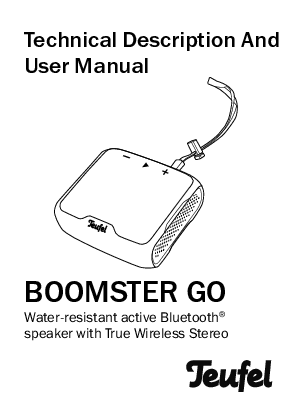
Technical Description And User Manual
BOOMSTER GO
Water-resistant active Bluetooth� speaker with True Wireless Stereo

Contents

General Information ..........3 Notice ............................ 3 Trademarks ................... 3 Original packaging ........ 3 Complaints .................... 4 Contact .......................... 4 Proper use ..................... 5
For your safety ...................6 Signal terms .................. 6 Safety notes .................. 7
Package contents........... 11 Controls and connections .................... 11 The rechargeable battery............................. 13
Charging the battery ...14 Charge level.................15 Setup............................... 16 Location tips................16 PA tripod ......................17 Wrist strap ...................17

Operation ........................ 18
Activating and deactivating.................19
Volume .........................19 Bluetooth� ...................20
TWS mode ...................23
Care and cleaning .......... 25
Troubleshooting.............. 26
Technical data ................ 28
Declaration of conformity....................... 28
Disposal.......................... 29
Important information in accordance with the Electrical and Electronic Equipment Act (Germany: ElektroG) ......................29
Important information about the Batteries Act (Germany: BattG) ..31

2

� BOOMSTER GO

General Information

Notice
The information in this document may change without prior notice and in no way constitutes any liability on the part of Lautsprecher Teufel GmbH.
No part of this user manual may be reproduced in any form or be broadcasted in any way electronically, mechanically, by photocopy or recording without the written permission of Lautsprecher Teufel GmbH.
� Lautsprecher Teufel GmbH
Version 2.0
December 2021

Trademarks
� All trademarks are the property of their respective owners.
The Bluetooth� word mark and Bluetooth� symbol are registered trademarks of Bluetooth SIG, Inc. and any use by Lautsprecher Teufel is licensed.
Original packaging
If you wish to exercise your right of return, we ask that you be absolutely sure to hold onto the packaging. We can only accept the return of the speakers WITH THE ORIGINAL PACKAGING. Empty boxes are not available!

� BOOMSTER GO 3

Complaints
In case of a complaint we will need the following information to process your enquiry:
1. Invoice number
Can be found on the sales slip (enclosed with the product) or on the order confirmation received as a PDF document.
2. Serial number or batch number
Located on the bottom or back of the device. Thank you for your support!

Contact
Please contact our customer service department with any questions, suggestions, or complaints:
Lautsprecher Teufel GmbH BIKINI Berlin Budapester Str. 44 10787 Berlin (Germany)
Telephone: 00800 200 300 40 (toll- free)
Fax: +49 30 300 930 930
Online support: www.teufelaudio.com/ service
Contact form: www.teufelaudio.com/ contact

4

� BOOMSTER GO

Proper use
The speaker, which is watertight according to IP X7, is designed for the playback of music and speech from an external player via Bluetooth�.
Only use the speaker as described in this user manual. Any other use will be deemed as not in accordance with the instructions and may lead to damage of property or even persons.
The manufacturer accepts no liability for damage caused by improper use.
The speaker is intended for private use.

Before operating the speaker, please read the safety notes and user manual carefully. Only in this way, can you ensure that all functions are used in a safe and reliable manner. Store the user manual in a safe place and also be sure to pass it on to any subsequent owner.

� BOOMSTER GO 5

For your safety

Signal terms
You can find the following signal terms in this user manual:
WARNING
This signal term indicates a moderate risk, which, if not avoided, may result in death or severe injury.

CAUTION
This signal term indicates a low risk, which, if not avoided, may result in minor or moderate injury.
NOTICE This signal term warns you of potential damage.

6

� BOOMSTER GO

Safety notes
This chapter contains general safety notes which you should always observe to protect yourself and third parties. Also observe the warning notes in each chapter of this user manual.
WARNING
Touching live parts can result in severe injury or death.
� When connecting the device, make sure that the correct voltage is present. You can find more information about this on the rating plate.
� Check the device regularly for damage. Do not use the device if its housing is defective or exhibits other visible damage.

� This device can only be completely disconnected from the grid by pulling the USB charger. Therefore, make sure that the charger is always easily accessible.
� If the device emits smoke, smells burnt or produces unusual sounds, immediately disconnect it from the mains and do not operate it further.
� Never open the device housing. Repairs may only be carried out by an authorised specialist workshop. Only parts that match the original specifications may be used.
� Only use the accessory products specified by the manufacturer.
� Never modify the device. Unauthorised modifications may affect the safety and functionality.

� BOOMSTER GO 7

WARNING
An unsuitable setup location may result in injury and damage.
� If the speaker is not securely mounted, do not use it in vehicles, in unstable locations, on wobbly tripods or furniture, on underdimensioned brackets etc. The speaker may tip or fall over and cause injury to persons or be damaged itself.
� Position the speaker in such a way that it cannot be knocked over inadvertently and make sure that the cables do not pose a tripping hazard.
� Do not use the device in environments where there is a risk of explosion.
� Only use the Bluetooth� function in locations where wireless radio transmission is allowed.

WARNING
Children can become trapped in the plastic wrapping when playing and suffocate.
� Do not allow children to play with the device or the plastic wrapping. There is a danger of suffocation.
� Never allow children to operate electrical equipment unsupervised.
WARNING
Lithium rechargeable batteries can explode if handled improperly.
� You must not heat or short circuit rechargeable batteries or dispose of them in fire.
� Do not expose the rechargeable batteries to direct sunlight.
� Do not place the speakers near heat sources (e.g. heaters, ovens, other heat generating equipment such as amplifiers etc.).

8

� BOOMSTER GO

CAUTION
Extended listening at high volumes may lead to hearing loss. To avoid damage to health, avoid extended listening at high volumes.
� When the volume is set high, always keep a certain distance from the device and never place your ears directly on the speaker.
� If a speaker is set to full volume, this may produce very high sound pressure. This may have psychological consequences and also cause physical injury. Children and pets are particularly at risk. Set your signal source device volume control to a low setting before turning on the power.

CAUTION
This product contains magnetic material.
� If necessary, consult your physician and ask for effects on implants such as pacemakers or defibrillators.
NOTICE
The BOOMSTER GO is watertight in depths of up to one meter.
� Normal rain and a few splashes from showering won't cause any damage, but you should avoid spraying it directly with a hose.
� If the BOOMSTER GO falls into a paddling pool, fish pond or other flat water body, nothing will happen if you recover it right away. However, the device is not suitable for prolonged diving!
� You should generally avoid contact with salt water.

� BOOMSTER GO 9

NOTICE
Gross misuse and incorrect care are the main reasons for damage to high-performance rechargeable batteries.
� Avoid deep discharge of under 10 % for optimal rechargeable battery power.
� Recharge your rechargeable battery frequently.
� Store your rechargeable battery in a cool but frost-free area, ideally at 15 �C. Higher temperatures result in a higher rate of self-discharge and shorten the intervals between charges.
� Do not expose the rechargeable battery to direct sunlight or other sources of heat. This applies in particular when charging the rechargeable battery.

� A deep discharge damages the rechargeable battery cells. The most frequent cause of deep discharge is prolonged storage or failure to use a partially discharged rechargeable battery. Only store the rechargeable battery once it is fully charged.

10

� BOOMSTER GO

Package contents

(1) BOOMSTER GO

(2) Charging cable (USB A to Micro B)

(3) Wrist strap
(1)

� Check that all items have

been delivered and that

nothing is damaged. If

you find any damage, do

(2)

not operate the device;

instead contact our

customer service depart- (3)

ment (see ,,Contact" on

page 4).

� Please keep the packaging for the duration of the warranty period.

Controls and connections

(4)(5)(6)(7) (8)(9)

(10) (11) (12)
� BOOMSTER GO 11

(4) LED indicator for charging and rechargeable battery charge level
(5) Push and hold for 2 seconds: turn the device on and off, tap during operation: display battery level with LEDs (4)
(6) Microphone (7) USB micro port for the
charger (not included in the package contents) (8) Push and hold for 2 seconds: start Bluetooth� pairing, push and hold for 10 seconds: clear all Bluetooth� connections (9) Bluetooth� LED (10) � decrease the volume, in case of a phone call: reject call, in case of BT playback push together with the
button (11): skip back

(11) Tap : playback/ pause, long push: activate the smartphone's voice assistant, briefly push in the event of a phone call: accept call/hang up
(12) + increase the volume, in case of BT playback push together with the button (11): skip forward
Bottom:
(13)
(14)
(13) Loop for carrying strap (3)
(14) Tripod thread (1/4" � 10 mm)

12

� BOOMSTER GO

The rechargeable battery

CAUTION
Batteries (particularly lithium batteries) can explode if used improperly.
� You must not heat or short circuit rechargeable batteries or dispose of them in fire.
� Do not expose the rechargeable batteries to direct sunlight.
� Before first use, charge the rechargeable battery for approx. 3 to 4 hours.
� To do so, you can use any USB charger with the corresponding cable. A charging cable (2) of type USB A to micro USB is included in the package contents.

� The BOOMSTER GO charges with 5 V, 1.5 A (7.5 watts).
� The fully charged rechargeable battery provides an operating time of approx. 10 hours at medium volume.
(4)(5) (7)
(2)

� BOOMSTER GO 13

� Of course, you can also operate the BOOMSTER GO with a charger, a PC or a USB battery pack via the USB cable. As soon as the rechargeable battery is fully charged, the auto-function will deactivate the charging current � playback is not interrupted.
Charging the battery
CAUTION
If the device is wet, a short circuit can occur during the charging process.
� Let the device dry completely before charging.
The integrated Li-Ion rechargeable battery is charged as soon as the BOOMSTER GO is supplied with power from the USB micro port (7).

Three white LEDs on the rechargeable battery indicator (4) signalise the charging process:

100% 66-99% 33-65% <32%

all 3 LEDs are illuminated
2 LEDs are illuminated, one is flashing
one LED is illuminated, 2 are flashing
Sequential light with all three LEDs

Room temperature is ideal for charging the rechargeable battery. In an excessively cold or hot environment, the rechargeable battery doesn't reach its full capacity during charging.

14

� BOOMSTER GO

Charge level

You can display the battery charge level by tapping the
button (5):

66-100% all 3 LEDs are illuminated

33-65% 2 LEDs are illuminated

11-32% 1 LED is illuminated

6-10%

Warning tone, 1 LED blinks slowly (1/ second)

<6%

Warning tone, 1 LED blinks quickly (2/ second)

With some smartphones, the charge level is also shown on the display.

If the rechargeable battery charge diminishes, the BOOMSTER GO will emit short warning tones and the left LED of the rechargeable battery indicator will blink. Depending on the volume, operation will still be possible for up to 60 minutes. In this case, connect a USB charger shortly.
� To protect the rechargeable battery, the BOOMSTER GO has deep discharge protection, which switches the device off once the threshold is reached.
� In this case, the BOOMSTER GO can not be switched on again.

� BOOMSTER GO 15

Setup

NOTICE
In case of very high volumes and bass-accented music, the device may move.
� Therefore, always make sure that the device is securely positioned. There is no warranty for damages caused by falling or dropping down.

Location tips
� Select a stable, level base.
� Select a location away from heat sources and direct sunlight.
� If applicable, lay the connector cords so that they do not pose a tripping hazard.
� Do not place any objects on the BOOMSTER GO.
You can simply place the BOOMSTER GO on a stable, level surface.

16

� BOOMSTER GO

PA tripod
A threaded hole (14) (1/4" � 10 mm) with which you can mount the device on a photo or PA tripod is located on the bottom of the BOOMSTER GO. You can also use it for the brackets of some action cameras.

Wrist strap

You can use the wrist strap (3) to carry the

(3)

BOOMSTER GO on your

(13)

wrist with ease.

1. Push the end of the small, thin loop through
the loop (13) completely. (14)
2. Pull the other end of the wrist strap through the small loop.

� BOOMSTER GO 17

Operation

CAUTION
Extended listening at high volumes may lead to hearing loss.
� To avoid damage to health, avoid extended listening at high volumes.
� When the volume is set high, always keep a certain distance from the device and never place your ears directly on the speaker.

� If a speaker is set to full volume, this may produce very high sound pressure. Set your signal source device volume control to a low setting before turning on the power.
NOTICE
If the device is subjected to warm temperatures after being cold (e.g. after transport), condensation may occur inside of it.
� In this case, wait at least 2 hours before you connect and activate it.

18

� BOOMSTER GO

Activating and deactivating
� To activate the device, push and hold the button (5) for approx. 2 seconds. The BOOMSTER GO is switched on with a signal tone and the LED indicator (4) will briefly illuminate to indicate the battery charge level.

Volume
� With the � (10) and + buttons (12), you can decrease or increase the volume.

(10)

(12)

You can gradually adjust the volume by tapping. Pushing and holding will change the volume continuously.

(4) (5)
� To deactivate the device, push and hold the button (5) for approx. 2 seconds. The BOOMSTER GO is switched off with a signal tone.
Auto off
� The device will automatically switch to standby if no input signal is received for 10 minutes.

� BOOMSTER GO 19

Bluetooth�
Via Bluetooth�, you can connect a compatible external player and the BOOMSTER GO wirelessly. The audio output of your external player is then emitted by the BOOMSTER GO.
For smartphones with an Android or IOS operating system, you can also use the voice assistant via the BOOMSTER GO.
NOTICE
Only use the Bluetooth� function in locations where wireless radio transmission is allowed.
Please keep in mind that the Bluetooth� behaviour may differ depending on the external player's operating system.

Bluetooth� options
Depending on the device type, your external player/ smartphone may also have a number of Bluetooth� options such as media playback and call function.
You can find more information about the Bluetooth� options in the user manual for your external player/ smartphone.
Pairing
To play the audio of your external player on your BOOMSTER GO via Bluetooth�, you must first connect the devices with each other. This is called "Pairing". The BOOMSTER GO can save data from up to seven external players, which can be subsequently connected to without having to repeat the pairing process.
1. Turn on the Bluetooth� function on your external player (e.g. smartphone).

20

� BOOMSTER GO

2. Push the button (8) and hold it for approx. 2 seconds.
(8) (9)
You will hear a connection tone and the Bluetooth� LED (9) will flash in blue. 3. Let your external player/ smartphone scan for Bluetooth� devices. You will find more information about this in the user manual of your external player. After the search run, the "BOOMSTER GO" should also be present in the list of detected devices.

4. Select "BOOMSTER GO" from the list of detected devices. Pairing is now complete and your BOOMSTER GO will now act as a Bluetooth� playback device. The BOOMSTER GO will now play back music that would otherwise be played by your external player/smartphone.

� BOOMSTER GO 21

Playback The volume setting of the external player
affects the volume of the BOOMSTER GO. � Start playback on your
external player. � Pause playback:
Briefly push the button (11).
� Continue playback: Briefly push the button (11).
� Play next track: Tap the buttons (11) and + (12) at the same time.
� Start the track from the beginning: Tap the buttons (11) and � (10) at the same time.
� Play previous track: Tap the buttons (11) and � (10) twice at the same time.
(10) (11) (12)

Voice assistants
Prerequisites: Present Bluetooth� connection and voice assistant on the smartphone is enabled.
To activate the assistant, push the button (11) for two seconds and wait until the assistant responds. Then simply speak in the direction of the microphone (6) of the BOOMSTER GO.
Call function
You can use the BOOMSTER GO as a handsfree device for your smartphone.
� In the event of an incoming call, your smartphone will ring and the BOOMSTER GO will also emit a ring tone. Any media playback will be paused.
� To reject the call, tap the � button (10). The call will be ended and the caller will hear the busy signal.

22

� BOOMSTER GO

� To take the call, tap the button (11).
� Now you can answer the call with your BOOMSTER GO via the integrated microphone (6).
� Push the button (11) again to end the call.
Media playback will resume.

(10) (11) (12) (8) (9)

(6)
Terminating the Bluetooth� connection
To terminate the Bluetooth� connection, switch the Bluetooth� function on your external player/smartphone off.
� To delete the list of known external players, hold the button (8) down for approx. 10 seconds until two short signal tones can be heard.

TWS mode
"True Wireless Stereo" is a new standard for transfer via Bluetooth� with a sound quality that has not been reached to date.
You can pair two BOOMSTER GO with each other via Bluetooth� so that both devices play back the same music in stereo.
The range is approx. 10 metres. Thus, you can use two devices at the same time to supply a larger area with sound.

� BOOMSTER GO 23

1. Pair the first BOOMSTER GO with your smartphone (see ,,Pairing" on page 20).
2. When this pairing is complete, start TWS pairing on the first BOOMSTER GO: Push and hold the buttons (8) and + (12) simultaneously for approx. 3 seconds. The Bluetooth� LED (9) flashes in blue and you hear a tone.
3. Start pairing on the second BOOMSTER GO: Push and hold the button (8) for 2 seconds. After a short time, the two devices will connect with one another. The Bluetooth� LED (9) will continuously illuminate in blue on both BOOMSTER GO.
4. Now reconnect your smartphone with the first BOOMSTER GO: Select "BOOMSTER GO" from the list of detected Bluetooth� devices.

Now both devices will play back the same music in stereo.
� Control playback on the first BOOMSTER GO � it will emit the left stereo channel.
� To disable TWS mode, push and hold the buttons (8) and � (10) on the first BOOMSTER GO simultaneously for approx. 3 seconds. You will hear a signal tone and the connection has been terminated.
� If you switch off one of the BOOMSTER GO, this will also disable TWS mode.

24

� BOOMSTER GO

Care and cleaning

NOTICE
External influences may damage or destroy the device.
� If the device is unattended for a prolonged period (e.g. when on vacation) or in the event of an incoming storm, disconnect the device from the charger. Otherwise, sudden overvoltage could cause the device to become defective.
� Only use plain water without any additives. In case of stubborn marks, a mild soap solution may be used.

� Do not use caustic cleaning products, white spirit, thinners, petrol or similar under any circumstances. Such cleaning agents may damage the delicate surface of the housing.
� Ideally, you should remove dust or small amounts of dirt with a dry, smooth leather cloth.
� Use a damp cloth to rub off stubborn dirt.
� Afterwards, immediately wipe the damp surfaces off with a soft cloth without applying pressure in order to avoid lime spots.

� BOOMSTER GO 25

Troubleshooting

The following advice should help you to solve problems. If this does not work, our online manual will provide help:
https://manual.teufelaudio.com

Problem Possible cause/solution

No function The rechargeable battery is empty: Recharge the rechargeable battery.

No sound

The volume has been set too low: Increase the volume.
The volume of the external player has been set too low: Carefully increase the volume of the external player.
No Bluetooth� connection: Establish a connection (see ,,Bluetooth�" on page 20).
BOOMSTER GO has not been selected as the output device: On the external player, select "BOOMSTER GO" as the Bluetooth� output device.
Bluetooth� connection impaired by another radio system (e.g. cordless telephone, Wi-Fi): Move the devices causing the disturbance.

26

� BOOMSTER GO

Playback of Check the settings of your external player.

my external After applying the latest Android and IOS

player is too updates, a limiter may be activated which

quiet

reduces the output signal. This was imple-

mented by the manufactures as a protective

mechanism.

Playback is Generally speaking, the BOOMSTER GO is

noisy

a very low-noise system. In the high range

area, very high-resolution speaker systems

can expose the poor quality of a signal

source (e.g. from MP3 files).

Ensure that the source is sending a clear

signal to the BOOMSTER GO.

The voice Activate the voice assistant on the smart-

assistant phone.

doesn't

work

� BOOMSTER GO 27

Technical data
Power supply
Charging voltage and current Dimensions (W�H�D) Weight Waterproofness (IP protection type)

Rechargeable lithium ion battery, 3.6V, 2.6 Ah USB: 5 V / 1.5 A 107 � 46 � 102 mm 360 g
IPX7

The following radio frequency bands and radio transmitting powers are used in this product:

Frequency bands 2.4-2.4835 GHz

Max. transmission power 2.5 mW/4 dBm

You can find further technical data about the product on our website.

Declaration of conformity

Lautsprecher Teufel GmbH declares that this product complies with Directive 2014/53/EU. The full text of the EU Declaration of Conformity can be found at this web address:
www.teufel.de/konformitaetserklaerungen
www.teufelaudio.com/declaration-of-conformity

28

� BOOMSTER GO

Disposal

Important information in accordance with the Electrical and Electronic Equipment Act (Germany: ElektroG)
We advise owners of electrical and electronic appliances that old electrical and electronic devices must be handed in separately from municipal waste, in accordance with the applicable regulations. Batteries and rechargeable batteries that are not firmly enclosed in old electrical devices and lamps, and that can be removed from the old device without destroying them, must be separated from them in a non-destructive manner before they are handed to the collection point for their intended disposal. Please take note of our information on the

Batteries Act [Germany: BattG] below for disposing of batteries. You make an important contribution to returning, recycling and further processing of old devices if you separate your old devices into the correct collection groups for recycling. The symbol below of a crossed-out dustbin, applied to electrical and electronic appliances, also advises of the duty to separate collections:
Consumer electronics stores and supermarkets are obliged, under certain conditions, to take back old electrical and electronic devices, in accordance with section 17 of the

� BOOMSTER GO 29

Electrical and Electronic Equipment Act. Stationary retailers must take back an old electrical device of the same type when a new electrical device is bought (1:1 return). This also applies to home deliveries. These retailers must also take back up to three small old electrical devices ( 25cm) without this being linked to a new purchase (0:1 return).
In accordance with the Electrical and Electronic Equipment Act, as online retailers of electrical devices and due to our product range, our obligation is limited to 1:1 return of large devices of > 50 cm when selling a new electrical or electronic device of the same type. We comply with the obligation of return of devices other than large devices through our service provider. You can find the exact contact data and collection points on our website www.Teufel.de/entsorgung. It is also possible to return

old electrical and electronic appliances free of charge at an official delivery point run by the public waste disposal authorities.
Important: For safety reasons we ask that you refrain from sending lighting fixtures (some lamps). For return of lighting fixtures please use the public waste disposal collection points or contact us directly at www.Teufel.de/entsorgung.
As an end-user, you are responsible for deleting any personal data on old electrical appliances before handing it in.
Important: Our appliances can contain batteries/ rechargeable batteries. If this is the case, please refer to its attached product documentation for additional information on the type and chemical make-up of the battery. For products with battery compartments you can directly remove the batteries or recharge-

30

� BOOMSTER GO

able batteries and dispose of them properly. If the batteries are built in to the product, do not in any case attempt to remove the batteries yourself, instead contact one of our employees or appropriate specialist staff.

zinc, manganese and nickel and these can be reused. Separate collection enables recycling of these raw materials and avoids any negative impact on the environment or human health due to toxic substances being released.

Important information about the Batteries Act (Germany: BattG)
Batteries and rechargeable batteries must not be disposed on in household waste.
Old batteries can contain toxic substances that could damage the environment or your health if not stored or disposed of properly. This applies especially to improper handling of batteries containing lithium.
However, batteries also contain important raw materials such as iron,

The crossed-out dustbin symbol means that you should not dispose of old batteries and rechargeable batteries in household waste. In addition, you, as the end-user, are legally obliged to return old batteries.
You can hand in batteries and rechargeable batteries free of charge at an official return point such as any public waste disposal collection point. You can also hand in old batteries, that we stock or have stocked as new batteries,

� BOOMSTER GO 31

at one of our Teufel stores or at one of our dispatch warehouses. However, if you send them to our dispatch warehouses we would like to point out the dangerous goods regulations of the dispatch provider you opt for and ask you not send batteries to us by post. You can get the addresses of our dispatch warehouses from our customer service.
Due to existing legal regulations, the battery manufacturer must use the following symbols with the following meanings when marking the batteries.
Hg: the battery contains more than 0.0005 mass percent of mercury
Pb: the battery contains more than 0.004 mass percent of lead
Cd: the battery contains more than 0.002 mass percent of cadmium

Otherwise, to avoid waste and littering, batteries with a long service life or rechargeable batteries should be used. Exchangeable rechargeable batteries enable long service for electrical and electronic appliances and thus devices and rechargeable batteries can be prepared for recycling (e.g. regenerating/ exchanging rechargeable batteries).
Further information on preventing waste for consumers can, however, be found in the Federal waste prevention programme with the participation of the Federal states.

32

� BOOMSTER GO

� BOOMSTER GO 33

34

� BOOMSTER GO

� BOOMSTER GO 35

Please contact our customer service department with any questions, suggestions, or complaints:

Lautsprecher Teufel GmbH BIKINI Berlin, Budapester Stra�e 44 10787 Berlin (Germany)
www.teufelaudio.com

Phone: 00800 200 300 40 (toll-free)
Fax: +49 (0)30 - 300 930 930
Online-support: www.teufelaudio.com/service
Contact: www.teufelaudio.com/contact

No responsibility is assumed for the correctness of this information. Technical changes, typographical errors and other errors reserved.
Manual no. 197913_EN_20211129_V2.0
 Entsorgung | Teufel
  Konformitätserklärungen | Teufel
  Teufel: Speakers & Headphones Direct from the Manufacturer Online