

User Guide & Warranty Information
Discover the features and safety guidelines for the NOCO Boost X GBX155. This document provides comprehensive instructions for operating and maintaining your device, ensuring optimal performance and safety.
Explore detailed information on jump-starting vehicles, charging the internal battery, and understanding the various LED indicators and safety features.
For additional support and resources, visit www.no.co/support.
Key Features and Safety
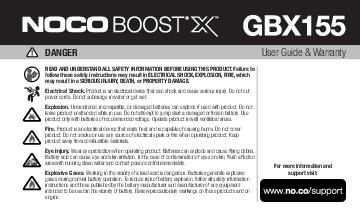
The NOCO Boost X GBX155 is designed for reliable vehicle jump-starting and power delivery. It is crucial to read and understand all safety warnings before use to prevent electrical shock, explosion, fire, serious injury, death, or property damage.
Key safety considerations include:
- Understanding electrical hazards and avoiding contact with water.
- Preventing explosions by using compatible batteries and operating in ventilated areas.
- Avoiding fire hazards by keeping the product away from combustible materials.
- Protecting your eyes and skin from potential battery acid exposure.
- Being aware of explosive gases generated by lead-acid batteries.
Technical Specifications
The GBX155 boasts a 99Wh Lithium-ion battery and a peak current rating of 4250A. It operates within a temperature range of -20°C to +50°C and features USB-C Power Delivery 3.0 for efficient charging and power output.
Warranty Information
NOCO provides a one (1) year limited warranty for the GBX155 against defects in material and workmanship. Refer to the document for detailed warranty conditions, claims procedures, and exclusions.
Register your product at no.co/register to extend your warranty and receive important product updates.
