

File info: application/pdf · 11 pages · 301.40KB
ITC-306T User Manual - Bol.com
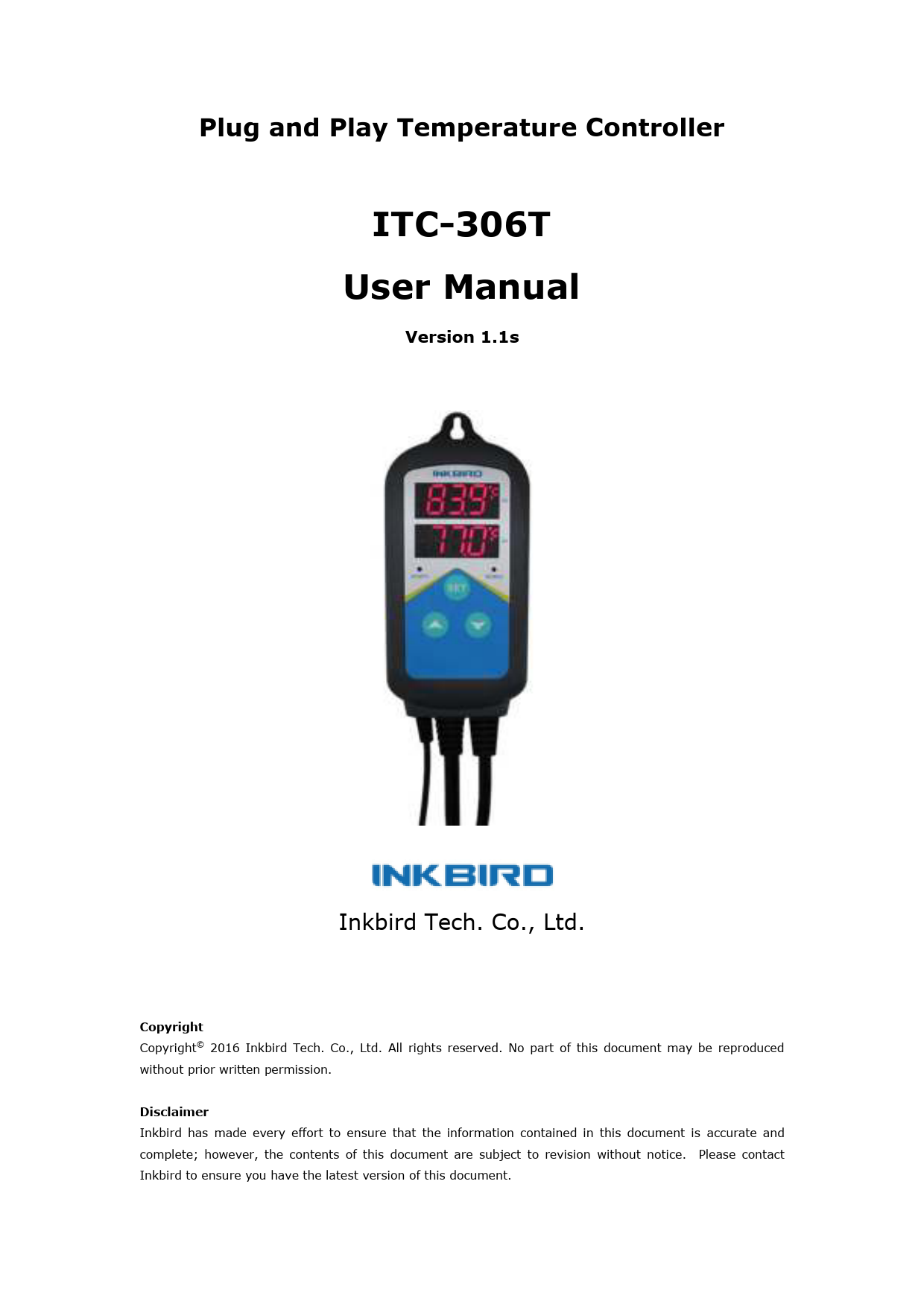
ITC-306T is a pre-wired heating output temperature controller with time function specifically for breeding and planting. It can be set to two different ...
8 lug 2021 — ITC-306T User Manual. Inkbird Tech. Co., Ltd. www.ink-bird.com. 3. 1. Overview. What is ITC-306T? ITC-306T is a pre-wired heating output temperature ...
Extracted Text
Plug and Play Temperature Controller
ITC-306T User Manual
Version 1.1s
Inkbird Tech. Co., Ltd.
Copyright Copyright� 2016 Inkbird Tech. Co., Ltd. All rights reserved. No part of this document may be reproduced without prior written permission. Disclaimer Inkbird has made every effort to ensure that the information contained in this document is accurate and complete; however, the contents of this document are subject to revision without notice. Please contact Inkbird to ensure you have the latest version of this document.

ITC-306T User Manual
Contents
1. Overview .............................................................................................................3 What is ITC-306T? ..............................................................................................3 Main features .....................................................................................................3
2. Specification ........................................................................................................4 3. Keys Instruction ...................................................................................................5 4. Key Operation Instruction ......................................................................................6
4.1 How to set parameters...................................................................................6 4.2 Setup Flow Chart...........................................................................................7 5. Menu Instruction ..................................................................................................8 5.1 Temperature Control Range Setting (TS, DS) ....................................................9 5.2 Cycle Time Setting (TR, TAH, TAM,TBH, TBM, CTH, CTM) ................................ 10 5.3 Temperature Calibration (CA) ....................................................................... 10 5.4 Display in Fahrenheit or Centigrade unit (CF) .................................................. 10 6. Error Description ................................................................................................ 10 6.1 Sensor Fault Alarm: ..................................................................................... 10 6.2 Over-temperature Alarm .............................................................................. 10 6.3 TE error ..................................................................................................... 11 7. Technical Assistance and Warranty ....................................................................... 11 7.1 Technical Assistance .................................................................................... 11 7.2 Warranty .................................................................................................... 11

Inkbird Tech. Co., Ltd. 2

www.ink-bird.com

1. Overview

ITC-306T User Manual

What is ITC-306T?
ITC-306T is a pre-wired heating output temperature controller with time function specifically for breeding and planting. It can be set to two different temperatures with its function of dual time cycle setting during 24 hours according to the day and night, which can more suitable for the physiological needs of animals and plants. ITC-306T can be widely use in over-heat protection and automatic temperature control system of all sorts of electrical equipment for aquarium, pets breeding, hatching, fungus fermenting, and seed germination accelerating, etc.

This plug and play product is designed with dual LCD display, and offers the optional display of Centigrade or Fahrenheit, which makes it more humanized temperature control. With large power output 1200W(110V)/2200W(220V), it's suitable for most applications. And the temperature can be controlled more accurately with its function of temperature calibration and temperature hysteresis.

Main features
 Plug and play design, easy to use;  Dual time cycle setting during 24hours, can be set different temperature from day and
night on the basis of the physical needs of animals and plants;  Support reading with Centigrade or Fahrenheit unit;  Maximum output load: 1200W(110V) / 2200W(220V);  Dual display window, be able to display measured temperature and set temperature at
the same time;  Temperature calibration;  Over-temperature and sensor fault alarm;  Build-in ultra-capacitor, after fully filled, it can supply timer chip working for more
than 20 days without electricity.

Inkbird Tech. Co., Ltd. 3

www.ink-bird.com

ITC-306T User Manual

2. Specification

Temperature Control Range

-50~99 �C / -58~210 � F

Temperature Resolution

0.1 � C / 0.1� F

Temperature Accuracy

�1�C (-50 ~ 70�C) / �1�F (-58 ~ 160� F)

Temperature Control Mode

On/Off Control, Heating

Input Power

100 ~240VAC, 50Hz/60Hz

Temperature Control Output

Max. 10A, 100V ~240V AC

Sensor Type

NTC sensor (Including)

Sensor Length

2m / 6.56ft

Relay Contact Capacity

Heating (10A, 100-240VAC)

Input Power Cable Length

1.5m ( 5ft )

Output Power Cable Length

30cm ( 1ft )

Dimension Ambient Temperature

Main Body: 140x68x33mm (5.5x2.7x1.3 inch) Socket (US Version): 85x42x24mm (3.3x1.7x1.0 inch) Socket (EU Version): 135x54x40mm (5.3x2.1x1.6 inch) Socket (UK Version): 140x51x27mm (5.5x2.0x1.0 inch)
-30~ 75 � C / -22~ 167 � F

Storage

Temperature -20~ 60 � C / -4~ 140 � F Humidity 20~85% (No Condensate )

Warranty

1 Year

Inkbird Tech. Co., Ltd. 4

www.ink-bird.com

3. Keys Instruction

ITC-306T User Manual

 PV: Process Value.  Under running mode, display current temperature;  Under setting mode, display menu code.
 SV: Setting Value.  Under running mode, display setting temperature;  Under setting mode, display setting value.
 Work1 Indicator Lamp: When the light is on, start heating.
 Work2 Indicator Lamp: ---
 SET key: Press SET key for 3 seconds to enter menu for function setting. During the setting process, press SET key for 3 seconds to quit and save setting changes.
 INCRESE key: Under setting mode, press INCREASE key to increase value.
 DECREASE key: under running mode, press DECREASE key to inquiry HD value; under setting mode, press DECREASE key to decrease value.
 The Socket: Both sockets are for heating output, and they change synchronously.

Inkbird Tech. Co., Ltd. 5

www.ink-bird.com

4. Key Operation Instruction

ITC-306T User Manual

4.1 How to set parameters
When the controller is working normally, press "SET" key for over 3 seconds to enter parameters set up mode. "SET" indicator lamp will on. PV window displays the first menu code "TS1", while SV window displays according setting value. Press "SET" key to go to next menu and display according menu code, press" " key or " " key to set current
parameter value.

After setting done, press"SET" key for 3 seconds at any time to save the parameters
change and return to normal temperature display mode. During setting, if there is no operation for 10 seconds, the system will quit setting mode and return to normal temperature display mode without saving the parameters change.

Inkbird Tech. Co., Ltd. 6

www.ink-bird.com

4.2 Setup Flow Chart

ITC-306T User Manual

Remarks: TE error If TR=1 and it is power-on again after power off. The window of SV displays TE error. When enter to the setting menu, it will jump to TH code directly, then you can set present time (TH, TM) easily and quit into normal working status.

Inkbird Tech. Co., Ltd. 7

www.ink-bird.com

5. Menu Instruction

ITC-306T User Manual

When the temperature is displayed in Centigrade

When TR=0 (Default)

Menu code

Function

Setting range

TS1

Temperature Set Value 1

-5099.9

DS1 CA

Heating Differential Value1
Temperature Calibration

0.315 -1515

Display in Fahrenheit or CF
Centigrade

TR

Time Setting

0:Off; 1: On

Default setting 25 1.0

Remarks 5.1

0

5.3

C

5.4

0

5.2

When TR=1 (Time setting function is on)

Menu code

Function

Setting range

TS1 DS1 CA CF TR TS2 DS2 TAH TAM TBH

Temperature Set Value 1 Heating Differential Value1
Temperature Calibration Display in Fahrenheit or
Centigrade Time Setting
Temperature Set Value 2 Heating Differential Value2 Time A setting Hour
Time A setting Minute
Time B setting Hour

-5099.9 0.315 -1515
0:Off; 1: On 099.9 0.315 0~23 hours
0~59 minutes 0~23 hours

TBM

Time B setting Minute

0~59 minutes

CTH

Current Hour Setting

0~23 hours

CTM

Current Minute Setting

0~59 minutes

Default setting 25 1.0

Remarks 5.1

0

5.3

C

5.4

1

5.2

25
5.1 1.0

8(8:00) 00(8:00) 18(18:00)
5.2 00(18:00)
8
30

Inkbird Tech. Co., Ltd. 8

www.ink-bird.com

When the temperature is displayed in Fahrenheit When TR=0(Default)

Menu code

Function

Setting range

TS1

Temperature Set Value 1

-58210

DS1 CA CF TR

Heating Differential Value1
Temperature Calibration Display in Fahrenheit or
Centigrade Time Setting

130 -1515
0:Off; 1: On

ITC-306T User Manual

Default setting 77 2

Remarks 5.1

0

5.3

F

5.4

0

5.2

When TR=1(Time setting function is on)

Menu code

Function

Setting range

TS1

Temperature Set Value 1

-58210

DS1 CA

Heating Differential Value1
Temperature Calibration

130 -1515

Display in Fahrenheit or CF
Centigrade

TR

Time Setting

0:Off; 1: On

TS2

Temperature Set Value 1

32210

DS2
TAH TAM TBH TBM CTH CTM

Heating Differential Value1
Time A setting Hour Time A setting Minute Time B setting Hour Time B setting Minute Current Hour Setting Current Minute Setting

130
0~23 hours 0~59 minutes
0~23 hours 0~59 minutes
0~23 hours 0~59 minutes

Default setting 77 2

Remarks 5.1

0

5.3

F

5.4

1

5.2

68
5.1 2

8(8:00) 00(8:00) 18(18:00)
5.2 00(18:00)
8 30

5.1 Temperature Control Range Setting (TS, DS)
When the controller is working normally, PV window displays current measured temperature, as well as SV window displays temperature setting value. When the measured temperature PVTS (temperature set value)-DS (heating differential value), system enter heating status, the WORK1 indicator lamp will on, and heating relay starts to work; when the measured temperature PV TS (temperature setting), the WORK1 indicator lamp will off, and heating relay will stop working. For example, set TS=25�C,
DS=3�C, when measured temperature is lower or equal to 22�CTS-DS, system enters

heating status; when the temperature raised to 25�C(TS), stop heating.

Inkbird Tech. Co., Ltd.

www.ink-bird.com

9

ITC-306T User Manual
5.2 Cycle Time Setting (TR, TAH, TAM,TBH, TBM, CTH, CTM)
When TR = 0, time setting function is off, and there are not parameter TAH, TAM,TBH, TBM, CTH, CTM showing in the menu.
When TR=1, time setting function is on. Time A~Time B~Time A is a cycle, 24 hours. During Time A~Time B, the controller runs as TS1 and DS1 setting; during Time B ~Time A, the controller runs as TS2 and DS2 setting; e.g. Set as TS1=25, DS1=2, TS2=18, DS2=1;
TR=1, TAH=8, TAM=30, TBH=18, TBM=0, CTH=9CTM=26 During 8:30-18:00 (Time A~Time B), the temperature controls between 23�C~25�C(TS1DS1~TS1); During 18:00 to the next morning 8:30 (Time B~Time A), the temperature controls between 17�C~18�C(TS2-DS2~TS2); Parameter CTH and CTM are used for current time setting. The set time is 9:26.
5.3 Temperature Calibration (CA)
When there is deviation between measured temperature and actual temperature, use temperature calibration function to align the measured temperature and actual temperature. The corrected temperature is equal to temperature before calibration plus corrected value (corrected value could be positive value, 0 or negative value).
5.4 Display in Fahrenheit or Centigrade unit (CF)
Users can select display with Fahrenheit or Centigrade temperature value according to their own habit. Default setting is display with Centigrade temperature value. For displaying with Fahrenheit temperature value, set CF value as F.
Attentions: when CF value changed, all the setting value will be recovered to factory settings.

6. Error Description
6.1 Sensor Fault Alarm: when temperature sensor is in short circuit or open loop,
the controller will initiate sensor fault mode, and cancel all the actions. The buzzer will alarm, LED displays ER. Buzzer alarm could be dismissed by pressing any key. After faults solved, the system will return to normal working mode.
6.2 Over-temperature Alarm: when measured temperature exceeds the measuring
range (less than -50�C /-58� F or higher than 99 �C/210 � F), the controller will initiate over-temperature alarm mode, and cancel all the actions. The buzzer will alarm, LED

Inkbird Tech. Co., Ltd. 10

www.ink-bird.com

ITC-306T User Manual
displays HL. Buzzer alarm could be dismissed by pressing any key. When temperature returns to measuring range, the system will return to normal working status.
6.3 TE error
When setting TR=1 and if it is power-on again after power off, the "beep - beep" alarm in 0.5Hz frequency of the buzzer. The temperature controlled by the standard of TS1 while PV window displaying the current temperature and the window of SV displaying TE error. At this time, Press any keys can stop the alarm. When enter to the setting menu, it will jump to TH code directly, then you can set present time (TH, TM) easily and quit into normal working status.
7. Technical Assistance and Warranty
7.1 Technical Assistance
If you have any problems installing or using this thermostat, please carefully and thoroughly review the instruction manual. If you require assistance, please write us to cs@ink-bird.com. We will reply your emails in 24 hours from Monday through Saturday. You can also visit our web site www.ink-bird.com to find the answers of the common technical questions.
7.2 Warranty
INKBIRD TECH. C.L. warrants this thermostat for one years from the date of purchase when operated under normal condition by the original purchaser (not transferable), against defects caused by INKBIRD's workmanship or materials. This warranty is limited to the repair or replacement, at INKBIRD's discretion, of all or part of the thermostat. The original receipt is required for warranty purposes. INKBIRD is not responsible for injury property damage or other consequential damages or damages of third parties arising directly from an actual or alleged in mater of workmanship of the product. There are no representations, warranties, or conditions, express or implied, statutory or otherwise, other than herein contained in the sale of goods act or any other statue.

Contact Us Business Contact: sales@ink-bird.com
Technical Support: cs@ink-bird.com Business Hours: 09:00-18:00(GMT+8) from Monday to Friday
URL: www.ink-bird.com

Inkbird Tech. Co., Ltd. 11

www.ink-bird.com