

File info: application/pdf · 78 pages · 3.28MB
INSTALLATION MANUAL
The Hx™3 Touch Screen Thermostat is designed to control conven- tional and communicating HVAC systems. Use applicable Johnson Con-.
PDF Hx™3 TOUCH SCREEN THERMOSTAT ... - Express Overstock.com
This manual contains information about setup, operation, and trouble-shooting. Short videos illustrating the installation, setup, and configura-tion of the Hx™3 Touch Screen Thermostat are available at www.simplygetting…
Full PDF Document

If the inline viewer fails, it will open the original document in compatibility mode automatically. You can also open the file directly.
Extracted Text
INSTALLATION MANUAL
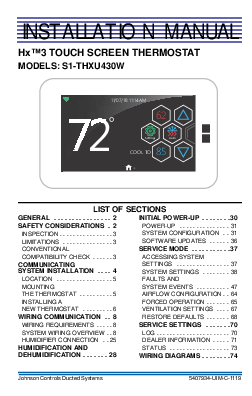
HxTM3 TOUCH SCREEN THERMOSTAT MODELS: S1-THXU430W

11/07/18 11:14AM

72�

62

Settings

Auto

85 COOL TO
.

LIST OF SECTIONS

GENERAL . . . . . . . . . . . . . . . . 2

INITIAL POWER-UP . . . . . . . .30

SAFETY CONSIDERATIONS . 2

POWER-UP . . . . . . . . . . . . . . . 31

INSPECTION . . . . . . . . . . . . . . . . 3 LIMITATIONS . . . . . . . . . . . . . . . 3 CONVENTIONAL

SYSTEM CONFIGURATION . . 31 SOFTWARE UPDATES . . . . . . 36 SERVICE MODE . . . . . . . . . . .37

COMPATIBILITY CHECK . . . . . . 3

ACCESSING SYSTEM

COMMUNICATING SYSTEM INSTALLATION . . . . 4

SETTINGS . . . . . . . . . . . . . . . . 37 SYSTEM SETTINGS . . . . . . . . 38

LOCATION . . . . . . . . . . . . . . . . . 5

FAULTS AND

MOUNTING

SYSTEM EVENTS . . . . . . . . . . 47

THE THERMOSTAT . . . . . . . . . . 5

AIRFLOW CONFIGURATION . . 64

INSTALLING A

FORCED OPERATION . . . . . . . 65

NEW THERMOSTAT . . . . . . . . . 6

VENTILATION SETTINGS . . . . 67

WIRING COMMUNICATION . . 8

RESTORE DEFAULTS . . . . . . . 68

WIRING REQUIREMENTS . . . . . 8

SERVICE SETTINGS . . . . . . .70

SYSTEM WIRING OVERVIEW . . 8

LOG . . . . . . . . . . . . . . . . . . . . . . 70

HUMIDIFIER CONNECTION . . 25

DEALER INFORMATION . . . . . 71

HUMIDIFICATION AND DEHUMIDIFICATION . . . . . . . 28

STATUS . . . . . . . . . . . . . . . . . . 73 WIRING DIAGRAMS . . . . . . . .74

Johnson Controls Ducted Systems

5407934-UIM-C-1119

5407934-UIM-C-1119
SECTION I: GENERAL
The HxTM3 Touch Screen Thermostat is designed to control conventional and communicating HVAC systems. Use applicable Johnson Controls Ducted Systems communicating equipment as follows:
� Variable speed modulating furnace � Two-stage variable speed ECM furnace � Variable speed air handler � Premium 19 and 21 SEER air conditioners � Premium 19 and 20 SEER heat pumps � Variable capacity systems While the communicating system has been designed for easy installation, this document provides a more detailed explanation of the installation process for installers. For communicating zoning applications, please refer to the literature kit that is included with the Zone Module (S1-ZMC401A). To use the complete feature set available, you must connect the HxTM3 Touch Screen Thermostat to Wi-Fi. For ease of installation and to ensure the thermostat has the latest software updates, make sure that Wi-Fi access is available (through the homeowner's Wi-Fi network or a mobile hotspot).
SECTION II: SAFETY CONSIDERATIONS
This is a safety alert symbol. When you see this symbol on labels or in manuals, be alert to the potential for personal injury and equipment damage. Understand and pay particular attention to the signal words DANGER, WARNING, and CAUTION. DANGER indicates an imminently hazardous situation, which, if not avoided, will result in death or serious injury. WARNING indicates a potentially hazardous situation, which, if not avoided, could result in death or serious injury. CAUTION indicates a potentially hazardous situation, which, if not avoided may result in minor or moderate injury. It is also used to alert against unsafe practices and hazards involving only property damage.

2

Johnson Controls Ducted Systems

5407934-UIM-C-1119

INSPECTION The following table details the parts included in this kit. Examine the kit to ensure all parts are present.
TABLE 1: Content List

Item 1 2 4 5 6 7

QTY 1 1 2 2 1 1

Description Thermostat Display Thermostat Base Screws Drywall Anchors User's Information Manual Installation Manual

LIMITATIONS
The primary function of the thermostat is to command a system containing communicating products. The following are exceptions:
� Installing a communicating variable speed modulating furnace with a non-communicating air conditioner. In this case, the variablespeed modulating furnace relays 24 VAC outputs to the non-communicating air conditioner (per communicated commands by the thermostat).
� Installing communicating controls in non-communicating Ducted Systems products
� Installing a communicating interface control (which converts communicating commands into 24 VAC outputs)
CONVENTIONAL COMPATIBILITY CHECK
The HxTM3 Touch Screen Thermostat works with 24 VAC systems and requires both R and C 24 VAC connections. This includes gas furnaces, air handlers, electric, oil, forced air, variable speed, heat pump, and hydronic heat.

Johnson Controls Ducted Systems

3

5407934-UIM-C-1119
You can configure the thermostat for the following: � Conventional up to 2H/2C and heat pump up to 4H/2C � Heating: 1 and 2 stages (W1, W2) � Cooling: 1 and 2 stages (Y1, Y2) � Heat pump: With auxiliary and emergency heat or fossil fuel � HUM, O/B, Y2, Y1, W1, W2 � Fan single speed (G) � Power (R, C) dual fuel compatible (heat pump with gas furnace) � Humidity control (humidify and dehumidify) � Outdoor air temperature or remote room sensor (optional)
NOTICE
Dual fuel systems require the use of the ambient sensor (S102542683000), if the room thermostat is used to control fossil fuel operation.
SECTION III: COMMUNICATING SYSTEM INSTALLATION
The intention of this document is to ensure proper connection and setup of the various communicating system components. Use these instructions in conjunction with instructions provided with indoor, outdoor, and accessory equipment with which the thermostat is used. This manual contains information about setup, operation, and troubleshooting. Short videos illustrating the installation, setup, and configuration of the HxTM3 Touch Screen Thermostat are available at www.simplygettingthejobdone.com in the Academy TV application. Installers must be trained, experienced service technicians. When installing this product, do the following:
� Read all instructions carefully before beginning the installation.
! WARNING
Failure to follow these instructions can create hazardous situations or damage the product.
� Make sure the product is suitable for your application by checking all ratings on the product and in the instructions provided.

4

Johnson Controls Ducted Systems

5407934-UIM-C-1119
LOCATION Install the thermostat at or around 5 ft (1.5 m) above the floor in an area with good circulation of room temperature. See Figure 1.

<(6

12

12

)((7

12

0(7(56

FIGURE 1: Control Location

$

Do not install the thermostat where it can be affected by the following: � Drafts or stagnant air behind doors and in corners � Hot or cold air from ducts � Radiant heat from sun or appliances � Concealed pipes and chimneys � Unconditioned areas, such as an outside wall

MOUNTING THE THERMOSTAT
For most installations, you (the installer) can mount the thermostat by following the basic installation steps outlined below. However, there may be some cases where you are not able to penetrate the wall where you are mounting the thermostat, or where the thermostat being replaced has left a larger hole than needed for installation. For these and other cases (including installation with a vertical junction box), you can obtain an accessory wall plate.

Johnson Controls Ducted Systems

5

5407934-UIM-C-1119
! WARNING
Voltage Hazard: Live wires can cause electrical shock or equipment damage. Disconnect power before beginning installation.
Follow these steps: 1. Turn off all power to the indoor and outdoor equipment. 2. If an existing thermostat is being replaced:
a. Disconnect the wires from the existing thermostat. b. Remove the existing thermostat from the wall. c. Properly discard or recycle the old thermostat.
NOTICE
Mercury is a hazardous substance. If the existing thermostat contains any mercury, it MUST be disposed of properly. This thermostat does not contain mercury.
3. Mark where the thermostat is to be mounted on the wall (standard height is 5 ft from the floor).
NOTICE
If a thermostat was formerly in place, evaluate the location to make sure it meets the location requirements outlined earlier in this document.
INSTALLING A NEW THERMOSTAT 1. Position the thermostat base against the wall and determine if it com-
pletely covers the footprint of the current thermostat. 2. Position the thermostat base against the wall (or wall plate if used)
and determine if the new screw locations align with prior locations. 3. If the thermostat base does not align with the existing anchor holes,
mark the new screw locations with a pencil. � Drywall: Drill a 3/16 in. hole for the anchor and install. � Plaster: Drill a 7/32 in. hole for the anchor and install. 4. If the remote sensor is to be used, pull the wires through and connect them to the S1 and S2 terminals. Use the ambient sensor (S102542683000), which you can purchase separately.

6

Johnson Controls Ducted Systems

5407934-UIM-C-1119
5. Pull the wires through the opening in the thermostat base and secure the thermostat base (and wall plate) to the wall using the screws provided.
6. Though not required for operation, it is best practice that the thermostat is level.
7. One by one, connect each wire by pushing down on the quick connect tab, inserting the wire into the connector opening, and releasing the tab to complete.
8. Ensure the thermostat base is positioned with the UP arrow pointing upwards. See Figure 2.
9. Align the four positioning tabs with the four slots on the back side of the screen and gently press the screen into place.
10. Fasten the screen to the thermostat base with the two retaining screws provided.

RETAINING SCREWS x2
QUICK CONNECT TABS

UP ARROW BASE

SCREEN

POSITIONING TABS
(Note orientation)
A0972-001

FIGURE 2: Thermostat Installation and Components

The thermostat may be wired conventionally. For wiring diagrams, see Section IX: Wiring Diagrams.

Johnson Controls Ducted Systems

7

5407934-UIM-C-1119
SECTION IV: WIRING COMMUNICATION
! WARNING
If using the thermostat with variable capacity outdoor equipment, DO NOT connect to the R terminal of the outdoor unit control board.

All wiring must comply with local electrical codes and ordinances. See Table 2 for terminal designations.
TABLE 2: Terminal Designations

Signal Data Low-voltage power hot Low-voltage power common and data ground Data

Definition Non-inverted signal 24 VAC (Hot) 24 VAC (Common) Inverted signal

Label A (+) R C B (-)

WIRING REQUIREMENTS
Use standard 18 AWG thermostat wires to connect the communicating HVAC system and the conventional HVAC system. Special (shielded) cable is not typically required. As with all communicating devices, it is a good idea to keep wiring at least 1 ft away from large inductive loads, for example, electronic air cleaners and motors. If these wiring practices are ignored, it may introduce electrical interference (noise), which can cause erratic system operation.
NOTICE
There may be installation applications where large inductive loads cannot be avoided. In these cases, use shielded wire in proximity to the inductive loads to ensure proper system functionality.

SYSTEM WIRING OVERVIEW
IMPORTANT: The communicating system requires four wires to operate. If installing a communicating system, ensure to supply at least four wires to each unit/control. For a simple diagram of the ideal wiring path, see Figure 3.

8

Johnson Controls Ducted Systems

5407934-UIM-C-1119
The system is connected by four wires. Two of the wires are used to bring power to the individual controls (R and C), and two of the wires are used for serial communication (A+ and B-). Variable capacity outdoor units only require three wires. Variable capacity equipment has its own transformer, so it does not require an R connection between the indoor and outdoor equipment.

$ 5Z & %

$*5((1:,5( 55(':,5( &%/$&.:,5( %%/8(:+,7(:,5(

'2127 FRQQHFWWR YDULDEOHFDSDFLW\ RXWGRRUHTXLSPHQW

$5& % KDD

$

287'22581,7

FIGURE 3: High-Level Wiring Path

$5& % KDD
,1'22581,7

Touch Screen Communicating
Control A+
R
C
B-

VS Air Handler/Furnace Air Conditioner/Heat Pump

Communicating

Communicating

Control

Control

A+

A+

R

R

GND

C

B-

B-

DO NOT connect to variable capacity outdoor equipment. A0611-002 FIGURE 4: Wiring Diagram - Fully Communicating System Components

Johnson Controls Ducted Systems

9

5407934-UIM-C-1119

Hx3 Thermostat

Air Handler / Furnace Communicating Control

Variable Capacity AC / Heat Pump Communicating
Control

A +

A +

A +

R

R

R

C

C

C

B -

B -

B -

Indoor EEV

A +

A +

R

R

C

C

B -

B -

FIGURE 5: Wiring Diagram - Variable Capacity System

A0826-003

Hx3 Thermostat
A+ R C B-

Modulating Furnace Communicating Control
A+
R
GND
B-
LO COMP
HI COMP
O
DHUM

Non-Communicating Air Conditioner
Y Y2 R C

Y1

Y/Y2

W

R

G

C A0612-004

FIGURE 6: Wiring Diagram - Modulating Communicating Furnace, Non-Communicating AC

10

Johnson Controls Ducted Systems

5407934-UIM-C-1119
Thermostat Wiring
! WARNING
ELECTRICAL OPERATION HAZARD Failure to follow this warning could result in personal injury, death, or equipment damage. Before installing, modifying, or servicing the system, the main electrical disconnect switch must be in the OFF position. There may be more than one disconnect switch. Lock out and tag each switch with a suitable warning label.
1. Turn off all power to the equipment. 2. Remove the thermostat front plate. 3. Match and connect the thermostat wires to the proper terminals on
the thermostat mounting back plate. 4. Push any excess wiring back into the wall.
NOTICE
Plugging the hole in the wall with nonflammable insulation can help prevent drafts from adversely affecting temperature control.
Outdoor Control Wiring Figure 7 shows a communicating AC control (see top of figure) and a communicating heat pump control (see bottom of figure). The communicating terminals shown are in parallel. Connect to either terminal.

Johnson Controls Ducted Systems

11

5407934-UIM-C-1119
&20081,&$7,1*$&&21752/ &20081,&$7,1*7(50,1$/6

&20081,&$7,1*+($73803&21752/ &20081,&$7,1*7(50,1$/6

$
FIGURE 7: Communicating Outdoor Controls - AC and Heat Pump

12

Johnson Controls Ducted Systems

5407934-UIM-C-1119
DO NOT connect indoor equipment "R" connection to this terminal. COMMUNICATING TERMINALS

A0827-002
FIGURE 8: Variable Capacity Equipment - AC/Heat Pump Control
COMMUNICATING TERMINALS

FIGURE 9: 2-Stage AC/Heat Pump Control
Johnson Controls Ducted Systems

A0951-001
13

5407934-UIM-C-1119
Communicating Non-Variable Capacity Models
Figures 3 and 4 show control wiring using communicating controls (nonvariable capacity legacy outdoor models).
! WARNING
ELECTRICAL OPERATION HAZARD Failure to follow this warning could result in personal injury, death, or equipment damage. Before installing, modifying, or servicing the system, the main electrical disconnect switch must be in the OFF position. There may be more than one disconnect switch. Lock out and tag each switch with a suitable warning label.
Using a Communicating Wiring Harness
IMPORTANT: This procedure is only applicable to legacy communicating systems as follows: CZF, CZH, AC6B, AC8B, AL6B, AL8B, YZF, YZH, HC6B, HC8B, HL6B, and HL8B.
To use the S1-02542694000 communicating wiring harness: 1. Disconnect all high-voltage power from the system. 2. Plug the S1-02542694000 communicating harness into the outdoor
control board and route the harness to the low-voltage wiring compartment. 3. Remove the conventional low-voltage wiring leads from the outdoor control board. Leave the wiring leads with the outdoor unit for future use. 4. Connect the field low-voltage thermostat wiring to the communicating control harness using spring wire connectors (commonly referred to as wire nuts). 5. Push excess wiring into the low-voltage wiring compartment of the outdoor unit.
NOTICE
When connecting the loose ends of the wire harness, ensure to note the color of each of the four wires (A+, R, C, B-).
6. Set the wires that are now connected (with wire connectors) into the junction box of the control housing.
7. Set the appropriate outdoor jumper settings to ensure proper control functionality. See Table 3.

14

Johnson Controls Ducted Systems

5407934-UIM-C-1119
Control Wiring Using Communicating Controls: Non-Variable Capacity Outdoor Models
1. Disconnect all high-voltage power from the system. 2. The outdoor unit contains a wire harness for conventional wiring and
a wire harness for communicating wiring. Locate the wire harness with the plastic plug on the end. Cut the plastic connector off of the wire harness to be used and strip the wires approximately 1/2 in. 3. Connect the field low-voltage thermostat wiring to the appropriate harness using spring wire connectors. 4. Push excess wiring into the low-voltage wiring compartment of the outdoor unit. 5. Set the appropriate outdoor jumper settings to ensure proper control functionality. See Table 3.
Control Wiring Using Communicating Controls: Variable Capacity Outdoor Models
1. Disconnect all high-voltage power from the system. 2. The outdoor unit contains a wire harness for communicating wiring. A
plastic connector used in manufacturing is left on the end of the control wires. Cut the plastic connector off of the wire harness and strip the wires approximately 1/2 in. 3. Connect the field low-voltage thermostat wiring to the harness using spring wire connectors. DO NOT connect the R connection of the indoor equipment to the outdoor control board. 4. Push excess wiring into the low-voltage wiring compartment of the outdoor unit.

Johnson Controls Ducted Systems

15

5407934-UIM-C-1119
OUTDOOR DISPLAY CONTROL BOARD
COMMUNICATIONS PORT DO NOT connect field low voltage thermostat wiring to this connection. Use the supplied wiring harness.

COMMUNICATIONS HARNESS (shown through control box and low voltage shield)

PLASTIC CONNECTOR (cut off plastic connector to connect thermostat wiring)

FIGURE 10: Variable Capacity - Outdoor Control Housing

A0614-003

16

Johnson Controls Ducted Systems

5407934-UIM-C-1119
COMMUNICATIONS PORT CONTROL BOARD

COMMUNICATIONS HARNESS
(SHOWN THROUGH CONTROL BOX)

A0950-001

FIGURE 11: 2-Stage AC/Heat Pump - Outdoor Control Housing

TABLE 3: Outdoor Jumper Settings

Unit Control Heat Pump Air Conditioner Variable Capacity AC/HP

Jumpers That Must Be Set Fossil Fuel: Set this jumper to ON if using a gas furnace. No jumpers to set No jumpers to set

Johnson Controls Ducted Systems

17

5407934-UIM-C-1119
Variable Capacity Models 1. Disconnect all high-voltage power from the system. 2. Locate the factory-installed low-voltage wire harness at the bottom of
the control box. 3. Connect the three low-voltage wires using wire connectors. See Fig-
ure 12 for the wiring diagram.
! WARNING
DO NOT connect the R terminal from the thermostat to the unit control board.

18

Johnson Controls Ducted Systems

5407934-UIM-C-1119

$
FIGURE 12: Typical Communicating Field Wiring - Variable Capacity Outdoor Unit

Johnson Controls Ducted Systems

$//),(/':,5,1*72%(,1$&&25'$1&(:,7+(/(&75,&&2'(1(&$1'25/2&$/

287'22581,7

%
&21752/ $ %2$5'
&

:+7
*51 %/.

7(50,1$/ %/2&.

*1' /8*

32:(5:,5,1*

92/7&21752/:,5,1* 0,1,080*$:,5( 1(&&/$66

32:(5:,5,1* &21752/:,5,1* )$&725<:,5,1*
)851$&(25$,5+$1'/(5 7(50,1$/%/2&. & $ % 5
& $ % 5 +[7+(50267$7

'2127FRQQHFWWKH�5�WHUPLQDOIURP WKHWKHUPRVWDWWRWKHXQLWFRQWUROERDUG

$//287'225:,5,1*0867%(:($7+(53522) 86(&233(5&21'8&725621/<

19

5407934-UIM-C-1119
Indoor Control Wiring
IMPORTANT: DO NOT place more than one wire under any single communication terminal screw (there are four communication terminal screws). If more than one wire must be connected to a terminal screw, attach only the terminal end of a one-wire pigtail no longer than 6 in., and use a wire connector to connect the other end of the pigtail to the other wires. Failure to do this results in nuisance communication error faults. See Figure 13.

:,5( &211(&725
7+(50267$7
7(50,1$/ 6&5(:

$,5+$1'/(5 &20081,&$7,1* &21752/%2$5'

127( (QVXUHRQO\RQHZLUHXQGHU WHUPLQDOVFUHZ 7RFRQQHFWPRUHWKDQRQHZLUH

&RQQHFWRQO\WHUPLQDOHQGRI

�ZLUHSLJWDLO

$

8VHZLUHFRQQHFWRUWRFRQQHFW

RWKHUHQGRISLJWDLO

5

WRRWKHUZLUHV

&

%

287'22581,7

,1'22581,7

FIGURE 13: Multi-Wire Terminal Connection

$

COMMUNICATING TERMINALS

COMMUNICATING (AHV/AVC/MVC/AVV) CONTROL

FIGURE 14: Communicating Indoor Controls - Air Handler

A0615-002

20

Johnson Controls Ducted Systems

5407934-UIM-C-1119

&20081,&$7,1*67$*(9$5,$%/(63((' (&0)851$&(&21752/

&20081,&$7,1*7(50,1$/6

&20081,&$7,1* 02'8/$7,1*)851$&(&21752/

3ODFH/DEHO+HUH

FIGURE 15: Communicating Indoor Controls - Furnaces
Johnson Controls Ducted Systems

$
21

5407934-UIM-C-1119
! WARNING
ELECTRICAL OPERATION HAZARD Failure to follow this warning could result in personal injury, death, or equipment damage. Before installing, modifying, or servicing the system, the main electrical disconnect switch must be in the OFF position. There may be more than one disconnect switch. Lock out and tag each switch with a suitable warning label.
Follow these steps: 1. Disconnect all high-voltage power from the system. 2. Connect the communicating control wiring to the indoor equipment
as shown in Figure 13. Do not connect the indoor equipment R wire connection to variable capacity outdoor equipment.
NOTICE
Variable capacity AC and HP systems do not use an R wire to the outdoor unit.
NOTICE
The furnace control may be labeled so that C = GND.
3. Set the appropriate indoor jumper settings to ensure proper control functionality. If you do not set the relevant jumpers, the thermostat does not control all the functions you require, for example, dehumidification. See Table 4 and refer to the relevant equipment installation manual.

22

Johnson Controls Ducted Systems

5407934-UIM-C-1119

TABLE 4: Indoor Jumper Settings

Unit Control Modulating furnace Air handler (AHV) Air handler (AVC, AVV, MVC)
Air handler (AV/MV)
2-stage variable speed furnace

Jumpers That Must Be Set Heat Pump Humidistat Zone Control Heat Cool Delay Adjust Hum Stat AC/HP Heat Cool Delay Adjust Hum Stat AC/HP Heat/No Heat Heat Cool Delay Adjust Hum Stat AC/HP Heat Cool Delay Adjust Hum Stat Heat Pump

Johnson Controls Ducted Systems

23

5407934-UIM-C-1119

AIR HANDLER COMMUNICATING PORT
(AVC/MVC/AVV)

SCREW TERMINAL

B- GND R A+

B- GND R A+

MODULATING FURNACE COMMUNICATING PORT

FIGURE 16: Indoor Screw Terminal Location

A1247-001

24

Johnson Controls Ducted Systems

5407934-UIM-C-1119
HUMIDIFIER CONNECTION You can install a bypass or fan powered humidifier with the communicating system. Physically install the humidifier according to the instructions included with the humidifier. For information on the wiring of the humidifier, see the following figures.
NOTICE
Do Not Use a traditional humidistat to control humidifier operation. If a humidifier is installed, the thermostat can operate the humidifier.

Bypass Humidifier Communicating Furnace

Hx3 THERMOSTAT

FURNACE COMMUNICATING
CONTROL

AC/HP COMMUNICATING
CONTROL

A+

A+

A+

R

R

R

CB-

C

C

B-

B-

B-

A0618-003

R G Y/Y2 Y1 W2 W1 O HUM X/L COM
HUM OUT HOT
NEUTRAL

TRANSFORMER BYPASS (120 VAC to 24 VAC) HUMIDIFIER
HUM OUT

120 VAC

24 VAC

FIGURE 17: Furnace and Bypass Humidifier

Johnson Controls Ducted Systems

25

5407934-UIM-C-1119

NOTICE
Furnace or air handler humidifier terminals can be used to power a control relay if using a humidifier of the steam type. Line voltage power for a steam humidifier MUST be provided from an alternate power supply.

Communicating Air Handler

Hx3 THERMOSTAT

AIR HANDLER COMMUNICATING
CONTROL

AC/HP COMMUNICATING
CONTROL

A+

A+

A+

R

R

R

C

C

C

B-

B-

B-

B-

R G Y/Y2 Y1 W2 W1 O HUM X/L COM HUM OUT HUM
HUM

BYPASS HUMIDIFIER
R C

FIGURE 18: Air Handler and Bypass Humidifier

A1248-001

26

Johnson Controls Ducted Systems

5407934-UIM-C-1119
Fan Powered Humidifiers Communicating Furnace

Hx3 THERMOSTAT
A+ R C
B-
B-

FURNACE COMMUNICATING
CONTROL
A+
R
C
B-

AC/HP COMMUNICATING
CONTROL
A+ R C B-

R G Y/Y2 Y1 W2 W1 O HUM X/L COM
HUM OUT HOT

JUMPER

FAN POWERED HUMIDIFIER

120 VAC PLUP

WALL OUTLET

NEUTRAL
A0620-003
FIGURE 19: Furnace and Fan Powered Humidifier

GND. LUG

! WARNING
Do not exceed the recommended 1 Amp current limit on the 120 VAC HUM OUT connection or furnace control board damage will occur.

Johnson Controls Ducted Systems

27

5407934-UIM-C-1119
Communicating Air Handler

Hx3 THERMOSTAT
A+ R BCB--
A1249-001

AIR HANDLER COMMUNICATING
CONTROL A+ R C B-
R G Y/Y2 Y1 W2 W1 O HUM X/L COM
HUM OUT HUM
HUM

AC/HP COMMUNICATING
CONTROL A+ R C B-
24VAC RELAY FAN POWERED CONTACTOR HUMIDIFIER

120 VAC PLUG

WALL OUTLET

GND. LUG

FIGURE 20: Air Handler and Fan Powered Humidifier

SECTION V: HUMIDIFICATION AND DEHUMIDIFICATION
This section outlines how the humidification and dehumidification functionality operates in communicating and conventional (non-communicating) systems.
The following tables show humidification and dehumidification options for each system type. For more information about humidification and dehumidification settings, see the System Settings Overview section.

28

Johnson Controls Ducted Systems

5407934-UIM-C-1119

TABLE 5: Humidification - Communicating and Conventional (NonCommunicating) Systems

Communicating Humidification Options

Conventional Humidification Options

No humidification: If you select the NO option for the humidifier in the general system settings, humidification operation does not occur.

No humidification: If you select the NO option for the humidifier in the general system settings, humidification operation does not occur.

Humidification with equipment: The HUM Humidification with heat demand: The output sends power to the humidifier equip- HUM output from the thermostat ment if there is a demand for humidity and enables the humidifier equipment if the heating equipment is actively heating. there is a demand for humidity and the This option is only available if a humidifier heating equipment is actively heating. is installed. Gas furnaces provide a 120 This option is only available if a humidiVAC output for a power humidifier or a con- fier is installed. The HUM output is 24 trol transformer if a bypass humidifier is VAC to power a control relay for a used. Air handling units provide a 24 VAC humidifier. In Auto mode, the indoor output for a control relay for a humidifier. If humidity setpoint is automatically a steam humidifier is used, the equipment adjusted in relation to the outdoor temHUM OUT connection is for a control relay perature. only. In Auto mode, the indoor humidity setpoint is automatically adjusted in relation to the outdoor temperature.

Johnson Controls Ducted Systems

29

5407934-UIM-C-1119

TABLE 6: Dehumidification - Communicating and Conventional (NonCommunicating) Systems

Communicating Dehumidification Conventional

Options

Dehumidification Options

No dehumidification: If you select the NO No dehumidification: If you select the

option for the dehumidifier in the general NO option for the dehumidifier in the

system settings, dehumidification operation general system settings, dehumidifi-

does not occur.

cation operation does not occur.

Overcool 1�F, 2�F, or 3�F: When the dehumidify by overcooling function is used, the system operates the compressor (within limits) when there is a demand for dehumidification, even if there is no demand for cooling.

Overcool 1�F, 2�F, or 3�F: When the dehumidify by overcooling function is used, the system operates the compressor (within limits) when there is a demand for dehumidification, even if there is no demand for cooling.

Dehumidification with equipment: If there is a demand for dehumidification and the cooling equipment is actively cooling, the system reduces the indoor airflow by 15%. N/A In Auto mode, the indoor humidity setpoint is automatically adjusted in relation to the indoor temperature.
Whole Home Dehumidifier: If there is a demand for dehumidification and no demand for cooling, the system will energize continuous fan airflow. A communica- N/A tion accessory control (S1-CVENTDEH01) is required in order for this option to be available.

SECTION VI: INITIAL POWER-UP

! CAUTION
Failure to follow this caution may result in equipment damage. Do not power the system until you have confirmed that the wiring has been completed correctly (per this document).
Before you apply power, check that all wiring has been completed as directed in the installation instructions for the equipment in the system. Once power is applied, return to the thermostat to complete the installation process.

30

Johnson Controls Ducted Systems

5407934-UIM-C-1119
POWER-UP The Auto Setup screen displays on initial power-up. See Figure 21.
AUTO SETUP
PRESS NEXT TO BEGIN AUTO SETUP
NEXT

FIGURE 21: Power-Up - Auto Setup Screen

A0622-001

SYSTEM CONFIGURATION When you tap Next on the Auto Setup screen, the thermostat begins a process to detect the system components and identify the indoor and outdoor communicating equipment. See Figures 22�25.
NOTICE
If the outdoor unit is a variable capacity model, apply power to the outdoor unit before the indoor unit.

Johnson Controls Ducted Systems

31

5407934-UIM-C-1119
INDOOR EQUIP TYPE SEARCHING FOR CONTROLS...
BACK

FIGURE 22: Control Search - Indoor Equipment
INDOOR EQUIP TYPE

A0623-001

FOUND: MODULATING FURNACE

BACK

NEXT

FIGURE 23: Control Found - Indoor Equipment

A0624-001

32

Johnson Controls Ducted Systems

5407934-UIM-C-1119
OUTDOOR EQUIP TYPE SEARCHING FOR CONTROLS...
BACK

FIGURE 24: Control Search - Outdoor Equipment
OUTDOOR EQUIP TYPE

A0625-001

FOUND: VS CONTROL

BACK

FIGURE 25: Control Found - Outdoor Equipment
Johnson Controls Ducted Systems

A0626-001
33

5407934-UIM-C-1119
You are directed through different configuration screens, depending on the system being configured. In a communication system that includes a communicating variable speed air handler, heat kit configuration screens appear. See Figures 26�28.
HEAT KIT
6HKx6500206

BACK

DEFAULT

NEXT

FIGURE 26: Heat Kit Configuration - Screen 1

A0627-001

If you select a 13 kW heat kit or larger, there are two available stages of electric heat. You must select the amount of electric heat that is applied during a first-stage (W1) heat call. During a second-stage (W2) heat call, the entire amount of electric heat available is applied. For a first-stage (W1) heat call, it is best practice to only use the appropriate amount of heat required to temper the air during an outdoor unit defrost cycle.

34

Johnson Controls Ducted Systems

5407934-UIM-C-1119
ELEC HEAT SIZE - W1 4.2 KW

BACK

DEFAULT

NEXT

FIGURE 27: Heat Kit Configuration - Screen 2
ELEC HEAT SIZE - W2 12.5 KW

A0628-001

BACK

DEFAULT

NEXT

FIGURE 28: Heat Kit Configuration - Screen 3
Johnson Controls Ducted Systems

A0629-001
35

5407934-UIM-C-1119
RESTORE DEFAULTS
5 HOLD FOR 5 SECONDS
TO RESTORE DEFAULTS
Cancel

FIGURE 29: Restore Defaults

A1186-001

The System Summary screen appears during every system installation. This screen displays the equipment configuration.
NOTICE
During heating, the modulating furnace airflow is controlled by the ignition control, not the thermostat.

SOFTWARE UPDATES
NOTICE
Prior to any Over the Air (OTA) software updates, the thermostat MUST be connected to the homeowner's Wi-Fi.
When the initial power-up sequence is complete and the thermostat is connected to Wi-Fi, if a software update is available, an OTA software update begins. This occurs approximately 5 minutes after the thermostat is connected to Wi-Fi. See Figure 30. When the OTA update is complete, if a communicating thermostat has not identified the indoor or outdoor controls, you MUST restore the thermostat defaults to complete the system configuration properly. See the System Configuration section for details.

36

Johnson Controls Ducted Systems

5407934-UIM-C-1119
SOFTWARE UPDATE 02.00nz Updating Application 1

FIGURE 30: Software Update Screen Example

A1185-001

SECTION VII: SERVICE MODE ACCESSING SYSTEM SETTINGS
To access the system settings of the thermostat, on the Settings screen, tap and hold the Service icon (for 5 seconds). See Figure 31.

SETTINGS

Comfort

SVC
Service

General

Schedule

System

Away
FIGURE 31: System Settings Access
Johnson Controls Ducted Systems

A1184-001
37

5407934-UIM-C-1119

! CAUTION
Installer settings are designed for certified installation technicians and are not intended for homeowner use. Adverse system configurations may result in equipment damage and void equipment warranty.

SYSTEM SETTINGS Depending on the equipment installed, the System Settings screen displays different user options.
Demand Response

IMPORTANT: The Demand Response setting is only available with variable capacity and 2-stage AC/HP. See Tables 9 and 10.

The Demand Response setting is located on the System Settings screen under installer settings. Demand Response allows the installer or utility service provider to choose how the thermostat operates when a demand response signal is active. When Demand Response is active, the thermostat updates the setpoint to the selected temperature value. The available options are 4�F, 6�F, 8�F, 10�F, or Shut Down. The default setting is 4�F. The user can make setpoint changes when Demand Response is active. However, the temperature selection differential must be maintained.
System Settings Overview
The following tables provide a detailed overview of the system settings.

TABLE 7: General System Settings

Name
Auto Allowed Prog or Non-Prog Fahrenheit or Celsius

Default Setting Yes
Prog
�F

Available Settings
Yes or No
Prog or Non-Prog
�F or �C

Explanation
Enables or disables the Auto mode feature Controls whether the thermostat can run a schedule or not Determines if thermostat temperatures are displayed in Fahrenheit or Celsius

38

Johnson Controls Ducted Systems

5407934-UIM-C-1119

TABLE 7: General System Settings (Continued)

Name

Default Setting

Smart Recovery

Yes

Fan On with W

No

Indoor

Temp

0�

Offset

Indoor Hum Offset

0%

Auto Changeover

30 MIN

Remote Sensor

None

Cool Lockout

OFF

Time Between 15 MIN Fuel Types

Available Settings

Explanation

Enables or disables smart recovery.

Yes or No

Smart recovery is used in Programmable mode. The controller initiates equipment operation, if required before the start time of the program schedule day part. This is done to reach the desired temperature setpoint of the program schedule event at the time the event occurs, rather than after.

Yes or No

Enables or disables Fan On with W. When enabled, this supplies a fan output demand as soon as a W1 or W2 output demand is active

-5�, -4�, -3�, -2�, Allows you to adjust the displayed tem-

-1�, 0�,1�, 2�, 3�, perature to offset it from the measured

4�, 5�

temperature in the thermostat

-5%, -4%, -3%, Allows you to adjust the displayed -2%, -1%, 0%, 1%, humidity to offset it from the measured 2%, 3%, 4%, 5% humidity in the thermostat

5 MIN, 10 MIN, 15 MIN, 20 MIN, 25 MIN, 30 MIN

Sets the minimum time that must elapse between switches from heat-to-cool to cool-to-heat demands when operating in Auto mode

If you opt to use the remote sensor, you can set it to sense the indoor room temperature or the outdoor temperature. If None, Indoor, Out- you select the Average option, the door, Average onboard temperature sensor and the connected sensor are averaged to determine the room temperature on the thermostat.

OFF, 55�F, 60�F, 65�F, 70�F, 75�F, 80�F

When enabled, this setting prevents cooling operation when the outdoor temperature drops below the selected temperature.

10 MIN, 15 MIN, Sets the minimum time limit between 20 MIN, 25 MIN the switch from one fuel type to another

Johnson Controls Ducted Systems

39

5407934-UIM-C-1119

TABLE 7: General System Settings (Continued)

Name

Default Setting

Cycles per Hour

4

Humidifier No

Dehumidifier

No

Max Heat Setpoint
Min Cool Setpoint

88� 52�F

AUX Heat Lockout

Off

Available Settings
4 or 6
Yes or No
NO, OVERCOOL 1�F, OVERCOOL 2�F, OVERCOOL 3�F, WITH EQUIPMENT
50�F to 88�F 52�F to 90�F
Off, 5�F, 10�F, 15�F, 20�F, 25�F, 30�F, 35�F, 40�F, 45�F, 50�F, 55�F

Explanation
This timer is set to four cycles per hour. Fifteen minutes must elapse from the start of one cycle before another can start. A setting of six cycles per hour requires 10 minutes before the next cycle.
Enables or disables the humidifier. The thermostat only activates the humidifier if there is a demand for heating and humidity.
If the NO option is selected, no dehumidification operation occurs. If you select one of the OVERCOOL options, the thermostat continues to run cooling up to 1�F, 2�F, or 3�F below the setpoint to meet the humidity setting of the home. The WITH EQUIPMENT option only applies to communicating systems. The Humidistat Jumper setting on the thermostat must be set to YES. The control reduces the indoor airflow by 15% if there is a demand for both cooling and dehumidification.
Allows you to define the maximum heating setpoint that is available
Allows you to define the minimum cooling setpoint that is available
Applies to CONVENTIONAL ONLY. Allows you to specify an auxiliary heat lockout temperature. If the outdoor ambient temperature is greater than the selected auxiliary heat lockout temperature, the auxiliary heat (W1 and W2) outputs are not energized.

40

Johnson Controls Ducted Systems

5407934-UIM-C-1119

TABLE 7: General System Settings (Continued)

Name

Default Available Setting Settings

Explanation

Applies to CONVENTIONAL ONLY. If

HP Lockout Off

Off, 5�F, 10�F, 15�F, 20�F, 25�F, 30�F, 35�F, 40�F, 45�F, 50�F, 55�F

Off is selected, the heating equipment cycle always starts with the heat pump, regardless of the outdoor air temperature. If you select a lockout temperature, and the outdoor air temperature is less than the selected temperature, the heating cycle starts with the AUX Heat source. If the outdoor air temperature is equal to or greater than the selected temperature, the heating cycle starts with the heat pump.

Stage Delay

10 MIN (120 MIN for Variable Capacity)

2-15 MIN (2-120 MIN for Variable Capacity) in 1 minute increments

Defines the minimum amount of time for which a stage must be energized before the thermostat stages up to the next stage of capacity

Forced Stage Up

30 MIN (360 MIN for Variable Capacity)

OFF-120 MIN (OFF-360 MIN for Variable Capacity) in 10 minute increments

Allows you to specify a forced stage-up time. If the time in a demanded stage reaches the selected forced stage-up time, the thermostat stages up to the next available stage of capacity (even if differential demand is not met).

Differential 0.5�F

0.3�F, 0.4�F, 0.5�F, Defines the differential. This is the 0.6�F, 0.7�F, 0.8�F, required difference between the current 0.9�F, 1.0�F, 1.1�F, room temperature and the setpoint 1.2�F, 1.3�F, 1.4�F, before demand is initiated. This value is 1.5�F, 1.6�F, 1.7�F, additive for each additional stage of 1.8�F, 1.9�F, 2.0�F equipment that is demanded.

Air Filter Reminder

3000 HRS

OFF to 15,000 HRS

Allows you to define how many hours elapse before a system event occurs to remind the homeowner to change the indoor air filter

Johnson Controls Ducted Systems

41

5407934-UIM-C-1119

TABLE 7: General System Settings (Continued)

Name

Default Setting

Line Frequency

60 HZ

Brands

York

Available Settings
50 HZ or 60 HZ
None, York, Coleman, Luxaire, Champion, Fraser-Johnson

Explanation
Used to ensure the thermostat operation timers are accurate and allow for preemptive control if a power-out occurs. The thermostat uses the line frequency as a timing source for the timers it controls. If you choose the incorrect line frequency, the timers are inaccurate. For example, if you select the 50 Hz option when operating on a 60 Hz power grid, a timer that is normally 5 minutes is 6 minutes. Similarly, if you select the 60 Hz option when operating on a 50 Hz power grid, a timer that is normally 6 minutes is 5 minutes. If the correct line frequency is selected and the timers are not accurate, this may be due to an impending power cycle or an abnormality in the power quality.
Allows you to specify which brand displays on the Sleep screen

42

Johnson Controls Ducted Systems

5407934-UIM-C-1119

TABLE 8: Communicating System Settings

Name

Default Setting

UV Lamp Reminder

Off

EAC Reminder

Off

Delay Profiles

Normal

Humidistat Jumper

No

Efficiency Fault

Disabled

Warning Fault

Disabled

Status Fault

Disabled

Available Settings OFF to 15,000 HRS OFF to 15,000 HRS
Normal, Humid, Dry, Temperate
Yes or No
Disabled or Enabled
Disabled or Enabled
Disabled or Enabled

Explanation
If a UV lamp is installed, this allows you to define how many hours elapse before a system event occurs to remind the homeowner to clean the UV lamp.
If an Electronic Air Cleaner (EAC) is installed, this allows you to define how many hours elapse before a system event occurs to remind the homeowner to clean the EAC.
This setting controls the indoor fan motor rampup and rampdown profiles in Cool mode. The Normal option is the default. The Humid option provides dehumidification at the start of the cooling cycle. The Dry option prevents dehumidification at the end of the cooling cycle. The Temperate option is appropriate for locations that are slightly drier than normal. The fan speed in Heat mode is not affected by this setting.
Enables or disables the Humidistat jumper. This setting affects Cool mode only. When the jumper is set to YES and there is a demand for dehumidification, the indoor CFM is reduced by 15%.
Enables or disables the display of efficiency faults on the Home screen. Efficiency faults cause reduced system output but do not stop the equipment from running. Disabled faults are logged but are not displayed on the Home Screen Banner.
Enables or disables the display of warning faults on the Home screen. Disabled faults are logged but are not displayed on the Home Screen Banner.
Enables or disables the display of status faults on the Home screen. Status faults do not harm or stop equipment operation. Disabled faults are logged but are not displayed on the Home Screen Banner.

Johnson Controls Ducted Systems

43

5407934-UIM-C-1119

TABLE 9: System Settings: Variable Capacity Systems

Name

Default Available Setting Settings

Explanation

AUX Heat Lockout

OFF

Allows you to specify an auxiliary heat OFF, 5�F, 10�F, lockout temperature. If the outdoor ambi15�F, 20�F, 25�F, ent temperature is greater than the 30�F, 35�F, 40�F, selected auxiliary heat lockout tempera45�F, 50�F, 55�F ture, the auxiliary heat (W1 and W2) out-
puts are not energized.

HP Lockout

OFF

If OFF is selected, the heating equipment cycle always starts with the heat pump, regardless of the outdoor air temperature. OFF, 5�F, 10�F, If you select a lockout temperature, and 15�F, 20�F, 25�F, the outdoor air temperature is less than the 30�F, 35�F, 40�F, selected temperature, the heating cycle 45�F, 50�F, 55�F starts with the AUX Heat source. If the outdoor air temperature is equal to or greater than the selected temperature, the heating cycle starts with the heat pump.

Comfort/ Efficiency

Efficiency

Comfort or Efficiency

Used to determine how quickly the compressor ramps up to meet setpoint

Heating Airflow 0% Adjust

-10%, -5%, 0%, Allows you to adjust the heating airflow

5%, 10%

CFM by plus/minus 5% or 10%

Cooling Airflow 0% Adjust

-10%, -5%, 0%, Allows you to adjust the cooling airflow

5%, 10%

CFM by plus/minus 5% or 10%

Climate

Normal

Adjusts the indoor fan motor maximum

speed in Cool mode. The Normal option is

Normal, Humid, Dry

the default. The Humid option reduces the max fan CFM by 10%. The Dry option increases the max fan speed by 10%. The

fan speed in Heat mode is not affected by

this setting.

Defrost Temp

50�F

50�F, 60�F, 70�F, or 80�F

If necessary, you can increase this temperature setpoint for more aggressive defrost operation.

Disabled,

Demand Response

Disabled

Enabled (Open), Enables or disables the Demand

Enabled

Response feature

(Closed)

Demand

Resp

4�F

Action

When Demand Response is active, the

setpoint updates to the selected

4�F, 6�F, 8�F, 10�F, Shut Down

temperature value or the equipment down. The setpoint can be raised or ered when the event is active,

shuts low-

but the temperature selection differential

must be maintained.

44

Johnson Controls Ducted Systems

5407934-UIM-C-1119

TABLE 10: System Settings: 2-Stage AC/HP Systems

Name
Balance Point
Low Temperature Cutout (LTCO)

Default Setting 35�F
ON

Switch Point 35�F

Compressor Delay

OFF

Hot Heat Pump

OFF

Y2 Lock

OFF

Defrost Temp

70�F

Fossil Fuel OFF

Demand Response
Demand Response Action

Disabled 4�F

Available Settings

Explanation

0�F, 10�F, 15�F, Prevents the operation of auxiliary 20�F, 25�F, 30�F, heat above the specified tempera35�F, 40�F, 45�F ture

ON, -20�F, -10�F 0�F, 10�F, 15�F, 20�F, 25�F, 30�F, 35�F

Prevents compressor operation below the specified temperature

Works in conjunction with the 35�F, 40�F, 45�F Forced Second Stage feature of the
hot heat pump to allow more comfort

OFF or ON

Enables or disables the Compressor Delay feature. This feature allows for smooth transitions and proper cycling of the reversing valve.

OFF or ON

Enables or disables the Hot Heat Pump feature. This feature provides increased discharge air temperatures by reducing indoor blower speed while forcing the outdoor unit into a higher stage for increased comfort.

OFF or ON

Enables or disables the Y2 Lock feature. This feature only applies to second-stage compressor operation that is initiated based on the thermostat signals. This feature does not apply to the Hot Heat Pump functionality.

50�F, 60�F, 70�F, 80�F

If necessary, you can increase this temperature setpoint for more aggressive defrost operation.

OFF or ON

The jumper can be set to ON or OFF. The jumper is in the ON position for a fossil fuel furnace installation.

Disabled, Enabled (Open), Enabled (Closed)

Enables or disables the Demand Response feature

4�F, 6�F, 8�F, 10�F, Shut Down

When Demand Response is active, the thermostat updates the setpoint to the selected temperature value.

Johnson Controls Ducted Systems

45

5407934-UIM-C-1119

TABLE 11: Float Switch Settings (AHV, AVC, MVC, AVV, and 2-Stage Variable Speed ECM Furnace)

Name Float Switch

Default Available Setting Settings

Explanation

Disabled

Enabled (Open), Enabled (Closed), Disabled

Allows you to activate an optional condensate float switch (S1-ACS2). If a normally closed (NC) switch is used, choose Enabled (Open). If a normally open (NO) switch is used, choose Enabled (Closed).

TABLE 12: Auxiliary Settings (2-Stage Variable Speed ECM Furnace)

Name

Default Setting

AUX Switch Disabled

AUX

Stage

Switch: Heat Down

AUX

Stage

Switch: Cool Down

Available Settings Enabled (Open), Enabled (Closed), Disabled
Stage Down or Shut Off Comp
Stage Down or Shut Off Comp

Explanation
Allows you to activate the optional dry relay contact that is supplied by the utility company
Allows you to determine the equipment functionality when the AUX switch is activated
Allows you to determine the equipment functionality when the AUX switch is activated

FAULTS AND SYSTEM EVENTS

SYSTEM SETTINGS

EFFICIENCY FAULTS

DISABLED

WARNING FAULTS

DISABLED

STATUS FAULTS
FIGURE 32: Fault Display Settings
46

DISABLED
A1232-001
Johnson Controls Ducted Systems

5407934-UIM-C-1119
Use this screen to enable or disable the display of faults on the Home screen. There are four categories of equipment faults. See Table 13. TABLE 13: Fault Categories

Category Critical Efficiency
Warning
Status

Default Settings

N/A

N/A

Disable

Disable or Enable

Disable

Disable or Enable

Disable

Disable or Enable

Explanation
Faults that stop equipment operation
Faults that cause reduced system output but do not stop the equipment from running. Disabled faults are logged but are not displayed on the Home Screen Banner.
Disabled faults are logged but are not displayed on the Home Screen Banner.
Faults that do not harm or stop equipment operation. Disabled faults are logged but are not displayed on the Home Screen Banner.

The following tables provide a detailed overview of equipment faults. See Table 13 for an explanation of the fault categories and their severity.
TABLE 14: Thermostat

Fault (Displayed Text) Description

Category

There was no response from the device COMM ERROR OD CTRL within 10 seconds of the primary control's Critical
query after communicating prior.

COMM ERROR ID CTRL

There was no response from the device within 10 seconds of the primary control's Critical query after communicating prior.

ID TEMP SENSOR HIGH Temperature reading is > 122�F

Efficiency

ID TEMP SENSOR LOW

Temperature reading = 0 or reading is not available

Efficiency

REMOTE SENSOR HIGH

Remote temperature is > 122�F. This is

only flagged if the remote sensor is set to sense the indoor temperature (that is, if

Efficiency

the Indoor or Average option is selected).

REMOTE SENSOR LOW

Remote temperature = 0. This is only

flagged if the remote sensor is set to sense the indoor temperature (that is, if

Efficiency

the Indoor or Average option is selected).

Johnson Controls Ducted Systems

47

5407934-UIM-C-1119

TABLE 14: Thermostat (Continued)

Fault (Displayed Text) Description

Category

Humidity sensor temperature > 122�F. This is only flagged if using humidity temHUM TEMP SENSOR HIGH perature as a backup source during a Efficiency fault condition with the primary temperature sensor.

Humidity sensor temperature = 0. This is only flagged if using humidity temperaHUM TEMP SENSOR LOW ture as a backup source during a fault Efficiency condition with the primary temperature sensor.

ID TEMP RANGE HIGH Indoor temperature is > 99.0�F

Efficiency

ID TEMP RANGE LOW Indoor temperature is < 40.0�F

Efficiency

HUM SENSOR FAILURE

Humidity sensor timed out. Humidity reading is > 99% or humidity reading = 0

Efficiency

HUMIDITY RANGE HIGH Humidity reading is > 90%

Efficiency

HUMIDITY RANGE LOW Humidity reading is < 10%

Efficiency

OUTDOOR SENSOR FAILURE

OD temperature is > 127�F or < -60�F Efficiency

NOT CONNECTED TO SERVER

Not connected to Ayla server

Status

NOT CONNECTED TO ROUTER

Router signal nected)

strength

is

0 bars

(not

con-

Status

Communications error occurred with WiWIFI HARDWARE FAULT Fi module (resets after valid message Status
received)

PROXIMITY HARDWARE FAULT

N/A

Status

NFC COMMUNICATIONS FAULT

N/A

Status

48

Johnson Controls Ducted Systems

5407934-UIM-C-1119

TABLE 15: Air Handler (AHV, MV, AVC, MVC, AVV)

Fault (Displayed Text) Description

Category

INDOOR: NO MODEL PLUG

ID plug is not present or not connected properly. Check for loose plug or loose Critical wires in plug.

INDOOR: CONTROL FAILURE RECOVERY

Control recovered from internal error

Critical

INDOOR: CONTROL FAILURE

Control failure

Critical

INDOOR: HEAT & COOL CALLS SAME TIME

Simultaneous call for heating and cooling Efficiency

INDOOR: CONTROL IN TEST MODE

Control is in test mode

Efficiency

Johnson Controls Ducted Systems

49

5407934-UIM-C-1119

TABLE 16: Modulating Furnace

Fault (Displayed Text) Description

Category

FURNACE: FLAME W/OUT POWER

Flame is present with no power being supplied to gas valve. This can be caused by a gas valve that is slow to close or that leaks gas through to the burners.

Critical

FURNACE: HIGH LIMIT OPEN

High limit switch or 24 V fuse is open. This can be caused by restricted airflow Critical or an open fuse.

FURNACE: ROLLOUT OR AUX OPEN

Rollout or auxiliary switch open. Reset the rollout switch if possible. Check the limit switch in the air blower housing.

Critical

FURNACE GAS VALVE FAILURE

Current failure on modulating gas valve Critical

FURNACE: SUPPLY PWR REVERSED

Reversed line polarity or improper

grounding. Check the polarity of incoming power and grounding. Check the

Critical

transformer.

FURNACE: GAS VALVE CIRCUIT SHORT

Gas valve circuit shorted. Check the gas valve wiring. If correct, replace the Critical gas valve.

FURNACE: BLOWER FAILURE

Main blower failure

Critical

FURNACE: NO MODEL PLUG

ID plug is not present or not connected properly. Check for loose plug or loose Critical wires in plug.

FURNACE: JUMPER ERROR

Jumper error

Critical

FURNACE: PRESSURE SWITCH OPEN

Stuck open pressure switch indicates that the pressure switch is open when it Critical should be closed

FURNACE: IGNITION FAILED

Lockout due to no ignition. Check gas supply, ignitor, gas valve, and flame sensor.

Critical

FURNACE: MULTI FLAME DROPOUTS

Lockout due to too many flame recycles. This can be caused by a faulty gas valve, low gas pressure, or a dirty flame sensor.

Critical

50

Johnson Controls Ducted Systems

5407934-UIM-C-1119

TABLE 16: Modulating Furnace (Continued)

Fault (Displayed Text) Description

FURNACE: PRESSURE SWITCH CLOSED

Pressure switch closed with inducer pressure below pressure switch setpoint (switch is closed when it should be open). Check pressure switch.

FURNACE: SOFT LIMIT WARNING

Soft limit warning

FURNACE: AIR BLOCKAGE WARNING

Air blockage warning

FURNACE: UNKNOWN FAILURE

Unknown failure

FURNACE: FLAME ROD AGE WARNING

Flame rod age warning

Category Efficiency
Efficiency Efficiency Efficiency Efficiency

Johnson Controls Ducted Systems

51

5407934-UIM-C-1119

TABLE 17: 2-Stage Furnace

Fault (Displayed Text) Description

Category

FURNACE: FLAME W/OUT POWER

Flame sensed with gas valve off

Critical

FURNACE: LIMIT/ROLLOUT OPEN

Limit/Rollout switch open

Critical

FURNACE: LIMIT/ROLLOUT OPEN 15 MIN

Limit/Rollout switch open for more than 15 minutes

Critical

FURNACE: PRESSURE SWITCH LOCKOUT

Pressure switch cycle lockout

Critical

FURNACE: SUPPLY PWR REVERSED

Incorrect line voltage polarity

Critical

FURNACE: GAS VALVE CIRCUIT SHORT

Gas valve circuit shorted

Critical

FURNACE: LIMIT/ROLLOUT OPEN 5 MIN

Limit/Rollout switch open from 5 minutes to 15 minutes

Critical

FURNACE: NO MODEL PLUG

ID plug is missing or not connected properly

Critical

FURNACE: CONTROL FAILURE

Control failure

Critical

FURNACE: PRESSURE SWITCH OPEN

Pressure switch open with inducer on Critical

FURNACE: IGNITION FAILED

Lockout due to failed ignition

Critical

FURNACE: MULTI FLAME Lockout due to too many flame drop-

DROPOUTS

outs

Critical

FURNACE: PRESSURE SWITCH CLOSED

Pressure switch closed with inducer off Efficiency

FURNACE: 2S PRESSURE SWITCH OPEN

Second-stage pressure switch open with high inducer on

Efficiency

FURNACE: FLAME ROD AGE WARNING

Flame rod warning

Efficiency

FURNACE: Y WITHOUT G Y thermostat demand without a G

Status

52

Johnson Controls Ducted Systems

5407934-UIM-C-1119

TABLE 18: Indoor AUX

Fault (Displayed Text) Description

Category

INDOOR: CONTROL FAILURE

Control failure

Critical

INDOOR: LOW VOLTAGE Low voltage (below 16 VAC) stopped

(<16 VAC)

current relay outputs

Critical

OUTDOOR: LOW VOLTAGE(< 19 VAC)

Low voltage (below 19.2 VAC) preventing further relay outputs

Warning

INDOOR: X/L INPUTFLASH 1

X/L Input Status-FLASH 1

Status

INDOOR: X/L INPUTFLASH 2

X/L Input Status-FLASH 2

Status

INDOOR: X/L INPUTFLASH 3

X/L Input Status-FLASH 3

Status

INDOOR: X/L INPUTFLASH 4

X/L Input Status-FLASH 4

Status

INDOOR: X/L INPUTFLASH 5

X/L Input Status-FLASH 5

Status

INDOOR: X/L INPUTFLASH 6

X/L Input Status-FLASH 6

Status

INDOOR: X/L INPUTFLASH 7

X/L Input Status-FLASH 7

Status

INDOOR: X/L INPUTFLASH 8

X/L Input Status-FLASH 8

Status

INDOOR: X/L INPUTFLASH 9

X/L Input Status-FLASH 9

Status

INDOOR: X/L INPUT-CONSTANT

N/A

Status

Johnson Controls Ducted Systems

53

5407934-UIM-C-1119

TABLE 19: AC

Fault (Displayed Text) Description

Category

OUTDOOR: HPS LOCKOUT
OUTDOOR: CONTROL FAILURE
OUTDOOR: LPS LOCKOUT
OUTDOOR: LOW VOLTAGE(< 16 VAC)
OUTDOOR: COMPRESSOR MISWIRE
OUTDOOR: Y2 W/O Y1SOFT LOCKOUT
OUTDOOR: HPS OPEN W/O COMPRESSOR
OUTDOOR: LOW VOLTAGE(< 19 VAC)
OUTDOOR: AMBIENT SENSOR SHORTED
OUTDOOR: AMBIENT SENSOR OPEN

System is in high pressure switch lockout

Critical

Control failure

Critical

System is in low pressure switch lockout

Critical

Low voltage (below 16.0 VAC) stopped current relay outputs

Critical

Compressor contactor miswire

Critical

Y2 present without Y1

Efficiency

HPS is open with no call for compressor Efficiency

Low voltage (below 19.2 VAC) preventing further relay outputs

Warning

Outdoor ambient temperature sensor failure (shorted)

Warning

Outdoor ambient temperature sensor failure (open)

Warning

TABLE 20: Variable Capacity Control

Fault (Displayed Text)

Description

Category

OUTDOOR: HPS SOFT LOCKOUT-NORMAL
OUTDOOR: HPS HARD LOCKOUT-NORMAL
OUTDOOR: HPS SOFT LOCKOUT-DEFROST
OUTDOOR: HPS HARD LOCKOUT-DEFROST

High pressure switch lockout. The last mode of operation was normal compressor.
High pressure switch lockout. The last mode of operation was normal compressor.
High pressure switch lockout. The last mode of operation was defrost.
High pressure switch lockout. The last mode of operation was defrost.

Critical Critical Critical Critical

54

Johnson Controls Ducted Systems

5407934-UIM-C-1119

TABLE 20: Variable Capacity Control (Continued)

Fault (Displayed Text)

Description

Category

OUTDOOR: LOW VOLTAGE (< 19VAC)
OUTDOOR: COMM LOST INVERTER DRIVE

Low voltage (below 19 VAC) stopped current relay outputs Critical for > 2 seconds

Inverter control communications fault

Critical

OUTDOOR: COMM LOST- SYSTEM MASTER

RS-485 communications lost

OUTDOOR: AMBIENT SENSOR SHORTED

Outdoor ambient sensor failure (shorted)

OUTDOOR: AMBIENT SENSOR OPEN

Outdoor ambient sensor failure (open)

OUTDOOR: COIL TEMP SENSOR SHORTED

Coil sensor failure (shorted)

OUTDOOR: COIL TEMP SENSOR SHORTED-SOFT LOCKOUT

Coil sensor failure (shorted)

OUTDOOR: COIL TEMP SENSOR OPEN

Coil sensor failure (open)

OUTDOOR: COIL TEMP SENSOR OPEN-SOFT LOCKOUT

Coil sensor failure (open)

OUTDOOR: LIQUID TEMP SEN- Liquid line temperature sen-

SOR SHORTED

sor failure (shorted)

OUTDOOR: LIQUID TEMP SEN- Liquid line temperature senSOR SHORTED-SOFT LOCKOUT sor failure (shorted)

OUTDOOR: LIQUID TEMP SEN- Liquid line temperature sen-

SOR OPEN

sor failure (open)

OUTDOOR: LIQUID TEMP SEN- Liquid line temperature sen-

SOR OPEN-SOFT LOCKOUT

sor failure (open)

OUTDOOR: DISCHARGE TEMP Discharge temperature sen-

SENSOR SHORTED

sor failure (shorted)

OUTDOOR: DISCHARGE TEMP Discharge temperature sen-

SENSOR OPEN

sor failure (open)

OUTDOOR: DISCHARGE TEMP Discharge temperature senSENSOR OPEN-SOFT LOCKOUT sor failure (open)

OUTDOOR: SUCTION TEMP SEN- Suction temperature sensor

SOR SHORTED

failure (shorted)

Critical Critical Critical Critical Critical Critical Critical Critical Critical Critical Critical Critical Critical Critical Critical

Johnson Controls Ducted Systems

55

5407934-UIM-C-1119

TABLE 20: Variable Capacity Control (Continued)

Fault (Displayed Text)

Description

Category

OUTDOOR: SUCTION TEMP SEN- Suction temperature sensor SOR SHORTED-SOFT LOCKOUT failure (shorted)

Critical

OUTDOOR: SUCTION TEMP SEN- Suction temperature sensor

SOR OPEN

failure (open)

OUTDOOR: SUCTION TEMP SEN- Suction temperature sensor

SOR OPEN-SOFT LOCKOUT

failure (open)

OUTDOOR: DISCHARGE PRES- Discharge pressure sensor SURE SENSOR LOW VOLTAGE failure (low voltage)

OUTDOOR: DISCHARGE PRESSURE SENSOR LOW VOLTAGESOFT LOCKOUT

Discharge pressure sensor failure (low voltage)

OUTDOOR: DISCHARGE PRES- Discharge pressure sensor SURE SENSOR HIGH VOLTAGE failure (high voltage)

OUTDOOR: DISCHARGE PRESSURE SENSOR HIGH VOLTAGESOFT LOCKOUT

Discharge pressure sensor failure (high voltage)

OUTDOOR: SUCTION PRESSURE SENSOR LOW VOLTAGE-SOFT LOCKOUT

Suction pressure sensor failure (low voltage)

OUTDOOR: SUCTION PRESSURE SENSOR HIGH VOLTAGE-SOFT LOCKOUT

Suction pressure sensor failure (high voltage)

OUTDOOR: W & O INPUTS-HP MODE � SOFT LOCKOUT

W and O signal received in HP mode

OUTDOOR: HIGH DISCHARGE TEMP - SOFT LOCKOUT

High discharge temperature

OUTDOOR: HIGH DISCHARGE TEMP - HARD LOCKOUT

High discharge temperature

OUTDOOR: LOW SUCTION PRESSURE

Low suction pressure

OUTDOOR: LOW SUCTION PRESSURE - SOFT LOCKOUT

Low suction pressure

OUTDOOR: LOW SUCTION PRESSURE - HARD LOCKOUT

Low suction pressure

OUTDOOR: MULTIPLE INVERTER FAULTS-SOFT LOCKOUT

Multiple inverter faults

Critical Critical Critical Critical Critical Critical
Critical
Critical Critical Critical Critical Critical Critical Critical Critical

56

Johnson Controls Ducted Systems

5407934-UIM-C-1119

TABLE 20: Variable Capacity Control (Continued)

Fault (Displayed Text)

Description

Category

OUTDOOR: HPS OPEN

High pressure switch fault (not in lockout yet)

Efficiency

OUTDOOR: PIPE FREEZE TIMER ACTIVE

Pipe freeze timer expiration

Efficiency

OUTDOOR: HIGH SUPERHEAT High superheat

Efficiency

OUTDOOR: LOW SUPERHEAT Low superheat

Efficiency

OUTDOOR: HIGH DISCHARGE TEMP

High discharge temperature Warning

OUTDOOR: LOW VOLTAGE (< 22 VAC)

Low voltage (below 22.2 VAC) preventing further relay Warning outputs for > 2 seconds

OUTDOOR: O INPUT-AC MODE O signal received in AC mode Warning

OUTDOOR: W & O INPUTS-AC MODE

W and O signal received in AC mode

Warning

OUTDOOR: LOW SUCTION PRESSURE

Low suction pressure

Warning

OUTDOOR: LOW DISCHARGE TEMP

Low discharge temperature Warning

OUTDOOR: LOW SYSTEM CHARGE

Low system charge

Warning

OUTDOOR: HIGH SYSTEM CHARGE

High system charge

Warning

OUTDOOR: DEMAND RESPONSE Demand response

Status

TABLE 21: Variable Capacity Inverter Control

Fault (Displayed Text) Description

INVERTER: COMPRESSOR PHASE OVER CUR- Compressor phase over current RENT

INVERTER: AC INPUT OVER CURRENT
INVERTER: DC BUS OVER VOLTAGE

AC input over current DC bus over voltage

Category Critical Critical Critical

Johnson Controls Ducted Systems

57

5407934-UIM-C-1119

TABLE 21: Variable Capacity Inverter Control (Continued)

Fault (Displayed Text) Description

Category

INVERTER: DC BUS UNDER VOLTAGE

DC bus under voltage

Critical

INVERTER: AC INPUT OVER VOLTAGE

AC input over voltage

Critical

INVERTER: AC INPUT UNDER VOLTAGE

AC input under voltage

Critical

INVERTER: POWER MODULE OVER TEMP

Power module over temperature

Critical

INVERTER: PFC-IGBT OVER TEMP

PFC-IGBT over temperature

Critical

INVERTER: LOST ROTOR POSITION

Lost rotor position

Critical

INVERTER: COMPRESSOR PHASE CURRENT IMBALANCE

Compressor phase current imbalance Critical

INVERTER: MICROELECTRONIC FAULT

Microelectronic fault

Critical

INVERTER: POWER MODULE TEMP LOW/SENSOR OPEN

Power module temperature low or sensor open fault

Critical

INVERTER: COMM ERROR

Modbus communication lost

Critical

INVERTER: PFC MCU & DSP COMM ERROR

PFC MCU and DSP communication lost

Critical

INVERTER: COM MCU & DSP COMM ERROR

COM MCU and DSP communication lost

Critical

INVERTER: PFC-IGBT LOW TEMP/SENSOR OPEN

PFC-IGBT temperature low or sensor open fault

Critical

INVERTER: COMPRESSOR MODEL CONFIG ERROR

Compressor model configuration error Critical

INVERTER: HPS CONFIG High pressure sensor type configura-

ERROR

tion error

Critical

INVERTER: DLT CONFIG ERROR

DLT sensor configuration error

Critical

58

Johnson Controls Ducted Systems

5407934-UIM-C-1119

TABLE 21: Variable Capacity Inverter Control (Continued)

Fault (Displayed Text) Description

INVERTER: FAULT LIMIT LOCKOUT

Fault limit lockout

INVERTER: POWER MODULE HIGH TEMP

Power module temperature high

INVERTER: PFC-IGBT HIGH TEMP

PFC-IGBT high temperature

INVERTER: COMPRESSOR PHASE CURRENT FOLDBACK

Compressor phase current foldback timeout

INVERTER: AC INPUT CURRENT FOLDBACK

AC input current foldback timeout

INVERTER: POWER MOD- Power module temperature foldback ULE TEMP FOLDBACK timeout

Category Critical Critical Critical Efficiency Efficiency Efficiency

TABLE 22: 2-Stage AC-HP

Fault (Displayed Text) Description

Category

OUTDOOR: CONTROL FAILURE
OUTDOOR: HPS SOFT LO-NORM
OUTDOOR: HPS HARD LO-NORM
OUTDOOR: HPS SOFT LO-DFST OUTDOOR: HPS HARD LO-DFST OUTDOOR: LPS SOFT LOCKOUT OUTDOOR: LPS HARD LOCKOUT OUTDOOR: LOW VOLTAGE<16V OUTDOOR: AMB SENS SHORT-CL

Control failure

Critical

High pressure switch lockout. The last mode of operation was normal compressor.
High pressure switch lockout. The last mode of operation was normal compressor.
High pressure switch lockout. The last mode of operation was defrost.
High pressure switch lockout. The last mode of operation was defrost.

Critical Critical Critical Critical

Low pressure switch lockout

Critical

Low pressure switch lockout

Critical

Low voltage (below 16.0 VAC) stopped current relay outputs

Critical

Outdoor ambient sensor failure in cooling mode (shorted)

Critical

Johnson Controls Ducted Systems

59

5407934-UIM-C-1119

TABLE 22: 2-Stage AC-HP (Continued)

Fault (Displayed Text) Description

Category

OUTDOOR: AMB SENS OPEN-CL

Outdoor ambient sensor failure in cooling mode (open)

Critical

OUTDOOR: AMB SENS SHORT-HT

Outdoor ambient sensor failure in heating mode (shorted)

Critical

OUTDOOR: AMB SENS SHORT-HT-SFT LO

Outdoor ambient sensor failure in heating mode (shorted)

Critical

OUTDOOR: AMB SENS OPEN-HT

Outdoor ambient sensor failure in heating mode (open)

Critical

OUTDOOR: AMB SENS OPEN-HT-SFT LO

Outdoor ambient sensor failure in heating mode (open)

Critical

OUTDOOR: COIL SENSOR SHORT

Coil (liquid line) sensor failure (shorted) Critical

OUTDOOR: COIL SENSOR OPEN

Coil (liquid line) sensor failure (open) Critical

OUTDOOR: DIS LINE SENS SHORT

Discharge line sensor failure (shorted) Critical

OUTDOOR: DIS LINE SENS OPEN

Discharge line sensor failure (open) Critical

OUTDOOR: HI DISCHARGE TEMP

High discharge line temperature

Critical

OUTDOOR: LO DISCHARGE TEMP

Low discharge line temperature

Critical

OUTDOOR: HI DIS TEMP SFT LO

High discharge line temperature

Critical

OUTDOOR: LO DIS TEMP - SFT LO

Low discharge line temperature

Critical

OUTDOOR: HI DIS TEMP HRD LO

High discharge line temperature

Critical

OUTDOOR: LO DIS TEMP - HRD LO

Low discharge line temperature

Critical

OUTDOOR: BONNET SENS SHORT

Bonnet sensor failure (shorted)

Critical

OUTDOOR: Y2 W/O Y1SOFT LO

Y2 present without Y1

Critical

60

Johnson Controls Ducted Systems

5407934-UIM-C-1119

TABLE 22: 2-Stage AC-HP (Continued)

Fault (Displayed Text) Description

Category

OUTDOOR: FFUEL CONFIG ERROR
OUTDOOR: AC NOW HP

Fossil fuel mode setting error. The FFUEL jumper is in the OFF position with the bonnet sensor present.
System previously configured as AC, now HP

Critical Critical

OUTDOOR: HP NOW AC
OUTDOOR: HP NOW ACHRD LO OUTDOOR: NO TONNAGE SET OUTDOOR: COOLING LTCO
OUTDOOR: HPS OPEN
OUTDOOR: PIPE FRZE TIMER EXP

System previously configured as HP, now AC

Critical

System previously configured as HP, now AC

Critical

Jumpers at 000 with no program loaded and no tonnage selected

Critical

Cooling LTCO active

Critical

High-pressure switch fault (not in lockout yet)

Efficiency

Pipe freeze timer expiration

Efficiency

OUTDOOR: LOW VOLTAGE< 19V
OUTDOOR: O INPUT-AC MODE
OUTDOOR: W INPUT-AC MODE
OUTDOOR: W & O INPUTS-AC
OUTDOOR: W & O INPUTS-HP

Low voltage (below 19.2 VAC) preventing further relay outputs

Warning

O signal received in AC mode

Warning

W signal received in AC mode

Warning

W and O signals received in AC mode Warning

W and O signals received in HP mode Warning

Johnson Controls Ducted Systems

61

5407934-UIM-C-1119

TABLE 23: ID EEV Control

Fault (Displayed Text) Description

ID EEV: INVALID PRESSURE TRANSDUCER
ID EEV: INVALID SUCTION TEMP
ID EEV: FULLY OPEN IN SUPERHEAT
ID EEV: SUCTION PRESSURE OUT OF RANGE
ID EEV: COMMUNICATIONS LOST

Invalid pressure transducer
Invalid suction temperature Valve position to fully open while in superheat control mode Suction pressure out of range
RS-485 communication not sensed

Category Status Status Status Status Status

TABLE 24: System Events

System Events: Logged but not shown in banner

Event (Displayed Text) SETUP CORRECTION OTA PASS (APPF) OTA PASS (APPB) OTA PASS (BOOT) OTA TIMED OUT FRONT BOARD CHANGED AIR FILTER RESET
HUMIDIFIER FILTER RESET
UV LAMP RESET
EAC RESET

Description
Setting was adjusted because it was out of range or there was an issue with another related setting
OTA software update for front PCB application successful
OTA software update for back PCB application successful
OTA software update for boot loader application successful
OTA software update has timed out after 3 (15-minute) attempts
Front PCB has been changed with a new unconfigured front PCB
Number of hours before air filter reminder becomes active has been reset (from Filter screen)
Number of hours before humidifier filter reminder becomes active has been reset (from Filter screen)
Number of hours before UV lamp reminder becomes active has been reset (from Filter screen)
Number of hours before EAC reminder becomes active has been reset (from Filter screen)

62

Johnson Controls Ducted Systems

5407934-UIM-C-1119

TABLE 24: System Events (Continued)

STARTUP

Flagged at startup to indicate that the thermostat has been reset

NFC EVENT SUCCESS

Successful NFC Read/Write has occurred

LOG CLEARED

Faults and events have been reset from the log

System Events: Logged and displayed in banner while condition exists

Event (Displayed Text)

Description

AIR FILTER REMINDER

Reminder to change air filter is active (run hours have expired)

HUMIDIFIER FILTER REMINDER

Reminder to change humidifier filter is active (run hours have expired)

UV LAMP REMINDER

Reminder to change UV lamp is active (run hours have expired)

EAC REMINDER

Reminder to change EAC is active (run hours have expired)

AIRFLOW CONFIGURATION The airflow configuration screen allows the user to change airflow settings. Default CFM values are defined by the Heat, Cool, and Adjust jumper settings on the Indoor Control.
IMPORTANT: Changing airflow settings can effect system efficiency. Reference outdoor equipment tech guide for more information on system efficiencies.
The airflow configuration screen displays all current airflow settings at a glance. For multi-stage communicating outdoor equipment, to edit the airflow settings select the stage. The user can adjust the airflow by using the left or right arrows to increase or decrease in 10 CFM increments.

Johnson Controls Ducted Systems

63

5407934-UIM-C-1119

AIRFLOW CONFIGURATION 2-STAGE AC-HP
1st STAGE HEAT 2nd STAGE HEAT 1st STAGE COOL

1150 CFM 1800 CFM 1210 CFM

BACK

FIGURE 33: Airflow Configuration - 2-Stage AC-HP

A1377-001

1st STAGE COOL

MIN 400

1100 MAX 1860

Cancel

DEFAULT

Start

FIGURE 34: Airflow Configuration: 1st Stage Cool

A1378-001

For Variable Capacity systems, users will be able to adjust the Heating and Cooling airflow by +/- 5 to 10%.

64

Johnson Controls Ducted Systems

5407934-UIM-C-1119

AIRFLOW CONFIGURATION VARIABLE CAPACITY
HEAT AIRFLOW ADJUST COOL AIRFLOW ADJUST CLIMATE

0% +10%
-5%

BACK FIGURE 35: Airflow Configuration - Variable Capacity

A1379-001

FORCED OPERATION
The Forced Operation screen options and functions available depend on the system configuration. This screen allows the thermostat to command indoor and outdoor operation which may include compressor cooling operation, compressor heating operation (if heat pump is present), Furnace/Gas heating operation and Electric/Air Handler heating operation for a designated time period.
NOTICE
When entering forced operation, normal operation of the system will be discontinued. This means that the controller will not control equipment to maintain a set point, schedule, mode of operation, etc. Forced operation is a deviation from normal operation and the system will only run when commanded through the forced operation menus. Normal operation is restored when forced operation is exited.

Johnson Controls Ducted Systems

65

5407934-UIM-C-1119
FORCED OPERATION COOLING - 1ST STAGE

BACK

NEXT

FIGURE 36: Forced Operation - 1st Stage TIME 10 MIN

A1380-001

BACK

Start

FIGURE 37: Forced Operation - Time

A1381-001

66

Johnson Controls Ducted Systems

5407934-UIM-C-1119
VENTILATION SETTINGS Use the Ventilation Settings screens to view and edit settings associated with home ventilation (ERV/HRV) devices. These screens are only accessible in systems that have an ERV/HRV accessory control installed. The following table describes the available settings.

TABLE 25: Ventilation Settings

Variable Default Settings Explanation

Ventilation Mode

Timed

Continuous, This determines how often the Timed, or Off ventilation device is opened.

Ventilation Runtime per 20 min. Cycle

5�55 min in 5 min intervals

If Ventilation mode is set to Timed, the thermostat allows ventilation per this setting per the ventilation cycle time.

Ventilation Cycle Time

1 hour

1�4 hours

If Ventilation mode is set to Timed, the thermostat allows ventilation runtime per this setting.

Ventilation Limits

Disabled, Disabled Default, and
Manual

If a damper has been installed for ventilation purposes, this controls how the damper operates.

No Ventilation Above

100�F

95�F, 100�F, 105�F

The thermostat does not allow ventilation if the outdoor temperature exceeds this setting.

No Ventilation 0�F Below

The thermostat does not allow -5�F, 0�F, 5�F ventilation if the outdoor temperature is
below this setting.

There are additional settings for ventilation. These settings determine if the ventilation device is opened during a call for conditioning. The thermostat initiates ventilation any time there is a call for conditioning, that is, when the outdoor temperature reaches a level that requires ventilation as part of a heating or cooling call. Otherwise, the ventilation device runs with the indoor blower as per the settings described in Table 26.
Ventilation can be controlled according to indoor humidity. If the outdoor temperature is above 50�F and the indoor humidity rises above the desired setting, the thermostat can be set to disable ventilation.

Johnson Controls Ducted Systems

67

5407934-UIM-C-1119

SYSTEM SETTINGS

VENT WITH HEAT

10�F

VENT WITH COOL

85�F

NO VENT ABOVE HUM

50%

FIGURE 38: Ventilation Settings

A1233-001

RESTORE DEFAULTS To restore default settings: 1. Scroll to the bottom of the System Settings screen and tap Restore
Defaults. See Figure 39. 2. On the Restore Defaults screen, tap and hold 5 for 5 seconds. See
Figure 40.
Note: To return to the System Settings screen without restoring the default settings, on the Restore Defaults screen, tap Cancel.
NOTICE
When Restore Defaults is invoked, the following Hx Thermostat app settings reset: Schedule Hold Length, Away Mode Setpoints, and Service Reminders.

68

Johnson Controls Ducted Systems

5407934-UIM-C-1119
SYSTEM SETTINGS AUTO SETUP RESTORE DEFAULTS

FIGURE 39: Restore Defaults

RESTORE DEFAULTS

HOLD FOR 5 SECONDS TO RESTORE DEFAULTS

5

Cancel

FIGURE 40: Five-Second Hold

A1234-001 A1188-001

Johnson Controls Ducted Systems

69

5407934-UIM-C-1119

SECTION VIII: SERVICE SETTINGS
You can access additional service information, such as event and fault
logs and dealer content, using the Homeowner Settings screen.

LOG
Log

Tap Log to view the event and fault log. When you select an entry displayed on the Log screen, a screen appears showing when the event or fault last occurred, and how many times it has occurred. To delete all the displayed log entries, tap Reset Log.

LOG

STARTUP

-EMPTY-

-EMPTY-

FIGURE 41: Event and Fault Log

A1235-001

70

Johnson Controls Ducted Systems

5407934-UIM-C-1119
LOG
3/31/15 11:14AM CONTROL: SYSTEM COUNT: 2

FIGURE 42: Event and Fault Occurrence Details

A1236-001

DEALER INFORMATION

You can edit the information displayed on the Dealer Infor-

SVC

mation screen through the Hx Thermostat app.

Service

SERVICE
JD'S HVAC SERVICE (212) 555-1212 www.jdhvacserv.com jd-hvac@yourmail.com

FIGURE 43: Dealer Information
Johnson Controls Ducted Systems

A1237-001
71

5407934-UIM-C-1119

STATUS

For forced operation, clear any active delay timers shown

on the Status screen. To clear the timer values for the ON,

OFF, CYCLE, and STAGE DELAY timers, tap the screen

Status

area as shown in Figure 39 and hold for 5 seconds. The

Status screen also shows current lockouts. You clear lock-

out timers in the same way. To clear the timer values for the

COOL, AUX HEAT, and HP HEAT lockout timers, tap the

screen area and hold for five seconds.

STATUS

TIMERS (SECONDS):

ON:

0

OFF:

0

CYCLE:

0

STAGE DELAY:

0

FORCED STAGE UP: 1695

AUTO CHANGE:

0

FUEL TYPE CHANGE: 0

FIGURE 44: Status

A1238-001

72

Johnson Controls Ducted Systems

5407934-UIM-C-1119
SECTION IX: WIRING DIAGRAMS

DUAL FUEL SYSTEMS (Furnace and Heat Pump)

THERMOSTAT
Single Stage HP Heat AND Cool Single Stage Gas Heat Tstat controls FFUEL & LTCO

OD Sensor

R

Req'd for use

of fossil fuel

operation

C

INDOOR Single Stage Furnace or Modulating Furnace
R
C

OUTDOOR Single Stage HP
R
C

G

G

W1

W

24 VAC

W

W1 out

Outputs W2

Y1

Y/Y2

Y

Y2

O/B

O

THERMOSTAT 2-Stage HP Heat AND Cool
Single Stage Gas Heat Tstat controls FFUEL & LTCO

OD Sensor

R

Req'd for use

of fossil fuel

operation

C

INDOOR Single Stage Furnace or Modulating Furnace
R
C

OUTDOOR 2-Stage HP FFuel Jumper = OFF LTCO Jumper = ON
R
C

G

G

W1

W

24 VAC

W

W1 out

Outputs W2

W2 out

Y1

Y1

Y1

Y2

Y2

Y/Y2

Y2 out

O/B

O

O

A1239-001
Outdoor Equip Type = HP when thermostat uses dual fuel logic. Select REMOTE SENSOR - OUTDOOR in the thermostat service menu.

Johnson Controls Ducted Systems

73

5407934-UIM-C-1119

DUAL FUEL SYSTEMS (Furnace and Heat Pump continued)

THERMOSTAT
2-Stage HP Heat AND Cool 2-Stage Gas Heat

INDOOR 2-Stage Furnace

OUTDOOR 2-Stage HP FFuel Jumper = ON

R

R

R

C

C

C

G

G

W1

W

24 VAC

W1

W1 out

Outputs

W2

W2

W2 out

Y1 Y2 O/B

Y1
Y/Y2 O

Y1
Y2 Y2 out O

THERMOSTAT 2-Stage HP Heat AND Cool
Single Stage Gas Heat
R

INDOOR Modulating Furnace
R

OUTDOOR 2-Stage HP FFuel Jumper = ON
R

C

C

C

G

G

W1

W

24 VAC

W

W1 out

Outputs W2

W2 out

Y1 Y2 O/B

Y1 Y/Y2

Y1
Y2 Y2 out O

Outdoor Equip Type = External Dual Fuel when HP uses dual fuel logic, or external fossil fuel kit.

A1240-001

74

Johnson Controls Ducted Systems

5407934-UIM-C-1119

DUAL FUEL SYSTEMS (Furnace and Heat Pump continued)

THERMOSTAT 2-Stage HP Heat AND Cool
2-Stage Gas Heat Tstat controls FFUEL & LTCO

INDOOR 2-Stage Furnace

OUTDOOR 2-Stage HP FFuel Jumper = OFF LTCO Jumper = ON

OD Sensor

R

R

R

Req'd for use

of fossil fuel

operation

C

C

C

G

G

W1

W

24 VAC

W1

W1 out

Outputs

W2

W2

W2 out

Y1

Y1

Y2 O/B

Y/Y2 O

Y1
Y2 Y2 out O

AIR HANDLER/HEAT PUMP SYSTEMS

THERMOSTAT Single Stage HP Heat AND Cool
2-Stage Aux Heat
R

INDOOR Single Stage Air Handler
2-Stage Aux Heat
R

OUTDOOR Single Stage HP
R

C

C

C

G

G

W1

W

24 VAC

W1

W1 out

Outputs

W2

W2

Y1

Y/Y2

Y

Y2

O/B

O

A1241-001
If using thermostat dual fuel logic select HP. Select REMOTE SENSOR - OUTDOOR in the thermostat service menu.

Johnson Controls Ducted Systems

75

5407934-UIM-C-1119

AIR HANDLER/HEAT PUMP SYSTEMS (continued)

THERMOSTAT Single Stage HP Heat AND Cool
Single Stage Aux Heat R
C
G
W1 24 VAC Outputs
W2
Y1
Y2
O/B

INDOOR Single Stage Air Handler Single Stage Aux Heat
R C G
W
Y/Y2

OUTDOOR Single Stage HP
R C
W W1 out
Y
O

THERMOSTAT 2-Stage HP Heat AND Cool
Single Stage Aux Heat R C G
W1 24 VAC Outputs
W2 Y1 Y2 O/B
76

INDOOR 2-Stage Air Handler Single Stage Aux Heat
R C G
W
Y1
Y/Y2

OUTDOOR 2-Stage HP FFuel Jumper = OFF
R
C

W W1 out W2 out
Y1 Y2 Y2 out O

A1242-001

Johnson Controls Ducted Systems

5407934-UIM-C-1119

AIR HANDLER/HEAT PUMP SYSTEMS (continued)

THERMOSTAT 2-Stage HP Heat AND Cool
2-Stage Aux Heat
R

INDOOR 2-Stage Air Handler 2-Stage Aux Heat
R

OUTDOOR 2-Stage HP FFuel Jumper = OFF
R

C

C

C

G

G

W1

W

24 VAC

W1

W1 out

Outputs

W2

W2

W2 out

Y1 Y2 O/B

Y1
Y/Y2 O

Y1
Y2 Y2 out O

AC SYSTEMS Gas or Electric

("R" connection = required,

= may be required)

THERMOSTAT Single Stage Cool Single Stage Gas Heat
R

INDOOR Single Stage Furnace
R

OUTDOOR Single Stage AC
R

C

C

C

G

G

W1

W

24 VAC

Outputs W2

Y1

Y/Y2

Y1

Y2

O/B

A1243-001

Johnson Controls Ducted Systems

77

AC SYSTEMS Gas or Electric (continued)

THERMOSTAT 2-Stage Cool Single Stage Gas Heat
R
C
G
W1 24 VAC Outputs
W2
Y1
Y2
O/B

INDOOR Single Stage Furnace or Modulating Furnace
R C G W
Y1
Y/Y2 Modulating Furnace Only

OUTDOOR 2-Stage AC
R C
Y1 Y2

("R" connection

= required,

= may be required)

THERMOSTAT 2-Stage Cool 2-Stage Gas Heat
R

INDOOR 2-Stage Furnace
R

OUTDOOR 2-Stage AC
R

C

C

C

G

G

W1

W1

24 VAC

Outputs

W2

W2

Y1

Y1

Y1

Y2

Y/Y2

Y2

O/B

A0933-002

Subject to change without notice. Published in U.S.A. Copyright � 2019 by Johnson Controls. All rights reserved.

5407934-UIM-C-1119 Supersedes: 5407934-UIM-B-0818

York International Corp. 5005 York Drive
Norman, OK 73069