Product Application Instructions
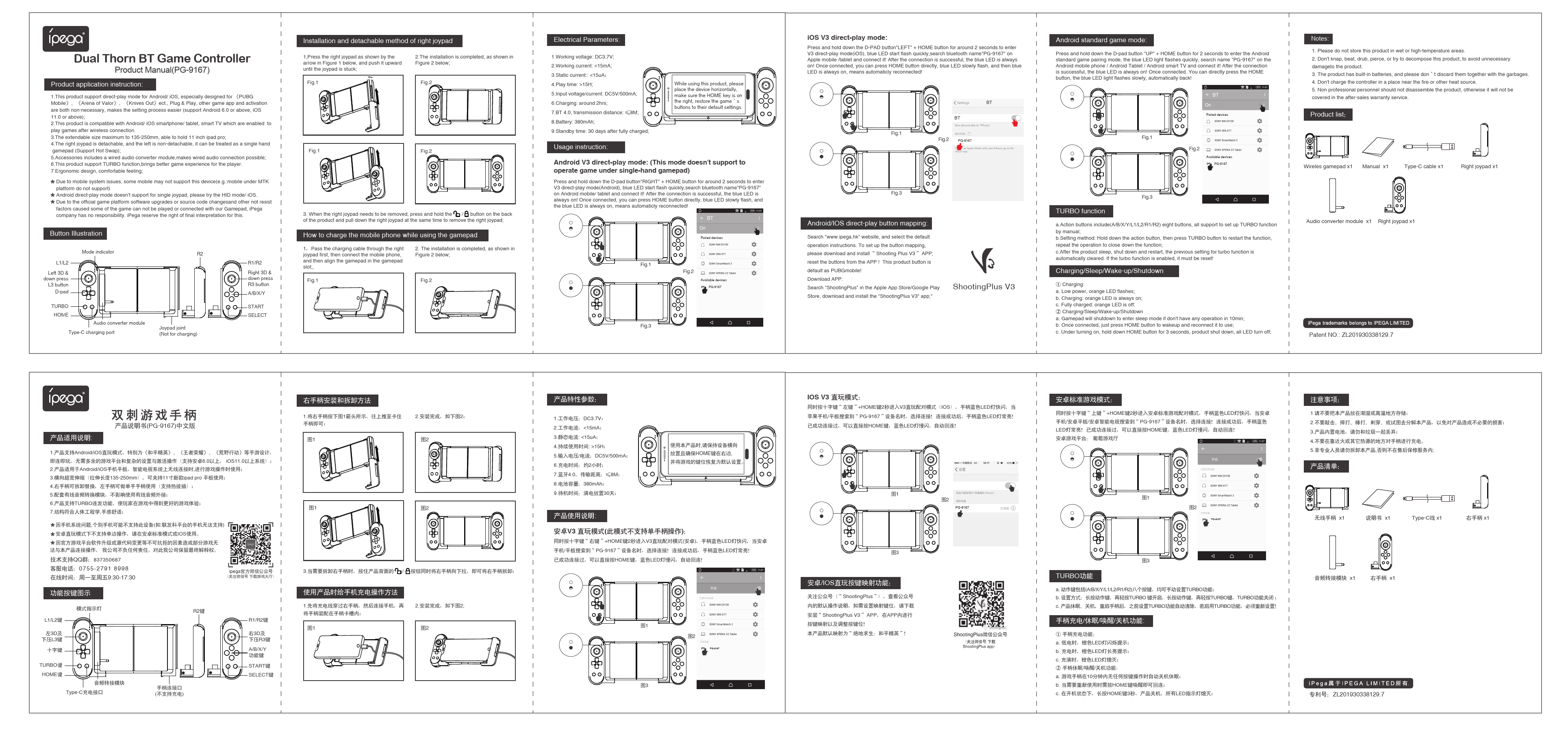
The iPega PG-9167 supports direct-play mode for Android/iOS, specifically designed for popular mobile games such as PUBG Mobile, Arena of Valor, and Knives Out. It offers plug-and-play functionality, eliminating the need for complex game platform settings or activation (supports Android 6.0 or above, iOS 11.0 or above).
This product is compatible with Android/iOS smartphones, tablets, and smart TVs that support wireless connection for gaming.
The extendable size ranges from 135mm to 250mm, capable of holding up to an 11-inch iPad Pro.
The right joypad is detachable, while the left is non-detachable, allowing it to be used as a single-hand gamepad (supports Hot Swap).
Accessories include a wired audio converter module, enabling wired audio connection.
The product supports TURBO function for an enhanced gaming experience.
It features an ergonomic design for comfortable handling.
Important Notes:
- Due to mobile system issues, some mobile devices (e.g., those with MTK platforms) may not support this device.
- Android direct-play mode does not support single joypad operation; please use HID mode or iOS mode instead.
- iPega company is not responsible for issues where games cannot be played or connected due to official game platform software upgrades, source code changes, or other uncontrollable factors. iPega reserves the right of final interpretation.
Usage Instructions
When using this product, place the device horizontally, ensuring the HOME key is on the right side. Restore the game's buttons to their default settings if needed.
Android V3 Direct-Play Mode (Does not support single-hand gamepad)
Press and hold the D-pad button 'RIGHT' + HOME button for approximately 2 seconds to enter V3 direct-play mode (Android). The blue LED will flash quickly. Search for Bluetooth device 'PG-9167' on your Android mobile/tablet and connect. Once connected, the blue LED will be continuously on. You can then press the HOME button directly; the blue LED will flash slowly and remain on, indicating automatic reconnection.
iOS V3 Direct-Play Mode
Press and hold the D-pad button 'LEFT' + HOME button for approximately 2 seconds to enter V3 direct-play mode (iOS). The blue LED will flash quickly. Search for Bluetooth device 'PG-9167' on your Apple mobile/tablet and connect. Once connected, the blue LED will be continuously on. You can then press the HOME button directly; the blue LED will flash slowly and remain on, indicating automatic reconnection.
Android Standard Game Mode
Press and hold the D-pad button 'UP' + HOME button for approximately 2 seconds to enter Android standard game pairing mode. The blue LED will flash quickly. Search for Bluetooth device 'PG-9167' on your Android mobile phone / Android Tablet / Android smart TV and connect. Once connected, the blue LED will be continuously on. You can directly press the HOME button; the blue LED will flash slowly, automatically reconnecting.
Android/iOS Direct-Play Button Mapping
Visit the official iPega website (www.ipega.hk) and select the default operation instructions. To set up button mapping, download and install the 'Shooting Plus V3' APP. Reset the buttons from the APP. This product's button mapping is defaulted for PUBG Mobile. Download the 'Shooting Plus V3' app from the Apple App Store or Google Play Store.
TURBO Function
- Action buttons (A/B/X/Y/L1/L2/R1/R2) all support manual TURBO function setup.
- Setting method: Hold down the desired action button, then press the TURBO button to activate the function. Repeat the operation to deactivate.
- After the product enters sleep mode, shuts down, and restarts, the previous TURBO setting is automatically cleared. If the TURBO function is desired, it must be reset.
Charging/Sleep/Wake-up/Shutdown
Charging:
- Low power: Orange LED flashes.
- Charging: Orange LED is continuously on.
- Fully charged: Orange LED is off.
Sleep/Wake-up/Shutdown:
- The gamepad will shut down and enter sleep mode if there is no operation for 10 minutes.
- Once connected, simply press the HOME button to wake up and reconnect.
- While powered on, hold down the HOME button for 3 seconds to shut down the product; all LEDs will turn off.