

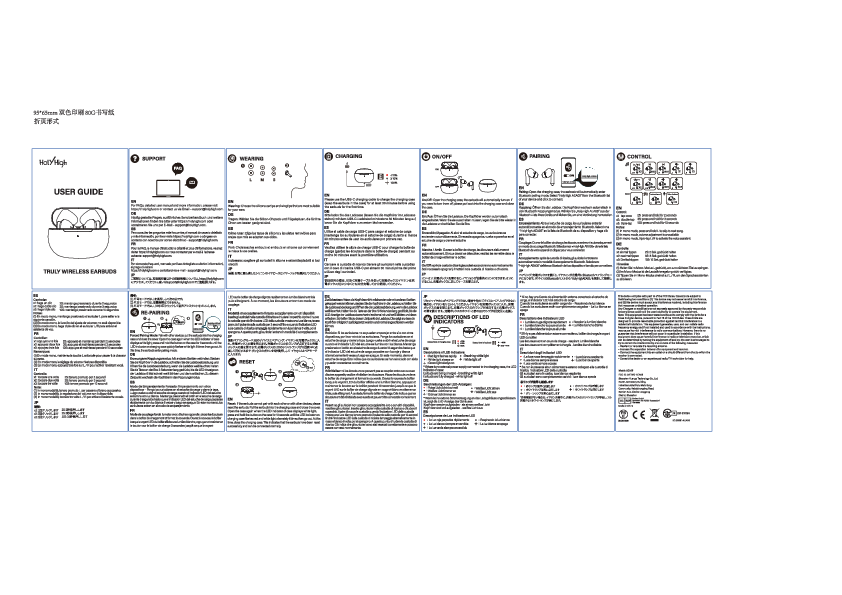
HolyHigh AEA05 Truly Wireless Earbuds User Guide
Support
For more information, please visit our website or contact us.
Support is available via our website (represented by a laptop icon ?), via phone (represented by a phone icon ?), and through customer support (represented by a question mark icon ❓).
Pairing
1. Open the charging case. 2. Take out the earbuds. 3. Turn on Bluetooth on your device. 4. Select 'AEA05' from the list.
To pair, open the charging case and remove the earbuds. Ensure Bluetooth is enabled on your device and select 'AEA05' from the available devices.
Charging
Place earbuds in the charging case. Connect the charging case to a power source using the USB cable. LED indicator shows charging status.
Charge the earbuds by placing them in the charging case and connecting the case to a power source via the provided USB cable. The LED indicator on the case will show the charging status.
On/Off
Earbuds automatically turn on when removed from the case and off when returned. Manual power on/off is also possible.
The earbuds automatically power on when removed from the charging case and power off when placed back inside. Manual power control is also available.
Power
Battery life information.
Provides information on battery life and usage duration.
Control
Single tap: Play/Pause ▶️. Double tap (Right): Next Track ⏭️. Double tap (Left): Previous Track ◀️. Long press (Right): Volume Up ?. Long press (Left): Volume Down ?. Triple tap (Any): Voice Assistant ?️.
Control playback and volume with various tap gestures: Single tap for Play/Pause. Double tap the right earbud for the next track, and the left for the previous track. Long press the right earbud to increase volume, and the left to decrease it. Triple tap either earbud to activate the voice assistant.
Phone
For calls: Single tap to answer/end ?. Long press to reject ❌.
Manage phone calls: Single tap to answer or end a call. Long press to reject an incoming call.
Reset
If earbuds are not functioning correctly, reset them by following the instructions.
To reset the earbuds, follow the provided instructions, which typically involve using a reset pin or button.
Specification of LED
LED indicators for different states: Charging ⚡, Pairing ?, Connected ✅, Low Battery ⚠️.
The LED indicators on the earbuds and charging case display various states such as charging, pairing mode, connection status, and low battery.
IC Caution / Regulatory Information
This device complies with Industry Canada's licence-exempt RSSs. Operation is subject to the following two conditions: (1) This device may not cause interference; and (2) This device must accept any interference, including interference that may cause undesired operation of the device. The device has been evaluated to meet general RF exposure requirement. The device can be used in portable exposure condition without restriction.