

Honeywell GasAlertQuattro User Guide
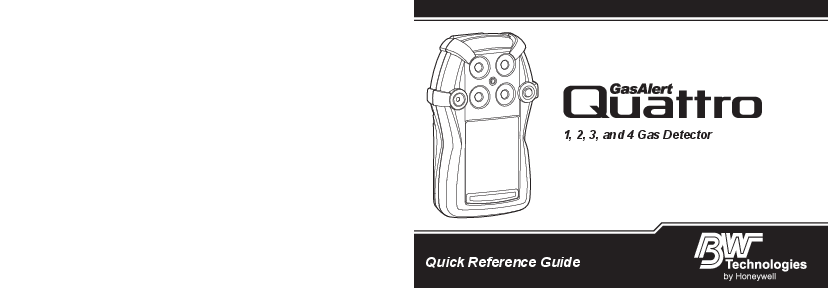
File info: application/pdf · 48 pages · 3.06MB
gasalertquattro quick reference guide
PDF gasalertquattro quick reference guide
koreanexcertificate bw gaquattro 12kb4bo0049 ?la=en. This equipment has been tested and found to comply with the limits for a Class B digital device, pursuant to Part 15 of the FCC Rules and...
GasAlertQuattro Quick Reference Guide 2 • Do not use an external power source or charger to operate the detector in a hazardous environment. The
Full PDF Document

If the inline viewer fails, it will open the original document in compatibility mode automatically. You can also open the file directly.
Extracted Text
1, 2, 3, and 4 Gas Detector
Quick Reference Guide

Limited Warranty and Limitation Liability
BW Technologies LP (BW) warrants the product to be free from defects in material and workmanship under normal use and service for a period of two years, beginning on the date of shipment to the buyer. This warranty extends only to the sale of new and unused products to the original buyer. BW's warranty obligation is limited, at BW's option, to refund of the purchase price, repair or replacement of a defective product that is returned to a BW authorized service center within the warranty period. In no event shall BW's liability hereunder exceed the purchase price actually paid by the buyer for the Product. This warranty does not include:
a) fuses, disposable batteries or the routine replacement of parts due to the normal wear and tear of the product arising from use; b) any product which in BW's opinion, has been misused, altered, neglected or damaged, by accident or abnormal conditions of operation,
handling or use; c) any damage or defects attributable to repair of the product by any person other than an authorized dealer, or the installation of unapproved
parts on the product; or The obligations set forth in this warranty are conditional on:
a) proper storage, installation, calibration, use, maintenance and compliance with the product manual instructions and any other applicable recommendations of BW;
b) the buyer promptly notifying BW of any defect and, if required, promptly making the product available for correction. No goods shall be returned to BW until receipt by the buyer of shipping instructions from BW; and
c) the right of BW to require that the buyer provide proof of purchase such as the original invoice, bill of sale or packing slip to establish that the product is within the warranty period.
THE BUYER AGREES THAT THIS WARRANTY IS THE BUYER'S SOLE AND EXCLUSIVE REMEDY AND IS IN LIEU OF ALL OTHER WARRANTIES, EXPRESS OR IMPLIED, INCLUDING BUT NOT LIMITED TO ANY IMPLIED WARRANTY OF MERCHANTABILITY OR FITNESS FOR A PARTICULAR PURPOSE. BW SHALL NOT BE LIABLE FOR ANY SPECIAL, INDIRECT, INCIDENTAL OR CONSEQUENTIAL DAMAGES OR LOSSES, INCLUDING LOSS OF DATA, WHETHER ARISING FROM BREACH OF WARRANTY OR BASED ON CONTRACT, TORT OR RELIANCE OR ANY OTHER THEORY. Since some countries or states do not allow limitation of the term of an implied warranty, or exclusion or limitation of incidental or consequential damages, the limitations and exclusions of this warranty may not apply to every buyer. If any provision of this warranty is held invalid or unenforceable by a court of competent jurisdiction, such holding will not affect the validity or enforceability of any other provision.
Warranty Registration
http://www.honeywellanalytics.com/support/product-registration
Contacting BW Technologies by Honeywell

USA & Canada: 1-888-749-8878

Europe: 00800-333-222-44

Other countries: 1-403-248-9226

Bwa.customerservice@honeywell.com wwww.honeywellanalytics.com

GasAlertQuattro

Table of Contents

Introduction .............................................................. 1 Zeroing the Sensors ................................................ 1 Safety Information - Read First ............................... 1 Informations de s�curit� � � lire au pr�alable ......3 Parts of the GasAlertQuattro .................................. 6 Screen Elements ...................................................... 7 Button ........................................................................ 8 Sensor Poisons and Contaminants ........................8 Connecting the Gas Cylinder to the Detector .......9 Calibration .............................................................. 10 Bump Test ............................................................... 12 Alarms ..................................................................... 13 User Options and Sensor Configuration .............16
Device Configuration ...................................................16 Sensor Configuration ...................................................18 Maintenance ........................................................... 19
Rechargeable Battery Capacity ...................................19 Battery Pack Retaining Screw .....................................19 Replacing the Battery Pack .........................................20 Charging the Rechargeable Battery Pack....................20 Replacing the Alkaline Batteries ..................................21 WEEE Directive and Battery Directive .................23 Removal and Disposal of the Coin Cell ...............23
Replacing the Sensors.................................................24 Replacing the Sensor Filter ................................... 25

Specifications ......................................................... 26 European Performance Approval ......................... 28 Troubleshooting ..................................................... 32
Startup Troubleshooting.............................................. 36 Calibration Troubleshooting ........................................ 38 Bump Test Troubleshooting ........................................ 38 Replacement Parts and Accessories ................... 39
i

Introduction
The Quick Reference Guide provides basic information to operate the GasAlertQuattro gas detector. For complete operating instructions, refer to the GasAlertQuattro User Manual. The GasAlertQuattro gas detector ("the detector") is designed to warn of hazardous gas levels above user-defined alarm setpoints.
The detector is a personal safety device. It is your responsibility to respond properly to the alarm.
Note: The detector is shipped with English as the default displayed language. Additional languages provided are French, German, Portuguese, and Spanish. The screens for the additional languages are displayed on the detector and in the corresponding Quick Reference Guide.
Zeroing the Sensors
To zero the sensors, refer to steps #1-3 in Calibration on page 10.
Safety Information - Read First
Use the detector only as specified in this Quick Reference Guide and the User Manual, otherwise protection provided by the detector may be impaired. Read the following Cautions before using the detector.

GasAlertQuattro
Introduction
a CAUTION
� Warning: Substitution of components may impair Intrinsic Safety.
� Before using the detector, refer to Sensor Poisons and Contaminants on page 8.
� Protect the combustible sensor from exposure to lead compounds, silicones, and chlorinated hydrocarbons. Although certain organic vapors (such as leaded gasoline and halogenated hydrocarbons) may temporarily inhibit sensor performance, in most cases the sensor will recover after calibration.
� Caution: For safety reasons, this equipment must be operated and serviced by qualified personnel only. Read and understand the User Manual completely before operating or servicing.
� If using the detector near its upper or lower operating temperature, BW Technologies by Honeywell recommends zeroing or activating the detector in that environment.
� Charge the detector before first-time use. BW recommends the detector be charged after every workday.
� Do not use an external power supply or charger to operate the detector for periods greater than 24 hours. If powering from an external source, power cycle the detector once every 24 hours to ensure proper operation. To power cycle the detector, press and hold C until OFF is displayed. Release C, then press and hold until the detector begins the start-up sequence.
1

GasAlertQuattro
Quick Reference Guide
� Do not use an external power source or charger to operate the detector in a hazardous environment. The chargers intended for use with the GasAlertQuattro detector are not certified for use in hazardous or potentially explosive environments.
� Calibrate the detector before first-time use and then on a regular schedule, depending on use and sensor exposure to poisons and contaminants. BW recommends that the sensors must be calibrated regularly and at least once every 180 days (6 months).
� Performance standards for European certification EN 60079-29-2 and EN 45544-4 contain guidance on implementing a suitable calibration routine.
� Calibrate only in a safe area that is free of hazardous gas in an atmosphere of 20.9% oxygen.
� The combustible sensor is factory calibrated to 50% LEL methane. If monitoring a different combustible gas in the % LEL range, calibrate the sensor using the appropriate gas.
� Only the combustible gas detection portion of this instrument has been assessed for performance by CSA International.
� BW recommends that the combustible sensor be checked with a known concentration of calibration gas after any exposure to contaminants/poisons such as sulfur compounds, silicon vapors, halogenated compounds, etc.
� BW recommends to bump test the sensors before each day's use to confirm their ability to respond to gas by
2

exposing the detector to a gas concentration that exceeds the alarm setpoints. Manually verify that the audible, visual, and vibrator alarms are activated. Calibrate if the readings are not within the specified limits.
� For an additional bump test caution relating to the European performance certification, refer to Bump Test.
� Caution: High off-scale LEL readings may indicate an explosive concentration.
� Any rapid upscaling reading followed by a declining or erratic reading may indicate a gas concentration beyond upper scale limit, which can be hazardous.
� For use only in potentially explosive atmospheres where oxygen concentrations do not exceed 20.9% (v/v). Oxygen deficient atmospheres (<10% v/v) may suppress some sensor outputs.
� Extended exposure of the GasAlertQuattro to certain concentrations of combustible gases and air may stress the detector element that can seriously affect its performance. If an alarm occurs due to a high concentration of combustible gases, a calibration should be performed, or if needed, the sensor replaced.
� Before using common products around sensors, refer to Sensor Poisons and Contaminants on page 8.
� High concentrations of certain toxic gases, for example H2S, may have an adverse effect on the LEL sensor. This effect, known as inhibition, is usually temporary but in extreme circumstances can impair the sensitivity of the LEL sensor.

After any gas exposure that causes an alarm in the toxic gas sensors, the LEL sensor should be verified with a bump test, and recalibrated if necessary.
� Warning: The lithium battery (QT-BAT-R01) may present a risk of fire or chemical burn hazard if misused. Do not disassemble, heat above 212�F (100�C), or incinerate.
� Warning: Do not use any other lithium batteries with the GasAlertQuattro detector. Use of any other cell can cause fire and/or explosion. To order and replace the QT-BAT-R01 lithium battery, contact BW Technologies by Honeywell.
� Warning: Lithium polymer cells exposed to heat at 266�F (130�C) for 10 minutes can cause fire and/or explosion.
� e Warning: This instrument contains a lithium
polymer battery. Dispose of used lithium cells immediately. Do not disassemble and do not dispose of in fire. Do not mix with the solid waste stream. Spent batteries must be disposed of by a qualified recycler or hazardous materials handler.
� Keep lithium cells away from children.
� Deactivating the detector by removing the battery pack may cause improper operation and harm the detector.
� Products may contain materials that are regulated for transportation under domestic and international dangerous goods regulations. Return product in compliance with appropriate dangerous goods regulations. Contact freight carrier for further instructions.

GasAlertQuattro
Informations de s�curit� � � lire au pr�alable
Informations de s�curit� � � lire au pr�alable
Respectez strictement les instructions d'emploi figurant dans ce manuel d'utilisation ainsi que dans le guide technique, dans le cas contraire, la protection offerte par le d�tecteur pourrait �tre diminu�e. Lisez les Mises en garde suivantes avant d'utiliser le d�tecteur.
a Mises en garde
� Avertissement : tout remplacement des composants peut compromettre la s�curit� intrins�que de l'appareil.
� Avant d'utiliser le d�tecteur, reportez-vous � la section Sensor Poisons and Contaminants, page 8.
� Prot�gez le capteur de gaz combustibles contre toute exposition aux compos�s de plomb, aux silicones et aux hydrocarbures chlor�s. Bien que certaines vapeurs organiques (comme l'essence au plomb ou les hydrocarbures halog�n�s) puissent neutraliser provisoirement les performances du capteur, dans la plupart des cas, le capteur retrouvera son fonctionnement normal apr�s l'�talonnage.
� Mise en garde : pour des raisons de s�curit�, cet appareil doit �tre utilis� et entretenu par du personnel qualifi� uniquement. Lisez attentivement le guide technique avant d'utiliser l'appareil ou d'en assurer l'entretien, et assurez-vous d'en avoir bien compris les instructions.
� Si vous utilisez le d�tecteur pr�s de sa temp�rature de fonctionnement sup�rieure ou inf�rieure, BW
3

GasAlertQuattro
Quick Reference Guide
Technologies by Honeywell recommande de mettre le d�tecteur � z�ro ou de l'activer dans cet environnement.
� Chargez le d�tecteur avant sa premi�re utilisation. BW recommande de recharger le d�tecteur apr�s chaque journ�e d'utilisation.
� N'utilisez pas une alimentation externe ou un chargeur pour faire fonctionner le d�tecteur sur des p�riodes sup�rieures � 24 heures. En cas d'alimentation par une source externe, red�marrez le d�tecteur toutes les 24 heures pour garantir son fonctionnement correct. Pour red�marrer le d�tecteur, maintenez la touche C enfonc�e jusqu'� ce que OFF s'affiche. Rel�chez la touche C, puis maintenez-la enfonc�e jusqu'� ce que le d�tecteur lance la s�quence de d�marrage.
� N'utilisez pas d'alimentation externe ou de chargeur pour faire fonctionner le d�tecteur dans un environnement dangereux. Les chargeurs con�us pour le d�tecteur GasAlertQuattro ne sont pas certifi�s pour une utilisation dans des environnements dangereux ou potentiellement explosifs.
� �talonnez le d�tecteur avant sa premi�re utilisation, puis de mani�re r�guli�re, en fonction de l'utilisation et de l'exposition du capteur aux poisons et autres contaminants. BW recommande d'�talonner les capteurs r�guli�rement et au moins une fois tous les 180 jours (6 mois).
� Les normes de performance pour la certification europ�enne EN 60079-29-2 et EN 45544-4 contiennent des conseils sur la mise en oeuvre d'une routine d'�talonnage appropri�e.
4

� Veillez � effectuer l'�talonnage dans une zone s�re, exempte de gaz dangereux, dans une atmosph�re contenant 20,9 % d'oxyg�ne.
� Le capteur de gaz combustible est �talonn� en usine au m�thane � une concentration de 50 % LIE. Si la surveillance porte sur un autre gaz combusstible dans la plage de % LIE, �talonnez le capteur en utilisant le gaz appropri�.
� Seul l'�l�ment de d�tection de gaz combustibles de cet appareil a fait l'objet d'une �valuation des performances homologu�e par CSA International.
� BW recommande de contr�ler le capteur de gaz combustibles � l'aide d'une concentration connue de gaz d'�talonnage apr�s toute exposition � des contaminants/poisons (compos�s de soufre, vapeurs de silicium, produits halog�n�s, etc.).
� Avant chaque utilisation quotidienne, BW recommande d'effectuer un test fonctionnel des capteurs afin de v�rifier qu'ils r�agissent bien aux gaz pr�sents, en exposant le d�tecteur � une concentration de gaz sup�rieure aux seuils d'alarme. V�rifiez manuellement que les alarmes sonore, visuelle et vibrante sont activ�es. �talonnez l'appareil si les relev�s ne sont pas conformes aux limites sp�cifi�es.
� Pour une mise en garde suppl�mentaire sur le test fonctionnel en rapport avec le certificat de performances europ�en, reportez-vous � la section Bump Test.
� Mise en garde : des valeurs LIE �lev�es hors �chelle peuvent indiquer la pr�sence d'une concentration explosive.

� Une lecture qui augmente rapidement, puis qui baisse, ou une lecture fantaisiste peuvent �tre repr�sentatives d'une concentration de gaz exc�dant la limite d'�chelle sup�rieure et risquant donc d'�tre dangereuse.
� Cet appareil est destin� uniquement � une utilisation dans des atmosph�res potentiellement explosives, dans lesquelles la concentration d'oxyg�ne ne d�passe pas 20,9 % (v/v). Les atmosph�res pauvres en oxyg�ne (<10 % v/v) peuvent supprimer certaines sorties de capteur.
� Une exposition prolong�e du d�tecteur GasAlertQuattro � certaines concentrations de gaz ou d'atmosph�res combustibles peut nuire � l'�l�ment de d�tection et alt�rer gravement ses performances. En cas d'alarme due � une forte concentration de gaz combustible, il est n�cessaire de proc�der � un r��talonnage ou de remplacer le capteur si n�cessaire.
� Avant d'utiliser des produits usuels � proximit� des capteurs, reportez-vous � Sensor Poisons and Contaminants, page 8.
� Des concentrations �lev�es en certains gaz toxiques, tels que H2S, peuvent avoir un effet n�faste sur le capteur LIE. Cet effet, appel� inhibition, est g�n�ralement temporaire, mais peut, dans des conditions extr�mes, alt�rer la sensibilit� du capteur LIE.
Apr�s toute exposition � un gaz entra�nant le d�clenchement d'une alarme des capteurs de gaz toxiques, le capteur LIE devra subir un test fonctionnel et �tre r��talonn� si n�cessaire. � Avertissement : la batterie au lithium (QT-BAT-R01) peut pr�senter un risque d'incendie ou de br�lure chimique

GasAlertQuattro Informations de s�curit� � � lire au pr�alable
en cas d'utilisation inappropri�e. Elle ne doit jamais �tre d�mont�e, chauff�e au-del� de 100 �C ou incin�r�e. � Avertissement : veillez � ne jamais utiliser d'autres batteries au lithium avec le d�tecteur GasAlertQuattro. L'utilisation de toute autre batterie pourrait provoquer un incendie et/ou une explosion. Pour commander une batterie au lithium QT-BAT-R01 de rechange, contactez BW Technologies by Honeywell. � Avertissement : les batteries au lithium polym�re expos�es � une temp�rature sup�rieure � 130 �C pendant plus de 10 minutes peuvent provoquer un incendie et/ou une explosion.
� e Avertissement : cet appareil contient une batterie au lithium polym�re. Mettez imm�diatement au rebut les batteries au lithium usag�es. Ne les d�montez jamais et ne les jetez pas au feu. Ne les m�langez pas aux autres d�chets solides. Les batteries usag�es doivent �tre �limin�es par un centre de recyclage agr�� ou un centre de traitement des mati�res dangereuses.
� Conservez les batteries au lithium hors de port�e des enfants.
� Toute d�sactivation du d�tecteur par le retrait de la batterie risque de l'endommager et de provoquer un fonctionnement inappropri�.
� Les produits peuvent contenir des mat�riaux qui sont r�glement�s pour le transport en vertu des r�glements nationaux et internationaux de marchandises dangereuses. Retourner le produit conform�ment � la r�glementation sur les marchandises dangereuses appropri�es. Contactez transporteur pour plus d'instructions.
5

GasAlertQuattro Quick Reference Guide
Parts of the GasAlertQuattro

212

10

3

4 9

2

2

8 7

5
11 6
12

Item 1 2 3

Description
IntelliFlash (green LED)
Visual alarm indicator (red LED)
Hydrogen sulfide (H2S) sensor

Item Description

4 Button

5

Combustible (LEL) sensor

6

Carbon monoxide (CO) sensor

Item

Description

7

Liquid crystal display (LCD)

8 Audible alarm

9 Oxygen (O2) sensor

Item

Description

10 Alligator clip

11 Battery pack

12

Charging connector and IR interface

6

Screen Elements

GasAlertQuattro Screen Elements
7

GasAlertQuattro
Quick Reference Guide
Button
� To activate the detector, press and hold C in a safe area that is free of hazardous gas and in an atmosphere of 20.9% oxygen.
� To deactivate the detector, press and hold C during the powering off countdown. Release C when OFF displays.
� To view the date/time, current battery power, calibration due date, bump test due date, TWA, STEL, and peak readings, press C twice rapidly. To clear the TWA, STEL, and peak readings, press and hold C when the LCD displays Hold C to reset peaks, TWA, STEL.
� To activate the backlight, press C and release. � To acknowledge latching alarms, press C.
� To acknowledge a low alarm and disable the audible alarm, press C. The Low Alarm Acknowledge option must be enabled in FleetManager II.
� To acknowledge any of the "due today" messages (calibration and bump test) press C. If enabled, the force calibration and force bump features cannot be bypassed.
Sensor Poisons and Contaminants
Several cleaners, solvents, and lubricants can contaminate and cause permanent damage to sensors.

a CAUTION
Use only the following BW Technologies by Honeywell recommended products and procedures:

� Use water based cleaners. � Use non-alcohol based cleaners. � Clean the exterior with a soft, damp cloth. Avoid using the following products around sensors.

Cleaners and Lubricants
� Brake cleaners
� Lubricants
� Rust inhibitors
� Window and glass cleaners
� Soap & Solvent
� Citrus based cleaners
� Alcohol based cleaners
� Hand sanitizer
� Anionic detergents
� Methanol (fuels and antifreezes)

Silicones
� Silicone cleaners and protectants
� Silicone based adhesives, sealants, and gels
� Hand/body and medicinal creams that contain silicone
� Tissues containing silicone
� Mold releasing agents
� Polishers

Aerosols
� Bug repellents and sprays
� Lubricants � Rust
inhibitors � Window
cleaners

8

Connecting the Gas Cylinder to the Detector

GasAlertQuattro Connecting the Gas Cylinder to the Detector

Gas Cylinder Guidelines
 To ensure accurate calibration, use a premium-grade calibration gas. Use gases approved by the National Institute of Standards and Technology.
,IDFHUWLILHGFDOLEUDWLRQLVUHTXLUHGFRQWDFW%:7HFKQRORJLHVE\+RQH\ZHOO 'RQRWXVe a gas cylinder past its expiration date.
Gas Cylinder Connection
Read the following steps (1-5) prior to initiating calibration.
1. Verify the calibration gas being used matches the span concentration value(s) that are set for the detector.
2. Connect the calibration hose to the 0.5 l/min regulator on the gas cylinder. For use with the MicroDock II, use a demand flow regulator and refer to the MicroDock II User Manual.
3. Connect the calibration hose to the intake inlet on the calibration cap. Arrows on the calibration cap indicate the direction of gas flow.
4. Begin the calibration procedures. Do not attach the calibration cap until instructed to apply gas. When instructed, place the calibration cap on the detector and tighten the knob. NOTE: Ensure the cap is securely fastened before applying gas.
5. When calibration is complete, disconnect the hose from the calibration cap and the regulator. Remove the calibration cap from the detector.

Note
Only use the calibration cap during the calibration process.

9

GasAlertQuattro Quick Reference Guide
Calibration
Calibration is performed to adjust the sensitivity levels of sensors to ensure accurate responses to gas. This calibration procedure is written as the procedure is intended. If an error or alarm screen displays, refer to Calibration Troubleshooting in the GasAlertQuattro User Manual.
a CAUTION
Calibrate only in a safe area that is free of hazardous gas in an atmosphere of 20.9% oxygen. If performing single gas calibration, calibrate O2 first.
Note: The maximum hose length for calibration is 3 ft. (1 m). The following steps are written for use with a standard quad gas cylinder.
Calibration can only be aborted after the sensors have been zeroed. If C is pressed to abort, CALIBRATION cancelled is displayed. Aborting the calibration procedure after applying gas may result in an undesired calibration being saved.
BW recommends calibrations be verified following an adjustment operation.
1. Press and hold C as the detector performs the Powering off countdown.
Continue holding C when OFF displays and the detector briefly deactivates.
10

2. The detector activates again and performs the calibration

countdown. Continue holding until Starting Calibration displays. 3. The detector enters the zero function.

zeroing displays while the detector zeros all of the sensors.

H2S ppm CO ppm
0.0 0

a CAUTION
If a sensor fails to zero, it cannot be calibrated. Refer to Startup Self-Test Troubleshooting in the GasAlertQuattro User Manual.

20.9 0

O2 %

LEL %

zeroing . . .

If the IR Lock option is enabled, the following screen displays to indicate calibration can only be performed using an IR device (MicroDock II or IR Link).
4. When the following screen displays, attach the calibration cap and apply calibration gas at a flow rate of 250-500 ml/min. Refer to Connecting the Gas Cylinder to the Detector on page 9.
If a sensor is not yet due for calibration, its box will have a greyed out checkmark.

Calibration IR lock enabled...
Connect to MicroDock or Fleet Manager Press to end
waiting... 24
Apply Calibration gas now...

H2S

CO

O2

LEL

Press

to end

waiting... 17

5. The detector initially tests for gas. When a sufficient amount of gas is detected, displays beside each gas that is detected.
6. The detector then begins calibrating the sensors. The following activities occur during the span:
� calibrating displays at the bottom of the screen.
� Gas values adjust during the span. � Target gas values that are defined in
FleetManager II display above or below the adjusting gas value. To abort calibration after the sensors have been zeroed, press C. 7. When the following screen displays, close the valve on the gas cylinder and remove the calibration cap from the detector. A check mark displays beside each sensor that has calibrated successfully.

Apply Calibration gas now...

H2S

CO

O2

LEL

Press

to end

waiting... 0

H2S ppm CO ppm
22.0 86

25.0

100.0

18.0

50.0

15.0 37

O2 %

LEL %

Press

to end

calibrating...

Turn gas off...

H2S

CO

O2

LEL

Press

to skip

waiting... 17

8. When calibration is complete, the following screen displays.
Note
The calibration due date cannot be reset for a sensor that fails calibration. If a sensor fails or an error screen displays, refer to Calibration Troubleshooting in the GasAlertQuattro User Manual. 9. All successfully calibrated sensors automatically reset to the number of days defined in the Cal Interval field in FleetManager II. The calibration due dates can be changed in FleetManager II.
10. The detector now enters normal operation.

GasAlertQuattro Calibration
Calibration complete

Press to skip waiting... 0

H2S days CO days
180 180

NEXT
180
O2 days Press

CAL
180
LEL days to skip

H2S ppm CO ppm
0.0 0

20.9 0

O2 %

LEL %

11

GasAlertQuattro Quick Reference Guide
Bump Test
A bump test applies test gas to force the detector into alarm. A bump test should be performed regularly to confirm the sensors are responding correctly to gas, and that the audible, visual and vibrator alarms activate during an alarm condition.
The detector can also prompt for a bump test during startup when the Bump Test Interval is defined. Refer to the GasAlertQuattro User Manual.
a CAUTION
BW recommends to bump test the sensors before each day's use to confirm their ability to respond to gas by exposing the sensors to a gas concentration that exceeds alarm setpoints. To operate the detector in accordance with performance requirements for European certification, the user must complete a bump test before each day's use. (Per EN 60079-29-1 and EN 60079-29-2.)
1. Connect the calibration hose to the 0.5 l/min regulator on the gas cylinder. Refer to Connecting the Gas Cylinder to the Detector on page 9.
To bump test using the MicroDock II station, refer to the MicroDock II User Manual. 2. Connect the calibration hose to the intake inlet on the
calibration cap. Arrows on the calibration cap indicate the direction of gas flow.
12

3. Attach and tighten the calibration cap onto the detector and apply gas. Verify the visual, audible, and vibrator alarms activate.
4. Close the regulator and remove the calibration cap. The detector temporarily remains in alarm until the gas clears from the sensors.
Note: In normal operating mode, it is possible to display measured values with calibration gas applied to determine any measurement errors.

GasAlertQuattro Alarms

Alarms

Refer to the following table for information about alarms and corresponding screens. For more information about alarms refer to the GasAlertQuattro User Manual.

Alarm

Screen

Alarm

Screen

Low Alarm
� Slow siren (upward tone) � Slow flash � Black box around gas flashes � Vibrator alarm activates

H2S ppm
0.0
LOW
19.5
O2 %

CO ppm
0
ALARM
0
LEL %

TWA Alarm
� Fast siren (downward tone) � Fast flash � Black box around gas flashes � Vibrator alarm activates

H2S ppm

CO ppm

15.0 0

TWA
20.9
O2 %

ALARM
0
LEL %

High Alarm
� Fast siren (downward tone) � Fast flash � Black box around gas flashes � Vibrator alarm activates

H2S ppm
0.0
HIGH
20.9
O2 %

CO ppm
200
ALARM
0
LEL %

STEL Alarm
� Fast siren (downward tone) � Fast flash � Black box around gas flashes � Vibrator alarm activates

H2S ppm
0.0
STEL
20.9
O2 %

CO ppm
50
ALARM
0
LEL %

13

GasAlertQuattro Quick Reference Guide
Alarm Multi Alarm � Alternating low and high alarm
siren and flash � Black box around gas flashes � Type of alarm alternates � Vibrator alarm activates

Screen

H2S ppm
0.0
HIGH
19.5
O2 %

CO ppm
200
ALARM
0
LEL %

Alarm
Over Limit (OL) Alarm � Fast siren (downward tone) � Fast flash � Black box around gas flashes � Vibrator alarm activates
Note: LCD may also display an under limit reading (-OL)

Screen

H2S ppm
0.0
HIGH
20.9
O2 %

CO ppm
0
ALARM
OL
LEL %

Sensor Failure Alarm

�

displays

Normal Deactivation

H2S ppm CO ppm

� Sequence of alternating beeps

0.0 0

and alternating flashes � Vibrator alarm activates

20.9

� Countdown initiates � OFF displays

OFF

O2 %

LEL %

Note : If enabled, during an alarm condition the Latching Alarms option causes the low and high gas alarms (audible, visual, and vibrator) to persist until the alarm is acknowledged by pressing C and the gas concentration is below the low alarm setpoint. The peak concentration values display continually until the alarm no longer exists. Enable/disable Latching Alarms in FleetManager II. Local regulations may require the Latching Alarms option be enabled. The Latching Alarms option must be enabled if the detector is to be used in accordance with performance requirements for European certification.
14

Alarm

Low Battery Alarm
� Sequence of 10 rapid sirens and alternating flashes with 7 seconds of silence in between (continues for 15 minutes)

�

flashes

� Vibrator alarm pulses

� After 15 minutes of the low battery

alarm sequence, the detector

enters critical battery alarm (see

Critical Battery Alarm below)

Screen

H2S ppm CO ppm
0.0 0

20.9 0

O2 %

LEL %

Critical Battery Alarm
� Fifteen minutes after low battery alarm activates, sequence of 10 rapid sirens and alternating flashes with 1 second of silence in between (sequence reactivates seven times)
� Vibrator alarm pulses
� Low Battery Powering Off displays and the detector deactivates

Low battery Powering off

GasAlertQuattro Alarms

Alarm

Screen

Confidence/compliance Beep
� One beep every 1-120 seconds (beep frequency is defined with Confidence/compliance Beep Interval option)
IntelliFlash (default: one flash every 1 second)

H2S ppm CO ppm
0.0 0

20.9 0

O2 %

LEL %

� One flash every 1-120 seconds (flash frequency is defined with IntelliFlash Interval option)
Heartbeat

Note: Confidence/ compliance beep and IntelliFlash automatically deactivate during a low battery

�

pulses once every second to alarm, calibration fail,

verify detector is operating correctly bump test fail, self-test

fail, and in an alarm

condition.

Note: If the Low Alarm Acknowledge option is enabled, the audible alarm can be disabled during a low alarm condition.
The LED and visual alarm indicators remain active until the
alarm condition changes or the detector deactivates. Press C to acknowledge the low alarm and deactivate the audible alarm. If the alarm escalates to a high, TWA, or STEL alarm,
the audible alarm reactivates.

15

GasAlertQuattro Quick Reference Guide
User Options and Sensor Configuration
In order to modify user options and detector configuration, the following items are required:
� Detector � IR Link adapter or MicroDock II � FleetManager II software
The following section describes some of the configuration options available in the detector. Refer to the GasAlertQuattro User Manual and FleetManager II Quick Reference Guide for complete information.
Device Configuration
The Device Configuration section displays data about the detector, allows for a startup message to be entered, and defines and enables/disables settings for the detector.
� Serial Number Field: This field displays the serial number (e.g. QA111-001000) of the detector.
� Firmware Version: This field displays the current firmware version that displays on the detector LCD during the startup sequence. If new firmware is uploaded to the detector, the Firmware Version field automatically updates.
� Hardware Version: This field displays the current hardware version of the detector.
� Startup Message: Enter text to display on the detector LCD during startup (50 characters maximum). Enter information such as employee name, plant, area, emergency number(s), etc.
16

� Lockout on Self-Test Error: If Lockout on Self-Test Error is enabled and a failure occurs during the self-test, the screen displays Sensor Self Test Error Lockout Enabled... and the detector deactivates.
� Safe Mode: If enabled, SAFE displays continuously on the LCD unless an alarm condition occurs.
� Confidence/Compliance Beep: If enabled, the Confidence/Compliance Beep provides continuous audible confirmation that the detector is operating correctly. Frequency of the beep is defined with the Confidence/ Compliance Beep Interval option (every 1-120 seconds).
Note: Confidence/Compliance Beep automatically disables during a low battery alarm, self-test fail, calibration fail, bump test fail, and when an alarm event occurs.
a CAUTION
Remove the unit from use and contact BW if the confidence/compliance beep or IntelliFlash is not working.
� Latching Alarms: If enabled, during an alarm condition the Latching Alarms option causes the low and high gas alarms (audible, visual, and vibrator) to persist until the alarm is acknowledged and the gas concentration is below the low alarm setpoint. The LCD displays the peak concentration until the alarm no longer exists. Local regulations in your region may require the Latching Alarms option be enabled.

� Force Calibration: If enabled, during startup if a sensor(s) is past due for calibration, the sensor(s) must be calibrated to continue and enter normal operation.
A value must be entered in the Cal Interval (days) field before enabling Force Calibration. � Force Bump: If enabled, during startup if the sensor(s) is past due for a bump test, a bump test should be performed and the overdue sensor(s) must enter into alarm.
A value must be entered in the Bump Interval (days) field before enabling Force Bump.
� Cal IR Lock: If enabled, the sensor(s) can only be calibrated using an IR device (IR Link or the MicroDock II station).
Note: If the Cal IR Lock option is enabled and a manual calibration is attempted, the sensor(s) will auto zero but they will not be calibrated.
a CAUTION
Do not use for gas detection while connected to a PC.
� Flip Display: The detector can display screens at 0� (upright) or 180� (upside down), depending upon how the detector is worn by the worker. If the Flip Display option is enabled, the LCD is viewed at 180� (upside down).
� Stealth: When enabled, the following features are disabled: backlight, audible alarms, visual alarms, IntelliFlash, and confidence/compliance beep. Only the

GasAlertQuattro User Options and Sensor Configuration
vibrator and the LCD readings activate during an alarm condition. Note: Should the user wish to comply with European performance certifications, stealth mode must be disabled. � Datalog Interval: The Datalog Interval (seconds) field defines how often the detector records a datalog (every 1-120 seconds). Enter the desired value. The total number of 8-hour days datalogs that can be recorded is assuming 90% of the day has no gas concentrations. When the memory is full, the detector replaces the oldest datalogs with the most recent datalogs. � IntelliFlash Interval: The IntelliFlash Interval (seconds) field defines how often (every 1-120 seconds) the IntelliFlash occurs. � Confidence/Compliance Beep Interval: Define how often (every 1-120 seconds) the confidence/compliance beep occurs. � Language: The Language field provides a drop down menu that includes the following language options: English, Fran�ais (French), Deutsch (German), Espa�ol (Spanish), Portugu�s (Portuguese). Select the language from the drop-down menu in FleetManager II.
17

GasAlertQuattro Quick Reference Guide
Sensor Configuration
� Sensor Disabled: Enables/disables the selected sensor.
a WARNING
Use extreme caution when disabling a sensor. The disabled sensor cannot detect and alarm against the applicable gas.
� Calibration Gas (ppm): Define the span gas concentration for each sensor. The span gas concentration must match the span value on the gas cylinder.
� Calibration Interval: Define how often a sensor should be calibrated (0-365 days) in the Calibration Interval (days) field. A different calibration interval can be defined for each sensor.
a CAUTION
BW recommends that the sensors be calibrated at least once every 180 days (6 months).
Mise en garde
BW recommande d'effectuer un �talonnage du capteur au moins une fois tous les 180 jours (6 mois).
� Bump Interval: Define how often a bump test should be performed for each sensor (0-365 days) in the Bump
18

Interval (days) field. A different bump interval can be defined for each sensor.
� Low Alarm: Define the low alarm setpoints for each sensor. Refer to Sample Gas Alarm Setpoints for factory defined alarm setpoints in the GasAlertQuattro User Manual.
� High Alarm: Define the high alarm setpoints for each sensor. Refer to Sample Gas Alarm Setpoints for factory defined alarm setpoints in the GasAlertQuattro User Manual.
� TWA Alarm: The time-weighted average (TWA) is a safety measure used to calculate accumulated averages of gases. Using the US Occupational Safety and Health Administration (OSHA) method or the American Conference of Governmental Hygienists (ACGIH) method, an average is calculated to ensure the detector alarms when the TWA has accumulated.
� STEL Alarm: The short-term exposure limit (STEL) is the maximum permissible gas concentration a worker can be safely exposed to for short periods of time (5-15 minutes maximum).
� Correction Factor (LEL): The Correction Factor option defines compensation factors for hydrocarbons other than methane. The correction factor is only applicable to LEL and can only be applied if the LEL sensor has been calibrated with methane. Detector operation using LEL correction factors has not been tested by BAM.
� STEL Interval: Define the short-term exposure limit (STEL) from 5-15 minutes (toxic sensors only).

� TWA Period (hours): Define the time-weighted average (TWA) from 4-16 hours (toxic sensors only).
� TWA Method: Select either the US Occupational Safety and Health Administration (OSHA) or the American Conference of Governmental Industrial Hygienists (ACGIH) TWA calculating method.
� 50% LEL = (%CH4): Enter a percentage value to display the LEL reading as %vol., assuming a methane environment (LEL only).
� Auto Zero on Startup: When enabled, the sensors automatically zero during the startup sequence. The Auto Zero on Startup option is available for the CO, H2S, LEL, and O2 sensors (each sensor is enabled individually).
� LEL by Volume CH4: If enabled, the detector displays the LEL value as %vol. assuming a methane environment.
Note: If changing the measurement unit from % LEL to % Vol. or from % Vol. to % LEL, a calibration must be completed and the alarm setpoints changed. For calibration information refer to Calibration on page 10 and for alarm setpoint information refer to Gas Alarm Setpoints in the GasAlertQuattro User Manual.
� 10% LEL (of reading) Over-span: If enabled, the detector automatically over-spans the LEL sensor by 10% of the span concentration. Enable 10% LEL (of reading) Over-Span to ensure the detector is in compliance with CAN/CSA C22.2 No. 152.
� 20.8 Base Reading: If enabled, the detector is configured to detect 20.8% O2 as ambient air. When disabled, the detector is configured to detect 20.9% O2 as ambient air.

GasAlertQuattro Maintenance
� Low Alarm Acknowledge: If enabled, the audible alarm can be temporarily disabled during a low alarm by pressing C. The vibrator, alarm LEDs, and LCD remain operational (toxic and LEL only).
Maintenance
To maintain the detector in good operating condition, perform the following basic maintenance as required.
� Calibrate, bump test, and inspect the detector on a regular schedule.
� Maintain an operations log of all maintenance, bump tests, calibrations, and alarm events.
� Clean the exterior with a soft damp cloth. Do not use solvents, soaps, or polishes. Refer to Sensor Poisons and Contaminants on page 8.
Rechargeable Battery Capacity
A rechargeable battery's runtime decreases approximately 20% over a two-year period of typical use.
Battery Pack Retaining Screw
The retaining screw (QAQD-20x) provided with the detector must be used to lock the battery pack on all European and IECEx scheme detectors, and on all Canadian and U.S. Zone Certified detectors.
The screwdriver included with the detector has a double-ended driver. Loosen the brass nut to switch between a Phillips head and a hex head.
19

GasAlertQuattro Quick Reference Guide A hex tool is required to tighten and loosen the retaining screw. Tighten the screw 1-2 turns using 3-4 in-lbs of torque. Do not overtighten the screw.
Hex tool
Retaining screw

Battery release latch

Battery pack

Replacing the Battery Pack
The alkaline and rechargeable battery packs can be changed in hazardous locations.
1. Press and hold C to deactivate the detector.
2. If using the retaining screw, loosen it 1-2 turns. Push the battery release latch toward the top of the detector to release the battery pack.
3. From the top of the battery pack, lift upward to remove.

20

4. Before replacing the battery pack, ensure the seal on the instrument and battery pack is free of debris and moisture.
5. Insert a new battery pack. Insert the bottom of the battery pack first, then lower the top into place. Press until the release tab engages. Tighten the retaining screw if required.
Charging the Rechargeable Battery Pack
a WARNING
To avoid personal injury and/or damage to the detector, adhere to following: � Charge only in a safe area that is free of hazardous gas
within temperatures of 32�F to 104�F (0�C to 40�C). � Charge the battery immediately when the detector emits
a low battery alarm. � Charge the lithium battery pack using the BW supplied
charger and charger adapter only. The charging adapter is specific to your region. Use of the charging adapter outside your region will damage the charger and the detector. Failure to adhere to this caution can lead to fire and/or explosion. � Charge the lithium battery after each workday. � Ensure the charging connector surface is free of debris and moisture. � Do not use an external power supply or charger to operate the detector for periods greater than 24 hours. If powering from an external source, power cycle the

detector once every 24 hours to ensure proper operation. To power cycle the detector, press and hold C until OFF is displayed. Release C, then press and hold until the detector begins the start-up sequence. � Do not use an external power source or charger to operate the detector in a hazardous environment. The chargers intended for use with the GasAlertQuattro detector are not certified for use in hazardous or potentially explosive environments.
1. Press and hold C to deactivate the detector, then plug the charger into an AC outlet.
Note: The time required to charge will increase if the detector is activated.
2. Connect the charging adapter to the detector IR receptacle. Refer to the following illustration.
IR receptacle

Replacing the Alkaline Batteries

GasAlertQuattro Maintenance

a WARNING
To avoid personal injury and/or damage to the detector, use only BW recommended alkaline batteries.
Change the alkaline batteries only in safe area that is free of hazardous gas.

1. Press and hold C to deactivate the detector.
2. If using the retaining screw, loosen the retaining screw 1-2 turns. Remove the alkaline battery pack. Refer to Replacing the Battery Pack on page 20.
3. Unhook the ejector bar from the release clasp. Move the ejector bar towards the top of the battery pack until it is aligned horizontally over the batteries.

Charging adaptor

3. The lithium battery may require 6 hours to reach full capacity.
21

GasAlertQuattro Quick Reference Guide
4. Using the tab, pull on the ejector bar.

6. Remove the spent batteries. Reset the ejector bar to its original flat position. Ensure the ejector bar engages the release clasp.

5. To the left of the tab, pull up on the ejector bar.

7. Insert the new batteries. Position the positive end of the battery at a 30� angle and insert into the battery pack before pushing the negative end down. Ensure the batteries are not inserted over the tab.
Note Ensure all three batteries are inserted with the positive end pointing toward the top of the battery pack.

22

8. Before replacing the battery pack, ensure the seal on the instrument and battery pack is free of debris and moisture.
9. Replace the battery pack by inserting the bottom first, then lower top into place. Ensure the tab is tucked in before replacing the battery pack.
Press until the release tab engages. If required, tighten the retaining screw using 3-4 in. lbs torque.
WEEE Directive and Battery Directive
Failure to comply with the following battery removal and disposal instructions may result in battery shorting, battery leakage, and/or other damage. Ensure a qualified technician completes the following procedures.
� Removal and Disposal of the Alkaline Battery Pack � Removal and Disposal of the Rechargeable Battery Pack
Dispose of the battery pack according to local laws.
Removal and Disposal of the Coin Cell
The detector contains a coin cell to power the real-time clock.
Only a qualified technician should complete the following procedure.
1. Press and hold C to deactivate the detector. 2. If the battery pack has not yet been removed, refer to
Removal and Disposal of the Alkaline Battery Pack on page 23 or Removal and Disposal of the Rechargeable Battery Pack on page 23.

GasAlertQuattro WEEE Directive and Battery Directive 3. Remove the six machine screws on the rear shell. 4. Remove the two screws on the main PCB. 5. Remove the main board. 6. The coin cell is connected to the board by four leads.
7. Clip the four leads individually to remove the coin cell.
a CAUTION
Do not touch two or more leads when disconnecting the battery cell. Dispose of the coin cell according to local laws.
23

GasAlertQuattro Quick Reference Guide Replacing the Sensors
Rear shell
Machine screws (6)

O2 sensor H2S sensor

Sensor filter with gasket

Front shell

Battery pack 24

LEL sensor CO sensor

Side facing front shell Side facing sensors

a WARNING
To avoid personal injury and/or property damage, only use sensors that are specifically designed for the detector.
Replace the sensors in a non-hazardous area.
Note: Detectors that are configured for 1, 2, or 3 gases may contain a dummy sensor in one of the four sensor locations.
To replace a sensor or sensor filter, refer to the illustration Replacing the Sensors on page 24 and the following steps #1-8.
1. Press and hold C to deactivate the detector. Press the release latch, and remove the battery pack.
2. Remove the six machine screws from the rear shell.
3. Remove the front shell.
4. Remove the spent sensor(s). Ensure no damage occurs to the LCD.
5. Insert the new sensor(s).
6. Before reassembling the detector, ensure the sealing surfaces on the front and rear shells is free of debris and moisture.
7. Reassemble the detector. Press the front and rear shells together firmly to ensure a proper seal. Ensure the front and rear shells have a tight, uniform 1/16 in. (1.5 mm) seal on all sides of the detector.
8. Replace the six machine screws using 3-4 in. lbs torque. Do not overtighten the screws. Replace the battery pack.

GasAlertQuattro Replacing the Sensor Filter
9. New sensors must be calibrated prior to use. Wait a period of time before calibrating in order to allow stabilization. Calibrate the new sensor(s). Refer to Calibration on page 10.
Replacing the Sensor Filter
To replace the filter, refer to the illustration Replacing the Sensors on page 24 and the following steps #1-6.
1. Press and hold C to deactivate the detector. Press the release latch, and remove the battery pack.
2. Remove the six machine screws from the rear shell. 3. Remove the front shell. Remove the sensor filter. 4. Refer to the previous illustration before inserting the
new filter. Ensure the filter is laying flat and that the holes are correctly aligned over the filter posts. 5. Before reassembling the detector, ensure the sealing surfaces on the front and rear shells is free of debris and moisture. 6. Replace the front shell. Press the front and rear shells together firmly to ensure a proper seal. Ensure the front and rear shells have a tight, uniform 1/16 in. (1.6 mm) seal on all sides of the detector. 7. Replace the six machine screws using 3-4 in. lbs torque. Do not overtighten the screws. Replace the battery pack.
25

GasAlertQuattro Quick Reference Guide
Specifications
Instrument dimensions: 13 x 8.1 x 4.7 cm (5.1 x 3.2 x 1.5 in.) Weight: 316 g (11.15 oz.) with rechargeable battery pack 338 g (11.92 oz.) with alkaline battery pack Operating temperature: -20�C to +50�C (-4�F to +122�F) Storage temperature: -40�C to +60�C (-40�F to +140�F) Operating humidity: 10% to 100% relative humidity (non-condensing)
Operating environment specifications for use according to European performance approvals (Oxygen and methane measurements) Operating temperature range certified by BAM: -20�C to +50�C Operating humidity as tested by BAM: 5% r.H. to 95% r.H. (Extended Range of Use for Temperature and Humidity as Compared To EN 50104 (Oxygen performance) and EN 67009-29-1 (LEL performance)) Storage temperature range tested by BAM: -25�C to +60�C Operating pressure as tested by BAM: 80 kPA to 120 kPa Storage duration: Two years from purchase date Dust and moisture ingress: IP66/67 (with screw engaged) Alarm setpoints: May vary by region and are user-defined
26

Detection range: H2S: 0 - 200 ppm (0.1 ppm increments from 0.0 to 39.9 ppm/ 1 ppm increments above 40 ppm) CO: 0 - 1000 ppm (1 ppm increments) O2: 0 - 30.0% vol. (0.1% vol. increments) Combustible (LEL): 0 - 100% (1% LEL increments) or 0 - 5.0% v/v methane Sensor type: H2S, CO, O2: Single plug-in electrochemical cell Combustibles: Plug-in catalytic bead O2 measuring principle: Capillary controlled concentration sensor Bump test specified limits: BW recommends using a gas cylinder that will ensure the combustible sensor has an accuracy of -0 to +20% of actual reading (reference CAN/CSA C22.2 No. 152) Alarm conditions: TWA alarm, STEL alarm, low alarm, high alarm, multi alarm, over limit (OL) alarm, low battery alarm, critical low battery alarm, sensor failure alarm, IntelliFlash, confidence/compliance beep Audible alarm: 95 dB at 30 cm (12 in.) variable pulsed beeper Visual alarm: Red light-emitting diodes (LEDs) IntelliFlash: Green light-emitting diode. Flash frequency is user-defined with IntelliFlash interval option Confidence/compliance beep: Audible beep from variable pulsed beeper. Beep frequency is user-defined with confidence/ compliance beep interval option Minimum performance compliance: IntelliFlash should be set to no slower than 4 seconds to comply with European Regulations

Display: Alphanumeric liquid crystal display (LCD) with flip display (0� or 180�) capability (user-defined in FleetManager II)
Backlight: Activates upon startup and deactivates when self-test is complete. Activates when the button is pressed and deactivates after 10 seconds. Also activates during an alarm condition and remains lit until alarm ceases
Internal vibrator: Vibrates during activation, deactivation, and all alarms
Self-test: Initiated during activation, self-test runs continuously on the battery and electrochemical sensors (H2S and CO) while detector is operational
Calibration: Zero and automatic span User options: Startup message, lockout on self-test error, safe mode, IntelliFlash, confidence/compliance beep, latching alarms, force calibration, force bump, calibration IR lock, flip display, stealth mode, datalog interval, IntelliFlash interval, confidence/compliance beep interval, and language selection
Sensor options: Sensor enable/disable, calibration gas values, calibration interval, bump test interval, alarm setpoints (low/high/TWA/STEL), STEL interval, TWA period, auto zero at startup enable/disable, LEL correction factor, 10% (of reading) over-span, low alarm acknowledge, O2 measurement, LEL gas measurement, %vol methane measurement
Year of manufacture: The detector's year of manufacture is determined from the serial number. The second and third number after the second letter determines the year of manufacture. E.g., QA111-001000 = 2011 year of manufacture Approved lithium battery for GasAlertQuattro product: Lithium-ion polymer (QT-BAT-R01) as per standards UL913, EN 60079-11, EN60079-0, IEC 60079-0, IEC 60079-11, EN 60079-29-1, EN 50104, and C22.2 No. 157

GasAlertQuattro Specifications

Rechargeable battery (QT-BAT-R01)1 Lithium polymer -20�C  Ta  +50�C

Temperature code T4

Lithium battery operating time: One rechargeable lithium polymer battery provides the following operating runtimes:
20 hours at 20�C (68�F)
18 hours at -20�C (-4�F)

Lithium battery operating time (European performance approval): 26 hours (tested according to EN 60079-29-1 (2007) and EN 50104
(2010)).

Approved alkaline battery pack for GasAlertQuattro (QT-BAT-A01): as per standards UL913, EN 60079-11, EN 60079-0, IEC 60079-0, IEC 60079-11, C22.2 No. 157

Approved alkaline batteries for GasAlertQuattro product:

Duracell MN1500 -20�C  Ta  +50�C Energizer E91VP -20�C  Ta  +50�C

T4 (129.9�C) T3C (135.3�C)

AA alkaline battery operating time: 14 hours at 20�C (68�F)

Battery charger: Charging adapter

First-time charge: 6 hours

Normal charge: 6 hours

Warranty: 2 years including sensors

EU Declaration of Conformity: http://www.honeywellanalytics.com

1. Standard release data. This product has extended characteristics. For specifications refer to EAC Ex certificate and Pattern Approval document.
27

GasAlertQuattro
Quick Reference Guide
Approvals: Approved by CSA to both U.S. and Canadian Standards CAN/CSA C22.2 No. 157 and C22.2 152 ANS/UL - 913 and ANSI/ISA - S12.13 Part 1

CSA ATEX
IECEx BAM
KTL Inmetro

Class I, Division 1, Group A, B, C, D
CE 0539 g II 1 G Ex da ia IIC Ga for Zone 0 Group IIC
KEMA 09 ATEX 0137 EN 60079-0, EN 60079-11, EN 60079-1
Ex da ia IIC Ga IECEx CSA 09.0006
IEC 60079-0, IEC 60079-11, IEC 60079-1 BAM 11 ATEX 1102 X EN 60079-29-1 (for 0 up to 100% LEL methane) BAM/ZBF/005/15 EN 50104 (for 0 up to 25% v/v oxygen) BAM EN 50271:2010 (without Clause 4.8, SIL 1 assessment)
BAM/ZBF/010/12 EN 45544
12-KB4BO-0049a Ex da ia IIC Ga DNV 12.0133

a. http://www.honeywellanalytics.com/~/media/honeywell-analytics/ products/gasalertquattro/documents/certificates/
koreanexcertificate_bw_gaquattro_12kb4bo0049.pdf?la=en

This equipment has been tested and found to comply with the limits for a Class B digital device, pursuant to Part 15 of the FCC Rules and ICES-003 Canadian EMI requirements. These limits are designed to provide reasonable protection against harmful interference in a residential installation. This equipment generates, uses and can radiate radio frequency energy and, if not installed and used in accordance with the instructions, may cause harmful interference to radio communications. However, there is no guarantee that interference will not occur in a particular installation. If this equipment does cause harmful interference to radio
28

or television reception, which can be determined by turning the equipment off and on, the user is encouraged to try to correct the interference by one or more of the following measures:
� Reorient or relocate the receiving antenna. � Increase the separation between the equipment and receiver. � Connect the equipment into an outlet on a circuit different from that to which
the receiver is connected. � Consult the dealer or an experienced radio/TV technician for help.
European Performance Approval
Special conditions for safe use
To comply with ATEX performance approval requirements, the detector must be operated in the following manner:
Operating manual: Read and understand the operating manual. It is essential that the instructions for correct use are followed.
Instrument power-up: The instrument must be powered up in a safe area that is free of hazardous gas and in an atmosphere of 20.9% oxygen. The detector must be turned on and verified to be operating in the normal measurement mode before it can be brought into a hazardous area.
Low-battery alarm: In the event of a low-battery alarm, the user must leave the hazardous area immediately.
Operating environment: The operating environment ranges that apply for use of the GasAlertQuattro according to ATEX performance approvals for LEL and oxygen measurements are shown in Specifications on page 26. These specify the climatic range within which the instrument can be used in conformity to the performance certifications.
General use: For use only in potentially explosive atmospheres where oxygen concentrations do not exceed 20.9% (v/v).

Oxygen deficient atmospheres (<10% v/v) may suppress some sensor outputs.
Daily bump test: To comply with performance requirements for European certification, a bump test must be completed before each day's use.
Calibration: To minimize measuring errors, the ambient conditions of temperature, humidity, and pressure during calibration should be as close as possible to the actual environmental conditions in which the instrument is intended to be used.
Calibration interval: If the detector is to be used in atmospheres which may contain compounds known to interfere with, inhibit, or poison the sensors, the calibration intervals must be specified to take into account the possibility of a rapid loss in measurement sensitivity. See page 7, Sensor Poisons and Contaminants.
Sensor impairment: Some types and concentrations of dust in the monitored atmosphere may impair the measuring function of the gas detector. Cross-sensitivities described in the sensor manufacturer's data sheet must be considered.
Response time verification: Before use, confirm that the gas detector's response time is fast enough to trigger alarms so that unsafe situations are avoided. If necessary, set the alarm levels below the standard safety-related limit values to allow enough time for protective measures to be carried out.
Instrument configuration: FleetManager II version 2.6.0 (or higher) must be used to make configuration changes to the GasAlertQuattro.

GasAlertQuattro European Performance Approval
To conform with configuration requirements for European gas performance:
� Latching alarms must be enabled. See page 16. � Stealth mode must be disabled. See page 17. � Force Bump must be enabled. See page 12. � Bump Interval (days) must be set to 1 for all sensors. � IntelliFlash must be enabled. See page 17. � LEL Low Alarm and High Alarm values cannot be 0.
When detectors are configured using FleetManager II, BW strongly recommends that detector settings are reviewed prior to operation to ensure that they have been applied successfully and comply with performance requirements.
a CAUTION
Do not use for gas detection while connected to a PC. Special conditions for safe use - oxygen measurement Performance approval: The EC type examination certificate applies to the measurement of oxygen up to 25% (v/v).
Baseline and span zone blanking: Please note that oxygen measurements in the range from 20.5% (v/v) up to 21.3% (v/v) are indicated as "20.9%" oxygen on the instrument display. Measurement values in the range within �0.2% (v/v) of the span gas concentration are displayed as the span gas concentration. For example, if the span gas concentration (used for oxygen bump testing) is configured as 18% (v/v), measured values in
29

GasAlertQuattro
Quick Reference Guide
the range of 17.8% (v/v) to 18.2% (v/v) will be indicated as "18.0%" oxygen on the instrument display.
Oxygen measurement performance as tested by BAM
Oxygen response time t90: 15 seconds for oxygen deficiency
Oxygen response time t90: 15 seconds for oxygen enrichment
Measurement stabilization time:  120 seconds
Instrument warmup time: 32 seconds
Special conditions for safe use - LEL measurement
Performance approval: The EC type examination certificate for LEL measurement applies only to the measurement of methane from 0% to 100% of the Lower Explosion Limit. The LEL of methane is equal to 4.4% (v/v) methane in air. Additional tests of a notified body would be required in addition to this certificate for European performance approval of the GasAlertQuattro with respect to other combustible gases.
Effect of other toxic gases on the LEL sensor: If substances (e.g. sensor poisons) that could interfere with and affect the sensitivity of the sensing device are to be expected in the atmosphere to be monitored which may cause a rapid change of sensitivity, the calibration interval shall be reduced.
Measuring gases of other installed measuring channels of the GasAlertQuattro (e.g. hydrogen sulphide) may decrease the sensitivity of the LEL sensor. The calibration interval should be reviewed taking into account any degradation in performance.

Methane response time t90: 15 seconds
Stabilization time for methane sensor:  120 seconds
Warmup time: 32 seconds
LEL correction factors: Detector operation using LEL correction factors has not been tested by BAM
Changing measurement range from % LEL to % Vol.: If changing the measurement unit from % LEL to % Vol. or from % Vol. to % LEL, a calibration must be completed and the alarm setpoints changed. For calibration information refer to Calibration on page 10 and for alarm setpoint information refer to Gas Alarm Setpoints in the GasAlertQuattro User Manual.
Measuring values from -6% LEL to +3% LEL are indicated as "0% LEL" in the measuring mode. Measuring values in the �3% LEL ranges of the configured span gas concentration are indicated as the configured span gas concentration.
Special Conditions for Safe Use
When used in accordance with BAM certificate BAM/ZBF/010/12, the GasAlertQuattro complies with EN 45544. The following special conditions are in addition to those already stated in the manual for O2 and LEL.

Methane LEL measurement performance as tested by BAM 30

1. Measuring ranges:
a) The Type Examination Certificate applies to the measurement of:
� carbon monoxide in the measuring range from 0 ppm to 500 ppm
� hydrogen sulphide in the measuring range of 0 ppm to 100 ppm
b) The overall indicating ranges are:
� carbon monoxide: 0 ppm to 1,000 ppm
� hydrogen sulphide: 0 ppm to 200 ppm
2. Carbon monoxide measuring values from -5.0 ppm to +8.9 ppm and hydrogen sulphide measuring values from -1.4 ppm to +1.4 ppm are indicated during operation as 0 ppm.
3. H2S over ranging is shown on the display above 200 ppm H2S as +OL. CO over-ranging above 1,000 ppm CO is indicated as +OL.
4. Sensor cross-sensitivities shall be considered. For further information, contact BW Technologies by Honeywell or an authorized agent.
5. Some types and concentrations of dust in the measured atmosphere may impair the measuring function of the gas detector.

GasAlertQuattro European Performance Approval

Performance Data According to EN 45544-1 Part 1 and 2:

Target Gas

CO

H2S

Time of response

13s

10s

Time of recovery

15s

10s

Alarm response time

4s

4s

Zero variation

2 ppm (v/v)

0,3 ppm (v/v)

Overall uncertainty

8% of the

2.8%

measuring value

Lower limit of measuring 1 ppm (v/v) range

0,2 ppm (v/v)

Drift under zero gas (3 months)

1 ppm (v/v)

0,2 ppm (v/v)

Drift under standard test 1 ppm (v/v) gas (3 months)

2,3 ppm (v/v)

Maximum calibration period under test conditions

3 months

3 months

(Under operation conditions the calibration period may differ from value under test conditions)

31

GasAlertQuattro Quick Reference Guide
Troubleshooting

Problem
Startup

Possible Cause

The detector does not activate.

Depleted batteries Damaged detector

Detector automatically deactivates.

Automatic deactivation due to critical low battery.
Lockout on Self-Test Error is enabled and a sensor(s) has failed the startup self-test.
Sensor(s) requires calibration.

Solution
Replace alkaline batteries. Refer to Replacing the Alkaline Batteries on page 21. Refer to Charging the Rechargeable Battery Pack on page 20. Contact BW Technologies by Honeywell. Replace alkaline batteries. Refer to Replacing the Alkaline Batteries on page 21. Refer to Charging the Rechargeable Battery Pack on page 20.
Refer to Replacing the Sensors on page 24 and Lockout on Self-Test Error in the GasAlertQuattro User Manual.
Refer to Calibration on page 10.

32

Problem
The detector enters alarm immediately when activated.
The activation startup self-test fails. Detector Operation Detector does not display normal gas reading after startup sequence.
Detector does not respond to button.

Possible Cause
Sensor needs to stabilize.
Low battery or critical low battery alarm.
Hazardous environment. A new sensor has been inserted General fault. Sensor error.

GasAlertQuattro Troubleshooting
Solution
Used sensor: Wait 60 seconds New sensor: Wait 5 minutes
Replace alkaline batteries. Refer to Replacing the Alkaline Batteries on page 21.
Refer to Charging the Rechargeable Battery Pack on page 20.
Leave the area immediately. Deactivate and reactivate the detector in a safe area that is free of hazardous gas, in an atmosphere of 20.9% oxygen.
Calibrate the sensor.
Contact BW Technologies by Honeywell.
Refer to Startup Troubleshooting on page 36. If required, refer to Replacing the Sensors on page 24.

Sensors not stabilized.
Sensor(s) requires calibration. Target gas is present.
Battery is in critical low battery state or is completely depleted.
Detector is performing operations that do not require user input.

Used sensor: Wait 60 seconds New sensor: Wait 5 minutes Refer to Calibration on page 10. Detector is operating properly. Use caution in suspect areas. Replace alkaline batteries. Refer to Replacing the Alkaline Batteries on page 21. Refer to Charging the Rechargeable Battery Pack on page 20.
Button operation restores automatically when the operation ends.
33

GasAlertQuattro Quick Reference Guide

Problem
Detector does not accurately measure gas.
Detector does not enter alarm.

Possible Cause
Sensor(s) requires calibration. Detector is colder/hotter than gas temperature. Sensor filter is blocked. Alarm setpoint(s) are set incorrectly.
Alarm setpoint(s) set to zero.

Detector intermittently enters alarm without reason.
Features and options are not operating as expected.

Detector is in calibration mode.
Ambient gas levels are near alarm setpoint or the sensor is exposed to a puff of the target gas.
Alarm setpoints are set incorrectly.
Sensor(s) requires calibration.
Missing or faulty sensor(s).
Changes in FleetManager II.

Solution
Refer to Calibration on page 10.
Allow the detector to attain ambient temperature before use.
Refer to Replacing the Sensor Filter on page 25. Refer to Sample Gas Alarm Setpoints in the GasAlertQuattro User Manual. Define the alarm setpoints in FleetManager II. Refer to Sample Gas Alarm Setpoints in the GasAlertQuattro User Manual. Define the alarm setpoints in FleetManager II. Complete the calibration procedure.
Detector is operating normally. Use caution in suspect areas. Check peak gas exposure reading.
Refer to Sample Gas Alarm Setpoints in the GasAlertQuattro User Manual. Define the alarm setpoints in FleetManager II. Refer to Calibration on page 10. Refer to Replacing the Sensors on page 24.
Verify that the settings in FleetManager II are correct.

34

Problem
LCD display freezes
Charging Battery has been charging for 6 hours. Charging indicator on LCD shows the battery is still charging. Battery indicator does not display when charging.

Possible Cause
An external power supply or charger has been used to operate the detector for periods of time greater than 24 hours.
Battery is trickle charging.
Battery is depleted below normal levels

GasAlertQuattro Troubleshooting
Solution
If powering from an external source, power cycle the detector once every 24 hours to ensure proper operation. To power cycle the detector, press and hold C until OFF is displayed. Release C, then press and hold until the detector begins the start-up sequence.
a WARNING
Do not use an external power source or charger to operate the detector in a hazardous environment. The chargers intended for use with the GasAlertQuattro detector are not certified for use in hazardous or potentially explosive environments.
Battery is fully charged and is ready for operation.
Charge the battery for 8 hours. If the battery indicator does not light after charging, contact BW Technologies by Honeywell.

35

Startup Troubleshooting

Error Screen
Zeroing ERROR

Problem Auto-zero Error
Sensor(s) failed to auto-zero

H2S

CO

O2

LEL

Solution Calibrate the sensor.

Sensor self test ERROR

H2S

CO

O2 Press

LEL to accept

waiting... 272

Self-test Failed
Sensor(s) fails the self-test during startup.

Press C to accept the failed sensor(s). The Sensor self test error accepted screen displays. Replace the sensor when startup is complete. Refer to Replacing the Sensors on
page 24.

All sensors FAILED self test
Powering off

All Sensors Fail
If the Lockout on Self-test Error option is enabled and all sensors fail, the detector automatically deactivates.

A failure of all sensors can be caused by poisoning (alcohol and silicon). Allow sensors to recover for 1 hour. If sensors fail startup again, refer to Replacing the Sensors on page 24.

GasAlertQuattro Troubleshooting

Error Screen
Last Calibration FAILED

H2S

CO

O2

LEL

Press

to accept

waiting... 272

Force Calibration enabled...
Hold to off
or continue to hold to Cal.
waiting... 272

H2S days CO days
180 180

CAL

DUE

180

O2 days

LEL

Press

to skip

waiting... 272

Problem Last Calibration Failed
Displays when the last calibration failed. If the Force Calibration option is enabled, the sensors must be calibrated. Force Calibration
If the Force Calibration option is enabled, the sensors must be calibrated to enter normal operation.
Calibration Overdue
Displays when calibration is past due. If the Force Calibration option is enabled, the sensor(s) must be calibrated to enter normal operation.

Solution Press C and calibrate the sensor(s) immediately. Refer to Calibration on page 10.
If Cal IR Lock is enabled, an IR device (IR Link or MicroDock II) must be used to calibrate. Press and hold C to calibrate the sensors, or press C and release to deactivate the detector. Refer to Calibration on page 10.
If Cal IR Lock is enabled, an IR device (IR Link or MicroDock II) must be used to calibrate. Press C to continue and calibrate the sensor(s) immediately. Refer to Calibration on page 10.
If Cal IR Lock is enabled, an IR device (IR Link or MicroDock II) must be used to calibrate.

36

GasAlertQuattro Troubleshooting

Error Screen
Last Bump Test FAILED

H2S

CO

O2

LEL

Press

to accept

waiting... 272

Force Bump Test Use MicroDock or
apply gas now

H2S

CO

O2

LEL

Press

to shut off

waiting... 272

Problem Last Bump Test Failed
If the last bump test failed and the Force Bump Test option is enabled, a bump test must be performed.
Force Bump Test
If the Force Bump Test option is enabled, the sensors must be bump tested to enter normal operation.

Solution
Use the MicroDock II station to perform a bump test, otherwise press C to deactivate the detector. If you do not have a MicroDock II, change the bump interval in FleetManager II, refer to Bump Test on page 12.
Apply gas immediately or use the MicroDock II station, otherwise press C to deactivate the detector.
Refer to Bump Test on page 12.

Error Screen
Bump Test due Use MicroDock or
apply gas now

H2S

CO

O2

LEL

Press to ignore waiting... 272

Problem Bump Test Overdue
Screen displays when sensors are overdue for a bump test and the Force Bump test option is disabled.

Solution
Apply gas directly or use the MicroDock II, otherwise press C to enter normal operation with the bump test overdue. Refer to Bump Test on page 12.

BW recommends to bump test the sensors before each day's use to confirm their ability to respond to gas by exposing the detector to a gas concentration that exceeds the alarm setpoints.

37

GasAlertQuattro Quick Reference Guide

Calibration Troubleshooting

Error Screen

Problem
Detector deactivates while trying to calibrate

Detector does not

enter calibration.

OFF

Displays OFF and

then deactivates.

H2S ppm CO ppm
0.0 0

20.9

O2 %

LEL %

Self-test Fail
If a sensor(s) fails auto zero, an error message displays showing which sensor(s) failed.

Solution Calibrate the sensor.
Replace the sensor or contact BW Technologies by Honeywell. Refer to Replacing the Sensors on page 24

Error Screen
Calibration IR lock enabled...
Connect to MicroDock or Fleet Manager Press to end
waiting... 24

Calibration gas not detected

Press

to skip

Problem Cal IR Lock Enabled IR lock enabled screen displays.
Calibration Error Insufficient amount of gas detected.

Solution
An IR device must be used to calibrate (IR Link or MicroDock II). For manual calibration, refer to Calibrating Using an IR
Device in the GasAlertQuattro User
Manual. For automated calibration, refer to the MicroDock II User
Manual.
Verify the span gas values on the cylinder match the span gas values set for the detector. Ensure gas is applied at a flow rate of 250-500 ml/min. Ensure cylinder is not empty or expired. Replace immediately if required. Replace the regulator if required.

Bump Test Troubleshooting

For bump test troubleshooting recommendations, refer to the Startup Troubleshooting table.

38

Replacement Parts and Accessories

a WARNING
To avoid personal injury and/or damage to the detector, use only the specified replacement parts.
To order parts or accessories, contact BW Technologies by
Honeywell.

Model No.
Sensors SR-W04-75C SR-X10-C1 SR-M04-SC SR-H04-SC Sensor Filters QT-SS QT-SS-K1 Regulators REG-DF-1 REG-0.5

Description
Combustible (LEL) sensor Oxygen (O2) sensor Carbon monoxide (CO) sensor Hydrogen sulfide (H2S) sensor
Sensor filters (kit of 2) Sensor filters (kit of 10)
Demand flow regulator 0.5 l/min regulator

Qty
1 1 1 1
1 1
1 1

GasAlertQuattro Replacement Parts and Accessories

Model No.

Description

Gas Cylinders and Kits

CG-Q58-4

Quad gas cylinder: CH4-2.5%, O218.0%, H2S-25 ppm, CO-100 ppm, bal. N2 (58 l)

CG-Q34-4

Quad gas cylinder: CH4-2.5%, O218.0%, H2S-25 ppm, CO-100 ppm, bal. N2 (34 l)

CG-T34

Dual gas cylinder: 50% LEL (CH42.5%) O2-20.9%, bal. N2 (34 l)

G0042-H25

Single gas cylinder: H2S 25 ppm, bal. N2 (58 l)

CG2-M-200-103

Single gas cylinder: CO 200 ppm, bal N2 (103 l)

CG-BUMP1

Bump alarm gas aerosol (CH42.5%, O2-10%, H2S-40 ppm, CO200 ppm)

CK-Q34-4

Quad calibration kit with regulator, quad gas cylinder (CG-Q34-4), hose, and carrying case

CK-Q58-4

Quad calibration kit with regulator, quad gas cylinder (CG-Q58-4), hose, and carrying case

Qty
1 1 1 1 1 1 1 1

39

GasAlertQuattro Quick Reference Guide

Model No.

Description

QT-TC-1

Calibration cap

Battery Packs

QT-BAT-R01

Rechargeable lithium battery pack

QT-BAT-A01

Alkaline battery pack (batteries included)

Chargers and Power Options

GA-PA-1-MC5

GasAlertQuattro multi-unit power adapter

QT-C01-MC5

GasAlertQuattro multi-unit cradle charger

GA-VPA-1

Vehicle power adapter

GA-PA-1

Replacement power adapter

IR Devices

GA-USB1-IR

GasAlertQuattro IR connectivity kit

DOCK2-2-1 C1N-00-N

GasAlertQuattro docking module

MicroDock II station (w/ charging cable)

DOCK2-0-1C1N- GasAlertQuattro docking module w/

00-N

charging cable

Accessories

GA-BQT

Concussion proof boot

GA -HQT

Carrying holster

Qty
1
1 1
1 1 1 1
1 1
1
1 1

Model No.

Description

QT-AF-K1

Auxiliary Filter w/ LCD protector (with 1 filter)

QT-SS-AF-K1

Replacement auxiliary filters (kit of 5 filters)

QT-VMB-1

Vehicle mount attachment

XT-AG-1

Alligator clip (stainless steel)

GA-NS-1

Neck strap w/ safety release

GA-LY-1

Short strap 6 in. (15.2 cm)

GA-ES-1

Extension strap 4 ft. (1.2 m)

GA-ARM-1

Arm band

GA-CH-2

Chest harness

SPAK-CC1

Hard sided carrying case for GasAlertQuattro and/or motorized Sampling Pump

Replacement Parts

QT-SCREW-K1

Replacement screw kit (40 screws and screwdriver)

Qty
1
1 1 1 1 1 1 1 1
1
1

*Add one of the following applicable suffixes to the end of the order number to ensure power adapter is correct for region. (-UK) for United Kingdom (-EU) for Europe (-AU) for Australia/China

40

50104941-536 EN Rev-F �2017 BW Technologies by Honeywell. All rights reserved.
 Gas Leak & Flame Detection | Honeywell