

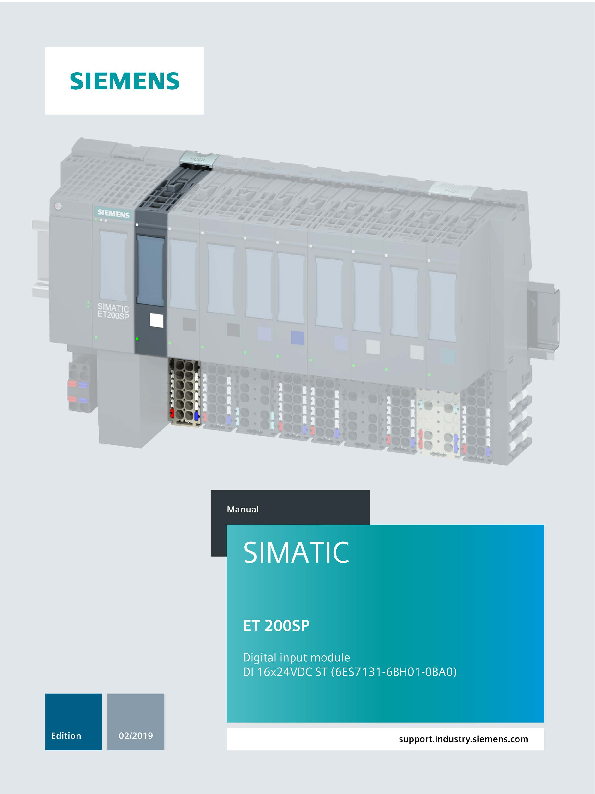
Digital input module DI 16x24VDC ST (6ES7131-6BH01-0BA0)
File info: application/pdf · 32 pages · 998.39KB
Digital input module DI 16x24VDC ST (6ES7131-6BH01-0BA0)
Manual
A5E03573442-AG;, 02/2019
Manual 02/2019 A5E03573442-AG Preface ation guide 1 Product overview 2 Connecting 3 Parameters/address space 4 Interrupts/diagnostic alarms 5 Technical specifications 6 Parameter data record A
The information provided in this manual and in the system/function manuals supports you in commissioning the system. Changes compared to previous version.
Full PDF Document

If the inline viewer fails, it will open the original document in compatibility mode automatically. You can also open the file directly.
Extracted Text
SIMATIC
ET 200SP Digital input module DI 16x24VDC ST (6ES7131-6BH01-0BA0)
Manual

_Pr_ef_ac_e_______________ _Do_c_um_e_n_tat_io_n _gu_id_e_______1_ _Pr_od_u_ct_o_ve_rv_ie_w_________2_ _Co_n_ne_c_tin_g____________3_ _Pa_ra_m_e_te_rs_/a_dd_re_ss_s_pa_c_e ____4_ _In_te_rru_p_ts/_di_ag_n_os_tic_a_la_rm_s____5_ _Te_c_hn_ic_al_sp_e_ci_fic_at_io_ns______6_ _Pa_ra_m_e_te_r d_a_ta_re_co_rd_______A_

02/2019
A5E03573442-AG

Legal information
Warning notice system This manual contains notices you have to observe in order to ensure your personal safety, as well as to prevent damage to property. The notices referring to your personal safety are highlighted in the manual by a safety alert symbol, notices referring only to property damage have no safety alert symbol. These notices shown below are graded according to the degree of danger.
DANGER indicates that death or severe personal injury will result if proper precautions are not taken.
WARNING indicates that death or severe personal injury may result if proper precautions are not taken.
CAUTION indicates that minor personal injury can result if proper precautions are not taken.
NOTICE indicates that property damage can result if proper precautions are not taken. If more than one degree of danger is present, the warning notice representing the highest degree of danger will be used. A notice warning of injury to persons with a safety alert symbol may also include a warning relating to property damage.
Qualified Personnel The product/system described in this documentation may be operated only by personnel qualified for the specific task in accordance with the relevant documentation, in particular its warning notices and safety instructions. Qualified personnel are those who, based on their training and experience, are capable of identifying risks and avoiding potential hazards when working with these products/systems.
Proper use of Siemens products Note the following:
WARNING Siemens products may only be used for the applications described in the catalog and in the relevant technical documentation. If products and components from other manufacturers are used, these must be recommended or approved by Siemens. Proper transport, storage, installation, assembly, commissioning, operation and maintenance are required to ensure that the products operate safely and without any problems. The permissible ambient conditions must be complied with. The information in the relevant documentation must be observed.
Trademarks All names identified by � are registered trademarks of Siemens AG. The remaining trademarks in this publication may be trademarks whose use by third parties for their own purposes could violate the rights of the owner.
Disclaimer of Liability We have reviewed the contents of this publication to ensure consistency with the hardware and software described. Since variance cannot be precluded entirely, we cannot guarantee full consistency. However, the information in this publication is reviewed regularly and any necessary corrections are included in subsequent editions.

Siemens AG Division Digital Factory Postfach 48 48 90026 N�RNBERG GERMANY

A5E03573442-AG  03/2019 Subject to change

Copyright � Siemens AG 2012 - 2019. All rights reserved

Preface

Purpose of the documentation
This manual supplements the system manual ET 200SP distributed I/O system (http://support.automation.siemens.com/WW/view/en/58649293).
Functions that generally relate to the system are described in this manual.
The information provided in this manual and in the system/function manuals supports you in commissioning the system.

Changes compared to previous version
Compared to the previous version, this manual contains the following change:
Technical specifications: Ambient temperature in horizontal and vertical mounting position, extended to min. -30 �C.

Conventions

CPU: When the term "CPU" is used in this manual, it applies to the CPUs of the S7-1500 automation system as well as to the CPUs/interface modules of the distributed I/O system ET 200SP.
STEP 7: In this documentation, "STEP 7" is used as a synonym for all versions of the configuration and programming software "STEP 7 (TIA Portal)".
Please also observe notes marked as follows:
Note
A note contains important information on the product described in the documentation, on the handling of the product or on the section of the documentation to which particular attention should be paid.

Digital input module DI 16x24VDC ST (6ES7131-6BH01-0BA0)

Manual, 02/2019, A5E03573442-AG

3

Preface
Security information
Siemens provides products and solutions with industrial security functions that support the secure operation of plants, systems, machines and networks.
In order to protect plants, systems, machines and networks against cyber threats, it is necessary to implement � and continuously maintain � a holistic, state-of-the-art industrial security concept. Siemens' products and solutions constitute one element of such a concept.
Customers are responsible for preventing unauthorized access to their plants, systems, machines and networks. Such systems, machines and components should only be connected to an enterprise network or the internet if and to the extent such a connection is necessary and only when appropriate security measures (e.g. firewalls and/or network segmentation) are in place.
For additional information on industrial security measures that can be implemented, please visit (http://www.siemens.com/industrialsecurity).
Siemens' products and solutions undergo continuous development to make them more secure. Siemens strongly recommends that product updates are applied as soon as they are available and that the latest product versions are used. Use of product versions that are no longer supported, and failure to apply the latest updates may increase customers' exposure to cyber threats.
To stay informed about product updates, subscribe to the Siemens Industrial Security RSS Feed visit (http://www.siemens.com/industrialsecurity).

Digital input module DI 16x24VDC ST (6ES7131-6BH01-0BA0)

4

Manual, 02/2019, A5E03573442-AG

Table of contents

Preface ................................................................................................................................................... 3

1 Documentation guide .............................................................................................................................. 6

2 Product overview .................................................................................................................................. 11

2.1

Properties ................................................................................................................................ 11

3 Connecting ........................................................................................................................................... 13

3.1

Wiring and block diagram .......................................................................................................13

4 Parameters/address space ................................................................................................................... 16

4.1

Parameters .............................................................................................................................16

4.2

Declaration of parameters ......................................................................................................18

4.3

Address space ........................................................................................................................19

5 Interrupts/diagnostic alarms .................................................................................................................. 21

5.1

Status and error display ..........................................................................................................21

5.2

Interrupts .................................................................................................................................23

5.3

Diagnostic messages..............................................................................................................23

6 Technical specifications ........................................................................................................................ 24

6.1

Technical specifications ..........................................................................................................24

A Parameter data record .......................................................................................................................... 28

A.1

Parameter assignment and structure of parameter data record.............................................28

Digital input module DI 16x24VDC ST (6ES7131-6BH01-0BA0)

Manual, 02/2019, A5E03573442-AG

5

Documentation guide

1

The documentation for the SIMATIC ET 200SP distributed I/O system is arranged into three areas. This arrangement enables you to access the specific content you require.

Basic information
The system manual describes in detail the configuration, installation, wiring and commissioning of the SIMATIC ET 200SP. distributed I/O system. The STEP 7 online help supports you in the configuration and programming.
Device information
Product manuals contain a compact description of the module-specific information, such as properties, wiring diagrams, characteristics and technical specifications.

Digital input module DI 16x24VDC ST (6ES7131-6BH01-0BA0)

6

Manual, 02/2019, A5E03573442-AG

Documentation guide

General information
The function manuals contain detailed descriptions on general topics regarding the SIMATIC ET 200SP distributed I/O system, e.g. diagnostics, communication, Web server, motion control and OPC UA.
You can download the documentation free of charge from the Internet (https://support.industry.siemens.com/cs/ww/en/view/109742709).
Changes and supplements to the manuals are documented in a Product Information.
You can download the product information free of charge from the Internet (https://support.industry.siemens.com/cs/us/en/view/73021864).

Manual Collection ET 200SP
The Manual Collection contains the complete documentation on the SIMATIC ET 200SP distributed I/O system gathered together in one file.
You can find the Manual Collection on the Internet (https://support.automation.siemens.com/WW/view/en/84133942).

"mySupport"

With "mySupport", your personal workspace, you make the most of your Industry Online Support.
In "mySupport" you can store filters, favorites and tags, request CAx data and put together your personal library in the Documentation area. Furthermore, your data is automatically filled into support requests and you always have an overview of your current requests.
You need to register once to use the full functionality of "mySupport".
You can find "mySupport" in the Internet (https://support.industry.siemens.com/My/ww/en).

"mySupport" - Documentation
In the Documentation area of "mySupport", you have the possibility to combine complete manuals or parts of them to make your own manual. You can export the manual in PDF format or in an editable format.
You can find "mySupport" - Documentation in the Internet (https://support.industry.siemens.com/My/ww/en/documentation).

Digital input module DI 16x24VDC ST (6ES7131-6BH01-0BA0)

Manual, 02/2019, A5E03573442-AG

7

Documentation guide
"mySupport" - CAx Data
In the CAx Data area of "mySupport", you can have access the latest product data for your CAx or CAe system. You configure your own download package with a few clicks. In doing so you can select:  Product images, 2D dimension drawings, 3D models, internal circuit diagrams, EPLAN
macro files  Manuals, characteristics, operating manuals, certificates  Product master data You can find "mySupport" - CAx Data in the Internet (https://support.industry.siemens.com/my/ww/en/CAxOnline).
Application examples
The application examples support you with various tools and examples for solving your automation tasks. Solutions are shown in interplay with multiple components in the system separated from the focus in individual products. You can find the application examples on the Internet (https://support.industry.siemens.com/sc/ww/en/sc/2054).
TIA Selection Tool
With the TIA Selection Tool, you can select, configure and order devices for Totally Integrated Automation (TIA). This tool is the successor of the SIMATIC Selection Tool and combines the known configurators for automation technology into one tool. With the TIA Selection Tool, you can generate a complete order list from your product selection or product configuration. You can find the TIA Selection Tool on the Internet (https://w3.siemens.com/mcms/topics/en/simatic/tia-selection-tool).

Digital input module DI 16x24VDC ST (6ES7131-6BH01-0BA0)

8

Manual, 02/2019, A5E03573442-AG

Documentation guide

SIMATIC Automation Tool
You can use the SIMATIC Automation Tool to run commissioning and maintenance activities simultaneously on various SIMATIC S7 stations as a bulk operation independently of the TIA Portal.
The SIMATIC Automation Tool provides a multitude of functions:
 Scanning of a PROFINET/Ethernet network and identification of all connected CPUs
 Address assignment (IP, subnet, gateway) and station name (PROFINET device) to a CPU
 Transfer of the data and the programming device/PC time converted to UTC time to the module
 Program download to CPU
 Operating mode switchover RUN/STOP
 Localization of the CPU by means of LED flashing
 Reading out CPU error information
 Reading the CPU diagnostic buffer
 Reset to factory settings
 Updating the firmware of the CPU and connected modules
You can find the SIMATIC Automation Tool on the Internet (https://support.industry.siemens.com/cs/ww/en/view/98161300).

PRONETA

With SIEMENS PRONETA (PROFINET network analysis), you analyze the plant network during commissioning. PRONETA features two core functions:
 The topology overview independently scans PROFINET and all connected components.
 The IO check is a fast test of the wiring and the module configuration of a system.
You can find SIEMENS PRONETA on the Internet (https://support.industry.siemens.com/cs/ww/en/view/67460624).

Digital input module DI 16x24VDC ST (6ES7131-6BH01-0BA0)

Manual, 02/2019, A5E03573442-AG

9

Documentation guide

SINETPLAN

SINETPLAN, the Siemens Network Planner, supports you in planning automation systems and networks based on PROFINET. The tool facilitates professional and predictive dimensioning of your PROFINET installation as early as in the planning stage. In addition, SINETPLAN supports you during network optimization and helps you to exploit network resources optimally and to plan reserves. This helps to prevent problems in commissioning or failures during productive operation even in advance of a planned operation. This increases the availability of the production plant and helps improve operational safety.
The advantages at a glance
 Network optimization thanks to port-specific calculation of the network load
 Increased production availability thanks to online scan and verification of existing systems
 Transparency before commissioning through importing and simulation of existing STEP 7 projects
 Efficiency through securing existing investments in the long term and optimal exploitation of resources
You can find SINETPLAN on the Internet (https://www.siemens.com/sinetplan).

Digital input module DI 16x24VDC ST (6ES7131-6BH01-0BA0)

10

Manual, 02/2019, A5E03573442-AG

Product overview

2.1

Properties

Article number

6ES7131-6BH01-0BA0 (number in package unit: 1 unit) 6ES7131-6BH01-2BA0 (number in package unit: 10 units)

View of the module

2

 Module type and name  LED for diagnostics  2D matrix code  Wiring diagram
 LEDs for channel status  LED for supply voltage

 Function class  Color coding module type  Function and firmware version  Color code for selecting the color identification
labels
 BU type  Article number

Figure 2-1 View of the module DI 16�24VDC ST

Digital input module DI 16x24VDC ST (6ES7131-6BH01-0BA0)

Manual, 02/2019, A5E03573442-AG

11

Product overview 2.1 Properties

Properties

The module has the following technical properties:  Digital input module with 16 inputs  Sink input, (PNP, P-reading)  Supply voltage L+  Configurable input delay 0.05 to 20 ms (per channel)  Configurable diagnostics (per module)  Suitable for connection of switches and 2-wire sensors in accordance with IEC 61131,
type 3 The module supports the following functions:

Table 2- 1 Version dependencies of the functions

Function
Identification data I&M0 to I&M3

HW version
FS01

Configuration in RUN

FS01

Value status

FS01

FW version

STEP 7

TIA Portal

V5.x

V0.0.0 and higher
V0.0.0 and higher
V0.0.0 and higher

V14 or higher with HSP 0222
V14 or higher with HSP 0222
V14 or higher with HSP 0222

V5.5 SP3 or higher with HSP 0229 V7.0
V5.5 SP3 or higher with HSP 0229 V7.0
V5.5 SP3 or higher with HSP 0229 V7.0

GSD file PROFINET IO PROFIBUS DP

X

X

X

X

X

X

Accessories

The following accessories must be ordered separately:  Labeling strips  Color identification labels  Reference identification label  Shield connector

See also

You can find additional information on the accessories in the system manual ET 200SP distributed I/O system (http://support.automation.siemens.com/WW/view/en/58649293).

Digital input module DI 16x24VDC ST (6ES7131-6BH01-0BA0)

12

Manual, 02/2019, A5E03573442-AG

Connecting

3

3.1

Wiring and block diagram

This section includes the block diagram of the DI 16x24VDC ST module with the terminal assignments for a 1-wire connection.

Information on wiring the BaseUnit can be found in the system manual ET 200SP distributed I/O system (http://support.automation.siemens.com/WW/view/en/58649293).

Note
The load group of the module must begin with a light-colored BaseUnit. Keep this in mind also during the configuration.

Note Make sure that you only use digital modules with BaseUnit type A0 during commissioning.

Digital input module DI 16x24VDC ST (6ES7131-6BH01-0BA0)

Manual, 02/2019, A5E03573442-AG

13

Connecting 3.1 Wiring and block diagram
Wiring: 1-wire connection
The following figure shows the block diagram and an example of the terminal assignment of the digital input module DI 16x24VDC ST on the BaseUnit BU type A0 without AUX terminals (1-wire connection).


P1, P2, AUX

1-wire connection Backplane bus interface
Input electronics Color-coded label with color code CC00 (optional) Filter connection supply voltage (only when light-colored BaseUnit is present) Internal self-assembling voltage buses Connection to left (dark-colored BaseUnit) Connection to left interrupted (light-colored BaseUnit)

DIn L+
M DIAG

Input signal, channel n 24 V DC (infeed only with light-colored BaseUnit) Ground Error or diagnostics LED (green, red)

.0 to .15
PWR

Channel status LED (green) Power LED (green)

Figure 3-1 Wiring and block diagram for 1-wire connection of transducers

Digital input module DI 16x24VDC ST (6ES7131-6BH01-0BA0)

14

Manual, 02/2019, A5E03573442-AG

Connecting 3.1 Wiring and block diagram
Wire-break detection
When wire-break detection is configured the module requires a low quiescent current at the digital input in case of "0" signal for the monitoring. The parallel connection of a resistor with 25 k to 45 k is required in order that this quiescent current can flow when mechanical transducer contacts are open. If wire-break detection is disabled in the configuration, no parallel connection of the resistor is required. If wire-break detection is configured, connect a resistor with 25 k to 45 k parallel to each mechanical transducer contact.
Figure 3-2 Connect mechanical transducer contact with resistor

Digital input module DI 16x24VDC ST (6ES7131-6BH01-0BA0)

Manual, 02/2019, A5E03573442-AG

15

Parameters/address space

4

4.1

Parameters

Parameters for DI 16x24VDC ST
Specify the module properties with the various parameters in the course of your STEP 7 configuration. The following table lists the configurable parameters. The effective range of the configurable parameters depends on the type of configuration.
The following configurations are possible:
 Central operation with an ET 200SP CPU
 Distributed operation on PROFINET IO in an ET 200SP system
 Distributed operation with PROFIBUS DP in an ET 200SP system
When assigning parameters in the user program, use the "WRREC" instruction to transfer the parameters to the module using the data records; refer to section Parameter assignment and structure of parameter data record (Page 28).
The following parameter settings are possible:

Table 4- 1 Configurable parameters and their defaults (GSD file)

Parameters

Range of values

Default

Diagnostics: No supply voltage L+
Diagnostics Wire break
Channel activated

� Disable � Enable
� Disable � Enable
� Disable � Enable

Disable Disable Enable

Parameter reassignment in RUN

Scope with configuration software, e.g. STEP 7 (TIA Portal)

GSD file

GSD file

PROFINET IO PROFIBUS DP

Yes

Module

Module

Yes

Module

Module

Yes

Channel

Channel

Digital input module DI 16x24VDC ST (6ES7131-6BH01-0BA0)

16

Manual, 02/2019, A5E03573442-AG

Parameters/address space 4.1 Parameters

Parameters Input delay
Potential group

Range of values

Default

� None

3.2 ms

� 0.05 ms

� 0.1 ms

� 0.4 ms

� 0.8 ms

� 1.6 ms

� 3.2 ms

� 12.8 ms

� 20 ms

� Use potential group of the Use potential

left module (module

group of the

plugged into a dark-

left module

colored BaseUnit)

� Enable new potential group (module plugged into light-colored BaseUnit)

Parameter reassignment in RUN
Yes

Scope with configuration software, e.g. STEP 7 (TIA Portal)

GSD file PROFINET IO
Channel

GSD file PROFIBUS DP Module 1

No

Module

Module

2 Due to the limited number of parameters of a maximum of 244 bytes per ET 200SP station with a PROFIBUS GSD configuration, the parameter assignment options are restricted. The parameter length of the I/O module is 4 bytes with PROFIBUS GSD configuration. If necessary, you can set this parameter by using the data record 128, see the appendix "Parameter data record".

Digital input module DI 16x24VDC ST (6ES7131-6BH01-0BA0)

Manual, 02/2019, A5E03573442-AG

17

Parameters/address space 4.2 Declaration of parameters

4.2

Declaration of parameters

Diagnostics: No supply voltage L+
Enabling of the diagnostics for no or insufficient supply voltage L+.

Diagnostics: Wire break
Enabling diagnostics if the line to the encoder is interrupted.

Channel activated
Determines whether a channel is activated or deactivated.

Input delay

This parameter can be used to suppress signal interference. Changes to the signal are only detected if they are constantly pending longer than the set input delay time.

Potential group
A potential group consists of a group of directly adjacent I/O modules within an ET 200SP station, which are supplied via a common supply voltage.
A potential group begins with a light-colored BaseUnit through which the required voltage is supplied for all modules of the potential group. The light-colored BaseUnit interrupts the three self-assembling voltage buses P1, P2 and AUX to the left neighbor.
All additional I/O modules of this potential group are plugged into dark-colored BaseUnits. You take the potential of the self-assembling voltage buses P1, P2 and AUX from the left neighbor.
A potential group ends with the dark-colored BaseUnit, which follows a light-colored BaseUnit or server module in the station configuration.

Digital input module DI 16x24VDC ST (6ES7131-6BH01-0BA0)

18

Manual, 02/2019, A5E03573442-AG

Parameters/address space 4.3 Address space

4.3

Address space

The module can be configured differently in STEP 7; see following table. Depending on the configuration, additional/different addresses are assigned in the process image input.

Configuration options of DI 16x24VDC ST
You can configure the module with STEP 7 (TIA Portal) or with a GSD file. If you configure the module by means of a GSD file, the configurations are available under various short designations/module names; see the table below. The following configurations are possible:

Table 4- 2 Configuration options with GSD file

Configuration
1 x 16-channel without value status 1 x 16-channel with value status

Short designation/module name in the GSD file
DI 16x24VDC ST V0.0 DI 16x24VDC ST V0.0, QI

Configuration software, e.g. with STEP 7 (TIA Portal)

Integrated in hardware catalog
STEP 7
V14, SP1 or higher with HSP 0222

GSD file PROFINET IO
X

GSD file PROFIBUS DP
X

V14, SP1 or high-

X

---

er with HSP 0222

Evaluating the value status
An additional two bytes are allocated in the input address space if you enable the value status for the digital module. Bits 0 to 15 in these bytes are assigned to a channel. They provide information about the validity of the digital value.
Bit = 1: No fault is present on the channel.
Bit = 0: Channel is deactivated or there is a fault on the module.
If a fault occurs on a channel with this module, the value status for all channels is 0.

Digital input module DI 16x24VDC ST (6ES7131-6BH01-0BA0)

Manual, 02/2019, A5E03573442-AG

19

Parameters/address space 4.3 Address space

Address space

The following figure shows the assignment of the address space for the DI 16x24VDC ST with value status (Quality Information (QI)). The addresses for the value status are only available if the value status is enabled.

Figure 4-1 Address space of the DI 16�24VDC ST with value status

Digital input module DI 16x24VDC ST (6ES7131-6BH01-0BA0)

20

Manual, 02/2019, A5E03573442-AG

Interrupts/diagnostic alarms

5.1

Status and error display

LED display

The figure below shows the LED displays (status and error displays) of the DI 16x24VDC ST.

5

 DIAG (green/red)  Channel status (green)  PWR (green)
Figure 5-1 LED display

Digital input module DI 16x24VDC ST (6ES7131-6BH01-0BA0)

Manual, 02/2019, A5E03573442-AG

21

Interrupts/diagnostic alarms 5.1 Status and error display

Meaning of the LEDs
The following tables show the meaning of the status and error displays. Corrective measures for diagnostics alarms can be found in section Diagnostic messages (Page 23).

DIAG LED

Table 5- 1 Error display of the DIAG LED

DIAG LED Off
Flashes On
Flashes

Meaning Backplane bus supply of the ET 200SP not OK Module parameters not assigned
Module parameters assigned Module diagnostics is available

Channel status LED

Table 5- 2 Status display of the channel status LED

Channel status LED
Off
On

Meaning Process signal = 0 Process signal = 1

PWR LED

Table 5- 3 Status display of the PWR LED

PWR LED Off On

Meaning Missing supply voltage L+
Supply voltage L+ present

Digital input module DI 16x24VDC ST (6ES7131-6BH01-0BA0)

22

Manual, 02/2019, A5E03573442-AG

Interrupts/diagnostic alarms 5.2 Interrupts

5.2

Interrupts

The DI 16�24VDC ST digital input module supports diagnostic interrupts.

Diagnostics interrupts
The module generates a diagnostic interrupt at the following events:  Wire break  Parameter assignment error  Supply voltage missing

5.3

Diagnostic messages

A diagnostics alarm is generated and the DIAG-LED flashes on the module for each diagnostics event. You can read out the diagnostics alarms, for example, in the diagnostics buffer of the CPU. You can evaluate the error codes with the user program.

Table 5- 4 Diagnostics alarms, their meaning and corrective measures

Diagnostics alarm Wire break

Error code 6H

Parameter assign- 10H ment error
Supply voltage miss- 11H ing

Meaning Impedance of transducer circuit too high.
Wire break between the module and sensor Channel not connected (open)
� The module cannot evaluate parameters for the channel.
� Incorrect parameter assignment. Missing or insufficient supply voltage L+

Solution Use a different transducer type or modify the wiring, for example, use cables with larger cross-section Connect the cable
� Disable diagnostics � Connect a resistor of 25 kiloohms to
45 kiloohms to the transducer contacts Correct the parameter assignment
� Check supply voltage L+ on the BaseUnit
� Check BaseUnit type

Digital input module DI 16x24VDC ST (6ES7131-6BH01-0BA0)

Manual, 02/2019, A5E03573442-AG

23

Technical specifications

6

6.1

Technical specifications

Technical specifications of the DI 16�24VDC ST
The following table shows the technical specifications as of 02/2019. You will find a data sheet including daily updated technical specifications on the Internet (https://support.industry.siemens.com/cs/ww/en/pv/6ES7131-6BH01-0BA0/td?dl=en).

Article number General information
Product type designation HW functional status Firmware version
� FW update possible

6ES7131-6BH01-0BA0
DI 16x24VDC ST From FS02 V0.0 No

usable BaseUnits Color code for module-specific color identification plate Product function
� I&M data

BU type A0 CC00
Yes; I&M0 to I&M3

Engineering with
� STEP 7 TIA Portal configurable/integrated V14 as of version

� STEP 7 configurable/integrated as of ver- V5.5 SP3 sion

� PCS 7 configurable/integrated as of version V8.1 SP1

� PROFIBUS as of GSD version/GSD revision

One GSD file each, Revision 3 and 5 and higher

� PROFINET as of GSD version/GSD revision

GSDML V2.3

Operating mode

� DI

Yes

� Counter

No

� Oversampling

No

� MSI

No

Digital input module DI 16x24VDC ST (6ES7131-6BH01-0BA0)

24

Manual, 02/2019, A5E03573442-AG

Technical specifications 6.1 Technical specifications

Article number Supply voltage
Rated value (DC) permissible range, lower limit (DC) permissible range, upper limit (DC) Reverse polarity protection Input current Current consumption, max. 24 V encoder supply � 24 V
Power loss Power loss, typ.
Address area Address space per module
� Inputs
Hardware configuration Automatic encoding � Mechanical coding element
Selection of BaseUnit for connection variants � 1-wire connection
� 2-wire connection
� 3-wire connection
� 4-wire connection
Digital inputs Number of digital inputs Digital inputs, parameterizable Source/sink input Input characteristic curve in accordance with IEC 61131, type 3
Input voltage � Rated value (DC)
� for signal "0"
� for signal "1"
Input current � for signal "1", typ.

6ES7131-6BH01-0BA0
24 V 19.2 V 28.8 V Yes
90 mA
No
1.7 W
2 byte; + 2 bytes for QI information
Yes Yes
BU type A0 BU type A0 + Potential isolation module BU type A0 + Potential isolation module BU type A0 + Potential isolation module
16 Yes P-reading Yes
24 V -30 to +5V +11 to +30V
2.5 mA

Digital input module DI 16x24VDC ST (6ES7131-6BH01-0BA0)

Manual, 02/2019, A5E03573442-AG

25

Technical specifications 6.1 Technical specifications

Article number Input delay (for rated value of input voltage) for standard inputs
� parameterizable
� at "0" to "1", min. � at "0" to "1", max. � at "1" to "0", min. � at "1" to "0", max. Cable length � shielded, max. � unshielded, max. Encoder Connectable encoders � 2-wire sensor � permissible quiescent current (2-wire
sensor), max. Isochronous mode
Isochronous operation (application synchronized up to terminal) Interrupts/diagnostics/status information Diagnostics function Alarms � Diagnostic alarm Diagnostic messages � Diagnostic information readable � Monitoring the supply voltage
� parameterizable � Monitoring of encoder power supply � Wire-break
� Short-circuit � Group error Diagnostics indication LED � Monitoring of the supply voltage (PWR-
LED) � Channel status display � for channel diagnostics � for module diagnostics

6ES7131-6BH01-0BA0
Yes; 0.05 / 0.1 / 0.4 / 0.8 / 1.6 / 3.2 / 12.8 / 20 ms (in each case + delay of 30 to 500 �s, depending on line length) 0.05 ms 20 ms 0.05 ms 20 ms
1 000 m 600 m
Yes 1.5 mA
No
Yes
Yes
Yes Yes Yes No Yes; Module-by-module, optional protective circuit for preventing wire-break diagnostics in the case of simple encoder contacts: 25 kOhm to 45 kOhm No Yes
Yes; green PWR LED
Yes; Green LED No Yes; green/red DIAG LED

Digital input module DI 16x24VDC ST (6ES7131-6BH01-0BA0)

26

Manual, 02/2019, A5E03573442-AG

Technical specifications 6.1 Technical specifications

Article number Potential separation Potential separation channels
� between the channels
� between the channels and backplane bus
� between the channels and the power supply of the electronics
Isolation Isolation tested with
Ambient conditions Ambient temperature during operation
� horizontal installation, min.
� horizontal installation, max.
� vertical installation, min.
� vertical installation, max. Altitude during operation relating to sea level
� Installation altitude above sea level, max.
Dimensions Width Height Depth
Weights Weight, approx.

6ES7131-6BH01-0BA0
No Yes No
707 V DC (type test)
-30 �C 60 �C -30 �C 50 �C
2 000 m; On request: Installation altitudes greater than 2 000 m 15 mm 73 mm 58 mm 28 g

Dimension drawing
See manual ET 200SP BaseUnits (http://support.automation.siemens.com/WW/view/en/59753521)

Digital input module DI 16x24VDC ST (6ES7131-6BH01-0BA0)

Manual, 02/2019, A5E03573442-AG

27

Parameter data record

A

A.1

Parameter assignment and structure of parameter data record
The data record of the module has an identical structure, regardless of whether you configure the module with PROFIBUS DP or PROFINET IO. With data record 128, you can reconfigure the module in your user program regardless of your programming. This means that you can use all the functions of the module even if you configured it via PROFIBUSGSD.

Parameter assignment in the user program
The module parameters can be re-assigned in RUN (for example, the input delay of selected channels can be edited in RUN without having an effect on the other channels).

Changing parameters in RUN
The "WRREC" instruction is used to transfer the parameters to the module using data record 128. The parameters set in STEP 7 are not changed in the CPU, which means that the parameters set in STEP 7 will be valid again after a restart.

Output parameter STATUS
If errors occur when transferring parameters with the "WRREC" instruction, the module continues operation with the previous parameter assignment. The STATUS output parameter contains a corresponding error code.
You will find a description of the "WRREC" instruction and the error codes in the STEP 7 online help.

Digital input module DI 16x24VDC ST (6ES7131-6BH01-0BA0)

28

Manual, 02/2019, A5E03573442-AG

Parameter data record A.1 Parameter assignment and structure of parameter data record
Structure of data record 128
Note Channel 0 includes the diagnostics enable for the entire module.

Figure A-1 Structure of data record 128
Header information
The figure below shows the structure of the header information.

Figure A-2 Header information

Digital input module DI 16x24VDC ST (6ES7131-6BH01-0BA0)

Manual, 02/2019, A5E03573442-AG

29

Parameter data record A.1 Parameter assignment and structure of parameter data record

Parameters

The figure below shows the structure of the parameters for channels 0 to 15. You enable a parameter by setting the corresponding bit to "1".

Figure A-3 Structure byte x to x+1 for the channels 0 to 15

Digital input module DI 16x24VDC ST (6ES7131-6BH01-0BA0)

30

Manual, 02/2019, A5E03573442-AG

Parameter data record A.1 Parameter assignment and structure of parameter data record

Error transferring the data record
The module always checks all the values of the transferred data record. Only if all the values were transferred without errors does the module apply the values from the data record.
The WRREC instruction for writing data records returns corresponding error codes when errors occur in the STATUS parameter, see also the description of the "STATUS" parameter in the STEP 7 online help).
The following table shows the module-specific error codes and their meaning for the parameter data record 128.

Error code in STATUS parameter (hexadecimal)

Byte 0 Byte 1 Byte 2 Byte 3

DF

80

B0

xx

DF

80

B1

xx

DF

80

B2

xx

DF

80

E0

xx

DF

80

E1

07

Meaning

Solution

Number of the data record unknown.

Enter a valid number for the data record.

Length of the data record incorrect. Enter a valid value for the data record length.

Slot invalid or cannot be accessed. � Check the station whether the module is plugged or drawn.

� Check the assigned values for the parameters of the WRREC instruction.

Wrong version or error in the header information.
Invalid coding for input filter time.

Correct the version, length and number of parameter blocks.
Check the parameters of the module.

Digital input module DI 16x24VDC ST (6ES7131-6BH01-0BA0)

Manual, 02/2019, A5E03573442-AG

31