

VEGA 52454 Bluetooth USB Adapter Instruction Manual
File info: application/pdf · 8 pages · 977.02KB
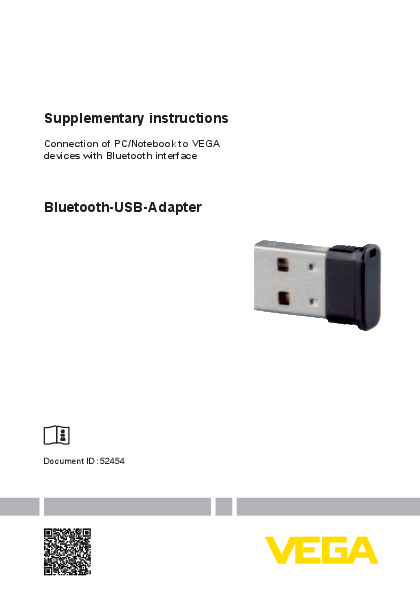
Supplementary instructions - Bluetooth-USB-Adapter
Supplementary instructions - Bluetooth-USB-Adapter ... - VEGA
The wireless connection is made via Bluetooth LE and the instrument is operated by means of PACTware/DTM. System requirements: • Adjustment software ...
Supplementary instructions Bluetooth-USB-Adapter
– This supplementary instructions manual The Bluetooth-USB adapter consists of the housing and a USB con-nector. 1 2 3 Fig. 1: Configuration Bluetooth-USB-Adapter 1 USB plug 2 Housing 3 LED 2.2 Principle of operation Th…
Extracted Text
Supplementary instructions
Connection of PC/Notebook to VEGA devices with Bluetooth interface
Bluetooth-USB-Adapter
Document ID: 52454

Contents
Contents
1 For your safety ......................................................................................................................... 3 1.1 Appropriate use................................................................................................................ 3 1.2 General safety instructions ............................................................................................... 3 1.3 Radio license for USA ...................................................................................................... 3
2 Product description ................................................................................................................. 4 2.1 Configuration.................................................................................................................... 4 2.2 Principle of operation........................................................................................................ 4
3 Setup ......................................................................................................................................... 5 3.1 Preparations..................................................................................................................... 5 3.2 Connecting....................................................................................................................... 5
4 Diagnostics and servicing ...................................................................................................... 6 4.1 Eliminate error .................................................................................................................. 6
5 Supplement .............................................................................................................................. 7 5.1 Technical data .................................................................................................................. 7 5.2 Dimensions ...................................................................................................................... 7

52454-EN-210422

Editing status: 2021-04-22

2

Bluetooth-USB-Adapter �

1 For your safety
1 For your safety
1.1 Appropriate use
The Bluetooth-USB adapter is an accessory part for wireless connection of a PC/Notebook to a VEGA instrument with integrated Bluetooth.
1.2 General safety instructions
The safety information in the operating instructions manual of the respective device must be noted.
1.3 Radio license for USA
This approval is only valid for USA. Hence the following text is only available in the English language: This device complies with Part 15 of the FCC Rules. Operation is subject to the following two conditions:
� This device may not cause interference, and � This device must accept any interference, including interference
that may cause undesired operation
FCC ID: 079BT402

52454-EN-210422

Bluetooth-USB-Adapter �

3

2 Product description Scope of delivery Version
Function
Operating status

2 Product description

2.1 Configuration
The scope of delivery encompasses:
� Bluetooth-USB-Adapter � DVD with DTM Collection � Documentation
� This supplementary instructions manual � EU declaration of conformity

The Bluetooth-USB adapter consists of the housing and a USB connector.

1

2

3
Fig. 1: Configuration Bluetooth-USB-Adapter 1 USB plug 2 Housing 3 LED
2.2 Principle of operation
The Bluetooth-USB adapter enables wireless connection of a PC/ Notebook to VEGA instruments with a display and control module as well as VEGA instruments with integrated Bluetooth functionality. The wireless connection is made via Bluetooth LE and the instrument is operated by means of PACTware/DTM. System requirements:
� Adjustment software PACTware with current DTM Collection � Operating system Windows 10 � USB interface 2.0 or higher
Note: The wireless connection from the PC/Notebook via Bluetooth to the VEGA device is possible via this Bluetooth-USB adapter supplied by VEGA. Other conventional Bluetooth-USB adapters as well as Bluetooth components integrated into the PC/Notebook are also possible provideing that they comply with the Bluetooth-LE standard.
An integrated green LED signals the operating status.

52454-EN-210422

4

Bluetooth-USB-Adapter �

3 Setup
3 Setup
3.1 Preparations
Please proceed in this sequence:
� Install PACTware and current DTM Collection � Plug the Bluetooth-USB adapter into a free USB port � Start PACTware
The adapter is recognised by a Windows 10-internal driver and initialised automatically. The LED indicates this by flashing green continuously with approx. 2 Hz.
3.2 Connecting
Start the VEGA project wizard. Select " Bluetooth" and " Start". Instruments with Bluetooth in the vicinity are searched for and displayed. The LED indicates this by flashing quickly and irregularly.

Fig. 2: Example of a PACTware screen with two found Bluetooth instruments
Select the desired instrument and confirm with " OK". The further steps are described in the operating instructions of the respective instrument.
Note: The Bluetooth-USB adapter can only be connected actively to one instrument at a time.

Bluetooth-USB-Adapter �

5

52454-EN-210422

4 Diagnostics and servicing

4 Diagnostics and servicing

4.1 Eliminate error

Error

Display in project Cause wizard

Rectification

LED dark, no

Bluetooth - other

Bluetooth connection adapter

Integrated Bluetooth function in PC/Notebook prevents detection/activation of the Bluetooth-USB adapter

Deactivate the internal Bluetooth function in the Windows Device Manager, close PACTware and restart

Bluetooth - no adapt- Bluetooth function was switched Switch on Bluetooth function,

er found

off in the Windows settings or in close PACTware and restart

the Info-Center

52454-EN-210422

6

Bluetooth-USB-Adapter �

5 Supplement

5.1 Technical data
Materials Plug/housing

Steel/PVC

Ambient conditions Ambient and operating temperature Storage and transport temperature Relative humidity

-10 ... +50 �C (14 ... +158 �F) -20 ... +70 �C (-4 ... +122 �F) 20 ... 90 % (non-condensing)

Display element LED flashing green

Operating status

Voltage supply Operating voltage via USB connection Power consumption

5 V DC � 10 % 0.5 W

USB port Plug connector Standard

USB A USB 2.0

Bluetooth function Standard Max. participants Effective range typ.

Bluetooth LE 1 50 m (164.0 ft)

5.2 Dimensions

5 Supplement

15 mm (0.59")

7,1 mm (0.28")

� 22,1 mm (0.87")
Fig. 3: Bluetooth-USB adapter dimensions

52454-EN-210422

Bluetooth-USB-Adapter �

7

Printing date:

52454-EN-210422

All statements concerning scope of delivery, application, practical use and operating conditions of the sensors and processing systems correspond to the information available at the time of printing. Subject to change without prior notice
� VEGA Grieshaber KG, Schiltach/Germany 2021

VEGA Grieshaber KG Am Hohenstein 113 77761 Schiltach Germany

Phone +49 7836 50-0 E-mail: info.de@vega.com www.vega.com