

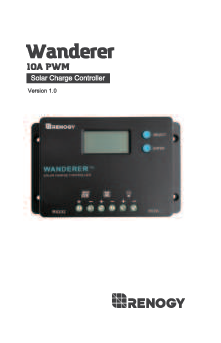
Renogy Wanderer 10A PWM Solar Charge Controller
Version 1.0
Important Safety Instructions
Please save these instructions.
This manual contains important safety, installation, and operating instructions for the charge controller. The following symbols are used throughout the manual:
WARNING: Indicates a potentially dangerous condition. Use extreme caution when performing this task.
CAUTION: Indicates a critical procedure for safe and proper operation of the controller.
NOTE: Indicates a procedure or function that is important to the safe and proper operation of the controller.
General Safety Information
- Read all of the instructions and cautions in the manual before beginning the installation.
- There are no serviceable parts for this controller. Do NOT disassemble or attempt to repair the controller.
- Make sure all connections going into and from the controller are tight. There may be sparks when making connections, therefore, make sure there are not flammable materials or gases near installation.
Charge Controller Safety
- NEVER connect the solar panel array to the controller without a battery. The battery must be connected first. This may cause a dangerous occurrence where the controller would experience a high open circuit voltage at the terminals.
- Ensure input voltage does not exceed 50 VDC to prevent permanent damage. Use the Open Circuit (Voc) to make sure the voltage does not exceed this value when connecting panels together in series.
- The charge controller should be installed indoors in a well-ventilated, cool, and dry environment.
- Do NOT allow water to enter the controller.
Battery Safety
- Do NOT let the positive (+) and negative (-) terminals of the battery touch each other.
- Use only sealed lead-acid, flooded, gel or lithium batteries which must be deep cycle.
- Explosive battery gases may be present while charging. Be certain there is enough ventilation to release the gases.
- Be careful when working with large lead acid batteries. Wear eye protection and have fresh water available in case there is contact with the battery acid.
- Over-charging and excessive gas precipitation may damage the battery plates and activate material shedding on them. Too high of an equalizing charge or too long of one may cause damage. Please carefully review the specific requirements of the battery used in the system.
- Equalization is carried out only for non-sealed / vented / flooded / wet cell lead acid batteries.
- Do NOT equalize VRLA type AGM / GEL / LITHIUM batteries UNLESS permitted by battery manufacturer.
WARNING: Connect battery terminals to the charge controller BEFORE connecting the solar panel(s) to the charge controller. NEVER connect solar panels to the charge controller until the battery is connected.
General Information
The Wanderer is an advanced charge controller for off-grid solar applications. Integrating highly efficient PWM charging, this controller increases battery life and improves system performance. It can be used for 12V/24V battery banks. The controller is embedded with self-diagnostics and electronic protection functions that prevent damages from installation mistakes or system faults.
Key Features
- Automatically detects 12V or 24V DC system voltages, 10A Charging Capacity.
- Deep Cycle Sealed, Gel and Flooded battery options.
- 4 Stage PWM charging: Bulk, Boost, Float, and Equalization.
- Temperature compensation and correction of charging and discharging parameters automatically, improving battery lifetime.
- Protection against: overcharging, over current, short-circuit, reverse current and reverse polarity.
- Backlit LCD screen for displaying system operation, diverse load control and error codes.
- Integrated 5V 2A USB ports for extra charging.
- Integrated communication port for remote monitoring.
- Charges over-discharged lithium-ion batteries.
- Negative ground charge controller.
PWM Technology
The Wanderer utilizes Pulse Width Modulation (PWM) technology for battery charging. Battery charging is a current-based process, so controlling the current controls the battery voltage. For the most accurate return of capacity, and for the prevention of excessive gassing pressure, the battery is required to be controlled by specified voltage regulation set points for Absorption, Float, and Equalization charging stages. The charge controller uses automatic duty cycle conversion, creating pulses of current to charge the battery.
The duty cycle is proportional to the difference between the sensed battery voltage and the specified voltage regulation set point. Once the battery reaches the specified voltage range, pulse current charging mode allows the battery to react and allows for an acceptable rate of charge for the battery level.
Four Charging Stages
The Wanderer has a 4-stage battery charging algorithm for rapid, efficient, and safe battery charging. They include: Bulk Charge, Boost Charge, Float Charge, and Equalization.
A diagram illustrates the charging process over time. The Y-axis represents Voltage and the X-axis represents Time. It shows periods labeled 'NIGHT', 'BULK CHARGE', 'BOOST', and 'FLOAT', with 'EQUALIZE' indicated as a peak within the Boost phase.
Bulk Charge: This algorithm is used for day-to-day charging. It uses 100% of available solar power to recharge the battery and is equivalent to constant current.
Boost Charge: When the battery has charged to the Boost voltage set-point, it undergoes an absorption stage, which is equivalent to constant voltage regulation to prevent heating and excessive gassing in the battery. The Boost time is 120 minutes.
Float Charge: After Boost Charge, the controller reduces the battery voltage to a float voltage set point. Once the battery is fully charged, there will be no more chemical reactions, and all the charge current would turn into heat or gas. Because of this, the charge controller reduces the voltage charge to a smaller quantity, while lightly charging the battery. The purpose is to offset power consumption while maintaining a full battery storage capacity.
Equalization: Is carried out every 28 days of the month. It is intentional overcharging of the battery for a controlled period. Certain types of batteries benefit from periodic equalizing charge, which can stir the electrolyte, balance battery voltage, and complete chemical reaction. Equalizing charge increases the battery voltage, higher than the standard complement voltage, which gasifies the battery electrolyte.
WARNING: Once equalization is active in the battery charging, it will not exit this stage unless there is adequate charging current from the solar panel. There should be NO load on the batteries when in equalization charging stage.
Over-charging and excessive gas precipitation may damage the battery plates and activate material shedding on them. Too high of an equalizing charge or for too long may cause damage. Please carefully review the specific requirements of the battery used in the system.
Lithium Battery Activation
The Wanderer PWM charge controller has a reactivation feature to awaken a sleeping lithium battery. The protection circuit of Li-ion batteries will typically turn the battery off and make it unusable if over-discharged. This can happen when storing a Li-ion pack in a discharged state for any length of time, as self-discharge will gradually deplete the remaining charge. Without the wake-up feature to activate and charge batteries, these batteries would become unserviceable and the packs would be discarded. The Wanderer will apply a small charge current to activate the protection circuit, and if a correct cell voltage can be reached, it starts a normal charge.
Installation
WARNING: Connect battery terminal wires to the charge controller FIRST, then connect the solar panel(s) to the charge controller. NEVER connect solar panel to charge controller before the battery.
Identification of Parts
An illustration shows the Renogy Wanderer charge controller with the following labeled parts:
- 1. LCD Screen
- 2. Select Button
- 3. Enter Button
- 4. USB Ports
- 5. Load Terminals
- 6. Battery Terminals
- 7. PV Terminals
- 8. RS232 Communication Port
CAUTION: Do not over-torque or over-tighten the screw terminals. This could potentially break the piece that holds the wire to the charge controller.
Refer to the technical specifications for max wire sizes on the controller and for the maximum amperage going through wires.
Wiring
Battery:
The wiring process for the battery involves connecting the positive (+) and negative (-) wires to the corresponding terminals on the charge controller. Each connection is secured by tightening a screw. A checkmark indicates a correctly completed connection.
Solar Panel:
Similarly, connect the positive (+) and negative (-) wires from the solar panel array to the PV terminals on the charge controller, ensuring the screws are tightened. A checkmark indicates a correctly completed connection.
Load:
Connect the load wires to the load terminals on the charge controller, securing them by tightening the screws. A checkmark indicates a correctly completed connection.
Bluetooth Module Communication (optional):
If an optional Bluetooth module is used, connect its communication cable to the RS232 communication port on the charge controller. A checkmark indicates a correctly completed connection.
Mounting Recommendations
WARNING: Never install the controller in a sealed enclosure with flooded batteries. Gas can accumulate and there is a risk of explosion.
- Choose Mounting Location: Place the controller on a vertical surface protected from direct sunlight, high temperatures, and water. Make sure there is good ventilation.
- Check for Clearance: Verify that there is sufficient room to run wires, as well as clearance above and below the controller for ventilation. The clearance should be at least 6 inches (150mm).
- Mark Holes
- Drill Holes
- Secure the charge controller.
A diagram illustrates proper mounting with arrows indicating airflow. A minimum clearance of 6 inches (150mm) is recommended above and below the controller to ensure adequate ventilation, allowing warm air to exit and cool air to enter.
Operation
After connecting the battery to the charge controller, the controller will turn on automatically. Assuming normal operation, the charge controller will cycle through different displays. The user can adjust some parameters based on the display screen. The user can manually cycle through the display screens by using the "SELECT” and “ENTER” buttons.
- SELECT: Cycles forwards through the different display screens.
- ENTER: Cycles backwards through the different select screens & Turn the load ON/OFF in the Manual Mode.
Main Display
The controller cycles through various display screens showing system status. These include:
- Main Screen: Displays battery voltage (e.g., 12.3V).
- Solar Panel Voltage: Displays the voltage from the solar panels (e.g., 12.0V).
- Charging Current: Displays the current flowing into the battery (e.g., 0.0A).
- Battery Voltage: Displays the current battery voltage (e.g., 12.3V).
- Load Current: Displays the current being drawn by the load (e.g., 0.0A).
- Load Mode: Displays the current load mode setting (e.g., 15).
- Error Code: Displays error codes if any occur (e.g., E0).
LCD Indicators
The LCD screen displays information using icons and values:
| Icon or Value | State | Description |
|---|---|---|
Solar Panel Icon → |
Steady on | Solar Panels Charging Battery |
Battery Icon |
3 Bars Flashing | Battery Voltage (16.1V+) |
| 3 Bars | Battery Voltage (12.9V- 16.0V) | |
| 2 Bars | Battery Voltage (12.5-12.8V) | |
| 1 Bar | Battery Voltage (11.6-12.4V) | |
| No Bars | Battery Voltage (11.5V and below) | |
Battery Icon |
No Bars Flashing | Battery Voltage (10.9V and below) |
Load Icon → |
Steady on | Load is On |
Programming Battery Type
To enter the battery programming settings, hover over the Battery Voltage screen and press the Enter button. When the battery type starts to flash, press the Select button to cycle through the battery types (Sealed, Gel, Flooded, Lithium) and press Enter to finalize selection. When selecting the Lithium setting, the user can change battery voltage from 12V to 24V and select the charging voltage.
The process involves navigating through screens showing battery types like 'GEL', 'LI', 'FLd', 'SEL' and system voltages like '12V' or '24V', culminating in a final setting like '14.2V'.
Programming Load Terminal
To enter the load programming settings, hover over the Load Mode screen and hold the Enter button. When the number starts to flash, press the Select button to cycle through the load types and press Enter to finalize selection.
The available load modes are:
| Setting | Mode | Description |
|---|---|---|
| 0 | Automatic (On/Off) | The load will turn on at night when the solar panel is no longer producing any power after a short time delay. The load will turn off when the panel starts producing power. |
| 1-14 | Time control | When the panel is no longer producing power, the load will be ON for 1-14 hours or until the panel starts producing power. |
| 15 | Manual | In this mode, the user can turn the Load On/Off by pressing the Enter button at any time. |
| 16 | Test | Used to troubleshoot load terminal (No Time Delay). When voltage is detected load will be off and when no voltage is detected load will be on. |
| 17 | 24Hr | The load will be on for 24 hours a day. |
Wanderer Protections
The charge controller includes several protection features:
| Protection | Behavior |
|---|---|
| PV Array Short Circuit | When PV short circuit occurs, the controller will stop charging. Clear the fault to resume normal operation. |
| PV Overcurrent | The controller will limit the battery charging current to the maximum battery current rating. Therefore, an over-sized solar array will not operate at peak power. |
| Load Overload | If the current exceeds the maximum load current rating 1.05 times, the controller will disconnect the load. Overloading must be cleared up by reducing the load and restarting the controller. |
| Load Short Circuit | Fully protected against load wiring short-circuits. Once a load short (more than quadruple rate current) occurs, the load short protection will start automatically. After 5 automatic load reconnect attempts, the faults must be cleared by restarting the controller. |
| PV Reverse Polarity | The controller will not operate if the PV wires are switched. Wire them correctly to resume normal controller operation. |
| Battery Reverse Polarity | The controller will not operate if the battery wires are switched. Wire them correctly to resume normal controller operation. |
Error Codes
The controller displays error codes to indicate specific issues:
| Error Number | Description |
|---|---|
| E0 | No error detected |
| E01 | Battery over-discharged |
| E02 | Battery over-voltage |
| E04 | Load short circuit |
| E05 | Load overloaded |
| E06 | Controller over-temperature |
| E08 | PV input over-current |
| E10 | PV over-voltage |
| E13 | PV reverse polarity |
| E14 | Battery reverse polarity |
Maintenance
WARNING: Risk of Electric Shock! Make sure that all power is turned off before touching the terminals on the charge controller.
For best controller performance, it is recommended that these tasks be performed from time to time:
- Check that the controller is mounted in a clean, dry, and ventilated area.
- Check wiring going into the charge controller and make sure there is no wire damage or wear.
- Tighten all terminals and inspect any loose, broken, or burnt-up connections.
- Check to make sure none of the terminals have any corrosion, insulation damage, high temperature, or any burnt/discoloration marks.
Fusing
Fusing is a recommendation in PV systems to provide a safety measure for connections going from panel to controller and controller to battery. Remember to always use the recommended wire gauge size based on the PV system and the controller.
NEC Maximum Current for different Copper Wire Sizes
| AWG | 16 | 14 | 12 | 10 | 8 | 6 | 4 | 2 | 0 |
|---|---|---|---|---|---|---|---|---|---|
| Max. Current | 10A | 15A | 20A | 30A | 55A | 75A | 95A | 130A | 170A |
Fuse from Controller to Battery
Controller to Battery Fuse = Current Rating of Charge Controller. Example: Wanderer 10 = 10A fuse from Controller to Battery.
Fuse from Solar Panel(s) to Controller
Example: 200W; 2 X 100 W panels. Parallel: Total Amperage = Isc1 + Isc2 = (5.75A + 5.75A) * 1.56. Fuse = minimum of 11.5 * 1.56 = 17.94 = 18A fuse.
Technical Specifications
| Description | Parameter |
|---|---|
| Nominal Voltage | 12V/24V Auto Recognition |
| Rated Charge Current | 10A |
| Max. PV Input Voltage | 50 VDC |
| USB Output | 5V, 2A max |
| Self-consumption | ≤10mA |
| Temperature Compensation Coefficient | -3mV/°C/2V |
| Operating Temperature | -25 °C to +45 °C | -31 °F to 113 °F |
| Storage Temperature | -35 °C to +80 °C | -31 °F to 176 °F |
| Enclosure | IP20 |
| Terminals | Up to #12 AWG |
| Weight | 0.27 lbs. |
| Dimensions | 4.68 x 2.95 x 1.08 inches |
| Communication | RS232 |
| Battery Type | Sealed (AGM), Gel, Flooded and Lithium |
Battery Charging Parameters
All the coefficient is referred to 25 °C.
| Battery | GEL | SEALED | FLOODED | LI(LFP) |
|---|---|---|---|---|
| High Voltage Disconnect | 16 V | 16 V | 16 V | 16 V |
| Over Voltage Reconnect | 15.0 V | 15.0 V | 15.0 V | 15.0 V |
| Equalization Voltage | --- | 14.6 V | 14.6 V | --- |
| Boost Voltage | 14.2 V | 14.4 V | 14.6 V | 14.2 V (User: 12.6-16V) |
| Float Voltage | 13.8 V | 13.8 V | 13.8 V | --- |
| Boost Return Voltage | 13.2 V | 13.2 V | 13.2 V | 13.2 V |
| Low Voltage Reconnect | 12.6 V | 12.6 V | 12.6 V | 12.6 V |
| Discharging Limit Voltage | 10.8 V | 10.8 V | 10.8 V | 10.8 V |
| Equalization Duration | --- | 2 hours | 2 hours | --- |
| Boost Duration | 2 hours | 2 hours | 2 hours | --- |
Dimensions
The physical dimensions of the Renogy Wanderer 10A PWM Solar Charge Controller are as follows:
- Length: 4.685 inches (119mm)
- Width: 2.953 inches (75mm)
- Height: 1.083 inches (27.50mm)
- Mounting hole diameter: 0.25 inches (6.35mm)
- Mounting hole spacing (width): 4.13 inches (105mm)
- Mounting hole spacing (height): 2.05 inches (52mm)
A diagram shows the controller's top and side views with these measurements indicated.
