

Controller NJ NX-series Database Connection CPU User Manual EN 202005 W527I-E3-12
File info: application/pdf · 403 pages · 4.05MB
Controller NJ NX-series Database Connection CPU User Manual EN 202005 W527I-E3-12
W527-E1-12, W527I-E3-12, NJ, NX
Database Connection CPU Units - Omron
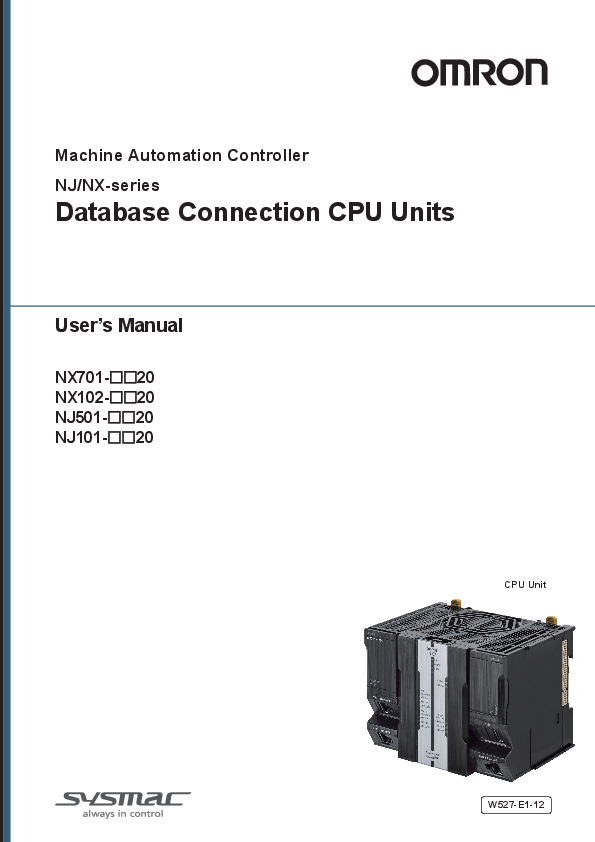
Machine Automation Controller NJ/NX-series Database Connection CPU Units User’s Manual NX701-££20 NX102-££20 NJ501-££20 NJ101-££20 CPU Unit
Full PDF Document

If the inline viewer fails, it will open the original document in compatibility mode automatically. You can also open the file directly.
Extracted Text
Machine Automation Controller NJ/NX-series
Database Connection CPU Units
User's Manual
NX701-��20 NX102-��20 NJ501-��20 NJ101-��20
CPU Unit
W527-E1-12
NOTE � All rights reserved. No part of this publication may be reproduced, stored in a retrieval system, or
transmitted, in any form, or by any means, mechanical, electronic, photocopying, recording, or otherwise, without the prior written permission of OMRON. � No patent liability is assumed with respect to the use of the information contained herein. Moreover, because OMRON is constantly striving to improve its high-quality products, the information contained in this manual is subject to change without notice. � Every precaution has been taken in the preparation of this manual. Nevertheless, OMRON assumes no responsibility for errors or omissions. Neither is any liability assumed for damages resulting from the use of the information contained in this publication.
Trademarks � Sysmac and SYSMAC are trademarks or registered trademarks of OMRON Corporation in Japan
and other countries for OMRON factory automation products. � Microsoft, Windows, Windows Vista, Excel, and SQL Server are either registered trademarks or
trademarks of Microsoft Corporation in the United States and other countries. � EtherCAT� is registered trademark and patented technology, licensed by Beckhoff Automation
GmbH, Germany. � ODVA, CIP, CompoNet, DeviceNet, and EtherNet/IP are trademarks of ODVA.
� The SD and SDHC logos are trademarks of SD-3C, LLC. � Oracle, Java, and MySQL are registered trademarks of Oracle Corporation and/or its affiliates in the
USA and other countries. � IBM and DB2 are registered trademarks of International Business Machines Corporation in the USA
and other countries. � Firebird is a registered trademark of Firebird Foundation Incorporated. � PostgreSQL is a registered trademark of PostgreSQL Global Development Group.
Other company names and product names in this document are the trademarks or registered trademarks of their respective companies.
Copyrights � Microsoft product screen shots reprinted with permission from Microsoft Corporation. � This product incorporates certain third party software. The license and copyright information associ-
ated with this software is available at http://www.fa.omron.co.jp/nj_info_e/ .
Introduction
Introduction
Thank you for purchasing an NJ/NX-series CPU Unit. This manual contains information that is necessary to use the Database Connection Service with the NJ/NX-series CPU Unit. (Database may be referred to as DB hereinafter.) Please read this manual and make sure you understand the functionality and performance of the NJ/NX-series CPU Unit before you attempt to use it in a control system. Keep this manual in a safe place where it will be available for reference during operation.
Intended Audience
This manual is intended for the following personnel, who must also have knowledge of electrical systems (an electrical engineer or the equivalent). � Personnel in charge of introducing FA systems. � Personnel in charge of designing FA systems. � Personnel in charge of installing and maintaining FA systems. � Personnel in charge of managing FA systems and facilities. For programming, this manual is intended for personnel who understand the programming language specifications in international standard IEC 61131-3 or Japanese standard JIS B 3503.
Applicable Products
This manual covers the following products. � NX-series Database Connection CPU Units
a) NX701-1720 b) NX701-1620 c) NX102-1220 d) NX102-1120 e) NX102-1020 f) NX102-9020 � NJ-series Database Connection CPU Units a) NJ501-1520 b) NJ501-1420 c) NJ501-1320 d) NJ501-4320 e) NJ101-1020 f) NJ101-9020 � Sysmac Studio a) SYSMAC-SE2���
NX701-��20: Version 1.21 or higher NX102-��20: Version 1.24 or higher NJ501-��20 or NJ101-��20: Version 1.14 or higher
NJ/NX-series Database Connection CPU Units User's Manual (W527)
1
Relevant Manuals
Relevant Manuals
The following table provides the relevant manuals for the NJ-series CPU Units. Read all of the manuals that are relevant to your system configuration and application before you use the NJ-series CPU Unit. Most operations are performed from Sysmac Studio Automation Software. Refer to the Sysmac Studio Version 1 Operation Manual (Cat. No. W504) for information on Sysmac Studio.
Basic information
Manual
NJ/NX-series CPU Unit Troubleshooting Manual NJ/NX-series Database Connection CPU Units User's Manual NX-series CPU Unit FINS Functions User's Manual NJ/NX-series CPU Unit Built-in EtherNet/IP Port User's Manual NJ/NX-series CPU Unit Built-in EtherCAT Port User's Manual NJ/NX-series Motion Control Instructions Reference Manual NJ/NX-series CPU Unit Motion Control User's Manual NJ/NX-series Instructions Reference Manual NJ/NX-series CPU Unit Software User's Manual NJ-series CPU Unit Hardware User's Manual NX-series NX102 CPU Unit Hardware User's Manual NX-series CPU Unit Hardware User's Manual
Purpose of use
Introduction to NX701 CPU Units
�
Introduction to NX102 CPU Units
�
Introduction to NJ-series Controllers
�
Setting devices and hardware
Using motion control Using EtherCAT Using EtherNet/IP
�
�
�
� � �
Using the database connection service
�
Software settings
Using motion control Using EtherCAT Using EtherNet/IP
�
�
�
�
Using FINS
�
Using the database connection service
�
Writing the user program
Using motion control
�
�
Using EtherCAT
�
Using EtherNet/IP Using FINS Using the database connection service Programming error processing
�
�
� � �
�
2
NJ/NX-series Database Connection CPU Units User's Manual (W527)
Basic information
Manual
Relevant Manuals
NJ/NX-series CPU Unit Troubleshooting Manual NJ/NX-series Database Connection CPU Units User's Manual NX-series CPU Unit FINS Functions User's Manual NJ/NX-series CPU Unit Built-in EtherNet/IP Port User's Manual NJ/NX-series CPU Unit Built-in EtherCAT Port User's Manual NJ/NX-series Motion Control Instructions Reference Manual NJ/NX-series CPU Unit Motion Control User's Manual NJ/NX-series Instructions Reference Manual NJ/NX-series CPU Unit Software User's Manual NJ-series CPU Unit Hardware User's Manual NX-series NX102 CPU Unit Hardware User's Manual NX-series CPU Unit Hardware User's Manual
Purpose of use
Testing operation and debugging
Using motion control Using EtherCAT Using EtherNet/IP Using FINS Using the database connection service Learning about error management and corrections*1 Maintenance
�
�
�
�
�
�
r
r
�
Using motion control Using EtherCAT
�
�
�
� �
Using EtherNet/IP
�
*1. Refer to the NJ/NX-series Troubleshooting Manual(Cat. No. W503) for the error management concepts and an overview of the error items. However, refer to the manuals that are indicated with triangles (r) for details on errors corresponding to the products with the manuals that are indicated with triangles (r).
NJ/NX-series Database Connection CPU Units User's Manual (W527)
3
Manual Structure
Manual Structure
Page Structure
The following page structure is used in this manual.
4 Installation and Wiring
Level 2 heading Level 3 heading
A step in a procedure
Indicates a procedure.
4-3 Mounting Units
4-3-1 Connecting Controller Components
The Units that make up an NJ-series Controller can be connected simply by pressing the Units together and locking the sliders by moving them toward the back of the Units. The End Cover is connected in the same way to the Unit on the far right side of the Controller.
1 Join the Units so that the connectors fit exactly.
Hook
Hook holes
Connector
Level 1 heading Level 2 heading Level 3 heading
Gives the current headings.
4-3 Mounting Units
Special information
Icons indicate precautions, additional information, or reference information.
4
2 The yellow sliders at the top and bottom of each Unit lock the Units together. Move the sliders
toward the back of the Units as shown below until they click into place. Move the sliders toward the back until they lock into place.
Lock Release
Slider
Precautions for Correct Use The sliders on the tops and bottoms of the Power Supply Unit, CPU Unit, I/O Units, Special I/O Units, and CPU Bus Units must be completely locked (until they click into place) after connecting the adjacent Unit connectors.
4-3-1 Connecting Controller Components
Page tab
Gives the number of the main section.
Manual name
NJ-series CPU Unit Hardware User's Manual (W500)
4-9
This illustration is provided only as a sample. It may not literally appear in this manual.
Special Information
Special information in this manual is classified as follows:
Precautions for Safe Use Precautions on what to do and what not to do to ensure safe usage of the product.
Precautions for Correct Use Precautions on what to do and what not to do to ensure proper operation and performance.
Additional Information Additional information to read as required. This information is provided to increase understanding or make operation easier.
4
NJ/NX-series Database Connection CPU Units User's Manual (W527)
Manual Structure
Version Information Information on differences in specifications and functionality for Controller with different unit versions and for different versions of the Sysmac Studio is given.
Precaution on Terminology
In this manual, "download" refers to transferring data from Sysmac Studio to the physical Controller and "upload" refers to transferring data from the physical Controller to Sysmac Studio. For Sysmac Studio, "synchronization" is used to both "upload" and "download" data. Here, "synchronize" means to automatically compare the data for Sysmac Studio on the computer with the data in the physical Controller and transfer the data in the direction that is specified by the user.
NJ/NX-series Database Connection CPU Units User's Manual (W527)
5
Manual Structure
6
NJ/NX-series Database Connection CPU Units User's Manual (W527)
Sections in this Manual
Sections in this Manual
1 Introduction to the DB Connection Service
I Index
2 DB Connection settings
3 Programming the DB Connection Function
4 Basic Operations and Status Check
5 Other Functions
6 How to Use Operation Logs
7 DB Connection Instruction
8 Troubleshooting
A Appendix
1I 2 3 4 5 6 7 8 A
NJ/NX-series Database Connection CPU Units User's Manual (W527)
7
CONTENTS
CONTENTS
Introduction .............................................................................................................. 1
Intended Audience...........................................................................................................................................1 Applicable Products .........................................................................................................................................1
Relevant Manuals..................................................................................................... 2
Manual Structure...................................................................................................... 4
Page Structure.................................................................................................................................................4 Special Information ..........................................................................................................................................4 Precaution on Terminology ..............................................................................................................................5
Sections in this Manual ........................................................................................... 7
Terms and Conditions Agreement........................................................................ 14
Warranty, Limitations of Liability ....................................................................................................................14 Application Considerations ............................................................................................................................15 Disclaimers ....................................................................................................................................................15
Safety Precautions................................................................................................. 17
Precautions for Safe Use ...................................................................................... 18
Precautions for Correct Use ................................................................................. 19
Regulations and Standards .................................................................................. 20
Versions .................................................................................................................. 21
Version Types ................................................................................................................................................21 Checking Versions .........................................................................................................................................21 Unit Versions of CPU Units and Sysmac Studio Versions .............................................................................23
Related Manuals..................................................................................................... 24
Terminology............................................................................................................ 26
Revision History..................................................................................................... 28
Section 1 Introduction to the DB Connection Service
1-1 Overview and Features..........................................................................................................1-2
1-1-1
Overview .....................................................................................................................................1-2
1-1-2
Features ......................................................................................................................................1-3
1-2 DB Connection Service Specifications and System...........................................................1-5
1-2-1
DB Connection Service Specifications ........................................................................................1-5
1-2-2
DB Connection System ............................................................................................................. 1-11
1-3 Operation Flow of the DB Connection Service .................................................................1-14
Section 2 DB Connection Settings
2-1 Starting Sysmac Studio and Creating a New Project .........................................................2-2
8
NJ/NX-series Database Connection CPU Units User's Manual (W527)
CONTENTS
2-1-1 2-1-2 2-1-3 2-1-4
Starting Sysmac Studio ...............................................................................................................2-2 Creating a New Project ...............................................................................................................2-2 Setting the Built-in EtherNet/IP Port ............................................................................................2-3 Controller Setup ..........................................................................................................................2-3
2-2 DB Connection Settings........................................................................................................2-5
2-2-1
DB Connection Service Settings .................................................................................................2-5
2-2-2
DB Connection Settings ..............................................................................................................2-7
Section 3 Programming the DB Connection Function
3-1 DB Access Procedure ...........................................................................................................3-2
3-2 Creating a Structure Data Type ............................................................................................3-3
3-2-1
Overview .....................................................................................................................................3-3
3-2-2
Specifications of Structure Data Type for DB Access .................................................................3-3
3-2-3
How to Create a Structure Data Type for DB Access ...............................................................3-13
3-3 Creating a DB Map Variable ................................................................................................3-17
3-3-1
DB Map Variables and DB Mapping..........................................................................................3-17
3-3-2
Registration and Attributes of DB Map Variables ......................................................................3-18
3-3-3
Restrictions on DB Map Variables.............................................................................................3-19
3-4 Specifying the Table and Applying the Mapping ..............................................................3-20
3-4-1
DB Mapping by Executing a Create DB Map Instruction ..........................................................3-20
3-4-2
Clearing the Mapping of DB Map Variables ..............................................................................3-20
3-4-3
Restrictions on DB Mapping......................................................................................................3-20
3-5 Programming and Transfer .................................................................................................3-24
3-5-1
Programming the DB Connection Service ................................................................................3-24
3-5-2
Displaying DB Connection Instructions on Sysmac Studio .......................................................3-25
3-5-3
DB Connection Instruction Set ..................................................................................................3-25
3-5-4
System-defined Variables..........................................................................................................3-26
3-5-5
Simulation Debugging of DB Connection Instructions ..............................................................3-27
3-5-6
Transferring the DB Connection Settings and User Program ...................................................3-28
3-6 Debugging in Design, Startup, and Operation Phases ....................................................3-29
3-6-1
Design Phase ............................................................................................................................3-29
3-6-2
Startup Phase ...........................................................................................................................3-29
3-6-3
Operation Phase .......................................................................................................................3-29
Section 4 Basic Operations and Status Check
4-1 Run Mode of DB Connection Service and Start/Stop Procedures ....................................4-2
4-1-1
Run Mode of the DB Connection Service ...................................................................................4-2
4-1-2
How to Start/Stop the DB Connection Service ............................................................................4-2
4-1-3
DB Connection Service is Stopped or Cannot be Started...........................................................4-4
4-1-4
Changing the Run Mode of the DB Connection Service .............................................................4-5
4-2 Establishing/Closing a DB Connection ...............................................................................4-6
4-3 Checking the Status of DB Connection Service and each DB Connection......................4-7
4-3-1
Operation Status of the DB Connection Service .........................................................................4-7
4-3-2
Checking the Status of the DB Connection Service ....................................................................4-8
4-3-3
Connection Status of each DB Connection ...............................................................................4-10
4-3-4
Checking the Status of each DB Connection ............................................................................ 4-11
Section 5 Other Functions
5-1 Examples of Using Functions...............................................................................................5-3
5-2 Spool Function.......................................................................................................................5-5
5-2-1
Overview .....................................................................................................................................5-5
NJ/NX-series Database Connection CPU Units User's Manual (W527)
9
CONTENTS
5-2-2 5-2-3 5-2-4 5-2-5 5-2-6 5-2-7 5-2-8 5-2-9
Spooling System .........................................................................................................................5-5 Applicable Instructions and Spooling Execution Conditions .......................................................5-5 Memory Area Used by the Spool Function .................................................................................5-6 Spool Function Settings ..............................................................................................................5-8 How to Resend the SQL Statements Stored in the Spool Memory.............................................5-8 Clearing the SQL Statements from the Spool Memory ...............................................................5-9 Relationship with the DB Connection Instructions .................................................................... 5-11 How to Estimate the Number of SQL Statements that can be Spooled....................................5-13
5-3 Stored Procedure Call Function .........................................................................................5-16
5-3-1
Overview ...................................................................................................................................5-16
5-3-2
Specifications of the Stored Procedure Call Function for Databases .......................................5-17
5-3-3
How to Execute the Stored Procedure Call Function ................................................................5-19
5-3-4
Specifying the Table and Applying the Mapping .......................................................................5-20
5-3-5
Errors during Stored Procedure Call .........................................................................................5-22
5-4 Batch Insert Function ..........................................................................................................5-24
5-4-1
Overview ...................................................................................................................................5-24
5-4-2
How to Execute the Batch Insert Function ................................................................................5-25
5-5 DB Connection Service Shutdown Function.....................................................................5-26
5-5-1
Overview ...................................................................................................................................5-26
5-5-2
Shutdown System .....................................................................................................................5-26
5-5-3
How to Execute the Shutdown Function ...................................................................................5-27
5-5-4
How to Check the Shutdown of the DB Connection Service.....................................................5-27
5-6 How to Prevent Losing SQL Statements at Power Interruption ......................................5-28
5-6-1
Overview ...................................................................................................................................5-28
5-6-2
Procedures ................................................................................................................................5-28
5-7 Timeout Monitoring Functions ...........................................................................................5-33
5-7-1
Timeout Monitoring Functions ...................................................................................................5-33
5-7-2
Login Timeout............................................................................................................................5-33
5-7-3
Query Execution Timeout..........................................................................................................5-34
5-7-4
Communications Timeout..........................................................................................................5-34
5-7-5
Instruction Execution Timeout ...................................................................................................5-35
5-7-6
Keep Alive Monitoring Time ......................................................................................................5-35
5-8 Other Functions ...................................................................................................................5-36
5-8-1
Backup/Restore Function in the DB Connection Service ..........................................................5-36
5-8-2
Operation Authority Verification in the DB Connection Service.................................................5-37
5-8-3
Encrypted Communication ........................................................................................................5-37
Section 6 How to Use Operation Logs
6-1 Operation Logs ......................................................................................................................6-2
6-2 Execution Log ........................................................................................................................6-3
6-2-1
Overview .....................................................................................................................................6-3
6-2-2
Application Procedure .................................................................................................................6-3
6-2-3
Setting the Execution Log ...........................................................................................................6-3
6-2-4
Checking the Execution Log .......................................................................................................6-4
6-2-5
Execution Log File Specifications ...............................................................................................6-4
6-3 Debug Log ............................................................................................................................6-15
6-3-1
Overview ...................................................................................................................................6-15
6-3-2
Application Procedure ...............................................................................................................6-15
6-3-3
Set the Debug Log ....................................................................................................................6-15
6-3-4
Start Recording to the Debug Log.............................................................................................6-16
6-3-5
Stopping Recording to Debug Log ............................................................................................6-17
6-3-6
Checking the Debug Log...........................................................................................................6-18
6-3-7
Debug Log File Specifications...................................................................................................6-18
6-4 SQL Execution Failure Log .................................................................................................6-29
6-4-1
Overview ...................................................................................................................................6-29
6-4-2
Application Procedure ...............................................................................................................6-29
6-4-3
Setting the SQL Execution Failure Log .....................................................................................6-29
10
NJ/NX-series Database Connection CPU Units User's Manual (W527)
CONTENTS
6-4-4 6-4-5
Checking the SQL Execution Failure Log .................................................................................6-30 SQL Execution Failure Log File Specifications .........................................................................6-30
6-5 SD Memory Card Operations ..............................................................................................6-36
6-5-1
Saving Operation Log Files on SD Memory Card .....................................................................6-36
6-5-2
Directory Used for DB Connection Service ...............................................................................6-36
6-5-3
Operation Log Operations in Replacing the SD Memory Card .................................................6-37
6-5-4
Guidelines for SD Memory Card Replacement Time ................................................................6-37
6-5-5
Replacement Timing of SD Memory Card.................................................................................6-38
6-6 Checking the Operation Logs.............................................................................................6-39
6-6-1
How to Check the Operation Logs ............................................................................................6-39
6-6-2
Checking the Log on the Operation Log Window in Sysmac Studio.........................................6-39
6-6-3
Checking the Log with the SD Memory Card ............................................................................6-41
6-6-4
Checking the Log by Transfer using FTP Client Software ........................................................6-41
Section 7 DB Connection Instructions
DB Connection Instructions and Variables ...................................................................................7-2 DB Connection Instruction Set......................................................................................................................7-2 Variables Used in the DB Connection Instructions .......................................................................................7-2
DB_Connect (Establish DB Connection) .......................................................................................7-6 Variables .......................................................................................................................................................7-6 Related System-defined Variables................................................................................................................7-7 Related Error Codes .....................................................................................................................................7-7 Function ........................................................................................................................................................7-7 Precautions for Correct Use .........................................................................................................................7-8 Sample Programming ...................................................................................................................................7-9
DB_Close (Close DB Connection) ................................................................................................7-10 Variables .....................................................................................................................................................7-10 Related System-defined Variables.............................................................................................................. 7-11 Related Error Codes ................................................................................................................................... 7-11 Function ......................................................................................................................................................7-11 Precautions for Correct Use ....................................................................................................................... 7-11 Sample Programming .................................................................................................................................7-12
DB_CreateMapping (Create DB Map) ...........................................................................................7-13 Variables .....................................................................................................................................................7-13 Related System-defined Variables..............................................................................................................7-14 Related Error Codes ...................................................................................................................................7-14 Function ......................................................................................................................................................7-15 Precautions for Correct Use .......................................................................................................................7-15 Sample Programming .................................................................................................................................7-16
DB_Insert (Insert DB Record) .......................................................................................................7-17 Variables .....................................................................................................................................................7-17 Related System-defined Variables..............................................................................................................7-18 Related Error Codes ...................................................................................................................................7-18 Function ......................................................................................................................................................7-19 Precautions for Correct Use .......................................................................................................................7-19 Sample Programming .................................................................................................................................7-20
DB_Update (Update DB Record)...................................................................................................7-21 Variables .....................................................................................................................................................7-21 Related System-defined Variables..............................................................................................................7-22 Related Error Codes ...................................................................................................................................7-22 Function ......................................................................................................................................................7-23 Precautions for Correct Use .......................................................................................................................7-24 Sample Programming .................................................................................................................................7-25
DB_Select (Retrieve DB Record) ..................................................................................................7-39 Variables .....................................................................................................................................................7-39 Related System-defined Variables..............................................................................................................7-40 Related Error Codes ...................................................................................................................................7-40 Function ......................................................................................................................................................7-41
NJ/NX-series Database Connection CPU Units User's Manual (W527)
11
CONTENTS
Precautions for Correct Use .......................................................................................................................7-43 Sample Programming .................................................................................................................................7-44
DB_Delete (Delete DB Record) .....................................................................................................7-45 Variables .....................................................................................................................................................7-45 Related System-defined Variables..............................................................................................................7-46 Related Error Codes ...................................................................................................................................7-46 Function ......................................................................................................................................................7-47 Precautions for Correct Use .......................................................................................................................7-47 Sample Programming .................................................................................................................................7-48
DB_ControlService (Control DB Connection Service) ...............................................................7-60 Variables .....................................................................................................................................................7-60 Related System-defined Variables..............................................................................................................7-61 Related Error Codes ...................................................................................................................................7-61 Function ......................................................................................................................................................7-62 Precautions for Correct Use .......................................................................................................................7-62 Sample Programming .................................................................................................................................7-63
DB_GetServiceStatus (Get DB Connection Service Status) ......................................................7-66 Variables .....................................................................................................................................................7-66 Related Error Codes ...................................................................................................................................7-67 Function ......................................................................................................................................................7-67 Precautions for Correct Use .......................................................................................................................7-67 Sample Programming .................................................................................................................................7-67
DB_GetConnectionStatus (Get DB Connection Status).............................................................7-71 Variables .....................................................................................................................................................7-71 Related System-defined Variables..............................................................................................................7-72 Related Error Codes ...................................................................................................................................7-72 Function ......................................................................................................................................................7-72 Precautions for Correct Use .......................................................................................................................7-72 Sample Programming .................................................................................................................................7-73
DB_ControlSpool (Resend/Clear Spool Data) .............................................................................7-77 Variables .....................................................................................................................................................7-77 Related System-defined Variables..............................................................................................................7-78 Related Error Codes ...................................................................................................................................7-78 Function ......................................................................................................................................................7-78 Precautions for Correct Use .......................................................................................................................7-78 Sample Programming .................................................................................................................................7-79
DB_PutLog (Record Operation Log) ............................................................................................7-84 Variables .....................................................................................................................................................7-84 Related Error Codes ...................................................................................................................................7-85 Function ......................................................................................................................................................7-85 Precautions for Correct Use .......................................................................................................................7-86 Sample Programming .................................................................................................................................7-86
DB_Shutdown (Shutdown DB Connection Service) ...................................................................7-90 Variables .....................................................................................................................................................7-90 Related System-defined Variables..............................................................................................................7-90 Related Error Codes ...................................................................................................................................7-91 Function ......................................................................................................................................................7-91 Precautions for Correct Use .......................................................................................................................7-91 Sample Programming .................................................................................................................................7-91
DB_BatchInsert (DB Records Batch Insert) ................................................................................7-94 Variables .....................................................................................................................................................7-94 Related System-defined Variables..............................................................................................................7-95 Related Error Codes ...................................................................................................................................7-95 Function ......................................................................................................................................................7-96 Precautions for Correct Use .......................................................................................................................7-96 Sample Programming .................................................................................................................................7-97
DB_AttachProcedure (Generate DB Stored Procedure Handle)..............................................7-107 Variables ...................................................................................................................................................7-107 Related System-defined Variables............................................................................................................7-108 Related Error Codes .................................................................................................................................7-108
12
NJ/NX-series Database Connection CPU Units User's Manual (W527)
CONTENTS
Function ....................................................................................................................................................7-109 Precautions for Correct Use ..................................................................................................................... 7-110 Sample Programming ............................................................................................................................... 7-111
DB_ExecuteProcedure (Execute DB Stored Procedure).......................................................... 7-112 Variables ...................................................................................................................................................7-112 Related System-defined Variables............................................................................................................ 7-113 Related Error Codes ................................................................................................................................. 7-113 Function ....................................................................................................................................................7-114 Precautions for Correct Use ..................................................................................................................... 7-115 Sample Programming ............................................................................................................................... 7-115
DB_DetachProcedure (Release DB Stored Procedure Handle)...............................................7-124 Variables ...................................................................................................................................................7-124 Related System-defined Variables............................................................................................................7-124 Related Error Codes .................................................................................................................................7-125 Function ....................................................................................................................................................7-125 Precautions for Correct Use .....................................................................................................................7-125 Sample Programming ...............................................................................................................................7-126
Section 8 Troubleshooting
8-1 Overview of Errors.................................................................................................................8-2
8-1-1
How to Check for Errors ..............................................................................................................8-2
8-1-2
Errors Related to the DB Connection Service .............................................................................8-5
8-2 Troubleshooting.....................................................................................................................8-8
8-2-1
Error Table...................................................................................................................................8-8
8-2-2
Error Descriptions .....................................................................................................................8-16
Appendix
A-1 Task Design Procedure ........................................................................................................ A-2 A-1-1 Startup Time of DB Connection Service..................................................................................... A-2 A-1-2 Reference Values for Execution Time of DB Connection Instructions ....................................... A-4 A-1-3 How to Measure Execution Time of DB Connection Instructions..............................................A-11 A-1-4 Guideline for System Service Execution Time Ratio.................................................................A-11 A-1-5 Checking the System Service Execution Time Ratio ............................................................... A-13
A-2 Execution Time of DB Connection Instructions .............................................................. A-15 A-2-1 Restrictions to Execution Time of DB Connection Instructions ................................................ A-15 A-2-2 Impact of Operation Log Recording on Execution Time of DB Connection Instructions .......... A-22 A-2-3 How to Measure DB Response Time ....................................................................................... A-23 A-2-4 Ensuring Equipment Performance (Takt Time) by Monitoring Instruction Execution Timeout.. A-23
A-3 Specifications...................................................................................................................... A-25 A-3-1 General Specifications ............................................................................................................. A-25 A-3-2 Performance Specifications ..................................................................................................... A-25 A-3-3 Function Specifications ............................................................................................................ A-25
A-4 Version Information ............................................................................................................ A-26 A-4-1 Unit Versions and Corresponding DB Connection Service Versions ....................................... A-26 A-4-2 DB Connection Functions that were Added or Changed for Each Unit Version....................... A-26 A-4-3 Unit Version, DB Connection Service Version, and Unit Version Set in the Sysmac Studio Project ................................................................................................................................ A-27 A-4-4 DB Connection Service Version and Connection Database Types After Changing Devices ... A-30 A-4-5 DB Connection Service Versions and Connection Database Types/Versions ......................... A-31
Index
NJ/NX-series Database Connection CPU Units User's Manual (W527)
13
Terms and Conditions Agreement
Terms and Conditions Agreement
Warranty, Limitations of Liability
Warranties
Exclusive Warranty
Omron's exclusive warranty is that the Products will be free from defects in materials and workmanship for a period of twelve months from the date of sale by Omron (or such other period expressed in writing by Omron). Omron disclaims all other warranties, express or implied.
Limitations
OMRON MAKES NO WARRANTY OR REPRESENTATION, EXPRESS OR IMPLIED, ABOUT NON-INFRINGEMENT, MERCHANTABILITY OR FITNESS FOR A PARTICULAR PURPOSE OF THE PRODUCTS. BUYER ACKNOWLEDGES THAT IT ALONE HAS DETERMINED THAT THE PRODUCTS WILL SUITABLY MEET THE REQUIREMENTS OF THEIR INTENDED USE.
Omron further disclaims all warranties and responsibility of any type for claims or expenses based on infringement by the Products or otherwise of any intellectual property right.
Buyer Remedy
Omron's sole obligation hereunder shall be, at Omron's election, to (i) replace (in the form originally shipped with Buyer responsible for labor charges for removal or replacement thereof) the non-complying Product, (ii) repair the non-complying Product, or (iii) repay or credit Buyer an amount equal to the purchase price of the non-complying Product; provided that in no event shall Omron be responsible for warranty, repair, indemnity or any other claims or expenses regarding the Products unless Omron's analysis confirms that the Products were properly handled, stored, installed and maintained and not subject to contamination, abuse, misuse or inappropriate modification. Return of any Products by Buyer must be approved in writing by Omron before shipment. Omron Companies shall not be liable for the suitability or unsuitability or the results from the use of Products in combination with any electrical or electronic components, circuits, system assemblies or any other materials or substances or environments. Any advice, recommendations or information given orally or in writing, are not to be construed as an amendment or addition to the above warranty.
See http://www.omron.com/global/ or contact your Omron representative for published information.
Limitation on Liability; Etc
OMRON COMPANIES SHALL NOT BE LIABLE FOR SPECIAL, INDIRECT, INCIDENTAL, OR CONSEQUENTIAL DAMAGES, LOSS OF PROFITS OR PRODUCTION OR COMMERCIAL LOSS IN ANY
14
NJ/NX-series Database Connection CPU Units User's Manual (W527)
Terms and Conditions Agreement
WAY CONNECTED WITH THE PRODUCTS, WHETHER SUCH CLAIM IS BASED IN CONTRACT, WARRANTY, NEGLIGENCE OR STRICT LIABILITY.
Further, in no event shall liability of Omron Companies exceed the individual price of the Product on which liability is asserted.
Application Considerations
Suitability of Use
Omron Companies shall not be responsible for conformity with any standards, codes or regulations which apply to the combination of the Product in the Buyer's application or use of the Product. At Buyer's request, Omron will provide applicable third party certification documents identifying ratings and limitations of use which apply to the Product. This information by itself is not sufficient for a complete determination of the suitability of the Product in combination with the end product, machine, system, or other application or use. Buyer shall be solely responsible for determining appropriateness of the particular Product with respect to Buyer's application, product or system. Buyer shall take application responsibility in all cases.
NEVER USE THE PRODUCT FOR AN APPLICATION INVOLVING SERIOUS RISK TO LIFE OR PROPERTY OR IN LARGE QUANTITIES WITHOUT ENSURING THAT THE SYSTEM AS A WHOLE HAS BEEN DESIGNED TO ADDRESS THE RISKS, AND THAT THE OMRON PRODUCT(S) IS PROPERLY RATED AND INSTALLED FOR THE INTENDED USE WITHIN THE OVERALL EQUIPMENT OR SYSTEM.
Programmable Products
Omron Companies shall not be responsible for the user's programming of a programmable Product, or any consequence thereof.
Disclaimers
Performance Data
Data presented in Omron Company websites, catalogs and other materials is provided as a guide for the user in determining suitability and does not constitute a warranty. It may represent the result of Omron's test conditions, and the user must correlate it to actual application requirements. Actual performance is subject to the Omron's Warranty and Limitations of Liability.
Change in Specifications
Product specifications and accessories may be changed at any time based on improvements and other reasons. It is our practice to change part numbers when published ratings or features are changed, or when significant construction changes are made. However, some specifications of the Product may
NJ/NX-series Database Connection CPU Units User's Manual (W527)
15
Terms and Conditions Agreement
be changed without any notice. When in doubt, special part numbers may be assigned to fix or establish key specifications for your application. Please consult with your Omron's representative at any time to confirm actual specifications of purchased Product.
Errors and Omissions
Information presented by Omron Companies has been checked and is believed to be accurate; however, no responsibility is assumed for clerical, typographical or proofreading errors or omissions.
16
NJ/NX-series Database Connection CPU Units User's Manual (W527)
Safety Precautions
Safety Precautions
Refer to the following manuals for safety precautions. � NX-series CPU Unit Hardware User's Manual (Cat. No. W535) � NX-series NX102 CPU Unit Hardware User's Manual (Cat. No. W593) � NJ-series CPU Unit Hardware User's Manual (Cat. No. W500) For safety precautions on NJ501-4320, please contact our sales representative and check with the product specification document or other documentation.
NJ/NX-series Database Connection CPU Units User's Manual (W527)
17
Precautions for Safe Use
Precautions for Safe Use
Refer to the following manuals for precautions for safe use. � NX-series CPU Unit Hardware User's Manual (Cat. No. W535) � NX-series NX102 CPU Unit Hardware User's Manual (Cat. No. W593) � NJ-series CPU Unit Hardware User's Manual (Cat. No. W500) For precautions for safe use on NJ501-4320, please contact our sales representative and check with the product specification document or other documentation.
18
NJ/NX-series Database Connection CPU Units User's Manual (W527)
Precautions for Correct Use
Precautions for Correct Use
This section describes the precautions for correct use in the DB Connection Service. Refer to the following manuals for other precautions for correct use. � NX-series CPU Unit Hardware User's Manual (Cat. No. W535) � NX-series NX102 CPU Unit Hardware User's Manual (Cat. No. W593) � NJ-series CPU Unit Hardware User's Manual (Cat. No. W500)
For precautions for correct use on NJ501-4320, please contact our sales representative and check with the product specification document or other documentation.
� For the NJ-series CPU Unit, when the Spool function is enabled, the DB Connection Service uses the following EM Banks according to the CPU Unit model. If the EM banks are used for processes other than the DB Connection Service, the Spool data in the EM Banks will be overwritten. Do not use the EM Banks that are used by the DB Connection Service for processes other than the DB Connection Service. NJ501-��20: EM Bank No. 9 to 18 (E9_00000 to E18_32767) NJ101-��20: EM Bank No. 1 to 3 (E1_00000 to E3_32767)
� Before you execute the stored procedure call function, make sure to verify the name of the stored procedure to execute, the processing details, and the argument values.
NJ/NX-series Database Connection CPU Units User's Manual (W527)
19
Regulations and Standards
Regulations and Standards
Refer to the following manuals for regulations and standards. � NX-series CPU Unit Hardware User's Manual (W535) � NX-series NX102 CPU Unit Hardware User's Manual (Cat. No. W593) � NJ-series CPU Unit Hardware User's Manual (Cat. No. W500)
20
NJ/NX-series Database Connection CPU Units User's Manual (W527)
Versions
Versions
Hardware revisions and unit versions are used to manage the hardware and software in NJ/NX-series Units and EtherCAT slaves. The hardware revision or unit version is updated each time there is a change in hardware or software specifications. Even when two Units or EtherCAT slaves have the same model number, they will have functional or performance differences if they have different hardware revisions or unit versions.
Version Types
There are two types of versions. One is unit version and the other is DB Connection Service version. These versions are managed independently. Therefore, only one of them may be upgraded.
Unit Version
Hardware revisions and unit versions are used to manage the hardware and software in NJ/NXseries Units and EtherCAT slaves. The hardware revision or unit version is updated each time there is a change in hardware or software specifications. Even when two Units or EtherCAT slaves have the same model number, they will have functional or performance differences if they have different hardware revisions or unit versions.
DB Connection Service version
This is the version of DB Connection Service implemented in the Database Connection CPU Units. The version is upgraded at every specification change in the DB Connection Service.
Checking Versions
You can check versions on the ID information indications or with Sysmac Studio.
Checking Unit Versions on ID Information Label
The unit version is given on the ID information indication on the side of the product. The ID information on NX-series NX701-��20 CPU Units is shown below.
ID information indication Lot number Serial number Unit version
DB Connection Service name and version
LOT No. DDMYY DBcon Ver. . PORT1 : PORT2 :
xxxx jre Ver. .
Ver. .
HW Rev.
MAC address Hardware revision
NJ/NX-series Database Connection CPU Units User's Manual (W527)
21
Versions
Note The hardware revision is not displayed for the Unit that the hardware revision is in blank. The ID information on NX-series NX102-��20 CPU Unit is shown below.
Unit version Hardware revision
Lot number Serial number
Ver. . HW Rev. DBCon Ver. . jre Ver. .
LOT No. DDMYY PORT1 PORT2
xxxx
ID information indication
DB Connection Service name and version
MAC address
Note The hardware revision is not displayed for the Unit that the hardware revision is in blank.
The ID information on an NJ-series NJ�01-��20 CPU Unit is shown below.
ID information indication
Unit model
Unit version
Hardware revision
DB Connection Service name and version
NJ 01- 20
Ver. .
DBcon Ver. .
jre Ver. .
PORT1MAC ADDRESS: PORT2MAC ADDRESS:
LotNo. DDMYY
xxxx
HW Rev.
Lot number Serial number MAC address Note The hardware revision is not displayed for the Unit that the hardware revision is in blank.
Checking Unit Versions with Sysmac Studio
You can use the Sysmac Studio to check unit versions. The procedure is different for Units and for EtherCAT slaves.
Checking the Unit Version of an NX-series CPU Unit
You can use the Production Information while the Sysmac Studio is online to check the unit version of a Unit. You can do this for the following Units.
Unit model Available unit to check the unit version NX701-���� CPU Unit NX102-���� CPU Unit, NX Unit on CPU Rack
1 Right-click CPU Rack under Configurations and Setup - CPU/Expansion Racks in the Multi-
view Explorer and select Production Information. The Production Information Dialog Box is displayed.
22
NJ/NX-series Database Connection CPU Units User's Manual (W527)
Versions
Checking the Unit Version of an NJ-series CPU Unit
You can use the Production Information while the Sysmac Studio is online to check the unit version of a Unit. You can do this for the CPU Unit, CJ-series Special I/O Units, and CJ-series CPU Bus Units. You cannot check the unit versions of CJ-series Basic I/O Units with the Sysmac Studio. Use the following procedure to check the unit version.
1 Double-click CPU/Expansion Racks under Configurations and Setup in the Multiview Ex-
plorer. Or, right-click CPU/Expansion Racks under Configurations and Setup and select Edit from the menu. The Unit Editor is displayed.
2 Right-click any open space in the Unit Editor and select Production Information.
The Production Information Dialog Box is displayed.
Changing Information Displayed in Production Information Dialog Box
1 Click the Show Detail or Show Outline Button at the lower right of the Production
Information Dialog Box. The view will change between the Production Information details and outline.
Outline View
Detail View
The information that is displayed is different for the Outline View and Detail View. The Detail View displays both the unit versions and DB Connection Service version. The Outline View displays only the unit versions.
Note The hardware revision is separated by "/" and displayed on the right of the hardware version. The hardware revision is not displayed for the Unit that the hardware revision is in blank.
Unit Versions of CPU Units and Sysmac Studio Versions
The functions that are supported depend on the unit version of the NJ/NX-series CPU Unit. The version of Sysmac Studio that supports the functions that were added for an upgrade is also required to use those functions. Refer to A-4 Version Information on page A-26 for the relationship between the unit versions of the NJ/NX-series Database Connection CPU Units and the Sysmac Studio versions, and for the functions that are supported by each unit version.
NJ/NX-series Database Connection CPU Units User's Manual (W527)
23
Related Manuals
Related Manuals
The following manuals are related to this manual. Use these manuals for reference.
Manual name NX-series CPU Unit Hardware User's Manual
NX-series NX102 CPU Unit Hardware User's Manual
NJ-series CPU Unit Hardware User's Manual
NJ/NX-series CPU Unit Software User's Manual
NJ/NX-series Instructions Reference Manual
NJ/NX-series CPU Unit Motion Control User's Manual
Cat. No. W535
W593
W500
W501 W502 W507
Model numbers NX701-����
NX102-����
NJ501-���� NJ301-���� NJ101-����
NX701-���� NX102-���� NX1P2-���� NJ501-���� NJ301-���� NJ101-����
NX701-���� NX102-���� NX1P2-���� NJ501-���� NJ301-���� NJ101-���� NX701-���� NX102-���� NX1P2-���� NJ501-���� NJ301-���� NJ101-����
Application
Learning the basic specifications of the NX701 CPU Units, including introductory information, designing, installation, and maintenance. Mainly hardware information is provided.
Learning the basic specifications of the NX102 CPU Units, including introductory information, designing, installation, and maintenance. Mainly hardware information is provided.
Learning the basic specifications of the NJ-series CPU Units, including introductory information, designing, installation, and maintenance. Mainly hardware information is provided.
Learning how to program and set up an NJ/NX-series CPU Unit. Mainly software information is provided.
Learning detailed specifications on the basic instructions of an NJ/NX-series CPU Unit.
Description
An introduction to the entire NX701 system
is provided along with the following infor-
mation on the CPU Unit.
� Features and system configuration � Introduction � Part names and functions � General specifications � Installation and wiring � Maintenance and inspection
An introduction to the entire NX102 system
is provided along with the following infor-
mation on the CPU Unit.
� Features and system configuration � Introduction � Part names and functions � General specifications � Installation and wiring � Maintenance and inspection
An introduction to the entire NJ-series sys-
tem is provided along with the following in-
formation on the CPU Unit.
� Features and system configuration � Introduction � Part names and functions � General specifications � Installation and wiring � Maintenance and inspection
The following information is provided on a
Controller built with an NJ/NX-series CPU
Unit.
� CPU Unit operation � CPU Unit features � Initial settings � Programming based on IEC 61131-3
language specifications
The instructions in the instruction set (IEC
61131-3 specifications) are described.
Learning about motion control settings and programming concepts.
The settings and operation of the CPU Unit and programming concepts for motion control are described.
24
NJ/NX-series Database Connection CPU Units User's Manual (W527)
Related Manuals
Manual name NJ/NX-series Motion Control Instructions Reference Manual
NJ/NX-series CPU Unit Built-in EtherCAT� Port User's Manual
NJ/NX-series CPU Unit Built-in EtherNet/IPTM Port User's Manual
NJ/NX-series Database Connection CPU Units User's Manual NX-series CPU Unit FINS Function User's Manual NJ/NX-series Troubleshooting Manual
Sysmac Studio Version 1 Operation Manual
Cat. No. W508
W505
W506
W527 W596
Model numbers
NX701-���� NX102-���� NX1P2-���� NJ501-���� NJ301-���� NJ101-����
NX701-���� NX102-���� NX1P2-���� NJ501-���� NJ301-���� NJ101-����
NX701-���� NX102-���� NX1P2-���� NJ501-���� NJ301-���� NJ101-����
NX701-��20 NX102-��20 NJ501-��20 NJ101-��20
NX701-��20 NX102-����
Application
Learning about the specifications of the motion control instructions.
Description
The motion control instructions are described.
Using the built-in EtherCAT port on an NJ/NX-series CPU Unit.
Information on the built-in EtherCAT port is provided. This manual provides an introduction and provides information on the configuration, features, and setup.
Using the built-in EtherNet/IP port on an NJ/NX-series CPU Unit.
Information on the built-in EtherNet/IP port is provided. Information is provided on the basic setup, tag data links, and other features.
Using the database connection service with NJ/NX-series Controllers.
Using the FINS function of an NX-series CPU Unit.
Describes the database connection service.
Describes the FINS function of an NX-series CPU Unit.
W503 W504
NX701-���� NX102-���� NX1P2-���� NJ501-���� NJ301-���� NJ101-����
SYSMAC -SE2���
Learning about the errors that may be detected in an NJ/NX-series Controller.
Concepts on managing errors that may be detected in an NJ/NX-series Controller and information on individual errors are described.
Learning about the operating procedures and functions of the Sysmac Studio.
Describes the operating procedures of the Sysmac Studio.
NJ/NX-series Database Connection CPU Units User's Manual (W527)
25
Terminology
Terminology
Term
Description
CA
The institution that issues certificates. Certification Authority.
DB
Refers to a database in a server.
DB Connection
Refers to a virtual communication path established between CPU Unit and DB.
DB Connection function
Used to connect a CPU Unit to a DB. This function operates on a CPU Unit.
DB Connection Service
This service provides the DB Connection function to connect a CPU Unit to a DB. In the ID information indication on the side of the CPU Unit and in Sysmac Studio, this service is indicated as "DBCon".
DB Connection Service shutdown function
Used to shut down the DB Connection Service after automatically saving the Operation Log files into the SD Memory Card.
Run mode of the DB Connection Service
Used to switch whether to actually access the DB or to normally end the instructions without accessing the DB when DB Connection Instructions are executed.
DB Connection In- Refers to special instructions for the DB Connection Service. struction
Structure data type for DB access
Refers to structure data type where all or some of the columns of a specified table are registered as structure members.
DB Map Variable Refers to a variable that uses a structure data type for DB access as its data type.
DB mapping
Refers to the operation of associating each member of DB Map Variables with the columns of a table, or the arguments, return values, and result sets of a stored procedure.
DB Records Batch Refers to the DB_BatchInsert instruction. Insert instruction
EM Area
Refers to Expansion DM Area used for CJ-series Units. The data in this area are retained even if the power supply to the CPU Unit is cycled (i.e. ON OFF ON) or the operating mode of the CPU Unit is changed (i.e. PROGRAM mode RUN mode).
SQL
Stands for Structured Query Language, which is one of the languages for DB processing such as data read/write.
SQL Execution Failure Log
One of the Operation Logs. This log is used to record execution failure of SQL statements in the DB.
Record processing Refers to the process that manipulates DB records, such as record insertion, update, retrieval, and batch insertion.
SQL type
One of the input variables for the DB_CreateMapping instruction. It refers to a type of record processing for the variable to map, such as record insertion, update, retrieval, and batch insertion.
SQL statement
Refers to the statements that show a specific instruction used for DB operations such as data read/ write.
Encrypted communication
A method of encrypted data communication between the controller and the database, which is designed to prevent sniffing and tampering by third parties.
Operation Log
Used to trace the operations of the DB Connection function on the CPU Unit. There are three types of Operation Logs; Execution Log, Debug Log, and SQL Execution Failure Log.
Column
One of the information layers of each DB. Refers to the columns of each table.
Server Certificate
It is an X.509 electronic certificate verifying a database. The database generates and manages the certificate along with its secret key. To use the encrypted communication function, it needs to be registered to the CPU Unit with the Sysmac Studio.
Execution Log
One of the Operation Logs. This log is used to record the executions of the DB Connection Service.
26
NJ/NX-series Database Connection CPU Units User's Manual (W527)
Terminology
Term Stored procedure
Stored function
Stored procedure call Spool memory Spool function
Spool data Table Debug Log
Batch insert
Description Refers to a series of procedures for a database, which are stored in the DB management system. Complex SQL statement calls are logically grouped into a single processing unit, which can be easily called by the assigned name. In some of the database types, stored procedures that return a value are called stored functions and are distinguished from stored procedures. Refers to the action of calling a stored procedure or a stored function, or the function itself.
Refers to the memory area for storing the SQL statements in the Spool function. Used to store some SQL statements for inserting records into the DB or updating the records in the DB that could not be executed due to a network failure. Refers to the SQL statements stored in the Spool memory. One of the information layers of each DB, which contains data. One of the Operation Logs. This log is used for recording which SQL statements are executed, and parameters and execution result of each SQL statements. Refers to the function or command that inserts multiple records at once.
NJ/NX-series Database Connection CPU Units User's Manual (W527)
27
Revision History
Revision History
A manual revision code appears as a suffix to the catalog number on the front and back covers of the manual.
Cat. No. W527-E1-12
Revision code
Revision code
01 02
03 04 05 06
07 08
09
10 11
12
Date April 2013 August 2013
February 2014 July 2014 November 2015 December 2015 June 2016 January 2018
June 2018
July 2018 July 2019
November 2019
Revised content
Original production � Added description of the time specified for timeout of DB Connection Instruc-
tions. � page 5-12 page 7-19 page 7-24 page 7-43, page 7-47 � Corrected mistakes.
Added description of the functions supported by the DB Connection Service version 1.01 or higher. � Added NJ501-4320 � Corrected mistakes. � Added NJ101-��20 � Corrected mistakes. � Added description of the functions supported by the DB Connection Service ver-
sion 1.02 or higher. � Corrected mistakes.
Updated the EtherNet/IP logo. � Added NX701-��20. � Added description of the functions supported by the DB Connection Service ver-
sion 1.03 or higher. � Added NX102-��20. � Added description of the functions supported by the DB Connection Service ver-
sion 1.04 or higher.
Corrected mistakes. � Added description of the functions supported by the DB Connection Service ver-
sion 2.00 or higher for NX701-��20 and NX102-��20. � Corrected mistakes.
Corrected mistakes.
28
NJ/NX-series Database Connection CPU Units User's Manual (W527)
1
1
Introduction to the DB Connection Service
This section provides an introduction to the DB Connection Service.
1-1 Overview and Features .................................................................................. 1-2
1-1-1
Overview......................................................................................................... 1-2
1-1-2
Features.......................................................................................................... 1-3
1-2 DB Connection Service Specifications and System ................................... 1-5
1-2-1
DB Connection Service Specifications ........................................................... 1-5
1-2-2
DB Connection System..................................................................................1-11
1-3 Operation Flow of the DB Connection Service.......................................... 1-14
NJ/NX-series Database Connection CPU Units User's Manual (W527)
1-1
1 Introduction to the DB Connection Service
1-1 Overview and Features
This section describes the overview and features of the DB Connection Service.
1-1-1 Overview
The SYSMAC NJ/NX-series Controllers are next-generation machine automation controllers that provide the functionality and high-speed performance that are required for machine control. They provide the safety, reliability, and maintainability that are required of industrial controllers. The NJ/NX-series Controllers provide the functionality of previous OMRON PLCs, and they also provide the functionality that is required for motion control. Synchronized control of I/O devices on highspeed EtherCAT can be applied to safety devices, vision systems, motion equipment, discrete I/O, and more. OMRON offers the new Sysmac Series of control devices designed with unified communications specifications and user interface specifications. The NJ/NX-series Machine Automation Controllers are part of the Sysmac Series. You can use them together with EtherCAT slaves, other Sysmac products, and the Sysmac Studio Automation Software to achieve optimum functionality and ease of operation. With a system that is created from Sysmac products, you can connect components and operate the system through unified concepts and usability.
The DB Connection Service is a function to insert, update, retrieve, and delete records to/from a relational database (may be referred to as DB hereinafter) on a server connected to the built-in EtherNet/IP port of an NJ/NX-series CPU Unit by executing special instructions (called "DB Connection Instruction") on the NJ/NX-series CPU Unit.
Structure variables TABLE Field1 : 10 Field2 : 20 Field3 : 40 Field4 : 100
Sysmac Studio
DB Connection Instruction e.g. DB_Insert instruction
DBConnection abc MapVar
TABLE Field1 e.g. Insert a record 10
Field2 20
Field3 40
Field4 100
NJ/NX-series Database Connection CPU Unit
Server Relational Database
EtherNet/IP port LAN
� Oracle Database of Oracle Corporation, SQL Server of Microsoft Corporation, DB2 for Linux, UNIX and Windows of IBM Corporation, MySQL of Oracle Corporation, Firebird of Firebird Foundation Incorporated, and PostgreSQL of PostgreSQL Global Development Group are supported.*1
1-2
NJ/NX-series Database Connection CPU Units User's Manual (W527)
1 Introduction to the DB Connection Service
1-1 Overview and Features
1-1-2 Features
� It is possible to access more than one database*2 in one or more servers. You can realize flexible
operations such as switching the database to access according to the specified data and SQL oper-
ations (such as INSERT/SELECT) and connecting to another database in a different server when a
database cannot be connected, for example, due to a server problem.
*1. The connectable databases are different for CPU Unit models. Refer to 1-2-1 DB Connection Service Specifi-
cations on page 1-5 for the connectable databases.
*2. Refer to 1-2-1 DB Connection Service Specifications on page 1-5 for the number of databases that can be
connected simultaneously.
1
1-1-2 Features
No Special Unit, Tool, nor Middleware Required
� No special Unit is required for the DB Connection function. You can use the NJ/NX-series CPU Units.
� No special tool is required for the DB Connection function. You can use Sysmac Studio. � The server does not need any special middleware for connection to the NJ/NX-series CPU Units.
Easy Access to the DB
� The SQL operations such as INSERT and SELECT can be easily executed. � The advanced database functions, such as the stored procedure and batch insert functions for data-
bases, can be executed easily as well, and data processing can be performed even faster.*1 � No special knowledge of SQL statements is required. � Variables for DB access can be defined just by creating a structure for the table that you want to
access. � You can easily control the execution timing and prepare the write values because the SQL opera-
tions can be executed by special instructions. � More secure communication can be established by using the encrypted communication function.*1 *1. This function is available for the DB Connection Service version 2.00 or higher.
Recording of Operation Logs
� You can save the execution result logs of special instructions and processing (i.e. internal SQL statements) as a log file into the SD Memory Card mounted in the CPU Unit. Also, you can check the logs using Sysmac Studio or FTP client software.*1
*1. For saving the log files, an SD Memory Card is provided with each Database Connection CPU Unit. The SD Memory Card can be also used for any purposes other than DB Connection functions such as reading from and writing to the files in the SD Memory Card using instructions.
Fail-safe Design against Errors and Power Interruption
� You can spool the data (i.e. internal SQL statements) if the data cannot be sent due to an information exchange error with the DB, and execute the processing when the communications are recovered from the failure.
NJ/NX-series Database Connection CPU Units User's Manual (W527)
1-3
1 Introduction to the DB Connection Service
� You can automatically save the Operation Logs by shutting down the DB Connection Service when turning OFF the power supply to the CPU Unit.
Making a Library of DB Access Function
� You can provide and reuse the special instructions as a library file by describing each special instruction as a user-defined function block.
1-4
NJ/NX-series Database Connection CPU Units User's Manual (W527)
1 Introduction to the DB Connection Service
1-2 DB Connection Service Specifications and System
1-2-1 DB Connection Service Specifications
1-2 DB Connection Service Specifications and System
This section describes the specifications and system of the DB Connection Service.
1-2-1 DB Connection Service Specifications
1
This section describes the specifications of the DB Connection Service. Refer to A-3 Specifications on page A-25 for the general specifications, performance specifications, and function specifications of the Database Connection CPU Units. Refer to A-4 Version Information on page A-26 for the information on version upgrades of the DB Connection Service.
NX-series CPU Unit
The following table shows the specifications of the DB Connection Service for NX-series CPU Units.
Specification item
Supported DB versions*2 SQL Server by Microsoft Oracle Database by
Oracle*3
DB2 for Linux, UNIX and Windows by IBM
MySQL Community Edi-
tion by Oracle*4
Firebird by Firebird Foundation
PostgreSQL by PostgreSQL Global Develop-
ment Group*5
Number of DB Connections (Number of databases that can be connected at the same time)
Instruction
Supported operations
Max. number of instructions for simultaneous execution
Max. number of columns in an INSERT operation
CPU Unit model
NX701-1 NX701-1 NX102-1 NX102-1
720*1
620*1
220
120
2012, 2014, 2016, 2017
11g, 12c, 18c
NX102-1 020
NX102-9 020
9.7, 10.1, 10.5, 11.1 5.6, 5.7, 8.0
2.5 9.4, 9.5, 9.6, 10
3*6
2*7
The following operations can be performed by executing DB Connection Instructions in the NJ/NX-series CPU Units. Insert Record (INSERT), Update Record (UPDATE), Retrieve Record (SELECT), Delete Record (DELETE), Execute Stored Procedure*8, and Execute Batch Insert*8
32
SQL Server: 1024 Oracle: 1000 DB2: 1000 MySQL: 1000 Firebird: 1000 PostgreSQL: 1000
NJ/NX-series Database Connection CPU Units User's Manual (W527)
1-5
1 Introduction to the DB Connection Service
Specification item Max. number of columns in an UPDATE operation
Max. number of columns in a SELECT operation
Max. number of records in the output of a SELECT operation Stored procedure call
Batch insert execution
Max. number of DB Map Variables for which a mapping can be connected
CPU Unit model
NX701-1 NX701-1 NX102-1 NX102-1
720*1
620*1
220
120
SQL Server: 1024 Oracle: 1000 DB2: 1000 MySQL: 1000 Firebird: 1000 PostgreSQL: 1000
SQL Server: 1024 Oracle: 1000 DB2: 1000 MySQL: 1000 Firebird: 1000 PostgreSQL: 1000
65535 elements, 4 MB
NX102-1 020
NX102-9 020
Argument: Up to 256 variables Return value: One variable Result set: Supported Supported databases: SQL Server, Oracle, MySQL, PostgreSQL Spool function: Not supported
Supported data size: Less than 1,000 columns and upper limit of structure variable size or less Supported databases: SQL Server, Oracle, MySQL, PostgreSQL Spool function: Not supported
SQL Server: 60 Oracle: 30 DB2: 30 MySQL: 30 Firebird: 15 PostgreSQL: 30
SQL Server: 30 Oracle: 20 DB2: 20 MySQL: 20 Firebird: 15 PostgreSQL: 20
*9
*7, *9
Run Mode of the DB Connection Service Spool Function
Operation Mode or Test Mode � Operation Mode: When each instruction is executed, the service
actually accesses the DB. � Test Mode: When each instruction is executed, the service ends
the instruction normally without accessing the DB actually.
Used to store SQL statements when an error occurred and resend the statements when the communications are recovered from the error.
Operation Log function
Spool capacity*10
DB Connection Service shutdown function
2 MB
192 KB
The following three types of logs can be recorded. � Execution Log: Log for tracing the executions of the DB Connec-
tion Service. � Debug Log: Detailed log for SQL statement executions of the DB
Connection Service. � SQL Execution Failure Log: Log for execution failures of SQL
statements in the DB.
Used to shut down the DB Connection Service after automatically saving the Operation Log files into the SD Memory Card.
1-6
NJ/NX-series Database Connection CPU Units User's Manual (W527)
1-2 DB Connection Service Specifications and System
1-2-1 DB Connection Service Specifications
1 Introduction to the DB Connection Service
CPU Unit model
Specification item
NX701-1 NX701-1 NX102-1 NX102-1 NX102-1 NX102-9
720*1
620*1
220
120
020
020
Communications port
Two ports supported
� Both of the two
� Both of the two built-in EtherNet/IP ports
built-in
are available.
EtherNet/IP ports � Which of the ports will be used for each
are available.
connection depends on the IP address
� Which of the ports settings.
1
will be used for
� Each of the two ports can be used for two
each connection depends on the IP
separate connections simultaneously.*7
address settings.
� Each of the two
ports can be used for two separate connections simul-
taneously.
Encrypted communication
Supported databases TLS Ver.
SQL Server, Oracle, MySQL, PostgreSQL TLS 1.2
*1. The CIP (Common Industrial Protocol) communications using the built-in EtherNet/IP port support the same functions
as with the following CPU models. Therefore, when executing the EtherNet/IP tag data link function, please specify the following CPU models on Network Configurator. The following models are also displayed in Sysmac Gateway or CX-
Compolet.
CPU Unit models used Corresponding CPU Unit models
NX701-1720
NX701-1700
NX701-1620
NX701-1600
*2. It is assumed that Windows Server OS and Windows Client OS are used to operate the DB. Confirm the operation
requirements for each DB for details. Connections to the DB on the cloud are not supported. For details on the data-
base versions that were supported in the past DB Connection Service versions, refer to A-4-5 DB Connection Service
Versions and Connection Database Types/Versions on page A-31.
*3. You cannot use Oracle 10g with the DB Connection Service version 2.00 or higher.
*4. The supported storage engines of the DB are InnoDB and MyISAM.
*5. When you connect the CPU Unit to PostgreSQL, make the following setting to set the locale of the PostgreSQL to C.
Otherwise, the error messages are not correctly displayed.
Change the value of lc_messages in the postgresql.conf file stored in the data folder under the installation folder of
PostgreSQL and restart the PostgreSQL.
lc_messages = 'C'
*6. When two or more DB Connections are established, the operation cannot be guaranteed if you set different database
types for the connections.
*7. This function is available for the DB Connection Service version 2.00 or higher. For details on the versions of the DB
Connection Service, refer to Relationship between DB Connection Service Version and Unit Version Set in the Sysmac
Studio Project on page A-28.
*8. This function is available for the DB Connection Service version 2.00 or higher. For details on the versions and instruc-
tions of the DB Connection Service, refer to DB Connection Instruction Set on page 7-2.
*9. The maximum number of DB Map Variables that can be mapped are the total number of DB Map Variables that are
used in INSERT/UPDATE, stored procedures, and batch insert. Note that if the number of DB Map Variables has not
reached the upper limit, the total number of members of the structure definition used as a data type of DB Map Varia-
bles is 10,000 members max.
*10. Refer to 5-2-9 How to Estimate the Number of SQL Statements that can be Spooled on page 5-13 for the information.
NJ/NX-series Database Connection CPU Units User's Manual (W527)
1-7
1 Introduction to the DB Connection Service
NJ-series CPU Unit
The following table shows the specifications of the DB Connection Service for NJ-series CPU Unit.
Specification item
NJ501-152 NJ501-142
0*1
0*1
Supported DB versions*2
SQL Server by Microsoft
Oracle Database by Oracle
2012, 2014 11g, 12c
DB2 for Linux, 9.7, 10.1, 10.5 UNIX and Windows by IBM
MySQL Com- 5.6, 5.7 munity Edition
by Oracle*3
Firebird by
2.5
Firebird Foun-
dation
PostgreSQL by 9.4 PostgreSQL Global Development
Group*4
Number of DB Connections (Num- 3*5 ber of databases that can be con-
nected at the same time)
CPU Unit model
NJ501-132 NJ501-432
0*1
0*1
NJ101-102 0*1
NJ101-902 0*1
Not supported
9.7, 10.1, 10.5
Not sup-
2.5
ported
Not sup-
9.4
ported
1
1-8
NJ/NX-series Database Connection CPU Units User's Manual (W527)
1-2 DB Connection Service Specifications and System
1-2-1 DB Connection Service Specifications
1 Introduction to the DB Connection Service
CPU Unit model
Specification item
NJ501-152 NJ501-142 NJ501-132 NJ501-432 NJ101-102 NJ101-902
0*1
0*1
0*1
0*1
0*1
0*1
Instruction
Supported operations
The following operations can be performed by executing DB Connection Instructions in the NJ/NX-series CPU Units. Insert Record (INSERT), Update Record (UPDATE), Retrieve Record (SELECT), and Delete Record (DELETE)
Max. number 32
1
of instructions
for simultane-
ous execution
Max. number of columns in an INSERT operation
SQL Server: 1024 Oracle: 1000 DB2: 1000 MySQL: 1000 Firebird: 1000 PostgreSQL: 1000
Max. number of columns in an UPDATE operation
SQL Server: 1024 Oracle: 1000 DB2: 1000 MySQL: 1000 Firebird: 1000 PostgreSQL: 1000
Max. number of columns in a SELECT operation
SQL Server: 1024 Oracle: 1000 DB2: 1000 MySQL: 1000 Firebird: 1000 PostgreSQL: 1000
Max. number of records in the output of a SELECT operation
65535 elements, 4 MB
65535 elements, 2 MBytes
Max. number of DB Map Variables for which a mapping can be connected
SQL Server: 60 Oracle: 30 DB2: 30 MySQL: 30 Firebird: 15 PostgreSQL: 30
SQL Server: 15 Oracle: 15 MySQL: 15
SQL Server: 15 Oracle: 15 DB2: 15 MySQL: 15 Firebird: 15 PostgreSQL: 15
*6
Run Mode of the DB Connection Service
Spool Function
Operation Mode or Test Mode � Operation Mode: When each instruction is executed, the service actually access-
es the DB. � Test Mode: When each instruction is executed, the service ends the instruction
normally without accessing the DB actually.
Used to store SQL statements when an error occurred and resend the statements when the communications are recovered from the error.
Spool capacity*7
1 MB
192 KB
NJ/NX-series Database Connection CPU Units User's Manual (W527)
1-9
1 Introduction to the DB Connection Service
CPU Unit model
Specification item
NJ501-152 NJ501-142 NJ501-132 NJ501-432 NJ101-102 NJ101-902
0*1
0*1
0*1
0*1
0*1
0*1
Operation Log function
The following three types of logs can be recorded. � Execution Log: Log for tracing the executions of the DB Connection Service. � Debug Log: Detailed log for SQL statement executions of the DB Connection
Service. � SQL Execution Failure Log: Log for execution failures of SQL statements in the
DB.
DB Connection Service shutdown function
Used to shut down the DB Connection Service after automatically saving the Operation Log files into the SD Memory Card.
*1. The CIP (Common Industrial Protocol) communications using the built-in EtherNet/IP port support the same functions as with the following CPU models. Therefore, when executing the EtherNet/IP tag data link function, please specify the following CPU models on Network Configurator. The following models are also displayed in Sysmac Gateway or CXCompolet.
CPU Unit models used Corresponding CPU Unit models
NJ501-1520
NJ501-1500
NJ501-1420
NJ501-1400
NJ501-1320
NJ501-1300
NJ501-4320
NJ501-4300
NJ101-��20
NJ101
*2. It is assumed that Windows Server OS and Windows Client OS are used to operate the DB. Confirm the operation
requirements for each DB for details. Connections to the DB on the cloud are not supported. For details on the data-
base versions that were supported in the past DB Connection Service versions, refer to A-4-5 DB Connection Service
Versions and Connection Database Types/Versions on page A-31.
*3. The supported storage engines of the DB are InnoDB and MyISAM.
*4. When you connect the CPU Unit to PostgreSQL, make the following setting to set the locale of the PostgreSQL to C.
Otherwise, the error messages are not correctly displayed.
Change the value of lc_messages in the postgresql.conf file stored in the data folder under the installation folder of
PostgreSQL and restart the PostgreSQL.
lc_messages = 'C'
*5. When two or more DB Connections are established, the operation cannot be guaranteed if you set different database
types for the connections.
*6. The maximum number of DB Map Variables that can be mapped are the total number of DB Map Variables that are
used in INSERT/UPDATE. Note that if the number of DB Map Variables has not reached the upper limit, the total num-
ber of members of the structure definition used as a data type of DB Map Variables is 10,000 members max.
*7. Refer to 5-2-9 How to Estimate the Number of SQL Statements that can be Spooled on page 5-13 for the information.
DB Versions That Extended Support for Databases Has Ended
The extended support for databases has ended for the following DB versions. Please consider replacing the current database with a new version.
1-10
NJ/NX-series Database Connection CPU Units User's Manual (W527)
1 Introduction to the DB Connection Service
1-2 DB Connection Service Specifications and System
1-2-2 DB Connection System
CPU Unit model
Specification item
NX701-1�20
NX102-� �20
NJ501-� �20
NJ101-�020
Database versions SQL Server by Microsoft
2008/2008R2
Oracle Database by Oracle
10g
DB2 for Linux, UNIX and Windows by 9.5
IBM
MySQL Community Edition by Oracle 5.1/5.5
1
Firebird by Firebird Foundation
2.1
PostgreSQL by PostgreSQL Global Development Group
9.2/9.3
1-2-2 DB Connection System
This section describes the basic and other systems of the DB Connection function. Refer to 1-3 Operation Flow of the DB Connection Service on page 1-14 for the operation flow.
Basic System
The following figure shows the basic system of the DB Connection function.
Sysmac Studio
User Program DB Connection Instruction (e)
DB_Insert
DBConnection abc MapVar
DB Map Variable (b) abc Data 1 Data 2 Data 3 Data 4
CPU Unit
DB Connection Service (c)
DB Mapping (d)
SQL statement sent (f) INSERT ...
(in Operation Mode)
EtherNet/ IP Port
DB access
Server
Relational Database
Stored Procedure (g) DB table Field1 Field2 Field3 Field4 Data 1 Data 2 Data 3 Data 4
Used as a data type
Structure data type for DB access (a)
TABLE Field1 Field2 Field3 Field4
Mapping
Basic System (The numbers show the processing order.)
1. Create a structure for NJ-series Controller that matches the column names in the DB table. ((a) in the above figure) 2. Create a variable called "DB Map Variable" using the structure created in Step 1. ((b) in the above figure)
Reference
3-2 Creating a Structure Data Type on page 3-3 3-3 Creating a DB Map Variable on page 3-17
NJ/NX-series Database Connection CPU Units User's Manual (W527)
1-11
1 Introduction to the DB Connection Service
Basic System (The numbers show the processing order.)
3. Start the DB Connection Service. ((c) in the above figure) Specify the Run mode of the DB Connection Service according to the following conditions. � When the DB is connected: Select the Operation Mode � When the DB does not exist or not connected: Select the Test Mode.
4. Use a DB_Connect instruction to establish a DB Connection. This checks the IP address or name of the server and log on credentials.
5. Use a DB_CreateMapping instruction to connect to a table using the DB Map Variable and apply the mapping. (called "DB mapping"). ((d) in the above figure)
6. Specify the DB Map Variable and execute the following DB Connection instructions. ((e) in the above figure) � Insert Record � Records Batch Insert � Update Record � Retrieve Record � Stored Procedure When the DB Connection Service is set to the Operation Mode, the SQL statements are sent. ((f) in the above figure)
7. When the stored procedure function is used, the stored procedure is executed in the database. ((g) in the above figure)
Reference 4-1 Run Mode of DB Connection Service and Start/Stop Procedures on page 4-2
4-2 Establishing/Closing a DB Connection on page 4-6 3-4 Specifying the Table and Applying the Mapping on page 3-20 3-5 Programming and Transfer on page 3-24
5-3 Stored Procedure Call Function on page 5-16
Other Systems
The following figure shows the other systems of the DB Connection function.
1-12
NJ/NX-series Database Connection CPU Units User's Manual (W527)
1-2 DB Connection Service Specifications and System
1-2-2 DB Connection System
1 Introduction to the DB Connection Service
Sysmac Studio
CPU Unit
Server
User Program
DB Connection Instruction
DB Connection Service
Relational
DB_Insert
DBConnection abc MapVar
DB Mapping
SQL statement sent INSERT ...
EtherNet/IP DB access
Database
1
DB Map Variable abc Data 1 Data 2 Data 3 Data 4
System-defined variable (i)
Status of the DB Connection Service
(h)
Errors and status of the DB Connection
Service
(in Operation Mode)
Operation Logs (k)
Automatic saving
When transmission failed (m)
DB table TABLE Field1 Field2 Field3 Data 1 Data 2 Data 3
Field4 Data 4
When recovered (n)
Event log (j)
Dedicated area for the Spool function EM Area (non-volatile memory)
SD Memory Card Log files (l)
Spool memory
INSERT ... INSERT ... INSERT ...
Other Systems � You can check the status of the DB Connection Service and each DB Connection
((h) in the above figure) with the DB_GetServiceStatus (Get DB Connection Service Status) instruction, DB_GetConnectionStatus (Get DB Connection Status) instruction, or a system-defined variable ((i) in the above figure). � Errors and status of the DB Connection Service are stored as an event log. ((j) in the above figure)
� The logs of tracing the operations of the DB Connection Service on the CPU Unit (called "Operation Logs") ((k) in the above figure) are saved as a log file ((l) in the above figure) into the SD Memory Card mounted in the CPU Unit.
� When transmission of an SQL statement failed, the SQL statement is automatically saved into the dedicated area for the Spool function for an NX-series Controller and the EM Area of the memory for CJ-series Units for an NJ-series Controller. ((m) in the above figure) When the communications are recovered, the stored SQL statement is resent automatically or by executing an instruction. ((n) in the above figure)
Reference Section 4 Basic Operations and Status Check on page 4-1
Section 8 Troubleshooting on page 8-1 Section 6 How to Use Operation Logs on page 6-1 5-2 Spool Function on page 5-5
NJ/NX-series Database Connection CPU Units User's Manual (W527)
1-13
1 Introduction to the DB Connection Service
1-3 Operation Flow of the DB Connection Service
This section gives the basic operation flow. The DB Connection Service is basically used according to the following flow.
STEP 1 Starting Sysmac Studio
2-1 Starting Sysmac Studio and Creating a New Project on page 2-2
STEP 2 Creating a New Project
2-1 Starting Sysmac Studio and Creating a New Project on page 2-2
STEP 3 Making the DB Connection Settings
2-2 DB Connection Settings on page 2-5
Make a setting for the entire DB Connection Service and each DB Connection. Also, perform a communications test between Sysmac Studio and the DB as necessary.
1. Setting of the entire DB Connection Service: Double-click DB Connection Service Settings under Configurations and Setup - Host Connection Settings - DB Connection in the Multiview Explorer and set the following in the Service Settings. Service Start, Execution Log, Debug Log, and SQL Execution Failure Log settings
2. Setting of each DB Connection: Right-click DB Connection Settings under Configurations and Setup - Host Connection Settings - DB Connection in the Multiview Explorer and add up to each DB Connection.*1 Then, set the following for each DB Connection. � Database type � IP address (IP address of the server) � Database name (Database name in the server) � User name, password, etc. � Spool Settings
*1. Refer to 1-2-1 DB Connection Service Specifications on page 1-5 for the number of DB Connections for each model.
3. Communications test from Sysmac Studio to the DB (only when necessary): Double-click a DB Connection under Configurations and Setup - Host Connection Settings DB Connection - DB Connection Settings and click the Communications Test Button under the DB Communications Test in the Connection Settings.
1-14
NJ/NX-series Database Connection CPU Units User's Manual (W527)
1-3 Operation Flow of the DB Connection Service
1 Introduction to the DB Connection Service
STEP 4 Creating a Structure for DB Access
3-2 Creating a Structure Data Type on page 3-3
Create a structure data type for DB access. The structure members must satisfy the following conditions. � Member names are the same as corresponding column name of the table to access. � Members' data types match the data type of corresponding column of the table to access.
1
STEP 5 Creating a Variable Using above Structure
3-3 Creating a DB Map Variable on page 3-17
Create a variable called "DB Map Variable" using the structure data type created in STEP 4.
STEP 6 Programming using DB Connection Instructions
3-4 Specifying the Table and Applying the Mapping on page 3-20 3-5 Programming and Transfer on page 3-24
1. Initial Processing a) Write a DB_ControlService (Control DB Connection Service) instruction. (This instruction is not required if you set the DB Connection Service to auto start in the DB Connection Settings.) b) Write a DB_Connect (Establish DB Connection) instruction or a DB_AttachProcedure (Generate DB Stored Procedure Handle) instruction. c) Write a DB_CreateMapping (Create DB Map) instruction. The DB Map Variable is mapped with the columns of the table to access and registered as a variable subject to the record processing.
2. Processing during Operation*1 a) Write record processing and stored procedure instructions, etc.
3. End Processing a) Write a DB_Close (Close DB Connection) instruction.
4. Power OFF Processing*2 a) Write a DB_Shutdown (Shutdown DB Connection Service) instruction.
*1. When you continuously execute instructions such as record processing and stored procedure instructions, repeat only the step (2) Processing during Operation.
*2. Be sure to execute a DB_Shutdown (Shutdown DB Connection Service) instruction before you turn OFF the power supply to the system. If the power supply is turned OFF without executing a DB_Shutdown (Shutdown DB Connection Service) instruction, the Operation Log file may be corrupted or its contents may be lost.
STEP 7 Transferring a Project to the CPU Unit
3-5 Programming and Transfer on page 3-24
NJ/NX-series Database Connection CPU Units User's Manual (W527)
1-15
1 Introduction to the DB Connection Service
STEP 8 Starting the DB Connection Service
Section 4 Basic Operations and Status Check on page 4-1
Use any of the following methods to start the DB Connection Service. � Automatically start the service when the operating mode of the CPU Unit is changed from PRO-
GRAM mode to RUN mode. � Right-click DB Connection Service Settings under Configurations and Setup - Host
Connection Settings - DB Connection in the Multiview Explorer and select Online Settings from the menu. Then, click the Start (Test Mode) or Start (Operation Mode) Button. � Execute a DB_ControlService (Control DB Connection Service) instruction.
Specify the following Run mode when starting the DB Connection Service. � When the specified DB does not exist in the server or when the DB exists but not connected: Speci-
fy the "Test Mode". � When the specified DB is connected: Specify the "Operation Mode".
STEP 9 Executing DB Connection Instructions
3-5-3 DB Connection Instruction Set on page 3-25 Section 7 DB Connection Instructions on page 7-1
Confirm that the operation status of the DB Connection Service is "Running" with the _DBC_Status.Run system-defined variable (Running flag of the DB Connection Service) and then execute the DB Connection Instructions.
STEP 10 Debugging the DB Connection Instructions
3-6 Debugging in Design, Startup, and Operation Phases on page 3-29
STEP 11 Checking the Status with Sysmac Studio
Section 7 DB Connection Instructions on page 7-1
You can check the status of the entire DB Connection Service and the connection status of each DB Connection. � Status of the entire DB Connection Service:
Right-click DB Connection Service Settings under Configurations and Setup - Host Connection Settings - DB Connection in the Multiview Explorer and select Monitor DB Connection Service from the menu. Then, check the status of the entire DB Connection Service on the monitor. � Connection status of each DB Connection: Right-click DB Connection Settings under Configurations and Setup - Host Connection Settings - DB Connection in the Multiview Explorer and select Connection Monitor Table from the menu. You can check the connection status of each DB Connection.
1-16
NJ/NX-series Database Connection CPU Units User's Manual (W527)
1-3 Operation Flow of the DB Connection Service
1 Introduction to the DB Connection Service
STEP 12 Checking the Operation Logs
Section 6 How to Use Operation Logs on page 6-1
You can check the following Operation Logs for tracing the operations of the DB Connection Service
on the CPU Unit.
� Execution Log
1
This log is used to trace the executions of the DB Connection Service. Logging is kept while the DB
Connection Service is running.
1. Right-click DB Connection under Configurations and Setup - Host Connection Settings and select Show Operation Logs from the menu and click the Execution Log Tab.
� Debug Log This log is used for tracing which SQL statements were executed and parameters and execution result of each SQL statement.
1. Right-click DB Connection under Configurations and Setup - Host Connection Settings and select Show Operation Logs from the menu and click the Debug Log Tab.
� SQL Execution Failure Log This log is recorded when an SQL execution failed in the DB.
1. Right-click DB Connection under Configurations and Setup - Host Connection Settings and select Show Operation Logs from the menu and click the SQL Execution Failure Log Tab.
STEP 13 Checking the Event Log
Section 8 Troubleshooting on page 8-1
NJ/NX-series Database Connection CPU Units User's Manual (W527)
1-17
1 Introduction to the DB Connection Service
1-18
NJ/NX-series Database Connection CPU Units User's Manual (W527)
2
DB Connection Settings
2
This section describes how to make the initial DB Connection settings for using the DB Connection Service.
2-1 Starting Sysmac Studio and Creating a New Project ................................. 2-2
2-1-1
Starting Sysmac Studio .................................................................................. 2-2
2-1-2
Creating a New Project................................................................................... 2-2
2-1-3
Setting the Built-in EtherNet/IP Port ............................................................... 2-3
2-1-4
Controller Setup.............................................................................................. 2-3
2-2 DB Connection Settings ................................................................................ 2-5
2-2-1
DB Connection Service Settings..................................................................... 2-5
2-2-2
DB Connection Settings.................................................................................. 2-7
NJ/NX-series Database Connection CPU Units User's Manual (W527)
2-1
2 DB Connection Settings
2-1 Starting Sysmac Studio and Creating a New Project
This section describes how to start Sysmac Studio and create a new project when using the DB Connection function. Refer to the Sysmac Studio Version 1 Operation Manual (Cat. No. W504) for detailed operations. Refer to A-4 Version Information on page A-26 for correspondence between CPU Unit and DB Connection Service versions and between CPU Unit and Sysmac Studio versions.
2-1-1 Starting Sysmac Studio
1 Install the following Sysmac Studio.
� NX701-��20: Version 1.21 or higher � NX102-��20: Version 1.24 or higher � NJ501-��20 or NJ101-��20: Version 1.14 or higher
2 Start Sysmac Studio.
2-1-2 Creating a New Project
1 Select one of the following devices in the Device Field of the Select Device Area.
NX701: 1720 or 1620 NX102: 1220, 1120, 1020, or 9020 NJ501: 1520, 1420, 1320, or 4320 NJ101: 1020 or 9020
2 Click the Create Button.
DB Connection is displayed under Host Connection Settings in the Multiview Explorer.
2-2
NJ/NX-series Database Connection CPU Units User's Manual (W527)
2 DB Connection Settings
2-1 Starting Sysmac Studio and Creating a New Project
2-1-3 Setting the Built-in EtherNet/IP Port
2
2-1-3 Setting the Built-in EtherNet/IP Port
1 Right-click Built-in EtherNet/IP Port Settings under Configurations and Setup - Controller
Setup in the Multiview Explorer and select Edit from the menu.
2 Make the TCP/IP, LINK, FTP, NTP, SNMP, SNMP Trap, and FINS settings in the Built-in Ether-
Net/IP Port Settings Tab Page.
Refer to the NJ/NX-series CPU Unit Built-in EtherNet/IP Port User's Manual (Cat. No. W506) for details on the settings.
When you use the DB Connection Service, the following port numbers are used in the built-in EtherNet/IP port. Do not set them for the other purposes. Refer to the NJ/NX-series CPU Unit Built-in EtherNet/IP Port User's Manual (Cat. No. W506) for the port numbers commonly used in the NX701-����, NX102-����, NJ501-����, and NJ101-� ��� CPU Units.
Application UDP
TCP
System-used --- 9800 to 9819
2-1-4 Controller Setup
Use Sysmac Studio to make the operation settings of the Controller. Refer to the NJ/NX-series CPU Unit Software User's Manual (Cat. No. W501) for detailed settings that are not described below.
Operation Settings
1 Right-click Operation Settings under Configurations and Setup - Controller Setup in the
Multiview Explorer and select Edit from the menu.
NJ/NX-series Database Connection CPU Units User's Manual (W527)
2-3
2 DB Connection Settings
Basic Settings
The Basic Settings are functions supported by the CPU Unit, such as the definitions of operations when the power is turned ON or when the operating mode changes.
Category
Item
Description
Value
Default
Update timing
Changes in RUN mode
Operation Start delay Sets the time to perform sys- 0 to 10 0 s
Settings time at
tem services with priority dur- s
startup
ing startup after the power
When downloading to CPU Unit
Not allowed
supply is turned ON.*1
*1. The startup time of the DB Connection Service can be reduced with this setting. Set the value to "10" if you give priority to system services. Otherwise, set the value to "0". If you set the value to "10", after the power supply is turned ON, the CPU Unit gives priority to the system services for approximately 10 seconds during startup before the Unit changes the "startup state" to the "normal operation state". The time until the DB Connection Service becomes available (i.e., the _DBC_Status.Run system-defined variable changes to True) can be reduced by performing a part of processing of the system services with priority during "startup". If you specify the value between "1 and 10", the time until the CPU Unit changes the state to the "normal operation state" is increased because the Unit gives priority to the system services for the specified time.
2-4
NJ/NX-series Database Connection CPU Units User's Manual (W527)
2-2 DB Connection Settings
2 DB Connection Settings
2-2 DB Connection Settings
You need to make the initial DB Connection settings before executing the DB Connection Service. Please make the settings of the entire DB Connection Service and each DB Connection. This section describes the DB Connection Service settings and DB Connection settings.
2-2-1 DB Connection Service Settings
Right-click DB Connection Service Settings under Configurations and Setup - Host Connection Settings - DB Connection in the Multiview Explorer and select Edit from the menu.
2
2-2-1 DB Connection Service Settings
Service Settings
Make a setting for Service Start, Execution Log, Debug Log, and SQL Execution Failure Log in the Service Settings. Refer to 4-1 Run Mode of DB Connection Service and Start/Stop Procedures on page 4-2 for details on how to start the DB Connection Service. Refer to Section 6 How to Use Operation Logs on page 6-1 for details on the Operation Logs.
NJ/NX-series Database Connection CPU Units User's Manual (W527)
2-5
2 DB Connection Settings
Set the following items.
Category Service Start
Execution Log
Debug Log
Item Service start in RUN mode
Execution Log Number of files
Number of records
Number of files File size
When the log is full
Delete the log at recording start
Description Set whether to automatically start the DB Connection Service when the operating mode of the CPU Unit is set to RUN mode.
Set whether to record the Execution Log.
Set the maximum number of files of the Execution Log. When the maximum number of files is reached, the oldest file is deleted and a new file is created. Set the number of log records that can be contained in each Execution Log file. When the maximum number of records is reached, a new file is created. Set the maximum number of files of the Debug Log.
Set the maximum file size. When the maximum file size is exceeded or when the number of records exceeds 65,536 records in a file, a new file is created. Set the action to be taken when the log has reached the maximum number of files.
Set whether to delete the Debug Log contained in the SD Memory Card when recording is started.
Values � Auto start (Operation
Mode)*1 (Default) � Auto start (Test Mode)*2 � Do not start automati-
cally � Record (Default) � Do not recorded 2 to 100 files (Default: 48 files)
100 to 65536 records (Default: 7200 records)
1 to 100 files (Default: 1 files) 1 to 100 MB (Default: 10 MB)
� Continue logging (Delete the oldest file)
� Stop logging (Default) � Delete (Default) � Do not delete
2-6
NJ/NX-series Database Connection CPU Units User's Manual (W527)
2-2 DB Connection Settings
2-2-2 DB Connection Settings
2 DB Connection Settings
Category
Item
Description
Values
SQL Execu- SQL execu-
tion Failure tion failure
Log
log
Set whether to record the SQL Execution Failure Log.
� Record (Default) � Do not recorded
Number of files
Set the maximum number of files of the SQL Execution Failure Log. When the maximum number of files is reached, the oldest file is deleted and a new file is created.
2 to 100 files (Default: 50 files)
File size
Set the maximum file size.
1 to 100 MB
When the maximum file size is exceeded or when the (Default: 10 MB)
number of records exceeds 65,536 records in a file, a
new file is created.
2
*1. When a DB Connection Instruction is executed, the DB Connection Service actually accesses the DB. *2. When a DB Connection Instruction is executed, the DB Connection Service does not actually access the
DB, but the instruction will end normally as if it was executed.
Additional Information
You can calculate the capacity of the Operation Log files that are stored on the SD Memory Card. If the SD Memory Card often runs out of space, please decrease the values of the following settings. � Execution Log
Size of each record (Note) x "Number of records" x "Number of log files" � Debug Log
"File size" x "Number of files" � SQL Execution Failure Log
"File size" x "Number of files"
Note The maximum value varies by the version of the DB Connection Service. Version 1.04 or lower: 256 bytes max. Version 2.00 or higher: 58 KB max.
2-2-2 DB Connection Settings
This section describes how to add and rename a DB Connection, and also describes the DB Connection setting procedure and items.
Adding a DB Connection
1 Right-click DB Connection Settings under Configurations and Setup - Host Connection
Settings - DB Connection in the Multiview Explorer and select Add - DB Connection Settings from the menu. Or, select DB Connection Settings from the Insert Menu.
A DB Connection is added.*1
NJ/NX-series Database Connection CPU Units User's Manual (W527)
2-7
2 DB Connection Settings
*1. Refer to 1-2-1 DB Connection Service Specifications on page 1-5 for the number of DB Connections for each model.
Changing the DB Connection Name
When a DB Connection is created, the following default name is automatically given. "**" is a serial number from 01. "DBConnection**" To change the name, right-click the DB Connection in the Multiview Explorer and select Rename from the menu.
� You can enter single-byte alphanumeric characters and underscores (_). � Each DB Connection name can be up to 16 bytes.
Editing or Deleting the DB Connection Settings
Right-click the DB Connection in the Multiview Explorer and select Edit or Delete from the menu.
Connection Settings
This section describes how to make a setting of each DB Connection and how to perform a communications test.
DB Connection Settings
Double-click each DB Connection that you added and make the settings in the Connection Settings.
2-8
NJ/NX-series Database Connection CPU Units User's Manual (W527)
2-2 DB Connection Settings
2 DB Connection Settings
2
Set the following items.
2-2-2 DB Connection Settings
NJ/NX-series Database Connection CPU Units User's Manual (W527)
2-9
2 DB Connection Settings
Category
Item
DB Connection
Connection Name
Database type
Description The DB Connection name is displayed.
Set the database type.
Values
You can change the DB Connection name. To change the name, right-click the DB Connection in the Multiview Explorer and select Rename from the menu.
� NX701-��20, NX102-��20, NJ501-1�20, or NJ101-��20 Oracle SQL Server (Default) DB2 MySQL Firebird PostgreSQL
Encrypted communication*1 Server certificate*1
Server specification method
IP address
Specify whether to enable or disable encrypted communication for each connection.
Select a server certificate (including CA/root certificate). (More than one certificate can be selected. Up to five certificates per connection)
Select the specification method of the server. Select IP address or Host name.
Set the IP address of the server.
Host name
Set the host name of the server.*2
� NJ501-4320 Oracle SQL Server (Default) MySQL
Do not use or Use Default: Do not use
File name of the selected server certificate Default: Blank Do not use: Selection disabled Use: Server certificate file name Cannot be omitted for Oracle
� IP address (Default) � Host name
Default: Blank This setting cannot be omitted when IP address is selected for Server specification method. Default: Blank This setting cannot be omitted when Host name is selected for Server specification method.
2-10
NJ/NX-series Database Connection CPU Units User's Manual (W527)
2-2 DB Connection Settings
2-2-2 DB Connection Settings
2 DB Connection Settings
Category
Item
Description
Values
Instance
Set the instance name or � Oracle:
name/Port No.
port number of the server.
Port No. (Can be omitted)*3 e.g. 1521 � SQL Server:
Instance name or Port No. (Can be omitted)
e.g. INSTANCE1 or 1433 � DB2
Port No. (Can be omitted)
e.g. 50000
� MySQL:
2
Port No. (Can be omitted)
e.g. 3306 � Firebird:
Port No. (Can be omitted)
e.g. 3050 � PostgreSQL
Port No. (Can be omitted)
e.g. 5432
Service name/Database name
Set the service name or database name in the server.
Maximum number of characters for instance name: 64 characters Port No.: 1 to 65535 Default: Blank When omitted, the default port number is used. � Oracle: 1521 � SQL Server: 1433 � MySQL: 3306 � Firebird: 3050 � PostgreSQL: 5432
� Oracle: Service name (Can be omitted)*3 � SQL Server: Database name (Can be omitted) � DB2: Database name (Cannot be omitted) � MySQL: Database name (Cannot be omitted) � Firebird: Database path (Cannot be omitted)
e.g., C:/Firebird/OMRON.FDB Or e.g., C:\Firebird\OMRON.FDB � PostgreSQL: Database name (Cannot be omitted)
Maximum number of bytes: 127 bytes When omitted, � Oracle: Default service � SQL Server: Default database
NJ/NX-series Database Connection CPU Units User's Manual (W527)
2-11
2 DB Connection Settings
Category
Item
User name
Description
Set the user name for the server.
Values
� DB2: Windows user name of the server � Other DBs: DB user name of the server
Password
Set the password for the server.
Maximum number of characters: 127 characters Default: Blank
� DB2: Windows password of the server � Other DBs: DB password of the server
Maximum number of characters: 127 characters Default: Blank
Login timeout
Set the timeout to be applied when connecting to the DB.
1 to 60 seconds Default: 10 seconds
Query execution timeout
Set the timeout to be ap- 1 to 600 seconds plied at the SQL execution. Default: 30 seconds
Comment
Enter a comment.
Maximum number of bytes: 1,024 bytes Default: Blank The comment can be omitted.
*1. This function is displayed for the DB Connection Service version 2.00 or higher. *2. When you specify a server by its host name, you need to set "DNS to Use" or make the "host settings" in the Built-in
EtherNet/IP Port Settings. Refer to the NJ/NX-series CPU Unit Built-in EtherNet/IP Port User's Manual (Cat. No. W506) for details on the settings. *3. The setting cannot be omitted in the DB Connection Service version 2.00 or higher if the encrypted communication is set to Use.
Version Information
The supported database types are different for models with the combination of the DB Connection Service version of the CPU Unit and the DB Connection Service version set in the Sysmac Studio project. For the relationship between the unit version of the CPU Unit and the unit version set in the Sysmac Studio project, refer to A-4-3 Unit Version, DB Connection Service Version, and Unit Version Set in the Sysmac Studio Project on page A-27.
Communications Test
You can test the connection to the DB according to the settings made in the Connection Settings*1 of Sysmac Studio. *1. This is not the DB Connection Settings that have been transferred to the Controller. You can perform the communications test while Sysmac Studio is online with the Controller.
1 Use the Synchronization function to transfer the DB Connection settings from the computer to
the Controller.
2 Click the Communications Test Button under DB Communications Test.
3 The result of the communications test is displayed in the text box under the Communications
Test Button. When the connection to the server failed from any cause, the SQL status, error code, and detailed error message will be displayed.
2-12
NJ/NX-series Database Connection CPU Units User's Manual (W527)
2-2 DB Connection Settings
2 DB Connection Settings
SQL status: Error code:
Detailed error message:
Error code defined in the SQL Standards (ISO/IEC 9075). Error code specific to the vendor of DB to connect. When a network failure has occurred, 0 is displayed for error code in some cases. When 0 is displayed, check its SQL status. Error message specific to the vendor of DB to connect.
Spool Settings
Make the settings related to Spool function in the Spool Settings.
2
Refer to 5-2 Spool Function on page 5-5 for detailed settings.
2-2-2 DB Connection Settings
NJ/NX-series Database Connection CPU Units User's Manual (W527)
2-13
2 DB Connection Settings
2-14
NJ/NX-series Database Connection CPU Units User's Manual (W527)
3
Programming the DB Connection Function
3
This section describes programming procedure from variable creation to DB access after making the DB Connection settings.
3-1 DB Access Procedure.................................................................................... 3-2
3-2 Creating a Structure Data Type..................................................................... 3-3
3-2-1
Overview......................................................................................................... 3-3
3-2-2
Specifications of Structure Data Type for DB Access..................................... 3-3
3-2-3
How to Create a Structure Data Type for DB Access ................................... 3-13
3-3 Creating a DB Map Variable ........................................................................ 3-17
3-3-1
DB Map Variables and DB Mapping ............................................................. 3-17
3-3-2
Registration and Attributes of DB Map Variables.......................................... 3-18
3-3-3
Restrictions on DB Map Variables ................................................................ 3-19
3-4 Specifying the Table and Applying the Mapping....................................... 3-20
3-4-1
DB Mapping by Executing a Create DB Map Instruction .............................. 3-20
3-4-2
Clearing the Mapping of DB Map Variables .................................................. 3-20
3-4-3
Restrictions on DB Mapping ......................................................................... 3-20
3-5 Programming and Transfer ......................................................................... 3-24
3-5-1
Programming the DB Connection Service .................................................... 3-24
3-5-2
Displaying DB Connection Instructions on Sysmac Studio........................... 3-25
3-5-3
DB Connection Instruction Set...................................................................... 3-25
3-5-4
System-defined Variables ............................................................................. 3-26
3-5-5
Simulation Debugging of DB Connection Instructions .................................. 3-27
3-5-6
Transferring the DB Connection Settings and User Program ....................... 3-28
3-6 Debugging in Design, Startup, and Operation Phases............................. 3-29
3-6-1
Design Phase ............................................................................................... 3-29
3-6-2
Startup Phase ............................................................................................... 3-29
3-6-3
Operation Phase........................................................................................... 3-29
NJ/NX-series Database Connection CPU Units User's Manual (W527)
3-1
3 Programming the DB Connection Function
3-1 DB Access Procedure
This section describes a specific programming procedure for using the DB Connection Service. Refer to the NJ/NX-series CPU Unit Software User's Manual (Cat. No. W501) for the general programming procedure.
Use the following procedure to access the DB using DB Connection Instructions after making the DB Connection settings.
After the DB mapping*1, use DB connection instructions to execute database operation.
DB mapping*1
Create a structure data type for DB access.
3-2 Creating a Structure Data Type on page 3-3
Create a variable called "DB Map Variable" using the above structure.
3-3 Creating a DB Map Variable on page 3-17
Establish a DB Connection by executing a DB_Connect (Establish DB Connection) instruction.
4-2 Establishing/ Closing a DB Connection on page 4-6
By executing the DB_CreateMapping (Create DB Map) instruction or DB_AttachProcedure instruction (Generate DB Stored Procedure Handle), the specified database table or stored procedure's arguments, return value, and result set is mapped to the DB Map Variables for each SQL type.
3-4 Specifying the Table and Applying the Mapping on page 3-20 * For the stored procedure call function, refer to 5-3-4 Specifying the Table and Applying the Mapping on page 5-20
DB operation
Execute DB Connection Instruction
3-5 Programming and Transfer on page 3-24
*1. "DB mapping" refers to an operation that members of structure-type data used for accessing a database are being associated with columns and arguments, return values, and result sets of stored procedures on the database table. You need to execute the DB mapping for each SQL type and each stored procedure.
3-2
NJ/NX-series Database Connection CPU Units User's Manual (W527)
3-2 Creating a Structure Data Type
3-2-1 Overview
3 Programming the DB Connection Function
3-2 Creating a Structure Data Type
To access a DB, you need to create a user-defined structure data type according to the table definition of the DB. This section describes the specifications and creation procedure of the structure data type.
3-2-1 Overview
You create a user-defined structure data type on Sysmac Studio based on the data type of the table to access. Register all or some of the columns of the table as structure members.
Each structure member name and data type must match the corresponding column name and data type of the table.
3
Same structure
Data type definition on Sysmac Studio Structure data type for DB access
DB Connection Instruction
Table definition of the DB
abc MapVar
(for each SQL)
NJ/NX-series CPU Unit
DB
When creating a variable called "DB Map Variable", you specify the structure as its data type.
3-2-2 Specifications of Structure Data Type for DB Access
Item
Structure name Offset specification for structure members Structure members Structure member name Structure member's data type
Specifications You can specify any name for the structures. For all NJ/NX-series Controllers, specify "NJ" for "Offset Type".
Register all or some of the columns of the table as members. Define the same name as the corresponding column of the table. The names are case sensitive. Define a data type that matches the data type of the corresponding column of the table. Refer to the Correspondence of Data Types between NJ/NX-series Controllers and DB on page 3-4 below. However, you cannot specify the following data types and attribute for structure members. � Derivative data types � Array attribute
NJ/NX-series Database Connection CPU Units User's Manual (W527)
3-3
3 Programming the DB Connection Function
Precautions for Correct Use
Restrictions on Table's Column Names: You need to specify the same name for structure members to be used in NJ/NX-series Controllers as the column names of the table to access. There are following restrictions on structure member names in the NJ/NX-series Controllers. Therefore, make the column names satisfy the following conditions.
Item Usable characters
Characters that cannot be used together
Description
0 to 9, A to Z, a to z Single-byte Japanese kana _ (underscores) Multi-byte characters (e.g., Japanese)
� A text string that starts with a number (0 to 9) � A text string that starts with "P_" � A text string that starts with an underscore (_) character � A text string that contains more than one underscore (_) character � A text string that ends in an underscore (_) character � Any text string that consists of an identifier and has a prefix or postfix which contains
more than one extended empty space character (i.e., multi-byte spaces or any other empty Unicode space characters)
Correspondence of Data Types between NJ/NX-series Controllers and DB
The correspondence of data types between NJ/NX-series Controllers and DB is given in the following tables. � Oracle
Data type category
Data type in DB
Characters
VARCHAR2
NVARCHAR2
CHAR
NCHAR
LONG CLOB NCLOB
Numbers*2
NUMBER(1) NUMBER(3) NUMBER(5) NUMBER(10) NUMBER(19) NUMBER(3) NUMBER(5) NUMBER(10) NUMBER(20)
NUMBER(19)
BINARY_FLOAT BINARY_DOUBLE FLOAT INTEGER
Data type in NJ/NX-series Controllers
STRING*1
STRING*1
STRING*1
STRING*1 None None None
*3
BOOL SINT INT DINT LINT USINT UINT UDINT ULINT
TIME*4 REAL LREAL REAL DINT
3-4
NJ/NX-series Database Connection CPU Units User's Manual (W527)
3-2 Creating a Structure Data Type
3 Programming the DB Connection Function
Data type category
Data type in DB
Data type in NJ/NX-series Controllers
Date
DATE
DATE
TIMESTAMP
DATE DATE_AND_TIME
TIMESTAMP WITH TIME ZONE
DATE_AND_TIME
TIMESTAMP WITH LOCAL TIME ZONE DATE_AND_TIME
INTERVAL YEAR TO MONTH
None
INTERVAL DAY TO SECOND
None
Binary
RAW
None
LONG RAW
None
BLOB
None
Others
BFILE
None
ROWID
None
UROWID
None
3
XMLTYPE
None
*1. A NULL character is attached to the end of each text string. Therefore, you need to set the value that is one byte bigger than the number of bytes of the DB's data type for the number of bytes to be used in STRING data. You need to set an appropriate value for the number of bytes used in the STRING data according to the data type and character code in the DB. In NJ/NX Series, text strings are handled as UTF-8. One byte is used for each single-byte alphanumeric character and multiple bytes are used for each multi-byte character. Three bytes are used for each Japanese character as a guide.
*2. The NUMBER(p[ ,s]) is expressed in the short form where the number of digits after the decimal point (s) is omitted. When the short form is used, the number of digits after the decimal point (s) is 0. If the number of digits after the decimal point (s) is not omitted and 1 or greater numerical value is set, only the integer portion of the value is applicable.
*3. Digit overflow may occur even in the above data types due to the difference in the valid range. Example: When the data type in DB is NUMBER(3) and the data type in NJ/NX-series Controllers is USINT: � NUMBER(3)'s range: 0 to 999 � USINT's range: 0 to 255
*4. Integer in units of nanoseconds.
� SQL Server
3-2-2 Specifications of Structure Data Type for DB Access
NJ/NX-series Database Connection CPU Units User's Manual (W527)
3-5
3 Programming the DB Connection Function
Data type category Data type in DB Data type in NJ/NX-series Controllers
Numbers*1
bigint
LINT UDINT
TIME*2
bit
BOOL
*3
decimal(1) decimal(3) decimal(5) decimal(10) decimal(19) decimal(20) decimal(3) decimal(5) decimal(10) decimal(19) int
money
BOOL SINT INT DINT LINT ULINT USINT UINT UDINT
TIME
DINT UINT
LREAL*4
*3
Date and time String
numeric(1) numeric(3) numeric(5) numeric(10) numeric(19) numeric(20) numeric(3) numeric(5) numeric(10) numeric(19) smallint
smallmoney
tinyint float real date datetime2
datetime datetimeoffset
smalldatetime time
char
text
varchar
nchar
ntext
nvarchar
BOOL SINT INT DINT LINT ULINT USINT UINT UDINT TIME INT USINT
REAL*5 USINT LREAL REAL DATE
DATE_AND_TIME*6 DATE_AND_TIME
DATE_AND_TIME*6 DATE_AND_TIME
TIME_OF_DAY*6
STRING*7
STRING*7
STRING*7
STRING*7
STRING*7
STRING*7
3-6
NJ/NX-series Database Connection CPU Units User's Manual (W527)
3-2 Creating a Structure Data Type
3-2-2 Specifications of Structure Data Type for DB Access
3 Programming the DB Connection Function
Data type category Data type in DB Data type in NJ/NX-series Controllers
Binary
binary
None
image
None
varbinary
None
Others
cursor
None
hierarchyid
None
sql_variant
None
table
None
uniqueidentifier None
xml
None
*1. The decimal (p[ ,s]) and numeric (p[ ,s]) are expressed in the short form where the number of digits
after the decimal point (s) is omitted. When the short form is used, the number of digits after the deci-
mal point (s) is 0. If the number of digits after the decimal point (s) is not omitted and 1 or greater
numerical value is set, only the integer portion of the value is applicable.
3
*2. Integer in units of nanoseconds.
*3. Digit overflow may occur even in the above data types due to the difference in the valid range.
Example: When the data type in DB is decimal(3) and the data type in NJ/NX-series Controllers is
USINT:
� decimal(3)'s range: 0 to 999
� USINT's range: 0 to 255
*4. The significant figures are 15 digits. When the data is written to the DB by a DB Connection Instruc-
tion, a value rounded to four decimal places is written.
Example: When 1.79769 is written to the DB, 1.7977 is written.
*5. The significant figures are 7 digits. When the data is written to the DB by a DB Connection Instruction,
a value rounded to four decimal places is written.
Example: When 1.79769 is written to the DB, 1.7977 is written.
*6. The accuracy is milliseconds.
*7. A NULL character is attached to the end of each text string. Therefore, you need to set the value that
is one byte bigger than the number of bytes of the DB's data type for the number of bytes to be used
in STRING data.
You need to set an appropriate value for the number of bytes used in the STRING data according to
the data type and character code in the DB. In NJ/NX Series, text strings are handled as UTF-8. One
byte is used for each single-byte alphanumeric character and multiple bytes are used for each multi-
byte character. Three bytes are used for each Japanese character as a guide.
� DB2
Data type category Numbers
Data type in DB INT INTEGER BIGINT
SMALLINT
Data type in NJ/NX-series Controllers DINT DINT LINT TIME INT
NJ/NX-series Database Connection CPU Units User's Manual (W527)
3-7
3 Programming the DB Connection Function
Data type category
Data type in DB
Data type in NJ/NX-series Controllers
Fixed-decimal points*1
*2
DECIMAL(1) DECIMAL(3) DECIMAL(5) DECIMAL(10) DECIMAL(20) DECIMAL(3) DECIMAL(5) DECIMAL(10) DECIMAL(20)
BOOL SINT INT DINT LINT USINT UINT UDINT ULINT
DECIMAL(20)
TIME
Real numbers
FLOAT
REAL LREAL
REAL
REAL
DOUBLE
LREAL
Date
DATE
DATE
TIME
TIME_OF_DAY
TIMESTAMP
DATE_AND_TIME
String
CHAR
STRING*3
CHARACTER
STRING*3
VARCHAR
STRING*3
CHAR VARYING
STRING*3
CHARACTER VARYING STRING*3
LONG VARCHAR
STRING*3
CLOB
None
Binary string
BLOB
None
Others
GRAPHIC
None
VARGRAPHIC
None
LONG VARGRAPHIC None
DBCLOB
None
DATALINK
None
*1. The DECIMAL(p[ ,s]) is expressed in the short form where the number of digits after the decimal point (s) is omitted. When the short form is used, the number of digits after the decimal point (s) is 0. If the number of digits after the decimal point (s) is not omitted and 1 or greater numerical value is set, only the integer portion of the value is applicable.
*2. Digit overflow may occur even in the above data types due to the difference in the valid range. Example: When the data type in DB is DECIMAL(3) and the data type in NJ/NX-series Controllers is USINT: � DECIMAL(3)'s range: 0 to 999 � USINT's range: 0 to 255
*3. A NULL character is attached to the end of each text string. Therefore, you need to set the value that is one byte bigger than the number of bytes of the DB's data type for the number of bytes to be used in STRING data. You need to set an appropriate value for the number of bytes used in the STRING data according to the data type and character code in the DB. In NJ/NX Series, text strings are handled as UTF-8. One byte is used for each single-byte alphanumeric character and multiple bytes are used for each multibyte character. Three bytes are used for each Japanese character as a guide.
3-8
NJ/NX-series Database Connection CPU Units User's Manual (W527)
3-2 Creating a Structure Data Type
3-2-2 Specifications of Structure Data Type for DB Access
3 Programming the DB Connection Function
� MySQL:
Data type category Data type in DB Data type in NJ/NX-series Controllers
Numbers*1
BIT
BOOL BOOLEAN
BOOL BOOL
TINYINT
SINT
USINT
SMALLINT
INT UINT
MEDIUMINT
DINT
UDINT
INT
DINT
UDINT
BIGINT
LINT
3
ULINT
TIME
*2
Date and time String
Binary
DECIMAL(1) DECIMAL(3) DECIMAL(5) DECIMAL(10) DECIMAL(20) DECIMAL(3) DECIMAL(5) DECIMAL(10) DECIMAL(20) DECIMAL(20) FLOAT DOUBLE DATE DATETIME TIMESTAMP TIME CHAR
VARCHAR
TINYTEXT
TEXT
MEDIUMTEXT
LONGTEXT
BINARY VARBINARY TINYBLOB BLOB MEDIUMBLOB LONGBLOB
BOOL SINT INT DINT LINT USINT UINT UDINT ULINT TIME REAL LREAL DATE DATE_AND_TIME DATE_AND_TIME TIME_OF_DAY
STRING*3
STRING*3
STRING*3
STRING*3
STRING*3
STRING*3 None None None None None None
NJ/NX-series Database Connection CPU Units User's Manual (W527)
3-9
3 Programming the DB Connection Function
Data type category Data type in DB Data type in NJ/NX-series Controllers
Others
ENUM
None
YEAR
None
SET
None
*1. The DECIMAL(p[ ,s]) is expressed in the short form where the number of digits after the decimal point (s) is omitted. When the short form is used, the number of digits after the decimal point (s) is 0. If the number of digits after the decimal point (s) is not omitted and 1 or greater numerical value is set, only the integer portion of the value is applicable.
*2. Digit overflow may occur even in the above data types due to the difference in the valid range. Example: When the data type in DB is DECIMAL(3) and the data type in NJ/NX-series Controllers is USINT: � DECIMAL(3)'s range: 0 to 999 � USINT's range: 0 to 255
*3. A NULL character is attached to the end of each text string. Therefore, you need to set the value that is one byte bigger than the number of bytes of the DB's data type for the number of bytes to be used in STRING data. You need to set an appropriate value for the number of bytes used in the STRING data according to the data type and character code in the DB. In NJ/NX Series, text strings are handled as UTF-8. One byte is used for each single-byte alphanumeric character and multiple bytes are used for each multibyte character. Three bytes are used for each Japanese character as a guide.
� Firebird:
Data type category Data type in DB Data type in NJ/NX-series Controllers
Numbers
INTEGER BIGINT
SMALLINT
DINT LINT TIME INT
Fixed-decimal points*1
DECIMAL(1) DECIMAL(3) DECIMAL(5) DECIMAL(10) DECIMAL(18) DECIMAL(3) DECIMAL(5) DECIMAL(10) DECIMAL(18)
*2
BOOL SINT INT DINT LINT*3 USINT UINT UDINT ULINT*3
*2
Real numbers
NUMERIC(1) NUMERIC(3) NUMERIC(5) NUMERIC(10) NUMERIC(18) NUMERIC(3) NUMERIC(5) NUMERIC(10) NUMERIC(18)
FLOAT
DOUBLE PRECISION
BOOL SINT INT DINT LINT*3 USINT UINT UDINT ULINT*3
REAL
LREAL
3-10
NJ/NX-series Database Connection CPU Units User's Manual (W527)
3-2 Creating a Structure Data Type
3 Programming the DB Connection Function
Data type category Data type in DB Data type in NJ/NX-series Controllers
Date
DATE
DATE
TIME
TIME_OF_DAY
TIMESTAMP
DATE_AND_TIME
String
CHAR
STRING*4
VARCHAR
STRING*4
Others
BLOB
None
*1. The DECIMAL(p[ ,s]) and NUMERIC(p[ ,s]) are expressed in the short form where the number of digits
after the decimal point (s) is omitted. When the short form is used, the number of digits after the deci-
mal point (s) is 0. If the number of digits after the decimal point (s) is not omitted and 1 or greater
numerical value is set, only the integer portion of the value is applicable.
*2. Digit overflow may occur even in the above data types due to the difference in the valid range.
Example: When the data type in DB is DECIMAL(3) and the data type in NJ/NX-series Controllers is
USINT: � DECIMAL(3)'s range: 0 to 999
3
� USINT's range: 0 to 255
*3. The DB can handle up to 18 digits. If an over-18-digit value is written by a DB Connection Instruction,
an error will occur.
*4. A NULL character is attached to the end of each text string. Therefore, you need to set the value that
is one byte bigger than the number of bytes of the DB's data type for the number of bytes to be used
in STRING data.
You need to set an appropriate value for the number of bytes used in the STRING data according to
the data type and character code in the DB. In NJ/NX Series, text strings are handled as UTF-8. One
byte is used for each single-byte alphanumeric character and multiple bytes are used for each multi-
byte character. Three bytes are used for each Japanese character as a guide.
� PostgreSQL
Data type category Numbers
Data type in DB boolean smallint integer bigint
serial bigserial
Data type in NJ/NX-series Controllers BOOL INT DINT LINT TIME UDINT ULINT
3-2-2 Specifications of Structure Data Type for DB Access
NJ/NX-series Database Connection CPU Units User's Manual (W527)
3-11
3 Programming the DB Connection Function
Data type category
Data type in DB
Data type in NJ/NX-series Controllers
Fixed-decimal points*1
decimal(3) decimal (5) decimal (10) decimal (20) decimal (3) decimal (5) decimal (10) decimal (20)
*2
SINT INT DINT LINT USINT UINT UDINT ULINT
*2
Real numbers Date
String
numeric (3) numeric (5) numeric (10) numeric (20) numeric (3) numeric (5) numeric (10) numeric (20) real double precision timestamp [ (p) ] [ without time zone] timestamp [ (p) ] with time zone date time [ (p) ] [ without time zone] time [ (p) ] with time zone character(n), char(n)
character varying(n), varchar(n)
text
SINT INT DINT LINT USINT UINT UDINT ULINT REAL LREAL DATE_AND_TIME DATE_AND_TIME DATE TIME_OF_DAY TIME_OF_DAY
STRING*3
STRING*3
STRING*3
3-12
NJ/NX-series Database Connection CPU Units User's Manual (W527)
3 Programming the DB Connection Function
3-2 Creating a Structure Data Type
3-2-3 How to Create a Structure Data Type for DB Access
Data type category
Data type in DB
Data type in NJ/NX-series Controllers
Others
bit [ (n) ]
None
bit varying [ (n) ]
None
Box
None
Bytea
None
Cidr
None
Circle
None
Inet
None
interval [ fields ] [ (p) ]
None
Line
None
Lseg
None
macaddr
None
money
None
path
None
3
point
None
polygon
None
tsquery
None
tsvector
None
txid_snapshot
None
uuid
None
xml
None
*1. The decimal (p[ ,s]) and numeric (p[ ,s]) are expressed in the short form where the number of digits after the decimal point (s) is omitted. When the short form is used, the number of digits after the decimal point (s) is 0. If the number of digits after the decimal point (s) is not omitted and 1 or greater numerical value is set, only the integer portion of the value is applicable.
*2. Digit overflow may occur even in the above data types due to the difference in the valid range. Example: When the data type in DB is DECIMAL(3) and the data type in NJ/NX-series Controllers is USINT: � DECIMAL(3)'s range: 0 to 999 � USINT's range: 0 to 255
*3. A NULL character is attached to the end of each text string. Therefore, you need to set the value that is one byte bigger than the number of bytes of the DB's data type for the number of bytes to be used in STRING data. You need to set an appropriate value for the number of bytes used in the STRING data according to the data type and character code in the DB. In NJ/NX Series, text strings are handled as UTF-8. One byte is used for each single-byte alphanumeric character and multiple bytes are used for each multibyte character. Three bytes are used for each Japanese character as a guide.
Precautions for Correct Use
� When a data type that is not listed in the above tables is used in the NJ/NX-series Controller, the data may not be converted correctly.
� When reading a value from a database using a DB Connection Instruction, an instruction error (SQL Execution Error) may occur because the data type cannot be converted due to the following reasons. a) The retrieved record contains a column whose value is NULL. b) The combination of data types is not listed in the above tables.
3-2-3 How to Create a Structure Data Type for DB Access
You can use the following procedures for creating a structure data type for accessing a DB.
NJ/NX-series Database Connection CPU Units User's Manual (W527)
3-13
3 Programming the DB Connection Function
� Entering the Data on the Data Type Editor � Pasting the Data from Microsoft Excel onto the Data Type Editor
This section gives brief explanation for the operations. Refer to the Sysmac Studio Version 1 Operation Manual (Cat. No. W504) for detailed operations.
Entering the Data on the Data Type Editor
1 Double-click Data Types under Programming - Data in the Multiview Explorer. 2 Click the Structures Side Tab of the Data Type Editor. 3 Enter a data type name on the Structure Data Type Editor. 4 Right-click the structure name and select Create New Member from the menu. Then, enter a
name and data type for each member.
Pasting the Data from Microsoft Excel onto the Data Type Editor
1 Use two columns on Microsoft Excel to enter names and data types from the left.
2 In the 1st column, enter the data type name of the structure on the 1st line and each member
name from the 2nd line.
In the 2nd column, always enter "STRUCT" on the 1st line to create a structure.
Name
Data type
Enter the corresponding data type to the column's data type.
Data type name of the structure
Member names (Enter the same names as the column names of the table.)
Always "STRUCT"
3 Copy the data area in the Name and Data type columns on Microsoft Excel.
4 Paste the data onto the Name and Base Type columns of the Structure Data Type Editor.
Example:
3-14
NJ/NX-series Database Connection CPU Units User's Manual (W527)
3-2 Creating a Structure Data Type
3 Programming the DB Connection Function
Table name
DB's table definition
Column name
Data type name
Data type name
Data type name Enter the following on Microsoft Excel
Member names
3
Copy & paste onto Sysmac Studio
Data type name
Member names
Precautions for Correct Use You cannot paste the data type onto the Structure "Data Type" Editor in the following cases. � When a structure member is selected on the editor � When nothing is selected on the editor When executing the Paste operation on the Structure Data Type Editor, please select a structure data type, not a member.
3-2-3 How to Create a Structure Data Type for DB Access
NJ/NX-series Database Connection CPU Units User's Manual (W527)
3-15
3 Programming the DB Connection Function
Additional Information You can reuse table definition data of your DB development tool to create a structure data type for DB access. Use the following procedure. 1) Copy the column name and data type on the table definition data of the DB development
tool. 2) Create a Column Name column and a Data Type column on Microsoft Excel or other
spreadsheet software. 3) Change the data type of each column to the corresponding data type for variables of NJ/NX-
series CPU Units. 4) Insert a line above the data of column names and data types and enter the name of the
structure data type. 5) Enter "STRUCT" in the Data Type column on the inserted line. 6) Copy the data area under the Column Name and Data Type as shown below.
7) Right-click on the Structure "Data Type" Editor and select "Paste" from the menu.
A structure data type is created as shown below.
3-16
NJ/NX-series Database Connection CPU Units User's Manual (W527)
3 Programming the DB Connection Function
3-3 Creating a DB Map Variable
3-3-1 DB Map Variables and DB Mapping
3-3 Creating a DB Map Variable
After creating a user-defined structure data type for DB access, you create a variable using the data type. The variable is called "DB Map Variable". This section describes the specifications and creation procedure of DB Map Variables.
3-3-1 DB Map Variables and DB Mapping
Each DB Map Variable uses a structure data type for DB access as its data type. By executing a DB_CreateMapping (Create DB Map) instruction for a DB Map Variable in each SQL
Type, a DB mapping*1 is created.
After creating the DB mapping, you can use the record processing instructions to execute the record
3
processing and stored procedure using DB Map Variables. *2
DB Map Variable DB mapping Var_Insert
SQL type INSERT
Var_Insert can be used in DB_Insert (Insert DB Record) instructions.
Use
Structure data type for DB access
DB Map Variable Var_Update
DB Map Variable Var_Select
UPDATE SELECT
Var_Update can be used in DB_Update (Update DB Record) instructions.
Var_Select can be used in DB_Select (Retrieve DB Record) instructions.
DB Map Variable Var_BatchInsert
BATCHINSERT
Var_BatchInsert can be used in DB_BatchInsert (DB Records Batch Insert) instructions.
By executing a DB_CreateMapping (Create DB Map) instruction
*1. "DB mapping" refers to the operation of associating each member of DB Map Variables to the columns of a DB table with the arguments, return value, and result set of a stored procedure. You need to execute a DB mapping in each record processing.
*2. The DB mapping for calling a stored procedure is created by executing a DB_AttachProcedure (Generate DB Stored Procedure Handle) instruction. Refer to 5-3 Stored Procedure Call Function on page 5-16 for details.
You can map more than one DB Map Variable for a DB Connection. The following table specifies the record processing operation after creating a structure that contains some of the database columns as its members.
Record processing Inserting records (INSERT)
Updating records (UPDATE) Retrieving records (SELECT) Inserting all records (BATCHINSERT)
Operation
The record values are written to the specified columns of the DB. NULL is entered in the unspecified columns. You need to make a setting for allowing NULL in the DB.
Values are updated only in the specified columns. Values are not changed in the unspecified columns.
Values are retrieved only from the specified columns. You need to specify only the columns that do not contain NULL.
The record values are written to the specified columns of the mapped database. The operation for a single record out of multiple records is same as that for executing a record insertion (INSERT). NULL is entered in the unspecified columns.
NJ/NX-series Database Connection CPU Units User's Manual (W527)
3-17
3 Programming the DB Connection Function
Precautions for Correct Use
If you retrieve a record that includes a column of NULL value when executing a DB_Select (Retrieve DB Record) instruction, the instruction will result in an instruction error (SQL Execution Error).
Additional Information
When a DB_CreateMapping (Create DB Map) instruction is executed to create a mapping for a DB Map Variable, it is not checked whether the structure members match the table's columns. The execution result of the record processing instruction results in an error.
3-3-2 Registration and Attributes of DB Map Variables
You can specify the following variable types and attributes for DB Map Variables.
Item
Available type/settings
Restrictions
Registration of variables
Global variable Local variable for a program Local variable for a function block
A local variable for a function cannot be specified.*1
Attributes
Variable
Any
name
Refer to the NJ/NX-Series CPU Unit Software User's Manual (Cat. No. W501) for the restrictions on the variable names and other program-related names.
Data type
Structure data type for DB access
Refer to 3-2 Creating a Structure Data Type on page 3-3.
AT
Any
Retain
Any
Initial Value Any
Constant
Any
This attribute cannot be specified for SELECT. A compiling error will occur for DB_Select (Retrieve DB Record) instructions.
Network
Any
Publish
Edge
This attribute cannot be specified.
Array specification
Array can be specified for SELECT and BATCHINSERT
Array cannot be specified for INSERT nor UPDATE. An instruction error will occur for DB_CreateMapping (Create DB Map) instructions. Refer to 3-3-3 Restrictions on DB Map Variables on page 3-19 for details.
*1. The DB Map Variables cannot be used in any function POU because the DB_CreateMapping (Create DB Map) instruction is a function block type of instruction.
3-18
NJ/NX-series Database Connection CPU Units User's Manual (W527)
3-3 Creating a DB Map Variable
3-3-3 Restrictions on DB Map Variables
3 Programming the DB Connection Function
Precautions for Correct Use
When a DB Connection Instruction is used in a function block and an in-out variable of the function block is specified as a DB Map Variable, system-defined initial values for the data types are applied to the members of the DB Map Variable when the DB Connection Instruction is executed. Do not specify an in-out variable of a function block as a DB Map Variable. If you need to use an in-out variable for a DB Connection Instruction, specify an internal variable of the function block as a DB Map Variable and transfer the data between in-out variable and internal variable using a MOVE or other instruction before executing a DB_Insert, DB_Update, or DB_BatchInsert instruction or after executing a DB_Select instruction.
3-3-3 Restrictions on DB Map Variables
This section describes the restrictions on DB Map Variables.
3 Array Specification for Data Type of DB Map Variables by SQL Type
Whether you can specify a structure array for DB Map Variables depends on SQL type. The following table shows the details.
SQL type Specifying a structure array for DB Map Variable
INSERT
Not possible
UPDATE
SELECT
Possible
BATCHINSERT
Mapping Cannot be Created for a DB Map Variable
Mapping cannot be created for a DB Map Variable in the following cases. The DB_CreateMapping (Create DB Map) instruction ends in an error. � When the data type of the DB Map Variable is not a structure � When a derivative data type is contained in structure members of the DB Map Variable � When a structure array is specified for a DB Map Variable though INSERT or UPDATE is specified
for the SQL type in the instruction. � When a structure variable is specified for the BATCHINSERT DB Map Variable
An Error Occurs when a Record Processing Instruction is Executed
No error is detected when a mapping is created for a DB Map Variable by executing a DB_CreateMapping (Create DB Map) instruction. The execution result of the record processing instruction results in an error. � When the DB cannot be connected � When the specified table does not exist in the DB � When a member name of the DB Map Variable does not match a column in the table � When a member's data type does not match the data type of the corresponding column
NJ/NX-series Database Connection CPU Units User's Manual (W527)
3-19
3 Programming the DB Connection Function
3-4 Specifying the Table and Applying the Mapping
You need to create a mapping from a DB Map Variable to the DB for each SQL type before you can execute a record processing instruction. This section describes how to create and clear a DB mapping for record processing instructions, as well as the restrictions.
3-4-1 DB Mapping by Executing a Create DB Map Instruction
Execute a DB_CreateMapping (Create DB Map) instruction for mapping a DB Map Variable to the connected DB. Specify the "Table Name", "DB Map Variable", and "SQL Type" in the DB_CreateMapping (Create DB Map) instruction. By doing so, you can map the DB Map Variable to a database for each SQL type. Refer to DB_CreateMapping (Create DB Map) on page 7-13 for details.
Structure data type definition used by a DB Map Variable
Table1
Name
STRING[256]
LotNo
UINT
TotalCount
UINT
Pcode
UINT
DB Table1 Name ... ...
LotNo ... ...
TotalCount ... ...
PCode ... ...
3-4-2 Clearing the Mapping of DB Map Variables
Mapping of DB Map Variables is automatically cleared by the following operations. � When the DB Connection is closed � When the DB Connection Service is stopped*1 � When the DB Connection Service is shut down � When another mapping is applied to a DB Map Variable that has already been mapped by the
DB_CreateMapping (Create DB Map) (i.e. mapping to another table or using a different SQL type) *1. Refer to 4-1-3 DB Connection Service is Stopped or Cannot be Started on page 4-4 for details on the stop
of the DB Connection Service.
Precautions for Correct Use
Mapping to the DB is automatically cleared when the DB Connection is closed. Therefore, write the user program so that a DB_Connect (Establish DB Connection) instruction is executed before mapping to the DB.
3-4-3 Restrictions on DB Mapping
The DB mapping has the following restrictions.
� Restrictions on Table's Column Names: When a character that cannot be specified for structure member names is used in a column name of the table, you cannot create the mapping. You need to change the column name of the table.
3-20
NJ/NX-series Database Connection CPU Units User's Manual (W527)
3-4 Specifying the Table and Applying the Mapping
3-4-3 Restrictions on DB Mapping
3 Programming the DB Connection Function
Example: When a column name is P_Code
DB Table1 Name ... ...
LotNo ... ...
TotalCount ... ...
P_Code ... ...
Because you cannot use a text string that starts with "P_" for a structure member name, you cannot create the mapping.
Refer to Precautions for Correct Use: 3-2-2 Specifications of Structure Data Type for DB Access on page 3-3 for the characters that cannot be specified for structure member names.
� Restrictions on Mapping to Multiple Tables:
You cannot map the members of a DB Map Variable to columns of different tables.
Example:
Structure data type definition used by a DB Map Variable
Table1and2
Name
STRING[256]
LotNo
UINT
TotalCount
UINT
Pcode
UINT
Location
STRING[256]
Producer
STRING[256]
3
DB Table1 Name
LotNo TotalCount PCode
...
...
...
...
...
...
...
...
Table2 LotNo ... ...
Location ... ...
Producer ... ...
You cannot map structure members to multiple tables.
� Restrictions on Mapping to Multiple Tables: You cannot map a DB Map Variable to two or more tables. If you execute multiple DB_CreateMapping (Create DB Map) instructions so as to map a single DB Map Variable to two or more tables, the mapping made by the last DB_CreateMapping (Create DB Map) instruction takes effect. Example:
Trigger
Connection1 `Table1'
Create1
DB_CreateMapping
Execute
Done
DBConnection
Busy
TableName
Error
Members of MapVar1 variable are mapped with columns of Table1.
MapVar1 MapVar
ErrorID
_DB_SQLTYPE_INSERT SQLType
NJ/NX-series Database Connection CPU Units User's Manual (W527)
3-21
3 Programming the DB Connection Function
Trigger
Connection2 `Table2'
MapVar1 _DB_SQLTYPE_INSERT
Create2
DB_CreateMapping
Execute
Done
DBConnection
Busy
TableName MapVar SQLType
Error ErrorID
Mapping members of MapVar1 variable with columns of Table1 of Connection1 is cleared. Members of MapVar1 variable are mapped with columns of Table2 of Connection2.
� Restrictions on Mapping to Multiple SQL Types You cannot map a DB Map Variable for two or more SQL types. If you execute multiple DB_CreateMapping (Create DB Map) instructions so as to map a single DB Map Variable for two or more SQL types, the mapping made by the last DB_CreateMapping (Create DB Map) instruction takes effect. Example:
Trigger
Connection1
Create1
DB_CreateMapping
Execute
Done
DBConnection
Busy
Members of MapVar1 variable are mapped with columns of Table1.
`Table1' MapVar1 _DB_SQLTYPE_INSERT
TableName MapVar SQLType
Error ErrorID
Trigger
Connection1 `Table1'
MapVar1 _DB_SQLTYPE_UPDATE
Create2
DB_CreateMapping
Execute
Done
DBConnection
Busy
TableName MapVar SQLType
Error ErrorID
Mapping members of MapVar1 variable with columns of Table1 for INSERT is cleared. Members of MapVar1 variable are mapped with columns of Table1 for UPDATE.
� Maximum Number of DB Map Variables For Which a Mapping Can Be Created The maximum number of DB Map Variables for which you can create a mapping in all connections depends on the database type to connect. Refer to 1-2 DB Connection Service Specifications and System on page 1-5 for the maximum number of DB Map Variables supported for each DB. When the upper limit is exceeded, an instruction error (Data Capacity Exceeded) will occur when a DB_CreateMapping (Create DB Map) instruction is executed. However, even if the number of DB Map Variables has not reached the upper limit, an instruction error (Data Capacity Exceeded) will occur when the total number of members of the structure definition used as a data type of DB Map Variables in all DB Connections exceeds 10,000 members.
� Definition of DB Map Variables
3-22
NJ/NX-series Database Connection CPU Units User's Manual (W527)
3-4 Specifying the Table and Applying the Mapping
3 Programming the DB Connection Function
When a record processing instruction is executed in a POU instance that is different from the POU instance where the DB_CreateMapping (Create DB Map) instruction is executed, the DB Map Variable needs to be defined as a global variable.
3
3-4-3 Restrictions on DB Mapping
NJ/NX-series Database Connection CPU Units User's Manual (W527)
3-23
3 Programming the DB Connection Function
3-5 Programming and Transfer
This section describes how to program the DB Connection Service, DB Connection Instruction set, and system-defined variables. For the actual programming examples, refer to the sample programming for each instruction in Section 7 DB Connection Instructions on page 7-1.
3-5-1 Programming the DB Connection Service
Use the following procedure to program the DB Connection Service.
1 Select a DB Connection Instruction from the "DB Connect" instruction category of the Toolbox
to the right of the program editor of Sysmac Studio. Write the DB Connection Instructions in the following order.*1 1) Initial Processing
� Write a DB_ControlService (Control DB Connection Service) instruction when you start the DB Connection Service using the instruction.*2
� Write a DB_Connect (Establish DB Connection) instruction. � Write a DB_CreateMapping (Create DB Map) instruction or DB_AttachProcedure (Gener-
ate DB Stored Procedure Handle) instruction. 2) Processing during Operation*3
� Write record processing and stored procedure instructions, etc. 3) End Processing
� Write a DB_Close (Close DB Connection) instruction. 4) Power OFF Processing*4
� Write a DB_Shutdown (Shutdown DB Connection Service) instruction.
*1. Refer to 3-5-3 DB Connection Instruction Set on page 3-25 for the list of DB connection instructions.
*2. When the DB Connection Service is set to Auto start, the DB Connection Service starts automatically by changing the operating mode of the CPU Unit from PROGRAM mode to RUN mode.
*3. When you continuously execute instructions such as record processing and stored procedure instructions, repeat (2) Processing during Operation.
*4. Be sure to execute a DB_Shutdown (Shutdown DB Connection Service) instruction before you turn OFF the power supply to the system. If the power supply is turned OFF without executing a DB_Shutdown (Shutdown DB Connection Service) instruction, the Operation Log file may be corrupted or its contents may be lost.
2 Check the status of the DB Connection Service with a system-defined variable.
The status can be Running in Operation Mode, Running in Test Mode, Idle, Error, or Shutdown.
3 Transfer the DB Connection settings and user program.
Transfer the DB Connection settings and user program to an NJ/NX-series CPU Unit.
4 Cycle the power supply to the Controller.
When you have changed the database type to connect, cycle the power supply to the Controller.
3-24
NJ/NX-series Database Connection CPU Units User's Manual (W527)
3-5 Programming and Transfer
3 Programming the DB Connection Function
3-5-2 Displaying DB Connection Instructions on Sysmac Studio
The DB Connection Instructions are displayed in the "DB Connect" instruction category of Toolbox of Sysmac Studio.
3
3-5-2 Displaying DB Connection Instructions on Sysmac Studio
3-5-3 DB Connection Instruction Set
The following set of DB Connection Instructions is supported. Refer to Section 7 DB Connection Instructions on page 7-1 for details on the DB Connection Instruction.
Category
Connection/ disconnection
Instruction DB_Connect
DB_Close
Mapping
DB_CreateMapping
Name Establish DB Connection Close DB Connection
Create DB Map
Function Connects to a specified DB.
Closes the connection with the DB established by a DB_Connect (Establish DB Connection) instruction. Creates a mapping from a DB Map Variable to a table of a DB.
NJ/NX-series Database Connection CPU Units User's Manual (W527)
3-25
3 Programming the DB Connection Function
Category
Instruction
Name
Function
Record processing
DB_Insert
Insert DB Record
Inserts values of a DB Map Variable to a table of the connected DB as a record.
DB_Update
Update DB Record Updates the values of a record of a table with the values of a DB Map Variable.
DB_Select
Retrieve DB Record Retrieves records from a table to a DB Map Variable.
DB_Delete
Delete DB Record
Deletes the records that match the conditions from a specified table.
DB_BatchInsert
DB Records Batch Insert
Collectively inserts values of array elements for a DB Map Variable into a database table as a single record.
Stored procedure call*1
DB_AttachProcedure
DB_ExecuteProcedure
Generate DB Stored Procedure Handle
Execute DB Stored Procedure
Performs preparation for calling a stored procedure of a database.
Calls a stored procedure using the procedure handle obtained by DB_AttachProcedure.
DB_DetachProce- Release DB Stored Releases the stored procedure that was obtained
dure
Procedure Handle by DB_AttachProcedure.
Others
DB_ControlService
Control DB Connec- Starts/stops the DB Connection Service or starts/
tion Service
finishes recording to the Debug Log.
DB_GetServiceS- Get DB Connection Gets the current status of the DB Connection Serv-
tatus
Service Status
ice.
DB_GetConnec- Get DB Connection Gets the status of a DB Connection.
tionStatus
Status
DB_ControlSpool
Resend/Clear Spool Data
Resends or clears the SQL statements spooled by DB_Insert (Insert DB Record) and DB_Update (Update DB Record) instructions.
DB_PutLog
Record Operation Log
Puts a user-specified record into the Execution Log or Debug Log.
Shut down
DB_Shutdown
Shutdown DB Con- Shuts down the DB Connection Service.*2 nection Service
*1. Refer to 5-3 Stored Procedure Call Function on page 5-16 for details on the stored procedures. *2. Be sure to execute a DB_Shutdown (Shutdown DB Connection Service) instruction before you turn OFF the
power supply to the system. If the power supply is turned OFF without executing a DB_Shutdown (Shutdown DB Connection Service) instruction, the Operation Log file may be corrupted or its contents may be lost.
Refer to Section 7 DB Connection Instructions on page 7-1 for details and sample programming of each instruction.
3-5-4 System-defined Variables
You can use the following system-defined variable in the DB Connection Service. A user program performs a processing appropriate for the operation status or the version of DB Connection Service by referencing to a value of system-defined variable in the user program.
3-26
NJ/NX-series Database Connection CPU Units User's Manual (W527)
3 Programming the DB Connection Function
3-5 Programming and Transfer
3-5-5 Simulation Debugging of DB Connection Instructions
Variable name
Member name
Data type
Name
Function
Initial Value
_DBC_Status _sDBC_STATUS
DB Connection Service Status
Shows the operation status of the DB Connection Service. For details of the operation status of the DB Connection Service, refer to 4-3-1 Operation Status of the DB Connection Service on page 4-7.
Run
BOOL
Running
TRUE when the DB Connection Service is run- FALSE
flag
ning in Operation Mode or Test Mode.
Test
BOOL
Test Mode TRUE when the DB Connection Service is run- FALSE
ning in Test Mode.
Idle Error
BOOL BOOL
Idle
TRUE when the operation status of the DB Con- FALSE
nection Service is Idle.
3
Error Stop TRUE when the operation status of the DB Con- FALSE
Flag
nection Service is Error.
Shutdown
BOOL
Shutdown
TRUE when the operation status of the DB Con- FALSE nection Service is shutdown.
_DBC_Version*1 ARRAY[0..1] OF USINT
DB Connection Service Version
The DB Connection Service version is stored. *2 The integer part of the version is stored in the element number 0. The decimal part of the version is stored in the element number 1.
_JRE_Version*1 ARRAY[0..1] OF USINT
JRE Version
The JRE version is stored. *3 The integer part of the version is stored in the element number 0. The decimal part of the version is stored in the element number 1.
_DBC_Unused*4
BOOL
DB Connection Input Variable Omitted
If the stored procedure's argument, return value, or result set does not exist, this variable is specified for omitting the input variable for the DB_AttachProcedure instruction.
FALSE
*1. You can use this system-defined variable with the DB Connection Service version 1.03 or higher. *2. Example 1) In the case of the DB Connection Service version 1.00, "1" is stored in the element number 0
and "0" is stored in the element number 1. Example 2) In the case of the DB Connection Service version 1.10, "1" is stored in the element number 0 and "10" is stored in the element number 1. *3. Example 1) In the case of the JRE version 1.00, "1" is stored in the element number 0 and "0" is stored in the element number 1. Example 2) In the case of the JRE version 1.10, "1" is stored in the element number 0 and "10" is stored in the element number 1. *4. You can use this system-defined variable with the DB Connection Service version 2.00 or higher.
3-5-5 Simulation Debugging of DB Connection Instructions
You can perform operation check of the user program using the Simulation function of Sysmac Studio. The DB Connection Instructions perform the following operations during simulation. � The DB_Connect, DB_Close, DB_Insert, DB_BatchInsert, and other instructions that do not retrieve
data will end normally. � The DB_Select, DB_ExecutePrecedure, and other instructions that retrieve data will end normally as
if there was no applicable data.
NJ/NX-series Database Connection CPU Units User's Manual (W527)
3-27
3 Programming the DB Connection Function
3-5-6 Transferring the DB Connection Settings and User Program
You transfer the DB Connection settings and user program to an NJ/NX-series CPU Unit using the Synchronization function of Sysmac Studio. You can specify the following comparison unit for the DB Connection Service in the Synchronization Window.
Synchronization data name
Level Number Detailed comparison Remarks
Host Connection Settings
2
1
Not supported
DB Connection
3
1
Not supported
DB Connection Service Settings 4
1
Not supported
DB Connection Settings
4
1
Not supported
The DB Connection settings are reflected when the DB Connection Service is started.
Precautions for Correct Use
� If an operation failure or communications error occurs when you execute an operation from Sysmac Studio, retry the operation after performing the following: a) Check the cable connection. b) Check the communications settings. c) Increase the response monitoring time in the Communications Setup. d) Increase the system service execution time ratio. e) Check that the operation status of the DB Connection Service is not "Initializing", "Error", or "Shutdown". For details of the operation status of the DB Connection Service, refer to 4-3-1 Operation Status of the DB Connection Service on page 4-7.
� When Sysmac Studio cannot go online, refer to the NJ/NX-series Troubleshooting Manual (Cat. No. W503).
3-28
NJ/NX-series Database Connection CPU Units User's Manual (W527)
3-6 Debugging in Design, Startup, and Operation Phases
3-6-1 Design Phase
3 Programming the DB Connection Function
3-6 Debugging in Design, Startup, and Operation Phases
You can use the following debugging procedures according to the phase and actual device environment.
3-6-1 Design Phase
This section gives the debugging procedure in the design phase.
Actual device environment
CPU Unit
DB
Check item
Debugging method Operation
3
Exist
Not exist, or not connected
Checking the executions of DB Connection Instructions on the physical CPU Unit
� Start the DB Connection Service in "Test Mode". � Execute DB Connection Instructions.
Note In "Test Mode", SQL statements are not sent actually, but the processing ends as if they were
sent normally. � Check the Operation Logs (i.e., Execution Log and
Debug Log).
3-6-2 Startup Phase
This section gives the debugging procedure in the startup phase.
Actual device environment
CPU Unit
DB
Exist
Connected
Debugging method
Check item Connection to the DB
Checking the DB read/write and timing
Operation
� Start the DB Connection Service in "Operation Mode". � Check the status of the DB Connection Service and each
DB Connection from Sysmac Studio.
� Execute DB Connection Instructions. � Check the Operation Logs (i.e., Execution Log, Debug Log,
and SQL Execution Failure Log). (including the check of connection to the DB, executions of SQL statements, and responses)
3-6-3 Operation Phase
This section gives the troubleshooting procedure in the operation phase.
NJ/NX-series Database Connection CPU Units User's Manual (W527)
3-29
3 Programming the DB Connection Function
Actual device environment
CPU Unit
DB
Exist
Connected
Debugging method
Check item
Regular check
Operation
� Check the event logs. � Check the Operation Logs (i.e., Execution Log and SQL Exe-
cution Failure Log). � Check the status of the DB Connection Service and each DB
Connection from Sysmac Studio. � Check the status of the DB Connection Service and each con-
nection using a DB Connection Instruction.
3-30
NJ/NX-series Database Connection CPU Units User's Manual (W527)
4
Basic Operations and Status Check
This section describes how to start and stop the DB Connection Service, how to es-
tablish and close a DB Connection, and how to check the status of the DB Connection Service and each DB Connection.
4
4-1 Run Mode of DB Connection Service and Start/Stop Procedures ............ 4-2
4-1-1
Run Mode of the DB Connection Service ....................................................... 4-2
4-1-2
How to Start/Stop the DB Connection Service ............................................... 4-2
4-1-3
DB Connection Service is Stopped or Cannot be Started .............................. 4-4
4-1-4
Changing the Run Mode of the DB Connection Service................................. 4-5
4-2 Establishing/Closing a DB Connection........................................................ 4-6
4-3 Checking the Status of DB Connection Service and each DB
Connection....................................................................................................... 4-7
4-3-1
Operation Status of the DB Connection Service............................................. 4-7
4-3-2
Checking the Status of the DB Connection Service ....................................... 4-8
4-3-3
Connection Status of each DB Connection .................................................. 4-10
4-3-4
Checking the Status of each DB Connection.................................................4-11
NJ/NX-series Database Connection CPU Units User's Manual (W527)
4-1
4 Basic Operations and Status Check
4-1 Run Mode of DB Connection Service and Start/Stop Procedures
This section describes the Run mode of the DB Connection Service and start/stop procedures.
4-1-1 Run Mode of the DB Connection Service
The DB Connection Service has two Run modes, "Operation Mode" and "Test Mode". You can change the Run mode according to whether to actually access the DB. This section describes the operations and usage of each Run mode of the DB Connection Service.
Run Mode of the DB Connection Service
You can change the Run mode according to the purpose. In Test Mode, you can test the operations of the DB Connection Service without connecting to the DB.
Run mode Test Mode
Operation Mode
Description
Usage
Environment
� SQL statements are not sent to the DB when DB Connection Instructions are executed.
� DB Connection Instructions end normally. However, the instructions for retrieving from the DB do not output anything to the specified DB Map Variable.
� Spool function is disabled.
� SQL statements are sent to the DB when DB Connection Instructions are executed.
� Spool function is enabled.
Operation check of user program using DB Connection Instructions when the DB is not connected.
Practical or trial operation of the system when the DB is connected
When the DB does not exist, or when the DB exists, but not connected
When the DB is connected
4-1-2 How to Start/Stop the DB Connection Service
You can use the following three methods to start or stop the DB Connection Service. � Starting the service automatically when the operating mode of the CPU Unit is changed to RUN
mode. � Starting/stopping the service by online operation from Sysmac Studio. � Executing a DB_ControlService (Control DB Connection Service) instruction.
Please note that the Run mode of the DB Connection Service cannot be changed while the service is running. To change the Run mode, you need to stop the DB Connection Service, and then start the service again.
4-2
NJ/NX-series Database Connection CPU Units User's Manual (W527)
4-1 Run Mode of DB Connection Service and Start/Stop Procedures
4 Basic Operations and Status Check
Starting the Service Automatically when Operating Mode of the CPU Unit is Changed to RUN Mode
Double-click DB Connection Service Settings under Configurations and Setup - Host Connection Settings - DB Connection in the Multiview Explorer. Then, set Service start in "Run" mode to "Auto start (Operation Mode)" or "Auto start (Test Mode)" in the Service Settings. (Default: "Auto start (Operation Mode)")
When the operating mode of the CPU Unit is changed from PROGRAM mode to RUN mode, the DB Connection Service is automatically started.
Precautions for Correct Use
Even if you set "Auto Start" for the DB Connection Service, you cannot execute the DB Connec-
tion Instructions until the startup processing of the DB Connection Service is completed. An In-
struction Execution Error will occur.
Therefore, write the user program so that the DB Connection Instructions are executed after
confirming the status of the DB Connection Service is Running with the "_DBC_Status.Run"
4
system-defined variable ("Running" flag of the DB Connection Service Status).
User program example:
IF _DBC_Status.Run = FALSE THEN RETURN; (* Abort the processing because the DB Connection Service is
not running *) END_IF; (* Execution of DB Connection Instructions *) (Omitted after this)
Starting/Stopping the Service by Online Operation from Sysmac Studio
1 Right-click DB Connection Service Settings under Configurations and Setup - Host
Connection Settings - DB Connection in the Multiview Explorer and select Online Settings from the menu while online with an NJ/NX-series CPU Unit. The following Online Settings Tab Page is displayed.
4-1-2 How to Start/Stop the DB Connection Service
You can start or stop the DB Connection Service by clicking a button.
NJ/NX-series Database Connection CPU Units User's Manual (W527)
4-3
4 Basic Operations and Status Check
Category Item
Button
Service
Start/Stop Start (Operation Mode)
Start (Test Mode)
Stop
Operation The DB Connection Service is started in Operation Mode. The DB Connection Service is started in Test Mode. The DB Connection Service is stopped.
2 To start the DB Connection Service:
Click the Start (Operation Mode) or Start (Test Mode) Button. To stop the DB Connection Service: Click the Stop Button. A confirmation message is displayed. The following is an example dialog box to be displayed when starting the DB Connection Service in Operation Mode.
3 Click the Yes Button.
Note You can start or stop the DB Connection Service regardless of the operating mode of the CPU Unit.
Additional Information
You can shut down the DB Connection Service by clicking the Shutdown Button. Refer to 5-5 DB Connection Service Shutdown Function on page 5-26 for details.
Executing a DB_ControlService (Control DB Connection Service) Instruction
Specify one of the following commands in the Cmd input variable of the DB_ControlService (Control DB Connection Service) instruction. � Start the service in Operation Mode � Start the service in Test Mode � Stop the service
Refer to Section 7 DB Connection Instructions on page 7-1 for details of the DB_ControlService (Control DB Connection Service) instruction.
4-1-3 DB Connection Service is Stopped or Cannot be Started
In the following conditions, the DB Connection Service cannot be started or the service is stopped.
DB Connection Service cannot be Started
The DB Connection Service cannot be started in the following cases. � When the DB Connection Service settings are invalid � When the operation status of the DB Connection Service is "Initializing". � When the operation status of the DB Connection Service is "Shutdown".
4-4
NJ/NX-series Database Connection CPU Units User's Manual (W527)
4-1 Run Mode of DB Connection Service and Start/Stop Procedures
4 Basic Operations and Status Check
� When the format of the server certificate is corrupt or invalid for either of the connections.
DB Connection Service is Stopped
The DB Connection Service is stopped in the following cases. � When the DB Connection Service is stopped by a DB_ControlService (Control DB Connection
Service) instruction or Sysmac Studio. � When the operating mode of the CPU Unit is changed to PROGRAM mode. � When the Synchronization (download) operation is executed (regardless of whether the DB Con-
nection settings are transferred) � When the Clear All Memory operation is executed � When the Restore Controller operation is executed from Sysmac Studio � When a major fault level Controller error has occurred � When the DB Connection Service is shut down
Additional Information
� If you stop the DB Connection Service when it is waiting for a response from the DB after sending an SQL statement, the DB Connection Service is stopped after it receives the re-
4
sponse from the DB or a communications error is detected.
� If a DB Connection has been established when the DB Connection Service is stopped, the
DB Connection is closed.
4-1-4 Changing the Run Mode of the DB Connection Service
You cannot change the Run mode of the DB Connection Service between Operation Mode and Test Mode while the service is running. To change the Run mode, stop the DB Connection Service and then start the service again.
4-1-4 Changing the Run Mode of the DB Connection Service
NJ/NX-series Database Connection CPU Units User's Manual (W527)
4-5
4 Basic Operations and Status Check
4-2 Establishing/Closing a DB Connection
After starting the DB Connection Service, you establish or close a DB Connection using an instruction as shown below.
Establishing a DB Connection
Use a DB_Connect (Establish DB Connection) instruction to establish a DB Connection with a specified name.
Precautions for Correct Use Mapping to the DB is automatically cleared when the DB Connection is closed. Therefore, write the user program so that a DB_Connect (Establish DB Connection) instruction is executed before a DB_CreateMapping (Create DB Map) instruction is executed.
Closing a DB Connection
Specify the DB Connection name given in the DB_Connect (Establish DB Connection) instruction in a DB_Close (Close DB Connection) instruction and execute the instruction.
Refer to Section 7 DB Connection Instructions on page 7-1 for details of each instruction.
4-6
NJ/NX-series Database Connection CPU Units User's Manual (W527)
4-3 Checking the Status of DB Connection Service and each DB Connection
4-3-1 Operation Status of the DB Connection Service
4 Basic Operations and Status Check
4-3 Checking the Status of DB Connection Service and each DB Connection
This section describes how to check the following status. � DB Connection Service � Each DB Connection
4-3-1 Operation Status of the DB Connection Service
This section describes the operation status of the DB Connection Service.
Power ON
Initializing
4
An error occurred
Idle
Error
The error removed
Service Started in Operation Mode
Service Stopped
Service Stopped
Service Started in Test Mode
Running (Operation Mode)
Running (Test Mode)
Shut down
Shut down
Shut down
Shutdown
Shut down
The DB Connection Service has six operation statuses, "Initializing", "Idle", "Running (Operation Mode)", "Running (Test Mode)", "Error", "Shutdown". After the power supply to the CPU Unit is turned ON, the DB Connection Service enters the "Initializing" status. When the initialization processing is completed, the service enters the "Idle" status.If the DB Connection Service settings are invalid in the "Idle" status, the service enters the "Error" status. When the error is removed, the service returns to the "Idle" status. When the DB Connection Service is started, the service enters the "Running (Operation Mode)" or "Running (Test Mode)" status according to the Run mode of the DB Connection Service. When the DB Connection Service is stopped in the "Running (Operation Mode)" or "Running (Test Mode)" status, the service enters the "Idle" status. When the DB Connection Service shutdown function is executed, the service enters the "Shutdown" status. The following table gives the details of each status.
NJ/NX-series Database Connection CPU Units User's Manual (W527)
4-7
4 Basic Operations and Status Check
Status Initializing
Idle
Running (Operating Mode) Running (Test Mode) Error
Shutdown
Description
Remarks
The DB Connection Service was started but has not entered the Idle status after the power supply to the CPU Unit was turned ON.
The DB Connection Service cannot be started.
The DB Connection Service is not running without having any error.
The DB Connection settings can be changed. The DB Connection Instructions cannot be executed.
The DB Connection Service is running in Operation Mode.
The DB Connection settings cannot be changed. The DB Connection Instructions can be executed.
The DB Connection Service is running in Test Mode.
The DB Connection Service cannot run due to an error. The DB Connection Service is already shut down.
The DB Connection settings cannot be changed. The DB Connection Instructions can be executed (, but SQL statements are not sent to the DB).
The status changes to Error in the following case. � When the DB Connection Service settings are invalid.
The status changes to Shutdown when the DB Connection Service is shut down by an instruction or Sysmac Studio operation. After the shutdown processing of the DB Connection Service is completed, you can safely turn OFF the power supply to the CPU Unit. You cannot start the DB Connection Service again until you execute the Reset Controller operation or cycle the power supply to the CPU Unit.
4-3-2 Checking the Status of the DB Connection Service
You can use the following methods to check the status of the DB Connection Service. � DB Connection Service Monitor of Sysmac Studio � DB_GetServiceStatus (Get DB Connection Service Status) instruction � System-defined variable
Checking the Status with DB Connection Service Monitor of Sysmac Studio
Right-click DB Connection Service Settings under Configurations and Setup - Host Connection Settings - DB Connection in the Multiview Explorer and select Monitor DB Connection Service from the menu while online with an NJ/NX-series CPU Unit.
The following DB Connection Service Monitor Tab Page is displayed.
4-8
NJ/NX-series Database Connection CPU Units User's Manual (W527)
4 Basic Operations and Status Check
4-3 Checking the Status of DB Connection Service and each DB Connection
4-3-2 Checking the Status of the DB Connection Service
You can check the following in the monitor unless the operation status of the DB Connection Service is "Initializing" or "Shutdown".
Category
Item
Description
Values
Operation In- Operation
Operation status of the DB Connection Service.
� Running (Operating
formation
status
Mode)
� Running (Test Mode)
� Idle
� Error
4
Refer to 4-3-1 Operation
Status of the DB Connection Service on page 4-7
for details.
Operating time
Time elapsed since the DB Connection Service was started.
Duration (Unit: d:h:m:s)
Operation Log
Debug log
ON while the Debug Log is recorded.*1
ON/OFF
Query Execu- Number of
tion
normal exe-
Total number of times in all connections when an SQL statement is normally executed.
Number of normal executions
cutions
Including the number of times when a spooled SQL statement is resent. This value is cleared when the DB Connection
Service is started.
Number of Total number of times in all connections when an error execu- SQL statement execution failed.
Number of error executions
tions
This is the number of times when an SQL statement is not spooled, but discarded. The number of
times when a statement is spooled is not included. This value is cleared when the DB Connection
Service is started.
Spooling
Number of spool data
Number of spooled SQL statements in all connec- Number of Spool data tions.
*1. The Debug log flag remains ON even if recording to the log is stopped in the following cases. � When the When the log is full parameter is set to "Stop logging" in the Service Settings, and the maxi-
mum number of files is reached � When the SD Memory Card capacity is insufficient � When writing to the SD Memory Card failed
Checking the Status using a Get DB Connection Service Status Instruction
You can check the following operation information of the DB Connection Service using a DB_GetServiceStatus (Get DB Connection Service Status) instruction.
NJ/NX-series Database Connection CPU Units User's Manual (W527)
4-9
4 Basic Operations and Status Check
Information
Description
Debug Log flag
TRUE while the Debug Log is recorded.*1
Operating time
Time elapsed since the DB Connection Service was started. When the DB Connection Service is stopped, the time from start to stop is retained. This value is cleared the next time the DB Connection Service is started.
Number of normal ex- Total number of times in all connections when an SQL statement is normally executed.
ecutions
Including the number of times when a spooled SQL statement is resent.
This value is cleared when the DB Connection Service is started.
Number of error exe- Total number of times in all connections when an SQL statement execution failed.
cutions
This value is cleared when the DB Connection Service is started.
Number of Spool da- Number of spooled SQL statements in all connections. ta
*1. The Debug log flag remains TRUE even if recording to the log is stopped in the following cases. � When the When the log is full parameter is set to "Stop logging" in the Service Settings, and the maximum number of files is reached � When the SD Memory Card capacity is insufficient � When writing to the SD Memory Card failed
Checking the Status with a System-defined Variable
You can check the operation status of the DB Connection Service with the _DBC_Status system-defined variable. Use this variable when checking the status of the DB Connection Service from the user program or checking the shutdown of the DB Connection Service from an HMI.
_DBC_Status system-defined variable
Member
Meaning
Run Test Idle Error Shutdown
Running flag Test mode Idle Error stop flag Shutdown
Initializing Running (Operation Mode)
FALSE TRUE FALSE FALSE FALSE FALSE FALSE FALSE FALSE FALSE
Status
Running
Idle
(Test Mode)
Error Shutdown
TRUE TRUE FALSE FALSE FALSE
FALSE FALSE FALSE FALSE FALSE FALSE TRUE FALSE FALSE FALSE TRUE FALSE FALSE FALSE TRUE
4-3-3 Connection Status of each DB Connection
This section describes the connection status of each DB Connection.
4-10
NJ/NX-series Database Connection CPU Units User's Manual (W527)
4-3 Checking the Status of DB Connection Service and each DB Connection
4-3-4 Checking the Status of each DB Connection
4 Basic Operations and Status Check
DB Connection Service Started
Closed
Cannot be established
DB Connection Closed DB Connection Service Stopped or Shutdown
DB Connection Established
Connected
Can be reconnected
Disconnected due to a network failure or server problem
Disconnected
Cannot be reconnected
Reconnected
DB Connection Closed
4
DB Connection Service Stopped or Shutdown
Each DB Connection has three statuses, "Closed", "Connected", and "Disconnected". After the DB Connection Service is started, each DB Connection enters the "Closed" status. When the DB Connection is established in the "Closed" status, the DB Connection enters the "Connected" status. If the DB Connection cannot be established, it remains in the "Closed" status. When a network failure or server problem occurs in the "Connected" status, the DB Connection enters the "Disconnected" status. The DB Connection tries reconnection periodically in the "Disconnected" status. The DB Connection enters the "Connected "status if the DB can be reconnected and remains in the "Disconnected" status if the DB cannot be reconnected. When the DB Connection is disconnected or the DB Connection Service is stopped or shutdown in the "Connected" or "Disconnected" statuses, the DB Connection enters the "Closed" status. The following table gives the details of each status.
Status Closed Connected
Description The DB is not connected. The DB is connected.
Disconnected The DB was disconnected due to a network failure, server's problem, or other causes.
Remarks
You can execute SQL statements such as INSERT and SELECT using instructions. If the DB Connection enters this status during instruction execution, the SQL statement is spooled. Reconnection is attempted periodically.
4-3-4 Checking the Status of each DB Connection
You can use the following methods to check the status of each DB Connection. � Connection Monitor Table of Sysmac Studio � DB_GetConnectionStatus (Get DB Connection Status) instruction
NJ/NX-series Database Connection CPU Units User's Manual (W527)
4-11
4 Basic Operations and Status Check
Checking the Status with Connection Monitor Table of Sysmac Studio
Right-click DB Connection Settings under Configurations and Setup - Host Connection Settings - DB Connection in the Multiview Explorer and select Connection Monitor Table from the menu while online with an NJ/NX-series CPU Unit. The following Connection Monitor Table Tab Page is displayed.
You can monitor the following of each DB Connection unless the operation status of the DB Connection Service is "Idle" or "Shutdown".
Category
Connection Status
Item Connection
Connected time Disconnected time Disconnection date/ time
Description
Values
Status of the DB Connection.
� Closed � Connected � Disconnected Refer to 4-3-3 Connection Status of each DB Connection on page 4-10.
Total time when the DB is connected. This value is cleared when Connection changes from Closed to Connected.
Duration (Unit: d:h:m:s.ms)
Disconnected time Total time when the DB is disconnected. This value is cleared when the status changes from Closed to Connected.
Duration (Unit: d:h:m:s.ms)
Date and time when the DB is disconnected due to a network Date and time
failure, server's problem, or other causes.*1 This value is cleared when the DB Connection Service is started.
4-12
NJ/NX-series Database Connection CPU Units User's Manual (W527)
4 Basic Operations and Status Check
4-3 Checking the Status of DB Connection Service and each DB Connection
4-3-4 Checking the Status of each DB Connection
Category
Query Execution
Item Number of normal executions
Number of error executions
Response time
Description
Number of times when an SQL statement is normally executed. Including the number of times when a spooled SQL statement is resent. This value is cleared when the DB Connection Service is started.
Number of times when an SQL statement execution failed. This is the number of times when an SQL statement is not spooled, but discarded. The number of times when a statement is spooled is not included. This value is cleared when the DB Connection Service is started.
Time elapsed since the CPU Unit sent the SQL statement until the CPU Unit received its SQL execution result in the latest execution of SQL statement.*2 The response time is stored only when normal response is returned from the DB.
Values Number of normal executions
Number of error executions
Duration (Unit: d:h:m:s.ms)
If a DB Connection Instruction Execution Timeout has occur-
4
red, the response time is not stored when the execution of the
instruction is completed (i.e. when the Error output variable
changes from FALSE to TRUE).
The response time is stored when a normal response is re-
turned from the DB after the DB Connection Instruction Exe-
cution Timeout occurred.
This value is cleared when the DB Connection Service is started.
Spooling
Number of spool data
Number of SQL statements stored in the Spool memory.
Number of Spool data
Spool usage
Use rate of the Spool memory for each DB Connection.
Spool usage in percentage (%)
Connection SQL status Error code defined in SQL Standards (ISO/IEC 9075) to be
---
Error
shown when a network failure or an SQL Execution Error oc-
curred.*3 The value of the latest error in the connection is stored. This value is cleared when the DB Connection Service is started.
Error code Error code that is specific to DB vendor to be shown when a ---
network failure or an SQL Execution Error occurred.*3 When a network error has occurred, 0 is displayed for error code in some cases. When 0 is displayed, check its SQL status. The code of the latest error in the connection is stored. This value is cleared when the DB Connection Service is started.
Error message
Error message that is specific to DB vendor to be shown when ---
a network failure or an SQL Execution Error occurred.*3 The message of the latest error in the connection is stored. This value is cleared when the DB Connection Service is started.
*1. The date and time information follows the time zone set when the power supply to the Controller is turned ON. After you change the time zone, cycle the power supply.
NJ/NX-series Database Connection CPU Units User's Manual (W527)
4-13
4 Basic Operations and Status Check
*2. It refers to a record processing instruction, a stored procedure call instruction, or resending spool data (automatic or manual transmission by using the DB_ControlSpool instruction). Refer to 3-5-3 DB Connection Instruction Set on page 3-25 for details on the instructions.
*3. The value may differ by unit version of the CPU Unit. The value of connection error to SQL Server was changed in the unit version 1.08 of the CPU Units.
Checking the Status using a Get DB Connection Status Instruction
You can check the connection status and information of each DB Connection using a DB_GetConnectionStatus (Get DB Connection Status) instruction.
Information
Description
Connection status of the DB Connection
Connection status (Closed, Connected, or Disconnected) of the DB Connection.
Connection information Connected of the DB Connection time
Total time when the DB is connected. This value is cleared when the status changes from Closed to Connected.
Disconnected time
Disconnected time Total time when the DB is disconnected. This value is cleared when the status changes from Closed to Connected.
Number of normal executions
Number of times when an SQL statement is normally executed. Including the number of times when a spooled SQL statement is resent. This value is cleared when the DB Connection Service is started.
Number of error executions
Number of times when an SQL statement execution failed. This is the number of times when an SQL statement is not spooled, but discarded. The number of times when a statement is spooled is not included. This value is cleared when the DB Connection Service is started.
Number of Spool data
Number of SQL statements stored in the Spool memory. This value returns to 0 when the Spool data is cleared.
Spool usage
Use rate of the Spool memory for the DB Connection in percentage (%). This value returns to 0 when the Spool data is cleared.
Disconnection date/time
Date and time when the DB is disconnected due to a network failure, server's problem, or other causes.*1 This value is cleared when the DB Connection Service is started.
SQL status Error code defined in SQL Standards (ISO/IEC 9075) to be shown
when a network failure or an SQL Execution Error occurred.*2 This value is cleared when the DB Connection Service is started.
Error code
Error code that is specific to DB vendor to be shown when a network
failure or an SQL Execution Error occurred.*2 When a network error has occurred, 0 is displayed for error code in some cases. When 0 is displayed, check its SQL status. This value is cleared when the DB Connection Service is started.
Error message
Error message that is specific to DB vendor to be shown when a network failure or an SQL Execution Error occurred.*2 This value is cleared when the DB Connection Service is started.
*1. The date and time information follows the time zone set when the power supply to the Controller is turned ON. After you change the time zone, cycle the power supply.
*2. The value may differ by unit version of the CPU Unit. The value of connection error to SQL Server was changed in the unit version 1.08 of the CPU Units.
4-14
NJ/NX-series Database Connection CPU Units User's Manual (W527)
5
Other Functions
This section describes other functions of the DB Connection Service.
5-1 Examples of Using Functions ....................................................................... 5-3
5-2 Spool Function ............................................................................................... 5-5 5
5-2-1
Overview......................................................................................................... 5-5
5-2-2
Spooling System............................................................................................. 5-5
5-2-3
Applicable Instructions and Spooling Execution Conditions ........................... 5-5
5-2-4
Memory Area Used by the Spool Function ..................................................... 5-6
5-2-5
Spool Function Settings.................................................................................. 5-8
5-2-6
How to Resend the SQL Statements Stored in the Spool Memory ................ 5-8
5-2-7
Clearing the SQL Statements from the Spool Memory................................... 5-9
5-2-8
Relationship with the DB Connection Instructions .........................................5-11
5-2-9
How to Estimate the Number of SQL Statements that can be Spooled ....... 5-13
5-3 Stored Procedure Call Function ................................................................. 5-16
5-3-1
Overview....................................................................................................... 5-16
5-3-2
Specifications of the Stored Procedure Call Function for Databases ........... 5-17
5-3-3
How to Execute the Stored Procedure Call Function ................................... 5-19
5-3-4
Specifying the Table and Applying the Mapping ........................................... 5-20
5-3-5
Errors during Stored Procedure Call............................................................. 5-22
5-4 Batch Insert Function .................................................................................. 5-24
5-4-1
Overview....................................................................................................... 5-24
5-4-2
How to Execute the Batch Insert Function.................................................... 5-25
5-5 DB Connection Service Shutdown Function ............................................. 5-26
5-5-1
Overview....................................................................................................... 5-26
5-5-2
Shutdown System......................................................................................... 5-26
5-5-3
How to Execute the Shutdown Function....................................................... 5-27
5-5-4
How to Check the Shutdown of the DB Connection Service ........................ 5-27
5-6 How to Prevent Losing SQL Statements at Power Interruption .............. 5-28
5-6-1
Overview....................................................................................................... 5-28
5-6-2
Procedures ................................................................................................... 5-28
5-7 Timeout Monitoring Functions.................................................................... 5-33
5-7-1
Timeout Monitoring Functions....................................................................... 5-33
5-7-2
Login Timeout ............................................................................................... 5-33
5-7-3
Query Execution Timeout ............................................................................. 5-34
5-7-4
Communications Timeout ............................................................................. 5-34
5-7-5
Instruction Execution Timeout....................................................................... 5-35
5-7-6
Keep Alive Monitoring Time .......................................................................... 5-35
5-8 Other Functions............................................................................................ 5-36
NJ/NX-series Database Connection CPU Units User's Manual (W527)
5-1
5 Other Functions
5-8-1 5-8-2 5-8-3
Backup/Restore Function in the DB Connection Service ............................. 5-36 Operation Authority Verification in the DB Connection Service .................... 5-37 Encrypted Communication............................................................................ 5-37
5-2
NJ/NX-series Database Connection CPU Units User's Manual (W527)
5 Other Functions
5-1 Examples of Using Functions
5-1 Examples of Using Functions
This section explains examples of using functions described in this chapter. DB Connection Service has various functions designed to handle various events that will occur during data exchange with a relational database in the server. The typical events that can occur, the outline of their countermeasures, and the relationship between the events and DB Connection Service functions are shown below. For details on how to deal with it, refer to the following items described in this section.
DB Con-
No. Typical events
Effects of the event when it is occurred
Outline of the countermeasures
nection Service
Reference in this section
functions
1 For tasks requiring � If all the processing is Implement measures to prevent � Stored 5-3 Stored Pro-
complex processing, such as the summary of data from multiple tables
performed on the controller, the overall processing may become inefficient.
this from happening by using the stored procedure call function for calling a stored procedure on the relational database and run multiple processing in a single in-
procedure call function
cedure Call Function on page 5-16
2 When it is necessa- � The user program
struction. Use the batch insert function to
� Batch in- 5-4 Batch Insert
5
ry to insert multiple
could become com- prevent them from happening.
sert func- Function on
records
plex and inefficient,
tion
page 5-24
and it is possible that
the data saving does
not complete within
the time required by
the application.
3 When the interrup- � Possibility of loss of When resending the SQL state- � Spool
5-2 Spool Func-
tion of the power
SQL statements to be ment the next time the power is
function tion on page
supply to the Con-
sent
turned ON, take measures on
5-5
troller occurred
� As a result, the possi- the user program in combination
5-6 How to Pre-
bility of missing data with the spool function.
vent Losing SQL
stored in the relational
Statements at
database
Power Interrup-
tion on page
5-28
Use an uninterruptible power supply for the power supply of the Controller. If the power sup-
� DB Connection Service
5-5 DB Connection Service Shutdown Func-
ply using the uninterruptible power supply can not be maintained,
shutdown tion on page function 5-26
shut down the DB Connection
Service.
� Possibility of loss of Operation Log data
Use an uninterruptible power supply for the power supply of
� DB Con- 5-5 DB Connecnection tion Service
the Controller. If the power supply using the uninterruptible pow-
Service Shutdown Funcshutdown tion on page
er supply can not be maintained, shut down the DB Connection Service.
function 5-26
NJ/NX-series Database Connection CPU Units User's Manual (W527)
5-3
5 Other Functions
DB Con-
No. Typical events
Effects of the event when it is occurred
Outline of the countermeasures
nection Service
Reference in this section
functions
4 When a load in the � Possibility of DB Con- Implement the countermeasures � Timeout 5-7 Timeout
server temporarily
nection Service delay using the timeout monitoring
monitor- Monitoring Func-
increased
� As a result, the possi- functions.
ing func- tions on page
bility of missing data
tions
5-33
stored in the relational
� Spool
5-2 Spool Func-
database
function tion on page
5-5
5 When a response Possibility of missing da- To prevent missing data, imple- � Spool
5-2 Spool Func-
speed in the server ta stored in relational da- ment one of the followings until
function tion on page
relatively continued tabase due to insuffi-
the spooled SQL statement is re-
5-5
to decrease for a
cient spool capacity
sent and the capacity shortage is
long time
resolved. � Pause or slow down operation
of the equipment � Data evacuation to user-de-
fined variables in the user pro-
gram
6 When a server fail- Possibility of missing da- � Implement the countermeas- � DB Con- 5-5 DB Connec-
ure has occurred for a long time Example: � Ethernet network
disconnection or noise � Power loss of the
ta stored in the relational database
ures shown in above No. 2 and 3. � Use an uninterruptible power supply for the server. If the power supply using the uninterruptible power supply can not be maintained, shut down
nection Service shutdown function
tion Service Shutdown Function on page 5-26
network equip-
the DB Connection Service.
ment or the serv-
er � The DB is stop-
ped in the server. � Hardware failure
of the server
5-4
NJ/NX-series Database Connection CPU Units User's Manual (W527)
5 Other Functions
5-2 Spool Function
5-2-1 Overview
5-2 Spool Function
This section describes spooling of unsent SQL statements in the DB Connection Service.
5-2-1 Overview
When a failure occurred in information exchange between DB Connection Service and DB, the unsent SQL statements are stored in a memory used for CJ-series Units and resent when the problem is solved. You can set whether to enable or disable the Spool function for each DB Connection.
5-2-2 Spooling System
The following figure shows the spooling system.
CPU Unit
Server
Program
DB Connection Instruction DB_Insert
DB Connection Service
a..Failure
Relational Database
INSERT ...
EtherNet/IP
5
b..Recovery (DB reconnected)
a. SQL statement is automatically spooled in the case of failure.
Dedicated area for the Spool function or EM Area (non-volatile memory)
Spool memory
INSERT ... INSERT ... INSERT ...
b. When communications are recovered (i.e. when the DB is reconnected), the SQL statements in the Spool memory are resent automatically or by executing an instruction.
a. When a failure occurred in information exchange between DB Connection Service and DB, the unsent SQL statements are automatically stored in the Spool memory (a dedicated area for the Spool function for an NX-series Controller and the EM Area of the memory used for CJ-series CPU Units for an NJ-series Controller). b. When communications are recovered from the failure and the DB is reconnected, the SQL statements in the Spool memory are resent automatically or by executing an instruction.
5-2-3 Applicable Instructions and Spooling Execution Conditions
Applicable Instructions
The following two instructions are applicable to this function. � DB_Insert (Insert DB Record) instruction � DB_Update (Update DB Record) instruction
Precautions for Correct Use
Only the processing for inserting or updating records is spooled. For the other processing, you need to execute the instruction again.
NJ/NX-series Database Connection CPU Units User's Manual (W527)
5-5
5 Other Functions
Spooling Execution Conditions
SQL statements are spooled in the following cases. � When an applicable instruction is executed, the SQL statement cannot be sent due to a network fail-
ure. � When an applicable instruction is executed, the response from the DB cannot be received due to a
network failure. � When an applicable instruction is executed, the DB is stopped due to a server's problem or other
causes. � When an applicable instruction is executed, one or more SQL statements are already stored in the
Spool memory. � When an applicable instruction is executed, a DB Connection Instruction Execution Timeout occurs.
Precautions for Correct Use
� The following error codes are applicable to the spooling execution conditions when the instructions end in an error. When the instructions end in an error with other error codes, the SQL statement is not stored in the Spool memory. 3011 hex: DB Connection Disconnected Error Status 3012 hex: DB Connection Instruction Execution Timeout 3014 hex: Data Already Spooled 3016 hex: DB in Process
� If an instruction error (SQL Execution Error) occurs, the transmitted SQL statement itself can be the cause of the SQL Execution Error. Therefore, the SQL statement is not stored in the Spool memory because the SQL Execution Error may occur again when the SQL statement is resent.
� Even if a response cannot be received from the DB, the transmitted SQL statement may have been processed in the DB.
5-2-4 Memory Area Used by the Spool Function
The following provides the memory areas that are used by the Spool function. The memory area differs for the NX-series Controllers and NJ-series Controllers.
NX701-��20 and NX102-��20
The following memory area is used by the Spool function.
Memory area
Dedicated area for the Spool function
Description
� The unsent SQL statements are stored in the dedicated area for the Spool function.
� Total capacity of Spool memory: NX701-��20: 2 MB max. NX102-��20: 192 KB max.
� Spool capacity for each DB Connection: Total capacity is equally divided by DB Connections for which the Spool function is enabled.
You can prevent losing the SQL statements stored in the Spool memory even if a power interruption occurred in the CPU Unit because the dedicated area for the Spool function is non-volatile memory.
5-6
NJ/NX-series Database Connection CPU Units User's Manual (W527)
5 Other Functions
5-2 Spool Function
5-2-4 Memory Area Used by the Spool Function
Precautions for Correct Use
� The data in the dedicated area for the Spool function is retained by a battery. If the battery is not mounted or weak, the CPU Unit detects a Battery-backup Memory Check Error. In that case, the Spool data is cleared.
� The spool data will be cleared in the following cases: a) When "Use" is selected in the "Spool Settings"and the project is downloaded. In this case, the spool data will be cleared regardless of the "Spool Settings"of the project to be downloaded. b) When restoring backup data.
NJ501-��20 and NJ101-��20
The following memory area is used by the Spool function.
Memory area
Description
Memory used � The unsent SQL statements are stored in � Total capacity of Spool memory:
for CJ-series the following EM Area of the memory used
NJ501-��20: 1 MB max.
Units (EM)
for CJ-series Units.
NJ101-��20: 192 KB max.
EM Banks:
� Spool capacity for each DB Connection: To-
NJ501-��20: 16 EM banks from No. 9 hex tal capacity is equally divided by DB Con-
5
to 18 hex.
nections for which the Spool function is ena-
NJ101-��20: 3 EM banks from No. 1 hex
bled.
to 3 hex.
You can prevent losing the Spool data even if a power interruption occurred in the CPU Unit because the EM Area of the memory used for CJ-series Units is non-volatile memory.
Precautions for Correct Use
� When the Spool function is enabled, the DB Connection Service uses EM Banks. Please design the system so that the EM Banks used by the DB Connection Service are not used for the following purposes because the Spool data is corrupted if used. a) AT specification of user-defined variables b) I/O memory address specification of tags for tag data link c) Access by communications commands d) Access from HMI e) Specification of "Expansion Area words allocated to Special Units" for CJ-series Special Units
� The data values in the EM Area of the memory used for CJ-series Units are retained by a battery. If the battery is not mounted or weak, the CPU Unit detects a Battery-backup Memory Check Error. In that case, the Spool data is cleared.
� In the "DB Connection settings", the default setting of "Spooling" is "Use". If you do not use the Spool function, be sure to set "Spooling" to "Do not use" in the Spool Settings of the DB Connection settings and then download the DB Connection settings when you add a DB Connection. If you download the DB Connection settings while Spooling is set to "Use", the values stored in the EM banks used by the DB Connection Service will be overwritten by the initialization processing of the Spool function.
� If you select "DM, EM and Holding Memory used for CJ-series Units" for the memory type when backing up or restoring variables or memory on Sysmac Studio, the Spool data will be also backed up or restored. If you don't need the Spool data after executing a restore operation, clear the SQL statements from the Spool memory. Refer to 5-2-7 Clearing the SQL Statements from the Spool Memory on page 5-9 for the procedure.
NJ/NX-series Database Connection CPU Units User's Manual (W527)
5-7
5 Other Functions
5-2-5 Spool Function Settings
Right-click a DB Connection name under Configurations and Setup - Host Connection Settings DB Connection - DB Connection Settings in the Multiview Explorer and select Edit from the menu. Set the Spool function in the Spool Settings.
Set the following items for the Spool function.
Item Spooling
Description Set whether to use the Spool function.
Resend spool data
Clear condition
Set this item when you select "Use" for "Spooling". Set whether to resend the SQL statements stored in the Spool memory automatically or manually.
Set this item when you select "Auto" for "Resend spool data". Set the condition for clearing the SQL statements from the Spool memory.
Values � Use (Default) � Do not use � Auto (Default) � Manual
� Do not clear (Default) � At power ON � When DB connection service
started � When DB connection estab-
lished
5-2-6 How to Resend the SQL Statements Stored in the Spool Memory
You can resend the SQL statements stored in the Spool memory automatically or manually, which can be selected in the "Resend Spool Data" of the Spool Settings.
Auto Resend
The SQL statements stored in the Spool memory are automatically resent when the DB is reconnected.
5-8
NJ/NX-series Database Connection CPU Units User's Manual (W527)
5 Other Functions
Program
CPU Unit DB Connection Service INSERT ...
1. Reconnected EtherNet/IP
Server
Relational Database
Dedicated area for the Spool function or EM Area (non-volatile memory)
Spool memory
INSERT ...
INSERT ...
INSERT ...
1. When communications are recovered (i.e. when the DB is reconnected), SQL statements stored in the Spool memory are automatically resent in the spooling order.
5-2 Spool Function
5-2-7 Clearing the SQL Statements from the Spool Memory
Manual Resend
The SQL statements stored in the Spool memory are resent when a DB_ControlSpool (Resend/Clear
Spool Data) instruction is executed.
All of the SQL statements stored in the Spool memory are sent in the spooling order by one execution
of the DB_ControlSpool (Resend/Clear Spool Data) instruction.
5
CPU Unit
Server
Program DB Connection Instruction
DB_ControlSpool
1. When communications are recovered (i.e. when the DB is reconnected), a DB_ControlSpool instruction is executed to resend the SQL statements stored in the Spool memory.
DB Connection Service
1. Reconnected
INSERT ...
Dedicated area for the Spool function or EM Area (non-volatile memory)
Spool memory INSERT ...
INSERT ... INSERT ...
EtherNet/IP
2. SQL statements stored in the Spool memory are resent in the spooling order.
Relational Database
If a Failure Occurred in Information Exchange with the DB when Resending the SQL Statements
If a failure occurred again when the SQL statements stored in the Spool memory are resent, the unsent SQL statements are kept in the Spool memory. The SQL statements are resent again by auto resend or manual resend. The resend order is not changed.
5-2-7 Clearing the SQL Statements from the Spool Memory
The SQL statements are cleared from the Spool memory in the following cases. � When the specified clear condition is met. � When a DB_ControlSpool (Resend/Clear Spool Data) instruction is executed � When the Clear Spool Data operation is executed from Sysmac Studio � When the automatic clear condition is met
NJ/NX-series Database Connection CPU Units User's Manual (W527)
5-9
5 Other Functions
Version Information
If the version of the DB connection service is Ver.1.04 or higher, Spool Cleared (Information) will be registered in the event log once the spooled SQL statements are cleared.
When the Specified Clear Condition is Met
When Auto is selected for Resend Spool Data in the Spool Settings, you can set the condition for clearing the SQL statements from the Spool memory for each DB Connection in Clear condition under DB Connection Settings - Spool Settings on Sysmac Studio. Select from the following options.
Clear condition Do not clear (Default) At power ON
When DB connection service started When DB connection established
Description
The SQL statements stored in the Spool memory are not cleared.
The SQL statements are cleared from the Spool memory when the power supply to the CPU Unit is turned ON.
The SQL statements are cleared from the Spool memory when the DB Connection Service is started.
The SQL statements are cleared from the Spool memory when the DB Connection is established (i.e. when the status changes from Closed to Connected). If you select this option, the SQL statements are cleared from the Spool memory without being resent.
When a DB_ControlSpool (Resend/Clear Spool Data) Instruction is Executed
You can clear the SQL statements from the Spool memory by executing a DB_ControlSpool (Resend/ Clear Spool Data) instruction.
When the Clear Spool Data Operation is Executed from Sysmac Studio
You can clear the SQL statements from the Spool memory by the following operation from Sysmac Studio.
1 Right-click a DB Connection in the Multiview Explorer and select Clear Spool Data from the
menu while online with an NJ/NX-series CPU Unit.
The following message is displayed.
5-10
NJ/NX-series Database Connection CPU Units User's Manual (W527)
5 Other Functions
5-2 Spool Function
5-2-8 Relationship with the DB Connection Instructions
2 Click the Yes Button.
When the Automatic Clear Condition is Met
The SQL statements are automatically cleared from the Spool memory regardless of the Resend
spool data setting in the following cases.
� When you execute the Clear All Memory operation
� When a "Battery-backup Memory Check Error" occurred
� When you execute the Restore operation of the SD Memory Card backup function or Sysmac Studio
Controller backup function.
� When you restore the memory using the Restore Variables/Memory function of Sysmac Studio
� When the Synchronization (download) operation is executed on Sysmac Studio (Note)
5
Note However, even the Synchronization (download) operation is executed when the operation status of the DB Connection Service is shutdown (Shutdown is TRUE), the spooled data is not cleared. To clear the data, disconnect the database physically such as disconnecting an Ethernet cable after synchronization, and then cycle the power supply to the CPU Unit. Then, execute the Clear Spool Data by online operation from Sysmac Studio.
Version Information
If the version of the DB connection service is Ver.1.03 or lower, the spooled SQL statements will not be cleared automatically when the Synchronization (download) operation is executed without modifying the DB connection settings.
5-2-8 Relationship with the DB Connection Instructions
This section describes the operations of DB Connection Instructions to be performed when one or more SQL statements are already stored in the Spool memory and the impacts to the spooling operations to be performed when an Instruction Execution Timeout occurred for a DB Connection Instruction.
Executing DB Connection Instructions when SQL Statements are Already Stored in the Spool Memory
This section describes the operation to be performed when each DB Connection Instruction is executed for a DB Connection that already has one or more SQL statements in the Spool memory.
NJ/NX-series Database Connection CPU Units User's Manual (W527)
5-11
5 Other Functions
Instruction
Operation
DB_Insert (Insert DB Record)
The SQL statement (INSERT) is spooled.*1 The instruction ends in an error. (Error = TRUE, SendStatus = _DBC_SEND_SPOOLED) Refer to Section 7 DB Connection Instructions on page 7-1 for ErrorID of the instruction execution error.
DB_Update (Update DB Record)
The SQL statement (UPDATE) is spooled.*1 The instruction ends in an error. (Error = TRUE, SendStatus = _DBC_SEND_SPOOLED) Refer to Section 7 DB Connection Instructions on page 7-1 for ErrorID of the instruction execution error.
DB_Select (Retrieve DB Record)
The SQL statement (SELECT) is not sent to the DB. An instruction execution error occurs. (Error = TRUE) Refer to Section 7 DB Connection Instructions on page 7-1 for ErrorID of the instruction execution error.
DB_Delete (Delete DB Record)
The SQL statement (DELETE) is not sent to the DB. An instruction execution error occurs. (Error = TRUE) Refer to Section 7 DB Connection Instructions on page 7-1 for ErrorID of the instruction execution error.
*1. If the remaining Spool memory area is not enough when the SQL statement is spooled, the SQL statements will be discarded without being stored in the Spool memory.
Instruction DB_Insert (Insert DB Record)
DB_Update (Update DB Record)
Operation
The SQL statement (INSERT) is not sent to the DB. An instruction execution error occurs. (Error = TRUE, SendStatus=_DBC_SEND_SENDING) Refer to Section 7 DB Connection Instructions on page 7-1 for ErrorID of the instruction execution error.
The SQL statement (UPDATE) is not sent to the DB. An instruction execution error occurs. (Error = TRUE, SendStatus=_DBC_SEND_SENDING) Refer to Section 7 DB Connection Instructions on page 7-1 for ErrorID of the instruction execution error.
Operations of Instructions and DB Connection Service in the Case of DB Connection Instruction Execution Timeout
If the Spool function is enabled, the transmitted SQL statement is stored in the Spool memory when a DB Connection Instruction Execution Timeout occurs. The DB Connection Service waits for a response from the DB for the time set in the Query execution timeout parameter plus 10 seconds*1 after the DB Connection Instruction is executed. When a response is returned from the DB, the SQL statement stored in the Spool memory is deleted. If no response has been returned from the DB when the time set in the Query execution timeout parameter plus 10 seconds*1 has elapsed, the DB Connection is changed to the "Disconnected" status.
When the record processing instruction or the stored procedure instruction is executed while the DB Connection Service is waiting for a response from the server-side database, the instruction will end abnormally (DB in Process).
5-12
NJ/NX-series Database Connection CPU Units User's Manual (W527)
5-2 Spool Function
5 Other Functions
Precautions for Correct Use
If the time set in the Query execution timeout parameter has elapsed after execution of a DB Connection Instruction, a cancel request of the applicable SQL operation is sent to the DB. The details of the SQL operation cancel processing are given below.
1. When the cancel processing is completed within 10 seconds*1: � The instruction will be terminated due to an error (SQL Execution Error).
2. When the cancel processing is not completed within 10 seconds*1: � A communications timeout will occur. When the communications timeout has occurred, the instruction will be terminated due to an error (DB Connection Disconnected Error Status) and the DB Connection is changed to the "Disconnected" status. � In the case of DB_Insert (Insert DB Record) or DB_Update (Update DB Record) instruction, the SQL statement is stored in the Spool memory. � If resending of Spool data and disconnection of DB Connection occur repeatedly, increase the time set in the Query execution timeout parameter or review the SQL operation to make an adjustment so that the communications timeout does not occur. Refer to 5-7 Timeout Monitoring Functions on page 5-33 for timeout monitoring.
*1. The time differs by the DB type and DB status.
DB_Insert (Insert DB Record) or DB_Update (Update DB Record) Instruction
If the Spool function is enabled, the SQL statement to send is spooled.
5
Regardless of the Resend spool data setting, the spooled SQL statement is sent after the response
to the previous DB Connection Instruction is returned.
Record Processing Instructions other than DB_Insert (Insert DB Record) and DB_Update (Update DB Record) Instructions
To execute the record processing instructions other than DB_Insert (Insert DB Record) and DB_Update (Update DB Record) instructions after a response from the previously executed DB Connection instruction is returned, write a user program so that the instructions are retried until they normally complete.
5-2-9 How to Estimate the Number of SQL Statements that can be Spooled
The number of SQL statements that can be spooled depends on the user program. This section describes how to estimate the number of SQL statements that can be spooled.
Calculation of the Number of Bytes of each SQL Statement
The method of calculating the number of bytes for each SQL statement varies by the version of the DB Connection Service. For details of the procedure to check the version of the DB Connection Service, refer to Versions on page 21. You can check the contents of SQL statements with the Debug Log. Refer to 6-3 Debug Log on page 6-15 for the information on the Debug Log.
5-2-9 How to Estimate the Number of SQL Statements that can be Spooled
NJ/NX-series Database Connection CPU Units User's Manual (W527)
5-13
5 Other Functions
For DB Connection Service version 1.04 or higher
Instruction
SQL statement
Calculating formula of the number of bytes of each SQL statement*1
DB_Insert (Insert DB Record)
<TableName><DBMapVariableName><DBMapVariableValue>
38 + (Number of bytes of <TableName>) + (Number of bytes of <DBMapVariableName>) + (Number of bytes of <DBMapVariableValue>)
DB_Update (Update DB Record)
<TableName><DBMapVariableName><DBMapVariableValue> <RetrievalCondition>
38 + (Number of bytes of <TableName>) + (Number of bytes of <DBMapVariableName>) + (Number of bytes of <DBMapVariableValue>) + (Number of bytes of <RetrievalCondition>)
*1. Text strings of SQL statements are handled as UTF-8. One byte is used for each single-byte alphanumeric character and multiple bytes are used for each multi-byte character. Three bytes are used for each Japanese character as a guide.
For DB Connection Service version 1.03 or lower
Instruction
SQL statement
Calculating formula of the number of bytes of each SQL statement*1
DB_Insert (Insert DB Record)
insert into <TableName> (<ColumnName1>, <ColumnName2>, <ColumnName3>..., <ColumnNameN>) values(<Value1>, <Value2>, <Value3>..., <ValueN>)
50 + (Number of bytes of <TableName>) + (Number of bytes of <ColumnName1>) + (2 + Number of bytes of <ColumnName2>) + (2 + Number of bytes of <ColumnName3>) ... +(2 + Number of bytes of <ColumnNameN>) + (Number of bytes of <Value1>) + (2 + Number of bytes of <Value2>) + (2 + Number of bytes of <Value3>) ... +(2 + Number of bytes of <ValueN>)
DB_Update (Update DB Record)
update <TableName> set <ColumnName1>=<Value1>, <ColumnName2>=<Value2>..., <ColumnNameN>=<ValueN> where <RetrievalCondition>
45 + (Number of bytes of <TableName>) + (3 + Number of bytes of <ColumnName1> + Number of bytes of <Value1>) + (5 + Number of bytes of <ColumnName2> + Number of bytes of <Value2>) + (5 + Number of bytes of <ColumnName3> + Number of bytes of <Value3>) ... + (5 + Number of bytes of <ColumnNameN> + Number of bytes of <ValueN>) + (Number of bytes of <RetrievalCondition>)
*1. Text strings of SQL statements are handled as UTF-8. One byte is used for each single-byte alphanumeric character and multiple bytes are used for each multi-byte character. Three bytes are used for each Japanese character as a guide.
Calculation of the Number of SQL Statements that Can be Spooled
You can estimate the number of SQL statements that can be spooled using the following formulae.
Number of SQL statements that can be spooled = Spool capacity per DB Connection (bytes) � Number of bytes of each SQL statement
Spool capacity per DB connection (bytes) =
5-14
NJ/NX-series Database Connection CPU Units User's Manual (W527)
5 Other Functions
Capacity of the entire Spool memory (2,097,152 bytes for NX701-��20, 1,048,576 bytes for NJ501��20, or 196,608 bytes for NX102-��20 and NJ101-��20) � Number of DB Connections for which the Spool function is enabled
5
5-2 Spool Function
5-2-9 How to Estimate the Number of SQL Statements that can be Spooled
NJ/NX-series Database Connection CPU Units User's Manual (W527)
5-15
5 Other Functions
5-3 Stored Procedure Call Function
This section describes the stored procedure call function. The stored procedure call function is available for version 2.00 or higher of the DB Connection Service. For details on the relationship between the DB Connection Service versions and the DB Connection function, refer to A-4 Version Information on page A-26.
5-3-1 Overview
The stored procedure call function enables the controller to call stored procedures or stored functions defined in the other databases inside the network. With this function, complex arithmetic processing can be performed on the server side. This function not only simplifies the user programming for the controller but also shortens the processing time by using the server with high computing capacity to perform processing, ensures the data consistency on the server side, and enables operations that are difficult to realize with the INSERT, UPDATE, and DELETE instructions. You can use the stored procedure call function with the DB Connection Instructions. Under normal circumstances, DB Connection Instructions are called in the order of DB_AttachProcedure, DB_ExecuteProcedure, and DB_DetachProcedure. Refer to 1-2-2 DB Connection System on page 1-11 for details on how the stored procedure call function works.
The specification overview of the stored procedure call function is described below. � The overview contains terminology that is related to stored procedures.
For the terminology on stored procedures, refer to the manual of the corresponding database provider. � Refer to 5-3-2 Specifications of the Stored Procedure Call Function for Databases on page 5-17 for details on the specifications of each database type.
Item Supported database type
Argument of stored procedure
Return value of stored procedure
Specifications
SQL Server Oracle Database MySQL Community Edition PostgreSQL
Up to 256 variables (vary by a single structure member or an array variable of basic data type) � If you use the argument, use the ArgIn, ArgOut and ArgInOut input variables for the DB_At-
tachProcedure (Generate DB Stored Procedure Handle) instruction. Refer to DB_AttachProcedure (Generate DB Stored Procedure Handle) on page 7-107 for details. � If you omit the argument, assign the _DBC_Unused system-defined variable to the input variable.
One variable (basic data type) � If you use the return value, use the ReturnVal input variable for the DB_AttachProcedure
(Generate DB Stored Procedure Handle) instruction. Refer to DB_AttachProcedure (Generate DB Stored Procedure Handle) on page 7-107 for details. � If you omit the return value, assign the _DBC_Unused system-defined variable to the input variable.
5-16
NJ/NX-series Database Connection CPU Units User's Manual (W527)
5-3 Stored Procedure Call Function
5 Other Functions
Item Result set of stored procedure
Spool function
Specifications
Up to 256 x 65535 variables or equivalent (vary by the structure array variables stored in up to 256 structure definition members) � If you use the result set, use the ResultSet input variable for DB_AttachProcedure (Generate
DB Stored Procedure Handle) instruction. Refer to DB_AttachProcedure (Generate DB Stored Procedure Handle) on page 7-107 for details. � if you omit the result set, assign the _DBC_Unused system-defined variable to the input variable.
Not supported
Precautions for Correct Use
Before you execute the stored procedure call function, make sure to verify the name of the stored procedure to execute, the processing details, and the argument values. When you use the Operation Logs, you can check an error that occurs during execution. Refer to Section 6 How to Use Operation Logs on page 6-1 for details on the Operation Logs.
5-3-2 Specifications of the Stored Procedure Call Function for Databases
This section describes the specifications of the stored procedure call function for each database type.
5
For the data types of stored procedure arguments, return values, and result sets that are supported by
the NJ/NX-series Controllers per database type, refer to Correspondence of Data Types between
NJ/NX-series Controllers and DB on page 3-4.
The description contains terminology that is related to stored procedures.
For the terminology on stored procedures, refer to the manual of the corresponding database provider.
Precautions for Correct Use
� Stored procedure names are case-sensitive. � The prohibited characters for the stored procedure names conform to the specifications of
each database type. � The length of a stored procedure name should be no more than the data size of the proce-
dure name that can be output to an Operation Log.
SQL Server
Item
Supported stored procedure type
Stored procedure name specification method
Description Stored procedures and scalar functions generated by Transact-SQL
To specify a schema: [schema name].[procedure name] To skip a current schema: [procedure name]
5-3-2 Specifications of the Stored Procedure Call Function for Databases
NJ/NX-series Database Connection CPU Units User's Manual (W527)
5-17
5 Other Functions
Item Notes
Description
� The argument name for a stored procedure in SQLServer needs to have `@' at the beginning, but the controller does not allow variable names to start with `@'. For this reason, make sure to use the same text string consisting of the stored procedure argument name without `@' for the structure member variable names that are specified in the ArgIn, ArgOut, ArgInOut and ResultSet input variables for the DB_AttachProcedure instruction.
� Specify the variable, which is declared with an OUTPUT keyword as an argument by the stored procedure in SQL Server, to the ArgOut input variable of the DB_AttachProcedure instruction.
Oracle Database
Item Supported stored procedure type Stored procedure name specification method
Notes
Description Standalone procedures and packaged procedures generated by PL/SQL
To specify a schema and specify a packaged procedure: [schema name].[package name].[procedure name] To specify a schema: [schema name].[procedure name] To skip a current schema and specify a packaged procedure: [package name].[procedure name] To skip a current schema (other than packaged procedures): [procedure name] Set [schema name], [package name], and [procedure name] to be no more than 30 bytes respectively. To return the result set of a stored procedure, use the ResultSet input variable of the DB_AttachProcedure instruction and set the variable to a structure array for which result set needs to be received. On the stored procedure, prepare one OUT argument in the SYS_REFCURSOR type and assign the result set to the cursor.
MySQL Community Edition
Item
Description
Supported stored procedure type
Stored functions generated by PL/pgSQL
Stored procedure name specification method To specify a database: [database name].[procedure name] To skip a current database: [procedure name]
PostgreSQL
Item
Supported stored procedure type
Stored procedure name specification method
Description
� Standalone procedures (functions) generated by PL/SQL � Packaged procedures (functions)
To specify a schema: [schema name].[procedure name] To skip a current schema: [procedure name]
5-18
NJ/NX-series Database Connection CPU Units User's Manual (W527)
5 Other Functions
5-3 Stored Procedure Call Function
5-3-3 How to Execute the Stored Procedure Call Function
Item Notes
Description
� The SQL functions for PostgreSQL are not supported since argument names do not exist.
� Argument names can be omitted for PL/pgSQL, but the stored functions with the argument names omitted are not supported.
� For the result set, prepare one OUT argument in the REFCURSOR type and assign the result set for the corresponding cursor.
5-3-3 How to Execute the Stored Procedure Call Function
The stored procedure call function is executed by using a procedure handle and DB Connection Instructions. The description of a procedure handle, instructions to use, and the operation flow are given below.
What is a Procedure Handle?
A procedure handle is an identifier (handle) used for uniquely identifying a stored procedure. In the DB Connection Instructions, each stored procedure is distinguished by the procedure handle.
5 Instructions to Use
The following instructions are used. For details of each instruction, refer to the description of the corresponding instruction.
Instruction
Reference
DB_AttachProcedure DB_AttachProcedure (Generate DB Stored Procedure Handle) on page 7-107
DB_ExecuteProcedure DB_ExecuteProcedure (Execute DB Stored Procedure) on page 7-112
DB_DetachProcedure DB_DetachProcedure (Release DB Stored Procedure Handle) on page 7-124
Operation Flow
The operation flow is described below. This operation flow is same for all the database types. For details on the execution processing and input/output variables, refer to the description of the corresponding instruction.
Step
Execution processing
1
Establish connection
with a database
2
Obtain a procedure
handle
3
Call the stored pro-
cedure
4
Release the proce-
dure handle
5
Disconnect the data-
base
Instruction DB_Connect
DB_AttachProcedure
DB_ExecuteProcedure DB_DetachProcedure
DB_Close
Reference
DB_Connect (Establish DB Connection) on page 7-6 DB_AttachProcedure (Generate DB Stored Procedure Handle) on page 7-107 DB_ExecuteProcedure (Execute DB Stored Procedure) on page 7-112 DB_DetachProcedure (Release DB Stored Procedure Handle) on page 7-124 DB_Close (Close DB Connection) on page 7-10
Remarks
Required only when using the stored procedure call function
NJ/NX-series Database Connection CPU Units User's Manual (W527)
5-19
5 Other Functions
5-3-4 Specifying the Table and Applying the Mapping
Before you execute the stored procedure call function, you need to map DB Map Variables to a database. This section descirbes how to create and clear a DB mapping for calling a stored procedure, as well as the restrictions.
Overview
DB Map Variables are mapped to a database using the DB_AttachProcedure (Generate DB Stored Procedure Handle) instruction. In the DB_AttachProcedure (Generate DB Stored Procedure Handle) instruction, specify "stored procedure name", "arguments", "return value", and "result set", etc. By doing so, DB Map Variables can be mapped to a database. Refer to DB_AttachProcedure (Generate DB Stored Procedure Handle) on page 7-107 for details.
Mapping to Arguments
The mapping to arguments is illustrated below.
Definition of structure data type used by DB Map Variables DB Structure1 Param1 STRING[256] Param2 UINT Param3 UINT Param4 UINT
Stored Argument Argument Argument Argument Procedure X Param1 Param2 Param3 Param4
Mapping to a Return Value
The mapping to a return value is illustrated below.
Basic data type variable used by DB Map Variables
ReturnValue UINT
DB
Return value
= Stored Procedure X
Mapping to Result Sets
The mapping to result sets is illustrated below.
5-20
NJ/NX-series Database Connection CPU Units User's Manual (W527)
5-3 Stored Procedure Call Function
5 Other Functions
Definition of structure data type used by DB Map Variables
Structure1[0] Mem1 STRING[256] Mem2 UINT Mem3 UINT Mem4 UINT
Structure1[1] Mem1 STRING[256] Mem2 UINT Mem3 UINT Mem4 UINT
Structure1[2] Mem1 STRING[256] Mem2 UINT Mem3 UINT Mem4 UINT
DB
Result set
= Stored Procedure X
[0] Mem1 Mem2 Mem3 Mem4 Record
[1] Mem1 Mem2 Mem3 Mem4
[2] Mem1 Mem2 Mem3 Mem4
Column
Clearing the Mapping of DB Map Variables
With the stored procedure call function, the DB Map Variables mapped to a database are cleared
5
when the DB_DetachProcedure instruction is executed.
Refer to 3-4-2 Clearing the Mapping of DB Map Variables on page 3-20 for details on the cases where
mapping is cleared by any other operation.
Relationship Between Stored Procedure Elements and DB Map Variables
The following table shows the relationship between stored procedure elements and DB Map Variables.
Stored procedure elements Name Argument
Return value
Specifications of the DB_AttachProcedure instruction
It must be the text string indicating the stored procedure name.
It must be a structure variable. The structure member name must be consistent with the argument name. The total number of structure members specified in the IN, INOUT, and OUT arguments of the input variables for a stored procedure must be 256 or less.
It must be a variable in the basic data type. * Derivative data type variables (arrays and structures) cannot be used.
Remarks
Refer to 5-3-2 Specifications of the Stored Procedure Call Function for Databases on page 5-17. The order of structure members can be modified. An error occurs if the number of structure members does not match. Refer to Precautions for Correct Use in 3-2-2 Specifications of Structure Data Type for DB Access on page 3-3 for the characters that cannot be specified for structure member names.
5-3-4 Specifying the Table and Applying the Mapping
NJ/NX-series Database Connection CPU Units User's Manual (W527)
5-21
5 Other Functions
Stored procedure elements
Result set
Specifications of the DB_AttachProcedure instruction
It must be a structure variable or a structure array variable. The total number of structure members must be 256 or less. The number of array elements allowed is 65535 elements, which is the upper limit of array variables for the system.
Remarks
An error occurs if the number of structure members does not match. Refer to Precautions for Correct Use in 3-2-2 Specifications of Structure Data Type for DB Access on page 3-3 for the characters that cannot be specified for structure member names.
5-3-5 Errors during Stored Procedure Call
This section describes errors that could occur during a stored procedure call. The following shows an example of the stored procedure (procedure name "proc1"), the end positions including exceptions during proc1 execution, the causes of termination, as well as the execution result and troubleshooting of the DB_ExecuteProcedure instruction for each position and cause of termination.
Example of the stored procedure (stored procedure name "proc1")
Outline of the processing CREATE PROCEDURE proc1
End positions and causes of termination
Processing 1 BEGIN TRY
IF (pre-execution check) BEGIN Processing 2 RETURN 0 END
ELSE BEGIN RETURN 1 END
END TRY
BEGIN CATCH Exception handling RETURN 2
END CATCH;
1. Processing 1 ended by an exception outside of the TRY-Statement
2. An exception occurred in Processing 2 inside the TRY-Statement 3. Processing normally completed in Processing 2 ins ide the TRY-Statement
4. Processing ended in the error handling during pre -execution check
5. Processing ended by an exception in the error han dling inside the CATCH-Statement 6. Processing ended in the error handling inside the
CATCH-Statement
7. No response is returned within the query executio n timeout period
Execution result and troubleshooting of the DB Connection Instruction per position and cause of termination
5-22
NJ/NX-series Database Connection CPU Units User's Manual (W527)
5-3 Stored Procedure Call Function
5 Other Functions
* No. corresponds to the number of End positions and causes of termination column in the above chart.
DB_ExecuteProcedure
No.
Positions and causes of termination
instruction execution result
Return value
Troubleshooting
Done Error ErrorID
1 Ended by an exception False True 0x300B Unchanged
� Check the output variable Connection
in Processing 1 outside of the TRY-Statement
(same value as before executing the instruction)
Status by executing the DB_GetConnectionStatus instruction and implement a process that will execute retry according to the database status in
the user program. � Check the failure log
2 An exception occurred in ---
---
---
---
---
Processing 2 inside the
TRY-Statement:
Go to the CATCH-State-
ment
3 Ended normally in Proc- True False 0x0000 0
Implement a process for each return
essing 2 inside the TRY-
value in the user program
Statement 4 Ended when the pre-ex- True False 0x0000 1
5
Implement a process for each return
ecution check failed
value in the user program
5 Ended by an exception False True 0x300B Unchanged
� Check the output variable Connection
in the exception handling inside the CATCH-State-
(same value as before execut-
Status by executing the DB_GetConnectionStatus instruction and imple-
ment
ing the instruction)
ment a process that will execute retry according to the database status in
the user program. � Check the failure log
6 Ended in the exception True False 0x0000 2 handling inside the
Implement a process for each return value in the user program
CATCH-Statement
7 No response is returned False True 0x300B Unchanged
� Check the output variable Connection
within the query execu-
(same value as
Status by executing the DB_GetCon-
tion timeout period
before executing the instruction)
nectionStatus instruction and implement a process that will execute retry according to the database status in
the user program. � Check the failure log
Errors that are not listed
False True Other
Unchanged
Abnormal end processing is performed
above, such as an error in the
than
(same value as based on the ErrorID details
communication path
0x300B before execut-
ing the instruc-
tion)
5-3-5 Errors during Stored Procedure Call
NJ/NX-series Database Connection CPU Units User's Manual (W527)
5-23
5 Other Functions
5-4 Batch Insert Function
This section describes the batch insert function. The batch insert function is available for the DB Connection Service version 2.00 or higher. For details on the relationship between the DB Connection Service versions and the DB Connection function, refer to A-4 Version Information on page A-26.
5-4-1 Overview
The batch insert function is used to insert multiple records at once. By using the batch insert function, the execution time becomes shorter than when executing the insert processing several times. You can use the batch insert function with the DB Connection Instructions.
The following figure illustrates data preparation and execution processes for the batch insert function.
Structure array MapVar[0..49]
DB table
MapVar[0] MapVar[1]
MapVar[49]
One structure array element is inserted as one record
� The MapVar variables shown in the figure are defined by a structure array. � When the number of array elements is represented as `n', the number of records corresponding to
`n' will be collectively inserted to a table mapped by the instruction.
The specifications of the batch insert function are specified below.
Item Supported database type
Supported data and sizes
Spool function Debug Log SQL Execution Failure Log
Specifications
SQL Server Oracle Database MySQL Community Edition PostgreSQL
For the batch insert function, a structure array is used for the data to be inserted collectively. The supported data and sizes for the structure array are defined below. � Maximum number of elements in the structure array: 65,535 � Number of structure members (= number of columns) in a structure array: 1,000 � Structure size (= size of a record) in a structure array: 16 KB If the above conditions are not fulfilled, the execution of the DB_CeateMapping instruction fails.
Not supported
It outputs information but not the SQL statement.
The logs are output only when the SQL Execution Failure Log enabled in the DB Connection Service Settings and the SQLFailLog input variable for the DB_BatchInsert instruction is set to TRUE.
5-24
NJ/NX-series Database Connection CPU Units User's Manual (W527)
5-4 Batch Insert Function
5 Other Functions
5-4-2 How to Execute the Batch Insert Function
The batch insert function is executed by using DB Connection Instructions. The following describes the instructions to use and the operation flow.
Instructions to Use
The following instructions are used. For details of each instruction, refer to the description of the corresponding instruction.
Instruction
Reference
DB_BatchInsert (DB Records Batch Insert) DB_BatchInsert (DB Records Batch Insert) on page 7-94
Operation Flow
The operation flow is described below. This operation flow is same for all the database types. For details on the execution processing, refer to the description of the corresponding instruction.
Step Execution processing
Instruction
Reference
Remarks
1
Establish connection with a DB_Connect
DB_Connect (Establish DB Con-
5
database
nection) on page 7-6
2
Create a DB mapping
DB_CreateMap- DB_CreateMapping (Create DB
ping
Map) on page 7-13
3
Set a value to the DB Map
Write a user pro-
Variable
gram and execute
the process
4
Execute the batch insert
DB_BatchInsert DB_BatchInsert (DB Records
Required only
Batch Insert) on page 7-94
when using the
batch insert function
5
Disconnect the database DB_Close
DB_Close (Close DB Connection)
on page 7-10
5-4-2 How to Execute the Batch Insert Function
NJ/NX-series Database Connection CPU Units User's Manual (W527)
5-25
5 Other Functions
5-5 DB Connection Service Shutdown Function
This section describes the shutdown function of the DB Connection Service to prevent losing the Operation Log data. Refer to 4-3-1 Operation Status of the DB Connection Service on page 4-7 for the information on the operation status of the DB Connection Service.
5-5-1 Overview
The DB Connection Service shutdown function (hereinafter called "shutdown function") is used to shut down the DB Connection Service after saving the Operation Log files into the SD Memory Card. Execute the shutdown function before turning OFF the power supply to the CPU Unit. You can prevent losing the Operation Log data by executing the shutdown function.
Precautions for Correct Use
If the power supply to the CPU Unit is turned OFF without executing the shutdown function while the DB Connection Service is running, the contents of the Operation Logs cannot be guaranteed. The Operation Log files may be corrupted or the data may be lost.
Additional Information
We recommended that you take countermeasures against power interruption such as installation of uninterruptible power supply system to prevent data loss by unexpected power interruption.
5-5-2 Shutdown System
The following figure shows the shutdown system.
Sysmac Studio a. Shutdown operation from Sysmac Studio
Program DB Connection Instruction
DB_Shutdown
CPU Unit
DB Connection Service Shutdown
b. DB Connection Service Shutdown
a. DB_Shutdown (Shutdown DB Connection Service) instruction is executed.
Operation Log Internal Buffer
Dedicated area for the Spool function or EM Area (non-volatile memory)
Spool memory
INSERT ... INSERT ... INSERT ...
SD Memory Card Log File
c. Connections are closed EtherNet/IP port
Server
Relational Database
d. Operation Log files are stored in the SD Memory Card.
5-26
NJ/NX-series Database Connection CPU Units User's Manual (W527)
5-5 DB Connection Service Shutdown Function
5 Other Functions
a. The DB Connection Service is shut down by a Sysmac Studio operation or by executing a DB_Shutdown (Shutdown DB Connection Service) instruction. b. The DB Connection Service is shut down. c. The DB Connections are closed. d. The Operation Log files (Execution Log files, Debug Log files, and SQL Execution Failure Log files) are stored in the SD Memory Card.
5-5-3 How to Execute the Shutdown Function
You can use the following procedure to execute the shutdown function. � Sysmac Studio operation � Instruction execution
Sysmac Studio Operation
Right-click DB Connection Service Settings under Configurations and Setup - Host Connection
Settings - DB Connection in the Multiview Explorer and select Online Settings from the menu while
online with an NJ/NX-series CPU Unit. Then, click the Shutdown Button under Service - Shutdown
in the Online Settings Tab Page.
5
5-5-3 How to Execute the Shutdown Function
Additional Information
When you execute the "Reset Controller" operation on Sysmac Studio, the shutdown function is automatically executed before resetting the Controller.
Instruction Execution
Execute a DB_Shutdown (Shutdown DB Connection Service) instruction.
5-5-4 How to Check the Shutdown of the DB Connection Service
Confirm that the DB Connection Service has been shut down by the following methods before turning OFF the power supply to the CPU Unit. � Checking with a system-defined variable
Confirm that _DBC_Status.Shutdown system-defined variable (Shutdown flag of the DB Connection Service Status) is TRUE. � Checking by executing an instruction � Confirm that the Done output variable of the DB_Shutdown (Shutdown DB Connection Service) instruction is TRUE.
NJ/NX-series Database Connection CPU Units User's Manual (W527)
5-27
5 Other Functions
5-6 How to Prevent Losing SQL Statements at Power Interruption
This section describes how to write the user program so as not to lose the SQL statements at power interruption.
5-6-1 Overview
By using the Spool function*1 and the user program, it is possible to avoid losing the SQL statements that the user attempted to transmit. The workaround for preventing SQL statements from being lost is specified below.
Workaround
Instructions with the Spool function*1 supported (e.g. DB_Insert)
The problem can be avoided by configuring the Spool Settings to Use and by resending the statements by the user program.*2
Instructions without the Spool function*1 supported (e.g. DB_BatchInsert)
The problem can be avoided by resending the statements by the user program.*2
*1. Refer to 5-2 Spool Function on page 5-5 for details on the Spool function. *2. Refer to 5-6-2 Procedures on page 5-28 for details.
5-6-2 Procedures
Use the following procedures.
Checking the Progress of the DB Connection Instruction
The progress of the DB Connection Instructions is output to the SendStatus output variable as enumeration data. Use this data to create the user program.
Output variable
SendStatus
Meaning
Data type
Description
Send Status
_eDBC_SEND_STATUS
_DBC_SEND_INIT(0): Initial status _DBC_SEND_UNSENT(1): SQL statement unsent _DBC_SEND_SENDING(2): Sending SQL statement _DBC_SEND_SPOOLED(3): SQL statement spooled _DBC_SEND_COMPLETE(4): SQL statement transmission completed
Variable Settings
� Set the Retain attribute of the input parameter (DB Map Variable) of the MapVar input variable to "Retained".
� Set the Retain attribute of the output parameter of the Busy output variable to "Retained". � Set the Retain attribute of the output parameter of the SendStatus output variable to "Retained".
5-28
NJ/NX-series Database Connection CPU Units User's Manual (W527)
5-6 How to Prevent Losing SQL Statements at Power Interruption
5 Other Functions
Necessary Actions against Power Interruption
You need to take an action against power interruption according to when power interruption occurs. This section describes the necessary actions using the following figure.
CPU Unit
Server
Program DB Connection Instruction
DB Connection Service
DB_Insert
Execute
Done
DBConnection Busy
MapVar
Error
TimeOut
ErrorID
SendStatus
1) Executed When spooling is enabled
5) Spooling the data when failure occurred
2) Reading DB Map Variable
5)' Spooling the data when Instruction Execution Timeout occurred
6) Normal response received
6)' Data spooled
Dedicated area for the Spool function or EM Area (non-volatile memory)
Spool memory
INSERT ... INSERT ... INSERT ...
3) Sending SQL statement
EtherNet/IP
4) Response from DB
Relational Database
The numbers in the following table are corresponding to the numbers in the above figure.
5
Power interruption timing during execution of a DB Connection Instruction
Value of SendStatus output variable
Action
1) Executed (When instruction execution is started)
Until the DB Connection Service reads the present value of the DB Map Variable after Execute of the DB Connection Instruction changed from FALSE to TRUE
_DBC_SEND_SENDING: Sending Resend by
SQL statement
user program
2) Reading DB Map Variable
Until the DB Connection Service sends the SQL statement to the DB after the service started reading the present value of the DB Map Variable
3) Sending SQL statement
Until the transmission is completed since immediately before the DB Connection Service sends the SQL statement to the DB
4) Response from DB
Until the response from DB is received after the SQL statement was sent to DB
5) Spooling the data when failure occurred
While the SQL statement is being spooled because a failure has occurred (when spooling is enabled)
5)' Spooling the data when Instruction Execution Timeout occurred
While the SQL statement is being spooled because an Instruction Execution Timeout has occurred. (when spooling is enabled)
6) Normal response received
After normal response is received from the DB
_DBC_SEND_COMPLETE: SQL Action not restatement transmission completed quired
5-6-2 Procedures
NJ/NX-series Database Connection CPU Units User's Manual (W527)
5-29
5 Other Functions
Power interruption timing during execution of a DB Connection Instruction
6)' Data spooled
After the SQL statement is spooled (when spooling is enabled)
Value of SendStatus output variable
_DBC_SEND_SPOOLED: SQL statement spooled
Action
Resend by Spool function (auto resend or manual resend)
Resend Flow by User Program
Write the user program to re-execute the instruction that is being executed at the time of power interruption. The resend flow differs by whether a DB_Insert/DB_BatchInsert or DB_Update instruction is being executed at the time of power interruption.
5-30
NJ/NX-series Database Connection CPU Units User's Manual (W527)
5-6 How to Prevent Losing SQL Statements at Power Interruption
5 Other Functions
When a DB_Insert/DB_BatchInsert instruction is being executed
START
1st cycle of the operation?
NO
YES
Read output parameters of Busy and SendStatus output variables
Resend processing required?
NO
END
Values of output parameters of Busy and SendStatus output variables?
Busy = TRUE and SendStatus = _DBC_SEND_SENDING
Others
Resend processing required Resend processing not required
Change the output parameters of Busy and SendStatus output variables to initial values
5
YES
Establish DB Connection DB_Connect instruction
Create a DB Map Variable DB_CreateMapping instruction (for DB record check)
Retrieve records from the DB using information of the SQL statement being sent at power interruption as retrieval condition
DB_Select instruction
Already reflected into the DB? (Records retrieved?)
YES
NO
Create a DB Map Variable DB_CreateMapping instruction (for resend)
Re-execute
the
DB_Insert
instruction
DB_Insert/DB_BatchInsert instruction
Close the DB Connection DB_Close instruction
5-6-2 Procedures
NJ/NX-series Database Connection CPU Units User's Manual (W527)
5-31
5 Other Functions
When a DB_Update instruction is being executed
START
1st cycle of the operation?
NO
YES
Read output parameters of Busy and SendStatus output variables
Values of output parameters of Busy and SendStatus output variables
Busy=TRUE and SendStatus=_DBC_SEND_SENDING
Others
Resend processing required Resend processing not required
Change the output parameters of Busy and SendStatus output variables to initial values
Resend processing required?
NO
YES Establish DB Connection DB_Connect instruction Create a DB Map Variable DB_CreateMapping instruction
(for resend) Re-execute the DB_Update instruction DB_Update instruction
Close the DB Connection DB_Close instruction
END
Precautions for Correct Use
� The value of the SendStatus output variable is overwritten when the value of the Execute input variable is evaluated regardless of the value of the Execute input variable. Therefore, write the user program so that the value of the SendStatus output variable is read before evaluating the value of the Execute input variable of the DB Connection Instruction in the first cycle of the operation.
� The DB Connection Instruction is not executed if the Execute input variable is already TRUE at the operation start. You need to change the Execute input variable to FALSE to execute the instruction.
5-32
NJ/NX-series Database Connection CPU Units User's Manual (W527)
5 Other Functions
5-7 Timeout Monitoring Functions
5-7-1 Timeout Monitoring Functions
5-7 Timeout Monitoring Functions
This section describes timeout monitoring for the DB Connection Service.
5-7-1 Timeout Monitoring Functions
The following figure shows the types of timeouts that can be monitored.
CPU Unit
Server
User Program
DB Connection Instruction
DB_Insert
DBConnection
(c)
abc MapVar
DB Connection Service EtherNet /IP
(b)
Relational Database
(a)
Function name
Setting range
Description
Reference
Login timeout 1 to 60 seconds Time until the DB Connection Service detects a login failure 2-2-2 DB Connection
Default: 10 sec- due to a communications failure between DB Connection
Settings on page 2-7
5
onds
Service and DB or server's problem
Query execution timeout ((a) in the above figure)
1 to 600 seconds Default: 30 seconds
Time until the DB Connection Service detects an error when the DB takes time for query execution. You can cancel the SQL operation when the DB takes longer than expected for query execution.
2-2-2 DB Connection Settings on page 2-7
Communications timeout ((b) in the above figure)
Time specified for Time until the DB Connection Service detects an error due to --Query execution a communications failure between DB Connection Service timeout plus 10 and DB seconds**1
Instruction execution timeout ((c) in the above figure)
Not monitored, or 0.05 to180 seconds Default: Not monitored
Time until the DB Connection Service detects an error when the execution time of the record processing and stored procedure instructions becomes longer due to a communications failure between the DB Connection Service and the database, or the server-side problems or the load being applied. You can use this when you do not want to extend the takt time (i.e., lower the equipment performance).
A-2-4 Ensuring Equipment Performance (Takt Time) by Monitoring Instruction Execution Timeout on page A-23
Keep Alive monitoring time
1 to 65535 seconds Default: 300 seconds
This function is used to check whether the server is normally connected. When you set this Keep Alive monitoring time, a communications failure can be detected even while the DB Connection Service is waiting for a response from the server because the DB is executing a query.
Refer to the NJ/NXseries CPU Unit Built-in EtherNet/IP Port User's Manual (Cat. No. W506).
*1. The time to detect a communications timeout differs by the DB type and DB status.
5-7-2 Login Timeout
The login timeout is monitored in the following cases. � When connecting to a DB using a DB_Connect (Establish DB Connection) instruction � When reconnecting to a DB while a DB Connection is in the "Disconnected" status
NJ/NX-series Database Connection CPU Units User's Manual (W527)
5-33
5 Other Functions
The following table shows the operation to be performed when a login timeout has occurred.
When the timeout occurred
When executing a DB_Connect instruction When reconnecting to a DB
DB Connection status after the timeout occurred
Closed
Disconnected
Instruction execution result
ErrorID = 3005 hex (DB Connection Failed) ---
5-7-3 Query Execution Timeout
The query execution timeout is monitored in the following cases. � When transmitting an SQL statement to the server-side database using the record processing and
stored procedure instructions � When resending an SQL statement stored in the Spool memory
The following table shows the operation to be performed when a query execution timeout has occurred.
When the timeout occurred
DB Connection status after the timeout occur-
red
Instruction execution result
When executing a DB_Insert, DB_Update, DB_ExecuteProcedure, or DB_BatchInsert instruction
Connected
ErrorID = 300B hex (SQL Execution Error) SendStatus = _DBC_SEND_COMPLETE The SQL statement is not stored in the Spool memo-
ry.*1
When executing a DB_Select or DB_Delete instruction
Connected
ErrorID = 300B hex (SQL Execution Error)
When resending Spool data
Connected
The SQL statement is not stored in the Spool memory
again.*1
*1. If an instruction error (SQL Execution Error) occurs, the transmitted SQL statement itself can be the cause of the SQL Execution Error. Therefore, the SQL statement is not stored in the Spool memory because the SQL Execution Error may occur again when the SQL statement is resent.
5-7-4 Communications Timeout
The communications timeout is monitored in the following cases. � When transmitting an SQL statement to the server-side database using the record processing and
stored procedure instructions � When resending an SQL statement stored in the Spool memory
The following table shows the operation to be performed when a communications timeout has occurred.
5-34
NJ/NX-series Database Connection CPU Units User's Manual (W527)
5-7 Timeout Monitoring Functions
5 Other Functions
When the timeout occurred
When executing a DB_Insert, DB_Update, DB_ExecuteProcedure, or DB_BatchInsert instruction
When executing a DB_Select or DB_Delete instruction When resending Spool data
DB Connection status
after the timeout oc-
curred Disconnected
Disconnected
Disconnected
Spool function Enabled
Disabled --Enabled
Instruction execution result
ErrorID = 3011 hex (DB Connection Disconnected Error Status) SendStatus = _DBC_SEND_SPOOLED The SQL statement is stored in the Spool memory. ErrorID = 3011 hex (DB Connection Disconnected Error Status) SendStatus = _DBC_SEND_SENDING ErrorID = 3011 hex (DB Connection Disconnected Error Status) SendStatus = _DBC_SEND_SENDING The SQL statement is stored in the Spool memory again.
5-7-5 Instruction Execution Timeout
Refer to 5-2-8 Relationship with the DB Connection Instructions on page 5-11 for details on the instruction execution timeout.
5
5-7-6 Keep Alive Monitoring Time
Whether the server is normally connected is monitored while the DB Connection is in the "Connected" status. When the connection to the server cannot be confirmed for the time set in the "Keep Alive monitoring time parameter plus 12 seconds" due to a communications failure or server's problem, the DB Connection is closed. The DB Connection enters into the "Disconnected" status when a record processing instruction or a stored procedure instruction is executed after closing the DB Connection or when the Spool data is resent.
The keep-alive function operates as shown below in the DB Connection Service. � Regardless of the "Keep Alive" setting, the function is always used. � Regardless of the Linger option setting, the option is always "specified".
The operation to be performed after the DB Connection is closed by the keep-alive monitoring function is the same as the communications timeout. Refer to 5-7-4 Communications Timeout on page 5-34.
Precautions for Correct Use
� The Keep Alive monitoring time is a common setting to the built-in EtherNet/IP port. When you set the Keep Alive monitoring time, confirm that the operations of the following functions in the built-in EtherNet/IP port are not affected before changing the value.
� Socket service, FTP server function, communications with Sysmac Studio, FINS/TCP
5-7-5 Instruction Execution Timeout
NJ/NX-series Database Connection CPU Units User's Manual (W527)
5-35
5 Other Functions
5-8 Other Functions
This section describes the operation related to the DB Connection Service, including the backup and restore functions of the NJ/NX-series Controllers, verification of operation authority from Sysmac Studio, as well as encrypted communication.
5-8-1 Backup/Restore Function in the DB Connection Service
The backup function is used to back up the setting data in an NJ/NX-series Controller into an SD Memory Card or a computer. And the restore function is used to restore the data from an SD Memory Card or a computer to the Controller.
Backup/Restore Function Data
The following table shows whether each data of the DB Connection Service can be backed up and restored by the Controller function.
Data
DB Connection Settings
Event log
DB Connection Service Settings DB Connection Settings
Server certificate
Operation Logs
Spool data
Backup/ Restore func-
tion
Supported
Available operations
Remarks
Backup / Re- Data group in the backup function is
store
"User program and settings".
Not supported
Backup only ---
Data group in the backup function is "Event log".
Refer to the Additional Information below.
The Spool data is cleared by the Restore operation.
Additional Information
The Operation Logs cannot be backed up nor restored by the Backup/Restore operation. If you want to keep the Operation Log data after replacement of the CPU Unit, insert the used SD Memory Card to the restore-destination CPU Unit after completion of the Restore operation.
The Combination of CPU Units for Which Backup and Restore Function is Available
The backup and restore function is available for the combination of the CPU Units shown below. However, the function will not be available for the following cases: � The Unit version of the restore-destination CPU Unit is earlier than the Unit version of the backup-
source CPU Unit
5-36
NJ/NX-series Database Connection CPU Units User's Manual (W527)
5 Other Functions
5-8 Other Functions
5-8-2 Operation Authority Verification in the DB Connection Service
� The version of the restore-destination DB Connection Service is lower than the version of the backup-source DB Connection Service
If you try to restore data by using the combination of CPU Units where the backup/restore function is not available, the "Restore Operation Failed to Start" event is registered to the event log.
Backup source Restore destination
NX701-��20 NX701-��20
NX102-1�20 NX102-1�20
NX102-9020
NX102-9020
NJ501-1�20 NJ501-1�20
NJ501-4320
NJ501-4320
NJ101-1�20 NJ101-1�20
NJ101-9020
NJ101-9020
5-8-2 Operation Authority Verification in the DB Connection Service
This function is used to restrict the online operations that can be performed on the CPU Unit from Sys-
mac Studio according to the operation rights.
This section describes the operation authority verification function related to the DB Connection Serv-
ice.
5
Refer to the NJ/NX-series CPU Unit Software User's Manual (Cat. No. W501) and the Sysmac Studio
Version 1 Operation Manual (Cat. No. W504) for details of the operation authority verification function.
The functions, authorities, and operation restrictions that require verification in the DB Connection Service are given below.
OP: Operation possible VR: Verification required for each operation NP: Operation not possible
Monitoring status
Administrator Designer Maintainer Operator Observer
DB Connection Service Monitor OP
OP
OP
OP
OP
Connection Monitor Table
OP
OP
OP
OP
OP
Controller operations Displaying the Operation Logs Clearing the Operation Logs Starting/stopping the DB Connection Service Shutting down the DB Connection Service Starting/stopping the Debug Log Clearing the Spool data
Administrator OP OP OP OP OP OP
Designer OP OP OP OP OP OP
Maintainer OP OP NP NP VR NP
Operator OP NP NP NP NP NP
Observer NP NP NP NP NP NP
DB connection test Administrator Designer Maintainer Operator Observer
Communications test OP
OP
OP
NP
NP
5-8-3 Encrypted Communication
The encrypted communication function is designed to prevent sniffing and tampering by encrypting communication data between the controller and the database. The DB Connection Service uses SSL/TLS for encrypted communication.
NJ/NX-series Database Connection CPU Units User's Manual (W527)
5-37
5 Other Functions
Encrypted communication is available for the DB Connection Service version 2.00 or higher with the DB Connection Settings configured on the Sysmac Studio. Refer to 2-2-2 DB Connection Settings on page 2-7 for details on the settings of the encrypted communication.
Mechanism and Specifications of Encrypted Communication
The mechanism of encrypted communication using an SSL certificate is described below.
Server
(1) Obtain an SSL certificate from the server
Server certificate
Sysmac Studio
Encryption
(3) Download the server certificate to the controller
(2) Enable encryption in the Connection Settings Select an SSL certificate
(4) Execute a DB Connection Instruction
(1) Obtain an SSL certificate used by the server and copy it onto a computer where Sysmac Studio is installed. (2) In the Connection Settings of Sysmac Studio, enable encryption and select the SSL certificate. (3) By using the normal transfer (download) function of Sysmac Studio, download the DB configuration file and the SSL certificate. (4) After downloading, run the program and execute the DB Connection Instruction.
[Updating Certificate] (5) In the Connection Settings of Sysmac Studio, select the SSL certificate again. (6) By using the download function of Sysmac Studio, download the DB configuration and the updated SSL certificate. [Deleting Certificate] (5) In the Connection Settings of Sysmac Studio, disable encryption. (6) Download them on Sysmac Studio.
The following table summarizes the specifications of encrypted communication.
Item Supported database type
Protocol
Specifications
SQL Server Oracle Database MySQL Community Edition PostgreSQL
TLS 1.2
5-38
NJ/NX-series Database Connection CPU Units User's Manual (W527)
5 Other Functions
5-8 Other Functions
5-8-3 Encrypted Communication
Item
Specifications
Cipher suite
The following cipher suites available in the supported database types can be used: � Mandatory cipher suites for RFC5246 (TLS1.2) � Cipher suites in the highest priority group (most recommended ci-
pher suites)
Communications test
Encrypted communication test is also available
Server certificate Max. number of cer- 15 tificates (total)
Certificate chain
The following certificates can be used for up to five levels: � Server certificate � Root certificate � Intermediate CA certificate
Format
X.509-compliant
Characters allowed for file name
The following characters enclosed with " " are allowed. "-" indicates characters within the range. "0 - 9", "A - Z", "a - z", "%", " ' " , "-", "_", "@", " !", "(", ")", "~", "#", "&", "^", "{", "}", "=", "[", "]", "+", ";", ",", ".", "$", " ` "
CA certificate
Supported Specify a certificate in the Connection Settings of Sysmac Studio.
Backup and restore Supported
5
Additional Information
The table below specifies the relationship between the supported database versions and protocols. For details, refer to the manual of the corresponding database provider.
(S: Supported, N: Not supported, C: Supported with conditions)
DB type
Versions Protocol (TLS1.2) supported
SQL Server
2012
C (Update required)
2014
C (Update required)
2016
S
2017
S
Oracle Database
11g
N
12c
S
18c
S
MySQL Community Edition 5.6
N
5.7
C (Patching required)
8.0
S
PostgreSQL
9.4
N
9.5
S
9.6
S
10
S
Operation Flow
The operation flow is described below. This operation flow is same for all the database types. Refer to 2-2-2 DB Connection Settings on page 2-7 for details on the settings of execution processing.
NJ/NX-series Database Connection CPU Units User's Manual (W527)
5-39
5 Other Functions
Step
Operation target
1
Tool
2
Tool
3
Tool
4
Controller
Execution processing
In the Connection Settings, select Use (initial value: Do not use). In the Connection Settings, specify a server certificate. Download the certificate to the controller Execute the DB Connection Instruction
Remarks
Required only when using encrypted communication Required only when using encrypted communication
Communication with the database is automatically encrypted
Operation When a Server Certification was Set
The following table summarizes the operation when a server certificate is set, if the encrypted communication function is used.
Database types
Oracle
SQL Server MySQL PostgreSQL
Setting a server cer-
tificate
Operation
Required
When SSL/TLS communications are established, if the server certificate that you set does not match the server certificate in the DB server, the DB_Connect instruction fails.
Can be omitted
If a server certificate was set, the server certificate is not used when SSL/TLS communications are established. Therefore, if the server certificate that you set does not match the server certificate in the DB server, the DB_Connect instruction is successful. (The DB connection is possible.)
5-40
NJ/NX-series Database Connection CPU Units User's Manual (W527)
6
How to Use Operation Logs
This section describes how to use the Operation Logs for tracing the operations of the DB Connection Service.
6-1 Operation Logs............................................................................................... 6-2
6-2 Execution Log................................................................................................. 6-3
6-2-1
Overview......................................................................................................... 6-3
6-2-2 6-2-3
Application Procedure..................................................................................... 6-3 Setting the Execution Log............................................................................... 6-3
6
6-2-4
Checking the Execution Log ........................................................................... 6-4
6-2-5
Execution Log File Specifications ................................................................... 6-4
6-3 Debug Log..................................................................................................... 6-15
6-3-1
Overview....................................................................................................... 6-15
6-3-2
Application Procedure................................................................................... 6-15
6-3-3
Set the Debug Log........................................................................................ 6-15
6-3-4
Start Recording to the Debug Log ................................................................ 6-16
6-3-5
Stopping Recording to Debug Log................................................................ 6-17
6-3-6
Checking the Debug Log .............................................................................. 6-18
6-3-7
Debug Log File Specifications ...................................................................... 6-18
6-4 SQL Execution Failure Log ......................................................................... 6-29
6-4-1
Overview....................................................................................................... 6-29
6-4-2
Application Procedure................................................................................... 6-29
6-4-3
Setting the SQL Execution Failure Log......................................................... 6-29
6-4-4
Checking the SQL Execution Failure Log..................................................... 6-30
6-4-5
SQL Execution Failure Log File Specifications............................................. 6-30
6-5 SD Memory Card Operations ...................................................................... 6-36
6-5-1
Saving Operation Log Files on SD Memory Card......................................... 6-36
6-5-2
Directory Used for DB Connection Service................................................... 6-36
6-5-3
Operation Log Operations in Replacing the SD Memory Card..................... 6-37
6-5-4
Guidelines for SD Memory Card Replacement Time.................................... 6-37
6-5-5
Replacement Timing of SD Memory Card .................................................... 6-38
6-6 Checking the Operation Logs ..................................................................... 6-39
6-6-1
How to Check the Operation Logs................................................................ 6-39
6-6-2
Checking the Log on the Operation Log Window in Sysmac Studio ............ 6-39
6-6-3
Checking the Log with the SD Memory Card................................................ 6-41
6-6-4
Checking the Log by Transfer using FTP Client Software ............................ 6-41
NJ/NX-series Database Connection CPU Units User's Manual (W527)
6-1
6 How to Use Operation Logs
6-1 Operation Logs
Operation Logs are used to trace the operations of the DB Connection Service on the CPU Unit. The logs are saved on the SD Memory Card mounted in the CPU Unit.
The following three types of Operation Logs are provided.
Operation Log type
Execution Log
Debug Log
SQL Execution Failure Log
Description
Used to record the executions of the DB Connection Service in order to check the execution records of the DB Connection function. Used to record the contents and results of SQL executions and user-specified logs for debugging. Used to record the transmitted SQL statements and error information in order to check the information on execution failure of SQL statements in the DB.
6-2
NJ/NX-series Database Connection CPU Units User's Manual (W527)
6 How to Use Operation Logs
6-2 Execution Log
6-2-1 Overview
6-2 Execution Log
This section describes the "Execution Log" used to trace the executions of the DB Connection Service.
6-2-1 Overview
You can check the start/stop of the DB Connection Service, connection/disconnection with the DB, and success/failure of SQL statement executions with the Execution Log. Thus, you can check whether the expected DB Connection Service processing is executed.
You can record this log by setting Execution log to Record in the DB Connection Service Settings of Sysmac Studio. You can also record a specified log as Execution Log by executing a DB_PutLog (Record Operation Log) instruction.
When you record this log, the Execution Log file is constantly saved on the SD Memory Card mounted in the CPU Unit while the DB Connection Service is running.
The Execution Log is temporarily recorded in the internal buffer (volatile memory) of the CPU Unit and
then saved on the SD Memory Card. While the SD Memory Card is being replaced, the Execution Log
is kept in the internal buffer (volatile memory) of the CPU Unit. When you insert an SD Memory Card,
the Execution Log temporarily stored in the internal buffer is automatically saved on the SD Memory
Card. Refer to 6-5-3 Operation Log Operations in Replacing the SD Memory Card on page 6-37 for
6
details.
You can check the contents of this log in the Execution Log Tab Page of the Operation Log Window in Sysmac Studio.
Precautions for Correct Use
When you use the Execution Log, be sure to insert an SD Memory Card into the CPU Unit. The Execution Log is temporarily recorded in the internal buffer of the CPU Unit and then saved on the SD Memory Card. If no SD Memory Card is mounted at power OFF or shutdown processing of the CPU Unit, the Execution Log recorded in the internal buffer will be lost.
6-2-2 Application Procedure
Use the Execution Log according to the following procedure.
Step 1. Set the Execution Log.
Reference 6-2-3 Setting the Execution Log on page 6-3
2. Check the Execution Log. 6-6 Checking the Operation Logs on page 6-39
6-2-3 Setting the Execution Log
Double-click DB Connection Service Settings under Configurations and Setup - Host Connection Settings - DB Connection in the Multiview Explorer. Then, set the following in the Service Setting.
NJ/NX-series Database Connection CPU Units User's Manual (W527)
6-3
6 How to Use Operation Logs
Item
Description
Execution Log Set whether to record the Execution Log.
Number of files
Number of records
Set the maximum number of files of the Execution Log. When the maximum number of files is reached, the oldest file is deleted and a new file is created.
Set the number of log records that can be contained in each Execution Log file. When the maximum number of records is reached, a new file is created.
Values � Record (Default) � Do not recorded 2 to 100 (Default: 48)
100 to 65536 (Default: 7200)
You can record a specified log as Execution Log using a DB_PutLog (Record Operation Log) instruction. The logs recorded by a DB_PutLog (Record Operation Log) instruction are called "user-specified log". To record a user-specified log, set Log Type to "Execution Log" and specify the log code, log name, and log message in a DB_PutLog (Record Operation Log) instruction and execute the instruction. Refer to Section 7 DB Connection Instructions on page 7-1 for details of the DB_PutLog (Record Operation Log) instruction.
6-2-4 Checking the Execution Log
Refer to 6-6 Checking the Operation Logs on page 6-39 for how to check the Execution Log.
6-2-5 Execution Log File Specifications
This section describes the specifications of Execution Log files. � Each Execution Log file is composed of multiple records. � Each record is expressed in one line. � The maximum number of records to be contained in each Execution Log file is set in Sysmac Stu-
dio. � The size of a single record is up to 256 bytes for the DB Connection Service version 1.04 and lower.
It is up to 58 KB for version 2.00 and higher. � The following table shows the file name and type.
File name
File type
DB_ExecutionLog.log
Latest log file of the log
DB_ExecutionLog_[year_month_date_hours_minutes_seconds_milliseconds].log*1 Example: DB_ExecutionLog_20120724220915040.log
Previous log files
DB_ExecutionLog.fjc
Log control file
*1. The system time of the CPU Unit is used for the time information included in the file name. � The files are stored in the following directory (of the SD Memory Card).
a) Log files:
/packages/DB_Connection/ExecutionLog/
b) Log control file:
/packages/DB_Connection/System/
� The following is the format of records.
Each record is expressed in one line and composed of multiple parameters. The parameters are
separated from each other by a tab.
6-4
NJ/NX-series Database Connection CPU Units User's Manual (W527)
6 How to Use Operation Logs
[Serial number]<tab>[Date]<tab>[Time]<tab>[Millisecond]<tab>[Category]<tab>[Log code]<tab>[Log name]<tab>[Result]<tab>[DB Connection name]<tab>[Serial ID]<tab>[Details]<CR><LF>
Parameter
Size
Description
Serial number
1 to 5 bytes
0 to 65535 When exceeding 65535, this value returns to 0. The serial number is given across multiple files. (Even if a new file is created, the serial number is not reset to 0.)
Date
10 bytes (Fixed)
Displays year, month, and date when the log was recorded*1. YYYY-MM-DD Example: 2012-07-23
Time
8 bytes (Fixed)
Displays hours, minutes, and seconds when the log was recorded*1. hh:mm:ss Example: 15:33:45
Millisecond
3 bytes (Fixed)
Displays 3-digit decimal integer (000 to 999) that shows millisecond of the time when the log was recorded*1. Example: 10 ms: 010 623 ms: 623
Category
16 bytes max. (Variable)
Displays the category. Refer to Category on page 6-6 for details.
Log code 4 bytes (Fixed)
Displays a 4-digit decimal code that is a unique identification code in the category. Refer to Log Code on page 6-7 for details.
Log name 32 bytes
Displays a name that shows the contents of the log.
6
max. (Varia- Refer to Log Name on page 6-8 for details.
ble)
Result
6 bytes (Fixed)
Displays a 4-digit hexadecimal code that shows the execution result. (e.g., 0x1234) 0x0000: Succeeded Other than 0x0000: Failed (Same code as ErrorID of DB Connection Instruction)
DB Connection name
16 bytes max. (Variable)
Displays a DB Connection name (single-byte alphanumeric characters) *When the category is "DB Connection Service" or "User-specified Log", nothing is displayed.
Serial ID
10 bytes max. (Variable)
Displays the ID code assigned at the execution of record processing and stored procedure instructions. Decimal code consisting of 10 digits max. Possible range: 0 to 2147483647 When this value exceeds 2147483647 or when the power supply to the CPU Unit is turned ON, the value returns to 0. * When the category is "DB Connection Service", "DB Connection", or "Userspecified Log", nothing is displayed.
6-2 Execution Log
6-2-5 Execution Log File Specifications
NJ/NX-series Database Connection CPU Units User's Manual (W527)
6-5
6 How to Use Operation Logs
Parameter
Details
Size Variable
Description
Displays the details of the Execution Log. The contents differ according to the category. In the Details parameter, information items are separated from each other by a tab. Refer to Information Item Details on page 6-8 for details of each information item.
[Category string: DB_CONNECTION (Category: DB Connection)] [SQL status]<tab>[DB error code]<tab>[Error message]
[Category string: SQL (Category: SQL)] � For INSERT/UPDATE/SELECT/DELETE
[Table name]<tab>[DB Map Variable name]<tab>[DB response time]<tab>[DB error code] � For BATCHINSERT Refer to Details for BATCHINSERT on page 6-8.
[Category string: PROCEDURE (Category: Stored procedure)] Refer to Details of Stored Procedure on page 6-10.
[Category string: SQL_RESEND (Category: SQL resend)] [DB response time]<tab>[DB error code]
[Category string: USER (Category: User-specified Log)] [Log Message]
Tab sepa- 10 bytes in
ration
total
CR+LF
2 bytes
*1. The date and time information follows the time zone set when the power supply to the Controller is turned ON. After you change the time zone, cycle the power supply.
Category
Category
Category string
DB Connection Service DB_SERVICE
DB Connection
DB_CONNECTION
SQL
SQL
Stored procedure
PROCEDURE
SQL Resend
SQL_RESEND
User-specified Log
USER
6-6
NJ/NX-series Database Connection CPU Units User's Manual (W527)
6-2 Execution Log
6 How to Use Operation Logs
Log Code
Category
Code (decimal)
Operation
Log recording timing
DB Connec- 0001 tion Service
DB Connection When the start processing of the DB Connection Service is comService Started pleted (succeeded/failed)
0002
DB Connection When the stop processing of the DB Connection Service is comService Stopped pleted (succeeded/failed)
0003
DB Connection Service Shutdown
When the shutdown processing of the DB Connection Service is completed (succeeded/failed)
DB Connec- 0001 tion
DB Connection Established
When the establishment processing of a DB Connection is completed (succeeded/failed) after the establishment is commanded from Sysmac Studio or the applicable instruction.
0002
DB Connection Closed
When the close processing of a DB Connection is completed (succeeded/failed) after the close is commanded from Sysmac Studio or the applicable instruction.
0003
DB Connection When disconnection from the DB is detected. Disconnected
0004
DB Connection When the DB Connection status changes from Disconnected to Reestablished Connected.
SQL
0001
INSERT
0002
UPDATE
When a response (succeeded/failed) is returned to INSERT that is
issued from DB Connection Service to DB after execution of a
DB_Insert (Insert DB Record) instruction. When a response (succeeded/failed) is returned to UPDATE that
6
is issued from DB Connection Service to DB after execution of a
DB_Update (Update DB Record) instruction.
0003
SELECT
When a response (succeeded/failed) is returned to SELECT that is issued from DB Connection Service to DB after execution of a DB_Select (Retrieve DB Record) instruction.
0004
DELETE
When a response (succeeded/failed) is returned to DELETE that is issued from DB Connection Service to DB after execution of a DB_Delete (Delete DB Record) instruction.
0005
BATCHINSERT
When a response (succeeded/failed) is returned to BATCHINSERT that is issued from DB Connection Service to DB after execution of a DB_BatchInsert instruction.
PROCEDURE
0001 0002
ATTACH EXECUTE
When a DB_AttachProcedure instruction is executed.
When a response (succeeded/failed) is returned to PROCEDURE that is issued from DB Connection Service to DB after execution of a DB_ExecuteProcedure instruction.
0003
DETACH
When a DB_DetachProcedure instruction is executed.
SQL Resend
0001
INSERT
When a response (succeeded/failed) is returned to INSERT after resending the INSERT statement stored in the Spool memory.
0002
UPDATE
When a response (succeeded/failed) is returned to UPDATE after resending the UPDATE statement stored in the Spool memory.
User-specified Log
0000 to 9999 (specified by the user)
DB_PutLog Instruction Executed
When a DB_PutLog (Record Operation Log) instruction is executed
6-2-5 Execution Log File Specifications
NJ/NX-series Database Connection CPU Units User's Manual (W527)
6-7
6 How to Use Operation Logs
Log Name
Category DB Connection Service DB Connection
SQL
PROCEDURE SQL Resend User-specified Log
Operation DB Connection Service Started DB Connection Service Stopped Shutdown DB Connection Service DB Connection Established DB Connection Closed DB Connection Disconnected DB Connection Reestablished INSERT UPDATE SELECT DELETE BATCHINSERT EXECUTE DETACH ATTACH INSERT UPDATE DB_PutLog Instruction Executed
Log name Start Stop Shutdown Connect Close Disconnect Reconnect INSERT UPDATE SELECT DELETE BATCHINSERT EXECUTE DETACH ATTACH INSERT UPDATE Text string specified in the LogName input variable of the DB_PutLog instruction.
Information Item Details
Information SQL status DB error code
Error message
Table name, DB Map Variable name DB Map Variable name DB response time DB log message
Description The SQLSTATE value defined in the SQL Standards (ISO/IEC 9075) is displayed. Error code that is specific to DB vendor of the device to connect. When a network error has occurred, 0 is displayed for DB error code in some cases. When 0 is displayed, check its SQL status. The error message is displayed from the first character within the record size (i.e., 256 bytes). A maximum of 60 bytes from the beginning are displayed.
Variable name specified in the MapVar input variable (The POU instance name is not displayed. Nothing is displayed for DELETE.) An integer value in milliseconds is displayed. Displays the text string specified in the LogMsg input variable of the DB_PutLog instruction. (128 bytes max.)
Details for BATCHINSERT
The details for BATCHINSERT are described below. The format of details for BATCHINSERT varies by the timing (1) through (6) shown in the figure below.
6-8
NJ/NX-series Database Connection CPU Units User's Manual (W527)
6-2 Execution Log
6 How to Use Operation Logs
User Program (DB Connection Instruction) DB Connection Service
DB
DB_BatchInsert
Start
Success
LOOP (per multiple records)
LOOP (per record)
(1) Batch Processing Registration
(4) Completed
(2) Batch Processing Execution Batch Processing Execution Response
(3) Commit Commit Response
Exceptions (Including Query Execution Timeout)
(6) Error
(5) Rollback Rollback Response
The format of details on the timing (1) through (6) is specified below.
6
Output timing
Category
Log name
Details*1
(2) Batch Process- SQL ing Execution
BATCHINSERT [Table name]<tab>[DB Map Variable name]<tab>[Batch Insert processing name:REQUEST]<tab>[Insert count]<tab>[Processing array range]
(3) Commit
[Table name]<tab>[DB Map Variable name]<tab>[Batch Insert processing name:COMMIT]
(4) Done
[Table name]<tab>[DB Map Variable name]<tab>[DB response time]<tab>
(5) Rollback
[Table name]<tab>[DB Map Variable name]<tab>[Batch insert processing name:ROLLBACK]
(6) Error
[Table name]<tab>[DB Map Variable name]<tab>[DB response time]<tab>[DB error code]
*1. Refer to Information Item Details (for BATCHINSERT) on page 6-9 for details of each item.
Information Item Details (for BATCHINSERT)
Item
Table name, DB Map Variable name
Description A maximum of 60 bytes from the beginning are displayed.
6-2-5 Execution Log File Specifications
NJ/NX-series Database Connection CPU Units User's Manual (W527)
6-9
6 How to Use Operation Logs
Item Batch Insert processing name
Insert count
Processing array range DB response time DB error code
Description It shows the internal processing of BATCHINSERT. The processing varies by the timing (1), (2), (3), (5) shown in the above figure. (1): APPEND: Batch Processing Registration (2): REQUEST: Batch Processing Execution (3): COMMIT: Commit (5): ROLLBACK: Rollback The value of the InsertCnt input variable is displayed. If the number of array elements in the DB Map Variable is equal to or less than InsertCnt, or if InsertCnt is equal to 0, the number of array elements in the DB Map Variable is displayed. (1 to 5 bytes) It displays the difference between the start and end numbers of the array elements that were requested to be inserted in the database. Example: For the array elements [0..299], it shows as 0..99, 100..199, 200..299. An integer value in milliseconds is displayed.
Error code that is specific to DB vendor of the device to connect. When a network error has occurred, 0 is displayed for DB error code in some cases. When 0 is displayed, check its SQL status.
Details of Stored Procedure
The details for the stored procedure are described below. The format of details for the stored procedure varies by the timing (1) through (7) shown in the figure below.
User Program (DB Connection Instruction) DB Connection Service
DB
DB_AttachProcedure
Start
Get Information
(1) Completed/Error
DB_ExecuteProcedure Success
Start
(4) Completed
(2) Procedure Call Procedure Call Response
(3) Commit Commit Response
Exceptions (Including Query Execution Timeout)
(6) Error
DB_DetachProcedure
Start (7) Completed
(5) Rollback Rollback Response
The format of details on the timing (1) through (7) is specified below.
6-10
NJ/NX-series Database Connection CPU Units User's Manual (W527)
6 How to Use Operation Logs
6-2 Execution Log
6-2-5 Execution Log File Specifications
Output timing Category Log name
Details*1
(1) Done/ Error
PROCEDURE
ATTACH
Normally completed: [Procedure name]<tab>[Procedure handle]<tab>[Attach error code]<tab>[Procedure IF]<tab>[IN argument map variable name]<tab>[OUT argument map variable name]<tab>[INOUT argument map variable name]<tab>[Return value map variable name]<tab>[Result set map variable name] Ended with error: [Procedure name]<tab><tab>[Attach error code]<tab>[Procedure IF]<tab>[IN argument map variable name]<tab>[OUT argument map variable name]<tab>[INOUT argument map variable name]<tab>[Return value map variable name]<tab>[Result set map variable name]<tab>[Attach error location]<tab>[Attach error member name] Normal completed and ended with error when the the internal buffer of the CPU Unit is used. [Procedure name]<tab>[Procedure handle]<tab>[Attach error code]<tab>...
(2) Proce-
PROCE-
dure Call DURE
EXECUTE [Procedure name]<tab>[Procedure handle]<tab>[Procedure process name: CALL]
(3) Commit
[Procedure name]<tab>[Procedure handle]<tab>[Procedure process name: COMMIT]
(4) Done
[Procedure name]<tab>[Procedure handle]<tab>[Return value]<tab>[DB response time]<tab>
(5) Rollback
[Procedure name]<tab>[Procedure handle]<tab>[Procedure process name: ROLLBACK]
6
(6) Error
[Procedure name]<tab>[Procedure handle]<tab>[DB response time]<tab>[DB error code]
(7) Done
PROCEDURE
DETACH [Procedure name]<tab>[Procedure handle]
*1. Refer to Information Item Details (Stored Procedure) on page 6-11 for details of each item.
Information Item Details (Stored Procedure)
Item Procedure Name Procedure Handle Attach error code Procedure IF
IN argument map variable name OUT argument map variable name
Description A maximum of 60 bytes from the beginning are displayed. When multi-byte characters are used, the characters are displayed up to the delimiter. Displays the value being output to the ProcHandle output variable for the DB_AttachProcedure instruction. Refer to Details of [Attach error code], [Attach error location], and [Attach error member name] on page 6-12. Displays the procedure IF retrieved from the database. It is output in the following format: "return data type_procedure name (argument direction_argument 1 data type_argument 1 name,_argument 2 data type_argument 2 name)" * _ is a single-byte space. For the argument direction, IN/OUT/INOUT is output. All the data types output are those for the databases. Displays the variable name specified for the ArgIn input variable.
Displays the variable name specified for the ArgOut input variable.
NJ/NX-series Database Connection CPU Units User's Manual (W527)
6-11
6 How to Use Operation Logs
Item
Description
INOUT argument map Displays the variable name specified for the ArgInOut input variable. variable name
Return value map var- Displays the variable name specified for the ReturnVal input variable. iable name
Result set map varia- Displays the variable name specified for the ResultSet input variable. ble name
Attach error location
Refer to Details of [Attach error code], [Attach error location], and [Attach error member name] on page 6-12.
Attach error member Refer to Details of [Attach error code], [Attach error location], and [Attach error member
name
name] on page 6-12.
Procedure process name
Displays the internal process of the stored procedure. The processing varies by the timing (2), (3), (5) shown in the above figure. (2): CALL: Procedure Call (3): COMMIT: Commit (5): ROLLBACK: Rollback
Return value
Displays the return value.
DB response time
An integer value in milliseconds is displayed.
DB error code
Error code that is specific to DB vendor of the device to connect. When a network error has occurred, 0 is displayed for DB error code in some cases. When 0 is displayed, check its SQL status.
Details of [Attach error code], [Attach error location], and [Attach error member name]
Attach error code
Attach error location
Success
---
ExistOnlyOneSide ArgIn
ArgOut
ArgInOut
ReturnVal
TypeNotMatch
ArgIn
ArgOut
ArgInOut
ReturnVal
Attach error member name -----
---
---
---
Member name Member name Member name ---
Description
Succeeded Although the stored procedure contains an IN argument, _DBC_Unused is set to ArgIn of the controller. Although the stored procedure contains an OUT argument, _DBC_Unused is set to ArgOut of the controller. Although the stored procedure contains an INOUT argument, _DBC_Unused is set to ArgInOut of the controller. Although the stored procedure does not contain a return value, a value other than _DBC_Unused is set to ReturnVal of the controller. The IN argument type of the stored procedure does not match the ArgIn member variable type on the controller. The OUT argument type of the stored procedure does not match the ArgOut member variable type on the controller. The INOUT argument type of the stored procedure does not match the ArgInOut member variable type on the controller. The return value type of the stored procedure does not match the ReturnVal type on the controller.
6-12
NJ/NX-series Database Connection CPU Units User's Manual (W527)
6 How to Use Operation Logs
6-2 Execution Log
6-2-5 Execution Log File Specifications
Attach error code
Attach error location
CountNotMatch ArgIn
ArgOut
ArgInOut
NameNotMatch
ArgIn ArgOut ArgInOut
DBMSSpecific
---
Attach error member name ---
---
---
Member name Member name Member name
---
Description
The number of IN arguments of the stored procedure does not match the number of ArgIn member variables on the controller. The number of OUT arguments of the stored procedure does not match the number of ArgOut member variables on the controller. The number of INOUT arguments of the stored procedure does not match the number of ArgInOut member variables on the controller. The ArgIn member variables on the controller contain a name that does not exist in the IN arguments of the stored procedure. The ArgOut member variables on the controller contain a name that does not exist in the OUT arguments of the stored procedure. The ArgInOut member variables on the controller contain a name that does not exist in the INOUT arguments of the stored procedure. The OUT arguments of the stored procedure contain two or more cursor-type data. (Oracle and PostgreSQL only)
Record Examples
� DB Connection Service Started:
6
1 2012-07-24 21:29:45 267 DB_SERVICE 0001 Start 0x0000 � INSERT (Failed):
1 2012-07-24 21:29:45 267 SQL 0001 INSERT 0x1234 DBConnection1 45 TableX VarY 10 0 17026 � User-specified Log:
1 2012-07-24 21:29:45 267 USER 9876 LineA1 0x0000 "ProductionStarted"
Log File Example
0 2012-07-24 08:29:45 267 DB_SERVICE 0001 Start 0x0000 1 2012-07-24 08:31:52 002 DB_CONNECTION 0001 Connect 0x0000 MyDatabase1 2 2012-07-24 08:31:53 959 DB_CONNECTION 0001 Connect 0x0000 MyDatabase2 3 2012-07-24 09:00:00 052 USER 0001 LineA1 0x0000 "ProductionStarted" 4 2012-07-24 09:00:00 150 SQL 0001 INSERT 0x0000 MyDatabase1 0 TABLE_Production Production 100 0 5 2012-07-24 09:10:00 150 SQL 0001 INSERT 0x0000 MyDatabase1 1 TABLE_Production Production 100 0 6 2012-07-24 09:20:00 151 SQL 0001 INSERT 0x0000 MyDatabase1 2 TABLE_Production Production 100 0 7 2012-07-24 09:30:00 150 SQL 0001 INSERT 0x0000 MyDatabase1 3 TABLE_Production Production 100 0 8 2012-07-24 09:55:23 422 USER 0002 LIneA1 0x0000 "ProductionFinished" 9 2012-07-24 10:15:00 549 SQL 0003 SELECT 0x0000 MyDatabase2 4 TABLE_MPS Productio nSchedule 200 0
NJ/NX-series Database Connection CPU Units User's Manual (W527)
6-13
6 How to Use Operation Logs
Precautions for Correct Use Do not delete the latest log file (DB_ExecutionLog.log) and the log control file (DB_ExecutionLog.fjc) from the SD Memory Card. If they are deleted, the log files are not saved correctly, for example, the Execution Log data are lost.
6-14
NJ/NX-series Database Connection CPU Units User's Manual (W527)
6 How to Use Operation Logs
6-3 Debug Log
6-3-1 Overview
6-3 Debug Log
This section describes the "Debug Log" used for debugging the DB Connection Service.
6-3-1 Overview
You can check which SQL statement is executed, parameters of each SQL statement, and execution results with the Debug Log.
You can record this log by clicking the Start Button for Debug Log in the Online Settings Tab Page of Sysmac Studio. You can also record a specified log as Debug Log by executing a DB_PutLog (Record Operation Log) instruction.
This log is saved as Debug Log files on the SD Memory Card mounted in the CPU Unit. When no SD Memory Card is mounted in the CPU Unit, you cannot record the Debug Log.
You can check the contents of this log in the Debug Log Tab Page of the Operation Log Window in Sysmac Studio.
Additional Information
The Debug Log is used to check the parameters and execution results of the SQL statements executed using the DB Connection Instructions. When the Spool data is resent, it is not record-
6
ed to the Debug Log. To check the time and execution results of SQL statements resent from
the Spool memory, check the Execution Log record with the same serial ID. To check the pa-
rameters of the SQL statements in that case, check the log record at the time when the applica-
ble SQL statement is spooled in the Debug Log.
6-3-2 Application Procedure
Use the Debug Log according to the following procedure.
Step 1. Set the Debug Log.
Reference 6-3-3 Set the Debug Log on page 6-15
2. Start recording to the Debug Log. 6-3-4 Start Recording to the Debug Log on page 6-16
3. Check the Debug Log.
6-6 Checking the Operation Logs on page 6-39
6-3-3 Set the Debug Log
Double-click DB Connection Service Settings under Configurations and Setup - Host Connection Settings - DB Connection in the Multiview Explorer. Then, set the following in the Service Setting.
Item
Description
Number of files Set the maximum number of files of the Debug Log.
Values
1 to 100 files (Default: 1)
NJ/NX-series Database Connection CPU Units User's Manual (W527)
6-15
6 How to Use Operation Logs
Item File size
When the log is full
Delete the log at recording start
Description Set the maximum file size. When the maximum file size is exceeded or when the number of records exceeds 65,536 records in a file, a new file is created. Set the action to be taken when the Debug Log has reached the maximum number of files.
Set whether to delete the Debug Log contained in the SD Memory Card when recording is started.
Values 1 to 100 MB (Default: 10 MB)
� Stop logging (Default) � Continue logging (Delete
the oldest file) � Delete (Default) � Do not delete
You can record a specified log as Debug Log using a DB_PutLog (Record Operation Log) instruction. The logs recorded by a DB_PutLog (Record Operation Log) instruction are called "user-specified log". To record the user-specified log, set Log Type to "Debug Log" and specify the log code, log name, and log message in a DB_PutLog (Record Operation Log) instruction and execute the instruction. Refer to Section 7 DB Connection Instructions on page 7-1 for details of the DB_PutLog (Record Operation Log) instruction.
6-3-4 Start Recording to the Debug Log
You can start recording to the Debug Log by the following methods. � Online operation from Sysmac Studio � Executing a DB_ControlService (Control DB Connection Service) instruction.
Start by Online Operation from Sysmac Studio
1 Right-click DB Connection Service Settings under Configurations and Setup - Host
Connection Settings - DB Connection in the Multiview Explorer and select Online Settings from the menu. The following Online Settings Tab Page is displayed.
You can start and stop recording to the Debug Log by clicking the following buttons.
Category Item Button
Operation
Debug Log Start/Stop Start Recording to the Debug Log is started.
Stop Recording to the Debug Log is stopped.
2 Click the Start Button.
A confirmation message is displayed.
6-16
NJ/NX-series Database Connection CPU Units User's Manual (W527)
6 How to Use Operation Logs
6-3 Debug Log
6-3-5 Stopping Recording to Debug Log
3 Click the Yes Button.
Start by Executing a DB_ControlService Instruction
Specify Start recording to Debug Log in the Cmd input variable of the DB_ControlService (Control DB Connection Service) instruction and execute the instruction. Refer to Section 7 DB Connection Instructions on page 7-1 for details of the instruction.
6-3-5 Stopping Recording to Debug Log
You can stop recording to the Debug Log by the following methods. � Online operation from Sysmac Studio � Executing a DB_ControlService (Control DB Connection Service) instruction. � Automatically stopped when a specified condition is met
6 Stop by Online Operation from Sysmac Studio
1 Right-click DB Connection Service Settings under Configurations and Setup - Host
Connection Settings - DB Connection in the Multiview Explorer and select Online Settings from the menu. The following Online Settings Tab Page is displayed.
You can start and stop recording to the Debug Log by clicking the following buttons.
Category Item Button
Operation
Debug Log Start/Stop Start Recording to the Debug Log is started.
Stop Recording to the Debug Log is stopped.
2 Click the Stop Button.
A confirmation message is displayed.
NJ/NX-series Database Connection CPU Units User's Manual (W527)
6-17
6 How to Use Operation Logs
3 Click the Yes Button.
Stop by Executing a DB_ControlService Instruction
Specify Finish recording to Debug Log in the Cmd input variable of the DB_ControlService (Control DB Connection Service) instruction and execute the instruction. Refer to Section 7 DB Connection Instructions on page 7-1 for details of the instruction.
Automatically Stopped when a Condition is Met
The recording to Debug Log is automatically stopped in the following conditions. � When the SD Memory Card power supply switch is pressed � When the Synchronization (download) operation is executed on Sysmac Studio � When the Clear All Memory operation is executed � When the Restore operation of the SD Memory Card backup function or Sysmac Studio Controller
backup function is executed
6-3-6 Checking the Debug Log
Refer to 6-6 Checking the Operation Logs on page 6-39 for how to check the Debug Log.
6-3-7 Debug Log File Specifications
This section describes the specifications of Debug Log files. � Each Debug Log file is composed of multiple records. � The maximum size of each Debug Log file is set in Sysmac Studio. � The size of a single record is up to 58 KB. � The following table shows the file name and type.
File name
File type
DB_DebugLog.log
Latest log file of the log
DB_DebugLog_[year_month_date_hours_minutes_seconds_milliseconds].log*1 Example: DB_DebugLog_20120724220915040.log
Previous log files
DB_DebugLog.fjc
Log control file
*1. The system time of the CPU Unit is used for the time information included in the file name. � The files are stored in the following directory (of the SD Memory Card).
a) Log files:
/packages/DB_Connection/DebugLog/
b) Log control file:
/packages/DB_Connection/System/
6-18
NJ/NX-series Database Connection CPU Units User's Manual (W527)
6-3 Debug Log
6 How to Use Operation Logs
� The record format is shown below. Each record is expressed in one line and composed of multiple parameters. The parameters are separated from each other by a tab.
[Serial number]<tab>[Date]<tab>[Time]<tab>[Millisecond]<tab>[Category]<tab>[Log code]<tab>[Log name]<tab>[Result]<tab>[DB Connection name]<tab>[Serial ID]<tab>[Details]<CR><LF>
Parameter
Size
Description
Serial number
1 to 5 bytes
0 to 65535 When exceeding 65535, this value returns to 0. The serial number is given across multiple files. (Even if a new file is created, the serial number is not reset to 0.)
Date
10 bytes (Fixed)
Displays year, month, and date when the log was recorded.*1 YYYY-MM-DD Example: 2012-07-23
Time
8 bytes (Fixed)
Displays hours, minutes, and seconds when the log was recorded.*1 hh:mm:ss Example: 15:33:45
Millisecond
3 bytes (Fixed)
Displays 3-digit decimal integer (000 to 999) that shows millisecond of the time when the log was recorded.*1 Example: 10 ms: 010 623 ms: 623
Category 16 bytes
Displays the category.
max. (Varia- Refer to Category on page 6-20 for details. ble)
6
Log code 4 bytes (Fixed)
Displays a 4-digit decimal code that is a unique identification code in the category. Refer to Log Code on page 6-20 for details.
Log name
32 bytes max. (Variable)
Displays a name that shows the contents of the log. Refer to Log Name on page 6-21 for details.
Result
6 bytes (Fixed)
Displays a 4-digit hexadecimal code that shows the execution result. (e.g., 0x1234) 0x0000: Succeeded Other than 0x0000: Failed (Same code as ErrorID of DB Connection Instruction)
DB Connection name
16 bytes max. (Variable)
Displays a DB Connection name (single-byte alphanumeric characters) * When the category is DB Connection Service or User-specified Log, nothing is displayed.
Serial ID
10 bytes max. (Variable)
Displays the ID code assigned at the execution of record processing and stored procedure instructions. (Displays the same ID as the serial ID displayed for the "SQL" category records in the Execution Log) Decimal code consisting of 10 digits max. Possible range: 0 to 2147483647 When this value exceeds 2147483647 or when the power supply to the CPU Unit is turned ON, the value returns to 0. * When the category is "DB Connection Service", "DB Connection", or "Userspecified Log", nothing is displayed.
6-3-7 Debug Log File Specifications
NJ/NX-series Database Connection CPU Units User's Manual (W527)
6-19
6 How to Use Operation Logs
Parameter
Details
Size Variable
Description
Displays the details of the Debug Log. The contents differ according to the category. In the Details parameter, information items are separated from each other by a tab. Refer to Information Item Details on page 6-22 for details of each information item.
[Category string: SQL (Category: SQL)] � For INSERT/UPDATE/SELECT/DELETE
[Table name]<tab>[DB Map Variable name]<tab>[SQL statement] � For BATCHINSERT
Refer to Details for BATCHINSERT on page 6-22.
[Category string: PROCEDURE (Category: PROCEDURE)] Refer to Details of Stored Procedure on page 6-24.
[Category string: SQL_RESULT (Category: SQL execution result)] � For INSERT/UPDATE/SELECT/DELETE/BATCHINSERT
[Table name]<tab>[DB Map Variable name]<tab>[DB response time]<tab>[DB error code]<tab>[Error message]
[Category string: PROCEDURE_RESULT (Category: PROCEDURE execution result)] � For EXECUTE
[Procedure name]<tab>[Procedure handle]<tab>[Procedure return value]<tab>[DB response time]<tab>[DB error code]<tab>[Error message]
[Category string: USER (Category: User-specified Log)] [Log Message]
Tab sepa- 10 bytes in
ration
total
CR+LF 2 bytes
*1. The date and time information follows the time zone set when the power supply to the Controller is turned ON. After you change the time zone, cycle the power supply.
Category
Category
Category string
DB Connection
DB_CONNECTION
SQL
SQL
Stored Procedure
PROCEDURE
SQL Execution Result
SQL_RESULT
Stored procedure execution result PROCEDURE_RESULT
User-specified Log
USER
Log Code
Category
DB Connection
Code (decimal)
0001
Operation
DB Connection Established
Log recording timing
When the establishment processing of a DB Connection is completed (succeeded/failed) after the establishment is commanded from the applicable instruction.
6-20
NJ/NX-series Database Connection CPU Units User's Manual (W527)
6-3 Debug Log
6 How to Use Operation Logs
Category
Code (decimal)
Operation
Log recording timing
SQL
0001
INSERT
� Before the DB Connection Service sends an SQL statement after a DB_Insert (Insert DB Record) instruction is executed
� When an SQL statement is stored in the Spool memory
0002
UPDATE
� Before the DB Connection Service sends an SQL statement after a DB_Update (Update DB Record) instruction is executed
� When an SQL statement is stored in the Spool memory
0003
SELECT
Before the DB Connection Service sends an SQL statement after a DB_Select (Retrieve DB Record) instruction is executed.
0004
DELETE
Before the DB Connection Service sends an SQL statement after a DB_Delete (Delete DB Record) instruction is executed.
0005
BATCHINSERT
Before the DB Connection Service sends an SQL statement after the DB_BatchInsert instruction is executed.
PROCEDURE
0001 0002
ATTACH EXECUTE
Before executing the DB_AttachProcedure instruction
Before the DB Connection Service sends an SQL statement after the DB_ExecuteProcedure is executed.
0003
DETACH
Before executing the DB_DetachProcedure instruction
SQL Execution Result
0001
INSERT
When a response (succeeded/failed) is returned to the INSERT issued from DB Connection Service to DB.
0002
UPDATE
When a response (succeeded/failed) is returned to the UPDATE issued from DB Connection Service to DB.
0003
SELECT
When a response (succeeded/failed) is returned to the SELECT
0004
DELETE
issued from DB Connection Service to DB. When a response (succeeded/failed) is returned to the DELETE
6
issued from DB Connection Service to DB.
0005
BATCHINSERT
When a response (succeeded/failed) is returned to the BATCHINSERT issued from DB Connection Service to DB.
PROCE-
0001
DURE Execu-
tion Result
EXECUTE
When a response (succeeded/failed) is returned to the PROCEDURE issued from DB Connection Service to DB.
User-specified Log
0000 to 9999 (specified by the user)
DB_PutLog Instruction Executed
When a DB_PutLog (Record Operation Log) instruction is executed
Log Name
Category DB Connection SQL
PROCEDURE
Operation DB Connection Established INSERT UPDATE SELECT DELETE BATCHINSERT ATTACH EXECUTE DETACH
Log name Connect INSERT UPDATE SELECT DELETE BATCHINSERT ATTACH EXECUTE DETACH
6-3-7 Debug Log File Specifications
NJ/NX-series Database Connection CPU Units User's Manual (W527)
6-21
6 How to Use Operation Logs
Category SQL Execution Result
PROCEDURE Execution Result User-specified Log
Operation INSERT UPDATE SELECT DELETE BATCHINSERT EXECUTE DB_PutLog Instruction Executed
Log name INSERT UPDATE SELECT DELETE BATCHINSERT EXECUTE Text string specified in the LogName input variable of the DB_PutLog instruction.
Information Item Details
Information Table name, DB Map Variable name DB Map Variable name
SQL statement DB response time DB error code
Error message DB log message
Description Displays Table name and DB Map Variable name.
Variable name specified in the MapVar input variable (The POU instance name is not displayed. Nothing is displayed for DELETE.) Displays the SQL statement. An integer value in milliseconds is displayed. Error code that is specific to DB vendor of the device to connect. When a network error has occurred, 0 is displayed for DB error code in some cases. When 0 is displayed, check its SQL status. Displays an error message. Displays the text string specified in the LogMsg input variable of the DB_PutLog instruction. (128 bytes max.)
Details for BATCHINSERT
The details for BATCHINSERT are described below. The format of details for BATCHINSERT varies by the timing (1) through (6) shown in the figure below.
6-22
NJ/NX-series Database Connection CPU Units User's Manual (W527)
6 How to Use Operation Logs
6-3 Debug Log
6-3-7 Debug Log File Specifications
User Program (DB Connection Instruction) DB Connection Service
DB
DB_BatchInsert
Start
Success
LOOP (per multiple records)
LOOP (per record)
(1) Batch Processing Registration
(4) Completed
(2) Batch Processing Execution Batch Processing Execution Response
(3) Commit Commit Response
Exceptions (Including Query Execution Timeout)
(6) Error
(5) Rollback Rollback Response
The format of details on the timing (1) through (6) is specified below.
6
Output timing
Category
Log name
Details*1
(1) Batch Process- SQL ing Registration
BATCHINSERT [Table name]<tab>[DB Map Variable name]<tab>[Batch Insert processing name:APPEND]<tab>[Element number]<tab>[SQL statement]
(2) Batch Processing Execution
[Table name]<tab>[DB Map Variable name]<tab>[Batch Insert processing name:REQUEST]<tab>[Insert count]<tab>[Processing array range]
(3) Commit
[Table name]<tab>[DB Map Variable name]<tab>[Batch Insert processing name:COMMIT]
(4) Done
SQL_RESULT
BATCHINSERT [Table name]<tab>[DB Map Variable name]<tab>[DB response time]<tab><tab>
(5) Rollback
SQL
BATCHINSERT [Table name]<tab>[DB Map Variable name]<tab>[Batch insert processing name:ROLLBACK]
(6) Error
SQL_RESULT
BATCHINSERT [Table name]<tab>[DB Map Variable name]<tab>[DB response time]<tab>[DB error code]<tab>[Error message]
*1. Refer to Information Item Details (for BATCHINSERT) on page 6-23 for details of each item.
Information Item Details (for BATCHINSERT)
Item
Table name, DB Map Variable name
Description Displays Table name and DB Map Variable name.
NJ/NX-series Database Connection CPU Units User's Manual (W527)
6-23
6 How to Use Operation Logs
Item Batch Insert processing name
Element number SQL statement Insert count
Processing array range DB response time DB error code
Error message
Description
It shows the internal processing of BATCHINSERT. The processing varies by the timing (1), (2), (3), (5) shown in the above figure. (1): APPEND: Batch Processing Registration (2): REQUEST: Batch Processing Execution (3): COMMIT: Commit (5): ROLLBACK: Rollback
Displays the element number of the array being processed.
Outputs the SQL statement.
The value of the InsertCnt input variable is displayed. If the number of array elements in the DB Map Variable is equal to or less than InsertCnt, or if InsertCnt is equal to 0, the number of array elements in the DB Map Variable is displayed. (1 to 5 bytes)
It displays the difference between the start and end numbers of the array elements that were requested to be inserted in the database. Example: For the array elements [0..299], it shows as 0..99, 100..199, 200..299.
An integer value in milliseconds is displayed.
Error code that is specific to DB vendor of the device to connect. When a network error has occurred, 0 is displayed for DB error code in some cases. When 0 is displayed, check its SQL status.
Displays an error message.
Details of Stored Procedure
The details of the stored procedure are described below. The format of the stored procedure details varies by the timing (1) through (7) shown in the figure below.
6-24
NJ/NX-series Database Connection CPU Units User's Manual (W527)
6 How to Use Operation Logs
6-3 Debug Log
6-3-7 Debug Log File Specifications
User Program (DB Connection Instruction) DB Connection Service
DB
DB_AttachProcedure
Start
Get Information
(1) Completed/Error
DB_ExecuteProcedure Success
Start
(4) Completed
(2) Procedure Call Procedure Call Response
(3) Commit Commit Response
Exceptions (Including Query Execution Timeout)
(6) Error
(5) Rollback Rollback Response
DB_DetachProcedure
Start
(7) Completed
6
The format of details on the timing (1) through (7) is specified below.
Output timing
(1) Done/ Error
(2) Procedure Call
(3) Commit (4) Done (5) Rollback (6) Error
Category
Log name
Details*1
PROCEDURE
PROCEDURE PROCEDURE_RESULT PROCEDURE PROCEDURE_RESULT
ATTACH
EXECUTE EXECUTE EXECUTE EXECUTE
Normally completed: [Procedure name]<tab>[Procedure handle]<tab>[Attach error code]<tab>[Procedure IF]<tab>[IN argument map variable name]<tab>[OUT argument map variable name]<tab>[INOUT argument map variable name]<tab>[Return value map variable name]<tab>[Result set map variable name] Ended with error: [Procedure name]<tab><tab>[Attach error code]<tab>[Procedure IF]<tab>[IN argument map variable name]<tab>[OUT argument map variable name]<tab>[INOUT argument map variable name]<tab>[Return value map variable name]<tab>[Result set map variable name]<tab>[Attach error location]<tab>[Attach error member name]
[Procedure name]<tab>[Procedure handle]<tab>[Procedure process name: CALL]<tab>[Procedure call statement]
[Procedure name]<tab>[Procedure handle]<tab>[Procedure process name: COMMIT]
[Procedure name]<tab>[Procedure handle]<tab>[Return value]<tab>[DB response time]<tab><tab>
[Procedure name]<tab>[Procedure handle]<tab>[Procedure process name: ROLLBACK]
[Procedure name]<tab>[Procedure handle]<tab>[DB response time]<tab>[DB error code]<tab>[Error message]
NJ/NX-series Database Connection CPU Units User's Manual (W527)
6-25
6 How to Use Operation Logs
Output timing
Category
Log name
Details*1
(7) Done
PROCEDURE DETACH [Procedure name]<tab>[Procedure handle]
*1. Refer to Information Item Details (Stored Procedure) on page 6-26 for details of each item.
Information Item Details (Stored Procedure)
Item Procedure Name Procedure Handle Attach error code Procedure IF
IN argument map variable name OUT argument map variable name INOUT argument map variable name Return value map variable name Result set map variable name Attach error location Attach error member name Procedure process name
Procedure call statement
Return value DB response time
Description A maximum of 60 bytes from the beginning are displayed. When multi-byte characters are used, the characters are displayed up to the delimiter. Displays the value being output to the ProcHandle output variable for the DB_AttachProcedure instruction. Refer to Details of [Attach error code], [Attach error location], and [Attach error member name] on page 6-27. Displays the procedure IF retrieved from the database. It is output in the following format: "return data type_procedure name (argument direction_argument 1 data type_argument 1 name,_argument 2 data type_argument 2 name)" * _ is a single-byte space. For the argument direction, IN/OUT/INOUT is output. All the data types output are those for the databases. Displays the variable name specified for the ArgIn input variable.
Displays the variable name specified for the ArgOut input variable.
Displays the variable name specified for the ArgInOut input variable.
Displays the variable name specified for the ReturnVal input variable.
Displays the variable name specified for the ResultSet input variable.
Refer to Details of [Attach error code], [Attach error location], and [Attach error member name] on page 6-27. Refer to Details of [Attach error code], [Attach error location], and [Attach error member name] on page 6-27. Displays the internal process of the stored procedure. The processing varies by the timing (2), (3), (5) shown in the above figure. (2): CALL: Procedure Call (3): COMMIT: Commit (5): ROLLBACK: Rollback It is displayed in the format corresponding to the database type. The value is output for the IN argument and OUT argument of a procedure. For the OUT argument of a procedure, only the OUT argument name of the procedure is output. Example: A stored procedure named StoredProc01 having two arguments consisting of an INT-type IN argument param1 (the value is 10) and an INT-type OUT argument param2 � SQLServer: EXEC StoredProc01 10, @param2 OUT; � Oracle: StoredProc01(10, :param2); � MySQL: CALL StoredProc01(10, @param2); � PostgreSQL: SELECT StoredProc01(10); Displays the return value. An integer value in milliseconds is displayed.
6-26
NJ/NX-series Database Connection CPU Units User's Manual (W527)
6-3 Debug Log
6 How to Use Operation Logs
Item DB error code
Error message
Description
Error code that is specific to DB vendor of the device to connect. When a network error has occurred, 0 is displayed for DB error code in some cases. When 0 is displayed, check its SQL status. Displays an error message.
Details of [Attach error code], [Attach error location], and [Attach error member name]
Attach error code
Attach error location
Attach error member name
Description
Success
---
---
Succeeded
ExistOnlyOneSide ArgIn
---
Although the stored procedure contains an IN argument, _DBC_Unused is set to ArgIn of the controller.
ArgOut ---
Although the stored procedure contains an OUT argument, _DBC_Unused is set to ArgOut of the controller.
ArgInOut ---
Although the stored procedure contains an INOUT argument, _DBC_Unused is set to ArgInOut of the controller.
ReturnV- --al
Although the stored procedure does not contain a return value, a value other than _DBC_Unused is set to ReturnVal of the controller.
TypeNotMatch
ArgIn
Member The IN argument type of the stored procedure does not match the
name
ArgIn member variable type on the controller.
6
ArgOut Member The OUT argument type of the stored procedure does not match
name
the ArgOut member variable type on the controller.
ArgInOut Member The INOUT argument type of the stored procedure does not match
name
the ArgInOut member variable type on the controller.
ReturnV- --al
The return value type of the stored procedure does not match the ReturnVal type on the controller.
CountNotMatch ArgIn
---
The number of IN arguments of the stored procedure does not match the number of ArgIn member variables on the controller.
ArgOut ---
The number of OUT arguments of the stored procedure does not match the number of ArgOut member variables on the controller.
ArgInOut ---
The number of INOUT arguments of the stored procedure does not match the number of ArgInOut member variables on the controller.
NameNotMatch ArgIn
Member The ArgIn member variables on the controller contain a name that
name
does not exist in the IN arguments of the stored procedure.
ArgOut
Member The ArgOut member variables on the controller contain a name
name
that does not exist in the OUT arguments of the stored procedure.
ArgInOut Member name
The ArgInOut member variables on the controller contain a name that does not exist in the INOUT arguments of the stored procedure.
DBMSSpecific
---
---
The OUT arguments of the stored procedure contain two or more cursor-type data. (Oracle and PostgreSQL only)
6-3-7 Debug Log File Specifications
NJ/NX-series Database Connection CPU Units User's Manual (W527)
6-27
6 How to Use Operation Logs
Log File Example
1 2012-07-24 09:00:00 150 SQL 0001 INSERT 0x0000 MyDatabase1 45
TABLE_Production
Production
INSERT
INTO
TABLE_Production("Column1") VALUES('1000')
2
2012-07-24
09:00:00 200 SQL_RESULT
0001 INSERT 0x300B
MyDatabase1
46
17072 ORA-17072: Inserted value too large for co
lumn
Precautions for Correct Use
Do not delete the latest log file (DB_DebugLog.log) and the log control file (DB_DebugLog.fjc) from the SD Memory Card. If they are deleted, the log files are not saved correctly, for example, the Debug Log data are lost.
6-28
NJ/NX-series Database Connection CPU Units User's Manual (W527)
6 How to Use Operation Logs
6-4 SQL Execution Failure Log
6-4-1 Overview
6-4 SQL Execution Failure Log
This section describes the "SQL Execution Failure Log" used to trace the execution failures of the DB Connection Service due to a DB-caused factor.
6-4-1 Overview
You can check the SQL statements and error information when transmission of an SQL statement failed due to a problem*1 of the DB itself. *1. For example,
a) Because the column names of the table have been changed, they do not match the column names of an SQL statement sent from the DB Connection Service.
b) A value to insert is outside the valid range of the data type of the column.
You can record this log by setting "SQL execution failure log" to "Record" in the DB Connection Service Setting of Sysmac Studio. This log is saved as SQL Execution Failure Log files on the SD Memory Card mounted in the CPU Unit. When no SD Memory Card is mounted in the CPU Unit, you cannot record the SQL Execution Failure Log.
You can check the contents of this log in the SQL Execution Failure Log Tab Page of the Operation
6
Log Window in Sysmac Studio.
6-4-2 Application Procedure
Use the SQL Execution Failure Log according to the following procedure.
Step 1. Set the SQL Execution Failure Log.
Reference 6-4-3 Setting the SQL Execution Failure Log on page 6-29
2. Check the SQL Execution Failure Log. 6-6 Checking the Operation Logs on page 6-39
6-4-3 Setting the SQL Execution Failure Log
Double-click DB Connection Service Settings under Configurations and Setup - Host Connection Settings - DB Connection in the Multiview Explorer. Then, set the following in the Service Setting.
Item SQL execution failure log Number of files
File size
Description Set whether to record the SQL Execution Failure Log.
Set the maximum number of files of the SQL Execution Failure Log. When the maximum number of files is reached, the oldest file is deleted and a new file is created. Set the maximum file size. When the maximum file size is exceeded or when the number of records exceeds 65,536 records in a file, a new file is created.
Values � Record � Do not record (De-
fault) 2 to 100 files (Default: 50)
1 to 100 MB (Default: 10 MB)
NJ/NX-series Database Connection CPU Units User's Manual (W527)
6-29
6 How to Use Operation Logs
6-4-4 Checking the SQL Execution Failure Log
Refer to 6-6 Checking the Operation Logs on page 6-39 for how to check the SQL Execution Failure Log.
6-4-5 SQL Execution Failure Log File Specifications
This section describes the specifications of SQL Execution Failure Log files. � Each SQL Execution Failure Log file is composed of multiple records. � Each record is expressed in one line. � The maximum size of each SQL Execution Failure Log file is set on Sysmac Studio. � The size of a single record is up to 58 KB. � The following table shows the file name and type.
File name
File type
DB_SQLFailedLog.log
Latest log file of the log
DB_SQLFailedLog_[year_month_date_hours_minutes_seconds_milliseconds].log*1 Example: DB_SQLFailedLog_20120724220915040.log
Previous log files
DB_SQLFailedLog.fjc
Log control file
*1. The system time of the CPU Unit is used for the time information included in the file name.
� The files are stored in the following directory (of the SD Memory Card).
a) Log files:
/packages/DB_Connection/SQLFailedLog/
b) Log control file:
/packages/DB_Connection/System/
� The following is the format of records.
Each record is expressed in one line and composed of multiple parameters. The parameters are
separated from each other by a tab.
[Serial number]<tab>[Date]<tab>[Time]<tab>[Millisecond]<tab>[Category]<tab>[Log code]<tab>[Log name]<tab>[Result]<tab>[DB Connection name]<tab>[Serial ID]<tab>[Details]<CR><LF>
Parameter
Size
Serial number
1 to 5 bytes
Date
10 bytes (Fixed)
Time
8 bytes (Fixed)
Millisecond 3 bytes (Fixed)
Category
16 bytes max. (Variable)
Description
0 to 65535 When exceeding 65535, this value returns to 0. The serial number is given across multiple files. (Even if a new file is created, the serial number is not reset to 0.)
Displays year, month, and date when the log was recorded.*1 YYYY-MM-DD Example: 2012-07-23
Displays hours, minutes, and seconds when the log was recorded.*1 hh:mm:ss Example: 15:33:45
Displays 3-digit decimal integer (000 to 999) that shows millisecond of the time when the log was recorded.*1 Example: 10 ms: 010 623 ms: 623
Displays the category. Refer to Category on page 6-31 for details.
6-30
NJ/NX-series Database Connection CPU Units User's Manual (W527)
6 How to Use Operation Logs
6-4 SQL Execution Failure Log
6-4-5 SQL Execution Failure Log File Specifications
Parameter Log code Log name
Result
Size
4 bytes (Fixed)
32 bytes max. (Variable)
6 bytes (Fixed)
DB Connection name Serial ID
Details
16 bytes max. (Variable)
10 bytes max. (Variable)
Variable
Description Displays a 4-digit decimal code that is a unique identification code in the category. Refer to Log Code on page 6-32 for details. Displays a name that shows the contents of the log. Refer to Log Name on page 6-32 for details.
Displays a 4-digit hexadecimal code that shows the execution result. (e.g., 0x1234) 0x0000: Succeeded Other than 0x0000: Failed (Same code as ErrorID of DB Connection Instruction) Displays a DB Connection name (single-byte alphanumeric characters)
Displays the ID code assigned at the execution of record processing and stored procedure instructions. (The same ID as Serial ID displayed in the "SQL" or "SQL Resend" record of Execution Log is displayed.) Displays the details of the SQL Execution Failure Log. The contents differ according to the category. In the Details parameter, information items are separated from each other by a tab. Refer to Information Item Details on page 6-33 for details.
[Category string: SQL_FAIL (Category: SQL execution failure)]
� For INSERT/UPDATE/SELECT/DELETE
[Table name]<tab>[DB Map Variable name]<tab>[DB error code]<tab>[Error message]<tab>[SQL statement]
6
� For BATCHINSERT
Refer to Details for BATCHINSERT on page 6-33.
[Category string: PROCEDURE_FAIL (Category: PROCEDURE execution failure)] Refer to Details of Stored Procedure on page 6-34.
[Category string: SPOOL (Category: Spooled)] [Table name]<tab>[DB Map Variable name]<tab>[SQL statement]
[Category string: STATUS_ERROR (Category: Status Error)] � For INSERT/UPDATE/SELECT/DELETE
[Table name]<tab>[DB Map Variable name]<tab>[SQL statement] � For BATCHINSERT
Refer to Details for BATCHINSERT on page 6-33. � For EXECUTE
Refer to Details of Stored Procedure on page 6-34.
Tab sepa- 10 bytes in
ration
total
CR+LF
2 bytes
*1. The date and time information follows the time zone set when the power supply to the Controller is turned ON. After you change the time zone, cycle the power supply.
Category
Category
Category string
SQL Execution Failed
SQL_FAIL
Stored Procedure Execution Failure PROCEDURE_FAIL
NJ/NX-series Database Connection CPU Units User's Manual (W527)
6-31
6 How to Use Operation Logs
Category Spooled Status Error
Category string SPOOL STATUS_ERROR
Log Code
Category SQL Execution Failed
PROCEDURE execution failure Spooled
Status Error
Code (decimal) 0001 0002 0003 0004 0005 0001
0001 0002 0001 0002
0003 0004
0005 0010
Operation
Log recording timing
INSERT UPDATE SELECT DELETE BATCHINSERT EXECUTE
When execution of an SQL statement issued from DB Connection Service to DB failed due to a DB-caused factor.
When execution of an SQL statement issued from DB Connection Service to DB failed due to a DB-caused factor.
INSERT UPDATE INSERT UPDATE
SELECT DELETE
BATCHINSERT PROCEDURE
� When an SQL statement is stored in the Spool memory because a failure occurred in information exchange between DB Connection Service and DB.
� When the DB Connection Service detected an error and could not send an SQL statement.
� When a failure occurred in information exchange between DB Connection Service and DB (when spooling is disabled)
� When an SQL statement cannot be stored in the Spool memory because the Spool capacity is insufficient as a failure occurred in information exchange between DB Connection Service and DB
� When the DB Connection Service detected an error and could not send an SQL statement.
� When a failure occurred in information exchange between DB Connection Service and DB.
� When an SQL statement cannot be executed because one or more SQL statements are stored in the Spool memory.
� When the DB Connection Service detected an error and could not send an SQL statement.
� When a failure occurred in information exchange between DB Connection Service and DB.
� When an SQL statement cannot be executed because one or more SQL statements are stored in the Spool memory.
Log Name
Category DB Connection Service
DB Connection
Operation DB Connection Service Started DB Connection Service Stopped Shutdown DB Connection Service DB Connection Established DB Connection Closed DB Connection Disconnected DB Connection Reestablished
Start Stop Shutdown Connect Close Disconnect Reconnect
Log name
6-32
NJ/NX-series Database Connection CPU Units User's Manual (W527)
6 How to Use Operation Logs
6-4 SQL Execution Failure Log
6-4-5 SQL Execution Failure Log File Specifications
Category SQL
PROCEDURE SQL Resend User-specified Log
Operation INSERT UPDATE SELECT DELETE BATCHINSERT EXECUTE DETACH ATTACH INSERT UPDATE DB_PutLog Instruction Executed
Log name INSERT UPDATE SELECT DELETE BATCHINSERT EXECUTE DETACH ATTACH INSERT UPDATE Text string specified in the LogName input variable of the DB_PutLog instruction.
Information Item Details
Information
Description
Table name, DB Map Var- Displays Table name and DB Map Variable name. iable name
DB Map Variable name
Variable name specified in the MapVar input variable (The POU instance name is not displayed. Nothing is displayed for DELETE.)
SQL statement
Displays the SQL statement.
DB error code
Error code that is specific to DB vendor of the device to connect. When a network
error has occurred, 0 is displayed for DB error code in some cases. When 0 is dis-
6
played, check its SQL status.
Error message
Displays an error message.
Details for BATCHINSERT
The details for BATCHINSERT are described below. The SQL execution failure log is output when an error occurs. The details being output when an error occurs contain the overall error information in the first row and the information corresponding to each element number for the subsequent rows.
Output timing
Category
Details*1
Error
SQL_FAIL
First row: [Table name]<tab>[DB Map Variable name]<tab>[Log record type:INFO]<tab>[Insert count]<tab>[DB error code]<tab>[Error message] Second row: [Table name]<tab>[DB Map Variable name]<tab>[Log record type:SQL]<tab>[Element number]<tab>[SQL statement] : Element number + First row: [Table name]<tab>[DB Map Variable name]<tab>[Log record type:SQL]<tab>[Element number]<tab>[SQL statement]
STATUS_ERROR
First row: [Table name]<tab>[DB Map Variable name]<tab>[Log record type:INFO]<tab>[Insert count] Second row: [Table name]<tab>[DB Map Variable name]<tab>[Log record type:SQL]<tab>[Element number]<tab>[SQL statement] : Element number + First row: [Table name]<tab>[DB Map Variable name]<tab>[Log record type:SQL]<tab>[Element number]<tab>[SQL statement]
*1. Refer to Information Item Details (for BATCHINSERT) on page 6-34 for details of each item.
NJ/NX-series Database Connection CPU Units User's Manual (W527)
6-33
6 How to Use Operation Logs
Information Item Details (for BATCHINSERT)
Item Table name, DB Map Variable name Log record type
Insert count DB error code
Error message Element number SQL statement
Description Displays Table name and DB Map Variable name.
Displays the log record type. � INFO: Displays the number of inserted records, DB error code, and error mes-
sage � SQL: Displays the SQL statement of each record The value of the InsertCnt input variable is displayed. (1 to 5 bytes) Error code that is specific to DB vendor of the device to connect. When a network error has occurred, 0 is displayed for DB error code in some cases. When 0 is displayed, check its SQL status. Displays an error message. Displays the element number of the array being processed. Displays the SQL statement.
Details of Stored Procedure
The details of the stored procedure are described below. The SQL execution failure log is output when an error occurs.
Output timing
Category
Details*1
Error
PROCEDURE_FAIL [Procedure name]<tab>[Procedure handle]<tab>[DB error code]<tab>[Error message]<tab>[Procedure call statement]
STATUS_ERROR
[Procedure name]<tab>[Procedure handle]<tab>[Procedure call statement]
*1. Refer to Information Item Details (Stored Procedure) on page 6-34 for details of each item.
Information Item Details (Stored Procedure)
Item
Description
Procedure Name
A maximum of 60 bytes from the beginning are displayed. When multi-byte characters are used, the characters are displayed up to the delimiter.
Procedure Handle
Displays the value being output to the ProcHandle output variable for the DB_AttachProcedure instruction.
DB error code
Error code that is specific to DB vendor of the device to connect. When a network error has occurred, 0 is displayed for DB error code in some cases. When 0 is displayed, check its SQL status.
Error message
Displays an error message.
Procedure call statement
It is displayed in the format corresponding to the database type. The value is output for the IN argument and OUT argument of a procedure. For the OUT argument of a procedure, only the OUT argument name of the procedure is output. Example: A stored procedure named StoredProc01 having two arguments consisting of an INTtype IN argument param1 (the value is 10) and an INT-type OUT argument param2 � SQLServer: EXEC StoredProc01 10, @param2 OUT; � Oracle: StoredProc01(10, :param2); � MySQL: CALL StoredProc01(10, @param2); � PostgreSQL: SELECT StoredProc01(10);
6-34
NJ/NX-series Database Connection CPU Units User's Manual (W527)
6 How to Use Operation Logs
Log File Example
1
2012-07-24
09:00:00 200
SQL_FAIL
0001
INSERT 0x30
0B
MyDatabase1
0
17072 ORA-17072: Inserted value too large for
column
INSERT INTO TABLE_Production(Column1)VALUES('1000')
2
2012-07-24
09:01:13 550
SPOOL 0001
INSERT 0x3012 MyDa
tabase1
15
INSERT INTO TABLE_Production(Column2)VALUES('200')
3
2012-07-24
09:01:14 050
SPOOL 0001
INSERT 0x3014 MyDa
tabase1
18
INSERT INTO TABLE_Production(Column2)VALUES('300')
4
2012-07-24
09:01:14 550
STATUS_ERROR
0001
INSERT 0x30
0C
MyDatabase1
19
INSERT INTO TABLE_Production(Column2) VALUES('400
')
Precautions for Correct Use
Do not delete the latest log file (DB_SQLFailedLog.log) and the log control file (DB_SQLFailedLog.fjc) from the SD Memory Card. If they are deleted, the log files are not saved correctly, for example, the SQL Execution Failure Log data are lost.
6
6-4 SQL Execution Failure Log
6-4-5 SQL Execution Failure Log File Specifications
NJ/NX-series Database Connection CPU Units User's Manual (W527)
6-35
6 How to Use Operation Logs
6-5 SD Memory Card Operations
In the DB Connection Service, the SD Memory Card mounted in the CPU Unit is used for the Operation Log function. The Execution Log files, Debug Log files, and SQL Execution Failure Log files are stored in the SD Memory Card. This section describes how to save the log files on the SD Memory Card and precautions for replacing the SD Memory Card.
Refer to the NJ/NX-series CPU Unit Software User's Manual (W501) for details of the SD Memory Card functions.
6-5-1 Saving Operation Log Files on SD Memory Card
Each Operation Log file is stored in the SD Memory Card in the following conditions.
Operation Logs
Operation to use the function
Conditions for saving log files on SD Memory Card
Execution Log
Set Execution log to Record in the DB Connection Service Constantly saved while the DB
Settings of Sysmac Studio.
Connection Service is run-
ning.*1
Debug Log
Right-click DB Connection Service Settings in the Multiview Explorer on Sysmac Studio and select Online Settings from the menu. Then, click the Start Button for Debug Log in the Online Settings Tab Page. Or Execute a DB_ControlService (Control DB Connection Service) instruction to start recording to the Debug Log.
Constantly saved while the Debug Log is recorded.
SQL execution failure log
Set SQL execution failure log to Record in the DB Connection Service Settings of Sysmac Studio.
Saved when transmission of an SQL statement failed due to a DB-caused factor.*2
*1. If the power supply to the CPU Unit is turned ON while no SD Memory Card is mounted in the CPU Unit, an "Execution Log Save Failed Error" is registered into the event log when the Execution Log is saved. Recording to the Execution Log is started when an SD Memory Card is inserted into the CPU Unit.
*2. If the power supply to the CPU Unit is turned ON while no SD Memory Card is mounted in the CPU Unit, an "SQL Execution Failure Log Save Failed Error" is registered into the event log when the SQL Execution Failure Log is saved. Recording to the SQL Execution Failure Log is started when an SD Memory Card is inserted into the CPU Unit.
6-5-2 Directory Used for DB Connection Service
The DB Connection Service uses the directory under "packages/DB_Connection" in the SD Memory Card.
packages/DB_Connection/System packages/DB_Connection/ExecutionLog packages/DB_Connection/DebugLog packages/DB_Connection/SQLFailedLog
: Contains log control files. : Contains Execution Log files. : Contains Debug Log files. : Contains SQL Execution Failure Log files.
6-36
NJ/NX-series Database Connection CPU Units User's Manual (W527)
6-5 SD Memory Card Operations
6 How to Use Operation Logs
6-5-3 Operation Log Operations in Replacing the SD Memory Card
This section describes operations of each Operation Log when the SD Memory Card is replaced while the DB Connection Service is running.
Operation Log func-
tion
SD Memory Card Replacing Status
When the SD Memory Card power supply switch is pressed
When no SD Memory Card is mount-
ed
When an SD Memory Card is inserted
Execution Log
Continued If Execution Log is contained in the internal buffer of the CPU Unit, it is recorded into the SD Memory Card.
Temporarily recorded into the internal buffer of the CPU Unit.
The log that is temporarily recorded in the internal buffer is automatically recorded to the SD Memory Card.
Debug Log
Stopped. If Debug Log is contained in the internal buffer of the CPU Unit, it is recorded into the SD Memory Card.
Debug Log is not recorded.
Recording to the Debug Log is still stopped. Recording is started by an online operation from Sysmac Studio or by executing a DB_ControlService (Control DB Connection Service) instruction.
SQL Exe- Stopped.
SQL Execution Fail- Recording to the SQL Execution Fail-
cution Fail- If SQL Execution Failure Log is
ure Log is not re-
ure Log is automatically started.
ure Log
contained in the internal buffer of corded.
the CPU Unit, it is recorded into the
SD Memory Card.
6
Precautions for Correct Use
Please note the following for replacing the SD Memory Card. � Use a formatted SD Memory Card when replacing the SD Memory Card. � When you replace the SD Memory Card while recording the Execution Log, press the SD
Memory Card power supply switch and insert a new SD Memory Card within five minutes after the SD PWR indicator is turned OFF. If it takes more than five minutes, Execution Log recorded in the internal buffer may be lost. If the internal buffer space becomes full before inserting the SD Memory Card, an "Execution Log Save Failed Error" is registered into the event log.
6-5-4 Guidelines for SD Memory Card Replacement Time
If you replace the SD Memory Card while the DB Connection Service is running, replace the SD Memory Card within the following time. The guidelines for SD memory card replacement time depends on the CPU Unit model and the execution interval of the DB Connection instruction.
Execution Interval of the DB Connection Instructions
CPU Unit model
50 ms
100 ms
500 ms
NJ501-��20 30 s
60 s
300 s (5 min.)
NJ101-��20
NX701-��20 300 s (5 min.) 600 s (10 min.) 3,000 s (50 min.)
NX102-��20 30 s
60 s
300 s (5 min.)
6-5-3 Operation Log Operations in Replacing the SD Memory Card
NJ/NX-series Database Connection CPU Units User's Manual (W527)
6-37
6 How to Use Operation Logs
Precautions for Correct Use
When replacing the SD Memory Card, observe the followings: � Use a formatted SD Memory Card when replacing the SD Memory Card. � When you replace the SD Memory Card while recording the Execution Log, press the SD
Memory Card power supply switch and insert a new SD Memory Card within the above guideline for replacement time after the SD PWR indicator is turned OFF. If the replacement time is exceeded the guideline, Execution Log recorded in the internal buffer may be lost. If the internal buffer space becomes full before inserting the SD Memory Card, an "Execution Log Save Failed Error" is registered into the event log. � If you exceed the guidelines for the SD Memory Card replacement time, stop the equipment temporarily or select Do not record of the Execution Log in the DB Connection Service Settings. Make sure that the Execution Log is not recorded before replacing the SD Memory Card. Refer to 2-2-1 DB Connection Service Settings on page 2-5 for details.
6-5-5 Replacement Timing of SD Memory Card
Replace the SD Memory Card in the following cases. � The "SD Memory Card Life Exceeded" Event occurred. � The system-defined variable _Card1Deteriorated (SD Memory Card Life Warning Flag) became
TRUE.
6-38
NJ/NX-series Database Connection CPU Units User's Manual (W527)
6 How to Use Operation Logs
6-6 Checking the Operation Logs
6-6-1 How to Check the Operation Logs
6-6 Checking the Operation Logs
This section describes how to check the Operation Logs stored on the SD Memory Card mounted in the CPU Unit.
6-6-1 How to Check the Operation Logs
You can use the following methods to check the Operation Logs (i.e., Execution Log, Debug Log, and SQL Execution Failure Log). � Checking the log on the Operation Log Window in Sysmac Studio � Checking the log with the SD Memory Card � Checking the log by transferring data using FTP client software
Precautions for Correct Use Each Operation Log file is encoded by the UTF-8 character code.
6-6-2 Checking the Log on the Operation Log Window in Sysmac Studio
You can check the Operation Logs (i.e., Execution Log, Debug Log, and SQL Execution Failure Log)
stored in the SD Memory Card on the Operation Log Window in Sysmac Studio while online with the
6
CPU Unit.
1 Right-click DB Connection under Configurations and Setup - Host Connection Settings in
the Multiview Explorer and select Show Operation Logs from the menu while online with the CPU Unit.
2 The Execution Log, Debug Log, and SQL Execution Failure Log are displayed in the different
tab pages. Click the Execution Log Tab, Debug Log Tab, or SQL Execution Failure Log Tab. The following information is displayed.
List view
� List view
Item Entry Date/Time Category Log Code
Description Displays a serial number. Displays a date and time. Displays a category. Displays a log code.
NJ/NX-series Database Connection CPU Units User's Manual (W527)
Detailed information Buttons
6-39
6 How to Use Operation Logs
Item
Description
Log Name
Displays a log name.
Result
Displays results.
Connection Name Displays a DB Connection name.
Serial ID
Displays a serial ID.
� Detailed information
The Details parameter of the log is displayed.
� Buttons
Upload Button:
The log files are uploaded from the Controller. A list of log files is displayed in the following
Operation Log Dialog Box.
Select a log file to display and click the OK Button. The log file is uploaded. a) Execution Log Tab Page: Execution Log is uploaded from the Controller. b) Debug Log Tab Page: Debug Log is uploaded from the Controller. c) SQL Execution Failure Log Tab Page: SQL Execution Failure Log is uploaded from the Con-
troller.
Note 1. If the same-name log file exists in the computer, the following message is displayed.
Click a button. Yes: The specified file is uploaded from the Controller and displayed. No: The specified file is not uploaded from the Controller and the contents of the file that already exists in the computer are displayed. Cancel: The file list is displayed again. Note 2. If the selected log file is bigger than 10 MB, the following message is displayed.
Click a button. Yes: The specified file is uploaded from the Controller and displayed. No: The file list is displayed again. Clear Button:
The selected Operation Log is cleared in the Controller. A confirmation message is displayed.
6-40
NJ/NX-series Database Connection CPU Units User's Manual (W527)
6-6 Checking the Operation Logs
6 How to Use Operation Logs
When you click the Yes Button, the selected log is cleared. a) Execution Log Tab Page: Execution Log is cleared in the Controller. b) Debug Log Tab Page: Debug Log is cleared in the Controller. c) SQL Execution Failure Log Tab Page: SQL Execution Failure Log is cleared in the Controller.
6-6-3 Checking the Log with the SD Memory Card
Remove the SD Memory Card from the CPU Unit and insert it into a computer. Then, check the contents of the logs on Microsoft Excel or a text editor.
6-6-4 Checking the Log by Transfer using FTP Client Software
You can transfer the log files using the FTP Server function via the Ethernet network and check the contents on Microsoft Excel or a text editor. Use the following procedure. You use the FTP Server function of the built-in EtherNet/IP port.
1 Double-click Built-in EtherNet/IP Port Settings under Configurations and Setup - Controller
6
Setup in the Multiview Explorer and set FTP server to Use in the FTP Settings.
2 Log into the CPU Unit using the FTP client software.
3 Transfer Operation Log files.
You can transfer more than one log file by using a wildcard in the Mget command.
Example: mget DB_ExecutionLog_*.log
4 Disconnect the FTP client software from the CPU Unit.
5 Open the transferred Operation Log files on Microsoft Excel or a text editor to check the con-
tents.
6-6-3 Checking the Log with the SD Memory Card
NJ/NX-series Database Connection CPU Units User's Manual (W527)
6-41
6 How to Use Operation Logs
6-42
NJ/NX-series Database Connection CPU Units User's Manual (W527)
7
DB Connection Instructions
DB Connection Instructions and Variables............................................................ 7-2 DB_Connect (Establish DB Connection)................................................................ 7-6 DB_Close (Close DB Connection) ........................................................................ 7-10 DB_CreateMapping (Create DB Map) ................................................................... 7-13 DB_Insert (Insert DB Record)................................................................................ 7-17 DB_Update (Update DB Record) ........................................................................... 7-21 DB_Select (Retrieve DB Record) .......................................................................... 7-39
DB_Delete (Delete DB Record).............................................................................. 7-45 7
DB_ControlService (Control DB Connection Service)........................................ 7-60 DB_GetServiceStatus (Get DB Connection Service Status) .............................. 7-66 DB_GetConnectionStatus (Get DB Connection Status) ..................................... 7-71 DB_ControlSpool (Resend/Clear Spool Data) ..................................................... 7-77 DB_PutLog (Record Operation Log)..................................................................... 7-84 DB_Shutdown (Shutdown DB Connection Service) ........................................... 7-90 DB_BatchInsert (DB Records Batch Insert)......................................................... 7-94 DB_AttachProcedure (Generate DB Stored Procedure Handle) ...................... 7-107 DB_ExecuteProcedure (Execute DB Stored Procedure) .................................. 7-112 DB_DetachProcedure (Release DB Stored Procedure Handle) ....................... 7-124
NJ/NX-series Database Connection CPU Units User's Manual (W527)
7-1
7 DB Connection Instructions
DB Connection Instructions and Variables
DB Connection Instruction Set
This section gives a list of DB Connection Instructions.
Instruction
DB_Connect DB_Close DB_CreateMapping DB_Insert DB_Update DB_Select DB_Delete DB_ControlService DB_GetServiceStatus DB_GetConnectionStatus DB_ControlSpool DB_PutLog DB_Shutdown DB_BatchInsert DB_AttachProcedure DB_ExecuteProcedure DB_DetachProcedure
Name
Establish DB Connection Close DB Connection Create DB Map Insert DB Record Update DB Record Retrieve DB Record Delete DB Record Control DB Connection Service Get DB Connection Service Status Get DB Connection Status Resend/Clear Spool Data Record Operation Log Shutdown DB Connection Service DB Records Batch Insert Generate DB Stored Procedure Handle Execute DB Stored Procedure Release DB Stored Procedure Handle
Supported DB Connection Service versions
1.00 or higher 1.00 or higher 1.00 or higher 1.00 or higher 1.00 or higher 1.00 or higher 1.00 or higher 1.00 or higher 1.00 or higher 1.00 or higher 1.00 or higher 1.00 or higher 1.00 or higher 2.00 or higher 2.00 or higher 2.00 or higher 2.00 or higher
Page
page 7-6 page 7-10 page 7-13 page 7-17 page 7-21 page 7-39 page 7-45 page 7-60 page 7-66 page 7-71 page 7-77 page 7-84 page 7-90 page 7-94 page 7-107 page 7-112 page 7-124
Variables Used in the DB Connection Instructions
This section describes the details of the variables used in the DB Connection Instructions.
Common Input and Output Variables Used in the DB Connection Instructions
DBConnection
Input variable Meaning Data type
Description
DBConnection DB Connection DWORD DB Connection output from a DB_Connect instruction. The instructions are executed for a specified DB Connection.
7-2
NJ/NX-series Database Connection CPU Units User's Manual (W527)
7 DB Connection Instructions
ServiceStatus
Output variable
Member ServiceStatus
Status
Meaning
DB Connection Service Status Service Status
Data type
_sDBC_SERVICE_STATUS _eDBC_STATUS
DebugLog Debug Log Flag BOOL
OperatingTime ExecCnt
FailedCnt
SpoolDataCnt
Operating Time
TIME
Number of Normal Executions
Number of Error Executions
Number of Spool Data
DINT DINT DINT
Description
Structure to show the status of the DB Connection Service. Enumeration data type to show the service status _DBC_STATUS_IDLE(0): Idle _DBC_STATUS_RUNNING(1): Running in Operation Mode _DBC_STATUS_TEST(2): Running in Test Mode TRUE while the Debug Log is recorded. FALSE while recording to the Debug Log is stopped. Time elapsed since the service was started.
Total number of times in all connections when an SQL statement was normally executed. Total number of times in all connections when an SQL statement execution failed. Number of SQL statements stored in the Spool memory in all connections.
7
DB Connection Instructions and Variables
Variables Used in the DB Connection Instructions
NJ/NX-series Database Connection CPU Units User's Manual (W527)
7-3
7 DB Connection Instructions
ConnectionStatus
Output variable Member
Meaning
Data type
Description
ConnectionStatus
DB Connection Status
_sDBC_CONNECTION _STATUS
Structure to show the status of a DB Connection.
Status
Connection Status
_eDBC_CONNECTION _STATUS
Enumeration data type to show the status of a DB Connection _DBC_CONNECTION_STATUS _CLOSED(0): Closed _DBC_CONNECTION_STATUS _CONNECTED(1) : Connected _DBC_CONNECTION_STATUS _DBC_CONNECTION_STATUS_DISCONNECTED(2): Disconnected (Disconnected due to a network failure while the DB is connected.)
ConnectedTime
Connected Time
TIME
Total time when the DB is connected.
Disconnected- Disconnected TIME
Time
Time
Total time when the DB is disconnected due to an error.
ExecCnt
Number of Normal Executions
DINT
Number of times when an SQL statement was executed normally in the DB Connection.
FailedCnt
Number of Er- DINT ror Executions
Number of times when an SQL statement execution failed in the DB Connection.
DBRespTime
DB Response TIME Time
Time since an SQL statement is sent from the CPU Unit until the SQL execution result is returned from the CPU Unit when an SQL statement is executed. This is stored only when a normal response is returned from the DB. If an instruction execution timeout occurred, the DB Response Time is not stored when the instruction execution is completed (i.e. when the Error output variable changes from FALSE to TRUE). (The previous DB Response Time is held.) The new DB Response Time is stored when a normal response is returned from the DB after the instruction execution timeout.
SpoolDataCnt Number of
INT
Spool Data
Number of SQL statements stored in the Spool memory for the DB Connection.
SpoolUsageR- Spool usage SINT
ate
in percentage
Use rate of the Spool memory for the DB Connection. The unit is percentage (%).
ErrorDateTime Disconnection DATE_AND_TIME Date/Time
Date and time the last time the connection was disconnected due to an error.
SQLSTATE
SQL status STRING(8)
Error code*2 defined in SQL Standards (ISO/
IEC9075) for disconnection*1
ErrorCode
Error Code DINT
Error code*2 for disconnection*1, which is specific to DB vendor
ErrorMsg
Error Message
STRING(128)
Error message*2 for disconnection*1, which is specific to DB vendor
*1. When a network failure or an SQL Execution Error occurred
7-4
NJ/NX-series Database Connection CPU Units User's Manual (W527)
DB Connection Instructions and Variables
7 DB Connection Instructions
*2. The value may differ by unit version of the CPU Unit. The value of connection error to SQL Server was changed in the unit version 1.08 of the CPU Units.
SendStatus
Output variable
SendStatus
Meaning
Send Status
Data type
_eDBC_SEND_STATUS
Description
Enumeration data type that shows transmission status of the SQL statement to DB _DBC_SEND_INIT(0): Initial status _DBC_SEND_UNSENT(1): SQL statement unsent _DBC_SEND_SENDING(2): Sending SQL statement _DBC_SEND_SPOOLED(3): SQL statement spooled _DBC_SEND_COMPLETE(4): SQL statement transmission completed
Common Variables Used in NJ/NX-series Instructions
Input Variable Meaning Data type
Description
Execute
Execute BOOL
The instruction is executed when Execute changes to TRUE.
Output variable
Meaning
Data type
Description
Done Busy
Done
BOOL
Shows whether the instruction is normally completed.
TRUE: Normally completed
FALSE: Terminated due to an error, being executed or execution conditions
not satisfied
Executing BOOL
Shows whether the instruction is being executed.
7
TRUE: Being executed
FALSE: Not being executed
Error
Error
BOOL
Shows whether the instruction is terminated due to an error. TRUE: Terminated due to an error FALSE: Terminated due to an error, being executed or execution conditions not satisfied
ErrorID
Error Code
WORD
Contains the error code when the instruction is terminated due to an error. WORD#16#0 indicates normal execution.
System-defined Variables Related to DB Connection Service
Variables
Meaning
_DBC_Status DB Connection Service Status
_DBC_Unused DB Connection Input Variable Omitted
Data type
Description
_sDBC_STATUS System-defined variable that shows the status of the DB Connection Service.
BOOL
The system-defined variable used for omitting the input variable for the DB_AttachProcedure instruction if the stored procedure's argument, return value, or result set does not exist
Refer to 3-5-4 System-defined Variables on page 3-26 for details of the system-defined variables.
Variables Used in the DB Connection Instructions
NJ/NX-series Database Connection CPU Units User's Manual (W527)
7-5
7 DB Connection Instructions
DB_Connect (Establish DB Connection)
The DB_Connect instruction connects to a specified DB.
Instruction
Name
DB_Connect Establish DB Connection
FB/FU N
FB
Graphic expression
DB_Connect_instance
DB_Connect Execute
Done
DBConnectionName
Busy Error
ErrorID
DBConnection
ST expression
DB_Connect_instance(Execute, DBConnectionName, Done, Busy, Error, ErrorID, DBConnection);
Note The DB_Connect_instance is an instance of DB_Connect instruction, which is declared as a variable.
Variables
Input Variable
Name Execute
DBConnectionName
Meaning Execute
DB Connection name
Data type
Valid range
Unit Default
Description
BOOL
TRUE or FALSE
--- FALSE Specify the execution condition.
STRING 17 bytes max. (includ- --- `' ing the final NULL character)
Specify a DB Connection name set on Sysmac Studio.
Output Variable
Name Done
Meaning Data type
Valid range
Done
BOOL
TRUE or FALSE
Busy
Executing BOOL
TRUE or FALSE
Error
Error
BOOL
TRUE or FALSE
ErrorID
Error Code WORD
DBConnec- DB Con-
tion
nection
DWORD
16#0000 to 16#FFFF
16#00000000 to 16#FFFFFFFF
Unit
Description
--- TRUE when the instruction is normally completed.
--- TRUE when the instruction is being executed.
--- TRUE when the instruction is terminated due to an error.
--- Contains the error code when an error occurs.
--- Outputs a DB Connection. Specify this DB Connection in DB_CreateMapping, DB_Insert, DB_Update, DB_Select, DB_Delete, and DB_Close instructions.
7-6
NJ/NX-series Database Connection CPU Units User's Manual (W527)
7 DB Connection Instructions
DB_Connect (Establish DB Connection)
Related System-defined Variables
Name
_EIP_EtnOnlineSta
Meaning Online
Data type BOOL
Description
Status of the communications function of the built-in EtherNet/IP port. TRUE: Can be used. FALSE: Cannot be used.
Related Error Codes
Error code
Meaning
Description
0406 hex Illegal Data Position Speci- When the DBConnectionName input variable is a text string consisting of NULL
fied
characters (16#00) only.
0410 hex Text String Format Error
A space character is included in the text string specified for the DBConnectionName input variable. When the DBConnectionName input variable does not end in NULL.
041D hex
Too Many Instructions Executed at the Same Time
More than 32 DB Connection Instructions were executed at the same time.
3000 hex DB Connection Service not Started
The instruction was executed when the DB Connection Service was not running.
3002 hex
DB Connection Service Shutdown or Shutting Down
The instruction was executed after the DB Connection Service was shut down or while the DB Connection Service was being shut down.
3003 hex Invalid DB Connection
When the DB Connection name specified in the DBConnectionName input varia-
Name
ble is not set in any DB Connection Settings.
3004 hex DB Connection Rejected The DB set in the DB Connection Settings rejected the connection.
7
3005 hex DB Connection Failed
The DB Connection Service cannot communicate with the DB due to a network
failure or other factors.
The address set in the DB Connection Settings is wrong.
3006 hex DB Connection Already Established
When a same-name DB Connection is already established.
3007 hex Too Many DB Connections When the maximum number of connections that can be established at the same time is exceeded.
3008 hex Invalid DB Connection
The instruction was executed for the same connection at the same time.
3013 hex DB Connection Service Er- The instruction was executed while the DB Connection Service was stopped due
ror Stop
to an error.
3015 hex DB Connection Service In- The instruction was executed while the initialization processing of the DB Con-
itializing
nection Service was in progress.
Function
This instruction is used to connect to the DB specified in the DBConnectionName input variable.
The DB Connection name is set in the DB Connection Settings on Sysmac Studio.
When this instruction is normally completed (i.e. when the Done output variable changes to TRUE), a DB Connection is established and a value is output to the DBConnection output variable. This value is used to specify a DB Connection in some instructions described below.
NJ/NX-series Database Connection CPU Units User's Manual (W527)
7-7
Related System-defined Variables
7 DB Connection Instructions
Precautions for Correct Use
� Execution of this instruction is continued until processing is completed even if the value of Execute changes to FALSE or the execution time exceeds the task period. The value of Done changes to TRUE when processing is completed. Use this to confirm normal completion of processing.
� Refer to "Using this Section" of the NJ/NX-series Instructions Reference Manual (Cat. No. W502) for a timing chart for Execute, Done, Busy, and Error.
� This instruction cannot be used on an event task. A compiling error will occur. � This instruction can be used only for the built-in EtherNet/IP port of an NJ/NX-series CPU Unit. It is
impossible to connect to a DB via an EtherNet/IP Unit connected to an NJ/NX-series CPU Unit. � The DB Connection created by this instruction is closed in the following cases.
a) When a DB_Close or DB_Shutdown instruction is executed. b) When the operating mode of the Controller is changed from RUN mode to PROGRAM mode. c) When the DB Connection Service is stopped. � Refer to 1-2-1 DB Connection Service Specifications on page 1-5 for the number of DB Connections that can be established at the same time. � When the DB Connection Service was started in Test Mode, this instruction is completed normally without connecting to the DB actually. � When a same-name DB Connection is already established, the already-established DB Connection is output to the DBConnection output variable. � An error occurs for this instruction in the following cases. Error will be TRUE. a) When the instruction was executed when the DB Connection Service was not running. b) When the instruction was executed while the initialization processing of the DB Connection Serv-
ice was in progress. c) When the instruction was executed while the DB Connection Service was stopped due to an er-
ror. d) When the instruction was executed after the DB Connection Service was shut down or while the
DB Connection Service was being shut down. e) When the DB Connection name specified in the DBConnectionName input variable is not set in
any DB Connection Settings. f) When the DBConnectionName input variable is a text string consisting of NULL characters
(16#00) only. g) A space character is included in the text string specified for the DBConnectionName input varia-
ble. h) When the DBConnectionName input variable does not end in NULL. i) When the connection could not be established because the address set in the DB Connection
Settings was wrong. j) When the DB set in the DB Connection Settings rejected the connection. k) When the DB Connection Service cannot communicate with the DB due to a network failure or
other causes. l) When the instruction was executed for the same connection at the same time. m) When a same-name DB Connection is already established. n) When the maximum number of connections that can be established at the same time is exceed-
ed. o) When more than 32 DB Connection Instructions were executed at the same time.
7-8
NJ/NX-series Database Connection CPU Units User's Manual (W527)
7 DB Connection Instructions
Sample Programming
Refer to Sample Programming on page 7-25 for the sample programming that is provided for the DB_Update instruction.
7
DB_Connect (Establish DB Connection)
Sample Programming
NJ/NX-series Database Connection CPU Units User's Manual (W527)
7-9
7 DB Connection Instructions
DB_Close (Close DB Connection)
The DB_Close instruction closes the connection with the DB established by a DB_Connect (Establish DB Connection) instruction.
Instruction
Name
DB_Close Close DB Connection
FB/FU N
FB
Graphic expression
DB_Close_instance
DB_Close Execute
Done
DBConnection
Busy Error
ST expression
DB_Close_instance (Execute, DBConnection, Done, Busy, Error, ErrorID);
ErrorID
Note The DB_Close_instance is an instance of DB_Close instruction, which is declared as a variable.
Variables
Input Variable
Name Execute
Meaning Data type
Valid range
Execute BOOL
TRUE or FALSE
DBConnec- DB Con-
tion
nection
DWORD 16#00000000 to 16#FFFFFFFF
Unit Default
Description
--- FALSE
Specify the execution condition.
--- 16#00000000 Specify the DB connection established by a DB_Connect instruction.
Output Variable
Name Meaning Data type
Valid range
Done Done
BOOL
TRUE or FALSE
Busy Error
Executing BOOL
Error
BOOL
TRUE or FALSE TRUE or FALSE
ErrorID Error Code WORD
16#0000 to 16#FFFF
Unit
Description
--- TRUE when the instruction is normally completed.
--- TRUE when the instruction is being executed.
--- TRUE when the instruction is terminated due to an error.
--- Contains the error code when an error occurs.
7-10
NJ/NX-series Database Connection CPU Units User's Manual (W527)
7 DB Connection Instructions
DB_Close (Close DB Connection)
Related System-defined Variables
Name
_EIP_EtnOnlineSta
Meaning Online
Data type BOOL
Description
Status of the communications function of the built-in EtherNet/IP port. TRUE: Can be used. FALSE: Cannot be used.
Related Error Codes
Error code
Name
Meaning
041D hex Too Many Instructions Executed at the Same Time
More than 32 DB Connection Instructions were executed at the same time.
3000 hex
DB Connection Service not Started
The instruction was executed when the DB Connection Service was not running.
3002 hex
DB Connection Service Shut- The instruction was executed after the DB Connection Service was shut
down or Shutting Down
down or while the DB Connection Service was being shut down.
3008 hex Invalid DB Connection
When the value of the DBConnection input variable is invalid or the specified DB Connection is already closed.
3013 hex
DB Connection Service Error The instruction was executed while the DB Connection Service was stopped
Stop
due to an error.
3015 hex
DB Connection Service Initial- The instruction was executed while the initialization processing of the DB
izing
Connection Service was in progress.
Function
This instruction is used to close the DB Connection specified in the DBConnection input variable.
7
Precautions for Correct Use
� Execution of this instruction is continued until processing is completed even if the value of Execute changes to FALSE or the execution time exceeds the task period. The value of Done changes to TRUE when processing is completed. Use this to confirm normal completion of processing.
� Refer to "Using this Section" of the NJ/NX-series Instructions Reference Manual (Cat. No. W502) for a timing chart for Execute, Done, Busy, and Error.
� This instruction cannot be used on an event task. A compiling error will occur. � When the DB Connection Service was started in Test Mode, this instruction is completed normally
without connecting to the DB actually. � An error occurs for this instruction in the following cases. Error will be TRUE.
a) When the instruction was executed when the DB Connection Service was not running. b) When the instruction was executed while the initialization processing of the DB Connection Serv-
ice was in progress. c) When the instruction was executed while the DB Connection Service was stopped due to an er-
ror. d) When the instruction was executed after the DB Connection Service was shut down or while the
DB Connection Service was being shut down. e) When the value of the DBConnection input variable is invalid or the specified DB Connection is
already closed. f) When more than 32 DB Connection Instructions were executed at the same time.
NJ/NX-series Database Connection CPU Units User's Manual (W527)
7-11
Related System-defined Variables
7 DB Connection Instructions
Sample Programming
Refer to Sample Programming on page 7-25 for the sample programming that is provided for the DB_Update instruction.
7-12
NJ/NX-series Database Connection CPU Units User's Manual (W527)
DB_CreateMapping (Create DB Map)
7 DB Connection Instructions
DB_CreateMapping (Create DB Map)
The DB_CreateMapping instruction creates a mapping from a DB Map Variable to a table of a DB.
Instruction
DB_CreateMapping
Name
Create DB Map
FB/FU N
FB
Graphic expression
DB_CreateMapping_instance
DB_CreateMapping
Execute
Done
DBConnection
Busy
TableName
Error
ST expression
DB_CreateMapping_instance (Execute, DBConnection, TableName, MapVar, SQLType, Done, Busy, Error, ErrorID);
MapVar
ErrorID
SQLType
Note The DB_CreateMapping_instance is an instance of DB_CreateMapping instruction, which is declared as a variable.
Variables
7 Input Variable
Name Execute DBConnection
TableName MapVar
Mea ning
Execute
DB Connection
Table Nam e
DB Map Variable
Data type BOOL DWORD
STRING
Structure, Structure array (entire array)
Valid range TRUE or FALSE
16#00000000 to 16#FFFFFFFF
Depends on the data type.*1 Depends on the data type.
Unit
Default
--- FALSE
--- 16#00000000
--- '' --- ---
Description
Specify the execution condition. Specify the DB connection established by a DB_Connect instruction. Specify a table name in the DB.
Specify a structure variable defined for accessing the DB.
Variables
NJ/NX-series Database Connection CPU Units User's Manual (W527)
7-13
7 DB Connection Instructions
Name
Mea ning
Data type
Valid range
Unit
Default
SQLType
SQL _eDBC
_DBC_SQLTYPE
--- 0
type _SQLTYPE _INSERT(1): INSERT
_DBC_SQLTYPE
_UPDATE(2): UPDATE
_DBC_SQLTYPE
_SELECT(3): SELECT
_DBC_SQLTYPE_BATCH-
INSERT(4): BatchInsert
*1. When the database is case sensitive, specify the table name as shown below. When connecting to MySQL, enclose the table name in single-byte backquotes. Example: `TableName1` When connecting to other databases, enclose the table name in single-byte double quotes. Example: "TableName1"
Description
Specify a type of record processing for the variable to map.
Output Variable
Name Meaning Data type
Valid range
Done Done
BOOL
TRUE or FALSE
Busy Error
Executing BOOL
Error
BOOL
TRUE or FALSE TRUE or FALSE
ErrorID Error Code WORD
16#0000 to 16#FFFF
Unit
Description
--- TRUE when the instruction is normally completed.
--- TRUE when the instruction is being executed.
--- TRUE when the instruction is terminated due to an error.
--- Contains the error code when an error occurs.
Related System-defined Variables
Name
_EIP_EtnOnlineSta
Meaning Online
Data type BOOL
Description
Status of the communications function of the built-in EtherNet/IP port. TRUE: Can be used. FALSE: Cannot be used.
Related Error Codes
Error code 0400 hex
0406 hex
0410 hex
041B hex
041D hex
Meaning
Input Value Out of Range Illegal Data Position Specified Text String Format Error
Data Capacity Exceeded Too Many Instructions Executed at the Same Time
Description
A value that is not defined as an enumerator was specified in the SQLType input variable. The TableName input variable is a text string consisting of NULL characters (16#00) only. A space character is included in the text string specified for the TableName input variable. The upper limit of DB Map Variables for a single DB Connection is exceeded. More than 32 DB Connection Instructions were executed at the same time.
7-14
NJ/NX-series Database Connection CPU Units User's Manual (W527)
7 DB Connection Instructions
DB_CreateMapping (Create DB Map)
Error code
Meaning
Description
3000 hex DB Connection Service The instruction was executed when the DB Connection Service was not
not Started
running.
3002 hex
DB Connection Service Shutdown or Shutting Down
The instruction was executed after the DB Connection Service was shut down or while the DB Connection Service was being shut down.
3008 hex Invalid DB Connection
When the value of the DBConnection input variable is invalid or the specified DB Connection is already closed.
3009 hex
Invalid DB Map Variable
The data type of the variable specified in the MapVar input variable is not a structure. A derivative data type is included as a member of the structure variable specified in the MapVar input variable. The DB Map Variable specified in the MapVar input variable is a structure array though INSERT or UPDATE is specified for the SQL Type. When a variable other than a structure array was specified in the MapVar input variable for BATCHINSERT. When a variable that is not one-dimensional array was specified in the MapVar input variable for BATCHINSERT.
300B hex SQL Execution Error
The executed SQL statement resulted in an error in the DB.
3011 hex DB Connection Discon- The DB Connection Service cannot communicate with the DB due to a
nected Error Status
network failure or other causes.
3013 hex DB Connection Service The instruction was executed while the DB Connection Service was stop-
Error Stop
ped due to an error.
3015 hex DB Connection Service The instruction was executed while the initialization processing of the DB
Initializing
Connection Service was in progress.
3019 hex Instruction Executed for The instruction was executed for a database type that is not supported
Unsupported Database by this instruction. Type
7
Function
This instruction is used to map the table specified in the TableName input variable with a DB Map Variable specified in the MapVar input variable. You need to execute this instruction before executing a DB_Insert, DB_Update, DB_Select, or DB_BatchInsert instruction. Specify the type of SQL command for the variable to map in the SQLType input variable. For example, specify _DBC_SQLTYPE_INSERT to insert the values of the DB Map Variable to the table using a DB_Insert instruction.
Precautions for Correct Use
� Execution of this instruction is continued until processing is completed even if the value of Execute changes to FALSE or the execution time exceeds the task period. The value of Done changes to TRUE when processing is completed. Use this to confirm normal completion of processing.
� Refer to "Using this Section" of the NJ/NX-series Instructions Reference Manual (Cat. No. W502) for a timing chart for Execute, Done, Busy, and Error.
� This instruction cannot be used on an event task. A compiling error will occur. � When the DB Connection Service was started in Test Mode, this instruction is completed normally
without connecting to the DB actually.
NJ/NX-series Database Connection CPU Units User's Manual (W527)
7-15
Function
7 DB Connection Instructions
� Refer to 1-2-1 DB Connection Service Specifications on page 1-5 for the number of DB Map Variables for which you can create a mapping. However, even if the number of DB Map Variables has not reached the upper limit, an instruction error (Data Capacity Exceeded) will occur when any of the following condition is met. a) When the total number of members of structures used as data type of DB Map Variables in all DB Connections exceeds 10,000 members.
� An error occurs for this instruction in the following cases. Error will be TRUE. a) The instruction was executed when the DB Connection Service was not running. b) The instruction was executed while the initialization processing of the DB Connection Service was in progress. c) The instruction was executed while the DB Connection Service was stopped due to an error. d) The instruction was executed after the DB Connection Service was shut down or while the DB Connection Service was being shut down. e) When the value of the DBConnection input variable is invalid or the specified DB Connection is already closed. f) The TableName input variable is a text string consisting of NULL characters (16#00) only. g) A space character is included in the text string specified for the TableName input variable. h) When the data type of the variable specified in the MapVar input variable is not a structure. i) A derivative data type is included as a member of the structure variable specified in the MapVar input variable. j) The DB Map Variable specified in MapVar for INSERT and UPDATE is a structure array variable. k) A value that is not defined as an enumerator was specified in the SQLType input variable. l) The executed SQL statement resulted in an error in the DB. m) The DB Connection Service cannot communicate with the DB due to a network failure or other causes. n) The maximum number of DB Map Variables for which a mapping can be created is exceeded. o) More than 32 DB Connection Instructions were executed at the same time. p) The DB Map Variable specified for BATCHINSERT is a structure variable
Sample Programming
Refer to Sample Programming on page 7-25 for the sample programming that is provided for the DB_Update instruction.
7-16
NJ/NX-series Database Connection CPU Units User's Manual (W527)
7 DB Connection Instructions
DB_Insert (Insert DB Record)
DB_Insert (Insert DB Record)
The DB_Insert instruction inserts values of a DB Map Variable to a table of the connected DB as a record.
Instruction Name
DB_Insert Insert DB Record
FB/FU N
FB
Graphic expression
DB_Insert_instance
DB_Insert Execute
Done
DBConnection MapVar
Busy Error
ST expression
DB_Insert_instance (Execute, DBConnection, MapVar, TimeOut, Done, Busy, Error, ErrorID, SendStatus);
TimeOut
ErrorID SendStatus
Note The DB_Insert_instance is an instance of DB_Insert instruction, which is declared as a variable.
Variables
Input Variable
Name Meaning Data type
Valid range
Unit Default
Description
7
Execute Execute BOOL
TRUE or FALSE
DBConnection
DB Connection
DWORD 16#00000000 to 16#FFFFFFFF
MapVar
DB Map Variable
Structure Depends on the data type.
--- FALSE
Specify the execution condition.
--- 16#00000000 Specify the DB connection established by a DB_Connect instruction.
--- ---
Specify the DB Map Variable mapped by a DB_CreateMapping instruction.
TimeOut
Instruction Execution Timeout
TIME
T#0s, T#0.05s to T#180s
--- T#0s
Specify the time to detect the instruction execution timeout. When T#0s is specified, timeout is not monitored.
Output Variable
Name Done
Meaning
Data type
Done
BOOL
Busy
Executing BOOL
Error
Error
BOOL
Valid range TRUE or FALSE
TRUE or FALSE
TRUE or FALSE
Unit
Description
--- TRUE when the instruction is normally completed.
--- TRUE when the instruction is being executed.
--- TRUE when the instruction is terminated due to an error.
NJ/NX-series Database Connection CPU Units User's Manual (W527)
7-17
Variables
7 DB Connection Instructions
Name ErrorID
Meaning
Data type
Error Code WORD
SendSta- Send Sta- _eDBC_SEND_STA-
tus
tus
TUS
Valid range
16#0000 to 16#FFFF Depends on the data type.
Unit
Description
--- Contains the error code when an error occurs.
--- Outputs the progress of transmission of the SQL statement.
Related System-defined Variables
Name
_EIP_EtnOnlineSta
Meaning Online
Data type BOOL
Description
Status of the communications function of the built-in EtherNet/IP port. TRUE: Can be used. FALSE: Cannot be used.
Related Error Codes
Error code 0400 hex 041D hex
3000 hex 3002 hex
3008 hex
Meaning
Input Value Out of Range Too Many Instructions Executed at the Same Time DB Connection Service not Started DB Connection Service Shutdown or Shutting Down Invalid DB Connection
300A hex 300B hex
DB Map Variable Unregistered
SQL Execution Error
300C hex 3011 hex 3012 hex 3013 hex 3014 hex
Spool Capacity Exceeded
DB Connection Disconnected Error Status
DB Connection Instruction Execution Timeout
DB Connection Service Error Stop
Data Already Spooled
3015 hex DB Connection Service Initializing
Description
The value of the TimeOut input variable is outside the valid range.
More than 32 DB Connection Instructions were executed at the same time.
The instruction was executed when the DB Connection Service was not running. The instruction was executed after the DB Connection Service was shut down or while the DB Connection Service was being shut down.
When the value of the DBConnection input variable is invalid or the specified DB Connection is already closed. The variable specified in the MapVar input variable has not been mapped by a DB_CreateMapping instruction. The executed SQL statement resulted in an error in the DB. The combination of data types is not listed in the table of data type correspondence between NJ/NX-series Controllers and database and the data type cannot be converted. The SQL statement cannot be stored in the Spool memory because its capacity is exceeded. The DB Connection Service cannot communicate with the DB due to a network failure or other causes. The instruction was not completed within the time specified for instruction execution timeout. The instruction was executed while the DB Connection Service was stopped due to an error. The SQL statement was spooled because one or more SQL statements are already stored in the Spool memory. The instruction was executed while the initialization processing of the DB Connection Service was in progress.
7-18
NJ/NX-series Database Connection CPU Units User's Manual (W527)
7 DB Connection Instructions
DB_Insert (Insert DB Record)
Error code
3016 hex
Meaning DB in Process
Description
The instruction was executed before completion of the DB's processing for the DB Connection Instruction Execution Timeout that occurred for the previous DB_Insert, DB_Update, DB_Select, or DB_Delete instruction.
Function
This instruction is used to insert the values of the DB Map Variable specified in the MapVar input variable to the table mapped by a DB_CreateMapping instruction as a record.
When the Spool function is enabled and the DB records cannot be updated due to a network failure or other causes, the SQL statement is stored in the Spool memory. In these cases, _DBC_SEND_SPOOLED is set in the SendStatus output variable and the instruction is terminated due to an error (DB Connection Disconnected Error Status). When the Spool function is enabled and the DB records cannot be updated to the DB within the instruction execution timeout specified in the TimeOut input variable, the SQL statement is stored in the Spool memory. In these cases, _DBC_SEND_SPOOLED is set in the SendStatus output variable and the instruction is terminated due to an error (DB Connection Instruction Execution Timeout).
When the Spool function is enabled, the SQL statement is stored in the Spool memory if one or more SQL statements are already stored in the Spool memory. In these cases, _DBC_SEND_SPOOLED is set in the SendStatus output variable and the instruction is terminated due to an error (Data Already Spooled).
If an instruction error (SQL Execution Error) occurs when the Spool function is enabled, the transmit-
7
ted SQL statement itself can be the cause of the SQL Execution Error. Therefore, the SQL statement
is not stored in the Spool memory because the SQL Execution Error may occur again when the SQL
statement is resent.
When the Spool capacity for each DB Connection is exceeded by spooling the SQL statement, this instruction is terminated due to an error (Spool Capacity Exceeded).
Precautions for Correct Use
� Execution of this instruction is continued until processing is completed even if the value of Execute changes to FALSE or the execution time exceeds the task period. The value of Done changes to TRUE when processing is completed. Use this to confirm normal completion of processing.
� Refer to "Using this Section" of the NJ/NX-series Instructions Reference Manual (Cat. No. W502) for a timing chart for Execute, Done, Busy, and Error.
� This instruction cannot be used on an event task. A compiling error will occur. � If the values cannot be registered to the DB, for example, because the SQL statement is invalid, this
instruction is terminated due to an error without storing the SQL statement into the Spool memory. � When the DB Connection Service was started in Test Mode, this instruction is completed normally
without executing the INSERT operation for the DB actually. � When the error code is 300B hex (SQL Execution Error), you can get the detailed information of the
SQL Execution Error by executing a DB_GetConnectionStatus instruction.
NJ/NX-series Database Connection CPU Units User's Manual (W527)
7-19
Function
7 DB Connection Instructions
� The measurement error of instruction execution timeout is +50 ms for a 100-column record when the percentage of task execution time is 50% as a guide. However, the measurement error varies according to the percentage of task execution time and the number of columns.
� When two or more DB Connection Instructions are executed for a DB Connection at the same time, the DB Connection Service executes the instructions one by one. The measurement of instruction execution timeout for the second and later instructions is started when the instruction is executed by the DB Connection Service, not when the Execute input variable is changed to TRUE. Therefore, the time from when the Execute input variable is changed to TRUE to when the timeout occurs for the instruction is longer than the time set for the instruction execution timeout.
� If a value of a DB Map Variable is changed before the DB Connection Instruction is actually executed, the new value may be used when the DB Connection Instruction is executed. When changing a value of a DB Map Variable, write the user program so that the value is changed after confirming completion of the DB Connection Instruction.
� An error occurs for this instruction in the following cases. Error will be TRUE. a) When the instruction was executed when the DB Connection Service was not running. b) When the instruction was executed while the initialization processing of the DB Connection Service was in progress. c) When the instruction was executed while the DB Connection Service was stopped due to an error. d) When the instruction was executed after the DB Connection Service was shut down or while the DB Connection Service was being shut down. e) When the value of the DBConnection input variable is invalid or the specified DB Connection is already closed. f) The variable specified in the MapVar input variable has not been mapped by a DB_CreateMapping instruction. g) The value of the TimeOut input variable is outside the valid range. h) The executed SQL statement resulted in an error in the DB. i) The combination of data types is not listed in the table of data type correspondence between NJ/NX-series Controllers and database and the data type cannot be converted. j) The DB Connection Service cannot communicate with the DB due to a network failure or other causes. k) When one or more SQL statements are already stored in the Spool memory. l) The SQL statement cannot be stored in the Spool memory because its capacity is exceeded. m) The instruction was not completed within the time specified for instruction execution timeout. n) When the instruction was executed before completion of the DB's processing for the DB Connection Instruction Execution Timeout that occurred for the previous DB_Insert, DB_Update, DB_Select, or DB_Delete instruction. o) When more than 32 DB Connection Instructions were executed at the same time.
Sample Programming
Refer to Sample Programming on page 7-25 for the sample programming that is provided for the DB_Update instruction.
7-20
NJ/NX-series Database Connection CPU Units User's Manual (W527)
7 DB Connection Instructions
DB_Update (Update DB Record)
DB_Update (Update DB Record)
The DB_Update (Update DB Record) instruction updates the values of a record of a table with the values of a DB Map Variable.
Instruction Meaning
DB_Update Update DB Record
FB/FU N
FB
Graphic expression
DB_Update_instance
DB_Update Execute
Done
DBConnection MapVar Where
TimeOut
Busy Error ErrorID RecCnt SendStatus
ST expression
DB_Update_instance (Execute, DBConnection, MapVar, Where, TimeOut, Done, Busy, Error, ErrorID, RecCnt, SendStatus);
Note The DB_Update_instance is an instance of DB_Update instruction, which is declared as a variable.
Variables
Input Variable
7
Name Meaning Data type
Valid range
Unit Default
Description
Execute Execute BOOL
TRUE or FALSE
--- FALSE
Specify the execution condition.
DBConnection
DB Connection
DWORD 16#00000000 to 16#FFFFFFFF
--- 16#00000000 Specify the DB connection established by a DB_Connect instruction.
MapVar
DB Map Variable
Structure Depends on the da- --- --ta type.
Specify the DB Map Variable mapped by a DB_CreateMapping instruction.
Where
Retrieval STRING 1986 bytes max. (in- --- ''
Conditions
cluding the final
NULL character)*1
Specify a text string that expresses retrieval conditions (WHERE clause). (`WHERE' is not included.)
TimeOut
Instruction Execution Timeout
TIME
T#0s, T#0.05s to T#180s
--- T#0s
Specify the time to detect the instruction execution timeout. When T#0s is specified, timeout is not monitored.
*1. When the database is case sensitive, specify the table name as shown below. When connecting to MySQL, enclose the table name in single-byte backquotes. Example: `ColumnA` When connecting to other databases, enclose the table name in single-byte double quotes. Example: "ColumnA"
NJ/NX-series Database Connection CPU Units User's Manual (W527)
7-21
Variables
7 DB Connection Instructions
Output Variable
Output variable
Done
Meaning Done
Data type BOOL
Busy
Executing BOOL
Error
Error
BOOL
ErrorID
Error Code WORD
RecCnt SendStatus
Number of Records
Send Status
DINT
_eDBC_SEND_STATUS
Valid range TRUE or FALSE
TRUE or FALSE
TRUE or FALSE
16#0000 to 16#FFFF 0 to 2147483647
Depends on the data type.
Unit
Description
--- TRUE when the instruction is normally completed.
--- TRUE when the instruction is being executed.
--- TRUE when the instruction is terminated due to an error.
--- Contains the error code when an error occurs.
--- Contains the number of records that were updated.
--- Outputs the progress of transmission of the SQL statement.
Related System-defined Variables
Name
_EIP_EtnOnlineSta
Meaning Online
Data type BOOL
Description
Status of the communications function of the built-in EtherNet/IP port. TRUE: Can be used. FALSE: Cannot be used.
Related Error Codes
Error code 0400 hex 041D hex 3000 hex 3002 hex
3008 hex 300A hex 300B hex
300C hex 300E hex
Meaning
Input Value Out of Range Too Many Instructions Executed at the Same Time DB Connection Service not Started DB Connection Service Shutdown or Shutting Down Invalid DB Connection
DB Map Variable Unregistered SQL Execution Error
Spool Capacity Exceeded
Invalid Retrieval Conditions
Description
The value of the TimeOut input variable is outside the valid range. More than 32 DB Connection Instructions were executed at the same time.
The instruction was executed when the DB Connection Service was not running. The instruction was executed after the DB Connection Service was shut down or while the DB Connection Service was being shut down.
When the value of the DBConnection input variable is invalid or the specified DB Connection is already closed. The variable specified in the MapVar input variable has not been mapped by a DB_CreateMapping instruction. The executed SQL statement resulted in an error in the DB. The combination of data types is not listed in the table of data type correspondence between NJ/NX-series Controllers and database and the data type cannot be converted. The SQL statement cannot be stored in the Spool memory because its capacity is exceeded. The Where input variable is a text string consisting of NULL characters (16#00) only.
7-22
NJ/NX-series Database Connection CPU Units User's Manual (W527)
DB_Update (Update DB Record)
7 DB Connection Instructions
Error code 3011 hex
3012 hex
3013 hex
3014 hex
3015 hex
3016 hex
Meaning
Description
DB Connection Disconnected Error Status DB Connection Instruction Execution Timeout DB Connection Service Error Stop Data Already Spooled
DB Connection Service Initializing DB in Process
The DB Connection Service cannot communicate with the DB due to a network failure or other causes.
The instruction was not completed within the time specified for instruction execution timeout.
The instruction was executed while the DB Connection Service was stopped due to an error.
The SQL statement was spooled because one or more SQL statements are already stored in the Spool memory.
The instruction was executed while the initialization processing of the DB Connection Service was in progress.
The instruction was executed before completion of the DB's processing for the DB Connection Instruction Execution Timeout that occurred for the previous DB_Insert, DB_Update, DB_Select, or DB_Delete instruction.
Function
This instruction is used to update the values of the records retrieved from the table mapped by a DB_CreateMapping instruction according to the retrieval conditions specified in the Where input variable (WHERE clause) with the values of a DB Map Variable specified in the MapVar input variable.
The records to update are retrieved according to the retrieval conditions specified in the Where input variable (WHERE clause). The Where input variable is expressed as a text string. The text string in the Where input variable cannot consist of NULL characters (16#00) only. In that case, the instruction is terminated due to an error.
7
When using single quotes in the WHERE clause, use the escape character ($'). Refer to the NJ/NX-series CPU Unit Software User's Manual (Cat. No. W501) for the escape character. Refer to the manual of the database for the format of the WHERE clause. Specify the retrieval conditions by the following values in the Where input variable.
Example 1: Update the values of the records where the value of a specific column is equal to or greater than the specified value.
Update the values of records where the value of ColumnA (unsigned integer) is 1234 or greater. '"ColumnA" >= 1234' SQL statement to create: UPDATE TableProduct SET "ColumnA" =<Value>, "ColumnB" =<Value> Where "ColumnA" >= 1234 Example 2: Update the values of the records where the value of a specific column starts with the specified text string. Update the values of records where the value of ColumnB (text string) starts with `ABC'. '"ColumnB" LIKE $'ABC%$'' SQL statement to create: UPDATE TableProduct SET "ColumnA" =<value>, "ColumnB" =<value> Where "ColumnB" LIKE 'ABC%' Example 3: Update the values of the records where the value of a specific column is equal to or greater than the value of the specified variable.
Function
NJ/NX-series Database Connection CPU Units User's Manual (W527)
7-23
7 DB Connection Instructions
Update the values of records where the value of ColumnA (unsigned integer) is equal to or greater than the specified variable. Specified value: UINTVar := 1234; Input parameter in the Where clause: WhereCond_Update := CONCAT(`$"ColumnA$" >= `, UINT_TO_STRING(UINTVar)); SQL statement to create: UPDATE TableProduct SET "ColumnA" =<Value>, "ColumnB" =<Value> Where "ColumnA" >= 1234
When the Spool function is enabled and the DB records cannot be updated due to a network failure or other causes, the SQL statement is stored in the Spool memory. In these cases, _DBC_SEND_SPOOLED is set in the SendStatus output variable and the instruction is terminated due to an error.
When the Spool function is enabled and the DB records cannot be updated within the instruction execution timeout specified in the TimeOut input variable, the SQL statement is stored in the Spool memory. In these cases, _DBC_SEND_SPOOLED is set in the SendStatus output variable and the instruction is terminated due to an error (DB Connection Instruction Execution Timeout).
If an instruction error (SQL Execution Error) occurs when the Spool function is enabled, the transmitted SQL statement itself can be the cause of the SQL Execution Error, for example, due to a retrieval condition setting error. Therefore, the SQL statement is not stored in the Spool memory because the SQL Execution Error may occur again when the SQL statement is resent.
When the Spool capacity for each DB Connection is exceeded by spooling the SQL statement, this instruction is terminated due to an error (Spool Capacity Exceeded).
Precautions for Correct Use
� Execution of this instruction is continued until processing is completed even if the value of Execute changes to FALSE or the execution time exceeds the task period. The value of Done changes to TRUE when processing is completed. Use this to confirm normal completion of processing.
� Refer to "Using this Section" of the NJ/NX-series Instructions Reference Manual (Cat. No. W502) for a timing chart for Execute, Done, Busy, and Error.
� This instruction cannot be used on an event task. A compiling error will occur. � This instruction cannot be executed without specifying the retrieval conditions. � If the values cannot be registered to the DB, for example, because the SQL statement is invalid, this
instruction is terminated due to an error without storing the SQL statement into the Spool memory. � When the DB Connection Service was started in Test Mode, this instruction is completed normally
without executing the UPDATE operation for the DB actually. � When the error code is 300B hex (SQL Execution Error), you can get the detailed information of the
SQL Execution Error by executing a DB_GetConnectionStatus instruction. � The measurement error of instruction execution timeout is +50 ms for a 100-column record when
the percentage of task execution time is 50% as a guide. However, the measurement error varies according to the percentage of task execution time and the number of columns. � When two or more DB Connection Instructions are executed for a DB Connection at the same time, the DB Connection Service executes the instructions one by one. The measurement of instruction execution timeout for the second and later instructions is started when the instruction is executed by the DB Connection Service, not when the Execute input variable is changed to TRUE. Therefore,
7-24
NJ/NX-series Database Connection CPU Units User's Manual (W527)
7 DB Connection Instructions
DB_Update (Update DB Record)
the time from when the Execute input variable is changed to TRUE to when the timeout occurs for
the instruction is longer than the time set for the instruction execution timeout.
� If a value of a DB Map Variable is changed before the DB Connection Instruction is actually execut-
ed, the new value may be used when the DB Connection Instruction is executed. When changing a
value of a DB Map Variable, write the user program so that the value is changed after confirming
completion of the DB Connection Instruction.
� An error occurs for this instruction in the following cases. Error will be TRUE.
a) When the instruction was executed when the DB Connection Service was not running.
b) When the instruction was executed while the initialization processing of the DB Connection Serv-
ice was in progress.
c) When the instruction was executed while the DB Connection Service was stopped due to an er-
ror.
d) When the instruction was executed after the DB Connection Service was shut down or while the
DB Connection Service was being shut down.
e) When the value of the DBConnection input variable is invalid or the specified DB Connection is
already closed.
f) The variable specified in the MapVar input variable has not been mapped by a DB_CreateMap-
ping instruction.
g) The Where input variable is a text string consisting of NULL characters (16#00) only.
h) The value of the TimeOut input variable is outside the valid range.
i) The executed SQL statement resulted in an error in the DB.
j) The combination of data types is not listed in the table of data type correspondence between
NJ/NX-series Controllers and database and the data type cannot be converted.
k) The DB Connection Service cannot communicate with the DB due to a network failure or other
causes.
l) The SQL statement cannot be stored in the Spool memory because its capacity is exceeded.
7
m) When one or more SQL statements are already stored in the Spool memory.
n) The instruction was not completed within the time specified for instruction execution timeout.
o) When the instruction was executed before completion of the DB's processing for the DB Con-
nection Instruction Execution Timeout that occurred for the previous DB_Insert, DB_Update,
DB_Select, or DB_Delete instruction.
p) When more than 32 DB Connection Instructions were executed at the same time.
Sample Programming
This section gives sample programming for the following operations. � Insert production data into a specified DB when the trigger variable changes to TRUE. � Update production data in a specified DB when the trigger variable changes to TRUE.
DB Connection Settings and Data Type Definition
The minimum settings necessary for the sample programming are shown below.
DB Connection Settings
DB Connection name: MyDatabase1
Sample Programming
NJ/NX-series Database Connection CPU Units User's Manual (W527)
7-25
7 DB Connection Instructions
Structure Data Type Definition
Name PRODUCTION_INSERT
Name LotNo Status ProductionDate
Data type STRUCT STRING[256] STRING[32] STRING[8] DATE
Name PRODUCTION_UPDATE
Status FinishTime
Data type STRUCT STRING[8] DATE_AND_TIME
Ladder Diagram
Main Variables
Name _DBC_Status
Data type _sDBC_STATUS
DB_Connect_instance DB_Connect
MyDB1
DWORD
Trigger_Connect RS_Connect_instance Operating_Connect
BOOL RS BOOL
OperatingEnd_Connect BOOL
DB_CreateMapping _Insert_instance MapVar_Insert
DB_Insert_instance Name LotNo Trigger_Insert RS_Insert_instance Operating_Insert
DB_CreateMapping PRODUCTION _INSERT DB_Insert STRING[256] UINT BOOL RS BOOL
OperatingEnd_Insert BOOL
DB_CreateMapping _Update_instance
MapVar_Update
DB_CreateMapping
PRODUCTION_UPDATE
Default ---
-----
FALSE --FALSE
FALSE
---
Comment
System-defined variable that shows the status of the DB Connection Service Instance of DB_Connect instruction This variable is assigned to the DBConnection output variable from DB_Connect_instance. Variable used as a trigger for establishing a DB Connection Instance of RS instruction The DB_Connect instruction is executed when this variable is TRUE. This variable changes to TRUE when the DB_Connect instruction is completed. Instance of DB_CreateMapping instruction
This variable is assigned to the MapVar input variable to DB_CreateMapping_Insert_instance.
---
Instance of DB_Insert instruction
`WORK001' Production information: Product name
1234
Production information: Lot number
FALSE
Variable used as a trigger for inserting DB records
---
Instance of RS instruction
FALSE
The DB_Insert instruction is executed when this variable is TRUE.
FALSE
This variable changes to TRUE when the DB_Insert instruction is completed.
---
Instance of DB_CreateMapping instruction
This variable is assigned to the MapVar input variable to DB_CreateMapping_Update_instance.
7-26
NJ/NX-series Database Connection CPU Units User's Manual (W527)
7 DB Connection Instructions
DB_Update (Update DB Record)
Name WhereCond
Data type STRING[256]
DB_Update_instance Trigger_Update RS_Update_instance Operating_Update
DB_Update BOOL RS BOOL
OperatingEnd_Update BOOL
DB_Close_instance Trigger_Close RS_Close_instance Operating_Close
DB_Close BOOL RS BOOL
OperatingEnd_Close BOOL
Default ---
--FALSE --FALSE
FALSE
--FALSE --FALSE
FALSE
Comment
This variable is assigned to the Where input variable to DB_CreateMapping_Update_instance. Instance of DB_Update instruction Variable used as a trigger for updating DB records Instance of RS instruction The DB_Update instruction is executed when this variable is TRUE. This variable changes to TRUE when the DB_Update instruction is completed. Instance of DB_Close instruction Variable used as a trigger for closing the DB Connection Instance of RS instruction The DB_Close instruction is executed when this variable is TRUE. This variable changes to TRUE when the DB_Close instruction is completed.
Sample Programming
- Establish a DB Connection named MyDatabase1 and map a table with a variable. Check the completion of DB_Connect and DB_CreateMapping instructions.
DB_CreateMapping_Update_instance.Done
OperatingEnd_Connect
DB_Connect_instance.Error
7
DB_CreateMapping_Insert_instance.Error
DB_CreateMapping_Update_instance.Error
Accept the trigger for establishing the DB Connection.
Trigger_Connect _DBC_Status.Run
RS_Connect_instance
RS
Set
Q1
OperatingEnd_Connect Reset1
Operating_Connect
Establish the DB Connection named MyDatabase1.
Operating_Connect
DB_Connect_instance
DB_Connect
Execute
Done
`MyDatabase1' DBConnectionName Busy
Error
ErrorID
DBConnection MyDB1
Map the variable MapVar_Insert to the table Production of the DB Connection MyDB1 for the INSERT operation.
NJ/NX-series Database Connection CPU Units User's Manual (W527)
7-27
Sample Programming
7 DB Connection Instructions
DB_Connect_instance.Done
DB_CreateMapping_Insert_instance
DB_CreateMapping
Execute
Done
MyDB1 DBConnection
Busy
`Production' TableName
Error
MapVar_Insert MapVar
ErrorID
_DBC_SQLTYPE_INSERT SQLType
Map the variable MapVar_Update to the table Production of the DB Connection MyDB1 for the UPDATE operation.
DB_CreateMapping_Insert_instance.Done
DB_CreateMapping_Update_instance
DB_CreateMapping
Execute
Done
MyDB1 DBConnection
Busy
`Production' TableName
Error
MapVar_Update MapVar
ErrorID
_DBC_SQLTYPE_UPDATE SQLType
When the instruction is terminated due to an error, execute the error handler for the device (FaultHandler_Connect). Program the FaultHandler_Insert according to the device.
Operating_Connect DB_Connect_instance.Error DB_CreateMapping_Insert_instance.Error
FaultHandler_Connect EN FaultHandler_Connect
DB_CreateMapping_Update_instance.Error
- Insert production data to the DB Connection MyDB1 when the variable Trigger_Insert changes to TRUE. Check the completion of the DB_Insert instruction.
DB_Insert_instance.Done
OperatingEnd_Insert
DB_Insert_instance.Error
Accept the trigger for inserting DB records.
Trigger_Insert
RS_Insert_instance
RS
Set
Q1
OperatingEnd_Insert Reset1
Create production data to insert.
Operating_Insert
7-28
NJ/NX-series Database Connection CPU Units User's Manual (W527)
DB_Update (Update DB Record)
7 DB Connection Instructions
Operating_Insert
MapVar_Insert.Name := Name; MapVar_Insert.LotNo := UINT_TO_STRING(LotNo); MapVar_Insert.Status := 'Busy'; MapVar_Insert.ProductionDate := DT_TO_DATE(GetTime());
Insert production data to the DB Connection MyDB1. Set the timeout for instruction execution to 200 ms.
Operating_Insert
MyDB1
DB_Insert_instance
DB_Insert
Execute
Done
DBConnection Busy
MapVar_Insert MapVar
Error
T#200ms TimeOut ErrorID
SendStatus
When the instruction is terminated due to an error, execute the error handler for the device (FaultHandler_Insert). Program the FaultHandler_Connect according to the device.
Operating_Insert
DB_Insert_instance.Error
// Go to the next step when the instruction is not completed within the instruction execution timeout. IF DB_Insert_instance.ErrorID = 16#3012 THEN
RETURN; ENDIF;
// Close the DB Connection Trigger_Close := TRUE;
// Error handler
FaultHandler_Insert();
7
- Update the records in the DB Connection MyDB1 when the variable Trigger_Update changes to TRUE. Check the completion of the DB_Update instruction.
DB_Update_instance.Done
OperatingEnd_Update
DB_Update_instance.Error
Accept the trigger for updating DB records.
Trigger_Update
RS_Update_instance
RS
Set
Q1
OperatingEnd_Update Reset1
Create production data to update. Create the conditions for Where clause.
Operating_Update
Sample Programming
NJ/NX-series Database Connection CPU Units User's Manual (W527)
7-29
7 DB Connection Instructions
Operating_Update
// Create production data to update. MapVar_Update.Status := 'OK'; MapVar_Update.FinishTime := GetTime();
// Create conditions for Where clause. ("LotNo" = XXXX AND "Status" = 'Busy') WhereCond := CONCAT(
'"LotNo" = $'', UINT_TO_STRING( LotNo ), '$' AND "Status" = $'Busy$'' );
Update production data in the DB Connection MyDB1. Set the timeout for instruction execution to 500
ms.
Operating_Update
DB_Update_instance
DB_Update
Execute
Done
MyDB1 DBConnection Busy
MapVar_Update MapVar
Error
WhereCond Where
ErrorID
T#500ms TimeOut RecCnt
SendStatus
When the instruction is terminated due to an error, execute the error handler for the device (FaultHandler_Update). Program the FaultHandler_Update according to the device.
Operating_Update
DB_Update_instance.Error
// Go to the next step when the instruction is not completed within the instruction execution timeout.
IF DB_Insert_instance.ErrorID = 16#3012 THEN RETURN;
ENDIF;
// Error handler FaultHandler_Update();
Close the DB Connection MyDB1. Check the completion of the DB_Close instruction.
DB_Close_instance.Done
OperatingEnd_Close
DB_Close_instance.Error
Accept the trigger for closing the DB Connection.
Trigger_Close
RS_Close_instance
RS
Set
Q1
OperatingEnd_Close Reset1
Close the DB Connection MyDB1.
Operating_Close
7-30
NJ/NX-series Database Connection CPU Units User's Manual (W527)
7 DB Connection Instructions
Operating_Close MyDB1
DB_Close_instance
DB_Close
Execute
Done
DBConnection Busy
Error
ErrorID
When the instruction is terminated due to an error, execute the error handler for the device (FaultHandler_Close). Program the FaultHandler_Connect according to the device.
Operating_Close
DB_Close_instance.Error
FaultHandler_Close EN FaultHandler_Close
7
DB_Update (Update DB Record)
Sample Programming
NJ/NX-series Database Connection CPU Units User's Manual (W527)
7-31
7 DB Connection Instructions
Structured Text (ST)
Main Variables
Name _DBC_Status
Data type _sDBC_STATUS
DB_Connect_instance MyDB1
DB_Connect DWORD
Trigger_Connect LastTrigger_Connect Operating_Connect
BOOL BOOL BOOL
OperatingStart_Connect BOOL
DB_CreateMapping _Insert_instance MapVar_Insert
DB_Insert_instance Name LotNo Trigger_Insert LastTrigger_Insert Operating_Insert
DB_CreateMapping PRODUCTION_INSERT DB_Insert STRING[256] UINT BOOL BOOL BOOL
OperatingStart_Insert BOOL
DB_CreateMapping _Update_instance MapVar_Update
DB_Update_instance WhereCond
DB_CreateMapping PRODUCTION_UPDATE DB_Update STRING[256]
Trigger_Update LastTrigger_Update Operating_Update
BOOL BOOL BOOL
OperatingStart_Update BOOL
DB_Close_instance Trigger_Close LastTrigger_Close Operating_Close
DB_Close BOOL BOOL BOOL
OperatingStart_Close BOOL
Default ---
-----
FALSE FALSE FALSE
FALSE
---
Comment
System-defined variable that shows the status of the DB Connection Service Instance of DB_Connect instruction This variable is assigned to the DBConnection output variable from DB_Connect_instance. Variable used as a trigger for establishing a DB Connection Variable to retain the trigger status of the previous execution The DB_Connect instruction is executed when this variable is TRUE. The start processing for establishing the DB Connection is executed when this variable is TRUE. Instance of DB_CreateMapping instruction
This variable is assigned to the MapVar input variable to DB_CreateMapping_Insert_instance.
---
Instance of DB_Insert instruction
`WORK001' Production information: Product name
1234
Production information: Lot number
FALSE
Variable used as a trigger for inserting DB records
FALSE
Variable to retain the trigger status of the previous execution
FALSE
The DB_Insert instruction is executed when this variable is TRUE.
FALSE
The start processing for inserting DB records is executed when this variable is TRUE.
---
Instance of DB_CreateMapping instruction
---
-----
FALSE FALSE FALSE
FALSE
--FALSE FALSE FALSE
FALSE
This variable is assigned to the MapVar input variable to DB_CreateMapping_Update_instance. Instance of DB_Update instruction This variable is assigned to the Where input variable to DB_CreateMapping_Update_instance. Variable used as a trigger for updating DB records Variable to retain the trigger status of the previous execution The DB_Update instruction is executed when this variable is TRUE. The start processing for updating DB records is executed when this variable is TRUE. Instance of DB_Close instruction Variable used as a trigger for closing the DB Connection Variable to retain the trigger status of the previous execution The DB_Close instruction is executed when this variable is TRUE. The start processing for closing the DB Connection is executed when this variable is TRUE.
7-32
NJ/NX-series Database Connection CPU Units User's Manual (W527)
7 DB Connection Instructions
DB_Update (Update DB Record)
Name Stage
Data type INT
Default ---
Comment Variable that shows the status of the DB Connection
Sample Programming
// - Establish a DB Connection named MyDatabase1 and map a table with a variable.
// Start the sequence when the variable Trigger_Connect changes to TRUE. IF ( (Trigger_Connect=TRUE) AND (LastTrigger_Connect=FALSE) AND (_DBC_Status.Run=TRUE) ) THEN OperatingStart_Connect := TRUE; Operating_Connect := TRUE; END_IF; LastTrigger_Connect:=Trigger_Connect;
// Sequence start processing IF (OperatingStart_Connect=TRUE) THEN
// Initialize the instances of the applicable DB Connection Instructions. DB_Connect_instance( Execute:=FALSE );
DB_CreateMapping_Insert_instance(
Execute := FALSE,
MapVar := MapVar_Insert,
SQLType := _DBC_SQLTYPE_INSERT
);
7
DB_CreateMapping_Update_instance( Execute := FALSE, MapVar := MapVar_Update, SQLType := _DBC_SQLTYPE_UPDATE
);
Stage := INT#1; OperatingStart_Connect := FALSE; END_IF;
// Establish the DB Connection named MyDatabese1
// Map the variable MapVar_Insert to the table Production of the DB Connection
MyDB1 for the INSERT operation.
// Map the variable MapVar_Update to the table Production of the DB Connection
MyDB1 for the UPDATE operation.
IF (Operating_Connect=TRUE) THEN
CASE Stage OF
1 : // Establish the DB Connection
DB_Connect_instance(
Execute
:= TRUE,
DBConnectionName := 'MyDatabase1',
NJ/NX-series Database Connection CPU Units User's Manual (W527)
7-33
Sample Programming
7 DB Connection Instructions
DBConnection );
=> MyDB1
IF (DB_Connect_instance.Done=TRUE) THEN Stage := INT#2; // Normal end
END_IF; IF (DB_Connect_instance.Error=TRUE) THEN
Stage := INT#99; // Error END_IF;
2 : // Map the DB table with the variable
DB_CreateMapping_Insert_instance(
Execute
:= TRUE,
DBConnection := MyDB1,
TableName
:= 'Production',
MapVar
:= MapVar_Insert,
SQLType
:= _DBC_SQLTYPE_INSERT
);
DB_CreateMapping_Update_instance(
Execute
:= TRUE,
DBConnection := MyDB1,
TableName
:= 'Production',
MapVar
:= MapVar_Update,
SQLType
:= _DBC_SQLTYPE_UPDATE
);
IF ( (DB_CreateMapping_Insert_instance.Done=TRUE) AND (DB_CreateMapping_Update_instance.Done=TRUE) ) THEN
Operating_Connect:=FALSE; // Normal end END_IF; IF ( (DB_CreateMapping_Insert_instance.Error=TRUE) OR (DB_CreateMapping_Update_instance.Error = TRUE) ) THEN
Stage := INT#99; // Error END_IF;
99 : // Execute the error handler. // Program the error hander (FaultHandler_Connect) according to the devi
ce. FaultHandler_Connect(); Operating_Connect := FALSE;
END_CASE; END_IF;
// -------------------------------------------------------------------------// - Insert production data to DB Connection MyDB1 when the variable Trigger_
7-34
NJ/NX-series Database Connection CPU Units User's Manual (W527)
7 DB Connection Instructions
DB_Update (Update DB Record)
Insert changes to TRUE.
// Start the sequence when the variable Trigger_Insert changes to TRUE. IF ( (Trigger_Insert=TRUE) AND (LastTrigger_Insert=FALSE) ) THEN
OperatingStart_Insert := TRUE; Operating_Insert := TRUE; END_IF; LastTrigger_Insert := Trigger_Insert;
// Sequence start processing IF (OperatingStart_Insert=TRUE) THEN
// Initialize the instance of the applicable DB Connection Instruction. DB_Insert_instance( Execute:=FALSE, MapVar:=MapVar_Insert );
// Create production data to insert.
MapVar_Insert.Name
:= Name;
MapVar_Insert.LotNo
:= UINT_TO_STRING(LotNo);
MapVar_Insert.Status
:= 'Busy';
MapVar_Insert.ProductionDate := DT_TO_DATE(GetTime( ));
OperatingStart_Insert := FALSE; END_IF;
// Insert production data to the DB Connection MyDB1. Set the timeout for inst
ruction execution to 200 ms.
IF (Operating_Insert=TRUE) THEN
7
// Insert records
DB_Insert_instance(
Execute
:= TRUE,
DBConnection := MyDB1,
MapVar
:= MapVar_Insert,
TimeOut
:= T#200ms
);
IF (DB_Insert_instance.Done=TRUE) THEN Operating_Insert:=FALSE; // Normal end
END_IF; IF (DB_Insert_instance.Error=TRUE) THEN
// Go to the next step when the instruction is not completed within the ins truction execution timeout
IF (DB_Insert_instance.ErrorID = 16#3012) THEN Operating_Insert:=FALSE; // Normal end
ELSE // Execute the error handler. // Program the error handler (FaultHandler_Insert) according to the devi
ce. FaultHandler_Insert();
NJ/NX-series Database Connection CPU Units User's Manual (W527)
7-35
Sample Programming
7 DB Connection Instructions
Operating_Insert := FALSE; END_IF; END_IF; END_IF; // -------------------------------------------------------------------------// - Update the records in the DB Connection MyDB1 when the variable Trigger_U pdate changes to TRUE.
// Start the sequence when the variable Trigger_Update changes to TRUE. IF ( (Trigger_Update=TRUE) AND (LastTrigger_Update=FALSE) ) THEN
OperatingStart_Update := TRUE; Operating_Update := TRUE; END_IF; LastTrigger_Update := Trigger_Update;
// Sequence start processing IF (OperatingStart_Update=TRUE) THEN
// Initialize the instance of the applicable DB Connection Instruction. DB_Update_instance( Execute:=FALSE, MapVar:=MapVar_Update );
// Create production data to update. MapVar_Update.Status := 'OK'; MapVar_Update.FinishTime := GetTime();
Busy')
// Create the conditions for Where clause. ("LotNo" = XXXX AND "Status" = '
WhereCond := CONCAT( '"LotNo" = $'', UINT_TO_STRING( LotNo ), '$' AND "Status" = $'Busy$''
);
OperatingStart_Update := FALSE; END_IF;
// Update production data in the DB Connection MyDB1. Set the timeout for instructi
on execution to 200 ms.
IF (Operating_Update=TRUE) THEN
// Update records
DB_Update_instance(
Execute
:= TRUE,
DBConnection := MyDB1,
MapVar
:= MapVar_Update,
Where
:= WhereCond,
TimeOut
:= T#200ms );
IF (DB_Update_instance.Done=TRUE) THEN
7-36
NJ/NX-series Database Connection CPU Units User's Manual (W527)
7 DB Connection Instructions
DB_Update (Update DB Record)
Operating_Update:=FALSE; // Normal end END_IF; IF (DB_Update_instance.Error=TRUE) THEN
// Go to the next step when the instruction is not completed within the ins truction execution timeout.
IF (DB_Update_instance.ErrorID = 16#3012) THEN Operating_Update:=FALSE; // Normal end
ELSE // Execute the error handler. // Implement the error handler (FaultHandler_Update) according to the de
vice. FaultHandler_Update(); Operating_Update := FALSE;
END_IF; END_IF; END_IF;
// -------------------------------------------------------------------------// - Close the DB Connection "MyDB1".
// Start the sequence when the variable Trigger_Close changes to TRUE.
IF ( (Trigger_Close=TRUE) AND (LastTrigger_Close=FALSE) ) THEN
OperatingStart_Close := TRUE;
Operating_Close := TRUE;
END_IF;
LastTrigger_Close := Trigger_Close;
7
// Sequence start processing IF (OperatingStart_Close=TRUE) THEN
// Initialize the instance of the applicable DB Connection Instruction. DB_Close_instance( Execute:=FALSE );
OperatingStart_Close := FALSE; END_IF;
// Close the DB Connection "MyDB1". IF (Operating_Close=TRUE) THEN
// Close the DB Connection. DB_Close_instance( Execute:=TRUE, DBConnection:=MyDB1 );
IF (DB_Close_instance.Done=TRUE) THEN Operating_Close := FALSE; // Normal end
END_IF; IF (DB_Close_instance.Error=TRUE) THEN
// Execute the error handler. // Program the error handler (FaultHandler_Close) according to the device. FaultHandler_Close();
NJ/NX-series Database Connection CPU Units User's Manual (W527)
7-37
Sample Programming
7 DB Connection Instructions
Operating_Close := FALSE; END_IF; END_IF;
7-38
NJ/NX-series Database Connection CPU Units User's Manual (W527)
DB_Select (Retrieve DB Record)
7 DB Connection Instructions
DB_Select (Retrieve DB Record)
The DB_Select instruction retrieves records from a table to a DB Map Variable.
Instruction Name
DB_Select Retrieve DB Record
FB/FU N
FB
Graphic expression
DB_Select_instance DB_Select
Execute
Done
ST expression
DB_Select_instance (Execute, DBConnection, Where, Sort, TimeOut, MapVar, Done, Busy, Error, ErrorID, RecCnt, SelectedCnt);
DBConnection Where Sort TimeOut
Busy Error ErrorID RecCnt SelectedCnt
MapVar
Note The DB_Select_instance is an instance of DB_Select instruction, which is declared as a variable.
Variables
7 Input Variable
Name Execute DBConnection Where
Sort
Meaning Execute
Data type
BOOL
DB Con- DWORD nection
Retrieval Conditions
STRING
Sort Con- STRING ditions
Valid range
Unit Default
Description
TRUE or FALSE
---
16#00000000 to
---
16#FFFFFFFF
1986 bytes max. (in- --cluding the final NULL character)*1
1986 bytes max. (in- --cluding the final NULL character)*1
FALSE 16#00000000 ''
''
Specify the execution condition.
Specify the DB connection established by a DB_Connect instruction.
Specify a text string that expresses retrieval conditions (WHERE clause). (`WHERE' is not included.) In the DB Connection Service version 2.00 and higher, skipping the input for this variable does not cause the instruction to end abnormally.
Specify a text string that expresses sort conditions (ORDER BY clause). (`ORDER BY' is not included.)
Variables
NJ/NX-series Database Connection CPU Units User's Manual (W527)
7-39
7 DB Connection Instructions
Name Meaning
Data type
Valid range
Unit Default
Description
TimeOut
Instruction Execution Timeout
TIME
T#0s, T#0.05s to T#180s
--- T#0s
Specify the time to detect the instruction execution timeout. When T#0s is specified, timeout is not monitored.
*1. When the database is case sensitive, specify the table name as shown below. When connecting to MySQL, enclose the table name in single-byte backquotes. Example: `ColumnA` When connecting to other databases, enclose the table name in single-byte double quotes. Example: "ColumnA"
In-out Variables
Name MapVar
Meaning
DB Map Variable
Data type
Valid range
Structure,
Depends on the
Structure array (entire data type.
array)
Unit
Description
--- Specify the DB Map Variable mapped by a DB_CreateMapping instruction.
Output Variable
Name Done
Meaning Done
Data type
Valid range
BOOL
TRUE or FALSE
Busy
Executing
BOOL
TRUE or FALSE
Error
Error
BOOL
TRUE or FALSE
ErrorID
RecCnt
SelectedCnt
Error Code
WORD
Number of Records
Number of Retrieved Records
DINT DINT
16#0000 to 16#FFFF 0 to 65535
0 to 2147483647
Unit
Description
--- TRUE when the instruction is normally completed.
--- TRUE when the instruction is being executed.
--- TRUE when the instruction is terminated due to an error.
--- Contains the error code when an error occurs.
--- Contains the number of records that were retrieved to the DB Map Variable.
--- Total number of records retrieved according to the retrieval conditions.
Related System-defined Variables
Name
_EIP_EtnOnlineSta
Meaning Online
Data type BOOL
Description
Status of the communications function of the built-in EtherNet/IP port. TRUE: Can be used. FALSE: Cannot be used.
Related Error Codes
Error code
0400 hex
Meaning Input Value Out of Range
Description The value of the TimeOut input variable is outside the valid range.
7-40
NJ/NX-series Database Connection CPU Units User's Manual (W527)
7 DB Connection Instructions
DB_Select (Retrieve DB Record)
Error code
Meaning
Description
041D hex
Too Many Instructions Executed at the Same Time
More than 32 DB Connection Instructions were executed at the same time.
3000 hex DB Connection Service not The instruction was executed when the DB Connection Service was not running. Started
3002 hex
DB Connection Service Shutdown or Shutting Down
The instruction was executed after the DB Connection Service was shut down or while the DB Connection Service was being shut down.
3008 hex Invalid DB Connection
When the value of the DBConnection input variable is invalid or the specified DB Connection is already closed.
300A hex DB Map Variable Unregis- The variable specified in the MapVar input variable has not been mapped by a
tered
DB_CreateMapping instruction.
300B hex SQL Execution Error
The executed SQL statement resulted in an error in the DB. The retrieved record contains a column whose value is NULL. The combination of data types is not listed in the table of data type correspondence between NJ/NX-series Controllers and database and the data type cannot be converted.
300E hex Invalid Retrieval Conditions
The Where input variable is a text string consisting of NULL characters (16#00) only.
3011 hex DB Connection Disconnected Error Status
The DB Connection Service cannot communicate with the DB due to a network failure or other causes.
3012 hex DB Connection Instruction The instruction was not completed within the time specified for instruction execu-
Execution Timeout
tion timeout.
3013 hex DB Connection Service Er- The instruction was executed while the DB Connection Service was stopped due
ror Stop
to an error.
3014 hex Data Already Spooled
This instruction cannot be executed because one or more SQL statements are
7
already stored in the Spool memory.
3015 hex DB Connection Service Ini- The instruction was executed while the initialization processing of the DB Con-
tializing
nection Service was in progress.
3016 hex DB in Process
The instruction was executed before completion of the DB's processing for the DB Connection Instruction Execution Timeout that occurred for the previous DB_Insert, DB_Update, DB_Select, or DB_Delete instruction.
Function
This instruction is used to retrieve records from a table mapped by a DB_CreateMapping instruction into the DB Map Variable specified in the MapVar in-out variable. Define the DB Map Variable as an array when you want to retrieve more than one record. The number of records retrieved to the DB Map Variable is output to the RecCnt output variable. The number of records retrieved according to the retrieval conditions is output to the SelectedCnt output variable.
The relationship between the number of array elements in the DB Map Variable and the number of records in the RecCnt and SelectedCnt output variables is described below. [When the number of array elements of the DB Map Variable is equal to or smaller than () the number of retrieved records] The records up to the maximum number of elements in the DB Map Variable are output.
NJ/NX-series Database Connection CPU Units User's Manual (W527)
7-41
Function
7 DB Connection Instructions
For example, in the case where 30 records are retrieved for the DB Map Variable with 10 array elements, the records from MapVar[0] to MapVar[9] are retrieved. The value of RecCnt will be 10 and the value of SelectedCnt will be 30 in this case.
[When the number of array elements of the DB Map Variable is bigger than (>) the number of retrieved records] The records up to the number of elements of the retrieved records are output. For the later elements, the records are not retrieved, but the previous values are retained. For example, in the case where 3 records are retrieved for the DB Map Variable with 10 array elements, the records from MapVar[0] to MapVar[2] are retrieved. The values of MapVar[3] to MapVar[9] do not change. The value of RecCnt will be 3 and the value of SelectedCnt will be 3 in this case.
The records are retrieved according to the retrieval conditions specified in the Where input variable (WHERE clause). The Where input variable is expressed as a text string. The text string in the Where input variable cannot consist of NULL characters (16#00) only. In that case, the instruction is terminated due to an error.
Specify the sort conditions in the Sort input variable (ORDER BY clause) to sort out the retrieved records. The Sort input variable is expressed as a text string. When the sort conditions are specified, the records are contained in the DB Map Variable in the order specified by the sort conditions. When the sort conditions are not specified, the output order to the DB Map Variable depends on the specifications of the DB type to connect.
When using single quotes in the WHERE and SORT clauses, use the escape character ($'). Refer to the NJ/NX-series CPU Unit Software User's Manual (Cat. No. W501) for the escape character. Refer to the manual of the database for the format of the WHERE and SORT clauses. Specify the retrieval conditions by the following values in the Where input variable.
Example 1: Retrieve the values of the records where the value of a specific column is equal to or greater than the specified value.
Update the values of records where the value of ColumnA (unsigned integer) is 1234 or greater. '"ColumnA" >= 1234' SQL statement to create: SELECT FROM TableProduct Where "ColumnA" = 1234 Example 2: Retrieve the records where the values of specific two columns are within the specified range. Retrieve the records where the value of ColumnA (unsigned integer) is bigger than 1000 and the value of ColumnB (unsigned integer) is smaller than 2000. '"ColumnA" > 1000 AND "ColumnB" < 2000' SQL statement to create: SELECT FROM TableProduct Where "ColumnA" > 1000 AND "ColumnB" < 2000 Example 3: Retrieve the values of the records where the value of a specific column is equal to or greater than the value of the specified variable. Retrieve the values of records where the value of ColumnA (unsigned integer) is equal to or greater than the specified variable. Specified value: UINTVar := 1234; Input parameter in the Where clause: WhereCond_Select := CONCAT(`$"ColumnA$" >= `, UINT_TO_STRING(UINTVar)); SQL statement to create: SELECT FROM TableProduct Where "ColumnA" = 1234
Specify the sort conditions in the Sort input variable by the following values.
7-42
NJ/NX-series Database Connection CPU Units User's Manual (W527)
7 DB Connection Instructions
DB_Select (Retrieve DB Record)
Example: Retrieve the records sorted by the values of two columns.
Sort the values of ColumnA in ascending order and values of ColumnB in descending order. '"ColumnA" ASC, "ColumnB" DESC' SQL statement to create: SELECT FROM TableProduct ORDER BY "ColumnA" ASC, "ColumnB" DESC
Precautions for Correct Use
� Execution of this instruction is continued until processing is completed even if the value of Execute
changes to FALSE or the execution time exceeds the task period. The value of Done changes to
TRUE when processing is completed. Use this to confirm normal completion of processing.
� Refer to "Using this Section" of the NJ/NX-series Instructions Reference Manual (Cat. No. W502) for
a timing chart for Execute, Done, Busy, and Error.
� This instruction cannot be used on an event task. A compiling error will occur.
� This instruction cannot be executed without specifying the retrieval conditions.
� When no record is retrieved as the execution result of this instruction, the values of the RecCnt and
SelectedCnt output variables are both 0 and the instruction is normally completed.
� Even if the number of array elements of the DB Map Variable does not match the number of re-
trieved records as the execution result of this instruction, the instruction is also normally completed.
� When the DB Connection Service was started in Test Mode, this instruction is normally ended with-
out executing the SELECT operation for the DB actually. No values are stored in the DB Map Varia-
ble specified in the MapVar in-out variable and 0 is output to both the RecCnt and SelectedCnt out-
put variables.
� Even if the specified number of bytes in STRING data is shorter than the table data, this instruction
is normally ended.
Example: When 12 characters are contained in a table column and data type of the correspond-
ing member of the DB Map Variable is STRING[11], this instruction can retrieve only up to 11
7
characters, but will be normally ended.
� When the error code is 300B hex (SQL Execution Error), you can get the detailed information of the
SQL Execution Error by executing a DB_GetConnectionStatus instruction.
� The measurement error of instruction execution timeout is +50 ms for a 100-column record when
the percentage of task execution time is 50% as a guide. However, the measurement error varies
according to the percentage of task execution time and the number of columns.
� When two or more DB Connection Instructions are executed for a DB Connection at the same time,
the DB Connection Service executes the instructions one by one. The measurement of instruction
execution timeout for the second and later instructions is started when the instruction is executed by
the DB Connection Service, not when the Execute input variable is changed to TRUE. Therefore,
the time from when the Execute input variable is changed to TRUE to when the timeout occurs for
the instruction is longer than the time set for the instruction execution timeout.
� An error occurs for this instruction in the following cases. Error will be TRUE.
a) When the instruction was executed when the DB Connection Service was not running.
b) When the instruction was executed while the initialization processing of the DB Connection Serv-
ice was in progress.
c) When the instruction was executed while the DB Connection Service was stopped due to an er-
ror.
d) When the instruction was executed after the DB Connection Service was shut down or while the
DB Connection Service was being shut down.
e) When the value of the DBConnection input variable is invalid or the specified DB Connection is
already closed.
NJ/NX-series Database Connection CPU Units User's Manual (W527)
7-43
Precautions for Correct Use
7 DB Connection Instructions
f) The value of the TimeOut input variable is outside the valid range. g) The variable specified in the MapVar input variable has not been mapped by a DB_CreateMap-
ping instruction. h) The executed SQL statement resulted in an error in the DB. i) When the data types cannot be converted between NJ/NX-series Controllers and database j) The DB Connection Service cannot communicate with the DB due to a network failure or other
causes. k) When one or more SQL statements are already stored in the Spool memory. l) The instruction was not completed within the time specified for instruction execution timeout. m) When the instruction was executed before completion of the DB's processing for the DB Con-
nection Instruction Execution Timeout that occurred for the previous DB_Insert, DB_Update, DB_Select, or DB_Delete instruction. n) When more than 32 DB Connection Instructions were executed at the same time.
Sample Programming
Refer to Sample Programming on page 7-48 for the sample programming that is provided for the DB_Delete instruction.
7-44
NJ/NX-series Database Connection CPU Units User's Manual (W527)
DB_Delete (Delete DB Record)
7 DB Connection Instructions
DB_Delete (Delete DB Record)
The DB_Delete instruction deletes the records that match the conditions from a specified table.
Instruction Name
DB_Delete Delete DB Record
FB/FU N
FB
Graphic expression
DB_Delete_instance
DB_Delete
Execute
Done
DBConnection
Busy
TableName
Error
Where
ErrorID
ST expression
DB_Delete_instance (Execute, DBConnection, TableName, Where, TimeOut, Done, Busy, Error, ErrorID, RecCnt);
TimeOut
RecCnt
Note The DB_Delete_instance is an instance of DB_Delete instruction, which is declared as a variable.
Variables
Input Variable
Name Meaning Data type
Valid range
Unit Default
Description
7
Execute Execute BOOL
TRUE or FALSE
--- FALSE
Specify the execution condition.
DBConnection
DB Connection
DWORD 16#00000000 to 16#FFFFFFFF
--- 16#00000000 Specify the DB connection established by a DB_Connect instruction.
TableName
Table Name
STRING Depends on the data --- '' type.
Specify a table name in the DB.
Where
Retrieval STRING 1,986 bytes max. (in- --- ''
Conditions
cluding the final
NULL character)*1
Specify a text string that expresses retrieval conditions (WHERE clause). (`WHERE' is not included.)
TimeOut
Instruction Execution Timeout
TIME
T#0s, T#0.05s to T#180s
--- T#0s
Specify the time to detect the instruction execution timeout. When T#0s is specified, timeout is not monitored.
*1. When the database is case sensitive, specify the column name as shown below. When connecting to MySQL, enclose the table name in single-byte backquotes. Example: `ColumnA` When connecting to other databases, enclose the table name in single-byte double quotes. Example: "ColumnA"
Variables
NJ/NX-series Database Connection CPU Units User's Manual (W527)
7-45
7 DB Connection Instructions
Output Variable
Name
Meaning Data type
Valid range
Unit
Description
Done Done
BOOL
TRUE or FALSE
--- TRUE when the instruction is normally completed.
Busy Executing
BOOL
TRUE or FALSE
--- TRUE when the instruction is being executed.
Error Error
BOOL
TRUE or FALSE
--- TRUE when the instruction is terminated due to an error.
ErrorID Error Code
WORD
16#0000 to 16#FFFF ---
Contains the error code when an error occurs.
RecCnt Number of Re- DINT cords
0 to 2147483647
--- Contains the number of records that were deleted.
Related System-defined Variables
Name
_EIP_EtnOnlineSta
Meaning Online
Data type BOOL
Description
Status of the communications function of the built-in EtherNet/IP port. TRUE: Can be used. FALSE: Cannot be used.
Related Error Codes
Error code 0400 hex 0406 hex
0410 hex
041D hex
3000 hex
3002 hex
3008 hex
300B hex 300E hex
3011 hex
3012 hex
3013 hex
3014 hex
Meaning
Description
Input Value Out of Range Illegal Data Position Specified Text String Format Error
Too Many Instructions Executed at the Same Time DB Connection Service not Started DB Connection Service Shutdown or Shutting Down Invalid DB Connection
SQL Execution Error Invalid Retrieval Conditions
DB Connection Disconnected Error Status DB Connection Instruction Execution Timeout DB Connection Service Error Stop Data Already Spooled
The value of the TimeOut input variable is outside the valid range. The TableName input variable is a text string consisting of NULL characters (16#00) only. A space character is included in the text string specified for the TableName input variable. More than 32 DB Connection Instructions were executed at the same time.
The instruction was executed when the DB Connection Service was not running. The instruction was executed after the DB Connection Service was shut down or while the DB Connection Service was being shut down. When the value of the DBConnection input variable is invalid or the specified DB Connection is already closed. The executed SQL statement resulted in an error in the DB. The Where input variable is a text string consisting of NULL characters (16#00) only. The DB Connection Service cannot communicate with the DB due to a network failure or other causes. The instruction was not completed within the time specified for instruction execution timeout. The instruction was executed while the DB Connection Service was stopped due to an error. This instruction cannot be executed because one or more SQL statements are already stored in the Spool memory.
7-46
NJ/NX-series Database Connection CPU Units User's Manual (W527)
7 DB Connection Instructions
DB_Delete (Delete DB Record)
Error code 3015 hex
3016 hex
Meaning
DB Connection Service Initializing DB in Process
Description
The instruction was executed while the initialization processing of the DB Connection Service was in progress. The instruction was executed before completion of the DB's processing for the DB Connection Instruction Execution Timeout that occurred for the previous DB_Insert, DB_Update, DB_Select, or DB_Delete instruction.
Function
This instruction is used to delete the records that match the conditions specified in the Where input variable from the table specified in the TableName input variable.
The records to delete are retrieved according to the retrieval conditions specified in the Where input variable (WHERE clause). The Where input variable is expressed as a text string. The text string in the Where input variable cannot consist of NULL characters (16#00) only. In that case, the instruction is terminated due to an error.
When using single quotes in the WHERE clause, use the escape character ($'). Refer to the NJ/NX-series CPU Unit Software User's Manual (Cat. No. W501) for the escape character. Refer to the manual of the database for the format of the WHERE clause. Specify the retrieval conditions in the Where input variable by the following values.
Example: Delete the records where either of the values of the specified two columns is equal to the specified
value.
Delete the records where the value of ColumnA (unsigned integer) is equal to 1000 or the value of ColumnB
7
(unsigned integer) is equal to 2000
'"ColumnA" = 1000 OR "ColumnB" = 2000'
SQL statement to create: DELETE FROM TableProduct Where "ColumnA" = 1000 OR "ColumnB" = 2000
Precautions for Correct Use
� Execution of this instruction is continued until processing is completed even if the value of Execute changes to FALSE or the execution time exceeds the task period. The value of Done changes to TRUE when processing is completed. Use this to confirm normal completion of processing.
� Refer to "Using this Section" of the NJ/NX-series Instructions Reference Manual (Cat. No. W502) for a timing chart for Execute, Done, Busy, and Error.
� This instruction cannot be used on an event task. A compiling error will occur. � This instruction cannot be executed without specifying the retrieval conditions. � When the DB Connection Service was started in Test Mode, this instruction is normally ended with-
out executing the DELETE operation for the DB actually. � When the error code is 300B hex (SQL Execution Error), you can get the detailed information of the
SQL Execution Error by executing a DB_GetConnectionStatus instruction. � The measurement error of instruction execution timeout is +50 ms for a 100-column record when
the percentage of task execution time is 50% as a guide. However, the measurement error varies according to the percentage of task execution time and the number of columns. � When two or more DB Connection Instructions are executed for a DB Connection at the same time, the DB Connection Service executes the instructions one by one. The measurement of instruction
NJ/NX-series Database Connection CPU Units User's Manual (W527)
7-47
Function
7 DB Connection Instructions
execution timeout for the second and later instructions is started when the instruction is executed by the DB Connection Service, not when the Execute input variable is changed to TRUE. Therefore, the time from when the Execute input variable is changed to TRUE to when the timeout occurs for the instruction is longer than the time set for the instruction execution timeout. � An error occurs for this instruction in the following cases. Error will be TRUE. a) When the instruction was executed when the DB Connection Service was not running. b) When the instruction was executed while the initialization processing of the DB Connection Serv-
ice was in progress. c) When the instruction was executed while the DB Connection Service was stopped due to an er-
ror. d) When the instruction was executed after the DB Connection Service was shut down or while the
DB Connection Service was being shut down. e) When the value of the DBConnection input variable is invalid or the specified DB Connection is
already closed. f) The TableName input variable is a text string consisting of NULL characters (16#00) only. g) A space character is included in the text string specified for the TableName input variable. h) The Where input variable is a text string consisting of NULL characters (16#00) only. i) The value of the TimeOut input variable is outside the valid range. j) The executed SQL statement resulted in an error in the DB. k) The DB Connection Service cannot communicate with the DB due to a network failure or other
causes. l) When one or more SQL statements are already stored in the Spool memory. m) The instruction was not completed within the time specified for instruction execution timeout. n) When the instruction was executed before completion of the DB's processing for the DB Con-
nection Instruction Execution Timeout that occurred for the previous DB_Insert, DB_Update, DB_Select, or DB_Delete instruction. o) When more than 32 DB Connection Instructions were executed at the same time.
Sample Programming
This section gives sample programming of the following operations for Oracle database. � Retrieve production data for the specified lot number from a DB table when the trigger variable
changes to TRUE. � Delete the records other than the latest one if more than one record was retrieved.
DB Connection Settings and Data Type Definition
The minimum settings necessary for the sample programming are shown below.
DB Connection Settings
DB Connection name: MyDatabase1
Structure Data Type Definition
Name PRODUCTION_SELECT
Data type STRUCT
7-48
NJ/NX-series Database Connection CPU Units User's Manual (W527)
7 DB Connection Instructions
DB_Delete (Delete DB Record)
Name LotNo Status ProductionDate FinishTime
STRING[256] STRING[32] STRING[8] DATE DATE_AND_TIME
Ladder Diagram
Main Variables
Name
Data type
Default
Comment
_DBC_Status
_sDBC_STATUS ---
System-defined variable that shows the status of the DB Connection Service
DB_Connect_instance DB_Connect
---
Instance of DB_Connect instruction
MyDB1
DWORD
---
This variable is assigned to the DBConnection output
variable from DB_Connect_instance.
LotNo
UINT
1234
Variable to specify the lot number for retrieving/deleting DB records
Trigger_Connect
BOOL
FALSE Variable used as a trigger for establishing a DB Connection
RS_Connect_instance RS
---
Instance of RS instruction
Operating_Connect
BOOL
FALSE The DB_Connect instruction is executed when this variable is TRUE.
OperatingEnd_Connect BOOL
FALSE This variable changes to TRUE when the DB_Connect
instruction is completed.
DB_CreateMapping
DB_CreateMap- ---
Instance of DB_CreateMapping instruction
7
_Select_instance
ping
MapVar_Select
ARRAY[0..9] OF PRODUCTION_SELECT
This variable is assigned to the MapVar input variable to DB_CreateMapping_Select_instance.
WhereCond_Select
STRING[256]
---
This variable is assigned to the Where input variable to
DB_Select_instance.
SortCond_Select
STRING[256]
---
This variable is assigned to the Sort input variable to
DB_Select_instance.
DB_Select_instance DB_Select
---
Instance of DB_Select instruction
Trigger_Select
BOOL
FALSE Variable used as a trigger for retrieving DB records
RS_Select_instance RS
---
Instance of RS instruction
Operating_Select
BOOL
FALSE The DB_Select instruction is executed when this variable is TRUE.
OperatingEnd_Select BOOL
FALSE This variable changes to TRUE when the DB_Select instruction is completed.
WhereCond_Delete
STRING[256]
---
This variable is assigned to the Where input variable to
DB_Delete_instance.
Request_Delete
BOOL
FALSE The DB_Delete instruction is executed when this variable is TRUE.
DB_Delete_instance DB_Delete
---
Instance of DB_Delete instruction
RS_Delete_instance RS
---
Instance of RS instruction
Operating_Delete
BOOL
FALSE The DB_Delete instruction is executed when this variable is TRUE.
NJ/NX-series Database Connection CPU Units User's Manual (W527)
7-49
Sample Programming
7 DB Connection Instructions
Name OperatingEnd_Delete
Data type BOOL
DB_Close_instance Trigger_Close
DB_Close BOOL
RS_Close_instance Operating_Close
RS BOOL
OperatingEnd_Close BOOL
Default
Comment
FALSE This variable changes to TRUE when the DB_Delete instruction is completed.
---
Instance of DB_Close instruction
FALSE Variable used as a trigger for closing the DB Connection
---
Instance of RS instruction
FALSE The DB_Close instruction is executed when this variable is TRUE.
FALSE This variable changes to TRUE when the DB_Close instruction is completed.
Sample Programming
- Establish a DB Connection named MyDatabase1 and map a table with a variable. Check the completion of DB_Connect and DB_CreateMapping instructions.
DB_CreateMapping_Select_instance.Done
OperatingEnd_Connect
DB_Connect_instance.Error DB_CreateMapping_Select_instance.Error
Accept the trigger for establishing the DB Connection.
Trigger_Connect _DBC_Status.Run
RS_Connect_instance
RS
Set
Q1
OperatingEnd_Connect Reset1
Operating_Connect
Establish the DB Connection named MyDataBase1.
Operating_Connect `MyDatabase1'
DB_Connect_instance
DB_Connect
Execute
Done
DBConnectionName Busy
Error
ErrorID
DBConnection
MyDB1
Map the variable MapVar_Select to the table Production of the DB Connection MyDB1 for the SELECT operation.
DB_Connect_instance.Done
DB_CreateMapping_Select_instance
MyDB1
DB_CreateMapping
Execute
Done
DBConnection
Busy
`Production' TableName
Error
MapVar_Select MapVar
ErrorID
_DBC_SQLTYPE_SELECT SQLType
7-50
NJ/NX-series Database Connection CPU Units User's Manual (W527)
DB_Delete (Delete DB Record)
7 DB Connection Instructions
When the instruction is terminated due to an error, execute the error handler for the device (FaultHandler_Connect). Program the FaultHandler_Connect according to the device.
Operating_Connect DB_Connect_instance.Error DB_CreateMapping_Select_instance.Error
FaultHandler_Connect EN FaultHandle_Connect
- Retrieve records for the specified lot number from the DB Connection MyDB1 when the variable Trigger_Select changes to TRUE. Check the completion of the DB_Select instruction.
DB_Select_instance.Done
OperatingEnd_Select
DB_Select_instance.Error
Accept the trigger for retrieving DB records.
Trigger_Select
RS_Select_instance
RS
Set
Q1
OperatingEnd_Select Reset1
Operating_Select
Create the conditions for the Where and Sort clauses.
Operating_Select
7
// Create the conditions for Where clause ("LotNo" = XXXX)
WhereCond_Select := CONCAT( '"LotNo" = $'', UINT_TO_STRING( LotNo ), '$'' );
// Create the conditions for Sort clause // Sort the production completion time in descending order SortCond_Select := '"FinishTime" DESC';
Retrieve the records from the DB Connection MyDB1. Timeout is not monitored for the instruction execution.
Operating_Select
DB_Select_instance
DB_Select
Execute
Done
MyDB1 DBConnection
Busy
WhereCond_Select Where
Error
SortCond_Select Sort
ErrorID
T#0ms TimeOut
RecCnt
MapVar_Select MapVar SelectedCnt
When the instruction is terminated due to an error, execute the error handler for the device (FaultHandler_Select). Program the FaultHandler_Select according to the device.
Sample Programming
NJ/NX-series Database Connection CPU Units User's Manual (W527)
7-51
7 DB Connection Instructions
Operating_Select DB_Select_instance.Error
FaultHandler_Select EN FaultHander_Select
If two or more records were retrieved, delete the records other than the latest one.
Operating_Select
DB_Select_instance.Done
// Normal end processing
IF DB_Select_instance.SelectedCnt > 1 THEN Request_Delete := TRUE;
END_IF;
- Delete the records other than the latest one from the DB table Check the completion of the DB_Delete instruction.
DB_Delete_instance.Done
OperatingEnd_Delete
DB_Delete_instance.Error
Accept the trigger for deleting DB records.
Request_Delete
RS_Delete_instance
RS
Set
Q1
OperatingEnd_Delete Reset1
Operating_Delete
Create the conditions for Where clause.
Operating_Delete
// Create the conditions for the Where clause (Delete the records other than the latest one) WhereCond_Delete := CONCAT( '"LotNo" = $'',
UINT_TO_STRING( LotNo ), '$' AND "FinishTime" < TO_TIMESTAMP($'', DtToString( MapVar_Select[0].FinishTime), '$',$'YYYY-MM-DD-HH24:MI:SS.FF9$')' );
Delete records from the table Production of the DB Connection MyDB1. Timeout is not monitored for the instruction execution.
DB_Delete_instance
Operating_Delete
DB_Delete
Execute
Done
MyDB1 DBConnection Busy
`Production' TableName
Error
WhereCond_Delete Where
ErrorID
TimeOut
RecCnt
Execute the normal end processing.
Operating_Delete DB_Delete_instance.Done
// Normal end processing Request_Delete := FALSE;
When the instruction is terminated due to an error, execute the error handler for the device (FaultHandler_Delete).
7-52
NJ/NX-series Database Connection CPU Units User's Manual (W527)
7 DB Connection Instructions
DB_Delete (Delete DB Record)
Program the FaultHandler_Delete for the device.
Operating_Delete DB_Delete_instance.Error
// Error handler FaultHandler_Delete();
Request_Delete := FALSE;
- Close the DB Connection MyDB1. Check the completion of the DB_Close instruction.
DB_Close_instance.Done
OperatingEnd_Close
DB_Close_instance.Error
Accept the trigger for closing the DB Connection.
Trigger_Close
RS_Close_instance
RS
Set
Q1
OperatingEnd_Close Reset1
Close the DB Connection MyDB1.
Operating_Close
DB_Close_instance
DB_Close
Execute
Done
MyDB1 DBConnection Busy
Error
ErrorID
Operating_Close
7
When the instruction is terminated due to an error, execute the error handler for the device (FaultHandler_Close). Program the FaultHandler_Connect according to the device.
Operating_Close
DB_Close_instance.Error
FaultHandler_Close EN FaultHandler_Close
Sample Programming
Structured Text (ST)
Main Variables
Name _DBC_Status
DB_Connect_instance MyDB1
Data type _sDBC_STATUS
DB_Connect DWORD
Default
Comment
---
System-defined variable that shows the status of the DB
Connection Service
---
Instance of DB_Connect instruction
---
This variable is assigned to the DBConnection output
variable from DB_Connect_instance.
NJ/NX-series Database Connection CPU Units User's Manual (W527)
7-53
7 DB Connection Instructions
Name LotNo
Trigger_Connect
LastTrigger_Connect
Operating_Connect
OperatingStart_Connect DB_CreateMapping _Select_instance MapVar_Select
DB_Select_instance Trigger_Select LastTrigger_Select
Operating_Select
OperatingStart_Select
WhereCond_Select
SortCond_Select
DB_Delete_instance WhereCond_Delete
Request_Delete
LastRequest_Delete
Operating_Delete
OperatingStart_Delete
DB_Close_instance Trigger_Close LastTrigger_Close
Operating_Close
OperatingStart_Close
Stage
Data type UINT
BOOL
BOOL
BOOL
BOOL
DB_CreateMapping ARRAY[0..99] OF PRODUCTION_SELECT DB_Select BOOL BOOL
BOOL
BOOL
STRING[256]
STRING[256]
DB_Delete STRING[256]
BOOL
BOOL
BOOL
BOOL
DB_Close BOOL BOOL
BOOL
BOOL
INT
Default 1234 FALSE FALSE FALSE FALSE -----
--FALSE FALSE FALSE FALSE --------FALSE FALSE FALSE FALSE --FALSE FALSE FALSE FALSE ---
Comment Variable to specify the lot number for retrieving/deleting DB records Variable used as a trigger for establishing a DB Connection Variable to retain the trigger status of the previous execution The DB_Connect instruction is executed when this variable is TRUE. The start processing for establishing the DB Connection is executed when this variable is TRUE. Instance of DB_CreateMapping instruction
This variable is assigned to the MapVar input variable to DB_CreateMapping_Select_instance.
Instance of DB_Select instruction Variable used as a trigger for retrieving DB records. Variable to retain the trigger status of the previous execution The DB_Select instruction is executed when this variable is TRUE. The start processing for retrieving DB records is executed when this variable is TRUE. This variable is assigned to the Where input variable to DB_Select_instance. This variable is assigned to the Sort input variable to DB_Select_instance. Instance of DB_Delete instruction This variable is assigned to the Where input variable to DB_Delete_instance. The DB_Delete instruction is executed when this variable is TRUE. Variable to retain the request status of the previous execution The DB_Delete instruction is executed when this variable is TRUE. The start processing for deleting DB records is executed when this variable is TRUE. Instance of DB_Close instruction Variable used as a trigger for closing the DB Connection Variable to retain the trigger status of the previous execution The DB_Close instruction is executed when this variable is TRUE. The start processing for closing the DB Connection is executed when this variable is TRUE. Variable that shows the status of the DB Connection
7-54
NJ/NX-series Database Connection CPU Units User's Manual (W527)
7 DB Connection Instructions
DB_Delete (Delete DB Record)
Sample Programming
// -------------------------------------------------------------------------------// - Establish a DB Connection named MyDatabase1 and map a table with a variable. // Start the sequence when the variable Trigger_Connect changes to TRUE. IF ( (Trigger_Connect=TRUE)
AND (LastTrigger_Connect=FALSE) AND (_DBC_Status.Run=TRUE) ) THEN
OperatingStart_Connect := TRUE; Operating_Connect := TRUE; END_IF; LastTrigger_Connect:=Trigger_Connect;
// Sequence start processing IF (OperatingStart_Connect=TRUE) THEN
// Initialize the instances of the applicable DB Connection Instructions. DB_Connect_instance( Execute:=FALSE ); DB_CreateMapping_Select_instance(
Execute := FALSE, MapVar := MapVar_Select, SQLType := _DBC_SQLTYPE_SELECT );
Stage := 1; OperatingStart_Connect := FALSE; END_IF;
7
// Establish the DB Connection named MyDatabese1.
// Map the variable MapVar_Select to the table Production of the DB Connection MyDB
1 for the SELECT operation.
IF (Operating_Connect=TRUE) THEN
CASE Stage OF
1 : // Establish the DB Connection
DB_Connect_instance(
Execute
:= TRUE,
DBConnectionName
:= 'MyDatabase1',
DBConnection
=> MyDB1
);
IF (DB_Connect_instance.Done=TRUE) THEN Stage := INT#2; // Normal end
END_IF; IF (DB_Connect_instance.Error=TRUE) THEN
Stage := INT#99; // Error END_IF;
2 : // Map the DB table with the variable DB_CreateMapping_Select_instance(
NJ/NX-series Database Connection CPU Units User's Manual (W527)
7-55
Sample Programming
7 DB Connection Instructions
Execute DBConnection TableName MapVar SQLType );
:= TRUE, := MyDB1, := 'Production', := MapVar_Select, := _DBC_SQLTYPE_SELECT
IF (DB_CreateMapping_Select_instance.Done=TRUE) THEN Operating_Connect:=FALSE; // Normal end
END_IF; IF (DB_CreateMapping_Select_instance.Error=TRUE) THEN
Stage := INT#99; // Error END_IF;
99 : // Execute the error handler. // Program the error handler (FaultHandler_Connect) according to the device.
FaultHandler_Connect(); Operating_Connect := FALSE;
END_CASE; END_IF;
// -------------------------------------------------------------------------------// - Retrieve the records for the specified lot number from the DB Connection MyDB1 .
// Start the sequence when the variable Trigger_Select changes to TRUE. IF ( (Trigger_Select=TRUE) AND (LastTrigger_Select=FALSE) ) THEN
OperatingStart_Select := TRUE; Operating_Select := TRUE; END_IF; LastTrigger_Select := Trigger_Select;
// Sequence start processing IF (OperatingStart_Select=TRUE) THEN
// Initialize the instance of the applicable DB Connection Instruction. DB_Select_instance( Execute:=FALSE, MapVar:=MapVar_Select );
// Create the conditions for the Where clause ("LotNo" = XXXX). WhereCond_Select := CONCAT( '"LotNo" = $'', UINT_TO_STRING( LotNo ), '$'' );
// Create the conditions for the Sort clause. // Sort the production completion time in descending order. SortCond_Select := '"FinishTime" DESC';
OperatingStart_Select := FALSE; END_IF;
7-56
NJ/NX-series Database Connection CPU Units User's Manual (W527)
7 DB Connection Instructions
DB_Delete (Delete DB Record)
// Retrieve the records from the DB Connection MyDB1. Timeout is not monitored fo
r the instruction execution.
IF (Operating_Select=TRUE) THEN
// Retrieve records.
DB_Select_instance(
Execute
:= TRUE,
DBConnection := MyDB1,
Where
:= WhereCond_Select,
Sort
:= SortCond_Select,
MapVar
:= MapVar_Select
);
IF (DB_Select_instance.Done=TRUE) THEN // If two or more records were retrieved, delete the older records. IF (DB_Select_instance.SelectedCnt > 1) THEN Request_Delete := TRUE; END_IF; Operating_Select:=FALSE; // Normal end
END_IF; IF (DB_Select_instance.Error=TRUE) THEN
// Error handler. // Program the error handler (FaultHandler_Select) according to the device. FaultHandler_Select();
Operating_Select := FALSE;
7
END_IF;
END_IF;
// -------------------------------------------------------------------------------// - Delete the records other than the latest one from the DB table.
// Start the sequence when the variable Trigger_Delete changes to TRUE. IF ( (Request_Delete=TRUE) AND (LastRequest_Delete=FALSE) ) THEN
OperatingStart_Delete := TRUE; Operating_Delete := TRUE; END_IF; LastRequest_Delete := Request_Delete;
// Sequence start processing IF (OperatingStart_Delete=TRUE) THEN
// Initialize the instance of the applicable DB Connection Instruction. DB_Delete_instance( Execute:=FALSE );
// Create the conditions for the Where clause (delete the records other than the latest one).
WhereCond_Delete := CONCAT( '"LotNo" = $'',
NJ/NX-series Database Connection CPU Units User's Manual (W527)
7-57
Sample Programming
7 DB Connection Instructions
UINT_TO_STRING( LotNo ), '$' AND "FinishTime" < TO_TIMESTAMP($'', DtToString( MapVar_Select[0].FinishTime), '$',$'YYYY-MM-DD-HH24:MI:SS.FF9$')' ); OperatingStart_Delete := FALSE; END_IF;
// Delete records from the table Production of the DB Connection MyDB1. Timeout is
not monitored for the instruction execution.
IF (Operating_Delete=TRUE) THEN
// Delete the records.
DB_Delete_instance(
Execute
:= TRUE,
DBConnection := MyDB1,
TableName
:= 'Production',
Where
:= WhereCond_Delete
);
IF (DB_Delete_instance.Done=TRUE) THEN Operating_Delete :=FALSE; // Normal end Request_Delete :=FALSE;
END_IF; IF (DB_Delete_instance.Error=TRUE) THEN
// Execute the error handler. // Program the error handler (FaultHandler_Delete) for the device. FaultHandler_Update();
Operating_Delete := FALSE; Request_Delete :=FALSE; END_IF; END_IF;
// -------------------------------------------------------------------------------// - Close the DB Connection MyDB1.
// Start the sequence when the variable Trigger_Close changes to TRUE. IF ( (Trigger_Close=TRUE) AND (LastTrigger_Close=FALSE) ) THEN
OperatingStart_Close := TRUE; Operating_Close := TRUE; END_IF; LastTrigger_Close := Trigger_Close;
// Sequence start processing IF (OperatingStart_Close=TRUE) THEN
// Initialize the instance of the applicable DB Connection Instruction. DB_Close_instance( Execute:=FALSE );
7-58
NJ/NX-series Database Connection CPU Units User's Manual (W527)
7 DB Connection Instructions
OperatingStart_Close := FALSE; END_IF;
// Close the DB Connection MyDB1. IF (Operating_Close=TRUE) THEN
// Close the DB Connection. DB_Close_instance( Execute:=TRUE, DBConnection:=MyDB1 );
IF (DB_Close_instance.Done=TRUE) THEN Operating_Close := FALSE; // Normal end
END_IF; IF (DB_Close_instance.Error=TRUE) THEN
// Error handler // Program the error handler (FaultHandler_Close) according to the device.
FaultHandler_Close();
Operating_Close := FALSE; END_IF; END_IF;
7
DB_Delete (Delete DB Record)
Sample Programming
NJ/NX-series Database Connection CPU Units User's Manual (W527)
7-59
7 DB Connection Instructions
DB_ControlService (Control DB Connection Service)
The DB_ControlService instruction starts/stops the DB Connection Service or starts/finishes recording to the Debug Log.
Instruction
Name
DB_ControlService
Control DB Connection Service
FB/FU N
FB
Graphic expression
DB_ControlService_instance
DB_ControlService
Execute
Done
Cmd
Busy
Error
ST expression
DB_ControlService_instance (Execute, Cmd, Done, Busy, Error, ErrorID);
ErrorID
Note The DB_ControlService_instance is an instance of DB_ControlService instruction, which is declared as a variable.
Variables
Input Variable
Name Execute
Cmd
Meaning
Data type
Valid range
Unit Default
Description
Execute BOOL
TRUE or FALSE
--- FALSE Specify the execution condition.
Com- _eDBC_CMD _DBC_CMD_START(1): Start the service in
0
Specify the
mand
Operation Mode
command
_DBC_CMD_START_TEST(2): Start the
to execute
service in Test Mode
_DBC_CMD_STOP(3): Stop the service
_DBC_CMD_DEBUGLOG_ON(4): Start re-
cording to Debug Log
_DBC_CMD_DEBUGLOG_OFF(5): Finish re-
cording to Debug Log
Output Variable
Name Meaning Data type
Valid range
Done Done
BOOL
TRUE or FALSE
Busy Executing BOOL
TRUE or FALSE
Unit
Description
--- TRUE when the instruction is normally completed.
--- TRUE when the instruction is being executed.
7-60
NJ/NX-series Database Connection CPU Units User's Manual (W527)
DB_ControlService (Control DB Connection Service)
7 DB Connection Instructions
Name Meaning Data type
Valid range
Error Error
BOOL
TRUE or FALSE
ErrorID Error Code WORD
16#0000 to 16#FFFF
Unit
Description
--- TRUE when the instruction is terminated due to an error.
--- Contains the error code when an error occurs.
Related System-defined Variables
System-defined variables
_DBC_Status.Idle
_DBC_Status.Run
Name
DB Connection Service Idle Status DB Connection Service Running Status
_DBC_Status.Test
_DBC_Status.Shutdown
DB Connection Service Test Mode Status
DB Connection Service Shutdown Status
Data type BOOL BOOL
BOOL
BOOL
Valid range Unit
Description
TRUE or FALSE TRUE or FALSE
TRUE or FALSE
TRUE or FALSE
--- TRUE when the operation status of the DB Connection Service is Idle. Otherwise, FALSE.
--- TRUE when the DB Connection Service is started in Operation Mode or Test Mode. FALSE when the DB Connection Service is stopped.
--- TRUE when the DB Connection Service is started in Test Mode. FALSE when the DB Connection Service is stopped.
--- TRUE when the operation status of the DB Connection Service is shutdown. Otherwise, FALSE.
Related Error Codes
Error code
0400 hex
Meaning
Input Value Out of Range
Description
A value that is not defined as an enumerator was specified in the Cmd input variable.
7
041D hex
Too Many Instructions Executed at the Same Time
More than 32 DB Connection Instructions were executed at the same time.
1400 hex
SD Memory Card Access Failure
This instruction was executed with _DBC_CMD_DEBUGLOG_ON selected in the Cmd input variable when the SD Memory Card was not available
1401 hex
SD Memory Card Write-protected
This instruction was executed with _DBC_CMD_DEBUGLOG_ON selected in the Cmd input variable when the SD Memory Card was write-protected.
3001 hex
DB Connection Service Run Mode Change Failed
When this instruction was executed with _DBC_CMD_START_TEST selected in the Cmd input variable while the service was running in Operation Mode This instruction was executed with _DBC_CMD_START selected in the Cmd input variable while the service was running in Test Mode. Start of the DB Connection Service was commanded while the DB Connection Service was being stopped.
3002 hex
DB Connection Service The instruction was executed after the DB Connection Service was shut down or Shutdown or Shutting while the DB Connection Service was being shut down. Down
3013 hex
DB Connection Service The instruction was executed while the DB Connection Service was stopped due to
Error Stop
an error.
3015 hex
DB Connection Service The instruction was executed while the initialization processing of the DB Connection
Initializing
Service was in progress.
Related System-defined Variables
NJ/NX-series Database Connection CPU Units User's Manual (W527)
7-61
7 DB Connection Instructions
Function
This instruction is used to start and stop the DB Connection Service, and start and finish recording to the Debug Log.
When the DB can be connected, start the DB Connection Service in Operation Mode. When there is no DB, for example, in the course of development, start the DB Connection Service in Test Mode. In this case, the following instructions are normally completed without accessing the DB nor executing the SQL statement actually: DB_Connect, DB_CreateMapping, DB_Insert, DB_Update, DB_Select and DB_Delete. When the DB Connection Service is stopped, the established connections are all closed.
When recording to the debug log is started, the detailed log for each execution of DB Connection Instructions (such as transmitted SQL statements) is output to the Debug Log file in the SD Memory Card.
Precautions for Correct Use
� Execution of this instruction is continued until processing is completed even if the value of Execute changes to FALSE or the execution time exceeds the task period. The value of Done changes to TRUE when processing is completed. Use this to confirm normal completion of processing.
� Refer to "Using this Section" of the NJ/NX-series Instructions Reference Manual (Cat. No. W502) for a timing chart for Execute, Done, Busy, and Error.
� This instruction cannot be used on an event task. A compiling error will occur. � When starting the DB Connection Service, confirm that the value of _DBC_Status.Idle is TRUE and
then execute this instruction. If this instruction is executed while the DB Connection Service is being initialized, an error (DB Connection Connection Service Initializing) will occur. � It is impossible to change the DB Connection Service from Operation Mode to Test Mode and vice versa while the DB Connection Service is running. Stop the service before changing the Run mode. � The recording status of the Debug Log (i.e. whether or not to record the Debug Log) is held after the DB Connection Service is stopped and started again. � Besides this instruction, recording to the Debug Log is stopped in the following cases. a) When a DB_Shutdown instruction is executed b) When the power supply to the CPU Unit is turned OFF c) When the SD Memory Card is taken out � An error occurs for this instruction in the following cases. Error will be TRUE. a) When the instruction was executed while the initialization processing of the DB Connection Serv-
ice was in progress. b) When the instruction was executed while the DB Connection Service was stopped due to an er-
ror. c) When the instruction was executed after the DB Connection Service was shut down or while the
DB Connection Service was being shut down. d) When this instruction was executed with _DBC_CMD_START_TEST selected in the Cmd input
variable while the service was running in Operation Mode e) This instruction was executed with _DBC_CMD_START selected in the Cmd input variable while
the service was running in Test Mode. f) Start of the DB Connection Service was commanded while the DB Connection Service was be-
ing stopped.
7-62
NJ/NX-series Database Connection CPU Units User's Manual (W527)
7 DB Connection Instructions
DB_ControlService (Control DB Connection Service)
g) When this instruction was executed with _DBC_CMD_DEBUGLOG_ON selected in the Cmd input variable when the SD Memory Card was not available or write-protected
h) A value that is not defined as an enumerator was specified in the Cmd input variable. i) When more than 32 DB Connection Instructions were executed at the same time.
Sample Programming
This section gives sample programming for starting recording to the Debug Log when the trigger variable changes to TRUE and finishing the recording when another trigger variable changes to FALSE.
Ladder Diagram
Main Variables
Name
Data type
Default
Comment
DB_ControlService_instance
DB_ControlService ---
Instance of DB_ControlService instruction
LogOn
BOOL
FALSE Variable used as a trigger for controlling the Debug Log
Operating
BOOL
FALSE The DB_ControlService instruction is executed when this variable is TRUE.
OperatingEnd
BOOL
FALSE This variable changes to TRUE when the DB_ControlService instruction is completed.
RS_instance
RS
---
Instance of RS instruction
MyCmd
ControlService_OK
_eDBC_CMD
---
This variable is assigned to the Cmd input variable to
BOOL
DB_ControlService_instance.
7
FALSE This variable changes to TRUE when the DB_ControlSer-
vice instruction is completed normally.
Sample Programming
- Start recording to the Debug Log when the variable LogOn changes to TRUE. Finish the recording when the variable LogOn changes to FALSE. Check the completion of DB_ControlService instruction.
DB_ControlService_instance.Done
OperatingEnd
DB_ControlService_instance.Error
Accept the trigger for controlling the Debug Log.
LogOn
RS_instance
RS
Set
Q1
LogOn
OperatingEnd Reset1
Operating
Start recording to the Debug Log.
NJ/NX-series Database Connection CPU Units User's Manual (W527)
7-63
Sample Programming
7 DB Connection Instructions
LogOn _eDBC_CMD#_DBC_CMD_DEBUGLOG_ON
MOVE
EN
ENO
In
Out
MyCmd
Finish recording to the Debug Log.
LogOn _eDBC_CMD#_DBC_CMD_DEBUGLOG_OFF
MOVE
EN
ENO
In
Out
MyCmd
Command to start/finish recording to the Debug Log.
Operating
DB_ControlService_instance
DB_ControlService
Execute
Done
MyCmd Cmd
Busy
Error
ErrorID
When the instruction is normally completed, change the variable ControlService_OK to TRUE.
Operating DB_ControlService_instance.Done
// Normal end processing ControlService_OK := TRUE;
When the instruction is terminated due to an error, change the variable ControlService_OK to FALSE.
Operating DB_ControlService_instance.Error
// Error handler ControlService_OK := FALSE;
Structured Text (ST)
Main Variables
Name DB_ControlService_instance LogOn LastTrigger
Operating
OperatingStart
MyCmd
Data type
Default
Comment
DB_ControlService ---
Instance of DB_ControlService instruction
BOOL BOOL BOOL BOOL _eDBC_CMD
FALSE FALSE FALSE FALSE ---
Variable used as a trigger for controlling the Debug Log
Variable to retain the trigger status of the previous execution
The DB_ControlService instruction is executed when this variable is TRUE.
The initialization processing is executed when this variable is TRUE.
This variable is assigned to the Cmd input variable to DB_ControlService_instance.
7-64
NJ/NX-series Database Connection CPU Units User's Manual (W527)
DB_ControlService (Control DB Connection Service)
7 DB Connection Instructions
Sample Programming
(* -------------------------------------------------------------------------------- Start recording to the Debug Log when the variable LogOn changes to TRUE. Finish the recording when the variable LogOn changes to FALSE. ------------------------------------------------------------------------- *)
// Start the sequence when the variable LogOn changes to TRUE. IF ( (LogOn=TRUE) AND (LastTrigger=FALSE) ) THEN
OperatingStart := TRUE; Operating := TRUE; MyCmd := _DBC_CMD_DEBUGLOG_ON; // Start recording to the Debug Log. ELSIF ( (LogOn=FALSE) AND (LastTrigger=TRUE) ) THEN OperatingStart := TRUE; Operating := TRUE; MyCmd := _DBC_CMD_DEBUGLOG_OFF; // Finish recording to the Debug Log. END_IF; LastTrigger := LogOn;
// Sequence start processing IF (OperatingStart=TRUE) THEN
// Initialize the instruction instance. DB_ControlService_instance( Execute:=FALSE ); OperatingStart := FALSE; END_IF;
// Command to start or finish recording to the Debug Log.
IF (Operating=TRUE) THEN
7
// Start or finish recording to the Debug Log.
DB_ControlService_instance(
Execute := TRUE,
Cmd := MyCmd
);
IF (DB_ControlService_instance.Done=TRUE) THEN // Normal end processing Operating := FALSE;
END_IF; IF (DB_ControlService_instance.Error=TRUE) THEN
// Error handler. Operating := FALSE; END_IF; END_IF;
Sample Programming
NJ/NX-series Database Connection CPU Units User's Manual (W527)
7-65
7 DB Connection Instructions
DB_GetServiceStatus (Get DB Connection Service Status)
The DB_GetServiceStatus instruction gets the current status of the DB Connection Service.
Instruction
DB_GetServiceStatus
Name
Get DB Connection Service Status
FB/FU N
FB
Graphic expression
DB_GetServiceStatus_instance
DB_GetServiceStatus
Execute
Done
Busy Error
ST expression
DB_GetServiceStatus_instance (Execute, Done, Busy, Error, ErrorID, ServiceStatus);
ErrorID ServiceStatus
Note The DB_GetServiceStatus_instance is an instance of DB_GetServiceStatus instruction, which is declared as a variable.
Variables
Input Variable
Name Meaning Data type Valid range Unit Default
Description
Execute Execute BOOL
TRUE or FALSE --- FALSE Specify the execution condition.
Output Variable
Name Done
Meaning Done
Data type BOOL
Busy
Executing
BOOL
Error
Error
BOOL
ErrorID
Error Code WORD
ServiceStatus
DB Connection Service Status
_sDBC_SERVICE_STATUS
Valid range TRUE or FALSE
TRUE or FALSE
TRUE or FALSE
16#0000 to 16#FFFF Depends on the data type.
Unit
Description
--- TRUE when the instruction is normally completed.
--- TRUE when the instruction is being executed.
--- TRUE when the instruction is terminated due to an error.
--- Contains the error code when an error occurs.
Shows the status of the DB Connection Service.
7-66
NJ/NX-series Database Connection CPU Units User's Manual (W527)
7 DB Connection Instructions
DB_GetServiceStatus (Get DB Connection Service Status)
Related Error Codes
Error code 041D hex 3002 hex
3013 hex 3015 hex
Meaning
Description
Too Many Instructions Executed at the Same Time DB Connection Service Shutdown or Shutting Down
DB Connection Service Error Stop DB Connection Service Initializing
More than 32 DB Connection Instructions were executed at the same time.
The instruction was executed after the DB Connection Service was shut down or while the DB Connection Service was being shut down.
The instruction was executed while the DB Connection Service was stopped due to an error.
The instruction was executed while the initialization processing of the DB Connection Service was in progress.
Function
This instruction is used to get the current status of the DB Connection Service. The current status is output to the ServiceStatus output variable. Refer to the ServiceStatus on page 7-3 of Common Input and Output Variables Used in the DB Connection Instructions on page 7-2 for the status.
Precautions for Correct Use
� Execution of this instruction is continued until processing is completed even if the value of Execute changes to FALSE or the execution time exceeds the task period. The value of Done changes to TRUE when processing is completed. Use this to confirm normal completion of processing.
� Refer to "Using this Section" of the NJ/NX-series Instructions Reference Manual (Cat. No. W502) for 7
a timing chart for Execute, Done, Busy, and Error. � This instruction cannot be used on an event task. A compiling error will occur. � An error occurs for this instruction in the following cases. Error will be TRUE.
a) When the instruction was executed while the initialization processing of the DB Connection Service was in progress.
b) When the instruction was executed while the DB Connection Service was stopped due to an error.
c) When the instruction was executed after the DB Connection Service was shut down or while the DB Connection Service was being shut down.
d) When more than 32 DB Connection Instructions were executed at the same time.
Sample Programming
This section gives sample programming for the following operations. � Get the status of the DB Connection Service when the trigger variable changes to TRUE. � Change the value of the Warning variable to TRUE if the number of error executions is 100 or great-
er.
Ladder Diagram
Related Error Codes
NJ/NX-series Database Connection CPU Units User's Manual (W527)
7-67
7 DB Connection Instructions
Main Variables
Name DB_GetServiceStatus_instance Trigger
Data type DB_GetServiceStatus BOOL
Operating
BOOL
OperatingEnd
BOOL
RS_instance MyStatus
Warning
RS _sDBC_SERVICE_STATUS BOOL
GetServiceStatus_OK
BOOL
Default
Comment
---
Instance of DB_GetServiceStatus instruction
FALSE FALSE FALSE ----FALSE FALSE
Variable used as a trigger for getting the status of the DB Connection Service
The DB_GetServiceStatus instruction is executed when this variable is TRUE.
This variable changes to TRUE when the DB_GetServiceStatus instruction is completed.
Instance of RS instruction
This variable is assigned to the ServiceStatus input variable to DB_GetServiceStatus_instance.
This variable changes to TRUE when the number of error executions is 100 or greater.
This variable changes to TRUE when the DB_GetServiceStatus instruction is completed normally.
Sample Programming
- Change the value of the variable Warning to TRUE when the number of error executions is 100 or greater. Check the completion of the DB_GetServiceStatus instruction.
DB_GetServiceStatus_instance.Done
OperatingEnd
DB_GetServiceStatus_instance.Error
Accept the trigger.
Trigger OperatingEnd
RS_instance Set RS Q1 Reset1
Operating
Get the status of the DB Connection Service.
Operating
DB_GetServiceStatus_instance
DB_GetServiceStatus
Execute
Done
Busy
Error
ErrorID
ServiceStatus MyStatus
When the instruction is normally completed, change the variable Warning to TRUE if the number of error executions is 100 or greater.
7-68
NJ/NX-series Database Connection CPU Units User's Manual (W527)
7 DB Connection Instructions
DB_GetServiceStatus (Get DB Connection Service Status)
Operating DB_GetServiceStatus_instance.Done
<=
EN
DINT#100 In1
MyStatus.FailedCnt In2
Warning S
GetServiceStatus_OK S
When the instruction is terminated due to an error, change the variable Warning to FALSE.
Operating
DB_GetServiceStatus_instance.Error // Error handler GetServiceStatus_OK := FALSE;
Structured Text (ST)
Main Variables
Meaning
Data type
Default
Comment
DB_GetServiceS- DB_GetServiceSta- --tatus_instance tus
Instance of DB_GetServiceStatus instruction
Trigger
BOOL
FALSE Variable used as a trigger for getting the status of the DB Connection Service
LastTrigger
BOOL
FALSE Variable to retain the trigger status of the previous execution
Operating OperatingStart
BOOL BOOL
FALSE The DB_GetServiceStatus instruction is executed when
this variable is TRUE.
FALSE The initialization processing is executed when this variable
7
is TRUE.
MyStatus
_sDBC_SERVICE_STATUS
---
This variable is assigned to the ServiceStatus input varia-
ble to DB_GetServiceStatus_instance.
Warning
BOOL
FALSE This variable changes to TRUE when the number of error executions is 100 or greater.
Sample Programming
(* -------------------------------------------------------------------------------- Change the value of the variable Warning to TRUE when the number of SQL executi
on failures in all connections is 100 or greater. ----------------------------------------------------------------------------- *)
// Start the sequence when the variable Trigger changes to TRUE. IF ( (Trigger=TRUE) AND (LastTrigger=FALSE) ) THEN
OperatingStart := TRUE; Operating := TRUE; END_IF; LastTrigger := Trigger;
// Sequence start processing IF (OperatingStart=TRUE) THEN
// Initialize the instruction instance.
NJ/NX-series Database Connection CPU Units User's Manual (W527)
7-69
Sample Programming
7 DB Connection Instructions
DB_GetServiceStatus_instance( Execute:=FALSE ); OperatingStart := FALSE; END_IF;
IF (Operating=TRUE) THEN // Get the status of the DB Connection Service. DB_GetServiceStatus_instance( Execute := TRUE, ServiceStatus => MyStatus );
IF (DB_GetServiceStatus_instance.Done=TRUE) THEN // Normal end processing // Change the variable Warning to TRUE when the number of error executions is 1
00 or greater. IF (MyStatus.FailedCnt >= DINT#100) THEN Warning := TRUE; END_IF; Operating := FALSE;
END_IF; IF (DB_GetServiceStatus_instance.Error=TRUE) THEN
// Error handler Operating := FALSE; END_IF; END_IF;
7-70
NJ/NX-series Database Connection CPU Units User's Manual (W527)
7 DB Connection Instructions
DB_GetConnectionStatus (Get DB Connection Status)
DB_GetConnectionStatus (Get DB Connection Status)
The DB_GetConnectionStatus instruction gets the status of a DB Connection.
Instruction
DB _GetConnectionStatus
Name
Get DB Connection Status
FB/FU N
FB
Graphic expression
DB_GetConnectionStatus_instance
DB_GetConnectionStatus
Execute
Done
DBConnectionName
Busy
Error
ST expression
DB _GetConnectionStatus _instance (Execute, DBConnectionName, Done, Busy, Error, ErrorID, ConnectionStatus);
ErrorID ConnectionStatus
Note The DB_GetConnectionStatus_instance is an instance of DB_GetConnectionStatus instruction, which is declared as a variable.
Variables
Input Variable
7
Name Execute
DBConnectionName
Meaning Execute
DB Connection Name
Data type
Valid range
Unit Default
Description
BOOL
TRUE or FALSE
--- FALSE Specify the execution condition.
STRING 17 bytes max. (includ- --- '' ing the final NULL character)
Specify a DB Connection name set on Sysmac Studio.
Output Variable
Name Done
Meaning Done
Data type BOOL
Busy
Executing BOOL
Error
Error
BOOL
ErrorID
Error Code WORD
ConnectionStatus
ConnectionStatus
_sDBC_CONNECTION_STATUS
Valid range TRUE or FALSE
TRUE or FALSE
TRUE or FALSE
16#0000 to 16#FFFF Depends on the data type.
Unit
Description
--- TRUE when the instruction is normally completed.
--- TRUE when the instruction is being executed.
--- TRUE when the instruction is terminated due to an error.
--- Contains the error code when an error occurs.
Shows the status of the connection specified in the DBConnectionName input variable.
NJ/NX-series Database Connection CPU Units User's Manual (W527)
7-71
Variables
7 DB Connection Instructions
Related System-defined Variables
Name
_EIP_EtnOnlineSta
Meaning Online
Data type BOOL
Description
Status of the communications function of the built-in EtherNet/IP port. TRUE: Can be used. FALSE: Cannot be used.
Related Error Codes
Error code 0406 hex 0410 hex
041D hex 3000 hex 3002 hex 3003 hex 3013 hex 3015 hex
Meaning
Description
Illegal Data Position Speci- When the DBConnectionName input variable is a text string consisting of NULL
fied
characters (16#00) only.
Text String Format Error
A space character is included in the text string specified for the DBConnectionName input variable. The DBConnectionName input variable does not end in NULL.
Too Many Instructions Exe- More than 32 DB Connection Instructions were executed at the same time. cuted at the Same Time
DB Connection Service not The instruction was executed when the DB Connection Service was not run-
Started
ning.
DB Connection Service
The instruction was executed after the DB Connection Service was shut down
Shutdown or Shutting Down or while the DB Connection Service was being shut down.
Invalid DB Connection Name
When the DB Connection name specified in the DBConnectionName input variable is not set in any DB Connection Settings.
DB Connection Service Er- The instruction was executed while the DB Connection Service was stopped
ror Stop
due to an error.
DB Connection Service Initi- The instruction was executed while the initialization processing of the DB Con-
alizing
nection Service was in progress.
Function
This instruction is used to get the status of the DB Connection specified in the DBConnection input variable. The current status is output to the ConnectionStatus output variable. Refer to the ConnectionStatus on page 7-4 of Common Input and Output Variables Used in the DB Connection Instructions on page 7-2 for the status. Refer to A-2-3 How to Measure DB Response Time on page A-23 for the measurement of the DB response time.
Precautions for Correct Use
� Execution of this instruction is continued until processing is completed even if the value of Execute changes to FALSE or the execution time exceeds the task period. The value of Done changes to TRUE when processing is completed. Use this to confirm normal completion of processing.
� Refer to "Using this Section" of the NJ/NX-series Instructions Reference Manual (Cat. No. W502) for a timing chart for Execute, Done, Busy, and Error.
� This instruction cannot be used on an event task. A compiling error will occur. � If you execute this instruction before completion of a DB_Connect instruction and confirm that the
connection status of the DB Connection is "Connected", an instruction error (Invalid DB Connection) may occur when you execute the next DB Connection Instruction. When you use the DBConnection
7-72
NJ/NX-series Database Connection CPU Units User's Manual (W527)
7 DB Connection Instructions
DB_GetConnectionStatus (Get DB Connection Status)
output variable from the DB_Connect instruction, confirm that the Done output variable of the DB_Connect instruction is TRUE or the value of the DBConnection output variable is not 16#00000000 before executing the DB Connection Instruction. � An error occurs for this instruction in the following cases. Error will be TRUE. a) When the instruction was executed when the DB Connection Service was not running. b) When the instruction was executed while the initialization processing of the DB Connection Serv-
ice was in progress. c) When the instruction was executed while the DB Connection Service was stopped due to an er-
ror. d) When the instruction was executed after the DB Connection Service was shut down or while the
DB Connection Service was being shut down. e) When the DB Connection name specified in the DBConnectionName input variable is not set in
any DB Connection Settings. f) When the DBConnectionName input variable is a text string consisting of NULL characters
(16#00) only. g) A space character is included in the text string specified for the DBConnectionName input varia-
ble. h) The DBConnectionName input variable does not end in NULL. i) When more than 32 DB Connection Instructions were executed at the same time.
Sample Programming
This section gives sample programming for the following operations. � Get the status of the DB Connection when the trigger variable changes to TRUE. � Change the value of the Warning variable to TRUE when the spool usage has exceeded 80%.
7
Ladder Diagram
Main Variables
Meaning
DB_GetConnectionStatus _instance Trigger
Data type
DB _GetConnectionStatus BOOL
Operating
BOOL
OperatingEnd
BOOL
RS_instance MyStatus
Warning
RS
_sDBC_CONNECTION _STATUS
BOOL
GetConnectionStatus_OK
BOOL
Default
Comment
---
Instance of DB_GetConnectionStatus instruction
FALSE FALSE FALSE -----
Variable used as a trigger for getting the status of the DB Connection
The DB_GetConnectionStatus instruction is executed when this variable is TRUE.
This variable changes to TRUE when the DB_GetConnectionStatus instruction is completed.
Instance of RS instruction
This variable is assigned to the ConnectionStatus output variable from DB_GetConnectionStatus_instance.
FALSE FALSE
This variable changes to TRUE when the Spool usage has exceeded 80%.
This variable changes to TRUE when the DB_GetConnectionStatus instruction is completed normally.
NJ/NX-series Database Connection CPU Units User's Manual (W527)
7-73
Sample Programming
7 DB Connection Instructions
Sample Programming
Change the variable Warning to TRUE when the Spool usage of the DB Connection named MyDatabase1 has exceeded 80%. Check the completion of the DB_GetConnectionStatus instruction.
DB_GetConnectionStatus_instance.Done
OperatingEnd
DB_GetConnectionStatus_instance.Error
Accept the trigger.
Trigger OperatingEnd
RS_instance
RS
Set
Q1
Reset1
Operating
Get the status of the DB Connection.
Operating
DB_GetConnectionStatus_instance
DB_GetConnectionStatus
Execute
Done
`MyDatabase1' DBConnectionName Busy
Error
ErrorID
ConnectionStatus MyStatus
When the instruction is normally completed, change the value of the variable Warning to TRUE if the Spool usage has exceeded 80%.
Operating DB_GetConnectionStatus_instance.Done
<
EN
DINT#80 In1
MyStatus.SpoolUsageRate In2
Warning S
GetConnectionStatus_OK S
When the instruction is terminated due to an error, change the variable Warning to FALSE.
Operating
DB_GetConnectionStatus_instance.Error
// Error handler GetServiceStatus_OK := FALSE;
Structured Text (ST)
Main Variables
Meaning DB_GetConnectionStatus _instance
Data type
DB_GetConnectionStatus
Default
Comment
---
Instance of DB_GetConnectionStatus instruction
7-74
NJ/NX-series Database Connection CPU Units User's Manual (W527)
7 DB Connection Instructions
DB_GetConnectionStatus (Get DB Connection Status)
Meaning Trigger LastTrigger Operating OperatingStart MyStatus
Warning
Data type BOOL
BOOL
BOOL
BOOL
_sDBC_CONNECTION _STATUS BOOL
Default
Comment
FALSE Variable used as a trigger for getting the status of the DB Connection
FALSE Variable to retain the trigger status of the previous execution
FALSE The DB_GetConnectionStatus instruction is executed when this variable is TRUE.
FALSE The initialization processing is executed when this variable is TRUE.
---
This variable is assigned to the ConnectionStatus output
variable from DB_GetConnectionStatus_instance.
FALSE This variable changes to TRUE when the Spool usage has exceeded 80%.
Sample Programming
(* --------------------------------------------------------------------------------
- Change the variable Warning to TRUE when the Spool usage of the DB Connection n
amed MyDababase1 has exceeded 80%.
----------------------------------------------------------------------------- *)
// Start the sequence when the variable Trigger changes to TRUE.
IF ( (Trigger=TRUE) AND (LastTrigger=FALSE) ) THEN
OperatingStart := TRUE;
Operating := TRUE;
END_IF;
LastTrigger := Trigger;
7
// Sequence start processing IF (OperatingStart=TRUE) THEN
// Initialize the instruction instance. DB_GetConnectionStatus_instance( Execute:=FALSE ); OperatingStart := FALSE; END_IF;
IF (Operating=TRUE) THEN
// Get the status of the DB Connection.
DB_GetConnectionStatus_instance(
Execute
:= TRUE,
DBConnectionName := 'MyDatabase1',
ConnectionStatus => MyStatus
);
IF (DB_GetConnectionStatus_instance.Done=TRUE) THEN // Normal end processing // Change the variable Warning to TRUE when the Spool usage has exceeded 80%. IF (MyStatus.SpoolUsageRate > SINT#80) THEN Warning := TRUE; END_IF;
NJ/NX-series Database Connection CPU Units User's Manual (W527)
7-75
Sample Programming
7 DB Connection Instructions
Operating := FALSE; END_IF; IF (DB_GetConnectionStatus_instance.Error=TRUE) THEN
// Error handler Operating := FALSE; END_IF; END_IF;
7-76
NJ/NX-series Database Connection CPU Units User's Manual (W527)
7 DB Connection Instructions
DB_ControlSpool (Resend/Clear Spool Data)
DB_ControlSpool (Resend/Clear Spool Data)
The DB_ControlSpool instruction resends or clears the SQL statements spooled by DB_Insert (Insert DB Record) and DB_Update (Update DB Record) instructions.
Instruction
DB_ControlSpool
Name
Resend/ Clear Spool Data
FB/FU N
FB
Graphic expression
DB_ControlSpool_instance
DB_ControlSpool
Execute
Done
DBConnection Cmd
Busy Error ErrorID
ST expression
DB_ControlSpool_instance (Execute, DBConnection, Cmd, Done, Busy, Error, ErrorID);
Note The DB_ControlSpool_instance is an instance of DB_ControlSpool instruction, which is declared as a variable.
Variables
Input Variable
7
Name Execute
DBConnection
Cmd
Meaning Execute
DB Connection
Command
Data type BOOL
Valid range TRUE or FALSE
DWORD
16#00000000 to 16#FFFFFFFF
_eDBC_SPOOL _CMD
_DBC_SPOOL_CLEAR(1): Clear _DBC_SPOOL_RESEND(2): Resend
Unit Default
Description
--- FALSE
Specify the execution condition.
16#00000000
Specify the DB connection established by a DB_Connect instruction.
0
Specify the command
to execute
Output Variable
Name Meaning Data type
Valid range
Done Done
BOOL
TRUE or FALSE
Busy Error
Executing BOOL
Error
BOOL
TRUE or FALSE TRUE or FALSE
Unit
Description
--- TRUE when the instruction is normally completed.
--- TRUE when the instruction is being executed.
TRUE when the instruction is terminated due to an error.
NJ/NX-series Database Connection CPU Units User's Manual (W527)
7-77
Variables
7 DB Connection Instructions
Name ErrorID
Meaning Error Code
Data type WORD
Valid range
16#0000 to 16#FFFF
Unit
Description
--- Contains the error code when an error occurs.
Related System-defined Variables
Name
_EIP_EtnOnlineSta
Meaning Online
Data type BOOL
Description
Status of the communications function of the built-in EtherNet/IP port. TRUE: Can be used. FALSE: Cannot be used.
Related Error Codes
Error code 0400 hex
041D hex
3000 hex
3002 hex
3008 hex
300B hex 3011 hex
3013 hex
3015 hex
Meaning
Description
Input Value Out of Range
Too Many Instructions Executed at the Same Time DB Connection Service not Started DB Connection Service Shutdown or Shutting Down Invalid DB Connection
SQL Execution Error DB Connection Disconnected Error Status DB Connection Service Error Stop DB Connection Service Initializing
A value that is not defined as an enumerator was specified in the Cmd input variable. More than 32 DB Connection Instructions were executed at the same time.
The Resend Spool Data operation was executed by this instruction when the DB Connection Service was not running. The instruction was executed after the DB Connection Service was shut down or while the DB Connection Service was being shut down. When the value of the DBConnection input variable is invalid or the specified DB Connection is already closed. The executed SQL statement resulted in an error in the DB. The DB Connection Service cannot communicate with the DB due to a network failure or other causes. The instruction was executed while the DB Connection Service was stopped due to an error. The instruction was executed while the initialization processing of the DB Connection Service was in progress.
Function
This instruction is used to resend or clear the SQL statements stored in the Spool memory for the DB Connection specified in the DBConnection input variable. When you select manual resend for Spool data, the SQL statements stored in the Spool memory are resent by executing this instruction.
Precautions for Correct Use
� Execution of this instruction is continued until processing is completed even if the value of Execute changes to FALSE or the execution time exceeds the task period. The value of Done changes to TRUE when processing is completed. Use this to confirm normal completion of processing.
� When you execute this instruction to resend the Spool data, this instruction just starts the Spool data resending processing. When the value of the Done output variable changes to TRUE, the resending processing of the SQL statements stored in the Spool memory has not been completed. Confirm the
7-78
NJ/NX-series Database Connection CPU Units User's Manual (W527)
7 DB Connection Instructions
DB_ControlSpool (Resend/Clear Spool Data)
completion of resending processing by reading the number of "Spool data" using the DB_GetConnectionStatus instruction. � When the Spool function is not enabled, this instruction will be completed normally without executing the resend or clear processing of the SQL statements stored in the Spool memory. � The Clear Spool Data operation can be executed even when the DB Connection Service is not running. � Refer to "Using this Section" of the NJ/NX-series Instructions Reference Manual (Cat. No. W502) for a timing chart for Execute, Done, Busy, and Error. � This instruction cannot be used on an event task. A compiling error will occur. � An error occurs for this instruction in the following cases. Error will be TRUE. a) The Resend Spool Data operation was executed by this instruction when the DB Connection
Service was not running. b) When the instruction was executed while the initialization processing of the DB Connection Serv-
ice was in progress. c) When the instruction was executed while the DB Connection Service was stopped due to an er-
ror. d) When the instruction was executed after the DB Connection Service was shut down or while the
DB Connection Service was being shut down. e) When the value of the DBConnection input variable is invalid or the specified DB Connection is
already closed. f) A value that is not defined as an enumerator was specified in the Cmd input variable. g) The executed SQL statement resulted in an error in the DB. h) The DB Connection Service cannot communicate with the DB due to a network failure or other
causes. i) When more than 32 DB Connection Instructions were executed at the same time.
7
Sample Programming
This section gives sample programming for resending the SQL statements stored in the Spool memory if the status of the DB Connection is "Connected" when the trigger variable changes to TRUE.
Ladder Diagram
Main Variables
Name DB_GetConnectionStatus _instance DB_ControlSpool_instance Trigger Operating
OperatingEnd
RS_instance
Data type
DB_GetConnectionStatus
Default
Comment
---
Instance of DB_GetConnectionStatus instruction
DB_ControlSpool
---
Instance of DB_ControlSpool instruction
BOOL BOOL
BOOL
RS
FALSE FALSE
FALSE
---
Variable used as a trigger for resending the Spool data When this variable is TRUE, the resending processing of Spool data is executed if necessary. This variable changes to TRUE when the resending processing of Spool data is completed. Instance of RS instruction
NJ/NX-series Database Connection CPU Units User's Manual (W527)
7-79
Sample Programming
7 DB Connection Instructions
Name MyStatus
Resend
Data type
_sDBC_CONNECTION _STATUS BOOL
Nosent
BOOL
ControlSpool_OK BOOL
Default
Comment
---
This variable is assigned to the ConnectionStatus output variable
from DB_GetConnectionStatus_instance.
FALSE FALSE FALSE
This variable changes to TRUE when the status of the DB Connection is "Connected".
This variable changes to TRUE when the status of the DB Connection is not "Connected".
This variable changes to TRUE when the DB_ControlSpool instruction is completed normally.
Sample Programming
- Resend the SQL statements stored in the Spool memory when the status of the DB Connection is "Connected". Check the completion of the instruction.
Nosent
OperatingEnd
DB_GetConnectionStatus_instance.Error DB_ControlSpool_instance.Done DB_ControlSpool_instance.Error
Accept the trigger.
Trigger OperatingEnd
RS_instance
RS
Set
Q1
Reset1
Operating
Get the status of the DB Connection.
Operating
DB_GetConnectionStatus_instance
DB_GetConnectionStatus
Execute
Done
`MyDatabase1' DBConnectionName Busy
Error
ErrorID
ConnectionStatus MyStatus
When the instruction is normally completed, change the Resend variable to TRUE if the status of the DB Connection is "Connected".
7-80
NJ/NX-series Database Connection CPU Units User's Manual (W527)
7 DB Connection Instructions
DB_ControlSpool (Resend/Clear Spool Data)
Operating DB_GetConnectionStatus_instance.Done
=
EN
_eDBC_CONNECTION_STATUS#_DBC_CONNECTION_STATUS_CONNECTED In1
MyStatus.Status In2
<> EN _eDBC_CONNECTION_STATUS#_DBC_CONNECTION_STATUS_CONNECTED In1 MyStatus.Status In2
Resend S
Nosent S
When the instruction is terminated due to an error, execute the error handler for the device (FaultHandler_GetConnectionStatus). Program the FaultHandler_GetConnectionStatus according to the device.
Operating
DB_GetConnectionStatus_instance.Error // Error handler FaultHandler_GetConnectionStatus();
Resend the Spool data.
Operating Resend
MyDB1 _eDBC_SPOOL_CMD#_DBC_SPOOL_RESEND
DB_ControlSpool_instance
DB_ControlSpool
Execute
Done
DBConnection
Busy
Cmd
Error
ErrorID
When the instruction is terminated due to an error, change the variable ControlSpool_OK to FALSE.
7
Operating Resend
DB_ControlSpool_instance.Error // Error handler
ControlSpool_OK := FALSE
When the instruction is normally completed, change the variable ControlSpool_OK to TRUE.
Operating Resend
DB_ControlSpool_instance.Done // Error handler
ControlSpool_OK := TRUE
Structured Text (ST)
Main Variables
Name
DB_GetConnectionStatus _instance DB_ControlSpool_instance Trigger
Data type
DB_GetConnectionStatus
Default ---
Comment Instance of DB_GetConnectionStatus instruction
DB_ControlSpool ---
Instance of DB_ControlSpool instruction
BOOL
FALSE Variable used as a trigger for resending the Spool data
NJ/NX-series Database Connection CPU Units User's Manual (W527)
7-81
Sample Programming
7 DB Connection Instructions
Name LastTrigger Operating OperatingStart Resend MyStatus
MyDB1
Data type BOOL
BOOL
BOOL
BOOL
_sDBC_CONNECTION _STATUS DWORD
Default
Comment
FALSE Variable to retain the trigger status of the previous execution
FALSE When this variable is TRUE, the resending processing of Spool data is executed if necessary.
FALSE The initialization processing is executed when this variable is TRUE.
FALSE This variable changes to TRUE when the status of the DB Connection is "Connected".
---
This variable is assigned to the ConnectionStatus output
variable from DB_GetConnectionStatus_instance.
---
This variable is assigned to the DBConnection input varia-
ble to DB_ControlSpool_instance.
Sample Programming
(* -------------------------------------------------------------------------------- Resend the SQL statements stored in the Spool memory when the status of the DB
Connection is Connected. ------------------------------------------------------------------------ *)
// Start the sequence when the Trigger variable changes to TRUE. IF ( (Trigger=TRUE) AND (LastTrigger=FALSE) ) THEN
OperatingStart := TRUE; Operating := TRUE; END_IF; LastTrigger := Trigger;
// Sequence start processing IF (OperatingStart=TRUE) THEN
// Initialize the instruction instance. DB_GetConnectionStatus_instance( Execute:=FALSE ); DB_ControlSpool_instance( Execute:=FALSE ); OperatingStart := FALSE; END_IF;
IF (Operating=TRUE) THEN
// Get the status of the DB Connection.
DB_GetConnectionStatus_instance(
Execute
:= TRUE,
DBConnectionName := 'MyDatabase1',
ConnectionStatus => MyStatus
);
IF (DB_GetConnectionStatus_instance.Done=TRUE) THEN // Normal end processing // Change the variable Resend to TRUE when the status of the DB Connection is C
onnected. IF (MyStatus.Status = _DBC_CONNECTION_STATUS_CONNECTED) THEN
7-82
NJ/NX-series Database Connection CPU Units User's Manual (W527)
DB_ControlSpool (Resend/Clear Spool Data)
7 DB Connection Instructions
Resend := TRUE; ELSE
Resend := FALSE; Operating := FALSE; END_IF; END_IF; IF (DB_GetConnectionStatus_instance.Error=TRUE) THEN // Error handler Operating := FALSE; END_IF; END_IF;
IF ( (Operating=TRUE) AND (Resend=TRUE) ) THEN
// Resend the Spool data.
DB_ControlSpool_instance(
Execute
:= TRUE,
DBConnection := MyDB1,
Cmd
:= _DBC_SPOOL_RESEND
);
IF (DB_ControlSpool_instance.Done=TRUE) THEN
// Normal end processing
Resend := FALSE;
Operating := FALSE;
END_IF;
IF (DB_ControlSpool_instance.Error=TRUE) THEN
7
// Error handler
Resend := FALSE;
Operating := FALSE;
END_IF;
END_IF;
Sample Programming
NJ/NX-series Database Connection CPU Units User's Manual (W527)
7-83
7 DB Connection Instructions
DB_PutLog (Record Operation Log)
The DB_PutLog instruction puts a user-specified record into the Execution Log or Debug Log.
Instruction DB_PutLog
Name
Record Operation Log
FB/FU N
FB
Graphic expression
DB_PutLog_instance
DB_PutLog Execute
Done
ST expression
DB_PutLog_instance (Execute, LogType, LogCode, LogName, LogMsg, Done, Busy, Error, ErrorID);
LogType LogCode LogName
Busy Error ErrorID
LogMsg
Note The DB_PutLog_instance is an instance of DB_PutLog instruction, which is declared as a variable.
Variables
Input Variable
Name Execute
Meaning
Data type
Execute BOOL
LogType Log Type _eDBC_LOGTYPE
LogCode Log Code INT
LogName Log Name STRING
LogMsg Log Mes- STRING sage
Valid range
Unit Default
Description
TRUE or FALSE
--- FALSE Specify the execution condition.
_DBC_LOGTYPE_EXECU-
0
Specify the type of
TION(1): Execution Log
log to output
_DBC_LOGTYPE_DE-
BUG(2): Debug Log
0 to 9999
--- 0
Specify the code to record in the log.
33 bytes max. (including --- '' the final NULL character)
Specify the name to record in the log.
129 bytes max. (including --- '' the final NULL character)
Specify the message to record in the log.
Output Variable
Name Meaning Data type
Valid range
Done Done
BOOL
TRUE or FALSE
Busy Executing BOOL
TRUE or FALSE
Unit
Description
--- TRUE when the instruction is normally completed.
--- TRUE when the instruction is being executed.
7-84
NJ/NX-series Database Connection CPU Units User's Manual (W527)
DB_PutLog (Record Operation Log)
7 DB Connection Instructions
Name Meaning Data type
Valid range
Error Error
BOOL
TRUE or FALSE
ErrorID Error Code WORD
16#0000 to 16#FFFF
Unit
Description
TRUE when the instruction is terminated due to an error.
--- Contains the error code when an error occurs.
Related Error Codes
Error code
Meaning
Description
0400 hex Input Value Out of Range
A value that is not defined as an enumerator was specified in the LogType input variable.
041D hex Too Many Instructions Executed More than 32 DB Connection Instructions were executed at the same
at the Same Time
time.
1400 hex SD Memory Card Access Failure The SD Memory Card is not available.
1401 hex SD Memory Card Write-protected The SD Memory Card is write-protected.
3002 hex
DB Connection Service Shutdown or Shutting Down
The instruction was executed after the DB Connection Service was shut down or while the DB Connection Service was being shut down.
3010 hex Log Code Out of Range
The value of the LogCode input variable is outside the valid range.
3013 hex
DB Connection Service Error Stop
The instruction was executed while the DB Connection Service was stopped due to an error.
3015 hex
DB Connection Service Initializ- The instruction was executed while the initialization processing of the DB
ing
Connection Service was in progress.
3017 hex Operation Log Disabled
The log cannot be recorded because the specified Operation Log is disabled.
Function 7
This instruction is used to put a user-specified record into the Execution Log or Debug Log. Specify whether to record in the Execution Log or Debug Log in the LogType input variable. You can record any log code and log message into an Operation Log by specifying the LogCode and LogMsg input variables in the user program.
The log record format is shown below. [Serial number]<tab>[Time]<tab>[Category]<tab>[Code]<tab>[Log name]<tab>[Result]<tab>[Details]<CR><LF>
[Serial number]: [Time]: [Category]: [Code]:
[Log name]:
[Result]: [Datails]:
A serial number from 0 to 65535. The value returns to 0 after 65535. Time when the instruction is executed. Always "USER" Value of log code specified in the LogCode input variable Nothing is output for a text string consisting of NULL characters (16#00) only. Text string of log name specified in the LogName input variable Nothing is output for a text string consisting of NULL characters (16#00) only. Always"0x0000" Text string of log message specified in the LogMsg input variable
Related Error Codes
NJ/NX-series Database Connection CPU Units User's Manual (W527)
7-85
7 DB Connection Instructions
Precautions for Correct Use
� Execution of this instruction is continued until processing is completed even if the value of Execute changes to FALSE or the execution time exceeds the task period. The value of Done changes to TRUE when processing is completed. Use this to confirm normal completion of processing.
� Refer to "Using this Section" of the NJ/NX-series Instructions Reference Manual (Cat. No. W502) for a timing chart for Execute, Done, Busy, and Error.
� This instruction cannot be used on an event task. A compiling error will occur. � When this instruction is executed during replacement of the SD Memory Card, the following opera-
tions are performed. When the Execution Log is specified: a) The log is recorded to the internal buffer of the CPU Unit and the instruction is completed nor-
mally. b) When an SD Memory Card is inserted into the CPU Unit, the log records stored in the internal
buffer are saved into the SD Memory Card. When the Debug Log is specified: a) The Debug Log cannot be recorded. The instruction is terminated due to an error (Operation Log
Disabled). � An error occurs for this instruction in the following cases. Error will be TRUE.
a) When the instruction was executed while the initialization processing of the DB Connection Service was in progress.
b) When the instruction was executed while the DB Connection Service was stopped due to an error.
c) When the instruction was executed after the DB Connection Service was shut down or while the DB Connection Service was being shut down.
d) A value that is not defined as an enumerator was specified in the LogType input variable. e) The value of the LogCode input variable is outside the valid range. f) When the SD Memory Card is not available or write-protected g) The log cannot be recorded because the specified Operation Log is disabled. h) When more than 32 DB Connection Instructions were executed at the same time.
Sample Programming
This section gives sample programming for putting the following log record into the Execution Log when the trigger variable changes to TRUE. � Log code: 100 � Log name: "Production Order" � Log message: "Production Start, RecipeCode=12345678"
Ladder Diagram
Main Variables
Name DB_PutLog_instance Trigger
Data type DB_PutLog
Default
Comment
---
Instance of DB_PutLog instruction
BOOL
FALSE Variable used as a trigger for recording the user-specified log
7-86
NJ/NX-series Database Connection CPU Units User's Manual (W527)
7 DB Connection Instructions
DB_PutLog (Record Operation Log)
Name Operating
OperatingEnd
RS_instance RecipeCode Msg PutLog_OK
Data type Default
Comment
BOOL
FALSE When this variable is TRUE, recording of the user-specified log is executed.
BOOL
FALSE This variable changes to TRUE when recording of the userspecified log is completed.
RS
---
Instance of RS instruction
UDINT
1234678 Recipe code used in the log message.
STRING[256] ''
Log message to record
BOOL
FALSE This variable changes to TRUE when the DB_PutLog instruction is completed normally.
Sample Programming
Record the log code 100, log name "Production Order", and log message "Production Start, RecipeCode=12345678" into the Execution Log. Check the completion of the DB_PutLog instruction.
DB_PutLog_instance.Done
OperatingEnd
DB_PutLog_nstance.Error
Accept the trigger.
Trigger OperatingEnd
RS_instance
RS
Set
Q1
Reset1
Create the log message.
Operating
7
Operating
Msg := CONCAT('Production Start,RecipeCode=',UDINT_TO_STRING(RecipeCode));
Record the log message into the Execution Log.
Operating
DB_PutLog_instance
DB_PutLog Execute Done
_eDBC_LOGTYPE#_DBC_LOGTYPE_EXECUTION LogType Busy
100 LogCode Error
`Production Order' LogName ErrorID
Msg LogMsg
When the instruction is normally completed, change the variable PutLog_OK to TRUE.
Operating
DB_PutLog_instance.Done // Normal end processing
PutLog_OK := TRUE;
When the instruction is terminated due to an error, change the variable PutLog_OK to FALSE.
NJ/NX-series Database Connection CPU Units User's Manual (W527)
7-87
Sample Programming
7 DB Connection Instructions
Operating
DB_PutLog_instance.Error // Error handler
PutLog_OK := FALSE;
Structured Text (ST)
Main Variables
Name DB_PutLog_instance Trigger LastTrigger Operating
OperatingStart
RecipeCode Msg
Data type DB_PutLog
Default
Comment
---
Instance of DB_PutLog instruction
BOOL BOOL BOOL
BOOL
UDINT STRING[256]
FALSE FALSE FALSE
FALSE
1234678 ''
Variable used as a trigger for recording the user-specified log Variable to retain the trigger status of the previous execution When this variable is TRUE, recording of the user-specified log is executed. The initialization processing is executed when this variable is TRUE. Recipe code used in the log message. Log message to record
Sample Programming
(* -------------------------------------------------------------------------------- Record the log code 100, log name Production Order, and log message Production
Start, RecipeCode=12345678 into the Execution Log. ------------------------------------------------------------------------ *)
// Start the sequence when the variable Trigger changes to TRUE. IF ( (Trigger=TRUE) AND (LastTrigger=FALSE) ) THEN
OperatingStart := TRUE; Operating := TRUE; END_IF; LastTrigger := Trigger;
// Sequence start processing IF (OperatingStart=TRUE) THEN
// Initialize the instruction instance. DB_PutLog_instance( Execute:=FALSE ); // Create the log message. Msg := CONCAT('Production Start,RecipeCode=',UDINT_TO_STRING(RecipeCode));
OperatingStart := FALSE; END_IF;
IF (Operating=TRUE) THEN // Record the log message into the Execution Log. DB_PutLog_instance( Execute := TRUE,
7-88
NJ/NX-series Database Connection CPU Units User's Manual (W527)
LogType LogCode LogName LogMsg
:= _DBC_LOGTYPE_EXECUTION, := 100, := 'Production Order', := Msg );
IF (DB_PutLog_instance.Done=TRUE) THEN // Normal end processing Operating := FALSE;
END_IF; IF (DB_PutLog_instance.Error=TRUE) THEN
// Error handler Operating := FALSE; END_IF; END_IF;
7 DB Connection Instructions
7
DB_PutLog (Record Operation Log)
Sample Programming
NJ/NX-series Database Connection CPU Units User's Manual (W527)
7-89
7 DB Connection Instructions
DB_Shutdown (Shutdown DB Connection Service)
The DB_Shutdown instruction shuts down the DB Connection Service so as to prevent losing the Operation Log data.
Instruction
Name
DB_Shutdown Shutdown DB Connection Service
FB/FU N
FB
Graphic expression
DB_Shutdown_instance
DB_Shutdown
Execute
Done
ST expression
DB_Shutdown_instance (Execute, Done, Busy, Error, ErrorID);
Busy Error
ErrorID
Note The DB_Shutdown_instance is an instance of DB_Shutdown instruction, which is declared as a variable.
Variables
Input Variable
Name Meaning Data type Valid range Unit Default
Description
Execute Execute BOOL
TRUE or FALSE --- FALSE Specify the execution condition.
Output Variable
Name Meaning Data type
Valid range
Done Done
BOOL
TRUE or FALSE
Busy Error
Executing BOOL
Error
BOOL
TRUE or FALSE TRUE or FALSE
ErrorID Error Code WORD
16#0000 to 16#FFFF
Unit
Description
--- TRUE when the instruction is normally completed.
--- TRUE when the instruction is being executed.
TRUE when the instruction is terminated due to an error.
--- Contains the error code when an error occurs.
Related System-defined Variables
Name
_DBC_Status.Run _DBC_Status.Test
Meaning
Data type Valid range
DB Connection Service Run- BOOL ning Status
TRUE or FALSE
DB Connection Service Test BOOL Mode Status
TRUE or FALSE
Description
This variable changes to FALSE when this instruction is executed. This variable changes to FALSE when this instruction is executed.
7-90
NJ/NX-series Database Connection CPU Units User's Manual (W527)
7 DB Connection Instructions
DB_Shutdown (Shutdown DB Connection Service)
Name
_DBC_Status.Shutdown
Meaning
DB Connection Service Shutdown Status
Data type Valid range
BOOL
TRUE or FALSE
Description
This variable changes to TRUE when this instruction is executed.
Related Error Codes
Error code 041D hex 3001 hex 3002 hex 3015 hex
Meaning
Too Many Instructions Executed at the Same Time DB Connection Service Run Mode Change Failed DB Connection Service Shutdown or Shutting Down DB Connection Service Initializing
Description
More than 32 DB Connection Instructions were executed at the same time. The instruction was executed while the stopping processing of the DB Connection Service was in progress. The instruction was executed after the DB Connection Service was shut down or while the DB Connection Service was being shut down. The instruction was executed while the initialization processing of the DB Connection Service was in progress.
Function
This instruction is used to shut down the DB Connection Service. Be sure to execute this instruction before turning OFF the power supply to the CPU Unit to prevent data loss of Operation Logs.
Precautions for Correct Use
� Execution of this instruction is continued until processing is completed even if the value of Execute
changes to FALSE or the execution time exceeds the task period. The value of Done changes to TRUE when processing is completed. Use this to confirm normal completion of processing.
7
� Refer to "Using this Section" of the NJ/NX-series Instructions Reference Manual (Cat. No. W502) for
a timing chart for Execute, Done, Busy, and Error.
� This instruction cannot be used on an event task. A compiling error will occur.
� The DB Connection Instructions cannot be executed during and after execution of this instruction.
When a DB Connection Instruction is executed, it will be terminated due to an error.
� Be sure to execute this instruction before you turn OFF the power supply to the CPU Unit. If the
power supply is turned OFF without executing this instruction, the Operation Log file may be corrupt-
ed or its contents may be lost.
� An error occurs for this instruction in the following cases. Error will be TRUE.
a) When the instruction was executed while the initialization processing of the DB Connection Serv-
ice was in progress.
b) The instruction was executed while the stopping processing of the DB Connection Service was
in progress.
c) When the instruction was executed after the DB Connection Service was shut down or while the
DB Connection Service was being shut down.
d) When more than 32 DB Connection Instructions were executed at the same time.
Sample Programming
This section gives sample programming for shutting down the DB Connection Service when the trigger variable changes to TRUE.
NJ/NX-series Database Connection CPU Units User's Manual (W527)
7-91
Related Error Codes
7 DB Connection Instructions
Ladder Diagram
Main Variables
Name DB_Shutdown_instance Trigger
Shutdown_OK
Data type Default
Comment
DB_Shutdown ---
Instance of DB_Shutdown instruction
BOOL BOOL
FALSE FALSE
Variable used as a trigger for shutting down the DB Connection Service
This variable changes to TRUE when the DB_Shutdown instruction is completed normally.
Sample Programming
- Shut down the DB Connection Service. Shut down the DB Connection Service.
Trigger
DB_Shutdown_instance DB_Shutdown
Execute Done
Busy
Error
ErrorID
When the instruction is normally completed, change the variable Shutdown_OK to TRUE.
DB_Shutdown_instance.Done
Shutdown_OK S
Structured Text (ST)
Main Variables
Name DB_Shutdown_instance Trigger
LastTrigger Operating
OperatingStart
ShutdownOK
Data type Default
Comment
DB_Shutdown ---
Instance of DB_Shutdown instruction
BOOL BOOL BOOL BOOL BOOL
FALSE FALSE FALSE FALSE FALSE
Variable used as a trigger for shutting down the DB Connection Service
Variable to retain the trigger status of the previous execution
Shutting down the DB Connection Service is executed when this variable is TRUE.
The initialization processing is executed when this variable is TRUE.
This variable changes to TRUE when the DB_Shutdown instruction is completed normally.
7-92
NJ/NX-series Database Connection CPU Units User's Manual (W527)
DB_Shutdown (Shutdown DB Connection Service)
7 DB Connection Instructions
Sample Programming
(* ------------------------------------------------------------------------------- Shut down the DB Connection Service. ----------------------------------------------------------------------------- *)
// Start the sequence when the variable Trigger changes to TRUE. IF ( (Trigger=TRUE) AND (LastTrigger=FALSE) ) THEN
OperatingStart := TRUE; Operating := TRUE; END_IF; LastTrigger := Trigger;
// Sequence start processing IF (OperatingStart=TRUE) THEN
// Initialize the instruction instance. DB_Shutdown_instance( Execute:=FALSE );
OperatingStart := FALSE; END_IF;
IF (Operating=TRUE) THEN // Shut down the DB Connection Service. DB_Shutdown_instance( Execute:=TRUE );
IF (DB_Shutdown_instance.Done=TRUE) THEN
// Normal end processing
ShutdownOK := TRUE;
7
Operating := FALSE;
END_IF;
IF (DB_Shutdown_instance.Error=TRUE) THEN
// Error handler
Operating := FALSE;
END_IF;
END_IF;
Sample Programming
NJ/NX-series Database Connection CPU Units User's Manual (W527)
7-93
7 DB Connection Instructions
DB_BatchInsert (DB Records Batch Insert)
The DB_Insert instruction collectively inserts values of array elements for a DB Map Variable into a database table as a single record.
Instruction
DB_BatchInsert
Name
DB Records Batch Insert
FB/FU N
FB
Graphic expression
DB_BatchInsert_instance
DB_BatchInsert
Execute
Done
DBConnection
Busy
ST expression
DB_BatchInsert_instance (Execute, DBConnection, MapVar, InsertCnt, SQLFailLog, QueryTimeOut, Done, Busy, Error, ErrorID, SendStatus) ;
MapVar
Error
InsertCnt
ErrorID
SQLFailLog
SendStatus
QueryTimeOut
Note The DB_BatchInsert_instance is an instance of DB_BatchInsert instruction, which is declared as a variable.
Variables
Input Variable
Name Execute DBConnection MapVar
InsertCnt
SQLFailLog
QueryTimeOut
Meaning Execute DB Connection DB Map Variable
Number of Inserted Records
SQL Exeuction Failure Log Output Query Execution Timeout Time
Data type Valid range
BOOL
TRUE or FALSE
DWORD
16#0 to FFFFFFFF
Structure Depends on the array (entire data type. array)
DINT
0 to 65535
BOOL
TRUE or FALSE
TIME
T#0s, T#1s to T#600s
Unit Default
Description
--- FALSE Specify the execution condition.
--- 16#0
Specify the DB connection established by a DB_Connect instruction.
--- ---
Specify the DB Map Variable mapped by a DB_CreateMapping instruction.
--- 0
Records corresponding to the number of records specified in InsertCnt are inserted from the beginning of the structure array of the DB Map Variable MapVar.
--- FALSE Specify whether to output an SQL execution failure log.
--- T#0s
Specify the query execution timeout time. When T#0s is specified, it references the time specified in Query Execution Timeout in the DB Connection Settings.
7-94
NJ/NX-series Database Connection CPU Units User's Manual (W527)
7 DB Connection Instructions
DB_BatchInsert (DB Records Batch Insert)
Output Variable
Name Done
Busy
Error
ErrorID
SendStatus
Meaning Done
Data type BOOL
Valid range TRUE or FALSE
Executing BOOL
TRUE or FALSE
Error
BOOL
TRUE or FALSE
Error code WORD
16#0 to 16#FFFF
Send Status _eDBC_SEND_STATUS Depends on the data type.
Unit
Description
--- TRUE when the instruction is normally completed.
--- TRUE when the instruction is being executed.
--- TRUE when the instruction is terminated due to an error.
--- Contains the error code when an error occurs.
--- Outputs the progress of transmission of the SQL statement.
Related System-defined Variables
Refer to System-defined Variables Related to DB Connection Service on page 7-5.
Related Error Codes
Error code
Meaning
Description
0400 hex Input Value Out of Range
� The value of the QueryTimeOut input variable is outside the valid range. � The value of the InsertCnt input variable is outside the valid range.
041D hex Too Many Instructions Exe- More than 32 DB Connection Instructions were executed at the same time.
cuted at the Same Time
3000 hex DB Connection Service not When the instruction was executed when the DB Connection Service was not
7
Started
running.
3002 hex DB Connection Service
When the instruction was executed after the DB Connection Service has shut
Shutdown or Shutting Down down or while the DB Connection Service was shutting down.
3008 hex Invalid DB Connection
When the value of the DBConnection input variable is invalid or the specified DB Connection is already closed.
300A hex DB Map Variable Unregistered
The variable specified in the MapVar input variable has not been mapped by a DB_CreateMapping instruction.
300B hex SQL Execution Error
The executed SQL statement resulted in an error in the DB.
3011 hex DB Connection Disconnect- The DB Connection Service cannot communicate with the DB due to a network
ed Error Status
failure or other causes.
3013 hex DB Connection Service Er- When the instruction was executed while the DB Connection Service was stop-
ror Stop
ped due to an error.
3014 hex Data Already Spooled
This instruction cannot be executed because one or more SQL statements are already stored in the Spool memory.
3015 hex DB Connection Service Ini- When the instruction was executed while the initialization processing of the DB
tializing
Connection Service was in progress.
3016 hex DB in Process
The instruction was executed before completion of the DB's processing for the DB Connection Instruction Execution Timeout that occurred for the previous DB_Insert, DB_Update, DB_Select, or DB_Delete instruction.
3019 hex Instruction Executed for Un- The instruction was executed for a database type that is not supported by this supported Database Type instruction.
NJ/NX-series Database Connection CPU Units User's Manual (W527)
7-95
Related System-defined Variables
7 DB Connection Instructions
Function
This instruction inserts values of the DB Map Variable MapVar into the table mapped by the DB_CreateMapping instruction as a batch record. The Spool function is not available for the DB_BatchInsert instruction.
The following describes the relationship between the number of array elements in the DB Map Variable and the number of inserted records specified in the InsertCnt variable. � Number of array elements in the DB Map Variable is equal to or less than the number of inserted
records, or the number of inserted records is equal to 0: Records are collectively inserted from the beginning until it reaches the maximum number of elements in the DB Map Variable. � Number of array elements in the DB Map Variable > Number of inserted records: Records corresponding to the number of inserted records specified in InsertCnt are inserted from the beginning.
To enable the SQL execution failure log, you need to set SQL execution failure log to Record and set SQLFailLog to TRUE in the DB Connection Service Settings.
The instruction execution timeout is not available for the DB_BatchInsert instruction. The QueryTimeOut input variable is the timeout time for query execution. If a value other than 0 is set to the QueryTimeOut input variable, the QueryTimeOut input variable is enabled instead of the time specified in Query Execution Timeout in the DB Connection Settings. If the query execution timeout is reached, an instruction error (SQL Execution Error) occurs.
Precautions for Correct Use
� Execution of this instruction is continued until processing is completed even if the value of Execute changes to FALSE or the execution time exceeds the task period. The value of Done changes to TRUE when processing is completed. Use this to confirm normal completion of processing.
� Refer to "Using this Section" of the NJ/NX-series Instructions Reference Manual (Cat. No. W502) for a timing chart for Execute, Done, Busy, and Error.
� This instruction cannot be used on an event task. A compiling error will occur. � If the values cannot be registered to the DB, for example, because the SQL statement is invalid, this
instruction ends abnormally. � When the DB Connection Service was started in Test Mode, this instruction is completed normally
without executing the INSERT operation for the DB actually. � When the error code is 300B hex (SQL Execution Error), you can get the detailed information of the
SQL Execution Error by executing a DB_GetConnectionStatus instruction. � When the SQL execution failure log is enabled, the execution time of the other processing may be-
come longer. Before starting actual operation, you must test performance under all foreseeable conditions on the actual system and make sure that the DB Connection Instructions are executed within the appropriate execution time. � If the batch insert of records does not complete within the specified timeout for query execution, an instruction error (SQL Execution Error) occurs. Refer to A-2 Execution Time of DB Connection Instructions on page A-15 and make sure to specify the time period considering the performance of the server where the database is placed, as well as the load fluctuation of the server. � An error occurs for this instruction in the following cases. Error will be TRUE.
7-96
NJ/NX-series Database Connection CPU Units User's Manual (W527)
7 DB Connection Instructions
DB_BatchInsert (DB Records Batch Insert)
a) When the instruction was executed when the DB Connection Service was not running. b) When the instruction was executed while the initialization processing of the DB Connection Serv-
ice was in progress. c) When the instruction was executed while the DB Connection Service was stopped due to an er-
ror. d) When the instruction was executed after the DB Connection Service was shut down or while the
DB Connection Service was being shut down. e) Start of the DB Connection Service was commanded while the DB Connection Service was be-
ing stopped. f) When the value of the DBConnection input variable is invalid or the specified DB Connection is
already closed. g) The variable specified in the MapVar input variable has not been mapped by a DB_CreateMap-
ping instruction. h) The executed SQL statement resulted in an error in the DB. i) The DB Connection Service cannot communicate with the DB due to a network failure or other
causes. j) When one or more SQL statements are already stored in the Spool memory. k) The instruction was not completed within the time specified for query execution timeout. l) The value of the QueryTimeOut input variable is outside the valid range. m) When the instruction was executed before completion of the DB's processing for the DB Con-
nection Instruction Execution Timeout that occurred for the previous DB_Insert, DB_Update, DB_Select, or DB_Delete instruction. n) When more than 32 DB Connection Instructions were executed at the same time.
Sample Programming
7
This section gives sample programming for executing the DB records batch insert.
Structure Data Type Definition
The structure settings for the sample programming are specified below.
Name
Data type
PRODUCTION_BATCHINSERT STRUCT
NAME LOTNO STATUS PRODUCTIONDATE
STRING[256] STRING[32] STRING[8] DATE
Ladder Diagram
Main Variables
Name DB_Connect_instance
Data type DB_Connect
NJ/NX-series Database Connection CPU Units User's Manual (W527)
Initial value
---
Comment
Instance of the DB_Connect instruction
7-97
Sample Programming
7 DB Connection Instructions
Name DB_CreateMapping_instance
Data type DB_CreateMapping
DB_BatchInsert_instance
DB_BatchInsert
DB_Close_instance
DB_Close
MyDB1
DWORD
Name LotNo Trigger_Connect Operating_Connect
STRING[256] UINT BOOL BOOL
OperatingEnd_Connect
BOOL
RS_Connect_instance MapVar_BatchInsert
RS
ARRAY[0..99] OF PRODUCTION_BATCHINSERT
Trigger_BatchInsert Operating_BatchInsert
BOOL BOOL
OperatingEnd_BatchInsert
BOOL
RS_BatchInsert_instance Trigger_Close
Operating_Close
RS BOOL
BOOL
OperatingEnd_Close
BOOL
RS_Close_instance Index
TON_instance
RS UINT
TON
Initial value ---------
'WORK0 01' 1234 -----
---
---
---
---
---
-------
---
-------
Comment
Instance of the DB_CreateMapping instruction
Instance of the DB_BatchInsert instruction
Instance of the DB_Close instruction
This variable is assigned to the DBConnection output variable from DB_Connect_instance.
Production information: Product name
Production information: Lot number
Variable used as a trigger for establishing a DB Connection
The DB_Connect instruction is executed when this variable is TRUE.
This variable changes to TRUE when the DB_Connect instruction is completed.
Instance of the RS instruction
This variable is assigned to the MapVar input variable for an instance called DB_CreateMapping_instance of the DB_CreateMapping instruction.
Variable used as a trigger for executing the DB records batch insert
The DB_BatchInsert instruction is executed when this variable is TRUE and Execute_BatchInsert is TRUE.
This variable changes to TRUE when the DB_BatchInsert instruction is completed.
Instance of the RS instruction
Variable used as a trigger for closing the DB Connection
The DB_Close instruction is executed when this variable is TRUE.
This variable changes to TRUE when the DB_Close instruction is completed.
Instance of the RS instruction
Variable representing a record number
Instance of the TON instruction
7-98
NJ/NX-series Database Connection CPU Units User's Manual (W527)
DB_BatchInsert (DB Records Batch Insert)
7 DB Connection Instructions
Name Execute_BatchInsert
BOOL
Data type
RS_ExecuteBatchInsert_in-
RS
stance
Initial value ---
---
Comment
The DB_BatchInsert instruction is executed when this variable is TRUE. Instance of the RS instruction
Sample Programming
0 - This program is used for storing production data in the database. The operation procedure is described below. 1. Use the DB_Connect instruction to establish connection with the database. 2. Use the DB_CreateMapping instruction to map the database table with the variable. 3-1. Prepare data to be stored in the database. 3-2. Use the DB_BatchInsert instruction to store data in the database table. 4. Use the DB_Close instruction to disconnect the database connection.
------------------------------------------------------------------------------------------------------------------------- Establish a DB Connection named MyDatabase1 and map a database table with a variable.
Check the completion of the DB_Connect and DB_CreateMapping instructions. DB_CreateMapping_instance.Done
OperatingEnd_Connect
DB_Connect_instance.Error
DB_CreateMapping_instance.Error
1 Accept the trigger.
RS_Connect_instance
Trigger_Connect _DBC_Status.Run
RS
Set
Q1
Operating_Connect
7
OperatingEnd_Connect Reset1
2 Establish the DB Connection named MyDatabese1.
Map the variable MapVar_BatchInsert to the table Production of the DB Connection MyDB1 for the
BATCHINSERT operation.
DB_Connect_instance
Operating_Connect
DB_Connect
Execute
Done
1
'MyDatabese1' DBConnectionName Busy
Error
ErrorID
DBConnection MyDB1
DB_CreateMapping_instance
DB_CreateMapping
1
Execute
Done
MyDB1 DBConnection Busy
'production' TableName
Error
MapVar_BatchInsert MapVar
ErrorID
_DBC_SQLTYPE_BATCHINSERT SQLType
Sample Programming
NJ/NX-series Database Connection CPU Units User's Manual (W527)
7-99
7 DB Connection Instructions
3 Execute the error handler. Operating_Connect DB_Connect_instance.Error 1
DB_CreateMapping_instance.Error
1
1 // Error handler
2;
4 ------------------------------------------------------------------------------------------------------------------------- Store data in the DB Connection MyDB1.
Check the completion of the DB_BatchInsert instruction. DB_BatchInsert_instance.Done
OperatingEnd_BatchInsert
DB_BatchInsert_instance.Error
Index
Clear
EN
ENO
InOut
InOut
Index
5 Accept the trigger. Trigger_BatchInsert
RS_BatchInsert_instance
RS
Set
Q1
OperatingEnd_BatchInsert Reset1
Operating_BatchInsert
6 Generate data to be stored in the database in the 50-ms interval.
TON_instance
Operating_BatchInsert TON_instance.Q
TON
IN
Q
TIME#50ms PT ET
7 Operating_BatchInsert Execute_BatchInsert TON_instance.Q
1
1
1 MapVar_BatchInsert[Index].Name := Name;
2 MapVar_BatchInsert[Index].LotNo := UINT_TO_STRING(LotNo);
3 MapVar_BatchInsert[Index].Status := 'Busy';
4 MapVar_BatchInsert[Index].ProductionDate := DT_TO_DATE(GetTime());
5 Inc(Index);
8
If the number of data entries to be stored in the database reaches 100 entries, production data is stored in the DB Connection MyDB1.
RS_ExecuteBatchInsert_instance
Operating_BatchInsert EQ EN
RS
Set
Q1
Execute_BatchInsert
Index In1 OperatingEnd_BatchInsert Reset1
UINT#100 In2
7-100
NJ/NX-series Database Connection CPU Units User's Manual (W527)
DB_BatchInsert (DB Records Batch Insert)
7 DB Connection Instructions
9
DB_BatchInsert_instance
Execute_BatchInsert
DB_BatchInsert
Execute
Done
MyDB1 DBConnection
Busy
MapVar_BatchInsert MapVar
Error
UINT#100 InsertCnt
ErrorID
FALSE SQLFailLog SendStatus
T#1s QueryTimeOut
10 Execute the error handler. Operating_BatchInsert DB_BatchInsert_instance.Error 1
1
1 // Error handler
2;
11 ------------------------------------------------------------------------------------------------------------------------- Close the DB Connection MyDB1.
Check the completion of the DB_Close instruction. DB_Close_instance.Done
OperatingEnd_Close
DB_Close_instance.Error
12 Accept the trigger. Trigger_Close
RS_Close_instance
RS
Set
Q1
OperatingEnd_Close Reset1
13 Close the DB Connection MyDB1.
DB_Close_instance
Operating_Close
DB_Close
Execute
Done
MyDB1 DBConnection
Busy
Error
ErrorID
14 Execute the error handler.
Operating_Close DB_Close_instance.Error 1
1
1 // Error handler
2;
Operating_Close
7
Sample Programming
NJ/NX-series Database Connection CPU Units User's Manual (W527)
7-101
7 DB Connection Instructions
Structured Text (ST)
Main Variables
Name DB_Connect_instance
Data type DB_Connect
DB_CreateMapping_instance DB_CreateMapping
DB_BatchInsert_instance
DB_BatchInsert
DB_Close_instance
DB_Close
MyDB1
DWORD
Name LotNo Trigger_Connect LastTrigger_Connect Operating_Connect
STRING[256] UINT BOOL BOOL BOOL
OperatingStart_Connect
BOOL
MapVar_BatchInsert
ARRAY[0..99] OF PRODUCTION_BATCHINSERT
Trigger_BatchInsert
LastTrigger_BatchInsert Operating_BatchInsert
BOOL
BOOL BOOL
Execute_BatchInsert Trigger_Close
BOOL BOOL
Initial value -----------
'WORK0 01' 1234 -------
---
---
-----
---
---
Comment
Instance of the DB_Connect instruction
Instance of the DB_CreateMapping instruction
Instance of the DB_BatchInsert instruction
Instance of the DB_Close instruction
This variable is assigned to the DBConnection output variable from DB_Connect_instance.
Production information: Product name
Production information: Lot number
Variable used as a trigger for establishing a DB Connection
Variable to retain the trigger status of the previous execution
The DB_Connect instruction is executed when this variable is TRUE.
The start processing for establishing a DB Connection is executed when this variable is TRUE.
This variable is assigned to the MapVar input variable for an instance called DB_CreateMapping_instance of the DB_CreateMapping instruction.
Variable used as a trigger for executing the DB records batch insert
Variable to retain the trigger status of the previous execution
The DB_BatchInsert instruction is executed when this variable is TRUE and Execute_BatchInsert is TRUE.
The DB_BatchInsert instruction is executed when this variable is TRUE.
Variable used as a trigger for closing the DB Connection
7-102
NJ/NX-series Database Connection CPU Units User's Manual (W527)
7 DB Connection Instructions
DB_BatchInsert (DB Records Batch Insert)
Name LastTrigger_Close Operating_Close
OperatingStart_Close
Stage Index TON_instance
BOOL
Data type
BOOL
BOOL
INT UINT TON
Initial value -----
---
-------
Comment
Variable to retain the trigger status of the previous execution The DB_Close instruction is executed when this variable is TRUE. The start processing for closing a DB Connection is executed when this variable is TRUE. Variable that shows the status of the DB Connection Variable representing a record number Instance of the TON instruction
Sample Programming
(* --------------------------------------------------------------------------------
---
- This program is used for storing production data in the database.
The operation procedure is described below.
1. Use the DB_Connect instruction to establish connection with the database.
2. Use the DB_CreateMapping instruction to map the database table with the varia
ble.
3-1. Prepare data to be stored in the database.
3-2. Use the DB_BatchInsert instruction to store data in the database table.
4. Use the DB_Close instruction to disconnect the database connection.
7
-------------------------------------------------------------------------------
--- *)
//-----------------------------------------------------------------------------------//- Establish a DB Connection named MyDatabase1 and map a database table with the v ariable.
// Start the sequence when Trigger_Connect changes to TRUE IF ( (Trigger_Connect=TRUE) AND (LastTrigger_Connect=FALSE) AND (_DBC_Status.Run=TR UE) ) THEN
OperatingStart_Connect := TRUE; Operating_Connect := TRUE; END_IF; LastTrigger_Connect:=Trigger_Connect;
// Sequence start processing IF (OperatingStart_Connect=TRUE) THEN
// Initialize the instances of the applicable DB Connection Instructions. DB_Connect_instance(Execute:=FALSE ); DB_CreateMapping_instance(Execute := FALSE, MapVar:=MapVar_BatchInsert, SQL
NJ/NX-series Database Connection CPU Units User's Manual (W527)
7-103
Sample Programming
7 DB Connection Instructions
Type:=_DBC_SQLTYPE_BATCHINSERT); Stage := INT#1; Index:=UINT#0; OperatingStart_Connect := FALSE;
END_IF;
// Establish the DB Connection named MyDatabese1. // Map the variable MapVar_BatchInsert to the table Production of the DB Connection
MyDB1 for the BATCHINSERT operation. IF (Operating_Connect=TRUE) THEN
CASE Stage OF 1 : // Establish the DB Connection
DB_Connect_instance( Execute:=TRUE, DBConnectionName:='MyData base1', DBConnection=>MyDB1 );
IF (DB_Connect_instance.Done=TRUE) THEN Stage := INT#2; // Normal end
ELSIF (DB_Connect_instance.Error=TRUE) THEN Stage := INT#99; // Error
END_IF;
2 : // Map the DB table with the variable DB_CreateMapping_instance( Execute := TRUE, DBConnection:=MyD
B1, TableName:='Production', MapVar:=MapVar_BatchInsert, SQLType:=_DBC_SQLTYPE_BATC HINSERT);
IF ( DB_CreateMapping_instance.Done=TRUE) THEN Operating_Connect:=FALSE; // Normal end
ELSIF ( DB_CreateMapping_instance.Error=TRUE ) THEN Stage := INT#99; // Error
END_IF;
99 :
END_CASE; END_IF;
// Error handler Operating_Connect := FALSE;
//------------------------------------------------------------------------------------//- Store data in the DB Connection named MyDB1.
// Start the sequence when Trigger_BatchInsert changes to TRUE IF ( (Trigger_BatchInsert=TRUE) AND (LastTrigger_BatchInsert=FALSE) ) THEN
Operating_BatchInsert := TRUE; // Initialize the instance of the applicable DB Connection Instructions. DB_BatchInsert_instance( Execute:=FALSE, MapVar:=MapVar_BatchInsert );
7-104
NJ/NX-series Database Connection CPU Units User's Manual (W527)
7 DB Connection Instructions
DB_BatchInsert (DB Records Batch Insert)
END_IF; LastTrigger_BatchInsert := Trigger_BatchInsert;
// Generate data to be stored in the database in the 50-ms interval. TON_instance( In:=NOT(TON_instance.Q), PT:=TIME#50ms );
IF( (Operating_BatchInsert=TRUE) AND (Execute_BatchInsert=FALSE) AND (TON_instance. Q=TRUE))THEN
MapVar_BatchInsert[Index].Name := Name; MapVar_BatchInsert[Index].LotNo := UINT_TO_STRING(LotNo); MapVar_BatchInsert[Index].Status := 'Busy'; MapVar_BatchInsert[Index].ProductionDate := DT_TO_DATE(GetTime( )); Inc(Index); END_IF;
// If the number of data entries to be stored in the database reaches 100 entries, production data is stored in the DB Connection named MyDB1. IF( (Operating_BatchInsert=TRUE) AND (Index=UINT#100) )THEN
Execute_BatchInsert:=TRUE; Index:=0; END_IF;
IF( (Operating_BatchInsert=TRUE) AND (Execute_BatchInsert=TRUE))THEN
DB_BatchInsert_instance(Execute:=TRUE, DBConnection:=MyDB1, MapVar:=MapVar_
BatchInsert, InsertCnt:=UINT#100, SQLFailLog:=FALSE, QueryTimeOut:=T#1s);
IF (DB_BatchInsert_instance.Done=TRUE) THEN
7
Execute_BatchInsert:=FALSE; // Normal end
Operating_BatchInsert := FALSE;
ELSIF (DB_BatchInsert_instance.Error=TRUE) THEN
// Error handler
Execute_BatchInsert:=FALSE;
Operating_BatchInsert := FALSE;
END_IF;
END_IF;
//------------------------------------------------------------------------------------//- Close the DB Connection MyDB1.
// Start the sequence when Trigger_Close changes to TRUE IF ( (Trigger_Close=TRUE) AND (LastTrigger_Close=FALSE) ) THEN
OperatingStart_Close := TRUE; Operating_Close := TRUE; END_IF; LastTrigger_Close := Trigger_Close;
// Sequence start processing
NJ/NX-series Database Connection CPU Units User's Manual (W527)
7-105
Sample Programming
7 DB Connection Instructions
IF (OperatingStart_Close=TRUE) THEN // Initialize the instance of the applicable DB Connection Instructions. DB_Close_instance(Execute:=FALSE ); OperatingStart_Close := FALSE;
END_IF;
// Close the DB Connection MyDB1. IF (Operating_Close=TRUE) THEN
// Close the DB Connection. DB_Close_instance(Execute:=TRUE, DBConnection:=MyDB1 );
IF (DB_Close_instance.Done=TRUE) THEN Operating_Close := FALSE; // Normal end
ELSIF (DB_Close_instance.Error=TRUE) THEN // Error handler Operating_Close := FALSE;
END_IF; END_IF;
7-106
NJ/NX-series Database Connection CPU Units User's Manual (W527)
DB_AttachProcedure (Generate DB Stored Procedure Handle)
7 DB Connection Instructions
DB_AttachProcedure (Generate DB Stored Procedure Handle)
The DB_AttachProcedure instruction obtains a procedure handle used for calling a stored procedure of the database.
Instruction
DB_AttachProcedure
Name
Generate DB Stored Procedure Handle
FB/FU N
FB
Graphic expression
DB_AttachProcedure_instance
DB_AttachProcedure
Execute
Done
DBConnection
Busy
ST expression
DB_AttachProcedure_instance (Execute, DBConnection, ProcName, ArgIn, ArgOut, ArgInOut, ReturnVal, ResultSet, Done, Busy, Error, ErrorID, ProcHandle) ;
ProcName
Error
ArgIn
ErrorID
ArgOut
ProcHandle
ArgInOut
ReturnVal
ResultSet
Note The DB_AttachProcedure_instance is an instance of DB_AttachProcedure instruction, which is declared as
a variable.
7
Variables
Input Variable
Name Execute DBConnection
Meaning Execute DB Connection
Data type BOOL DWORD
ProcName ArgIn ArgOut ArgInOut
Stored Procedure Name
IN Argument of Stored Procedure
OUT Argument of Stored Procedure
INOUT Argument of Stored Procedure
STRING Structure Structure Structure
Valid range
Unit Default
Description
TRUE or FALSE
--- FALSE Specify the execution condition.
16#0 to FFFFFFFF ---
16#0
Specify the DB connection established by a DB_Connect instruction.
Depends on the da- --- '' ta type.
DB procedure or function name
Depends on the da- --- --ta type.
Variable (IN) associated with the stored procedure's argument
Depends on the da- --- --ta type.
Variable (OUT) associated with the stored procedure's argument
Depends on the da- --- --ta type.
Variable (INOUT) associated with the stored procedure's argument
Variables
NJ/NX-series Database Connection CPU Units User's Manual (W527)
7-107
7 DB Connection Instructions
Name ReturnVal
ResultSet
Meaning
Data type
Valid range
Unit Default
Description
Return Value of Basic type (ex- Depends on the da- --- --Stored Procedure cluding struc- ta type.
ture, union and enum)
Variable associated with the stored procedure's return value
Result Set of
Structure and Depends on the da- --- ---
Stored Procedure structure array ta type.
(entire array)
Variable associated with the stored procedure's result set
Output Variable
Name Done Busy Error
Meaning Done Executing Error
ErrorID
Error code
ProcHandle Procedure Handle
Data type
Valid range
Unit
Description
BOOL
TRUE or FALSE --- TRUE when the instruction is normally completed.
BOOL
TRUE or FALSE --- TRUE when the instruction is being executed.
BOOL
TRUE or FALSE
--- TRUE when the instruction is terminated due to an error.
WORD 16#0 to 16#FFFF --- Contains the error code when an error occurs.
DWORD 16#0 to FFFFFFFF ---
Handle for calling a stored procedure using a DB Connection Instruction.
Related System-defined Variables
Refer to System-defined Variables Related to DB Connection Service on page 7-5.
Related Error Codes
Error code 0406 hex
0410 hex
Meaning
Illegal Data Position Specified Text String Format Error
041B hex Data Capacity Exceeded
041D hex 3000 hex 3002 hex 3008 hex
Too Many Instructions Executed at the Same Time
DB Connection Service not Started
DB Connection Service Shutdown or Shutting Down
Invalid DB Connection
Description
When the ProcName input variable is a text string consisting of NULL characters (16#00) only. A space character is included in the text string specified for the ProcName input variable. When the ProcName input variable does not end in NULL. When the number of retrieved procedure handles exceeds the maximum number of DB Map Variables that are allowed. When more than 32 DB Connection Instructions were executed at the same time.
When the instruction was executed when the DB Connection Service was not running. When the instruction was executed after the DB Connection Service was shut down or while the DB Connection Service was being shut down.
When the value of the DBConnection input variable is invalid or the specified DB Connection is already closed.
7-108
NJ/NX-series Database Connection CPU Units User's Manual (W527)
7 DB Connection Instructions
DB_AttachProcedure (Generate DB Stored Procedure Handle)
Error code
3009 hex
Meaning Invalid DB Map Variable
3011 hex 3013 hex 3015 hex 3019 hex
301A hex
DB Connection Disconnected Error Status
DB Connection Service Error Stop
DB Connection Service Initializing
Instruction Executed for Unsupported Database Type
Invalid Stored Procedure Name
301B hex Invalid Stored Procedure Argument
Description
When the data type of the variables specified for ArgIn, ArgOut, ArgInOut, or ResultSet is not a structure When the structure members of the variable specified for ArgIn, ArgOut, ArgInOut, or ResultSet contain derivative type data When a structure array variable is specified for ArgIn, ArgOut, or ArgInOut When non-basic type data is specified for ReturnVal The DB Connection Service cannot communicate with the DB due to a network failure or other causes. When the instruction was executed while the DB Connection Service was stopped due to an error. When the instruction was executed while the initialization processing of the DB Connection Service was in progress. The instruction was executed for a database type that is not supported by this instruction.
The specified stored procedure name does not exist. Note This includes when the specified stored procedure name does not find on
the DB. Even if the stored procedure name exists, the DB Connection Service cannot find the stored procedure name due to the reason that the user does not have the access right to the stored procedure, or other reasons. The attached argument information does not match the argument of the stored procedure.
Function
The DB_AttachProcedure instruction obtains a procedure handle used for calling a stored procedure of the database.
7
The obtained procedure handle ProcHandle is constrained by the maximum number of DB Map Varia-
bles that can be mapped. For example, if fourteen MapVar (DB Map Variables) are used when the
maximum number is 15*1, only one ProcHandle (Procedure Handle) can be obtained by the DB_At-
tachProcedure instruction. *1. Refer to 1-2-1 DB Connection Service Specifications on page 1-5 for the maximum number of the DB Map
Variables supported by each model.
Use the variable ProcName to specify the name of a stored procedure you want to call. For the variables ArgIn, ArgOut, ArgInOut, ReturnVal, and ResultSet, specify the corresponding arguments, return value, and result set of the stored procedure. Associate the stored procedure specified in ProcName with the DB Map Variables specified in ArgIn, ArgOut, ArgInOut, ReturnVal, and ResultSet. In addition, associate it with a DB Connection.
This function retrieves metadata of the stored procedure specified in ProcName and checks the stored procedure's interface (arguments, return value, and result set).
When you use the Operation Logs, you can check an error that occurs during execution.
[Arguments of stored procedure] Make sure that the procedure's arguments match the name, data type, and the number of arguments specified in ArgIn/ArgOut/ArgInOut.
NJ/NX-series Database Connection CPU Units User's Manual (W527)
7-109
Function
7 DB Connection Instructions
If INOUT/OUT exists for the attribute of the procedure's arguments, the values are modified to the structure variable specified in ArgOut/ArgInOut after the DB_ExecuteProcedure instruction is executed. To omit the arguments of the stored procedure, assign the system-defined variable _DBC_Unused for the corresponding ArgIn/ArgOut/ArgInOut input variables.*1 Refer to 5-3-2 Specifications of the Stored Procedure Call Function for Databases on page 5-17 for specifications of the stored procedure call function for each database type.
[Return value of stored procedure] Make sure that the procedure's return value matches the name and data type specified in ReturnVal. To omit the return value of the stored procedure, assign the system-defined variable _DBC_Unused for the corresponding ReturnVal input variable.*1
[Result set of stored procedure] Make sure that the procedure's result set match the name, data type, and the number of arguments specified in ResultSet . To retrieve multiple records, define the result set as an array. To omit the result set of the stored procedure, assign the system-defined variable _DBC_Unused for the corresponding ResultSet input variable.*1 Refer to 5-3-2 Specifications of the Stored Procedure Call Function for Databases on page 5-17 for specifications of the stored procedure call function for each database type.
*1. The execution result of the instruction is the same whether the _DBC_Unused value is set to either TRUE or FALSE.
Precautions for Correct Use
� Execution of this instruction is continued until processing is completed even if the value of Execute changes to FALSE or the execution time exceeds the task period. The value of Done changes to TRUE when processing is completed. Use this to confirm normal completion of processing.
� Refer to "Using this Section" of the NJ/NX-series Instructions Reference Manual (Cat. No. W502) for a timing chart for Execute, Done, Busy, and Error.
� This instruction cannot be used on an event task. A compiling error will occur. � When the DB Connection Service was started in Test Mode, this instruction ends normally. � An error occurs for this instruction in the following cases. Error will be TRUE.
a) When the instruction was executed when the DB Connection Service was not running. b) When the instruction was executed while the initialization processing of the DB Connection Serv-
ice was in progress. c) When the instruction was executed while the DB Connection Service was stopped due to an er-
ror. d) When the instruction was executed after the DB Connection Service was shut down or while the
DB Connection Service was being shut down. e) When the value of the DBConnection input variable is invalid or the specified DB Connection is
already closed. f) When the ProcName input variable is a text string consisting of NULL characters (16#00) only. g) A space character is included in the text string specified for the ProcName input variable.
When the ProcName input variable does not end in NULL.
7-110
NJ/NX-series Database Connection CPU Units User's Manual (W527)
DB_AttachProcedure (Generate DB Stored Procedure Handle)
7 DB Connection Instructions
h) The maximum number of DB Map Variables for which a mapping can be created is exceeded. When the number of retrieved procedure handles exceeds the maximum number of DB Map Variables that are allowed.
i) When the data type of the variables specified for ArgIn, ArgOut, ArgInOut, or ResultSet is not a structure. When the structure members of the variable specified for ArgIn, ArgOut, ArgInOut, or ResultSet contain derivative type data. When a structure array variable is specified for ArgIn, ArgOut, or ArgInOut. When non-basic type data is specified for ReturnVal.
j) The specified stored procedure name does not exist. k) The attached argument information does not match the argument of the stored procedure. l) The DB Connection Service cannot communicate with the DB due to a network failure or other
causes. m) The instruction was executed for a database type that is not supported by this instruction. n) When more than 32 DB Connection Instructions were executed at the same time.
Sample Programming
Refer to Sample Programming on page 7-115 for the sample programming that is provided for the DB_ExecuteProcedure instruction.
7
Sample Programming
NJ/NX-series Database Connection CPU Units User's Manual (W527)
7-111
7 DB Connection Instructions
DB_ExecuteProcedure (Execute DB Stored Procedure)
The DB_ExecuteProcedure instruction calls a stored procedure using the procedure handle obtained by a DB_AttachProcedure instruction.
Instruction
DB_ExecuteProcedure
Name
Execute DB Stored Procedure
FB/FU N
FB
Graphic expression
DB_ExecuteProcedure_instance
DB_ExecuteProcedure
Execute
Done
DBConnection
Busy
ST expression
DB_ExecuteProcedure_instance (Execute, DBConnection, ProcHandle, QueryTimeOut, Done, Busy, Error, ErrorID, RecCnt, Overflow, SendStatus) ;
ProcHandle
Error
QueryTimeOut
ErrorID
RecCnt
Overflow
SendStatus
Note The DB_ExecuteProcedure_instance is an instance of DB_ExecuteProcedure instruction, which is declared as a variable.
Variables
Input Variable
Name Execute DBConnection ProcHandle
QueryTimeOut
Meaning
Execute DB Connection Procedure Handle Query Execution Timeout Time
Data type BOOL DWORD
DWORD
TIME
Valid range
TRUE or FALSE 16#0 to FFFFFFFF 16#0 to FFFFFFFF T#0s, T#1s to T#600s
Unit Default
Description
--- FALSE Specify the execution condition.
--- 16#0
Specify the DB connection established by a DB_AttachProcedure instruction.
--- 16#0
Procedure handle obtained by the DB_AttachProcedure instruction.
--- T#0s
Specify the query execution timeout time. When T#0s is specified, it references the time specified in Query Execution Timeout in the DB Connection Settings.
Output Variable
Name Done
Meaning Done
Data type BOOL
Valid range Unit
Description
TRUE or FALSE ---
TRUE when the instruction is normally completed.
7-112
NJ/NX-series Database Connection CPU Units User's Manual (W527)
7 DB Connection Instructions
DB_ExecuteProcedure (Execute DB Stored Procedure)
Name Busy
Meaning Executing
Data type BOOL
Error
Error
BOOL
ErrorID
Error Code WORD
RecCnt Overflow
Number of Records
Number of Overflown Records
DINT BOOL
SendSta- Send Status _eDBC_SEND_STA-
tus
TUS
Valid range Unit
Description
TRUE or FALSE ---
TRUE when the instruction is being executed.
TRUE or FALSE ---
TRUE when the instruction is terminated due to an error.
16#0 to 16#FFFF
--- Contains the error code when an error occurs.
0 to 65535
--- Displays the number of records stored in the result set variable ResultSet.
TRUE or FALSE ---
Indicates that the number of records extracted in the result set exceeded the number of elements in the structure array variable ResultSet.
Depends on the --data type.
Outputs the progress of transmission of the SQL statement.
Related System-defined Variables
Refer to System-defined Variables Related to DB Connection Service on page 7-5.
Related Error Codes
Error code
Meaning
Description
0400 hex Input Value Out of Range
The value of the QueryTimeOut input variable is outside the valid range.
041D hex Too Many Instructions Exe- More than 32 DB Connection Instructions were executed at the same time.
cuted at the Same Time
7
3000 hex DB Connection Service not When the instruction was executed when the DB Connection Service was not
Started
running.
3002 hex DB Connection Service
When the instruction was executed after the DB Connection Service has shut
Shutdown or Shutting Down down or while the DB Connection Service was shutting down.
3008 hex Invalid DB Connection
When the value of the DBConnection input variable is invalid or the specified DB Connection is already closed.
300B hex SQL Execution Error
The executed SQL statement resulted in an error in the DB.
3011 hex DB Connection Disconnect- The DB Connection Service cannot communicate with the DB due to a network
ed Error Status
failure or other causes.
3013 hex DB Connection Service Error Stop
When the instruction was executed while the DB Connection Service was stopped due to an error.
3014 hex Data Already Spooled
This instruction cannot be executed because one or more SQL statements are already stored in the Spool memory.
3015 hex DB Connection Service Initi- When the instruction was executed while the initialization processing of the DB
alizing
Connection Service was in progress.
3016 hex DB in Process
The instruction was executed before completion of the DB's processing for the DB Connection Instruction Execution Timeout that occurred for the previous DB_Insert, DB_Update, DB_Select, or DB_Delete instruction.
3018 hex Invalid Stored Procedure Handle
The ProcHandle variable obtained by the DB_AttachProcedure instruction is not specified. The ProcHandle variable released by the DB_DetachProcedure is specified. The ProcHandle variable obtained in other than the relevant connection is specified.
NJ/NX-series Database Connection CPU Units User's Manual (W527)
7-113
Related System-defined Variables
7 DB Connection Instructions
Error code 3019 hex
301C hex
Meaning
Instruction Executed for Unsupported Database Type Invalid Number of Columns for Stored Procedure Result Set
Description
The instruction was executed for a database type that is not supported by this instruction. The number of columns in the retrieved result set is not consistent with the number of members in the structure variable ResultSet where the result is stored.
Function
This instruction calls a stored procedure using the procedure handle obtained by the DB_AttachProcedure instruction. To call a stored procedure, the variables specified for the DB_AttachProcedure instruction are applied to the stored procedure's argument, return value, and result set. The Spool function is not available for the DB_ExecuteProcedure instruction.
After executing the DB_ExecuteProcedure instruction, the number of stored records is output to RecCnt, and whether the data fits in the array is output to Overflow. If the data did not fit into the array, the records are retrieved up to the maximum number of elements in the array.
Depending on the relationship between the number of members in the ResultSet input variable specified for the DB_AttachProcedure instruction and the number of data (columns) in the result set returned from the stored procedure called by the DB_ExecuteProcedure instruction, the DB_ExecuteProcedure instruction will generate the following results:
Number of records in the result set < Number of elements in the ResultSet array
Number of records in the result set = Number of elements in the ResultSet array
Number of records in the result set > Number of elements in the ResultSet array
Number of columns in the result set < Number of ResultSet mem-
bers
Number of columns in the result set = Number of ResultSet mem-
bers
Instruction error (Invalid Number of Columns for Stored Procedure Result Set)
Normally completed. Values are written to the ResultSet array for the number of records in the result set. OverFlow is False. RecCnt is the number of records in the result set.
Normally completed. Values are written to the ResultSet array for the number of elements in the ResultSet array. OverFlow is True. RecCnt is the number of elements in the ResultSet array.
Number of columns in the result set > Number of ResultSet mem-
bers
Instruction error (Invalid Number of Columns for Stored Procedure Result Set)
The instruction execution timeout is not available for the DB_ExecuteProcedure instruction. The QueryTimeOut input variable is the timeout time for query execution. If a value other than 0 is set to the QueryTimeOut input variable, the QueryTimeOut input variable is enabled instead of the time specified in Query Execution Timeout in the DB Connection Settings. If the query execution timeout is reached, an instruction error (SQL Execution Error) occurs.
7-114
NJ/NX-series Database Connection CPU Units User's Manual (W527)
7 DB Connection Instructions
DB_ExecuteProcedure (Execute DB Stored Procedure)
Precautions for Correct Use
� Execution of this instruction is continued until processing is completed even if the value of Execute
changes to FALSE or the execution time exceeds the task period. The value of Done changes to
TRUE when processing is completed. Use this to confirm normal completion of processing.
� Refer to "Using this Section" of the NJ/NX-series Instructions Reference Manual (Cat. No.W502) for
a timing chart for Execute, Done, Busy, and Error.
� If the call processing of a stored procedure does not complete within the specified timeout for query
execution, an instruction error (SQL Execution Error) occurs. Therefore, make sure that the execu-
tion time includes the extra time period considering the load fluctuation of the server where the stor-
ed procedures are executed.
� This instruction cannot be used on an event task. A compiling error will occur.
� When the DB Connection Service was started in Test Mode, this instruction ends normally.
� An error occurs for this instruction in the following cases. Error will be TRUE.
a) When the instruction was executed when the DB Connection Service was not running.
b) When the instruction was executed while the initialization processing of the DB Connection Serv-
ice was in progress.
c) When the instruction was executed while the DB Connection Service was stopped due to an er-
ror.
d) When the instruction was executed after the DB Connection Service was shut down or while the
DB Connection Service was being shut down.
e) When the value of the DBConnection input variable is invalid or the specified DB Connection is
already closed.
f) When the value of the ProcHandle input variable is invalid.
g) The executed SQL statement resulted in an error in the DB.
h) The DB Connection Service cannot communicate with the DB due to a network failure or other
7
causes.
i) When one or more SQL statements are already stored in the Spool memory.
j) The instruction was not completed within the time specified for query execution timeout.
k) The value of the QueryTimeOut input variable is outside the valid range.
l) When the instruction was executed before completion of the DB's processing for the DB Con-
nection Instruction Execution Timeout that occurred for the previous DB_Insert, DB_Update,
DB_Select, or DB_Delete instruction.
m) When more than 32 DB Connection Instructions were executed at the same time.
Sample Programming
This section gives sample programming for executing a stored procedure. You will execute the stored procedure Proc1, which is used for performing the following processing: � Result_Proc1 = ArgIn.Add1 + ArgIn.Add2;
Structure Data Type Definition
The structure settings for the sample programming are specified below.
Name
Data type
ADD_STOREDPROCEDURE STRUCT
Add1
DINT
NJ/NX-series Database Connection CPU Units User's Manual (W527)
7-115
Precautions for Correct Use
7 DB Connection Instructions
Name Add2
Data type DINT
Ladder Diagram
Main Variables
Name
DB_Connect_instance DB_Close_instance MyDB1
Data type
DB_Connect DB_Close DWORD
Handle_Proc1 Trigger_Connect
DWORD BOOL
Operating_Connect
BOOL
OperatingEnd_Connect BOOL
RS_Connect_instance Trigger_StoredProcedure Operating_StoredProcedure OperatingEnd_StoredProcedure RS_StoredProcedure_instance Trigger_Close
RS BOOL BOOL BOOL RS BOOL
Operating_Close
BOOL
OperatingEnd_Close
BOOL
RS_Close_instance DB_AttachProcedure_instance DB_ExecuteProcedure_instance DB_DetachProcedure_instance Result_Proc1
RS DB_AttachProcedure DB_ExecuteProcedure DB_DetachProcedure DINT
ArgIn
ADD_STOREDPROCEDURE
Initial value -------
-----
---
---
-----
---
---
---
---
---
---
-----
---
---
---
---
Comment
Instance of the DB_Connect instruction Instance of the DB_Close instruction This variable is assigned to the DBConnection output variable from DB_Connect_instance. Variable representing a procedure handle Variable used as a trigger for establishing a DB Connection The DB_Connect instruction is executed when this variable is TRUE. This variable changes to TRUE when the DB_Connect instruction is completed. Instance of the RS instruction Variable used as a trigger for executing a DB Stored Procedure The DB_ExecuteProcedure instruction is executed when this variable is TRUE. This variable changes to TRUE when the DB_ExecuteProcedure instruction is completed. Instance of the RS instruction
Variable used as a trigger for closing the DB Connection The DB_Close instruction is executed when this variable is TRUE. The DB_Close instruction is executed when this variable is TRUE. Instance of the RS instruction Instance of the DB_AttachProcedure instruction
Instance of the DB_ExecuteProcedure instruction
Instance of the DB_DetachProcedure instruction
Variable representing the return value of a stored procedure Variable representing the IN argument of a stored procedure
7-116
NJ/NX-series Database Connection CPU Units User's Manual (W527)
DB_ExecuteProcedure (Execute DB Stored Procedure)
7 DB Connection Instructions
Sample Programming
0 - The addition of two variables is processed on the database side by using a stored procedure. The operation procedure is described below. 1. Use the DB_Connect instruction to establish connection with the database. 2. Use the DB_AttachProcedure instruction to obtain a procedure handle used for calling a stored procedure to be executed. 3. Use the DB_ExecuteProcedure instruction to execute the stored procedure. 4. Use the DB_DetachProcedure instruction to release the procedure handle. Use the DB_Close instruction to disconnect the database connection.
------------------------------------------------------------------------------------------------------------ Establish a DB Connection named MyDatabese1 and obtain a procedure handle for the stored procedure.
Check the completion of the DB_Connect and DB_AttachProcedure instructions.
DB_AttachProcedure_instance.Done
OperatingEnd_Connect
DB_Connect_instance.Error
DB_AttachProcedure_instance.Error
1 Accept the trigger. Trigger_Connect _DBC_Status.Run
RS_Connect_instance
RS
Set
Q1
OperatingEnd_Connect Reset1
Operating_Connect
2 Establish the DB Connection named MyDatabese1.
Obtain a procedure handle for the stored procedure Proc1 for the DB Connection MyDB1.
DB_Connect_instance
Operating_Connect
DB_Connect
Execute
Done
1
'MyDatabese1' DBConnectionName Busy
7
Error
ErrorID
DBConnection MyDB1
DB_AttachProcedure_instance
DB_AttachProcedure
1
Execute
Done
MyDB1 DBConnection Busy
'Proc1' ProcName
Error
ArgIn ArgIn
ErrorID
_DBC_Unused ArgOut ProcHandle Handle_Proc1
_DBC_Unused ArgInOut
Result_Proc1 ReturnVal
_DBC_Unused ResultSet
Sample Programming
NJ/NX-series Database Connection CPU Units User's Manual (W527)
7-117
7 DB Connection Instructions
3 Execute the error handler. Operating_Connect DB_Connect_instance.Error 1
DB_AttachProcedure_instance.Error
1
1 // Error handler
2;
4 ------------------------------------------------------------------------------------------------------------ Execute the following stored procedure called Proc1.
Proc1 Result_Proc1 = ArgIn.Add1 + ArgIn.Add2;
Check the completion of the DB_ExecuteStoredProcedure instruction.
DB_ExecuteProcedure_instance.Done
Inc EN
ArgIn.Add1 InOut DB_ExecuteProcedure_instance.Error
ENO InOut
1 ArgIn.Add1
Inc
1
EN
ENO
ArgIn.Add2 InOut
InOut ArgIn.Add2
OperatingEnd_StoredProcedure
5 Accept the trigger. Trigger_StoredProcedure
RS_StoredProcedure_instance
RS
Set
Q1
Operating_StoredProcedure
OperatingEnd_StoredProcedure Reset1
6
DB_ExecuteProcedure_instance
Operating_StoredProcedure
DB_ExecuteProcedure
Execute
Done
MyDB1 DBConnection
Busy
Handle_Proc1 ProcHandle
Error
TIME#1000ms QueryTimeOut ErrorID
RecCnt
Overflow
SendStatus
7 Execute the error handler. Operating_StoredProcedure DB_ExecuteProcedure_instance.Error 1
1
1 // Error handler
2;
7-118
NJ/NX-series Database Connection CPU Units User's Manual (W527)
7 DB Connection Instructions
DB_ExecuteProcedure (Execute DB Stored Procedure)
8 ------------------------------------------------------------------------------------------------------------ Use the DB_DetachProcedure instruction to release the procedure handle. - Close the DB Connection MyDB1.
Check the completion of the DB_DetachProcedure and DB_Close instructions. DB_Close_instance.Done
OperatingEnd_Close
DB_DetachProcedure_instance.Error
DB_Close_instance.Error
9 Accept the trigger. Trigger_Close
RS_Close_instance
RS
Set
Q1
OperatingEnd_Close Reset1
Operating_Close
10 Release the procedure handle for the stored procedure Proc1. Close the DB Connection MyDB1.
DB_DetachProcedure_instance
DB_Close_instance
Operating_Close MyDB1
DB_DetachProcedure
Execute
Done
DBConnection
Busy
MyDB1
DB_Close
Execute
Done
DBConnection Busy
Handle_Proc1 ProcHandle
Error
Error
ErrorID
ErrorID
11 Execute the error handler.
Operating_Close DB_DetachProcedure_instance.Error
1
7
DB_Close_instance.Error
1
1 // Error handler
2;
Sample Programming
Structured Text (ST)
Main Variables
Name
Data type
DB_Connect_instance DB_Close_instance MyDB1
DB_Connect DB_Close DWORD
Trigger_Connect
BOOL
LastTrigger_Connect BOOL
Initial value -------
---
---
Comment
Instance of the DB_Connect instruction Instance of the DB_Close instruction This variable is assigned to the DBConnection output variable from DB_Connect_instance. Variable used as a trigger for establishing a DB Connection Variable to retain the trigger status of the previous execution
NJ/NX-series Database Connection CPU Units User's Manual (W527)
7-119
7 DB Connection Instructions
Name
Operating_Connect
OperatingStart_Connect Trigger_StoredProcedure LastTrigger_StoredProcedure Operating_StoredProcedure Trigger_Close
LastTrigger_Close
Operating_Close
OperatingStart_Close
Stage DB_AttachProcedure_instance DB_ExecuteProcedure_instance DB_DetachProcedure_instance ArgIn
Handle_Proc1 Result_Proc1
Data type BOOL
BOOL
BOOL
BOOL
BOOL
BOOL
BOOL
BOOL
BOOL
INT DB_AttachProcedure DB_ExecuteProcedure DB_DetachProcedure ADD_STOREDPROCEDURE DWORD DINT
Initial value ---------------------------------
Comment
The DB_Connect instruction is executed when this variable is TRUE. The start processing for establishing a DB Connection is executed when this variable is TRUE. Variable used as a trigger for executing a DB Stored Procedure Variable to retain the trigger status of the previous execution The DB_ExecuteProcedure instruction is executed when this variable is TRUE. Variable used as a trigger for closing the DB Connection Variable to retain the trigger status of the previous execution The DB_Close instruction is executed when this variable is TRUE. The start processing for closing a DB Connection is executed when this variable is TRUE. Variable that shows the status of the DB Connection Instance of the DB_AttachProcedure instruction
Instance of the DB_ExecuteProcedure instruction
Instance of the DB_DetachProcedure instruction
Variable representing the IN argument of a stored procedure Variable representing a procedure handle Variable representing the return value of a stored procedure
Sample Programming
(* ---------------------------------------------------------------------------------- The addition of two variables is processed on the database side by using a stored
procedure. The operation procedure is described below. 1. Use the DB_Connect instruction to establish connection with the database. 2. Use the DB_AttachProcedure instruction to obtain a procedure handle used for cal ling a stored procedure to be executed. 3. Use the DB_ExecuteProcedure instruction to execute a stored procedure. 4. Use the DB_DetachProcedure instruction to release the procedure handle. Use the DB_Close instruction to disconnect the database connection. *)
//----------------------------------------------------------------------------------
7-120
NJ/NX-series Database Connection CPU Units User's Manual (W527)
7 DB Connection Instructions
DB_ExecuteProcedure (Execute DB Stored Procedure)
//- Establish a DB Connection named MyDatabese1 and obtain a procedure handle for t he stored procedure.
// Start the sequence when Trigger_Connect changes to TRUE. IF ( (Trigger_Connect=TRUE) AND (LastTrigger_Connect=FALSE) AND (_DBC_Status.Run=TR UE) ) THEN
OperatingStart_Connect := TRUE; Operating_Connect := TRUE; END_IF; LastTrigger_Connect:=Trigger_Connect;
// Sequence start processing IF (OperatingStart_Connect=TRUE) THEN
// Initialize the instances of the applicable DB Connection Instructions. DB_Connect_instance(Execute:=FALSE ); DB_AttachProcedure_instance( Execute:=FALSE, DBConnection:=MyDB1, ProcName: ='Proc1', ArgIn:=_DBC_Unused, ArgOut:=_DBC_Unused, ArgInOut:=_DBC_Unused, ReturnVal :=Result_Proc1, ResultSet:=_DBC_Unused);
Stage := INT#1; OperatingStart_Connect := FALSE; END_IF;
// Establish the DB Connection named MyDatabese1
// Obtain a procedure handle for the stored procedure Proc1 for the DB Connection M
yDB1.
7
IF (Operating_Connect=TRUE) THEN
CASE Stage OF
1 : // Establish the DB Connection
DB_Connect_instance( Execute:=TRUE, DBConnectionName:='MyDatab
ase1', DBConnection=>MyDB1 );
IF (DB_Connect_instance.Done=TRUE) THEN Stage := INT#2; // Normal end
ELSIF (DB_Connect_instance.Error=TRUE) THEN Stage := INT#99; // Error
END_IF;
2 : // Obtain a procedure handle DB_AttachProcedure_instance( Execute:=TRUE, DBConnection:=MyDB
1, ProcName:='Proc1', ArgIn:=ArgIn, ArgOut:=_DBC_Unused, ArgInOut:=_DBC_Unused, Ret urnVal:=Result_Proc1, ResultSet:=_DBC_Unused, ProcHandle=>Handle_Proc1);
IF ( DB_AttachProcedure_instance.Done=TRUE) THEN Operating_Connect:=FALSE; // Normal end
ELSIF ( DB_AttachProcedure_instance.Error=TRUE ) THEN Stage := INT#99; // Error
NJ/NX-series Database Connection CPU Units User's Manual (W527)
7-121
Sample Programming
7 DB Connection Instructions
END_IF;
99 :
END_CASE; END_IF;
// Error handler Operating_Connect := FALSE;
//---------------------------------------------------------------------------------//- Execute the following stored procedure called Proc1. //�Proc1 //Result_Proc1 = ArgIn.Add1 + ArgIn.Add2;
// Start the sequence when Trigger_StoredProcedure changes to TRUE. IF ( (Trigger_StoredProcedure=TRUE) AND (LastTrigger_StoredProcedure=FALSE) ) THEN
Operating_StoredProcedure := TRUE; // Initialize the instance of the applicable DB Connection Instruction. DB_ExecuteProcedure_instance( Execute:=FALSE ); END_IF; LastTrigger_StoredProcedure := Trigger_StoredProcedure;
IF( Operating_StoredProcedure=TRUE )THEN DB_ExecuteProcedure_instance( Execute:=TRUE, DBConnection:=MyDB1, ProcHandl
e:=Handle_Proc1, QueryTimeOut:=TIME#1000ms );
IF (DB_ExecuteProcedure_instance.Done=TRUE) THEN Operating_StoredProcedure := FALSE; // Normal end Inc(ArgIn.Add1); Inc(ArgIn.Add2);
ELSIF (DB_ExecuteProcedure_instance.Error=TRUE) THEN // Error handler Operating_StoredProcedure := FALSE; Inc(ArgIn.Add1); Inc(ArgIn.Add2);
END_IF; END_IF;
(*----------------------------------------------------------------------------------
Use the DB_DetachProcedure instruction to release the procedure handle. - Close the DB Connection MyDB1. *)
// Start the sequence when Trigger_Close changes to TRUE. IF ( (Trigger_Close=TRUE) AND (LastTrigger_Close=FALSE) ) THEN
OperatingStart_Close := TRUE;
7-122
NJ/NX-series Database Connection CPU Units User's Manual (W527)
DB_ExecuteProcedure (Execute DB Stored Procedure)
7 DB Connection Instructions
Operating_Close := TRUE; END_IF; LastTrigger_Close := Trigger_Close;
// Sequence start processing IF (OperatingStart_Close=TRUE) THEN
// Initialize the instance of the applicable DB Connection Instruction. DB_DetachProcedure_instance( Execute:=FALSE ); DB_Close_instance( Execute:=FALSE );
OperatingStart_Close := FALSE; END_IF;
// Release the procedure handle for the stored procedure Proc1. // Close the DB Connection MyDB1. IF (Operating_Close=TRUE) THEN
// Release the procedure handle DB_DetachProcedure_instance(Execute:=TRUE, DBConnection:=MyDB1, ProcHandle: =Handle_Proc1 );
IF (DB_DetachProcedure_instance.Done=TRUE) THEN
// Close the DB Connection.
DB_Close_instance( Execute:=TRUE, DBConnection:=MyDB1 );
ELSIF (DB_DetachProcedure_instance.Error=TRUE) THEN
// Error handler
// Close the DB Connection.
7
DB_Close_instance( Execute:=TRUE, DBConnection:=MyDB1 );
END_IF;
IF (DB_Close_instance.Done=TRUE) THEN Operating_Close := FALSE; // Normal end
ELSIF (DB_Close_instance.Error=TRUE) THEN // Error handler Operating_Close := FALSE;
END_IF; END_IF;
Sample Programming
NJ/NX-series Database Connection CPU Units User's Manual (W527)
7-123
7 DB Connection Instructions
DB_DetachProcedure (Release DB Stored Procedure Handle)
The DB_DetachProcedure instruction releases the stored procedure that is obtained by a DB_AttachProcedure instrution.
Instruction
DB_DetachProcedure
Name
Release DB Stored Procedure Handle
FB/FU N
FB
Graphic expression
DB_DetachProcedure_instance
DB_DetachProcedure
Execute
Done
DBConnection
Busy
ST expression
DB_DetachProcedure_instance (Execute, DBConnection, ProcHandle, Done, Busy, Error, ErrorID) ;
ProcHandle
Error
ErrorID
Note The DB_DetachProcedure_instance is an instance of DB_DetachProcedure instruction, which is declared as a variable.
Variables
Input Variable
Name Execute DBConnection ProcHandle
Meaning
Execute DB Connection Procedure Handle
Data type Valid range
BOOL
TRUE or FALSE
DWORD 16#0 to FFFFFFFF
DWORD 16#0 to FFFFFFFF
Unit Default
Description
--- FALSE Specify the execution condition.
--- 16#0 Specify the DB connection established by a DB_Connect instruction.
--- 16#0 Procedure handle obtained by a DB_AttachProcedure instruction.
Output Variable
Name Meaning Data type Valid range Unit
Description
Done Done
BOOL
TRUE or FALSE --- TRUE when the instruction is normally completed.
Busy Executing BOOL
TRUE or FALSE --- TRUE when the instruction is being executed.
Error Error
BOOL
TRUE or FALSE --- TRUE when the instruction is terminated due to an error.
ErrorID Error Code WORD 16#0 to FFFF --- Contains the error code when an error occurs.
Related System-defined Variables
Refer to System-defined Variables Related to DB Connection Service on page 7-5.
7-124
NJ/NX-series Database Connection CPU Units User's Manual (W527)
7 DB Connection Instructions
DB_DetachProcedure (Release DB Stored Procedure Handle)
Related Error Codes
Error code 041D hex 3000 hex 3002 hex 3008 hex 3013 hex 3015 hex 3018 hex
3019 hex
Meaning
Description
Too Many Instructions Executed at the Same Time DB Connection Service not Started DB Connection Service Shutdown or Shutting Down Invalid DB Connection
DB Connection Service Error Stop DB Connection Service Initializing Invalid Stored Procedure Handle
Instruction Executed for Unsupported Database Type
More than 32 DB Connection Instructions were executed at the same time.
When the instruction was executed when the DB Connection Service was not running. When the instruction was executed after the DB Connection Service was shut down or while the DB Connection Service was being shut down. When the value of the DBConnection input variable is invalid or the specified DB Connection is already closed. When the instruction was executed while the DB Connection Service was stopped due to an error. When the instruction was executed while the initialization processing of the DB Connection Service was in progress. The ProcHandle variable obtained by the DB_AttachProcedure instruction is not specified. The ProcHandle variable released by the DB_DetachProcedure is specified. The ProcHandle variable obtained in other than the relevant connection is specified. The instruction was executed for a database type that is not supported by this instruction.
Function
This instruction releases the stored procedure that is obtained by a DB_AttachProcedure instrution.
7 Precautions for Correct Use
� Execution of this instruction is continued until processing is completed even if the value of Execute changes to FALSE or the execution time exceeds the task period. The value of Done changes to TRUE when processing is completed. Use this to confirm normal completion of processing.
� Refer to "Using this Section" of the NJ/NX-series Instructions Reference Manual (Cat. No. W502) for a timing chart for Execute, Done, Busy, and Error.
� This instruction cannot be used on an event task. A compiling error will occur. � When the DB Connection Service was started in Test Mode, this instruction ends normally. � An error occurs for this instruction in the following cases. Error will be TRUE.
a) When the instruction was executed when the DB Connection Service was not running. b) When the instruction was executed while the initialization processing of the DB Connection Serv-
ice was in progress. c) When the instruction was executed while the DB Connection Service was stopped due to an er-
ror. d) When the instruction was executed after the DB Connection Service was shut down or while the
DB Connection Service was being shut down. e) When the value of the DBConnection input variable is invalid or the specified DB Connection is
already closed. f) When the value of the ProcHandle input variable is invalid. g) When more than 32 DB Connection Instructions were executed at the same time.
NJ/NX-series Database Connection CPU Units User's Manual (W527)
7-125
Related Error Codes
7 DB Connection Instructions
Sample Programming
Refer to Sample Programming on page 7-115 for the sample programming that is provided for the DB_ExecuteProcedure instruction.
7-126
NJ/NX-series Database Connection CPU Units User's Manual (W527)
8
Troubleshooting
This section describes the error confirmation methods and corrections for errors that can occur in the DB Connection Service.
8-1 Overview of Errors ......................................................................................... 8-2
8-1-1
How to Check for Errors ................................................................................. 8-2
8-1-2
Errors Related to the DB Connection Service ................................................ 8-5
8-2 Troubleshooting ............................................................................................. 8-8
8-2-1
Error Table ...................................................................................................... 8-8
8-2-2
Error Descriptions ......................................................................................... 8-16
8
NJ/NX-series Database Connection CPU Units User's Manual (W527)
8-1
8 Troubleshooting
8-1 Overview of Errors
You manage all of the errors that occur on the NJ/NX-series Controller as events. The same methods are used for all events. This allows you to see what errors have occurred and find corrections for them with the same methods for the entire range of errors that is managed (i.e., CPU Unit, EtherCAT slaves,*1 and CJ-series Units). *1. Only Sysmac devices are supported.
DB in the server HMI
EtherNet/IP
Troubleshooter
Troubleshooting functions
NJ/NX-series CPU Unit
Built-in EtherNet/IP Port CJ-series Units
Sysmac Studio
DB Connection Service
EtherCAT slaves
Built-in EtherCAT port EtherCAT
Error management range for NJ/NX-series Controller
You can use the troubleshooting functions of Sysmac Studio or the Troubleshooter on an HMI to quickly check for errors that have occurred and find corrections for them. This manual describes the errors that originate in the DB Connection Service. Refer to the NJ/NX-series Troubleshooting Manual (Cat. No. W503) for specific corrections when errors occur and for troubleshooting information on the entire NJ/NX-series Controller. For information on errors that occur when DB Connection Instructions are executed, refer to Section 7 DB Connection Instructions on page 7-1.
8-1-1 How to Check for Errors
You can check to see if an error has occurred with the following methods.
Checking method Checking the indicators Checking with the troubleshooting function of Sysmac Studio
Checking with the Troubleshooter of an HMI*2
What you can check
CPU Unit operating status You can check for current Controller errors, a log of past Controller errors, error sources, error causes, corrections, and error log of CJ-series Special Units.*1 You can check for current Controller errors, a log of past Controller errors, error sources, causes, and corrections.
8-2
NJ/NX-series Database Connection CPU Units User's Manual (W527)
8 Troubleshooting
Checking method
What you can check
Checking with instructions that read function module error status
You can check the highest-level status and highest-level event code in the current Controller errors.
Checking with system-defined variables
You can check the current Controller error status for each function module.
*1. Detailed information such as error causes and corrections are not displayed. *2. To perform troubleshooting from an HMI, connect the HMI to the built-in EtherNet/IP port on the CPU Unit.
This section describes the above checking methods.
Checking the Indicators
You can use the PWR indicator on the Power Supply Unit and the RUN and ERROR indicators on the CPU Unit to determine the event level for an error. The following table shows the relationship between the Controller's indicators and the event level.
Indicator
CPU Unit operating
PWR RUN ERROR
status
Error confirmation with Sysmac Studio or an HMI
Not lit Not lit Lit Not lit
Not lit Not lit
Lit Flashing Lit
Power Supply Error
CPU Unit Reset*1 Incorrect Power Supply Unit Connected
Not possible: Refer to the NJ/NX-series Troubleshooting Manual (Cat. No. W503).
Lit Not lit Lit
CPU Unit Watchdog
Timer Error*2
Lit Not lit Lit
Major fault level*2
Possible:
Lit Lit Lit Lit Lit Lit Lit Lit
Flashing Partial fault level
Connect Sysmac Studio or an HMI and check the cause of
Flashing Minor fault level
and correction for the error in the troubleshooting functions of Sysmac Studio or the Troubleshooter of an HMI.
Not lit Not lit
Observation Normal operation in ---
8
RUN mode
Lit Not lit Not lit Normal operation in ---
PROGRAM mode*1
Lit Flashing Not lit Normal operation in --startup state
*1. If you can go online with the CPU Unit from Sysmac Studio with a "direct USB connection", the CPU Unit is
in "PROGRAM mode". If you cannot go online, the "CPU Unit is being reset". 3 *2. If you can go online with the CPU Unit from Sysmac Studio with a "direct USB connection", a "major fault
level" error has occurred. If you cannot go online, a "watchdog timer error has occurred in the CPU Unit". 3 *3. If you cannot go online with the CPU Unit from Sysmac Studio, it is also possible that the USB cable is faulty
or that the "network type" on Sysmac Studio is not set for a "direct USB connection". Refer to the NJ/NXseries Troubleshooting Manual (Cat. No. W503) if you cannot go online with the CPU Unit.
Precautions for Correct Use
Since the NX102-��20 CPU Units do not have a USB port, it is not possible to connect the Sysmac Studio via "direct USB connection".
8-1 Overview of Errors
8-1-1 How to Check for Errors
NJ/NX-series Database Connection CPU Units User's Manual (W527)
8-3
8 Troubleshooting
Checking with the Troubleshooting Function of Sysmac Studio
When an error occurs, you can connect Sysmac Studio online to the Controller to check current Controller errors and the log of past Controller errors. You can also check the cause of the error and corrections.
Refer to the NJ/NX-series Troubleshooting Manual (Cat. No. W503) for the procedures to check for errors with Sysmac Studio.
Checking with the Troubleshooter of an HMI
If you can connect communications between an HMI and the Controller when an error occurs, you can check for current Controller errors and the log of past Controller errors. You can also check the cause of the error and corrections.
Refer to the NJ/NX-series Troubleshooting Manual (Cat. No. W503) for the procedures to check for errors with an HMI.
Checking with Instructions That Read Error Status
You can use instructions in the user program to check the error status of each function module. The following table gives the instruction that is used to get error information for the DB Connection Service.
Instruction GetPLCError
Name
Get PLC Error Status
Function
The GetPLCError instruction gets the highest level status (partial fault or minor fault) and highest level event code of the current Controller errors in the PLC Function Module.
For details on the instructions that get error status, refer to the NJ/NX-series Instructions Reference Manual (Cat. No. W502).
Checking with System-defined Variables
You can use the "error status variables" and "status variables" in the system-defined variables to check for errors that have occurred in the DB Connection Service.
Error Status Variables
You can check for errors in each function module of the NJ/NX-series Controller with error status variables. The following variables show the error status of the PLC Function Module.
Variable name Data type
Meaning
_PLC_ErrSta WORD
PLC Function Module Error Status
Function
Gets the collective error status of all error status for the PLC Function Module.
8-4
NJ/NX-series Database Connection CPU Units User's Manual (W527)
8 Troubleshooting
8-1 Overview of Errors
Status Variables
Variable name _DBC_Status
Data type
_sDBC_STATUS
Run
BOOL
Test
BOOL
Idle
BOOL
Error
BOOL
Shutdown BOOL
Meaning DB Connection Service Status Running Flag
Test Mode
Idle
Error Flag
Shutdown
Function Shows the status of the DB Connection Service.
TRUE while the DB Connection Service is running. FALSE while the DB Connection Service is not running. TRUE while the DB Connection Service is running in Test Mode. FALSE while the DB Connection Service is not running in Test Mode. TRUE while the DB Connection Service is idle. FALSE while the DB Connection Service is not idle. TRUE when the DB Connection Service has an error. FALSE when the DB Connection Service has no error. TRUE when the DB Connection Service has been shut down. FALSE when the DB Connection Service has not been shut down.
8-1-2 Errors Related to the DB Connection Service
Classifications
There are the following two sources of errors in the DB Connection Service.
Log category
Classification
Event source
Source details
System log
Access log
User-defined event log
DB Connection Service PLC Function
DB Connection
Yes
No
No
8
Module
Service
DB Connection Instruc- PLC Function
Instruction
Yes
No
No
tion
Module
Event Levels
This section describes the operation of the DB Connection Service for each event level.
Event level of the error
Major fault Partial fault
Minor fault Observation
Operation
All NJ/NX-series Controller control operations stop for errors in this event level. All control operations for one of the function modules in the NJ/NX-series Controller stop for errors in this event level. If a partial fault level error occurs in the DB Connection Service, all functions of the DB Connection Service stop. Some of the control operations for one of the function modules in the NJ/NX-series Controller stop for errors in this event level. Errors in the observation level do not affect NJ/NX-series Controller control operations. Observations are reported in order to prevent them from developing into errors at the minor fault level or higher.
NJ/NX-series Database Connection CPU Units User's Manual (W527)
8-5
8-1-2 Errors Related to the DB Connection Service
8 Troubleshooting
Event level of the error
Information
Operation Events that are classified as information provide information that do not indicate errors.
8-6
NJ/NX-series Database Connection CPU Units User's Manual (W527)
8 Troubleshooting
DB Connection Service Errors by Source
The following tables list the errors in each event level that can occur for each source.
DB Connection Service Errors
Level Major fault Partial fault Minor fault
Observation Information
Error name
None
None
� Spool Memory Corrupted � Execution Log Save Failed � SQL Execution Failure Log Save Failed � DB Connection Setting Error � DB Connection Disconnected Error
None
� DB Connection Service Started � DB Connection Service Stopped � DB Connection Service Shutdown � Spool Memory Cleared
DB Connection Instruction Errors
Level
Error name
Major fault None
Partial fault None
Minor fault None
Observation � DB Connection Service not Started
� DB Connection Service Run Mode Change Failed
� DB Connection Service Shutdown or Shutting Down
� Invalid DB Connection Name
� DB Connection Rejected
8
� DB Connection Failed
� DB Connection Already Established
� Too Many DB Connections
� Invalid DB Connection
� Invalid DB Map Variable
� Unregistered DB Map Variable
� SQL Execution Error
� Spool Capacity Exceeded
� Invalid Extraction Condition
� Log Code Out of Range
� DB Connection Disconnected Error Status
� DB Connection Instruction Execution Timeout
� DB Connection Service Error Stop
� Data Already Spooled
� DB Connection Service Initializing
� DB in Process
� Operation Log Disabled
Information None
8-1 Overview of Errors
8-1-2 Errors Related to the DB Connection Service
NJ/NX-series Database Connection CPU Units User's Manual (W527)
8-7
8 Troubleshooting
8-2 Troubleshooting
This section describes the errors that can occur in the DB Connection Service and the corrections for them.
8-2-1 Error Table
The errors (i.e., events) that can occur in the DB Connection Service and DB Connection Instructions are given on the following pages. The following abbreviations and symbols are used in the event level column.
Abbreviation
Name
Maj
Major fault level
Prt
Partial fault level
Min
Minor fault level
Obs
Observation
Info
Information
Symbol
Meaning
S
Event levels that are defined by the system.
U
Event levels that can be changed by the user.*1
*1. This symbol appears only for events for which the user can change the event level.
Refer to the NJ/NX-series Troubleshooting Manual (Cat. No. W503) for all NJ/NX-series event codes.
Errors Related to DB Connection Service
Event code
14D00000 hex
14D20000 hex
Event name
Meaning
Assumed cause
Level
Maj
Prt
Min
Obs
Info
Reference
Spool Mem- The Spool
� The user application made an in-
S
ory Corrupt- memory is
valid writing to the Spool memory.
page 8-17
ed
corrupted.
Execution Failed to save � An SD Memory Card is not insert-
SU
page
Log Save the Execution ed.
8-18
Failed
Log to the SD � The SD Memory Card is not the
Memory Card. correct type of card.
� The format of the SD Memory
Card is not correct.
� The SD Memory Card is write-pro-
tected. � The capacity of the SD Memory
Card is insufficient. � The SD Memory Card is dam-
aged.
8-8
NJ/NX-series Database Connection CPU Units User's Manual (W527)
8 Troubleshooting
Event code
Event name
Meaning
Assumed cause
Level
Maj
Prt
Min
Obs
Info
Reference
14D30000 hex
SQL Execution Failure Log Save Failed
Failed to save the SQL Execution Failure Log to the SD Memory Card.
� An SD Memory Card is not inserted.
� The SD Memory Card is not the correct type of card.
� The format of the SD Memory
SU
page 8-19
Card is not correct. � The SD Memory Card is write-pro-
tected. � The capacity of the SD Memory
Card is insufficient. � The SD Memory Card is dam-
aged.
35300000 DB Connec- The DB Con- � The power supply to the Controller
S
hex
tion Setting nection set-
was interrupted during a download
Error
tings are not
of the DB Connection settings.
correct.
� The DB Connection settings are
page 8-20
not correct because the power
supply to the Controller was inter-
rupted during a Clear All Memory
operation. � The DB Connection settings are
not correct because the power
supply to the Controller was inter-
rupted during a Restore operation. � Non-volatile memory failed.
35310000 DB Server The format of � A DB server certificate in the inva-
S
hex
Certificate the DB server lid format (X.509) was download-
page 8-21
Error
certificate is
ed.
invalid.
� The power supply to the CPU Unit was interrupted during transfer of
8
DB connection settings. � The DB Connection settings are
not correct because the power
supply to the Controller was inter-
rupted during a Clear All Memory
operation. � The DB Connection settings are
not correct because the power
supply to the Controller was interrupted during a Restore operation. � Non-volatile memory failed.
85100000 DB Connec- The DB Con- � The power supply to the server is
S
page
hex
tion Discon- nection was
OFF.
nected Error disconnected � The DB is stopped in the server.
due to an er- � The Ethernet cable connector is
ror.
disconnected.
� The Ethernet cable is broken.
� Noise
8-22
8-2 Troubleshooting
8-2-1 Error Table
NJ/NX-series Database Connection CPU Units User's Manual (W527)
8-9
8 Troubleshooting
Event code 95300000 hex
95310000 hex
95320000 hex
95330000 hex
Event name
Meaning
Assumed cause
DB Connection Service Started
DB Connection Service Stopped
DB Connection Service Shutdown
Spool Memory Cleared
The DB Connection Service was started.
The DB Connection Service was stopped.
The DB Connection Service was shut down.
The SQL statements was cleared from the spool memory.
� The DB Connection Service was successfully started.
� The DB Connection Service was stopped.
� The DB Connection service was shut down.
� The SQL statements was cleared from the spool memory.
Level
Maj
Prt
Min
Obs
Info
Reference
S page 8-23
S page 8-23
S page 8-23
S page 8-24
Errors Related to DB Connection Instructions
Errors are given as event codes that use the error code as the lower four digits. For descriptions of an error code, refer to the description of the corresponding event code. For example, if the error code for the instruction is 16#3000, refer to the description for event code 54013000 hex.
Event code 54013000 hex
54013001 hex
Event name
DB Connection Service Not Started
DB Connection Service Run Mode Change Failed
Meaning
The DB Connection Service has not been started.
Failed to change the Run mode of the DB Connection Service.
Assumed cause
Level
Maj
Prt
Min
Obs
Info
Reference
� A command to start the DB Connection Service was not given before the
S
page
8-25
execution of relevant instruction. � A command to stop the DB Connec-
tion Service was given before the ex-
ecution of relevant instruction.
� Run mode change to "Test Mode" was executed by the relevant instruc-
S
page
8-26
tion while running in "Operation
Mode". � Run mode change to "Operation
Mode" was executed by the relevant
instruction while running in "Test
Mode". � Start of the DB Connection Service
was commanded while the DB Con-
nection Service was being stopped. � Shutdown of the DB Connection
Service was commanded while the
DB Connection Service was being
stopped.
8-10
NJ/NX-series Database Connection CPU Units User's Manual (W527)
8 Troubleshooting
8-2 Troubleshooting
Event code
Event name
Meaning
Assumed cause
Level
Maj
Prt
Min
Obs
Info
Reference
54013002 hex
DB Connection Service Shutdown or Shutting Down
The DB Connection Service is already shut down or being shut down.
� The relevant instruction was executed after the DB Connection Service was shut down.
� The relevant instruction was executed while the shutdown processing of the DB Connection Service was in progress.
S
page
8-27
54013003 Invalid DB The specified � The DB Connection Name specified
S
page
hex
Connec- DB Connec-
in the DBConnectionName input vari-
tion Name tion Name is
able of the relevant instruction is
8-27
not set in any DB Connection settings.
wrong. � The DB Connection Name set in the
DB Connection settings is wrong.
54013004 hex
DB Connection Rejected
The DB rejected the connection.
� The user name or password set in the DB Connection settings is wrong.
S
page
8-29
54013005 DB Con- Failed to con- � A server does not exist for the speci-
S
page
hex
nection
nect to the
fied IP address or the specified host
Failed
DB.
name.
� The power supply to the server is
8-29
OFF. � The DB is stopped in the server. � The Ethernet cable connector is dis-
connected. � The Ethernet cable is broken.
54013006 DB Con- A same-name � The relevant instruction was execut-
hex
nection Al- DB Connec-
ed when a same-name DB Connec-
S
page
8-31
54013007 hex
ready Established
Too Many DB Con-
tion is already established.
The number of DB Con-
tion was already established.
� The relevant instruction was executed when the maximum number of DB
8
S
page
8-31
nections
nections that can be estab-
Connections that can be established at the same time were already estab-
lished at the same time is exceeded.
lished.
54013008 Invalid DB The specified � The DB Connection specified in the
S
page
hex
Connec- DB Connec-
DBConnection input variable of the
tion
tion is not cor- relevant instruction is wrong.
rect, or the
� The DB Connection specified in the
DB Connec-
DBConnection input variable of the
tion is already relevant instruction is closed.
closed.
8-32
54013009 Invalid DB The specified � A structure variable that contains a
hex
Map Varia- DB Map Vari-
derivative data type of member was
S
page
8-32
ble
able is not
specified as a DB Map Variable.
correct.
� A non-structure variable was speci-
fied as a DB Map Variable. � A structure array variable was speci-
fied as a DB Map Variable for IN-
SERT or UPDATE.
NJ/NX-series Database Connection CPU Units User's Manual (W527)
8-11
8-2-1 Error Table
8 Troubleshooting
Event code 5401300A hex
5401300B hex
Event name Unregistered DB Map Variable
SQL Execution Error
Meaning
The specified DB Map Variable has not been registered.
The executed SQL statement resulted in an error.
Assumed cause
Level
Maj
Prt
Min
Obs
Info
Reference
� The DB Map Variable has not been created by a DB_CreateMapping in-
S
page
8-34
struction. � A variable that is not registered as a
DB Map Variable was specified in
MapVar. � The DB Connection specified in the
relevant instruction is different from
the one specified at the execution of
DB_CreateMapping instruction.
� There is no column with the same
S
page
name as a structure member of the
8-35
DB Map Variable. � The table specified in the DB_Create-
Mapping instruction does not exist in
the DB. � One or more structure member val-
ues of the DB Map Variable cannot
be converted to the corresponding
column's data type. � One or more column values cannot
be converted to the corresponding
structure member's data type of the
DB Map Variable. � One or more structure member val-
ues of the DB Map Variable exceed
the valid range of the corresponding
column's data type. � The column specified in the extrac-
tion condition does not exist in the
DB's records. (DB_Select instruction,
DB_Update instruction, DB_Delete
instruction) � The extraction condition has a syntax
error. (DB_Select instruction, DB_Up-
date instruction, DB_Delete instruc-
tion) � The column specified in the sort con-
dition does not exist in the DB's re-
cords. (DB_Select instruction) � The sort condition has a syntax error.
(DB_Select instruction) � The user does not have the access
rights to the table.
8-12
NJ/NX-series Database Connection CPU Units User's Manual (W527)
8 Troubleshooting
Event code
Event name
Meaning
Assumed cause
Level
Maj
Prt
Min
Obs
Info
Reference
5401300C hex
Spool Capacity Exceeded
The SQL statement could not be stored in the Spool memory because its maximum capacity was exceeded.
� The DB connection failure has been continuing due to network failure or other factors.
� The resend processing of the SQL statements stored in the Spool memory has not been executed (when the Resend spool data parameter is set to "Manual").
S
page
8-37
5401300E Invalid Ex- The entered
hex
traction
extraction
� A text string that consists of a NULL (16#00) character only was specified
S
page
8-38
Condition condition is invalid.
in the Where input variable.
54013010 hex
Log Code Out of Range
The value of the entered log code is
� A value outside the valid range from 0 to 9999 was specified.
S
page
8-39
outside the
valid range.
54013011 hex
DB Connection Disconnected Error Status
The instruction could not be executed because the DB Connection had been disconnected due to an er-
� The power supply to the server is OFF.
� The DB is stopped in the server. � The Ethernet cable connector is dis-
connected. � The Ethernet cable is broken. � Noise
S
page
8-39
ror.
54013012 hex
DB Connection Instruction Execution Timeout
The instruction was not completed within the time specified for instruction execution
� The power supply to the server is OFF.
� The Ethernet cable connector is disconnected.
� The Ethernet cable is broken. � The server's processing time is long.
S
page
8-41
8
timeout.
54013013 DB Con-
hex
nection
The instruc- � The DB Connection settings are cortion could not rupted.
S
page
8-41
Service Er- be executed
ror Stop
because the DB Connec-
tion Service
was stopped
due to an er-
ror.
8-2 Troubleshooting
8-2-1 Error Table
NJ/NX-series Database Connection CPU Units User's Manual (W527)
8-13
8 Troubleshooting
Event code 54013014 hex
54013015 hex
54013016 hex
54013017 hex
54013018 hex 54013019 hex
Event name
Meaning
Assumed cause
Level
Maj
Prt
Min
Obs
Info
Reference
Data Already Spooled
One or more SQL statements are already stored in the Spool memory.
� A DB_Insert or DB_Update instruction was executed when one or more SQL statements were already stored in the Spool memory.
� A DB_Select or DB_Delete instruction was executed when one or more SQL statements were already stored
S
page
8-43
in the Spool memory.
DB Connection
The instruc- � The relevant instruction was executtion could not ed during the initialization processing
S
page
8-43
Service Ini- be executed
tializing
because the
initialization
of the DB Connection Service.
processing of
the DB Con-
nection Serv-
ice is in prog-
ress.
DB in Process
The instruction could not be executed
� Though a DB Connection Instruction Execution Timeout occurred for the previous instruction, the relevant in-
S
page
8-45
because the DB is under
struction was executed before completion of the DB's processing in the
processing in the server.
server.
Operation The log could � Though Execution Log was specified Log Disa- not be record- in the LogType input variable, the Ex-
S
page
8-45
bled
ed because
ecution Log is disabled.
the specified � Though Debug Log was specified in
Operation Log the LogType input variable, recording
is disabled.
to the Debug Log is stopped.
Invalid
The specified � The procedure handle specified in
S
page
Procedure Handle
procedure handle is invalid.
the ProcHandle input variable of the relevant instruction is wrong.
8-46
Instruction The instruc- � The database type specified in the
S
page
Executed tion was exefor Unsup- cuted for a
DB Connection Settings is not supported by the relevant instruction.
8-47
ported Da- database type
tabase Type
that is not supported by
this instruc-
tion.
8-14
NJ/NX-series Database Connection CPU Units User's Manual (W527)
8 Troubleshooting
Event code
Event name
Meaning
Assumed cause
Level
Maj
Prt
Min
Obs
Info
Reference
5401301A hex
Invalid Stored Procedure Name
The specified stored procedure name does not exist.
� The stored procedure name specified in the ProcName input variable of the
relevant instruction does not exist in
the server-side database. Note This includes when the specified
stored procedure name does not find on the DB. Even if the stored procedure name exists, the DB Connection Service cannot find the stored procedure name due to the reason that the user does not have the access right to the stored procedure, or other reasons.
S
page
8-48
5401301B Invalid
The attached � The name, number, and type of the
S
page
hex
Stored
argument in-
stored procedure argument data that
Procedure formation
is retrieved from the server-side data-
8-49
Argument
does not match the argument of the stored proce-
base do not match those of the input variables ArgIn, ArgOut, and ArgInOut of the relevant instruction.
dure.
5401301C Invalid
The number � The number of columns in the result
S
page
hex
Number of of columns in
set retrieved by the relevant instruc-
Columns the stored
tion do not match the number of
for Stored procedure re- structure variable members where
Procedure sult set do not the result is stored.
Result Set match the
8-50
number of
structure vari-
able members where the re-
8
sult is stored.
5401301D Invalid
An error oc- � Check the cause according to the at-
S
page
hex
Stored
curred when a tached information 4 and the manual.
Procedure stored proce-
8-51
Execution dure is exe-
cuted. Trou-
bleshoot the
error according to the at-
tached infor-
mation 4.
8-2 Troubleshooting
8-2-1 Error Table
NJ/NX-series Database Connection CPU Units User's Manual (W527)
8-15
8 Troubleshooting
8-2-2 Error Descriptions
Controller Error Descriptions
The items that are used to describe individual errors (events) are described in the following copy of an error table.
Event name Gives the name of the error.
Event code
Gives the code of the error.
Meaning
Gives a short description of the error.
Source
Gives the source of the error.
Source details Gives details on the source of the error.
Detection timing
Tells when the error is detected.
Error attributes
Level
Tells the level Recovery of influence on
Gives the recovery meth-
Log category Tells which log the error is
control.*1
od.*2
saved in.*3
Effects
User program
Tells what will happen to execution of the user pro-
Operation
Provides special information on the operation that results from the error.
gram.*4
System-defined variables
Variable
Data type
Name
Lists the variable names, data types, and meanings for system-defined variables that provide direct error notification, that are directly affected by the error, or that contain settings that cause the error.
Cause and correction
Assumed cause
Correction
Prevention
Lists the possible causes, corrections, and preventive measures for the error.
Attached information
This is the attached information that is displayed by Sysmac Studio or HMI.
Precautions/ Remarks
Provides precautions, restrictions, and supplemental information. If the user can set the event level, the event levels that can be set, the recovery method, operational information, and other information is also provided.
*1. One of the following: Major fault: Major fault level Partial fault: Partial fault level Minor fault: Minor fault level Observation Information
*2. One of the following: Automatic recovery: Normal status is restored automatically when the cause of the error is removed. Error reset: Normal status is restored when the error is reset after the cause of the error is removed. Cycle the power supply: Normal status is restored when the power supply to the Controller is turned OFF and then back ON after the cause of the error is removed. Controller reset: Normal status is restored when the Controller is reset after the cause of the error is removed. Depends on cause: The recovery method depends on the cause of the error.
*3. One of the following: System: System event log Access: Access event log
*4. One of the following: Continues: Execution of the user program will continue. Stops: Execution of the user program stops. Starts: Execution of the user program starts.
8-16
NJ/NX-series Database Connection CPU Units User's Manual (W527)
8 Troubleshooting
Errors Related to DB Connection Service
Event name Meaning Source
Error attributes Effects System-defined variables Cause and correction
Attached information Precautions/ Remarks
Spool Memory Corrupted The Spool memory is corrupted. PLC Function Module
Level
Minor fault
Event code
14D00000 hex
Source details DB Connection Service
Recovery
Error reset
Detection timing
Log category
When the DB Connection Service is started
System
User program Variable None
Continues.
Operation Data type ---
Not affected.
Name ---
Assumed cause The user application made an invalid writing to the Spool memory.
None
Correction
Check for writing from the user application to the Spool memory area. Correct the user application, and then execute the Clear Spool Data operation.
Prevention
Do not write to the Spool memory area from the user application.
None
8
8-2 Troubleshooting
8-2-2 Error Descriptions
NJ/NX-series Database Connection CPU Units User's Manual (W527)
8-17
8 Troubleshooting
Event name Meaning Error attributes Effects System-defined variables Cause and correction
Attached information
Precautions/ Remarks
Execution Log Save Failed
Event code
Failed to save the Execution Log to the SD Memory Card.
PLC Function Module
Source details DB Connection Service
Level
Minor fault
Recovery
Error reset
14D20000 hex
Detection timing Log category
Continuously System
User program Variable None
Continues.
Operation Data type ---
Not affected.
Name ---
Assumed cause
Correction
Prevention
An SD Memory Card is not inserted.
Insert an SD Memory Card.
Insert an SD Memory Card.
The SD Memory Card is not the Replace the SD Memory Card
correct type of card.
with an SD or SDHC card.
Use an SD or SDHC card.
The format of the SD Memory Card is not correct.
Format the SD Memory Card with Sysmac Studio.
Use a formatted SD Memory Card. Also, do not remove the SD Memory Card or turn OFF the power supply while the SD BUSY indicator is lit.
The SD Memory Card is writeprotected.
Remove write protection from the Make sure that the SD Memory
SD Memory Card.
Card is not write-protected.
The capacity of the SD Memory Card is insufficient.
Replace the SD Memory Card for Use an SD Memory Card that
one with sufficient available
has sufficient available space.
space.
The SD Memory Card is damaged.
If none of the above causes applies, replace the SD Memory Card.
Do not remove the SD Memory Card or turn OFF the power supply while the SD BUSY indicator is lit. Do not remove the SD Memory Card while the SD PWR indicator is lit. Replace the SD Memory Card periodically according to the write life of the SD Memory Card.
Attached information 1: Error Details 0001 hex: An SD Memory Card is not inserted. 0002 hex: The SD Memory Card is damaged, the format of the SD Memory Card is not correct, or the SD Memory Card is not the correct type of card. 0003 hex: The SD Memory Card is write-protected. 0302 hex: The SD Memory Card is damaged, the capacity of the SD Memory Card is insufficient, or failed to save a file to the SD Memory Card due to other factors.
You can change the error level to the observation.
8-18
NJ/NX-series Database Connection CPU Units User's Manual (W527)
8 Troubleshooting
Event name SQL Execution Failure Log Save Failed
Event code
14D30000 hex
Meaning
Failed to save the SQL Execution Failure Log to the SD Memory Card.
Source
PLC Function Module
Source details DB Connection Detection tim- Continuously
Service
ing
Error attributes
Level
Minor fault
Recovery
Error reset
Log category System
Effects
User program Continues.
Operation
Not affected.
System-defined variables
Variable None
Data type ---
Name ---
Cause and correction
Assumed cause
An SD Memory Card is not inserted.
Correction Insert an SD Memory Card.
Prevention Insert an SD Memory Card.
The SD Memory Card is not the Replace the SD Memory Card
correct type of card.
with an SD or SDHC card.
Use an SD or SDHC card.
The format of the SD Memory Card is not correct.
Format the SD Memory Card with Sysmac Studio.
Use a formatted SD Memory Card. Also, do not remove the SD Memory Card or turn OFF the power supply while the SD BUSY indicator is lit.
The SD Memory Card is writeprotected.
Remove write protection from the Make sure that the SD Memory
SD Memory Card.
Card is not write-protected.
The capacity of the SD Memory Card is insufficient.
Replace the SD Memory Card for Use an SD Memory Card that
one with sufficient available
has sufficient available space.
space.
The SD Memory Card is dam- If none of the above causes ap- Do not remove the SD Memory
aged.
plies, replace the SD Memory
Card or turn OFF the power sup-
Card.
ply while the SD BUSY indicator
is lit.
Do not remove the SD Memory
Card while the SD PWR indicator
8
is lit.
Replace the SD Memory Card
periodically according to the write
life of the SD Memory Card.
Attached information
Attached information 1: Error Details 0001 hex: An SD Memory Card is not inserted. 0002 hex: The SD Memory Card is damaged, the format of the SD Memory Card is not correct, or the SD Memory Card is not the correct type of card. 0003 hex: The SD Memory Card is write-protected. 0302 hex: The SD Memory Card is damaged, the capacity of the SD Memory Card is insufficient, or failed to save a file to the SD Memory Card due to other factors.
Precautions/ Remarks
You can change the error level to the observation.
8-2 Troubleshooting
8-2-2 Error Descriptions
NJ/NX-series Database Connection CPU Units User's Manual (W527)
8-19
8 Troubleshooting
Event name Meaning Source
Error attributes Effects
System-defined variables Cause and correction
Attached information Precautions/ Remarks
DB Connection Setting Error
Event code
35300000 hex
The DB Connection settings are not correct.
PLC Function Module
Source details DB Connection Service
Detection timing
At download, power ON, or Controller reset
Level
Minor fault
Recovery
Automatic recovery
Log category System
User program Continues.
Operation
The DB Connection Service cannot be started. The operation status of the DB Connection Service is changed to "Error Stop".
Variable
Data type
Name
_DBC_Status
_sDBC_STATUS
DB Connection Service Status
Assumed cause
The power supply to the Controller was interrupted during a download of the DB Connection settings.
Correction
Transfer the DB Connection settings again from Sysmac Studio.
The DB Connection settings are not correct because the power supply to the Controller was interrupted during a Clear All Memory operation.
The DB Connection settings are not correct because the power supply to the Controller was interrupted during a Restore operation.
Non-volatile memory failed.
If the error persists even after you make the above correction, replace the CPU Unit.
None
Prevention Do not turn OFF the power supply to the Controller during a download of the user program or the Controller Configurations and Setup. Do not interrupt the power supply to the Controller during a Clear All Memory operation.
Do not interrupt the power supply to the Controller during a Restore operation.
None
None
8-20
NJ/NX-series Database Connection CPU Units User's Manual (W527)
8 Troubleshooting
Event name DB Server Certificate Error
Event code
35310000 hex
Meaning
The format of the DB server certificate is invalid.
Source
PLC Function Module
Source details DB Connection Service
Detection timing
At download, power ON, Controller reset, or restore
Error attributes
Level
Minor fault
Recovery
Transfer the DB Connection settings again and then start the DB Connection Service.
Log category
System
Effects
User program Continues.
Operation
The DB Connection Service cannot be started. The operation status of the DB Connection Service is changed to "Error Stop".
System-defined variables
Variable _DBC_Status
Data type _sDBC_STATUS
Name DB Connection Service Status
Cause and correction
Assumed cause
A DB server certificate in the invalid format (X.509) was downloaded.
Correction
Set a DB server certificate in the correct format and transfer the DB Connection settings again from Sysmac Studio.
Prevention
The power supply to the Controller was interrupted during a download of the DB Connection settings.
Transfer the DB Connection settings again from Sysmac Studio.
Do not turn OFF the power supply to the Controller during a download of the user program or the Controller Configurations and Setup.
The DB Connection settings are not correct because the power supply to the Controller was interrupted during a Clear All Memory operation.
Do not interrupt the power supply
to the Controller during a Clear
All Memory operation.
8
The DB Connection settings are not correct because the power supply to the Controller was interrupted during a Restore operation.
Do not interrupt the power supply to the Controller during a Restore operation.
Non-volatile memory failed.
If the error persists even after you make the above correction, replace the CPU Unit.
None
Attached information
Attached information 1: DB Server Certificate File Name
Precautions/ Remarks
None
8-2 Troubleshooting
8-2-2 Error Descriptions
NJ/NX-series Database Connection CPU Units User's Manual (W527)
8-21
8 Troubleshooting
Event name Meaning Source
Error attributes Effects System-defined variables Cause and correction
Attached information Precautions/ Remarks
DB Connection Disconnected Error
Event code
The DB Connection was disconnected due to an error.
PLC Function Module
Source details DB Connection Service
Level
Minor fault
User program Variable _DBC_Status
Continues.
Recovery
Automatic recovery
Operation
Not affected.
Data type
_sDBC_STATUS
85100000 hex
Detection timing
Log category
When a DB Connection Instruction is executed, or when Spool data is resent
System
Name DB Connection Service Status
Assumed cause
Correction
The power supply to the server is Check the server status and start
OFF.
it properly.
The DB is stopped in the server.
The Ethernet cable connector is Reconnect the connector and
disconnected.
make sure it is mated correctly.
The Ethernet cable is broken.
Replace the Ethernet cable.
Noise
Implement noise countermeasures if there is excessive noise.
Attached information 1: DB Connection Name
Prevention Check the server status and start it properly.
Connect the connector securely.
None Implement noise countermeasures if there is excessive noise.
None
8-22
NJ/NX-series Database Connection CPU Units User's Manual (W527)
8 Troubleshooting
8-2 Troubleshooting
Event name Meaning Source
Error attributes Effects System-defined variables Cause and correction
Attached information
Precautions/ Remarks
DB Connection Service Started
The DB Connection Service was started.
PLC Function Module
Source details
Event code
DB Connection Service
Level
Information
Recovery
---
95300000 hex Detection timing
Log category
When the DB Connection Service is started
System
User program Variable _DBC_Status
Continues.
Operation
Not affected.
Data type
_sDBC_STATUS
Name DB Connection Service Status
Assumed cause
Correction
Prevention
The DB Connection Service was ---
---
successfully started.
Attached information 1: Start reason 01 hex: Execution of a DB_ControlService instruction or operation from Sysmac Studio 02 hex: Controller's operating mode change (from PROGRAM to RUN mode)
None
Event name DB Connection Service Stopped
Event code
95310000 hex
Meaning
The DB Connection Service was stopped.
Source
PLC Function Module
Source details DB Connection Service
Detection timing
When the DB Connection Service is stopped
Error attributes
Level
Information
Recovery
---
Log category System
Effects
User program Continues.
Operation
Not affected.
System-defined variables
Variable _DBC_Status
Data type _sDBC_STATUS
Name
8
DB Connection Service Status
Cause and correction
Assumed cause
The DB Connection Service was stopped.
Correction ---
Prevention ---
Attached information
Attached information 1: Stop reason 01 hex: Execution of a DB_ControlService instruction or operation from Sysmac Studio 02 hex: Controller's operating mode change (from RUN to PROGRAM mode) 03 hex: Execution of Synchronization (download), Clear All Memory, or Restore operation 04 hex: A major fault level Controller error
Precautions/ Remarks
None
Event name Meaning Source
Error attributes
DB Connection Service Shutdown
The DB Connection Service was shut down.
PLC Function Module
Source details
Event code
DB Connection Service
Level
Information
Recovery
---
95320000 hex Detection timing
Log category
When the DB Connection Service is shut down.
System
NJ/NX-series Database Connection CPU Units User's Manual (W527)
8-23
8-2-2 Error Descriptions
8 Troubleshooting
Effects System-defined variables Cause and correction
Attached information Precautions/ Remarks
User program Variable _DBC_Status
Continues.
Operation
Not affected.
Data type
_sDBC_STATUS
Name DB Connection Service Status
Assumed cause
Correction
Prevention
The DB Connection service was ---
---
shut down.
Attached information 1: Shutdown reason 01 hex: Execution of a DB_Shutdown instruction or operation from Sysmac Studio
None
Event name Meaning Source
Error attributes Effects System-defined variables Cause and correction
Attached information
Precautions/ Remarks
Spool Memory Cleared
Event code
The SQL statements was cleared from the spool memory.
PLC Function Module
Source details DB Connection Service
Level
Information
Recovery
---
95330000 hex
Detection timing
Log category
When spooled data was cleared
System
User program Variable None
Continues.
Operation Data type ---
Not affected.
Name ---
Assumed cause
Correction
Prevention
The SQL statements was cleared ---
---
from the spool memory.
Attached information 1: DB Connection Name - when all spool memory cleared regardless of DB Connection. Attached information 2: Clear reason 01 hex: Execution of a DB_ControlSpool instruction or operation from Sysmac Studio 02 hex: The specified clear condition was met. 03 hex: The automatic clear condition was met.
None
8-24
NJ/NX-series Database Connection CPU Units User's Manual (W527)
8 Troubleshooting
Errors Related to DB Connection Instructions
Event name DB Connection Service Not Started
Event code
54013000 hex
Meaning
The DB Connection Service has not been started.
Source
PLC Function Module
Source details Instruction
Detection tim- At instruction
ing
execution
Error attributes
Level
Observation
Recovery
---
Log category System
Effects
User program Continues.
Operation
The relevant instruction will end according to specifications.
System-defined variables
Variable None
Data type ---
Name ---
Cause and correction
Assumed cause
A command to start the DB Connection Service was not given before the execution of relevant instruction.
A command to stop the DB Connection Service was given before the execution of relevant instruction.
Correction
Start the DB Connection Service. Or, correct the user program so that the relevant instruction is executed while the DB Connection Service is running.
Prevention
Write the user program so that the relevant instruction is executed while the DB Connection Service is running.
Attached information
Attached information 1: Error Location Attached information 2: Error Location Detail, Rung Number. For a program section, the rung number from the start of the section is given. For ST, the line number is given. Attached information 3: Instruction Name and Instruction Instance Name Where Error Occurred. If there is more than one instruction, all of them are given. If the instruction cannot be identified, nothing is given. Attached information 4: Expansion Error Code (ErrorIDEx)
Precautions/ Remarks
None
8
8-2 Troubleshooting
8-2-2 Error Descriptions
NJ/NX-series Database Connection CPU Units User's Manual (W527)
8-25
8 Troubleshooting
Event name Meaning Source Error attributes Effects System-defined variables Cause and correction
Attached information
Precautions/ Remarks
DB Connection Service Run Mode Change Failed Event code
Failed to change the Run mode of the DB Connection Service.
PLC Function Module
Source details Instruction
Level
Observation Recovery
---
54013001 hex
Detection timing
Log category
At instruction execution
System
User program Continues.
Variable None
Operation
Data type ---
The relevant instruction will end according to specifications.
Name ---
Assumed cause
Correction
Prevention
Run mode change to "Test Mode" was executed by the relevant instruction while running in "Operation Mode".
Run mode change to "Operation Mode" was executed by the relevant instruction while running in "Test Mode".
Stop the DB Connection Service, and then execute the relevant instruction. Or, correct the user program so that the relevant instruction is executed when the operation status of the DB Connection Service is "Idle".
Write the user program so that the relevant instruction is executed when the operation status of the DB Connection Service is "Idle".
Start of the DB Connection Service was commanded while the DB Connection Service was being stopped.
Shutdown of the DB Connection Service was commanded while the DB Connection Service was being stopped.
Execute the relevant instruction later.
While a DB_Insert, DB_Update, DB_Select, or DB_Delete instruction is being executed, the DB Connection Service becomes stopping status If stop of the DB Connection Service is commanded. Stop the DB Connection Service after completion of the DB_Insert, DB_Update, DB_Select, or DB_Delete instruction.
Attached information 1: Error Location Attached information 2: Error Location Detail, Rung Number. For a program section, the rung number from the start of the section is given. For ST, the line number is given. Attached information 3: Instruction Name and Instruction Instance Name Where Error Occurred. If there is more than one instruction, all of them are given. If the instruction cannot be identified, nothing is given. Attached information 4: Expansion Error Code (ErrorIDEx)
None
8-26
NJ/NX-series Database Connection CPU Units User's Manual (W527)
8 Troubleshooting
Event name Meaning Source Error attributes Effects System-defined variables Cause and correction
Attached information
Precautions/ Remarks
DB Connection Service Shutdown or Shutting Down
Event code
54013002 hex
The DB Connection Service is already shut down or being shut down.
PLC Function Module
Source details Instruction
Detection timing
Level
Observation
Recovery
---
Log category
At instruction execution
System
User program Continues.
Variable None
Operation
Data type ---
The relevant instruction will end according to specifications.
Name ---
Assumed cause
Correction
Prevention
The relevant instruction was executed after the DB Connection Service was shut down.
The relevant instruction was executed while the shutdown processing of the DB Connection Service was in progress.
Cycle the power supply to the Controller, start the DB Connection Service, and then execute the relevant instruction.
Write the user program so that the relevant instruction is not executed after the execution of DB_Shutdown instruction. Or, write the user program so that the relevant instruction is not executed after shutdown is commanded from Sysmac Studio.
Attached information 1: Error Location Attached information 2: Error Location Detail, Rung Number. For a program section, the rung number from the start of the section is given. For ST, the line number is given. Attached information 3: Instruction Name and Instruction Instance Name Where Error Occurred. If there is more than one instruction, all of them are given. If the instruction cannot be identified, nothing is given. Attached information 4: Expansion Error Code (ErrorIDEx)
None
Event name Invalid DB Connection Name
Event code
54013003 hex
Meaning
The specified DB Connection Name is not set in any DB Connection settings.
8
Source
PLC Function Module
Source details Instruction
Detection tim- At instruction
ing
execution
Error attributes
Level
Observation
Recovery
---
Log category System
Effects
User program Continues.
Operation
The relevant instruction will end according to specifications.
System-defined variables
Variable None
Data type ---
Name ---
Cause and correction
Assumed cause
The DB Connection Name specified in the DBConnectionName input variable of the relevant instruction is wrong.
Correction
Specify a correct DB Connection Name in the DBConnectionName input variable of the relevant instruction.
Prevention
Confirm that a DB Connection Name is correctly specified in the DBConnectionName input variable of the relevant instruction.
The DB Connection Name set in the DB Connection settings is wrong.
Specify a correct DB Connection Name in the DB Connection settings.
Confirm that a DB Connection Name is correctly set in the DB Connection Settings.
8-2 Troubleshooting
8-2-2 Error Descriptions
NJ/NX-series Database Connection CPU Units User's Manual (W527)
8-27
8 Troubleshooting
Attached information
Precautions/ Remarks
Attached information 1: Error Location Attached information 2: Error Location Detail, Rung Number. For a program section, the rung number from the start of the section is given. For ST, the line number is given. Attached information 3: Instruction Name and Instruction Instance Name Where Error Occurred. If there is more than one instruction, all of them are given. If the instruction cannot be identified, nothing is given. Attached information 4: Expansion Error Code (ErrorIDEx)
None
8-28
NJ/NX-series Database Connection CPU Units User's Manual (W527)
8 Troubleshooting
8-2 Troubleshooting
Event name Meaning Source
Error attributes Effects
System-defined variables Cause and correction
Attached information
Precautions/ Remarks
DB Connection Rejected The DB rejected the connection. PLC Function Module
Event code Source details Instruction
Level
Observation
Recovery
---
54013004 hex
Detection timing
Log category
At instruction execution
System
User program Continues.
Variable None
Operation
Data type ---
The relevant instruction will end according to specifications.
Name ---
Assumed cause
Correction
Prevention
The user name or password set in the DB Connection settings is wrong.
Enter the correct user name and password in the DB Connection settings.
Enter the correct user name and password in the DB Connection settings.
Attached information 1: Error Location Attached information 2: Error Location Detail, Rung Number. For a program section, the rung number from the start of the section is given. For ST, the line number is given. Attached information 3: Instruction Name and Instruction Instance Name Where Error Occurred. If there is more than one instruction, all of them are given. If the instruction cannot be identified, nothing is given. Attached information 4: Expansion Error Code (ErrorIDEx)
None
Event name DB Connection Failed
Event code
54013005 hex
Meaning
Failed to connect to the DB.
Source
PLC Function Module
Source details Instruction
Detection tim- At instruction
ing
execution
Error attributes
Level
Observation
Recovery
---
Log category System
Effects
User program Continues.
Operation
The relevant instruction will end according to speci-
8
fications.
System-defined variables
Variable None
Data type ---
Name ---
Cause and correction
Assumed cause
A server does not exist for the specified IP address or the specified host name.
Correction
Enter the correct IP address or host name in the DB Connection settings.
Prevention
Enter the correct IP address or host name in the DB Connection settings.
The power supply to the server is Check the server status and start Check the server status and start
OFF.
it properly.
it properly.
The DB is stopped in the server.
The Ethernet cable connector is Reconnect the connector and
disconnected.
make sure it is mated correctly.
Connect the connector securely.
The Ethernet cable is broken.
Replace the Ethernet cable.
None
Attached information
Attached information 1: Error Location Attached information 2: Error Location Detail, Rung Number. For a program section, the rung number from the start of the section is given. For ST, the line number is given. Attached information 3: Instruction Name and Instruction Instance Name Where Error Occurred. If there is more than one instruction, all of them are given. If the instruction cannot be identified, nothing is given. Attached information 4: Expansion Error Code (ErrorIDEx)
NJ/NX-series Database Connection CPU Units User's Manual (W527)
8-29
8-2-2 Error Descriptions
8 Troubleshooting
Precautions/ Remarks
None
8-30
NJ/NX-series Database Connection CPU Units User's Manual (W527)
8 Troubleshooting
8-2 Troubleshooting
Event name Meaning Source
Error attributes Effects
System-defined variables Cause and correction
Attached information
Precautions/ Remarks
DB Connection Already Established
Event code
A same-name DB Connection is already established.
PLC Function Module
Source details Instruction
Level
Observation
Recovery
---
54013006 hex
Detection timing
Log category
At instruction execution
System
User program Continues.
Variable None
Operation
Data type ---
The relevant instruction will end according to specifications.
Name ---
Assumed cause
Correction
Prevention
The relevant instruction was executed when a same-name DB Connection was already established.
Correct the user program so that the relevant instruction is executed when the DB Connection is closed.
Write the user program so that the relevant instruction is executed when the DB Connection is closed.
Attached information 1: Error Location Attached information 2: Error Location Detail, Rung Number. For a program section, the rung number from the start of the section is given. For ST, the line number is given. Attached information 3: Instruction Name and Instruction Instance Name Where Error Occurred. If there is more than one instruction, all of them are given. If the instruction cannot be identified, nothing is given. Attached information 4: Expansion Error Code (ErrorIDEx)
None
Event name Too Many DB Connections
Event code
54013007 hex
Meaning
The number of DB Connections that can be established at the same time is exceeded.
Source
PLC Function Module
Source details Instruction
Detection tim- At instruction
ing
execution
Error attrib- Level
Observation
Recovery
---
Log category System
utes Effects
User program Continues.
Operation
8
The relevant instruction will end according to speci-
fications.
System-de-
Variable
Data type
Name
fined varia-
None
---
---
bles
Cause and
Assumed cause
Correction
Prevention
correction
The relevant instruction was exe- Correct the user program so that Write the user program so that
cuted when the maximum num- the number of established DB
the number of established DB
ber of DB Connections that can Connections does not exceed
Connections does not exceed
be established at the same time the maximum number of DB
the maximum number of DB
were already established.
Connections that can be established at the same time.
Connections that can be established at the same time.
Attached in- Attached information 1: Error Location
formation
Attached information 2: Error Location Detail, Rung Number. For a program section, the rung number
from the start of the section is given. For ST, the line number is given.
Attached information 3: Instruction Name and Instruction Instance Name Where Error Occurred. If there
is more than one instruction, all of them are given. If the instruction cannot be identified, nothing is given. Attached information 4: Expansion Error Code (ErrorIDEx)
Precautions/ None
Remarks
NJ/NX-series Database Connection CPU Units User's Manual (W527)
8-31
8-2-2 Error Descriptions
8 Troubleshooting
Event name Meaning Source Error attributes Effects System-defined variables Cause and correction
Attached information
Precautions/ Remarks
Invalid DB Connection
Event code
54013008 hex
The specified DB Connection is not correct, or the DB Connection is already closed.
PLC Function Module
Source details Instruction
Detection timing
Level
Observation Recovery
---
Log category
At instruction execution
System
User program Continues.
Variable None
Operation
Data type ---
The relevant instruction will end according to specifications.
Name ---
Assumed cause
Correction
Prevention
The DB Connection specified in the DBConnection input variable of the relevant instruction is wrong.
Specify a correct DB Connection in the DBConnection input variable of the relevant instruction.
Confirm that a correct DB Connection is specified in the DBConnection input variable of the relevant instruction.
The DB Connection specified in the DBConnection input variable of the relevant instruction is closed.
Correct the user program so that the relevant instruction is executed after the DB Connection is established by a DB_Connect instruction.
Write the user program so that the relevant instruction is executed after the DB Connection is established by a DB_Connect instruction.
Attached information 1: Error Location Attached information 2: Error Location Detail, Rung Number. For a program section, the rung number from the start of the section is given. For ST, the line number is given. Attached information 3: Instruction Name and Instruction Instance Name Where Error Occurred. If there is more than one instruction, all of them are given. If the instruction cannot be identified, nothing is given. Attached information 4: Expansion Error Code (ErrorIDEx)
None
Event name Meaning Source
Error attributes Effects
System-defined variables Cause and correction
Invalid DB Map Variable
The specified DB Map Variable is not correct.
PLC Function Module
Source details
Event code Instruction
Level
Observation Recovery
---
54013009 hex
Detection timing
Log category
At instruction execution
System
User program Continues.
Variable None
Operation
Data type ---
The relevant instruction will end according to specifications.
Name ---
Assumed cause
A structure variable that contains a derivative data type of member was specified as a DB Map Variable.
A non-structure variable was specified as a DB Map Variable.
A structure array variable was specified as a DB Map Variable for INSERT or UPDATE.
Correction Specify a basic data type for the members of the structure data used in the DB Map Variable.
Specify a structure variable for the DB Map Variable. Specify a structure variable for the DB Map Variable for INSERT or UPDATE.
Prevention
Confirm the data type of the variables to be specified as a DB Map Variable when writing the user program.
8-32
NJ/NX-series Database Connection CPU Units User's Manual (W527)
8 Troubleshooting
Attached information
Precautions/ Remarks
Attached information 1: Error Location Attached information 2: Error Location Detail, Rung Number. For a program section, the rung number from the start of the section is given. For ST, the line number is given. Attached information 3: Instruction Name and Instruction Instance Name Where Error Occurred. If there is more than one instruction, all of them are given. If the instruction cannot be identified, nothing is given. Attached information 4: Expansion Error Code (ErrorIDEx)
None
8-2 Troubleshooting
8-2-2 Error Descriptions
8
NJ/NX-series Database Connection CPU Units User's Manual (W527)
8-33
8 Troubleshooting
Event name Meaning Source Error attributes Effects System-defined variables Cause and correction
Attached information
Precautions/ Remarks
Unregistered DB Map Variable
Event code
The specified DB Map Variable has not been registered.
PLC Function Module
Source details Instruction
Level
Observation Recovery
---
5401300A hex
Detection timing
Log category
At instruction execution
System
User program Continues.
Variable None
Operation
Data type ---
The relevant instruction will end according to specifications.
Name ---
Assumed cause
Correction
Prevention
The DB Map Variable has not been created by a DB_CreateMapping instruction.
Correct the user program so that the relevant instruction is executed after the DB Map Variable is created by a DB_CreateMapping instruction.
Write the user program so that the relevant instruction is executed after the DB Map Variable is created by a DB_CreateMapping instruction.
A variable that is not registered as a DB Map Variable was specified in MapVar.
The DB Connection specified in the relevant instruction is different from the one specified at the execution of DB_CreateMapping instruction.
Check the input parameters of the relevant instruction and correct the user program.
In the input parameters of the relevant instruction, specify the DB Connection specified in the DB_CreateMapping instruction and the DB Map Variable created by the DB_CreateMapping instruction.
Attached information 1: Error Location Attached information 2: Error Location Detail, Rung Number. For a program section, the rung number from the start of the section is given. For ST, the line number is given. Attached information 3: Instruction Name and Instruction Instance Name Where Error Occurred. If there is more than one instruction, all of them are given. If the instruction cannot be identified, nothing is given. Attached information 4: Expansion Error Code (ErrorIDEx)
None
8-34
NJ/NX-series Database Connection CPU Units User's Manual (W527)
8 Troubleshooting
Event name Meaning Source
Error attributes Effects
System-defined variables
SQL Execution Error
The executed SQL statement resulted in an error.
PLC Function Module
Source details
Event code Instruction
Level
Observation
Recovery
---
5401300B hex
Detection timing
Log category
At instruction execution
System
User program Continues.
Variable None
Operation
Data type ---
The relevant instruction will end according to specifications.
Name ---
8
8-2 Troubleshooting
8-2-2 Error Descriptions
NJ/NX-series Database Connection CPU Units User's Manual (W527)
8-35
8 Troubleshooting
Cause and correction
Attached information Precautions/ Remarks
Assumed cause
Correction
Prevention
There is no column with the same name as a structure member of the DB Map Variable.
Check whether the column names match the structure member names of the DB Map Variable.
Confirm that the column names match the structure member names of the DB Map Variable.
The table specified in the DB_CreateMapping instruction does not exist in the DB.
Check whether the table name specified in the DB_CreateMapping instruction is correct.
Confirm that the table name specified in the DB_CreateMapping instruction is correct.
One or more structure member values of the DB Map Variable cannot be converted to the corresponding column's data type.
Check whether the data types of the structure members of the DB Map Variable can be converted to the corresponding column's data type.
Confirm that the data types of the structure members of the DB Map Variable can be converted to the corresponding column's data type.
One or more column values cannot be converted to the corresponding structure member's data type of the DB Map Variable.
Check whether the data types of the columns can be converted to the corresponding structure member's data type of the DB Map Variable. Or, confirm that the values of the mapped columns are not NULL.
Check whether the data types of the columns can be converted to the corresponding structure member's data type of the DB Map Variable. Or, define the structure members so as not to map a column whose value can be NULL.
One or more structure member values of the DB Map Variable exceed the valid range of the corresponding column's data type.
Check the structure member values of the DB Map Variable.
Write the user program so that the structure member values of the DB Map Variable are within the valid range of the corresponding column's data type.
The column specified in the extraction condition does not exist in the DB's records. (DB_Select instruction, DB_Update instruction, DB_Delete instruction)
Confirm that the column name specified in the extraction condition is correct. Or, check whether the syntax of the extraction condition is correct.
Confirm that the column name specified in the extraction condition is correct. Or, confirm that the syntax of the extraction condition is correct.
The extraction condition has a syntax error. (DB_Select instruction, DB_Update instruction, DB_Delete instruction)
The column specified in the sort condition does not exist in the DB's records. (DB_Select instruction)
The sort condition has a syntax error. (DB_Select instruction)
Check whether the column name specified in the sort condition is correct. Or, check whether the syntax of the sort condition is correct.
Check whether the column name specified in the sort condition is correct. Or, confirm that the syntax of the sort condition is correct.
The user does not have the access rights to the table.
Check the access rights to the table.
Confirm the access rights to the table.
Attached information 1: Error Location Attached information 2: Error Location Detail, Rung Number. For a program section, the rung number from the start of the section is given. For ST, the line number is given. Attached information 3: Instruction Name and Instruction Instance Name Where Error Occurred. If there is more than one instruction, all of them are given. If the instruction cannot be identified, nothing is given. Attached information 4: Expansion Error Code (ErrorIDEx)
None
8-36
NJ/NX-series Database Connection CPU Units User's Manual (W527)
8 Troubleshooting
Event name Spool Capacity Exceeded
Event code
5401300C hex
Meaning
The SQL statement could not be stored in the Spool memory because its maximum capacity was exceeded.
Source
PLC Function Module
Source details Instruction
Detection tim- At instruction
ing
execution
Error attributes
Level
Observation
Recovery
---
Log category System
Effects
User program Continues.
Operation
The relevant instruction will end according to specifications.
System-defined variables
Variable None
Data type ---
Name ---
Cause and correction
Assumed cause
The DB connection failure has been continuing due to network failure or other factors.
Correction Recover from the network failure.
Prevention
Control from the user program like below. Check the Spool memory usage using a DB_GetConnectionStatus instruction, and when the Spool memory usage has exceeded a certain value, do not execute the DB_Insert nor DB_Update instructions. Or, check the DB Connection status using a DB_GetConnectionStatus instruction, and when the status has changed to "Connected", resend the SQL statements stored in the Spool memory using a DB_ControlSpool instruction.
The resend processing of the
Resend the SQL statements
Check the DB Connection status
SQL statements stored in the
stored in the Spool memory us- using a DB_GetConnectionSta-
Spool memory has not been exe- ing a DB_ControlSpool instruccuted (when the Resend spool tion after establishing the DB
tus instruction, and when the status has changed to "Connected",
8
data parameter is set to
Connection again.
resend the SQL statements stor-
"Manual").
ed in the Spool memory using a
DB_ControlSpool instruction.
Attached information
Attached information 1: Error Location Attached information 2: Error Location Detail, Rung Number. For a program section, the rung number from the start of the section is given. For ST, the line number is given. Attached information 3: Instruction Name and Instruction Instance Name Where Error Occurred. If there is more than one instruction, all of them are given. If the instruction cannot be identified, nothing is given. Attached information 4: Expansion Error Code (ErrorIDEx)
Precautions/ Remarks
None
8-2 Troubleshooting
8-2-2 Error Descriptions
NJ/NX-series Database Connection CPU Units User's Manual (W527)
8-37
8 Troubleshooting
Event name Meaning Source
Error attributes Effects
System-defined variables Cause and correction
Attached information
Precautions/ Remarks
Invalid Extraction Condition
The entered extraction condition is invalid.
PLC Function Module
Source details
Event code Instruction
Level
Observation Recovery
---
5401300E hex
Detection timing
Log category
At instruction execution
System
User program Continues.
Variable None
Operation
Data type ---
The relevant instruction will end according to specifications.
Name ---
Assumed cause
Correction
Prevention
A text string that consists of a NULL (16#00) character only was specified in the Where input variable.
Enter a text string that specifies the extraction condition in the Where input variable.
Enter a text string that specifies the extraction condition in the Where input variable.
Attached information 1: Error Location Attached information 2: Error Location Detail, Rung Number. For a program section, the rung number from the start of the section is given. For ST, the line number is given. Attached information 3: Instruction Name and Instruction Instance Name Where Error Occurred. If there is more than one instruction, all of them are given. If the instruction cannot be identified, nothing is given. Attached information 4: Expansion Error Code (ErrorIDEx)
None
8-38
NJ/NX-series Database Connection CPU Units User's Manual (W527)
8 Troubleshooting
8-2 Troubleshooting
Event name Meaning Source
Error attributes Effects
System-defined variables Cause and correction
Attached information
Precautions/ Remarks
Log Code Out of Range
Event code
The value of the entered log code is outside the valid range.
PLC Function Module
Source details Instruction
Level
Observation
Recovery
---
54013010 hex
Detection timing
Log category
At instruction execution
System
User program Continues.
Variable None
Operation
Data type ---
The relevant instruction will end according to specifications.
Name ---
Assumed cause
Correction
Prevention
A value outside the valid range from 0 to 9999 was specified.
Correct the user program so that the log code is within the valid range from 0 to 9999.
Write the user program so that the log code is within the valid range from 0 to 9999.
Attached information 1: Error Location Attached information 2: Error Location Detail, Rung Number. For a program section, the rung number from the start of the section is given. For ST, the line number is given. Attached information 3: Instruction Name and Instruction Instance Name Where Error Occurred. If there is more than one instruction, all of them are given. If the instruction cannot be identified, nothing is given. Attached information 4: Expansion Error Code (ErrorIDEx)
None
Event name DB Connection Disconnected Error Status
Event code
54013011 hex
Meaning
The instruction could not be executed because the DB Connection had been disconnected due to an er-
ror.
Source
PLC Function Module
Source details Instruction
Detection tim- At instruction
ing
execution
Error attrib- Level
Observation
Recovery
---
Log category System
utes Effects
User program Continues.
Operation
8
The relevant instruction will end according to speci-
fications.
System-de-
Variable
Data type
Name
fined varia-
None
---
---
bles
Cause and
Assumed cause
Correction
Prevention
correction
The power supply to the server is Check the server status and start Check the server status and start
OFF.
it properly.
it properly.
The DB is stopped in the server.
The Ethernet cable connector is Reconnect the connector and
Connect the connector securely.
disconnected.
make sure it is mated correctly.
The Ethernet cable is broken.
Replace the Ethernet cable.
None
Noise
Implement noise countermeas- Implement noise countermeas-
ures if there is excessive noise. ures if there is excessive noise.
Attached in- Attached information 1: Error Location
formation
Attached information 2: Error Location Detail, Rung Number. For a program section, the rung number
from the start of the section is given. For ST, the line number is given.
Attached information 3: Instruction Name and Instruction Instance Name Where Error Occurred. If there
is more than one instruction, all of them are given. If the instruction cannot be identified, nothing is given.
Attached information 4: Expansion Error Code (ErrorIDEx)
NJ/NX-series Database Connection CPU Units User's Manual (W527)
8-39
8-2-2 Error Descriptions
8 Troubleshooting
Precautions/ Remarks
None
8-40
NJ/NX-series Database Connection CPU Units User's Manual (W527)
8 Troubleshooting
8-2 Troubleshooting
Event name Meaning Source Error attributes Effects System-defined variables Cause and correction
Attached information
Precautions/ Remarks
DB Connection Instruction Execution Timeout
Event code
54013012 hex
The instruction was not completed within the time specified for instruction execution timeout.
PLC Function Module
Source details Instruction
Detection tim- At instruction
ing
execution
Level
Observation
Recovery
---
Log category System
User program Continues.
Variable None
Operation
Data type ---
The relevant instruction will end according to specifications.
Name ---
Assumed cause
Correction
Prevention
The power supply to the server is Check the server status and start Check the server status and start
OFF.
it properly.
it properly.
The Ethernet cable connector is Reconnect the connector and
disconnected.
make sure it is mated correctly.
Connect the connector securely.
The Ethernet cable is broken.
Replace the Ethernet cable.
None
The server's processing time is long.
Check the server's response time in the Debug Log and change the timeout parameter to an appropriate value.
Check the server's response time in the Debug Log and specify an appropriate value in the timeout parameter.
Attached information 1: Error Location Attached information 2: Error Location Detail, Rung Number. For a program section, the rung number from the start of the section is given. For ST, the line number is given. Attached information 3: Instruction Name and Instruction Instance Name Where Error Occurred. If there is more than one instruction, all of them are given. If the instruction cannot be identified, nothing is given. Attached information 4: Expansion Error Code (ErrorIDEx)
None
Event name DB Connection Service Error Stop
Event code
54013013 hex
8
Meaning
The instruction could not be executed because the DB Connection Service was stopped due to an error.
Source
PLC Function Module
Source details Instruction
Detection tim- At instruction
ing
execution
Error attributes
Level
Observation
Recovery
---
Log category System
Effects
User program Continues.
Operation
The relevant instruction will end according to specifications.
System-defined variables
Variable None
Data type ---
Name ---
Cause and correction
Assumed cause
The DB Connection settings are corrupted.
Correction
Transfer the DB Connection settings again using the synchronization function of Sysmac Studio.
Prevention
Do not interrupt the power supply to the Controller during a download of the DB Connection settings.
Attached information
Attached information 1: Error Location Attached information 2: Error Location Detail, Rung Number. For a program section, the rung number from the start of the section is given. For ST, the line number is given. Attached information 3: Instruction Name and Instruction Instance Name Where Error Occurred. If there is more than one instruction, all of them are given. If the instruction cannot be identified, nothing is given. Attached information 4: Expansion Error Code (ErrorIDEx)
NJ/NX-series Database Connection CPU Units User's Manual (W527)
8-41
8-2-2 Error Descriptions
8 Troubleshooting
Precautions/ Remarks
None
8-42
NJ/NX-series Database Connection CPU Units User's Manual (W527)
8 Troubleshooting
Event name Meaning Source Error attributes Effects System-defined variables Cause and correction
Attached information
Precautions/ Remarks
Data Already Spooled
Event code
54013014 hex
One or more SQL statements are already stored in the Spool memory.
PLC Function Module
Source details Instruction
Detection timing
Level
Observation
Recovery
---
Log category
At instruction execution
System
User program Continues.
Variable None
Operation
Data type ---
The relevant instruction will end according to specifications.
Name ---
Assumed cause
Correction
Prevention
A DB_Insert or DB_Update instruction was executed when one or more SQL statements were already stored in the Spool memory.
None
None
A DB_Select or DB_Delete instruction was executed when one or more SQL statements were already stored in the Spool memory.
Execute the instruction again after the resend processing of the SQL statements stored in the Spool memory is completed.
Execute the relevant instruction when no SQL statements are stored in the Spool memory.
Attached information 1: Error Location Attached information 2: Error Location Detail, Rung Number. For a program section, the rung number from the start of the section is given. For ST, the line number is given. Attached information 3: Instruction Name and Instruction Instance Name Where Error Occurred. If there is more than one instruction, all of them are given. If the instruction cannot be identified, nothing is given. Attached information 4: Expansion Error Code (ErrorIDEx)
None
Event name DB Connection Service Initializing
Event code
54013015 hex
8
Meaning
The instruction could not be executed because the initialization processing of the DB Connection Service is in progress.
Source
PLC Function Module
Source details Instruction
Detection tim- At instruction
ing
execution
Error attributes
Level
Observation
Recovery
---
Log category System
Effects
User program Continues.
Operation
The relevant instruction will end according to specifications.
System-defined variables
Variable _DBC_Status
Data type _sDBC_STATUS
Name DB Connection Service Status
Cause and correction
Assumed cause
The relevant instruction was executed during the initialization processing of the DB Connection Service.
Correction
Execute the relevant instruction after the operation status of the DB Connection Service changes to Running or Idle.
Prevention
Execute the relevant instruction after confirming the operation status of the DB Connection Service with the _DBC_Status system-defined variable.
8-2 Troubleshooting
8-2-2 Error Descriptions
NJ/NX-series Database Connection CPU Units User's Manual (W527)
8-43
8 Troubleshooting
Attached information
Precautions/ Remarks
Attached information 1: Error Location Attached information 2: Error Location Detail, Rung Number. For a program section, the rung number from the start of the section is given. For ST, the line number is given. Attached information 3: Instruction Name and Instruction Instance Name Where Error Occurred. If there is more than one instruction, all of them are given. If the instruction cannot be identified, nothing is given. Attached information 4: Expansion Error Code (ErrorIDEx)
None
8-44
NJ/NX-series Database Connection CPU Units User's Manual (W527)
8 Troubleshooting
8-2 Troubleshooting
Event name Meaning Source Error attributes Effects System-defined variables Cause and correction
Attached information
Precautions/ Remarks
DB in Process
Event code
54013016 hex
The instruction could not be executed because the DB is under processing in the server.
PLC Function Module
Source details Instruction
Detection tim- At instruction
ing
execution
Level
Observation
Recovery
---
Log category System
User program Continues.
Variable None
Operation
Data type ---
The relevant instruction will end according to specifications.
Name ---
Assumed cause
Correction
Prevention
Though a DB Connection Instruction Execution Timeout occurred for the previous instruction, the relevant instruction was executed before completion of the DB's processing in the server.
Re-execute the relevant instruction from the user program. However, if you execute a DB_Insert or DB_Update instruction and the Spool function is enabled, you do not have to re-execute the relevant instruction because the SQL statement will be stored in the Spool memory.
Estimate the processing time of the DB in the server and adjust the execution timing of the DB Connection Instruction to an appropriate frequency.
Attached information 1: Error Location Attached information 2: Error Location Detail, Rung Number. For a program section, the rung number from the start of the section is given. For ST, the line number is given. Attached information 3: Instruction Name and Instruction Instance Name Where Error Occurred. If there is more than one instruction, all of them are given. If the instruction cannot be identified, nothing is given. Attached information 4: Expansion Error Code (ErrorIDEx)
None
Event name Operation Log Disabled
Event code
54013017 hex
Meaning
The log could not be recorded because the specified Operation Log is disabled.
8
Source
PLC Function Module
Source details Instruction
Detection tim- At instruction
ing
execution
Error attributes
Level
Observation
Recovery
---
Log category System
Effects
User program Continues.
Operation
The relevant instruction will end according to specifications.
System-defined variables
Variable None
Data type ---
Name ---
Cause and correction
Assumed cause
Though Execution Log was specified in the LogType input variable, the Execution Log is disabled.
Correction
Enable the Execution Log in the DB Connection Service settings.
Prevention
Execute the instruction when the Execution Log is enabled.
Though Debug Log was specified in the LogType input variable, recording to the Debug Log is stopped.
Start recording to the Debug Log using a DB_ControlService instruction. Or, start recording to the Debug Log from Sysmac Studio.
Execute the instruction after the recording to the Debug Log is started.
NJ/NX-series Database Connection CPU Units User's Manual (W527)
8-45
8-2-2 Error Descriptions
8 Troubleshooting
Attached information
Precautions/ Remarks
Attached information 1: Error Location Attached information 2: Error Location Detail, Rung Number. For a program section, the rung number from the start of the section is given. For ST, the line number is given. Attached information 3: Instruction Name and Instruction Instance Name Where Error Occurred. If there is more than one instruction, all of them are given. If the instruction cannot be identified, nothing is given. Attached information 4: Expansion Error Code (ErrorIDEx)
None
Event name Meaning Source
Error attributes Effects
System-defined variables Cause and correction
Attached information
Precautions/ Remarks
Invalid Procedure Handle
The specified procedure handle is invalid.
PLC Function Module
Source details
Event code Instruction
Level
Observation Recovery
---
54013018 hex
Detection timing
Log category
At instruction execution
System
User program Continues.
Variable None
Operation
Data type ---
The relevant instruction will end according to specifications.
Name ---
Assumed cause
Correction
Prevention
The procedure handle specified in the ProcHandle input variable of the relevant instruction is wrong.
Specify a correct procedure handle in the ProcHandle input variable of the relevant instruction.
Confirm that a correct procedure handle is specified in the ProcHandle input variable of the relevant instruction.
Attached information 1: Error Location Attached information 2: Error Location Detail, Rung Number. For a program section, the rung number from the start of the section is given. For ST, the line number is given. Attached information 3: Instruction Name and Instruction Instance Name Where Error Occurred. If there is more than one instruction, all of them are given. If the instruction cannot be identified, nothing is given. Attached information 4: Expansion Error Code (ErrorIDEx)
None
8-46
NJ/NX-series Database Connection CPU Units User's Manual (W527)
8 Troubleshooting
Event name
Meaning Source
Error attributes Effects
System-defined variables Cause and correction
Attached information
Precautions/ Remarks
Instruction Executed for Unsupported Database Type
Event code
54013019 hex
The instruction was executed for a database type that is not supported by this instruction.
PLC Function Module
Source details Instruction
Detection tim- At instruction
ing
execution
Level
Observation
Recovery
---
Log category System
User program Continues.
Variable None
Operation
Data type ---
The relevant instruction will end according to specifications.
Name ---
Assumed cause
Correction
Prevention
The database type specified in the DB Connection Settings is not supported by the relevant instruction.
Correct the database specified in the DB Connection Settings to a supported database type.
Confirm that the database type specified in the DB Connection Settings is a supported database type.
Attached information 1: Error Location Attached information 2: Error Location Detail, Rung Number. For a program section, the rung number from the start of the section is given. For ST, the line number is given. Attached information 3: Instruction Name and Instruction Instance Name Where Error Occurred. If there is more than one instruction, all of them are given. If the instruction cannot be identified, nothing is given. Attached information 4: Expansion Error Code (ErrorIDEx)
None
8
8-2 Troubleshooting
8-2-2 Error Descriptions
NJ/NX-series Database Connection CPU Units User's Manual (W527)
8-47
8 Troubleshooting
Event name Meaning Source Error attributes Effects System-defined variables Cause and correction
Attached information
Precautions/ Remarks
Invalid Stored Procedure Name
Event code
The specified stored procedure name does not exist.
PLC Function Module
Source details Instruction
Level
Observation Recovery
---
5401301A hex
Detection timing
Log category
At instruction execution
System
User program Continues.
Variable None
Operation
Data type ---
The relevant instruction will end according to specifications.
Name ---
Assumed cause
Correction
Prevention
The stored procedure name
specified in the ProcName input
variable of the relevant instruc-
tion does not exist in the data-
base on the server. Note This includes when the
specified stored procedure name does not find on the DB. Even if the stored procedure name exists, the DB Connection Service cannot find the stored procedure name due to the reason that the user does not have the access right to the stored procedure, or other reasons.
Specify an existing stored procedure name in the ProcName input variable of the relevant instruction.
Confirm that an existing stored procedure name is specified in the ProcName input variable of the relevant instruction.
Attached information 1: Error Location Attached information 2: Error Location Detail, Rung Number. For a program section, the rung number from the start of the section is given. For ST, the line number is given. Attached information 3: Instruction Name and Instruction Instance Name Where Error Occurred. If there is more than one instruction, all of them are given. If the instruction cannot be identified, nothing is given. Attached information 4: Expansion Error Code (ErrorIDEx)
None
8-48
NJ/NX-series Database Connection CPU Units User's Manual (W527)
8 Troubleshooting
Event name Meaning Source Error attributes Effects System-defined variables Cause and correction
Attached information
Precautions/ Remarks
Invalid Stored Procedure Argument
Event code
5401301B hex
The attached argument information does not match the argument of the stored procedure.
PLC Function Module
Source details Instruction
Detection tim- At instruction
ing
execution
Level
Observation
Recovery
---
Log category System
User program Continues.
Variable None
Operation
Data type ---
The relevant instruction will end according to specifications.
Name ---
Assumed cause
Correction
Prevention
The name, number, and type of the stored procedure argument data that is retrieved from the server-side database do not match those of the input variables ArgIn, ArgOut, and ArgInOut of the relevant instruction.
Make sure that the name, number, and type of the stored procedure argument data that is retrieved from the server-side database match those of the input variables ArgIn, ArgOut, and ArgInOut of the relevant instruction.
Confirm that the name, number, and type of the stored procedure argument data that is retrieved from the server-side database match those of the input variables ArgIn, ArgOut, and ArgInOut of the relevant instruction.
Attached information 1: Error Location Attached information 2: Error Location Detail, Rung Number. For a program section, the rung number from the start of the section is given. For ST, the line number is given. Attached information 3: Instruction Name and Instruction Instance Name Where Error Occurred. If there is more than one instruction, all of them are given. If the instruction cannot be identified, nothing is given. Attached information 4: Expansion Error Code (ErrorIDEx)
None
8
8-2 Troubleshooting
8-2-2 Error Descriptions
NJ/NX-series Database Connection CPU Units User's Manual (W527)
8-49
8 Troubleshooting
Event name Meaning Source Error attributes Effects System-defined variables Cause and correction
Attached information
Precautions/ Remarks
Invalid Number of Columns for Stored Procedure Result Set
Event code
5401301C hex
The number of columns in the stored procedure result set do not match the number of structure variable members where the result is stored.
PLC Function Module
Source details Instruction
Detection tim- At instruction
ing
execution
Level
Observation Recovery
---
Log category System
User program Continues.
Variable None
Operation
Data type ---
The relevant instruction will end according to specifications.
Name ---
Assumed cause
Correction
Prevention
The number of columns in the result set retrieved by the relevant instruction do not match the number of structure variable members where the result is stored.
Make sure that the number of columns in the result set retrieved by the relevant instruction match the number of structure variable members where the result is stored.
Confirm that the number of columns in the result set retrieved by the relevant instruction match the number of structure variable members where the result is stored.
Attached information 1: Error Location Attached information 2: Error Location Detail, Rung Number. For a program section, the rung number from the start of the section is given. For ST, the line number is given. Attached information 3: Instruction Name and Instruction Instance Name Where Error Occurred. If there is more than one instruction, all of them are given. If the instruction cannot be identified, nothing is given. Attached information 4: Expansion Error Code (ErrorIDEx)
None
8-50
NJ/NX-series Database Connection CPU Units User's Manual (W527)
8 Troubleshooting
Event name Meaning
Source
Error attributes Effects
System-defined variables Cause and correction
Attached information
Precautions/ Remarks
Invalid Stored Procedure Execution
Event code
5401301D hex
An error occurred when a stored procedure is executed. Troubleshoot the error according to the attached information 4.
PLC Function Module
Source details Instruction
Detection tim- At instruction
ing
execution
Level
Observation
Recovery
---
Log category System
User program Continues.
Variable None
Operation
Data type ---
The relevant instruction will end according to specifications.
Name ---
Assumed cause
Correction
Prevention
Check the cause according to the attached information 4 and the manual.
Remove the cause of the error according to the attached information 4 and the manual.
Confirm that the cause is removed according to the attached information 4 and the manual.
Attached information 1: Error Location Attached information 2: Error Location Detail, Rung Number. For a program section, the rung number from the start of the section is given. For ST, the line number is given. Attached information 3: Instruction Name and Instruction Instance Name Where Error Occurred. If there is more than one instruction, all of them are given. If the instruction cannot be identified, nothing is given. Attached information 4: Expansion Error Code (ErrorIDEx)
None
8
8-2 Troubleshooting
8-2-2 Error Descriptions
NJ/NX-series Database Connection CPU Units User's Manual (W527)
8-51
8 Troubleshooting
8-52
NJ/NX-series Database Connection CPU Units User's Manual (W527)
A
Appendix
A-1 Task Design Procedure................................................................................. A-2 A-1-1 Startup Time of DB Connection Service ......................................................... A-2 A-1-2 Reference Values for Execution Time of DB Connection Instructions ............ A-4 A-1-3 How to Measure Execution Time of DB Connection Instructions ................. A-11 A-1-4 Guideline for System Service Execution Time Ratio .................................... A-11 A-1-5 Checking the System Service Execution Time Ratio.................................... A-13
A-2 Execution Time of DB Connection Instructions....................................... A-15 A-2-1 Restrictions to Execution Time of DB Connection Instructions..................... A-15 A-2-2 Impact of Operation Log Recording on Execution Time of DB Connection Instructions ....................................................................................... A-22 A-2-3 How to Measure DB Response Time............................................................ A-23 A-2-4 Ensuring Equipment Performance (Takt Time) by Monitoring Instruction Execution Timeout .................................................................................. A-23
A-3 Specifications .............................................................................................. A-25 A-3-1 General Specifications.................................................................................. A-25 A-3-2 Performance Specifications .......................................................................... A-25 A-3-3 Function Specifications................................................................................. A-25
A-4 Version Information .................................................................................... A-26 A-4-1 Unit Versions and Corresponding DB Connection Service Versions ............ A-26
A
A-4-2 DB Connection Functions that were Added or Changed for Each Unit
Version .......................................................................................................... A-26
A-4-3 Unit Version, DB Connection Service Version, and Unit Version Set
in the Sysmac Studio Project ........................................................................ A-27
A-4-4 DB Connection Service Version and Connection Database Types Af-
ter Changing Devices .................................................................................... A-30
A-4-5 DB Connection Service Versions and Connection Database Types/
Versions......................................................................................................... A-31
NJ/NX-series Database Connection CPU Units User's Manual (W527)
A-1
Appendix
A-1 Task Design Procedure
This section describes the task design procedure for using the DB Connection function.
Refer to the NJ/NX-series CPU Unit Software User's Manual (Cat. No. W501) for task and system service operation specifications of the NJ/NX-series Controllers.
A-1-1 Startup Time of DB Connection Service
The time required to get the DB Connection Service ready for operation (i.e. until the _DBC_Status.Run system-defined variable changes to True) after turning ON the power supply to the CPU Unit (hereinafter called "startup time") depends on the database type to connect and the percentage of task execution time. The following table shows the reference values for some combinations. Please design your system in reference to these values.
� NX701-1620
DB type Reference value for startup time of the DB Connection Service (Average)
Oracle
9.49 s
SQL Server 8.33 s
DB2
8.84 s
MySQL
8.32 s
Firebird
8.32 s
PostgreSQL 8.32 s
� NX102-1220
DB type
Percentage of task execution time*1
Reference value for startup time of the DB Connection Service (Average)
Oracle
50%
70.85 s
80%
74.37 s
SQL Server 50%
58.41 s
80%
61.16 s
DB2
50%
70.77 s
80%
72.56 s
MySQL
50%
56.52 s
80%
59.52 s
FireBird
50%
60.72 s
80%
61.77 s
PostgreSQL 50%
57.30 s
80%
61.55 s
*1. Percentage of task execution time on the Task Execution Time Monitor of Sysmac Studio. The load during task execution was added as part of a simulation.
� NJ501-1520
A-2
NJ/NX-series Database Connection CPU Units User's Manual (W527)
Appendix
A-1 Task Design Procedure
DB type
Percentage of task execution time*1
Reference value for startup time of the DB Connection Service (Average)
Oracle
50%
58.43 s
80%
124.95 s
SQL Server 50%
54.02 s
80%
120.95 s
DB2
50%
56.26 s
80%
128.49 s
MySQL
50%
57.41 s
80%
131.33 s
Firebird
50%
56.65 s
80%
129.07 s
PostgreSQL 50%
59.06 s
80%
124.26 s
*1. Percentage of task execution time on the Task Execution Time Monitor of Sysmac Studio. The load during task execution was added as part of a simulation.
� NJ101-1020
DB type
Percentage of task execution time*1
Reference value for startup time of the DB Connection Service (Average)
Oracle
50%
75.59 s
60%
89.31 s
SQL Server 50%
56.36 s
60%
67.17 s
DB2
50%
61.90 s
60%
73.35 s
MySQL
50%
54.46 s
60%
66.83 s
Firebird
50%
57.61 s
60%
70.98 s
PostgreSQL 50%
63.61 s
60%
76.63 s
A
*1. Percentage of task execution time on the Task Execution Time Monitor of Sysmac Studio. The load during task execution was added as part of a simulation.
The following table shows the measurement conditions and items.
Measurement conditions
Item
Subitem
Description
CPU Unit
Task composition
Primary periodic task only Task period: 1 ms
System configuration Basic configuration
� No EtherCAT network � No CJ-series Units
� USB connection with Sysmac Studio*1
Network configuration � No connection with other controllers � No connection with HMI
*1. For NX102-1220, hub connection with the built-in EtherNet/IP port 1
NJ/NX-series Database Connection CPU Units User's Manual (W527)
A-3
A-1-1 Startup Time of DB Connection Service
Appendix
Precautions for Correct Use
� The DB Connection Service is executed as a system service. Therefore, the execution time of each processing may require time if the startup processing of the DB Connection Service and other system service processing are executed at the same time.
� The guidelines for the system service execution time ratio depend on the models. Therefore, the measurement condition of the task execution time ratio varies depending on the models. Refer to A-1-4 Guideline for System Service Execution Time Ratio on page A-11 for details of the guidelines.
A-1-2 Reference Values for Execution Time of DB Connection Instructions
The DB Connection Instructions are function block type of instructions that are executed over multiple task periods. The following table gives the reference values for execution time of each DB Connection Instruction. Refer to A-2-1 Restrictions to Execution Time of DB Connection Instructions on page A-15 for the factors that fluctuate execution time of DB Connection Instructions. � The following table specifies the measurement names, applicable instructions, and measurement
methods that are used in the reference value list in the subsequent sections.
Measurement name
DB_Insert
Applicable Instructions
DB_Insert
DB_Select
DB_Select
DB_BatchInsert_100
DB_BatchInsert_500
DB_BatchInsert
Conditions
Remarks
When executing an INSERT operation for 100-column record
When searching for one record from 100,000 records and retrieving 100column data
The primary key is specified for the retrieval condition.
When executing BATCHINSERT for 100 records
When executing BATCHINSERT for 500 records
One record contains 100 columns *Same as INSERT
Measurement Condition 1
The following table shows the measurement conditions and items.
Measurement conditions
Item
Subitem
CPU Unit
Task composition
Description
Primary periodic task only Task period: 1 ms Percentage of task execution time to the task period: 80%, 50%
A-4
NJ/NX-series Database Connection CPU Units User's Manual (W527)
Appendix
A-1 Task Design Procedure
Measurement conditions
Item
Subitem
Server
Computer
Operating system DB type
SQL statement to execute
Record composition
Operation Logs
Execution Log Debug Log SQL Execution Failure Log
Description
CPU: Intel Xeon(R) CPU E31220 @ 3.10 GHz, Quad-Core Memory: 8.00 GB Windows Server 2008 Standard 64bit Oracle Database Express Edition 12c SQL Server 2012 MySQL Community Edition 5.6 DB2 for Linux and Windows 10.5 Firebird 2.5 PostgreSQL 9.4 INT: 40 columns REAL: 40 columns STRING[16]: 16 columns DATE_AND_TIME: 4 columns Recorded Stopped Not recorded
NX701-1620
DB type
Reference value for instruction execution
Measurement name
time (ms)
Average
Maximum
Oracle Database 11g
DB_Insert
2.4
12
DB_Select
5.11
22
SQL Server 2012
DB_Insert
2.35
13
DB_Select
2.62
21
MySQL 5.6 Storage engine: InnoDB DB_Insert
15.76
74
DB_Select
2.21
10
FireBird 2.5
DB_Insert
12.95
32
DB_Select
21.22
32
DB2 10.5
DB_Insert
3.44
21
A
DB_Select
7.39
20
PostgreSQL 9.4
DB_Insert
2.93
21
DB_Select
5.16
14
NX102-1120
DB type Oracle Database 11g
SQL Server 2012
Percentage of task execution time
50%
80%
50%
80%
Measurement name
DB_Insert DB_Select DB_Insert DB_Select DB_Insert DB_Select DB_Insert DB_Select
Reference value for instruction execution time (ms)
Average
Maximum
16.53
109
23.02
244
20.15
119
22.56
168
15.64
114
16.36
107
19.31
117
18.98
89
NJ/NX-series Database Connection CPU Units User's Manual (W527)
A-5
A-1-2 Reference Values for Execution Time of DB Connection Instructions
Appendix
DB type MySQL 5.6 Storage engine: InnoDB FireBird 2.5
DB2 10.5
PostgreSQL 9.4
Percentage of task execution time
50%
80%
50%
80%
50%
80%
50%
80%
Measurement name
DB_Insert DB_Select DB_Insert DB_Select DB_Insert DB_Select DB_Insert DB_Select DB_Insert DB_Select DB_Insert DB_Select DB_Insert DB_Select DB_Insert DB_Select
Reference value for instruction execution time (ms)
Average
Maximum
31.73
137
12.77
114
35.48
118
13.58
100
24.71
124
56.92
152
26.99
115
60.22
135
20.78
130
29.26
350
24.49
127
32.98
333
16.52
119
22.28
113
19.69
117
23.86
112
Measurement Condition 2
The following table shows the measurement conditions and items.
Measurement conditions
Item
Subitem
CPU Unit
Task composition
Server
Computer
Operating system DB type
SQL statement to execute
Record composition
Operation Logs
Execution Log Debug Log SQL Execution Failure Log
Description
Primary periodic task only Task period: 1 ms Percentage of task execution time to the task period: 80%, 50% CPU: Intel Xeon(R) CPU E5-2603 @ 1.7 GHz, 6 Core Memory: 32.00 GB Windows Server 2016 Standard 64bit Oracle Database Express Edition 12c SQL Server 2016 MySQL Community Edition 5.6 DB2 for Linux and Windows 10.5 Firebird 2.5 PostgreSQL 9.4 INT: 40 columns REAL: 40 columns STRING[16]: 16 columns DATE_AND_TIME: 4 columns Recorded Stopped Not recorded
A-6
NJ/NX-series Database Connection CPU Units User's Manual (W527)
Appendix
NX701-1620
DB type Oracle Database 11g
SQL Server 2012
MySQL 5.6 Storage engine: InnoDB
Firebird 2.5 DB2 10.5 PostgreSQL 9.4
Measurement name
DB_Insert DB_Select DB_BatchInsert_100 DB_BatchInsert_500 DB_Insert DB_Select DB_BatchInsert_100 DB_BatchInsert_500 DB_Insert DB_Select DB_BatchInsert_100 DB_BatchInsert_500 DB_Insert DB_Select DB_Insert DB_Select DB_Insert DB_Select DB_BatchInsert_100 DB_BatchInsert_500
Reference value for instruction execution time (ms)
Average
Maximum
2.21
11
6.07
14
16.2
67
74.6
397
2.49
8
2.69
11
29.47
44
133
219
3.02
11
2.09
10
158
178
775
840
5.29
20
22.62
57
3.11
11
10.36
22
2.48
10
6.75
14
69.79
105
338
415
NX102-1120
DB type Oracle Database 11g
SQL Server 2012
Percentage of task execution time
Measurement name
Reference value for instruction execution time (ms)
Average
Maximum
50%
DB_Insert
16.35
119
DB_Select
20.54
186
DB_BatchInsert_100 158
224
A
DB_BatchInsert_500 745
921
80%
DB_Insert
19.32
118
DB_Select
22.55
170
DB_BatchInsert_100 175
310
DB_BatchInsert_500 775
964
50%
DB_Insert
15.4
107
DB_Select
15.84
114
DB_BatchInsert_100 234
328
DB_BatchInsert_500 1134
1369
80%
DB_Insert
19
115
DB_Select
19.19
118
DB_BatchInsert_100 255
354
DB_BatchInsert_500 1162
1347
A-1 Task Design Procedure
A-1-2 Reference Values for Execution Time of DB Connection Instructions
NJ/NX-series Database Connection CPU Units User's Manual (W527)
A-7
Appendix
DB type
Percentage of task execution time
MySQL 5.6 Storage engine: InnoDB 50%
80%
Firebird 2.5 DB2 10.5 PostgreSQL 9.4
50% 80% 50% 80% 50%
80%
Reference value for instrucMeasurement name tion execution time (ms)
Average
Maximum
DB_Insert
17.27
113
DB_Select
12.42
107
DB_BatchInsert_100 520
619
DB_BatchInsert_500 2564
2966
DB_Insert
19.87
110
DB_Select
13.64
106
DB_BatchInsert_100 525
610
DB_BatchInsert_500 2676
3150
DB_Insert
21.6
121
DB_Select
56.94
402
DB_Insert
24.98
120
DB_Select
60.6
580
DB_Insert
19.76
124
DB_Select
31.54
335
DB_Insert
23.47
120
DB_Select
35.19
204
DB_Insert
16.61
116
DB_Select
22.56
120
DB_BatchInsert_100 198
587
DB_BatchInsert_500 926
1162
DB_Insert
19.2
107
DB_Select
25.16
123
DB_BatchInsert_100 204
590
DB_BatchInsert_500 958
1329
Measurement Condition 3
The following table shows the measurement conditions and items.
Measurement conditions
Item
Subitem
CPU Unit
Task composition
Server
Computer
Operating system DB type
SQL statement to execute
Record composition
Description
Primary periodic task only Task period: 1 ms Percentage of task execution time to the task period: 80%, 50% CPU: Intel Xeon(R) CPU E31220 @ 3.10 GHz 3.09 GHz Memory: 8.00 GB Windows Server 2008 Standard SP2 64 bits Oracle Database Express Edition 11g 11.2.0 SQL Server 2012 DB2 for Linux, UNIX and Windows 10.5 MySQL Community Edition 5.6 Firebird 2.5 PostgreSQL 9.4 INT: 40 columns REAL: 40 columns STRING[16]: 16 columns DATE_AND_TIME: 4 columns
A-8
NJ/NX-series Database Connection CPU Units User's Manual (W527)
Appendix
Measurement conditions
Item
Subitem
Operation Logs
Execution Log
Debug Log
SQL Execution Failure Log
Recorded Stopped Not recorded
Description
NJ501-1520
DB type
Percentage of task execution
time
Measurement name
Reference value for instruction execution time (ms)
Average
Maximum
Oracle Database 11g 50%
DB_Insert
16.2
65
DB_Select
37.1
75
80%
DB_Insert
49.2
184
DB_Select
101.6
272
SQL Server 2012
50%
DB_Insert
16.1
57
DB_Select
23.8
98
80%
DB_Insert
45.5
112
DB_Select
72.5
236
DB2 10.5
50%
DB_Insert
27.5
115
DB_Select
37.1
80
80%
DB_Insert
69.4
176
DB_Select
99.5
352
MySQL 5.6
50%
DB_Insert
40.3
273
Storage engine: InnoDB
DB_Select
32.0
41
80%
DB_Insert
65.0
315
DB_Select
69.4
164
Firebird 2.5
50%
DB_Insert
23.8
156
DB_Select
71.7
153
80%
DB_Insert
52.8
139
DB_Select
118.4
234
PostgreSQL 9.4
50%
DB_Insert
17.0
78
A
DB_Select
30.9
83
80%
DB_Insert
48.3
175
DB_Select
89.1
250
Measurement Condition 4
The following table shows the measurement conditions and items.
Measurement conditions
Item
Subitem
CPU Unit
Task composition
Description
Primary periodic task only Task period: 1 ms Percentage of task execution time to the task period: 60%, 50%
A-1 Task Design Procedure
A-1-2 Reference Values for Execution Time of DB Connection Instructions
NJ/NX-series Database Connection CPU Units User's Manual (W527)
A-9
Appendix
Measurement conditions
Item
Subitem
Server
Computer
Operating system DB type
SQL statement to execute
Record composition
Operation Logs
Execution Log Debug Log SQL Execution Failure Log
Description
CPU: Intel Xeon(R) CPU E5-2603 @ 1.7 GHz, 6 Core Memory: 32.00 GB Windows Server 2016 Standard 64bit Oracle Database Express Edition 11g 11.2.0 SQL Server 2016 DB2 for Linux, UNIX and Windows 10.5 MySQL Community Edition 5.6 Firebird 2.5 PostgreSQL 9.4 INT: 40 columns REAL: 40 columns STRING[16]: 16 columns DATE_AND_TIME: 4 columns Recorded Stopped Not recorded
NJ101-9020
DB type Oracle Database 11g
Percentage of task execution
time
50%
60%
SQL Server 2012
50%
60%
DB2 10.5
50%
60%
MySQL 5.6
50%
Storage engine: InnoDB
60%
Firebird 2.5
50%
60%
PostgreSQL 9.4
50%
60%
Measurement name
Reference value for instruction execution time (ms)
Average
Maximum
DB_Insert
27.8
311
DB_Select
42.0
311
DB_Insert
39.0
342
DB_Select
62.4
369
DB_Insert
26.7
287
DB_Select
36.2
626
DB_Insert
37.5
621
DB_Select
52.1
456
DB_Insert
39.8
544
DB_Select
59.0
467
DB_Insert
52.3
397
DB_Select
81.0
655
DB_Insert
44.2
365
DB_Select
36.0
599
DB_Insert
54.6
834
DB_Select
52.4
450
DB_Insert
34.0
314
DB_Select
78.4
403
DB_Insert
45.4
388
DB_Select
101.0
472
DB_Insert
28.7
306
DB_Select
45.0
291
DB_Insert
41.3
471
DB_Select
66.0
433
A-10
NJ/NX-series Database Connection CPU Units User's Manual (W527)
Appendix
A-1-3 How to Measure Execution Time of DB Connection Instructions
The execution time of DB Connection Instructions can be measured by a Get1msCnt instruction. The instruction calculates the value of free-running counter of the cycle from when the Busy output variable changes to TRUE to when the variable changes to FALSE. � Example for measuring execution time of a DB_Insert instruction Insert a record to the DB Connection MyDB1.
Operating
MyDB1
DB_Insert_instance
DB_Insert
Execute
Done
DBConnection Busy
MapVar_Insert MapVar
Error
TimeOut ErrorID
SendStatus
Measure execution time of the DB_Insert instruction and output the result to the ExecTime_msec output variable of the SUB instruction.
DB_Insert_instance.Busy
Get1msCnt EN ENO
BeginCnt
A-1 Task Design Procedure
A-1-3 How to Measure Execution Time of DB Connection Instructions
DB_Insert_instance.Busy
Get1msCnt EN ENO
EndCnt
EndCnt BeginCnt
SUB EN ENO In1 In2
ExecTime_msec
A
A-1-4 Guideline for System Service Execution Time Ratio
The DB Connection Service is executed as a system service. When a DB Connection Instruction is executed by a user program, the DB Connection Service executes the processing as a system service. The method of executing the system service depends on the CPU Unit model.
Precautions for Safe Use
The above system service execution time ratio (CPU usage) is just a guideline. The value of system service execution time ratio (CPU usage) depends on the usage of other services executed as a system service. Before starting actual operation, you must test performance under all foreseeable conditions on the actual system and make sure that the DB Connection Instructions are executed within the appropriate execution time.
NJ/NX-series Database Connection CPU Units User's Manual (W527)
A-11
Appendix
NJ501-��20 or NJ101-��20
For NJ501-��20 and NJ101-��20, if sufficient execution time cannot be allocated to the system services, the DB Connection Instruction may take long execution time. Or, other processing executed in the system services may take long execution time. To execute the DB Connection Instructions according to the performance specifications, design the task so that the system service execution time ratio (CPU usage) meets the following.
CPU Unit model Guideline for system service execution time ratio
NJ501-��20 20% or greater
NJ101-��20 40% or greater
Precautions for Correct Use
� If the system service execution time ratio is reduced, operation failures or communications errors may occur when each operation is executed from Sysmac Studio. If an operation failure or communications error occurs when you execute an operation from Sysmac Studio, retry the operation after performing the following: a) Check the cable connection. b) Check the communications settings. c) Increase the response monitoring time in the Communications Setup. d) Check that the operation status of the DB Connection Service is not "Initializing", "Error", or "Shutdown". For details of the operation status of the DB Connection Service, refer to 4-3-1 Operation Status of the DB Connection Service on page 4-7.
� When Sysmac Studio cannot go online, refer to the NJ/NX-series Troubleshooting Manual (Cat. No. W503).
� If the time set for system service monitoring cannot be secured for system services, an "Insufficient System Service Time Error" will occur. "The error" is a major fault level Controller error. When the error has occurred, user program execution stops. To secure enough time for system services and task execution, set the minimum value that can satisfy the response performance of the system service processing for system service monitoring. The system service monitoring setting is just for monitoring whether or not the specified time can be secured for system service execution. It does not guarantee that system services are executed for the specified time.
� The system service execution time is affected by task execution time and tag data links. Refer to the NJ/NX-series CPU Unit Software User's Manual (Cat. No. W501) for details of task specifications, tag data link service, and system services.
� The startup processing of a CJ-series EtherNet/IP Unit depends on the system service execution time when the power supply to the CPU Unit is turned ON. For the NJ101-��20, the system service execution time may be insufficient when the power supply to the CPU Unit is turned ON. Therefore, if you use a CJ-series EtherNet/IP Unit with the NJ101-��20, check the startup operation in advance. If the system service execution time is not sufficient when the power supply to the CPU Unit is turned ON, review the setting of Start delay time at startup. Refer to the NJ/NX-series CPU Unit Software User's Manual (Cat. No. W501) for details on the setting of Start delay time at startup. Refer to the CJ-series EtherNet/IP Units Operation Manual for NJ-series CPU Unit (Cat. No. W495) for details on the CJ-series EtherNet/IP Units.
NX701-��20
For NX701-��20 the system services are executed at any time without being affected by tasks and tag data link services. Therefore, there is no shortage of system service execution time.
A-12
NJ/NX-series Database Connection CPU Units User's Manual (W527)
Appendix
NX102-��20
For NX102-��20, the system services are executed without being affected by the tasks. However, the system services will not be executed while the tag data link service is running.
A-1-5 Checking the System Service Execution Time Ratio
For NJ501-��20 and NJ101-��20, when you design the tasks, confirm that sufficient execution time can be allocated to system services by the following methods.
Desktop Calculations
This is an example for a project that consists of one primary periodic task. Refer to the NJ/NX-series CPU Unit Software User's Manual (Cat. No. W501) to make a rough estimate of the "average task execution time" on paper.
� NJ501-��20 "Average task execution time " < "Task period" x 0.8
� NJ101-��20 "Average task execution time " < "Task period" x 0.6
Design the task using the following as a guideline:
Estimating with the Simulator on Sysmac Studio
Check the value of "Estimated CPU usage rate" with the "Task Execution Time Monitor" of the Simulator on Sysmac Studio. Refer to the NJ/NX-series CPU Unit Software User's Manual (Cat. No. W501) for the procedure to check the operation in the Simulator.
� NJ501-��20 "Estimated CPU usage rate" - "System service execution ratio" < 80%
� NJ101-��20 "Estimated CPU usage rate" - "System service execution ratio" < 60%
Design the task using the following as a guideline:
A
The "Estimated CPU usage rate" shows the percentage of the total of the following times in the task period: Estimated maximum value of the task processing time + Tag data link service execution ratio + Required system service processing time for system service monitoring. The value found by subtracting the "System service execution ratio" from the "Estimated CPU usage rate" is the percentage for the execution time of processing other than system services.
A-1 Task Design Procedure
A-1-5 Checking the System Service Execution Time Ratio
NJ/NX-series Database Connection CPU Units User's Manual (W527)
A-13
Appendix
Calculating Times on the Physical Controller
When the project consists of one primary periodic task, check the "average task execution time" using the "Task Execution Time Monitor function" of Sysmac Studio while online with the physical Controller. � NJ501-��20
"Average task execution time " < "Task period" x 0.8 � NJ101-��20
"Average task execution time " < "Task period" x 0.6 Design the task using the following as a guideline: When the project consists of multiple tasks, test performance under all foreseeable conditions on the actual system and make sure that the DB Connection Instructions are executed within the appropriate execution time before starting actual operation.
A-14
NJ/NX-series Database Connection CPU Units User's Manual (W527)
Appendix
A-2 Execution Time of DB Connection Instructions
A-2 Execution Time of DB Connection Instructions
This section describes execution time of DB Connection Instructions.
A-2-1 Restrictions to Execution Time of DB Connection Instructions
Execution time of DB Connection Instructions varies according to the following factors. � Status of the NJ/NX-series CPU Unit � DB type � Processing capability and load status of the server that contains the DB � DB response time � Contents of the SQL statement to execute � Number of retrieved records in the execution of DB_Select instruction � Using the encrypted communication function
Due to the above factors, execution time of a DB Connection Instruction may exceed the reference value given in A-1-2 Reference Values for Execution Time of DB Connection Instructions on page A-4. The following table lists the phenomena that we confirmed under our measurement environment and their countermeasures.
No.
Phenomena
1 After the power supply to the CPU Unit was turned ON, execution time of the first DB Connection Instruction (i.e. DB_Insert, DB_Update, DB_Select, or DB_Delete instruction) got longer.
2 After execution of a DB_CreateMapping instruction, execution time of the first DB_Insert instruction got longer.
3 When communications or SD Memory Card processing was executed in the CPU Unit, execution time of a DB Connection Instruction got longer.
4 Execution time of DB Connection Instructions is steadily long.
5 Depending on the DB's status, execution time of a DB Connection Instruction (i.e., DB_Insert, DB_Up-
date, DB_Select, or DB_Delete instruction) got longer.
A
Refer to A-1-2 Reference Values for Execution Time of DB Connection Instructions on page A-4 for the measurement conditions and items.
Phenomenon 1: After the Power Supply to the CPU Unit was Turned ON, Execution Time of the First DB Connection Instruction (i.e. DB_Insert, DB_Update, DB_Select, or DB_Delete instruction) Got Longer
Possible causes
The following can be the causes: � For the first record processing executed after the power supply to the CPU Unit is turned ON, the
CPU Unit may require longer processing time than usual. � For the first DB_Insert instruction that is executed after execution of a DB_CreateMapping in-
struction, the DB may require longer processing time than usual.
NJ/NX-series Database Connection CPU Units User's Manual (W527)
A-15
A-2-1 Restrictions to Execution Time of DB Connection Instructions
Appendix
The following table gives the reference values for execution time of the first DB Connection Instruction after the power supply to the CPU Unit is turned ON. The percentage of task execution time is 50%.
� NX701-��20
DB type
Instruction
Reference value for instruction execution time
Measurement condition
Oracle Database 11g
DB_Insert 99 ms
When executing an INSERT operation for 100-column record
DB_Select 72 ms
When searching for one record from 100,000 records and
retrieving 100-column data*1
SQL Server 2012 DB_Insert 312 ms
When executing an INSERT operation for 100-column record
DB_Select 63 ms
When searching for one record from 100,000 records and
retrieving 100-column data*1
DB2 10.5
DB_Insert 145 ms
When executing an INSERT operation for 100-column record
DB_Select 395 ms
When searching for one record from 100,000 records and
retrieving 100-column data*1
MySQL 5.6 Storage engine: InnoDB
DB_Insert DB_Select
130 ms 245 ms
When executing an INSERT operation for 100-column record
When searching for one record from 100,000 records and
retrieving 100-column data*1
Firebird 2.5
DB_Insert 162 ms
When executing an INSERT operation for 100-column record
DB_Select 450 ms
When searching for one record from 100,000 records and
retrieving 100-column data*1
PostgreSQL 9.4
DB_Insert 277 ms
When executing an INSERT operation for 100-column record
DB_Select 379 ms
When searching for one record from 100,000 records and
retrieving 100-column data*1
*1. The primary key is specified for the retrieval condition.
� NX102-��20
DB type Oracle Database 11g
SQL Server 2012
Instruction DB_Insert DB_Select DB_Insert DB_Select
Reference value for instruction execution time 227 ms
195 ms
218 ms
163 ms
Measurement condition
When executing an INSERT operation for 100-column record When searching for one record from 100,000 records and retrieving 100-column data*1 When executing an INSERT operation for 100-column record When searching for one record from 100,000 records and retrieving 100-column data*1
A-16
NJ/NX-series Database Connection CPU Units User's Manual (W527)
A-2 Execution Time of DB Connection Instructions
Appendix
DB type
Instruction
Reference value for instruction execution time
Measurement condition
DB2 10.5
DB_Insert 428 ms
When executing an INSERT operation for 100-column record
DB_Select 457 ms
When searching for one record from 100,000 records and
retrieving 100-column data*1
MySQL 5.6 Storage engine: InnoDB
DB_Insert DB_Select
245 ms 220 ms
When executing an INSERT operation for 100-column record
When searching for one record from 100,000 records and
retrieving 100-column data*1
Firebird 2.5
DB_Insert 202 ms
When executing an INSERT operation for 100-column record
DB_Select 318 ms
When searching for one record from 100,000 records and
retrieving 100-column data*1
PostgreSQL 9.4
DB_Insert 287 ms
When executing an INSERT operation for 100-column record
DB_Select 265 ms
When searching for one record from 100,000 records and
retrieving 100-column data*1
*1. The primary key is specified for the retrieval condition.
� NJ501-��20
DB type
Instruction
Reference value for instruction execution time
Measurement condition
Oracle Database 11g
DB_Insert 124 ms
When executing an INSERT operation for 100-column record
DB_Select 175 ms
When searching for one record from 100,000 records and
retrieving 100-column data*1
SQL Server 2012 DB_Insert 136 ms DB_Select 130 ms
When executing an INSERT operation for 100-column re-
cord
A
When searching for one record from 100,000 records and
retrieving 100-column data*1
DB2 10.5
DB_Insert 315 ms
When executing an INSERT operation for 100-column record
DB_Select 839 ms
When searching for one record from 100,000 records and
retrieving 100-column data*1
MySQL 5.6 Storage engine: InnoDB
DB_Insert DB_Select
62 ms 38 ms
When executing an INSERT operation for 100-column record
When searching for one record from 100,000 records and
retrieving 100-column data*1
Firebird 2.5
DB_Insert 35 ms
When executing an INSERT operation for 100-column record
DB_Select 175 ms
When searching for one record from 100,000 records and
retrieving 100-column data*1
A-2-1 Restrictions to Execution Time of DB Connection Instructions
NJ/NX-series Database Connection CPU Units User's Manual (W527)
A-17
Appendix
DB type
Instruction
Reference value for instruction execution time
Measurement condition
PostgreSQL 9.4
DB_Insert 87 ms
When executing an INSERT operation for 100-column record
DB_Select 111 ms
When searching for one record from 100,000 records and
retrieving 100-column data*1
*1. The primary key is specified for the retrieval condition.
� NJ101-��20
DB type
Instruction
Reference value for instruction execution time
Measurement condition
Oracle Database 11g
DB_Insert 219 ms
When executing an INSERT operation for 100-column record
DB_Select 406 ms
When searching for one record from 100,000 records and
retrieving 100-column data*1
SQL Server 2012 DB_Insert 213 ms
When executing an INSERT operation for 100-column record
DB_Select 248 ms
When searching for one record from 100,000 records and
retrieving 100-column data*1
DB2 10.5
DB_Insert 373 ms
When executing an INSERT operation for 100-column record
DB_Select 395 ms
When searching for one record from 100,000 records and
retrieving 100-column data*1
MySQL 5.6 Storage engine: InnoDB
DB_Insert DB_Select
219 ms 245 ms
When executing an INSERT operation for 100-column record
When searching for one record from 100,000 records and
retrieving 100-column data*1
Firebird 2.5
DB_Insert 162 ms
When executing an INSERT operation for 100-column record
DB_Select 450 ms
When searching for one record from 100,000 records and
retrieving 100-column data*1
PostgreSQL 9.4
DB_Insert 277 ms
When executing an INSERT operation for 100-column record
DB_Select 379 ms
When searching for one record from 100,000 records and
retrieving 100-column data*1
*1. The primary key is specified for the retrieval condition.
Countermeasures
Measure the execution time of each DB Connection Instruction in reference to A-1-3 How to Measure Execution Time of DB Connection Instructions on page A-11. If the execution time of a DB Connection Instruction exceeds the acceptable range of the equipment, take the following actions.
1 Set an instruction execution timeout for the DB Connection Instruction. Refer to A-2-4 Ensuring
Equipment Performance (Takt Time) by Monitoring Instruction Execution Timeout on page
A-23 for details.
A-18
NJ/NX-series Database Connection CPU Units User's Manual (W527)
Appendix
A-2 Execution Time of DB Connection Instructions
2 Execute a dummy DB_Insert instruction once after executing the DB_CreateMapping instruc-
tion as a preparation for starting the actual operation.
Phenomenon 2: After Execution of a DB_CreateMapping Instruction, Execution Time of the First DB_Insert Instruction Got Longer
Possible causes
The following can be the causes: � For the first DB_Insert instruction that is executed after execution of a DB_CreateMapping in-
struction, the DB may require longer processing time than usual.
The following table gives the reference values for execution time of the first DB_Insert instruction that is executed after execution of a DB_CreateMapping instruction. The percentage of task execution time is 50%.
� NX701-��20
DB type
Instruction
Reference value for instruction execution time
Measurement condition
Oracle Database 11g
DB_Insert 3.32 ms
When executing an INSERT operation for 100-column record
SQL Server 2012
DB_Insert 6.04 ms
When executing an INSERT operation for 100-column record
DB2 10.5
DB_Insert 86.08 ms
When executing an INSERT operation for 100-column record
MySQL 5.6 Storage engine: InnoDB
DB_Insert
21.13 ms
When executing an INSERT operation for 100-column record
Firebird 2.5
DB_Insert 5.31 ms
When executing an INSERT operation for 100-column record
PostgreSQL 9.4
DB_Insert 8.69 ms
When executing an INSERT operation for 100-column
record
A
� NX102-��20
DB type
Oracle Database 11g SQL Server 2012
DB2 10.5
MySQL 5.6 Storage engine: InnoDB Firebird 2.5
Instruction
Reference value for instruction execution time
DB_Insert 18.6 ms
DB_Insert 18.32 ms
DB_Insert 24.37 ms
DB_Insert 35.77 ms
Measurement condition
When executing an INSERT operation for 100-column record When executing an INSERT operation for 100-column record When executing an INSERT operation for 100-column record When executing an INSERT operation for 100-column record
DB_Insert 27.66 ms
When executing an INSERT operation for 100-column record
NJ/NX-series Database Connection CPU Units User's Manual (W527)
A-19
A-2-1 Restrictions to Execution Time of DB Connection Instructions
Appendix
DB type PostgreSQL 9.4
Instruction
Reference value for instruction execution time
DB_Insert 22.22 ms
Measurement condition
When executing an INSERT operation for 100-column record
� NJ501-��20
DB type
Oracle Database 11g SQL Server 2012
DB2 10.5
MySQL 5.6 Storage engine: InnoDB Firebird 2.5
PostgreSQL 9.4
Instruction
Reference value for instruction execution time
DB_Insert 29.9 ms
DB_Insert 17.5 ms
DB_Insert 26.4 ms
DB_Insert 41.7 ms
Measurement condition
When executing an INSERT operation for 100-column record When executing an INSERT operation for 100-column record When executing an INSERT operation for 100-column record When executing an INSERT operation for 100-column record
DB_Insert 22.5 ms DB_Insert 14.1 ms
When executing an INSERT operation for 100-column record
When executing an INSERT operation for 100-column record
� NJ101-��20
DB type
Oracle Database 11g SQL Server 2012
DB2 10.5
MySQL 5.6 Storage engine: InnoDB Firebird 2.5
PostgreSQL 9.4
Instruction
Reference value for instruction execution time
DB_Insert 28.2 ms
DB_Insert 35.6 ms
DB_Insert 52.7 ms
DB_Insert 59.3 ms
Measurement condition
When executing an INSERT operation for 100-column record When executing an INSERT operation for 100-column record When executing an INSERT operation for 100-column record When executing an INSERT operation for 100-column record
DB_Insert 32.6 ms DB_Insert 32.1 ms
When executing an INSERT operation for 100-column record
When executing an INSERT operation for 100-column record
Countermeasures
1 Measure the execution time of each DB Connection Instruction in reference to A-1-3 How to
Measure Execution Time of DB Connection Instructions on page A-11. If the execution time of a DB Connection Instruction exceeds the acceptable range of the equipment, take the following actions. � Execute a dummy DB_Insert instruction once after executing the DB_CreateMapping instruction as a preparation for starting the actual operation.
A-20
NJ/NX-series Database Connection CPU Units User's Manual (W527)
Appendix
A-2 Execution Time of DB Connection Instructions
Phenomenon 3: When Communications or SD Memory Card Processing was Executed in the CPU Unit, Execution Time of a DB Connection Instruction Got Longer
Possible causes
The following can be the causes: � The sufficient processing time may not be allocated to the DB Connection Service that is execut-
ed as a system service due to execution of communications or SD Memory Card processing.
Countermeasures
1 Reconsider the task design so that the sufficient execution time can be allocated to the system
services in reference to A-1-4 Guideline for System Service Execution Time Ratio on page A-11.
Phenomenon 4: Execution Time of DB Connection Instructions is Steadily Long
Possible causes
The following can be the causes: � The sufficient execution time may not be allocated to the system services.
Countermeasures
1 Reconsider the task design so that the sufficient execution time can be allocated to the system
services in reference to A-1-4 Guideline for System Service Execution Time Ratio on page A-11.
A Phenomenon 5: Depending on the DB's Status, Execution Time of a DB Connection Instruction (i.e., DB_Insert, DB_Update, DB_Select, or DB_Delete Instruction Got Longer.
Possible causes
The following can be the causes: � Load on the server was temporarily increased. � The specified table contains many records. � The data clear operation was executed for the specified table. � The specified table was temporarily locked.
Countermeasures
1 Measure the processing time in the DB in reference to A-2-3 How to Measure DB Response
Time on page A-23.
NJ/NX-series Database Connection CPU Units User's Manual (W527)
A-21
A-2-1 Restrictions to Execution Time of DB Connection Instructions
Appendix
2 Identify the cause based on the timing when the processing time got longer in the DB and take
a countermeasure in the server.
A-2-2 Impact of Operation Log Recording on Execution Time of DB Connection Instructions
When the Operation Logs are recorded, execution time of DB Connection Instructions (i.e. DB_Insert, DB_Update, DB_Select, and DB_Delete instructions) gets longer. The following table gives the reference values for increased execution time of DB Connection Instructions while the Operation Logs are recorded. The percentage of task execution time is 50%. Confirm that the equipment will not be adversely affected before starting recording to the Operation Logs.
� NX701-��20
Log type
Instruction
Reference value for increase in instruction exe-
cution time
Execution Log DB_Insert +0.1 ms
Debug Log DB_Insert +0.5 ms
Measurement condition
When executing an INSERT operation for 100column record When executing an INSERT operation for 100column record
� NX102-��20
Log type
Instruction
Reference value for increase in instruction exe-
cution time
Execution Log DB_Insert +1.0 ms
Debug Log DB_Insert +5.7 ms
Measurement condition
When executing an INSERT operation for 100column record When executing an INSERT operation for 100column record
� NJ501-��20
Log type Execution Log
Instruction DB_Insert
Reference value for increase in instruction exe-
cution time
+1.4 ms
Debug Log DB_Insert +3.3 ms
Measurement condition
When executing an INSERT operation for 100column record When executing an INSERT operation for 100column record
� NJ101-��20
Log type
Instruction
Reference value for increase in instruction exe-
cution time
Execution Log DB_Insert +2.0 ms
Debug Log DB_Insert +7.6 ms
Measurement condition
When executing an INSERT operation for 100column record When executing an INSERT operation for 100column record
A-22
NJ/NX-series Database Connection CPU Units User's Manual (W527)
A-2 Execution Time of DB Connection Instructions
Appendix
A-2-3 How to Measure DB Response Time
The DB response time refers to the time since an SQL statement is sent from the CPU Unit until the SQL execution result is returned from the DB. You can find the DB response time by executing a DB_GetConnectionStatus instruction after executing an instruction that sends an SQL statement.
An example user program is given below. � Measurement example of DB response time for a DB_Insert instruction
Find the DB response time for a DB_Insert instruction.
Operating MyDB1
DB_Insert_instance
DB_Insert
Execute
Done
DBConnection Busy
DB_GetConnectionStatus_instance
DB_GetConnectionStatus
Execute
Done
`MyDatabase1' DBConnectionName Busy
MapVar_Insert MapVar
Error
Error
TimeOut ErrorID
ErrorID
SendStatus
ConnectionStatus MyStatus
Normal end processing
Operating DB_Insert_instance.Done
DB_GetConnectionStatus_instance.Done
// Output the DB response time to DB1ResTime[] variable.
DB1ResTime[index] := MyStatus.DBResTime; Index := index + 1; IF index = 1000 THEN
Index := 0; END_IF;
You can also check the DB response time with the Execution Log or Debug Log.
A-2-4 Ensuring Equipment Performance (Takt Time) by Monitoring Instruction Execution Timeout
If you do not want to lower the equipment performance (or extend the takt time) when the execution
time of DB Connection Instruction is increased, set an instruction execution timeout for the instruc-
tions.
You can specify an instruction execution timeout in the TimeOut input variable to the DB_Insert, DB_Update, DB_Select, and DB_Delete instructions.
A
For the instruction execution timeout of instructions, specify the maximum time that can be used for
DB access in the takt time.
If you set an instruction execution timeout for a DB_Insert instruction for the equipment where produc-
tion data is stored into the DB using the DB_Insert instruction at the end of the takt time, for example,
a DB Connection Instruction Execution Timeout will occur for the DB_Insert instruction when the re-
cord inserting processing to the DB is not completed in the takt time. In this case, the record inserting
processing to the DB is executed to the end.
You can continue the operation without lowering the equipment performance (or extending the takt
time) by specifying an instruction execution timeout for the instruction even if execution time of DB
Connection Instructions is temporarily increased.
� When instruction execution timeout not specified
A-2-3 How to Measure DB Response Time
NJ/NX-series Database Connection CPU Units User's Manual (W527)
A-23
Appendix
DB_Insert instruction DB_Insert instruction DB_Insert instruction
DB_Insert instruction
Takt time Tt
Takt time Tt
Takt time Tt
Takt time Tt
The takt time is extended because execution time of the DB_Insert instruction is increased.
� When instruction execution timeout specified
DB_Insert instruction DB_Insert instruction Timeout
DB_Insert instruction
DB_Insert instruction
Takt time
The DB_Insert instruction results in a DBConnection Instruction Execution Timeout.The record inserting processing to the DB is executed to the end.
Precautions for Correct Use
� When a DB Connection Instruction Execution Timeout occurred for a DB_Select instruction, the values of the retrieved record are not stored in the MapVar in-out variable.
� When a DB Connection Instruction Execution Timeout occurs repeatedly, reconsider the task design and the server environment that contains the DB.
A-24
NJ/NX-series Database Connection CPU Units User's Manual (W527)
Appendix
A-3 Specifications
This section gives the specifications of the Database Connection CPU Units.
A-3-1 General Specifications
Refer to the following manual. � NJ/NX-series CPU Unit Software User's Manual (Cat. No. W501)
A-3-2 Performance Specifications
Refer to the following manual. � NJ/NX-series CPU Unit Software User's Manual (Cat. No. W501)
A-3-3 Function Specifications
Refer to the following manual. � NJ/NX-series CPU Unit Software User's Manual (Cat. No. W501)
� Common Specifications to NJ/NX-series CPU Units
NJ501-1�20
Item
NX701-� �20
NX102-� �20
Version 1.07 or earlier
Version 1.08 or
later
NJ501-4320
NJ101-� �20
De- Data Maximum
4
2*1
4
2*1
2*1
2*1
bug- tracing number of si-
ging
multaneous
data traces
*1. If the trace number is set to 2 or greater when executing a data trace related instruction, an error (Illegal Data Position Specified) will occur for the instruction. ENO of the instruction will become FALSE.
A
� DB Connection Service Functionality
Refer to 1-2-1 DB Connection Service Specifications on page 1-5 for detailed specifications of the
DB Connection Service.
A-3 Specifications
A-3-1 General Specifications
NJ/NX-series Database Connection CPU Units User's Manual (W527)
A-25
Appendix
A-4 Version Information
This section describes the relationship between the unit versions of CPU Units and the Sysmac Studio versions, and the DB Connection functions that were added or changed for each unit version of the CPU Units.
A-4-1 Unit Versions and Corresponding DB Connection Service Versions
The following table gives the relationship between unit versions of CPU Units and the DB Connection Service versions.
NX701-��20
Unit version of CPU Unit DB Connection Service version
1.21 or later
2.00
1.16 or later
1.03
NX102-��20
Unit version of CPU Unit DB Connection Service version
1.33 or later
2.00
1.30 or later
1.04
NJ501-��20 or NJ101-��20
Unit version of CPU Unit DB Connection Service version
1.10 or later*1
1.02
1.10*1
1.01
1.09
1.08
1.07 or earlier
1.00
*1. The CPU Units with unit version 1.10 come with DB Connection Service version 1.01 or 1.02. The version can be checked with the Production Information Dialog Box of Sysmac Studio while online. Refer to Versions on page 21 for how to check the versions of the CPU Units and DB Connection Service.
A-4-2 DB Connection Functions that were Added or Changed for Each Unit Version
This section gives the DB Connection functions that were added or changed for version upgrades of CPU Units.
Additions and Changes to Function Specifications
The following table gives the unit version of the CPU Units and the Sysmac Studio version for each addition or change to the function specifications. Refer to the following manual for other function specifications. � NJ/NX-series CPU Unit Software User's Manual (Cat. No. W501)
A-26
NJ/NX-series Database Connection CPU Units User's Manual (W527)
Appendix
A-4 Version Information
NX701-��20
Function
Stored procedure Batch insert
Addition/change
Unit version
Addition
1.21
Sysmac Studio version
1.29 or higher
Addition
Reference
5-3 Stored Procedure Call Function on page 5-16 5-4 Batch Insert Function on page 5-24
NX-102-��20
Function
Stored procedure Batch insert
Addition/change
Unit version
Addition
1.33
Sysmac Studio version
1.29 or higher
Addition
Reference
5-3 Stored Procedure Call Function on page 5-16 5-4 Batch Insert Function on page 5-24
NJ501-��20 or NJ101-��20
Function
Addition/ change
Unit version
Sysmac Studio version
DB Connection Database type Change
1.08
1.09
settings
Change
1.10
1.14
DB Connection SQL status*1 Change
1.08
---
status
Error code*1
Error mes-
sage*1
*1. Error information in the SQL Server connection was changed.
Reference
2-2-2 DB Connection Settings on page 2-7 4-3-4 Checking the Status of each DB Connection on page 4-11
A-4-3 Unit Version, DB Connection Service Version, and Unit Version Set in the Sysmac Studio Project
The following table gives the relationship between the unit versions of CPU Units, the DB Connection
A
Service versions, and the corresponding Sysmac Studio versions.
Unit Versions and Corresponding Sysmac Studio Versions
The following table gives the relationship between the unit versions of CPU Units, the DB Connection Service versions, and the Sysmac Studio versions that can set the unit versions for cases the DB Connection Service versions are modified. Refer to the NJ/NX series CPU Unit Software User's Manual (Cat. No. W501) for all the combinations of the unit versions of CPU Units and the Sysmac Studio versions that can set the unit versions.
NX701-��20
Unit version of CPU Unit
DB Connection Service version
Sysmac Studio version that can set the unit version
1.21 or later
2.00
1.29 or higher
1.16 or later
1.03
1.21 or higher
NJ/NX-series Database Connection CPU Units User's Manual (W527)
A-27
A-4-3 Unit Version, DB Connection Service Version, and Unit Version Set in the Sysmac Studio Project
Appendix
NX102-��20
Unit version of CPU Unit
DB Connection Service version
Sysmac Studio version that can set the unit version
1.33 or later
2.00
1.29 or higher
1.30 or later
1.04
1.24 or higher
NJ501-��20 or NJ101-��20
Unit version of CPU Unit
DB Connection Service version
Sysmac Studio version that can set the unit version
1.10 or later
1.02
1.14 or higher *1*2
1.01
1.13 or higher *1*2
1.08
1.09 or higher
1.05
1.00
1.06 or higher
*1. When you set a unit version in Sysmac Studio version 1.14 or higher, a unit version and DB Connection Service version are displayed in the Version box because more than one DB connection version exists for the same unit version of the CPU Unit. For example, when you want to create a project for a CPU Unit with unit version 1.10 with the DB Connection Service version 1.02, select "1.10 (DBCon 1.02)" in the "Version" box.
*2. Sysmac Studio version 1.14 or higher is required to use NJ101-��20 Database Connection CPU Units. NJ101-��20 cannot be used with Sysmac Studio version 1.13 or lower.
Relationship between DB Connection Service Version and Unit Version Set in the Sysmac Studio Project
The following table shows the difference in the specifications for a combination of the actual DB Connection Service version of the CPU Unit and the DB Connection Service version set in the Sysmac Studio project. For any other cases than the one shown below, it is not necessary to consider the difference of specifications.
Supported Database Type
� NJ501-1�20 or NJ101-��20
DB Connection Service version of the DB Connection Service version set in the Sysmac Studio project
CPU Unit
1.00*1
1.01
1.02 or higher
1.02 or higher
Oracle SQL Server
Oracle SQL Server DB2 MySQL Firebird
Oracle SQL Server DB2 MySQL Firebird PostgreSQL
A-28
NJ/NX-series Database Connection CPU Units User's Manual (W527)
Appendix
DB Connection Service version of the DB Connection Service version set in the Sysmac Studio project
CPU Unit
1.00*1
1.01
1.02 or higher
1.01
Oracle
Oracle
Transfer is not posible.
SQL Server SQL Server
DB2
MySQL
Firebird
1.00*1
Oracle SQL Server
Transfer is not posible.
Transfer is not posible.
*1. Only for NJ501-1�20
Maximum Number of DB Map Variables For Which a Mapping Can Be Created
� NX701-1�20
DB Connection Service version of the DB Connection Service version set in the Sysmac Studio project
CPU Unit
1.03
2.00 or higher
2.00 or higher 1.03
SQL Server: 60 Oracle: 30 DB2: 30 MySQL: 30 Firebird: 15 PostgreSQL: 30
Same as left Transfer is not possible.
� NX102-��20
DB Connection Service version of the DB Connection Service version set in the Sysmac Studio project
CPU Unit
1.04
2.00 or higher
2.00 or higher
15
SQL Server: 30
Oracle: 20
DB2: 20
MySQL: 20
Firebird: 15
PostgreSQL: 20
1.04 � NJ501-1�20
Transfer is not possible.
A
DB Connection Service version of the DB Connection Service version set in the Sysmac Studio project
CPU Unit
1.00
1.01
1.02 or higher
1.02 or higher
15
SQL Server: 60
Oracle: 30
DB2: 30
MySQL: 30
Firebird: 15
SQL Server: 60 Oracle: 30 DB2: 30 MySQL: 30 Firebird: 15 PostgreSQL: 30
1.01
Transfer is not possible.
1.00
Transfer is not possible.
Transfer is not possible.
� NJ101-1�20
A-4 Version Information
A-4-3 Unit Version, DB Connection Service Version, and Unit Version Set in the Sysmac Studio Project
NJ/NX-series Database Connection CPU Units User's Manual (W527)
A-29
Appendix
DB Connection Service version of the CPU Unit
1.02 or higher 1.01
DB Connection Service version set in the Sysmac Studio project
1.01
1.02 or higher
15
15
Transfer is not possible.
Number of Database Connections
� NX102-��20
DB Connection Service version of the CPU Unit
2.00 or higher 1.04
DB Connection Service version set in the Sysmac Studio project
1.04
2.00 or higher
1
2
Transfer is not possible.
A-4-4 DB Connection Service Version and Connection Database Types After Changing Devices
If you change the unit version of the CPU Unit by executing Change Device on Sysmac Studio, the version of the DB Connection Service may be downgraded. If the version of the DB Connection Service is downgraded, the types of the connected databases may change automatically. The types of databases that can be connected after changing devices are determined as shown below according to the DB Connection Service version of the CPU Unit and the CPU Unit model after changing devices, as well as the types of connected databases before changing devices.
DB Connection Service version of the CPU Unit after changing devices
CPU Unit models after changing devices
1.02 or higher
NJ501-4�20
Other than NJ501-4�20
1.01
NJ501-4�20
Other than NJ501-4�20
1.00
All models
Types of connected data- Types of connected data-
bases before changing de- bases after changing de-
vices
vices
Oracle SQL Server MySQL
Others
All types
Oracle SQL Server MySQL
Others
Oracle SQL Server DB2 MySQL Firebird
Others
Oracle SQL Server
Others
Same as the left
SQL Server Same as the left Same as the left
SQL Server Same as the left
SQL Server Same as the left SQL Server
A-30
NJ/NX-series Database Connection CPU Units User's Manual (W527)
Appendix
A-4-5 DB Connection Service Versions and Connection Database Types/Versions
The following table specifies the relationship between the DB Connection Service versions and the connection database types/versions.
DB Connection Service
version (DBcon) 1.00 1.01 1.02 1.03
1.04
2.0 or higher
SQL Server
2008, 2008R2, 2012 2008, 2008R2, 2012 2008, 2008R2, 2012, 2014 2008, 2008R2, 2012, 2014, 2016 2008, 2008R2, 2012, 2014, 2016, 2017 2012, 2014, 2016, 2017
*1. Includes the Release2.
Oracle Database
DB2 for Linux, UNIX and Win-
dows
MySQL Community Edi-
tion
Firebird
PostgreSQL
10g, 11g
---
---
---
---
10g, 11g
10g, 11g, 12c 10g, 11g, 12c
9.5, 9.7, 10.1, 10.5
9.5, 9.7, 10.1, 10.5
9.5, 9.7, 10.1, 10.5, 11.1
5.1, 5.5, 5.6
5.1, 5.5, 5.6
5.1, 5.5, 5.6, 5.7
2.1, 2.5 ---
2.1, 2.5 9.2, 9.3, 9.4
2.1, 2.5 9.2, 9.3, 9.4, 9.5, 9.6
10g, 11g, 12c
9.5, 9.7, 10.1, 5.1, 5.5, 5.6,
10.5, 11.1
5.7
2.1, 2.5 9.2, 9.3, 9.4, 9.5, 9.6
11g, 12c*1, 9.7, 10.1, 10.5, 5.6, 5.7, 8.0
2.5
18c
11.1
9.4, 9.5, 9.6, 10
A
A-4 Version Information
A-4-5 DB Connection Service Versions and Connection Database Types/Versions
NJ/NX-series Database Connection CPU Units User's Manual (W527)
A-31
Appendix
A-32
NJ/NX-series Database Connection CPU Units User's Manual (W527)
I I
Index
NJ/NX-series Database Connection CPU Units User's Manual (W527)
I-1
Index
Index
A
Adding a DB Connection................................................... 2-7 Assumed cause......................................................8-8 � 8-15
B
Backup/Restore Function..................................... 5-33 � 5-36 Batch insert.........................................................................27
C
CA....................................................................................... 26 Changing the DB Connection Name................................. 2-8 Checking the Status of each DB Connection...................4-11 Checking the Status of the DB Connection Service.......... 4-8 Clearing the Mapping of DB Map Variables.....................3-20 Clearing the SQL Statements from the Spool Memory..... 5-9 Column............................................................................... 26 Communications Test...................................................... 2-12 Connected time............................................................... 4-12 Connection name............................................................ 2-10 Connection Settings.......................................................... 2-8 Connection Status........................................................... 4-12 Correspondence of Data Types between NJ/NX-series Con-
trollers and DB............................................................... 3-4 Creating a Structure Data Type................................3-3, 3-13
D
Data Already Spooled......................................................8-43 Database type................................................................. 2-10 DB....................................................................................... 26 DB Connection....................................................................26 DB Connection Already Established................................8-31 DB Connection Disconnected Error.................................8-22 DB Connection Disconnected Error Status..................... 8-39 DB Connection Failed......................................................8-29 DB Connection function...................................................... 26 DB Connection Instruction.................................................. 26 DB Connection Instruction Category............................... 3-25 DB Connection Instruction Execution Timeout................ 8-41 DB Connection Instruction Set........................................ 3-25 DB Connection Rejected................................................. 8-29 DB Connection Service.......................................................26 DB Connection Service Error Stop.................................. 8-41 DB Connection Service Initializing...................................8-43 DB Connection Service Not Started................................ 8-25 DB Connection Service Run Mode Change Failed......... 8-26 DB Connection Service Settings....................................... 2-5 DB Connection Service Shutdown.................................. 8-23 DB Connection Service shutdown function............... 26, 5-26 DB Connection Service Shutdown or Shutting Down......8-27 DB Connection Service Started.......................................8-23 DB Connection Service Status........................................ 3-27 DB Connection Service Stopped..................................... 8-23
DB Connection Setting Error........................................... 8-20 DB Connection Settings............................................. 2-5, 2-7 DB Connection System....................................................1-11 DB in Process..................................................................8-45 DB Map Variable........................................................26, 3-17 DB mapping........................................................26, 3-2, 3-17 DB Records Batch Insert instruction...................................26 DB Server Certificate Error..............................................8-21 DB_AttachProcedure (Generate DB Stored Procedure Han-
dle) instruction.................................................. 3-26, 7-107 DB_BatchInsert (DB Records Batch Insert) instruction..........
............................................................................3-26, 7-94 DB_Close (Close DB Connection)......................... 3-25, 7-10 DB_Connect (Establish DB Connection) instruction 3-25, 7-6 DB_ControlService (Control DB Connection Service) in-
struction....................................................... 3-26, 4-4, 7-60 DB_ControlSpool (Resend/Clear Spool Data) instruction......
......................................... 3-25, 3-26, 5-9, 5-10, 7-13, 7-77 DB_CreateMapping......................................................... 3-20 DB_CreateMapping (Create DB Map) instruction.... 3-2, 3-17 DB_Delete (Delete DB Record) instruction............ 3-26, 7-45 DB_DetachProcedure (Release DB Stored Procedure Han-
dle) instruction.................................................. 3-26, 7-124 DB_ExecuteProcedure (Execute DB Stored Procedure) in-
struction.............................................................3-26, 7-112 DB_GetConnectionStatus (Get DB Connection Status) in-
struction..............................................3-26, 4-14, 5-5, 7-71 DB_GetServiceStatus (Get DB Connection Service Status)
instruction........................................................... 3-26, 7-66 DB_Insert (Insert DB Record) instruction............... 3-26, 7-17 DB_PutLog (Record Operation Log) instruction.....3-26, 7-84 DB_Select (Retrieve DB Record) instruction..........3-26, 7-39 DB_Shutdown (Shutdown DB Connection Service) instruc-
tion...................................................................... 3-26, 7-90 DB_Update (Update DB Record) instruction...3-26, 5-5, 7-21 Debug Log................................................................... 27, 2-6 Dedicated area for the Spool function............................... 5-6 Disconnected time........................................................... 4-12 Disconnection date/time.................................................. 4-12
E
EM Area.............................................................................5-7 Encrypted communication.................................................. 26 Error code........................................................................4-13 Error message................................................................. 4-13 Errors..........................................................................8-5, 8-7 Establishing/Closing a DB Connection.............................. 4-6 Event code............................................................. 8-8 � 8-15 Event name............................................................ 8-8 � 8-15 Execution Log..............................................................26, 2-6 Execution Log Save Failed..............................................8-18
I-2
NJ/NX-series Database Connection CPU Units User's Manual (W527)
Index
H
Response time.................................................................4-13
Restrictions on Column Names......................................... 3-4
How to Prevent Losing SQL Statements at Power Interrup- Restrictions on DB Map Variables................................... 3-19
tion............................................................................... 5-28 Restrictions on DB Mapping............................................ 3-20
restrictions on structure member names in the NJ/NX-series
I
Controllers......................................................................3-4
Restrictions on Table's Column Names............................. 3-4
Instruction Executed for Unsupported Database Type.... 8-47 Run mode of the DB Connection Service....................26, 4-2
Invalid DB Connection..................................................... 8-32
Invalid DB Connection Name.......................................... 8-27 S
I
Invalid DB Map Variable.................................................. 8-32
Invalid Extraction Condition............................................. 8-38 Server Certificate................................................................ 26
Invalid Number of Columns for Stored Procedure Result Set Service Start...................................................................... 2-6
..................................................................................... 8-50 Spool Capacity Exceeded............................................... 8-37
Invalid Procedure Handle................................................ 8-46 Spool data...........................................................................27
Invalid Stored Procedure Argument................................ 8-49 Spool function..................................................................... 27
Invalid Stored Procedure Execution................................ 8-51 Spool Function...................................................................5-5
Invalid Stored Procedure Name...................................... 8-48 Spool Function Settings.....................................................5-8
IP address....................................................................... 2-10 Spool memory.....................................................................27
Spool Memory Cleared....................................................8-24
L
Spool Memory Corrupted................................................ 8-17
Log Code Out of Range...................................................8-39 Login timeout................................................................... 2-12
Spool Settings................................................................. 2-13 Spool usage.....................................................................4-13 SQL.....................................................................................26
SQL Execution Error........................................................8-35
M
SQL Execution Failure Log..........................................26, 2-7
Manual Resend................................................................. 5-9 Microsoft Excel................................................................ 3-14
SQL Execution Failure Log Save Failed..........................8-19 SQL Server........................................................................1-2 SQL status.......................................................................4-13
N
SQL type....................................................................26, 3-20 SQL Type.........................................................................3-17
Number of error executions............................................. 4-13 Number of normal executions..........................................4-13 Number of spool data...................................................... 4-13
Stored function....................................................................27 Stored procedure................................................................ 27 Stored procedure call..........................................................27 Structure data type for DB access...................................... 26
O
Structure member name....................................................3-3 Structure member's data type........................................... 3-3
Operating time................................................................... 4-9 Structure name.................................................................. 3-3 Operation Authority Verification....................................... 5-37 System-defined Variables.......................................3-26, 4-10
Operation Log..................................................................... 26 Operation Log Disabled...................................................8-45
T
Operation Mode..........................................................2-6, 4-2 Operation status................................................................ 4-9 Oracle Data base...............................................................1-2
Table................................................................................... 27 Test Mode...................................................................2-6, 4-2 Too Many DB Connections.............................................. 8-31
P
Troubleshooting................................................................. 8-8
Possible causes..................................................... 8-8 � 8-15 Programming the DB Connection Service.......................3-24
U
Unregistered DB Map Variable........................................ 8-34
Q
V
Query Execution.............................................................. 4-13 Query execution timeout..................................................2-12
Variables Used in the DB Connection Instructions............ 7-2
R
Record processing..............................................................26 Registration and Attributes of DB Map Variables............ 3-18 Resend Spool Data........................................................... 5-8
NJ/NX-series Database Connection CPU Units User's Manual (W527)
I-3
Index
I-4
NJ/NX-series Database Connection CPU Units User's Manual (W527)
OMRON AUTOMATION AMERICAS HEADQUARTERS � Chicago, IL USA � 847.843.7900 � 800.556.6766 � automation.omron.com
OMRON CANADA, INC. � HEAD OFFICE Toronto, ON, Canada � 416.286.6465 � 866.986.6766 � automation.omron.com
OMRON ELECTRONICS DE MEXICO � HEAD OFFICE Ciudad de M�xico � 52.55.5901.4300 � 01.800.386.6766 � mela@omron.com
OMRON ELECTRONICS DE MEXICO � SALES OFFICE San Pedro Garza Garc�a, N.L. � 81.12.53.7392 � 01.800.386.6766 � mela@omron. com
OMRON ELECTRONICS DE MEXICO � SALES OFFICE Eugenio Garza Sada,Le�n, Gto � 01.800.386.6766 � mela@omron.com
OMRON ELETR�NICA DO BRASIL LTDA � HEAD OFFICE S�o Paulo, SP, Brasil � 55 11 5171-8920 � automation.omron.com
OMRON ARGENTINA � SALES OFFICE Buenos Aires, Argentina � +54.11.4521.8630 � +54.11.4523.8483 mela@omron.com
OTHER OMRON LATIN AMERICA SALES +54.11.4521.8630 � +54.11.4523.8483 � mela@omron.com
Authorized Distributor:
Controllers & I/O � Machine Automation Controllers (MAC) � Motion Controllers � Programmable Logic Controllers (PLC) � Temperature Controllers � Remote I/O
Robotics � Industrial Robots � Mobile Robots
Operator Interfaces � Human Machine Interface (HMI)
Motion & Drives � Machine Automation Controllers (MAC) � Motion Controllers � Servo Systems � Frequency Inverters
Vision, Measurement & Identification � Vision Sensors & Systems � Measurement Sensors � Auto Identification Systems
Sensing � Photoelectric Sensors � Fiber-Optic Sensors � Proximity Sensors � Rotary Encoders � Ultrasonic Sensors
Safety � Safety Light Curtains � Safety Laser Scanners � Programmable Safety Systems � Safety Mats and Edges � Safety Door Switches � Emergency Stop Devices � Safety Switches & Operator Controls � Safety Monitoring/Force-guided Relays
Control Components � Power Supplies � Timers � Counters � Programmable Relays � Digital Panel Meters � Monitoring Products
Switches & Relays � Limit Switches � Pushbutton Switches � Electromechanical Relays � Solid State Relays
Software � Programming & Configuration � Runtime
W527I-E3-12 Note: Specifications are subject to change.
� 2020 Omron. All Rights Reserved.
Printed on recycled paper.
Printed in U.S.A.