

TW01 User Manual 190921
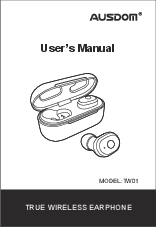
TW01 User Manual 190921
With Φ8mm large speaker unit and wireless V5.0 technology, AUSDOM TW01 brings you powerful bass and amazing audio enjoyment. Note: Please read the user manual carefully before using, and keep it properly for future refe…
Earphones for 15s until both LED indicators turn off. c). Press and hold the power buttons of two Earphones for 2s again to power on (LED flashes blue), or put the earphones back into the charging case and take them out…
PDF TW01 User Manual 190921
The user-friendly buttons design makes it easy to play/pause, skip audio, answer/reject a call with hands-free feature. Built-in rechargeable battery provides more music playing time and standby time. With Φ8mm large sp…
Full PDF Document

If the inline viewer fails, it will open the original document in compatibility mode automatically. You can also open the file directly.
Extracted Text
User's Manual
MODEL:TW01
TRUE WIRELESS EARPHONE

1. Introduction
Thank you for purchasing the AUSDOM TW01 true wireless Sports Earbuds. The earbuds feature light-weight, rich sound and soft-comfortable construction. The user-friendly buttons design makes it easy to play/pause, skip audio, answer/reject a call with hands-free feature. Built-in rechargeable battery provides more music playing time and standby time. With 8mm large speaker unit and wireless V5.0 technology, AUSDOM TW01 brings you powerful bass and amazing audio enjoyment.
Note: Please read the user manual carefully before using, and keep it properly for future reference.
2.Package Contents
-1 x Pair of Wireless Earphones -1 x Charging Case -1 x Micro USB Charging Cable -1 x User Manual -3 x Pairs of Ear Tips (S/M/L) (Note: One of them is equipped with earphones)
EN-1

3. Overview

S

M

L

Charging Contacts LED Power Button
EN-2

Wearing Instruction

Right ear LED

Micro USB interface for charging

Charging Contacts

EN-3

4. Charging
4-1. Charge the Earphones Insert the earphones into the charging case, and the earphones will be charged automatically. During charging, LED turns solid red. After fully charged, LED turns into blue for 1min and then turns off.
Note: If it fails to charge the earphones, please charge the charging case via USB cable. Please make sure that the earphones are fully charged for the first-time use. If you store the earphones in the charging case for a long time, it may not turn on due to battery dead. On condition you charge the charging case, both earphones will automatically turn on again when you take them out of the charging case.
4-2. Charge the Charging Case Please charge the case via the supplied USB cable. LED flashes red when charging, and turns to solid red when fully charged. When the charging case is in low battery, LED flashes blue.
5. Pairing
The earphones can both work individually as a single earbud (Single Earphone Mode), or work as a pair of
EN-4

stereo earphones (Dual Earphones Mode). Please follow the different pairing steps to use in different modes. Before getting started, please turn off other Bluetooth devices nearby. And do not place the earphone and the Bluetooth device more than 3ft/1m away from each other.
Note: For the first time pairing, please take out both earphones and re-insert them into the charging case to activate the earphones. If a PIN code is required for pairing, please try ''0000'' (4 zeros). The earphones will stay in pairing mode for 3 minutes at most. It will power off automatically if no device found. If paired device is switched off or Bluetooth disconnected for 3 minutes, the earphones will power off automatically.
6. Single Earphone Mode
A. Wake up the earphone by taking it out of the charging case. It enters the pairing mode directly with a prompt. LED flashes blue and red alternately. B. Turn on the Bluetooth on your device. When AUSDOM TW01 shows up on the Bluetooth list, click it to connect.
EN-5

C. If you have previously paired the earbud with a device, it will reconnect with the device automatically when you take it out of the charging case.
7. Dual Earphones Mode
A. Take out both earphones from the charging case, and they will pair with each other automatically. Once connected, they enter pairing mode with a prompt. LED on the left earbud flashes blue and red alternately and LED on the right earbud flashes blue.
B. Turn on the Bluetooth on your device. When AUSDOM TW01 shows up on the Bluetooth list, click it to connect.
C. If you have previously paired the two earbuds with a device, they will reconnect with the device automatically when you take the two earphones out of the charging case.
Note: If the two earphones fail to connect with each other, please try the following steps by hands. a). Press and hold the power buttons of two Earphones for 3s to power off.
EN-6

b). Press and hold the power buttons of two Earphones for 15s until both LED indicators turn off.
c). Press and hold the power buttons of two Earphones for 2s again to power on (LED flashes blue), or put the earphones back into the charging case and take them out, and the two earphones will automatically pair with each other.

8. Operating Instructions

Function Power on
Power off

Operation Take the earphones out of the charging case and they will automatically power on (LED flashes blue).
Press and hold the power button for 2s (LED flashes blue).
Put the earphones back into the charging case, it will automatically power off.
Press and hold the power button for 3s.

Reject a Call Press and Hold the power button for 2s.

Press the power button once to answer the incoming Answer a Call call and press again to end it (it works on both single
and dual mode).

Call Switching

During call, press and hold the power button for 2s to switch the call between mobile phone and earphones.

EN-7

Mute-on/off

During call, double press the power button to switch mute-on/off. Under mute-on mode, your voice will not be heard.

Play/Pause Press the power button once to play/pause.

Next Track

Press the power button twice on the right earphone.

Previous Track Press the power button twice on the left earphone.

Voice

Assistant

Press and hold the assistant (like siri).

power

button

for

2s

to

activate

voice

9. Troubleshooting
Q: Both earbuds can connect with my phone individually, but they can't connect with each other now. A: Take out both earbuds and power them off. Press and hold the power buttons for 15s until both LED indicators turn off. Power them on again and they will automatically pair with each other.
Q: Why I can't hear any sound from the second earphone in Dual Earphones Mode? A:Please check if the second earphone has successfully connected with the first one. If not, please follow the instruction in "7. Dual Earphones Mode--Note" section.
Q: Why the earphones can't be found by the phone?
EN-8

A: Please check whether they're in the pairing mode. If left unconnected for a long while, they will fail to enter the pairing mode. Please wake up the earphones to access the pairing mode again.
Q: Why the earphones can't turn on automatically when I take them out of the charging case? A: Please recharge the charging case (when the earphones are inside the case), and both earphones will automatically turn on when you take them out.
Q: Why I fail to charge the charging case. A: Please assure that the charging cable is intact and plugged in correctly.
Q:Why the connection is not stable and the sound is not very clear? A: Please assure that there are no objects between the earphones and your Bluetooth device, and no radio or Wi-Fi interference nearby.
10. Warranty
The Ausdom TW01 is covered by a 1-year manufacturer warranty. For more information, visit: https://www.ausdom.com
EN-9

11. Specifications

Microphone Spec.

Microphone Unit Directivity S.P.L Operating Voltage Impedance Frequency Response

4.0 x 1.5mm Omni-directional -42�3dB 2V 2.2K 20Hz-20KHz

Speaker Diameter

8mm

Impedance

16

Speaker Spec. S.P.L

90�3dBc1K,1mW)

Rated Power

10mW

Frequency Response 20Hz-20KHz

Wireless Version

V5.0

Wireless Distance

10m/33ft

Wireless Spec. Transmission Range (Hz) 2.402GHz-2.48GHz Reception Sensitivity -82dBm

Support Profile

HSP/HFP/A2DP/AVRCP

Pairing Name

Ausdom TW01

Battery Capability

Earphone:50mAh; Charging Case:600mAh

Battery Spec.

Charging Port Music Time Talking Time

Micro USB 5V/1A about 5hours about 8 hours

Charging Time

Earphone: about 1 hour; Charging Case: about 1.5 hours

Standby Time (power-off state)

about 2000 hours

Note:Features and technical specifications are subject to change without notice, we apologize for any inconvenience.

EN-10

WARRANTY CARD
ATTENTIONS: - Please read the return procedures and warranty policy carefully on https://www..com/CustomeCare/Warranty.html before sending items back to point-of-purchase. - Please fill the card and send it to your reseller together with the product if your product's warranty is valid.
S.N: Date of Purchase: Product Model: RMA Number: Return Reason: Customer Name: TEL: E-mail: Address:

For more information, please visit our official website www.ausdom.com
Your valuable comments and suggestions on improving AUSDOM products are welcomed!