

NUX NPK-10 Digital Piano User Manual and Features Guide
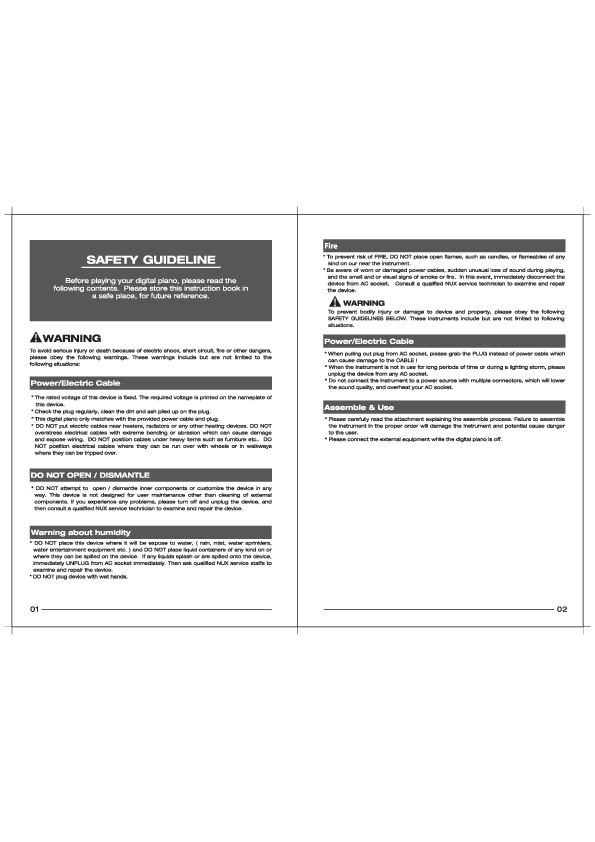
Safety Guidelines
Before playing your digital piano, please read the following contents. Please store this instruction book in a safe place, for future reference.
WARNING
To avoid serious injury or death because of electric shock, short circuit, fire or other dangers, please obey the following warnings. These warnings include but are not limited to the following situations:
Power/Electric Cable
- The rated voltage of this device is fixed. The required voltage is printed on the nameplate of this device.
- Check the plug regularly, clean the dirt and ash piled up on the plug.
- This digital piano only matches with the provided power cable and plug.
- DO NOT place electric cables near heaters, radiators or any other heating devices. DO NOT overstress electrical cables with extreme bending or abrasion which can cause damage and expose wiring. DO NOT position cables under heavy items such as furniture etc. DO NOT position electrical cables where they can be run over with wheels or in walkways where they can be tripped over.
Fire
- To prevent risk of FIRE, DO NOT place open flames, such as candles, or flameables of any kind on or near the instrument.
- Be aware of worn or damaged power cables, sudden unusual loss of sound during playing, and the smell and or visual signs of smoke or fire. In this event, immediately disconnect the device from AC socket. Consult a qualified NUX service technician to examine and repair the device.
WARNING
To prevent bodily injury or damage to device and property, please obey the following SAFETY GUIDELINES BELOW. These instruments include but are not limited to following situations.
Power/Electric Cable
- When pulling out plug from AC socket, please grab the PLUG instead of power cable which can cause damage to the CABLE!
- When the instrument is not in use for long periods of time or during a lighting storm, please unplug the device from any AC socket.
- Do not connect the instrument to a power source with multiple connectors, which will lower the sound quality, and overheat your AC socket.
Assemble & Use
Please carefully read the attachment explaining the assemble process. Failure to assemble the instrument in the proper order will damage the instrument and potential cause danger to the user.
Please connect the external equipment while the digital piano is off.
DO NOT OPEN / DISMANTLE
DO NOT attempt to open / dismantle inner components or customize the device in any way. This device is not designed for user maintenance other than cleaning of external components. If you experience any problems, please turn off and unplug the device, and then consult a qualified NUX service technician to examine and repair the device.
Warning about humidity
DO NOT place this device where it will be expose to water, (rain, mist, water sprinklers, water entertainment equipment etc.) and DO NOT place liquid containers of any kind on or where they can be spilled on the device. If any liquids splash or are spilled onto the device, immediately UNPLUG from AC socket immediately. Then ask qualified NUX service staffs to examine and repair the device.
- DO NOT plug device with wet hands.
Control Panel & I/O Ports
The NUX NPK-10 features a user-friendly control panel and various input/output ports for connectivity.
Control Panel Layout
The top panel features buttons for power, volume, sound selection, metronome, and playback control. The keyboard itself is the primary interface for playing.
Key Controls:
- 1. Power button: Turns the device on/off.
- 2. Volume down button: Decreases master volume.
- 3. Volume up button: Increases master volume.
- 4. Bluetooth indicator: Shows Bluetooth connection status.
- 5. Grand Piano sound button: Selects the Grand Piano sound and is used for other sound/function selections.
- 6. Metronome button: Activates/deactivates the metronome.
- 7. Play/Stop button: Controls playback of demo songs and recording.
- 8. Function button: Used in combination with keys for advanced functions.
I/O Ports Layout
The rear and side panels house various ports for connecting peripherals.
Rear Panel Ports:
- 9. Pedal jack: For connecting the included damper pedal.
- 10. USB jack: For USB MIDI connection.
- 11. AUX IN jack: For connecting external audio sources.
- 12. AUX OUT R/STEREO jack: For stereo audio output.
- 13. AUX OUT L/MONO jack: For mono audio output.
- 14. DC IN jack: For connecting the power adapter.
Side Panel Ports:
- 15. PHONES jacks (x2): For connecting headphones. Connecting headphones mutes the internal speakers.
- 16. Pedal Unit jack: For connecting an optional 3-pedal unit.
Music Stand Installation / Octave 4 Keys & Notes
Music Stand Installation
To install the music stand, place the stand onto the designated slots on the body of the digital piano. Ensure it is securely seated.
Octave 4 Keys & Notes
This diagram illustrates the notes within the 4th octave, starting from C4 (Middle C) up to B4, including sharps. This helps in understanding key assignments for various functions.
Example:
- C4 (Middle C)
- C#4
- D4
- D#4
- E4
- F4
- F#4
- G4
- G#4
- A4
- A#4
- B4
Function Charts
These charts detail how to use button and key combinations to access various functions and sounds.
Grand Piano Button + Keys
Used for selecting sounds, layering sounds, adjusting dual voice mix balance, and tone brightness.
- Sound Selection: Hold [Grand Piano], press A0-G#1 keys for different sounds (e.g., A0 for PIANO GRD, G#1 for KOTO).
- Layering Two Sounds: Hold [Grand Piano], press two A0-#G1 keys simultaneously. The first key pressed is Voice 1, the second is Voice 2.
- Dual Voice Mix Balance: Hold [Grand Piano], press C2 (decrease), D2 (increase), or #C2 (default 3) to adjust balance between Voice 1 and Voice 2.
- Tone Brightness: Hold [Grand Piano], press F2 (mellower), G2 (brighter), or #F2 (default 3) to adjust tone brightness.
Play/Stop Button + Keys
Used for selecting demo songs and drum patterns.
- Demo Songs: Hold [Play/Stop], press A0-D3 keys to select a demo song.
- Drum Patterns: Hold [Play/Stop], press C4-B4 keys to select a drum pattern.
- Release [Play/Stop] to finish selection.
Metronome Button + Keys
Used for metronome tempo, beats, and volume control.
- Tempo: Hold [Metronome], press C2 (decrease), D2 (increase), or #C2 (default) for tempo control. Numeric tempo can be set using A0-F1 keys (0-9) followed by G1 to confirm.
- Beats: Hold [Metronome], press C3-#G3 keys to select beats (1-9).
- Volume: Hold [Metronome], press F2 (decrease), G2 (increase), or #F2 (default) for volume control.
Function Button + Keys
Used for advanced functions like Bluetooth, Twin Piano, Transpose, Reverb, Chorus, Presets, and Factory Reset.
- Bluetooth: Hold [Function], press A0 to turn Bluetooth on/off.
- Split Point (Twin Piano): Hold [Function], press #C4 to set split point using A2-C7 keys.
- Twin Piano Mode: Hold [Function], press C4 to enter, D4 to exit.
- Octave Shifting: Hold [Function], press C5/D5 (left section), F5/G5 (right section) to shift octaves.
- Transpose: Hold [Function], press #F1-F2 keys to transpose pitch.
- Reverb: Hold [Function], press C3-E3 for reverb effect (Hall, Church, Plate, Stage, Delay), B2 to turn off.
- Reverb Depth: Hold [Function], press F3 (decrease), G3 (increase), or #F3 (default 3) to adjust depth (1-5 scale).
- Chorus: Hold [Function], press C7-E7 keys to set chorus depth (0/OFF to 4).
- Master Tuning: Hold [Function], press A3 (lower), B3 (raise) to adjust master tuning.
- User Presets: Hold [Function], press C6/D6 to save, #C6/#D6 to recall settings. E6 to exit preset mode.
- Factory Reset: Hold [Function], press C8 to restore factory settings.
Preparing to Play
Power Supply and Volume Control
Power Connection: Insert the DC plug into the DC 12V Jack and connect the power supply to an AC outlet. Note: Use only the supplied power adapter. Do NOT use it with other devices. Turn off the NPK-10 when plugging or unplugging the power supply.
Basic Operations
Power On: Press the Power button. Indicators will light up. The device is ready when the power icon and NUX logo backlights are on.
Volume Adjustment: Use the Volume Up/Down buttons. Hold a Volume button for faster adjustment.
Power Off: Hold the Power button for two seconds.
Connecting a Pedal and Headphones
Connecting a Pedal / Pedal Unit
Damper Pedal: Connect the included Damper Pedal to the Pedal jack.
Pedal Unit (Optional): Connect the optional 3-Pedal Unit (NPS-1) to the Pedal Unit jack.
Connecting Headphones
There are two PHONES jacks. Connecting headphones mutes the internal speakers. Note: Turn down the master volume before using headphones. Do not use headphones for extended periods at high volumes to avoid hearing damage.
Sound and Touch
Sound
Selecting a Sound
Hold the [Grand Piano] sound button and press one of the A0-G#1 keys to select one of the 12 built-in sounds. Refer to the Sound List for details.
Layering Two Sounds
Hold the [Grand Piano] sound button and press two A0-#G1 keys simultaneously. The first key pressed is Voice 1, the second is Voice 2. This allows combining sounds like HONKY-TONK with STRINGS.
Note: To exit Layer mode, press the [Grand Piano] sound button or select a single tone.
Dual Voice Mix Balance
Adjust the balance between layered voices. Hold [Grand Piano], press C2 (decrease), D2 (increase), or #C2 (default 3) to adjust the balance (1-5 scale).
Tone Brightness
Adjust the tone's brightness. Hold [Grand Piano], press F2 (mellower), G2 (brighter), or #F2 (default 3) to adjust the brightness (1-5 scale).
Touch Sensitivity
Customize keyboard sensitivity. Hold [Grand Piano], press C3-E3 keys to select a setting:
- Super Light: Loud notes even when playing gently.
- Light: Standard touch.
- Medium: Standard touch.
- Heavy: Loud notes only when playing hard.
- Super Heavy: Loud notes only when playing very hard.
Demo Songs and Drum Patterns
Selecting Demo Songs & Drum Patterns
Hold the [Play/Stop] button. Press A0-D3 keys for demo songs or C4-B4 keys for drum patterns. Release [Play/Stop] to finish.
Note: Refer to pages 19 and 20 for full lists. Press [Play/Stop] to stop playback. Adjust rhythm tempo by holding [Metronome] and pressing C2 (decrease) or D2 (increase).
Metronome Features
Using the Metronome
The metronome is a tool for practicing with accurate tempo.
Turning the Metronome On/Off
Press the [Metronome] button to toggle it on or off.
Changing the Tempo
When the metronome is active, tempo can be adjusted from 20-280 bpm.
- Increasing/Decreasing Tempo: Hold [Metronome], press C2 (decrease), D2 (increase), or #C2 (default).
- Specifying Numeric Tempo: Hold [Metronome], press A0-F1 keys (0-9) to input a 3-digit tempo, then press G1 to confirm. (e.g., 76 bpm: A0(0), E1(7), #D1(6), G1(confirm)).
Changing the Beats
Hold [Metronome], press C3-#G3 keys to select preferred beats (1-9).
Changing the Metronome Volume
Hold [Metronome], press F2 (decrease), G2 (increase), or #F2 (default) to adjust volume.
Using Built-in Effects
Reverb
Apply reverb effects to your sound.
- Selecting Reverb: Hold [Function], press C3 (Hall), #C3 (Church), D3 (Plate), #D3 (Stage), E3 (Delay). Press B2 to turn reverb off.
- Reverb Depth: Hold [Function], press F3 (decrease), G3 (increase), or #F3 (default 3) to adjust depth (1-5 scale).
Chorus
Apply chorus effects.
- Chorus Depth: Hold [Function], press C7-E7 keys to set chorus depth (0/OFF to 4).
Twin Piano and Pitch Adjustments
Twin Piano Mode
Splits the keyboard for two players. Hold [Function] and press C4 to enter. The default split point is F4. The left section's C3 becomes C4, and the right section's C6 becomes C4.
To exit Twin Piano mode, hold [Function] and press D4.
Changing the Split Point
Hold [Function] and press #C4. The [Function] button backlight blinks. Press A2-C7 keys to set the new split point. The backlight turns off automatically.
Changing the Voice
Select a voice before entering Twin Piano mode for the left-hand range. For the right-hand range, you can select a single or layered voice within Twin Piano mode.
Octave Shifting for Each Voice
Hold [Function]. Press C5 (lower) or D5 (raise) for the left section's octave. Press F5 (lower) or G5 (raise) for the right section's octave.
Note: When Twin Piano mode is off, F5 and G5 keys shift the octave of the entire keyboard.
Transpose
Shift the entire keyboard's pitch up or down in semitones.
- Hold [Function]. Press #F1-F2 keys to transpose by the corresponding semitones.
Master Tuning
Adjust the standard pitch to match other instruments.
- Hold [Function]. Press A3 (lower) or B3 (raise) to adjust the standard pitch.
Recording and Playing Back a Performance
The NPK-10 allows recording and playback of performances.
- Hold [Play/Stop], then press [Function]. The backlights of [Function], [Play/Stop], and [Metronome] buttons blink, entering recording standby.
- Start playing. Recording begins automatically, and the [Function] button backlight turns off. You can press [Metronome] to turn off the metronome during recording.
- Press [Play/Stop] to stop recording. Data is saved automatically.
- Press [Play/Stop] again to play back the recorded performance. Press it again to stop playback.
Note: Do NOT unplug the power supply during recording. Starting a new recording replaces the existing file. Approximately 18,000 notes can be saved.
Other Features
Auto Sleep Function
If the NPK-10 is not used for an hour, it enters sleep mode. The power button backlight will 'breathe'. Press the [Power] button to wake it up.
Saving your Settings
Save and recall custom settings using the "Preset Mode".
- Save: Hold [Function] and press C6 or D6.
- Recall: Hold [Function] and press #C6 or #D6.
- Exit Preset Mode: Hold [Function] and press E6.
Note: There are 2 memory banks. Saving overwrites existing settings. Restoring factory settings erases all custom settings. Metronome beats are saved, but tempo resets to default.
Restore to Factory Setting
Hold [Function] and press C8. The indicators will blink, and the NPK-10 will reboot to restore factory settings.
Using the Bluetooth
Connect to Bluetooth-enabled smart devices for MIDI and audio streaming.
Play Backing Track
- Turn Bluetooth on/off: Hold [Function] and press A0. Check the Bluetooth indicator.
- On your smart device, turn on Bluetooth and select "Piano Audio" to pair with the NPK-10.
Note: ALWAYS turn down the volume of your smart device before pairing to avoid hearing damage.
Using the APP
The "Piano Mate" APP offers an interactive learning experience. Download it to your iOS/Android device, open a song, and connect via Bluetooth or USB.
Note: Refer to the APP's user document for more details.
Specifications
| Category | Details |
|---|---|
| Model | NPK-10 |
| Keyboard | 88 keys, Triple-sensor scaled hammer-action keyboard (with escapement and ivory feel) Touch Sensitivity: 5 types (Super Light/Light/Medium/Heavy/Super Heavy) |
| Sound | Sound Chip: Dream 5708 DSP Max. Polyphony: 189 Tones: 12 built-in tones |
| Effects/Functions | Reverb and Delay: 5 types (Hall/Church/Plate/Stage/Delay; reverb depth adjustable) Chorus: 4 depth levels Tone Brilliance: 5 levels Dual/Layer: Yes (mix balance adjustable) Twin Piano: Yes (split point adjustable; individual octave shift and tone selection) Octave Shift: Yes (-1 to +1 octaves) |
| Functions | Bluetooth: Yes (MIDI and audio) Transpose: -6 to +5 in semitones Rhythm: 12 drum patterns Demo Songs: 30 Metronome: 9 beats, tempo range 20 to 280 bpm Recording: 1 song (approx. 18000 notes total) Master Tuning Range: 415Hz to 460Hz User Preset: 2 memory banks Auto-sleep: Yes |
| Pedal | Damper (included), 3-Pedal Unit (optional) |
| Connectivity | USB MIDI, AUX IN, LINE OUT, Headphones X 2, Damper Pedal Jack, Connector for 3-Pedal Unit. |
| Amplifiers and Speakers | Preamp: TI Preamp Chip Speaker: 10W X 2, 3" X 6" Oval Speaker |
| Power Supply | DC 12V/2A |
| Size and Weight | Dimensions: 1300mm(L) x 270mm(W) x 130mm(H) Weight: 12.2kg |
Specifications may change without notice.
Lists
Sound List
| Key | Sound |
|---|---|
| A0 | PIANO GRD |
| #A0 | CRYSTAL FX |
| B0 | WARM PAD |
| C1 | E PIANO |
| #C1 | HONKY-TONK |
| D1 | CHURCH ORG |
| #D1 | STRINGS |
| E1 | SYN BASS |
| F1 | ORGAN |
| #F1 | HARPSCRD |
| G1 | SAX ALTO |
| #G1 | KOTO |
Demo Song List
| Key | Demo Song |
|---|---|
| A0 | TWINKLE TWINKLE VARIATION |
| #A0 | WALTZ, Op.34 |
| B0 | ETUDE IN F SHARP MAJOR |
| C1 | TROIS ECOSSAISES Op.72, No.3-5 |
| #C1 | SCHERZO IN B FLAT MINOR |
| D1 | POLONAISE A MAJ, Op.40 No.1 |
| #D1 | GAVOTTE |
| E1 | GRANDE SONATA PATHETIQUE |
| F1 | DEBUSSY-ARABESQUE No.1 |
| #F1 | CHOPIN-WALTZ, Op.64, No.2 |
| G1 | CHOPIN-PRELUDE |
| #G1 | CHOPIN-ETUDE |
| A1 | REGGAE |
| #A1 | MAPLE LEAF RAG |
| B1 | WINE |
| C2 | HOLY HALL |
| #C2 | RUSSIAN DANCE |
| D2 | BRAHMS-CONCERTO |
| #D2 | HAVANERA |
| E2 | LAZY-BIRD |
| #E2 | THE NUTCRACKER:DANCE OF THE REED FLUTE |
| F2 | JASMINE FLOWER |
| #F2 | FLY ME TO THE MOON |
| G2 | ON WINGS OF SONG |
| #G2 | JAMBALAYA |
| A2 | DANCE OF THE SUGAR PLUM FAIRY |
| #A2 | EARLY-AUTUMN |
| B2 | SATIN-DOLL |
| C3 | DONNA-LEE |
| #C3 | MERCYMERCYMERCY |
Drum Pattern List
| Key | Drum Pattern |
|---|---|
| C4 | 8 BEAT |
| #C4 | 16 BEAT |
| D4 | BOOGIE WOOGIE |
| #D4 | COUNTRY |
| E4 | DANCE |
| #E4 | FOX TROT |
| F4 | FUNK |
| #F4 | HENAN |
| G4 | JAZZ |
| #G4 | LATIN |
| A4 | R&B |
| #A4 | WALTZ |
Troubleshooting
| Trouble | Possible Reason/Solution |
|---|---|
| The digital piano will puff when it is switched on. | Don't worry. This is normal. |
| Pressing a key makes no sound after the power is on. | Confirm master volume is set properly or if the headphone jack is linked to other devices, which automatically cuts off the built-in speaker system. |
| Notes have slightly different quality under the same sound. | This is normal due to different sound sampling ranges making different sound qualities. |
| In pedal sustain function, some sound sustains longer, others shorter. | This is normal. The sustain of different sounds has been set to optimized length. |
| The sound volume is too small. | Confirm master volume button is set properly. |
| Some MIDI Data can not be transmitted correctly (Even the MIDI cable is linked correctly). | This is normal. It is related to the original setting. |
| There are two sounds at the same time while playing. | Dual voice function might be on. Turning it off can solve the problem. |
| The tone's pitch is wrong. | Turn off Transpose function and restore Master Tuning to default. |
| No automatic accompaniment chord. | Automatic accompaniment chords function is currently not available for this digital piano. |
| Key touch is different from before. | The digital piano has 5 touch sensitivity levels. Adjust touch sensitivity again or reset to default. |
| The speaker will make noise when a cell phone is nearby. | The cell phone may cause interference. Turn off the cell phone or keep it away from the digital piano. |
| The pitch doesn't match with the key while playing. | Twin Piano or Transpose function might be on. Turn off Twin Piano or reset Transpose to zero. |
| The sound can not be changed while playing. | Twin Piano function might be on with the split point set to the highest pitch. Turn off Twin Piano and reset the split point. |
| The demo song distorts or interrupts. | The circuit board's self-protection system might be activated due to overheating from prolonged use at maximum power. Turn down the volume or turn off the power for a while. |
Compliance Information
THE FCC REGULATION WARNING (for U.S.A.)
FCC ID: 2AOAA-NPK-10
This device complies with part 15 of the FCC Rules. Operation is subject to the following two conditions: (1) This device may not cause harmful interference, and (2) this device must accept any interference received, including interference that may cause undesired operation.
Any Changes or modifications not expressly approved by the party responsible for compliance could void the user's authority to operate the equipment.
This equipment has been tested and found to comply with the limits for a Class B digital device, pursuant to Part 15 of the FCC Rules. These limits are designed to provide reasonable protection against harmful interference in a residential installation. This equipment generates, uses, and can radiate radio frequency energy and, if not installed and used in accordance with the instructions, may cause harmful interference to radio communications. However, there is no guarantee that interference will not occur in a particular installation. If this equipment does cause harmful interference to radio or television reception, which can be determined by turning the equipment off and on, the user is encouraged to try to correct the interference by one or more of the following measures:
- Reorient or relocate the receiving antenna.
- Increase the separation between the equipment and receiver.
- Connect the equipment into an outlet on a circuit different from that to which the receiver is connected.
- Consult the dealer or an experienced radio/TV technician for help.
To maintain compliance with FCC's RF Exposure guidelines, This equipment should be installed and operated with minimum 20cm distance between the radiator and your body.
CE mark for European Harmonized Standards
CE Mark which is attached to our company's products of Battery mains the product is in fully conformity with the harmonized standard(s) EN 61000-6-3:2007+A1:2011 & EN 61000-6-1:2007 Under the Council Directive 2004/108/EC on Electromagnetic Compatibility.
Logos: CE, FC, ROHS
Website: www.nuxefx.com
Made in China