

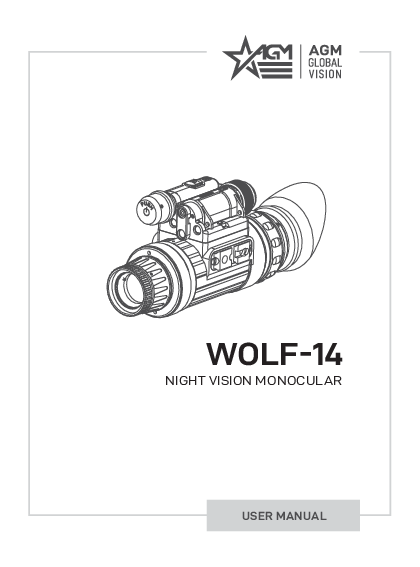
AGM WOLF-14 NL3 Night Vision Monocular User Manual
File info: application/pdf · 24 pages · 1.17MB
WOLF-14
2020.10.28. Wolf-14 USER MANUAL 3 LIST OF CONTENTS TITLE PAGE Safety Summary 4 SECTION 1. GENERAL INFORMATION 6 1.1 System Description 6 1.2 Key Features 7 1.3 Standard Components 7 1.4 Optional Equipment 8 SECTION 2. O…
AGM 11W14122103031 AGM Wolf-14 User Manual
AGM Wolf-14 NL3 Night Vision Monocular 11W14122103031 B&H Photo
Full PDF Document

If the inline viewer fails, it will open the original document in compatibility mode automatically. You can also open the file directly.
Extracted Text
WOLF-14
NIGHT VISION MONOCULAR
USER MANUAL

� 2019 AGM Global Vision. All rights reserved worldwide. This documentation is subject to change without notice. No parts of this manual, in whole or in part, may be copied, photocopied, translated, or transmitted by any electronic medium or in machine-readable form without the prior written permission of AGM Global Vision.
If you have questions that are not covered in this manual, or need service, contact AGM Global Vision customer support for additional information prior to returning a product.
AGM Global Vision 173 West Main Street PO Box 962 Springerville, AZ 85938 Tel. 928.333.4300 support@agmglobalvision.com www.agmglobalvision.com
EXPORT INFORMATION
Buyer acknowledges that all products supplied by AGM Global Vision are subject to U.S. export control laws, including, but not limited to, the Export Administration Regulations, the International Economic Emergency Powers Act, and various U.S. embargoes and sanctions. AGM Global Vision products may not be exported, re-exported, or transferred contrary to U.S. export control laws. In particular, AGM Global Vision products may not be exported, re-exported, or transferred to prohibited countries, individuals, organizations, or entities, including but not limited to those individuals and entities listed on the List of Specially Designated Nationals and Blocked Persons administered or maintained by the U.S. Office of Foreign Assets Control ("OFAC"), the various lists maintained by the Bureau of Industry and Security of the Department of Commerce, and the U.S. State Department and Buyer represents and warrants that neither Buyer nor any of its officers, directors, or employees are on such lists. Distribution or resale by Buyer to such countries, individuals, organizations, or entities is expressly prohibited. Buyer has and will maintain a positive process to ensure compliance with this Section.
2020.10.28

LIST OF CONTENTS
TITLE
Safety Summary SECTION 1. GENERAL INFORMATION 1.1 System Description 1.2 Key Features 1.3 Standard Components 1.4 Optional Equipment SECTION 2. OPERATING INSTRUCTIONS 2.1 Installation and mounting 2.2 Controls and Indicators 2.3 Operating Procedures SECTION 3. MAINTENANCE INSTRUCTIONS 3.1 Cleaning Procedures 3.2 Troubleshooting 3.3 Preparation for Extended Storage SECTION 4. WARRANTY INFORMATION 4.1 Warranty Information and Registration SECTION 5. SPECIFICATIONS 5.1 Specifecations APPENDIX A. Spare Parts List

PAGE
4 6 6 7 7 8 9 9 14 15 17 17 17 18 19 19 21 21 22 22

Wolf-14 USER MANUAL

3

SAFETY SUMMARY
� Read and follow all instructions � Read all warnings � Only use the attachments/accessories specified by the manufacturer � All service must be provided by the manufacturer
WARNING: This product contains natural rubber latex, which may cause potentially fatal allergic reactions! If you are allergic to latex, it is important that you strictly avoid exposure to products that contain it.
WARNINGS: The intensifier's phosphor screen contains toxic materials. Please note: � If the intensifier tube breaks, be extremely careful to avoid inhaling the phosphor screen
material. DO NOT allow the material to come in contact with your mouth, eyes, or any open wounds on the skin.
� If the phosphor screen material comes in contact with your skin, wash it off immediately with soap and water.
� If you inhale or swallow any phosphor screen material, drink a lot of water, induce vomiting, and seek medical attention as soon as possible.
WARNINGS: � When used in total darkness, the light from the unit's infrared (IR) illuminator is invisible to the
naked eye. However, the light can be detected by other Night Vision Devices (NVD).
� To reduce the risk of detection by another NVD, avoid prolonged use of the IR illuminator.
� Light from the IR illuminator is more easily detected by other NVDs when used in fog, smoke, and rain. Avoid prolonged use of the IR illuminator in these conditions.
� Do not use contaminated eyecup. If it is contaminated, it must be replaced.

4

AGM Global Vision

CAUTIONS:
Wolf-14 night vision monocular is precision electro-optical instruments and require careful handling. Please follow the below instructions of safe use: � Do not disassemble the unit.
� Keep the unit clean; protect it from moisture, sudden temperature drops and shocks.
� Be careful not to touch the glass surfaces. If you leave finger-prints on, or contaminate the glass surfaces, use only clean and soft materials to clean it.
� Protect the unit from excessive lighting. Do not turn the monocular on in daylight with the front lens cap off. Do not point the monocular at the bright light source (a fire, car headlights, lanterns, street lamps, room lights, etc.).
� Do not test the device in daylight conditions even with the daylight filter/lens cap on for more than ten (10) minutes.
� Do not leave the unit in on position during stops in operation.
� Remove the battery from the unit when it is planned to store for over 3 days. Failure to do so may damage the unit.
EQUIPMENT LIMITATIONS
To avoid injuries and equipment damage from using the Wolf-14, carefully read and consider the following equipment limitations.
� The unit is equipped with an Automatic Shut-off System. If the monocular is removed from the head or helmet while turned on, they will turn off automatically. To turn the unit on after automatic shut-off, you will need to press the operating knob.
� The built-in IR illuminator is meant to provide additional illumination when needed, while viewing scenes at close distances (up to 3 meters).
� The equipment requires some night light (moonlight, starlight, etc.) to operate. The level of equipment performance depends upon the level of light.
� Night light reduces by passing through the clouds, while operating under trees, under the shadows of houses, etc.
� The device results less effective in peering into shadows and other darkened areas.
� The device results less effective in viewing through rain, fog, sleet, snow or smoke.
� The equipment will not "see" through the dense smoke.
� Its protection system cuts off the image intensifier when ambient light level continues exceeding of 40 lux for the following 10 seconds.
� Under starlight conditions low contrast environments (such as snow-covered territory, sandy deserts, large bodies of water or grassy hills) degrade visibility thereby disguising or masking changes in terrain.
� Under too low-light conditions the monocular loses some of the resolution that it has under full moon.

Wolf-14 USER MANUAL

5

1 GENERAL INFORMATION

1.1 SYSTEM DESCRIPTION

The Wolf-14 can be used as a handheld, head-mounted, helmet-mounted, or weapon-mounted night vision system to enable mobility, driving, use of weapons, short-range surveillance, map reading, vehicle maintenance, and the administration of first aid during nighttime operation.
The Wolf-14 uses advanced, multi-coated optics and a tough, compact, ergonomic composite housing. The Wolf-14 can be used as a goggle system, or stowed out of the line of sight without the need to completely remove it. This device operates with a single button. When used in conjunction with a head or helmet mount, it also includes features such as the flip-up turn off function. There's also an integral infrared illuminator for reading maps and short distance observation.

7

8

6

5

9

14

15

13

12 4 3

ITEM 1 2 3 4 5
6
7

10 11

11

1

2
FIGURE 1-1. WOLF-14 MAIN PARTS

TABLE 1-1. WOLF-14 SYSTEM DESCRIPTION

DESCRIPTION Body Lens Cap Objective Lens Assembly Focus Ring Power Button Photoreceiver of Bright Light Cutoff System IR Illuminator Pivotal Focusing Lens

ITEM 8 9 10 11 12 13 14 15

DESCRIPTION Built-In IR Illuminator Eyecup Diopter Adjustment Ring Mounting Mini-Rail Eyepiece Assembly Battery Cap with Battery Adapter Battery Compartment IR Operation Button

6

AGM Global Vision

1.2 KEY FEATURES
� Compact, lightweight, and durable construction � Can be mounted to the head, helmet, or weapon � Automatic shutoff feature with flip-up head/ helmet mount � Integrated infrared (IR) illuminator � Manual lens focus and diopter adjustment � Low battery, bright light cutoff, and IR indicators that appear in the eyepiece � Self-contained system operating on a single AA or CR123 battery � Automatic shut-off system � Compatibility with most weapons, IR laser aiming/ illuminating devices, reflex sights,
and scopes � Limited 3-year warranty
1.3 STANDARD COMPONENTS
The standard components of the Wolf-14 are shown in Figure 1-2 and listed in Table 1-2. The ITEM NO. column indicates the number used to identify items in Figure 1-2.

3

6

7

4

5 1

ITEM 1 2 3 4 5 6 7

2

FIGURE 1-2. WOLF-14 STANDARD COMPONENTS

TABLE 1-2. WOLF-14 STANDARD COMPONENTS DESCRIPTION
Night Vision Monocular Lens Cap Eyecup Battery Adapter Battery User Manual Carrying Case

QUANTITY 1 1 1 1 1 1 1

Wolf-14 USER MANUAL

7

1.4 OPTIONAL EQUIPMENT
The optional equipment of the Wolf-14 is shown in Figure 1-3 and listed in Table 1-3. The ITEM column indicates the number used to identify items in Figure 1-3.

1

2

3

4

5

6

7

8

9

ITEM 1 2 3 4 5 6 7 8
9
10

FIGURE 1-3. WOLF-14 OPTIONAL EQUIPMENT
TABLE 1-3. WOLF-14 OPTIONAL EQUIPMENT
DESCRIPTION Afocal Magnifier Lens Assembly, 3X Afocal Magnifier Lens Assembly, 5X Cap Goggle Kit W Helmet Mount W-MP for MICH and PASGT Helmets Helmet Mount W-S for Shroud Demist Shield W14/7 Sacrificial Window W14/7 Quick-Release Weapon Mount Sioux850 Long-Range Infrared Illuminator comes included with Mount, Adapter, Rechargeable Battery, and Charger Hard Case for Storage/Transportation

10
PART NO. 61023XA1 61025XA1 6104GKW1 6103HMW1 6103HMS1 6101DSW1 6101SSW1 6107QRM1 501SIOUX850IR1 6610HCS1

8

AGM Global Vision

2 OPERATING INSTRUCTIONS

2.1. INSTALLATION AND MOUNTING
CAUTION: To protect the intensifier tube when the sight is not in use or when it is being operated in daylight, keep the protective lens cap securely fitted over the lens.

2.1.1 BATTERY INSTALLATION
The Wolf-14 operates on a single CR123A or AA battery. Depending on the size of the battery used, it may be necessary to reposition the battery adapter within the battery cap.
NOTE:
If operating the device at temperatures below -20�C (-4�F), the use of an alkaline battery is not recommended, as the severe cold will adversely affect the life of the battery. In these conditions, it is recommended that you use a lithium-iron disulfide 1.5V AA battery, or its equivalent.
Install the battery as follows (refer to Figure 2-1): 1. Unscrew the battery cap (A) and insert the CR123A battery (B) or AA battery (D), observing the
polarity markings on the body of the device. 2. Set the position of the adapter (C) in the cap according to the type of battery used. 3. Screw the battery cap back securely.

B

C

A

D

C

A

FIGURE 2-1. BATTERY INSTALLATION
2.1.2 MOUNTING THE WOLF-14 TO A GOGGLE KIT
Mount the Wolf-14 to the Cap Goggle Kit W as follows (refer to Figure 2-2): 1. Put on the goggle kit. Adjust the goggle kit strap pads until the goggles fit securely around your
head. Remove the goggle kit. 2. Loosen the screw (A). While pushing down on the button (B), insert the Wolf-14 rail into the guide
(C) of the goggle kit bracket. Tighten the screw (A).

Wolf-14 USER MANUAL

9

3. Put on the goggle kit, now mounted with the Wolf-14.
4. To adjust the equipment for greater comfort, loosen the screw (A) and move the unit along the guide (C).
5. The goggle kit has a flip-up mechanism. Push the button (D) of the goggle kit bracket and lift the unit up until it reaches its top position. The unit will automatically turn off when it reaches this position.
6. Push the same button (D) to lower the unit into the correct viewing position. Turn the unit back on to continue your session.
E F D B A C

FIGURE 2-2. MOUNTING WOLF-14 TO A GOGGLE KIT
Figure 2-2 shows the Wolf-14 in the correct position for the left eye. To readjust the unit for the other eye, remove the unit from the goggle kit bracket. Turn the unit around (180�) and mount it on the bracket through the rail on the second side. With the button (E) pushed, move the unit along the slide-rail (F) until the desired, most comfortable position is reached. To remove the Wolf-14 from the goggle kit, loosen the screw (A), push the button (B), and slide the unit out of the bracket guide (C).
2.1.3 MOUNTING THE WOLF-14 TO A HELMET
An optional flip-up Helmet Mount W-MP can be used to attach the Wolf-14 to a helmet. The helmet mount fits the Wolf-14 securely onto helmet via a rugged strapping device and grooved hooks. With the helmet mount, the Wolf-14 can be positioned directly in front of the user's eyes, or flipped backwards, out of the field of view. Mount the Wolf-14 to a helmet as follows (refer to Figure 2-3): 1. Attach the mount to the helmet.
2. Adjust and tighten the strap (A).
3. Loosen the screw (B). With the button (C) pushed down, insert the Wolf-14 rail into the guide (D) of the helmet mount bracket. Tighten the screw (B).
4. Put on the helmet with the Wolf-14 attached.
5. Push the button (F) and move the unit along the slide-rail (G) until the most comfortable position is reached.
6. Adjust the mount for comfortable using. Loosen the screw (B) and move the unit along the guide (D) for eye relief adjustment. Turn the lever (H) and move the unit along vertical slide-rail until the most comfortable vertical position is reached.

10

AGM Global Vision

7. To remove the Wolf-14 and turn it around, push the button down (E) and lift the unit up until it reaches the top position. Once it reaches this position, the unit will turn off automatically.

8. Push the same button (E) to lower the Wolf-14 into the proper viewing position. Turn the unit on

to proceed with your mission.

H

A

F

I

G

E

C B D

FIGURE 2-3. MOUNTING THE WOLF-14 TO A HELMET
In Figure 2-3, the Wolf-14 is shown in the correct position for the left eye. To readjust the Wolf-14 for the other eye, reverse its positioning and reinstall it on the helmet mount bracket (see Figure 2-3). Use the second unit rail located on the opposite side of the unit. Push the button (F) and move the unit along the slide-rail (G) until the most comfortable position is reached. To remove the Wolf-14 from the helmet mount, loosen the screw (B), push down on the button (C), and slide the unit out of the guide (D). To remove the flip-up mechanism from the helmet mount, loosen the lever (H), pull the knob out (I), and slide the flip-up mechanism out of the vertical rail.
2.1.4 MOUNTING THE WOLF-14 TO A SHROUD
An optional Helmet Mount W-S can be used to attach the Wolf-14 to a helmet with a shroud. With the helmet mount, the Wolf-14 can be positioned directly in front of the user's eyes, or flipped backwards, out of the field of view.
A

C B
FIGURE 2-4. MOUNTING THE HELMET MOUNT FOR A SHROUD Mount the Wolf-14 to a helmet as follows (refer to Figure 2-4): 1. Attach the mount (A) to the shroud (B). Place the tab at the top of the mount into the notch at the
top of the shroud. Press down on the bottom of the mount and snap it into the shroud. 2. Attache the Wolf-14. Adjust position of the unit similar per instructions in paragraph 2.1.3. 3. To remove the Helmet Mount W-S from the shroud, push the button (C).

Wolf-14 USER MANUAL

11

2.1.5 MOUNTING THE WOLF-14 TO A WEAPON WITH A QUICK-RELEASE PICATINNY MOUNT ADAPTER

To mount the Wolf-14 to a weapon using an optional quick-release weapon mount (QRWM), perform the following (refer to Figure 2-5):

E

H

D

B

I

G

E

F

A

A

D

B

C

FIGURE 2-5. QUICK-RELEASE WEAPON MOUNT

1. While pushing down on the lever holder (C), turn the lever (B) backwards to loosen the QRWM clamping device (A).
2. Install the QRWM on the weapon rail by inserting the stop (not shown in Figure 2-5) into one of transverse slots of the weapon rail.
3. To secure the QRWM onto the weapon rail, turn the lever (B) forward. Secure the clamping device (A) tightly to the weapon rail. To adjust the force of the lever clamp, loosen or tighten the nut (D) as necessary.
4. While pushing down on the lever holder (F), turn the lever (E) forward.
5. Install the Wolf-14 on the QRWM rail by inserting the stop (G) into the transverse slot of the unit rail.
6. Attach the Wolf-14 to the QRWM rail by turning the lever (E) backwards. Secure the QRWM clamping device (H tightly to the Wolf-14 rail. To adjust the force of the lever clamp, loosen or tighten the nut (I) as necessary.

2.1.6 DEMIST SHIELD INSTALLATION
To mount a Demist Shield to the Wolf-14: 1. Remove the eyecup from the eyepiece. 2. Coat the Demist Shield with an anti-fogging compound to prevent condensation on the surface
of the shield. 3. Screw the Demist Shield into the threading of the eyepiece. 4. Secure the eyecup back into place.

FIGURE 2-6. DEMIST SHIELD INSTALLATION

12

AGM Global Vision

2.1.7 SACRIFICIAL WINDOW INSTALLATION
To mount a Sacrificial Window to the Wolf-14: 1. Remove the Wolf-14 lens cap if needed. 2. Screw the Sacrificial Window into the threading of the objective lens.

FIGURE 2-7. SACRIFICIAL WINDOW INSTALLATION
2.1.8 OPTIONAL AFOCAL LENSES INSTALLATION The monocular can be used as a long-range viewer with an optional 3x or 5x afocal lens. To mount the afocal lens to the monocular, screw it into the threading of the standard 1x objective lens.

FIGURE 2-8. AFOCAL LENSES INSTALLATION
2.1.9 OPTIONAL LONG-RANGE IR ILLUMINATOR INSTALLATION
The Sioux 850 illuminator mounts onto the device's mini-rails using the rail adapter. 1. Install the rail adapter (A) onto the Wolf 7 rail. 2. Tighten the fixing screw (B) on the rail adapter. 3. Loosen the IR illuminator fixing screw (C). 4. Mount the IR illuminator on the rail of adapter and tighten the fixing screw (C).

B

C

A

FIGURE 2-9. MOUNTING AN IR ILLUMINATOR

Wolf-14 USER MANUAL

13

2.2 CONTROLS AND INDICATORS

2.2.1 OPERATING KNOB
The Power button: � Activates the Wolf-14 when pushed. � Deactivates the Wolf-14 when pushed again.

2.2.2 IR ILLUMINATOR BUTTON
The IR Illuminator button: � Activates built-in IR illuminator when the button is pushed once. � Turns off the IR illuminator when pushed again.

2.2.3 DIOPTER ADJUSTMENT RING
Adjusting the diopter allows the user to control the sharpness of the image. While looking through the eyepiece, rotate the diopter adjustment ring until the image is clear.

2.2.4 FOCUS RING
Bring objects into focus by rotating the objective focus ring until the image of the target appears clear and sharp (CCW for far away objects, CW for close objects). Rotate the focus ring until the image becomes clear and sharp.

2.2.5 INDICATION
When the Wolf-14 is on, the LED indicators will appear in the field of view. These LED indicators mean the following:

I N D I C AT I O N S Built-in IR illuminator is activated Image intensifier tubes are exposed to excessive levels of light Battery is low

COLOR OF LED IN THE FOV Red
Green Flashing Red

2.2.6 AUTO POWER OFF FUNCTION
The monocular will automatically shut off when disconnected from the head mount or helmet mount, or when flipped up to the stowed position. The bright light cut-off feature shuts off power to the monocular when it is exposed to excessive levels of light for more than 10 seconds. An automatic shut-off system will power down the device when it is unused (controls are not touched) for 60 minutes, helping to preserve battery life in the event that the device is inadvertently activated.

14

AGM Global Vision

2.3 OPERATING PROCEDURES
2.3.1 OPERATING PROCEDURES 1. Verify that the battery is installed properly.
NOTE: Only operate the monocular in dark environments. If it necessary to operate the device in daylight, always cover the objective lens with the cap. The pinhole at the centre of the lens cap will allow the user to check operational capabilities in daylight conditions.
2. Remove the lens cap. 3. Turn the monocular on. After a slight delay, a green or white glow will appear in the eyepiece. 4. Adjust the diopter by rotating the adjustment ring. 5. Observe the scene. Rotate the focus ring until the image is clear and sharp.
NOTE: If the automatic shut-off system turns off the device when it is used, turn on the monocular again by double-clicking on the operating knob.
NOTE: If the bright light cut-off feature turns the device off, it will turn back on automatically once the light in the surrounding environment decreases to an acceptable level, or the device is remitted to a darker area.
2.3.2 IR ILLUMINATOR OPERATIONS
NOTE: The built-in IR illuminator provides additional illumination (when needed) while viewing scenes or targets from a short distance.
To turn on the built-in IR illuminator press the IR illuminator button briefly. A red LED indicator will appear in the FOV to indicate that the IR illuminator is operating. To turn IR illuminator off, push the IR button again.
NOTE: When you turn off the monocular, the IR illuminator will also turn off.
To focus the IR beam, place the pivotal focusing lens onto the IR illuminator output window.
2.3.3 OPERATING UNDER CHANGING LIGHT CONDITIONS If the ambient light level exceeds 100-300 lx for more than 10 seconds, the automatic protective system will shut off the intensifier tube. If an operation must be carried out in changing light conditions, the user can shut down the protective system manually by closing the photoreceiver.
CAUTION: DO NOT forget to open the photoreceiver after completing your mission.

Wolf-14 USER MANUAL

15

2.3.4 SIOUX850 OPERATIONS
WARNING:
In extreme darkness, light from the IR illuminator is invisible to the naked eye. However, it can be detected by other night vision devices.
The Sioux 850 Long-Range Infrared Illuminator provides enhanced viewing capabilities for operations in little to no ambient light. Infrared illuminators are used in areas where the level of natural light is insufficient. The illuminator features adjustments for field-of-view divergence and output power. The Sioux 850 comes standard equipped with a rechargeable battery and charger unit. To operate the Sioux IR illuminator (refer to Figure 2-10):
1. Turn on the IR illuminator by rotating the power switch. Four ON positions are located between the two OFF positions, and are each marked with a different-sized spot.
2. To change the radiated power level, turn the power switch to one of the spots between the two OFF positions. The brightness levels are marked with dots of increasing size, respective to the four different output power levels. The larger the spot, the greater the radiated power.
3. To adjust IR beam divergence, rotate the objective lens.
4. To adjust the IR spot position in the field of view:
a) Loosen the screw of the clamp on the IR illuminator mount (using a 2.5 mm hex key); b) Turn on the night vision device and the IR illuminator; c) While looking through the eyepiece of your device, move the IR illuminator up, down, and side-
to-side to observe the IR spot position relative to the night vision device; d) Once the IR spot is centered in the field of view, tighten the clamp screw.

POWER SWITCH

SCREW OF THE CLAMP LENS FOCUS

FIGURE 2-10. SIOUX850 OPERATIONS
2.3.5 WOLF-14 SHUT-DOWN 1. Pressing the end of the operating knob. The green glow of the viewing area will fade to black. 2. Secure the lens cap over the objective lens. 3. If necessary, remove the unit from the rail or mount. 4. Unscrew the battery cap and take out the battery. Replace the battery cap. Do not store the unit with the battery still in it. 5. Store the unit and all accessories in the case.

16

AGM Global Vision

3 MAINTENANCE INSTRUCTIONS
3.1 CLEANING PROCEDURES
Wipe the housing with a damp cloth as needed.
CAUTION: Do not use abrasives or solvents to clean the housing, lens, or display window of the device. Do not use ammonia-based cleaning products to clean the lens. Doing so may damage the antireflective coating of the lens.
The Wolf-14 lens is designed for the harsh outdoor environment and has a coating for durability and anti-reflection, but it may require occasional cleaning. Avoid scratching the lens and/ or leaving fingerprints on the optics. Optics can be damaged by improper cleaning. Clean the lens according to the instructions below. Do not use abrasive materials, such as paper or scrub brushes, as this can scratch or otherwise damage the lens. Only wipe the lens clean when there is visible contamination on the surface. Preferred Method for Cleaning the Lens Materials: � Optical-grade cloth � Pure water (deionized or other) � Isopropyl alcohol (IPA) Saturate a piece of the lens tissue with water and drape it over the lens. Let the surface tension of the water pull the tissue onto the lens surface. Drag the tissue across the lens surface. Repeat several times with different pieces of tissue. Repeat the same step using isopropyl alcohol instead of water. Drag the final piece of tissue over the lens several times to prevent pooling, which may leave a residue behind.
3.2 TROUBLESHOOTING
Table 3-1 lists the most common malfunctions that may occur with your equipment. Perform the tests, inspections, and corrective actions in the order they appear in the table. This table does not list all the malfunctions that may occur with your device, or all of the tests, inspections, and corrective actions that may be necessary to fix them. If the equipment malfunction is not corrected by the suggested actions, or a problem occurs that is not listed in this table, please contact AGM Global Vision's Customer Support center or your retailer.

Wolf-14 USER MANUAL

17

TABLE 3-1. TROUBLESHOOTING

MALFUNCTION

PROBABLE CAUSE/ TEST/ INSPECTION

CORRECTIVE ACTION

Monocular fails to activate.

Battery is dead, missing or improperly installed.

Replace the battery or install it correctly.

Battery contact surfaces or contact springs are dirty or corroded.

Clean the contact surfaces with a pencil eraser and/ or alcohol and cotton swabs.

Defective image intensifier. Please contact Customer Support.

Battery adapter difficult to remove.

Check for damaged battery adapter and battery cap.

If damaged please contact Customer Support.

IR illuminator fails to activate.

Turn the IR illuminator on in a dark area. Visually estimate whether or not the observed scene is illuminated.

If the IR illuminator fails to activate, please contact Customer Support.

LED indicators fail to Visual inspection. activate.

Please contact Customer Support.

Poor image quality. Check objective lens or eyepiece focus.

Refocus the lens.

Check for fogging or dirt on the lens.

Clean the lens as detailed in Part 3.1. If image quality is still poor, please contact Customer Support.

Damaged optical components. Please contact Customer Support

Light is visible around Check the exit pupil distance Readjust for proper eye-relief distance.

the eyecup.

value.

Check the eyecup resilience. If the eyecup is defective, please contact Customer Support.

Focusing ring cannot Check to see if the focusing

be moved.

ring is bent or broken.

If damaged, please contact Customer Support.

Eyepiece ring cannot Check to see if the eyepiece

be moved.

ring is bent or broken.

If damaged, please contact Customer Support.

3.3 PREPARATION FOR EXTENDED STORAGE
1. Unscrew the battery caps and remove the batteries from the monocular and IR illuminator. 2. Inspect the battery compartments for corrosion or moisture. Clean and dry if necessary. 3. Replace the battery caps. 4. Remove all optional equipment, if installed.
NOTE: Prior to placing the Wolf-14 and its accessories into the carrying case, ensure that the monocular and case are free of dirt, dust, and moisture.
5. Place the monocular and accessories into the carrying case.

18

AGM Global Vision

4 WARRANTY INFORMATION

4.1 WARRANTY INFORMATION AND REGISTRATION
4.1.1 WARRANTY INFORMATION
This product is guaranteed to be free from manufacturing defects in material and workmanship under normal use for a period of three (3) years from the date of purchase. In the event that a defect covered by the warranty below occurs during the applicable period stated above, AGM Global Vision, at its discretion, will either repair or replace the product; such action on the part of AGM Global Vision shall be the full extent of AGM Global Vision's liability, and the Customer's sole and exclusive reparation. This warranty does not cover a product if it has been (a) used in ways other than its normal and customary manner; (b) subjected to misuse; (c) subjected to alterations, modifications or repairs by the Customer or by any party other than AGM Global Vision without prior written consent of AGM Global Vision; (d) is the result of a special order or categorized as "close-out" merchandise or merchandise sold "as-is" by either AGM Global Vision or the AGM Global Vision dealer; or (e) merchandise that has been discontinued by the manufacturer and either parts or replacement units are not available due to reasons beyond the control of AGM Global Vision. AGM Global Vision shall not be responsible for any defects or damage that in AGM Global Vision's view are a result from the mishandling, abuse, misuse, improper storage or improper operation of the device, including use in conjunction with equipment that is electrically or mechanically incompatible with, or of inferior quality to, the product, as well as failure to maintain the environmental conditions specified by the manufacturer. This warranty is extended only to the original purchaser. Any breach of this warranty shall be enforced unless the customer notifies AGM Global Vision at the address noted below within the applicable warranty period.
The customer understands and agrees that except for the foregoing warranty, no other warranties written or oral, statutory, expressed or implied, including any implied warranty of merchantability or fitness for a particular purpose, shall apply to the product. All such implied warranties are hereby and expressly disclaimed.
4.1.2 LIMITATION OF LIABILITY
AGM Global Vision will not be liable for any claims, actions, suits, proceedings, costs, expenses, damages, or liabilities arising out of the use of this product. Operation and use of the product are the sole responsibility of the Customer. AGM Global Vision's sole undertaking is limited to providing the products and services outlined herein in accordance with the terms and conditions of this Agreement. The provision of products sold and services performed by AGM Global Vision to the Customer shall not be interpreted, construed, or regarded, either expressly or implied, as being for the benefit of or creating any obligation toward any third party of legal entity outside AGM Global Vision and the Customer; AGM Global Vision's obligations under this Agreement extend solely to the Customer. AGM Global Vision's liability hereunder for damages, regardless of the form or action, shall not exceed the fees or other charges paid to AGM Global Vision by the customer or customer's dealer. AGM Global Vision shall not, in any event, be liable for special, indirect, incidental, or consequential damages, including, but not limited to, lost income, lost revenue, or lost profit, whether such damages were foreseeable or not at the time of purchase, and whether or not such damages arise out of a breach of warranty, a breach of agreement, negligence, strict liability, or any other theory of liability.

Wolf-14 USER MANUAL

19

4.1.3 PRODUCT REGISTRATION
In order to validate the warranty on your product, the customer must complete and submit AGM Global Vision PRODUCT REGISTRATION FORM on our website (www.agmglobalvision.com/ customer-support).
4.1.4 OBTAINING WARRANTY SERVICE
To obtain warranty service on your unit, the End-user (Customer) must notify the AGM Global Vision service department via e-mail. Send any requests to support@agmglobalvision.com to receive a Return Merchandise Authorization number (RMA). When returning any device, please take the product to your retailer, or send the product, postage paid and with a copy of your sales receipt, to AGM Global Vision's service center at the address listed above. All merchandise must be fully insured with the correct postage; AGM Global Vision will not be responsible for improper postage or merchandise that becomes lost or damaged during shipment. When sending product back, please clearly write the RMA# on the outside of the shipping box. Please include a letter that indicates your RMA#, the Customer's Name, a Return Address, reason for the return, contact information (valid telephone numbers and/or an e-mail address), and proof of purchase that will help us to establish the valid start date of the warranty. Product merchandise returns that do not have an RMA# listed may be refused, or a significant delay in processing may occur. Estimated Warranty service time is 10-20 business days. The End-user/Customer is responsible for postage to AGM Global Vision for warranty service. AGM Global Vision will cover return postage/ shipping after warranty repair to the End-user/Customer only if the product is covered by the aforementioned warranty. AGM Global Vision will return the product after warranty service by domestic UPS Ground service and/or domestic mail. Should any other requested, required, or international shipping methods be necessary, the postage/shipping fee will be the responsibility of the End-user/Customer.
For service, repair or replacement, please contact:
AGM Global Vision
173 West Main Street
PO Box 962
Springerville, AZ 85938
Tel. 928.333.4300
support@agmglobalvision.com
www.agmglobalvision.com

20

AGM Global Vision

5 SPECIFICATIONS

5.1 SPECIFICATIONS

TABLE 5-1. WOLF-14 SPECIFICATIONS

ITEM Magnification Lens System FOV Focus Range Eye Relief Diopter Adjustment LED Indicators (in the FOV) Bright Light Cut-Off Automatic Shut-Off System Infrared Illuminator Battery Type Battery Life (Operating) Operating Temperature Range Storage Temperature Range Weight Overall Dimensions

DATA 1x (3x and 5x optional) 27 mm; F/1.2 40� 0.25 m to Infinity 21.5 mm -5 to +5 dpt Low Battery; IR On; Excessive Level of Light Yes Yes Yes One CR123A (3V) or AA (1.5 V) Up to 40 hours at 20�C -40�C to +50�C (-40�F to +122�F) -50�C to +50�C (-58�F to +122�F) 0.46 kg (1.0 lb) 157 � 60 � 75 mm (6.1 � 2.3 � 2.9 in)

All data are subject to change without notice.

Wolf-14 USER MANUAL

21

APPENDIX

A. SPARE PARTS LIST

The parts authorized in this list of spare parts are required for operator maintenance. This list includes parts that must be removed in order to replace authorized parts.
The PART NO. Column indicates the primary number used by the manufacturer to identify an item; this number controls the design and characteristics of the item, including standards, engineering specifications, and inspection requirements.

4

3

5

10

11

9

ITEM 1 2 3 4 5 6 7 8 9 10 11

1 2

8 7 6
FIGURE A-1. WOLF-14 SPARE PARTS

TABLE A-1. WOLF-14 SPARE PARTS LIST

DESCRIPTION Objective Lens Assembly Lens Cap Pivotal IR Focusing Lens Battery Cap Retainer Battery Cap Rail Eyepiece Assembly Eyecup Assembly Battery Adapter Operation and Maintenance Manual Carrying Case

PART NO. WOLF14OLA WOLF14LC WOLF14PFL WOLF14BCR WOLF14BC WOLF14RL WOLF14EPA WOLF14ECA WOLF14BA WOLF14OMM WOLF14CC

22

AGM Global Vision

AGM Global Vision
MAIN OFFICE 173 West Main Street PO Box 962 Springerville, AZ 85938 USA Tel. +1.928.333.4300 info@agmglobalvision.com www.agmglobalvision.com EUROPEAN OFFICE Andrey Lyapchev #7 Sofia, P.C. 1756 Bulgaria Tel. +44.292.255.0509 info@agmglobalvision.eu www.agmglobalvision.eu
AGMglobalvision.com
 AGM Global Vision: Night Vision and Thermal Imaging Equipment for Law Enforcement, Hunting, Outdoor and Military Gear