

File info: application/pdf · 3 pages · 189.45KB
please read the Omada Controller Upgra
If you are planning to upgrade to this version from an old Controller (V3.2.10 or below), please read the Omada Controller Upgra
Omada SDN Controller v4.4.3 linux x64
Release Note >
Download for TL-SG3452 | TP-Link Denmark
Full PDF Document

If the inline viewer fails, it will open the original document in compatibility mode automatically. You can also open the file directly.
Extracted Text
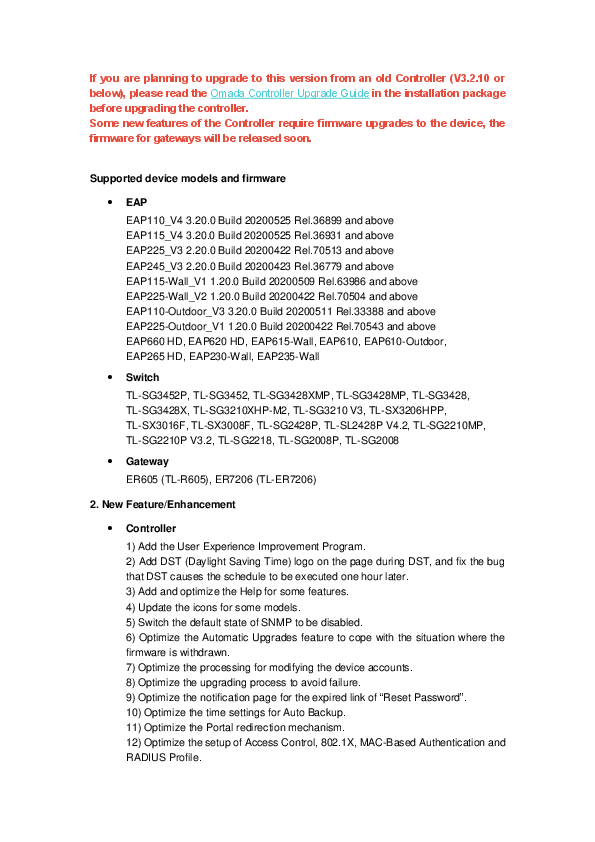
If you are planning to upgrade to this version from an old Controller (V3.2.10 or below), please read the Omada Controller Upgrade Guide in the installation package before upgrading the controller. Some new features of the Controller require firmware upgrades to the device, the firmware for gateways will be released soon.
Supported device models and firmware
 EAP EAP110_V4 3.20.0 Build 20200525 Rel.36899 and above EAP115_V4 3.20.0 Build 20200525 Rel.36931 and above EAP225_V3 2.20.0 Build 20200422 Rel.70513 and above EAP245_V3 2.20.0 Build 20200423 Rel.36779 and above EAP115-Wall_V1 1.20.0 Build 20200509 Rel.63986 and above EAP225-Wall_V2 1.20.0 Build 20200422 Rel.70504 and above EAP110-Outdoor_V3 3.20.0 Build 20200511 Rel.33388 and above EAP225-Outdoor_V1 1.20.0 Build 20200422 Rel.70543 and above EAP660 HD, EAP620 HD, EAP615-Wall, EAP610, EAP610-Outdoor, EAP265 HD, EAP230-Wall, EAP235-Wall
 Switch TL-SG3452P, TL-SG3452, TL-SG3428XMP, TL-SG3428MP, TL-SG3428, TL-SG3428X, TL-SG3210XHP-M2, TL-SG3210 V3, TL-SX3206HPP, TL-SX3016F, TL-SX3008F, TL-SG2428P, TL-SL2428P V4.2, TL-SG2210MP, TL-SG2210P V3.2, TL-SG2218, TL-SG2008P, TL-SG2008
 Gateway ER605 (TL-R605), ER7206 (TL-ER7206)
2. New Feature/Enhancement
 Controller 1) Add the User Experience Improvement Program. 2) Add DST (Daylight Saving Time) logo on the page during DST, and fix the bug that DST causes the schedule to be executed one hour later. 3) Add and optimize the Help for some features. 4) Update the icons for some models. 5) Switch the default state of SNMP to be disabled. 6) Optimize the Automatic Upgrades feature to cope with the situation where the firmware is withdrawn. 7) Optimize the processing for modifying the device accounts. 8) Optimize the upgrading process to avoid failure. 9) Optimize the notification page for the expired link of "Reset Password". 10) Optimize the time settings for Auto Backup. 11) Optimize the Portal redirection mechanism. 12) Optimize the setup of Access Control, 802.1X, MAC-Based Authentication and RADIUS Profile.

13) Add support to Import Site with Cloud Access. 14) Optimize the processing mechanism for multiple requests via the Cloud Access. 15) Improve the compatibility with Internet Explorer 11 when accessing the "Export Data" feature via the Cloud Access.
 Gateway 1) Add VPN Client status to the VPN Status page. 2) Allow to modify the LAN IP before adopting the Omada Gateway, simplifying configuration process. 3) Add support to reset the parameters of the Firewall and Attack Defense. 4) Update the validation rules for the Username and Password of PPPoE. 5) Optimize the export of the OpenVPN certificate. 6) Optimize the configuration of UPnP. 7) Optimize the Error Notification of the incorrect IPv6 settings. 8) Optimize the notification for the DHCP range when setting up DHCPv6. 9) Add alert when VPN users exceed the number limit. 10) Optimize the Speed Test to improve the success rate.
 Switch 1) Add support to set up the link speed to 5 Gbps.
 EAP 1) Add AI RF Planning feature (Cloud-Based Controller only). 2) Add support for 160 MHz channel width, which requires device support.
3. Bug Fixed
 Controller 1) Fixed the bug that the Controller incorrectly recognized the login requests and caused the login failure. 2) Fixed the bug that some advanced features failed to be migrated with Site Migration, such as: ACL, Static Route, Policy Routing, SSH, and VPN settings. 3) Fixed the bug that the timelines were inverted on Speed Test Statistics and some Dashboard cards. 4) Fixed the bug that the start and end points of the timeline on the "ISP Load" card didn't match the set time range. 5) Fixed the bug that the client was redirected to the wrong IP address by the External Web Portal or Facebook Wi-Fi when the client was in a different network from the Controller 6) Fixed the bug that the subdirectory ("/") was not allowed in the Promotional URL. 7) Fixed the bug that the wired clients failed to authenticate through the External Web Portal.
 Devices 1) Fix the bug that the PoE Out feature was disabled after upgrading to Omada SDN Controller V4.3.5. 2) Fix the bug that the Controller failed to deal with the PD Class of the clients.

Notes
1) Omada SDN Controller can only manage certain devices running the supported firmware. Please confirm that your device is compatible with the SDN Controller. 2) If you are using old Controller and plan to upgrade to this version, please follow the procedure of the Omada Controller Upgrade Guide. 3) Once upgraded to this version of Omada Controller, you will be NOT able to downgrade to version 3.2.14 or below. 4) This version of the controller is applied to the Omada APP of version 3.0.X or above. 5) Controller needs to work with Java 8 (or OpenJDK-8) and MongoDB 3.x are necessary for Controller. 6) 64-bit Linux Operating System is supported. 7) Please save the backup file, then uninstall the old version before upgrading.