

Breville Silhouette Flatbed Compact Instructions
File info: application/pdf · 24 pages · 1.65MB
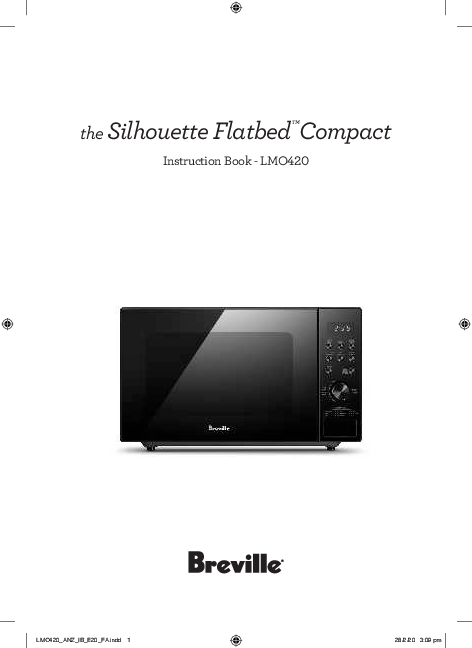
the Silhouette Flatbed™Compact
For Spaghetti, add boiling water before cooking. MICROWAVE OVEN MENU GUIDE. Auto. Function. Auto. Manual. Weight/. Portion.
IMPORTANT
Function Manual.
Extracted Text
the Silhouette FlatbedTMCompact
Instruction Book - LMO420

LMO420_ANZ_IB_E20_FA.indd 1

28/2/20 3:09 pm

Contents

IMPORTANT SAFEGUARDS

2 Breville Recommends Safety First 12 Components 14 Functions 19 Tips 20 Care & Cleaning 21 Troubleshooting
BREVILLE RECOMMENDS SAFETY FIRST
At Breville we are very safety conscious. We design and manufacture consumer products with the safety of you, our valued customer, foremost in mind. In addition we ask that you exercise a degree of care when using any electrical appliance and adhere to the following precautions.

READ ALL
INSTRUCTIONS BEFORE
USE AND SAVE FOR
FUTURE REFERENCE
� Carefully read all instructions before operation and save for future reference.
� Remove and safely discard any packaging material and promotional labels before using the Breville Microwave for the first time.
� To eliminate a choking hazard for young children, remove and safely discard the protective cover that is fitted to the power plug of the Breville Microwave.
� Do not place the microwave oven near the edge of a bench or table during operation. Ensure all surfaces are level, clean and free of water or any other substances.

2

LMO420_ANZ_IB_E20_FA.indd 2

28/2/20 3:09 pm

� Do not place the

� Never use the microwave

microwave oven on or near oven without food or

a hot gas or electric burner, water in the microwave

or where it could touch a oven cavity. Operating

heated microwave oven. the microwave oven

� When using the

when empty could cause

microwave oven, provide damage to the appliance.

adequate air space above � Do not leave the

and on all sides for air

microwave oven

circulation (see page 14 unattended when in use.

Installation).

� Do not touch hot surfaces.

� Always operate the

Allow the microwave oven

microwave oven on a heat- to cool before moving or

resistant surface. Do not cleaning any parts.

use on a cloth-covered

� Do not place or store

surface, near curtains or anything on top of the

other flammable materials. microwave oven.

� Do not use the microwave � Always ensure the

oven on a metal surface, microwave oven is turned

for example, a sink drain off at the power outlet and

board.

the cord is unplugged

� Always ensure the

from the power outlet

microwave oven is

before attempting to move

properly assembled before the appliance, when not

connecting to the power in use, if left unattended

outlet and operating.

and before disassembling,

� The microwave oven is not cleaning or storing.

intended to be operated by

means of an external timer

or separate remote control

system.

3

LMO420_ANZ_IB_E20_FA.indd 3

28/2/20 3:09 pm

� Keep the appliance clean. Follow the cleaning instructions provided in this book (page 20).
� Always turn the microwave oven off by pressing the STOP/ CANCEL button, switch off at the power outlet and unplug at the power outlet when it is not in use.
� Before cleaning, always press the STOP/CANCEL button, switch off at the power outlet and unplug at the power outlet.
IMPORTANT
SAFEGUARDS
FOR ALL
ELECTRICAL
APPLIANCES
� Fully unwind the power cord before use.
� Connect only to a 230V or 240Vpower outlet.

� Do not let the power cord hang over the edge of a bench or table, touch hot surfaces or become knotted.
� To protect against electric shock do not immerse the power cord, power plug or appliance in water or any other liquid.
� The appliance is not intended for use by persons (including children) with reduced physical, sensory or mental capabilities, or lack of experience and knowledge, unless they have been given supervision or instruction concerning use of the appliance by a person responsible for their safety.
� Before use always check with your doctor if you have a pacemaker. Modern pacemakers are protected against interference, but some older ones may be adversely affected when in close proximity to a microwave oven.

4

LMO420_ANZ_IB_E20_FA.indd 4

28/2/20 3:09 pm

� Children should be supervised to ensure that they do not play with the appliance.
� It is recommended to regularly inspect the appliance. To avoid a hazard do not use the appliance if the power cord, power plug or appliance becomes damaged in any way. Return the entire appliance to the nearest authorised Breville service centre for examination and/or repair.
� Any maintenance other than cleaning should be performed at an authorised Breville service centre.
� This appliance is for household use only. Do not use this appliance for anything other than its intended use. Do not use in moving vehicles or boats. Do not use outdoors. Misuse may
cause injury.

� The installation of a residual current device (safety switch is recommended to provide additional safety protection when using electrical appliances. It is advisable that a safety switch with a rated residual operating current not exceeding 30mA be installed in the electrical circuit supplying the appliance. See your electrician for professional advice.
� Always turn the appliance to the OFF position, switch off at the power outlet and unplug at the power outlet when the appliance is not in use.
� Before cleaning, always turn the appliance to the OFF position, switch off at the power outlet, unplug at the power outlet and remove the power cord, if detachable, from the appliance and allow all parts to cool.

5

LMO420_ANZ_IB_E20_FA.indd 5

28/2/20 3:09 pm

� Do not place this appliance on or near a heat source, such as hot plate, microwave oven or heaters. � Position the appliance at a minimum distance of 20cm away from walls, curtains and other heat or stream sensitive materials and provide adequate space above and on all sides for air circulation.
WARNING
� Surfaces may be hot during and after use.
WARNING
� Do not attempt to operate the microwave oven with the door open since the opendoor operation can result in harmful exposure to microwave energy. It is important not to defeat or tamper with the safety interlocks

WARNING
� Do not place any object between the microwave oven front face and the door or allow soil or cleaner residue to accumulate on sealing surfaces.
WARNING
� Do not put any foreign material between the door and door jam of the microwave oven as this could cause excessive leakage of microwave energy.
WARNING
� If the door or door seals are damaged, the microwave oven must not be operated until it has been repaired by a Breville Service Centre. It is particularly important that the oven door closes properly and that there is no damage to the: � (1) Door (bent), (2) hinges and latches (broken or loosened), (3) door seals and sealing surfaces.

6
LMO420_ANZ_IB_E20_FA.indd 6

28/2/20 3:09 pm

WARNING

WARNING

� Liquids and other foods must not be heated in sealed containers since they are liable to explode.
WARNING

� It is hazardous for anyone other than a Breville Service Centre to carry out any service or repair operation that involves the removal of the cover which gives protection against exposure to microwave energy.

� Only allow children to use the microwave oven without supervision when adequate instructions have been given so that the child is able to use the microwave oven in a safe way and understands the hazards of improper use.

WARNING
� When heating food in microwave-safe or paper containers, keep an eye on the microwave oven due to the possibility of ignition.
The appliance should not be cleaned with a steam cleaner.

Microwave Oven specifications

Specification

LMO420 BLKANZ

Power consumption

230-240V/50Hz, 1200W

Output

800W

Outside dimensions (mm)

271mm(H)�457mm(W)362mm(D)

Oven Cavity dimension (mm)

180mm(H)�315mm(W)�329mm(D)

Oven Capacity

20 Litres

Net Weight approx (kg)

Approx. 9.5kg

LMO420_ANZ_IB_E20_FA.indd 7

7
28/2/20 3:09 pm

SPECIAL SAFETY
INSTRUCTIONS
FOR YOUR
MICROWAVE
OVEN
� Wipe the microwave oven cavity with a soft, damp cloth after each use. Leaving food residue, grease or fat in the cavity could cause the microwave oven cavity to overheat and may cause the microwave oven to smoke or catch fire.
� The microwave oven should be cleaned regularly and any food splattering inside the cavity should be removed. Failure to maintain the microwave oven in a clean condition could lead to deterioration of the surface, adversely affecting the life of the microwave oven and possibly resulting in a hazardous situation.

� If the door seals or any of the microwave oven is damaged, the microwave oven must not be operated until it has been inspected and/or repaired at an authorised Breville service centre.
� The microwave oven is intended for heating food and beverages. Drying of food or clothing and heating of warming pads, slippers, sponges, damp cloth and similar may lead to risk of injury, ignition or fire.
� Ensure all food containers and/or plates are suitable for use in the microwave oven. This should be done prior to preparing food for heating or cooking in the microwave oven. Monitor foods and liquids heating or cooking in the microwave oven at all times due to the possibility of containers igniting.

8

LMO420_ANZ_IB_E20_FA.indd 8

28/2/20 3:09 pm

� Liquids or other foods

� Metal clips or twist ties

must not be heated in

should be removed from

sealed containers since

the packaging as these

they are liable to explode. could cause sparking and/

� Some containers and/or or fire.

plates may appear suitable � Do not use recycled paper

for use in the microwave or kitchen paper towelling

oven but may be coated when cooking. Recycled

in a glaze that will absorb paper may contain small

the microwave energy,

metal or other impurities

overheat and cause the

which could cause

container to crack. The

sparking and/or fire.

glaze may also prevent � Do not use metal

the food from heating/

containers or utensils

cooking.

in the microwave oven

� Food and/or liquids should as these could cause

not be heated or cooked sparking and/or fire.

directly on the flatbed base � Only use utensils that

plate. Food and/or liquids are suitable for use in

must be placed into a

microwave ovens.

suitable microwave proof container before placing onto the flatbed base plate

� Food grade foil should not be used in the microwave oven as this could cause

� Food and/or liquids should sparking and/or fire.

not be heated or cooked in plastic or paper containers or bags, unless specified as suitable for use by the manufacturer, due to the possibility of containers

� Ensure that lids and caps covering containers are removed prior to placing liquids and/or foods into the microwave oven.

exploding or igniting.

9

LMO420_ANZ_IB_E20_FA.indd 9

28/2/20 3:09 pm

� Feeding bottles and baby food jars should have lids and caps removed before warming or heating in the microwave oven. To avoid burns or scalding after heating, the contents should be stirred or shaken and the temperature checked before serving.
� Always ensure the temperature of food or drink which has been heated or cooked in the microwave oven has been tested before eating, drinking or serving to others, especially children, disabled or elderly people.
� The heating of liquids and beverages in the microwave oven can result in delayed eruptive boiling. Care must be taken when handling any containers containing hot liquids or beverages.

� Do not heat popcorn in the microwave oven unless it has been commercially packaged for microwave use. There may be a number of un-popped kernels that may overcook and burn when popping popcorn. Do not use oil unless recommended by the manufacturer. Do not pop popcorn longer than the manufacturer's instructions (popping time should not exceed 3 minutes). Longer cooking could cause scorching or fire.
� Do not cook any food surrounded by a membrane (such as potatoes, chicken liver, egg yolks, oysters, etc) without first piercing the membrane several times with a fork or similar utensils.

10
LMO420_ANZ_IB_E20_FA.indd 10

28/2/20 3:09 pm

� Fresh eggs in the shell and whole hard-boiled eggs should not be cooked or heated in the microwave oven as they may explode during cooking, at the end of cooking or after removing from the microwave oven.
� Do not heat oil or fat for shallow or deep frying in the microwave oven. Doing so may cause the microwave oven and/ or the oil to overheat and/or ignite.
� If any smoke is observed, switch off and unplug the microwave oven at the power outlet. Keep the door closed to stifle any flames.
� Do not attempt to operate the microwave oven by any method other than those described in this instruction book. Do not disconnect the microwave

oven from the power supply by pulling on the cord to unplug from the power outlet.
� When storing the microwave oven loosely wind the cord. Do not wrap the cord around the microwave oven.
� Only use the temperature probe recommended or supplied together with this microwave oven. This is only applicable if the appliance has the facility to use a temperature sensing probe.
CAUTION
� Surfaces may be hot during and after use. If the product is not maintained in a good state of cleanliness, its surface could be degraded and affect the life span of the product and lead to a dangerous situation.

FOR HOUSEHOLD USE ONLY SAVE THESE INSTRUCTIONS
11

LMO420_ANZ_IB_E20_FA.indd 11

28/2/20 3:09 pm

Components
A

BC

D

E

A. Viewing window B. LED display C. Control panel, cooking functions & dial.

D. Flatbed base plate E. Push button door release

12
LMO420_ANZ_IB_E20_FA.indd 12

28/2/20 3:09 pm

1

3

POWER

WEIGHT

LEVEL

CLOCK

ADJUST

2

4

MULTI-STAGE

TIME

COOKING

DEFROST

WEIGHT DEFROST

5

7

6
PRESET

STOP CANCEL

9

8

TIME ADJUST AUTO COOK
10

START +30 SEC

AUTO COOK

1. BEVERAGE 2. RICE 3. PASTA

4. POTATO 5. AUTO REHEAT 6. PORRIDGE

7. PIZZA 8. POPCORN

1. LED digital display screen

7. WEIGHT DEFROST

Displays selected cooking progress, power and Use to defrost frozen meat, poultry and

time-of-day.

seafood by weight. The defrosting time

2. POWER LEVEL Press to select microwave power level from 1 to 5.

and power level are automatically set once the food category and the weight are programmed.

3. CLOCK Press to set the current time.
4. WEIGHT ADJUST Use to select the weight or amount of food.
5. MULTI STAGE COOKING Use to set multiple cooking stages with different power levels.
6. TIME DEFROST Use to defrost frozen meat, poultry and seafood by time. The defrosting power level is automatically set once the defrosting time is programmed.

8. START/+30SEC (Push Dial) For +30 sec Instant Start, each additional push of the dial will add 30 seconds to the cooking time.
9. STOP/CANCEL Press to cancel setting or reset the oven before setting a cooking program. Press once to temporarily stop cooking, or twice to cancel cooking altogether. It is also used for setting child lock.
10. TIME ADJUST/AUTO COOK (Turn Dial) Turn the dial clockwise to input cooking time. Turn the dial anti-clockwise to select

the Auto Cook menu.

13

LMO420_ANZ_IB_E20_FA.indd 13

28/2/20 3:09 pm

Functions

BEFORE FIRST USE
Before first use remove all promotional stickers and packaging material before using the microwave oven for the first time.
To eliminate a choking hazard for young children, remove and safely discard the protective cover fitted to the power plug of this microwave oven. Carefully unpack the microwave oven and keep all the packing material until all the parts of the microwave oven have been found and the appliance has been assembled. It is recommended to keep all the packing material in a safe place in case you wish to repack the product for shipping purposes. To remove any dust that may have accumulated during packing. Wipe the interior and exterior of the microwave oven with a soft, damp cloth then dry thoroughly.
WARNING
Do not immerse any part of your microwave oven in water or any other liquid
INSTALLATION
1. Select a level surface that provide enough open space for the intake and/or outlet vents.
2. A minimum clearance of 20cm on each side and 30cm above the microwave is required between the microwave oven and any adjacent walls. � Do not remove the legs from the bottom of the microwave oven.
3. Blocking the intake and/or outlet openings can damage the microwave oven.
4. Place the microwave oven as far away from radios and televisions as possible.

5. Operation of microwave oven may cause interference to your radio or television reception.
6. The microwave must not be placed in a cabinet.
30cm

20cm

20cm

TURNING ON THE MICROWAVE OVEN
1. Plug the power cord into a 230V or 240V power outlet. Switch on at the power outlet. The microwave oven is now on.
WARNING
Do not install the microwave oven over a range cooktop or other heat-producing appliance. If installed near or over a heat source, the microwave oven could be damaged and the warranty would be void. Check the microwave oven for any damage, such as misaligned or bent door, damaged door seals and sealing surface, broken or loose door hinges and latches and dents inside the cavity or on the door. If there is any damage, do not operate the microwave oven and contact a Breville service centre.
Do not immerse the microwave oven, power cord or plug in water or any other liquid.

14
LMO420_ANZ_IB_E20_FA.indd 14

28/2/20 3:09 pm

INTRODUCTION TO MICROWAVE
COOKING
� Microwaves are invisible waves of electromagnetic energy similar to radio waves. Instead of being converted to sound as in a radio or mobile phones, it is converted into a heat source which heats food from the inside.
� Microwaves cook because food molecules of water, fat and sugar react to the energy provided by the microwaves. That energy is absorbed by the food causing the molecules to vibrate quickly. This movement creates friction which causes the food to heat up and therefore cook.
� The energy in a microwave is distributed evenly throughout the cavity.
� Microwave cooking is considered the 'cool' cooking method as only the food gets hot and surrounding air stays cool.
� Microwaves are safe and can be economical.
� Microwave ovens don't need preheating therefore the kitchen stays cooler. Cooking is cleaner with less odours and washing up is reduced.
� Microwave ovens cook foods rapidly. Some foods are better cooked in a microwave oven as they retain more flavour, texture and goodness, such plain fish fillets, soft fruit, vegetables and fat free cakes.
� In a microwave the heat is produced INSIDE the food. In all other conventional cooking methods, heat is applied from OUTSIDE through transference of heat by convection or radiation.
� Microwave energy penetrates the food to a depth of about 25mm. Small foods under 5cm in diameter such as eggs are penetrated to the centre from all sides. In larger foods, energy creates heat in the outer layer; this then moves to the centre by conduction, as it does with conventional cooking.

SETTING THE CLOCK When the power is activated, the LED will display 1:00. Press the CLOCK button once or twice to set the digital clock to 24 hours cycle respectively. EXAMPLE: To set the oven clock time to 8:30. 1. Press CLOCK button once, the hour figures
will flash. Pressing once will show 24 hours. 2. Turn TIME ADJUST/AUTO COOK dial
to indicate the hour digit 8. Press the clock button to set the hour figure. The minute figures will begin to flash.
3. Turn TIME ADJUST/AUTO COOK dial to indicate the minute digits until the screen shows ": 30"
4. Press CLOCK to confirm the setting.
NOTE You can press the CLOCK button once to check clock time during cooking. +30 SEC INSTANT START

LMO420_ANZ_IB_E20_FA.indd 15

15
28/2/20 3:09 pm

When the unit is in standby mode, push START/+30 SEC dial to start cooking for 30 seconds with 100% microwave power. An additional press will increase the cooking time by 30 seconds incrementally. The maximum cooking time is 10 minutes. Push START/+30 SEC dial once to start cooking.

MICROWAVE COOKING
To cook with microwave power only, press the POWER LEVEL button a number of times to select a cooking power level. Use the TIME ADJUST/AUTO COOK dial to set a desired cooking time. The longest cooking time is 95 minutes. The oven will start to cook after the dial is pushed.
Select power level by pressing the POWER LEVEL button:

Press
1 Time 2 times 3 times 4 times 5 times 6 times

POWER LEVEL Display Cooking power

100%

100

80%

80

60%

60

40%

40

20%

20

0%

0

TIPS ON DEFROSTING

� The energy required for defrosting is much less than for cooking as the microwave causes the ice formed in the food to melt rather than heat.
� Before defrosting meat in the microwave oven, remove the freezer bag or wrapping to prevent meat sitting in `drip', which will otherwise boil as the meat defrosts causing meat to go grey and begin to stew. To remove frozen meat from freezer wrappings, defrost for a few minutes so the wrap is easy to remove.
� Remove meat from Styrofoam tray as they are not microwave-safe.
� Place meat onto a microwave safe rack and a drip tray to catch juices.
� Check the meat throughout the defrosting time. As outer portions of meat thaw, remove them. If the edges of meat feel warm, stop microwaving and allow meat to stand for a few minutes or until edges are cold again.
� After defrosting the meat, it must be cooked right away. Don't leave it to stand for any length of time at room temperature or in the fridge.
WEIGHT DEFROST
The oven allows the defrosting of meat, poultry, and seafood. The time and the defrosting power are adjusted automatically once the weight is programmed. The weight of the frozen food varies between 100g and 1800g:
FOR EXAMPLE: To defrost 600g of Chicken
1. Place the 600g of frozen chicken to be defrosted into the microwave and press the WEIGHT DEFROST button.
2. Press WEIGHT ADJUST button repeatedly to select the 600g weight.
3. Press START/+30 SEC button
NOTE
During defrosting program, the system will pause and sound beeps to remind user to turn food over, and then push START/+30 SEC dial to resume the defrosting.
TIME DEFROST

16

LMO420_ANZ_IB_E20_FA.indd 16

28/2/20 3:09 pm

The oven can quickly defrost food based on the time you entered. The maximum defrosting time you can set is 95 minutes: FOR EXAMPLE: To defrost Chicken 1. Press TIME DEFROST button once. 2. Turn TIME ADJUST/AUTO COOK dial to
set cooking time. 3. Push START/+30 SEC dial.
NOTE
During defrosting program, the system will pause and sound beeps to remind user to turn food over, and then push START/+30 SEC dial to resume the defrosting.
MULTI STAGE COOKING
Your oven can be programmed for up to 2 automatic cooking sequences. Suppose you want to set the following cooking program.
Microwave cooking
FOR EXAMPLE: To cook lasagne at 100% power for 5 minutes and 60% for 8 minutes 1. Input a power level by pressing the POWER
LEVEL button once to show 100. 2. Turn the TIME ADJUST/AUTO COOK
dial to 5 minutes. 3. Press the MULTI STAGE COOKING
button. 4. Input a power level by pressing the POWER
LEVEL button to set it at 60%. 5. Turn the TIME ADJUST/AUTO COOK
dial to 8 minutes. 6. Push START/+30 SEC dial.

Use to prevent unsupervised operation of the oven by little children. The CHILD LOCK indicator will show up on the display screen; the oven cannot be operated while the CHILD LOCK is set.
To set the CHILD LOCK: Press and hold the STOP/CANCEL button for 3 seconds, a beep sounds and the LOCK indicator illuminates on the display.
To cancel the CHILD LOCK: Press and hold the STOP/CANCEL button for 3 seconds until lock indicator on display goes off.
SYSTEM PROTECTION
During cooking, the system will detect whether there is an error. If there is an error, for example, the sensor was to short circuit or if there is an open circuit, the system will stop automatically with the display showing E-1 and the oven will beep every two seconds until the STOP/CANCEL button is pressed.
AUTO COOK

NOTE
Speed Defrost, Weight Defrost, Quick Start and Auto Cook cannot be set in Multi Stage cooking program.

CHILD LOCK

LMO420_ANZ_IB_E20_FA.indd 17

17
28/2/20 3:09 pm

NOTE
The Auto Cook menu selections can only be made by turning the TIME ADJUST/AUTO COOK dial anti-clockwise.
This microwave oven comes pre-programmed with 8 Auto Cook menus.
When using any of the auto cook menus, only the quantity or weight of the item needs to be selected as the power level and cooking time is automatic.
To select from the Auto Cook menu, rotate the TIME ADJUST/AUTO COOK dial anticlockwise to the menu item desired. Press WEIGHT ADJUST to enter the assigned weight or quantity of the item to be cooked. The oven begins cooking once the START/+30 sec dial is pushed.
FOR EXAMPLE: to cook 150g of porridge.
1. Turn TIME ADJUST/AUTO COOK dial anti-clockwise until 06 is displayed.
2. Press WEIGHT ADJUST button repeatedly until the weight of 150g is indicated on the display.
3. Push START/+30 SEC dial.
Auto Cook Menu
1. For milk/coffee and potato, the screen will show the number of serving instead of food weight when pressing WEIGHT ADJUST button.
2. The result of auto cooking depends on factors such as fluctuation of voltage, the shape and size of food, your personal preference as to the doneness of certain foods and even how well you happen to place food in the oven.
3. For Spaghetti, add boiling water before cooking.

MICROWAVE OVEN MENU GUIDE

Auto

Auto

Function Manual

Weight/ Portion

Default Time

Press 1 Beverage 1 Portion/200ml 1.3

2 Portions/400ml 2.4

Press 2 Rice

3 Portions/600ml 3.5

150g

18*

300g

18

450g

22

600g

24

Press 3 Pasta

100g

13

Press 4 Potato

200g

20

300g

24

1 Portion/230g 5

2 Portions/460g 8

3 Portions/690g 12

Press 5 Auto Reheat 200g

2

300g

2.3

400g

3

500g

3.3

600g

4

700g

4.3

800g

5.3

Press 6 Porridge 50g

2

100g

3.45

150g

5

Press 7 Pizza

150g

1

300g

1.4

450g

2.2

Press 8 Popcorn

100g

2.4

*When cooking 150g of rice add an extra � cup water.

18
LMO420_ANZ_IB_E20_FA.indd 18

28/2/20 3:09 pm

Tips

SOME IMPORTANT TIPS FOR
MICROWAVING COOKING
1. To help equalize energy in the food so that it cooks evenly follow these helpful tips. Arrange foods with varying size ends, such as chicken drumsticks and broccoli with the thicker or tougher part positioned to the outside of the dish. This ensures the parts that require more cooking will receive more energy, so the food will cook evenly.
2. Covering the dish during cooking holds in the heat and steam to speed up the cooking time. Use a microwave-safe lid or plastic wrap that has been vented by turning back one edge at the side of the dish to form a narrow vent to release excess steam.
3. Choose cooking dishes that are shallow and preferably have straight sides. Shallow dishes enable the food to cook faster and straight edges prevent the edges from being overcooked.
4. Use round shaped microwave dishes. Round shapes cook more evenly than square or rectangular dishes which absorb most of the energy in the corners causing food to overcook and toughen.
5. Stir foods from the outside to centre of the dish once or twice during cooking to equalize heat and speed microwaving.
6. Turn medium to large food items over once during microwaving. This enables even exposure to microwaves.
7. Elevating some types of food such as cakes, roast vegetables and dough products can be advantageous. It allows more energy to penetrate the food from all sides, base and top. Use a microwave-safe plastic or ceramic rack.
8. Do not elevate any special browning dishes, jugs of sauce or custard, small quantities of food or mugs of beverages.

9. Internal temperatures of foods continue to rise so that they continue cooking even after they have been removed from the microwave oven. It is better to undercook food as it will continue to cook once removed from the microwave.
MICROWAVE UTENSILS
� Containers, plates, dishes, etc. used in the microwave oven should always be microwavesafe. Check if they are microwave-safe on the underside of the utensil or contact the manufacturer.
� To test if a container, plate or dish is microwave-safe, place it into the microwave oven with 1 cup of cold water (in a microwavesafe cup) and heat on High (100%) Power for 1 minute. If the container is hot and the water is cold, the container is not suitable for microwave oven use. If the container is cold and the water is hot, then the container is suitable for microwave oven use.
� Metal containers and utensils should not be used in the microwave oven.

LMO420_ANZ_IB_E20_FA.indd 19

19
28/2/20 3:09 pm

Care & Cleaning

� Switch off the microwave oven at the power outlet and remove the plug from the power outlet before cleaning.
� Keep the inside of the microwave oven clean. When food splatters or spilled liquids adhere to the microwave oven internal walls, wipe with a damp cloth. Mild detergent may be used if the cavity gets very dirty. Avoid the use of spray and other harsh cleaners as they may stain, streak or dull the door surface.
� The outside surfaces should be cleaned with a damp cloth. To prevent damage to the operating parts inside the microwave oven cavity, water should not be allowed to seep into the ventilation openings.
� Wipe the door and window on both sides of the door seals and adjacent parts frequently with a damp cloth to remove any spills or spatters. Do not use an abrasive cleaner.
� Do not allow the control panel to become wet. Clean with a soft, damp cloth. When cleaning the control panel, leave the microwave oven door open to prevent it from accidentally turning on.
� If steam accumulates inside or around the outside of the oven door, wipe with a soft dry cloth. This may occur when cooking foods high in moisture or if the microwave oven is operated under high humidity conditions, this is normal.
� Remove odours from your microwave oven by combining a cup of water with the juice of one lemon in a deep microwave-safe bowl, microwave on highest power level for 5 minutes. Wipe the microwave oven cavity thoroughly and dry with a soft cloth.
� When it becomes necessary to replace the oven light, please consult your Breville service centre to have it replaced.
� Please do not dispose this appliance with domestic rubbish; it should be taken to the appropriate disposal centre provided by the local council municipalities.

� If storing the microwave oven, press the STOP/CANCEL button, switch off at the power outlet then unplug the power cord. Ensure the microwave oven is completely cool, clean and dry. Do not place heavy objects on top. Store the microwave oven upright.
BEFORE YOU CALL FOR SERVICE
� Check to ensure that the microwave oven is plugged in securely. If it is not, remove the plug from the power outlet, wait 10 seconds and plug it in again securely.
� Check for a blown circuit fuse or a tripped main circuit breaker. If these seem to be operating properly, test the power outlet with another appliance.
� Check to ensure that the control panel is programmed correctly and the timer is set.
� Check to ensure that the door is securely closed engaging the door safety lock system. Otherwise, the microwave energy will not flow into the microwave oven.
NOTE
If none of the above rectify the situation, then contact your Breville service centre. Do NOT try to adjust or repair the microwave oven yourself.

20

LMO420_ANZ_IB_E20_FA.indd 20

28/2/20 3:09 pm

Troubleshooting

PROBLEM
Microwave oven will not start
Microwave oven does not heat
Microwave oven interfering with television reception
Dim microwave oven light
Steam accumulating and/or hot air coming out from vents

POSSIBLE REASON
� Power cord not plugged in properly or switched on
� Fuse blown or circuit breaker problem � Trouble with outlet � Door not closed properly
� Radio and TV reception may be interfered with during operation. This is similar to the interference that is sometimes cause by vacuums, blenders etc.
� When operating on low power levels, the microwave oven light may be dimmer.
� During operation, steam may be produced. Most will exit through the vents, however some may accumulate around the microwave oven door.

EASY SOLUTION
� Ensure door is shut properly � Check to make sure there are no
obstructions or that the door is not damaged in any way
� Ensure door is shut properly � Check to make sure there is no
obstructions or that the door is not damaged in any way
� Interference should stop once microwave is switched off
� This occurrence is normal
� Once microwave cooking is complete, steam condensation maybe removed by wiping over the affected area with a dry cloth

LMO420_ANZ_IB_E20_FA.indd 21

21
28/2/20 3:09 pm

Notes

22
LMO420_ANZ_IB_E20_FA.indd 22

28/2/20 3:09 pm

Notes

LMO420_ANZ_IB_E20_FA.indd 23

23
28/2/20 3:09 pm

Breville Customer Service Centre

Australian Customers Phone: 1300 139 798 Web: www.breville.com

New Zealand Customers Phone: 0800 273 845 Web: www.breville.com

Breville, the Breville logo and Silhouette Flatbed are trademarks of Breville Pty. Ltd. A.B.N. 98 000 092 928. Copyright Breville Pty. Ltd. 2019. All other brand names may be trademarks of their respective owners.
Due to continued product improvement, the products illustrated/photographed in this booklet may vary slightly from the actual product.
LMO420 ANZ E20

LMO420_ANZ_IB_E20_FA.indd 24

28/2/20 3:09 pm
 Breville | Australia | A World Leader in Kitchen Appliances