

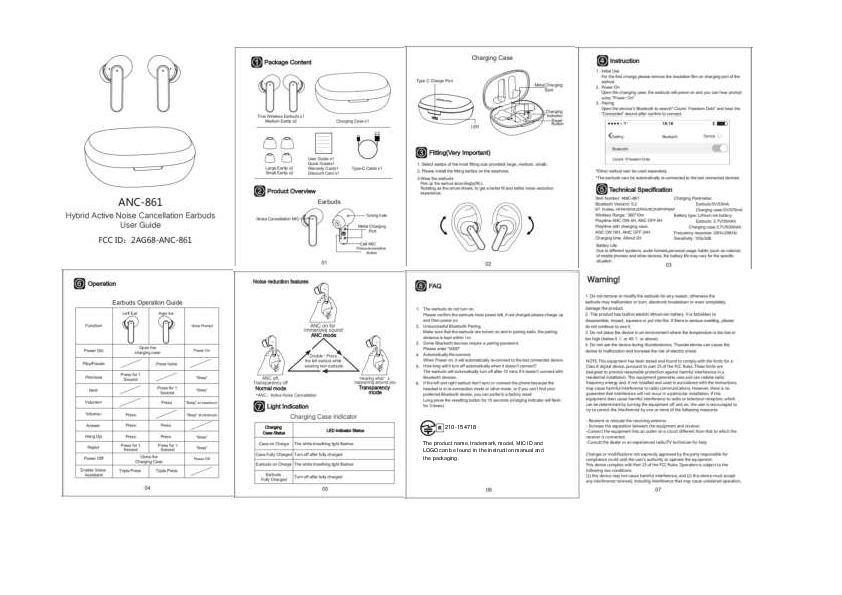
① Package Content
Package contents include:
- True Wireless Earbuds x1
- Medium Eartips x2
- Large Eartips x2
- Small Eartips x2
- Charging Case x1
- User Guide x1
- Quick Guide x1
- Warranty Card x1
- Discount Card x1
- Type-C Cable x1
② Product Overview
Earbuds:
- Noise Cancellation MIC+ [microphone-icon]
- Tuning hole
- Call MIC [microphone-icon]
- Pressure-sensitive Button [touch-sensitive-icon]
Charging Case:
- Type C Charge Port [USB-C-port-icon]
- Metal Charging Spot [charging-contacts-icon]
- LED Indicator [status-light-icon]
- Reset Button [reset-button-icon]
③ Fitting (Very Important)
Follow these steps for a secure and comfortable fit:
- Select eartips of the most fitting size (large, medium, small).
- Install the fitting eartips onto the earphone.
- Wear the earbuds: Pick up the earbud accordingly (R/L). Rotate as indicated by the arrow [rotation-arrow] to achieve a better fit and improved noise reduction experience.
④ Instruction
- Initial Use: For the first charge, please remove the insulation film on the charging port of the earbud.
- Power On: Open the charging case; the earbuds will power on and you will hear the prompt voice "Power On".
- Pairing: Open your device's Bluetooth to search for "Coumi Freedom Dots" and hear the "Connected" sound after confirming the connection.
Bluetooth Pairing Status:
| Setting | Bluetooth | Device |
|---|---|---|
| Coumi Freedom Dots |
* Either earbud can be used separately.
* The earbuds can automatically re-connect to the last connected devices.
⑥ Operation
Earbuds Operation Guide
Left Ear / Right Ear Functions:
| Function | Left Ear | Right Ear | Voice Prompt |
|---|---|---|---|
| Power On | Open the charging case | Power On | "Beep" |
| Play/Pause | Press twice | Press twice | |
| Previous | Press for 1 Second | "Beep" | |
| Next | Press for 1 Second | "Beep" | |
| Volume+ | Press | Press | "Beep" at maximum |
| Volume- | Press | Press | "Beep" at minimum |
| Answer | Press | Press | |
| Hang Up | Press | Press | "Beep" |
| Reject | Press for 1 Second | Press for 1 Second | "Beep" |
| Close the Charging Case | Power Off | Power Off | |
| Enable Voice Assistant | Triple Press | Triple Press |
Noise reduction features
Modes:
- Normal mode: ANC off, Transparency off.
- ANC mode: ANC on for immersive sound.
- Transparency Mode: Hearing what's happening around you.
To switch modes, double press the left earbud while wearing both earbuds.
ANC: Active Noise Cancellation
⑦ Light Indication
Charging Case Indicator
| Charging Case Status | LED Indicator Status |
|---|---|
| Case on Charge | The white breathing light flashes |
| Case Fully Charged | Turn off after fully charged |
| Earbuds on Charge | The white breathing light flashes |
| Earbuds Fully Charged | Turn off after fully charged |
⑤ Technical Specification
Item Number: ANC-861
Bluetooth Version: 5.2
BT Profiles: HFP/HSP/A2DP/AVRCP/SPP/PBAP
Wireless Range: 360° 10m
Playtime: ANC ON 4H, ANC OFF 6H
Playtime with charging case: ANC ON 16H, ANC OFF 24H
Charging time: About 2H
Battery Life:
- Earbuds: 3.7V/35mAh
- Charging case: 3.7V/500mAh
Charging Parameter:
- Earbuds: 5V/30mA
- Charging case: 5V/375mA
Battery type: Lithium ion battery
Frequency response: 20Hz-20KHz
Sensitivity: 103±3dB
Due to different systems, audio formats, personal usage habits (such as volume) of mobile phones and other devices, the battery life may vary for the specific situation.
⑧ FAQ
- The earbuds do not turn on. Please confirm the earbuds have power left; if not charged, please charge them up and then power on.
- Unsuccessful Bluetooth Pairing. Make sure that the earbuds are turned on and in pairing state, and the pairing distance is kept within 1m.
- Some Bluetooth devices require a pairing password. Please enter "0000".
- Automatically Re-connect. When powered on, they will automatically re-connect to the last connected device.
- How long will it turn off automatically when it doesn't connect? The earbuds will automatically turn off after 10 minutes if they do not connect with Bluetooth devices.
- If the left and right earbuds don't sync or connect to the phone because the headset is in re-connection mode or another mode, or if you can't find your preferred Bluetooth device, you can perform a factory reset: Long press the reset button for 10 seconds (the charging indicator will flash 3 times).
The product name, trademark, model, MIC ID, and LOGO can be found in the instruction manual and the packaging.
Product Identifier: R210-154718
Warning!
- Do not remove or modify the earbuds for any reason; otherwise, the earbuds may malfunction, burn, experience electronic breakdown, or be completely damaged.
- This product has a built-in electric lithium-ion battery. It is forbidden to disassemble, impact, squeeze, or put it into fire. If there is serious swelling, please do not continue to use it.
- Do not place the device in an environment where the temperature is too low (below 0°C) or too high (above 45°C).
- Do not use the device during thunderstorms. Thunderstorms can cause the device to malfunction and increase the risk of electric shock. ⚡
NOTE:
This equipment has been tested and found to comply with the limits for a Class B digital device, pursuant to Part 15 of the FCC Rules. These limits are designed to provide reasonable protection against harmful interference in a residential installation. This equipment generates, uses, and can radiate radio frequency energy and, if not installed and used in accordance with the instructions, may cause harmful interference to radio communications. However, there is no guarantee that interference will not occur in a particular installation. If this equipment does cause harmful interference to radio or television reception, which can be determined by turning the equipment off and on, the user is encouraged to try to correct the interference by one or more of the following measures:
- Reorient or relocate the receiving antenna.
- Increase the separation between the equipment and receiver.
- Connect the equipment into an outlet on a circuit different from that to which the receiver is connected.
- Consult the dealer or an experienced radio/TV technician for help.
Changes or modifications not expressly approved by the party responsible for compliance could void the user's authority to operate the equipment.
This device complies with Part 15 of the FCC Rules. Operation is subject to the following two conditions: (1) this device may not cause harmful interference, and (2) this device must accept any interference received, including interference that may cause undesired operation.
