

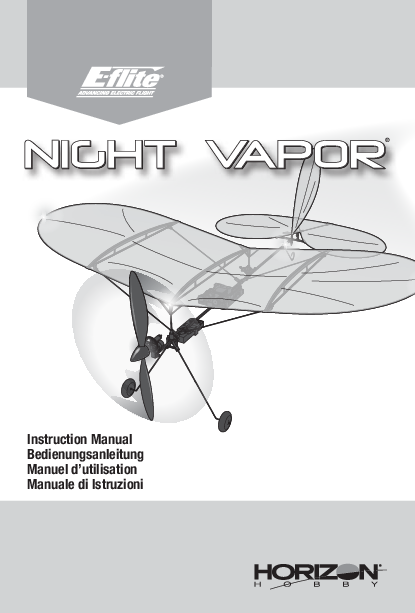
E-flite Night Vapor Instruction Manual
Instruction Manual / Bedienungsanleitung / Manuel d’utilisation / Manuale di Istruzioni
Notice
All instructions, warranties, and other collateral documents are subject to change at the sole discretion of Horizon Hobby, LLC. For up-to-date product literature, visit horizonhobby.com or towerhobbies.com and click on the support or resources tab for this product.
Meaning of Special Language
The following terms are used throughout the product literature to indicate various levels of potential harm when operating this product:
- WARNING: Procedures which, if not properly followed, create the probability of property damage, collateral damage, and serious injury OR create a high probability of superficial injury.
- CAUTION: Procedures which, if not properly followed, create the probability of physical property damage AND a possibility of serious injury.
- NOTICE: Procedures which, if not properly followed, create a possibility of physical property damage AND little or no possibility of injury.
WARNING: Read the ENTIRE instruction manual to become familiar with the features of the product before operating. Failure to operate the product correctly can result in damage to the product, personal property, and cause serious injury. This is a sophisticated hobby product. It must be operated with caution and common sense and requires some basic mechanical ability. Failure to operate this Product in a safe and responsible manner could result in injury or damage to the product or other property. This product is not intended for use by children without direct adult supervision. Do not use with incompatible components or alter this product in any way outside of the instructions provided by Horizon Hobby, LLC. This manual contains instructions for safety, operation, and maintenance. It is essential to read and follow all the instructions and warnings in the manual, prior to assembly, setup, or use, in order to operate correctly and avoid damage or serious injury.
AGE RECOMMENDATION: Not for children under 14 years. This is not a toy.
Safety Precautions and Warnings
As the user of this product, you are solely responsible for operating in a manner that does not endanger yourself and others or result in damage to the product or the property of others.
- Always keep a safe distance in all directions around your model to avoid collisions or injury. This model is controlled by a radio signal subject to interference from many sources outside your control. Interference can cause momentary loss of control.
- Always operate your model in open spaces away from full-size vehicles, traffic, and people.
- Always carefully follow the directions and warnings for this and any optional support equipment (chargers, rechargeable battery packs, etc.).
- Always keep all chemicals, small parts, and anything electrical out of the reach of children.
- Always avoid water exposure to all equipment not specifically designed and protected for this purpose. Moisture causes damage to electronics.
- Never place any portion of the model in your mouth as it could cause serious injury or even death.
- Never operate your model with low transmitter batteries.
- Always keep aircraft in sight and under control.
- Always use fully charged batteries.
- Always keep transmitter powered on while aircraft is powered.
- Always remove batteries before disassembly.
- Always keep moving parts clean.
- Always keep parts dry.
- Always let parts cool after use before touching.
- Always remove batteries after use.
- Always ensure failsafe is properly set before flying.
- Never operate aircraft with damaged wiring.
- Never touch moving parts.
Box Contents
The box typically contains the following items:
- Night Vapor Aircraft
- Transmitter (RTF version)
- Flight Battery
- USB Charger
- AA Batteries (for transmitter, RTF version)
- Instruction Manual
Table of Contents
- Specifications
- Preflight Checklist
- Charging Warnings
- Charge the Flight Battery
- Install the Transmitter Batteries (RTF)
- Transmitter Layout (RTF)
- BNF Transmitter Setup
- Install the Flight Battery
- RTF and BNF Binding Procedures
- Control Surface Centering
- Changing the LED Color
- Control Direction Test
- Center of Gravity
- Trimming the Aircraft
- Flying
- Post Flight Checklist
- Maintenance
- Troubleshooting
- Parts List
- Limited Warranty
- Warranty and Service Contact Information
- FCC Information
- IC Information
- Compliance Information for the European Union
Specifications
Wingspan: 14.8 inches (367mm)
Weight: 0.9 oz (25 g)
| Component | RTF (Ready-to-Fly) | BNF (Bind-N-Fly) |
|---|---|---|
| Motor | Brushed | Installed |
| Flight Controller | Flight Control Board (SPMA3181) - Installed | Flight Control Board (SPMA3181) - Installed |
| Battery | 150mAh 1S 3.7V 25C Li-Po Battery (EFLB1501S25) - Included | Required |
| Battery Charger | 1S USB Li-Po Charger, 300mA (EFLC1008) - Included | Required |
| Transmitter | MLP6DSM 6CH TX Mode 2 (SPMRMLP6) - Included | Required |
Preflight Checklist
- Find a safe and open area.
- Charge the flight battery.
- Assemble the aircraft.
- Install the transmitter batteries.
- Install the flight battery.
- Perform control direction test.
- Plan flight for flying field conditions.
- Set a flight timer for 7 minutes.
- Have fun!
Charging Warnings
WARNING: Failure to exercise caution while using this product and comply with the following warnings could result in product malfunction, electrical issues, excessive heat, FIRE, and ultimately injury and property damage.
- NEVER LEAVE CHARGING BATTERIES UNATTENDED.
- NEVER CHARGE BATTERIES OVERNIGHT.
- Never attempt to charge dead, damaged, or wet battery packs.
- Never attempt to charge a battery pack containing different types of batteries.
- Never allow children under 14 years of age to charge battery packs.
- Never charge batteries in extremely hot or cold places or place in direct sunlight.
- Never charge a battery if the cable has been pinched or shorted.
- Never connect the charger if the power cable has been pinched or shorted.
- Never attempt to dismantle the charger or use a damaged charger.
- Always use only rechargeable batteries designed for use with this type of charger.
- Always inspect the battery before charging.
- Always keep the battery away from any material that could be affected by heat.
- Always monitor the charging area and have a fire extinguisher available at all times.
- Always end the charging process if the battery becomes hot to the touch or starts to change form (swell) during the charge process.
- Always connect the positive leads (+) and negative leads (-) correctly.
- Always disconnect the battery after charging, and let the charger cool between charges.
- Always charge in a well-ventilated area.
- Always terminate all processes and contact Horizon Hobby if the product malfunctions.
- Charge only rechargeable batteries. Charging non-rechargeable batteries may cause the batteries to burst, resulting in injury to persons and/or damage to property.
- The USB outlet shall be installed near the equipment and shall be easily accessible.
CAUTION: Always ensure the battery you are charging meets the specifications of this charger. Not doing so can result in excessive heat and other related product malfunctions, which can lead to user injury or property damage.
CAUTION: If at any time during the charging process the battery pack becomes hot or begins to puff, disconnect the battery immediately and discontinue the charge process as batteries can cause fire, collateral damage, and injuries.
Charge the Flight Battery
NOTICE: Charge only batteries that are cool to the touch and are not damaged. Inspect the battery to make sure it is not damaged, e.g., swollen, bent, broken, or punctured.
- Insert the charger into a USB port.
- Slide the battery into the slot on the charger and press it into the charge jack/connector located at the bottom of the slot. The end cap of the battery is specifically designed to allow the battery to fit into the slot one way (usually with the label on the battery facing outward) to prevent reverse polarity connection. However, check for proper alignment and polarity.
- Always disconnect the flight battery from the charger immediately upon completion of charging.
CAUTION: Never exceed the recommended charge rate.
LED Indications
When you make the connection successfully, the LED on the charger turns solid red, indicating charging has begun. Charging a fully discharged (not over-discharged) 150mAh battery takes approximately 30-40 minutes. The light goes out when the charge is complete.
- CHARGING: Solid Red
- MAX CHARGE: OFF
CAUTION: Once charging is complete, immediately remove the battery. Never leave a battery connected to the charger.
Install the Transmitter Batteries (RTF)
- Remove the battery cover from the back of the transmitter.
- Install four included AA batteries (noting proper polarity).
- Reinstall the battery cover.
Low Battery Alarm
When the battery voltage drops too low, an alarm sounds and the LED flashes. The batteries must be replaced immediately. If this happens while flying, land your aircraft as soon and as safely as possible.
Transmitter Layout (RTF)
The transmitter features various controls and indicators:
- Power Switch: Turns the transmitter on and off.
- Throttle Stick: Controls the motor speed.
- Elevator/Rudder Stick: Controls pitch and yaw.
- Trim Controls: Fine-tune the control surfaces (throttle, rudder, elevator).
- Bind Button: Used for binding the transmitter to the receiver.
- Dual Rate Button: Adjusts the sensitivity of the control sticks.
- Flight Mode Switch: Selects different flight modes (e.g., SAFE, AS3X).
- Bind / LED color change Button: Used for binding and changing LED colors.
- Power LED: Indicates transmitter status and battery voltage.
Transmitter LED
The transmitter LED provides visual feedback on various functions:
| Status | Transmitter LED/Buzzer Indication |
|---|---|
| Transmitter voltage | Transmitter LED color indicates transmitter battery voltage for 4 seconds after powering on. Green: over 5.6V Yellow: between 4.8V and 5.6V Red: < 4.8V, transmitter beeps (change the batteries) |
| Aircraft voltage (the aircraft must be bound) | Transmitter LED color indicates aircraft on-board battery voltage. Green: over 3.7V per cell Yellow: between 3.3V and 3.7V per cell Red: below 3.3V per cell |
| Control rate | High rate: LED solid Low rate: LED flashes slowly |
| Binding | LED flashes blue rapidly |
| No signal | LED glows solid blue |
Dual Rate Selection
To change the control rate, press in on the right control stick. The LED indicates which rate is selected, as described in the table.
BNF Transmitter Setup
IMPORTANT: The installed receiver has been programmed for operation specifically in this aircraft.
To operate the various features of this aircraft, follow the table to set up your computer transmitter.
- The flight mode selection should be assigned to a 2-position switch.
- The function of channel 6 (Aux 1) should be assigned to a momentary switch, if available.
- If your transmitter is telemetry capable, the Night Vapor receiver will communicate the battery voltage and percentage, as well as frame losses and holds. Navigate to the transmitter telemetry screen to view.
Refer to your transmitter manual for more information about transmitter setup.
| Computerized Transmitter Setup | Details |
|---|---|
| Start all transmitter programming with a blank ACRO model (perform a model reset), then name the model. | |
| Dual Rates | HIGH 100% LOW 70% |
| DX7S, DX8 | 1. Go to the SYSTEM SETUP 2. Set MODEL TYPE: AIRPLANE 3. Set SWITCH SELECT: GEAR: Gear TRAINER: AUX1 4. Go to the FUNCTION LIST 5. Set SERVO SETUP: Reverse AUX1 Gear switch operates the flight modes (0 SAFE mode, 1 AS3X mode). Trainer/Bind operates the LED color change. |
| DX6e, DX6 (Gen2), DX7 (Gen2), DX8e, DX8 (Gen2), DX9, DX10t, DX18, DX20, iX12, iX20 | 1. Go to the SYSTEM SETUP 2. Set MODEL TYPE: AIRPLANE 3. Go to CHANNEL ASSIGN: Channel Input Config: GEAR: Switch A AUX1: Button I 4. Go to the FUNCTION LIST 5. Set SERVO SETUP: Reverse AUX1 Switch A operates the 2 flight modes (0 SAFE mode, 1 AS3X mode). Button I operates the LED color change. |
Install the Flight Battery
- Slide the fully charged battery into the battery holder with the connector facing the rear of the model, as shown.
- Connect the power lead from the ESC to the battery, noting correct polarity.
RTF and BNF Binding Procedures
CAUTION: Always keep hands away from the propeller. When armed, the motor will turn the propeller in response to any throttle movement.
Binding is the process of programming the receiver to recognize the GUID (Globally Unique Identifier) code of a single specific transmitter. The transmitter and receiver in the RTF version are bound at the factory. If you need to rebind, follow the instructions below.
RTF Binding Procedure
- Ensure the transmitter throttle stick is in the lowest position.
- Install and connect a fully charged flight battery to the aircraft.
- After approximately 5 seconds, the LED on the aircraft flight control board will begin to flash rapidly.
- Push and hold down either the left transmitter stick or the bind trigger.
- Power on the transmitter. Release the button when the transmitter beeps.
- The LED on the aircraft flight control board will glow solid when binding is complete.
BNF Binding Procedure
- Refer to your transmitter's unique instructions for binding to a receiver.
- Ensure the transmitter throttle stick is in the lowest position.
- Install and connect a fully charged flight battery to the aircraft.
- After approximately 5 seconds, the LED on the aircraft flight control board will begin to flash rapidly.
- Put your transmitter into bind mode.
- The LED on the aircraft flight control board will glow solid when binding is complete.
Control Surface Centering
Before your first flights, or in the event of a crash, check to make sure the flight control surfaces are centered. It is much better to do this mechanically due to the mechanical limits of linear servos.
- Make sure the transmitter trims are centered, and sub-trims are set to 0.
- Check to see if any of the flight control surfaces are not centered.
- If the surface is not centered, use a pair of pliers and carefully lengthen or shorten the pushrod by adjusting the U-shape in the pushrod.
- Hold the right stick up to change the front LED. Hold the stick down to change the rear LED.
- With the right stick held up or down, move the stick either left or right to cycle through the available colors. The available colors are yellow, white, blue, red, green, or purple.
- When you have chosen the desired color for the front and rear LEDs, press the trigger button 3 times to save the settings and exit. The aircraft controls are restored.
Changing the LED Color
The front and rear LED colors on the Night Vapor are selectable through your transmitter. The default colors are yellow in front and white in the rear.
CAUTION: Never attempt to change the LED colors while the aircraft is in flight. Attempting to do so will result in loss of control.
To change the LED colors:
- With transmitter and receiver powered on and bound, press the Bind/LED trigger on the transmitter 3 times. The controls of the aircraft will be disabled.
- TIP: If using your computer transmitter and the BNF version of the Night Vapor, cycle the ch6 (AUX1) switch, assigned during the BNF transmitter setup, 3 times.
Control Direction Test
CAUTION: Always keep hands away from the propeller. When armed, the motor will turn the propeller in response to any throttle movement.
Test the controls prior to the first flight to ensure none of the servos, linkages, or parts were damaged during shipping and handling and the controls function in the correct directions.
- Move the rudder stick to the right. The rudder should move to the right. This will cause the aircraft to yaw and bank to the right in flight.
- Move the rudder stick to the left. The rudder should move to the left. This will cause the aircraft to yaw and bank to the left in flight.
- Pull the elevator stick backward. The elevator should move up. This will cause the nose of the aircraft to pitch up in flight.
- Push the elevator stick forward. The elevator should move down. This will cause the nose of the aircraft to pitch down in flight.
If at any time during the test the controls respond in the opposite direction of operation of the flight controls, follow your transmitter's instructions to reverse the flight controls.
Center of Gravity
The CG range of the Night Vapor is 55-60mm from the leading edge of the wing.
A diagram shows the aircraft with a shaded area indicating the CG range. Arrows point to the front and rear edges of this range on the wing.
Trimming the Aircraft
Adjusting Trim in Flight
Familiarize yourself with your transmitter's controls and the aircraft's response before flying by performing the recommended Control Direction Test. Press the trim buttons on your transmitter to adjust how the aircraft flies. If the aircraft's nose drifts while the sticks are at neutral (centered) and the throttle is at 50%, press the trim buttons:
- Upper button to stop up drift
- Lower button to stop down drift
- Left button to stop right drift and roll
- Right button to stop left drift and roll
If you press a trim button until no beep sounds and the aircraft does not fly straight and level, land and manually adjust the trim as described below.
Manually Adjusting Trim
Only adjust trims in AS3X flight mode. Power on the model, carefully hold the Night Vapor and advance the throttle for the prop to spin. Lower throttle to 0% and manually adjust trims if needed.
Press the trim buttons to return to center (3 beeps will sound), then use a pair of pliers to carefully adjust the metal U-bend on the control rod of the surface requiring adjustment:
- Adjust the U-bend smaller for up elevator or right rudder.
- Widen the U-bend for down elevator or left rudder.
Flying
Consult local laws and ordinances before choosing a location to fly your aircraft.
WARNING: The motor will become hot during normal use. Do not touch the motor until it has cooled.
We recommend flying your aircraft outside in no greater than very light winds or inside in a large gymnasium. Always avoid flying near houses, trees, wires, and buildings. Avoid flying in areas where there are many people, such as busy parks, schoolyards, or soccer fields. Set a timer for 7 minutes.
Hand Launching
To hand launch the aircraft, hold the fuselage under the wings. Advance to full throttle and give the aircraft a firm throw, slightly up (5-10 degrees above the horizon), and directly into the wind. After the model gains attitude and speed, decrease the throttle and trim the aircraft for level flight.
Takeoff
Taxi the aircraft into position for takeoff (facing into the wind if flying outdoors). Gradually increase the throttle to full power. Hold a small amount of up elevator and steer with the rudder.
When the aircraft lifts off, climb gently and adjust the trim for level flight. Once the trim is adjusted, begin exploring the flight envelope of the aircraft. When your timer expires, prepare for landing.
Landing
Always land into the wind. Fly the landing pattern with a slightly nose-high attitude. Use throttle management to control the descent rate of the aircraft.
During flare, keep the wings level and the aircraft pointed into the wind. Slowly lower the throttle while easing back on the elevator to bring the aircraft gently down on the main wheels.
NOTICE: Always fully lower the throttle at touchdown when landing the aircraft. Failure to lower the throttle stick and trim to the lowest possible positions during a crash could result in damage to the ESC in the receiver unit or to the propeller shaft. Crash damage is not covered under warranty.
Repairs
Repair this aircraft using CA glue or clear tape. When parts are not repairable, see the Replacement Parts List for ordering by item number.
Post Flight Checklist
- Disconnect the flight battery from the ESC.
- Power OFF the transmitter.
- Remove the flight battery from the aircraft.
- Recharge the flight battery.
- Repair or replace all damaged parts.
- Store the flight battery apart from the aircraft and monitor the battery charge.
- Make note of the flight conditions and flight plan results, planning for future flights.
Maintenance
WARNING: Do not perform this or any other equipment maintenance with the propeller installed on the aircraft. Serious injury or property damage could result from the motor starting inadvertently.
Replacing the Propeller
WARNING: The motor will become hot during normal use. Do not touch the motor until it has cooled.
To remove/replace the propeller:
- Use needle-nose pliers or hemostats to grip the propeller shaft to keep it from turning.
- Spin the propeller counterclockwise to remove the old propeller.
- Thread the new propeller and spinner clockwise onto the propeller shaft until snug. Do not overtighten the propeller on the shaft.
Replacing the Propeller Shaft
WARNING: The motor will become hot during normal use. Do not touch the motor until it has cooled.
IMPORTANT: The rear of the propeller shaft and nylon nut are reverse-threaded.
To replace the propeller shaft:
- Gently grasp the white nylon nut located at the back of the propeller shaft using needle-nose pliers or hemostats.
- While holding the nylon nut, rotate the spur gear clockwise. The prop shaft will thread out of the nut.
- Gently pull on the spur gear to slide the propeller shaft out of the gearbox.
- Thread the propeller and spinner onto the new propeller shaft by holding the spur gear and turning the prop clockwise.
- Slide the new propeller shaft into the gearbox.
- With needle-nose pliers, place the nylon nut on the back of the propeller shaft. Spin the propeller and spur gear counterclockwise to thread the nylon nut onto the propeller shaft. Do not overtighten the nut, as excessive wear on the motor and gears, as well as poor performance will result.
Removing/Replacing the Landing Gear
To remove the landing gear:
- Gently grasp the landing gear base and pull the landing gear assembly out of the mount.
- TIP: It may be difficult to remove the landing gear the first time.
- Thread the new metal gear strut into the plastic insert.
- Push the landing gear insert into the gear mount until the insert clicks into place. Ensure the alignment tab on the insert is facing to the rear of the mount and is inserted in the slot.
- Repeat the previous steps for the other side.
- TIP: For slower flight, the model can be flown without the landing gear if desired. It is recommended to slide the battery mount forward to compensate for the weight of the landing gear.
Replacing the Vertical Stabilizer
To replace the vertical stabilizer:
- Gently remove the clear pressure fitting tube located on the bottom of the fin post.
- Gently disconnect the pushrod from the control horn.
- Slide the vertical fin up out of the mount.
- Reconnect the pushrod to the new vertical fin, and insert the vertical fin down into the mount.
- Slide the clear pressure fitting tube onto the fin post.
IMPORTANT: When replacing the pressure fitting tube, do not jam it against the mount. This will not allow the vertical fin to move freely throughout its range of motion.
Replacing the Wing
All LEDs on the wing are permanently attached. The new wing will include a new set of LEDs.
To replace the wing:
- Disconnect the main LED wire from the receiver board.
- Remove the LED that is attached to the tail of the aircraft. IMPORTANT: The LED is tack glued to the fuselage. It will be necessary to very carefully break the glue joint loose.
- Unclip the wing struts from the bottom of the wing ribs.
- Remove the four screws from the wing mounts, and gently remove the wing.
- Place the new wing into the wing mounts and secure with the four screws into the mounts.
- Clip the top of the wing struts to the bottom of the wing ribs.
- Install the LED located near the tail, and tack glue it into place. IMPORTANT: Use only a very small amount of hot glue or rubber cement to attach the LED to the fuselage. Other adhesives may damage the LED.
- Connect the main LED wire to the receiver board.
Troubleshooting
| Problem | Possible Cause | Solution |
|---|---|---|
| Aircraft will not respond to throttle but responds to other controls | Throttle stick and/or throttle trim is too high | Reset controls with throttle stick and throttle trim at lowest setting |
| Motor is disconnected from receiver | Ensure the plug for the motor is properly installed | |
| Extra propeller noise or extra vibration | Damaged propeller, prop shaft, or motor | Replace damaged parts |
| Reduced flight time or aircraft underpowered | Flight battery charge is low | Completely recharge flight battery |
| Flight battery is damaged | Replace flight battery and follow flight battery instructions | |
| Flight conditions may be too cold | Make sure battery is warm before use | |
| Battery capacity is too low for flight conditions | Replace battery or use a larger capacity battery | |
| LED on receiver flashes rapidly and aircraft will not bind to transmitter (during binding) | Transmitter is too near aircraft during binding process | Power off transmitter, move transmitter a larger distance from aircraft, disconnect and reconnect flight battery to aircraft and follow binding instructions |
| Bind button was not held while transmitter was powered on | Power off transmitter and repeat bind process | |
| Aircraft or transmitter is too close to large metal object, wireless source, or another transmitter | Move aircraft and transmitter to another location and attempt binding again | |
| LED on receiver flashes rapidly and aircraft will not respond to transmitter (after binding) | Less than a 5-second wait between first powering on transmitter and connecting flight battery to aircraft | Leaving transmitter on, disconnect and reconnect flight battery to aircraft |
| Flight battery/transmitter battery charge is too low | Replace/recharge batteries | |
| Transmitter may have been bound to a different model | Select the right transmitter or bind to the new one | |
| Aircraft or transmitter is too close to large metal object, wireless source, or another transmitter | Move aircraft and transmitter to another location and attempt connecting again | |
| Control surface does not move | Control surface, control horn, linkage, or servo damage | Replace or repair damaged parts and adjust controls |
| Wire damaged or connections loose | Do a check of wires and connections; connect or replace as needed | |
| Flight battery charge is low | Fully recharge flight battery | |
| Control linkage does not move freely | Make sure control linkage moves freely | |
| Motor loses power | Damage to motor or power components | Check the motor and power components for damage (replace as needed) |
| Motor power pulses then loss of power | Battery power is down to the point of receiver/ESC Low Voltage Cutoff (LVC) | Recharge flight battery or replace battery that is no longer performing |
Parts List
| Part Number | Description |
|---|---|
| EFLB1501S25 | 150mAh 1S 3.7V 25C LiPo Battery |
| EFLC1008 | 1S USB Li-Po Charger, 300mA |
| EFLU1375 | Prop w/Spinner: UMX Night Vapor |
| EFLU1376 | Tail Skid: Night Vapor |
| EFLU1377 | Motor: UMX Night Vapor |
| EFLU1378 | Pushrod Set: Night Vapor |
| EFLU1379 | Gearbox w/o Motor: Night Vapor |
| EFLU1380 | Prop Shaft w/Gear: Night Vapor |
| EFLU1381 | Landing Gear: UMX Night Vapor |
| EFLU1382 | Wing w/Lights: UMX Night Vapor |
| EFLU1383 | Horizontal Stab: UMX Night Vapor |
| EFLU1384 | Rudder: UMX Night Vapor |
| EFLU1385 | Airframe: Night Vapor |
| EFLU1386 | Battery Holder: Night Vapor |
| EFLU1387 | Flight Controller Mount: UMX Night Vapor |
| EFLU1388 | Wing Strut Set: Night Vapor |
| SPMA3181 | Control Board: UMX Night Vapor |
| SPMRMLP6 | MLP6DSM SAFE 6CH TX Mode 2 |
Limited Warranty
What this Warranty Covers
Horizon Hobby, LLC, (Horizon) warrants to the original purchaser that the product purchased (the "Product") will be free from defects in materials and workmanship at the date of purchase.
What is Not Covered
This warranty is not transferable and does not cover (i) cosmetic damage, (ii) damage due to acts of God, accident, misuse, abuse, negligence, commercial use, or due to improper use, installation, operation, or maintenance, (iii) modification of or to any part of the Product, (iv) attempted service by anyone other than a Horizon Hobby authorized service center, (v) Product not purchased from an authorized Horizon dealer, (vi) Product not compliant with applicable technical regulations, or (vii) use that violates any applicable laws, rules, or regulations.
OTHER THAN THE EXPRESS WARRANTY ABOVE, HORIZON MAKES NO OTHER WARRANTY OR REPRESENTATION, AND HEREBY DISCLAIMS ANY AND ALL IMPLIED WARRANTIES, INCLUDING, WITHOUT LIMITATION, THE IMPLIED WARRANTIES OF NON-INFRINGEMENT, MERCHANTABILITY, AND FITNESS FOR A PARTICULAR PURPOSE. THE PURCHASER ACKNOWLEDGES THAT THEY ALONE HAVE DETERMINED THAT THE PRODUCT WILL SUITABLY MEET THE REQUIREMENTS OF THE PURCHASER'S INTENDED USE.
Purchaser's Remedy
Horizon's sole obligation and purchaser's sole and exclusive remedy shall be that Horizon will, at its option, either (i) service, or (ii) replace, any Product determined by Horizon to be defective. Horizon reserves the right to inspect any and all Product(s) involved in a warranty claim. Service or replacement decisions are at the sole discretion of Horizon. Proof of purchase is required for all warranty claims. SERVICE OR REPLACEMENT AS PROVIDED UNDER THIS WARRANTY IS THE PURCHASER'S SOLE AND EXCLUSIVE REMEDY.
Limitation of Liability
HORIZON SHALL NOT BE LIABLE FOR SPECIAL, INDIRECT, INCIDENTAL, OR CONSEQUENTIAL DAMAGES, LOSS OF PROFITS OR PRODUCTION OR COMMERCIAL LOSS IN ANY WAY, REGARDLESS OF WHETHER SUCH CLAIM IS BASED IN CONTRACT, WARRANTY, TORT, NEGLIGENCE, STRICT LIABILITY, OR ANY OTHER THEORY OF LIABILITY, EVEN IF HORIZON HAS BEEN ADVISED OF THE POSSIBILITY OF SUCH DAMAGES. Further, in no event shall the liability of Horizon exceed the individual price of the Product on which liability is asserted. As Horizon has no control over use, setup, final assembly, modification, or misuse, no liability shall be assumed nor accepted for any resulting damage or injury. By the act of use, setup, or assembly, the user accepts all resulting liability. If you as the purchaser or user are not prepared to accept the liability associated with the use of the Product, purchaser is advised to return the Product immediately in new and unused condition to the place of purchase.
Law
These terms are governed by Illinois law (without regard to conflict of law principles). This warranty gives you specific legal rights, and you may also have other rights which vary from state to state. Horizon reserves the right to change or modify this warranty at any time without notice.
Warranty Services
Questions, Assistance, and Services
Your local hobby store and/or place of purchase cannot provide warranty support or service. Once assembly, setup, or use of the Product has been started, you must contact your local distributor or Horizon directly. This will enable Horizon to better answer your questions and service you in the event that you may need any assistance. For questions or assistance, please visit our website at www.horizonhobby.com, submit a Product Support Inquiry, or call the toll-free telephone number referenced in the Warranty and Service Contact Information section to speak with a Product Support representative.
Inspection or Services
If this Product needs to be inspected or serviced and is compliant in the country you live and use the Product in, please use the Horizon Online Service Request submission process found on our website or call Horizon to obtain a Return Merchandise Authorization (RMA) number. Pack the Product securely using a shipping carton. Please note that original boxes may be included, but are not designed to withstand the rigors of shipping without additional protection. Ship via a carrier that provides tracking and insurance for lost or damaged parcels, as Horizon is not responsible for merchandise until it arrives and is accepted at our facility. An Online Service Request is available at http://www.horizonhobby.com/content/service-center_render-service-center. If you do not have internet access, please contact Horizon Product Support to obtain an RMA number along with instructions for submitting your product for service. When calling Horizon, you will be asked to provide your complete name, street address, email address, and phone number where you can be reached during business hours. When sending product into Horizon, please include your RMA number, a list of the included items, and a brief summary of the problem. A copy of your original sales receipt must be included for warranty consideration. Be sure your name, address, and RMA number are clearly written on the outside of the shipping carton.
NOTICE: Do not ship LiPo batteries to Horizon. If you have any issue with a LiPo battery, please contact the appropriate Horizon Product Support office.
Warranty Requirements
For Warranty consideration, you must include your original sales receipt verifying the proof-of-purchase date. Provided warranty conditions have been met, your Product will be serviced or replaced free of charge. Service or replacement decisions are at the sole discretion of Horizon.
Non-Warranty Service
Should your service not be covered by warranty, service will be completed and payment will be required without notification or estimate of the expense unless the expense exceeds 50% of the retail purchase cost. By submitting the item for service, you are agreeing to payment of the service without notification. Service estimates are available upon request. You must include this request with your item submitted for service. Non-warranty service estimates will be billed a minimum of 1/2 hour of labor. In addition, you will be billed for return freight. Horizon accepts money orders and cashier's checks, as well as Visa, MasterCard, American Express, and Discover cards. By submitting any item to Horizon for service, you are agreeing to Horizon's Terms and Conditions found on our website http://www.horizonhobby.com/content/service-center_render-servicecenter.
ATTENTION: Horizon service is limited to Product compliant in the country of use and ownership. If received, a non-compliant Product will not be serviced. Further, the sender will be responsible for arranging return shipment of the un-serviced Product, through a carrier of the sender's choice and at the sender's expense. Horizon will hold non-compliant Product for a period of 60 days from notification, after which it will be discarded.
Warranty and Service Contact Information
| Country of Purchase | Horizon Hobby | Contact Information | Address |
|---|---|---|---|
| United States of America | Horizon Service Center (Repairs and Repair Requests) | servicecenter.horizonhobby.com/RequestForm/ | 2904 Research Rd Champaign, IL 61822 |
| Horizon Product Support (Product Technical Assistance) | productsupport@horizonhobby.com 877-504-0233 |
||
| Sales | websales@horizonhobby.com 800-338-4639 |
||
| European Union | Horizon Technischer Service | service@horizonhobby.eu | Hanskampring 9 D 22885 Barsbüttel, Germany |
| Sales: Horizon Hobby GmbH | +49 (0) 41212655100 |
FCC Information
Contains FCC ID: BRWWACO1T
Supplier's Declaration of Conformity
E-Flite Night Vapor RTF/BNF (EFLU1300/EFLU1350)
This device complies with part 15 of the FCC Rules. Operation is subject to the following two conditions: (1) This device may not cause harmful interference, and (2) this device must accept any interference received, including interference that may cause undesired operation.
CAUTION: Changes or modifications not expressly approved by the party responsible for compliance could void the user's authority to operate the equipment.
NOTE: This equipment has been tested and found to comply with the limits for a Class B digital device, pursuant to part 15 of the FCC Rules. These limits are designed to provide reasonable protection against harmful interference in a residential installation. This equipment generates, uses, and can radiate radio frequency energy and, if not installed and used in accordance with the instructions, may cause harmful interference to radio communications. However, there is no guarantee that interference will not occur in a particular installation. If this equipment does cause harmful interference to radio or television reception, which can be determined by turning the equipment off and on, the user is encouraged to try to correct the interference by one or more of the following measures:
- Reorient or relocate the receiving antenna.
- Increase the separation between the equipment and receiver.
- Connect the equipment into an outlet on a circuit different from that to which the receiver is connected.
- Consult the dealer or an experienced radio/TV technician for help.
Horizon Hobby, LLC
2904 Research Rd.,
Champaign, IL 61822
Email: compliance@horizonhobby.com
Web: HorizonHobby.com
IC Information
Contains IC: 6157A-WACO1T
CAN ICES-3 (B)/NMB-3(B)
This device contains license-exempt transmitter(s)/receivers(s) that comply with Innovation, Science, and Economic Development Canada's license-exempt RSS(s). Operation is subject to the following 2 conditions:
- This device may not cause interference.
- This device must accept any interference, including interference that may cause undesired operation of the device.
Compliance Information for the European Union
EU Compliance Statement:
E-Flite Night Vapor RTF/BNF (EFLU1300/ EFLU1350); Hereby, Horizon Hobby, LLC declares that the device is in compliance with the following: EU Radio Equipment Directive 2014/53/EU.
The full text of the EU declaration of conformity is available at the following internet address: https://www.horizonhobby.com/content/support-render-compliance.
Wireless Frequency Range and Wireless Output Power: 2404-2476 MHz, 1.43 dBm
EU Manufacturer of Record:
Horizon Hobby, LLC
2904 Research Road
Champaign, IL 61822 USA
EU Importer of Record:
Horizon Hobby, GmbH
Hanskampring 9
22885 Barsbüttel Germany
WEEE NOTICE:
This appliance is labeled in accordance with European Directive 2012/19/EU concerning waste of electrical and electronic equipment (WEEE). This label indicates that this product should not be disposed of with household waste. It should be deposited at an appropriate facility to enable recovery and recycling.
 The Leader in Radio Control | RC Cars, Airplanes, and More
  The Leader in Radio Control | RC Cars, Airplanes, and More
  Horizon Hobby Service Center
  RC Cars, RC Trucks, RC Airplanes, and Model Trains at Tower Hobbies
  The Leader in Radio Control | RC Cars, Airplanes, and More