

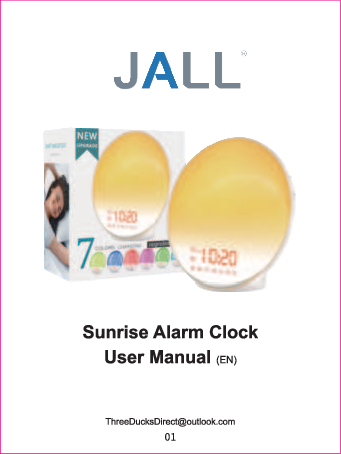
JALL Sunrise Alarm Clock User Manual
WARNING
To reduce the risk of Fire, Electric Shock, or Injury to Persons:
- This appliance is only intended for household use, including similar use in hotels.
- Place this appliance on a stable, level and non-slippery surface.
- Do not use this appliance in wet surroundings (e.g. in the bathroom or near a shower or swimming pool).
- Make sure the adapter does not get wet.
- Do not let water run into the appliance or spill water onto the appliance.
- Only use the original adapter. Do not use the other adapter if they are damaged.
- This appliance has no on/off switch to disconnect the appliance from the power source, remove the plug from the wall outlet.
- Do not use this appliance as a means to reduce your hours of sleep. The purpose of this appliance is to help you wake up more easily. It does not diminish your need for sleep.
- This appliance has a built-in back up button battery in the base to remember your settings of clock and alarm when the power goes off, but it does NOT support battery operated. AC power must be required for the clock and all functions to work. It supports AC 100-240V input.
STORAGE
- Clean the appliance with a soft cloth.
- Do not use abrasive cleaning agents, pads or cleaning solvents like alcohol, acetone, etc., as this might damage the surface of the appliance.
- If the appliance will not be used for an extended period of time, remove the power cord from the wall outlet and store the appliance in a safe, dry surroundings where it will not be crushed, banged, or subject to damage.
OVERVIEW
The JALL Sunrise Alarm Clock features a Time Display, Button battery compartment, Speaker, USB charging port (5V/2A output), Power input, and Radio antenna.
Key functions include:
- FM radio
- Setting Fall-asleep Snooze
- LED display
- Wake-up alarm clock
OPERATION GUIDE - Setting the clock time
When you plug in the appliance for the first time, you need to set the clock time.
- Hold the setting button (in the lower right corner) for 2 seconds to enter the time setting mode.
- Click +/- button (in the upper left corner) to select "Hour". For example, "6". Click the setting button to confirm it.
- Click +/- button (in the upper left corner) to select "Minute". For example, "15". Click the setting button to confirm it.
- Click +/- button (in the upper left corner) to select "12H or 24H". For example, "24H". Click the setting button to confirm it.
Note: When the 12-H time format is selected, AM or PM icon will be displayed.
OPERATION GUIDE - Setting the alarms
- Press the alarm 1 button to turn the alarm 1 on. Hold the alarm 1 button for 2 seconds to enter the alarm 1 setting mode.
- Press +/- button to adjust "Hour". For example, "6". Press the alarm 1 button to confirm it.
- Press +/- button to adjust "Minute". For example, "30". Press the alarm 1 button to confirm it.
- Press +/- button to adjust "Ringtone". You can choose between 7 pre-set sounds or FM radio as a wake-up sound. Press the alarm 1 button to confirm it.
- Press +/- button to adjust "Volume". Press the alarm 1 button to confirm it.
- Press +/- button to adjust "Brightness". Press the alarm 1 button to confirm it.
- Press +/- button to adjust "Sunrise Simulation Time". You can set it to 10 minutes. Press the alarm 1 button to confirm it.
After setting the alarm, the sunrise light will gradually increase from 10% to 100% brightness over 10 minutes. The alarm will sound at the set time. You can get an extra 9 minutes of sleep by pressing the snooze button (up to 5 times). To turn off the alarm, press the alarm 1 button.
Note: If no operations are performed within 15 minutes after the alarm goes off, the light and sound will turn off automatically.
OPERATION GUIDE - Setting the Colorful Light Mode
- Press the LED light button (in the upper left corner) to enter the manual color light mode.
- Press the +/- button to adjust the brightness of the light.
- Double click the LED light button to enter the auto color light mode, where the light color changes automatically. In this mode, the light maintains maximum brightness, and brightness cannot be adjusted.
- Press the +/- button to manually adjust different colors of lights. The current color will remain until you press the +/- button again. There are 7 colors to choose from.
- Press the LED light button again to quit the colorful light mode.
OPERATION GUIDE - Setting the FM Radio
- Hold the radio button down for 2 seconds. The clock will scan all available stations automatically and save them as P-01, P-02, P-03, and so on (up to 10 channels). The process will complete automatically.
- After scanning, the clock radio will select P-01 channel by default.
- Press the volume "+"/"-" button (near the radio button) to adjust the radio volume.
- Hold the volume "+"/"-" button for 2 seconds to select P-02, P-03, or another channel.
- Press the FM radio button again to quit the FM radio mode.
OPERATION GUIDE - Setting the Fall-asleep Mode (Simulated Sunset Mode)
- Press the fall-asleep button to enter the fall-asleep mode.
- Hold the fall-asleep button for 2 seconds to set the fall-asleep mode.
- Press the +/- button to adjust the Timer (up to 120 minutes). Then press the fall-asleep button to confirm.
- Press the +/- button to adjust the Brightness. Then press the fall-asleep button to confirm.
- Press the +/- button to adjust the sound. You can choose between 3 pre-set sounds or FM radio as a fall-asleep sound. Then press the fall-asleep button to confirm.
- Press the +/- button to adjust the volume. Then press the fall-asleep button to confirm.
- You can still press the +/- button to adjust brightness and the volume +/- button to adjust the volume.
- Press the fall-asleep button again to quit the fall-asleep mode.
Note: After setting, the light will slowly turn on from the pre-set brightness level to dark, and the light will turn off at the end of the preset time.
TROUBLE SHOOTING
This section summarizes common problems encountered with the wake-up-light. For further assistance, please contact ThreeDucksDirect@outlook.com.
Q 1: This appliance doesn't work at all.
- Perhaps the adapter is not inserted properly in the wall outlet. Plug the adapter properly in the wall outlet.
- Perhaps there is a power failure. Check if the power supply works by connecting another appliance.
Q 2: The radio products a cracking sound.
- Perhaps the broadcast signal is weak. Please fully unwind the antenna and move it around until you receive the best reception.
Q 3: Could I completely turn off the time display?
- Yes, you can adjust the brightness of the time display, or turn it off by clicking the setting button several times.
Q 4: Does this clock have a back-up battery option in the event of a power outage?
- This clock has a built-in back up button battery in the base to remember your settings of clock and alarm when the power goes off, but it does NOT support battery operated. AC power must be required for the clock and all functions to work. It supports AC 100-240V input.
Q 5: How can I turn the alarm sound off once it has gone off?
- You just need to press the corresponding alarm button. If you set "Alarm 1", press the "Alarm 1" button on the side, and it should shut off.
Q 6: Can I make it so that only the light comes on, not the alarm? (Or can I set the alarm so there is only sound, no light?)
- You can set the volume to the lowest level when you set up an alarm. This means when the alarm goes off, the sound is almost invisible, and only the light is on.
- When setting an alarm, you can select the lowest light intensity, which means when the alarm clock goes off, there is almost no light.
CUSTOMER SUPPORT
For an EXTRA 365-DAY warranty, please contact ThreeDucksDirect@outlook.com with your Amazon Order Number to register product warranty.
