
Home
›
xantrex
›
xantrex 817-2000 Freedom X 2000 12v 2000 Watt True Sine Wave Power Inverter Owner's Manual

xantrex 817-2000 Freedom X 2000 12v 2000 Watt True Sine Wave Power Inverter Owner's Manual
File info: application/pdf · 92 pages · 2.80MB
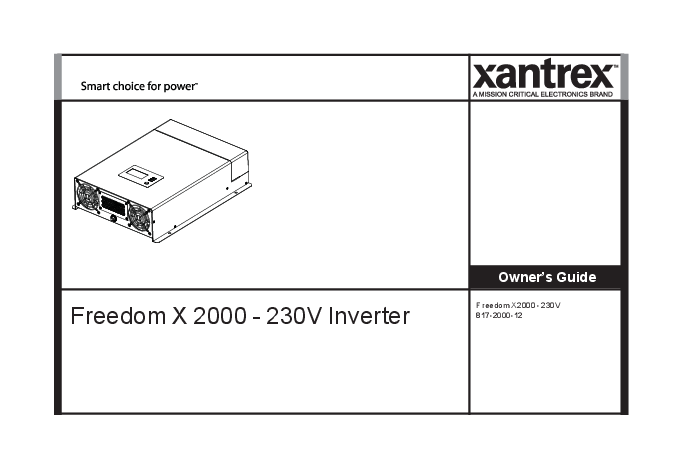
Freedom X 2000 - 230V Owner's Guide
Freedom X 2000 - 230V Owner's Guide - Xantrex
A. Amperes. Ah. Amp-hours(a unit of batterycapacity). AC. Alternating Current [V]. ACC. Accessoryin vehicle ignition system.
Full PDF Document

If the inline viewer fails, it will open the original document in compatibility mode automatically. You can also open the file directly.
Extracted Text
Freedom X 2000 - 230V Inverter

Owner's Guide
Freedom X 2000 - 230V 817-2000-12

Copyright � 2019-2020 Xantrex LLC. All Rights Reserved.

All trademarks are owned by Xantrex LLC and its affiliates. Exclusion for Documentation
UNLESS SPECIFICALLY AGREED TO IN WRITING, SELLER
(A) MAKES NO WARRANTY AS TO THE ACCURACY, SUFFICIENCY OR SUITABILITY OF ANY TECHNICAL OR OTHER INFORMATION PROVIDED IN ITS MANUALS OR OTHER DOCUMENTATION;
(B) ASSUMES NO RESPONSIBILITY OR LIABILITY FOR LOSSES, DAMAGES, COSTS OR EXPENSES, WHETHER SPECIAL, DIRECT, INDIRECT, CONSEQUENTIAL OR INCIDENTAL, WHICH MIGHT ARISE OUT OF THE USE OF SUCH INFORMATION. THE USE OF ANY SUCH INFORMATION WILL BE ENTIRELY AT THE USER'S RISK; AND
(C) REMINDS YOU THAT IF THIS MANUAL IS IN ANY LANGUAGE OTHER THAN ENGLISH, ALTHOUGH STEPS HAVE BEEN TAKEN TO MAINTAIN THE ACCURACY OF THE TRANSLATION, THE ACCURACY CANNOT BE GUARANTEED. APPROVED CONTENT IS CONTAINED WITH THE ENGLISH LANGUAGE VERSION WHICH IS POSTED AT http://www.xantrex.com/.
NOTE: Visit http://www.xantrex.com/ , click Products, select a Product category, select a Product, and search the Product Documents panel for a translation of the English guide, if available.

Document Number: 975-0822-01-01

Rev C

Date: November 2020

Product Name and Part Number Freedom X 2000 - 230V (817-2000-12)
Contact Information

Telephone: Email:
Web:

(Toll Free USA/Canada) +1 800 670 0707 / (Outside USA/Canada) +1 408 987 6030 customerservice@xantrex.com, http://www.xantrex.com/power-products-support/ http://www.xantrex.com/

ii

Freedom X 2000 - 230V Owner's Guide

Information About Your System As soon as you open your product, record the following information and be sure to keep your proof of purchase.

Serial Number

____________________________

Product Number

____________________________

Purchased From

____________________________

Purchase Date

____________________________

To view, download, or print the latest revision, visit the website shown under Contact Information.

975-0822-01-01

iii

Purpose
The purpose of this Owner's Guide is to provide explanations and procedures for installing, operating, configuring, maintaining, and troubleshooting a Freedom X 2000 - 230V Inverter for Recreational, Commercial and Fleet Vehicle, or Marine installations.
Scope
The guide provides safety and operating guidelines as well as information on installing and configuring the inverter. It also provides information about troubleshooting the unit. It does not provide details about particular brands of batteries. You need to consult individual battery manufacturers for this information.
Audience
The guide is intended for users and operators of the Freedom X 2000 - 230V Inverter.The Installation section starting on page 12 is intended for qualified personnel.
Qualified personnel have training, knowledge, and experience in:
l Installing electrical equipment. l Applying all applicable installation codes. l Analyzing and reducing the hazards involved in performing
electrical work. l Selecting and using Personal Protective Equipment (PPE).

Abbreviations and Acronyms

A Ah AC ACC AGM BTS DC Hz kW LBCO LCD LED LFP N-m PN PPE
RCBO
s V, VV, VZ W

Amperes Amp-hours (a unit of battery capacity) Alternating Current [V] Accessory in vehicle ignition system Absorbed Glass Mat (a battery type) Battery Temperature Sensor Direct Current [Z] Hertz (a unit of frequency) Kilowatts (1000 watts) Low Battery Cutout (or Cutoff) Liquid Crystal Display Light Emitting Diode LiFePO4 (lithium iron phosphate � a battery type) Newton-meters (a unit of torque) Product Number Personal Protective Equipment Residual Current Circuit Breaker with over-current protection (Type B) Seconds (a unit of time)
Voltage, Volts AC, Volts DC
Wattage, watt (a unit of power)

Related Information
You can find more information about Xantrex products and services at http://www.xantrex.com/.

iv

Freedom X 2000 - 230V Owner's Guide

IMPORTANT SAFETY INSTRUCTIONS

READ AND SAVE THIS OWNER'S GUIDE FOR FUTURE REFERENCE.
This guide contains important safety instructions for the Freedom X that must be followed during installation, operation, maintenance, and troubleshooting. Read these instructions carefully and look at the equipment to become familiar with the device before installing, operating, configuring, maintaining, and troubleshooting it. The following special messages may appear throughout this documentation or on the equipment to warn of potential hazards or to call attention to information that clarifies or simplifies a procedure.
The addition of either symbol to a "Danger" or "Warning" safety label indicates that an electrical hazard exists which will result in personal injury if the instructions are not followed.
This is the safety alert symbol. It is used to alert you to potential personal injury hazards. Obey all safety messages that follow this symbol to avoid possible injury or death.

DANGER
DANGER indicates a hazardous situation which, if not avoided, will result in death or serious injury.
WARNING
WARNING indicates a hazardous situation which, if not avoided, could result in death or serious injury.
CAUTION
CAUTION indicates a hazardous situation which, if not avoided, could result in minor or moderate injury.
NOTICE
NOTICE is used to address practices not related to physical injury.

975-0822-01-01

v

Product Safety Information
Product Safety Information
1. Before using the inverter, read all instructions and cautionary markings on the unit, the batteries, and all appropriate sections of this guide.
2. Use of accessories not recommended or sold by the manufacturer may result in a risk of fire, electric shock, or injury to persons.
3. The inverter is designed to be connected to both DC and AC electrical systems. The manufacturer recommends that all wiring be done by a certified technician or electrician to ensure adherence to the local and national electrical codes applicable in your jurisdiction.
4. To avoid a risk of fire and electric shock, make sure that existing wiring is in good condition and that wire is not undersized. Do not operate the inverter with damaged or substandard wiring.
5. Do not operate the inverter if it has been damaged in any way.
6. This unit does not have any user-serviceable parts. Do not disassemble the inverter except where noted for connecting wiring and cabling. See your warranty for instructions on obtaining service. Attempting to service the unit yourself may result in a risk of electrical shock or fire. Internal capacitors remain charged after all power is disconnected.
7. To reduce the risk of electrical shock, disconnect both AC and DC power to or from the inverter before attempting any maintenance or cleaning or working on any components connected to the inverter. Do not disconnect under load.

Turning the inverter to Standby using the Power button on the front panel will not reduce an electrical shock hazard. 8. The inverter must be provided with an equipment-earthing conductor connected to the AC input earth. 9. Do not expose this unit to rain, snow, or liquids of any type. This product is designed for dry-locations-use only. Damp environments will significantly shorten the life of this product and corrosion caused by dampness will not be covered by the product warranty. 10. To reduce the chance of short-circuits, always use insulated tools when installing or working with this equipment. 11. Remove personal metal items such as rings, bracelets, necklaces, and watches when working with electrical equipment. 12. For marine applications, this unit must be installed with a drip shield. Refer to Marine Installation on page 39 for details.
DANGER
ELECTRICAL SHOCK AND FIRE HAZARD Installation must be done by qualified personnel to ensure compliance with all applicable installation and electrical codes and regulations. Instructions for installing the Freedom X 2000 - 230V Inverter are provided here for use by qualified personnel only. Failure to follow these instructions will result in death or serious injury.

vi

Freedom X 2000 - 230V Owner's Guide

Product Safety Information

DANGER
HAZARD OF ELECTRIC SHOCK, EXPLOSION, BURN, OR ARC FLASH
n Apply appropriate personal protective equipment (PPE) and follow safe electrical work practices. See IEC / EN 60364-x-y series of standards.
n This equipment must only be installed and serviced by qualified electrical personnel.
n Never operate energized with the wiring compartment cover removed.
n Energized from multiple sources. Before removing the wiring compartment cover - identify all sources, deenergize, and wait 2 min for circuits to discharge.
n Always use a properly rated voltage sensing device to confirm all circuits are de-energized.
n Replace all devices, doors, and covers before turning on power to this equipment.
Failure to follow these instructions will result in death or serious injury.

WARNING
FIRE AND EXPLOSION HAZARD n Unit's components may produce arcs or sparks. n Do not install near batteries, in machinery space, or in an area in which ignition-protected equipment is required.
Failure to follow these instructions can result in death, serious injury, or equipment damage.
Areas include any space containing gasoline-powered machinery, fuel tanks, as well as joints, fittings, or other connections between components of the fuel system.
WARNING
ELECTRICAL SHOCK HAZARD n Replace the wiring compartment cover before turning on power to this equipment. n Use a torque screwdriver to tighten the captive nut panel screw to 0.56 N-m torque to ensure a proper earth connection and a required tool access to the wiring compartment.
Failure to follow these instructions can result in death, serious injury, or equipment damage.

975-0822-01-01

vii

Product Safety Information
CAUTION
ELECTRICAL SHOCK AND FIRE HAZARD n Do not open. No serviceable parts inside. Provided with integral protection against overloads. Bonding between conduit connections is not automatic and must be provided as part of the installation. n Read guide before installing or using. n Do not cover or obstruct ventilation openings. n Do not mount in zero-clearance compartment � overheating may result. n Do not expose to rain or spray. This inverter is designed for marine applications only when additional drip protection is installed in certain orientations. See "Approved Mounting Orientations" on page 20 for more information. n Install an RCBO (Type B) only as required by local regulations. n Do not connect AC OUT to any source of power. Damage to unit may occur. n For AC IN and AC OUT, use wires suitable for at least 75�C.
Failure to follow these instructions can result in injury or equipment damage.

NOTES: n Follow these instructions and those published by the battery manufacturer and the manufacturer of any equipment you intend to use in the vicinity of the battery. Review cautionary markings on these products and on the engine. n Freedom X 2000 - 230V Inverter products are designed for deep cycle lead-acid batteries. See warning below when connecting to lithium ion batteries. n Do not use transformerless battery chargers in conjunction with the inverter due to overheating.
CAUTION
LITHIUM ION BATTERY TYPE HAZARD Make sure to use a lithium ion battery pack that includes a certified Battery Management System (BMS) with built-in safety protocols. Follow the instructions published by the battery manufacturer. Failure to follow these instructions can result in serious injury or equipment damage.

viii

Freedom X 2000 - 230V Owner's Guide

CAUTION
PHYSICAL INJURY HAZARD This Freedom X 2000 - 230V Inverter is not intended for use by persons (including children) with reduced physical, sensory, or mental capabilities or lack of experience and knowledge, unless they have been given supervision or instruction concerning use of the appliance by a person responsible for their safety. Children should be supervised to ensure that they do not play with the appliance.
Failure to follow these instructions can result in injury or equipment damage.

Precautions When Working With Batteries
Precautions When Working With Batteries
IMPORTANT: Battery work and maintenance must be done by qualified personnel knowledgeable about batteries to ensure compliance with battery handling and maintenance safety precautions.
WARNING
BURN FROM HIGH SHORT-CIRCUIT CURRENT, FIRE AND EXPLOSION FROM VENTED GASES HAZARDS
l Always wear proper, non-absorbent gloves, complete eye protection, and clothing protection. Avoid touching your eyes and wiping your forehead while working near batteries. See note #4.
l Remove all personal metal items, like rings, bracelets, and watches when working with batteries. See notes #5 and #6 below.
l Never smoke or allow a spark or flame near the engine or batteries.
l Never charge a frozen battery. l Never charge a Lithium Ion type battery with an ambient of
0 �C or colder. Failure to follow these instructions can result in death, serious injury, or equipment damage.

975-0822-01-01

ix

Precautions When Placing the Unit
NOTES: 1. Mount and place the Freedom X 2000 - 230V Inverter unit
away from batteries in a well ventilated compartment. 2. Always have someone within range of your voice or close
enough to come to your aid when you work near a lead-acid battery. 3. Always have plenty of fresh water and soap nearby in case battery acid contacts skin, clothing, or eyes. 4. Keep battery terminals clean from corrosion. If battery acid or corrosion deposit contacts skin or clothing, wash immediately with soap and water. If battery acid or corrosion deposit enters your eye, immediately flood it with running cold water for at least 20 min and have someone within range of your voice or close enough to get medical attention immediately. 5. Use extra caution to reduce the risk of dropping a metal tool on the battery. It could spark or short circuit the battery or other electrical parts and could cause an explosion. Use tools with insulated handles only. 6. Batteries can produce a short circuit current high enough to weld a ring or metal bracelet or the like to the battery terminal, causing a severe burn. 7. When removing a battery, always remove the negative terminal from the battery first for systems with earthed negative. If it is earthed positive, remove the positive terminal first. Make sure all loads connected to the battery and all accessories are off so you don't cause an arc.

Precautions When Placing the Unit
WARNING
FIRE HAZARD n Do not install the inverter or any part of its supplied wiring in engine compartments. n For marine installation, always locate the inverter away from the battery and mounted separately in a well-ventilated compartment with adequate space.
Failure to follow these instructions can result in death, serious injury, or equipment damage.
CAUTION
BURN HAZARD Avoid touching the external surfaces - heatsink may be hot. Failure to follow these instructions can result in injury or equipment damage.

x

Freedom X 2000 - 230V Owner's Guide

NOTICE
RISK OF INVERTER DAMAGE n Never allow battery acid to drip on the inverter when reading specific gravity, or filling battery. n Never place the Freedom X unit directly above batteries; gases from a battery will corrode and damage the inverter. n Do not place a battery on top of the inverter.
Failure to follow these instructions can result in equipment damage.
Regulatory
The Freedom X inverter is evaluated to European Union (EU) standards, directives, and regulations. For more information see Regulatory approvals on page 76.
The Freedom X inverter is intended to be used for recreational, commercial, or other mobile applications. This inverter is designed for marine applications only when additional drip protection is installed in certain orientations. See the section on Marine Installation for information.

Regulatory
Emissions and Immunity
This device complies with EMC Directive standards, pursuant to IEC/EN 61000-6-3 and IEC/EN 61000-6-1. Operation is subject to the following two conditions: (1) this device may not cause interference, and (2) this device must accept any interference, including interference that may cause undesired operation of the device.
End of Life Disposal
The Freedom X 2000 - 230V Inverter is designed with environmental awareness and sustainability in mind. At the end of its useful life, the Freedom X can be decommissioned and disassembled. Components which can be recycled must be recycled and those that cannot be recycled must be disposed of according to local, regional, or national environmental regulations.
Many of the electrical components used in the Freedom X 2000 230V Inverter are made of recyclable material like steel, copper, aluminum, and other alloys. These materials can be auctioned off to traditional scrap metal recycling companies who resell reusable scraps.
Electronic equipment such as the circuit boards, connectors, and fuses can be broken down and recycled by specialized recycling companies whose goal is to avoid having these components end up in the landfill.
For more information on disposal, contact Xantrex.

975-0822-01-01

xi

This page is intentionally left blank. [2]

CONTENTS
Important Safety Instructions
Product Safety Information Precautions When Working With Batteries Precautions When Placing the Unit Regulatory Emissions and Immunity End of Life Disposal
Introduction
Materials List Key Features
Features
AC and DC Panel Display Panel Side Panel
Installation
Before You Begin the Installation Installation Codes
Installation Tools and Materials
975-0822-01-01

v

Basic Installation Procedures

13

vi

Step 1: Designing the Installation

14

ix

Step 2: Choosing a Location for the Unit

19

x

Step 3: Mounting the Unit

20

xi

Step 4: Connecting the AC Input Wires

22

xi

Step 5: Connecting AC Output to an Existing AC Circuit 26

xi
1
2
2
5
6
8

Step 6: Connecting the DC Cables Step 7: Connecting to Port(s) on the Freedom X Step 8: Testing Your Installation Marine Installation Drip Shield Installation
Operation

9
11

Freedom X Display Panel Status LED Indicators

12

Function Buttons

12

LCD Screen

12

LCD Screen Icons

29 34 36 39 40
41
42 42 43 43 44

xiii

Viewing Information During Battery Mode

45 Maintaining the Freedom X Unit

60

Adjusting Settings in Configuration Mode

47 Troubleshooting

61

Settings

48 Pre-service Checklist

62

Operating in Battery Mode

51 Warning Messages

64

Turning Inverter Operation ON and OFF

51 Troubleshooting Reference

67

Power Save Timer

52 Inverter Applications

71

Power Save Mode

52

Resistive Loads

71

Checking Battery Status

52

Motor Loads

71

Checking Output Power

52

Problem Loads

72

Operating Several Loads at Once

52 Specifications

73

Turning the Audible Alarm ON or OFF

53 Physical Specifications

74

Operating During Transition Between Grid Mode and Battery

Environmental Specifications

74

Mode

54 System Specifications

75

Transitioning from Grid Mode to Battery Mode

54 Regulatory Approvals

76

Transitioning from Battery Mode to Grid Mode

54

Operating Limits

55

Power Output

55

Input Voltage

56

Overload Conditions

57

High Surge Loads

58

Over-temperature Conditions

58

Routine Maintenance

59

xiv

Freedom X 2000 - 230V Owner's Guide

1 INTRODUCTION

The Freedom X 2000 - 230V Inverter is designed with integrated inverting functions and power management features suitable for marine, recreational, and commercial/fleet vehicle installations.
Please read this section to familiarize yourself with the main performance and protection features of the Freedom X. This section includes:

Materials List

2

Key Features

2

975-0822-01-01

1

Materials List
Materials List
The Freedom X base package includes the following items: n one Freedom X unit n one Owner's Guide and extra safety labels n one pre-installed DC earth enclosure lug (not shown) n one set of plastic bushings for large DC cables n one bonding screw (see Figure 6 on page 17)
Figure 1 What's In The Box NOTE: If any of the items are missing, contact Xantrex or any authorized Xantrex dealer for replacement. See Contact Information on page ii.

Key Features

Power for Most Appliances

The Freedom X inverter provides up to 2000 W of continuous utility grade, sine wave power derived from a battery bank. It is designed to handle loads such as microwave ovens, TVs, DVD/Blu-ray players, and power tools. In addition, the Freedom X's high-surge capability lets you handle many hard-to-start loads, including full size residential refrigerators.
The built-in transfer switch automatically transfers between inverter power and shore power from recreational facilities such as boat docks or campsites to ensure power is always available.

Back-up Capability

If incoming shore power is interrupted by external events like brownouts, the Freedom X automatically becomes an independent power source1 that supplies utility grade AC power to your loads.

1Assuming the inverter is connected to a battery source with an adequate charge at the time of the power interruption.

2

Freedom X 2000 - 230V Owner's Guide

Comprehensive Protection

The Freedom X's built-in protection features safeguard your batteries (from unnecessary drain) such as the low battery voltage alarm and shutdown and protect equipment such as a configurable AC transfer speed.
n Selectable Low Battery Shutdown: The low battery shutdown for the inverter can be manually selected by the user from 10.1 to 12.8 VZ.
n Voltage Shutdown Delay Timer: Configurable from 1 to 300 s to reduce an unnecessary shutdown of inverter operation such as during cranking or other brief but heavy discharge of battery.
n Inverter Power Save: The Freedom X can be programmed to automatically turn off after 1 to 25 h of continued operation of loads that are under 50 W. It is designed, with LBCO (low battery cut off), to prevent the battery from deep discharge.

Materials List

Configurable AC The Freedom X allows two speed settings for Transfer Speed the AC transfer from Grid Mode to Battery
Mode and vice versa which avoids nuisance resetting of appliances. The normal transfer rate is for common appliances and the faster transfer rate is designed for more sensitive digital equipment like a desktop computer.

Overload Alarm and Shutdown

During Battery Mode (also called Inverter Mode), the Freedom X automatically alerts you if the loads that are connected and drawing power from the unit are close to approaching the maximum operating limit. If so, the Freedom X automatically shuts down when the maximum operating limit is exceeded. See Troubleshooting Reference on page 67 for precautions.

Over temperature During Battery Mode, the Freedom X

Alarm and

automatically alerts you if it is overheating

Shutdown

and approaching the over-temperature

shutdown limit. The Freedom X automatically

shuts down when the limit is exceeded. See Troubleshooting Reference on page 67 for

precautions.

975-0822-01-01

3

Materials List

Ignition Control

The Freedom X provides two user-selectable options for ignition control:
n Ignition Auto-on: The Freedom X can automatically turn the inverter on and off in tandem with the vehicle's ignition circuit or a manually operated remote switch.
n Ignition Lockout: The Freedom X features the ability to inhibit the inverter from operating in the absence of a voltage signal from a vehicle's ignition circuit. This is particularly useful if the inverter is required to operate only when a vehicle's engine is running.

Configurable AC The Freedom X is factory set to 50 Hz V

Output Frequency output frequency and 230 V V output

and Voltage

voltage. It can be configured to 60 Hz for use

in regions outside the EU. The AC voltage

setting can also be configured to either of

three settings: 220, 230, or 240 VV.

4

Freedom X 2000 - 230V Owner's Guide

2 FEATURES

This section identifies the default settings and the hardware features of the Freedom X 2000 - 230V Inverter. This section includes:

AC and DC Panel

6

Display Panel

8

Side Panel

9

975-0822-01-01

5

AC and DC Panel
AC and DC Panel
12 3

4 15
5

10 9

87

6

11

12

5

13

14

Figure 2 AC and DC Panel

12 13

6

WARNING

ELECTRICAL SHOCK HAZARD
Use a torque screwdriver to tighten the captive nut panel screw to 0.56 N-m torque of force to ensure a proper earth connection and a required tool access to the wiring compartment.
Failure to follow these instructions can result in death, serious injury, or equipment damage.

Table 1 AC and DC Panel Features

Item

Description

ACC input terminal for connecting ignition control wiring. 1 Ignition Control Switch (ACC) for connecting [ON (|)] and
disconnecting [OFF (O)] the ignition signal.

2

Remote port allows you to connect an accessory remote control / display device.

3

Captive nut panel screw holds the wiring compartment cover in place. See WARNING above.

4 Ventilation grille (openings) must not be obstructed.

5

Earthing lug provides an earth path for the Freedom X chassis to the DC system earth. See WARNING.

6 DC terminal opening for routing (�) negative DC cable.

Freedom X 2000 - 230V Owner's Guide

Item

Description

7 DC terminal opening for routing (+) positive DC cable.

8 LED alert indicator for reverse DC polarity.

9 AC output terminal opening for routing AC output wiring.

10 AC input terminal opening for routing AC input wiring.

11 c Reserved for future use. AC cover.

12

Mounting flanges on both sides allow you to mount the inverter permanently on the interior deck or on a wall.

Ventilation grille (openings) must not be obstructed for the proper operation of the cooling fan and inverter. When the inverter is mounted, the ventilation grille must not point 13 up or down.
Cooling fans turn on when the internal temperature reaches a set point temperature.

14

c Reserved for future use. Supplementary protector with reset button.

AC Out Neutral-to-Earth Bond. See "AC Output Neutral 15 Bonding Option (Earth Relay Function)" on page 17 for
more information.

AC and DC Panel
WARNING
ELECTRICAL SHOCK HAZARD n Use a torque screwdriver to tighten the bolt on the DC earth lug to a torque of 2.6 N-m of force. n Apply an anti-corrosion compound to the copper wire prior to connecting to the DC earth lug.
Failure to follow these instructions can result in death, serious injury, or equipment damage.

975-0822-01-01

7

Display Panel
Display Panel

2

34

1

INPUTBATTTEMP

OUTPUTBATTLOAD

888 88 888 kW

kW

AC

VA

VA

%C

ERROR

%

Hz

Hz

BYPASS

OVERLOAD 100%

CHARGING

25%

5

Figure 3 Display Panel

Table 2 Display Panel Features

Item

Description

1

Display panel displays status information on the screen. It is comprised of a display screen, LEDs, and buttons.

2

Multi-function LCD screen shows status information and error codes.

3 Status LEDs indicate the mode of operation.

Three function buttons change status information

4

displayed on the screen. Also, changes inverter settings. See Freedom X Display Panel on page 42 for detailed

information on the panel's buttons.

5

Power [Standby] button is pressed for turning on the unit. The inverter turns on for the loads automatically.

8

Freedom X 2000 - 230V Owner's Guide

Side Panel
12

4

3

Figure 4 Side Panel

WARNING
ELECTRICAL SHOCK HAZARD n Use a torque screwdriver to tighten the captive nut panel screw to 0.56 N-m torque to ensure a proper earth connection and a required tool access to the wiring compartment. n Use a torque screwdriver to tighten the bolt on the DC earth lug to a torque of 2.6 N-m of force. n Apply an anti-corrosion compound to the copper wire prior to connecting to the DC earth lug.
Failure to follow these instructions can result in death, serious injury, or equipment damage.

Table 3 Side Panel Features

Side Panel

Item

Description

1

Captive nut panel screw holds the wiring compartment cover in place. See WARNING above.

Wiring compartment cover protects the wiring compartment from debris and keeps the cables secure. 2 Using the captive nut panel screw, the cover can be opened and lifted out during wiring. See WARNING on the left.

3

c Reserved for future use. Supplementary protector with reset button.

4

Earthing lug provides an earth path for the Freedom X chassis to the DC system earth. See WARNING.

975-0822-01-01

9

This page is intentionally left blank. [2]

3 INSTALLATION

Please read this section for safety information and installation instructions regarding your Freedom X. This section includes:

Before You Begin the Installation

12

Installation Codes

12

Installation Tools and Materials

12

Basic Installation Procedures

13

Step 1: Designing the Installation

14

Step 2: Choosing a Location for the Unit

19

Step 3: Mounting the Unit

20

Step 4: Connecting the AC Input Wires

22

Step 5: Connecting AC Output to an Existing AC Circuit 26

Step 6: Connecting the DC Cables

29

Step 7: Connecting to Port(s) on the Freedom X

34

Step 8: Testing Your Installation

36

Marine Installation

39

Drip Shield Installation

40

975-0822-01-01

11

Before You Begin the Installation
Before You Begin the Installation
Before beginning your installation: n Read this entire Installation guide so you can plan the installation from beginning to end. n Assemble all the tools and materials you require for the installation. n Review the Important Safety Instructions on page v n Be aware of all safety and electrical codes which must be met.
WARNING
ELECTRICAL SHOCK AND FIRE HAZARD n All wiring should be done by qualified personnel to ensure compliance with all applicable installation codes and regulations. n Do not connect to AC and DC power sources during installation. Disconnect from all power sources when servicing. n Disable and secure all AC and DC disconnect devices and automatic generator starting devices.
Failure to follow these instructions can result in death, serious injury, or equipment damage

Installation Codes
Governing installation codes vary depending on the specific location and application of the installation.
It is the installer's responsibility to ensure that all applicable installation requirements are met.
Installation Tools and Materials
You will need the following to install the Freedom X: n Wire stripper n Mounting (M2.5) screws or bolts n Phillips torque screwdriver n Torque wrench for DC terminals (13mm socket wrench) n AC cable (that is, two-conductor-plus-earth cable), sized appropriately for load and application n PG16 strain relief clamps (for the AC cable clamp holes) n DC cable, sized appropriately for load and application n Lugs for DC cables to fit 8mm DC stud terminals as well as appropriate tools (like a crimping tool) n AC and DC disconnects and over-current protective devices n AC bonding screw (see "AC Earthing" on page 17 for more information)

12

Freedom X 2000 - 230V Owner's Guide

Basic Installation Procedures
This section provides sample installation information as a guide for your installation. For your convenience, the overall procedure is divided into these main steps:

Step 1: Designing the Installation

14

Step 2: Choosing a Location for the Unit

19

Step 3: Mounting the Unit

20

Step 4: Connecting the AC Input Wires

22

Step 5: Connecting AC Output to an Existing AC Circuit 26

Step 6: Connecting the DC Cables

29

Step 7: Connecting to Port(s) on the Freedom X

34

Step 8: Testing Your Installation

36

NOTE: For marine applications, see additional installation instructions on page 39.

975-0822-01-01

Basic Installation Procedures 13

Basic Installation Procedures

Step 1: Designing the Installation
Most Freedom X installations share common components, and some of these are briefly described in Step 1: Designing the Installation.

Figure 5 Typical Recreational Vehicle and Fleet Vehicle Installation
2

Figure 5 shows some components and their relationship to each

other in a typical recreational vehicle or fleet vehicle installation. Also, see Marine Installation on page 39.

1
1 Equipment earth

2 Freedom X

3 DC fuse/disconnect/DC circuit breaker

3

4 12V deep cycle battery [house]

5 Battery isolator 6 Alternator 7 To engine 8 Equipment earth

4 10
5

9 Starting battery

10 AC load panel 11 AC source panel 12 Selector switch

11 12

6 7

13 Shore power

14 Generator

13

14

9 8

14

Freedom X 2000 - 230V Owner's Guide

AC Mains Power
A source of 230 VV 50Hz sine wave alternating current provides energy to pass power through to AC loads. This source is usually the utility grid (power company) or an AC generator. An automatic or manual AC mains selector switch can be used to switch between the multiple sources of shore power to the Freedom X system.
The AC mains feeding the Freedom X may have the neutral conductor floating, meaning isolated from earth potential. See AC Output Neutral Floating on page 16 for more information.
NOTE: Throughout this guide, the term "shore power" refers to AC input power from a utility grid, generator, or other AC source.
AC Disconnect and Over-Current Protection Device
Most safety requirements and electrical codes require the Freedom X's AC and DC inputs and outputs to be provided with over-current protection (such as circuit breakers or fuses) and disconnect devices.

Basic Installation Procedures

AC Input

The circuit breaker or fuse (connected through hard wiring) that is used to supply the Freedom X must be rated at no more than 30A and must be approved
for use on 230 VV branch circuits. The wire used between the breaker and the Freedom X input must be sized adequately to carry current up to the rating of the input breaker and in accordance with the electrical codes or regulations applicable to your installation.

AC Output

The circuit breaker or fuse must be rated at no more than the rating of the input breaker in the installation
and must be approved for use on 230 VV branch circuits. The wire used between the Freedom X and the AC output breaker must be of adequate size to match the AC input circuit breaker's rating. The wiring from each AC output breaker to each of the loads must be adequately sized to carry the current rating of the individual AC output breaker.

Disconnect Each system requires a method of disconnecting Devices the AC circuits. If the over-current protection
devices are circuit breakers, they will also serve as the disconnects. If fuses are used, separate AC disconnect switches will be needed ahead of the fuses. These will have to be a branch circuit rated
for 230 VV and have an appropriate current rating.

975-0822-01-01

15

Basic Installation Procedures
AC Distribution Panels
Most systems incorporate distribution centers both ahead of the Freedom X (the AC mains panel) and between the Freedom X and the loads (the AC load panel). An AC mains panel includes a main circuit breaker, which serves as over-current protection and as a disconnect for the AC mains power supply line. Additional circuit breakers serve individual circuits, one of which serves the Freedom X. The AC load panel can incorporate an AC output circuit breaker and breakers for individual load circuits.
AC Cabling
AC cabling includes all the wires and connectors between the AC mains and the Freedom X, as well as all AC cabling between the Freedom X and the AC output panels, circuit breakers, and loads. The type and size of the wiring varies with the installation and load. For example, in high vibration environments, such as marine or RV applications, wire nuts may not be acceptable, so crimp splices would be required. In other applications, flexible multiplestrand wire may be required. Installation codes usually specify solid or stranded, overall size of the conductors, and type and temperature rating of the insulation around the wire.
AC breakers and fuses must be sized to adequately protect the wiring that is installed on the input and output AC circuits of the Freedom X. All breakers and wiring must be sized and connected in accordance with the electrical codes or regulations applicable to your installation. Table 4 gives some examples of wiring sizes. These examples are based on using a two-conductor-plus-earth

copper cable rated at 60 �C, and assuming an ambient temperature of up to 30 �C. Ensure that your breakers and fuses have suitable temperature ratings for your wiring. Other codes and regulations may also be applicable to your installation.
Table 4 Required AC Wire Size vs Breaker Rating

Breaker Size (A) 10A

15A

20A

30A

Minimum Wire Size (mm2)

2.5mm2

2.5mm2

4mm2

6mm2

AC Output Neutral Floating
By default, the neutral conductor of the Freedom X's AC output circuit (that is, AC Output Neutral) is left floating, meaning isolated from earth potential. When AC utility power is present this connection is not present, so that the utility neutral (that is, AC Input Neutral) is only connected to utility earth at your source. Check the regulations for your specific application to ensure that the installation will comply with the necessary requirements.

16

Freedom X 2000 - 230V Owner's Guide

AC Output Neutral Bonding Option (Earth Relay Function)
The earth relay function allows you to connect the neutral conductor (N) of the inverter output circuit to the safety earth (G / PE) automatically when the inverter is working in battery mode. Refer to local code and standards for more details.
In order to enable the earth relay function, you must install the bonding screw. Check the regulations for your specific application to ensure that the installation will comply with the necessary requirements.
To install the bonding screw: Figure 6 Bonding screw installation

1

2

3

4

1. Look for the bonding screw provided inside the bag with the Owner's Guide.
2. On the left side panel of the unit near the AC and DC terminal openings, remove the round sticker covering the AC Out Neutral-to-Earth Bond hole.

Basic Installation Procedures
3. Using a Phillips torque screwdriver, attach the bonding screw to the AC Out Neutral-to-Earth Bond hole.
4. Tighten the bonding screw to 0.85 N-m maximum torque.
AC Earthing
As per IEC/EN 62477-1, for all permanently connected equipment: The Freedom X should be connected to an earthed, metal, permanent wiring system. Also, make sure that an AC earth wire is connected to the AC earth terminal on the unit. Do not just connect the line and neutral wires.
All connections to the unit shall comply with all regulations, directives, local codes and ordinances.
Residual-Current Circuit Breaker (RCBO)
An RCBO (Type B) is a device that de-energizes a circuit (disconnects both Line and Neutral conductors) when a current (AC or DC) to earth exceeds a specified value that is less than that required to blow the circuit breaker. An RCBO (Type B) is intended to protect people from electric shocks and are usually required in wet or damp locations.
Installations in marine and recreational vehicles require RCBO protection of branch circuits connected to the AC output of the Freedom X. The RCBO installation shall comply with all regulations, directives, local codes and ordinances. EU local requirements may differ and will take precedence.

975-0822-01-01

17

Basic Installation Procedures
DC Cabling
This includes all the cables and connectors between the batteries, the DC disconnect and over-current protection device, and the Freedom X. Mobile installations require multi-strand insulated cables for flexibility and durability in high vibration environments and require disconnects and over-current devices. Wire size is usually marked on the larger sized cables. Table 5 specifies the minimum recommended DC cable size and maximum fuse size for the Freedom X. The DC cables must be stranded, copper, and must be rated 105 �C minimum. The cables should be terminated with lugs that fit the DC stud terminals snugly (8mm hole size) and properly torqued according to manufacturerspecified torque setting.
Table 5 Required Cable Sizes

Inverter

Cable Length: Battery to Inverter
(one way)

Minimum Cable Size (mm2)

Maximum battery
Fuse Size

Freedom X

Less than 1.5 meters

70mm2

250 AZ

NOTE:It is not recommended using a cable longer than 1.5 meter) in each direction.

IMPORTANT: Using the correct cable size is critical to achieving the rated performance of the Freedom X unit. When starting a heavy load the Freedom X can draw current surges from the battery of up to 250A. If the DC wiring is too small the voltage drop from this surge will result in a voltage at the Freedom X terminals that is too low for the Freedom X to operate correctly. The Freedom X may appear to operate correctly with smaller cables until a heavy load such as a microwave or refrigerator attempts to start - then the unit may work correctly sometimes and not work correctly other times.
DC Disconnects and Over-Current Devices
The DC circuit from the battery to the Freedom X must be equipped with a disconnect and over-current device. This usually consists of a circuit breaker, a "fused-disconnect", or a separate fuse and DC disconnect. Do not confuse AC circuit breakers with DC circuit breakers. They are not interchangeable. The rating of the fuse or breaker must be matched to the size of cables used in accordance with the applicable installation codes. The breaker or disconnect and fuse should be located as close as possible to the battery, in the positive cable. Applicable codes may limit how far the protection can be from the battery.
Batteries
The Freedom X uses 12 VZ battery banks. Every Freedom X system is recommended to have a deep-cycle battery (house) or group of batteries with a total capacity of 100 Ah or more which provides the DC current that the Freedom X converts to AC.

18

Freedom X 2000 - 230V Owner's Guide

Step 2: Choosing a Location for the Unit
WARNING
FIRE AND EXPLOSION HAZARDS l Do not install the Freedom X in compartments containing batteries or flammable materials, or in locations that require ignition-protected equipment. This includes any space containing gasoline-powered machinery, fuel tanks, or joints, fittings, or other connections between components of the fuel system. This equipment contains components that tend to produce arcs or sparks. l Do not install on or over combustible surfaces. l Do not cover or obstruct the ventilation openings. l Do not install the Freedom X in a zero-clearance compartment. Overheating may result.
Failure to follow these instructions can result in death, serious injury, or equipment damage.
The Freedom X should only be installed in locations that meet the following requirements:
n Dry. Do not allow water or other fluids to drip or splash on the Freedom X. Do not mount the Freedom X in an area subject to splashing water or bilge water.

Basic Installation Procedures
n Cool. Normal air temperature should be between -20 �C and 40 �C--the cooler the better, for increased efficiency and product life extension.
n Ventilated. Allow at least 12 cm of clearance at the wiring access (AC and DC) end of the Freedom X allowing air intake flow through the fans. Provide similar clearance at the opposite end where the air vent is located. The more clearance for ventilation around the unit, the better the performance. Do not allow the ventilation openings to become obstructed.
n Safe. Do not install the Freedom X in the same compartment as batteries or in any compartment capable of storing flammable liquids like gasoline.
n Close to the battery compartment and the AC mains and load panels. Avoid excessive cable lengths (which reduce input and output power due to wire resistance). Use the recommended cable lengths and sizes, especially between the battery banks and the Freedom X.
n Protected from battery acid and gases. Never allow battery acid to drip on the Freedom X or its wiring when reading specific gravity or filling the battery. Also do not mount the unit where it will be exposed to gases produced by the batteries. These gases are very corrosive, and prolonged exposure will damage the Freedom X.

975-0822-01-01

19

Basic Installation Procedures
Step 3: Mounting the Unit
To mount the Freedom X: 1. Remove the Freedom X from its shipping container, verify
that all components are present, and record relevant product information on "Information About Your System" in the Owner's Guide. 2. Select an appropriate mounting location and orientation (see Figure 7 ). To meet regulatory requirements, for use in onland applications, the Freedom X must be mounted in one of the following orientations: a. Under a horizontal surface (see A) b. In a horizontal position on a vertical surface (see B)
NOTE: For marine installations, only this orientation is allowed, due to the probability of moisture finding access into the enclosure. c. On a horizontal surface (see C)

Figure 7 Approved Mounting Orientations
A B
C

3. Mark the desired number of mounting holes on the wall by placing the unit on the wall.
4. Pilot-drill the mounting holes. 5. Fasten the Freedom X to the mounting surface. If you are
mounting the unit on a wall or bulkhead, use #12 (5.5mm) or #14 (6.5mm) pan-head wood or sheet metal screws to secure it to the framing behind the wall or bulkhead. Alternatively, use nut inserts and the equivalent of M6 machine screws.

20

Freedom X 2000 - 230V Owner's Guide

Connecting the Equipment Earth
WARNING
ELECTRIC SHOCK HAZARD Never operate the Freedom X without properly connecting the equipment earth. A shock and energy hazard could result from improper earthing. Failure to follow these instructions can result in death, serious injury, or equipment damage. The Freedom X has an earth lug on the side of the unit as shown in Connecting the Equipment Earth. Follow the guidelines in Earthing Locations on page 21 to connect the inverter's chassis to earth. Figure 8 DC Panel Connections
1

Basic Installation Procedures
Earthing Locations
You must connect the equipment earth lug to an earthing point-- usually the vehicle's chassis or DC negative bus earth--using recommended copper wire (if insulated then green insulation with or without one or more yellow stripes) or larger.
Make sure to tighten the bolt on the DC earth lug to a torque of 2.6 N-m of force. Apply an anti-corrosion compound to the copper wire prior to connecting to the DC earth lug.
For recommended equipment earth cable size, see below.
Table 6 Equipment DC earth cable size

Application

Minimum equipment cable size (Stranded copper cable is required)

Recreational Vehicle
Marine

10mm2 55mm2

NOTE: There are no restrictions on length for the equipment earth cable but try to make it as short as practical to a secure chassis connection. In general, the equipment earth cable size must not be smaller than one size than the supply cable.

1 DC earthing lug

975-0822-01-01

21

Basic Installation Procedures
Step 4: Connecting the AC Input Wires
WARNING
ELECTRIC SHOCK AND FIRE HAZARDS Make sure wiring is disconnected from all electrical sources before handling. All wiring must be done in accordance with local and national electrical wiring codes. Do not connect the output terminals of the Freedom X to any incoming AC source. Failure to follow these instructions can result in death, serious injury, or equipment damage.
General AC Wiring Considerations
The AC input terminal is located inside the unit through the front panel's PG16 trade-size (approximately 13mm) and is labeled properly as AC IN or AC INPUT. The unit comes with spring clamp-type terminals where individual wires can be attached securely.

AC Wiring Connectors
Where applicable, connect AC wires with crimp-on splice connectors. The amount of insulation you strip off individual wires will be specified by the connector manufacturer and is different for different types of connectors.
AC and DC Wiring Separation
Do not mix AC and DC wiring in the same conduit or panel. Where DC and AC wires must cross, make sure they do so at 90� to one another. Consult applicable codes for details about DC and AC wiring in close proximity to each other.
AC Wiring and RCBOs
AC wiring includes all the wires and connectors between the AC mains and the Freedom X and all wiring between the inverter, the AC panels, RCBO (Type B), and circuit breakers. The type and size of the wiring varies with the installation and load. For some RV applications, flexible multiple-strand copper wire is required.

NOTICE
EQUIPMENT DAMAGE Make sure the wires are connected properly. The AC wiring terminal blocks are split into input and output sections.
Failure to follow these instructions can result in equipment damage.

22

Freedom X 2000 - 230V Owner's Guide

AC wiring must be sized appropriately using conductors with insulation rated at least 75 �C to carry full load current on the input and output AC circuits in accordance with the electrical codes or regulations applicable to your installation. Table 7 shows a twoconductor-plus-earth cable, using 75 �C wiring, at an ambient temperature of 30 �C. Other codes and regulations may be applicable to your installation.
Table 7 Required AC wire size vs. required breaker rating

Required Breaker Size (A)

Required Wire Size (mm2)

Freedom X 30 A maximum

6mm2

When making the AC input and AC output connections, observe the correct color code for the appropriate AC wire, as described inTable 8 below.
Table 8 Color codes for typical AC wiring

Color

AC Wire

Black/Red/Brown

Line

White/light blue

Neutral

Green, green/yellow, or bare copper

Earth

Basic Installation Procedures
NOTICE
REVERSE POLARITY DAMAGE Make sure the wires are connected properly. Improper connections (connecting a line conductor to a neutral conductor, for example) will cause the Freedom X to malfunction and may permanently damage the inverter. Damage caused by a reverse polarity connection is not covered by your warranty.
Failure to follow these instructions can result in equipment damage.
Wiring Knockouts
When installing wires to the AC terminals, the AC input and output holes are provided to accommodate PG16 (approximately 13mm) strain relief clamps.
AC Input Connections
To make a permanent connection to existing AC wiring: 1. Ensure AC and DC power sources are turned off. 2. Install the required circuit breaker in the AC distribution
panel supplying AC power to the unit. 3. Remove the wiring compartment cover by loosening the
captive nut panel screw and lifting the cover up and out.

975-0822-01-01

23

Basic Installation Procedures
WARNING
ELECTRIC SHOCK HAZARD Use a screwdriver to loosen the captive nut panel screw. Failure to follow these instructions can result in death, serious injury, or equipment damage. Figure 9 Loosening the captive nut panel screw
1

Figure 10 Routing the AC input wires

NG L

1
NG L

3
NG L

2

1 Captive nut panel screw
4. Strip a single AC input wire, as appropriate. Strip 10 mm off the ends of each of the three the wires (tin the exposed copper wire with lead-free solder using a soldering iron).
5. Remove the knockout and install 13mm strain relief clamp. 6. Route the wires through the strain relief clamp (not shown in
the figure).

4
5
1 step 8a 2 step 8b 3 step 8c 4 15mm 5 to circuit breaker
NOTE: AC input hole - install a strain relief clamp (not shown).
7. Locate the Neutral, Earth and Line terminals on the AC input terminal labeled as N, G, and L respectively.

24

Freedom X 2000 - 230V Owner's Guide

8. Connect each AC wire into its corresponding terminal on the no-tool cage clamp terminal block. a. Lift the terminal lever (as shown in the previous figure). b. Insert the wire fully into the open slot. c. Lower the terminal lever to secure the wire in the slot.
9. Make sure that each AC wire is matched and connected to the Neutral (N), Earth (G), and Line (L) connections.
NG L

Basic Installation Procedures
WARNING
ELECTRICAL SHOCK HAZARD Use a torque screwdriver to tighten the captive nut panel screw to 0.56 N-m torque of force to ensure a proper earth connection and a required tool access to the wiring compartment. Failure to follow these instructions can result in death, serious injury, or equipment damage.
12. Connect the other end of the wires to the circuit breaker in the AC distribution panel supplying AC power to the unit.

10. Tighten the strain relief clamp to secure the wires. 11. Replace the wiring compartment cover onto the unit (using a
#2 Phillips torque screwdriver - see WARNING), if you are not connecting other wires such as for the AC Output. Otherwise, keep the AC compartment open and proceed to the next step.

975-0822-01-01

25

Basic Installation Procedures
Step 5: Connecting AC Output to an Existing AC Circuit
WARNING
ELECTRIC SHOCK AND FIRE HAZARDS
n Make sure wiring is disconnected from all electrical sources before handling. All wiring must be done in accordance with local and national electrical wiring codes.
n A manufacturer-tested and approved RCBO (Type B) must be connected to the Freedom X AC output and RCBO protection must be provided on every branch circuit feeding a receptacle connected to the AC hard wired installation, if local regulations require it.
Failure to follow these instructions can result in death, serious injury, or equipment damage.

NOTICE
EQUIPMENT DAMAGE n Do not connect any AC source (such as a generator or utility power) to the AC output wiring of the Freedom X. n The Freedom X will not operate if its output is connected to AC voltage from a source, and potentially hazardous or damaging conditions may occur. These conditions can occur even if the inverter is off.
Failure to follow these instructions can result in equipment damage.
Do not connect the Freedom X to an AC branch circuit that has high-power consumption loads that exceed its output wattage rating. The Freedom X will not operate electric heaters, air conditioners, stoves, and other electrical appliances that consume more than its rated output wattage.

26

Freedom X 2000 - 230V Owner's Guide

AC Output Connections
Figure 11 Routing and connecting the AC output wires

1
NG L

3
NG L

NG L
2
4 5
1 step 7a 2 step 7b 3 step 7c 4 15mm 5 to circuit breaker
NOTE: AC Output hole - install a bushing (supplied) or a strain-relief device.
To make a permanent connection to existing AC wiring: 1. Ensure AC and DC power sources are turned off, if not
already done from AC Output Connections on page 27. 2. Install the required circuit breaker in the inverter distribution
panel receiving AC power from the inverter.

Basic Installation Procedures 3. Remove the wiring compartment cover, if not already done
from AC Output Connections on page 27.
WARNING
ELECTRIC SHOCK HAZARD Use a screwdriver to loosen the captive nut panel screw. Failure to follow these instructions can result in death, serious injury, or equipment damage.
4. Strip a single AC output wire, as appropriate. Strip 10 mm off the ends of each of the three the wires (tin the exposed copper wire with lead-free solder using a soldering iron).
5. Remove the knockout and install 13mm strain relief clamp. 6. Route the wires through the strain relief clamp (not shown in
the figure 7. Connect each AC wire into its corresponding terminal on the
no-tool cage clamp terminal block. a. Lift the terminal lever (as shown on the figure). b. Insert the wire fully into the open slot. c. Lower the terminal lever to secure the wire in the slot. 8. Make sure that each AC wire is matched and connected to

975-0822-01-01

27

Basic Installation Procedures the Neutral (N), Earth (G), and Line (L) connections.
NG L
9. Tighten the strain relief clamp to secure the wires. 10. Replace the wiring compartment cover (using a #2 Phillips
torque screwdriver - see WARNING), if you are finished with connecting all the AC wires in the unit.
WARNING
ELECTRICAL SHOCK HAZARD Use a torque screwdriver to tighten the captive nut panel screw to 0.56 N-m torque of force to ensure a proper earth connection and a required tool access to the wiring compartment. Failure to follow these instructions can result in death, serious injury, or equipment damage. 11. Connect the other end of the wires to a circuit breaker in AC
distribution panel providing AC power to the loads.
28

Freedom X 2000 - 230V Owner's Guide

Step 6: Connecting the DC Cables
NOTICE
REVERSE POLARITY n Check cable polarity at both the battery and the Freedom X before making the final DC connection. Positive must be connected to positive; negative must be connected to negative. n Reversing the positive and negative battery cables will blow a fuse in the Freedom X and void your warranty.
Failure to follow these instructions can result in equipment damage.

Basic Installation Procedures
Follow the procedure given below to connect the battery leads to the terminals on the DC end. The cables should be as short as possible and large enough to handle the required current, in accordance with the electrical codes or regulations applicable to your installation. Table 5 specifies the minimum DC cable size and maximum fuse size for the Freedom X.
If at all possible, minimize routing your DC cables through an electrical distribution panel, battery isolator, or other device that will cause additional voltage drops which can degrade the inverter's ability to operate the loads.

WARNING
FIRE HAZARD Use only stranded, copper wire rated minimum 105 �C. Make sure all DC connections are tight to a torque of 8�9 Nm of force. Loose connections will overheat.
Failure to follow these instructions can result in death, serious injury, or equipment damage.

975-0822-01-01

29

Basic Installation Procedures To make the DC connections: 1. Make sure the inverter is off and no AC or DC is connected
to the unit. 2. Remove the wiring compartment cover by loosening the
captive nut panel screw.
WARNING
ELECTRIC SHOCK HAZARD Use a screwdriver to loosen the captive nut panel screw. Failure to follow these instructions can result in death, serious injury, or equipment damage.
3. Loosen the DC terminal nuts from the terminal bolts and set them aside for later.
4. Strip 13 to 19 mm insulation from one end of each cable. The amount stripped off will depend on the terminals chosen.
5. Attach the connectors that will secure the cables to the battery, to the disconnect/battery selector switch, and the fuse block. The connectors you use must create a permanent, low-resistance connection. It is recommended to use approved and certified cable ring lugs. Use the tool recommended by the terminal manufacturer. Make sure no stray wires protrude from the lug or terminal. NOTE: You may find it more convenient to have the cable lugs attached by the company that sells you the cable and/or connectors.

6. Strip 13 to 19 mm of insulation from each cable end that will be connected to the inverter. The amount stripped off will depend on the terminals chosen.
7. Attach the cable ring lug that will join the cable to the inverter DC terminal. Cover the lug stem with heat shrink insulation (see Step 6: Connecting the DC Cables) to ensure that the lug does not touch the enclosure.
8. Install a fuse and fuse holder in the cable that will be used for the positive side of the DC circuit. The fuse must: a. be as close to the battery positive terminal as possible b. be rated for DC circuits c. have an Ampere Interrupting Capacity (AIC) that exceeds the short-circuit current available from the battery (that is, Class T fuse)
9. To prevent sparking when making the connection, ensure the disconnect/battery selector switch is off.
10. Route the positive cable through the left side strain relief clamp and attach the cable lug on the positive cable to the positive DC terminal on the inverter.
11. Fasten the DC terminal nut (set aside earlier) to the terminal bolt. Tighten the nut to a torque of 8�9 N-m of force. Do not overtighten. Make the connection snug enough so the cable lug does not move around on the DC terminal. Center it through the DC knockout hole and do not let it touch the edge. See Step 6: Connecting the DC Cables on page 29.

30

Freedom X 2000 - 230V Owner's Guide

WARNING
ELECTRICAL SHOCK HAZARD n Tighten the nuts on the DC terminals properly. Loose connections cause excessive voltage drop and may cause overheated wires and melted insulation. n Do not over-tighten the nut on the DC input terminals because damage to the DC input terminals may result. Use a torque screwdriver to tighten the nut to a maximum torque of 9 N-m of force.
Failure to follow these instructions can result in death, serious injury, or equipment damage.
NOTICE
REVERSE POLARITY n Check cable polarity at both the battery and the Freedom X before making the final DC connection. Positive must be connected to positive; negative must be connected to negative. n Reversing the positive and negative battery cables will blow a fuse in the Freedom X and void your warranty.
Failure to follow these instructions can result in equipment damage.

Figure 12 DC Cable Connections
1 2 3 4 5

Basic Installation Procedures
6
7

1 DC terminal bolt nut 2 lock washer 3 flat washer 4 cable ring lug 5 DC terminal 6 DC knockout hole 7 DC cable with heat shrink insulation covering the lug stem NOTE: The DC cable lug stem must be fully insulated with the heat shrink.
12. Before proceeding, double check that the cable you have just installed connects the positive DC terminal of the inverter to the disconnect/battery selector switch, fuse holder, and that the other end of the fuse holder is connected to the positive terminal of the battery.

975-0822-01-01

31

Basic Installation Procedures
WARNING
FIRE HAZARD Do not complete the next step if flammable fumes are present. Explosion or fire may result if the disconnect/battery selector switch is not in the off position. Thoroughly ventilate the battery compartment before making this connection. Failure to follow these instructions can result in death, serious injury, or equipment damage.
13. Route the negative cable through the right side strain relief clamp and connect the cable from the negative post of the battery to the negative DC terminal of the inverter.
14. Fasten the DC terminal nut (set aside earlier) to the terminal bolt. Tighten the nut to a torque of 8�9 N-m of force. Do not overtighten. Make the connection snug enough so the cable lug does not move around on the DC terminal. Center it through the DC knockout hole and do not let it touch the edge.

15. Replace the wiring compartment cover by tightening the captive nut panel screw. See the following electrical shock hazard warning.
WARNING
ELECTRICAL SHOCK HAZARD Use a torque screwdriver to tighten the captive nut panel screw to 0.56 N-m torque of force to ensure a proper earth connection and a required tool access to the wiring compartment. Failure to follow these instructions can result in death, serious injury, or equipment damage.

32

Freedom X 2000 - 230V Owner's Guide

DC Earthing
To connect the DC earth:
1. The equipment earthing lug (DC earth lug) on the DC end of the Freedom X is used to connect the chassis of the Freedom X to your system's DC negative connection or earthing bus point as required by electrical regulations.
2. Use copper wire that is either bare or provided with green insulation. Do not use the DC earth lug for your AC earthing. See the AC wiring instructions in this section.
3. Follow the guidelines below that correspond to the specific type of installation. These guidelines assume you are using the DC supply cable and fuse sizes recommended in this guide. If you are using different sizes, refer to the applicable installation code for DC earthing details.
4. See Figure 1 for the location of the DC earth lug. Make sure to tighten the bolt on the DC earth lug to a torque of 2.6 N-m of force. Apply an anti-corrosion compound to the copper wire prior to connecting to the DC earth lug.
Recreational Vehicle
Use minimum-sized, stranded copper wire and connect it between the Chassis Earth lug and the vehicle's DC earthing point (usually the vehicle chassis or a dedicated DC earth bus). See regulatory references below.
Marine
Use stranded, copper wire that is bare or has insulation rated minimum 105 �C, and connect it between the Chassis Earth lug and the boat's DC earthing bus or engine negative bus. Use a wire of gauge 53.5mm2 minimum. See regulatory references below.

Regulatory references

975-0822-01-01

Basic Installation Procedures
For DC voltage systems under 50 VZ in an RV installation, an 8.36mm2 copper bonding conductor would be acceptable for the inverter enclosure earth bonding only. The "house" battery system must, however, be earth bonded. And for DC voltage systems under 50 VZ in a marine installation, a DC Earthing conductor shall not be smaller than one size under that required for current carrying conductors supplying the device .
33

Basic Installation Procedures
Step 7: Connecting to Port(s) on the Freedom X

Figure 13 Ignition signal (ACC) input terminal

Connecting to ACC Signal
With the ACC, the Freedom X can be wired to inhibit inverter
operation in the absence of a vehicle's (or vessel's) +12VZ ignition control signal. This feature can avoid unnecessary battery drain that would otherwise occur if the inverter was operated without a charging source such as the vehicle alternator. 1. Ensure that AC and DC power are both OFF. 2. Ensure the vehicle's ignition is turned to OFF position. It is
highly recommended to remove battery power by disconnecting the vehicle's battery cables. Refer to the vehicle's user manual for proper instructions on how to disconnect the battery cables. 3. Locate the vehicle's ignition control wire from the vehicle's ignition circuit. This wire must be fused appropriately at no more than 5 A. Refer to the vehicle's user manual for guidance. 4. Locate the ACC input (ignition signal input) terminal on the right side of the connector. The left terminal is not used at this time. See Figure 13

5. Using a 3mm slot long neck screwdriver, push into the rectangular slot to release the spring clamp.
6. Insert the ignition control wire into the round ACC input terminal slot.
7. Pull the screwdriver out to engage the spring clamp and secure the wire to the terminal.

34

Freedom X 2000 - 230V Owner's Guide

Description of Ignition Control Features For information about the features and instructions on changing the ignition control features, see Operation on page 41.

Table 9 Ignition Control Features

This setting allows the inverter to operate
(Battery mode) automatically when an Ignition Auto- ignition control wire is connected to the
on (ATO) ACC input and a valid ignition signal is constantly detected. The inverter works in
tandem with the vehicle's ignition circuit.

This setting allows the inverter to operate (Battery mode) when an ignition control wire is connected to the ACC input Ignition Lock- terminal and a valid ignition signal is out (LOt) constantly detected. When enabled, you have to manually press the Power button on the display panel to operate the inverter.

Off (OFF)

To completely disable the ignition control features do the following: Set Ignition Control to Off (OFF) using the Select buttons on the Display panel.

Basic Installation Procedures
Connecting to the Remote Port
The Freedom X can accommodate the Freedom X Remote Panel with cable (PN: 808-0817-01) (sold separately; comes with 7.6mcable) or the Freedom X Remote Panel unit (PN: 808-0817) (sold separately; unit only without cable).
To connect the remote panel to the remote port:
n Plug the remote panel unit's cable connector to the RJ12 Remote port on the unit.
NOTE: When the remote panel is connected, turn the inverter's Power button to to Standby (up position). This allows the remote panel to control the inverter's power status.

975-0822-01-01

35

Basic Installation Procedures
Step 8: Testing Your Installation
WARNING
ELECTRIC SHOCK HAZARD Pressing the Power button to turn the Freedom X inverter to Standby on the display panel does not disconnect DC or AC input power to the Freedom X. If shore power is present at AC input terminals, it will pass through to the AC output.
Failure to follow these instructions can result in death, serious injury, or equipment damage.
There are two tests to be performed. The first test verifies that the Freedom X is inverting DC battery power and delivering AC power to its output. The second test is intended for installations where AC input and output is hard wired to the Freedom X. This test verifies that the Freedom X transfers from inverter power to shore power when shore power is present. NOTE: Shore power (pass-through) refers to the AC input power from a utility grid, generator or external AC source. When you are ready to test your installation and operate the Freedom X, close the DC fuse and Disconnect or the DC circuit breaker to supply DC power to the Freedom X.

Testing in Battery Mode
To test the Freedom X:
1. For hard wired installations, ensure shore power is not present.
2. Press the Power button to turn the inverter on. The green status indicator LED for Battery mode (Inverter mode) is illuminated. See Status LED Indicators on page 42.
3. Plug a test load, such as a lamp within the power rating of the inverter into an AC outlet hard wired to the Freedom X.
4. Turn the lamp on to verify that it operates.
If the lamp operates, your installation is successful. If your installation has AC input and output hard wired to the Freedom X, proceed to Testing in Grid Mode.
If the status LED on the display panel glows red, see the Troubleshooting chapter.

36

Freedom X 2000 - 230V Owner's Guide

Testing in Grid Mode
To test the Freedom X:
n With the test load from the previous test still connected and operating, connect the shore power source.
n The Freedom X transfers the test load to shore power. The green LED indicating grid mode turns on and the LCD screen displays the AC MODE icon.
n If the test load operates, your installation is successful. NOTE: If the Power button on the Freedom X is turned ON, the Freedom X will automatically supply the appliances with inverter power if the shore power source fails or becomes disconnected. If the Power button on the Freedom X is turned ON and shore power voltage is too low (less than 90 VV), the unit will transfer to inverter power to continue running your appliances. NOTE: Whether or not the Power button is turned ON, shore power will pass through the Freedom X to the output when shore power is within normal operating range. NOTE: In the event of low or no battery voltage, shore power will pass through the Freedom X to the output even when shore power is outside the normal operating range.
975-0822-01-01

Basic Installation Procedures 37

This page is intentionally left blank. [2]

Marine Installation
Figure 14 illustrates a typical marine installation with the following components:

1

Equipment earth � Engine negative bus / DC earth bus

2

Freedom X

3

DC fuse/disconnect/DC circuit breaker

4

12V deep cycle battery bank (house) and protected by a DC fuse in the positive cable

5

Battery isolator

6

DC alternator

7

To engine

8

Equipment earth � Engine negative bus / DC earth bus

9

Starting battery

10

AC load panel with branch circuit breakers (with downstream Type B RCBOs) that supply only loads that run off the Freedom X

11

AC source panel that includes a max 30A (or a 15A if using a GFCI) circuit breaker that supplies the Freedom X

12

Shore power � AC power supplied from a shore power connector

Not shown

Drip shield (see next page)

Figure 14 Typical Marine Installation

3
4 10
5

11

6

Marine Installation
2 1
7

12

8

9

975-0822-01-01

39

Marine Installation
Drip Shield Installation
The drip shields help to protect the unit from dripping or splashing liquids, which will cause a shock hazard when moisture comes in contact with electrical circuits in the unit. The drip shields are especially useful in marine installations where water from condensation, rain, or sea may come into contact with the Freedom X.
WARNING
ELECTRICAL SHOCK HAZARD Place this unit in normally dry areas only. Operating the unit under wet conditions may expose you to a shock hazard. Installing drip shields may not entirely protect you from this hazard. Do not operate the unit when it is wet. Failure to follow these instructions can result in death, serious injury, or equipment damage.
You may purchase the drip shield set by contacting customer support. When ordering, mention part number 808-1050.

Figure 15 Drip shields

To install the drip shields:
1. Gather the four screws needed to fasten a single drip shield to a wall.
2. Locate an appropriate setting for the drip shields above the Freedom X making sure you cover the entire width of the unit. You can overlay the shields as shown in Figure 16 .
3. Fasten the screws through the holes in the drip shield into the wall. See Figure 15 .

Figure 16 Typical Drip Shield Placement on a Freedom X

40

Freedom X 2000 - 230V Owner's Guide

4 OPERATION

This section includes descriptions of the different modes and settings of the Freedom X 2000 - 230V Inverter. This section includes:

Turning the Audible Alarm ON or OFF

53

Operating During Transition Between Grid Mode and

Battery Mode

54

Freedom X Display Panel Status LED Indicators Function Buttons LCD Screen LCD Screen Icons

42

Transitioning from Grid Mode to Battery Mode

54

42

Transitioning from Battery Mode to Grid Mode

54

43 Operating Limits

55

43

Power Output

55

44

Input Voltage

56

Viewing Information During Battery Mode

45

Overload Conditions

57

Adjusting Settings in Configuration Mode

47

High Surge Loads

58

Settings

48

Over-temperature Conditions

58

Operating in Battery Mode

51

Turning Inverter Operation ON and OFF

51

Power Save Timer

52

Power Save Mode

52

Checking Battery Status

52

Checking Output Power

52

Operating Several Loads at Once

52

975-0822-01-01

41

Freedom X Display Panel
Freedom X Display Panel
Figure 17 Display Panel
2

3

INPUTBATTTEMP

OUTPUTBATTLOAD

   kW

kW

AC

VA

VA

%C

ERROR

%

4

Hz

Hz

BYPASS

OVERLOAD

5

100%

1 25%

CHARGING

6

1 LCD screen 2 Status LED indicators

3

see "Function Buttons" on the facing page

4

see "Function Buttons" on the facing page

5

see "Function Buttons" on the facing page

6

see "Function Buttons" on the facing page

NOTE: Briefly pressing any function button activates backlight illumination. After 60 s of inactivity, backlight illumination turns
off.

Status LED Indicators

Indicator

Definition
Solid green. Indicates grid mode in which shore power is available and passing through to the loads.
Solid green. Indicates Battery mode (Inverter mode) in which the inverter is running and supplying power to the loads from the battery.
Solid red. Indicates error or fault mode and is accompanied by an error code displayed on the LCD screen. For a list of error codes, see Motor Loads on page 71.
Flashing red. Indicates a Warning condition and is accompanied by an error code and a sounding alarm. For a list of error codes, see Motor Loads on page 71.

42

Freedom X 2000 - 230V Owner's Guide

Function Buttons

Button

Definition

Return to default screen or exit setting mode.

Scroll to next screen or next selection. Press and hold for 3 s to scroll back one step.

To enter the Configuration mode or to confirm the setting.

Turns on inverter operation or to Standby.

975-0822-01-01

Freedom X Display Panel

LCD Screen

The LCD Screen changes depending on the operating mode of the

inverter.

Figure 18 Parts of the LCD Screen

1

2

3

4

INPUTBATTTEMP

OUTPUTBATTLOAD

   kW

kW

AC

VA

VA

%C

ERROR

%

Hz

Hz

BYPASS

5
OVERLOAD

100%

CHARGING

25%

9

8

1 AC IN or AC OUT indicator 2 left part of LCD display 3 middle part of LCD display 4 right part of LCD display
5 alarm off indicator

76
6 load power level indicator 7 load indicator 8 battery level indicator 9 mode indicator

43

Freedom X Display Panel
LCD Screen Icons

Icon

Definition
AC input and output indicator.
The wrench icon underneath a number is displayed during configuration mode.

An error event with its corresponding number is displayed here.
A warning event with its corresponding number is displayed here.
The battery icon indicates remaining battery power. One bar = 1-25%, two bars = 25-50%, three bars = 50-75%, and four bars = 75-100%. Shows an overload condition.

Icon

Definition
The load icon is displayed if there is voltage available at the AC output.
The bar represents load consumption levels. 100% is an indication of full capacity and 25% indicates low consumption. All the bars disappear at < 20 watts, and AC load indicates zero watt power.
Shows up in grid mode when AC V shore power is present. If the power is being qualified, then this icon will flash.
Shows that the unit is in grid mode and is bypassing shore power directly to the loads.
This icon shows when there is power conversion from DC to AC - inverting.
The alarm buzzer is muted.

44

Freedom X 2000 - 230V Owner's Guide

Viewing Information During Battery Mode
The LCD screen displays information related to battery mode operation.
l Press the Scroll button to move from screen to screen. Press and hold for 3 s to go back one step.

Info and Setting

LCD Screen

Screen 1 of 4 Battery Voltage/Load Wattage

This is the home screen.

battery voltage = 12.5VZ, AC load = 1.2kW

Info and Setting

Viewing Information During Battery Mode LCD Screen

Screen 2 of 4 AC Output Voltage/Frequency

output voltage = 230VV, output frequency= 50Hz

Screen 3 of 4 AC Input Voltage/Frequency

Screen shows up when utility AC is connected.

input voltage = 230VV, input frequency = 50Hz

975-0822-01-01

45

Viewing Information During Battery Mode

Info and Setting

LCD Screen

Screen 4 of 4 Firmware version
Firmware version = U1 1.01

46

Freedom X 2000 - 230V Owner's Guide

Adjusting Settings in Configuration Mode

The , Scroll , and buttons can be used to cycle through the various settings:

1. Press and hold the button for 3 s to enter Configuration

mode and change general settings. Press the enter sub-settings, if applicable.

button to

2. Press the Scroll button to scroll through the different settings. Press and hold for 3 s to scroll back one step.

1

2

INPUTBATTTEMP

OUTPUTBATTLOAD

   kW

kW

AC

VA

VA

%C

ERROR

%

Hz

Hz

BYPASS

OVERLOAD 100%

CHARGING

25%

1 setting number is displayed here 2 setting value is displayed here

Adjusting Settings in Configuration Mode
To change the default value to a different value:
1. Press and hold the button for 3 s to enter the Configuration mode.
2. Press the Scroll button to scroll through the different settings. Press and hold for 3 s to scroll back one step.
3. Press the button to select a general setting and change its value. Also press, to select a sub-setting, if applicable.
4. Press the Scroll button to change the value until you reach the desired value. Press and hold for 3 s to scroll back one step.
5. Press the button to confirm the change. 6. Repeat the previous steps to set other settings.
7. Press the button to exit the Configuration mode.

975-0822-01-01

47

Adjusting Settings in Configuration Mode

Settings

Setting Name

Setting Number

Inverter Ignition Control 01

LBCO Voltage

02

LBCO Shutdown Delay 03 Timer

LBCO Recovery Voltage 04

Power Save Time

05

Power Save (Load

06

Sensing) Mode

Default Value
OFF 10.5 10
13.1
25 dIs

Range of Values
OFF LOT ATO
10.0 to 12.8
0 to 300
10.2 to 32.0
OFF, 1 to 25 ENA (enable), DIS (disable)

Description
See Description of Ignition Control Features on page 35.
The voltage setting value can be adjusted by 0.1 increments. The inverter is able to recover automatically at LBCO voltage + 2.0 V (default).
When the range is from 1 to 20, the timer setting value can be adjusted by 1-s increments. When the range is from 20 to 300, the timer setting value can be adjusted by 10-s increments.
The range is from LBCO voltage + 0.2 to 32, adjusted by 0.1 increments. Selecting a higher value than the battery's actual fullycharged voltage level will disable the auto-recovery feature. You may manually reset the inverter when the low battery cut off event occurs.
The range is from 1 to 25, adjusted by 1-h increments. The next setting after 25 is OFF.
When enabled, the inverter's "no load" loss can be reduced further when total load is less than 25 W.

48

Freedom X 2000 - 230V Owner's Guide

Adjusting Settings in Configuration Mode

Setting Name

Setting Default Number Value

Range of Values

Description

Output Frequency

07

Output Voltage

08

50 50
60

220

230

230

240

After changing the output frequency setting, turn the unit off and then on again, in order for the change to take effect.
In VV

Inverter Output Power Limit (Freedom X 2000 - 09 230V)
Inverter Output Power 10 Limit Timer

Transfer Mode

11

Utility AC Under Voltage 12 Level

The wattage setting value can be adjusted by 100-W increments.

2.0

0.1 to 2.0

Use with Inverter Output Power Limit Timer especially when

pairing with a lithium ion battery. 0.1 is equivalent to 100 W.

When the range is from 1 to 20, the timer setting value can be

adjusted by 1-s increments. When the range is from 20 to 300, the

300

1 to 300

timer setting value can be adjusted by 10-s increments.

Use with Inverter Output Power especially when pairing with a

lithium ion battery. The timer is automatically disabled if the

maximum Inverter Output Power limit is selected.

Selecting APL- appliance sets the transfer time from line to battery

APL

APL(appliance) UPS (UPS)

to 20 ms. Selecting UPS (uninterruptible power supply) sets the transfer time from line to battery to 10 ms. NOTE: Do not connect motor loads when in UPS transfer mode. See Troubleshooting on

page 61.

170

170 to 220

In VV

975-0822-01-01

49

Adjusting Settings in Configuration Mode

Setting Name

Setting Number

Inverter Shutdown

13

Recovery

Audible Alarm

14

Reset all settings to their 99 default values

Default Value
MAT
bON ndf

Range of Values
At0(autorestart) MAT(manual restart)
bON (Audible) BOF (Mute) NDF (as is) DEF (default)

Description
The inverter shuts down when there is an over temperature, overload, and short circuit condition. Selecting ATO (auto-restart) will allow the inverter to recover automatically from a shutdown up to three times maximum. Selecting MAT (manual restart) allows the user to restart the inverter by performing a manual reset, that is, by acknowledging the restart via the display panel.
The alarm beeps once every 5 s.
ndF refers to current settings. Choose def to restore all settings to their default values.

50

Freedom X 2000 - 230V Owner's Guide

Operating in Battery Mode
The Freedom X is in Battery Mode (also called Inverter Mode) when all the following conditions exist:

n inverter power button is ON ignition auto-on is activated

(down position) or

n shore power is not presently available
n battery has sufficient power
Inverter operation means that DC battery power is presently being converted to utility grade AC power, powering equipment and appliances connected to the AC output terminal of the unit. The green status LED lights up to indicate the Freedom X is using the battery to power the equipment and appliances.

BATT.MODE

Operating in Battery Mode
Turning Inverter Operation ON and OFF
There are two ways to operate the Freedom X's inverter function. 1. Press the Power button to a down position (it is in Standby in
the up position). 2. When the inverter's Ignition Control feature is set to Auto-on
(ATO)a, a +12VDC signal is present on the ACC inputb.
WARNING
ELECTRICAL SHOCK HAZARD Turning the Power k button to Standby does not disconnect DC battery power from the Freedom X. You must disconnect from all power sources before working on any circuits connected to the unit. Failure to follow these instructions can result in death, serious injury, or equipment damage.
To prevent unnecessary battery discharge, press the Power button to Standby when you are not using the Freedom X.

975-0822-01-01

aSee Adjusting Settings in Configuration Mode on page 47. bWhen the vehicle's ignition switch is On or the vehicle's engine is running.
51

Operating in Battery Mode
Power Save Timer
The Power Save Timer is an adjustable countdown timer from 1 to 25 h (25 h is the default) that automatically shuts down inverter operation to reduce battery discharge and preserve battery life. During continuous inverter operation, the countdown is initiated when power from the AC load drops to less than approximately 50 W and remains below this level. After reaching the end of the countdown timer the inverter automatically shuts down. To change the countdown timer, see Settings on page 1.
Power Save Mode
By enabling the power save mode, also called load sensing, the inverter can automatically go to power save mode by sending short pulses to further reduce the battery discharge. Power save mode ends when a load greater than 25 W is connected.
NOTE: Certain types of loads can cause power save mode to work unexpectedly. These types of loads are described in Problem Loads on page 72.

Checking Battery Status
During inverter operation (in battery mode), you can check the battery status by observing the battery capacity indicator on the LCD screen. The battery voltage appears in the left side of LCD screen.
The normal operating battery voltage range is between 11 and
15 VZ.
Checking Output Power
When the inverter is in operation (in battery mode), you can check how much power (displayed in kW) the Freedom X is supplying to the connected loads by observing the load capacity indicator on the LCD screen. The battery discharge amperage appears in the right side of the LCD screen.
Operating Several Loads at Once
If you are going to operate several loads from the Freedom X, turn them on one at a time after you have turned the inverter on.
Turning loads on separately helps to ensure that the inverter does not have to deliver the starting current for all the loads at once.

52

Freedom X 2000 - 230V Owner's Guide

Turning the Audible Alarm ON or OFF
The Freedom X's audible alarm can be muted. See Adjusting Settings in Configuration Mode on page 47. Any warnings such as error or fault conditions or imminent shutdown are both displayed on the LCD screen and sounded on the alarm speakers. See To manually reset the alarm: on page 53. Audible alarm for warning: The unit beeps once when a warning condition is detected. Audible alarm for error: The unit beeps once every 5 s for 1 min. To mute the alarm:
n Press any one of the three function buttons. The alarm is automatically muted after 1 min. But the error code continues to be displayed until the error is cleared. To manually reset the alarm: 1. Press the Power button to turn it Off (from a down position to
up) and press again to turn it On to reset an active alarm and clear the error. 2. If the Inverter Ignition Control is set to auto-on, toggle the ignition signal to clear the alarm and error. 3. Toggle the AC input power to force the transition between grid mode and battery mode. This action clears the alarm and error.
975-0822-01-01

Operating in Battery Mode 53

Operating During Transition Between Grid Mode and Battery Mode
Operating During Transition Between Grid Mode and Battery Mode
The Freedom X's advanced power management is capable of transitioning power from an AC mains to DC source within a fraction of a second and vice-versa. The Freedom X automatically detects when shore power is present and when it becomes unavailable or drops to less than 180 VV. The transfer time can be set to two settings. For details see Adjusting Settings in Configuration Mode on page 47.
NOTICE
EQUIPMENT DAMAGE l When the transfer mode is set to UPS, connect only sensitive digital equipment that requires fast AC transfer times. l Appliances with motors, compressors, and heating elements do not require a transfer mode of UPS. Set APL for these devices to avoid damaging the transfer relay.
Failure to follow these instructions can result in equipment damage.

Transitioning from Grid Mode to Battery Mode
When the unit is operating in grid mode and shore power is lost, the Freedom X has less than 20 milliseconds (default) to switch to operating in battery mode (if the Power button is pressed in the On position) and starts drawing power from the battery.
The operating mode indicator will change to Battery Mode and the green Status LED for Battery Mode will light up.
However, if the Power button is in Standby, this transition does not happen and the display panel turns off.
Transitioning from Battery Mode to Grid Mode
When the unit is operating in Battery Mode and shore power becomes available, the Freedom X begins a 20-second countdown to verify the stability of the shore power. If shore power remains stable for a 20-second countdown, at the end of the countdown, the Freedom X will switch to shore power mode within 20 milliseconds and start drawing power from the AC source.
The operating mode indicator will change to grid mode and the green Status LED for grid mode will light up.

54

Freedom X 2000 - 230V Owner's Guide

Operating Limits
These are the operating limits of the Freedom X: n Power Output n Input Voltage n Overload Conditions n High Surge Loads n Over-temperature Conditions

Operating Limits
Power Output
The Freedom X can deliver up to 2000 watts3 of continuous utility grade sine wave AC power. The wattage rating applies to resistive loads such as incandescent lights.

975-0822-01-01

3 As the temperature on the Model Name 2 rises, it will gradually reduce its continuous power output from 2000 W at 40�C ambient to 1500 W before the over-temperature shutdown occurs at 60�C ambient. See Specifications on page 73.
55

Operating Limits
Input Voltage
The allowable Freedom X input battery voltage ranges are shown in the following table:
Table 10 Input battery voltage range

Operating Battery Condition Voltage

Comment

Full Operating Range
Low Voltage Recovery

LBCO � 17.0 volts

Assuming the battery is full, the inverter will operate until battery voltage goes past below LBCOd and LBCO Shutdown delay timere.

< LBCO+0.2 Inverter is able to recover and

volts

continue to operate.

Operating Battery Condition Voltage

Low Voltage Shutdown

< LBCO

Instant Low Voltage < 9.0 volts Shutdown

Comment
The buzzer sounds a single onesecond low battery alarm beep and the LCD screen shows error code E01. After LBCO Shutdown delay timer runs out, the unit shuts down inverter output. The buzzer stops beeping and the LCD screen shows error code E01.
After two seconds below the limit, the unit shuts down inverter output completely. LCD screen turns off completely.

d To set LBCO, see Adjusting Settings in Configuration Mode on page 47. e To set LBCO Shutdown Delay Timer, see Input Voltage on page 56.
56

Freedom X 2000 - 230V Owner's Guide

Operating Battery Condition Voltage

High Voltage Shutdown

17.0 volts

Comment
The display shows error code E02 alternating with the battery voltage. The red status LED turns on.
NOTE: Although the Freedom X incorporates over-voltage protection, it can still be damaged if input voltage exceeds 18.0 volts.

Operating Limits
Overload Conditions
There are two kinds of overload conditions � an overload warning and an overload shutdown.
Overload When the Freedom X's AC load is approximately 100 W Warning below the overload shutdown limit of rated watts, the
audible alarm beeps once and the LCD screen shows a warning code E06.
Overload When the Freedom X's AC load increases to near Shutdown ~2100 W, the audible alarm beeps every 5 s for 1 min
and the LCD screen shows a error code E03. The Status LED turns solid RED.

975-0822-01-01

57

Operating Limits
High Surge Loads
Some induction motors used in freezers, pumps, and other motoroperated equipment require high surge currents to start. The Freedom X may not be able to start some of these motors even though their rated steady state current draw is within the inverter's limits. The unit will shut down and indicate an overload shutdown.
Over-temperature Conditions
During inverter operation, when the Freedom X's internal temperature starts to approach its preset shutdown limit, the display will show error code E07. If the over-temperature condition persists, the display will show error code E04. The Status LED turns solid RED and the inverter will shut down to prevent damage to the inverter and protect the battery from being over-discharged.

58

Freedom X 2000 - 230V Owner's Guide

5 ROUTINE MAINTENANCE

Regular maintenance is required to keep your Freedom X operating properly. This section includes:

Maintaining the Freedom X Unit

60

975-0822-01-01

59

Maintaining the Freedom X Unit
Maintaining the Freedom X Unit
WARNING
ELECTRICAL SHOCK HAZARD Turning the Power k button to Standby does not disconnect DC battery power from the Freedom X. You must disconnect from all power sources before working on any circuits connected to the unit. Failure to follow these instructions can result in death, serious injury, or equipment damage. Periodically you should: n With all sources of power off, clean the exterior of the unit
with a damp cloth to prevent the accumulation of dust and dirt. n Ensure that the DC cables are secure and fasteners are tight. n Make sure the ventilation openings are not clogged.
60

Freedom X 2000 - 230V Owner's Guide

6 TROUBLESHOOTING

This section will help you narrow down the source of any problem you encounter. Before contacting customer service, please work through the steps listed in Pre-service Checklist on page 62. This section includes:

Pre-service Checklist

62

Warning Messages

64

Troubleshooting Reference

67

975-0822-01-01

61

Pre-service Checklist
Pre-service Checklist
WARNING
ELECTRICAL SHOCK HAZARD Do not disassemble the Freedom X. It does not contain any userserviceable parts. Attempting to service the unit yourself could result in an electrical shock or burn. Failure to follow these instructions can result in death, serious injury, or equipment damage.
NOTE: To obtain service go to Contact Information on page ii. Prior to obtaining service, see below: 1. Check for any error codes displayed on the LCD screen. If a
message is displayed, record it before doing anything further. 2. As soon as possible, record the conditions at the time the problem occurred so you can provide details when you contact customer service for help. Include the following information:
n What loads the Freedom X was running or attempting to run
n What the battery condition was at the time (voltage, etc.) if known
n Recent sequence of events n Any known unusual AC mains power factors such as
low voltage, unstable generator output, etc.

n Whether any extreme ambient conditions existed at the time (temperature, vibrations, moisture, etc.)
3. If your Freedom X is not displaying an error code, check the following to make sure the present state of the installation allows proper operation: n Is the inverter located in a clean, dry, adequately ventilated place? n Are the battery cables adequately sized as recommended in the Installation guide? n Is the battery in good condition? n Are all DC connections tight? n Are the AC input and output connections and wiring in good condition? n Are the configuration settings correct for your particular installation? n Are all disconnects and AC breakers closed and operable? n Have any of the fuses blown in the installation?
4. Contact customer support for further assistance. Please be prepared to describe details of your system installation and to provide the model and serial number of the unit.

62

Freedom X 2000 - 230V Owner's Guide

This page is intentionally left blank. [2]

Warning Messages
Warning Messages
Warning messages in the form of audible alarms and error codes that appear on the LCD screen to alert you to an impending system change. Warnings do not affect operation.
With the exception of the error codes displayed on the screen, only the audible alarm can be turned ON or OFF. Follow the steps in Turning the Audible Alarm ON or OFF on page 53 to change the alarm settings. The error codes are listed in Table 11. The text in the Error Code column appears on the LCD screen of the display panel.

64

Freedom X 2000 - 230V Owner's Guide

Table 11 Error codes displayed on the LCD screen

Error Code

Condition

Mode

Low battery voltage

E01

shutdown is imminent
depending on the setting, see Maintaining the

Battery mode (inverting)

Freedom X Unit on page 60.

E02

High battery voltage shutdown

Battery mode (inverting)

> 17.0 VZ

E03

AC output overload

Battery mode

shutdown

(inverting)

E04

Over-temperature shutdown

Battery mode (inverting)

E06

AC output overload warning

Battery mode (inverting)

Warning Messages
Action
Check battery status and recharge if necessary. Check for proper DC cable sizing. Check for loose connections and tighten if necessary.
Check for external charging sources, such as a PV charger and an over voltage alternator. Disconnect, if necessary.
Reduce the loads connected to the AC outlet of the unit. Check appliances that have high-surge ratings and disconnect if necessary. Reduce the loads connected to the AC outlet of the unit. Check that the ventilation grille is not blocked. Check for ambient temperature and move the unit to a cooler location whenever possible.
Reduce the loads connected to the AC outlet of the unit.

975-0822-01-01

65

Warning Messages

Error Code

Condition

Mode

Action

E07 E08 E10 to E19

Over-temperature alarm and fan lock alarm
Fan lock error Internal hardware error

Battery mode (inverting)
Grid mode (bypass)
Battery and grid modes

Reduce the loads connected to the AC outlet of the unit. Check that the ventilation grille is not blocked. Check for ambient temperature and move the unit to a cooler location whenever possible. Check the fan for any obstruction and remove it.
If there is no issue with the fan, disconnect the unit from its DC and AC power sources, then reconnect, and then restart the unit. Perform Drip Shield Installation on page 40. If error detection persists, contact customer service.
If error detection persists, contact customer service.

For error code E01, after the LBCO shutdown delay, the unit will immediately stop inverting. For error codes E02 to E04, the unit will stop inverting.

66

Freedom X 2000 - 230V Owner's Guide

Troubleshooting Reference
WARNING
ELECTRICAL SHOCK HAZARD Do not disassemble the Freedom X. It does not contain any userserviceable parts. Attempting to service the unit yourself could result in an electrical shock or burn. Failure to follow these instructions can result in death, serious injury, or equipment damage.
NOTICE
INVERTER DAMAGE Avoid continually overloading the inverter and subjecting it to over temperature conditions. Although provided with integral protection against overloads continual overloading can damage the circuitry. Failure to follow these instructions can result in damage to the inverter.
975-0822-01-01

Troubleshooting Reference 67

Troubleshooting Reference

Table 12 Troubleshooting reference

Problem

Possible Cause

Solution

Alarm does not sound when an error is Alarm is turned OFF. encountered.

See Turning the Audible Alarm ON or OFF on page 53 and follow instructions to turn the alarm buzzer on again.

No output voltage. The status LED is red.

AC mains power is not available or out of operating range and the inverter has shut down with the LCD screen showing one of the following error codes:

Low input voltage (error code E01)

Verify the unit is connected to a 12V battery. Check the DC connections and the cable. Recharge the battery.

High input voltage (error code E02)

Verify the unit is connected to a 12V battery.
Check the voltage regulation of the external charging system (if any).

Unit overload or AC output short circuit (error code E03)

Reduce the load. Make sure the load does not exceed the output rating.

Thermal shutdown (error code E04)

Allow the unit to cool off. Reduce the load if continuous operation is required. Improve ventilation. Make sure the inverter's ventilation openings are not blocked.

68

Freedom X 2000 - 230V Owner's Guide

Troubleshooting Reference

Problem

Possible Cause

Solution

No output voltage is shown in the LCD screen but the green status LED for Battery mode is illuminated.

Circuit breaker on the AC load

Reset the circuit breaker or check the AC output

panel or AC output disconnect has disconnect circuits.

tripped.

Battery voltage is too low
(depending on setting, see Maintaining the Freedom X Unit on page 60) to start inverting. LCD
screen may show DC voltage as 000.

Check DC connections and cable. Recharge battery.

No output voltage is shown in the LCD screen and neither of the green status LEDs (for Grid mode and Battery mode) is illuminated.

AC shore power is not available or out of operating range and the inverter is OFF.
AC shore power is not available and the inverter is OFF due to a shutdown for more than 30 s.

Check AC shore power. Turn the inverter ON.
Check AC shore power and battery voltage. Turn the inverter ON and look at the LCD screen for any error code. See " Error codes displayed on the LCD screen" on page 65.

No output voltage. The status LED is not lighting up.

Ignition lock (ACC) signal is not present.

If the ignition control feature is in use, ensure the vehicle's ignition is On and the ignition control switch on the front of the Freedom X unit is On (|).

975-0822-01-01

69

Troubleshooting Reference

Problem

Possible Cause

The fan turns on and off during AC shore power mode.
The fan turns on and off during inverter mode.

The battery is discharged. AC pass-through current is high.
The inverter is running continuously at high power.

Solution Do not be alarmed, the unit is performing normally.
Do not be alarmed, the unit is performing normally. The fan is activated automatically.

70

Freedom X 2000 - 230V Owner's Guide

Inverter Applications
The Freedom X performs differently depending on the AC loads connected to it. If you are having problems with any of your loads, read this section.
Resistive Loads
These are the loads that the inverter finds the simplest and most efficient to drive. Voltage and current are in phase (that is, in step with one another). Resistive loads usually generate heat in order to accomplish their tasks. Toasters, coffee pots, and incandescent lights are typical resistive loads. It is usually impractical to run larger resistive loads--such as electric stoves and water heaters--from an inverter due to their high current requirements. Even though the inverter can most likely accommodate the load, the size of battery bank required would be impractical if the load is to be run for long periods.

Inverter Applications
Motor Loads
Induction motors (that is, motors without brushes) require two to six times their running current on start up. The most demanding are those that start under load, for example, compressors and pumps. Of the capacitor start motors (typical in drill presses, band saws, etc.), the largest you can expect to run is � hp (the transfer relays are rated at 2 hp). Universal motors are generally easier to start. Since motor characteristics vary, only testing will determine whether a specific load can be started and how long it can be run.
If a motor fails to start within a few seconds or loses power after running for a time, it should be turned off. When the inverter attempts to start a load that is greater than it can handle, it will turn itself off after a few seconds.
Long Transfer Times
The Freedom X may take a long time (~ 0.1�0.2 s) to transfer to Battery Mode when shore power is cut off while powering a motor load. Motor loads typically "freewheel" when power is removed (for example, a grinder) and causes a longer transfer time. The longer transition from shore power to inverter power may cause connected computers or other sensitive equipment to operate incorrectly. To avoid this effect, do not connect motor loads together with sensitive equipment to the inverter for power.

975-0822-01-01

71

Inverter Applications

Problem Loads

Very Small Loads If the power consumed by a device is less

than the 25-watt threshold of the power save

mode circuitry, and power save mode is

enabled, the Freedom X will not run. Most

likely the solution will be to disable power

save mode.

Fluorescent

Some devices cannot be detected when load

Lights and Power sensing. Small fluorescent lights are the

Supplies

most common example. Some computers

and sophisticated electronics have power

supplies that do not present a load until line

voltage is available. When this occurs, each

unit waits for the other to begin. To drive

these loads, either a small companion load

like a light bulb rated for more than 25 W

must be used to bring the Freedom X out of

power save mode, or the Freedom X may be

programmed to remain on by disabling power

save mode.

Clocks

You may notice that your clocks are not

accurate. Some of the clocks on your

appliances may reset when the Freedom X is

in power save mode.

When the Freedom X is in power save mode, it may fail to start some loads even though the rated wattage on the load is more than 25 W. If these kinds of loads are in the system, follow the suggestions given to eliminate the problem.
If the problem loads cannot be eliminated, there are two workaround solutions:
1. Disable power save mode from Settings on page 48, causing the Freedom X to always remain at full output voltage.
2. Use a search-friendly companion load whose only purpose is to be switched on to wake up the Freedom X to power the load that is unable to bring the Freedom X out of power save mode.
NOTES: n Power save mode, by function, cannot work with clocks and timers or devices that need power 24 hours a day. Examples of devices with timers include cable TV boxes, coffee makers with brew timers, refrigerators, and freezers with defrost timers. Examples of devices that need power 24 hours a day include telephone answering machines, alarm systems, motion detection lights, and some thermostats. n When the Freedom X is load sensing the output for loads, lights that have a wattage lower than 25-watt threshold, may flash momentarily.

72

Freedom X 2000 - 230V Owner's Guide

7 SPECIFICATIONS

This section summarizes the hardware and electrical specifications of the Freedom X 2000 - 230V Inverter.

Physical Specifications

74

Environmental Specifications

74

System Specifications

75

Regulatory Approvals

76

NOTE: Specifications are subject to change without prior notice.

975-0822-01-01

73

Physical Specifications
Physical Specifications
Table 13 Physical specifications

Freedom X 2000 - 230V

L�W�H Net Weight

370mm � 275mm � 100mm without flanges. 370mm � 305mm � 100mm with flanges. 7.2 kg

Table 14 Product dimensions

100 4-�6.5

275

288 305

Environmental Specifications

Table 15 Environmental specifications

Freedom X 2000 - 230V

Ambient Temperature: Operating Temperature Rangea -20 �60 �C, with output derated above 40 �C

Storage Temperature Range -40 �70 �C

Humidity: Operation/Storage

5�95% RH, non-condensing

Pollution Degree [PD]

PD2

Altitude (max investigated) Ingress Protection [IP]

 2000m IP2X (non-marine installations) IP21 (marine installation with drip shield accessories)

250

60

370

aOperation may be limited based on the battery chemistry. For example, Lithium Iron Phosphate batteries have a limited charging temperature range. Follow specific battery manufacturer recommendations for the applicable chemistry.

74

Freedom X 2000 - 230V Owner's Guide

System Specifications

Table 16 System specifications

Freedom X 2000 - 230V

Transfer relay rating (Aa) Transfer time (msb)

30A V

Shore to inverter: Inverter to shore:

<20 ms <20 ms with a 20-s delay

Transfer voltage (V)

Shore to inverter: Inverter to shore:

<180 V V and >280 V V <270 V V and >190 V V

Cooling

Fan, activated by any of the following:
High internal temperature High AC output power

Over Voltage Category [OVC]

Input AC: OVC II Output AC: OVC II

Safety Protective Class

Class I

Table 17 DC input for inverting

System Specifications

Freedom X 2000 - 230V

Operating voltage range Maximum non-operating voltage Nominal voltage Nominal current at full load

10�17.0 V Z 25.2 V Z 12.0 V Z 192 A Z

Table 18 AC output for inverting

Freedom X 2000 - 230V

Output voltage options Continuous power a Continuous current Surge power (5 s) Frequencyb Wave shape

220, 230, 240V V 2000 W @ 40 �C
8.3 A V 4000 W 50 (or 60) Hz True Sine Wave

Peak efficiency Full load efficiency

91%  87.5%

a Circuit breakers shall not carry more than 80% of their current rating continuously. b To change the AC Transfer time (mode), see Adjusting Settings in Configuration Mode on page 47.

a Power derates to 85% when output voltage is set to 220 VV. b To set the AC Frequency, see Adjusting Settings in Configuration Mode on page 47.

975-0822-01-01

75

Regulatory Approvals

Regulatory Approvals

Table 19 Regulatory approvals

Freedom X 2000 - 230V

Safety

Compliance with CE Marking: Low Voltage Directive (2014/35/EU)
For marine installations, use of drip shield with product number 808-1050 is required.

EMCa

Compliance with CE Marking: Electromagnetic Compatibility (EMC) Directive (2014/30/EU) and E Mark, Automotive EMC Regulation 10R06

Environmental

Compliance with CE Marking: Restriction of Specific Hazardous Substances (RoHS) Directive (2011/65/EU and amendments)

aAutomotive EMC UNECE Regulation 10 compliant. This ESA (Electronic Sub-Assembly) fulfills the requirements of the UNECE Regulation 10, paragraph 3.2.9 Exemption as it does not have an automotive immunity related function.
76

Freedom X 2000 - 230V Owner's Guide

This page is intentionally left blank. [2]

http://www.xantrex.com/ (Toll Free USA/Canada) +1 800 670 0707 (Outside USA/Canada) +1 408 987 6030
975-0822-01-01 Rev C

Printed in: