

PCO 200 - Operating Instructions
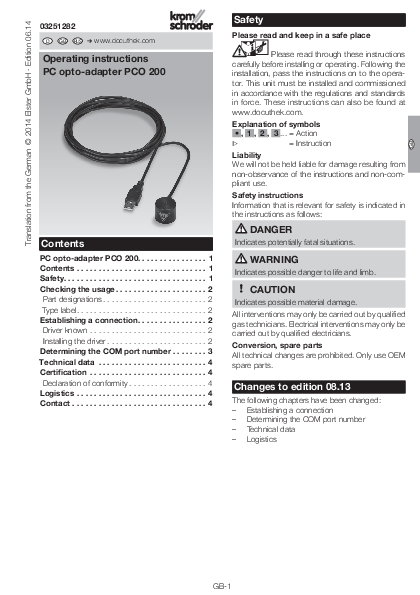
File info: application/pdf · 4 pages · 1,020.08KB
PCO 200 - Operating Instructions
Operating Instructions for PCO 200 PC opto-adapter in English
Full PDF Document

If the inline viewer fails, it will open the original document in compatibility mode automatically. You can also open the file directly.
Extracted Text
Translation from the German � 2014 Elster GmbH � Edition 06.14 D GB

03251282 D GB RUS  www.docuthek.com
Operating instructions PC opto-adapter PCO 200
Contents
PC opto-adapter PCO 200 . . . . . . . . . . . . . . . . 1 Contents . . . . . . . . . . . . . . . . . . . . . . . . . . . . . . . 1 Safety . . . . . . . . . . . . . . . . . . . . . . . . . . . . . . . . . 1 Checking the usage  . . . . . . . . . . . . . . . . . . . .  2 Part designations  . . . . . . . . . . . . . . . . . . . . . . . . 2 Type label . . . . . . . . . . . . . . . . . . . . . . . . . . . . . . 2 Establishing a connection . . . . . . . . . . . . . . .  2 Driver known . . . . . . . . . . . . . . . . . . . . . . . . . . . . 2 Installing the driver  . . . . . . . . . . . . . . . . . . . . . . . 2 Determining the COM port number  . . . . . . .  3 Technical data . . . . . . . . . . . . . . . . . . . . . . . . . . 4 Certification . . . . . . . . . . . . . . . . . . . . . . . . . . . . 4 Declaration of conformity  . . . . . . . . . . . . . . . . . . 4 Logistics . . . . . . . . . . . . . . . . . . . . . . . . . . . . . . . 4 Contact . . . . . . . . . . . . . . . . . . . . . . . . . . . . . . . . 4

Safety
Please read and keep in a safe place

Please read through these instructions carefully before installing or operating. Following the installation, pass the instructions on to the operator. This unit must be installed and commissioned in accordance with the regulations and standards in force. These instructions can also be found at www.docuthek.com.

Explanation of symbols

� ,  ,  ,  ... = Action


= Instruction

Liability We will not be held liable for damage resulting from non-observance of the instructions and non-compliant use.

Safety instructions Information that is relevant for safety is indicated in the instructions as follows:

DANGER
Indicates potentially fatal situations.

WARNING
Indicates possible danger to life and limb.

CAUTION
Indicates possible material damage.
All interventions may only be carried out by qualified gas technicians. Electrical interventions may only be carried out by qualified electricians.
Conversion, spare parts All technical changes are prohibited. Only use OEM spare parts.

Changes to edition 08.13
The following chapters have been changed: � Establishing a connection � Determining the COM port number � Technical data � Logistics

GB-1

GB F NL I E

Checking the usage
PC opto-adapter PCO 200 for cable-based communication between Kromschr�der devices with optical interface and a PC or notebook with USB interface. Preconditions for operation with PC opto-adapter PCO 200: PC software BCSoft from version 3.6.8, PC with USB interface. This function is only guaranteed when used within the specified limits � see page 4 (Technical data). Any other use is considered as non-compliant.
Part designations
1

 When you now try to start BCSoft, you will be asked to enter the COM port number in the interface configuration dialog box.
2 See page 3 (Determining the COM port number).
Installing the driver 1 Insert the "PC software BCSoft/drivers" CD. 2 Select "Install PCO 200".

2

1 PC opto-adapter PCO 200 2 CD: PC software BCSoft/drivers Type label
D-49018 Osnabr�ck, Germany
PCO 200 74960625
-20 bis +60 �C -4 bis +140 �F

3 Click on "Extract" to extract the files and start installation.

Establishing a connection
Driver known 1 Connect PCO 200 to an available USB port on
the PC or notebook.  The required driver is already available in your
operating system. The connection between device and PC/notebook will be established automatically.  The "Installing device driver software" message appears in the taskbar.  The following context message is displayed:

4 Click on "Next".

 The PCO 200 driver is being installed.  Once the driver has been successfully installed,
the following context message appears:

 The PCO 200 is ready for operation.

GB-2

5 Click on "Finish" to finish installation.

2 Enter the COM port number, in this example "COM 15".

 If the installation procedure has been completed successfully, the PCO 200 can be connected to an available USB port and is ready for use.
Determining the COM port number
 The COM port number of the PCO 200 can be found in the Device Manager in the Control Panel.
1 Open the interface configuration dialog box by selecting the menu item Scom2 or Chipcom under Extras\Options\Interface in BCSoft.

3 Click on "Connect" to connect BCSoft to the PCO 200.

D G B

GB-3

GB F NL I E

Technical data
Electrical interface: USB V1.1 Plug connector: USB Type A plug Operating voltage: passive 5 V power supply (via USB port) FTDI driver (virtual COM port/VCP); current drivers can also be found at www.ftdichip.com Operating systems: Win9x, Win2000, WinXP, Windows Vista, Windows 8.x IR interface: baud rate 2400 baud Optical interface retaining force: > 17 N Lens: � 26 mm Cable length: 3 m Weight: approx. 90 g Housing: anodized aluminium Colour: black Ambient temperature: -20 to +60�C (-4 to +140�F) Storage temperature: -40 to 70�C (-40 to 158�F)
Certification
Declaration of conformity We, the manufacturer, hereby declare that the product PCO 200 complies with the essential requirements of the following Directives and Standards: Directives: � 2004/108/EC Standards: � EN 610006-2 � EN 610006-4 The production is subject to a Quality System pursuant to DIN EN ISO 9001. Elster GmbH
Scan of the Declaration of conformity (D, GB) � see www.docuthek.com

Logistics
Transport Protect the unit from external forces (blows, shocks, vibration). On receipt of the product, check that the delivery is complete, see page 2 (Part designations). Report any transport damage immediately.
Storage Store the product in a dry and clean place. Storage temperature: see page 4 (Technical data). Storage time: 6 months in the original packaging before using for the first time. If stored for longer than this, the overall service life will be reduced by the corresponding amount of extra storage time.
Packaging The packaging material is to be disposed of in accordance with local regulations.
Disposal Components are to be disposed of separately in accordance with local regulations.

Contact

If you have any technical questions, please contact

your local branch office/agent. The addresses are

Elster GmbH

available on the Internet or from Elster GmbH.

Strotheweg 1, D-49504 Lotte (B�ren)

Tel. +49 541 1214-0

We reserve the right to make technical modifications

Fax +49 541 1214-370

in the interests of progress.

hts.lotte@honeywell.com, www.kromschroeder.com

GB-4