

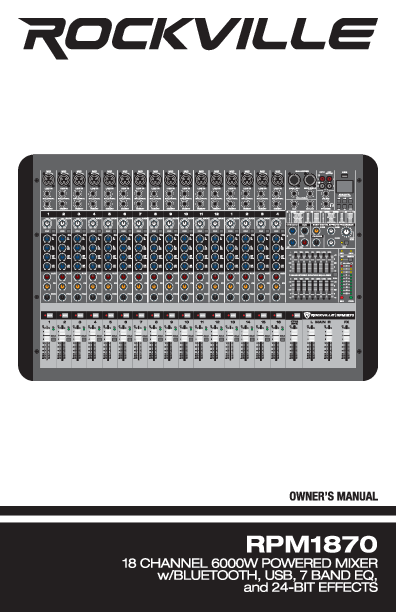
Rockville RPM1870 18 Channel 6000W Powered Mixer
Owner's Manual
Thank you for purchasing the Rockville RPM1870 18 Channel 6000W Powered Mixer with Bluetooth, USB, 7 Band EQ, and 24-Bit Effects. Please read this manual carefully for proper use of your mixer. For assistance, contact the Rockville technical help line at 1-646-758-0144, Monday through Friday, 9am to 5pm EST.
Important Safety Instructions
CAUTION: RISK OF ELECTRIC SHOCK. DO NOT OPEN. ⚡
- To reduce the risk of electric shock, never open the unit. There are no user-serviceable parts; refer service to an authorized Rockville service center.
- Do not expose this unit to any kind of moisture.
- Please ensure that the unit is situated in a properly ventilated area.
- Make sure the unit is placed on a level and stable surface.
- This unit can operate with either 110V or 220V. ❗
Features/Specifications
- RMS Power Output: 750W x 2 @ 4 Ohm, 500W x 2 @ 8 Ohm
- Program Power Output: 1500W x 2 @ 4 Ohm, 1000W x 2 @ 8 Ohm
- Peak Power Output: 3000W x 2 @ 4 Ohm, 2000W x 2 @ 8 Ohm
- 18 Channel Mixer Section: 16 mono channels, 1 stereo channel
- 18 High-Quality XDR2 Mic Preamps: Switchable +48V phantom power for condenser microphones. Low-noise and low distortion.
- Built-in USB: Play music from computer or thumb drives.
- Built-in Recording: Record main mix to a USB thumb drive.
- USB Supported Formats: MP3, WAV, WMA
- USB Input Capacity: Unlimited
- Built-in Bluetooth: Advanced wireless audio streaming.
- 24-Bit Digital Effects Processor: 16 preset effects (reverb, chorus, delay, phaser, flanger, multi-effects).
- Effects Level Control: Adjust signal level of each effect.
- Effects Mute Button: Toggle effects on/off.
- FX Footswitch Input: Turn effects on/off with a footswitch.
- 4-Band EQ: High, High-Mid, Low-Mid, Low per channel.
- Channel Controls: Pad, Mute, Solo buttons with LEDs; Gain, AUX, FX, Pan, Volume controls.
- Peak LED: Red LED indicates signal level 5dB below clipping.
- Dual 7-Band Graphic EQ: For monitor and main outputs, with EQ kill switch.
- Aux Send/Returns: Connect external effects and processors.
- Headphone Monitoring: Master signal and individual channel monitoring.
- Limit L/R LEDs: Indicate clipping and limiters.
- Power/Output Level LEDs.
- Main Output Fader: Balances sound between left and right channels.
- Inputs/Outputs: RCA input, RCA output, USB player.
- Gain Control: Adjusts sensitivity from -60dB to -20dB (pad out) or -40dB to 0dB (pad in).
- Solo Button: Preview channels through headphones or control room without routing to main mix.
- Cooling Fan: Built-in system.
- Power Supply: 110/220V switchable.
- Dimensions: 26.97″ x 18.112″ x 7.28″ (L*W*H)
- Weight: 33.07 Lbs. (15kg)
Input Channel Section
Each mono channel (1-16) and the stereo channel (17/18) share similar controls, with specific features for each.
Mono Channel Controls (1-16)
The front panel of each mono channel features the following controls and indicators, numbered 1 through 15 on the diagram:
- Balanced XLR Microphone Input: For connecting microphones.
- Unbalanced 1¼" Line Input: For connecting line-level sources.
- 1¼" Insert Output: A break point in the signal path to connect external processors.
- Gain Control: Adjusts input sensitivity (-60dB to -20dB or -40dB to 0dB).
- Pad Button: Attenuates the input signal by -20dB.
- Hi EQ: Controls high frequency tone (set to 12 o'clock position).
- Hi Mid/Lo Mid EQ: Controls mid-range frequency tone (set to 12 o'clock position).
- Lo EQ: Controls low frequency tone (set to 12 o'clock position).
- Aux Control: Adjusts monitor mix level, off when fully down, unity gain at 12 o'clock, up to +15dB gain when fully up.
- FX Control: Adjusts FX mix level, off when fully down, unity gain at 12 o'clock, up to +15dB gain when fully up.
- Pan Control: Adjusts signal balance between left and right main busses.
- Mute Button: Turns off the channel's signal output.
- OL (Peak Level Indicator): Red LED indicating signal level 5dB below clipping.
- Channel Fader: Adjusts the channel's level into the signal mix. 'U' mark indicates unity gain.
- Solo Button: Allows previewing the channel's signal through headphones or control room without routing to the main mix.
Stereo Channel 17/18 (MP3) Controls
This channel also includes controls for high and low frequencies, volume, and mute, similar to mono channels, plus specific controls for MP3/USB/Bluetooth playback.
- Hi/Low EQ: Controls high and low frequency tone.
- Volume (MP3): Adjusts the level of channel 17/18 (MP3) into the signal mix.
- Mute: Turns off the channel's signal output.
- MP3 Digital Controller: Interface for USB and Bluetooth playback. Includes Play/Pause (►II), Skip (►►►), Repeat (C), and EQ Mode (■■■) buttons.
Master Section
The master section provides overall control for the mixer's outputs and effects.
Digital Effects Processor
Features 16 preset effects with adjustable parameters.
- Program (PROG): Selects effect presets (1-16).
- Preset Name: Lists effect names (e.g., Chamber Reverb, Chorus, Flanger).
- Parameter 1 & 2: Adjusts effect-specific parameters (e.g., Time, Damping, Rate, Depth, Width).
- FX Send Knob: Controls how much of the effect is applied to the main mix.
- Effects Mute Button.
- Footswitch Input: Connect a foot switch to toggle effects on/off.
7-Band Stereo Graphic Equalizer
Provides control over frequencies from 63Hz to 15KHz for main and monitor outputs.
- EQ Sliders: Adjust specific frequency bands.
- EQ Kill Switch: Quickly engages or disengages the equalizer.
Other Master Controls
- Auxiliary Return: Sets the overall level of line signals from stereo (aux) return L/R jacks.
- Auxiliary Send: Sets the overall level of the Aux send before it goes to external devices.
- FX Send: Determines how much of the effects processor's signal is added to the main mix.
- Phones Knob: Controls headphone and main monitor levels.
- Limit L/R LEDs: Indicate clipping and limiting on the main outputs.
- Phantom Power Switch (+48V): Applies 48V DC to microphone inputs for condenser mics.
- Output Level Indicator: 10-LED meter showing signal level for main L/R outputs.
- Power Indicator LED: Shows when the unit is on.
- Solo Indicator LED: Flashes red when one or more solo switches are engaged.
- Output Main Faders (Left/Right): Master faders for left and right output volume. Unity gain is at the top.
- 17/18 Volume (MP3): Slider for channel 17/18 (MP3) volume.
Rear Panel
The rear panel provides power, speaker outputs, and various input/output connections.
- Power Switch: Turns the unit on/off.
- L/R SpeakOn / ¼" Outputs: For connecting to main power amplifiers or passive speakers (accept 4 or 8 ohm speakers).
- Power Socket: IEC AC power socket with user-serviceable T10A/250V fuse.
- Variable Voltage Switch: 110/220V.
- Cooling Fan: Dissipates heat from the unit. Ensure it is unobstructed.
Connections
- Main Stereo L/R Outputs (XLR): Balanced line-level signal for power amplifiers, speakers, or effects processors. 6dB hotter than TRS outputs.
- 1/4" TRS Outputs: Balanced or unbalanced line-level signals for processors or amplifiers. Same signal as XLR but 6dB lower.
- Input (RCA): Stereo unbalanced RCA inputs for CD players, MP3 players, or other line-level sources.
- REC Output (RCA): Stereo unbalanced RCA outputs for recording the main stereo mix to a hard disk recorder or CD burner. This output is unaffected by the main mix fader.
- USB Port: For MP3 playback and computer audio connection.
- Headphone Output (1/4" TRS): For monitoring master signal and individual channels.
- Foot Switch (1/4" Jack): Connect a foot switch to toggle digital effects on/off.
- AUX/Return (1/4" Jacks): Used for connecting external processors (e.g., Gate, compressor) via the Aux send and return.
Connections: Balanced vs. Unbalanced Lines
Understanding cable types is crucial for optimal signal integrity.
Balanced Lines
A balanced line is a three-conductor system (shield, hot, cold) where two signal wires carry equal but opposite voltages. The ground wire acts as a shield. Balanced connections reject external interference effectively and are preferred for long cable runs.
Typical Balanced Connector Wiring:
- Tip (Hot/Positive)
- Ring (Cold/Negative)
- Sleeve (Shield/Ground)
Unbalanced Lines
An unbalanced cable is a two-wire system (shield/ground and hot conductor). The shield also carries the signal current. Unbalanced cables are more susceptible to noise and are typically used for short cable runs or in home hi-fi systems.
Typical Unbalanced Connector Wiring:
- Tip (Hot/Positive)
- Sleeve (Shield/Ground)
Typical Set-Ups
Typical Live Sound Set-Up
This diagram illustrates a typical live sound configuration:
- Drum Set: Microphones are connected to multiple input channels (e.g., channels 1-4).
- Microphones: Additional microphones are connected to other input channels (e.g., channels 5-12).
- Electric Guitar: Connected to an input channel (e.g., channel 13) via a guitar amplifier.
- Bass Guitar: Connected to an input channel (e.g., channel 14) via a bass amplifier.
- Keyboard: Connected to an input channel (e.g., channel 15) via its own output.
- Main Mixer Outputs (L/R): Connected to passive speakers via SpeakOn or 1/4" outputs.
- Active Stage Monitors: Connected to the mixer's outputs (e.g., Aux Send) for monitoring.
Typical Studio Set-Up
This diagram shows a typical studio configuration:
- Drum Set: Microphones are connected to multiple input channels.
- Microphones: Additional microphones are connected to other input channels.
- Electric Guitar: Connected to an input channel via a guitar amplifier.
- Bass Guitar: Connected to an input channel via a bass amplifier.
- Keyboard: Connected to an input channel.
- Digital Recorder: Connected to the mixer's REC Output for recording the main mix.
- Headphones: Connected to the Headphone Output for monitoring.
- Active Studio Monitors: Connected to the mixer's main outputs for playback monitoring.
Block Diagram
The block diagram illustrates the signal flow through the Rockville RPM1870 mixer.
- Input Channels (Mono/Stereo): Signals enter through Mic/Line inputs, pass through Gain, EQ (4-band), Pad, Insert, Mute, Pan, and Solo controls.
- FX Section: Effects are processed via a dedicated FX processor with presets and adjustable parameters. FX Send controls the amount of effect sent to the main mix.
- AUX Send/Return: Allows for monitor mixes and routing to external processors.
- Stereo Channels: Similar processing to mono channels but for stereo sources.
- 7-Band Graphic EQ: Applied to the main outputs for overall tonal shaping. Includes EQ Kill switch.
- Main Level: Master faders control the overall output volume for Left and Right main outputs.
- Limiters: Protect the outputs from clipping.
- Phones Level: Controls the headphone output volume.
- Tape Out: Provides a stereo output unaffected by the main mix fader, suitable for recording.
- Power Amps: Integrated power amplifiers drive the main outputs.
- Global Phantom Power: +48V can be applied to all microphone inputs.
Troubleshooting
| Problem | Solution |
|---|---|
| No power |
|
| No sound |
|
| Noise | Turn down channel gains one by one. Unplug devices to isolate the source. Ensure proper cables (instrument, TS, TRS) are used. |
| Buzzing sound | Ensure proper cables (1/4" instrument, TS unbalanced, TRS balanced) are used and match connected gear requirements. |
| Bad Channel |
|
| Bad Output |
|
| Bluetooth Pairing Fails |
|
| No USB playback | Ensure audio files are in MP3, WAV, or WMA format. |
Fuse Replacement
If the unit does not power on, the fuse may need replacement. Follow these steps:
- Use a screwdriver to release the fuse holder.
- Remove the fuse holder.
- Remove the blown fuse.
- Replace with a new T10A/250V fuse.
- Re-insert the fuse holder.
Federal Communications Commission (FCC) Compliance Information
Responsible party name: Rockville
Address: 600 Bayview Ave, Entrance A, Inwood, NY 11096
This device, Rockville RPM1870 18 Channel 6000W Powered Mixer, complies with FCC rules as mentioned in Part 15. Operation is subject to two conditions: (1) this device may not cause harmful interference, and (2) this device must accept any interference received, including interference that may cause undesired operation.
This equipment has been tested and found to comply with the limits for a Class B digital device, pursuant to Part 15 of the FCC rules. These limits are designed to provide reasonable protection against harmful interference in a residential installation. This equipment generates, uses, and can radiate radio frequency energy and, if not installed and used in accordance with the instructions, may cause harmful interference to radio communications. However, there is no guarantee that interference will not occur in a particular installation.
If this equipment does cause harmful interference to radio or television reception, which can be determined by turning the equipment off and on, the user is encouraged to try to correct the interference by one or more of the following measures:
- Reorient or relocate the receiving antenna.
- Increase the separation between the equipment and receiver.
- Connect the equipment into an outlet on a circuit different from that to which the receiver is connected.
- Consult the dealer or an experienced radio/TV technician for help.
