

AUKEY
Quick Start Guide
True Wireless Earbuds
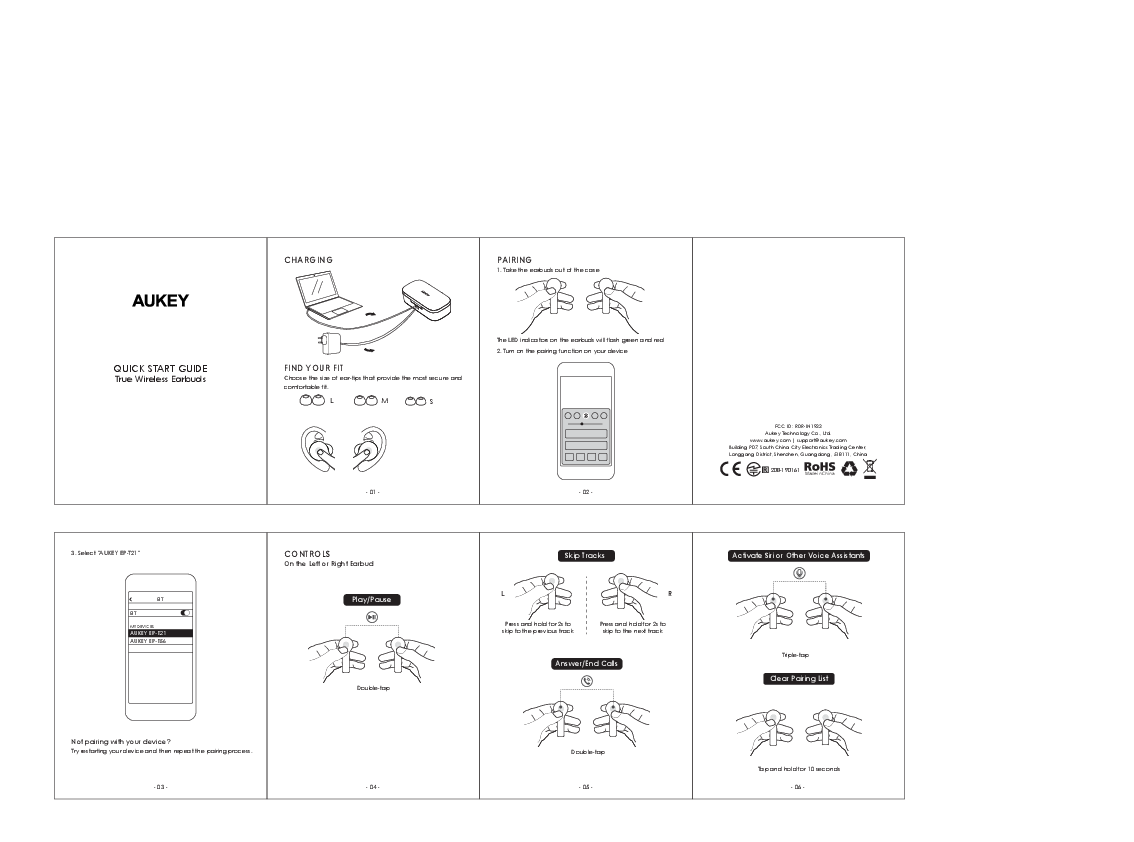
CHARGING
Description of charging process: Earbuds placed in a charging case, which is connected to a power source (e.g., laptop) via a USB cable. The charging case provides power to the earbuds.
Diagram Description: A visual shows a charging case with earbuds inside, connected by a USB cable to a laptop. The case has indicator lights.
FIND YOUR FIT
Choose the size of ear-tips that provide the most secure and comfortable fit.
Diagram Description: Illustrations show three sizes of ear tips labeled L (Large), M (Medium), and S (Small), alongside a diagram of an ear indicating where the earbuds should be placed for optimal fit.
PAIRING
1. Take the earbuds out of the charging case. The LED indicators on the earbuds will flash green and red.
2. Turn on the pairing function on your device (e.g., smartphone).
3. Select "AUKEY EP-T21" from your device's Bluetooth list.
Diagram Description: A visual shows earbuds being removed from a case. Another visual shows a smartphone screen displaying a list of available Bluetooth devices, with "AUKEY EP-T21" highlighted.
CONTROLS
Controls are applicable to the Left or Right Earbud.
Play/Pause
Action: Double-tap the touch control area on either earbud.
Diagram Description: An illustration shows a finger double-tapping an earbud.
Skip Tracks
Previous Track: Press and hold the touch control area for 2 seconds.
Next Track: Press and hold the touch control area for 2 seconds.
Diagram Description: Illustrations show fingers pressing and holding earbuds to navigate tracks.
Answer/End Calls
Action: Double-tap the touch control area on either earbud.
Diagram Description: An illustration shows a finger double-tapping an earbud to answer/end a call.
Activate Siri or Other Voice Assistants
Action: Triple-tap the touch control area on either earbud.
Diagram Description: An illustration shows a finger triple-tapping an earbud.
Clear Pairing List
Action: Tap and hold the touch control area on both earbuds for 10 seconds.
Diagram Description: An illustration shows fingers pressing and holding both earbuds simultaneously.
Troubleshooting: Not Pairing
If your device is not pairing with the earbuds, try restarting your device and then repeat the pairing process.
Company Information
Manufacturer: Aukey Technology Co., Ltd.
Website: www.aukey.com
Support Email: support@aukey.com
Address: Building P07, South China City Electronics Trading Center, Longgang District, Shenzhen, Guangdong, 518111, China
Compliance: CE, FCC ID: RDR-IN1933, RoHS. Made in China.

 AUKEY Official | Unlock More