
Home
›
SEJOY
›
SEJOY DBP-6279B Arm-Type Fully Automatic Digital Blood Pressure Monitor Owner's Manual

SEJOY DBP-6279B Arm-Type Fully Automatic Digital Blood Pressure Monitor Owner's Manual
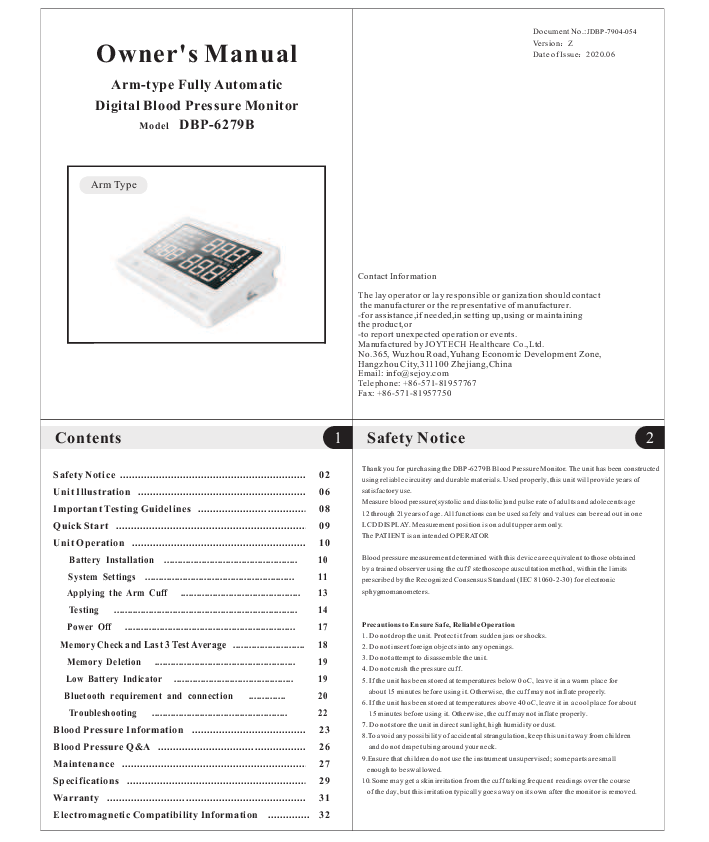
File info: application/pdf · 10 pages · 898.21KB
DBP-6279B-FDA
PDF No.: Owner's Manual Date of Issue Z
consult your local authorized Sejoy distributor or dealer. 5 Safety Notice 3 Safety Notice 4 Important Instructions Before Use 1. Do not confuse self-monitoring with self-diagnosis. Blood pressure measurements should on…
DBP-6279B User manual
JOYTECH HEALTHCARE CO., LTD. 0014 Arm-Type Fully Automatic Digital Blood Pressure Monitor 2AQVU0014 2AQVU0014 0014
Owner's Manual
Full PDF Document

If the inline viewer fails, it will open the original document in compatibility mode automatically. You can also open the file directly.
Extracted Text
Owner's Manual
Arm-type Fully Automatic Digital Blood Pressure Monitor
Model DBP-6279B
Arm Type

Document No.:JDBP-7904-054 VersionZ Date of Issue2020.06

Contact Information
The lay operator or lay responsible or ganization should contact the manufacturer or the representative of manufacturer. -for assistance,if needed,in setting up,using or maintaining the product,or -to report unexpected operation or events. Manufactured by JOYTECH Healthcare Co.,Ltd. No.365, Wuzhou Road,Yuhang Economic Development Zone, Hangzhou City,311100 Zhejiang,China Email: info@sejoy.com Telephone: +86-571-81957767 Fax: +86-571-81957750

Contents

1 Safety Notice

2

Safety Notice ............................................................... 02

Unit Illustration ......................................................... 06

Important Testing Guidelines ..................................... 08

Quick Start ................................................................. 09

Unit Operation ........................................................... 10

Battery Installation .................................................. 10

System Settings ........................................................ 11

Applying the Arm Cuff ............................................. 13

Testing ..................................................................... 14

Power Off ................................................................ 17

Memory Check and Last 3 Test Average ........................... 18

Memory Deletion ..................................................... 19

Low Battery Indicator ............................................. 19

Bluetooth requirement and connection ..............

20

Troubleshooting ...................................................

22

Blood Pressure Information ........................................ 23

Blood Pressure Q&A ................................................... 26

Maintenance ............................................................... 27

Specifications ............................................................. 29

Warranty .................................................................... 31

Electromagnetic Compatibility Information .............. 32

Thank you for purchasing the DBP-6279B Blood Pressure Monitor. The unit has been constructed using reliable circuitry and durable materials. Used properly, this unit will provide years of satisfactory use. Measure blood pressure(systolic and diastolic)and pulse rate of adults and adolecents age 12 through 21years of age. All functions can be used safely and values can be read out in one LCD DISPLAY. Measurement position is on adult upper arm only. The PATIENT is an intended OPERATOR
Blood pressure measurement determined with this device are equivalent to those obtained by a trained observer using the cuff/ stethoscope auscultation method, within the limits prescribed by the Recognized Consensus Standard (IEC 81060-2-30) for electronic sphygmomanometers.
Precautions to Ensure Safe, Reliable Operation 1. Do not drop the unit. Protect it from sudden jars or shocks. 2. Do not insert foreign objects into any openings. 3. Do not attempt to disassemble the unit. 4. Do not crush the pressure cuff. 5. If the unit has been stored at temperatures below 0 oC, leave it in a warm place for
about 15 minutes before using it. Otherwise, the cuff may not inflate properly. 6. If the unit has been stored at temperatures above 40 oC, leave it in a cool place for about
15 minutes before using it. Otherwise, the cuff may not inflate properly. 7. Do not store the unit in direct sunlight, high humidity or dust. 8.To avoid any possibility of accidental strangulation, keep this unit away from children
and do not drape tubing around your neck. 9.Ensure that children do not use the instrument unsupervised; some parts are small
enough to be swallowed. 10.Some may get a skin irritation from the cuff taking frequent readings over the course
of the day, but this irritation typically goes away on its own after the monitor is removed.

Safety Notice

3

Important Instructions Before Use 1. Do not confuse self-monitoring with self-diagnosis. Blood pressure measurements should
only be interpreted by a health professional who is familiar with your medical history. 2. Contact your physician if test results regularly indicate abnormal readings. 3. If you are taking medication, consult with your physician to determine the most appropriate
time to measure your blood pressure. NEVER change a prescribed medication without first consulting with your physician. 4. Individuals with serious circulation problems may experience discomfort. Consult your physician prior to use. 5. For persons with irregular or unstable circulation resulting from diabetes, liver disease, arteriosclerosis or other medical conditions, there may be variations in blood pressure values measured at the wrist versus at the upper arm. Monitoring the trends in your blood pressure taken at either the arm or the wrist is nevertheless useful and important. 6. People suffering from vascular constriction, liver disorders or diabetes, people with cardiac pacemakers or a weak pulse, and women who are pregnant should consult their physician before measuring their blood pressure themselves. Different values may be obtained due to their condition. 7. People suffering from arrhythmias such as atrial or ventricular premature beats or atrial fibrillation only use this blood pressure monitor in consultation with your doctor. In certain cases oscillometric measurement method can produce incorrect readings. 8.Too frequent measurements can cause injury to the patient due to blood flow interference. 9.The cuff should not be applied over a wound as this can cause further injury. 10.DO NOT attach the cuff to a limb being used for IV infusions or any other intravascular access, therapy or an arterio-venous (A-V) shunt. The cuff inflation can temporarily block blood flow, potentially causing harm to the patient. 11.The cuff should not be placed on the arm on the side of a mastectomy. In the case of a double mastectomy use the side of the least dominant arm. 12.Pressurization of the cuff can temporarily cause loss of function of simultaneously used monitoring equipment on the same limb. 13.A compressed or kinked connection hose may cause continuous cuff pressure resulting in blood flow interference and potentially harmful injury to the patient. 14.Check that operation of the unit does not result in prolonged impairment of the circulation of the patient. 15. Product is designed for its intended use only. Do not misuse in any way. 16. Product is not intended for infants or individuals who cannot express their intentions. 17. Prolonged over-inflation of the bladder may cause ecchymoma of your arm. 18. Do not disassemble the unit or arm cuff. Do not attempt to repair. 19. Use only the approved arm cuff for this unit. Use of other arm cuffs may result in
incorrect measurement results. 20. The system might produce incorrect readings if stored or used outside the manufacturer's
specified temperature and humidity ranges. Make sure to store the blood pressure monitor,
children, pets and pests are outside of accessible range.
21. Do not use the device near strong electrical or electromagnetic fields generated by cell
phones or other devices, they may cause incorrect readings and interference or become
interference source to the device.
22. Do not mix new and old batteries simultaneously.

Safety Notice

5

Federla Commulcation Commission (FCC) Interference Statement

1.This device complies with part 15 of the FCC Rules. Operation is subject to the condition that this device does not cause harmful interference. 2.This device is verified to comply with part 15 of the FCC Rules for use with cable television service. 3.This device complies with part 15 of the FCC Rules. Operation is subject to the following two conditions: (1) This device may not cause harmful interference, and (2) this device must accept any interference received, including interference that may cause undesired operation. Please note that changes or modifications not expressly approved by the party responsible for compliance could void the user's authority to operate the equipment. 4.This equipment has been tested and found to comply with the limits for a Class B digital device, pursuant to part 15 of the FCC Rules. These limits are designed to provide reasonable protection against harmful interference in a residential installation. This equipment generates, uses and can radiate radio frequency energy and, if not installed and used in accordance with the instructions, may cause harmful interference to radio communications. However, there is no guarantee that interference will not occur in a particular installation. If this equipment does cause harmful interference to radio or television reception, which can be determined by turning the equipment off and on, the user is encouraged to try to correct the interference by one or more of the following measures:
--Reorient or relocate the receiving antenna.
--Increase the separation between the equipment and receiver.
--Connect the equipment into an outlet on a circuit different from that to which the receiver is connected.
--Consult the dealer or an experienced radio/TV technician for help. 5.This equipment complies with radio frequency exposure limits set forth by the FCC for an uncontrolled environment. 6. This device must not be co-located or operating in conjunction with any other antenna or transmitter.

7.Essential performance:

Electrosurgery interference recovery

Refer 202.6.2.101

IEC 80601-2-30

Limits of the error of the manometer
Reproducibility of the BLOOD PRESSURE DETERMINATION

Refer 202.12.1.102 IEC 80601-2-30 Refer 201.12.1.107 IEC 80601-2-30

Safety Notice

4

23. Replace batteries when Low Battery Indicator"

"appears on screen. Replace both

batteries at the same time.

24. Do not mix battery types. Long-life alkaline batteries are recommended.

25. Remove batteries from device when not in operation for more than 3 months.

26. Dispose batteries properly; observe local laws and regulations.

27. Only use a recommended AC adaptor double-insulated complying with EN 60601-1 and

EN 60601-1-2. An unauthorized adapter may cause fire and electric shock.

28.

Advising operator that Instruction manual/ Booklet must be consulted.

29. Do not use the device during transport vehicles for influencing measurement accuracy,

such as patient transport in an ambulance or helicopter.

30. Contains small parts that may cause a chocking hazard if swallowed by infants.

31. Please align the polarities of each battery with the +ve and -ve signs

imprinted on the battery housing when you replace the batteries .

32.Use of this equipment adjacent to or stacked with other equipment should be avoided

because it could result in improper operation. If such use is necessary, this equipment and

the other equipment should be observed to verify that they are operating normally.

33.Portable RF communications equipment (including peripherals such as antenna cables

and external antennas) should be used no closer than 30 cm (12 inches) to any part of the

unit, including cables specified by the manufacturer. Otherwise, degradation of the

performance of this equipment could result.

WARNING SIGNS AND SYMBOLS USED Keep Dry
Keep off Sunlight
Type BF Equipment
Instructions For Use MUST be Consulted Discard the used product to the recycling collection point according to local regulations The Bluetooth� Smart word mark and logos are registered trademarks owned by Bluetooth SIG, Inc. and any use of such marks by JOYTECH Healthcare Co.,Ltd.

Unit Illustration

6

Monitor Unit

LCD

USB Adapter Jack

" SET " Button

"MEM" Button

" START/STOP " Button

Arm Cuff Medium size cuff (fits arm circumference: 22.0 cm -36.0 cm).

LEFT ARM

82.62~~1346.c12~m2incmc

h) (0.4~0.8

inch)

Main

Ar

tery
IN

D

E

X

Arm Cuff

Air Plug

Air Tube

If air is leaking from the arm cuff, replace the arm cuff with a new one. It is generally recomm ended to have the cuff replaced timely to ensure correct functioning and accuracy. Please consult your local authorized Sejoy distributor or dealer.

Unit Illustration

Display
Time/Date Group1 Group2
Last 3 Tests Average

Blood Pressure Indicator

Bluetooth Indicator

Arm Shake Indicator

Cuff Loose Indicator

Low Battery Indicator

AM PM

Bluetooth SMART

1 BP

OK SYS

2

AVG

IHB

mmHg kPa

No.

7
Systolic Blood Pressure
Diastolic Blood Pressure

Heart Rate Indicator
Contents

Irregular Heartbeat Indicator WHO Blood Pressure

Pulse Rate

Classification Indicator

Owner's Manual
Arm-type Fully Automatic Digital Blood Pressure Monitor
Model DBP-6279B
Arm Type

1.Monitor Unit

LEFT ARM

82.62~~1346.c12~m2incmc

h) (0.4~0.8

inch)

Main

A

rte

ry
IN

D

E

X

2.Owner's Manual

4.Storage Bag

3.Arm Cuff

5.2MOPPMedical AC Adapter(DC5.0 V,1000mA) (recommended, not provided)

Quick Start

9

1. Install batteries. (See Figure A ) 2. Insert cuff air plug into the behind side of monitor unit. (See Figure B)

Important Testing Guidelines

8

1. Avoid eating, exercising, and bathing for 30 minutes prior to testing. 2. Sit in a calm environment for at least 5 minutes prior to testing. 3. Do not stand while testing. Sit in a relaxed position while keeping your arm level with
your heart. 4. Avoid speaking or moving body parts while testing. 5. While testing, avoid strong electromagnetic interference such as microwave ovens and
cell phones. 6. Wait 3 minutes or longer before re-testing. 7. Try to measure your blood pressure at the same time each day for consistency. 8. Test comparisons should only be made when monitor is used on the same arm, in the
same position, and at the same time of day. 9. This blood pressure monitor is not recommended for people with severe arrhythmia. 10. Do not use this blood pressure monitor if the device is damaged.

Any blood pressure recording can be affected by the following factors: 1. The position of the subject, his or her physiologic condition; 2. The performance and accuracy of the device; 3. Cuff size: too small cuff (bladder) will produce a higher blood pressure value than usual,
too big cuff (bladder) will produce a lower blood pressure value; 4. Measuring position does not keep level with your heart; 5. Speaking or moving body parts while testing; 6. Not relaxing for about 5 minutes before taking the measurement.

Unit Operation
Battery Installation
Slide battery cover off as indicated by arrow. Install 4 new AA alkaline batteries according to polarity. Close battery cover.

10

Figure B
Figure A
3. Remove thick clothing from the arm area. 4. Rest for several minutes prior to testing. Sit down in a quietplace comfortably ,
back and arm support on a desk or table ,withyour legs uncrossed ,your arm resting on a firm and your feet flat on the floor. (See Figure C )

Figure C
5. Apply cuff to your left arm and middle of the cuff at the level of your heart. Bottom of cuff should be placed approximately 1-2cm (1/2'') above elbow joint. (See Figures D&E)

AC Adapter jack is on the back side of the monitor. Medical AC adapter(DC 5.0 V,1000mA) can be used with the device (recommended, not provided). The adapter connect pin should be positive inside and negtive outside with a 2.1mm coaxial joint. Do not use any other type of AC adaptor as it may harm the unit.

1-2cm (0.4-0.8'')

Figure D 6. Press " START/STOP " Button to start testing.

Figure E

USB Adapter Jack Note:Power supply is specified as part of ME EQUIPMENT.

Unit Operation

11 Unit Operation

12

System Settings
With power off, press "SET" button to activate System Settings. The Memory Group icon flashes. 1. Select Memory Group
While in the System Setting mode, you may accumulate test results into 2 different groups. This allows multiple users to save individual test results (up to 60 memories per group.) Press " MEM " button to choose a group setting. Test results will automatically store in each selected group.

2. Time/Date setting Press"SET" button again to set the Time/Date mode. Set the year first by adjusting the "MEM" button. Press"SET" button again to confirm current month. Continue setting the date, hour and minute in the same way. Every time the "SET" button is pressed, it will lock in your selection and continue in succession ( month,day,hour, minute,12/24 hours)

1 2

AM

AM

Unit Operation

13

3. Time Format setting Press " SET "button again to set the time fornat setting mode.Set the time format by adjusting the"MEM" button. EU means European Time US means U.S Time.

Unit Operation
6.Volume Setting Press "SET" button to enter volume setting mode. Set the voice volume by adjusting the "MEM" button . There are six volume levels.

14

4.Unit Setting Press "SET" button to enter unit setting mode. Set format bypressing the "MEM" button.

mmHg

kPa

5.Voice Setting Press "SET" button to enter voice setting mode. Set voice format ON or OFF by pressing the "MEM" button.

7. Saved Settings While in any setting mode, press " START/STOP " button to turn the unit off. All information will be saved.
Note: If unit is left on and not in use for 3 minutes, it will automatically save all information and shut off.
Applying the Arm Cuff
1. Firmly insert air plug into opening located on behind side of monitor unit.

2. With sticky nylon section facing outward, insert end of cuff underneath metal ring of cuff.
3. Fasten cuff about 1-2cm (0.4-0.8'') above the elbow joint. For best results apply cuff to bare arm and keep level with heart while testing.

Unit Operation

15

1-2cm (0.4-0.8'')

Note: Do not insert air plug into opening located on right side of monitor unit. This opening is designed for an optional power supply only.
Testing
1. Power On Press and hold "START/STOP" button to turn the unit on. The LCD screen will appear for one second as unit performs a quick diagnosis. A voice tone will indicate when unit is ready for testing.

AM PM

Bluetooth SMART

1 BP

OK SYS

2

AVG

IHB

No.

mmHg kPa

Unit Operation

16

2. Testing After cuff inflation, air will slowly rise as indicated by the corresponding cuff pressure value. A flashing " " will appear simultaneously on screen signaling heart beat detection.

AM

1 BP

OK

mmHg

Note: Keep relaxed during testing. Avoid speaking or moving body parts.

3. Result Display The screen will display measurements for systolic and diastolic blood pressure with voice broadcast. A indicator representing the current measurement will appear next to the corresponding WHO Classification.

AM Bluetooth SMART

1 BP

OK SYS

mmHg

Note: Unit will not function if residual air from previous testing is present in cuff. The LCD will flash " " until pressure is stabilized.

Note: Refer to Page 23~24 for detail WHO Blood Pressure Classification Information.

Unit Operation

17

Irregular Heartbeat Indicator If the monitor detects an irregular heart rhythm two or more times during the measuring process, the Irregular Heartbeat Symbol " IHB "appears on screen along with measurement results. Irregular heartbeat rhythm is defined as rhythm that is either 25% slower or faster than the average rhythm detected while measuring systolic blood pressure and diastolic blood pressure. Consult your physician if the Irregular Heartbeat Symbol " IHB " frequently appears with your test results.
Power Off
The " START/STOP " button can be pressed to turn off the unit in any mode. The unit can turn off the power itself about 3 minutes no operation in any mode.

Unit Operation

18

Last 3 Tests Average
With power offpress the "MEM" button to activate screen display. After the unit performs a self-diagnosis ,the screen will display the average test results from the last 3 readings of the last group used. The "AVG" symbol will appear along with the corresponding WHO Blood Pressure Indicator. The Memory Check mode can be accessed by pressing "MEM" button. To check the average results from other groups, select the desired group first prior to activating "SET" button in the off position.(See "Select Memory Group" on Page 11)

AM Bluetooth SMART

1 BP

SYS

AVG

mmHg

Safety Precaution: If pressure in arm cuff becomes too extreme while testing, press the " START/STOP " button to turn power off. The cuff pressure will rapidly dissipate once the unit is off.

Arm Shake Indicator

If there is arm movement during the measurement, "

" may be shown. Indicates that

it may lead to abnormal accurate measurement results. At this time,the LCD will display

" Err".

Cuff loose Indicator

When starting the measurement, " OK "will be displayed when the cuff is properly wound.

When the cuff is too loose, "

"will be displayed. At this time, please wear the cuff correctly

and start measuring again.

Memory Check
You may check past test results by using the "MEM" button. The most recent test result and oldest test result in memory can be viewed by pressing and holding the "MEM" button. Upon activating test results. you can press the "MEM" button to scroll through all test results stored in memory.

AM 1 BP
No.

AM Bluetooth SMART

1 BP

SYS

mmHg

Unit Operation

19

Memory Deletion
Memory for a selected group may be deleted while in Memory Check mode. Press and hold

the " SET " button for approximately 3 seconds to delete all memory records from the

selected group. with voice broadcast "Memory Clear" and then transfer into

testing mode. Press the "START/STOP " button to turn the unit off.

AM

1 BP

Unit Operation

20

Static Pressure Measurement
In the power down state, press and hold the " START/STOP" button, and theninstall the batteries. Until the LCD screen is full, release the " START/STOP" button. When the LCD screen displays the double zero, the bloodpressure meter is in static state. Software version is displayed :10 is a software version in the figure.
AM 1 BP

mmHg

Note: Memory cannot be recovered once it has been deleted.

Low Battery Indicator

The unit will broadcast "Low Battery" when battery life is depleting and unable to inflate cuff for

testing. The "

" appears simultaneously for approximately 5 seconds prior to shutting

off. Replace batteries at this time. No memory loss will occur throughout this process.

Unit Operation

21

-Pairing your monitor with a Smart Device
1. Open the "blood pressure monitor" and follow the pairing instructions shown on your smart
phone.
The date and time on your monitor will automatically be set when you pair it with your
smart device.

2. Confirm that your monitor is connected successfully.

When your monitor is connected successfully to your smart phone, it will be display like

below.

Bluetooth SMART

3. Press the BP [START/STOP] button to turn your monitor off.
-Transfer your readings
1. As soon as your measurement is complete, open the app on your smart phone to transfer your reedings.
Notr: On the paired smartphone, Bluetooth must be enabled. 2. You can view your blood pressure readings on the app.

Note: Only Service personnel permitted to access to this mode, the mode unavailable in normal use.

Bluetooth requirements

Wireless communication

The monitor requires a device with:

Frequency range : 2.4 Ghz (2400-2483.5 MHz)

. Bluetooth 4.0 or later

Modulation : GFSK

. Android 5.0 or later

Antenna gain:0.5dBi

. IOS 9.0 or later

And works with:

. iphone , iPod, iPad

. Android Phones and Tablets

Bluetooth connection

-Using for the first time

1. Download the free "JoyHealth" App: On your mobile phone or table

go to www.sejoy.com.

2.Open the App on your phone or tablet. If requested, you should enable Bluetooth on your

device. You can enable Bluetooth under the Settings menu on your smart phone or table.

3. Create a new user login, or login with your existing user name and password.

4. Selection device "Blood pressure monitor".

Unit Operation

22

Troubleshooting

Problem

Possible Cause
Cuff is too tight or not properly positioned on the arm

Solution
Firmly reposition cuff approximately1-2cm (1/2") above the elbow joint ( See Page 12)

Blood pressure results are not within typical range

Inaccurate test results due to body movement or monitor movement

Sit in a relaxed position with arm placed near heart. Avoid speaking or moving body parts while testing. Make sure the monitor unit is placed in a stationary position throughout the testing period. ( See Page 7)

Cuff fails to inflate properly

Make sure hose is properly fastened to cuff and monitor unit

" "displayed

Improper operation

Read user manual carefully and re-test properly.

Pressurization is over cuff rated pressure 300mmHg

Read user manual carefully and re-test properly.

The blood pressure monitor

If there are no causes of data

might not be porperly placed transmission interference found

within the smart device's

near the blood pressure monitor,

Connection failure./ Data is not being

tranmission range and is too far from the smart device.

move the blood pressure monitor within 16ft.(5m) of the smart device and try again

transmitted

The blood pressure did not pair successfully to the smart device

Try to pair the devices once again.

The application on the smart device is not ready.

Check the application then try sending the data again.

Blood Pressure Information

23 Blood Pressure Information

24

Blood Pressure
Blood pressure is the force of blood pushing against the walls of arteries. It is typically measured in millimeters of mercury (mmHg.) Systolic blood pressure is the maximum force exerted against blood vessel walls each time the heart beats. Diastolic blood pressure is the force exerted on blood vessels when the heart is resting between beats.

An individual's blood pressure frequently changes throughout the course of a day. Excitement and tension can cause blood pressure to rise, while drinking alcohol and bathing can lower blood pressure. Certain hormones like adrenaline (which your body releases under stress) can cause blood vessels to constrict, leading to a rise in blood pressure.

If these measuring numbers become too high, it means the heart is working harder than it should.

200

Upper curve : systolic blood pressure

Lower curve: diastolic blood pressure

150

mmHg

100

50

6

12

18

24

Time of day

Example: fluctuation within a day (male, 35 years old)

WHO Blood Pressure Classification Indicator
The DBP-6279B is equipped with a classification indicator based on established guidelines from the World Health Organization. The chart below (color coded on monitor unit) indicates test results.
Severe Hypertension Moderate Hypertension Mild Hypertension High-normal Normal Optimal

AM Bluetooth SMART

1 BP

SYS

mmHg

Normal

: Blood Pressure Classification Indicator

Blood Pressure Information

25

Health Reminder
Hypertension is a dangerous disease that can affect the quality of life. It can lead to a lot of problems including heart failure, kidney failure, and cerebral hemorrhaging. By maintaining a healthy lifestyle and visiting your physician on a regular basis, hypertension and relative diseases are much easier to control when diagnosed in their early stages.
Systolic ( mmHg )

180 160 140 130 120

Severe Hypertension Moderate Hypertension Mild Hypertension High-normal Normal Optimal

80 85 90 100 110

Diastolic ( mmHg )

Note: Do not be alarmed if an abnormal reading occurs. A better indication of an individual's blood pressure occurs after 2-3 readings are taken at the same time each day over an extended period of time. Consult your physician if test results remain abnormal.

Blood Pressure Q&A

26

Q: What is the difference between measuring blood pressure at home or at a professional
healthcare clinic?
A: Blood pressure readings taken at home are now seen to give a more accurate account as
they better reflect your daily life. Readings can be elevated when taken in a clinical or medical environment. This is known as White Coat Hypertension and may be caused by feeling anxious or nervous.
Note: Abnormal test results may be caused by: 1. Improper cuff placement Make sure cuff is snug-not too tight or too loose. Make sure bottom of the cuff is approximately 1-2cm (1/2'') above the elbow joint. 2. Improper body position Make sure to keep your body in an upright position. 3. Feeling anxious or nervous Take 2-3 deep breaths, wait a few minutes and resume testing.

Q: What causes different readings? A: Blood pressure varies throughout the course of a day. Many factors including diet,
stress, cuff placement, etc. may affect an individual's blood pressure.
Q: Should I apply the cuff to the left or right arm? What is the difference? A: Either arm can be used when testing, however, when comparing results, the same arm
should be used. Testing on your left arm may provide more accurate results as it is located closer to your heart.
Q: What is the best time of day for testing? A: Morning time or any time you feel relaxed and stress free.

Maintenance
1. Avoid dropping, slamming, or throwing the unit.
2. Avoid extreme temperatures. Do not expose unit directly under sunshine.

27

Maintenance

28

4. Cuff Cleaning and Disinfection: A) Spread the cuff (skin-contact surface) upwards onto a clean table. Use a damp clean cloth (water-based) to wipe the skin-contact surface with a force. B) Soak the cloth clean with drinking water and wring it dry. Repeat A) with the damp cloth (water-based) for 3 times. C) Apply 70%-80% alcohol to a new cloth (or 75% alcohol cotton-ball), use it to wipe the skin-contact surface with a force. Then soak the cloth with the alcohol again (or change a new 75% alcohol cotton-ball), repeat the disinfection procedure for 3 times. D)When the disinfection towards the skin-contactsurface is finished,wipe thenon-skin contact surface with a cloth (alcohol-based) or alcohol cotton-ball thoroughly for 3 times. E)Leave the cuff naturally dry,then it is ready for reuse. Notice: Do not soak in water or splash water on it.

5. Do not use petrol, thinners or similar solvents.

3. When cleaning the unit, use a soft fabric and lightly wipe with mild detergent. Use a damp cloth to remove dirt and excess detergent.

6. Remove batteries when not in operation for an extended period of time. 7. Do not disassemble product.

8. It is recommended the performance should be checked every 2 years. 9. Expected service life: Approximately three years at 10 tests per day. 10.No service and maintenance while it is in use and maintenance only be performed by service
personnel. Service and maintenance require parts, repair, technical support will be provided.

Specifications

29 Specifications

30

Product Description Model Display Measurement Method
Measurement Range
Pressurization Memory
Function
Power Source Battery Life Unit Weight Unit Dimensions

Arm-type Fully Automatic Blood Pressure Monitor DBP-6279B

LCD Digital Display Size:112mm�62mm (4.41" x 2.44") Oscillometric Method

Systolic Pressure 60mmHg260mmHg

Diastolic Pressure Pressure Pressure

3 0 m m H g2 0 0 m m H g 0mmHg299mmHg �3mmHg

Pulse

30 ~ 180 Beats/Minute

Pulse

�5%

Automatic Pressurization

2x60 Memories in Two Groups with Date and Time Irregular Heartbeat Detection WHO Classification Indicator

Last 3 Tests Average Low Battery Detection

Automatic Power-Off Voice

Backlight Bluetooth 3 AAA batteries or Medical AC Adapter(DC5.0V, 1000mA) (recommended, not provided) Approximately 2 months at 3 tests per day Approx.283g (9.98 oz.) (excluding battery) Approx.142.5 x 107.2 x 44mm (5.61" x 4.22" x 1.73" )(L x W x H)

Cuff Circumference

Medium cuff: Fits arm circumference 22-36 cm

Temperature Operating Environment
Humidity

10 ~ 40 (50~104) 15% ~ 93% RH

Operating Environment Storage Environment

Pressure Temperature Humidity

Transport Environment

Temperature Humidity

800hPa~1060hPa -25~55 (-13~131) 93% RH -25~55 (-13~131) 93% RH

Modulation Type GFSK

Bluetooth

Version

5.0.1 BT Signal mode

Operation frequency 2.4GHz(2400~2483.5MHz)

Antenna gain

0.5 dBi

Bandwidth

2.0 MHz

Classification

Internal Powered Equipment,Type BF

Ingress Protection rating

IP 20,Indoor Used Only

Battery Shelf life

60 months

Battery Storage Temperature

-25~55 (-13~131)

Specifications are subject to change without notice.

, Cuff is the Applied Part

This Blood Pressure Monitor complies with the European regulations and bears the CE mark"CE 0197".This blood pressure monitor also complies with mainly following standards (included but not limited): Safety standard: EN 60601-1 Medical electrical equipment part 1: General requirements for safety EMC standard: EN 60601-1-2 Medical Electrical Equipment -- Part 1-2: General Requirements For Basic Safety And Essential Performance -- Collateral Standard: Electromagnetic Disturbances � Requirements And Tests. Performance standards: IEC80601-2-30, Medical electrical equipment � Part 2-30: Particular requirements for the basic safety and essential performance of automated non-invasive sphygmomanometers. EN 1060-3 Non-invasive sphygmomanometers - Supplementary requirements for electromechanical blood pressure measuring systems. ISO 81060-2, non-invasive sphygmomanometers - part 2: clinical validation of automated measurement type.

Warranty

31

The Blood Pressure Monitor is guaranteed for 2-year from the date of purchase. If the Blood Pressure Monitor does not function properly due to defective components or poor workmanship, we will repair or replace it freely. The warranty does not cover damages to your Blood Pressure Monitor due to improper handling. Please contact local retailer for details.

Electromagnetic Compatibility Information 32
The device satisfies the EMC requirements of the international standard IEC 60601-1-2. The requirements are satisfied under the conditions described in the table below. The device is an electrical medical product and is subject to special precautionary measures with regard to EMC which must be published in the instructions for use. Portable and mobile HF communications equipment can affect the device. Use of the unit in conjunction with non-approved accessories can affect the device negatively and alter the electromagnetic compatibility. The device should not be used directly adjacent to or between other electrical equipment. Table 1
Guidance and declaration of manufacturer-electromagnetic emissions
The device is intended for use in the electromagnetic environment specified below. The customer or the user of the device should assure that it is used in such an environment.

Emissions test

Compliance

Radiated emission CISPR 11 Group 1, class B.

Electromagnetic environment -guidance
The device uses RF energy only for its internal function. Therefore, its emissions are very low and are not likely to cause any interference in nearby electronic equipment.

Conducted emission CISPR 11

Group 1, class B.

The device is suitable for use in all establishments, including domestic establishments and those directly connected to the public low-voltage power supply network that supplies buildings used for domestic purposes.

Harmonic emissions IEC 61000-3-2
Voltage fluctuations/ flicker emissions IEC 61000-3-3

Class A Complies

Electromagnetic Compatibility Information 33
Table 2

Guidance and declaration of manufacturer-electromagnetic immunity

The device is intended for use in the electromagnetic environment specified below. The customer or the user of the device should assure that it is used in such an environment.

IMMUNITY test

IEC 60601 test level

Compliance Electromagnetic environment

level

-guidance

� 8 kV

� 8 kV

Floors should be wood, concrete

Electrostatic

contact

contact

or ceramic tile. If floors are

discharge (ESD) �2 kV,�4 kV, �2 kV,�4 kV, covered with synthetic material,

IEC 61000-4-2 �8 kV,

�8 kV,

the relative humidity should be

�15 kV air �15 kV air at least 30 %.

Electrostatic transient/burst IEC 61000-4-4

� 2 kV ,

� 2 kV ,

Mains power quality should be that

100kHz, for 100kHz, for of a typical commercial or hospital

AC power port AC power port environment.

Surge IEC 61000-4-5

�0.5kV, �1kV �0.5kV, �1kV Mains power quality should be that

(differential (differential of a typical commercial or hospital

mode)

mode)

environment.

Voltage dips, short interruptions and voltage variations on power supply input lines

0 % UT;

0 % UT;

0,5 cycle

0,5 cycle

At 0�, 45�, 90�, At 0�, 45�, 90�,

135�, 180�, 225� , 270� and 315�

135�, 180�, 225� , 270� and 315�

Mains power quality should be that of a typical commercial or hospital

0 % UT; 1 cycle 0 % UT; 1 cycle environment.

and

and

70 % UT;

70 % UT;

25/30 cycles 25/30 cycles

Single phase: Single phase:

at 0�

at 0�

IEC 61000-4-11 0 % UT;

0 % UT;

250/300 cycle 250/300 cycle

Electromagnetic Compatibility Information 34

Table 2(continued)

Guidance and declaration of manufacturer-electromagnetic immunity

The device is intended for use in the electromagnetic environment specified below. The customer or the user of the device should assure that it is used in such an environment.

IMMUNITY test

IEC 60601 test level

Compliance Electromagnetic environment

level

-guidance

Portable and mobile RF communications

equipment should be used no closer to any

part of the device, including cables, than

the recommended separation distance

calculated from the equation applicable to

the frequency of the transmitter.

Radiated RF EM 3V/m or 10 V/m 3V/m or 10 V/mRecommended seperation distance 80 MHz

fields IEC 61000-4-3

80MHz-2.7 Ghz 80%AM at 1kHz

80MHz-2.7 Ghz 80%AM 1kHz

at

to 800 MHz 800 MHz to 2.7 Ghz where P the maximum output power rating of the transmitter in watts (W) according to the transmitter manufacturer and d is the

is

recommended separation distance in

metres (m). Field strengths from fixed RF

transmitters, as determined by an

electromagnetic site survey, a should be

less than the compliance level in each

frequency range. Interference may occur in

the vicinity of equipment marked with the

following symbol:

Conducted disturbances Induced by RF fields IEC 61000-4-6

3 V in 0.15 MHz- 80 MHz 6 V in ISM and/or amateur radio bands between 0.15 MHz and 80 MHz 80 % AM at 1kHz

Portable and mobile RF communications

equipment should be used no closer to any

part of the device, including cables, than the

recommended separation distance

3 V in 0.15 MHz- 80 MHz

calculated from the equation applicable to the frequency of the transmitter. Recommended seperation distance 80 MHz

6 V in ISM

to 800 MHz 800 MHz to 2.7 Ghz where P is

and/or amateur the maximum output power rating of the

radio bands between 0.15 MHz and 80 MHz 80 %

transmitter in watts (W) according to the transm- itter manufacturer and d is the recommended separation distance in metres (m). Field strengths from fixed RF transmitters, as determined by an

AM at 1kHz electromagnetic site survey, a should be less

than the compliance level in each frequency

range. Interference may occur in the

vicinity of equipment marked with the

following symbol:

Power frequency (50/60 Hz) magnetic field 30 A/m; 50Hz
or 60Hz
IEC 61000-4-8

30 A/m; 50Hz or 60Hz

Power frequency magnetic fields should be at levels charactertic of a typical location in a typical commercial or hospital environment.

Electromagnetic Compatibility Information 35
Table 3

Guidance and declaration of manufacturer-electromagnetic immunity
Nowadays, many RF wireless equipments have being used in various healthcare locations where medical equipment and/or systems are used. When they are used in close proximity to medical equipment and/or systems, the medical equipment and/or systems' basic safety and essential performance may be affected. Arm-type Fully Automatic Digital Blood Pressure Monitor has been tested with the immunity test level in the below table and meet the related requirements of IEC 60601-1-2:2014. The customer and/or user should help keep a minimum distance between RF wireless communications equipment and this medical equipment and/or systems as recommended below.

Test frequency
(MHz)
385
450 710 745 780 810 870 930

Band (MHz)
380-390 430-470

Service Modulation

TETRA 400
GMRS 460 FRS 460

Pulse modulation
18Hz
FM � 5 kHz deviation 1 kHz sine

Maximum power (W)
1.8
2

704-787

LTE Band

Pulse modulation

0.2

13, 17

217Hz

Distance (m)
0.3 0.3
0.3

GSM 800/900,

TETRA 800,

Pulse

800-960

iDEN 820, modulation

2

0.3

CDMA 850, LTE Band 5

18Hz

Immunity test level
(V/m) 27 28
9
28

1720

GSM 1800;

CDMA 1900;

Pulse

1845

1700-1990

GSM 1900; DECT;
LTE Band 1, 3,

modulation 217Hz

2

0.3

28

4, 25; UMTS

1970

2450

2400-2570

Bluetooth,WLAN, 802.11 b/g/n,RFID

Pulse modulation

2

0.3

28

2450,LTE Band 7

217Hz

5240

WLAN

Pulse

5500

5100-5800

802.11 modulation

0.2

0.3

9

a/n

217Hz

5785

Electromagnetic Compatibility Information 36

Table 4

Recommended separation distances between portable and mobile RF communications equipment and the device
The device is intended for use in an electromagnetic environment in which radiated therefore disturbances are controlled. The customer or the user of the device can help prevent electromagnetic interference by maintaining a minimum distance between portable and mobile RF communications equipment (transmitters) and the device as recommended below, according to the maximum output power of the communications equipment.

Rated maximum Separation distance according to frequency of transmitter

output power of

m

transmitter

80 MHz to 800 MHz

800 MHz to 2.7 GHz

W

0.01

0.12

0.23

0.1

0.38

0.73

1

1.2

2.3

10

3.8

7.3

100

12

23

For transmitters rated at a maximum output power not listed above, the recommended separation distance d in metres (m) can be estimated using the equation applicable to the frequency of the transmitter, where P is the maximum output power rating of the transmitter in watts (W) according to the transmitter manufacturer.

NOTE1 At 80 MHz and 800 MHz, the separation distance for the higher frequency range applies.

NOTE2 These guidelines may not apply in all situations. Electromagnetic propagation is affected by absorption and reflection from structures, objects and people.

Additional Notes

37 Additional Notes

38

Important Instructions Before Use 1. WARNING: Use of this equipment adjacent to or stacked with other equipment should be avoided because it could result in improper operation. If such use is necessary, this equipment and the other equipment should be observed to verify that they are operating normally. 2.WARNING: PORTABLE RF communications equipment (including peripherals such as antenna cables and external antennas) should be used no closer than 30 cm (12 inches) to any part of Armtype Fully Automatic Digital Blood Pressure Monitor, including cables specified by the MANUFACTURER. Otherwise, degradation of the performance of this equipment could result. 3.The software identifier refer to the software evaluation report , and the file code is JYRJ200921004. 4.verify manometer pressure accuracy: In the power down state, press and hold the " START/STOP" button, and theninstall the batteries. Until the LCD screen is full, release the " START/STOP" button. When the LCD screen displays the double zero, the bloodpressure meter is in static state. At this point, 500ml gas capacity, calibrated standard pressure gauge and manual pressure device can be connected to the sphygmomanometer through the sleeve interface of the sphygmomanometer, and manual pressure can be applied to the effective display range of the sphygmomanometer, and then the difference between the reading of the sphygmomanometer and that of the standard pressure gauge can be compared.This mode can be used to verify manometer pressure accuracy. 5.Contraindications: Product is not intended for infants or individuals who cannot express their intentions. 6.Intended Use The digital blood pressure monitor are reusable for clinical and home use and are non-invasive blood pressure measurement systems designed to measure the systolic and diastolic blood pressure and pulse rate of adolescents and adults individual by using a non-invasive technique, which is a well-known technique in the market called the "oscillometric method". it can measure the systolic blood pressure, diastolic blood pressure and pulse rated on up-arm,and the device is reusable for clinical or home use. 7.The patient is the operator: the PATIENT is an intended OPERATOR. the PATIENT Do not carry out other maintenance operations except to replace the battery. 8.WARNING: Do not modify this equipment without authorization of the manufacturer. 9. ESSENTIAL PERFORMANCE Maintenance advice: Pressure calibration will be carried out when this product leaves the factory. Patients can use the method described in the section "Verify Manometer Pressure Accuracy" to verify the accuracy. If the accuracy deviation is large, please contact the manufacturer to recalibration. 10.Mechanical strength and resistance to heatThe resistance to heat will be retained by device during the EXPECTED SERVICE LIFE of the ME EQUIPMENT.

11.Do not place the blood pressure monitor and cuff at will. It will cause asphyxiation if the child swallows or twine around his neck. 12.The cuff and the case of the blood pressure monitor have been tested for biocompatibility and do not contain allergenic or harmful materials.Please stop using it if allergy occurs during use. 13.Warning: Non-professionals do not modify the equipment, otherwise it will make the equipment measurement is not accurate. 14.Warning: Do not expose the equipment for a long time, otherwise it will reduce the performance of the equipment. 15.Warning: This device is not used for children and pets 16.Clean: The equipment can be cleaned by lay operator according to the cleaning procedures in the instructions 17.Warning: Do not use a damaged cuff for blood pressure measurement. 18.Warning: When measuring with the cuff, if the tester feels seriously uncomfortable, press the button of the blood pressure monitor to deflate the cuff, or remove the cuff directly from the arm. 19.Warning: If an unexpected reading occurs, the operator can take several more measurements and consult a doctor. 20.Warning: This equipment is used outside the specified environment, may damage the equipment, and may be inaccurate measurement. 21.ME equipment not intended for use in conjunction with flammable agents "ME equipment not intended for use in oxygen rich environment"
Correct Disposal of This Product (Waste Electrical & Electronic Equipment)
This marking shown on the product indicates that it should not be disposed with other household waste at the end of its life. To prevent potential harm to the environment or to human health, please separate this product from other types of wastes and recycle it responsibly. When disposing this type of product, contact the retailer where product was purchased or contact your local government office for details regarding how this item can be disposed in an environmentally safe recycling center. Business users should contact their supplier and check the terms and conditions of the purchasing agreement. This product should not be mixed with other commercial wastes for disposal. This product is free of hazardous materials.
 Home in vitro diagnostic products, blood glucose meter, Lipid Panel Meter