

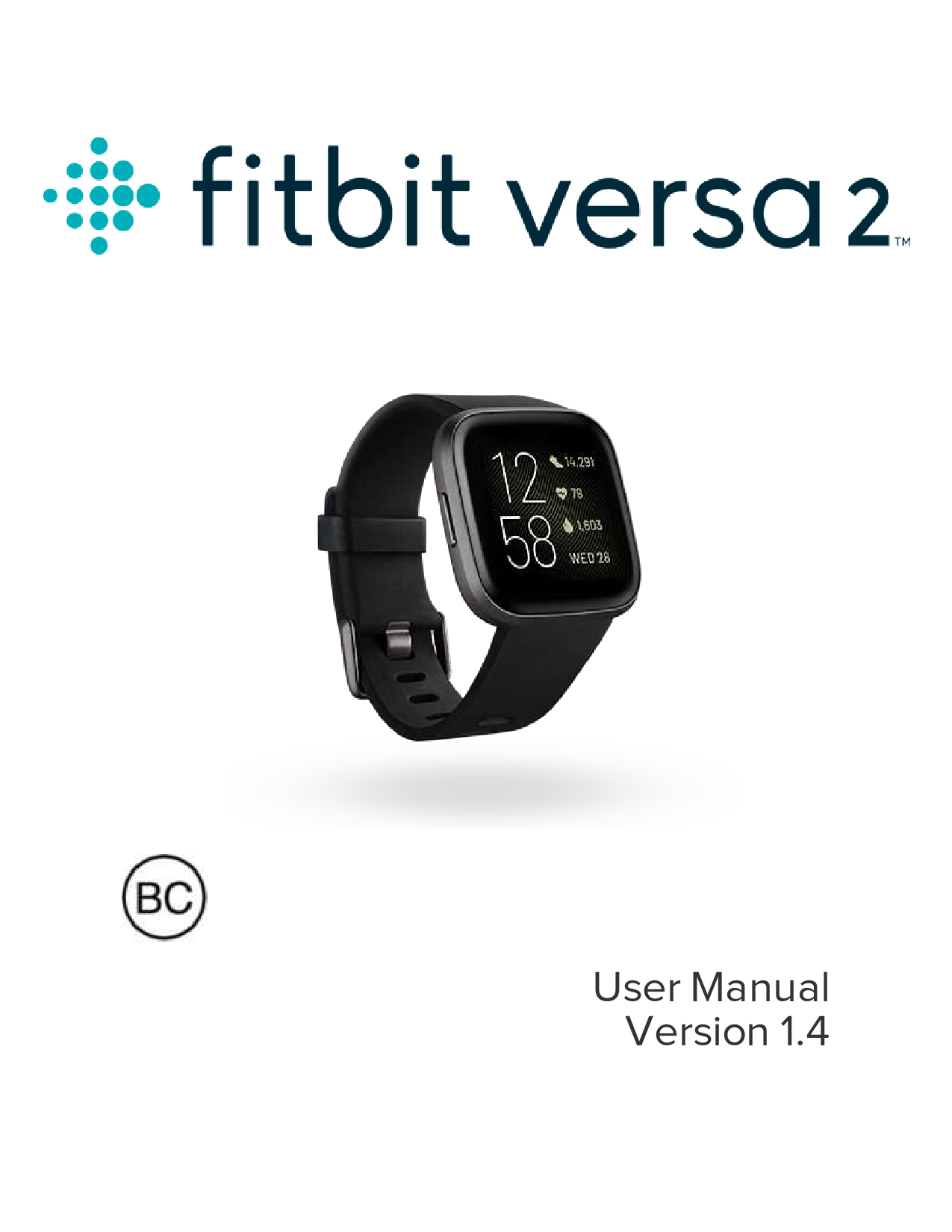
Fitbit Versa 2 User Manual
Welcome to Your Fitbit Versa 2
Elevate your day with the Fitbit Versa 2, a premium health and fitness smartwatch featuring Amazon Alexa Built-in, advanced fitness tracking, smart apps, and more. This manual provides comprehensive guidance to help you get the most out of your device.
For essential safety information, please visit fitbit.com/safety. Note that the Versa 2 is designed for fitness and wellness tracking and is not intended to provide medical or scientific data.
Key Features at a Glance
- Comprehensive health and fitness tracking (steps, heart rate, sleep, workouts)
- Built-in Amazon Alexa for voice commands and smart home control
- Receive and manage notifications from your smartphone
- Control music playback and store playlists
- Make contactless payments with Fitbit Pay
- Personalize your experience with various apps and clock faces
- Long battery life for extended use
Getting Started
This manual guides you through setting up your Versa 2, charging it, connecting to your phone and Wi-Fi, and exploring its core functionalities. Discover how to change bands, navigate the interface, and customize settings to suit your lifestyle.
Models: N78078, Versa 2 Smartwatch, N78078 Versa 2 Smartwatch
Full PDF Document

If the inline viewer fails, it will open the original document in compatibility mode automatically. You can also open the file directly.
References
-
 Fitbit Official Site for Activity Trackers & Smartwatches
-
Fitbit Official Site for Activity Trackers & Smartwatches
-
âTap to pay with your Fitbit device - Google Wallet Help
-
Fitbit Product Care - Help
-
Fitbit Official Site for Activity Trackers & Smartwatches
-
How do I use a voice assistant on my Fitbit smartwatch? - Fitbit Help Center
-
 Fitbit Help Center
-
Fitbit Help Center
-
How do I install and manage apps on my Fitbit device? - Fitbit Help Center
-
How do I use the device lock on my Fitbit device? - Fitbit Help Center
-
 Pandora Help
-
 Spotify - Web Player: Music for everyone
-
 Fitbit Limited Warranty - Help
-
The official site for Fitbit activity trackers and smartwatches
-
Fitbit Official Site for Activity Trackers & Smartwatches
-
 Discover apps and clock faces for your smartwatch | Fitbit App Gallery
-
Fitbit Help Center
-
How do I track my sleep with my Fitbit device - Fitbit Help Center
-
How do I track my sleep with my Fitbit device - Fitbit Help Center
-
How do I track heart rate with my Fitbit device - Fitbit Help Center
-
What factors can affect my heart-rate reading on my Fitbit device? - Fitbit Help Center
-
How do I see the time on my Fitbit device? - Fitbit Help Center
-
What activities do my Fitbit device and Google Pixel Watch track - Fitbit Help Center
-
How do I manage alarms on my Fitbit device? - Fitbit Help Center
-
How do I set up my Fitbit device? - Android - Fitbit Help Center
-
What are the reminders on my Fitbit device - Fitbit Help Center
-
How do I track my workouts with my Fitbit device and Google Pixel Watch - Fitbit Help Center
-
How do I track my health and fitness goals with Fitbit? - Fitbit Help Center
-
Control music with my Fitbit device - Fitbit Help Center
-
How do I get notifications from my phone on my Fitbit device - Fitbit Help Center
-
Extend your Fitbit device's battery life - Fitbit Help Center
-
How do I use a voice assistant on my Fitbit smartwatch? - Fitbit Help Center
-
How do I use a voice assistant on my Fitbit smartwatch? - Fitbit Help Center
-
Why can't I update my Fitbit device? - Fitbit Help Center
-
How do I track & manage stress with my Fitbit device? - Fitbit Help Center
-
What is my cardio fitness score? - Fitbit Help Center
-
How do I connect my Fitbit watch to Wi-Fi? - Fitbit Help Center
-
What should I know about using my Fitbit device to make contactless payments? - Fitbit Help Center
-
Why won't my Fitbit watch connect to Wi-Fi? - Fitbit Help Center
-
Control music with my Fitbit device - Fitbit Help Center
-
What should I know about Fitbit Premium? - Fitbit Help Center
-
How do I connect Bluetooth audio devices to my Fitbit watch? - Fitbit Help Center
-
How do I set a timer or use the stopwatch on my Fitbit device? - Fitbit Help Center
-
Control music with my Fitbit device - Fitbit Help Center
-
How do I set up and troubleshoot apps on my Fitbit device? - Fitbit Help Center
-
How do I set up and troubleshoot apps on my Fitbit device? - Fitbit Help Center
-
Control music with my Fitbit device - Fitbit Help Center
-
How do I respond to messages with my Fitbit device? - Fitbit Help Center
-
How do I use the Fitbit app? - Fitbit Help Center
-
What should I know about Fitbit Premium - Fitbit Help Center
-
What should I know about Fitbit Premium - Fitbit Help Center
-
 Subscriptions – Deezer Support
-
âTap to pay with your Fitbit device - Google Wallet Help
-
Fitbit setup requirements - Help
-
Fitbit Official Site for Activity Trackers & Smartwatches
-
Fitbit Product Care - Help
-
Google Store for Google Made Devices & Accessories
-
How do I use a voice assistant on my Fitbit smartwatch? - Fitbit Help Center
-
 Spotify Premium - Spotify (USA)