

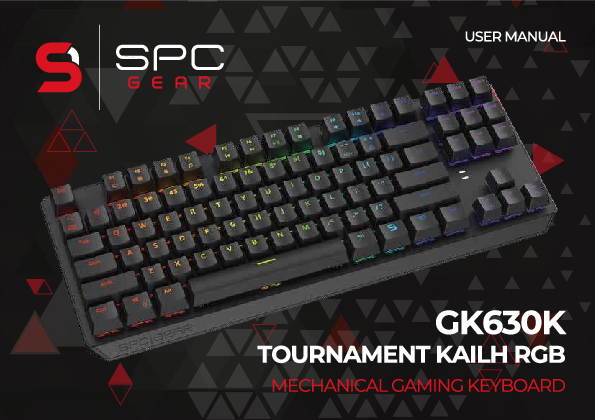
SPC Gear GK630K Tournament Kailh RGB Mechanical Gaming Keyboard
User Manual
Introduction
Welcome to the SPC Gear GK630K, a high-quality mechanical gaming keyboard designed for performance and durability. This manual will guide you through its features and functionalities.
Technical Specifications
The SPC Gear GK630K keyboard has the following dimensions:
- Width: 361.50 mm
- Depth: 140.00 mm
- Maximum Height: 42.50 mm
- Front Height: 24.00 mm
Multimedia and Software Keys
The keyboard features dedicated keys for multimedia control and software functions:
Fn+F1+ ? = ComputerFn+F2+ ? = Web browserFn+F3+ ? = CalculatorFn+F4+ ♫ = Music playerFn+F5+ K = Previous trackFn+F6+ ▶ = Next trackFn+F7+ ▶/|| = Play/PauseFn+F8+ ⏹ = StopFn+F9+ ? = MuteFn+F10+ ➖ = Volume DownFn+F11+ ➕ = Volume Up
Backlight Control
Customize your keyboard's lighting:
- Brightness:
Fn+ ▲ / ▼ - Effect Speed:
Fn+ ▶ / ▶ - Effect Direction:
Fn+ ▶ / ▶ - Color Change:
Fn+=+ (RGB)
Backlight Effects
The GK630K offers 18 distinct backlight effects:
- Modes 1-3:
Fn+Ins+ L1 - Modes 4-6:
Fn+Home+ L2 - Modes 7-9:
Fn+PgUp+ L3 - Modes 10-12:
Fn+Del+ L4 - Modes 13-15:
Fn+End+ L5 - Modes 16-18:
Fn+PgDn+ L6
Custom Backlight Modes
Create and save up to 10 custom backlight modes:
- Select a mode (1-0):
Fn+ 1-0 - Start defining: Press
Fn+`~. ThePrtSckey will blink. - Change colors: Use
Fn+=+ (RGB). Select keys for the desired color. - Turn off key lighting: While in the color selection mode, find a mode where
PrtScis not illuminated, then select the keys to turn off their lighting. - Save custom mode: Press
Fn+`~.
Additionally, there are 5 preset modes (modifiable) and 5 user-defined modes available.
Macros
Record and assign custom macros to your keys:
- Enter Gaming Mode: Press
Fn+Win. TheWinandEsckeys will illuminate. - Select a key to define a macro: Press
Fn+ the desired key. The key's backlight will blink. - Record the macro sequence: Press the desired key sequence on the keyboard.
- Save the macro: Press
Fn+ the selected key. - Exit macro settings: Press
Fn+Esc.
Hotkeys
- Gaming Mode (Windows Key Lock):
Fn+ ? + & - 6/N-key rollover:
Fn+Pause - WASD and Arrow Key Swap:
Fn+W
Factory Reset
To restore the keyboard to its factory default settings:
- Press
Fn+Esc. - Immediately after, press
F1+F3+F5.
Software and Support
For advanced customization, firmware updates, and access to the latest user manuals, please visit the official SPC Gear website:
Changing certain functions and settings requires the use of dedicated SPC Gear GK630K software.
Warranty Information
SPC Gear provides a 2-year manufacturer warranty for the GK630K keyboard. For detailed warranty terms and conditions, please visit the SPC Gear website.
Models: SPG056, SPG057, SPG058, SPCGEAR, GK630K, GK630K Tournament Kailh RGB Mechanical Gaming Keyboard, Tournament Kailh RGB Mechanical Gaming Keyboard