

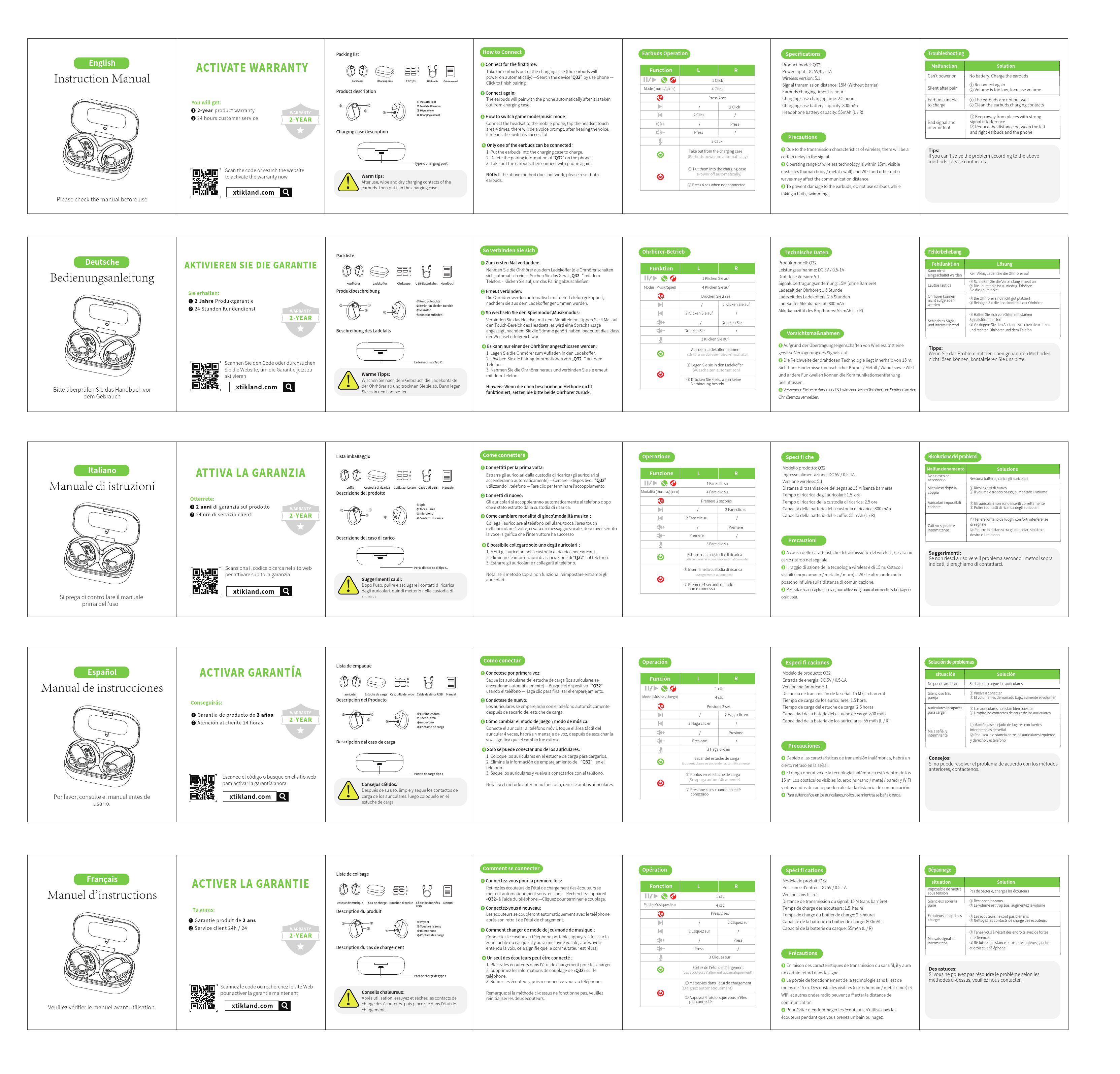
Taopod Q32 Wireless Earbuds
Instruction Manual
Get Started
Please check the manual before use.
Activate Warranty
You will get:
- 2-year product warranty
- 24 hours customer service
Scan the code or search the website to activate the warranty now:
xtikland.com [Search Icon]
[2-Year Warranty Badge]
Packing List
What's included:
- Earbuds [Description: Two wireless earbuds]
- Charging case [Description: A charging case for earbuds]
- Eartips [Description: Various sizes of eartips]
- USB-C Cable [Description: A USB Type-C charging cable]
- Manual [Description: The instruction manual]
Product Description
Earbuds:
- Indicator light [Description: LED indicator light on earbud]
- Touch area [Description: Touch-sensitive area on earbud]
- Charging contact [Description: Charging contacts on earbud]
Charging Case Description
Type-C charging port [Description: USB Type-C port on the charging case]
Warm Tips
After use, wipe and dry the charging contacts of the earbuds, then put them in the charging case.
How to Connect
First-Time Connection:
- Take the earbuds out of the charging case (they will power on automatically).
- Search for the device "Q32" on your phone.
- Click to finish pairing.
Connect Again:
The earbuds will pair with the phone automatically after being taken out of the charging case.
How to Switch Game Mode/Music Mode:
Connect the headset to your mobile phone, tap the headset touch area 4 times. A voice prompt will indicate the switch is successful.
Only One Earbud Connected:
- Place both earbuds into the charging case to charge.
- Delete the pairing information of "Q32" on your phone.
- Take out the earbuds and connect with the phone again.
Note: If the above method does not work, please reset both earbuds.
Earbuds Operation
| Function | L | R |
|---|---|---|
| Mode (Music/Game) ?/? | 1 Click | 1 Click |
| Next Track ▶️ | 4 Clicks | 4 Clicks |
| Previous Track ◀️ | 2 Clicks | 2 Clicks |
| Volume Up ⬆️? | Press | Press |
| Volume Down ⬇️? | Press | Press |
| Voice Assistant ?️ | 3 Clicks | 3 Clicks |
| Call Answer/End ? | Press | Press |
Actions:
- Take out from the charging case: Earbuds power on automatically. [?]
- Put them into the charging case: Power off automatically. [?]
- Press 4 sec when not connected: [Initiate Pairing Mode]
Specifications
- Product Model: Q32
- Power Input: DC 5V / 0.5-1A
- Wireless Version: 5.1
- Signal Transmission Distance: 15M (Without barrier)
- Earbuds Charging Time: 1.5 hours
- Charging Case Charging Time: 2.5 hours
- Charging Case Battery Capacity: 800mAh
- Headphone Battery Capacity: 55mAh (L / R)
Precautions
- Due to the transmission characteristics of wireless, there will be a certain delay in the signal.
- Operating range of wireless technology is within 15m. Visible obstacles (human body / metal / wall) and WIFI and other radio waves may affect the communication distance.
- To prevent damage to the earbuds, do not use earbuds while taking a bath or swimming.
Troubleshooting
| Malfunction | Solution |
|---|---|
| Can't power on | No battery, Charge the earbuds |
| Silent after pair | Reconnect again Volume is too low, Increase volume |
| Earbuds unable to charge | The earbuds are not put well Clean the earbuds charging contacts |
| Bad signal and intermittent | Keep away from places with strong signal interference Reduce the distance between the left and right earbuds and the phone |
Tips: If you can't solve the problem according to the above methods, please contact us.
