

File info: application/pdf · 10 pages · 1.93MB
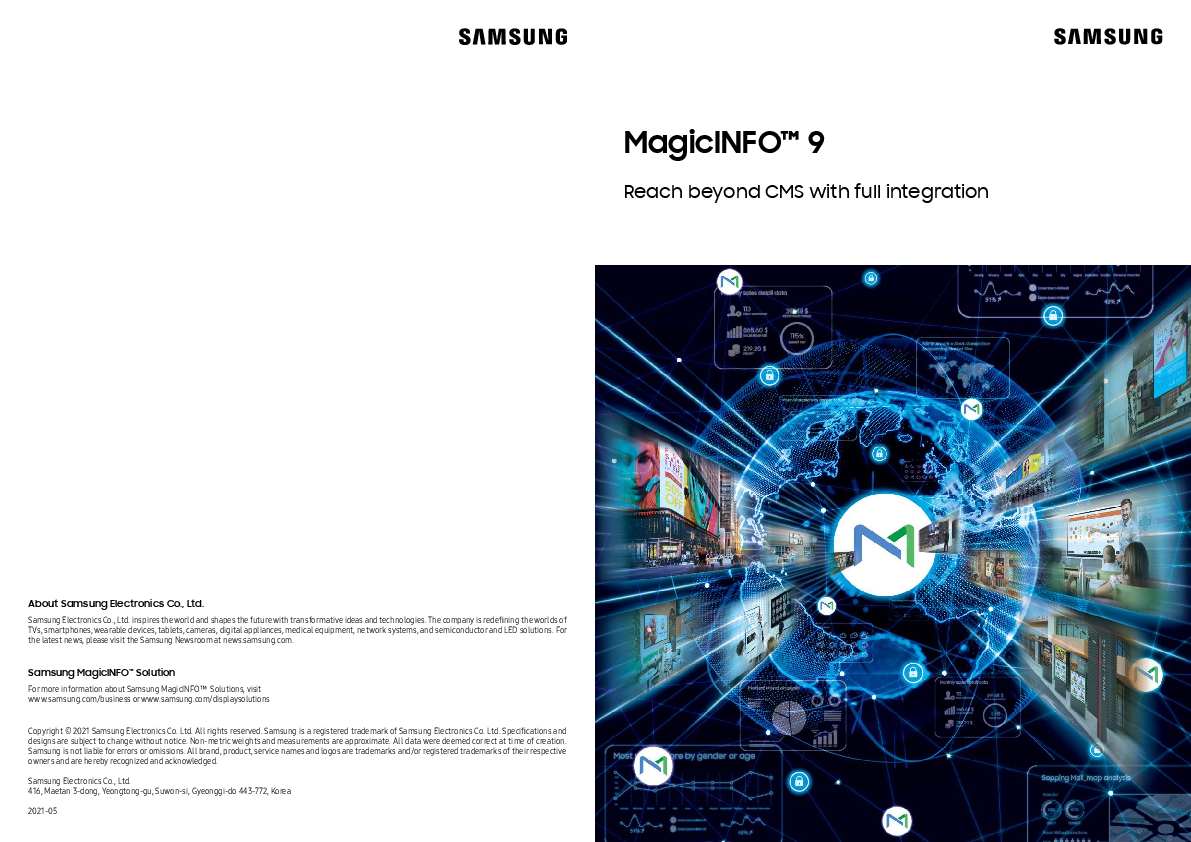
MagicINFO ™ 9
a web manual. Users are alerted of any content or device errors, provided by monitoring capabilities on a single dashboard and shared via email notifications for maximum efficiency. MagicINFO™ Server can deploy up to te…
MagicINFO ™ 9 - Samsung Display Solutions
Smart download. Bluetooth. WiFi. External source. Enhanced remote control. When an error is detected, MagicINFO™ Server now makes it easier to diagnose and ...
Full PDF Document

If the inline viewer fails, it will open the original document in compatibility mode automatically. You can also open the file directly.
Extracted Text
MagicINFOTM 9
Reach beyond CMS with full integration
About Samsung Electronics Co., Ltd.
Samsung Electronics Co., Ltd. inspires the world and shapes the future with transformative ideas and technologies. The company is redefining the worlds of TVs, smartphones, wearable devices, tablets, cameras, digital appliances, medical equipment, network systems, and semiconductor and LED solutions. For the latest news, please visit the Samsung Newsroom at news.samsung.com.
Samsung MagicINFOTM Solution
For more information about Samsung MagicINFOTM Solutions, visit www.samsung.com/business or www.samsung.com/displaysolutions Copyright � 2021 Samsung Electronics Co. Ltd. All rights reserved. Samsung is a registered trademark of Samsung Electronics Co. Ltd. Specifications and designs are subject to change without notice. Non-metric weights and measurements are approximate. All data were deemed correct at time of creation. Samsung is not liable for errors or omissions. All brand, product, service names and logos are trademarks and/or registered trademarks of their respective owners and are hereby recognized and acknowledged. Samsung Electronics Co., Ltd. 416, Maetan 3-dong, Yeongtong-gu, Suwon-si, Gyeonggi-do 443-772, Korea 2021-05

Samsung's powerful MagicINFOTM

Elevates the power of displays to enhance your business
Today's businesses require modern solutions that enable fast and effective data-driven communications and are protected by leading security tools. Samsung's MagicINFOTM is an all-in-one solution supporting content, device and data management.
From content creation to publication and monitoring, users can manage content and devices on a single platform. The latest version of MagicINFO can analyze playback data and even sales data together to provide insightful marketing performance reports. And now, MagicINFO is International Standard ISMS (Information Security Management System) and PIMS (Privacy Information Management System) certified � the first solution in the industry to receive both certifications, protecting your remote display management with leading security.

Holistic content management

Enhanced data management

Enterprise-grade device management

Content creation Easy content creation
Scheduling Convenient dynamic scheduling
Publication Uninterrupted content publishing 2

Automation Routine tasks automation
Analysis Data analytics
Visualization Easy-to-understand visual report

Monitoring In-depth remote monitoring
Control Complete hardware control
Notification Error notifications

Three-part content management solution
MagicINFOTM is built from three main components that work together to deliver full-scale communications: Author, Server and Player. With Author, interact with easy-to-use content creation tools within an intuitive interface. Server provides comprehensive content management for easy scheduling, playlist arrangement and content distribution. Player enables content to be played in nearly any format without the use of external software or hardware.

Content management

Content creation Scheduling

Publication

Device management

Monitoring

Control

Notification

Data management
Automation Collect and analysis Visualization

MagicINFOTM Author
Easy content creator

MagicINFOTM Server
Integrated content & device management

MagicINFOTM Player
Universal compatibility

Add-on solution
MagicINFOTM Insight
Collects detailed playback history & provides dashboard

MagicINFOTM Datalink
Delivers real-time data updates
Samsung MagicINFOTM 9 3

Why choose MagicINFOTM?

Industry-leading security

US

US NIST1 Cybersecurity

framework

ISO2 27001

ISO 27701

EU

US NIST Privacy framework
EU GDPR�

Security

Privacy

The digital signage industry faces new security threats. The potential reach of digital signage is enticing enough for hackers to attempt to access systems. Recently, this has resulted in an increase in incidents where hackers break into display CMS solutions or devices at local level to display inappropriate images or messages, negatively impacting a brand and causing unwanted attention. Samsung specifically sought ISO certification as it is the mostly widely recognized and used security standard today. After an extensive review process, Samsung was ISO27001 and ISO27701 certified. MagicINFO is the 1st solution in the signage industry to acquire the both certifications. Samsung MagicINFO provides the highest level of security in the digital signage industry and is officially recognized worldwide.
1) NIST: National Institute of Standards and technology 2) ISO : International Organization for Standardization 3) GDPR: General Data Protection Regulation.

One-stop device and content management

Expanded insight with proof of play analysis

POS data

Date

Unit price

Product Sale price

Quantity

Elementary data

MagicINFOTM Insight

Index summary Product index

Sale index

Store index

Index ranking
200
150
100
50
0
3,000 2,500 2,000 1,500 1,000
500 0

Marketing with data-driven insights can be the difference maker between your business and the competition. MagicINFOTM Insight collects and analyzes Proof of Play (PoP) history from multiple displays, and now the enhanced insight dashboard provides more tools to get the most out of content. MagicINFO Insight creates detailed performance reports for advertisers and can show content ROI with custom 3D charts for more visual analysis. By uploading sales data to the platform, MagicINFO can compare content plays versus actual item sales to determine correlations and effectiveness. It helps businesses know what content is working effectively and what is not, allowing for real-time modifications to provide maximum return.

Powerful playback supporting real-time modification

Content

Device

Advanced device health

Multi screen remote control

Automatic firmware updates

With MagicINFOTM, users can manage both the content and device on a single platform. Unlike other content management solutions, Samsung's MagicINFO is a completely integrated solution for monitoring and controlling hardware issues remotely. Control display content, access hardware settings and troubleshoot issues, all while offsite. MagicINFO consolidates everything into one place and synchronizes with your existing management software to provide complete control from every display. With the enhanced device management capabilities, enable advanced device health checks and firmware target updates.

4

www.samsung.com

HTML5 Playback

W Player

MagicINFOTM Player is compatible with multiple web formats and standards, allowing rich content playback for optimum business flexibility. Now, Samsung is providing the W player API to businesses to unlock real-time web content modification for more agile updates. Web content can be modified in real-time for immediate use on the display. Users can modify HTML content using the web author and API guide or can update external data via the UDP port or Datalink to change elements including POS data and order confirmation displays.

Samsung MagicINFOTM 9 5

MagicINFOTM benefits suited for each vertical

Retail QSR Education
6

Enhance offline shopping environments with immersive digital experiences
Drive sales and brand awareness by attracting customers into the retail environment through engaging digital solutions.
Launch content across an array of localized or off-site screens thanks to a cloud-based content management solution.
Apply real-time customer preferences in order to optimize messages that appeal to target customers.

Healthcare

Bring your menus to life and sell more with dynamic and engaging content
Incorporate new innovations ,including beacons, order-ahead apps and selfordering kiosks to optimize operational efficiency and positively impact consumer experiences.
Plan or adapt schedule content based on parameters including time, day and season.
Boost sales with enticing product videos, leveraging upsell potential, and dynamically promoting add-on items.

Finance

Modernize your equipment to create a more connected campus
Maintain focused control of messaging that allows individuals, departments and organizations to view from their own device.
Be assured knowing emergencyalerts and notifications are quicklydistributed throughout campus.
Keep staff informed and entertained while broadcasting news and content to various displays.

Entertainment

Improve overall service while showcasing effective content and communication
Make the most of wait times with entertaining videos, live news feeds and social media.
Incorporate new technology such as beacons, mobile apps and self-ordering kiosks to optimize operational efficiency and positively impact consumers. Unlock new revenue sources by leveraging advertising potential.

Communicate with trusted data in real-time
Display live financial data feeds in real time. Deploy and update content from a central location or allow content to be customized to suit local banking conditions and audiences. Captivate users and new businesses though the effective use of interactive displays with eye-catching promotions.

Streamline communication that's always up-to-date, relevant and fast
Seamlessly integrate with accounting and back-office departments to ensure accurate ticket prices, attractions, event information and current promotions.
Minimize wait times at POS systems through interactive self-service order kiosks.
Expand revenue with add-on suggestions, promotions, extra services and advertising income.

Samsung MagicINFOTM 9

7

MagicINFOTM Server
Content Management

Device Management

Enhanced device management

Intelligent content and device management
MagicINFOTM Server drives a more convenient and efficient management experience through an intuitive user menu and extensive content and playlist management options. It allows you to create playlists from various content types and enables easy scheduling, in-depth monitoring and control capabilities to connected displays.

Uploading content
Divece Name Screen Size Resolution
Network
8

Content scheduling

Content publication

Monitoring & control

Weather POS Data Store Location
Time

Conditional scheduling
MagicINFOTM Server enables users to remotely control important display settings from anywhere with an intuitive mirroring interface, which functions as though users were standing right in front of the display. The details of any hardware errors and warnings are also provided so that users can diagnose any issues, identify the cause and solve it via a web manual. Users are alerted of any content or device errors, provided by monitoring capabilities on a single dashboard and shared via email notifications for maximum efficiency.
Dynamic content distribution
MagicINFOTM Server can deploy up to ten multi-channels that have been scheduled, as well as easily create multiple frames within a single display panel, each with the ability to play its own unique content. Server also prevents any gaps in delivering critical content through a backup play setting that transfers content to a secondary display if the main device is out of order, ensuring there is no disruption to the business.

Advanced device health

Advanced email notification

Full network monitoring
MagicINFOTM Server enables users to monitor the health of the full network to ensure maximum efficiency at all times. When an error is detected, the system provides alerts and warnings on a single dashboard and shares with relevant stakeholders through email notifications.

Firmwarefor Tizen A
Not try downloading

Setting
Multi screen remote control

Update Update

Success

Fail

Tizen A Other device

Update

No

Success Update

Tizen A Other device

Automatic firmware updates

Download...

Download...

Download...

Download...

Download...

Download...

Private certificate management

Enhanced remote control
When an error is detected, MagicINFOTM Server now makes it easier to diagnose and address issues remotely. Using Multi Screen remote control, users can view and interact with multiple screens in order to better diagnose an issue. With Screen Monitoring control, users can control on and off the screen shown and each display and with the remote management function, can be turned on and off directly from the server.

Open / Lock

Secured by Knox

External source USB port Network port

WiFi Bluetooth Smart download

Comprehensive security protection
With MagicINFO Server, users can monitor and control the security settings of all displays, including network port access, USB navigation, Wi-Fi and Bluetooth connection, as well as the smart download feature based on the security and device policy of each feature.
Samsung MagicINFOTM 9 9

MagicINFOTM Author

MagicINFOTM Player

Compelling and convenient content creation
Create dynamic, high-qualitycontent thatwill captureyouraudience's attentionwith MagicINFOTMAuthor. The comprehensive platform provides users with intuitive and easy-to-use content creation tools that simplify web content authoring � no coding required. MagicINFOTM Author is fully flexible for custom content creation, allowing users to upload custom fonts and have more control over their message to ensure full adherence to established brand guidelines. Support for widget integration, QR code creation and variable tags encourage customer interactions after the initial viewing for increased engagement.

Embedded templates &
clip arts

Visual effect

Widget integration

HTML

Code-less

Code-less HTML content creation

CSS effect support

Aa
User's font support 10

URL
Variable tag

Complete customization
MagicINFOTM Author provides various embedded components for optimized content creation. Built-in templates and clip art, including decorative stickers and stamps, make content more visually appealing and grab the attention of consumers. Dynamic visual effects can also be added, bringing content to life with options such as snow, rain, confetti and smoke. Additionally, Author supports built-in applications, including Media RSS, for full user integration.
Web content construction with no coding needed*
MagicINFOTM Author makes it easier than ever to create web content, including HTML, CSS and JavaScript, without any coding required. A host of new embedded web components are available, allowing users to easily access widgets and upload their own custom web elements. These include custom design fonts to make their content stand out and ensure it aligns with any established brand guidelines, in addition to fully customized web effects for dynamic and engaging content.
*Features listed here are only supported forcontent created specifically forW player.
Intuitive features for enhanced user experience
Custom font designs can be uploaded by users forfully customized content which aligns with established brand guidelines. Simple tagging of devices to a single URL destination means only one URL address is needed to access and edit content. Users can lock specific parts of content to prevent other users from modifying, while having the ability to also lock any element by size, position or design style. This allows for the localization of content, without changing key brand content such as logos.

Powerful playback supporting real-time modification
MagicINFOTM Player is compatible with multiple web formats and standards, allowing rich content playback for optimum business flexibility. Now, Samsung is providing the W player API to businesses to unlock real-time web content modification for more agile updates. Users can modify HTML content using the web author and API guide or can update external data via the UDP port or Datalink to change elements including POS data and order confirmation displays. Once updated, MagicINFO Player's enhanced playback functionality provides advanced graphic performance and showcasing content in 8K quality.

8K Playback

Multi-video playback

www.samsung.com
W Player

Eye-catching performance
MagicINFOTM Playerprovides each userwith advanced graphic performance capability to showcase content in 8K quality for enhanced customer engagement. Player can also deliver up to three simultaneous FHD quality videos from multiple sources, in both portrait and landscape. These features are supported by seamless transitioning, preventing any lag or streaming delay while also eliminating black screens or gaps as content transitions to ensure customer attention is captured � and maintained.
Web content compatibility
Users can experience MagicINFOTM while using current web technology or upgrade the app at any time to use new features when the latest server is available. And with the W player API, web content can be modified in real time for immediate use onthe display.

External network

Internal network

Smart download for more efficient content delivery
MagicINFOTM Player is supported by an advanced smart download feature, meaning the Player downloads content from the MagicINFO Server before distributing to other players via an internal network. This ensures the Server must only execute one data transition, avoiding any unnecessary network traffic and creating a more efficient process.
Samsung MagicINFOTM 9 11

MagicINFOTM Insight

Expanded insight with proof of play analysis
Marketing with data-driven insights can be the difference maker between your business and the competition. MagicINFOTM Insight collects and analyzes Proof of Play (PoP) history from multiple displays, and now the enhanced insight dashboard provides more tools to get the most out of content. Insight creates detailed performance reports for advertisers and can show content ROI with custom 3D charts for more visual analysis.

Reliable playback history

Condensed dashboard

Report for advertiser

Content data

Device

Play

data

data

Versatile data 12

MagicINFOTM Insight workflow
POS data

MagicINFOTM Server

MagicINFOTM Insight

Dashboard Report

What can MagicINFOTM Insight do for you?

Setting
Insight index management All Grop

Setting

Add index

Index name Value Organization Description

Index name Select to add a value. Common Description

Save Cancel

Index : weather

Sunny day Rainy day Cloudy day

Index : location

U.S.A U.K Norway

Customizable content management
Collect and analyze Proof of Play (PoP) history from multiple displays, and with the enhanced insight dashboard, get the most out of content with more tools. Now, users can set and manage the index any way they want, including by brand name, weather, and region. Analyze ads by regional performance or by different environmental factors to show performance during different types of weather.

Pos Data

Date

Unit price

Product Sale price

Quantity

Elementary data

MagicINFOTM Insight

Index summary Product Index

Sale Index

Store Index

Index Ranking
200
150
100
50
0
3,000 2,500 2,000 1,500 1,000
500 0

Seamless data upload
Now it's easier than ever to upload sales data from different store's POS terminal. MagicINFOTM 9 identifies and maps five essential data points key to analysis regardless of POS systems across regions, making it simpler and faster to compare data. Businesses can compare performance against real sales data to create new goals and plans, rather than analyzing separately. Plus, the analysis accounts for environmental factors including weather data.

Product_A(AD)

Clear foggy Rainy Sunny CMloousdtylyPaclrotiuadllyy cPlaorutdlyycloudy

$10,000 $8,000 $6,000 $4,000 $2,000 $0 SatSun MoTnuWe eTdhFuri
This ad was less effective.

Content ROI analysis

MagicINFOTM provides simplified content ROI analysis that helps businesses plan for the future. By uploading sales data to the platform, MagicINFO can compare content plays versus actual item sales to determine correlations and effectiveness. It helps businesses know what content is working effectively and what is not, allowing for real-time the modifications to provide maximum return.

Samsung MagicINFOTM 9 13

MagicINFOTM Datalink

NEWYORK

LONDON

SYDNEY

Dynamic, real-time data delivery without interruptions
MagicINFOTM Datalink delivers up-to-date information with simplified, real-time content management, by pulling external data from the customer database and sending to the MagicINFO Player. Users can create dynamic content with MagicINFO Datalink, adapting elements such as changes in price, exchange rates and interest rates, all of which can change in real time. This capability allows users to customize and display impactful information, streamlining content management, minimizing operation cost and with a host of new features also now added, MagicINFO Datalink ensures maximum business performance.

Automated scheduling

Reduced labor cost

Global operation

MagicINFOTM Datalink dynamic content workflow

Pulling & pushing* data

Sync

Publish

Centralized data

MagicINFOTM Datalink

� Menu / price / daypart � Time / region / language & etc

14

MagicINFOTM Server

Single template

Publishing

*Additional development may be required for data pushing

What can MagicINFOTM Datalink do for you?

*Datalink does not provide a separate UI for Dataveiw, and customers can create SQL to suit their needs.

Update...

Upload...

Data 1 Data 2 Data 3

Real-time data update

Various data module support

Dataview

Simple data integration and utilization
MagicINFOTM Datalink supports dynamic information delivery, presenting up-to-the-minute data for a straightforward, efficient and real time user experience. MagicINFO Datalink also supports a variety of user databases and doesn't require any separate middleware to connect user data to the platform, making it easy no matter what infrastructure a user has in place. MagicINFO Datalink provides a straightforward drop-down menu for SQL, even without user knowledge of SQL language.
*Middleware or third-party software may be recommended depending on specific customer requirements.

Update check

Data pushing Data polling

Data caching

Push API

Multi-thread communication

Increased operational efficiency
MagicINFOTM Datalink utilizes data caching by analyzing data before downloading to the player to determine if there is a change in the data or not, with only new data being downloaded to eliminate unnecessary traffic. MagicINFO Datalink also supports data pushing, meaning that when the data is updated, the database sends only updated content to datalink even before set cycle. Finally, multi-thread communication with multiple servers simultaneously, vastly improves data transmission rates in larger organizations and infrastructures.

24hrs

24 hours backup solution

Versatile content type download

Authority management

Enhanced features and functionality
MagicINFOTM Datalink features backup solution that regularly saves the last 24 hours of data in XML format so if there is any network disruption, displays can showcase the right content based on matching the time. In addition to text data, Datalink also supports a versatile range of media content including video and images for any business need. For efficient operation, admin users can assign proper organization access to each data module, setting restrictions and ensuring appropriate management of data and content.
Samsung MagicINFOTM 9 15

MagicINFOTM Cloud

The cloud-hosted and managed service
During these times of change, early adopters have fully embraced Cloud Technologies. Samsung is changing the way businesses bring content to life with MagicINFOTM Cloud, a complete digital signage content management software solution. Building upon the success of the existing MagicINFOTM platform, the cloud-hosted and managed service provides customers with an easy, reliable and affordable web-based offering for the creation, scheduling and delivery of eye-catching content across digital signage networks. Enhanced by data-driven insights, MagicINFOTM Cloud gives businesses web-accessible control over a variety of displays, a single point platform to create and distribute content, manage and control your connected display end points and an optimized workflow to run seamless media from content creation, publishing through to device management.

NOC1) Tech Support

MagicINFOTM Cloud hosting server

Device Management
Monitoring Control Notification

Content Management
Content Scheduling Publication Creation

3 Data Management
Automation Analysis Visualization

1) NOC : Network operations center
16

The optimal and cost-effective way of operating Samsung Digital Signage
There's no need for upfront licensing fees or the stress of setting up your own servers (and maintaining them). Focus your energy on elevating and delivering your messaging across your Samsung digital displays, while our experts manage the rest on powerful, dedicated servers. No hidden costs or extras -just one all-inclusive price per year. Samsung's MagicINFOTM managed solution is an intuitive service that:
� Provides web-accessible control over a variety of Samsung commercial displays (from standalone units to video walls). � Offers a single-point platform to create and distribute content, remotely and collaboratively, anywhere in the world. � Offers optional in-house support, from our pool of Samsung experts to guide you through your digital journey.
Harness the power of Samsung MagicINFO, the all-inclusive digital signage platform that offers seamlessly-integrated software and hardware management tools, now in a cloud-hosted managed solution.

Offerings information

Service Offerings
MagicINFOTM Cloud hosting server
MagicINFOTM Cloud server upgrade and maintenance
MagicINFOTM Cloud server technical inquiry
Proactive monitoring
Remote Technical Support via email, Phone 1)
Response time with SLA 2)

Standard
-

Priority path for issue escalation

-

Add-on service availability

-

1) Language support - English, Spanish, Chinese 2) Response time depending on severity levels defined

Premium

Premium Plus

12 x 7

24 x 7

Samsung MagicINFOTM 9 17

MagicINFO maintenance service

Frequently asked questions

* MagicINFOTM Cloud service item includes Maintenance Serivce, customers of MagicINFO Cloud do not need to purchase the service separately.
Access on-demand experts for comprehensive support
Maintaining up-to-date software is essential to ensuring you always get the most out of your solution. Samsung MagicINFOTM Maintenance Service provides fast access to Samsung experts ready to provide reliable support that addresses customer's needs and requirements. The annual subscription-based service can be purchased from authorized Samsung MagicINFO distributors or resellers.
Managed through the MMP (MagicINFO Maintenance Portal) site, users can submit technical inquiries or troubleshooting requests and access useful resources in the knowledge hub. Users can upload any question or issue and check the status of their request � all which are promptly escalated to ensure the appropriate support is provided in a timely manner.
* To reach the MMP site, please visit: http://magicinfo.support.samsung.com

www.samsung.com User Manual
?

Q A

?
HELP
Error

6

8

Technical inquiries
Users can register all inquiries on the MMP at any time, requesting detailed information to learn about the latest MagicINFOTM features and compare versions of the software to understand the differences.
18

Trouble shooting
If users have any issues related to MagicINFOTM, they can report these issues and escalate them through the MMP. Once this issue has been reported, Samsung's technical support team can analyze via a remote support session if needed and deliver a recommendation accordingly based on the resolution most suited to the user's environment.

Update access
Users can get the most from Samsung MagicINFOTM by upgrading to the newest version of the solution. By subscribing to MagicINFOTM Maintenance Service, users are enabled to upgrade their software when a new version is available.
*This may not be applicable to you if you already have the latest version and Samsung may not be able to provide an upgraded version during your subscription term

Q What can I do with MagicINFO?
A The MagicINFOTM solution remotely creates and distributes content on multiple displays and monitors and controls device conditions. This allows the user to minimize site visits and efficiently manage resources.

Q What is Insight used for?
A When users run an advertising business that plays external content with their display, they must analyze the playback history in detail. Insight analyzes display history by condition (brand, location, product, etc.) and provides detailed insights by combining the analysis results with actual sales information.

Q

Where can I get more information on MagicINFO?

A More information is available at ds.com. You can also get more information from the partner portal.

Q

How can I connect Insight's sales data?

A If a file has a CSV, JSON, or XML extension, it can be registered and updated periodically by uploading it as a file or entering a specific path. Then the uploaded file can be connected to the information needed by Insight through mapping tables.

Q What is W player?

Q

Where can I ask for information related to MagicINFO?

A W player is a web app developed by Samsung for users to enjoy web content more freely. Users can keep experiencing MagicINFOTM while using web technology as is. Users can also upgrade the app to use new features without restriction on devices at any time if the latest server is available.

A Please refer to the manual on the website. For more information, contact your vendor or a Samsung representative in your area. To get a priority answer, please purchase our maintenance service and post your inquiry on our portal. We will answer your inquiry with the highest priority.

Q

How can I get access to MagicINFO Maintenance Portal?

Q

How do I check my MagicINFO license's maintenance period?

A Once you visit and register a website, your local Samsung team will verify your information and approve applications for granting authority to access MMP. (https://magicinfo.support.samsung.com)

A Once a customer purchases maintenance SKU(BW-MIM70PA) on top of MagicINFOTM server(BW-MIP70PA), they can check its service period and end date in license tab in MagicINFOTM server (click re-activation button). For net new purchase of MagicINFOTM Server license, 12 months of maintenance period is included.

Q When is service start date? A MagicINFOTM maintenance service starts from the day that the license
is activated (or re-activated) in server.

Samsung MagicINFOTM 9 19