

File info: application/pdf · 52 pages · 1.53MB
HearLink - wdh02.azureedge.net
instructions on how to replace the appropriate filters. Please refer to page 3 for the applicable filters. 25 Replace ProWax miniFit filter 1. Tool Remove the tool from the shell. The tool has two pins, one empty for re…
User guide
Hearing aid service or repair |Philips HearLink
Extracted Text
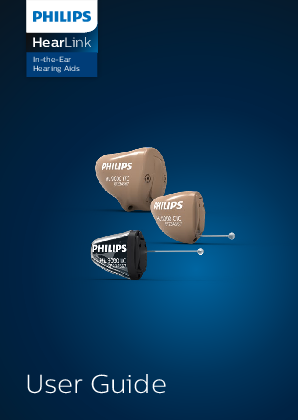
HearLink
In-the-Ear Hearing Aids
User Guide

Model overview
This booklet is valid for the Philips HearLink family in the following hearing aid models, battery sizes, styles, filter types and options.

To be filled out by your hearing care professional.

Models/CTNs

HearLink 9000 � HL 9000
(HEI9000, HEI9001, HEI9002)
HearLink 7000 � HL 7000
(HEI7000, HEI7001, HEI7002)
HearLink 5000 � HL 5000
(HEI5000, HEI5001, HEI5002)
HearLink 3000 � HL 3000
(HEI3000, HEI3001, HEI3002)
HearLink 2000 � HL 2000
(HEI2000, HEI2001, HEI2002)

Battery size Styles

10

312

IIC, Invisible-In-the-Canal CIC, Completely-In-the-Canal ITC, In-the-Canal

Filters

ProWax miniFit filter T-Cap filter O-Cap filter

Options

Program Button Volume Control Telecoil Auto Telephone NFMI

Your individual hearing aid settings

Settings overview for your hearing aid

Left

Right

Yes

No

Volume Control

Yes

No

Yes

No

Program Button

Yes

No

Yes

No

Mute

Yes

No

Volume Control indicators

Beeps at min/max

On

Off

volume

On

Off

Clicks when changing

On

Off

volume

On

Off

Beeps at preferred

On

Off

volume

On

Off

Battery indicators

On

Off Low battery warning

On

Off

Warranty certificate
Name of owner: Hearing care professional: Hearing care professional address:

Hearing care professional phone:

Purchase date:

Warranty period:

Month:

Model right: Model left: Battery size:

Serial no.: Serial no.:

International warranty
Your hearing aid is covered by an international limited warranty issued by the manufacturer for a period of 24 months from the date of delivery. This limited warranty covers manufacturing and material defects in the hearing aid itself, but not in accessories such as batteries, tubing, speakers, earpieces and filters, etc. Problems arising from improper/incorrect handling or care, excessive use, accidents, repairs made by an unauthorized party, exposure to corrosive conditions, physical changes in your ear, damage due to foreign objects entering the device or incorrect adjustments are NOT covered by the limited warranty and may void it. The above warranty does not affect any legal rights that you might have under applicable national legislation governing sale of consumer goods. Your hearing care professional may have issued a warranty that goes beyond the clauses of this limited warranty. Please consult him/her for further information.
If you need service Take your hearing aid to your hearing care professional, who may be able to sort out minor problems and adjustments immediately.

Introduction to this booklet
This booklet shows you how to use and maintain your new Philips hearing aid. Please read the booklet carefully including the warning sections. This will help you to achieve the full benefit of your new hearing aid.
Your hearing care professional has adjusted the hearing aid to meet your needs. If you have further questions, please contact your hearing care professional.
More information is available on www.hearingsolutions.philips.com.

Intended use
The hearing aid is intended to amplify and transmit sound to the ear and thereby compensate for impaired hearing within mild to severe hearing loss. This hearing aid is intended for use by adults and children older than 36 months.
Important notice The hearing aid amplification is uniquely adjusted and optimized to your hearing capabilities during the hearing aid fitting performed by your hearing care professional.

Identify your hearing aid
Philips is offering a wide variety of in-the-ear hearing aids. Please see the model overview for your style and battery size. This will make it easier for you to navigate through this booklet.

Table of contents

Size 10 battery (CIC style shown)

12

Size 312 battery (ITC style shown)

13

Identify left and right hearing aid

14

MultiTool for handling batteries

and cleaning

15

Turn the hearing aid on and off

16

When to replace a battery

17

Replace the battery

18

Insert the hearing aid

20

Remove your hearing aid

21

Caring for your hearing aid

22

Filter replacement

24

Replace ProWax miniFit filter

25

Replace T-Cap filter

26

Replace O-Cap filter

27

Optional features and accessories

28

Change programs

29

Change volume with Program Button

31

Change volume with Volume Control

32

Mute the hearing aid

33

Other options

34

General warnings for all hearing aids

35

Troubleshooting guide

40

Water & dust resistance

42

Conditions of use

43

Technical information

44

Size 10 battery (CIC style shown)
What it is and does

Microphone inlet Sound in

Program Button (optional) Mute, change volume and program

Sound outlet Sound out

Battery drawer Contains the battery and functions as on/off switch

Pull-out string Pull out the hearing aid

Vent

Vent

Components may be positioned differently on your hearing aid.
12

Size 312 battery (ITC style shown)
What it is and does

Program Button (optional)
Mute, change volume and program

Volume Control (optional) Change volume

Battery drawer Contains the battery and functions as on/off switch
Vent

Microphone inlet Sound in
Sound outlet Sound out

Vent

13

Identify left and right hearing aid
It is important to distinguish between the left and the right hearing aid as they might be shaped and programmed differently.
A BLUE shell, dot or text identifies the LEFT hearing aid* A RED shell, dot or text identifies the RIGHT hearing aid*
*Shell and dot is only available for IIC
14

MultiTool for handling batteries and cleaning
The MultiTool contains a magnet that makes it easier to replace the battery in the hearing aid. It also contains a brush and a wire loop for cleaning and removing ear wax from your earpiece. If you need a new MultiTool, please contact your hearing care professional.

Magnet

Wire loop Brush

Important notice The MultiTool has a built-in magnet. Keep the MultiTool at least 30 cm away from credit cards and other magnetically sensitive devices.
15

Turn the hearing aid on and off
The battery drawer is also used to switch the hearing aid on and off. To preserve the battery, make sure your hearing aid is switched off when you are not wearing it. If you wish to return to the standard settings of the hearing aid programmed by your hearing care professional, simply open and then close the battery drawer.

Turn ON Close the battery drawer with the battery in place

Turn OFF Open the battery drawer

 Whenever the hearing aid is not in use for longer periods of time (e.g., at night), fully open the battery drawer to allow air to circulate and to make sure the hearing aid does not drain the battery.
16

When to replace a battery
When it is time to replace the battery, you will hear three beeps repeated at moderate intervals until the battery runs out.

Three beeps The battery is running low

Four beeps The battery has run out

Battery tip To make sure the hearing aid is always working, bring spare batteries with you, or replace the battery before you leave home.

17

Replace the battery
1. Remove Fully open the battery drawer. Remove the battery.
2. Uncover Remove the sticky label from the + side of the new battery. Tip: Wait 2 minutes so that the battery can draw air, to ensure optimal functioning.
3. Insert Insert the new battery into the battery drawer. Make sure the + side faces the + on the battery drawer.
18

4. Close Close the battery drawer. The hearing aid will play a jingle through the earpiece. Hold the earpiece close to your ear to hear the jingle.
Tip The MultiTool can be used for battery change. Use the magnetic end to remove and insert batteries. The MultiTool is provided by your hearing care professional.
MultiTool
19

Insert the hearing aid
Step 1 Place the tip of the hearing aid in your ear canal.
Step 2 Gently pull your ear outwards and push the hearing aid into the ear canal, twisting slightly if necessary. Follow the natural contour of the ear canal. Push the hearing aid to make sure it fits comfortably in the ear.
20

Remove your hearing aid
Hold the hearing aid by the pull-out string (if available). Gently pull the hearing aid from the ear canal. If your hearing aid doesn't have a pull-out string, you can remove it by pulling on the edge of the hearing aid.
Important notice DO NOT use the battery drawer as a handle to insert or remove your hearing aid. It is not designed for this purpose.
21

Caring for your hearing aid
When handling your hearing aid, hold it over a soft surface to avoid damage if you drop it. Cleaning the hearing aid Carefully brush away debris from the microphone inlets with a clean brush. Gently brush the surface. Make sure that the filters do not fall off. Clean the vent by pressing the tip of the vent cleaner through the hole while twisting it slightly.
Microphone inlets
22

Vent
If the vent is very small, a special tool may be required. Please consult your hearing care professional.
Vent
Important notice Use a soft, dry cloth to clean the hearing aid. It must never be washed or immersed in water or other liquids.
23

Filter replacement
The filters keep wax and debris from damaging the hearing aid. If the filters become clogged, please replace the filters or contact your hearing care professional:
� ProWax miniFit filter protects the sound outlet.
� O-Cap and T-Cap protect the microphone inlet.
Please refer to the following pages for instructions on how to replace the appropriate filters.
Please refer to page 3 for the applicable filters.
Important notice Always use the same type of wax filter as was originally supplied with the hearing aid. If you are in any doubt about the use or replacement of wax filters, contact your hearing care professional.
24

Replace ProWax miniFit filter

1. Tool

New filter

Remove the tool from the

shell. The tool has two pins,

one empty for removal and

one with the new ProWax

miniFit filter.

2. Remove Push the empty pin into the ProWax miniFit filter in the hearing aid and pull it out.

New filter

3. Insert Insert the new ProWax miniFit filter using the other pin, remove the tool and throw it out.
25

Replace T-Cap filter
(hearing aids with size 10 batteries)

1. Tool Remove the tool from the packaging. The tool has two ends, one for removal and one with the new T-Cap filter.

New filter

2. Remove Push the tool fork under the top edge of the used T-Cap filter and lift it out.

3. Insert Insert the new T-Cap filter and remove the tool by twisting it slightly. Discard the tool after use.
26

Replace O-Cap filter
(hearing aids with size 312)

1. Tool Remove the tool from the packaging. The tool has two ends, one for removal and one with the new O-Cap filter.

New filter

2. Remove Push the pointed end of the tool into the existing O-Cap filter and pull it out.
3. Insert Insert the new O-Cap filter using the other end of the tool. Discard the tool after use.
27

Optional features and accessories
The features and accessories described on the following pages are optional. Please contact your hearing care professional to find out how your hearing aid is programmed. If you experience difficult listening situations, a special program may be helpful. These are programmed by your hearing care professional. Write down any hearing situations in which you may need help.
28

Change programs
Your hearing aid can have up to 4 different programs. These are programmed by your hearing care professional.
Press the button to change program. Use a short press if the Program Button is used for program change only and a long press if it is also used for Volume Control. Note that if you have two synchronized hearing aids (both hearing aids respond when either Program Button is operated), the RIGHT hearing aid switches forward from for example, program 1 to 2 and the LEFT hearing aid switches backwards from for example, program 4 to 3. If your hearing aids work independently, you must press the Program Button on each hearing aid.
29

To be filled out by the hearing care professional
Program Sound you will hear When to use when activated

1

"1 beep"

2

"2 beeps"

3

"3 beeps"

4

"4 beeps"

Program change:

Independent

Synchronized*

LEFT

RIGHT

Short press

Long press

*Only available for models with NFMI

30

Change volume with Program Button
The Program Button allows you to adjust the volume. You may hear a click when you turn the volume up or down.
A short press on the RIGHT hearing aid increases the volume
A short press on the LEFT hearing aid decreases the volume

Maximum Start-up level Minimum

You will hear 2 beeps at the start-up level. You will hear 3 beeps at Maximum and Minimum.

To be filled out by the hearing care professional

Volume change

LEFT

RIGHT

31

Change volume with Volume Control
The Volume Control allows you to adjust the volume. You may hear a click when you turn the volume up or down.
Turn forward to turn up volume
Turn backwards to turn down the volume

Up

Down

32

Mute the hearing aid
Use the mute function if you need to silence the hearing aid. Only available for hearing aids with Program Button.
Apply a very long press (4 seconds) to the Program Button to mute the hearing aid. To reactivate the hearing aid, push the Program Button briefly.
Important notice Do not use the mute function as an off switch, as the hearing aid still draws current from the battery in this mode.
33

Other options
Telecoil � only optional for some styles Telecoil helps you hear better when using a telephone with a built-in loop or when you are in buildings with teleloop systems such as theaters, churches, or lecture rooms. This symbol or a similar sign is shown wherever a teleloop has been installed.
Auto Telephone � only optional for some styles The Auto Telephone can automatically activate a phone program in the hearing aid, if your telephone has a dedicated magnet. The magnet needs to be placed on your telephone next to the sound outlet.
Please refer to page 3 for the applicable options.
For more information, please contact your hearing care professional.
34

General warnings for all hearing aids
You should familiarize yourself fully with the following general warnings before using your hearing aid for your personal safety and to ensure correct use.
Please note that a hearing aid will not restore normal hearing and will not prevent or improve a hearing impairment resulting from organic conditions. Furthermore, note that in most cases, infrequent use of a hearing aid does not permit a user to attain full benefit from it.
Consult your hearing care professional if you experience unexpected operations or events with your hearing aid.
Usage of hearing aids � Hearing aids should be used only as
directed and adjusted by your hearing care professional. Misuse can result in sudden and permanent hearing loss. � Never allow others to wear your hearing aid, as incorrect usage could cause permanent damage to their hearing.
35

Choking hazards & risk of swallowing batteries and other small parts � Hearing aids, their parts and batteries
should be kept out of reach of children and anyone who might swallow these items or otherwise cause injury to themselves. � Batteries have occasionally been mistaken for pills. Therefore, check your medicine carefully before swallowing any pills.
If a battery or hearing aid is swallowed, see a doctor immediately.
Battery use � Always use batteries recommended by your
hearing care professional. Batteries of low quality may leak and cause bodily harm. � Never attempt to recharge your batteries, and never dispose of batteries by burning them. � There is a risk that the batteries will explode.
Dysfunction � Be aware of the possibility that your hearing
aid may stop working without notice. Keep this in mind when you depend on warning sounds (for example when you are in traffic). The hearing aids may stop functioning, for instance if the batteries have expired or if the tubing is blocked by moisture or ear wax.
36

Active implants � Caution must be taken with active implants. � In general, follow the guidelines
recommended by manufacturers of implantable defibrillators and pacemakers regarding use with mobile phones and magnets. � The Auto Telephone magnet and MultiTool (which has a built-in magnet) should be kept more than 30cm away from the implant, for example, do not carry it in a breast pocket. � If you have an active brain implant, please contact the manufacturer of your implantable device for information about the risk of disturbance.
X-ray, CT, MR, PET scanning and electrotherapy � Remove your hearing aid before X-ray, CT/
MR/PET scanning electrotherapy, surgery etc. as your hearing aid may be damaged when exposed to strong fields.
Heat and chemicals � The hearing aid must never be exposed
to extreme heat, for example, left inside a parked car in the sun. � The hearing aid must not be dried in microwave ovens or other ovens.
37

� The chemicals in cosmetics, hairspray, perfume, aftershave lotion, suntan lotion and insect repellent can damage the hearing aid. Always remove your hearing aid before applying such products and allow time to dry before use.
Power aid � Special care should be exercised in
selecting, fitting and using a hearing aid where maximum sound pressure capability exceeds 132dB SPL (IEC711), as there may be risk of impairing the remaining hearing of the hearing aid user.
For information on whether your hearing aid is a power aid, ask your hearing care professional.
Possible side effects � Hearing aids and earpieces may cause an
accelerated accumulation of ear wax. � The otherwise non-allergenic materials used
in hearing aids may in rare cases cause a skin irritation or other side effects.
Please seek consultation with a physician if these conditions occur.
38

Interference � The hearing aid has been thoroughly tested
for interference, according to the most stringent international standards. However, interference between the hearing aid and other devices (e.g. some mobile telephones, citizens band systems and shop alarm systems and other devices) may occur. If this occurs, increase the distance between the hearing aid and the interfering device.
Connection to external equipment � The safety of the hearing aid when
connected to external equipment with an auxiliary input cable and/or directly, is determined by the external signal source. When connected to external equipment plugged into a wall outlet, this equipment must comply with IEC-62368 (or IEC-60065, IEC-60950 until June 20, 2019) or equivalent safety standards.
39

Troubleshooting guide

Symptom No sound

Possible causes Dead battery Clogged sound outlet Clogged microphone inlet

Hearing aid microphone muted

Intermittent or reduced sound

Clogged sound outlet Moisture Dead battery

Squealing noise

Hearing aid not inserted properly
Ear wax accumulated in ear canal

40

Solutions Replace the battery Clean sound outlet* or replace the wax filter Clean microphone inlet* or replace filter (T-Cap or O-Cap) Un-mute the hearing aid microphone
Clean sound outlet or replace the wax filter Wipe battery and hearing aid with a dry cloth Replace the battery
Re-insert the hearing aid
Have ear canal examined by your doctor
*According to guideline in this booklet
If none of the above solutions work, consult your hearing care professional for assistance.
41

Water & dust resistance
Your hearing aid is dust-tight and protected against ingress of water (IP68) which means it is designed to be worn in all daily life situations. Therefore, you do not have to worry about sweat or getting wet in the rain. Should your hearing aid come in contact with water and stop working, please follow these guidelines:
1. Gently wipe off any water. 2. Open the battery drawer and remove the
battery and gently wipe off any water in the battery drawer. 3. Let the hearing aid dry with the battery drawer left open for approximately 30 minutes. 4. Insert a new battery.
Important notice Do not wear your hearing aid while showering or participating in water activities. Do not immerse your hearing aid in water or other liquids.
42

Conditions of use

Operating conditions

Temperature: +1�C to +40�C Relative humidity: 5% to 93%, non-condensing

Storage and transportation conditions

Temperature and humidity should not exceed the following limits for extended periods during transportation and storage:
Temperature: �25�C to +60�C Relative humidity: 5% to 93%, non-condensing

43

Technical information
The hearing aid contains two radio technologies, which are described below. The hearing aid contains a radio transceiver using short range magnetic induction technology working at 3.84MHz. The magnetic field strength of the transmitter is very weak and is always below 15nW (-40 dBuA/m at 10 meter distance). The hearing aid complies with international standards concerning electromagnetic compatibility and human exposure. Due to the limited space available on the hearing aid, relevant approval markings can be found in this document. Additional information can be found in the "Specification Guide".
44

USA and Canada The hearing aid contains a radio module with the following certification ID numbers:
CIC NFMI aids contain a module with:
FCC ID: 2ACAH-AUCIC IC: 11936A-AUCIC
ITC:
Battery size 312: FCC ID: 2ACAH-AUITE312 IC: 11936A-AUITE312
The device complies with Part 15 of the FCC Rules and with Industry Canada's licenceexempt RSSs.
Operation is subject to the following two conditions:
1. This device may not cause harmful interference.
2. This device must accept any interference received, including interference that may cause undesired operation.
45

The manufacturer declares that this hearing aid is in compliance with the essential requirements and other relevant provisions of Directive 2014/53/EU. Declaration of Conformity is available from the manufacturer.
SBO Hearing A/S Kongebakken 9 DK-2765 Sm�rum Denmark www.hearingsolutions.philips.com
E2105 46

Notes
47

Description of symbols used in this booklet or on the packaging label

E2105

Warnings Text marked with a marking symbol must be read before using the product.
Manufacturer The product is produced by the manufacturer whose name and address are stated next to the symbol. Indicates the medical device manufacturer, as defined in EU Directives 90/385/EEC, 93/42/EEC and 98/79/EC.
CE mark The product complies with Medical Device Directive 93/42/EEC. The four digits number indicates the identification of the notified body.
Electronic waste (WEEE) Recycle your hearing aids, accessories or batteries according to local regulations or return them to your hearing care professional for disposal. Electronic equipment covered by Directive 2012/19/EU on waste and electrical equipment (WEEE).
Regulatory Compliance Mark (RCM) The product complies with electrical safety, EMC and radio spectrum requirements for products supplied to the Australian or New Zealand market.

48

IP68
REF SN

IP code This symbol indicates the class of protections against harmful ingress of water and particulate matter according to EN60529:1991/A1:2002. IP6X indicates total dust protection. IPX8 indicates the protection against the effects of continuous immersion in water.
Keep dry Indicates a medical device that needs to be protected from moisture.
Caution symbol Consult instruction for use (User Guide) for warnings and cautions.
Catalogue number Indicates the manufacturer's catalogue number so that the medical device can be identified.
Serial number Indicates the manufacturer's serial number so that a specific medical device can be identified.

REACH Declaration: REACH requires Philips Hearing Solutions to provide chemical content information for Substances of Very High Concern (SVHC) if they are present above 0.1% of the article weight. No substances on the REACH SVHC list applicable at the time of manufacturing is present in Product HearLink. More recent information can be found on the website www.hearingsolutions.philips.com/REACH.

49

197368/UK 50

< 8,1
Placeholder for FSC logo
< 15 mm > 51

<> 9.0 mm

www.hearingsolutions.philips.com
Philips and the Philips Shield Emblem are registered trademarks of Koninklijke Philips N.V. and are used under license. This product has been manufactured by or for and is sold under the responsibility of SBO Hearing A/S, and SBO Hearing A/S is the warrantor in relation to this product.
0000197368000001

2018-05-28 | 197368 | UK | Firmware 1.x