

condair Air Quality Measuring Device Instruction Manual
File info: application/pdf · 24 pages · 1,004.74KB
Document preview and download links are below.
Full PDF Document

If the inline viewer fails, it will open the original document in compatibility mode automatically. You can also open the file directly.
Extracted Text
2603017-0 EN 2110

OPERATION MANUAL
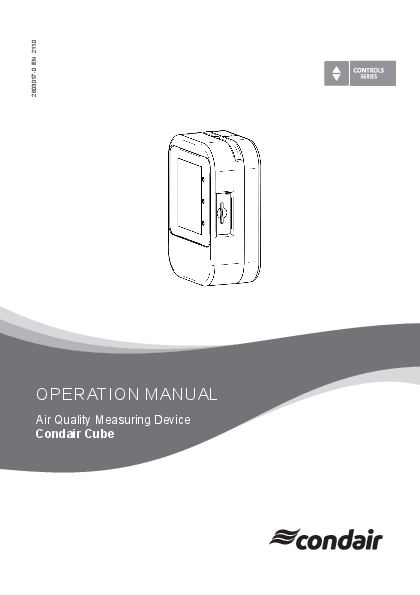
Air Quality Measuring Device Condair Cube

Proprietary Notice This document and the information disclosed herein are proprietary data of Condair Group AG. Neither this document, nor the information contained herein shall be reproduced, used, or disclosed to others without the written authorisation of Condair Group AG, except to the extent required for installation or maintenance of recipient's equipment.
Liability Notice Condair Group AG does not accept any liability due to incorrect installation or operation of the equipment or due to the use of parts/components/equipment that are not authorised by Condair Group AG.
Copyright Notice � Condair Group AG, All rights reserved. Technical modifications reserved.

Contents

1

Introduction

4

1.1 Thank you for purchasing your Condair Cube

4

1.2 Notes on the operation manual

4

2

For your safety

5

3

Quickstart

6

4

Product overview

7

4.1 Components

7

4.2 Main screen view

8

4.2.1 Traffic light display of the measured values

9

4.3 Application overviews

10

4.3.1 View health chart

10

4.3.2 View historical readings

11

4.3.3 Settings

11

5

Calibration

12

5.1 Manual Calibration

12

5.2 Auto calibration

14

6

Time and date setting

15

7

Options

17

7.1 SD card

17

7.2 Power bank

17

7.3 Display on large screen

17

8

Scope of delivery

18

9

Disposal/Recycling

19

10 Product specification

20

10.1 Technical data Sensirion SCD40

20

10.1.1 CO2 Sensing Performance

20

10.1.2 Humidity Sensing Performance

20

10.1.3 Temperature Sensing Performance

20

11 Appendix

21

11.1 CE declaration of conformity

21

1 Introduction
1.1 Thank you for purchasing your Condair Cube
The Condair Cube uses a sensor to detect CO2, relative humidity and temperature in the ambient environment and is primarily intended for indoor use. The Condair Cube incorporates the latest technical advances and meets all recognized safety standards. Nevertheless, improper use of the Condair Cube may result in danger to the user or third parties. Further, Condair shall not be liable for any incorrect readings and any damage resulting therefrom. To ensure a safe, proper, and economical operation of the Condair Cube please observe and comply with all information contained in the present documentation as well as in the separate documentations of the components installed in the Condair Cube. If you have questions after reading this documentation, please contact your Condair representative. They will be glad to assist you.
1.2 Notes on the operation manual
Limitation The subject of this operation manual is the Condair Cube. The various options and accessories are only described as necessary for proper operation of the equipment. This operation manual is restricted to the operation of the Condair Cube and is meant for users of this device. Please note that some illustrations in this manual may include options and accessories that may not be standard or available in your country. Please check with your Condair representative for availability and specification details.
Safekeeping Please keep this operation manual in a safe place, where it can be immediately accessed. If the equipment changes hands, the documentation must be passed on to the new owner If the documentation gets misplaced, please contact your Condair representative.
Language versions This operation manual is available in various languages. Please contact your Condair representative for information.
4 Introduction

2 For your safety
General Every person operating the Condair Cube must have read and understood these instructions before use. Knowledge of the contents of this manual for the Condair Cube is a basic requirement for protecting against any kind of danger, to prevent faulty installations, and to operate the Condair Cube safely and correctly. All symbols, signs and markings applied to the components of the Condair Cube must be observed and kept in readable state.
Intended use The Condair Cube is intended exclusively for indoor use. Any other type of application is considered as not conforming with the intended purpose and may lead to deviating results being displayed by the Condair Cube. Any warranty claim will be voided if the device is not used for its intended purpose. Intended use also includes observing all the information contained in this manual.
Prohibited modifications to the unit No modifications must be undertaken on the Condair Cube without the express written consent of the manufacturer. For the replacement of defective components only use original accessories and spare parts available from your Condair representative.
For your safety 5

3 Quickstart
1. Switch on the Condair Cube: To do this, press the power button inside the cavity on the lower, left side of the cube (see product overview). Note: When the Condair Cube is plugged in via the USB cable, it switches on automatically. Fully charge the device before using it for the first time.
2. Place the Condair Cube upright in the room where you want to check the room air. The Cube must be placed as shown in the figure below, so that the sensor on the back of the Cube is reached by the room air and the excess heat can escape through the ventilation slots.

3. Once the Condair Cube is in place, it requires an adjustment time of approx. 20 minutes until all values are displayed correctly. In particular, the temperature may deviate during the first phase after switching on, since the sensor is not yet at operating temperature.
4. When the Condair Cube is put into operation for the first time, it must be calibrated. This procedure is described in chapter 5.
6 Quickstart

4 Product overview
4.1 Components
� 1 housing from 2 parts � Display with rechargeable battery (M5core2) � Sensor (Sensirion SCD40) � USB charging cable � Optional Micro SD card (not included in delivery)

Button1 Button 2 Display
Housing

Ventilation slots
LED (green) Slot for Micro SD card Sensor

Power button

USB charging cable port

Product overview 7

4.2 Main screen view

Time Date
Humidity value Menu

10:15

21.08.2021

85%

CCOO22
1092
ppm

28

21

%RH

�C

Battery status CO2 value
Temperature value

Time/Date: Battery status: CO2 value: Temperature value: Humidity value: Menu bar:
Button 1: Button 2: LED:

Shows the current time and date.
Shows the current state of charge of the battery. The display ranges from 0-100 %.
Displays the current CO2 content in the air. The value is given in ppm (parts per million).
Displays the current temperature value in �C (Celsius).
Displays the current relative humidity of the ambient air. Indication in %RH.
Via the menu bar you can access the various submenus. � Health chart � Settings � Graphical view of the temporal courses of CO2, humidity and temperature
Turn on screen and increase brightness
Turn off screen and reduce brightness
When the display is darkened via button 2, the LED lights up green as an operating indicator.

8 Product overview

4.2.1 Traffic light display of the measured values
The circles around the values show the current state of the value in the manner of a traffic light system: Green � Healthy (Everything in the optimal range) Yellow � Acceptable (Caution: Need for action) Red � Critical (Critical readings)

CO2 Green circle:
Yellow circle:
Red circle:

CO2 content of the ambient air is optimal. (value is  800 ppm)
CO2 content in the ambient air is increased. Ventilation recommended. (value is between > 800 and  1200 ppm)
CO2 content in the ambient air is critical. Ventilation necessary. (value is > 1200 ppm)

Relative humidity

Green circle: Relative humidity of the ambient air is at an optimum. (value is between  40 and  60 % rH)

Yellow circle: Relative humidity of the ambient air is rather low or rather high. (value is between  30 and < 40 % rH or > 60 and < 70 % rH)

Red circle:

Relative humidity of the ambient air is too low or too high. (value is < 30 % rH or  70 % rH)

Temperature

Green circle: Comfortable ambient temperature. (value is between  20 and < 23.5 �C)

Yellow circle: Ambient temperature is rather low or high. (value is  17 and < 20 �C or  23.5 and < 27 �C)

Red circle:

The comfortable temperature range is undershot or overshot. (value is < 17 �C or  27 �C)

Note: Please note that the sensor requires an adjustment time of up to 20 minutes after switching on, a reset or when moving to a different location, until the temperature reading is displayed correctly.

Product overview 9

4.3 Application overviews

4.3.1 View health chart

10:15 21.08.2021
800
CO2

1200

80%

85% ppm

60%

40%

20% 18�C

22�C 26�C

CO2 display in bar format
Currently measured value Range "healthy" Range "acceptable" Temperature

Air humidity
The range "healthy" represents the air quality, which provides increased health protection and is perceived as pleasant. The ranges "healthy, "acceptable" and "critical" are distinguished.
The aim is that the current measured value (red point) of the room air is in the inner green diamond and thus in the "healthy" range.
In the upper area of the view, the currently measured CO2 content of the room air is displayed in a bar view. If the current measured value is outside the green range, the room should be ventilated to reduce the CO2 content in the room.
Note: If the currently measured value is displayed as a gray dot at the edge of the diagram, it indicates that the measured value is outside the displayed range.

10 Product overview

4.3.2 View historical readings

10:15 21.08.2021

21
�C
�C 26
22

18 1

2

3

85%
h 4

Currently measured value Historical measured values

This view shows the course of the measured room temperature over a maximum of 4 hours.
For every 10 minutes of measurement, a bar is displayed which shows the average value measured. This is colored according to the described traffic light system. See chapter chapter 4.2.1. If the bar is yellow or red, the temperature was too low or too high on average over the last 10 minutes, taking the health chart into account.
A 4-hour chart is available for all measured values of CO2, temperature and humidity. These views are accessible via the arrow keys on the side of the circle.

4.3.3 Settings
10:15 21.08.2021
CO2

85%
Alarm settings Calibration CO2 Time and date settings

Via the 3 icons you can call the different submenus: � Alarm settings � Calibration CO2 � Time and date settings
Tap once on the respective icon to enter the submenus.

Product overview 11

5 Calibration
For accurate measurement results of the CO2 content, the Condair Cube must be calibrated regularly. Two different calibration options are available:
� Auto calibration � Manual calibration

5.1 Manual Calibration

To calibrate the sensor manually, proceed as follows:

1. Menu  Settings  Calibration CO2

10:15

21.08.2021

85%

CO2

CO2 Manual

CO2 Auto

2. Place the sensor outdoors, for example outside the window in fresh air. Outside air is used as a reference, since it normally has a value of approx. 400 ppm.

10:15

21.08.2021

85%

Start
3. Press "Start" to start calibration. 12 Calibration

4. The measurement takes approx. 3 minutes This is displayed graphically with a bar graph and a percentage. The sensor resets its CO2 value several times during this time.

10:15

21.08.2021

85%

CO2
21
ppm

44%

5. After the calibration is completed, the Cube automatically switches to the main page.

10:15

21.08.2021

85%

CCOO22
1092
ppm

28

21

%RH

�C

6. Check the CO2 value. If it is within the range of 400 +/-25 ppm, the calibration was successful. If the value is above or below this, repeat the calibration.
Important: The sensor must be calibrated during the first start-up. Also, if you place the Cube in a new geographical location, it must be recalibrated for accurate measurement results.

Calibration 13

5.2 Auto calibration
By default, the auto calibration is activated, whereby the sensor calibrates its value independently. It is important here that the sensor is in operation as permanently as possible and is exposed to fresh outside air at least once a week (approx. 10 min). During auto-calibration, the lowest measured value over one week is taken as the reference value and recalibrated to 400 ppm.
Note: This setting is also saved when the cube is switched off.
1. Menu  Settings  Calibration CO2 2. Auto calibration 3. Enable or disable auto calibration

If the Condair Cube is not operated permanently, it is recommended to deactivate the auto calibration and to perform a manual calibration when using the Condair Cube.

10:15

21.08.2021

85%

CO2

CO2 Manual

CO2 Auto

CO2 Auto
OFF
14 Calibration

6 Time and date setting

The Condair Cube has an internal RTC (RealTimeClock) which is used for the time and date display. Time and date run for approx. 2 months when the unit is switched off and without charging the Cube. Afterwards, both must be reset.

Follow the procedure below to reset the time and date:

1. Menu  Settings  Time and date settings

10:15

21.08.2021

85%

CO2

2. Set the desired time using the up/down arrow keys. The time format is defined as follows: hh:mm:ss (Hours:Minutes:Seconds)

10:15

21.08.2021

85%

10 : 15 : 33

Ok

3. Confirm the entry with "Ok".

Time and date setting 15

4. Enter the desired date in the next screen. The date format is defined as follows: dd:mm:yy (Day:Month:Year)

10:15

21.08.2021

85%

21 : 08 : 21

Ok

5. Confirm the entry with "Ok" to complete the date entry.

16 Time and date setting

7 Options
7.1 SD card
An optional memory card can be integrated via the SD card slot on the right side of the Cube. If a memory card is detected during the start-up process, the measured values are saved to the memory card every minute. With the help of Excel, this data can be displayed and analyzed. Recommended memory card: SANDISK microSDXC 16GB+AD memory card (16 GB, 98 MB/s, grey/red) or similar.
7.2 Power bank
To extend the battery life of the Condair Cube, you can use any power bank with a 5V USB connection.
7.3 Display on large screen
It is possible to connect the Condair Cube to an external monitor via a PC. To do this, connect the Condair Cube to the PC via the USB cable and install the necessary drivers. Then open the Condair Cube Tool to start the display on an external monitor. The values are updated at intervals of 30 seconds.
Note: The minimum resolution for correct display of the values is 1024x768. Note that individual setting of zoom factors may have the negative effect on the display.
Options 17

8 Scope of delivery
� Condair Cube � USB charging cable � Quick guide
18 Scope of delivery

9 Disposal/Recycling
Components no longer in use cannot be disposed in domestic waste. Please dispose of the individual components in accordance with local regulations at the authorised collecting point. If you have any questions, please contact the responsible authority or your local Condair representative. Thank you for your contribution to environmental protection.
Disposal/Recycling 19

10 Product specification

10.1 Technical data Sensirion SCD40

10.1.1 CO2 Sensing Performance
Default conditions of 25 �C, 50 % RH, ambient pressure 1013 mbar, default periodic measurement and 3.3 V supply voltage apply to values in the table below, unless otherwise stated.

Parameter
CO2 output range CO2 measurement accuracy Repeatability
Response time
Accuracy drift per year with automatic selfcalibration algorithm enabled

Conditions � 400 ppm � 2'000 ppm Typical T63 %, typical
Typical

Value 0 � 40'000 ppm � (50 ppm + 5 % of reading) � 10 ppm 60 s
� (5 ppm + 0.5 % of reading)

10.1.2 Humidity Sensing Performance

Parameter Humidity measurement range
Accuracy (typ.)
Repeatability Response time Accuracy drift

Conditions � 15 �C � 35 �C, 20 % RH � 65 % RH -10 �C � 60 �C Typical T63 %, typical �

Value 0 % RH � 100 % RH
� 6 % RH
� 9 % RH � 0.4 % RH 90 s < 0.25 % RH / year

10.1.3 Temperature Sensing Performance

Parameter

Conditions

Temperature measurement range �

Accuracy (typ.)

15 �C � 35 �C -10 �C � 60 �C

Repeatability

�

Response time Accuracy drift

T63 %, typical �

Value -10 �C � 60 �C � 0.8 �C � 1.5 �C � 0.1 �C 120 s < 0.03 �C / year

20 Product specification

11 Appendix
11.1 CE declaration of conformity

2603018 DE/EN/FR 2109

Konformit�tserkl�rung

EC
Declaration of conformity

D�claration de conformit�

Wir, Condair Group AG CH-8808 Pf�ffikon SZ erkl�ren in alleiniger Verantwortung, dass das Produkt

We, Condair Group AG CH-8808 Pf�ffikon SZ declare under our sole responsibility, that the product

Nous, Condair Group AG CH-8808 Pf�ffikon SZ d�clarons sous notre seule responsabilit�, que le produit

Condair Cube

auf das sich diese Erkl�rung bezieht, mit den folgenden Normen oder normativen Dokumenten �bereinstimmt

to which this declaration relates is in

auquel se r�f�re cette d�claration est

conformity with the following standards or conforme aux normes ou autres

other normative standards

documents normatifs

EN 55032 EN 61000-3-2 EN 61000-3-3 EN 301489-1 V2.2.3 EN 301489-17 V3.2.3 EN 300328 V2.2.2

und den Bestimmungen der folgenden and is corresponding to the following

Richtlinien entspricht

provisions of directives

et est conforme aux dispositions des directives suivantes

RED-Richtlinie 2014/53/EU EMC-Richtlinie 2014/30/EU ROHS Neufassung der Richtlinie 2011/65/EG

RED directive 2014/53/EU EMC directive 2014/30/EU ROHS recast directive 2011/65/EC

Directive RED 2014/53/EU Directive EMC 2014/30/EU Directive de refonte ROHS 2011/65/CE

Pf�ffikon, September 01, 2021 Condair Group AG

Eric Roth Head of Engineering

Adrian Sp�rri Corporate Systems Manager

Condair Group AG Gwattstrasse 17 8808 Pf�ffikon, Switzerland Tel. +41 55 416 61 11, Fax +41 55 588 00 07 info@condair.com, www.condairgroup.com

Appendix 21

Notes

CONSULTING, SALES AND SERVICE:
CH94/0002.00
Condair Group AG Gwattstrasse 17, 8808 Pf�ffikon SZ, Switzerland Phone +41 55 416 61 11, Fax +41 55 588 00 07 info@condair.com, www.condairgroup.com