

DAIKIN TRC-4 One+ Smart Thermostat Installation Guide
File info: application/pdf · 53 pages · 7.01MB
TRC-4 Daikin One Installation & Commissioning (S21) 11-21
PDF TRC-4 Daikin One Installation & Commissioning (S21) 11-21
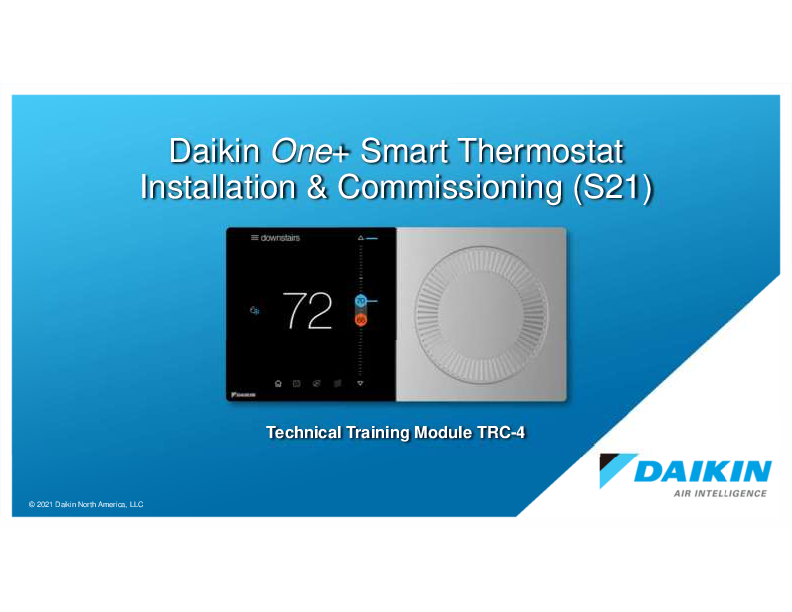
Daikin One Smart Thermostat Installation & Commissioning (S21). © 2021 Daikin North America, LLC. Technical Training Module TRC-4. Disclaimer. This material provides technical information that is to...
Download Daikin One S21 Installation Guide
Daikin One
Extracted Text
Daikin One+ Smart Thermostat Installation & Commissioning (S21)

� 2021 Daikin North America, LLC

Technical Training Module TRC-4

Disclaimer
This material provides technical information that is to only be used by appropriately trained and certified HVAC-R installers and technicians who have agreed to the terms and conditions available here at https://www.daikincity.com/DaikinCityB2BTermsOfUse.html. If you have not agreed to these terms and conditions, you may not use or view this material, and you assume responsibility for any injury or property, system or equipment damage which may result. If you have agreed to these terms, you also agree, by viewing or using this material, that this material, by its nature, cannot include a discussion of everything necessary to effect a proper installation or repair of HVAC-R equipment, nor can it address every possible scenario or environment a technician or installer may encounter. Accordingly, this material should not be considered as recommendations for best practices and will not be considered installation or repair instructions to the extent of any conflict with Daikin- or Goodman-issued manuals and specifications, or industry standards and regulations. Each installer or technician remains fully responsible for ensuring proper installation or repair of the HVAC-R equipment being worked on, and you remain fully responsible for any injury or property, system or equipment damage which may result from your installation. �2021 Daikin, all rights reserved; recording, copying, or distribution of this material is prohibited without express written permission from Daikin.

2

� 2021 Daikin North America, LLC

Agenda

Daikin One+ System Configurations Installing Daikin One+ Commissioning Daikin One+ Full Set-up Dealer Navigation Homeowner Navigation Mobile Apps
3

� 2021 Daikin North America, LLC

Daikin One+ Smart Thermostat
 Premium control that provides optimal comfort.  Easy to use, energy efficient, reliable, and ensures that the system is set up properly.  Designed to regulate and communicate with HVAC equipment.  The user will be able to control the indoor unit remotely through the Daikin One Home app.

4

� 2021 Daikin North America, LLC

Daikin One+ Smart Thermostat
 Offers communication when combined with Single and Multi-Zone indoor unit models (S21 only).  Is a cloud-connected hub and controller for communicating HVAC systems.

5

� 2021 Daikin North America, LLC

Daikin One+ Smart Thermostat
Daikin One+ Interface
 The thermostat has a physical dial on the right used for manual setpoints adjustments.  Pressing the center of the dial at any time during normal mode acts as a home button, displaying the
primary screen.  The high-resolution touch screen on the left supports tactile-based interactions.  Navigating to each screen is done by tapping an icon.

6

� 2021 Daikin North America, LLC

Daikin One+ Smart Thermostat Messaging  Daikin One's messaging updates,
confirms, and informs about selections you make during set-up and operation.  There are four types of messages:
 Status  Alerts  Reminders and Prompts  Learn more/tips
Note: Alerts have priority over all other messages in the system.
7

� 2021 Daikin North America, LLC

Daikin One+ Smart Thermostat
Messaging
 The homeowner can temporarily dismiss the message or restart the system; however, some alerts may remain until the issue is resolved by a dealer.

8

� 2021 Daikin North America, LLC

Daikin One+ Smart Thermostat
Packaging
 Welcome documentation.
 Includes quick reference cards.
 Daikin One+ smart thermostat.  Translation adapter with cover, mounting plate
and power cable.  Double-sided adhesive tape.  Mounting screws.
 One set for thermostat.  One set for translation adapter.
 Thermostat terminal plate.  S21 cable.  Optional trim plate.
9

� 2021 Daikin North America, LLC

Daikin One+ Smart Thermostat
Quick Reference Card
 Quick reference cards are packaged with the thermostat to help answer questions during the installation and commissioning.

Scanning the bar code on the bottom left corner will link you to a website related to the title of the
card.

https://daikinone.com/smart_thermostats/oneplus/pros/
10

� 2021 Daikin North America, LLC

Agenda

Daikin One+ System Configurations Installing Daikin One+ Commissioning Daikin One+ Full Set-up Dealer Navigation Homeowner Navigation Mobile Apps
11

� 2021 Daikin North America, LLC

Daikin One+ Smart Thermostat for S21 Indoor Units

Indoor units that have S21 Interface

Indoor units that do not have S21 Interface

Notes: the Daikin One+ is not compatible with: handheld IR remote controller � BRC944 � KRP928

Indoor Unit Models (require interface adaptor)
FTXM09VVJU, FTXM12VVJU, FTXM18VVJU, FTXM24VVJU FTX09NMVJU, FTX12NMVJU FTX15NMVJU

Required Interface Adaptor
KER087A41 KRP067A41E KRP980B2E

12

� 2021 Daikin North America, LLC

Agenda

Daikin One+ System Configurations Installing Daikin One+ Commissioning Daikin One+ Full Set-up Dealer Navigation Homeowner Navigation Mobile Apps
13

� 2021 Daikin North America, LLC

Installing Daikin One+ Smart Thermostat
 Mount the thermostat to be
 Leveled.  Approximately 5' from the floor.  On an interior wall using the included screws.

14

� 2021 Daikin North America, LLC

Installing Daikin One+ Smart Thermostat
 Maximum wire distance between the Daikin One+ and the translation adaptor should not exceed 125 feet using four conductor 18-gauge field supplied wire.
 Check for proper voltage before and after wiring is installed.
 0.6VDC between Data 1 and 2.  24VDC between R and C.
 Refer to system I/O manual for proper voltage.
Note: If wired incorrectly, you will receive an error.
 If power wires are reversed the PWR LED will flash green.

1 Data Line 1 2 Data Line 2 C 24 volt common R 24 volt power
Aux1 to Aux 1C and Aux 2 to Aux 2C connections are 24V AC Dry contacts.
15

� 2021 Daikin North America, LLC

Installing Daikin One+ Smart Thermostat DO NOT Install The Thermostat Where It Can Be Affected By:  Drafts or dead spots behind doors and in
corners.  Hot or cold air from ducts or ceiling fans.  Radiant heat from the sun or appliances.  Concealed pipes and chimneys.  Unheated (uncooled) areas such as an
outside wall.
16

� 2021 Daikin North America, LLC

Installing Daikin One+ Smart Thermostat Wiring thermostat to a translation adaptor

Daikin One+

Translation adaptor

Indoor Unit
Max 5-� ft

Max 125 ft
4 pin

Power indicator

Max 6 ft
S21 connector on the indoor unit/ Interface adaptor

17

� 2021 Daikin North America, LLC

Installing Translation Adaptor
Mounting the translation adaptor.
 Mount using screws or adhesive tape.
 Never use screws to mount to an indoor unit.  If using adhesive tape, you can mount to the surface of the indoor unit.  Clean the surface prior to mounting.  Apply pressure for a minimum of 20 seconds to the adaptor for adhesion to take place.

18

� 2021 Daikin North America, LLC

Installing Translation Adaptor Wall mounted indoor unit  Translation adaptor can be mounted inside piping chase to conceal it, or on the outside of the indoor
unit.
Ducted indoor unit  Translation adaptor can be mounted on the side and top of the indoor unit, or above the ceiling using
supplied double-sided adhesive tape.

19

� 2021 Daikin North America, LLC

Agenda

Daikin One+ System Configurations Installing Daikin One+ Commissioning Daikin One+ Full Set-up Dealer Navigation Homeowner Navigation Mobile Apps
20

� 2021 Daikin North America, LLC

Commissioning Daikin One+ Smart Thermostat  Begin set-up: walks installers through the
entire commissioning process to ensure the system is configured properly and ready for the homeowner to use.
 Enables random access to any setting.  Remembers settings as they are entered.  Individual may stop and restart as needed.
 The screens are populated based on the model numbers of the equipment, matched to a database of device configuration settings.
21

� 2021 Daikin North America, LLC

Commissioning Daikin One+ Smart Thermostat
 Start-up screen is displayed upon powering the thermostat.
 The welcome screen displays preferences to choose from.
 Select Single/Multi-split (S21) before moving to the setup screen.
 Version of the thermostat is displayed on the learn more screen.
22

� 2021 Daikin North America, LLC

Agenda

Daikin One+ System Configurations Installing Daikin One+ Commissioning Daikin One+ Full Set-up Dealer Navigation Homeowner Navigation Mobile Apps
23

� 2021 Daikin North America, LLC

Full Set-up
Start-up  Tapping begin set-up starts the five step set-up process:
 Communication.  Personalization.  Equipment Set-up.  System Optimization.  Preferences.
 Note: All steps must be completed and reviewed before completing set-up to ensure the system is configured properly and ready for the homeowner to use.
For detailed menu settings
https://daikinone.com/smart_thermostats/oneplus/pros/
24

� 2021 Daikin North America, LLC

Full Set-up
Step 1 - Communication
 Configures Communication Networks.  Select home Wi-Fi to search for
networks.  With Wi-Fi configured, the system can
check the software version and update software to the latest version automatically. Note:
 Wireless router must be password protected.  Compatible with 5Ghz routers which supports 2.4Ghz
 Equipment type displays the equipment selected on start up.
25

� 2021 Daikin North America, LLC

Full Set-up
Step 2 - Personalization
 Tapping the personalization tab allows you to edit default information.
 Personalization displays:
 Language.  Large font selection.  Date & Time.
 If Wi-Fi is connected, date & time sets automatically.
 Thermostat Name.  Degree Units.
Note: A green check mark appears next to items reviewed from the set-up menu.
26

� 2021 Daikin North America, LLC

Full Set-up Step 3 - Equipment Set-up  Provides a list of equipment and accessories to add or remove from.
 You must manually enter the equipment serial number to the indoor and outdoor unit after the model number is selected.
27

� 2021 Daikin North America, LLC

Full Set-up Step 3 - Equipment Set-up For the indoor unit, you must select unit type if you manually enter a model number.

28

� 2021 Daikin North America, LLC

Full Set-up
Step 4 � System Optimization
 System optimization displays:
 Error history.  Logs alerts with an error code.  White = not critical  Yellow = critical
� Calibration. Thermostat must be in OFF mode.
� Wait 30 minutes before calibration for the thermostat to equalize.
 Status.
 The status menu displays data pertaining to the selected equipment.
29

� 2021 Daikin North America, LLC

Full Set-up
Step 5 - Preferences
 There are four preference settings to choose from in order to optimize your systems performance.
 Cool/Heat  House settings  Dealer information  Reminders
Note:  Dealer contact information and
reminders should be inputted.
 The homeowner cannot edit service reminders.
30

� 2021 Daikin North America, LLC

Full Set-up
Step 5 - Preferences
Cool/heat:  Min/max set points in 1�F increments:
 heating: 57 to 86  cooling: 64 to 90
 Deadband
 Differential between cooling and heating set point in auto mode.  Default: 4�  2�F to 9�F in 1�F increments
 Overcool
 Default: 0�  0�F to 3�F in 1�F increments
31

� 2021 Daikin North America, LLC

Overcool Example

 The Thermo-ON/OFF deadband is a fixed value (� 1�F) for mini and multi split indoor unit.

 Thermo-ON/OFF when Overcool =0
 CSP is the cooling setpoint that assigned by the user and displayed on the Daikin One+

Thermo-OFF

75�F Cooling
Thermo ON

CSP 74�F

73 F Cooling
Thermo OFF

o

72oF

71oF

HSP 70oF

69oF

68oF

Thermo-ON

Thermo-OFF

 Thermo-ON/OFF when Overcool =2
 Over CSP is internally calculated and is not displayed on the Daikin One+

Thermo-OFF Thermo-ON

75�F

CSP 74�F

73 F Cooling

o

Thermo ON

Over CSP 72oF

71 F Cooling
Thermo OFF

o

HSP 70oF 69oF

68oF

Thermo-OFF

32

� 2021 Daikin North America, LLC

Full Set-up

Step 5 - Preferences

 Auto changeover methods:
 At 1�F above cool or 1�F below heat setpoint (default)(Configurable between 1�F � 4�F.)  Engages changeover timer (guard timer).
 Another 1�F above cooling or 1�F below heating changeover points(C-COP/H-COP)(default), immediate changeover ignores changeover timer (Configurable between 1�F � 4�F.)  Changeover timer to prevent frequent mode change.  0 (default),15, 30, 45 or 60 minutes.
 Recommend leaving the default settings.

Immediate Changeover point Cool Change Over Point Cool Set Point
Heat Set Point Heat Change Over Point Immediate Changeover point

(1 to 4�F)

(1 to 4�F)

Change to Cooling (with Guard Timer)

Deadband (2 to 9�F)

(1 to 4�F)

(1 to 4�F)

Change to Heating (with Guard Timer)

33

� 2021 Daikin North America, LLC

Full Set-up
Dealer information
 Selecting allows you to enter and review the dealer's information.
 All the information imputed can be viewed by the homeowner.

34

� 2021 Daikin North America, LLC

Full Set-up Final step - Complete set-up
 Selecting complete set-up will conclude the full set-up of the thermostat and display normal mode for you to navigate and verify settings.
Reminder: All steps must be reviewed before completing full set-up.
35

� 2021 Daikin North America, LLC

Agenda

Daikin One+ System Configurations Installing Daikin One+ Commissioning Daikin One+ Full Set-up Dealer Navigation Homeowner Navigation Mobile Apps
36

� 2021 Daikin North America, LLC

Dealer Navigation
Dealer edit  Navigating to dealer edit will allow you to access or revisit the installer set-up screen.  Advanced adjustments to the Daikin One+ will be made here.

37

� 2021 Daikin North America, LLC

Dealer Navigation
 Acknowledging the prompt enables you to tap the learn more icon.
 The icon displays the installer code, giving you access to the installer set-up screens.

38

� 2021 Daikin North America, LLC

Agenda

Daikin One+ System Configurations Installing Daikin One+ Commissioning Daikin One+ Full Set-up Dealer Navigation Homeowner Navigation Mobile Apps
39

� 2021 Daikin North America, LLC

Homeowner Navigation Normal Mode  Normal mode allows you to view
messaging, temperature, and access settings to adjust parameters placed by the installer.  Navigating is accomplished by tapping icons or turning the analog dial.  Note: Analog turn dial is used to adjust temperature only. Pressing the dial returns to the home screen.
40

� 2021 Daikin North America, LLC

Homeowner Navigation
Adjust control
 Tapping the system mode icon allows you to select:
 Auto. (cool & heat)  Cool.  Heat.  Off.  Emergency heat. (heat pump only)
 Tapping the arrow icons or rotating the dial will adjust setpoints that are displayed. You can also slide the setpoints to the desired temperature.

System Mode Icon

41

Arrows
Arrows � 2021 Daikin North America, LLC

Homeowner Navigation
Schedule  The schedule is presented as 7 days,
displaying one day at a time, with 24 hours fitting on the screen.  You can use the drop-down menu or swipe to enable schedule editing.  Copy and paste is a feature that makes scheduling seamless.
Note: Unlike other screens, scheduling requires saving edits before exiting the mode.
42

� 2021 Daikin North America, LLC

Homeowner Navigation
Away
 The away screen displays the current state (on/off) and the away cooling/heating setpoints used when away is on.
 on/off is selected from drop down menu.
 User can change the values of the setpoints by dragging the numbers or the comfort range up and down.
 With the mobile application, enabling geo-fencing will automatically switch to away mode when outside the radius.
 Settings must be configured in the mobile application.
43

� 2021 Daikin North America, LLC

Homeowner Navigation
Air quality
 The air quality screen displays indoor air quality levels, outdoor air quality, and weather (when connected to the internet and paired with the app.)
 If air quality sensors are not installed, indoor air quality is based on filter life cycle and humidity values.
 Selecting indoor air quality from the air quality screen allows you to access one clean and air quality history.
 One clean runs the fan, at high speed for three hours, to circulate and filter the indoor air.
44

� 2021 Daikin North America, LLC

Homeowner Navigation
Settings
 Settings gives you access to additional supporting features:
 Display.  Adjust and enable visual features.
 Comfort.  Set target humidity.
 Configuration.  App. account setup  Dealer information  Date & Time  Enable messages/view alerts  System components  Home Wi-Fi
45

� 2021 Daikin North America, LLC

Agenda

Daikin One+ System Configurations Installing Daikin One+ Commissioning Daikin One+ Full Set-up Dealer Navigation Homeowner Navigation Mobile Apps
46

� 2021 Daikin North America, LLC

Mobile Apps Account set-up  Setting up an account is a four-step process.
1. Downloading the application from your IOS or Android application store.  Creating the account.
2. Confirming your account. 3. Adding the thermostats' location. 4. Connecting the app to the thermostat.
Note: A mobile device, the Daikin One+ connected to Wi-Fi that is wired to an S21 system and a valid email address is needed to create a mobile account.
47

� 2021 Daikin North America, LLC

Mobile Apps Step 1 - Create the account  Tapping create one at the bottom
right corner of the login screen will start the process.  Before agreeing, read the terms and service, privacy statement, and other notices.  Fill in your name, valid email address, and password.
48

� 2021 Daikin North America, LLC

Mobile Apps
Step 2 - Confirming the account
 You will be prompted to access the email address you provided when creating the account.
 A welcome email will appear in your inbox providing a six-digit code.
 Entering the six-digit code on your phone app. will allow you to continue.
49

� 2021 Daikin North America, LLC

Mobile Apps Step 3 - Adding the thermostats location  Enter the email and password associated to
your mobile account and tap the login button.
 If you have forgotten your password, tap the forgot password link to recover information via email.
 Type the address of where the thermostat is located to gather accurate information.
50

� 2021 Daikin North America, LLC

Mobile Apps
Step 4 - Connecting the App to the thermostat
 With wifi enabled on your thermostat, access your account to retrieve the six-digit code.
 Type the six-digit code displayed on your thermostat into the space provided on the mobile app.
 Tap connect to continue and operate the Daikin One+ from your mobile device.
51

� 2021 Daikin North America, LLC

Mobile Apps

Visit Daikinone.com for additional information
52

� 2021 Daikin North America, LLC

53

� 2021 Daikin North America, LLC