

Flarm Technology Ag FTD-088 Atom UAV User Manual
File info: application/pdf · 39 pages · 1.61MB
FTD-088 Atom UAV Manual
User Manual
FLARM Technology AG FLATMUAOW 2AXJM-FLATMUAOW 2AXJMFLATMUAOW flatmuaow
Extracted Text
FLARM Technology Ltd Hinterbergstrasse 15 CH-6330 Cham

ATOM UAV MANUAL

Date: 2022-01-04 Version: 1.3
Page: 1 of 39
Document Number:
FTD-088

Document status
Published status  Draft  Released  Canceled

Confidentiality status  Internal  NDA  Public

Version control

Ver.
1.0 1.1 1.2 1.3

Date
2021-10-04 2021-10-28 2021-11-26 2022-01-04

Summary of changes
Initial version Adapt maximum antenna gain for FCC compliance Add FLARM Hub 1.40 release notes Add FLATMUAOW conformity statements

FLARM Technology Ltd Hinterbergstrasse 15 CH-6330 Cham

ATOM UAV MANUAL

Date: 2022-01-04 Version: 1.3
Page: 2 of 39
Document Number:
FTD-088

Table of contents

1 Introduction ...................................................................................... 4

2 General Overview .............................................................................. 5

2.1 Specifications.......................................................................... 5

2.2 System Description .................................................................. 6 2.2.1 Abbreviations ............................................................ 8
3 Installation ........................................................................................ 9 3.1 Housing ................................................................................. 9 3.2 Supplying Power...................................................................... 9

3.3 Antennas................................................................................ 9

3.3.1 3.3.2

RF Connectors..........................................................10 Placement ...............................................................10

3.4 Data Interfaces ......................................................................12

3.4.1 3.4.2 3.4.3

JST GH Connector.....................................................12 TFM Connector .........................................................12 USB Connector .........................................................13

3.5 Status LEDs ...........................................................................13

4 Configuration and Maintenance ....................................................... 15

4.1 Configuration .........................................................................15

4.1.1 4.1.2 4.1.3 4.1.4 4.1.5

FLARM ....................................................................15 Wi-Fi & Bluetooth .....................................................17 Configuration Lock ....................................................17 Remote ID...............................................................18 MAVLink ..................................................................18

4.2 Firmware Updates...................................................................19

4.3 Traffic Monitor........................................................................19

4.4 Support Package Download ......................................................19

4.5 Factory Reset.........................................................................19

5 Interfaces........................................................................................ 21

5.1 MAVLink Interface...................................................................21

5.1.1 5.1.2 5.1.3

Integration with PX4 .................................................21 External Navigation Source ........................................22 Compatible Ground Control Software ...........................23

FLARM Technology Ltd Hinterbergstrasse 15 CH-6330 Cham

ATOM UAV MANUAL

Date: 2022-01-04 Version: 1.3
Page: 3 of 39
Document Number:
FTD-088

5.2 JSON Interface.......................................................................23

6 Mandatory Firmware Update ........................................................... 24

7 Packing List ..................................................................................... 25

7.1 Atom UAV .............................................................................25

7.2 Atom UAV OEM ......................................................................25

8 Recommended Accessories.............................................................. 26

9 Troubleshooting and Servicing Information .................................... 27

10 Warranty Information and Terms of Use ......................................... 28

11 Release Notes .................................................................................. 29

11.1 FLARM Hub............................................................................29

11.1.1 11.1.2 11.1.3

Version 1.40 (41bed2cf) ............................................29 Version 1.34 (66ebbfe4) ............................................29 Version 1.32 (804f5880)............................................29

11.2 FLARM Atom ..........................................................................29

11.2.1 Version 7.0.5 (421df442f), expires 01/05/2023 .............29 12 Conformity Declarations .................................................................. 30

12.1 Atom UAV (FLATMUAVW) .........................................................30

12.1.1 12.1.2 12.1.3

FCC Compliance Statement ........................................30 ISED Compliance Statement.......................................31 Supplier's Declaration of Conformity ............................32

12.2 ATOM UAV OEM (FLATMUAOW) .................................................33

12.2.1 FCC Compliance Statement ........................................33 12.2.2 ISED Compliance Statement.......................................34 12.2.3 Supplier's Declaration of Conformity ............................35 Appendix A � List of Error Codes ........................................................... 37

Appendix B - End User License Agreement (EULA) ................................ 38

FLARM Technology Ltd Hinterbergstrasse 15 CH-6330 Cham

ATOM UAV MANUAL

Date: 2022-01-04 Version: 1.3
Page: 4 of 39
Document Number:
FTD-088

1 Introduction
Atom UAV is a FLARM device developed specifically for UAVs. Leveraging the Atom platform, it is a miniature, feature-packed device that can be used standalone as an add-on or retrofit or integrated into other designs.
Highlights:
 Based on the FLARM Atom System-on-Chip platform  Full, worldwide FLARM interoperability  Cortex-M4F processing core  Integrated Wi-Fi and Bluetooth module  72-channel u-blox GNSS engine  Web app for configuration and diagnostics  1090MHz receiver for ADS-B and rebroadcast (TIS-B/ADS-R)  Barometric sensor for pressure altitude  Consolidated, unified traffic stream on JSON or MAVLink  Direct broadcast remote ID, compliant with ASTM F3411-19, EC 2019/945, EC
2020/1058
Atom UAV is available in two functionally equivalent variants:
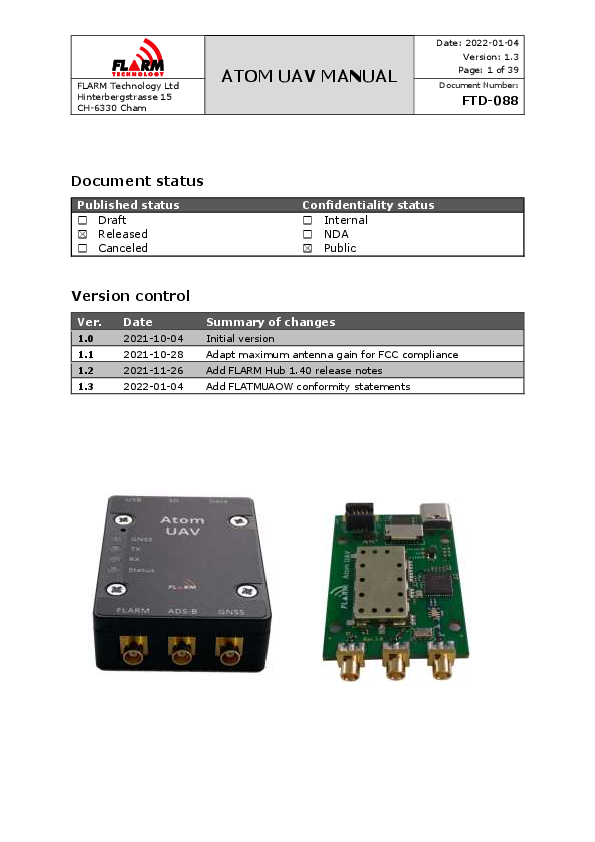
 Atom UAV: For standalone use, housed in a plastic enclosure, using a JST GH connector for power supply and data streaming, and an integrated Wi-Fi antenna. Ships with a complete set of antennas and cables.
 Atom UAV OEM: Board only, for embedded use with a board-to-board data connector and RF connectors for using dedicated antennas. Does not contain the antennas or cables.

FLARM Technology Ltd Hinterbergstrasse 15 CH-6330 Cham

ATOM UAV MANUAL

Date: 2022-01-04 Version: 1.3
Page: 5 of 39
Document Number:
FTD-088

2 General Overview

2.1 Specifications

Dimensions Mass Mounting Platform Navigation Storage
Connectors
Protocols User Interface Power Supply Power Consumption

Atom UAV 57x40x15 mm (54x40x15 mm w/o connectors)

Atom UAV OEM
57x36x10 mm (50x36x8 mm w/o connectors)

43 g

15 g

N/A

4x3 mm holes, 30.5mm grid

FLARM Atom System-on-Chip

u-blox 8th generation multi-GNSS receiver

32 MB NOR FLASH, microSD card slot

FLARM Radio: MCX

ADS-B Receiver: MCX

GNSS: MCX

N/A (internal antenna)

Wi-Fi: U.FL

USB-C (power, virtual serial)

JST GH 6-pin

TFM-104-02-L-D 8-pin B2B

JSON, MAVLink

4 LED status (bicolor)

5-28 VDC (JST GH/TFM)

5 VDC (USB-C)

1.4 W typical

FLARM Technology Ltd Hinterbergstrasse 15 CH-6330 Cham

ATOM UAV MANUAL

Date: 2022-01-04 Version: 1.3
Page: 6 of 39
Document Number:
FTD-088

2.2 System Description
FLARM is the collision avoidance system and traffic awareness/electronic conspicuity technology used by General Aviation, light aircraft, and UAVs. It was designed to support self-separation for both VFR and IFR in applicable airspace classes. Aircraft with a FLARM system alert the pilots when on a collision course with another aircraft. Like TCAS/TAS, visual and aural warnings indicate that a collision is imminent, requiring the pilots to act. However, unlike TCAS, FLARM does not issue Resolution Advisories (RA), so pilots need to select the appropriate course of action themselves.
FLARM works by calculating and broadcasting its own predicted future 3D flight path to nearby aircraft, using a digital radio channel. At the same time, it receives the future flight path from surrounding aircraft.
The system determines its position, altitude, and movement with a sensitive GNSS receiver. Based on those and other parameters, a precise projected flight path can be calculated. The flight path, together with additional information such as an identification number, is encoded before being broadcast over an encrypted radio channel twice per second. Flight models are available for most aircraft types, including piston-engine airplanes, jets, helicopters, gliders, hang gliders, paragliders, UAVs, etc.
FLARM was invented in 2004 following an increasing number of mid-air collisions. Research and accident investigations had shown that the see-and-avoid principle was insufficient to reliably detect approaching aircraft in time. It initially spread in the domain of non-powered aircraft but was soon followed by rapid expansion in powered airplanes and helicopters. Over 50,000 manned aircraft and many more UAVs already have a FLARM-system installed. In Europe, more than 50% of all General Aviation aircraft have FLARM (including nearly 100% of gliders). The technology has additionally spread to other parts of the world and is today also used most prominently in North and South America, Australia, New Zealand, South Africa, Israel, and some Asian countries.
Atom UAV is a FLARM device for installation in UAVs. It is based on the latest Atom SoC platform and features a web app called FLARM Hub. Atom UAV has been designed for worldwide use and connects to a range of flight computers. Configuration is simple through the web interface.
Atom UAV has a fully functional FLARM radio for receiving and transmitting traffic information, an ADS-B / Mode-S transponder receiver, and a modern GNSS receiver, as well as a Wi-Fi/Bluetooth radio for configuration and transmission/reception of Remote ID messages. This enables aircraft that are not yet equipped with FLARM to also be detected by Atom UAV.

FLARM Technology Ltd Hinterbergstrasse 15 CH-6330 Cham

ATOM UAV MANUAL

Date: 2022-01-04 Version: 1.3
Page: 7 of 39
Document Number:
FTD-088

As a transmitter, UAVs mounted with Atom UAV are visible by other FLARMequipped devices and can be tracked by Remote ID receivers. As a receiver, it can receive and process FLARM, ADS-B and Remote ID signals from surrounding aircraft that are made available on the digital data interface on the JST or USB interface in various formats.

The diagram above shows a typical setup. Atom UAV is connected to a Pixhawk / PX4 flight controller, with a data interface and power supply. Optionally, power can be supplied through USB. Two FLARM/ADS-B antennas are connected to the FLARM and ADS-B RF connectors. A GNSS antenna is connected to the GNSS RF connector.
Internally, the device contains two microcontrollers. The Atom SoC runs the FLARM radio protocol. The periphery processor runs FLARM Hub and provides connectivity via Wi-Fi, USB and the JST/TFM connector. Both processors require individual firmware updates.

FLARM Technology Ltd Hinterbergstrasse 15 CH-6330 Cham

ATOM UAV MANUAL

Date: 2022-01-04 Version: 1.3
Page: 8 of 39
Document Number:
FTD-088

2.2.1

Abbreviations

Abbreviation ADS-B GNSS GPS ISM RF SoC SRD860 SSID SSR TAS TCAS UAV UI

Meaning/Explanation Automatic Dependent Surveillance -- Broadcast Global Navigation Satellite System Global Positioning System (NAVSTAR) The ISM radio band ( 915 MHz) Radio Frequency/Radio System-on-Chip The SRD860 radio band ( 868 MHz) Service Set Identifier, (Wi-Fi network name) Secondary Surveillance Radar Traffic Advisory System Traffic alert and Collision Avoidance System Unmanned Aerial Vehicle User Interface

FLARM Technology Ltd Hinterbergstrasse 15 CH-6330 Cham

ATOM UAV MANUAL

Date: 2022-01-04 Version: 1.3
Page: 9 of 39
Document Number:
FTD-088

3 Installation

3.1 Housing
Mount Atom UAV to a suitable mounting location. The orientation of the device is discretionary. The housing is not waterproof, and ingress of solid particles and liquids must be avoided. Should the device get moist, it must be completely dried prior to further use. If the device becomes wet, it may be permanently damaged and rendered unusable. Should the device be suddenly cooled, this may result in the formation of condensation.

3.2 Supplying Power
Atom UAV has two interfaces for power supply:  USB connector with 5V (DC)  JST/TFM connector 5-28V (DC)
The chosen cables must be of sufficient diameter to carry the power (1.4 W).

3.3 Antennas
The FLARM system uses a radio communication frequency in the SRD860 band ( 868 MHz) or in an ISM band ( 915 MHz) in different parts of the world. Atom UAV will automatically select the applicable frequency based on the GNSS position.

The following frequencies are used within the specified areas.

Area Europe North America

Frequency 868.2 � 868.4 MHz 902.2 � 927.8 MHz

The antennas should be selected for the frequency band applicable in the geographic area where the aircraft is being operated. Often, such antennas only cover one band and need to be selected carefully. However, the antennas shipped with the Atom UAV standalone variant (and listed as suggested accessories in Section 7) have wide band characteristics and cover the FLARM frequency bands of all regions, as well as the ADS-B band. Inappropriate antennas, especially antennas when placed at poor locations, can provide poor system performance.
Note: Atom UAV OEM ships without antennas. The integrator must carefully select appropriate antennas. Atom UAV will not automatically detect inappropriate or damaged antennas, including antennas for the wrong frequency band.

FLARM Technology Ltd Hinterbergstrasse 15 CH-6330 Cham

ATOM UAV MANUAL

Date: 2022-01-04 Version: 1.3
Page: 10 of 39
Document Number:
FTD-088

Note: Communication between FLARM devices employs an encrypted, patentprotected protocol. Any unlicensed use, copying, distribution, conversion, replication, access, interception, de-compiling, reverse engineering, or further transmission of knowledge so acquired relating to the system components or software/firmware, in whole or in part, is thus illegal.

3.3.1

RF Connectors

Atom UAV uses MCX connectors for all RF interfaces. The corresponding connector can be identified as GNSS, ADS-B and FLARM on the device housing (Atom UAV standalone variant) or on the PCB next to the connectors (Atom UAV OEM variant).

The Atom UAV OEM variant additionally has a U.FL connector for a Wi-Fi antenna.

3.3.2

Placement

For good performance of the FLARM system, the FLARM antenna must be placed at least 20 mm from larger pieces of conductive materials such as a metal surface. The FLARM antenna must be installed vertically (perpendicular to the horizontal plane).

If the aircraft body contains large amounts of conductive materials such as carbon fiber, the antenna must be placed outside the vehicle body. If the selected antenna location does not give clear line of sight in all horizontal directions, two Atom UAV devices can be mounted to increase the coverage, using the radio diversity functionality described later in this document.
For good performance of the GNSS receiver, the GNSS antenna must be placed such that signals from the sky are not obstructed. The antenna should be mounted on a sufficiently large ground plane, either as part of the host PCB or on a separate metal plane that adds more than 20 mm of ground around the antenna.
Due to the larger transmit power of the ADS-B system, the placement is less crucial. However, the antenna should also be installed vertically and be placed at a sufficient distance from conductors.
Note: Atom UAV also receives and decodes Mode-S signals, which do not contain position information. Instead, the distance is estimated from the received signal strength. The radiation pattern of the ADS-B antenna installed on the aircraft should be omnidirectional to give accurate range information. Due to limitations in the MAVLink protocol, Mode-S targets are not available on this interface.

FLARM Technology Ltd Hinterbergstrasse 15 CH-6330 Cham

ATOM UAV MANUAL

Date: 2022-01-04 Version: 1.3
Page: 11 of 39
Document Number:
FTD-088

The Wi-Fi system has two functional modes. The first mode is the FLARM Hub web application for configuration. In that case, the antenna selection and placement are not crucial, since the device needs to only cover short ranges.
The second mode is for Remote ID. In that case, for the Atom UAV OEM variant, an antenna with sufficient gain must selected as described in Section 8. The antenna must be installed vertically and placed in a location that allows for omnidirectional radiation characteristics, i.e., without conductors in the vicinity.
When using Remote ID with the Atom UAV standalone variant, the internal Wi-Fi antenna is used to transmit Wi-Fi NAN packets. In that case it is recommended to place the device vertically such that the omnidirectional plane of the internal antenna is aligned with the horizontal plane.
For more general information on the placement of FLARM antennas, please see document FTD-041

FLARM Technology Ltd Hinterbergstrasse 15 CH-6330 Cham

ATOM UAV MANUAL

Date: 2022-01-04 Version: 1.3
Page: 12 of 39
Document Number:
FTD-088

3.4 Data Interfaces
The Atom UAV standalone variant is mounted with a JST GH connector to facilitate connection to popular flight controllers. Atom UAV OEM variant is mounted with a TFM connector for ease of integration as a component into larger systems. The basic functionality is the same with both variants.

3.4.1

JST GH Connector

The Atom UAV standalone variant is equipped with a GH connector from JST1. It exposes a 3.3 V UART interface and may be used to supply power. The pin assignment is shown in the table below.

Table: JST-GH Pinout

Pin Function 1 Vin 5�28 V 2 TXD UART (Out) 3 RXD UART (In) 4 CANbus TX (Out) 5 CANbus RX (In) 6 GND

Function Alt
GPIO GPIO

When connecting to a Pixhawk or similar flight controller, the RX and TX lines must be crossed, i.e., TX of the flight controller must be connected to RX of the Atom UAV, etc.

The JST GH receptacle is surface mounted to the board; thus, the mechanical stability is limited. Do not put force on the solder connections!

3.4.2

TFM Connector

The Atom UAV OEM variant is equipped with a TFM-104-02 board-to-board connector. The corresponding connector for the main board is the equivalent SFM connector. The table below shows the pin assignment.

Table: TFM-104-02-L-D Pinout

Pin Function 1 Vin 5�28 V 2 TXD UART (Out) 3 DO NOT CONNECT 4 RXD UART (In) 5 DO NOT CONNECT 6 CANbus TX (Out)

Function Alt GPIO

1 https://jst.de/product-family/show/89/gh

FLARM Technology Ltd Hinterbergstrasse 15 CH-6330 Cham

ATOM UAV MANUAL

Date: 2022-01-04 Version: 1.3
Page: 13 of 39
Document Number:
FTD-088

7 GND 8 CANbus RX (In)

GPIO

3.4.3

USB Connector

The unit may be powered through the USB connector. This is mechanically less robust and thus not recommended in flight in any type of aircraft. For validation of the functionality however it provides a simple method for power and data connectivity.

The Atom UAV uses an CP2102 USB chip. The Virtual COM Port (VCP) drivers2 must be installed on the host computer to use this feature. In Windows, use the "Device Manager"3 to see what COM-port is used.

3.5 Status LEDs
On the Atom UAV standalone variant, the status LED functionality is described on the device housing. On the Atom UAV OEM variant, the LEDs are numbered from LED1 to LED4 on the PCB. The functionality of the LEDs is as follows:
 LED1: GNSS reception  LED2: FLARM radio transmitting  LED3: FLARM radio receiving  LED4: Status
Each LED can be either GREEN, AMBER, RED, or OFF. The different states have the following meaning, depending on whether the device is in bootloader mode or if the application has booted, indicated by the four multicolor LEDs:

2 Download from: https://www.silabs.com/developers/usb-to-uart-bridge-vcp-drivers 3 In Windows, press the "Windows" key and X together, then M

FLARM Technology Ltd Hinterbergstrasse 15 CH-6330 Cham

ATOM UAV MANUAL

Date: 2022-01-04 Version: 1.3
Page: 14 of 39
Document Number:
FTD-088

Initialization
Non-fatal error
Fatal error
Nominal state, no GPS fix Nominal state, 3D GPS fix, transmitting Nominal state, 3D GPS fix, transmitting and receiving at least one aircraft

GNSS
-------- -------- -------- -------- --------
--------

Transmit
-------- -------- -------- -------- --------
--------

Receive
-------- -------- -------- -------- --------
--------

Status
-------- -------- -------- -------- --------
--------

The LED lights are also visualized in FLARM Hub on the Status page.

FLARM Technology Ltd Hinterbergstrasse 15 CH-6330 Cham

ATOM UAV MANUAL

Date: 2022-01-04 Version: 1.3
Page: 15 of 39
Document Number:
FTD-088

4 Configuration and Maintenance
Atom UAV can be configured via the HUB web interface. It runs its own Wi-Fi access point to which e.g., a mobile phone or laptop computer can connect. The SSID of the Wi-Fi is set to the (complete) Device ID as printed on the label, e.g., FLATMUAVW-000042 when the serial number is 42. The default password is "password". Please make sure to change when configuring the device.
Note: On the Atom UAV OEM variant, the Wi-Fi module comes with a U.FL connector instead of an PCB antenna. An antenna must be connected for proper operation. If not, the range might be insufficient for a reliable connection to operate the Web Interface.
Once connected to the Wi-Fi, open the address http://10.10.10.10 in a browser of the device that is connected to the Atom UAV. The web interface should now load. On the Status page, the connectivity, system information and GNSS fix are shown.

4.1 Configuration
The different configuration pages can be used to configure FLARM, the Wi-Fi and Bluetooth interfaces, and FLARM Hub. In the sections below, important aspects and additional information is given to each of the configuration items.

4.1.1

FLARM

Explanations for each field are available as a tooltip by hovering over or clicking on the question mark next to each field.

When a configuration item is changed (selecting a dropdown item, radio button, or moving focus away from a text field), the configuration is automatically applied to FLARM. No additional step is necessary to apply the value. A successful change of the configuration item is indicated as a green border around, and a green checkmark inside, the field. An incorrect value is indicated as a red border around the field with a red exclamation mark inside.

4.1.1.1

Port Configuration

The protocol and baud rate can be configured independently for the JST and USB ports. There is a choice between JSON and MAVLink for the JST port, and JSON for the USB port. If desired, output on either one or both ports can be deactivated.

FLARM Technology Ltd Hinterbergstrasse 15 CH-6330 Cham

ATOM UAV MANUAL

Date: 2022-01-04 Version: 1.3
Page: 16 of 39
Document Number:
FTD-088

Please note that the default on the JST port is MAVLink, and output on the USB port is deactivated.

For more information on the host settings for the MAVLink interface, please refer to Section 5.1. For more information on the JSON interface, please see Section 5.2.

4.1.1.2

Radio Diversity

Atom UAV supports radio diversity by using two devices concurrently. This facilitates achieving sufficient radio coverage in larger airframes with RF shadowing, e.g., due to large carbon fiber bodies or battery assemblies. In such a setup, both devices will emit the same ID (and thus be seen as one aircraft by other receivers) while ignoring signals transmitted by each other.

Diversity can be configured on the web interface under "Configuration", "FLARM", "Radio Diversity". It requires defining a primary and a secondary device, where the secondary is explicitly linked to the primary through a reference (part of the serial number).

In normal operation, i.e., a device that is not as part of a primary/secondary setup, choose the "No diversity" option. This is the default.

FLARM Technology Ltd Hinterbergstrasse 15 CH-6330 Cham

ATOM UAV MANUAL

Date: 2022-01-04 Version: 1.3
Page: 17 of 39
Document Number:
FTD-088

To use radio diversity, configure both the primary and secondary. Inappropriate or incomplete configuration may lead to loss of function or multiple targets being transmitted from the same vehicle.
The secondary device requires the reference to the primary device. This reference is the serial number of the primary device, as can be found on the sticker on the device or in the web interface, on the "Status" page, under "System", "Device ID", e.g., 26 for the primary with the Device ID FLATMUAVW-000026.
Note: Only devices of the same type can be used in a diversity setup. Specifically, the OEM variant cannot be mixed with the standalone variant.

Identification of serial number in primary device

Setting radio diversity role in secondary device

4.1.2

Wi-Fi & Bluetooth

Wi-Fi and Bluetooth settings and network names can optionally be changed, e.g., to make it easier to identify a particular device. The default password ("password") must be changed during initial configuration.

Wireless connectivity (Wi-Fi and Bluetooth) can be disabled under configurable conditions (in-flight, with valid GPS, or after specific elapsed time since power-on).

4.1.3

Configuration Lock

To prevent unauthorized persons from modifying the configuration, the configuration can be locked by a password. Set a password that is different from the Wi-Fi password. Users will still be able to access FLARM Hub but will not be able to change the locked configuration items.

FLARM Technology Ltd Hinterbergstrasse 15 CH-6330 Cham

ATOM UAV MANUAL

Date: 2022-01-04 Version: 1.3
Page: 18 of 39
Document Number:
FTD-088

4.1.4

Remote ID

Atom UAV allows to transmit in accordance with ASTM F3411-19/DIN EN 4709002, EC 2019/945, EC 2020/1058. The device emits all information through the Wi-Fi NAN standard and needs to be activated to operate.

The standards allow for multiple types of identifiers. The identifier can be either based on the Atom UAV serial number (e.g., when used as an "Add-On"), a CAA registration ID which is validated by the device, or an UTM-assigned UUID.
The other configuration items follow the ASTM and DIN standards, some of which are optional, depending on the region. Atom UAV implements the full stack of messages and gives users the option to set all values according to regulations.
Note: Please refer to the local civil aviation authority or legislation to ensure the requirements are fulfilled.
Note: Atom UAV requires the user to set the correct and valid entries in each configuration field.

Messages are transmitted immediately after bootup, even if no position is available. The messages are emitted at a 1 Hz rate using the Wi-Fi NAN message format. The take-off location is determined as the first available fix. It is therefore recommended to only power up the Atom UAV at the takeoff location.
Remote ID messages are received only when the transmit function is activated as well.
Note: The functionality of Remote ID on Atom UAV requires the wireless module to be enabled (`Wireless Auto Shut Off' disabled in Section 4.1.2)

4.1.5

MAVLink

A separate configuration page is available for all functionality related to the MAVLink integration. Atom UAV supports using an external GNSS solution provided through the MAVLink interface. For more details on the setup and requirements on the host, please refer to Section 5.1.

The ports status block on the configuration page shows which port has been configured through MAVLink, and if Atom UAV receives a heartbeat message ("Connected" is true). For reference, the System and Component IDs are shown. Furthermore, a packet counter allows to quickly diagnose the MAVLink data link.
For the configuration of a systematic offset between the GNSS source (e.g., PX4) and the Atom UAV, a configuration item is available. The procedure is described in Section 5.1.2.2. The "Timepulse offset valid" flag shows if both Atom UAV and host

FLARM Technology Ltd Hinterbergstrasse 15 CH-6330 Cham

ATOM UAV MANUAL

Date: 2022-01-04 Version: 1.3
Page: 19 of 39
Document Number:
FTD-088

(e.g., PX4) have a valid fix and time reference, and the "Measured timepulse offset" shows the difference in the time pulse in milliseconds.
4.2 Firmware Updates
The Atom UAV is equipped with two microcontrollers and thus needs two firmware files to operate. The Atom chip firmware running the FLARM protocol has an expiration date and needs to be updated annually.
The update process is as follows. On the navigation bar of the page, go to "Maintenance", "Firmware Update". To update the Atom with a new Atom Firmware, a .fw file is needed. To update FLARM Hub, a .bin file is needed.
4.3 Traffic Monitor
The traffic monitor displays traffic received by Atom UAV, using symbology like TCAS. It does not issue collision warnings. Targets for all received types of signals are shown.
The traffic monitor can be used e.g., to troubleshoot connectivity and configuration issues. It should not be used for collision avoidance purposes. When on the ground, aircraft with elevated privacy settings (Stealth or No Track mode enabled, Random ID selected) will not be shown.
When using the traffic monitor, note the zoom level and vertical axis reference (North Up or Track Up).
4.4 Support Package Download
FLARM Hub can create a zip file containing configuration and debug data. The button to create the zip file can be found on the Tools / Support page. The zip file is saved on the connected computer or mobile device.
Note: The package creation and download take approximately 10 minutes to complete, during which the device will be inoperable.
4.5 Factory Reset
A factory reset can be triggered by holding the button pressed while powering up the device (hold for at least 1s).

FLARM Technology Ltd Hinterbergstrasse 15 CH-6330 Cham

ATOM UAV MANUAL

Date: 2022-01-04 Version: 1.3
Page: 20 of 39
Document Number:
FTD-088

The following items are reverted to factory default:
 FLARM configuration  FLARM Hub configuration  Wi-Fi SSID and password  Bluetooth name The firmware versions (Atom and Hub) do not change.

FLARM Technology Ltd Hinterbergstrasse 15 CH-6330 Cham

ATOM UAV MANUAL

Date: 2022-01-04 Version: 1.3
Page: 21 of 39
Document Number:
FTD-088

5 Interfaces
The Atom UAV can provide traffic information on both the USB connector and JST/TFM connector and provides different protocols. Furthermore, MAVLink can be used to provide the navigation solution to Atom UAV, e.g., if a high-quality navigation source is already present on the vehicle.

5.1 MAVLink Interface
MAVLink4 is a protocol used by many popular flight control systems for drones, e.g., PX4, ArduPilot and more. MAVLink connectivity is available on the JST GH/TFM UART connector, if enabled in the HUB firmware. The HEARTBEAT and ADSB_VEHICLE messages are published to output traffic information. The baud rate is set to 115200 (8N1).

The system ID (sysid) is adapted from the MAVLink master (usually the autopilot). The compid is fixed to MAV_COMP_ID_FLARM (160).

5.1.1

Integration with PX4

Wire up the JST/TFM MAVLink connector to the TELEM1 (or TELEM2) port on the Pixhawk controller (RX and TX lines need to be crossed, a cable is provided in the Atom UAV standalone variant).

Configure the following parameters with a Ground control software (tested with QGroundControl):

 MAV_1_CONFIG: TELEM 1 (or TELEM 2)  MAV_1_FORWARD: 1  MAV_1_MODE: OSD  SER_TEL1_BAUD: 115200 8N1

Atom UAV will consume HEARTBEAT messages. The MAV mode "MAV_1_MODE: OSD" also provides SYSTEM_TIME and GPS_RAW_INT messages, needed for using external navigation information on the Atom UAV (described in Section 5.1.2), while sending minimal other messages.

Atom UAV will emit ADSB_VEHICLE messages for each received target from either FLARM, ADS-B or Remote ID.

The interface functionality has been verified on PX4 v1.11.1.

4 https://mavlink.io/en/

FLARM Technology Ltd Hinterbergstrasse 15 CH-6330 Cham

ATOM UAV MANUAL

Date: 2022-01-04 Version: 1.3
Page: 22 of 39
Document Number:
FTD-088

With "MAV_1_FORWARD: 1", Atom UAVs Heartbeat will be forwarded to the Ground Control Station and can be seen in its MAVLink Inspector with the component id 160.
The status of the MAVLink connection is shown on the Atom UAV web interface in the "MAVLink" page.

5.1.2

External Navigation Source

Instead of using the integrated GNSS module for positioning, Atom UAV can use the navigation solution from a flight controller such as a PX4. This can be selected through configuration.

Note: The FLARM radio protocol relies on accurate (milliseconds) timing. Inaccurate timing will gradually lead to a loss of connectivity with other FLARM systems. Configurations using the external navigation source must be thoroughly validated against a stock Atom UAV, or any other reference unit.

5.1.2.1

Setup

When MAVLink is selected as a GNSS source (see Section 4.1.5), Atom UAV consumes the GPS_RAW_INT and SYSTEM_TIME messages and issues the TIMESYNC message for time synchronization. Because the FLARM RF protocol is time-sensitive, the provided MAVLink time base needs to be accurate. To reduce jitter, a MAVLink mode such as OSD should be used that emits SYSTEM_TIME and GPS_RAW_INT, but as few as possible other messages. It is crucial that the system time of the flight controller system is sufficiently accurate and aligned with the GPS time. If the time drifts more than ~10 ms, the receive/transmit timing of the FLARM system might go into a state where it is not visible to other vehicles and does not receive traffic information from surrounding aircraft.

5.1.2.2

Timepulse offset

A static time offset is configurable to compensate for systematic latency. To configure the timepulse offset, a GNSS antenna must be connected to the Atom UAV and a position fix must be acquired on both Atom UAV and PX4. When a position and time fix is available from both Atom UAV and PX4, the Atom UAV automatically and continuously measures the time offset. This shown and continuously updated in the web interface in the "MAVLink" page (see Section 4.1.5).

Once a consistent time pulse offset is observed, this must be set in the MAVLink configuration page.

FLARM Technology Ltd Hinterbergstrasse 15 CH-6330 Cham

ATOM UAV MANUAL

Date: 2022-01-04 Version: 1.3
Page: 23 of 39
Document Number:
FTD-088

Note: Versions of ArduPilot (4.1.0) and PX4-Autopilot (1.12.3) at the time of writing of this document have a limitation that the system time only resynchronizes to the GNSS time when the drift is larger than 5s. This is not sufficient for long-time operation of the Atom UAV. The drift has been measured at ~0.5 ms/min. For short missions in the order of 20 min this is not an issue. For longer missions it is suggested to improve the time synchronization of the flight controller.

5.1.3

Compatible Ground Control Software

The surrounding traffic can be displayed on the ground control software. In the figure below, an example is shown for QGroundControl v4.1.1. The red arrow indicates the own vehicle position, and the blue arrow shows the target and trajectory of a target received through Atom UAV:

Other ground control software may offer support, too.
5.2 JSON Interface
A JSON message stream is available on the JST port or USB port. A detailed interface description can be found in document FTD-092.The protocol sends out unsolicited heartbeat and traffic information.
Example stream:
{"heartbeat":{"protocol":{"version":1},"system":{"id":"FLAFUS10W000051"}}}\r\n
{"navigation":{"pos":{"lat":47.18686,"lon":8.477258,"alt":482,"baro":352}," mov":{"speed":0.01,"gnd":true},"time":1622118506}}\r\n
{"traffic":{"id":{"flarm":14622722},"src":{"flarm":{}},"type":1,"pos":{"lat ":47.1868486,"lon":8.4772844,"alt":488},"mov":{"gnd":true,"climb":0.1},"time":1622118506}}\r\n
{"traffic":{"id":{"flarm":14622761},"src":{"flarm":{}},"type":1,"pos":{"lat ":47.1867496,"lon":8.4766621,"alt":497},"mov":{"gnd":true,"climb":0.1},"time":1622118506}}\r\n

FLARM Technology Ltd Hinterbergstrasse 15 CH-6330 Cham

ATOM UAV MANUAL

Date: 2022-01-04 Version: 1.3
Page: 24 of 39
Document Number:
FTD-088

6 Mandatory Firmware Update
To allow global and synchronized changes to the FLARM ecosystem, every FLARM device needs to be updated with the latest firmware version at least once per year (every 12 calendar months) as part of the annual maintenance. Firmware updates typically contain algorithm and protocol improvements and new features.
In addition, each firmware also has a fixed expiry date to prohibit devices which have not been updated from broadcasting obsolete data. If the expiry date is reached, the device will issue an error. If the annual firmware update scheme is followed, the expiry date will never be reached. The expiry date shall not be relied upon for scheduling updates.
Note: If the annual firmware update is not applied, the device may no longer be interoperable with other FLARM devices and will stop to operate.
In special cases, the firmware may be updated to a version that is not the latest version. If not updating to the latest version, it must be ensured that the next annual maintenance, or at least the next firmware update, is completed before the firmware expires.
To stay up to date with additional unscheduled updates and other important information, sign up to the newsletter from the FLARM website to ensure that important communication is not missed:
https://flarm.com/blog/
Alternatively, periodically check the firmware update page:
https://flarm.com/support/firmware-updates/

FLARM Technology Ltd Hinterbergstrasse 15 CH-6330 Cham

ATOM UAV MANUAL

Date: 2022-01-04 Version: 1.3
Page: 25 of 39
Document Number:
FTD-088

7 Packing List
There are two variants available for Atom UAV: standalone and OEM. The standalone variant is complete with a plastic enclosure and comes with all the antennas and cables required to use the product right away. The OEM variant is only shipped with a fully tested and certified board that can be integrated in a flight system.
7.1 Atom UAV
 Atom UAV device  2x FLARM/ADS-B antenna  1x GNSS antenna  1x JST cable ready to use with Pixhawk/PX4-compatible flight controllers  1x USB-C cable
7.2 Atom UAV OEM
 Atom UAV OEM module, in antistatic bag

FLARM Technology Ltd Hinterbergstrasse 15 CH-6330 Cham

ATOM UAV MANUAL

Date: 2022-01-04 Version: 1.3
Page: 26 of 39
Document Number:
FTD-088

8 Recommended Accessories
The following components are recommended for system integration:
 FLARM/ADS-B antenna: JIAXING BEYONDOOR ELECTORNICS CO., LTD BY868-915-PCB(62X15) with MCX connector (2x)
 GNSS antenna: u-blox ANN-MS with MCX connector
Wi-Fi antenna: Inventek W24P-U with U.FL connector. For the FLARM antennas, other models can also be used. Important parameters are:
 Frequency: 868-869 MHz (EU), 902-928 MHz (USA), 868-928 MHz (all regions).
 Gain: 1 dBi max  Polarization: linear (vertical)

FLARM Technology Ltd Hinterbergstrasse 15 CH-6330 Cham

ATOM UAV MANUAL

Date: 2022-01-04 Version: 1.3
Page: 27 of 39
Document Number:
FTD-088

9 Troubleshooting and Servicing Information
Many problems and issues can be related to one of the following causes:
 Improper antennas or antenna cables used  Incorrect antenna or antenna cable installation  Incorrect configuration  Aging or breaking of components under normal or abnormal wear (device,
cables, antennas, connectors, connector pins)  No valid GNSS position (e.g., aircraft is inside) Configure the system using FLARM Hub (see Section 4.1).
If an error is indicated, a list of error codes can be found in Appendix A. Many issues can also be resolved by consulting the FAQ:
https://support.flarm.com/
For support requests it is recommended to create a support package according to Section 4.4.
Atom UAV may only be repaired by FLARM Technology Ltd or its authorized service partners.

FLARM Technology Ltd Hinterbergstrasse 15 CH-6330 Cham

ATOM UAV MANUAL

Date: 2022-01-04 Version: 1.3
Page: 28 of 39
Document Number:
FTD-088

10 Warranty Information and Terms of Use
Any warranty is immediately void should the device be opened, misused, or installed incorrectly. EULA including Terms of Use is applicable. The latest version available when this manual was published can be found in Appendix B.

FLARM Technology Ltd Hinterbergstrasse 15 CH-6330 Cham

ATOM UAV MANUAL

Date: 2022-01-04 Version: 1.3
Page: 29 of 39
Document Number:
FTD-088

11 Release Notes
11.1 FLARM Hub
11.1.1 Version 1.40 (41bed2cf)  Matched Hub Status page LEDs with the device LEDs  Improved and aligned branding for Atom UAV  Corrected symbology for ground traffic in Traffic Monitor
11.1.2 Version 1.34 (66ebbfe4)  Added Remote ID functionality  Added configuration for GNSS source  Enabled data output on USB port  Added MAVLink configuration and status page  Cleaned up UI and added Atom UAV branding
11.1.3 Version 1.32 (804f5880)  Added Radio Diversity feature
11.2 FLARM Atom
11.2.1 Version 7.0.5 (421df442f), expires 01/05/2023  Add GNSS source selection for Atom

FLARM Technology Ltd Hinterbergstrasse 15 CH-6330 Cham

ATOM UAV MANUAL

Date: 2022-01-04 Version: 1.3
Page: 30 of 39
Document Number:
FTD-088

12 Conformity Declarations
12.1 Atom UAV (FLATMUAVW)
12.1.1 FCC Compliance Statement
FCC ID: 2AXJM-FLATMUAVW
Contains FCC ID: 2AC7Z-ESP32WROOM32E
This device complies with Part 15 of the FCC Rules. Operation is subject to the following two conditions:
(1) this device may not cause harmful interference, and (2) this device must accept any interference received, including interference
that may cause undesired operation.
CAUTION: The manufacturer is not responsible for any changes or modifications not expressly approved by the party responsible for compliance. Such modifications could void the user's authority to operate the equipment.
NOTE: This equipment has been tested and found to comply with the limits for a Class B digital device, pursuant to part 15 of the FCC Rules. These limits are designed to provide reasonable protection against harmful interference in a residential installation. This equipment generates, uses, and can radiate radio frequency energy, and if not installed and used in accordance with the instructions, may cause harmful interference to radio communications. However, there is no guarantee that interference will not occur in a particular installation. If this equipment does cause harmful interference to radio or television reception, which can be determined by turning the equipment off and on, the user is encouraged to try to correct the interference by one or more of the following measures:
 Reorient or relocate the receiving antenna.  Increase the separation between the equipment and receiver.  Connect the equipment into an outlet on a circuit different from that to which
the receiver is connected.  Consult the dealer or an experienced radio/TV technician for help.
RF exposure statement
This equipment complies with the FCC RF radiation exposure limits set forth for an uncontrolled environment. This equipment should be installed and operated with a minimum distance of 20cm between the radiator and any part of your body.
Professional Installation Statement

FLARM Technology Ltd Hinterbergstrasse 15 CH-6330 Cham

ATOM UAV MANUAL

Date: 2022-01-04 Version: 1.3
Page: 31 of 39
Document Number:
FTD-088

This equipment is intended for professional installation only.
12.1.2 ISED Compliance Statement IC: 10154A-FLATMUAVW
Contains IC: 21098-ESPWROOM32E
This device contains license-exempt transmitter(s)/receiver(s) that comply with Innovation, Science and Economic Development Canada license-exempt RSS(s). Operation is subject to the following two conditions:
(1) This device may not cause interference. (2) This device must accept any interference, including interference that
may cause undesired operation of the device.
L'�metteur/r�cepteur exempt de licence contenu dans le present appareil est conforme aux CNR d'Innovation, Sciences et D�veloppement �conomique Canada applicables aux appareils radio exempts de licence. L'exploitation est autoris�e aux deux conditions suivantes:
(1) L'appareil ne doit pas produire de brouillage; (2) L'appareil doit accepter tout brouillage radio �lectrique subi, m�me si le
brouillage est susceptible d'en compromettre le fonctionnement.
RF exposure statement
This equipment meets the exemption from the routine evaluation limits in section 2.5 of RSS-102. It should be installed and operated with a minimum distance of 20cm between the radiator and any part of your body.
Cet �quipement est conforme � l'exemption des limites d'�valuation habituelle de la section 2.5 de la norme RSS-102. Il doit �tre install� et utilis� � une distance minimale de 20 cm entre le radiateur et toute partie de votre corps.

FLARM Technology Ltd Hinterbergstrasse 15 CH-6330 Cham

ATOM UAV MANUAL

12.1.3 Supplier's Declaration of Conformity
47 CFR � 2.1077 Compliance Information
Product Name: Atom UAV Product Model: FLATMUAVW Manufacturer: Flarm Technology AG Hinterbergstrasse 15 6330 Cham, Zug, Switzerland info@flarm.com www.flarm.com

Date: 2022-01-04 Version: 1.3
Page: 32 of 39
Document Number:
FTD-088

Modular Components Used:
NAME: Wi-Fi & Bluetooth Internet of Things Module MODEL: ESP32-WROOM-32E FCC ID: FCC ID: 2AC7Z-ESP32WROOM32E
This device complies with part 15 of the FCC Rules. Operation is subject to the following two conditions:
(1) This device may not cause harmful interference, and (2) this device must accept any interference received, including interference
that may cause undesired operation.

FLARM Technology Ltd Hinterbergstrasse 15 CH-6330 Cham

ATOM UAV MANUAL

Date: 2022-01-04 Version: 1.3
Page: 33 of 39
Document Number:
FTD-088

12.2 Atom UAV OEM (FLATMUAOW)
12.2.1 FCC Compliance Statement
FCC ID: 2AXJM-FLATMUAOW
Contains FCC ID: 2AC7Z-ESPWROOM32UE
This device complies with Part 15 of the FCC Rules. Operation is subject to the following two conditions:
(1) this device may not cause harmful interference, and (2) this device must accept any interference received, including interference that may cause undesired operation.
CAUTION: The grantee is not responsible for any changes or modifications not expressly approved by the party responsible for compliance. Such modifications could void the user's authority to operate the equipment.
NOTE: This equipment has been tested and found to comply with the limits for a Class B digital device, pursuant to Part 15 of the FCC Rules. These limits are designed to provide reasonable protection against harmful interference in a residential installation. This equipment generates, uses, and can radiate radio frequency energy, and if not installed and used in accordance with the instructions, may cause harmful interference to radio communications. However, there is no guarantee that interference will not occur in a particular installation. If this equipment does cause harmful interference to radio or television reception, which can be determined by turning the equipment off and on, the user is encouraged to try to correct the interference by one or more of the following measures:
 Reorient or relocate the receiving antenna.  Increase the separation between the equipment and receiver.  Connect the equipment into an outlet on a circuit different from that to which
the receiver is connected.  Consult the dealer or an experienced radio/TV technician for help.
RF exposure statement
This equipment complies with the FCC RF radiation exposure limits set forth for an uncontrolled environment. This equipment should be installed and operated with a minimum distance of 20cm between the radiator and any part of your body.

FLARM Technology Ltd Hinterbergstrasse 15 CH-6330 Cham

ATOM UAV MANUAL

Date: 2022-01-04 Version: 1.3
Page: 34 of 39
Document Number:
FTD-088

Professional Installation Statement
This equipment is intended for professional installation only.
12.2.2 ISED Compliance Statement IC: 10154A-FLATMUAOW
Contains IC: 21098-ESPWROOM32UE
This device contains license-exempt transmitter(s)/receiver(s) that comply with Innovation, Science and Economic Development Canada license-exempt RSS(s). Operation is subject to the following two conditions:
(3) This device may not cause interference. (4) This device must accept any interference, including interference that
may cause undesired operation of the device.
L'�metteur/r�cepteur exempt de licence contenu dans le present appareil est conforme aux CNR d'Innovation, Sciences et D�veloppement �conomique Canada applicables aux appareils radio exempts de licence. L'exploitation est autoris�e aux deux conditions suivantes:
(3) L'appareil ne doit pas produire de brouillage; (4) L'appareil doit accepter tout brouillage radio �lectrique subi, m�me si le
brouillage est susceptible d'en compromettre le fonctionnement.
RF exposure statement
This equipment meets the exemption from the routine evaluation limits in section 2.5 of RSS-102. It should be installed and operated with a minimum distance of 20cm between the radiator and any part of your body.
Cet �quipement est conforme � l'exemption des limites d'�valuation habituelle de la section 2.5 de la norme RSS-102. Il doit �tre install� et utilis� � une distance minimale de 20 cm entre le radiateur et toute partie de votre corps.

FLARM Technology Ltd Hinterbergstrasse 15 CH-6330 Cham

ATOM UAV MANUAL

12.2.3 Supplier's Declaration of Conformity
47 CFR � 2.1077 Compliance Information
Product Name: Atom UAV OEM Product Model: FLATMUAOW Manufacturer: Flarm Technology AG Hinterbergstrasse 15 6330 Cham, Zug, Switzerland info@flarm.com www.flarm.com

Date: 2022-01-04 Version: 1.3
Page: 35 of 39
Document Number:
FTD-088

Modular Components Used:
NAME: Wi-Fi & Bluetooth Internet of Things Module MODEL: ESP32-WROOM-32UE FCC ID: FCC ID: 2AC7Z-ESP32WROOM32UE
This device complies with part 15 of the FCC Rules. Operation is subject to the following two conditions:
(1) This device may not cause harmful interference, and (2) this device must accept any interference received, including interference
that may cause undesired operation.

FLARM Technology Ltd Hinterbergstrasse 15 CH-6330 Cham

ATOM UAV MANUAL

Date: 2022-01-04 Version: 1.3
Page: 36 of 39
Document Number:
FTD-088

Atom UAV OEM in ESD bag with label

FLARM Technology Ltd Hinterbergstrasse 15 CH-6330 Cham

ATOM UAV MANUAL

Date: 2022-01-04 Version: 1.3
Page: 37 of 39
Document Number:
FTD-088

Appendix A � List of Error Codes
The table below lists the error codes that can be indicated and their meaning. The hexadecimal value of the error code is shown. Some displays may instead indicate the decimal value and/or a text description. The possible error code range is from 0 to FFF.

Error Code (Hex) 11
12 21 22 23 24 25 26 27 28 29 2A 2B 2C 31 32 33 41 42
43 51 61 71 81 82 91 93 94 100 101 110 120
F1

Meaning Firmware expired (requires valid GNSS information, i.e., will not be available during the first minutes after poweron) Firmware update error Power (e.g., voltage below minimum) UI error Audio error ADC error SD card error USB error LED error EEPROM error General hardware error Transponder receiver Mode-C/S/ADS-B unserviceable EEPROM error GPIO error GNSS communication Configuration of GNSS module GNSS antenna RF communication Another FLARM device with the same Radio ID is being received. Alarms are suppressed for the relevant device. Wrong ICAO 24-bit address or radio ID Communication Flash memory Pressure sensor Obstacle database (e.g., incorrect file type) Obstacle database expired Flight recorder Engine-noise recording not possible Range analyzer Generic error Flash File System error Failure updating firmware of external display Device is operated outside the designated region; the device does not work Other

FLARM Technology Ltd Hinterbergstrasse 15 CH-6330 Cham

ATOM UAV MANUAL

Date: 2022-01-04 Version: 1.3
Page: 38 of 39
Document Number:
FTD-088

Appendix B - End User License Agreement (EULA)

By purchasing or using a FLARM device or by downloading, installing, copying, accessing, or using any FLARM Technology Ltd, Cham, Switzerland (hereafter "FLARM Technology") software, firmware, license key, or data, you agree to the following terms and conditions. If you do not agree with the terms and conditions do not purchase or use the FLARM device and do not download, install, copy, access, or use the software, firmware, license key, or data. If you are accepting these terms and conditions on behalf of another person, company, or other legal entity, you represent and warrant that you have full authority to bind that person, company, or legal entity to these terms and conditions.
If you are purchasing or using a FLARM device, the terms "firmware", "license key", and "data" refer to such items installed or available in the FLARM device at time of purchase or use, as applicable.
1. License and Limitation of use 1.1. License. Subject to the terms and conditions of this Agreement, FLARM Technology hereby grants to you a non-exclusive, non-transferable right to download, install, copy, access, and use the software, firmware, license key, or data in binary executable form solely for your own personal or internal business operations. You acknowledge that the software, firmware, algorithms, license key, or data and all related information are proprietary to FLARM Technology and its suppliers. 1.2. Limitation of use. Firmware, license keys, and data may only be used as embedded in and for execution on devices manufactured by or under license from FLARM Technology. License keys and data may only be used in the specific devices, by serial number, for which they were sold or intended. Software, firmware, license keys, and data with an expiration date may not be used after the expiration date. Right to download, install, copy, access, or use software, firmware, license key, or data with an expiration date does not imply right to upgrade or extension of the license beyond the expiration date. No other licenses are granted by implication, estoppel or otherwise.
2. Terms of use of FLARM 2.1. Every FLARM installation must be approved by licensed Part-66 certifying staff or the national equivalent. A FLARM installation requires an EASA Minor Change Approval or the national equivalent. 2.2. FLARM must be installed according to the Installation Instructions and the EASA Minor Change Approval, or the national equivalent. 2.3. FLARM cannot warn in all situations. In particular warnings may be incorrect, late, missing, not being issued at all, show other threats than the most dangerous or distract the pilot's attention. FLARM does not issue resolution advisories. FLARM can only warn of aircraft that are equipped with FLARM, SSR transponders (in specific FLARM devices), or of upto-date obstacles stored in its database. The use of FLARM does not allow a change of flight tactics or pilot behavior. It is the sole responsibility of the pilot in command to decide upon the use of FLARM. 2.4. FLARM may not be used for navigation, separation, or under IMC. 2.5. FLARM does not work if GPS is inoperative, degraded, or unavailable for any reason. 2.6. The most recent Operating Manual must be read, understood, and followed at all times.

2.7. The firmware must be replaced once per year (every 12 months). The firmware must also be replaced earlier if a Service Bulletin or other information is published with such instruction. Failure to replace the firmware may render the device inoperable or incompatible with other devices, with or without warning or notice thereof.
2.8. Service Bulletins are published as a Newsletter by FLARM Technology. You are required to sign up for the Newsletter on www.flarm.com to ensure that you are informed of published Service Bulletins. If you are entering into this agreement in a form where your email address is available (e.g., online shop) you may be automatically signed up for the Newsletter.
2.9. After power-up, FLARM performs a self-test which must be monitored by the pilots. If a malfunction or defect is observed or suspected, FLARM must be disconnected from the aircraft by maintenance before the next flight and the device inspected and repaired, as applicable.
2.10. The pilot in command is solely responsible to operate FLARM according to applicable national regulations. Regulations might include, but are not limited to, airborne usage of radio frequencies, aircraft installation, safety regulations, or regulations for sports competitions.
3. Intellectual Property. No part of the software, firmware, license keys, data (including obstacle databases), the FLARM radio protocol and messages, and the FLARM hardware and design may be copied, altered, reverse engineered, decompiled, or disassembled without an explicit and written approval by FLARM Technology. Software, firmware, license keys, data (including obstacle databases), the FLARM radio protocol and messages, the FLARM hardware and design, and the FLARM logos and name are protected by copyright, trademark, and patent laws.
4. Manipulation. It is forbidden to intentionally feed artificially generated signals to the FLARM device, its GPS antenna, or the external/internal GPS antenna connections, unless agreed with FLARM Technology in writing for limited R&D activities.
5. FLARM Data and Privacy 5.1. FLARM devices receive, collect, store, use, send, and broadcast data to enable the system to work, improve the system, and to enable troubleshooting. This data may include, but is not limited to, configuration items, aircraft identification, own positions, and such data of other aircraft. FLARM Technology may receive, collect, store, and use this data for said or other purposes including Search and Rescue (SAR). 5.2. FLARM Technology may share data with its partners for aforementioned or other purposes. FLARM Technology may in addition publicly make available data from a FLARM device (Flight Tracking). If a FLARM device has been configured to limit tracking, SAR and other services may not be available. 5.3. Data sent or broadcast by FLARM devices may only be used at own risk and under the same conditions as the FLARM device itself, and is encrypted partially to ensure message integrity, system safety and provide protection for the relevant content against eavesdropping, namely by article 3 of the Budapest Convention on Cybercrime as signed and ratified by most countries respectively its national implementations. FLARM Technology is not responsible for any third-party device, software, or service receiving, collecting, storing, using, sending, broadcasting, or making publicly available data regardless of whether legally or illegally.

FLARM Technology Ltd Hinterbergstrasse 15 CH-6330 Cham

ATOM UAV MANUAL

Date: 2022-01-04 Version: 1.3
Page: 39 of 39
Document Number:
FTD-088

6. Warranty, Limitation of Liability, and Indemnification 6.1. Warranty. FLARM devices, software, firmware, license keys, and data are provided on an "as is" basis without warranty of any kind -- either expressed or implied -- including, without limitation, any implied warranties of merchantability or fitness for a particular purpose. FLARM Technology does not warrant the performance of the device, software, firmware, license key, or data or that the device, software, firmware, license key, or data will meet your requirements or operate error free. 6.2. Limitation of Liability. In no event shall FLARM Technology be liable to you or any party related to you for any indirect, incidental, consequential, special, exemplary, or punitive damages (including, without limitation, damages for loss of business profits, business interruption, loss of business information, loss of data or other such pecuniary loss), whether under a theory of contract, warranty, tort (including negligence), products liability, or otherwise, even if FLARM Technology has been advised of the possibility of such damages. In no event will FLARM Technology's total aggregate and cumulative liability to you for any and all claims of any kind arising hereunder exceed the amount of fees actually paid by you for the device, license keys or data giving rise to the claim in the twelve months preceding the claim. The foregoing limitations will apply even if the above stated remedy fails of its essential purpose. 6.3. Indemnification. You will, at your own expense, indemnify and hold FLARM Technology, and all officers, directors, and employees thereof, harmless from and against any and all claims, actions, liabilities, losses, damages, judgments, grants, costs, and expenses, including reasonable attorneys' fees (collectively, "Claims"), arising out of any use of a FLARM device, software, firmware, license key, or data by you, any party related to you, or any party acting upon your authorization.
7. General terms 7.1. Governing Law. This Agreement shall be governed by and construed in accordance with the internal law of Switzerland (to the exclusion of Swiss Private International Law and of international treaties, in particular the Vienna Convention on the International Sale of Goods dated April 11, 1980). 7.2. Severability. If any term or provision of this Agreement is declared void or unenforceable in a particular situation, by any judicial or administrative authority, this declaration shall not affect the validity or enforceability of the remaining terms and provisions hereof or the validity or enforceability of the offending term or provision in any other situation. To the extent possible the provision will be interpreted and enforced to the greatest extent legally permissible in order to effectuate the original intent, and if no such interpretation or enforcement is legally permissible, shall be deemed severed from the Agreement. 7.3. No Waiver. The failure of either party to enforce any rights granted hereunder or to take action against the other party in the event of any breach hereunder shall not be deemed a waiver by that party as to subsequent enforcement of rights or subsequent actions in the event of future breaches.

7.4. 7.5.

Amendments. FLARM Technology reserves the right, in its sole discretion, to amend this Agreement from time to time by posting an updated version of the Agreement on www.flarm.com, provided that disputes arising hereunder will be resolved in accordance with the terms of the Agreement in effect at the time the dispute arose. We encourage you to review the published Agreement from time to time to make yourself aware of changes. Material changes to these terms will be effective upon the earlier of (i) your first use of the FLARM device, software, firmware, license key, or data with actual knowledge of such change, or (ii) 30 days from publishing the amended Agreement on www.flarm.com. If there is a conflict between this Agreement and the most current version of this Agreement, posted at www.flarm.com, the most current version will prevail. Your use of the FLARM device, software, firmware, license key, or data after the amended Agreement becomes effective constitutes your acceptance of the amended Agreement. If you do not accept amendments made to this Agreement, then it is your responsibility to stop using the FLARM device, software, firmware, license key, and data. Governing Language. Any translation of this Agreement is done for local requirements and in the event of a dispute between the English and any nonEnglish versions, the English version of this Agreement shall govern.