

Panasonic WH-MDC05J3E5 Air to Water Heatpump User Guide
File info: application/pdf · 246 pages · 29.46MB
2003034CE
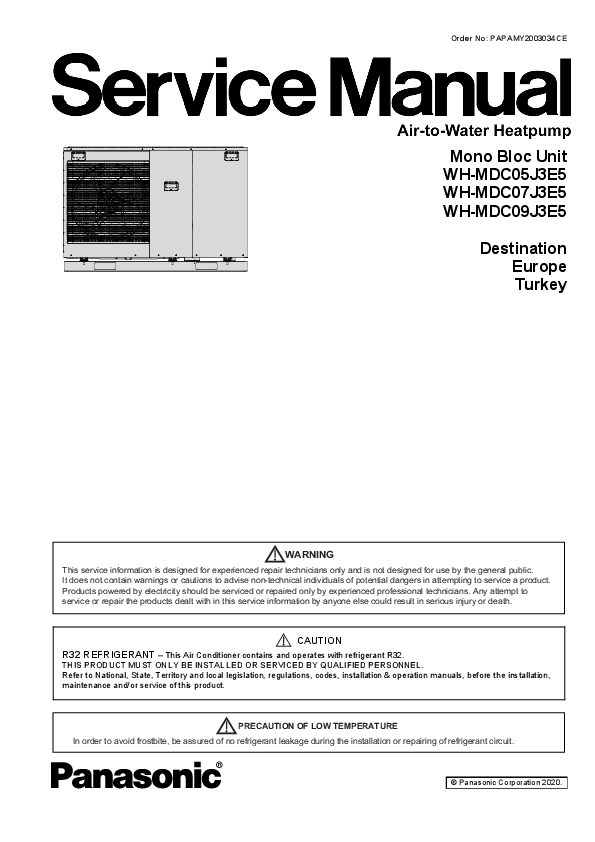
Mono Bloc Unit WH-MDC05J3E5 WH-MDC07J3E5 WH ...
Oct 27, 2020 —
WH-MDC05-09J3E5-Service-Manual
Index of /wp-content/uploads/2020/10/
Extracted Text
Order No: PAPAMY2003034CE
Mono Bloc Unit WH-MDC05J3E5 WH-MDC07J3E5 WH-MDC09J3E5
Destination Europe Turkey
WARNING
This service information is designed for experienced repair technicians only and is not designed for use by the general public. It does not contain warnings or cautions to advise non-technical individuals of potential dangers in attempting to service a product. Products powered by electricity should be serviced or repaired only by experienced professional technicians. Any attempt to service or repair the products dealt with in this service information by anyone else could result in serious injury or death.
CAUTION R32 REFRIGERANT � This Air Conditioner contains and operates with refrigerant R32.
THIS PRODUCT MUST ONLY BE INSTALLED OR SERVICED BY QUALIFIED PERSONNEL. Refer to National, State, Territory and local legislation, regulations, codes, installation & operation manuals, before the installation, maintenance and/or service of this product.
PRECAUTION OF LOW TEMPERATURE In order to avoid frostbite, be assured of no refrigerant leakage during the installation or repairing of refrigerant circuit.
� Panasonic Corporation 2020.
TABLE OF CONTENTS
PAGE
PAGE
1. Safety Precautions .............................................4
13.8 <Reference> Analysis method for no error
2. Precaution for Using R32 Refrigerant ..............6
code, no cooling / no warming .................. 104
3. Specifications ...................................................10
14. Operation and Control .................................. 106
3.1 WH-MDC05J3E5 .........................................10 3.2 WH-MDC07J3E5 .........................................13 3.3 WH-MDC09J3E5 .........................................16
14.1 Basic Function .......................................... 106 14.2 Water Pump .............................................. 116 14.3 Indoor Unit Safety ..................................... 119 14.4 Auto Restart Control ................................. 119
4. Features.............................................................19
14.5 Indication Panel ........................................ 119
5. Location of Controls and Components..........20
14.6 Indoor Back-Up Heater Control ................ 120 14.7 Tank Heater Control.................................. 121
5.1 Indoor Unit ...................................................20
14.8 Base Pan Heater Control (Optional) ......... 122
6. Dimensions .......................................................38
14.9 Force Heater Mode ................................... 123 14.10 Powerful Operation ................................... 124
6.1 Mono Bloc Unit.............................................38 7. Refrigeration and Water Cycle Diagram ........39
14.11 Quiet Operation......................................... 125 14.12 Sterilization Mode ..................................... 125 14.13 Outdoor Ambient Thermo OFF Control .... 126
7.1 Standard System (Optional PCB not connected) .....................40
7.2 Advance System (Optional PCB connected) ...........................40
8. Block Diagram ..................................................41
14.14 Alternative Outdoor Ambient Sensor Control ...................................................... 126
14.15 Force DHW mode ..................................... 127 14.16 SMART DHW mode.................................. 127 14.17 DHW Capacity Setting .............................. 128 14.18 Anti Freeze Control ................................... 128
8.1 WH-MDC05J3E5 .........................................41 8.2 WH-MDC07J3E5 WH-MDC09J3E5............42
9. Wiring Connection Diagram ............................43
14.19 Solar Operation (Optional) ........................ 129 14.20 Boiler Bivalent Control .............................. 131 14.21 External Room Thermostat Control
(Optional) .................................................. 133
9.1 Water System ..............................................43 9.2 Refrigerant System ......................................44
10. Electronic Circuit Diagram ..............................46
14.22 Three Ways Valve Control ........................ 134 14.23 Two Ways Valve Control........................... 134 14.24 External OFF/ON Control ......................... 135 14.25 External Compressor Switch
10.1 Water System ..............................................46 10.2 Refrigerant System ......................................47
11. Printed Circuit Board .......................................49
(Optional PCB) .......................................... 136 14.26 Heat/Cool Switch (Optional PCB) ............. 137 14.27 SG Ready Control (Optional PCB) ........... 137 14.28 Demand Control (Optional PCB) .............. 139
11.1 Water System ..............................................49 11.2 Refrigerant System ......................................51
12. Installation Instruction.....................................52
12.1 Mono Bloc Unit.............................................52 12.2 Variation of system ......................................64 12.3 How to Fix External Device..........................71 12.4 System Installation.......................................74 12.5 Service and maintenance ............................85
13. Installation and Servicing Air Conditioner using R32 ..........................................................86
13.1 About R32 Refrigerant .................................86 13.2 Characteristics of R32 Refrigerant...............86 13.3 Refrigerant piping installation � Tools used
in services ....................................................88 13.4 New installation, Relocation,
Repairing of Refrigerant Cycle System
14.29 Holiday Mode ............................................ 139 14.30 Dry Concrete ............................................. 140 14.31 Flow Sensor .............................................. 140
15. Protection Control (WH-MDC05J3E5).......... 141
15.1 Protection Control for All Operations ........ 141 15.2 Protection Control for Heating
Operation .................................................. 143 15.3 Protection Control for Cooling
Operation .................................................. 144
16. Protection Control (WH-MDC07J3E5 WH-MDC09J3E5) ............ 145
16.1 Protection Control for All Operations ........ 145 16.2 Protection Control for Heating
Operation .................................................. 147 16.3 Protection Control for Cooling
Operation .................................................. 148
The Procedures ...........................................92 13.5 Piping installation of R32 .............................93 13.6 Installation, Relocation, and Service............94 13.7 Repairing of refrigerant cycle /
Brazing point ................................................98
17. Servicing Mode .............................................. 149
17.1 Expansion Vessel Pre Pressure Checking ................................................... 149
17.2 Maintenance ............................................. 149 17.3 Pump Down Procedures ........................... 150
17.4 How To Adjust Pump Speed..................... 151
2
17.5 How To Adjust Pump Speed .....................152 17.6 How To Unlock Cool Mode........................153 17.7 EEPROM Factory Default Data Setup
Procedure ..................................................154 17.8 Dry Concrete Setup ...................................155 18. Maintenance Guide ........................................157 18.1 Maintenance Menu ....................................158 19. Troubleshooting Guide..................................160 19.1 Refrigeration Cycle System .......................160 19.2 Relationship between the Condition of the
Air-to-Water Heatpump Indoor and Outdoor Units and Pressure and Electric Current ..........................................161 19.3 Breakdown Self Diagnosis Function..........162 19.4 Error Codes Table .....................................164 19.5 Self-diagnosis Method ...............................166 20. Disassembly and Assembly Instructions ....214 20.1 To Remove The Cabinet Front Plate.........214 20.2 To Remove The Cabinet Top Plate ...........214 20.3 To Remove The Cabinet Rear Plate .........215 20.4 To Remove Pressure Gauge.....................215 20.5 To Remove RCCB .....................................216 20.6 To Remove Reactor ..................................216 20.7 To Remove Water System Electronic Controller Board.........................................217 20.8 To Remove Refrigerant Side Control Board Complete.........................................218 20.9 To Remove Pressure Relief Valve and Air Purge Valve ...............................................219 20.10 To Remove Flow Sensor ...........................219 20.11 To Remove Water Pump ...........................220 20.12 To Remove Heater ....................................221 20.13 To Remove Filter .......................................222 21. Technical Data ................................................223 21.1 Operation Characteristics ..........................223 21.2 Heating Capacity Table .............................235 21.3 Cooling Capacity Table .............................236 22. Exploded View and Replacement Parts List ...................................................................237 22.1 Water System ............................................237 22.2 Refrigerant System ....................................238
3
Specifications, designs and contents in this Service Manual are subject to change without notice.
1. Safety Precautions
Read the following "SAFETY PRECAUTIONS" carefully before installation of (Mono bloc) Air-to-Water Heatpump system (hereafter referred to as "Mono bloc unit").
Electrical works and water installation works must be done by licensed electrician and licensed water system installer respectively. Be sure to use the correct rating and main circuit for the model to be installed.
The caution items stated here must be followed because these important contents are related to safety. The meaning of each indication used is as below. Incorrect installation due to ignorance or negligence of the instructions will cause harm or damage, and the seriousness is classified by the following indications.
WARNING CAUTION
This indication shows the possibility of causing death or serious injury. This indication shows the possibility of causing injury or damage to properties only.
The items to be followed are classified by the symbols:
Symbol with white background denotes item that is PROHIBITED from doing. Symbol with dark background denotes item that must be carried out.
Carry out test run to confirm that no abnormality occurs after the installation. Then, explain to user the operation, care and maintenance as stated in instructions. Please remind the customer to keep the operating instructions for future reference.
If there is any doubt about the installation procedure or operation, always contact the authorized dealer for advice and information.
WARNING
1.
Do not install Mono bloc unit near handrail of veranda. When installing Mono bloc unit at veranda of high rise building, child may climb up to Mono bloc unit and cross over the handrail and causing accident.
2.
Do not use unspecified cord, modified cord, join cord or extension cord for power supply cord. Do not share the single outlet with other electrical appliances. Poor contact, poor insulation or over current will cause electrical shock or fire.
3. Do not tie up the power supply cord into a bundle by band. Abnormal temperature rise on power supply cord may happen.
4. Do not insert your fingers or other objects into the unit, high speed rotating fan may cause injury.
5. Do not sit or step on the unit, you may fall down accidentally.
6. Keep plastic bag (packaging material) away from small children, it may cause suffocation.
7. Do not use pipe wrench to install refrigerant pipe. It might deform the piping and cause the unit to malfunction.
8. Do not purchase unauthorized electrical parts for installation, service, maintenance and etc.. They might cause electrical shock or fire.
9. This unit is a multi supply appliances. All circuits must be disconnected before accessing to the unit terminals.
10.
Do not modify the wiring of Mono bloc unit for installation of other components (i.e. heater, etc). Overloaded wiring or wire connection points may cause electrical shock or fire.
11. Do not add or replace refrigerant other than specified type. It may cause product damage, burst and injury etc.
For electrical work, follow the local national wiring standard, regulation and this installation instruction. An independent circuit and 12. single outlet must be used. If electrical circuit capacity is not enough or defect found in electrical work, it will cause electrical shock or
fire.
13.
For water circuit installation work, follow to relevant European and national regulations (including EN61770) and local plumbing and building regulation codes.
14.
Must engage an authorized dealer or specialist for installation. If installation is defective, it will cause water leakage, electrical shock or fire.
15. Install according to this installation instructions strictly. If installation is defective, it will cause water leakage, electrical shock or fire.
16.
Only use the supplied or specified installation parts. Else, it may causes Mono bloc unit vibrate, fall, water leakage, electrical shock or fire.
17.
Install at a flat, strong and firm location which is able to withstand the Mono bloc unit's weight. If the location is slanting, or strength is not enough the set will fall and cause injury.
18.
This equipment is strongly recommended to be installed with Residual Current Device (RCD) on-site according to the respective national wiring rules or country-specific safety measures in terms of residual current.
19.
The unit is only for use in a closed water system. Utilization in an open water system may lead to excessive corrosion of the water piping and risk of incubating bacteria colonies, particularly Legionella, in water.
20. If there is any doubt about the installation procedure or operation, always contact the authorized dealer for advice and information.
21. Select a location where in case of water leakage, the leakage will not cause damage to other properties.
4
WARNING
22.
When installing electrical equipment at wooden building of metal lath or wire lath, in accordance with electrical facility standard, no electrical contact between equipment and building is allowed. Insulator must be installed in between.
23.
This installation may be subjected to building regulation approval applicable to respective country that may require to notify the local authority before installation.
24.
Any work carried out on the Mono bloc unit after removing the front panel which is secured by screws, must be carried out under the supervision of authorized dealer and licensed installation contractor.
This unit must be properly earthed, the electrical earth must not be connected to a gas pipe, water pipe, the earth of a lightning rod or 25. a telephone. Otherwise there is a danger of electrical shock in the event of an insulation breakdown or electrical earth fault in the
Mono bloc unit.
CAUTION
1.
Do not install the Mono bloc unit in areas where there is a risk of flammable gas leakage. There is a risk of fire if flammable gas accumulates near or around the Mono bloc unit.
2.
Do not release refrigerant during piping work for installation, re-installation and during repairing a refrigeration parts. Take care of the liquid refrigerant, it may cause frostbite.
3.
Make sure the power supply cord does not contact with hot part (i.e. water piping). High temperature may cause insulator of power supply cord damage hence electrical shock or fire.
4. Do not touch the sharp aluminium fin, sharp parts may cause injury.
5.
Do not apply excessive force to water pipes that may damage the pipes. If water leakage occurs, it will cause flooding and damage to other properties.
6.
Carry out drainage piping as mentioned in installation instructions. If drainage is not perfect, water leakage may happen and may cause damage to properties of the user.
7.
The piping installation work must be flushed before the Mono bloc unit is connected to remove contaminants. Contaminants may damage the Mono bloc unit components.
8. Select an installation location where it is accessible for maintenance.
Power supply connection to Mono bloc unit.
Power supply point should be in easily accessible place for power disconnection in case of emergency. Must follow local national wiring standard, regulation and this installation instruction. 9. Strongly recommended to make permanent connection to a circuit breaker. It must be a double pole switch with a minimum
3.0 mm gap. - Power supply 1: Use approved 30A circuit breaker - Power supply 2: Use approved 30A circuit breaker
10. Ensure the correct polarity is maintained throughout all wiring. Otherwise, it will cause electrical shock or fire.
11.
After installation, the installer is obliged to verify correct operation of the Mono bloc unit. Check the connection point for water leakage during test run. If leakage occurs, it will cause damage to other properties.
Installation work. 12. Four or more people are required to carry out the installation work. The weight of Mono bloc unit might cause injury if carried by less
than four people.
5
2. Precaution for Using R32 Refrigerant
The basic installation work procedures are the same as conventional refrigerant (R410A, R22) models. However, pay careful attention to the following points:
WARNING
Since the working pressure is higher than that of refrigerant R22 models, some of the piping and installation and service tools are
1.
special. Especially, when replacing a refrigerant R22 model with a new refrigerant R32 model, always replace the conventional piping with the
R32 and R410A piping on the outdoor unit side. For R32 and R410A, the same pipe can be used.
The mixing of different refrigerants within a system is prohibited. Models that use refrigerant R32 and R410A have a different charging 2. port thread diameter to prevent erroneous charging with refrigerant R22 and for safety.
Therefore, check beforehand. [The charging port thread diameter for R32 and R410A is 12.7 mm (1/2 inch).]
3. Ensure that foreign matter (oil, water, etc.) does not enter the piping.
Operation, maintenance, repairing and refrigerant recovery should be carried out by trained and certified personnel in the use of 4. flammable refrigerants and as recommended by the manufacturer. Any personnel conducting an operation, servicing or maintenance on
a system or associated parts of the equipment should be trained and certified.
5.
Any part of refrigerating circuit (evaporators, air coolers, AHU, condensers or liquid receivers) or piping should not be located in the proximity of heat sources, open flames, operating gas appliance or an operating electric heater.
6.
The user/owner or their authorized representative shall regularly check the alarms, mechanical ventilation and detectors, at least once a year, where as required by national regulations, to ensure their correct functioning.
7. A logbook shall be maintained. The results of these checks shall be recorded in the logbook.
8. In case of ventilations in occupied spaces shall be checked to confirm no obstruction.
Before a new refrigerating system is put into service, the person responsible for placing the system in operation should ensure that
9.
trained and certified operating personnel are instructed on the basis of the instruction manual about the construction, supervision, operation and maintenance of the refrigerating system, as well as the safety measures to be observed, and the properties and handling
of the refrigerant used.
The general requirement of trained and certified personnel are indicated as below:
a) Knowledge of legislation, regulations and standards relating to flammable refrigerants; and,
10.
b) Detailed knowledge of and skills in handling flammable refrigerants, personal protective equipment, refrigerant leakage prevention, handling of cylinders, charging, leak detection, recovery and disposal; and,
c) Able to understand and to apply in practice the requirements in the national legislation, regulations and Standards; and,
d) Continuously undergo regular and further training to maintain this expertise.
11. Protect the refrigerating system from accidental rupture due to moving furniture or reconstruction activities.
To ensure no leaking, field-made refrigerant joints indoors shall be tightness tested. The test method shall have a sensitivity of 5 grams 12. per year of refrigerant or better under a pressure of at least 0,25 times the maximum allowable pressure (>1.04MPa, max 4.15MPa). No
leak shall be detected.
6
CAUTION
Installation (Space)
Must comply with national gas regulations, state municipal rules and legislation. Notify relevant authorities in accordance with all
applicable regulations.
1. Must ensure mechanical connections be accessible for maintenance purposes.
In cases that require mechanical ventilation, ventilation openings shall be kept clear of obstruction.
When disposal of the product, do follow to the precautions in #12 and comply with national regulations.
Always contact to local municipal offices for proper handling.
Servicing
2-1. Service personnel
Any qualified person who is involved with working on or breaking into a refrigerant circuit should hold a current valid certificate from
an industry-accredited assessment authority, which authorizes their competence to handle refrigerants safely in accordance with an
industry recognised assessment specification.
Servicing shall only be performed as recommended by the equipment manufacturer. Maintenance and repair requiring the
assistance of other skilled personnel shall be carried out under the supervision of the person competent in the use of flammable
refrigerants.
Servicing shall be performed only as recommended by the manufacturer.
The system is inspected, regularly supervised and maintained by a trained and certified service personnel who is employed by the
person user or party responsible.
Ensure refrigerant charge not to leak.
2-2. Work
Prior to beginning work on systems containing flammable refrigerants, safety checks are necessary to ensure that the risk of ignition is minimised.
For repair to the refrigerating system, the precautions in #2-2 to #2-8 must be followed before conducting work on the system.
Work shall be undertaken under a controlled procedure so as to minimize the risk of a flammable gas or vapor being present while the work is being performed.
All maintenance staff and others working in the local area shall be instructed and supervised on the nature of work being carried out.
Avoid working in confined spaces. Always ensure away from source, at least 2 meter of safety distance, or zoning of free space area of at least 2 meter in radius.
Wear appropriate protective equipment, including respiratory protection, as conditions warrant.
Keep all sources of ignition and hot metal surfaces away. 2-3. Checking for presence of refrigerant
The area shall be checked with an appropriate refrigerant detector prior to and during work, to ensure the technician is aware of potentially flammable atmospheres.
Ensure that the leak detection equipment being used is suitable for use with flammable refrigerants, i.e. non sparking, adequately sealed or intrinsically safe.
In case of leakage/spillage happened, immediately ventilate area and stay upwind and away from spill/release.
In case of leakage/spillage happened, do notify persons downwind of the leaking/spill, isolate immediate hazard area and keep
unauthorized personnel out.
2-4. Presence of fire extinguisher
2.
If any hot work is to be conducted on the refrigeration equipment or any associated parts, appropriate fire extinguishing equipment shall be available at hand.
Have a dry powder or CO2 fire extinguisher adjacent to the charging area. 2-5. No ignition sources
No person carrying out work in relation to a refrigeration system which involves exposing any pipe work that contains or has
contained flammable refrigerant shall use any sources of ignition in such a manner that it may lead to the risk of fire or explosion.
He/She must not be smoking when carrying out such work.
All possible ignition sources, including cigarette smoking, should be kept sufficiently far away from the site of installation, repairing,
removing and disposal, during which flammable refrigerant can possibly be released to the surrounding space.
Prior to work taking place, the area around the equipment is to be surveyed to make sure that there are no flammable hazards or
ignition risks.
"No Smoking" signs shall be displayed.
2-6. Ventilated area
Ensure that the area is in the open or that it is adequately ventilated before breaking into the system or conducting any hot work.
A degree of ventilation shall continue during the period that the work is carried out.
The ventilation should safely disperse any released refrigerant and preferably expel it externally into the atmosphere. 2-7. Checks to the refrigeration equipment
Where electrical components are being changed, they shall be fit for the purpose and to the correct specification.
At all times the manufacturer's maintenance and service guidelines shall be followed.
If in doubt consult the manufacturer's technical department for assistance.
The following checks shall be applied to installations using flammable refrigerants. - The ventilation machinery and outlets are operating adequately and are not obstructed.
- Marking to the equipment continues to be visible and legible. Markings and signs that are illegible shall be corrected.
2-8. Checks to electrical devices
Repair and maintenance to electrical components shall include initial safety checks and component inspection procedures.
Initial safety checks shall include but not limit to:- That capacitors are discharged: this shall be done in a safe manner to avoid possibility of sparking.
- That there is no live electrical components and wiring are exposed while charging, recovering or purging the system.
- That there is continuity of earth bonding.
At all times the manufacturer's maintenance and service guidelines shall be followed.
If in doubt consult the manufacturer's technical department for assistance.
If a fault exists that could compromise safety, then no electrical supply shall be connected to the circuit until it is satisfactorily dealt
with.
If the fault cannot be corrected immediately but it is necessary to continue operation, an adequate temporary solution shall be used.
The owner of the equipment must be informed or reported so all parties are advised thereinafter.
7
CAUTION
Repairs to sealed components
During repairs to sealed components, all electrical supplies shall be disconnected from the equipment being worked upon prior to
any removal of sealed covers, etc.
If it is absolutely necessary to have an electrical supply to equipment during servicing, then a permanently operating form of leak
detection shall be located at the most critical point to warn of a potentially hazardous situation.
Particular attention shall be paid to the following to ensure that by working on electrical components, the casing is not altered in
such a way that the level of protection is affected. This shall include damage to cables, excessive number of connections, terminals
3.
not made to original specification, damage to seals, incorrect fitting of glands, etc.
Ensure that apparatus is mounted securely.
Ensure that seals or sealing materials have not degraded such that they no longer serve the purpose of preventing the ingress of
flammable atmospheres.
Replacement parts shall be in accordance with the manufacturer's specifications.
NOTE:
The use of silicon sealant may inhibit the effectiveness of some types of leak detection equipment. Intrinsically safe components do not have to be isolated prior to working on them.
Repair to intrinsically safe components
Do not apply any permanent inductive or capacitance loads to the circuit without ensuring that this will not exceed the permissible voltage and current permitted for the equipment in use.
4. Intrinsically safe components are the only types that can be worked on while live in the presence of a flammable atmosphere.
The test apparatus shall be at the correct rating.
Replace components only with parts specified by the manufacturer. Unspecified parts by manufacturer may result ignition of refrigerant in the atmosphere from a leak.
Cabling
5.
Check that cabling will not be subject to wear, corrosion, excessive pressure, vibration, sharp edges or any other adverse environmental effects.
The check shall also take into account the effects of aging or continual vibration from sources such as compressors or fans.
Detection of flammable refrigerants
6. Under no circumstances shall potential sources of ignition be used in the searching or detection of refrigerant leaks.
A halide torch (or any other detector using a naked flame) shall not be used.
The following leak detection methods are deemed acceptable for all refrigerant systems.
No leaks shall be detected when using detection equipment with a sensitivity of 5 grams per year of refrigerant or better under a pressure of at least 0,25 times the maximum allowable pressure (>1.04MPa, max 4.15MPa). For example, a universal sniffer.
Electronic leak detectors may be used to detect flammable refrigerants, but the sensitivity may not be adequate, or may need recalibration.
(Detection equipment shall be calibrated in a refrigerant-free area.)
Ensure that the detector is not a potential source of ignition and is suitable for the refrigerant used. 7. Leak detection equipment shall be set at a percentage of the LFL of the refrigerant and shall be calibrated to the refrigerant
employed and the appropriate percentage of gas (25 % maximum) is confirmed.
Leak detection fluids are suitable for use with most refrigerants but the use of detergents containing chlorine shall be avoided as the chlorine may react with the refrigerant and corrode the copper pipe-work.
If a leak is suspected, all naked flames shall be removed/extinguished.
If a leakage of refrigerant is found which requires brazing, all of the refrigerant shall be recovered from the system, or isolated (by means of shut off valves) in a part of the system remote from the leak. The precautions in #8 must be followed to remove the refrigerant.
Removal and evacuation
When breaking into the refrigerant circuit to make repairs � or for any other purpose � conventional procedures shall be used. However, it is important that best practice is followed since flammability is a consideration.
The following procedure shall be adhered to:
� remove refrigerant -> � purge the circuit with inert gas -> � evacuate -> � purge again with inert gas -> � open the circuit by cutting or brazing
The refrigerant charge shall be recovered into the correct recovery cylinders. 8. The system shall be purged with OFN to render the appliances safe. (remark: OFN = oxygen free nitrogen, type of inert gas)
This process may need to be repeated several times.
Compressed air or oxygen shall not be used for this task.
Flushing shall be achieved by breaking the vacuum in the system with OFN and continuing to fill until the working pressure is
achieved, then venting to atmosphere, and finally pulling down to a vacuum.
This process shall be repeated until no refrigerant is within the system.
When the final OFN charge is used, the system shall be vented down to atmospheric pressure to enable work to take place.
This operation is absolutely vital if brazing operations on the pipe work are to take place.
Ensure that the outlet for the vacuum pump is not close to any ignition sources and there is ventilation available.
Charging procedures
In addition to conventional charging procedures, the following requirements shall be followed.
- Ensure that contamination of different refrigerants does not occur when using charging equipment.
- Hoses or lines shall be as short as possible to minimize the amount of refrigerant contained in them.
- Cylinders shall be kept in an appropriate position according to the instructions.
- Ensure that the refrigeration system is earthed prior to charging the system with refrigerant.
9.
- Label the system when charging is complete (if not already). - Extreme care shall be taken not to over fill the refrigeration system.
Prior to recharging the system it shall be pressure tested with OFN (refer to #7).
The system shall be leak tested on completion of charging but prior to commissioning.
A follow up leak test shall be carried out prior to leaving the site.
Electrostatic charge may accumulate and create a hazardous condition when charging and discharging the refrigerant.
To avoid fire or explosion, dissipate static electricity during transfer by grounding and bonding containers and equipment before
charging/discharging.
8
CAUTION
Decommissioning Before carrying out this procedure, it is essential that the technician is completely familiar with the equipment and all its details. It is recommended good practice that all refrigerants are recovered safely. Prior to the task being carried out, an oil and refrigerant sample shall be taken in case analysis is required prior to re-use of
reclaimed refrigerant. It is essential that electrical power is available before the task is commenced.
a) Become familiar with the equipment and its operation. b) Isolate system electrically. c) Before attempting the procedure ensure that:
� mechanical handling equipment is available, if required, for handling refrigerant cylinders;
� all personal protective equipment is available and being used correctly;
� the recovery process is supervised at all times by a competent person;
10.
� recovery equipment and cylinders conform to the appropriate standards.
d) Pump down refrigerant system, if possible. e) If a vacuum is not possible, make a manifold so that refrigerant can be removed from various parts of the system. f) Make sure that cylinder is situated on the scales before recovery takes place. g) Start the recovery machine and operate in accordance with manufacturer's instructions. h) Do not over fill cylinders. (No more than 80 % volume liquid charge). i) Do not exceed the maximum working pressure of the cylinder, even temporarily. j) When the cylinders have been filled correctly and the process completed, make sure that the cylinders and the
equipment are removed from site promptly and all isolation valves on the equipment are closed off. k) Recovered refrigerant shall not be charged into another refrigeration system unless it has been cleaned and checked.
Electrostatic charge may accumulate and create a hazardous condition when charging or discharging the refrigerant. To avoid fire or explosion, dissipate static electricity during transfer by grounding and bonding containers and equipment before charging/discharging.
Labelling
11.
Equipment shall be labelled stating that it has been de-commissioned and emptied of refrigerant. The label shall be dated and signed.
Ensure that there are labels on the equipment stating the equipment contains flammable refrigerant.
Recovery
When removing refrigerant from a system, either for servicing or decommissioning, it is recommended good practice that all refrigerants are removed safely.
When transferring refrigerant into cylinders, ensure that only appropriate refrigerant recovery cylinders are employed.
Ensure that the correct number of cylinders for holding the total system charge are available. All cylinders to be used are designated for the recovered refrigerant and labelled for that refrigerant (i.e. special cylinders for the
recovery of refrigerant).
Cylinders shall be complete with pressure relief valve and associated shut-off valves in good working order.
Recovery cylinders are evacuated and, if possible, cooled before recovery occurs.
The recovery equipment shall be in good working order with a set of instructions concerning the equipment that is at hand and shall be suitable for the recovery of flammable refrigerants.
12.
In addition, a set of calibrated weighing scales shall be available and in good working order. Hoses shall be complete with leak-free disconnect couplings and in good condition.
Before using the recovery machine, check that it is in satisfactory working order, has been properly maintained and that any associated electrical components are sealed to prevent ignition in the event of a refrigerant release.
Consult manufacturer if in doubt.
The recovered refrigerant shall be returned to the refrigerant supplier in the correct recovery cylinder, and the relevant Waste Transfer Note arranged.
Do not mix refrigerants in recovery units and especially not in cylinders. If compressors or compressor oils are to be removed, ensure that they have been evacuated to an acceptable level to make certain
that flammable refrigerant does not remain within the lubricant.
The evacuation process shall be carried out prior to returning the compressor to the suppliers.
Only electric heating to the compressor body shall be employed to accelerate this process.
When oil is drained from a system, it shall be carried out safely.
9
3. Specifications
3.1 WH-MDC05J3E5
Item
Unit
Performance Test Condition
Condition (Ambient/Water)
Cooling Capacity Cooling EER
kW BTU/h kcal/h W/W kcal/hW
Condition (Ambient/Water)
Heating Capacity Heating COP
kW BTU/h kcal/h W/W kcal/hW Low Temperature Application (W35)
Application Pdesign
Climate kW
Tbivalent / TOL SCOP / ns
Annual Consumption
�C (W/W) / %
kWh
Heating ErP
Class Medium Temperature Application (W55)
Application Pdesign
Tbivalent / TOL SCOP / ns
Annual Consumption
Climate kW �C
(W/W) / % kWh
Class
Condition (Ambient/Water)
Noise Level
dB (A)
Power Level dB
Air Flow
m3/min (ft3/min)
Refrigeration Control Device
Refrigeration Oil
cm3
Refrigerant (R32)
kg (oz)
F-GAS
GWP
CO2eq (ton) (Precharged / Maximum)
Type
Compressor
Motor Type
Rated Output
kW
Refrigerant System EN 14511 / EN14825
A35W7
5.00 17100 4300 3.31 2.85
A7W35
A2W35
5.00 17100 4300 5.08 4.37
5.00 17100 4300 3.57 3.07
Warmer
Average
Colder
5.0 2 / 2 6.00 / 237 1113 A+++
5.0 -10 / -10 5.12 / 202
2018 A+++
6.0 -15 / -22 4.08 / 160
3625 A++
Warmer
Average
Colder
4.0 2 / 2 4.20 / 165 1274 A+++
5.0 -10 / -10 3.63 / 142
2849 A++
4.0 -15 / -22 2.95 / 115
3338 A+
A35W7
A7W35
A2W35
Cooling: 49 Cooling: 65
Heating: 48
Heating: 64 Heating: 59***
Cooling: 51.0 (1800) Heating: 39.8 (1410)
Expansion Valve FW50S (900) 1.30 (45.9) 675 0.878 / Hermetic Motor
Brushless (4-poles) 1.70
10
Item
Unit
Type
Material
Motor Type
Fan
Input Power
W
Output Power
W
Fan Speed
rpm
Fin material
Heat Exchanger
Fin Type Row � Stage � FPI
Size (W � H � L)
mm
Refrigerant System Propeller Fan PP
DC Motor (8-poles) 60
Cooling: 650 Heating: 520
Aluminium (Pre Coat) Corrugated Fin 2 � 30 � 17
38.1 � 762 � 903.8:873.8
Item
Unit
�
Power Source (Phase, Voltage, Cycle)
V
Hz
Input Power
Condition (Ambient/Water)
kW
Maximum Input Power For Heatpump System
kW
Power Supply 1 : Phase (�) / Max. Current (A) / Max. Input Power (W)
Power Supply 2 : Phase (�) / Max. Current (A) / Max. Input Power (W)
Power Supply 3 : Phase (�) / Max. Current (A) / Max. Input Power (W)
Starting Current
A
Running Current Maximum Current For Heatpump System
Condition (Ambient/Water)
A A
Power Factor
Power factor means total figure of compressor and
%
outdoor fan motor.
Height
Dimension
Width
Depth
Net Weight
Power Cord
Number of core Length
Thermostat
Protection Device
mm (inch) mm (inch) mm (inch)
kg (lbs)
m (ft)
A35W7 Cooling: 1.51
A35W7 Cooling: 7.0 Cooling: 94
Mono Bloc Unit Single 230 50
A7W35
Heating: 0.985 2.59
1� / 12.0 / 2.59k 1� / 13.0 / 3.00k
- / - / 4.7
A7W35
Heating: 4.7 12.0
Heating: 91
865 (34-1/16) 1283 (50-17/32)
320 (12-5/8) 99 (218) -
Electronic Control Electronic Control
A2W35 Heating: 1.40
A2W35 Heating: 6.6 Heating: 93
11
Item
Unit
Water System
Performance Test Condition
EN 14511 / EN14825
Outdoor Ambient
�C
Operation Range
Water Outlet
�C
Cooling: 10 ~ 43 Heating: -20 ~ 35
Cooling: 5 ~ 20 Heating: 20 ~ 55 ( Below Ambient -15�C)
20 ~ 60 (Above Ambient -10�C)
Internal Pressure Differential
kPa
Cooling: 12.0 Heating: 12.0
Water Pipe Connector (in.)
(1-1/4)
Water Drain Hose Inner Diameter
mm (inch)
15.0 (19/32)
Motor Type
Pump
Input Power
W
DC Motor 173
Type
Brazed Plate
No. of Plates
Hot Water Coil
Size (H � W � L)
mm
36 68.3 � 121 � 333
Water Flow Rate
l/min (m3/h)
Cooling: 14.3 (0.9) Heating: 14.3 (0.9)
Pressure Relief Valve Water Circuit
kPa
Open: 300, Close: 210 and below
Flow Switch
Electronic Sensor
Protection Device
A
Residual Current Circuit Breaker (40)
Volume
I
6
Expansion Vessel
MWP
bar
3
Capacity of Integrated Electric Heater
kW
3.00
Note:
Cooling capacities are based on outdoor air temperature of 35�C Dry Bulb with controlled indoor water inlet temperature of 12�C and water outlet temperature of 7�C.
Heating capacities are based on outdoor air temperature of 7�C Dry Bulb (44.6�F Dry Bulb), 6�C Wet Bulb (42.8�F Wet Bulb) with controlled indoor water inlet temperature of 30�C and water outlet temperature of 35�C.
Specification are subjected to change without prior notice for further improvement. Flow rate indicated are based on nominal capacity adjustment of leaving water temperature (LWT) 35�C and
=5�C *** The sound power level is measured with accordance to EN12102 under conditions of the EN14825.
12
3.2 WH-MDC07J3E5
Item
Unit
Performance Test Condition
Condition (Ambient/Water)
Cooling Capacity Cooling EER
kW BTU/h kcal/h W/W kcal/hW
Condition (Ambient/Water)
Heating Capacity
kW BTU/h kcal/h
Heating COP
W/W
kcal/hW
Low Temperature Application (W35)
Application
Climate
Pdesign
kW
Heating ErP
Tbivalent / TOL
�C
SCOP / ns
(W/W) / %
Annual Consumption
kWh
Class
Medium Temperature Application (W55)
Application Pdesign
Tbivalent / TOL SCOP / ns
Annual Consumption Class
Climate kW �C
(W/W) / % kWh
Condition (Ambient/Water)
Noise Level
dB (A)
Power Level dB
Air Flow
m3/min (ft3/min)
Refrigeration Control Device
Refrigeration Oil
Refrigerant (R32)
F-GAS
GWP CO2eq (ton) (Precharged / Maximum)
Type
Compressor
Motor Type
Rated Output
cm3 kg (oz)
kW
Refrigerant System EN 14511 / EN14825
A35W7
7.00 23900 6020 3.06 2.63
A7W35
A2W35
7.00 23900 6020 4.76 4.10
7.00 23900 6020 3.40 2.92
Warmer
Average
Colder
7.0 2 / 2 5.75 / 227 1627 A+++
6.0 -10 / -10 4.90 / 193
2532 A+++
7.0 -15 / -22 4.18 / 164
4132 A++
Warmer
Average
Colder
6.0 2 / 2 4.07 / 160 1971 A+++
7.0 -7 / -10 3.32 / 130 4354
A++
6.0 -15 /-22 2.98 / 116
4967 A+
A35W7
A7W35
A2W35
Cooling: 50 Cooling: 67
Heating: 50
Heating: 68 Heating: 59***
Cooling: 52.8 (1860) Heating: 43.3 (1530)
Expansion Valve FW50S (900) 1.30 (45.9) 675 0.878 / Hermetic Motor
Brushless (4-poles) 1.70
13
Item
Unit
Type
Material
Motor Type
Fan
Input Power
W
Output Power
W
Fan Speed
rpm
Fin material
Heat Exchanger
Fin Type Row � Stage � FPI
Size (W � H � L)
mm
Refrigerant System Propeller Fan PP
DC Motor (8-poles) 60
Cooling: 670 Heating: 560
Aluminium (Pre Coat) Corrugated Fin 2 � 30 � 17
38.1 � 762 � 903.8:873.8
Item
Unit
�
Power Source (Phase, Voltage, Cycle)
V
Hz
Input Power
Condition (Ambient/Water)
kW
Maximum Input Power For Heatpump System
kW
Power Supply 1 : Phase (�) / Max. Current (A) / Max. Input Power (W)
Power Supply 2 : Phase (�) / Max. Current (A) / Max. Input Power (W)
Power Supply 3 : Phase (�) / Max. Current (A) / Max. Input Power (W)
Starting Current
A
Running Current Maximum Current For Heatpump System
Condition (Ambient/Water)
A A
Power Factor
Power factor means total figure of compressor and
%
outdoor fan motor.
Dimension Net Weight Power Cord
Height Width Depth
Number of core Length
Thermostat Protection Device
mm (inch) mm (inch) mm (inch)
kg (lbs)
m (ft)
A35W7 Cooling: 2.29
A35W7 Cooling: 10.5 Cooling: 95
Mono Bloc Unit Single 230 50
A7W35
Heating: 1.47 3.71
1� / 17.0 / 3.71k 1� / 13.0 / 3.00k
- / - / 7.0
A7W35
Heating: 7.0 17.0
Heating: 92
865 (34-1/16) 1283 (50-17/32)
320 (12-5/8) 104 (229) -
Electronic Control Electronic Control
A2W35 Heating: 2.06
A2W35 Heating: 9.5 Heating: 94
14
Item
Unit
Water System
Performance Test Condition
EN 14511 / EN14825
Outdoor Ambient
�C
Operation Range
Water Outlet
�C
Cooling: 10 ~ 43 Heating: -20 ~ 35
Cooling: 5 ~ 20 Heating: 20 ~ 55 ( Below Ambient -15�C)
20 ~ 60 (Above Ambient -10�C)
Internal Pressure Differential
kPa
Cooling: 22.0 Heating: 22.0
Water Pipe Connector (in.)
(1-1/4)
Water Drain Hose Inner Diameter
mm (inch)
15.0 (19/32)
Motor Type
Pump
Input Power
W
DC Motor 173
Type
Brazed Plate
No. of Plates
Hot Water Coil
Size (H � W � L)
mm
36 68.3 � 121 � 333
Water Flow Rate
l/min (m3/h)
Cooling: 20.1 (1.2) Heating: 20.1 (1.2)
Pressure Relief Valve Water Circuit
kPa
Open: 300, Close: 210 and below
Flow Switch
Electronic Sensor
Protection Device
A
Residual Current Circuit Breaker (40)
Volume
I
6
Expansion Vessel
MWP
bar
3
Capacity of Integrated Electric Heater
kW
3.00
Note:
Cooling capacities are based on outdoor air temperature of 35�C Dry Bulb with controlled indoor water inlet temperature of 12�C and water outlet temperature of 7�C.
Heating capacities are based on outdoor air temperature of 7�C Dry Bulb (44.6�F Dry Bulb), 6�C Wet Bulb (42.8�F Wet Bulb) with controlled indoor water inlet temperature of 30�C and water outlet temperature of 35�C.
Specification are subjected to change without prior notice for further improvement. Flow rate indicated are based on nominal capacity adjustment of leaving water temperature (LWT) 35�C and
=5�C *** The sound power level is measured with accordance to EN12102 under conditions of the EN14825.
15
3.3 WH-MDC09J3E5
Item
Unit
Performance Test Condition
Condition (Ambient/Water)
Cooling Capacity Cooling EER
kW BTU/h kcal/h W/W kcal/hW
Condition (Ambient/Water)
Heating Capacity
kW BTU/h kcal/h
Heating COP
W/W
kcal/hW
Low Temperature Application (W35)
Application
Climate
Pdesign
kW
Heating ErP
Tbivalent / TOL
�C
SCOP / ns
(W/W) / %
Annual Consumption
kWh
Class
Medium Temperature Application (W55)
Application Pdesign
Tbivalent / TOL SCOP / ns
Annual Consumption Class
Climate kW �C
(W/W) / % kWh
Condition (Ambient/Water)
Noise Level
dB (A)
Power Level dB
Air Flow
m3/min (ft3/min)
Refrigeration Control Device
Refrigeration Oil
Refrigerant (R32)
F-GAS
GWP CO2eq (ton) (Precharged / Maximum)
Type
Compressor
Motor Type
Rated Output
cm3 kg (oz)
kW
Refrigerant System EN 14511 / EN14825
A35W7
9.00 30700 7740 2.71 2.33
A7W35
A2W35
9.00 30700 7740 4.48 3.85
7.45 25400 6410 3.13 2.69
Warmer
Average
Colder
7.0 2 / 2 5.75 / 227 1627 A+++
7.0 -10 / -10 4.90 / 193
2949 A+++
7.0 -15 / -22 4.18 / 164
4132 A++
Warmer
Average
Colder
6.0 2 / 2 4.07 / 160 1971 A+++
8.0 -7 / -10 3.32 / 130 4971
A++
6.0 -15 / -22 2.98 / 116
4967 A+
A35W7
A7W35
A2W35
Cooling: 51 Cooling: 68
Heating: 51
Heating: 69 Heating: 59***
Cooling: 55.4 (1960) Heating: 53.2 (1880)
Expansion Valve FW50S (900) 1.30 (45.9) 675 0.878 / Hermetic Motor
Brushless (4-poles) 1.70
16
Item
Unit
Type
Material
Motor Type
Fan
Input Power
W
Output Power
W
Fan Speed
rpm
Fin material
Heat Exchanger
Fin Type Row � Stage � FPI
Size (W � H � L)
mm
Refrigerant System Propeller Fan PP
DC Motor (8-poles) 60
Cooling: 700 Heating: 670
Aluminium (Pre Coat) Corrugated Fin 2 � 30 � 17
38.1 � 762 � 903.8:873.8
Item
Unit
�
Power Source (Phase, Voltage, Cycle)
V
Hz
Input Power
Condition (Ambient/Water)
kW
Maximum Input Power For Heatpump System
kW
Power Supply 1 : Phase (�) / Max. Current (A) / Max. Input Power (W)
Power Supply 2 : Phase (�) / Max. Current (A) / Max. Input Power (W)
Power Supply 3 : Phase (�) / Max. Current (A) / Max. Input Power (W)
Starting Current
A
Running Current Maximum Current For Heatpump System
Condition (Ambient/Water)
A A
Power Factor
Power factor means total figure of compressor and
%
outdoor fan motor.
Height
Dimension
Width
Depth
Net Weight
Power Cord
Number of core Length
Thermostat
Protection Device
mm (inch) mm (inch) mm (inch)
kg (lbs)
m (ft)
A35W7 Cooling: 3.32
A35W7 Cooling: 14.7 Cooling: 98
Mono Bloc Unit Single 230 50
A7W35
Heating: 2.01 3.83
1� / 17.0 / 3.83k 1� / 13.0 / 3.00k
- / - / 9.3
A7W35
Heating: 9.3 17.0
Heating: 94
865 (34-1/16) 1283 (50-17/32)
320 (12-5/8) 104 (229) -
Electronic Control Electronic Control
A2W35 Heating: 2.38
A2W35 Heating: 11.0 Heating: 94
17
Item Performance Test Condition
Unit
Water System
EN 14511 / EN14825
Outdoor Ambient
�C
Operation Range
Water Outlet
�C
Cooling: 10 ~ 43 Heating: -20 ~ 35
Cooling: 5 ~ 20 Heating: 20 ~ 55 ( Below Ambient -15�C)
20 ~ 60 (Above Ambient -10�C)
Internal Pressure Differential
kPa
Cooling: 32.0 Heating: 32.0
Water Pipe Connector (in.)
(1-1/4)
Water Drain Hose Inner Diameter
mm (inch)
15.0 (19/32)
Motor Type
Pump
Input Power
W
DC Motor 173
Type
Brazed Plate
No. of Plates
Hot Water Coil
Size (W � H � L)
mm
36 68.3 � 121 � 333
Water Flow Rate
l/min (m3/h)
Cooling: 25.8 (1.5) Heating: 25.8 (1.5)
Pressure Relief Valve Water Circuit
kPa
Open: 300, Close: 210 and below
Flow Switch
Electronic Sensor
Protection Device
A
Residual Current Circuit Breaker (40)
Volume
I
6
Expansion Vessel
MWP
bar
3
Capacity of Integrated Electric Heater
kW
3.00
Note:
Cooling capacities are based on outdoor air temperature of 35�C Dry Bulb with controlled indoor water inlet temperature of 12�C and water outlet temperature of 7�C.
Heating capacities are based on outdoor air temperature of 7�C Dry Bulb (44.6�F Dry Bulb), 6�C Wet Bulb (42.8�F Wet Bulb) with controlled indoor water inlet temperature of 30�C and water outlet temperature of 35�C.
Specification are subjected to change without prior notice for further improvement. Flow rate indicated are based on nominal capacity adjustment of leaving water temperature (LWT) 35�C and
=5�C *** The sound power level is measured with accordance to EN12102 under conditions of the EN14825.
18
4. Features
Inverter Technology
- Energy saving
High Efficiency
Compact Design
Environment Protection
- Non-ozone depletion substances refrigerant (R410A)
Easy to use control panel
Weekly Timer setting
Quality Improvement
- Random auto restart after power failure for safety restart operation - Gas leakage protection - Prevent compressor reverse cycle - Inner protector to protect compressor
Serviceability Improvement
- Breakdown Self Diagnosis function - System Status Check Buttons for servicing purpose - System Pumpdown Button for servicing purpose - Front maintenance design for outdoor unit
Operation Condition
Water outlet temperature (�C) (Min. / Max.) Outdoor ambient temperature (�C) (Min. / Max.)
HEATING (CIRCUIT) 20 / 55 (Below Ambient -15 �C) *3 20 / 60 (Above Ambient -10 �C) *3
-20 / 35
*1, *2 COOLING (CIRCUIT) 5 / 20 10 / 43
NOTICE: When the outdoor temperature is out of the range in the table, the heating capacity will drop significantly and the mono bloc unit may stop operating for its protection. The unit will restart automatically after the outdoor temperature returns to the specified range. *1 The system is locked to operate without COOL mode. It can be unlocked only by authorised installers or our authorized
service partners. *2 Only displayed when COOL mode is unlocked (This means when COOL mode is available). *3 Between outdoor ambient -10�C and -15�C, the water outlet temperature gradually decreases from 60�C to 55�C.
19
5. Location of Controls and Components
5.1 Indoor Unit
5.1.1 Location of Control
20
2
3
4
5 1
6
7
Display
1 Mode selection
*1, *2 AUTO
*1, *2 AUTO + TANK
HEAT
HEAT + TANK
� Depending on the preset outdoor *1, *2 COOL temperature, the system selects HEAT or *1, *2 COOL operation mode.
Auto Heat
Auto Cool
� COOL operation is either turned ON or OFF.
� The unit provides cooling to the system.
� Depending on the preset outdoor *1, *2 COOL temperature, the system selects + TANK HEAT + TANK or *1, *2 COOL + TANK operation mode.
Auto Heat
Auto Cool
� The unit provides cooling to the system.
� The unit provides heating when boiling tank.
� HEAT operation is either turned ON or OFF.
� The unit provides heat to the system.
� The unit provides heat to the water tank and the system.
� This mode can be selected only when the water tank is installed.
TANK
� TANK operation is either turned ON or OFF.
� The unit provides heat to the water tank.
* The direction icons point to the currently active mode.
� Room operation / Tank operation.
� Deice operation.
2 Operation icons The status of operation is displayed. Icon will not display (under operation OFF screen) whenever operation is OFF except weekly timer.
Holiday operation status
Weekly Timer operation status
Quiet operation status
Zone:Room Thermostat Internal sensor status
Powerful operation status
Demand Control or SG ready or SHP status
Room Heater status
Tank Heater status
Solar status
Bivalent status (Boiler)
*1 The system is locked to operate without COOL mode. It can be unlocked only by authorised installers or our authorised service partners. *2 Only displayed when COOL mode is unlocked (This means when COOL mode is available).
3 Temperature of each zone
4 Time and day
5 Water Tank temperature
6 Outdoor temperature
7 Sensor type/Set temperature type icons
Water Temperature Compensation curve
Room Thermostat External
Water Temperature Direct
Room Thermostat Internal
Pool only Room Thermistor
21
5.1.2 Initialization
Before starting to install the various menu settings, please initiate the Remote Controller by selecting the language of operation and installing the date and time correctly. When power is turned on for the rst time, it becomes the setting screen automatically. It can also be set from personal setting of the menu.
Selecting the language
Wait while the display is initializing. When initializing screen ends, it turns to normal screen. When any button is pressed, language setting screen appears.
LCD blinking
1 Scroll with and to select the language.
2 Press to con rm the selection.
Setting the clock
1 Select with or how to display the time, either 24h or am/pm format (for example, 15:00 or 3:00 pm).
2 Press to con rm the selection.
3 Use and to select year, month, day, hour and minutes. (Select and move with and press to con rm.)
4 Once the time is set, time and day will appear on the display even if the Remote Controller is turned OFF.
5.1.3 Quick Menu
After the initial settings have been completed, you can select a quick menu from the following options and edit the setting.
1 Press
to display the quick menu.
Force DHW Weekly Timer
Powerful Force Defrost
2 Use 3 Press
to select menu. to turn on/off the select menu.
Quiet Error Reset
Force Heater R/C Lock
22
5.1.4 Menus For user
Select menus and determine settings according to the system available in the household. All initial settings must be done by an authorised dealer or a specialist. It is recommended that all alterations of the initial settings are also done by an authorised dealer or a specialist. � After initial installation, you may manually adjust the settings. � The initial setting remains active until the user changes it. � The Remote Controller can be used for multiple installations. � Ensure the operation indicator is OFF before setting. � The system may not work properly if set wrongly.
Please consult an authorised dealer.
To display <Main Menu>:
To select menu:
To con rm the selected content:
Menu
Default Setting Setting Options / Display
1 Function setup
1.1 Weekly timer
Once the weekly timer is set up, User can edit from Quick Menu. To set up to 6 patterns of operation on a daily basis.
� Disabled if Heat-Cool SW is select "Yes" or if Force Heater is on.
Timer setup Select day of the week and set the patterns needed
(Time / Operation ON/OFF / Mode)
Timer copy
Select day of the week
1.2 Holiday timer
To save energy, a holiday period may be set to either turn OFF the system or lower the temperature during the period.
OFF
ON Holiday start and end. Date and time
OFF or lowered temperature
� Weekly timer setting may be temporarily disabled during Holiday timer setting but it will be restored once the Holiday timer is completed.
1.3 Quiet timer
To operate quietly during the preset period. 6 patterns may be set. Level 0 means the mode is off.
Time to start Quiet : Date and time
Level of quietness: 0 ~ 3
1.4 Room heater
To set the room heater ON or OFF.
OFF
1.5 Tank heater
To set the tank heater ON or OFF.
OFF
� Available only if connected to the tank.
1.6 Sterilization
To set the auto sterilization ON or OFF.
OFF
� Available only if connected to the tank. � Do not use the system during sterilization in order to prevent scalding with hot water, or overheating of shower. � Ask an authorised dealer to determine the level of sterilization function eld settings according to the local laws and
regulations.
23
Menu
Default Setting Setting Options / Display
2 System check
2.1 Energy monitor
Present or historical chart of energy consumption, generation or COP.
Present
Select and retrieve
Historical chart
Select and retrieve
� COP= Coef cient of Performance. � For historical chart, the period is selected from 1 day/1 week/1year. � Energy consumption (kWh) of heating, *1, *2 cooling, tank and total may be
retrieved. � The total power consumption is an estimated value based on AC 230 V and
may differ from value measured by precise equipment.
2.2 System information
Shows all system information in each area.
Actual system information of 10 items: Inlet / Outlet / Zone 1 / Zone 2 / Tank / Buffer tank / Solar / Pool / COMP frequency / Pump owrate
Select and retrieve
2.3 Error history
� Refer to Troubleshooting for error codes.
� The most recent error code is displayed at the top.
Select and retrieve
2.4 Compressor
Shows the compressor performance.
Select and retrieve
2.5 Heater
Total hours of ON time for Room heater/Tank heater.
Select and retrieve
3 Personal setup
3.1 Touch sound
Turns the operation sound ON/ OFF.
ON
3.2 LCD contrast
Sets the screen contrast.
3
*1 The system is locked to operate without COOL mode. It can be unlocked only by authorised installers or our authorised service partners. *2 Only displayed when COOL mode is unlocked (This means when COOL mode is available).
24
Menu
3.3 Backlight
Sets the duration of screen backlight.
Default Setting Setting Options / Display
1 min
3.4 Backlight intensity
Sets screen backlight brightness.
4
3.5 Clock format
Sets the type of clock display.
24h
3.6 Date & Time
Sets the present date and time.
Year / Month / Day / Hour / Min
3.7 Language
Sets the display language for the top screen.
� For Greek, please refer to the English version.
3.8 Unlock password
4 digit password for all the settings.
ENGLISH / FRAN�AIS / DEUTSCH / ITALIANO / ESPA�OL / DANISH / SWEDISH / NORWEGIAN / POLISH / CZECH / NEDERLANDS / T�RK�E / SUOMI / MAGYAR / SLOVENS INA / HRVATSKI
0000
4 Service contact
4.1 Contact 1 / Contact 2
Preset contact number for installer.
Select and retrieve
25
5.1.5 Menus For installer
Menu
Default Setting Setting Options / Display
5 Installer setup System setup
5.1 Optional PCB connectivity
To connect to the external PCB required for servicing.
No
� If the external PCB is connected (optional), the system will have following additional functions:
1 Buffer tank connection and control over its function and temperature. 2 Control over 2 zones (including the swimming pool and the function to heat water in it). 3 Solar function (the solar thermal panels connected to either the DHW (Domestic Hot Water) Tank or the Buffer Tank.
� DHW is not applicable for WH-ADC *models. 4 External compressor switch. 5 External error signal. 6 SG ready control. 7 Demand control. 8 Heat-Cool SW
5.2 Zone & Sensor
To select the sensors and to select either 1 zone or 2 zone system.
Zone � After selecting 1 or 2 zone system, proceed
to the selection of room or swimming pool. � If the swimming pool is selected, the
temperature must be selected for T temperature between 0�C ~ 10 �C.
Sensor
* For room thermostat, there is a further selection of external or internal.
5.3 Heater capacity
To reduce the heater power if unnecessary.*
3 kW / 6 kW / 9kW
* Options of kW vary depending on the model.
5.4 Anti freezing
To activate or deactivate the water freeze prevention when the system is OFF
5.5 Tank connection
To connect tank to the system.
5.6 DHW capacity
To select tank heating capacity to variable or standard. Variable capacity heat up tank with fast mode and keep the tank temperature with ef cient mode. While standard capacity heat up tank with rated heating capacity. * This option is available if Tank
connection is selected (YES).
Yes No
Variable
26
Menu
Default Setting
5.7 Buffer tank connection
To connect tank to the system and if selected YES, to set
T temperature. � The optional PCB connectivity
must be selected YES to enable the function. � If the optional PCB connectivity is not selected, the function will not appear on the display.
5.8 Tank heater
To select external or internal tank heater and if External is selected, set a timer for the heater to come on. * This option is available if Tank
connection is selected (YES).
No Yes
5 �C
Internal External
Setting Options / Display
Set T for Buffer Tank
0:20
Tank heater ON time set.
5.9 Base pan heater
To select whether or not optional base pan heater is connected. * Type A - The base pan heater
activates only during deice operation. * Type B - The base pan heater activates when outdoor ambient temperature is 5 �C or lower.
5.10 Alternative outdoor sensor
To select an alternative outdoor sensor.
5.11 Bivalent connection
To select to enable or disable bivalent connection.
Yes
To select either auto control pattern or SG ready input control pattern. * This selection only display
to select when optional pcb connection set to Yes.
No Yes
A
No No
Auto
Set base pan heater type*.
27
Menu
Default Setting Setting Options / Display
To select a bivalent connection to allow an additional heat source such as a boiler to heatup the buffer tank and domestic hot water tank when heatpump capacity is insuf cient at low outdoor temperature. The bivalent feature can be set-up either in alternative mode (heatpump and boiler operate alternately), or in parallel mode (both heatpump and boiler operate simultaneously), or in advance parallel mode (heatpump operates and boiler turns on for buffer-tank and/or domestic hot water depending on the control pattern setting options).
Yes Auto -5 �C
Set outdoor temperature for turn ON Bivalent connection.
Yes After selecting the outdoor temperature Control pattern
Alternative / Parallel / Advanced parallel
� Select advanced parallel for bivalent use of the tanks.
Control pattern Alternative
Option to set external
pump either ON or
OFF
OFF during bivalent operation. Set to ON
if system is simple
bivalent connection.
Control pattern Advanced parallel
Heat
Selection of the tank
� "Heat" implies Buffer Tank and "DHW" implies Domestic Hot Water Tank.
Control pattern Advanced parallel Heat Yes
� Buffer Tank is activated only after selecting "Yes".
Set the temperature
-8 �C
threshold to start the
bivalent heat source.
Delay timer to start
0:30
the bivalent heat source
(in hour and minutes).
Set the temperature
-2 �C
threshold to stop the
bivalent heat source.
28
Menu
Default Setting Setting Options / Display
Delay timer to stop
0:30
the bivalent heat source
(in hour and minutes).
Control pattern Advanced parallel DHW Yes
� DHW Tank is activated only after selecting "Yes".
SG ready input control for bivalent system follow below input condition.
SG signal Vcc-bit1 Vcc-bit2 Open Open
Short Open
Open Short
Short Short
Operation pattern
Heat Pump OFF, Boiler OFF
Heat Pump ON, Boiler OFF
Heat Pump OFF, Boiler ON
Heat Pump ON, Boiler ON
5.12 External SW
5.13 Solar connection
� The optional PCB connectivity must be selected YES to enable the function.
� If the optional PCB connectivity is not selected, the function will not appear on the display.
� DHW is not applicable for WH-ADC *models.
0:30 Yes SG ready
Delay timer to start the bivalent heat source (in hour and minutes).
Option to set external
pump either ON or
OFF
OFF during bivalent operation. Set to ON
if system is simple
bivalent connection.
No
No Yes
Buffer tank
Selection of the tank
Yes After selecting the tank
10 �C
Set T ON temperature
29
Menu
Default Setting Setting Options / Display
Yes After selecting the tank T ON temperature
5 �C
Set T OFF temperature
Yes After selecting the tank T ON temperature T OFF temperature
5 �C
Set Antifreeze temperature
Yes After selecting the tank T ON temperature T OFF temperature After setting the antifreeze temperature
80 �C
Set Hi limit
5.14 External error signal 5.15 Demand control 5.16 SG ready
No No No Yes 120 %
5.17 External compressor SW
5.18 Circulation liquid
To select whether to circulate water or glycol in the system.
No Water
Capacity (1) & (2) of DHW (in %), Heat (in %) and Cool (in �C)
30
Menu
5.19 Heat-Cool SW
5.20 Force heater
To turn on Force heater either manually (by default) or automatically.
Default Setting
No Manual
Setting Options / Display
5.21 Force defrost
If auto selection is set, the unit will start defrost operation if long heating hour operate during low outdoor temperature.
5.22 Defrost signal
To turn on defrost signal to stop fan coil during defrost operation. (If defrost signal set to yes, bivalent function will not available to use)
5.23 Pump owrate
To set variable ow pump control or x pump duty control.
Manual No T
6 Installer setup Operation setup
To access to the four major functions or modes.
4 main modes
Heat / *1, *2 Cool / *1, *2 Auto / Tank
6.1 Heat
To set various water & ambient temperatures for heating.
Water temp. for heating ON / Outdoor temp. for heating OFF /
T for heating ON / Heater ON/OFF
Water temp. for heating ON
Compensation curve
Heating ON temperatures in compensation curve or direct input.
*1 The system is locked to operate without COOL mode. It can be unlocked only by authorised installers or our authorised service partners. *2 Only displayed when COOL mode is unlocked (This means when COOL mode is available).
31
Menu
Default Setting Setting Options / Display
Water temp. for heating ON Compensation curve
X axis: -5 �C, 15 �C Y axis: 55 �C, 35 �C
Input the 4 temperature points (2 on horizontal X axis, 2 on vertical Y axis).
� Temperature range: X axis: -20 �C ~ 15 �C, Y axis: See below � Temperature range for the Y axis input:
1. WH-MDC model: 20 �C ~ 60 �C � If 2 zone system is selected, the 4 temperature points must also be input for Zone 2. � "Zone 1" and "Zone 2" will not appear on the display if only 1 zone system.
Water temp. for heating ON Direct
35 �C
Temperature for heating ON
� Min. ~ Max. range is conditional as follows: 1. WH-MDC model: 20 �C ~ 60 �C
� If 2 zone system is selected, temperature set point must input for Zone 2. � "Zone 1" and "Zone 2" will not appear on the display if only 1 zone system.
Outdoor temp. for heating OFF
24 �C
Temperature for heating OFF
T for heating ON
Set T for heating
ON.
5 �C
* This setting will not available to set when
pump owrate set to
Max. duty.
Heater ON/OFF
Heater ON/OFF Outdoor temp. for heater ON
0 �C
Temperature for heater ON
32
Menu
Default Setting Setting Options / Display
Heater ON/OFF Delay time for heater ON
0:30 min
Delay time for heater to turn on
6.2 *1, *2 Cool
To set various water & ambient temperatures for cooling.
Heater ON/OFF Water temperature for heater ON
Setting of water
-4 �C
temperature to turn on from water set
temperature.
Heater ON/OFF Water temperature for heater OFF
Setting of water
-2 �C
temperature to turn off from water set
temperature.
Water temperatures for cooling ON and T for cooling ON.
Water temp. for cooling ON
Compensation curve
Cooling ON temperatures in compensation curve or direct input.
Water temp. for cooling ON Compensation curve
X axis: 20 �C, 30 �C Y axis: 15 �C, 10 �C
Input the 4 temperature points (2 on horizontal X axis, 2 on vertical Y axis)
� If 2 zone system is selected, the 4 temperature points must also be input for Zone 2.
� "Zone 1" and "Zone 2" will not appear on the display if only 1 zone system.
*1 The system is locked to operate without COOL mode. It can be unlocked only by authorised installers or our authorised service partners. *2 Only displayed when COOL mode is unlocked (This means when COOL mode is available).
33
Menu
Default Setting Setting Options / Display
Water temp. for cooling ON Direct
10 �C
Set temperature for Cooling ON
6.3 *1, *2 Auto
Automatic switch from Heat to Cool or Cool to Heat.
� If 2 zone system is selected, temperature set point must input for Zone 2. � "Zone 1" and "Zone 2" will not appear on the display if only 1 zone system.
T for cooling ON
Set T for cooling ON
* This setting will not
5 �C
available to set when
pump owrate set to
Max. duty.
Outdoor temperatures for switching from Heat to Cool or Cool to Heat.
Outdoor temp. for (Heat to Cool) / Outdoor temp. for (Cool to Heat)
Outdoor temp. for (Heat to Cool)
15 �C
Set outdoor temperature for switching from Heat to Cool.
Outdoor temp. for (Cool to Heat)
10 �C
Set outdoor temperature for switching from Cool to Heat.
6.4 Tank
Setting functions for the tank.
� Available only if connected to the tank.
Floor operation time (max) / Tank heat up time (max) /
Tank re-heat temp. / Sterilization
� The display will show 3 functions at a time.
Floor operation time (max)
Maximum time for
8:00
oor operation
(in hours and minutes)
*1 The system is locked to operate without COOL mode. It can be unlocked only by authorised installers or our authorised service partners. *2 Only displayed when COOL mode is unlocked (This means when COOL mode is available).
34
Menu
Default Setting Setting Options / Display
Tank heat up time (max)
Maximum time for
1:00
heating the tank
(in hours and minutes)
Tank re-heat temp.
Set temperature to
-8 �C
perform reboil of tank
water.
Sterilization Monday
Sterilization may be set for 1 or more days
of the week.
Sun / Mon / Tue / Wed / Thu / Fri / Sat
Sterilization: Time 12:00
Time of the selected day(s) of the week to
sterilize the tank
0:00 ~ 23:59
Sterilization: Boiling temp.
65 �C
Set boiling temperatures for sterilize the tank.
Sterilization: Ope. time (max)
0:10
Set sterilizing time (in hours and minutes)
7 Installer setup Service setup
7.1 Pump maximum speed
To set the maximum speed of the pump.
Setting the ow rate, max. duty and operation ON/OFF of the pump.
Flow rate: XX:X L/min Max. Duty: 0x40 ~ 0xFE, Pump: ON/OFF/Air Purge
35
Menu
7.2 Pump down
To set the pump down operation.
Default Setting Setting Options / Display
Pump down operation ON
7.3 Dry concrete
To dry the concrete ( oor, walls, etc.) during construction.
Do not use this menu for any other purposes and in period other than during construction
Edit to set the temperature of dry concrete.
ON / Edit
Edit
Stages: 1 Temperature: 25 �C
Heating temperature for drying the concrete. Select the desired stages: 1 ~ 10, range: 1 ~ 99
ON
Con rm the setting temperatures of dry concrete for each stage.
7.4 Service contact
To set up to 2 contact names and numbers for the User.
Service engineer's name and contact number.
Contact 1 / Contact 2 Contact 1 / Contact 2
Contact name or number.
Name / phone icon
Input name and number
Contact name: alphabet a ~ z. Contact number: 1 ~ 9
36
5.1.6
Main Components 6
a
b
1
2-2
2-1
b
3
a
5
4c
78 9
A
0 g
d
e
DETAIL A
Component name 1 PCB
2-1 Single phase RCCB (Main Power)
2-2 Single phase RCCB (Backup Heater) 3 Heat Exchanger 4 Water Pressure Gauge 5 Water Pump 6 Cabinet Top Plate 7 Expansion Vessel 8 Flow Sensor 9 Heater Assembly
0 Overload Protector (2 pieces) a Pressure Relief Valve b Air Purge Valve c Magnetic Water Filter Set d Plug (2 pieces) e Bushing (7 pieces) f Cabinet Front Plate g Cover (2 pieces)
It is advisable to avoid more than 2 blockage directions. For better ventilation & multiple-outdoor installation, please consult authorized dealer/specialist.
f
Connector name a Water inlet b Water outlet
37
6. Dimensions
6.1 Mono Bloc Unit
<Top View>
400
<Side View>
<Front View>
1284 319
<Side View>
59
322
39
865
480
70
213
195
<Back View>
71
38
51
Unit: mm
7. Refrigeration and Water Cycle Diagram
Mono bloc Unit
Outdoo r Side
Strainer
Expansion Valve
Strainer
Liquid Side (3-Way Valve)
Pipe Temp. Sensor
Receiver
Ref Pipe Temp. Sensor
Air Temp. Sensor
Heat Exchanger
Eva Exit Temp. Sensor
4-Way Valve
High Pressure Sensor
Pressure Switch
Compressor Discharge Temp.
Sensor
Compressor Tank Temp.
Sensor
Compressor
Refrigerant Cycle (Heating) Water Cycle Refrigerant Cycle (Cooling)
Muffler
Gas Side (3-Way Valve)
Water Pressure Gauge
Water Pump
Shut Valve
Shut Valve
Filter
Water Inlet Temp.
Sensor
Heat Exchanger
Pressure Relief Valve
Hex Water outlet Temp. Sensor
Expansion Vessel
Water Flow Switch
Backup Heater
Water Outlet Temp. Sensor
Air Purge Valve
Water Inlet
Water Outlet
39
7.1 Standard System (Optional PCB not connected)
Mono Bloc Unit Water System
Refrigerant System
Air purge valve Expansion TH Vessel (10L)
Water Inlet Pressure
Gauge
OLP � 2
Water Flow Sensor
HEX
Pump
TH Water Outlet
Filter
TH Water Outlet 2
Heater: OD 9kW series: 3kW
Room Thermo (4 option)
External Thermostat
T
External Thermistor
Internal Thermostat
Nothing
3-Way valve Extra Pump
2-Way valve
THt
Heater
OLP
Fan Coil Unit (Heating / Cooling)
Panel Heater Unit (Heating)
Floor Heating Panel (Heating)
R410A R410A
WATER
DHW Tank
7.2 Advance System (Optional PCB connected)
Cold Water Supply
Buffer Tank
Buffer Tank Thermistor
3-Way valve
Mono Bloc Unit
THt
OLP
Heater
Solar Panel Thermistor
Boiler
DHW Tank Cold Water Supply
T
Addtional Outdoor Sensor
Zone1
Mixing Valve
Water Temp Pump Thermistor
Fan Coil Unit (Heating / Cooling)
Zone1 Room Thermo (4 option )
2-Way valve
Zone2
Mixing Valve
Water Temp Pump Thermistor
Panel Heater Unit (Heating)
FloorHeating Panel
External
Internal
Thermostat Thermostat
T
External Thermistor
Without
Fan Coil Unit (Heating / Cooling)
Zone2 Room T hermo (4 option )
2-Way valve
Panel Heater Unit (Heating)
External
Internal
Thermostat Thermostat
T
External Thermistor
Without
FloorHeating Panel
Either Zone2 Heat & Cool or Pool Heating
Hex
Pool Pool Pump Thermistor
40
8. Block Diagram
8.1 WH-MDC05J3E5
41
8.2 WH-MDC07J3E5 WH-MDC09J3E5
42
43
POWER SUPPLY 1 Single phase AC230V 50Hz
RCCB
(L)
BL
(N)
W
230V 40A I n=30mA
GROUNDING
REFRIGERANT SYSTEM
TERMINAL BOARD
1
2
3
R1 1
BLUE BLACK
BLUE BLACK
WATER
M
PUMP
LEAD WIRE FIXING FOR OLP
POOL WATER PUMP SOLAR WATER PUMP
ERROR SIGNAL WATER PUMP ZONE 1 WATER PUMP ZONE 2
CN209 SSR202
SSR203
RY1 CN208 SSR200
SSR201 1CN-CNT (WHITE) 5
CN205
OPTIONAL
EXTERNAL COMP. SW HEAT/COOL SWITCH
SG SIGNAL
SOLAR TEMP. SENSOR
DEMAND SIGNAL WATER TEMP. ZONE 1 WATER TEMP. ZONE 2 POOL TEMP. SENSOR BUFFER TANK SENSOR ROOM TEMP. ZONE 1 ROOM TEMP. ZONE 2
RED
WHITE
R
W
7
7
BL
4
4
R3
3
BR 2
2
B1
1
BL
AC1-L3 (BLK)
FUSE1 T6.3A L250V
AC1-N W (WHT)
REACTOR
W
W
LEAD WIRE FIXING FOR HEATER
2 2 W L2 (WHT)
1 1 W
L1 (WHT)
G G03 (GRN)
FUSE 3 T3.15A L250V
NOISE FILTER CIRCUIT
RECTIFICATION CIRCUIT
NOISE FILTER CIRCUIT
HT1-L3 (RED) AC2-L3 (BLK) RY-HT (L3) AC2-N2 (WHT)
R BL
11 22
W
SIGNAL DETECTION CIRCUIT
G01 G (GRN)
DATA (RED) G02 G (GRN)
COMMUNICATION CIRCUIT
SW1 SW2
ELECTRONIC CONTROLLER (MAIN)
W
BL R BR B
CN-PUMP1 (WHT) 1
4 5 6 7
NOISE
RECTIFICATION FILTER
CIRCUIT
CIRCUIT
WATER PUMP CIRCUIT
BL RY-HT
BL
RY-V2 RY-V3
ROOM THERMO 2
ROOM THERMO 1
MIXING VALVE 1
MIXING VALVE 2
L N COOL HEAT L N COOL HEAT N OPEN CLOSE N OPEN CLOSE
CN201
CN202
SIGNAL DETECTION CIRCUIT
SIGNAL DETECTION CIRCUIT
SSR204 SSR205 SSR206 SSR207
CN203
5 1
CN-COMM (YLW)
3
4 CN-PWR202 1
1
(YLW) 2
ACN (WHT)
ACL (BLK)
ELECTRONIC CONTROLLER (SUB)
CN-PWR204 (YLW)
1 2 3
W W
DCN (BLU)
DCP (RED)
5W W
3W W
1W W W BL
B R
CN-CNT (WHT)
5
3
1 1 2 3
CN-PWR2 (BLU)
1 CN-PWR (BLK)
2 1
CN-PWR4 (BLK)
3 CN-PWR3
1 (GRN)
CN204
CN207
CN206
CN210
CN-HT (WHT)
3
1 CN1
SIGNAL DETECTION CIRCUIT
CN2
21 21
CLOSE OPEN N CLOSE OPEN N
2-WAY VALVE
3-WAY VALVE
HEAT COOL N L
ROOM THERMO 1
DC DC GND 10V
VCC BIT2 BIT1
HE ATER
ACL3 (BLK)
POWER SUPPLY 2 Single phase AC230V 50Hz
OLP 80�3�C BL
R
RCCB
BL
(L1)
(N1)
230V 40A I n=30mA
W GROUNDING
RY-BOOSTER
BL CN6 CN5
BL A B TERMINAL BOARD
W BACKUP HEATER (3kW)
OLP BOOSTER HEATER ROOM TEMP. ZONE 1
OUTDOOR AIR SENSOR TANK SENSOR
CN4 EXTERNAL CONTROL 1
CONTROL PANEL
CN3 RY-CONTACT1
SSR1
BOILER CONTACT EXTRA PUMP
1 CN-OLP1
(WHT) 2
BOOSTER HEATER OLP 80�3�C B B
1
BR
CN-FLWSEN
W B
(WHT) 4
BL
FLOW SENSOR
1
CN-TH1
t�
(WHT)
t�
WATER OUTLET TEMP. SENSOR (THERMISTOR) REFRIGERANT TEMP. SENSOR (THERMISTOR)
t�
6
CN-TH3 1 (WHT) 2
t�
WATER INLET TEMP. SENSOR (THERMISTOR) HEX WATER OUTLET TEMP. SENSOR (THERMISTOR)
REMARKS: W : WHITE O : ORANGE R : RED B : BLUE BL : BLACK Y : YELLOW
BR : BROWN G : GREEN GR : GRAY Y/G : YELLOW/GREEN RCCB : RESIDUAL CURRENT CIRCUIT BREAKE
9. Wiring Connection Diagram
9.1 Water System
9.2 Refrigerant System
9.2.1 WH-MDC05J3E5
44
WATER SYSTEM
TERMINAL BOARD
1
2 3
G
G
ACL201
BL
(BLACK)
FG202 (GREEN)
FG201 (GREEN)
L1-IN (GRAY)
GR REACTOR
CN-BLK (BLACK)
ACN201 W (WHITE)
NOISE FILTER CIRCUIT
CN-DC 2 (WHITE) 1
CN-WHT (WHITE)
ELECTRONIC CONTROLLER (SUB)
GR
R
W
R
BL
R BL
ELECTRONIC CONTROLLER (CAPACITOR)
DCP-OUT (WHITE)
DCN-IN (BLACK)
CAPACITOR CIRCUIT
AC-C (BLUE)
DCN-OUT (BLACK)
B
BL
YELLOW
AC-BLK01 CN-WHT (BLACK) (WHITE)
1
2
CN-RY1
(WHITE)
AC-L (GRAY)
DCP (RED)
DCN
AC-C
(BLACK) (BLUE)
FUSE2 T3.15A L250V FUSE1 T3.15A L250V
1
HIGH PRESSURE
2
SENSOR
3
ELECTRO MAGNETIC COIL (4-WAY VALVE)
BL 1
CN-HPS
W
(RED)
R
3
4
1
RY-HOT
CN-HOT (BLUE)
3
RECTIFICATION CIRCUIT
RECTIFIC ATION CIRCUIT
PFC CIRCUIT
P
BASE PAN HEATER
(OPTIONAL) BL W R
N
1
RY-HT2
CN-HT2 (BLACK)
3
SWITCHING POWER SUPPLY CIRCUIT
AC-BLK02 (BLACK) AC-WHT02 (WHITE) COM3 (RED)
COMMUNIC ATION CIRCUIT
ELECTRONIC CONTROLLER (MAIN)
DCN2
(BLACK)
FG1
G
(GREEN)
NOISE FILTER CIRCUIT
BLUE
RED
(TRADEMARK) COMPRESSOR TERMINAL
U U (RED) V V (BLUE) W W (YELLOW)
R3 B2 Y1
3R 2B 1Y
MS 3~
COMPRESSOR
1 CN-FM1 (WHITE) 4
7
M
FAN MOTOR
CN-TANK
(WHITE)
1
3
CN-DIS 1 (WHITE) 2
CN-TH1 1 (WHITE) 4
CN-TH3
(YELLOW)
1
2
CN-EV 1 (WHITE) 6
CN-PSW1 (BLUE) 12
COMP. TEMP. SENSOR (THERMISTOR) DISCHARGE TEMP. SENSOR (THERMISTOR) OUTDOOR AIR TEMP. SENSOR (THERMISTOR) OUTDOOR PIPE TEMP. SENSOR (THERMISTOR) EVAPORATOR EXIT TEMP. SENSOR (THERMISTOR)
REMARKS:
W : WHITE R : RED
B : BLUE
P : PINK
BL : BLACK Y : YELLOW
BR : BROWN O : ORANGE
G : GREEN GR : GRAY
Y/G : YELLOW/GREEN
to
to
to
to
to
M
ELECTRO MAGNETIC COIL (MAIN EXPANSION VALVE)
R R
HIGH PRESSURE SWITCH
9.2.2 WH-MDC07J3E5 WH-MDC09J3E5
45
WATER SYSTEM
TERMINAL BOARD
1
2 3
G
G
CN-ACL
BL
(BLACK)
FG1 (GREEN)
FG2 (GREEN)
CN-BLK
(BLACK)
BL
CN-ACN W (WHITE)
NOISE FILTER CIRCUIT
AC-BLK (BLACK)
CN-WHT
(WHITE)
ELECTRONIC CONTROLLER (SUB)
W
BL
RELAY 14
BL REACTOR BL REACTOR
GR
56
W W
R BL
ELECTRONIC CONTROLLER (CAPACITOR)
DCP-OUT (WHITE)
DCN-IN (BLACK)
CAPACITOR CIRCUIT
AC-C (BLUE)
DCN-OUT (BLACK)
B
BL
YELLOW
AC-BLK01 CN-WHT (BLACK) (WHITE)
1
2
CN-RY1
(WHITE)
AC-L (GRAY)
DCP (RED)
DCN
AC-C
(BLACK) (BLUE)
FUSE2 T3.15A L250V FUSE1 T3.15A L250V
1
HIGH PRESSURE
2
SENSOR
3
ELECTRO MAGNETIC COIL (4-WAY VALVE)
BL 1 CN-HPS
W
(RED)
R
3
4
1
RY-HOT
CN-HOT (BLUE)
3
RECTIFICATION CIRCUIT
RECTIFICATION CIRCUIT
PFC CIRCUIT
P
BASE PAN HEATER
(OPTIONAL) BL W
R
N
SWITCHING POWER SUPPLY CIRCUIT
1
RY-HT2
CN-HT2 (BLACK)
3
AC-BLK02 (BLACK)
AC-WHT02 (WHITE) COM3 (RED)
COMMUNICATION CIRCUIT
ELECTRONIC CONTROLLER (MAIN)
CN-TANK
(WHITE)
1
3
CN-DIS 1 (WHITE) 2
CN-TH1 1 (WHITE) 4
CN-TH3
(YELLOW)
1
2
CN-EV 1 (WHITE) 6
DCN2
(BLACK)
FG1
G
(GREEN)
NOISE FILTER CIRCUIT
BLUE
RED
(TRADEMARK) COMPRESSOR TERMINAL
U U (RED)
R3
V V (BLUE)
B2
W W (YELLOW) Y 1
3R 2B 1Y
MS 3~
COMPRESSOR
1 CN-FM1 (WHITE) 4
7
M
FAN MOTOR
CN-PSW1 (BLUE) 12
COMP. TEMP. SENSOR (THERMISTOR) DISCHARGE TEMP. SENSOR (THERMISTOR) OUTDOOR AIR TEMP. SENSOR (THERMISTOR) OUTDOOR PIPE TEMP. SENSOR (THERMISTOR) EVAPORATOR EXIT TEMP. SENSOR (THERMISTOR)
REMARKS:
W : WHITE R : RED
B : BLUE
P : PINK
BL : BLACK Y : YELLOW
BR : BROWN O : ORANGE
G : GREEN GR : GRAY
Y/G : YELLOW/GREEN
to
to
to
to
to
M
ELECTRO MAGNETIC COIL (MAIN EXPANSION VALVE)
R R
HIGH PRESSURE SWITCH
10. Electronic Circuit Diagram
10.1 Water System
POOL WATER PUMP SOLAR WATER PUMP
ERROR SIGNAL WATER PUMP ZONE 1 WATER PUMP ZONE 2
POWER SUPPLY 1 Single phase AC230V 50Hz
RCCB
(L)
BL
(N)
W
230V 40A I n=30mA
GROUNDING
REFRIGERANT SYSTEM
TERMINAL BOARD
1
2
3
R1 1
R
WATER PUMP
W
7
7
M
BL
4
R
3
4 3
BR 2
2
B1
1
BL
AC1-L3 (BLK)
FUSE1 T6.3A L250V
AC1-N W (WHT)
NOISE FILTER CIRCUIT
FUSE 3 T3.15A L250V
REACTOR
W
W
2 2
W
L2 (WHT)
1 1
W
L1 (WHT)
G
G03 (GRN)
NOISE FILTER CIRCUIT
RECTIFICATION CIRCUIT
HT1-L3 (RED) AC2-L3 (BLK) RY-HT (L3) AC2-N2 (WHT)
R BL
11 22
W
SIGNAL DETECTION CIRCUIT
G01 G (GRN)
DATA (RED) G02 G (GRN)
COMMUNICATION CIRCUIT
SW1 SW2 ELECTRONIC CONTROLLER (MAIN)
W
BL R BR B
CN-PUMP1 (WHT) 1
4 5 6 7
NOISE
RECTIFICATION FILTER
CIRCUIT
CIRCUIT
WATER PUMP CIRCUIT
ACL3 (BLK)
AK POWER SUPPLY 2
Single phase AC230V 50Hz
OLP 80�3�C BL
R
RCCB
BL
(L1)
(N1)
230V 40A I n=30mA
W GROUNDING
BL
BL A B TERMINAL BOARD
RY-BOOSTER
W
BACKUP HEATER (3kW)
C83 0.1u 16V
R136 1k
5V 5V
12V
C121 1u 50V CN6 1
R143
R141
2
6.49k
6.49k
1%
1%
3
4
OLP BOOSTER HEATER ROOM TEMP. ZONE 1
5V
CN5
4
C88 + C91 1u 220u 16V 10V
C98 G2 1u
16V
C89 1u 16V
G2
G2
G2
5V
3 2 1
CN4 1
C123 1u
4 PC1 1
50V
3
2
R24 10k
10k R1 2 ZD2
OUTDOOR AIR SENSOR TANK SENSOR
EXTERNAL CONTROL 1
CONTROL PANEL
ROOM THERMO 2
ROOM THERMO 1
MIXING VALVE 1
MIXING VALVE 2
L N COOLHEAT L N COOL HEAT N OPEN CLOSE N OPEN CLOSE
CN209 SSR202
SSR203
CN201
CN202
SIGNAL DETECTION CIRCUIT
SIGNAL DETECTION CIRCUIT
SSR204 SSR205 SSR206 SSR207
CN203
5V
C282
C221 C222
220u
1000p 1000p
10V
50V 50V
CN-COMM (YLW) 5 1
3
20V
41
C294 1u 50V
CN-PWR202 (YLW) 1
G2
2
*R279
G2
12V 5V_2
5V
C48
0.1u 16V
L3
L4 R81 R86 10k 10k
5W W
3W W
1
W W
5 3
1 CN-CNT (WHT)
CN-PWR2 (BLU)
1
2
C61 C63 1000p 1000p 50V 50V 20V
RY1 CN208 SSR200
SSR201
1CN-CNT (WHITE) 5
5V
C220 C218
220u
1u
10V
16V
5V
R245 6.49k 1%
C223 1u 16V
R268 5V 6.49k
1%
R234 6.49k 1%
C242 1u 16V
C219 1u 16V
*R265 1%
C217 1u 16V
R260 6.49k 1%
C215 1u 16V
R252 6.49k 1%
C214 1u 16V
6 54 3 21 CN205
ELECTRONIC CONTROLLER (SUB)
5V 5V_2
*R280
C201 220u 10V
ACN (WHT) ACL (BLK)
W3
BL 1 CN-PWR (BLK)
CN-PWR204 (YLW)
1W
2 3
W
B
5V_2
2 1 CN-PWR4 (BLK)
AK AK
5V
R269
R267 R264
374k
47k 10k
1%
1%
1%
C239
R266 R263 L203
2200p ZD202 8.2k 1%
50V
1% 1/10W
L204
5V
12V
IC204 31
DCN (BLU)
R DCP (RED)
OUTPUT
INPUT
C248 1000u 25V
GND 2
C244 0.01u 50V
C245 3300u 35V
12V
6 54 3 21 CN204
R261
C293
1/10W 6.49k 1%
*R278
1u 50V
C238 1u 16V
20V
R275 10k
4321 CN207
43
ZD203
21 CN206 G2
43
21 CN210
3
1
CN-PWR3 (GRN)
G6
RY-HT
CN-HT (WHT)
3 1 CN1
RY-V2 RY-V3
SIGNAL DETECTION CIRCUIT
CN2
IC9 1 16 2 15 3 14 4 13 5 12 6 11 7 10
*RY-HTL3
*JP8 *R22 *R11
*R21 *R12 *R23 *R16
*RY-HTL2 *RY-HTL1
G3
R128 R132 R135
20k 20k
20k
1% 1%
1%
R139 R140 20k 20k 1% 1%
C73 C79
C81
1u 1u
1u
16V 16V
16V
G2
C84 C90 1u 1u 16V 16V
CN3 RY-CONTACT1
SSR1
BOILER CONTACT EXTRA PUMP BOOSTER HEATER
CN-OLP1 12V_2 (WHT)
1 2
CN-FLWSEN
5V
(WHT)
1
C92 0.1u 16v
R13 10k
4
OLP 80�3�C B B
BR
W
FLOW
B BL
SENSOR
CN-TH1 (WHT)
1
t�
t�
t�
6
WATER OUTLET TEMP. SENSOR (THERMISTOR) REFRIGERANT TEMP. SENSOR (THERMISTOR)
WATER INLET TEMP. SENSOR (THERMISTOR)
CN-TH3 (WHT)
1
t�
2
G2
HEX WATER OUTLET TEMP. SENSOR (THERMISTOR)
BL
BL
21 21
CLOSE OPEN N CLOSEOPEN N
2-WAY VALVE
3-WAY VALVE
HEAT COOL N L ROOM THERMO 1
46
EXTERNAL COMP. SW HEAT/COOL SWITCH
SG SIGNAL
SOLAR TEMP. SENSOR
DEMAND SIGNAL WATER TEMP. ZONE 1 WATER TEMP. ZONE 2 POOL TEMP. SENSOR
BUFFER TANK SENSOR ROOM TEMP. ZONE 1 ROOM TEMP. ZONE 2
OPTIONAL
DC DC GND 10V
VCC BIT2 BIT1
HE ATER
10.2 Refrigerant System
10.2.1 WH-MDC05J3E5
WATER SYSTEM
TERMINAL BOARD
1 2 3
G
G
ACL201
BL
(BLACK)
FG202 (GREEN)
FG201 (GREEN)
L1-IN (GRAY)
GR REACTOR
ACN201 W (WHITE)
NOISE FILTER CIRCUIT
CN-BLK (BLACK)
CN-DC 2 (WHITE) 1
CN-WHT (WHITE)
ELECTRONIC CONTROLLER (SUB)
GR
R
W
R
BL
R BL
ELECTRONIC CONTROLLER (CAPACITOR)
DCP-OUT (WHITE)
DCN-IN (BLACK)
CAPACITOR CIRCUIT
AC-C (BLUE)
DCN-OUT (BLACK)
B
BL
1
HIGH PRESSURE SENSOR
2 3
CN-HPS (RED)
BL 1
W
R
3
4
C220 1u 16V
AC-BLK01 (BLACK)
CN-WHT (WHITE)
5V R358 20k
+ *C169
1
2
CN- RY1
(WHITE)
AC-L (GR AY)
RECTIFICATION CIRCUIT
DCP (RED)
DCN (BLACK)
AC-C (BLUE)
DCN2
(BLACK)
FG1
G
(GREEN)
PFC CIRCUIT
NOISE FILTER CIRCUIT
FUSE2 T3.15A L250V FUSE1 T3.15A L250V
ELECTRO MAGNETIC COIL (4-WAY VALVE)
BASE PAN HEATER
(OPTIONAL) BL W R
1 CN-HOT (BLUE)
3
1 CN-HT2 (BLACK)
3 AC-BLK02 (BLACK) AC-WHT02 (WHITE) COM3 (RED)
RY-HOT
RECTIFICATION
ELECTRONIC CONTROLLER
CIRCUIT
(MAIN)
15V_2
RY-HT2
E
SWITCHING POWER SUPPLY CIRCUIT
B 10K
C
4.7K
B 4.7K
C
10K
E
5V
R318 2k 15V_2
R168 R170
4.42k
10k
COMMUNICATION CIRCUIT
R172 5.11k
+
*C74
R174 200k
C80 0.047u
13V
5V CN- TANK (WHITE) 1
R363
1% 1/10W
5V
CN-DIS 3 (WHITE) 1
R102 4.99k 1% 1/10W
CN-TH1
2
(WHITE) 1
5V
R100 15.0k 1% 1/10W C45 1u 6.3V 4
R101 7.50k 1% 1/10W
5V C46 1u 6.3V *R 386
CN-TH3 (YELLOW) 1
CN-EV
2
(WHITE) 1
C84 0.047u 25V 6
D36 D35 D34 D33
P
U U (RED) V V (BLUE)
R3 B2
3R 2B
MS 3~
W W (YELLOW) Y 1
1Y
COMPRESSOR
N
1
CN-FM1 (WHITE) 4
7
IC8
16
1
15
2
14
3
13
4
12
5
11
6
10
7 13V
R138 5.6k
CN-PSW1
G2 G1 (BLUE) 1
2
M
FAN MOTOR
COM P. TEM P. SENSOR (THERMISTOR) DISCHARGE TEM P. SENSOR (THERMISTOR) OUTDOOR AIR TEM P. SENSOR (THERMISTOR) OUTDOOR PIPE TEM P. SENSOR (THERMISTOR) EVAPOR ATOR EXIT TEM P. SENSOR (THERMISTOR)
to
to
to
to
to
M
R R
ELECTRO MAGNETIC COIL (MAIN EX PANSION VALVE)
HIGH PRESSURE SWITCH
Resistance (k ) Resistance (k )
Sensor (Thermistor)
Characteristics
70 1 Outdoor Air Sensor
2 Outdoor Heat Exchanger
60
Sensor
50
40
1
30 2
20
10
0 -10 0 10 20 30 40 50 Temperature ( oC)
Compressor Temp. Sensor (Thermistor) Characteristics
70
60
50
40
30
20
10
0 20
40 60 80 100 120 140 Temperature ( oC)
47
10.2.2 WH-MDC07J3E5 WH-MDC09J3E5
WATER SYSTEM
TERMINAL BOARD
1
2 3
G
G
CN-ACL
BL
(BLACK)
FG1 (GREEN)
FG2 (GREEN) CN-BLK (BLACK) BL
CN-ACN
W
(WHITE)
NOISEFILTER CIRCUIT
ELECTRONIC CONTROLLER (SUB)
AC-BLK (BLACK) CN-WHT (WHITE)
W BL
RELAY
14
56
W W
HIGH PRESSURE SENSOR
1 2 3
BL 1
2
W
3
R
4
CN-HPS (RED)
C220 1u
16V
AC-BLK01 CN-WHT (BLACK) (WHITE)
5V
R358
20k
+ *C169
1
2
CN-RY1
(WHITE)
BL
REACTOR BL REACTOR
GR
ELECTRONIC CONTROLLER (CAPACITOR)
DCP-OUT (WHITE)
DCN-IN (BLACK) AC-C (BLUE)
CAPACITOR CIRCUIT
DCN-OUT (BLACK)
AC-L (GRAY)
R BL
B
BL
DCP (RED)
DCN (BLACK)
AC-C (BLUE)
DCN2
FG1
G
(BLACK) (GREEN)
RECTIFICATION CIRCUIT
PFC CIRCUIT
NOISE FILTER CIRCUIT
FUSE2 T3.15A L250V FUSE1 T3.15A L250V
ELECTRO MAGNETIC COIL (4-WAY VALVE)
1 CN-HOT (BLUE) 3
RY-HOT
RECTIFICATION CIRCUIT
BASE PAN HEATER
(OPTIONAL) BL W
R
1 CN-HT2 (BLACK) 3 AC-BLK02 (BLACK)
AC-WHT02 (WHITE)
COM3 (RED)
RY-HT2
SWITCHING POWER SUPPLY CIRCUIT
COMMUNICATION CIRCUIT
13V
VCC IC7 1 9 16
2
15
3
14
4
13
5
12
6
11
7
10
8 GND
ELECTRONIC CONTROLLER (MAIN)
13V
VCC IC8 1 9 16
2
15
3
14
4
13
5
12
6
11
7
10
8 GND
P
U U (RED) V V (BLUE)
R3 B2
3R 2B
MS 3~
W W (YELLOW) Y 1
1Y
N
COMPRESSOR
1 CN-FM1 (WHITE) 4
7
M
FAN MOTOR
13V *CN-EV
C84 0.047u 25V
M
ELECTRO MAGNETIC COIL ( MAIN EXPANSION VALVE)
5V *CN-TANK
1
R363
4.99k 1%
5V
1/10W
3
CN-DIS 1
R102 4.99k 1% 1/10W 2
C47 1u 6.3V CN-TH1 1
G2 5V
R100 15.0k 1% 1/10W C45 1u 6.3V 4
R101 7.50k 1% 1/10W
5V *R386
C46
*C215
1u
6.3V
*CN-TH3 1
2
5V
R140 10k D15 c 4.7k b
10k e
13V R138 5.6k
R139 5.6k C65 0.047u 25V
CN-PSW1
(blue) 1
2
t�
t�
t�
t�
t�
R
R
EVA EXIT TEMP. SENSOR (THERMISTOR) (4.96k 3800)
D33 D34 D35 D36
AIR TEMP. SENSOR (THERMISTOR) (15k 3950) OUTDOOR PIPE TEMP. SENSOR (THERMISTOR (4.96k 3800)
TANK TEMP. THERMISTOR (50k 3950) DISCHARGE TEMP. SENSOR (THERMISTOR) (50k 3950)
Resistance (k)
Sensor (Thermistor)
Characteristics
70 1 Outdoor Air Sensor
60
2 Outdoor Heat Exchanger Sensor
50
40
1
30
2 20
10
0 -10 0 10 20 30 40 50 Temperature (oC)
Resistance (k)
HIGH PRESSURE SWITCH
Compressor Temp. Sensor (Thermistor) Characteristics
70
60
50
40
30
20
10
0 20
40 60 80 100 120 140 Temperature (oC)
48
11. Printed Circuit Board
11.1 Water System
11.1.1 Main Printed Circuit Board
AC2-N2 HT1-L3 AC2-L3 CN-PWR
G01
DATA AC1-N
CN1 AC1-L3
CN2
ACL3
G02 CN-OLP1
L2 G03
L1
CN-PWR2 CN-PWR3
CN-PUMP1 CN-PWR4 CN-FLWSEN
CN-TH1 CN-TH3 CN-CNT
CN3
CN4
CN5
CN6
49
11.1.2 Optional Printed Circuit Board
50
11.2 Refrigerant System
11.2.1 Main Printed Circuit Board
CN-FM1 CN-WHT
FG1 AC-L CURRENT TRANSFORMER (CT) DCN
AC-C AC-BLK01
51
DCN1
DCP
POWER TRANSISTOR (IPM)
COM3 AC-WHT02
AC-BLK02
CN-HT1 CN-HT2 CN-HOT CN-PSW1 CN-RY1 CN-TANK CN-HPS CN-TH3 CN-EV CN-DIS CN-TH1
12. Installation Instruction
12.1 Mono Bloc Unit
12.1.1 Select the Best Location
Install the Mono bloc unit in outdoor locations only. Avoid installations in areas where the ambient
temperature may drop below -20�C. The Mono bloc unit must be installed on a flat,
solid surface. A place removed from any heat source or steam
which may effect the operation of the Mono bloc unit. A place where air circulation is good. A place where drainage can be easily done. A place where Mono bloc unit's operation noise will not cause discomfort to the user. A place which is accessible for maintenance. Ensure to keep minimum distance of spaces as illustrated above from wall, ceiling, or other obstacles. A place where flammable gas leaking might not occur. A place where the Mono bloc unit's piping and wiring lengths come within reasonable ranges. If an awning is built over the unit to prevent direct sunlight or rain, be careful that heat radiation from the condenser is not obstructed. Do not place any obstacles which may cause a short circuit of the discharged air. Avoid installing the Mono bloc unit at a location where suction side may be exposed directly to wind. If Mono bloc unit installed near sea, region with high content of sulphur or oily location (e.g. machinery oil, etc.), it lifespan maybe shorten. When installing the product in a place where it will be affected by typhoon or strong wind such as wind blowing between buildings, including the rooftop of a building and a place where there is no building in surroundings, fix the product with an overturn prevention wire, etc. (Overturn prevention fitting model number: K-KYZP15C)
12.1.2 Mono Bloc Unit Installation
Mono bloc unit will become heavy when filled with water. Please install the unit on a strong concrete floor and consider the weight of the unit and water. Fix Mono bloc unit on the concrete floor with M12
anchor bolt at 4 locations. Pull-out strength of these anchor bolts must be
above 15000N.
Grip anchor bolt
Anchor bolt Broken stone Floor
60mm or more
Concrete
300mm or more
Embedded anchor bolt Anchor bolt
80mm Above 20mm Floor slab (concrete)
� Compress strength of concrete is above 18MPa {180kgf/cm2}
Illustration of grip type and embedded type anchor bolt
12.1.2.1 Disposal of Mono Bloc Unit Drain Water
When a Drain elbow is used, please ensure to follow below: o The unit should be placed on a stand which is taller than 50mm. o Cover the 8 holes (�20mm) with Rubber cap (refer to illustration below) o Use a tray (field supply) when necessary to dispose the Mono bloc unit drain water.
Rubber cap 2
Drain elbow 1 x 8
If the unit is used in an area where temperature falls below 0�C for 2 or 3 consecutive days, it is recommended not to use the Drain elbow and Rubber cap, for the drain water freezes and the fan will not rotate.
52
12.1.3 Piping Installation
WARNING
This section is for authorized and licensed electrician / water system installer only. Work behind the front plate secured by screws must only be carried out under supervision of qualified contractor, installation engineer or service person.
12.1.3.1 Typical Piping Installation
Temporary connection to be Double Check Valve assembly
removed immediately after filling is acceptable in house
Servicing
Servicing
Valve
Valve
Fan Coil Unit
Radiator / Floor Heater
Main Water Supply
2-Way Valve
Tank
Please engage a licensed water circuit installer to install this water circuit.
This water circuit must comply with relevant European and national regulations (including EN61770), and local building regulation codes.
Ensure the components installed in the water circuit could withstand water pressure during operation. Do not apply excessive force to piping that may damage the pipes. Use Rp 1�" nut for both water inlet and water outlet connection and clean all piping with tap water before
connecting to the Mono bloc unit.
Cover the pipe end to prevent dirt and dust when inserting it through a wall. If an existing tank is to be connected to this Mono bloc unit, ensure the pipes are clean before water pipe installation is carried out.
Choose proper sealer which can withstand the pressures and temperatures of the system. Make sure to use two spanners to tighten the connection. Tighten the nuts with torque wrench: 117.6 N�m. If non-brass metallic piping is used for installation, make sure to insulate the piping to prevent galvanic corrosion. Do not use pipes that are crushed or deformed. If these inferior pipes are used, it may cause unit malfunction. Make sure to insulate the water circuit piping (insulator thickness : 20mm or more) to prevent condensation
during cooling operation and reduction of heating capacity, as well as avoid freezing of the outdoor water circuit piping during winter season.
After installation, check the water leakage condition in connection area during test run. In case of a power supply failure or pump operating failure, drain the system (as suggested in the figure below).
When water is idle inside the system,
freezing up is very likely to happen
which could damage the system.
H
< H
Drainage piping installation
Use a drain hose with inner diameter of 15 mm. The hose must be installed in a continuously
downward direction and left open to the frost-free atmosphere.
If drain hose is long, use a metal support fixture along the way to eliminate the wavy pattern of drain tube.
Water will drip from this hose, therefore the outlet of this hose must be installed in an area where the outlet cannot become blocked.
Do not insert this hose into sewage or drain pipe that may generate ammonia gas, sulfuric gas, etc.
If necessary, use a hose clamp to tighten the hose at drain hose connector to prevent it from leaking.
CAUTION
Do not over tighten, over tightening cause water leakage.
Drain hose connector
Drain hose
Illustration of how to fix drain hose to Mono bloc unit
53
12.1.4 Connect the Cable to Mono Bloc Unit
WARNING
This section is for authorised and licensed electrician only. Work behind the cabinet front plate secured by screws must only be carried out under supervision of qualified contractor, installation engineer or service person.
12.1.4.1 Remove The Cabinet Front Plate
1. Remove the 5 mounting screws as shown in the illustration.
2. Slide the Cabinet Front Plate downward to release the pawls. Then, pull it toward front to remove it.
12.1.4.2 Remove The Cabinet Top Plate
1. Remove the 12 mounting screws as shown in the illustration.
2. Lift the Cabinet Top Plate upward to remove it.
Cabinet Top Plate 6
Mounting screws
Cabinet Front Plate f
Mounting screws
Mounting screws
12.1.4.3 Fixing of Power Supply Cord
(REFER TO WIRING DIAGRAM AT UNIT FOR DETAIL) 1. An isolating device must be connected to the power supply cable.
o Isolating device (Disconnecting means) should have minimum 3.0 mm contact gap. o Connect the approved polychloroprene sheathed power supply 1 cord and power supply 2 cord and type
designation 60245 IEC 57 or heavier cord to the terminal board, and to the other end of the cord to isolating device (Disconnecting means). See below table for cable size requirement.
Model WH-MDC05J3E5 WH-MDC07J3E5 and WH-MDC09J3E5
Power Supply Cord 1 2 1 2
Cable Size 3 x min 1.5 mm2 3 x min 1.5 mm2 3 x min 2.5 mm2 3 x min 1.5 mm2
Isolating Devices 15/16A 15/16A 25A 15/16A
Recommended RCD 30mA, 2P, type A 30mA, 2P, type AC 30mA, 2P, type A 30mA, 2P, type AC
2. To avoid the cable and cord being damaged by sharp edges, the cable and cord must be passed through the designated holes before being connected to the terminal block.
3. Secure the cable onto the control board with the holder (clamper).
Terminal on the Mono bloc unit (Power Supply Cord)
LN
L1 N1
Terminals on the isolating device from L N power supply (Disconnecting means)
L1 N1
Power Supply 1 Power Supply 2
12.1.4.4 Wire Stripping and Connecting Requirement
Wire stripping
Terminal board
Conductor fully insert
Conductor Conductor not
over insert
fully insert
10 � 1 mm
No loose strand when insert
5 mm or more
(gap between wires)
ACCEPT PROHIBITED PROHIBITED
Terminal screw
M4 M5
Tightening torque cN�m {kgf�cm}
157~196 {16~20} 196~245 {20~25}
*1 - Earth wire must be longer than other cables for safety reasons.
*1 Power Supply Cord
54
12.1.4.5 Connecting Requirement
For WH-MDC05J3E5 The equipment's Power Supply 1 complies with IEC/EN 61000-3-2. The equipment's Power Supply 1 complies with IEC/EN 61000-3-3 and can be connected to current supply
network. The equipment's Power Supply 2 complies with IEC/EN 61000-3-2. The equipment's Power Supply 2 complies with IEC/EN 61000-3-11 and shall be connected to suitable supply
network, with the following maximum permissible system impedance Zmax = 0.450 ohm () at the interface. Please liaise with supply authority to ensure that the Power Supply 2 is connected only to a supply of that impedance or less.
For WH-MDC07J3E5 and WH-MDC09J3E5 This equipment's Power Supply 1 complies with IEC/EN 61000-3-12. The equipment's Power Supply 1 complies with IEC/EN 61000-3-11 and shall be connected to a suitable supply
network, having services current capacity 100A per phase. Please liaise with supply authority that the service current capacity at the interface point is sufficient for the installation of the equipment. The equipment's Power Supply 2 complies with IEC/EN 61000-3-2. The equipment's Power Supply 2 complies with IEC/EN 61000-3-11 and shall be connected to suitable supply network, with the following maximum permissible system impedance Zmax = 0.450 ohm () at the interface. Please liaise with supply authority to ensure that the Power Supply 2 is connected only to a supply of that impedance or less.
12.1.4.6 Connecting with external device (optional)
All connections shall follow to the local national wiring standard. It is strongly recommended to use manufacturer-recommended parts and accessories for installation. For connection to main PCB
1 Two-way valve shall be spring and electronic type, refer to "Field Supply Accessories" table for details. Valve cable shall be (3 x min 1.5 mm2), of type designation 60245 IEC 57 or heavier, or similarly double insulation sheathed cable. * note: - Two-way Valve shall be CE marking compliance component. - Maximum load for the valve is 9.8VA.
2 Three-way valve shall be spring and electronic type. Valve cable shall be (3 x min 1.5 mm2), of type designation 60245 IEC 57 or heavier, or similarly double insulation sheathed cable. * note: - Shall be CE marking compliance component. - It shall be directed to heating mode when it is OFF. - Maximum load for the valve is 9.8VA.
3 Room thermostat cable must be (4 or 3 x min 0.5 mm2), of type designation 60245 IEC 57 or heavier cord, or similarly double insulation sheathed cable.
4 Maximum output power of booster heater shall be 3 kW. Booster heater cable must be (3 x min 1.5 mm2), of type designation 60245 IEC 57 or heavier.
5 Extra pump cable shall be (2 x min 1.5 mm2), of type designation 60245 IEC 57 or heavier. 6 Boiler contact cable shall be (2 x min 0.5 mm2), of type designation 60245 IEC 57 or heavier. 7 External control shall be connected to 1-pole switch with min 3.0 mm contact gap. Its cable must be (2 x min
0.5 mm2), double insulation layer of PVC-sheathed or rubber-sheathed cable. * note: - Switch used shall be CE compliance component.
- Maximum operating current shall be less than 3Arms. 8 Tank sensor shall be resistance type, please refer to graph below for the characteristic and details of sensor.
Its cable shall be (2 x min 0.3 mm2), double insulation layer (with insulation strength of min 30V) of PVCsheathed or rubber-sheathed cable.
Tank Sensor Resistance Vs Temperature 16000 14000 12000 10000 8000 6000 4000 2000
0 -30 -20 -10 0 10 20 30
�C Tank sensor characteristic
9 Room sensor zone 1 cable shall be (2 x min 0.3 mm2) double insulation layer of PVC-sheathed or rubbersheathed.
55
Resistance
10 Outdoor air sensor cable shall be (2 x min 0.3 mm2) double insulation layer of PVC-sheathed or rubbersheathed.
11 Tank OLP cable must be (2 x min 0.5 mm2), double insulation layer of PVC-sheathed or rubber-sheathed cable.
Optional cables:
� External control cable � Tank sensor cable � Room sensor zone 1 � Outdoor air sensor cable � Tank OLP cable
Optional cables:
� 3-way valve cable
� 2-way valve cable
� Room thermostat zone 1 cable
� Booster heater cable
� Extra pump cable
� Boiler contact cable / Defrost signal cable
� Remote controller cable
� Power Supply 1 cord
� Power Supply 2 cord
How to guide optional cables and power supply cords to Bushing e
Guide cables through this hole to bushing e
� Power supply 1 cord
� Power supply 2 cord
Optional cables:
� 3-way valve cable � 2-way valve cable � Room thermostat
zone 1 cable
� Booster heater cable � Extra pump cable � Boiler contact cable / � Defrost signal cable
Remote controller cable
Make sure these cords/ cables do not touch any portion of pump body
Bind all power supply cords and external device cables to the pipe (cover with foam) with band strap (field supply)
How to guide optional cables and power supply cords to control board
PCB 1
Bind optional cables with these bands
Power supply 2 RCCB Power supply 1 RCCB
Holder (Clamper)
Bind optional cables with these bands
How to guide optional cables and power supply cords (view without internal wiring)
For connection to optional PCB 1 By connecting optional PCB, 2 Zone temperature control can be achieved. Please connect mixing valves, water pumps and thermistors in zone 1 and zone 2 to each terminals in optional PCB. Temperature of each zone can be controlled independently by remote controller. 2 Pump zone 1 and zone 2 cable shall be (2 x min 1.5 mm2), of type designation 60245 IEC 57 or heavier. 3 Solar pump cable shall be (2 x min 1.5 mm2), of type designation 60245 IEC 57 or heavier. 4 Pool pump cable shall be (2 x min 1.5 mm2), of type designation 60245 IEC 57 or heavier.
56
5 Room thermostat zone 1 and zone 2 cable shall be (4 x min 0.5 mm2), of type designation 60245 IEC 57 or heavier.
6 Mixing valve zone 1 and zone 2 cable shall be (3 x min 1.5 mm2), of type designation 60245 IEC 57 or heavier.
7 Room sensor zone 1 and zone 2 cable shall be (2 x min 0.3 mm2), double insulation layer (with insulation strength of minimum 30V) of PVC-sheathed or rubber-sheathed cable.
8 Buffer tank sensor, pool water sensor and solar sensor cable shall be (2 x min 0.3 mm2), double insulation layer (with insulation strength of minimum 30V) of PVC-sheathed or rubber-sheathed cable.
9 Water sensor zone 1 and zone 2 cable shall be (2 x min 0.3 mm2), double insulation layer of PVC-sheathed or rubber-sheathed cable.
10 Demand signal cable shall be (2 x min 0.3 mm2), double insulation layer of PVC-sheathed or rubbersheathed cable.
11 SG signal cable shall be (3 x min 0.3 mm2), double insulation layer of PVC-sheathed or rubber-sheathed cable.
12 Heat/Cool switch cable shall be (2 x min 0.3 mm2), double insulation layer of PVC-sheathed or rubbersheathed cable.
13 External compressor switch cable shall be (2 x min 0.3 mm2), double insulation layer of PVC-sheathed or rubber-sheathed cable.
from optional PCB
Optional cables:
� Room sensor zone 1 cable � Room sensor zone 2 cable � Buffer tank sensor cable � Pool sensor cable � Water sensor zone 1 cable � Water sensor zone 2 cable � Demand signal cable � Solar sensor cable � SG signal cable � Heat/Cool switch cable � External Compressor
switch cable
Optional cables:
� Pump zone 1 cable � Pump zone 2 cable � Solar pump cable � Pool pump cable � Error signal cable
from optional PCB
Optional cables:
� Room thermostat zone 1
cable
� Room thermostat zone 2
cable
� Mixing valve zone 1 cable � Mixing valve zone 2 cable
from optional PCB
How to guide optional cables to bushing e
Guide cables through this hole to bushing e
Guide cables through this hole to bushing e
57
How to guide optional cables to control board
Guide cables through this hole to bushing e
Guide cables through this hole to bushing e
Bind optional cables with this band
How to guide optional cables (view without internal wiring)
Terminal screw on PCB M3 M4
Maximum tightening torque cN�m {kgf�cm} 50 {5.1}
120 {12.24}
12.1.5 Installation of Remote Controller
12.1.5.1 Installation Location
Install at the height of 1 to 1.5 m from the floor (Location where average room temperature can be detected). Install vertically against the wall. Avoid the following locations for installation.
1 By the window, etc. exposed to direct sunlight or direct air. 2 In the shadow or backside of objects deviated from the room airflow. 3 Location where condensation occurs (The Remote Controller is not moisture proof or drip proof.) 4 Location near heat source. 5 Uneven surface. Keep distance of 1 m or more from the TV, radio and PC. (Cause of fuzzy image or noise)
12.1.5.2 Remote Controller Wiring
Mono bloc unit
Remote Controller
1 2 Remote Controller wiring (field supply)
� No polarity
Terminal for Remote Controller wiring
Remote Controller cable shall be (2 x min 0.3 mm2), of double insulation PVC-sheathed or rubber sheathed cable. Total cable length shall be 50 m or less.
Be careful not to connect cables to other terminals (e.g. power source wiring terminal). Malfunction may occur. Do not bundle together with the power source wiring or store in the same metal tube. Operation error may occur.
58
12.1.5.3 Mounting The Remote Controller
For exposed type Preparation: Make 2 holes for screws using a driver.
Mount the top case.
� Align the claws of the top case and then align the claws of the bottom case.
Mount the bottom case to the wall.
Cut here with a nipper and remove the burr with a file.
UP
Claw (2 places)
Wall to which the remote controller is fixed
Hole for screw
Screw
Claw (2 places)
(field supply)
Connect the remote control wiring
� Arrange the wires along the groove of the case.
Clamper (field supply)
Pass through the hole
Remote controller terminal board
Top case Bottom case (Back side) (Back side)
Remove the coating. Approx. 6 mm
Remove the sheath. Approx. 180 mm. Make sure the wiring connection is in the correct direction.
59
For embedded type Preparation: Make 2 holes for screws using a driver.
Mount the top case.
� Align the claws of the top case and then align the claws of the bottom case.
Mount the bottom case to the wall.
� Pass the wire through the hole in the centre of the bottom case.
Avoid the wire being caught.
UP
Claw (2 places)
Hole for
screw
Screw
Claw (2 places)
(field supply)
Connect the remote control wiring
Top case Bottom case (Back side) (Back side)
Remote controller terminal board
Remove the coating. Approx. 6 mm
Make sure the wiring connection is in the correct direction.
WARNING
This section is for authorized and licensed electrician only. Work behind the Cabinet Front Plate f secured by screws must only be carried out under supervision of qualified contractor, installation engineer or service person.
60
12.1.6 Installation of Network Adaptor and Base Pan Heater
12.1.6.1 Network Adaptor and Installation (Optional)
1. Open the Cabinet Front Plate and Cabinet Top Plate, then connect the Network Adaptor Cable to the CN-CNT connector on the printed circuit board. o Pull the cable out of the Mono bloc unit so that there is no pinching. o If an optional PCB has been install in the Mono bloc unit, connect the CN-CNT connector to Optional PCB.
3. On the wall near the Mono bloc unit, attach the adaptor by screwing screws through the holes in the back cover.
Screws
Network Adaptor cable
4. Pull the CN-CNT cable through the hole in the bottom of the adaptor and re-attach the front cover to the back cover.
CN-CNT cable (Take care not to pinch the cable)
Network Adaptor cable
Without Optional PCB
With Optional PCB
2. Insert a flat head screwdriver into the slot on the top of the adaptor and remove the cover. Connect the other end of the CN-CNT cable connector to the connector inside the adaptor.
Slot
Connector
5. Use the included cord clamp to fix the CN-CNT cable to the wall. Pull the cable around as shown in the diagram so that external forces cannot act on the connector in the adaptor.
Cord clamp
12.1.6.2 Base Pan Heater (Optional)
It is strongly recommended to install a Base Pan Heater (optional) if the Mono bloc unit is installed in cold climate area. Refer the Base Pan Heater (optional) installation instruction for details of installation.
61
12.1.7 Charging the Water
Make sure all the piping installations are properly done before carry out below steps. 1 Take out the Cover by removing the 2 mounting screws to access to the Pressure Relief Valve and Air Purge Valve.
Cover g
Mounting screws
2 Turn the plug on the Air Purge Valve outlet anticlockwise by one complete turn from fully closed position.
Plug (turn anticlockwise by one complete turn)
Air purge valve b
3 Set the Pressure Relief Valve level "DOWN".
Lever
Pressure relief valve a
or Lever
Pressure relief valve a
Turn down Pressure relief valve a
Turn down Pressure relief valve a
4 Start filling water (with pressure more than 0.1 MPa (1 bar)) to the Mono bloc unit via water inlet. Stop filling water if the free water flow through Pressure Relief Valve drain hose.
5 Turn ON the power supply and make sure Water Pump is running.
6 Check and make sure no water leaking at the tube connecting points.
7 Reinstall the Cover by tightening the 2 mounting screws.
12.1.8 Reconfirmation
WARNING
Be sure to switch off all power supply before performing each of the below checkings. Before obtaining access to terminals, all supply circuits must be disconnected.
12.1.8.1 Check Water Pressure *(0.1 MPa
= 1 bar)
Water pressure should not lower than 0.05 MPa (with inspects the Water Pressure Gauge). If necessary add tap water into the water circuit.
12.1.8.2 Check Pressure Relief Valve
Check for correct operation of Pressure Relief Valve by turning on the lever to become horizontal.
If you do not hear a clacking sound (due to water drainage), contact your local authorized dealer.
Push down the lever after finish checking. In case the water keeps drained out from the unit,
switch off the system, and then contact your local authorized dealer.
12.1.8.3 Expansion Vessel Pre Pressure
Checking
[Upper limit water volume of the system] The Mono bloc unit has a build-in Expansion Vessel with 6 L air capacity and initial pressure of 1 bar.
Without antifreeze agent condition Total amount of water in the system should be below 150 L. If the total amount of water is more than 150 L, please add expansion vessel (field supply).
With antifreeze agent condition In the case of using antifreeze agent, expansion rate is different depending on its maker. Please refer to the antifreeze agent maker for the expansion rate before calculate the upper limit water volume of the system. The expansion vessel capacity required for the system can be calculated from the formula below.
V =
x Vo
1 - 98 + P1
98 + P2
V : Required gas volume <expansion vessel volume L>
Vo : System total water volume <L>
: Expansion rate 5 60�C
= (depends on antifreeze agent used)
P1 : Expansion tank filling pressure
= (100) kPa
P2 : System maximum pressure
= 300 kPa
- ( ) Please confirm at actual place
- The gas volume of the sealed type expansion vessel is presented by <V>.
It's advised to add 10% margin for required gas volume of calculation.
[Adjustment of the initial pressure of the expansion vessel when there is a difference in installation height] If the height difference between the Mono bloc unit and the highest point of the system water circuit (H) is more than 7m, please adjust the initial pressure of the expansion vessel (Pg) according to the following formula.
Pg= (H*10+30) kPa
62
12.1.8.4 Check RCCB
Ensure the RCCB set to "ON" condition before check RCCB 2. Turn on the power supply to the Mono bloc unit. This testing could only be done when power is supplied to the Mono bloc unit.
WARNING
Be careful not to touch parts other than RCCB test button when the power is supplied to Mono bloc unit. Else, electrical shock may happen.
Push the "TEST" button on the RCCB. The lever would turn down and indicate "0", if it functions normal.
Contact authorized dealer if the RCCB malfunction.
Turn off the power supply to the Mono bloc unit. If RCCB functions normal, set the lever to "ON"
again after testing finish.
This product contains fluorinated greenhouse gasses. Refrigerant type : R32 (GWP=675) Amount : 1.30 kg (0.878 ton CO2 equivalent)
12.1.9 Test Run
1. Before test run, make sure below items have been checked:o Pipework are properly done. o Electric cable connecting work are properly done. o Mono bloc unit is filled up with water and trapped air is released.
2. Antifreeze agent must be added into water circuit to prevent freezing of water when outdoor ambient temperatures is low. Recommended antifreeze: Propylene glycol: 40% (equivalent to -20�C)
3. Set ON to the Mono bloc unit and RCCB. Then, for remote control operation please refers to (Mono bloc) Air-to-Water Heatpump's operation instruction.
4. For normal operation, pressure gauge reading should be in between 0.05 MPa and 0.3 MPa.
5. After test run, please clean the Water filter. Reinstall it after finish cleaning.
12.1.9.1 Check Water Flow of Water Circuit
Confirm the maximum water flow during main pump operation not less than 15 l/min. *Water flow can be check through service setup (Pump Max Speed) [Heating operation at low water temperature with lower water flow may trigger "H75" during defrost process.]
12.1.9.2 Reset Overload Protector
Overload Protector serves the safety purpose to prevent the water over heating. When the Overload Protector trip at high water temperature, take below steps to reset it. 1. Take out the cover. 2. Use a test pen to push the centre button gently in
order to reset the Overload Protector. 3. Fix the cover to the original fixing condition.
Use test pen to push this button for reset Overload Protector 0.
12.1.10 Maintenance
In order to ensure optimal performance of the unit, seasonal inspections on the unit, functional check of RCCB, field wiring and piping have to be carried out at regular intervals. This maintenance should be carried out by authorized dealer.
12.1.10.1 Maintenance for Water Filter Set
1. Remove the Cover by loosening the mounting screws to access to the Water Filter Set.
2. Turn OFF power supply. 3. Set the two valves for the Water Filter Set to
"CLOSE". 4. Take off the clip, then gently pull out the mesh.
Beware of small amount water drain out from it. 5. Clean the mesh with warm water to remove all the
stain. Use soft brush if necessary. 6. Reinstall the mesh to the Water Filter Set and set
back the clip on it. 7. Set the two valves for the Water Filter Set to
"OPEN". 8. Turn ON power supply. 9. After cleaning, reinstall the Cover by tightening the
mounting screws properly.
WARNING Do not add or replace other than R32 type. It may cause product damage, burst, injury and etc. Use compatible R32 tools for refrigerant piping work and refrigerant charging during installation or servicing.
Cover g
Mounting screws
63
12.2 Variation of system
This section introduces variation of various systems using Air-To-Water Heatpump and actual setting method.
12.2.1 Introduce application related to temperature setting.
12.2.1.1 Temperature setting variation for heating
1. Remote Controller
Mono bloc
Floor heating
Setting of remote controller
Installer setting System setup Optional PCB connectivity - No
Zone & Sensor: Water temperature
Connect floor heating or radiator directly to the Mono bloc. This is the basic form of the most simple system.
2. Room Thermostat
Mono bloc
Mono bloc receive Room Thermo signal (ON/OFF) from Remote controller to control HP and circulation pump. There is a build-in thermistor in the remote controller.
Floor heating
Setting of remote controller
Installer setting System setup Optional PCB connectivity - No
Zone & Sensor: Room thermostat Internal
Connect floor heating or radiator directly to the Mono bloc. Install the remote controller in the room where floor heating is installed. This is an application that uses remote controller as Room Thermostat.
3. External Room Thermostat
Mono bloc
Room thermostat (Field supply)
Floor heating
Setting of remote controller
Installer setting System setup Optional PCB connectivity - No
Zone & Sensor: Room thermostat (External)
Connect floor heating or radiator directly to Mono bloc. Install separate external Room Thermostat (field supply) in the room where floor heating is installed. This is an application that uses external Room Thermostat.
64
4. Room Thermistor
Mono bloc
Mono bloc compare between room temperature and setting temperature on the Remote controller to control HP and circulation pump.
Max: 30m
Thermistor
Floor heating
Setting of remote controller
Installer setting System setup Optional PCB connectivity - No
Zone & Sensor: Room thermistor
Connect floor heating or radiator directly to Mono bloc. Install separate external room thermistor (specified by Panasonic) in the room where floor heating is installed. This is an application that uses external room thermistor.
There are 2 kinds of circulation water temperature setting method. Direct: set direct circulation water temperature (fixed value) Compensation curve: set circulation water temperature depends on outdoor ambient temperature
In case of Room thermo or Room thermistor, compensation curve can be set. In this case, compensation curve is shifted according to the thermo ON/OFF situation. (Example) If room temperature increasing speed is;
very slow shift up the compensation curve
very fast shift down the compensation curve
65
12.2.1.2 Examples of installations
Floor heating 1 + Floor heating 2
Mono bloc
Setting of remote controller
Room thermostat (field supply)
Mixing valve 2
Thermistor 2
Mixing valve 1
Pump 2
Installer setting System setup Optional PCB connectivity - Yes
Zone and Sensor - 2 Zone system Zone 1:Sensor Room thermostat Internal
Buffer tank
Pump 1
Thermistor 1
Zone 2:Sensor Room Room thermostat (External)
Floor heating 1
Floor heating 2
Connect floor heating to 2 circuits through buffer tank as shown in the figure. Install mixing valves, pumps and thermistors (specified by Panasonic) on both circuits. Install the remote controller in one of the circuit and use it as Room Thermostat. Install external Room Thermostat (field supply) in another circuit. Both circuits can set circulation water temperature independently. Install buffer tank thermistor on buffer tank. It requires connection setting of buffer tank and T temperature setting at heating operation separately. This system requires optional PCB (CZ-NS4P).
Floor heating + Radiator
Mono bloc
Pump 2 Thermistor 2 Mixing valve 1 Pump 1
Radiator Thermistor 1
Setting of remote controller
Installer setting System setup Optional PCB connectivity - Yes
Zone and Sensor - 2 Zone system Zone 1:Sensor Water temperature
Buffer tank
Floor heating
Zone 2:Sensor Room Water temperature
Connect floor heating or radiator to 2 circuits through buffer tank as shown in figure. Install pumps and thermistors (specified by Panasonic) on both circuits. Install mixing valve in the circuit with lower temperature among the 2 circuits. (Generally, if install floor heating and radiator circuit at 2 zones, install mixing valve in floor heating circuit.) For temperature setting, select circulation water temperature for both circuits. Both circuits can set circulation water temperature independently. Install buffer tank thermistor on buffer tank. It requires connection setting of buffer tank and T temperature setting at heating operation separately. This system requires the optional PCB (CZ-NS4P). Mind that if there is no mixing valve at the secondary side, the circulation water temperature may get higher than setting temperature.
66
Floor heating + Swimming pool
Mono bloc
Thermistor 3
Mixing valve 2
Thermistor 2
Pump 3
Mixing valve 1
Pump 1
Pump 2
Buffer tank
Thermistor 1 Heat EXT
Floor heating 1
Swimming pool
Setting of remote controller
Installer setting System setup Optional PCB connectivity - Yes
Zone and Sensor - 2 Zone system Zone 1:Sensor Room thermostat Internal
Zone 2 Swimming pool T
Connect floor heating and swimming pool to 2 circuits through buffer tank as shown in figure. Install mixing valves, pumps and thermistors (specified by Panasonic) on both circuits. Then, install additional pool heat exchanger, pool pump and pool sensor on pool circuit. Install the remote controller in room where floor heating is installed. Circulation water temperature of floor heating and swimming pool can be set independently. Install buffer tank sensor on buffer tank. It requires connection setting of buffer tank and T temperature setting at heating operation separately. This system requires the optional PCB (CZ-NS4P).
Must connect swimming pool to "Zone 2". If it is connected to swimming pool, operation of pool will stop when "Cooling" is operated.
Swimming pool only
Mono bloc
Thermistor Pump
Heat EXT
Setting of remote controller
Installer setting System setup Optional PCB connectivity - Yes
Zone and Sensor - 1 Zone system Zone :Swimming pool
T
Swimming pool
This is an application that connects to the swimming pool only. Connects pool heat exchanger directly to Mono bloc without using buffer tank. Install pool pump and pool sensor (specified by Panasonic) at secondary side of the pool heat exchanger. Install the remote controller in room where floor heating is installed. Temperature of swimming pool can be set independently. This system requires the optional PCB (CZ-NS4P). In this application, cooling mode cannot be selected. (not display on remote controller)
67
Simple 2 zone (Floor heating + Radiator)
Mono bloc
Thermistor 1 Mixing valve Pump 2
Radiator Thermistor 2
Floor heating
Setting of remote controller
Installer setting System setup Optional PCB connectivity - Yes
Zone and Sensor - 2 Zone system Zone 1:Sensor Water temperature
Zone 2:Sensor Room Water temperature
Operation setup Heat T for heating ON � 1�C
Cool T for cooling ON � 1�C
This is an example of simple 2 zone control without using buffer tank. Built-in pump from Mono bloc served as a pump in zone 1. Install mixing valve, pump and thermistor (specified by Panasonic) on zone 2 circuit. Please be sure to assign high temperature side to zone 1 as temperature of zone 1 cannot be adjusted. Zone 1 thermistor is required to display temperature of zone 1 on remote controller. Circulation water temperature of both circuits can be set independently. (However, temperature of high temperature side and low temperature side cannot be reversed) This system requires the optional PCB (CZ-NS4P).
(NOTE) Thermistor 1 does not affect operation directly. But error happens if it is not installed.
Please adjust flow rate of zone 1 and zone 2 to be in balance. If it is not adjusted correctly, it may affects the performance. (If zone 2 pump flow rate is too high, there is possibility that no hot water flowing to zone 1.) Flow rate can be confirmed by "Actuator Check" from maintenance menu.
68
12.2.2 Introduce applications of system that uses optional equipment.
DHW (Domestic Hot Water) Tank connection
Mono bloc
Floor heating 3-way valve for tank
Tank
Tank thermistor
Booster heater
This is an application that connects the DHW tank to the Mono bloc through 3-way valve. DHW tank's temperature is detected by tank thermistor (specified by Panasonic).
Tank + Solar connection
Mono bloc Tank thermistor
Floor heating Solar thermistor
3-way valve for tank Tank
Solar pump
Setting of remote controller
Installer setting System setup Optional PCB connectivity - Yes
Tank connection - Yes
Solar connection - Yes DHW tank T turn ON T turn OFF Antifreeze Hi limit
This is an application that connects the DHW tank to the Mono bloc through 3-way valve before connect the solar water heater to heat up the tank. DHW tank's temperature is detected by tank thermistor (specified by Panasonic). Solar panel's temperature is detected by solar thermistor (specified by Panasonic). DHW tank shall use tank with built-in solar heat exchange coil independently. Heat accumulation operates automatically by comparing the temperature of tank thermistor and solar thermistor. During winter season, solar pump for circuit protection will be activated continuously. If does not want to activate the solar pump operation, please use glycol and set the anti-freezing operation start temperature to -20�C. This system requires optional PCB (CZ-NS4P).
Buffer tank connection
Mono bloc
Buffer tank Pump Thermistor
Setting of remote controller
Installer setting System setup Optional PCB connectivity - Yes
Buffer Tank connection - Yes T for buffer tank
Floor heating
This is an application that connects the buffer tank to the Mono bloc. Buffer tank's temperature is detected by buffer tank thermistor (specified by Panasonic). This system requires optional PCB (CZ-NS4P).
69
Buffer tank + Solar
Mono bloc
Buffer tank
Solar thermistor
Solar pump Mixing valve Pump Thermistor
Floor heating
Setting of remote controller
Installer setting System setup Optional PCB connectivity - Yes
Buffer Tank connection - Yes T for buffer tank
Solar connection - Yes Buffer tank T turn ON T turn OFF Antifreeze Hi limit
This is an application that connects the buffer tank to the Mono bloc before connecting to the solar water heater to heat up the tank. Buffer tank's temperature is detected by buffer tank thermistor (specified by Panasonic). Solar panel's temperature is detected by solar thermistor (specified by Panasonic). Buffer tank shall use tank with built-in solar heat exchange coil independently. During winter season, solar pump for circuit protection will be activated continuously. If does not want to activate the solar pump operation, please use glycol and set the anti-freezing operation start temperature to -20�C. Heat accumulation operates automatically by comparing the temperature of tank thermistor and solar thermistor. This system requires optional PCB (CZ-NS4P).
Boiler connection
Mono bloc
Buffer tank Mixing valve
Boiler
Pump Thermistor Floor heating
Setting of remote controller
Installer setting System setup Optional PCB connectivity - Yes
Bivalent - Yes Turn ON: outdoor temp Control pattern
This is an application that connects the boiler to the Mono bloc, to compensate for insufficient capacity by operate boiler when outdoor temperature drops & heat pump capacity is insufficient. Boiler is connected parallel with heat pump against heating circuit. There are 3 modes selectable by remote controller for boiler connection. Besides that, an application that connects to the DHW tank's circuit to heat up tank's hot water is also possible. (Operation setting of boiler shall be responsible by installer.) This system requires optional PCB (CZ-NS4P). Depending on the settings of the boiler, it is recommended to install buffer tank as temperature of circulating water may get higher. (It must connect to buffer tank especially when selecting Advanced Parallel setting.)
WARNING
Panasonic is NOT responsible for incorrect or unsafe situation of the boiler system.
CAUTION
Make sure the boiler and its integration in the system complies with applicable legislation. Make sure the return water temperature from the heating circuit to the indoor unit does NOT exceed 55�C. Boiler is turned off by safety control when the water temperature of the heating circuit exceed 85�C.
70
12.3 How to Fix External Device
12.3.1 Connecting Cables Length
When connecting cables between Mono bloc and external devices, the length of the said cables must not exceed the maximum length as shown in the table.
External device Two-way valve Three-way valve Mixing valve Room thermostat Booster heater Extra pump Solar pump Pool pump Pump Boiler contact / Defrost signal External control Tank sensor Room sensor Outdoor air sensor Tank OLP Buffer tank sensor Pool water sensor Solar sensor Water sensor Demand signal SG signal Heat/Cool switch External compressor switch
Maximum cables length (m) 50 50 50 50 50 50 50 50 50 50 50 30 30 30 30 30 30 30 30 50 50 50 50
12.3.1.1 Connection of the main PCB
OLP for booster heater Zone 1 room sensor Outdoor air sensor Tank sensor
External control Remote controller
Boiler contact / Defrost signal Extra pump
Booster heater
CON CON
2-way 3-way valve valve
H C N L
Optional Thermostat 1
Signal inputs
Optional Thermostat
OLP for booster heater
External control
Remote controller
L N =AC230V, Heat, Cool=Thermostat heat, Cool terminal It does not function when using the optional PCB
Dry contact Vcc-Bit1, Vcc-Bit2 open/short (System setup necessary) It is connected to the safety device (OLP) of DHW tank.
Dry contact Open=not operate, Short=operate (System setup necessary) Able to turn ON/OFF the operation by external switch
Connected (Please use 2 cores wire for relocation and extension. Total cable length shall be 50m or less.)
Outputs
3-way valve
AC230V N=Neutral Open, Close=direction (For circuit switching when connected to DHW tank)
2-way valve
AC230V N=Neutral Open, Close (Prevent water circuit pass through during cooling mode)
Extra pump
AC230V (Used when Mono bloc pump capacity is insufficient)
Booster heater
AC230V (Used when using booster heater in DHW tank)
Boiler contact/ Defrost signal
Dry contact (System setup necessary)
Thermistor inputs
Zone 1 room PAW-A2W-TSRT It does not work when using
sensor
the optional PCB
Outdoor air AW-A2W-TSOD (Total cable length shall be 30m or
sensor
less)
Tank sensor Please use Panasonic specified part
12.3.1.2 Connection of Optional PCB (CZ-NS4P)
Optional Thermostat 2
Optional Thermostat 1
Mixing valve 1
L N Cool Heat L N Cool Heat N O C
Mixing valve 2
NOC
Pool Pump
Solar Pump
Error signal
Zone 1 Pump
Zone 2 Pump
Ext. comp. SW
Heat/ Cool SW
Vcc
Bit1
SG signal
Bit2
Zone 2 Zone 1 Buffer Pool Zone 2 Zone 1 Demand Solar room room Tank water water water signal sensor sensor sensor sensor sensor sensor sensor
Signal inputs
Optional Thermostat
SG signal
Heat/Cool SW External comp.SW Demand signal
L N =AC230V, Heat, Cool=Thermostat heat, Cool terminal
Dry contact Vcc-Bit1, Vcc-Bit2 open/short (System setup necessary) Switching SW (Please connect to the 2 contacts controller)
Dry contact Open=Heat, Short=Cool (System setup necessary)
Dry contact Open=Comp.ON, Short=Comp.OFF (System setup necessary)
DC 0~10V (System setup necessary) Please connect to the DC 0~10V controller.
Outputs
AC230V N=Neutral Open, Close=mixture Mixing valve direction
Operating time: 30s~120s
Pool pump AC230V
Solar pump AC230V
Zone pump AC230V
71
Thermistor inputs
Zone room sensor Buffer tank sensor Pool water sensor Zone water sensor Solar sensor
PAW-A2W-TSRT PAW-A2W-TSBU PAW-A2W-TSHC PAW-A2W-TSHC PAW-A2W-TSSO
12.3.1.3 Recommended External Device Specification
This section explains about the external devices (optional) recommended by Panasonic. Please always ensure to use the correct external device during system installation.
For optional sensor. 1 Buffer tank sensor: PAW-A2W-TSBU Use for measurement of the buffer tank temperature. Insert the sensor into the sensor pocket and paste it on the buffer tank surface.
Dimensions (mm) blue
brown black
�6 40
2 Zone water sensor: PAW-A2W-TSHC Use to detect the water temperature of the control zone. Mount it on the water piping by using the stainless steel metal strap and contact paste (both are included).
93 Dimensions (mm)
35 70
3 Outdoor sensor: PAW-A2W-TSOD If the installation location of the outdoor unit is exposed to direct sunlight, the outdoor air temperature sensor will be unable to measure the actual outdoor ambient temperature correctly. In this case, optional outdoor temperature sensor can be fixed at a suitable location to more accurately measure ambient temperature.
Dimensions (mm)
70
46
93
4 Room sensor: PAW-A2W-TSRT Install the room temperature sensor to the room which requires room temperature control.
Dimensions (mm)
30
86
60
86
5 Solar sensor: PAW-A2W-TSSO Use for measurement of the solar panel temperature. Insert the sensor into the sensor pocket and paste it on the solar panel surface.
Dimensions (mm)
blue brown
black
�6 40
6 Please refer to the table below for sensor characteristic of the sensors mentioned above.
Temperature (�C) 150 140 130 120 110 100 90 80 70 65 60 55 50 45 40 35 30 25 20 15 10 5 0 -5 -10 -15 -20 -25 -30 -35 -40
Resistance (k) 0.147 0.186 0.236 0.302 0.390 0.511 0.686 0.932 1.279 1.504 1.777 2.106 2.508 3.003 3.615 4.375 5.326 6.523 8.044 9.980 12.443 15.604 19.70 25.05 32.10 41.45 53.92 70.53 93.05 124.24 167.82
72
For optional pump. Power supply: AC230V/50Hz, <500W
Recommended part: Yonos 25/6: made by Wilo
For optional mixing valve. Power supply: AC230V/50Hz (input open/output close) Operating time: 30s~120s Recommended part: 167032: made by Caleffi
73
12.4 System Installation
12.4.1 Remote Controller Outline
A
B C D
E
F
G
Name A: Main screen B: Menu C: Triangle (Move) D: Operate E: Back F: Quick Menu G: OK
Function Display information Open/Close main menu Select or change item Start/Stop operation Back to previous item Open/Close Quick menu Confirm
1
2
2: Mode
1120::3040aamm,,MMoonn
Name
Function
1: Function icon Display set function/status
24 5 40�c
Holiday mode Weekly timer Quiet mode
�c 18�c 6
3
4
Remote controller room thermostat
Powerful mode
Display set mode/current status of mode
Heating
Cooling
Demand control Room heater
Tank heater
Solar
Boiler
Auto
Hot water supply
Auto heating
Auto cooling
Heat pump operating
3: Temp setting
Set room temp
Compensation curve
Set direct water temp
4: Display Heat temp Display current heating temperature (it is set temperature when enclosed by line)
5: Display tank temp Display current tank temperature (it is set temperature when enclosed by line)
6: Outdoor temp
Display outdoor temp
Set pool temp
74
First time of power ON (Start of installation)
Initialization
Initializing.
12:00am,Mon
When power is ON, firstly initialization screen appears (10 sec)
Start
Language ENGLISH FRAN�AIS DEUTSCH ITALIANO
Select
Clock format
Select
�
12:00am,Mon
When initialization screen ends, it turns to normal screen.
�
12:00am,Mon Confirm
When any button is pressed, language setting screen appears. (NOTE) If initial setting is not performed, it does not go into menu.
� Set language & confirm
12:00am,Mon
24h am/pm
When language is set, setting screen of time display appears (24h/am/pm)
Confirm
� Set time display & confirm
Date & time Year/Month/Day
2015 / 01 / 01
12:00am,Mon Hour : Min
12 : 00
YY/MM/DD/Time setup screen appears
Select
Confirm
� Set YY/MM/DD/Time & confirm
12:00am,Mon
Back to initial screen
Start
Main Menu System check Personal setup Service contact Installer setup
Select
� Press menu, select Installer setup
12:00am,Mon
Confirm
� Confirm to go into Installer setup
75
12.4.2 Installer Setup
System setup
1 Optional PCB connectivity
Yes/No
2 Zone & Sensor
Only when the selection for Optional PCB is Yes
1 Zone system / 2 Zone system
Zone settings
3 Heater capacity
Capacity select
4 Anti freezing
Yes/No
5 Tank connection
Yes/No
6 DHW Capacity
Variable/Standard
7
Only when the selection for Optional PCB is Yes
Buffer Tank connection
Yes/No
T setup
8
Only when the selection for Tank connection is Yes
Tank heater
External/Internal
Heater ON time setup
9 Base pan heater
Yes/No
A / B
10 Alternative outdoor sensor
Yes/No
11 Bivalent connection
Yes/No
Bivalent setup
12 External SW
Yes/No
13
Only when the selection for Optional PCB is Yes
Solar connection
Yes/No
Tank setup
Solar setup
14
Only when the selection for Optional PCB is Yes
External Error signal
Yes/No
15
Only when the selection for Optional PCB is Yes
Demand control
Yes/No
16
Only when the selection for Optional PCB is Yes
SG ready
Yes/No
Capacity setup
17
Only when the selection for Optional PCB is Yes
External Compressor SW
Yes/No
18 Circulation liquid
Water/glycol
19
Only when the selection for Optional PCB is Yes
Heat-Cool SW
Yes/No
20 Force Heater
Auto/Manual
21 Force Defrost
Auto/Manual
22 Defrost Signal
Yes/No
23 Pump flowrate
T/ Max. Duty
76
Operation setup Service setup
Heat
24 Water temp. for heating ON
25 Outdoor temp. for heating OFF
26 T for heating ON
27 Heater ON/OFF
Compensation curve Direct Heating OFF Temp. setup
Compensation curve setup Direct temp. setup
T for heating setup
O/D temp for heater ON setup Heater ON Delay Time
T of target temperature for Heater ON T of target temperature for Heater OFF
Cooling model only 28
(Display only if Cool exist, or else skip)
Cool
Water temp. for cooling ON
Compensation curve
29 T for cooling ON
Direct T for cooling setup
Compensation curve setup Direct temp. setup
Cooling model only 30
Auto
Outdoor temp. for (Heat to Cool)
Heat
Cool change temp. setup
Only when the selection for Tank is Yes
Tank
31 Outdoor temp. for (Cool to Heat)
32 Floor operation time (max.)
Cool
Heat change temp. setup
Max. operation time for Heat & Cool mode setup
33 Tank heat up time (max.)
34 Tank re-heat temp.
Max. operation time for Tank mode setup Tank re-heat temp. setup
35
36 Pump maximum speed
Sterilization
Sterilization day and temp. and time setup
Pump maximum speed setup
Air purge
37 Pump down
Pump down ON / OFF
38 Dry concrete
39 Service contact
ON (Dry concrete)
Edit (Dry concrete schedule)
Day and temp. setup
Contact 1
Name and Tel No. setup
Contact 2
Name and Tel No. setup
77
12.4.3 System Setup
1. Optional PCB connectivity
Initial setting: No
If function below is necessary, please purchase and install optional PCB.
Please select Yes after installing optional PCB.
� 2-zone control � Pool � Buffer tank � Solar
� External error signal output � Demand control � SG ready � Stop heat source unit by external SW
System setup
12:00am,Mon
Optional PCB connectivity
Zone & Sensor
Heater capacity
Anti freezing
Select
Confi rm
2. Zone & Sensor
Initial setting: Room and Water temp.
If no Optional PCB connectivity Select sensor of room temperature control from the following 3 items 1 Water temperature (Circulation water temperature) 2 Room thermostat (Internal or External) 3 Room thermistor
When there is Optional PCB connectivity 1 Select either 1 zone control or 2 zone control.
If it is 1 zone, select either room or pool, select sensor If it is 2 zone, after select sensor of zone 1, select either room or pool for zone 2, select sensor (NOTE) In 2 zone system, pool function can be set at zone 2 only.
System setup
12:00am,Mon
Optional PCB connectivity
Zone & Sensor
Heater capacity
Anti freezing
Select
Confi rm
3. Heater capacity
Initial setting: Depend on model
If there is built-in Heater, set the selectable heater capacity. (NOTE) There are models which cannot select heater.
System setup
12:00am,Mon
Optional PCB connectivity Zone & Sensor
Heater capacity
Anti freezing
Select
Confi rm
4. Anti freezing
Initial setting: Yes
Operate anti-freezing of water circulation circuit. If select Yes, when the water temperature is reaching its freezing temperature, the circulation pump will start up. If the water temperature does not reach the pump stop temperature, back-up heater will be activated.
(NOTE) If set No, when the water temperature is reaching its freezing temperature or below 0�C, the water circulation circuit may freeze and cause malfunction.
System setup
12:00am,Mon
Optional PCB connectivity
Zone & Sensor
Heater capacity
Anti freezing
Select
Confi rm
5. Tank connection
Initial setting: No
Select whether it is connected to hot water tank or not. If set Yes, it becomes setting that uses hot water function. Hot water temperature of tank can be set from main screen.
System setup Zone & Sensor Heater capacity Anti freezing Tank connection
Select
12:00am,Mon Confi rm
78
6. DHW Capacity
Initial setting: Variable
Variable DHW capacity setting normally run with efficient boiling which is energy saving heating. But while hot water usage high and tank water temperature low, variable DHW mode will run with fast heat up which heat up the tank with high heating capacity. If standard DHW capacity setting is selected, heat pump run with heating rated capacity at tank heat up operation.
System setup Zone & Sensor Heater capacity Anti freezing DHW Capacity
Select
12:00am,Mon Confirm
7. Buffer Tank connection
Initial setting: No
Select whether it is connected to buffer tank for heating or not. If buffer tank is used, please set Yes. Connect buffer tank thermistor and set, T ( T use to increase primary side temp against secondary side target temp). (NOTE) Does not display if there is no Optional PCB. If the buffer tank capacity is not so large, please set larger value for T.
System setup Heater capacity Anti freezing Tank connection Buffer tank connection
Select
12:00am,Mon Confirm
8. Tank heater
Initial setting: Internal
System setup
12:00am,Mon
Select to use either built-in heater or external heater as heater for hot water tank. If heater is installed on tank, please select External.
(NOTE) Does not display if there is no tank for hot water supply.
Anti freezing Tank connection Buffer tank connection Tank heater
Please set "Tank heater" to "ON" in the "Function setup" from remote controller when using heater to boil the tank.
Select
Confirm
External
A setting which is using booster heater installed on DHW tank to boil the tank. The permissible heater capacity is 3kW and below. The operation to boil the tank with heater is as below. In addition, be sure to set suitable "Tank heater: ON time"
Internal
A setting which is using backup heater of Mono bloc to boil the tank. The operation to boil the tank with heater is as below.
For 65�C setting
Tank temp. 65
ON time
53
For 65�C setting
A Tank temp.
65
53
HP thermo OFF
HP thermo OFF
HP Booster heater Pump
9. Base pan heater
Initial setting: No
Select whether Base pan heater is installed or not. If set Yes, select to use either heater A or B.
A: Turn on Heater when heating with defrost operation only B: Turn on Heater at heating
HP Backup heater Pump
System setup Tank connection Buffer tank connection Tank heater Base pan heater
Select
12:00am,Mon Confi rm
10. Alternative outdoor sensor
Initial setting: No
Set Yes if outdoor sensor is installed. Controlled by optional outdoor sensor without reading the outdoor sensor of heat pump unit.
System setup
12:00am,Mon
Buffer tank connection Tank heater
Base pan heater
Alternative outdoor sensor
Select
Confi rm
79
11. Bivalent connection
Initial setting: No
System setup
12:00am,Mon
Set if heat pump linked with boiler operation. Connect the start signal of the boiler in boiler contact terminal (main PCB). Set Bivalent connection to YES. After that, please begin setting according to remote controller instruction. Boiler icon will be displayed on remote controller top screen.
After Bivalent connection Set YES, there is two option of control pattern to be select, (SG Ready / Auto)
Tank heater
Base pan heater Alternative outdoor sensor
Bivalent connection
Select
Confirm
1) SG ready (Only available to set when Optional PCB set to YES) - SG Ready input from Optional PCB terminal control ON/OFF of boiler and heat pump as below condition
SG signal
Vcc-bit1 Vcc-bit2
Open
Open
Short
Open
Open
Short
Short
Short
Operation pattern
Heat pump OFF, Boiler OFF Heat pump ON, Boiler OFF Heat pump OFF, Boiler ON Heat pump ON, Boiler ON
* This bivalent SG ready input is sharing same terminal as [16. SG ready] connection. Only one of these two setting can be set at the same time. When one is set, another setting will reset to not set.
2) Auto (If Optional PCB no Set, bivalent control pattern will set to this auto as default value)
There are 3 different modes in the boiler operation. Movement of each modes are shown below. 1 Alternative (switch to boiler operation when drops below setting temperature) 2 Parallel (allow boiler operation when drops below setting temperature) 3 Advanced Parallel (able to slightly delay boiler operation time of parallel operation)
When the boiler operation is "ON", "boiler contact" is "ON", "_"(underscore) will be displayed below the boiler icon. Please set target temperature of boiler to be the same as heat pump temperature. When boiler temperature is higher than heat pump temperature, zone temperature cannot be achieved if mixing valve is not installed. This product only allows one signal to control the boiler operation. Operation setting of boiler shall be responsible by installer.
Alternative mode operate boiler only
operate heat pump only
Outdoor temp.
Parallel mode
operate boiler and heat pump simultaneously
operate heat pump only
-10�C (setting from remote controller) Advanced Parallel mode
-10�C (setting from remote controller)
Outdoor temp.
For heating
operate boiler and heat pump simultaneously
operate heat pump only
For DHW tank
operate boiler and heat pump simultaneously
operate heat pump only
Outdoor temp.
-10�C (setting from remote controller)
Although heat pump operates but water temperature does not reach this temperature for more than 30 mins (setting
from remote controller)
AND
Circulation water temp.
Boiler temp. ON = Setting -8�C (setting from remote controller)
Boiler temp. OFF = Setting -2�C (setting from
remote controller)
Setting temp
In Advanced Parallel mode, setting for both heating and tank can be made simultaneously. During operation of "Heating/Tank" mode, when each time the mode is switched, the boiler output will be reset to OFF. Please have good understanding on the boiler control characteristic in order to select the optimal setting for the system.
Outdoor temp.
-10�C (setting from remote controller)
AND
Tank temp. Lowering
Heat pump thermo ON
Tank temp.
Heat pump
Boiler
Boiling initial temp.
30 min (setting from remote control)
If actual tank temp. does not achieve the setting
temp. within 30min (setting from remote controller), the boiler
turn ON
When tank temp. is
achieved, both operations stop Tank setting temp.
time
12. External SW
Initial setting: No
Able to turn ON/OFF the operation by external switch.
System setup
12:00am,Mon
Base pan heater
Alternative outdoor sensor Bivalent connection
External SW
Select
Confirm
80
13. Solar connection
Initial setting: No
System setup
12:00am,Mon
Alternative outdoor sensor
Set when solar water heater is installed.
Bivalent connection
Setting include items below. 1 Set either buffer tank or DHW tank for connection with solar water heater.
External SW
2 Set temperature difference between solar panel thermistor and buffer tank or DHW tank
Solar connection
thermistor to operate the solar pump. 3 Set temperature difference between solar panel thermistor and buffer tank or DHW tank
Select
Confi rm
thermistor to stop the solar pump.
4 Anti-freezing operation start temperature (please change setting based on usage of glycol.)
5 Solar pump stop operation when it exceeds high limit temperature (when tank temperature exceed designated temperature (70~90�C))
14. External Error signal
Initial setting: No
Set when external error display unit is installed. Turn on Dry Contact SW when error happened.
(NOTE) Does not display when there is no Optional PCB. When error occurs, error signal will be ON. After turn off "close" from the display, error signal will still remain ON.
System setup Bivalent connection External SW Solar connection External Error signal
Select
12:00am,Mon Confi rm
15. Demand control
Initial setting: No
Set when there is demand control. Adjust terminal voltage within 1 ~ 10 V to change the operating current limit.
(NOTE) Does not display when there is no Optional PCB.
System setup External SW Solar connection External Error signal Demand control
Select
12:00am,Mon Confi rm
Analog input [v]
0.0 0.1 ~ 0.6
0.7 0.8 0.9 ~ 1.1 1.2 1.3 1.4 ~ 1.6 1.7 1.8 1.9 ~ 2.1 2.2 2.3 2.4 ~ 2.6 2.7
2.8
2.9 ~ 3.1 3.2 3.3
3.4 ~ 3.6 3.7 3.8
Rate [%]
not activate
10
not activate
10
15
10
15
20
15
20
25
20
25
30
25
30
35
30
35
40
35
Analog input [v]
3.9 ~ 4.1 4.2 4.3
4.4 ~ 4.6 4.7 4.8
4.9 ~ 5.1 5.2 5.3
5.4 ~ 5.6 5.7 5.8
5.9 ~ 6.1 6.2 6.3
6.4 ~ 6.6
6.7 6.8 6.9 ~ 7.1 7.2 7.3
Rate [%]
40
45
40
45
50
45
50
55
50
55
60
55
60
65
60
65
70
65
70
75
70
Analog input [v]
7.4 ~ 7.6 7.7 7.8
7.9 ~ 8.1 8.2 8.3
8.4 ~ 8.6 8.7 8.8
8.9 ~ 9.1 9.2 9.3
9.4 ~ 9.6 9.7 9.8
9.9 ~
Rate [%]
75
80
75
80
85
80
85
90
85
90
95
90
95
100
95
100
*A minimum operating current is applied on each model for protection purpose. *0.2 voltage hysteresis is provided. *The value of voltage after 2nd decimal point are cut off.
16. SG ready
Initial setting: No
Switch operation of heat pump by open-short of 2 terminals. Setting belows are possible
SG signal
Vcc-bit1 Vcc-bit2
Open Open
Short Open
Open Short
Short Short
Working pattern
Normal Heat pump and Heater OFF Capacity 1 Capacity 2
Capacity setting 1
- DHW capacity ___%
- Heating capacity ___%
- Cooling capacity ___�C
Capacity setting 2
Set by SG ready setting of remote controller
- DHW capacity ___%
- Heating capacity ___%
- Cooling capacity ___�C
(When SG ready set to YES, Bivalent control pattern will set to Auto.)
System setup Solar connection External Error signal Demand control SG ready
Select
12:00am,Mon Confi rm
81
17. External Compressor SW
Initial setting: No
Set when external compressor SW is connected. SW is connected to external devices to control power consumption, Open Signal will stop compressor's operation. (Heating operation etc. are not cancelled).
(NOTE) Does not display if there is no Optional PCB.
If follow Swiss standard power connection, need to turn on DIP SW (SW2 pin3) of main unit PCB. Short/Open signal used to ON/OFF tank heater (for sterilization purpose)
System setup
12:00am,Mon
External Error signal
Demand control SG ready
External compressor SW
Select
Confi rm
18. Circulation Liquid
Initial setting: Water
Set circulation of heating water.
There are 2 types of settings, water and glycol.
(NOTE) Please set glycol when using anti-freeze liquid. It may cause error if setting is wrong.
System setup
12:00am,Mon
Demand control
SG ready External compressor SW
Circulation liquid
Select
Confi rm
19. Heat-Cool SW
Initial setting: Disable
Able to switch (fix) heating & cooling by external switch.
(Open) : Fix at Heating (Heating +DHW) (Short) : Fix at Cooling (Cooling +DHW) (NOTE) This setting is disabled for model without Cooling. (NOTE) Does not display if there is no Optional PCB.
Timer function cannot be used. Cannot use Auto mode.
System setup
12:00am,Mon
SG ready
External compressor SW
Circulation liquid
Heat-Cool SW
Select
Confi rm
20. Force Heater
Initial setting: Manual
Under manual mode, user can turn on force heater through quick menu.
If selection is `auto', force heater mode will turn automatically if pop up error happen during operation. Force heater will operate follow the latest mode selection, mode selection is disable under force heater operation.
Heater source will ON during force heater mode.
System setup
12:00am,Mon
External compressor SW
Circulation liquid Heat-Cool SW
Force Heater
Select
Confi rm
21. Force Defrost
Initial setting: Manual
Under manual code, user can turn on force defrost through quick menu.
If selection is `auto', outdoor unit will run defrost operation once if heat pump have long hour of heating without any defrost operation before at low ambient condition. (Even auto is selected, user still can turn on force defrost through quick menu)
System setup Circulation liquid Heat-Cool SW Force heater Force defrost
Select
12:00am,Mon Confi rm
22. Defrost signal
Initial setting: No
Defrost signal sharing same terminal as bivalent contact in main board. When defrost signal set to YES, bivalent connection reset to NO. Only one function can be set between defrost signal and bivalent.
When defrost signal set to YES, during defrost operation is running at outdoor unit defrost signal contact turn ON. Defrost signal contact turn OFF after defrost operation end. (Purpose of this contact output is to stop indoor fan coil or water pump during defrost operation).
System setup Heat-Cool SW Force heater Force defrost Defrost signal
Select
23. Pump owrate
Initial setting: T
If pump flowrate setting is T, unit adjust pump duty to get different of water inlet and outlet base on setting on * T for heating ON and * T for cooling ON in operation setup menu during room side operation.
If pump flowrate setting is set to Max. duty, unit will set the pump duty to the set duty at *Pump maximum speed in service setup menu during room side operation.
System setup Force heater Force defrost Defrost signal Pump flowrate
Select
12:00am,Mon Confi rm
12:00am,Mon Confi rm
82
12.4.4 Operation Setup
Heat
24. Water temp. for heating ON
Initial setting: compensation curve
Set target water temperature to operate heating operation. Compensation curve: Target water temperature change in conjunction with outdoor
ambient temperature change. Direct: Set direct circulation water temperature.
In 2 zone system, zone 1 and zone 2 water temperature can be set separately.
25. Outdoor temp. for heating OFF
Set outdoor temp to stop heating. Setting range is 5�C ~ 35�C
Initial setting: 24�C
55�C Hot water temperature
Decide temperature of 4 points as shown in diagram
35�C
-5�C
15�C
Outdoor temperature
compensation curve
ON
OFF 24�C
26. T for heating ON
Initial setting: 5�C
Set temp difference between out temp & return temp of circulating water of Heating operation. When temp gap is enlarged, it is energy saving but less comfort. When the gap gets smaller, energy saving effect gets worse but it is more comfortable. Setting range is 1�C ~ 15�C
Out
Return Out -- Return = 1�C ~ 15�C
27. Heater ON/OFF
ON
a. Outdoor temp. for heater ON
Initial setting: 0�C
Set outdoor temp when back-up heater starts to operate. Setting range is -20�C ~ 15�C
User shall set whether to use or not to use heater.
b. Heater ON delay time
Initial setting: 30 minutes
Set delay time from compressor ON for heater to turn ON if not achieve water set temperature. Setting range is 10 minutes ~ 60 minutes
c. Heater ON: T of target Temp
Initial setting: -4�C
Set water temperature for heater to turn on at heat mode. Setting range is -10�C ~ -2�C
d. Heater OFF: T of target Temp
Initial setting: -2�C
Set water temperature for heater to turn off at heat mode. Setting range is -8�C ~ 0�C
Cool
28. Water temp. for cooling ON
Initial setting: Compensation curve
Set target water temperature to operate cooling operation. Compensation curve: Target water temperature change in conjunction with outdoor ambient temperature change. Direct: Set direct circulation water temperature.
In 2 zone system, zone 1 and zone 2 water temperature can be set separately.
OFF
0�C
Heater ON
Compressor ON
0 : 30
Water Set Temp.
-2�C
Heater OFF
-4�C
Heater ON
20�C
5�C
20�C
30�C
compensation curve
29. T for cooling ON
Initial setting: 5�C
Set temp difference between out temp & return temp of circulating water of Cooling operation. When temp gap is enlarged, it is energy saving but less comfort. When the gap gets smaller, energy saving effect gets worse but it is more comfortable. Setting range is 1�C ~ 15�C
Out
Return Return -- Out = 1�C ~ 15�C
83
Auto
30. Outdoor temp. for (Heat to Cool)
Initial setting: 15�C
Set outdoor temp that switches from heating to cooling by Auto setting. Setting range is 5�C ~ 25�C
Timing of judgement is every 1 hour
31. Outdoor temp. for (Cool to Heat)
Initial setting: 10�C
Set outdoor temp that switches from Cooling to Heating by Auto setting. Setting range is 5�C ~ 25�C
Timing of judgement is every 1 hour
Tank
Heat
Outdoor temp. rising
15�C
Cool
Heat
Outdoor temp. dropping
10�C
Cool
32. Floor operation time (max.)
Initial setting: 8h
Set max operating hours of heating. When max operation time is shortened, it can boil the tank more frequently.
It is a function for Heating + Tank operation.
Heat 30min ~ 10h
Tank
33. Tank heat up time (max.)
Initial setting: 60min
Set max boiling hours of tank. When max boiling hours are shortened, it immediately returns to Heating operation, but it may not fully boil the tank.
Heat
Tank 5min ~ 4h
34. Tank re-heat temp.
Initial setting: -8�C
Set temp to perform reboil of tank water. Setting range is -12�C ~ -2�C
-12�C ~ -2�C
35. Sterilization
Initial setting: 65�C 10min
Set timer to perform sterilization. 1 Set operating day & time. (Weekly timer format) 2 Sterilization temp (55~75�C If use back-up heater, it is 65�C) 3 Operation time (Time to run sterilization when it reached setting temp 5min ~ 60min) User shall set whether to use or not to use sterilization mode.
12.4.5 Service Setup
36. Pump maximum speed
Initial setting: Depend on model
Normally setting is not necessary. Please adjust when need to reduce the pump sound etc. Besides that, it has Air Purge function.
When *Pump flow setting is Max. Duty, this duty set is the fix pump duty run during room side operation.
Service setup Flow rate 88:8 L/min
Select
Max. Duty
12:00am,Mon Operation
0xCE
Air Purge
37. Pump down Operate pump down operation
Service setup Pump down:
12:00am,Mon ON
Service setup
17:26, Wed
Pump down operation Pump down: in progress!
ON
Confirm
OFF Confirm
38. Dry concrete
Operate concrete curing operation. Select Edit, set temp for every stage (1~99 1 is for 1 day). Setting range is 25~55�C
When it is turned ON, dry concrete starts.
When it is 2 zone, it dries both zones.
30�C
45�C
40�C
40�C
35�C
35�C
1
2
34
5
6
Stage
39. Service contact
Able to set name & tel no. of contact person when there is breakdown etc. or client has trouble. (2 items)
Service setup Service contact:
Select
12:00am,Mon
Contact 1 Contact 2
Confirm
Contact-1: Bryan Adams
ABC/ abc
0-9/ Other
A B C D E F G H I J K L M N O P Q R
STUVWXYZ abcdefghi
j k l m n o p q r s t u v w x y z
Select
Enter
84
12.5 Service and maintenance
If forget Password and cannot operate remote controller
Press
for 5 sec.
Password unlock screen appears, press Confirm and it shall reset.
Password will become 0000. Please reset it again.
(NOTE) Only display when it is locked by password.
Maintenance menu
Setting method of Maintenance menu
Maintenance menu Actuator check Test mode Sensor setup Reset password
Select
12:00am,Mon Confi rm
Press
for 5 sec.
Items that can be set
1 Actuator check (Manual ON/OFF all functional parts) (NOTE) As there is no protection action, please be careful not to cause any error when operating each part (do not turn on pump when there is no water etc.)
2 Test mode (Test run) Normally it is not used.
3 Sensor setup (offset gap of detected temp of each sensor within -2~2�C range) (NOTE) Please use only when sensor is deviated. It affects temperature control.
4 Reset password (Reset password)
Custom menu
Setting method of Custom menu
Custom menu
12:00am,Mon
Cool mode
Back-up heater
Reset energy monitor
Reset operation history
Select
Confi rm
Please press
for 10 sec.
Items that can be set 1 Cool mode (Set With/Without Cooling function) Default is without
(NOTE) As with/without Cool mode may affect electricity application, please be careful and do not simply change it. In Cool mode, please be careful if piping is not insulated properly, dew may form on pipe and water may drip on the floor and damage the floor.
2 Backup heater (Use/Do not use Backup heater) (NOTE) It is different from to use/not to use backup heater set by client. When this setting is used, heater power on due to protection against frost will be disabled. (Please use this setting when it is required by utility company.) By using this setting, it cannot defrost due to low Heating's setting temp and operation may stop (H75) Please set under the responsibility of installer. When it stops frequently, it may be due to insufficient circulation flow rate, setting temp of heating is too low etc.
3 Reset energy monitor (delete memory of Energy monitor) Please use when moving house and handover the unit.
4 Reset operation history (delete memory of operation history). Please use when moving house and handover the unit.
85
13. Installation and Servicing Air Conditioner using R32
13.1 About R32 Refrigerant
For air conditioning refrigerants such as R410A, the refrigerants were collected back in order to prevent their air dissipation, to curbe the global warming impact, in case they were released into the atmosphere. In the "4th Environmental Basic Plan", 80% reduction of greenhouse gas emissions by 2050 is required, and due to this requirement, further reduction in the emission of high greenhouse effect gas, such as CFCs, is required. Therefore, the conversion of air conditioning refrigerant into the ones who has smaller greenhouse effect, even if it is dissipated into the atmosphere, became our responsibility.
Nevertheless, in case of air conditioning refrigerant, it would be the best if there is a refrigerant which has smaller impact on global warming, but ensures good energy efficiency and performance, and is safe; however, there is no such refrigerant which satisfies all these conditions. As a result, we have been considering the practical usage, within the safety frame-work, of R32 refrigerant which has short lifetime in the atmosphere, and has smaller effect of global warming, but is slightly flammable.
In 2004, due to the revision of air conditioner safety standards by the International Electro-safety Commission (IEC), the safety standards of air conditioners using slightly flammable refrigerant was issued. In 2010, the regulations of American Society of Heating, Refrigerating and Air-Conditioning Engineers in the United States (ANSI/ASHRAE34) was issued adopting the grades for refrigerants which are difficult to inflame due to their slow burning rates, and as a result have smaller damages in cases of fire. The burning rate of R32 is lower by 10cm / per second, and safety standardization for various usage is now being processed.
13.2 Characteristics of R32 Refrigerant
1. Chemical Characteristics R32 is one of the refrigerants used in R410A, has almost no toxicity, and chemically stable compound formed by hydrogen, carbon and fluorine.
R32 has short lifetime of 4 to 9 years in case of being released into the atmosphere; therefore, it has smaller greenhouse gas effect but has slight inflammability because of the large proportion of hydrogen.
Chemical Characteristic Table of R32, R410A and R22.
Chemical Formula
Composition (mixture ratio wt.%)
Boiling Point (�C) Pressure (physical) *1 Capacity (physical) *2
COP (physical) *3 Ozone Depletion Potential (ODP)
Global Warming Potential (GWP) *4
Inflammability *5
Toxicity
R32 CH2F2
Single Composition
-51.7 3.14 160 95
0
675 Slightly Inflammable
(A2L) None
R410A CH2F2 / CHF2CF3
R32 / R125A (50 / 50 wt.%)
-51.5 3.07 141 91
0
2090
Non-inflammable (A1)
None
*1Physical property of temperature condition 50�C *2Relative value of temperature condition 0/50�C, providing R22=100 *3Te/Tc/SC/SH=5/50/3/0�C *4GWP=Global Warming Potential, each figure is based on "4th IPCC4 Report" *5Based on ANSI / ASHRAE std. 34-2010
R22 CHCLF2
Single Composition
-40.8 1.94 100 100 0.055 1810
Non-inflammable (A1) None
86
2. Characteristic of Pressure As shown in Table 2, R32 does not have much difference in vapor pressure at the same refrigerant temperature comparing to R410A, but comparing to R22, it is higher at 1.6 times more. Thus, the same as in case of R410A, it is necessary to do installation and service using high-pressure tools and components.
Table 2. Saturated vapor pressure comparison table
(Unit: MPa)
Refrigerant
Temperature
R32
R410A
R22
-20
0.30
0.30
0.14
0
0.71
0.70
0.40
20
1.37
1.35
0.81
40
2.38
2.32
1.43
60
3.84
3.73
2.33
65
4.29
4.17
2.60
Reference Thermal properties table of Japan Society of Refrigerating and Air Conditioning Engineers (60, 65�C) NIST REFPROP V8.0 (-20 ~ 40�C)
87
13.3 Refrigerant piping installation � Tools used in services
13.3.1 Required Tools
R32 refrigerant air conditioners use the common parts as R410A air conditioners for two-way valves and three-way valves (diameters of service ports); thus, they maintain commonality in the maintenance of the compressive strength, the size of pipe flaring, and the size of flare nuts as R410A. Therefore, for refrigerant pipe installation and services, you can use tools for R410A.
However, mixing of refrigerants is not allowed, so that you have to separate the cylinders for the recovery of refrigerants.
Tools used for installation � relocation � replacement of air conditioning units
Works Flaring
Connection of pipes
Manifold gauge charging hose Air purging
Gas leakage test
R32
R410A
R22
Flare tools for R410A (clutch type)
Flare tools for R22 (clutch type)
Torque wrench (diameter 1/4 3/8)
Torque wrench (diameter 1/2 5/8) *1
Toque wrench (diameter 1/2 5/8)
R32 & R410A Common (As at November 2013)
R22 Only
Vacuum pump + Reducer / expander
Vacuum pump
Detection liquid or soup water, HFC detector
*1. Nut diameters of 1/2 5/8, the size of torque wrench common with R410A For other installation, you can use general tools such as screw drivers (+, -), metal saws, electric drills, long-nose pliers, hole core drills (�70 or �65), linen tape, levels, temperature gauges, clamp meters, electric knives, nippers, pipe cutters, reamers or scrapers, spring benders, (diameters 1/4 3/8 1/2 5/8), monkey wrenches, fixing wrenches (17 or 12 mm), feeler gauges, hexagon wrenches (4 mm), testers, megohm testers, etc.
Tools used for services
Works Insertion of refrigerant Recovery of refrigerant
R32
R410A
R22
Digital scale for refrigerant charging, refrigerant cylinders, cylinder adopters and packing *a
Refrigerant recovery devices, refrigerant cylinders, manifold gauges, charging hoses *b
*a. Use cylinder for each refrigerant, cylinder adopter and packing. *b. Use refrigerant recovery cylinder separately for each refrigerant (no mixture of refrigerant allowed). Please be aware that there are some refrigerant collection devices which do not have self-certification.
1.1.1 Tools for R32 (common with R410A)
1. Flare gauges Use flare gauges when you perform flaring with flare tools (crutch type). Flare gauges are used to set the pipe ends at 0.5 ~ 1.5 mm from clump bars of flare tools.
Flare gauges
2. Flare tools (clutch type) Flare tools have larger holes of clump bars in order to set the pipe end at 0 ~ 0.5 mm, and have stronger springs inside to ensure solid flaring torques. These flare tools can be used commonly for R22.
Flare tools (clutch type)
88
3. Torque wrenches (diameters 1/2, 5/8) In order to strengthen the compressive strength, the diameters of wrenches change depending on the flare nut sizes.
Torque wrenches
Manifold gauges / Charging hoses
Differences in torque wrenches
1/2 (diameter � torque)
5/8 (diameter � torque)
R32 (common R410A)
26 mm � 55 N�m (550 kgf�cm)
29 mm � 65 N�m (650 kgf�cm)
R22
24 mm � 55 N�m (550 kgf�cm)
27 mm � 65 N�m (650 kgf�cm)
4. Manifold gauges R22 gauges cannot be used because of the high pressures.
Each port of manifold has different shapes in order to prevent inserting wrong refrigerant. *However, the port shape for R410A and R32 is the same; therefore, attention need to be paid not to insert wrong refrigerant.
Differences in high/low pressure gauges
R32 (common R410A)
R22
High pressure gauges (red)
-0.1 ~ 5.3 MPa -76 cmHg ~ 53 kgf / cm2
-76 cmHg ~ 35 kgf / cm2
Low pressure gauges (blue)
-0.1 ~ 3.8 MPa -76 cmHg ~ 38 kgf / cm2
-76 cmHg ~ 17 kgf / cm2
Difference in manifold port sizes
Port sizes
R32 (common R410A)
1/2 UNF20
R22 7/16 UNF20
5. Charging hoses The pressure resistance of charge hoses is increased. At the same time, the material is changed to HFC resistant, and the size of each manifold adopter is changed, as the port size of manifold gauge itself. Further, some hoses are with anti-gas pressure backflow valves placed near the adopters. (hoses with the valves recommended)
Differences in charging hoses
Pressure Resistance
Normal operation pressure
Burst pressure
Material
R32 (common R410A)
5.1 MPa (52 kgf / cm2)
27.4 MPa (280 kgf / cm2) HNBR rubber Internal nylon
coating
R22 3.4 MPa (35 kgf / cm2) 17.2 MPa (175 kgf / cm2) NBR rubber
6. Vacuum pump and Vacuum pump adopter When using a vacuum pump, it is necessary to set a solenoid valve in order to prevent backflow of vacuum pump oil into the charge hoses, and use a vacuum pump with oil backflow prevention function, or use the vacuum pump with vacuum pump adopter. If vacuum pump oilmineral oil-basedmixes with
R410A (R32), it may cause damage to the machine.
Vacuum pump
Vacuum pump adopter
89
7. HFC refrigerant_Electric gas leakage tester R32 refrigerant is often used for other mixed refrigerant (R410A, R404A, R407C etc.). Therefore, the usage of existing HFC detectors is possible, but in order to detect more accurately, we recommend to use detectors specially set and adjusted for R32 detection.
HFC refrigerant_Electric gas leakage tester
9. Refrigerant cylinders Refrigerant cylinders for R410A are painted in pink, and the ones for R32 are painted in other colors that might subject to change according to the international standards. R32 is a single refrigerant, so that both liquid and gas insertion are possible. Additional charging is also possible. (R410A is a mixed refrigerant, so only liquid insertion is possible)
Refrigerant cylinders
8. Digital scale for refrigerant charging R32 and R410A have high pressure level and their evaporation speed is high. Thus, if you recover the refrigerant by cylinder charging method, the refrigerant evaporates within the weighing scale glass, which makes reading the scale difficult, rather than liquidating the refrigerant into the cylinder. (Charging cylinders for R22 have different pressure resistance, scale, connection port size; therefore, they are not usable) At the same time, the digital scale for refrigerant charging is strengthened by receiving the weight of the refrigerant cylinders with four pillars at the corners. The connection ports of charging hoses have two separate ports for R22 (7/16 UNF20) and R32/R410A (1/2 UNF20) therefore, they can be used for the insertion of the existing refrigerants.
Digital scale for refrigerant charging
10. Connection ports of refrigerant cylinders and packing
Charging ports which fit to the charging hose connection port size (1/2 UNF20) is needed. At the same time, the packing has to be of HFC resistant materials.
Connection ports and packing
90
11. Tools used for refrigerant piping installations and services
Tools for R410A
Common with R32
Possibility of usage for R22
1.
Pipe cutters, reamers or scrapers
2.
Flare tools (clutch type)
3.
Torque wrench (1/4, 3/8)
4.
Torque wrench (1/2, 5/8)
5.
Manifold gaugescharging hoses
6.
Vacuum pumps, vacuum pump adopters
Connection
5/16
7.
Electric gas leakage testers for HFC *1
8.
Digital scale for refrigerant charging
9.
HCF recovery devices (connection port 5/16) *2
Connection
5/16
10.
Refrigerant cylinders (pressure resistant: FC3)
Same specs �
Other (colors that might subject to
11.
Refrigerant cylinders (pink)
change according to the
international standards).
12.
Refrigerant cylinder connection ports and packing
13.
Allen wrench (4 mm) Electric knives
� � Connection
1/4
Connection
1/4
�
�
�
*1 Those testers only for HCFC22 (R22), but not for HCF32 (R32) and HCF410A (R410A) cannot be for common use.
*2 Recovery devices which are self-certified for each HCF type can be used.
[Knowledge for the common usage of tools for R410A & R32]
R410A and R32 machines use different compressor oils. If unregulated compressor oil gets mixed into, it may cause damage to the machine function. Careful pump down will ensure the recovery of compressor oil, and it will minimize the remaining amount of the oil in the manifold
gauge and charging hose.
If you only perform the recovery of refrigerant and not be able to perform pump down, you have to dispose the compressor oil in the charging hose.
[Precaution of repairing refrigerant cycle]
In the brazing, open 2-way and 3-way valves, and make sure the refrigerant is completely recovered back and not remaining the system.
When repairing outside, make sure no refrigerant is in the air, ensure good air flow, and perform the brazing.
[Inserting wrong refrigerant]
It may cause "not cooling" and "not heating" customer claims because each component (expansion valve, compressor, PCB) of the refrigeration cycle is specially adjusted for R32.
At the same time, it is not subject to product warranty, if wrong refrigerant was inserted into the system.
91
13.4 New installation, Relocation, Repairing of Refrigerant Cycle System The Procedures
New Installation
Relocation
Repairing refrigerant cycle
Pump down
Indoor / outdoor units and piping Refrigerant recovery
� Displacing pipes and wires, and displacing indoor / outdoor units
Prevention of impurity Removal
� Dismantling indoor / outdoor units � Repairing by brazing
Indoor / outdoor units installation and piping, and wiring Evacuation (Air purging) new installation and relocation for at or more than 15 minutes, re-charging at or more than 60 minutes
Insertion of refrigerant
Leakage checking Operation testing
92
13.5 Piping installation of R32
13.5.1 Pipe materials used and flaring
Copper pipes are used for refrigerant piping. Pipes which comply with JIS Regulations need to be used. Room air conditioners which use R410A and R32 have higher pressure; thus, using pipes which comply with the Regulations is important. The pipe thickness is regulated by revised JIS B 8607 "Flaring and brazing fittings for refrigerant" and the pipe thickness for R410A, R32 is shown in the table.
Pipe thickness
O and OL materials
Diameter
Diameter (mm)
1/4
6.35
3/8
9.52
1/2
12.70
5/8
15.88
Thickness (mm)
R410A
R32
R22
0.80 0.80 0.80 1.00
Caution
For connection piping, use copper phosphate seamless pipes (1220T) as regulated in "JIS H 3300" and the pipe thickness is 0.8 mm.
In the market, there are some pipes of 0.7 mm thickness, but do not use these pipes (0.8 mm thickness has to be strictly followed).
It is recommended to use pipes whose adhesion amount of oil is at or less than 40 mg / 10 m. At the same time, do not use pipes with dent, de-shape, and color change (especially inside).
13.5.2 Processing and connection of pipes
For refrigerant pipe installation, be aware of moisture and dirt do not get into the pipes, and make sure of no refrigerant leakage. The procedure of flaring and precautions a) Cutting of pipesuse pipe cutter and cut the pipe slowly not to de-shape the pipe.
b) Removal of burrs on the edge of pipe (reamer or scraper) If the condition of pipe edge after the deburring is no good or if burrs attaches on the flaring, it may cause refrigerant leakage. Turn the pipe end down and perform deburring carefully.
c) Insert the flare nut (use the nut which is a part of the CZ parts) d) Flaring
Ensure the cleanliness of clump bar and pipe, and perform flaring carefully. Use the existing flare tools or flare tools for R410A. Be aware that the sizes and dimensions of flaring is different in each flaring tool. If you use the existing flaring tools, use flaring gauge to measure the length of the flaring part.
Piping size (mm)
6.35 (1/4")
Dimensions "a" (mm) R22
Flare tools
Flare tools for R410A
Clutch type
Wing nut type
Clutch type
0.5 ~ 1.0 1.0 ~ 1.5 0 ~ 0.5
Dimensions "a" (mm) R410A/R32
Flare tools
Flare tools for R410A
Clutch type
Wing nut type
Clutch type
1.0 ~ 1.5 1.5 ~ 2.0 0 ~ 0.5
9.52 (3/8") 0.5 ~ 1.0 1.0 ~ 1.5 0 ~ 0.5 1.0 ~ 1.5 1.5 ~ 2.0 0 ~ 0.5
12.70 (1/2") 0.5 ~ 1.0 1.5 ~ 2.0
0 ~ 0.5
1.0 ~ 1.5 2.0 ~ 2.5
0 ~ 0.5
Bar
15.88 (5/8") 0.5 ~ 1.0 1.5 ~ 2.0 0 ~ 0.5 1.0 ~ 1.5 2.0 ~ 2.5 0 ~ 0.5
a
Nut outer diameter (mm)
R410A R22
R32
17
17
22
22
24
26
27
29
93
13.6 Installation, Relocation, and Service
13.6.1 Air purge and gas leak test for new installation (using new refrigerant pipes) using vacuum pump
(From the point of view of global environment protection, do not release CFCs into the atmosphere during installation work) 1. Connect the charging hose of manifold gauge to the service port of 3-way valve (pushing insect pin). 2. Fully open the handle Lo of manifold gauge and operate vacuum pump.
(If the needle of the low-pressure gauge reaches the vacuum immediately, check 1 procedure again) 3. Perform vacuuming 15 minutes or more, and make sure low pressure gauge reaches to 0.1 MPa (-76cmHg).
When the vacuuming completes, fully open the handle Lo of manifold gauge and stop the operation of vacuum pump, and leave it for 1 ~ 2 minutes. Then, remove the connection side of the charging hose of vacuum pump adopter after checking the needle of manifold gauge does not turn back. 4. Open the stem of 2-way valve to 90� in anti-clock wise, and close the 2-way valve after 10 seconds, and perform gas leakage test. 5. Remove the charge hose from the service port of 3-way valve, and open the stems of 2-way and 3-way valves (open the valves to anti-clock wise carefully, do not use full strength to open) 6. Tighten the service port cap with torque wrench 18 N�m (1.8 kgf�m) Tighten the caps of 2-way and 3-way valves with torque wrench 18 N�m (1.8kg f�m) 7. After the tightening of each cap, check gas leakage around the cap.
Service port cap
Liquid side Gas side 2-way valve Hex wrench
Valve stem caps
3-way valve Low-pressure gauge
Service port valve core
-0.1 MPa (-76cmHg)
Lo Handle
High-pressure gauge
Manifold gauge Hi Handle
Charging hoses
Vacuum pump adaptor
Vacuum pump
94
13.6.2 Process of refrigerant recovery
1. Connect the center charging hose of manifold gauge to the in-let side of recovery device. 2. Connect the valves of the discharge side of recovery device and liquid side of refrigerant cylinder with red hose
(charging hose). 3. Connect the yellow float switch cable of the recovery device to the refrigerant cylinder. 4. Open the low pressure side valve of manifold gauge. 5. Slightly loosen the charging hose of in-let connecting side of recovery device and perform air purge. 6. Open the liquid valve of refrigerant cylinder and slightly loosen the charging hose in discharging side of recovery
device, and perform air purge (the recovery cylinder needs slight inside pressure). 7. Insert electric plug of recovery device into electrical outlet (the fan operation starts). 8. Turn the valve 1 and 2 of recovery device to pressure equalization point. 9. After a few seconds, turn back the valve 1 and 2 to the original position. 10. Turn the switch of the recovery device to "ON". (the compressor operation starts) 11. When the low pressure of manifold gauge is close to "0", close the low pressure side valve, turn "OFF" the
recovery device switch. 12. Remove the center charging hose of manifold gauge from the recovery device.
(Indoor unit)
(Liquid side)
(Outdoor unit) Two-way valve
Close
(Gas side)
Lo
Hi
Three-way valve Close
Vacuum Pump
95
13.6.3 Relocation
1. Removing the air conditioning unit a) Recovery of outdoor unit refrigerant by pumping down Press "forced cooling button" (as a general rule, since 1998 the name of cooling testing button is changed, and this name is unified within the air conditioning industry), and then you are able to start cooling operation in which the room temperature is low, and you can recover the refrigerant from the outdoor unit.
1. Check the valve stems of two-way and three-way valves are open by being turned to anti-clockwise (Remove the caps, and confirm the bars are fully open. Use hexagon wrench <4 mm> to open and close the valves).
2. Press the "Emergency Operation" button of the indoor units for five seconds and release [Forced cooling operation] (for old models, press "forced cooling" button). Then, operate the air conditioning unit for about 10 minutes.
3. Turn the stem of the two-way valve to the clock-wise and close the valve. 4. After about 2 ~ 3 minutes, turn the stem of the three-way valve quickly to the clock-wise, and stop the
operation.
Caution: In the pump down operation, stop the compressor before removing the refrigerant pipes.
If you do not stop the compressor operation, and if the valve is open and remove the refrigerant pipes, the air may be sucked into the system and causes extreme high temperature in the refrigerant cycle. This may result in rupture or injury, etc.
5. Attach and tighten the caps of two-way and three-way valves with torque wrench. 6. Remove the connecting pipes (liquid side and gas side).
b) Removal of indoor and outdoor units
1. Remove the connecting pipes and wires between the indoor and outdoor units. 2. Attach capping flare nuts on the edges of the pipes, connecting the indoor and outdoor units, in order to
prevent dust and moisture get into the pipes. 3. Remove the indoor and outdoor units.
2. Unit installation Use new refrigerant pipes for the installation, and perform air purging using vacuum pump and gas leakage testing stated in 14.5.1.
13.6.4 Replacement of air conditioning units and evacuation (when re-using the existing pipes)
When replacing the air conditioning units, you might use the existing pipes, but it is recommended to perform flaring again. In case of unit replacement, even if the unit is new refrigerant air conditioner, if the refrigerant oil is different, it may cause problem. Further, when re-using the existing refrigerant pipes, it is recommended to evacuate the pipes as much as possible, due to the reason that much refrigerant oil may be attached on the surface of the pipes. If the pipes are used without evacuation, the remaining refrigerant oil may cause under-performance and abnormal refrigerant cycle caused by non-compatibility of those oils.
13.6.5 Inter-changeability of refrigerant
Do not operate air conditioning units inserting wrong (or mixed) refrigerant (R22, R410A, R32). It may cause malfunction of the units, and at the same time, may cause serious incident such as rupture of the refrigerant cycle.
96
13.6.6 Re-insertion of refrigerant in service
When re-insertion is needed, follow the procedures to ensure the insertion of new refrigerant at correct amount. 1. Attach charging hose (blue) to the service port of the outdoor unit. 2. Attach charging hose (red) to the vacuum pump. Fully open the 2-way and 3-way valves. 3. Place the refrigerant cylinder on the digital scale for refrigerant charging and connect the charge hose (yellow) to
the connection port of the vacuum pump and the digital scale. Leave the cylinder valve fully open. 4. Fully open the handles Lo and Hi of the manifold gauge, and switch on the vacuum pump, and then perform
evacuation for at or more than one hour. 5. Confirm the compound gauge of -0.1 MPa (-76cmHg) and fully open the handles of Lo and Hi, and switch off the
vacuum pump. Leave it for about 1 ~ 2 minutes and confirm the needle of the compound gauge does not turn back. Refer to the picture below to follow the procedures below. 6. Remove the charging hose (red) of the manifold gauge from the vacuum pump adopter. 7. After adjusting the digital scale to zero, open the cylinder valve and the valve Lo of the manifold gauge, and insert the refrigerant. 8. If it is not possible to insert the refrigerant at regulated amount at once, operate the cooling mode and gradually insert the refrigerant (recommended amount approx. 150 g / 1 time) *Do not insert much refrigerant at once. 9. Close the open/close valve and insert the refrigerant in the charging hose to the outdoor unit. *Perform this procedure during operating cooling operation. Close the stem of the two-way valve, and when the pressure of the manifold gauge becomes zero (0), quickly remove the charging hose (blue). Immediately open the 2-way valve, and stop the cooling operation. 10. Final checking � � � Confirm the 2-way and 3-way valves are fully open. Attach the caps of the service port and control valve, and then check the gas leakage around the caps.
(Indoor unit)
(Liquid side)
Open
Two-way valve
(Outdoor unit)
Vacuum pump charging hose
Vacuum pump adaptor
Vacuum pump Electronic scale
(Gas side)
Lo
Hi
Open
Three-way valve
97
13.7 Repairing of refrigerant cycle / Brazing point
13.7.1 Preparation for repairing of refrigerant cycle / brazing
Brazing which is a technique needed for repairing refrigerant cycle requires advanced technique and experience, and this brazing procedure can only be performed by the workers who completed "Gas Welding Skill Training" regulated by the Occupational Safety and Health Act, and went through the training programs of refrigerant operations. Dismantling and re-connecting (assembling) refrigerant system requires working space, and the space has to ensure good air flow and fire prevention (water bucket and fire extinguisher). Moreover, the worker has to ensure the wearing of goggles, grabs, safety shoes, and long sleeve shirts, and be aware of work safety and attempt to prevent secondary defect (quality assurance of products). For brazing the indoor / outdoor unit structural components (heat exchangers, compressors, expansion valves, four-way valve blocks), after the recovery of all refrigerant, confirm that no refrigerant remains in the system, and fully open the 2-way and 3-way valves. When the brazing is conducted outside, check and make sure no refrigerant is contained in the air (be careful with vaporized refrigerant). Furthermore, protect the compressor terminal with metal plates, and heat but use wet clothes to cool down (releasing the heat) the expansion valves, and four way valves (prevent destruction of parts). In brazing, it is important to pour the brazing material without melting the base metal based on capillary action principle. In case of holes and oxidizing caused by overheating, do not perform re-brazing or alteration but replace the parts.
13.7.2 Adjustment of vacuum pump pressure
1. Cylinder with adjustment handle 1. Check and confirm the adjustment handle of the 1st pressure adjuster is loosen (anticlockwise). If cylinder valve is opened when the 1st gauge pressure adjust handle is closed, the 2nd gauge might get broken.
The primary gauge (High pressure)
Main valve
Main valve
Adjustment handle
The secondary gauge (Low pressure) Adjustment handle
The secondary gauge (Low pressure)
Oxygen regulator
Propane regulator
2. Open the cylinder valve, and check the remaining amount with the first t side pressure gauge. 3. Check the pressure of 2nd gauge and turn the adjustment handle to clock-wise direction to adjust the
pressure. Oxygen 2nd side gauge pressure0.5 MPa (5.0 kgf / cm2) Propane 2nd side gauge pressure0.05 MPa (0.5 kgf / cm2)
98
2. Cylinder without adjustment valve 2nd side gauge pressure is adjusted by the adjuster. Check the both side valves of the torch and open the cylinder valve to check the remaining refrigerant in the cylinder. Caution: Do not attach oil component on the connection port of the adjuster. Especially, use an oxygen cylinder adjuster which is no oil substance type. Do not dismantle or repair the adjuster and pressure gauge.
Main valve Fuel gauge 0~3 MPa (0~30 kgf / cm�)
Main valve
Fuel gauge 0~25 MPa (0~250 kgf / cm�)
Regulator
Regulator
Oxygen tank (Black)
Propane tank (Gray)
Black hose Orange hose
13.7.3 Checking of gas provision
Checking there is no fire around the torch, and then confirm the provision of gas. 1. Slightly open the "propane valve" of the torch, and make sure the gas comes out from the torch crater and then
close the "propane valve". 2. Slightly open the "oxygen valve" of the torch and make sure the gas comes out from the torch crater and then
close the "oxygen valve". Check there is no gas leakage around the hose connection.
13.7.4 Adjustment of flame
1. Slightly open the "propane valve" of the torch and lit with spark lighter. This moment, the flame is only by propane and the color is red.
2. Gradually open the "oxygen valve" of the torch to mix oxygen, and adjust the amount of propane and oxygen with the valve to make the flame suitable for brazing work. If the white core flame splits into two, the torch crater might be clogged. In this case, remove the crater from the torch and check.
Oxygen (Black hose)
Nozzle
Oxygen valve Propane valve
Propane (Orange hose)
99
13.7.5 Types of flame
Types of flame change based on the proportion of propane and oxygen. [Neutral Flame] Perform brazing with this flame (This is a flame when oxygen and propane are mixed at proper proportion, and has lesser effect on the brazed metals)
White core flame
10 ~ 15 mm Outer flame (Light orange color)
[Carbide Flame] When propane is excessive, the flame has white color flame in between the white core flame and outer flame. (This is due to the lack of oxygen and the proportion of unburned propane is excessive. The black carbon created during the brazing work may contaminate the surface of the brazed metal).
White core flame
Pale white Outer flame (Blue color) [Oxidizing Flame] Oxygen is more compared to the neutral flame. Although the flame size is small, this has the highest flame heat. However, due to the excessive oxygen contained in the flame, the brazing point gets oxidized. (This flame may cause holes, due to the high heat. The pipe may get melt
White core flame
Outer flame (Blue orange color)
13.7.6 Closing the flame
[In case of short break] 1. Close the "propane valve" of the torch. 2. Close the "oxygen valve" of the torch. [In case of finishing work] 1. As above, close the flame following the procedure of "In case of short break". 2. Completely close the valves of oxygen and propane cylinders. 3. Release the remaining gas inside the hose by opening the "oxygen valve" and "propane valve" of the torch. Confirm the 1st and 2nd side gauge pressures of "oxygen" and "propane" cylinder pressure adopter are "zero".
100
13.7.7 Selection of brazing material
Use BAg brazing material (silver solder) to increase the welding performance.
Category
JIS Standard Number
BAg � 1A
BAg � 1
BAg BAg � 2
BAg � 3
BCuP-2
BCuP
BCuP-3
BCuP-5
Composition of ingredients (%)
Ag
Cu
Zu
Cd
Ni
49.0 14.5 14.5 17.0
~
~
~
~
--
51.0 16.5 18.5 19.0
44.0 14.0 14.0 23.0
~
~
~
~
--
56.0 16.0 18.0 25.0
34.0 25.0 19.0 17.0
~
~
~
~
--
36.0 27.0 23.0 19.0
48.0 14.5 13.5 15.0 2.5
~
~
~
~
~
51.0 16.5 17.5 17.0 3.5
-- remain --
--
--
4.8
~ remain --
--
--
5.2
14.5
~ remain --
--
--
15.5
P
Temperature (�C)
Tensile strength (Reference)
Solidus
Liquidus
Brazing temp
Kgf�cm2
Base material
Characteristics and
applications
Liquidity is good at
--
approx. approx. 625 635
635 ~
760
low temperature,
45.5
S20C
it is preferable to a small junction of
the gap in the
universal form.
It has similar
performance to the
--
approx. approx. 605 620
620 ~
760
BAg � 1A, and 45.5 S20C suitable for every
base material
except the light
weight metal.
It is a brazing
--
approx. approx. 605 700
700 ~
845
filler metal in
45.5
S20C
universal form, suitable for a
slightly larger gap
junction.
It has good
corrosion
resistance in
--
approx. approx. 630 690
690 ~
815
35 ~ 70
SS
stainless
~
steel-based
SUS brazing, suitable for
brazing tungsten
carbide, aluminum
bronze and copper.
6.8 ~ 7.5
approx. approx. 710 785
690 ~
815
21 ~ 24.5
Good liquidity, Cu suitable for brazing
copper tube.
5.8 ~ 6.7
approx. approx. 645 815
720 ~
815
21 ~ 24.5
Suitable for brazing
Cu
when the joint spacing is not
constant
When brazing of
4.8 ~ 5.3
approx. approx. 645 800
705 ~
815
21 ~ 24.5
copper and copper,
Cu
it is used without a flux, but not
possible for brazing
basic materials
Caution BCuP (phosphorus copper wax) is easy to react with sulfur, and makes a brittle compound water soluble, and causes gas leakage. In hot spring areas, use other brazing materials or paint the surface for protection.
13.7.8 Need of flux
Use flux to protect the base materials. 1. Remove impurity and oxide film on the metal base, and improve the flow of the brazing material. 2. Prevent oxidation of the metal surface in brazing. 3. Reduce the surface tension of the brazing material.
13.7.9 Need of nitrogen gas
In order to prevent oxidation in the pipe, perform the brazing operation in nitrogen gas flow. Flow rate 0.05 m3 / h, or pressure reducing valve at 0.02 MPa (0.2kgf / cm2) below.
101
13.7.10 Checking of brazing (insert) points
1. No impurity on the brazing point If dirt or oil is attached on the brazing point, the brazing filler metal does not reach to junction, and it may cause poor welding.
Gap 0.025 ~ 0.05 mm Inner diameter �6.45
2. Adequate gap space in the brazing point The advantage of capillary current situation is used in brazing. If the gap space is too large, this phenomenon may not occur and it may cause poor welding because brazing filler metal does not flow to join the front part.
Insert diameter 10 ~ 25 mm Outer diameter �6.35
3. Appropriate size for insertion The guideline for pipe insertion dimensions is to three times the diameter of the base material, but you need to decide the insertion size in consideration of the clogging of the brazing material. Generally, for thin pipes, you need to increase the insert size, and for thick pipe vice versa.
4. Brazing material to flow from top to bottom Brazing filler metal will easily flow to the connecting portion by capillary action. Further, by bending the brazing portion of [dryer side] of the capillary tube at 15 mm from the tube top to the angle of about 120�, you can prevent the damage of dryer inside and the clogging of brazing material caused by the excessive insertion of capillary tube.
13.7.11 Brazing and heating
1. Place the flame to a pipe which has more heat capacity in order to let the brazing material melt by the pipe heat. Heat the pipe up to the melting temperature of the brazing material, but when it is overheating, assess the temperature by pipe color in order not to melt the pipe.
Brazing material (Runny)
Brazing material (Hard to flow)
120�
Dryer
Capillary tube
15 mm
Filter (Wire mesh)
Brazing material
Brazing material
Burner Burner
The pre-heating is to heat the base material until the melting temperature, and requires certain training to distinguish the color of the heated base material in order not to melt the material. The color and temperature of copper tube Becoming red color � � � � � � � 480�C Dull red � � � � � � � 650�C Cherish red � � � � � � � 760�C Brightening cherish red � � � � � � � 870�C
102
(Reference) Melting temperature of copper � � � � � � � Approx. 1083�C Maximum temperature obtained in propane and oxygen � � � � � � � Approx. 1083�C The important point is to heat the bonding part uniformly within a short period of time until reaching to the brazing temperature in the following manner. 2. Apply the flame on to the side with better heat transmission. If the pipe thickness is consistent, by heating like
30% iron and 70% copper, the copper pipe inside reaches to brazing temperature. Iron pipes have low heat transmission and only the part the flame is applied get high temperature, and this causes oxidization of the pipe. The flow of the brazing filler is affected negatively. 3. Apply the flame on to the side of larger heat capacity. When brazing a thin tubes such as capillary tube and dryer, etc., caution has to be taken to apply the flame to the dryer side (thick pipe side), in order to prevent burn out by the heat. 4. When brazing the compressor connection pipes (suction and discharge), remove the sound insulation plate and the fan, and place the compressor stand vertically (to prevent the leakage of compressor refrigerating machine oil), and apply the flame from the compressor body side.
13.7.12 Terminologies of brazing
Pin holes Small holes are generated on the surface of the brazing metal. Wet temperature Liquidus temperature at which the brazing material starts flowing out by heating, generally it is
the liquidus-line temperature. Blow holes Hollows made by gas in the brazing material of brazing portion (gas reservoirs). Pits As a result of blow holes, small dents generated on the outside surface of welding. Voids The blazing material does not reach completely to the brazing part. It cannot be identified from outside.
103
13.8 <Reference> Analysis method for no error code, no cooling / no warming
13.8.1 Preparation for appropriate diagnosis
In order to obtain appropriate operation characteristics, minimum 15 minutes or more operation time [testing operation (rated operation)] is required. 1. Method of rated operation (rated operation)
For the models which have two buttons of "emergency operation and forced cooling operation", press forced cooling button once. For the models which have only emergency operation button, press the button once for 5 seconds and when hear "beep" sound, release the button. Then, cooling operation starts. 2. Checking the mal-functions of indoor / outdoor units 1) Any obstacles against heat release and air suction? (short circuit)
(Forget to remove the outdoor unit cover or fallen leaves blocking the outdoor unit) 2) Are the indoor unit air filters clean? (obstructing heat suction) 3) Is the setting temperature on the remote controller correct? (is the setting temperature set at lower/higher
than the room temperature?)
13.8.2 Understanding and verification of refrigerant cycle
Heat exchanger Heat exchanger
Indoor
Low temp/ Pressure liquid
Suction temp
Mid temp / high pressure liquid
Heat exchanger temp
Liquid side
2-way valve
Low temp / Low pressure liquid
Mid temp / High temp liquid
Outdoor
Expansion valve
Capillary tube
Low temp / Low pressure Liquid
Evaporator EVA
(Cooling Heating )
Fan
(Heating)
High temp / high Gas pressure 2.2 3.0MPa
pressure Air
Gas side
Low temp Low pressure Air
3-way valve
(Cooling) Gas pressure 0.91.2MPa
Indoor unit
Temp difference
Suction temp Cooling or more
Release temp Heating or more
Measured after 15 mins with strong
fan operation
High temp / High pressure Air
Low temp / Low pressure Air
Condenser COND
4-way valve
Low temp / Low pressure Air
Release temp
Compressor COMP
Mid temp / High pressure Liquid
Outdoor temp
FM
Fan
Heat exchanger temp
High temp High pressure Air
104
1. Measuring temperature 1) Indoor unit suction temperature, release temperature, temperature difference, Measure by thermometer 2) 2-way valve pipe temperature in cooling mode is low temperature (benchmark5 ~ 10�C), in heating mode
is medium temperature (benchmark25 ~ 35�C).
3) 3-way valve pipe temperature in cooling mode is low temperature (benchmark7 ~ 15�C) in heating mode is
high temperature (benchmark38 ~ 50�C).
2. Measuring electric current Measuring electric current in operation check by clump meter (refer to table of technical characteristic guideline)
3. Meauring pressure Measuring gas pressure check the pressure by manifold gauge (refer to table of technical characteristic guideline)
4. Any sound from the expansion valve? (when starting the operation and the outdoor unit is turned on, the expansion valve is re-set, check if there is any edged sound or clack sound)
13.8.3 Guidance for diagnosis of refrigerant cycle
Comparison with normal operation
Refrigerant pressure
Operation electric current
2-way valve temperature 3-way valve temperature
Cooling mode
High
Low
Excess insertion of refrigerant
Clogged capillary, expansion valve malfunction
Heat releasing obstruction
Clog by moisture
Dirty condenser, attachment of impurity
Lack of refrigerant gas
Compressor malfunction
Excess insertion of refrigerant
Lack of refrigerant gas
Heat releasing obstruction
Compressor malfunction
Dirty condenser, impurity
Mixture of air
(Insufficient evacuation)
Excess insertion of refrigerant
Clogged capillary, expansion valve malfunction
Compressor malfunction
Lack of refrigerant gas
Lack of refrigerant gas � Compressor malfunction
Excess insertion of refrigerant
Clogged capillary, expansion valve malfunction
Suction temperature
& Release air temperature
Temperature difference at or less than 8�C in cooling operation � � � Causes
� Heat releasing obstruction
� Dirty condenser
� Attachment of impurity
� Lack of refrigerant gas
� Excess insertion of refrigerant
� Mixture of air
� Mixture of moisture
� Clogged capillary
� Expansion valve malfunction
� Compressor malfunction
Above all are based on the condition that the installation work is properly performed (no issues in indoor / outdoor pipe connections, etc.)
105
14. Operation and Control
14.1 Basic Function
Inverter control, which equipped with a microcomputer in determining the most suitable operating mode as time passes, automatically adjusts output power for maximum comfort always. In order to achieve the suitable operating mode, the microcomputer maintains the set temperature by measuring the temperature of the environment and performing temperature shifting. The compressor at outdoor unit is operating following the frequency instructed by the microcomputer at indoor unit that judging the condition according to internal water setting temperature and water outlet temperature.
14.1.1 Internal Water Setting Temperature
Once the operation starts, control panel setting temperature will be taken as base value for temperature shifting processes. These shifting processes are depending on the Air-to-Water Heat pump settings and the operation environment. The final shifted value will be used as internal water setting temperature and it is updated continuously whenever the electrical power is supplied to the unit.
14.1.2 Heating Operation
14.1.2.1 Thermostat Control
Compressor is OFF when Water Outlet Temperature � Internal Water Setting Temperature > 2�C for continuously 3 minutes.
Compressor is ON after waiting for 3 minutes, if the Water Outlet Temperature � Water Inlet Temperature (temperature at thermostat OFF is triggered) <-3�C.
14.1.2.2 Thermostat Control (Outdoor Ambient Temperature)
Stops provide heating to room side during high outdoor ambient condition. Control content: Heating operation and water pump will turn OFF when outdoor ambient temperature > outdoor thermo off
temperature + 3�C. (Outdoor thermo off set temperature is set by control panel. Thermo off set temperature is between 5�C ~ 35�C) Heating operation will resume when Outdoor ambient temperature < Outdoor thermo OFF set temperature + 1�C.
14.1.2.3 Heat Mode Operation
Operation of heat pump provide heating capacity to room side by hot water through heating panel, floor heating or fan coil unit.
1 3 ways valve control: o 3 ways valve switch and fix to heating side.
2 Heat pump operates follow normal heating operation. 3 Back up heater operate follow normal operation. 4 2 ways valve control:
o 2 ways valve opens.
14.1.3 Cooling Operation
14.1.3.1 Thermostat control
Compressor is OFF when Water Outlet Temperature � Internal Water Setting Temperature > -1.5�C for continuously 3 minutes.
Compressor is ON after waiting for 3 minutes, if the Water Outlet Temperature � Water Inlet Temperature (temperature at thermostat OFF is triggered) >3�C.
14.1.3.2 Cool Mode Operation
1 3 ways valve control: o 3 ways valve switch and fix to cooling side.
2 Heat pump operates follow normal cooling operation. 3 Room heater DOES NOT operate during cool mode. 4 2 ways valve control:
o 2 ways valve is closed.
106
14.1.4 Target Water Temperature Setting
14.1.4.1 Target Water Temperature Control of Standard System (Optional PCB not connected)
There are 2 types of temperature control selection which are Compensation and Direct.
Temperature control type selection by installer:
1 Compensation : Wlo, WHi, ODLo, ODHi can be set at installer menu.
2 Direct
: Direct Water Temperature Set
Remote control setting by user:
1 Compensation : Shift value � 5�C from the compensation curve
2 Direct
: Direct water temperature set change
*This setting only able to set when room sensor select as Water Temperature. *Instead of water temperature, user will set target room temperature when room sensor select as Room Thermistor OR Internal Room Thermostat.
Target water temperature is calculated as below condition. o Target water temperature = A (Base temperature) + B (shift temperature)
A (Base Temperature)
Compensation Value from the curve + User shift value set
Direct Direct value from user setting
o B (shift temperature) value is depend on the room sensor selection at remote controller as below table:
B (Shift Temp.)
Water temperature External Room thermostat
Internal Room thermostat & Room Thermistor
B shift value depend on the room sensor selection at remocon as table below
Sensor selection
B = 0
B = 0
Cool Mode: B = 0 ; when Zone OFF or Zone Room Thermo OFF B = B = 1* (room set temp (R/C) - actual room temp)
Max/Min Regulation of B: (Max = 5 ; Min = -5) Heat Mode: B = 0 ; when Zone OFF or Zone Room Thermo OFF B = follow Heating Room Temperature PI control logic
Maximum/minimum regulation of Target Water Temperature.
Heating
Cooling
Max
55�C / 60�C*
20�C
Min
20�C
5�C
Between outdoor ambient -10�C and -15�C, the water outlet temperature gradually decreases from 60�C to 55�C.
Compensation Type: (Operation under Heat Mode and Cool Mode) The set temperature defines the parameters for the ambient (Outdoor temperature) dependent operation of the
unit. The water temperature is determined automatically depending on the outdoor temperature. Default setting is the colder outdoor temperature will result in warmer water and vice versa. The user has the possibility to shift up and shift down the target water by remote control setting.
A W (LO)
OD (LO) = Setting Of LOW Outdoor Ambient Temperature. OD (HI) = Setting Of HIGH Outdoor Ambient Temperature. W (LO) = Setting Of Water Temperature at LOW OD Ambient. W (HI) = Setting Of Water Temperature at HIGH OD Ambient.
W (HI)
OD (LO)
OD (HI)
107
Outdoor Ambient
Outdoor ambient is updated every 30 minutes when operation ON. Setting water outlet temperature always follow W(LO) or W(HI) whenever is higher if outdoor ambient sensor or
indoor comminication error happen.
However, when powerful mode is requested by remote control during heating mode, the higher value of HLo or Whi will be used for A calculation.
* There are 2 compensation curves (for heating and cooling). During heating mode, the heating curve is used and during cooling mode, the cooling curve is use.
Compensation curve set shift value:
Tw
Tw_Hi Tw_Lo
+ 5 � 5 Shift value - 5
To_Lo
To_Hi
To
14.1.5 Target Water Temperature at Extension System (Optional PCB is connected)
Target water temperature is calculated as below.
Heat Mode:
o Target water temperature setting:
o Max= 55�C / 60�
Min= 20�C
Between outdoor ambient -10�C and -15�C, the water outlet temperature gradually decreases from 60�C to 55�C.
When buffer tank selection is "YES:" Target water temperature = Target buffer tank temperature + [2�C]
When buffer tank selection is "NO" o If both zone 1 and zone 2 is active Target Water Temperature = Higher zone target water temperature of Zone 1 and Zone 2. o If only one zone is active Target Water Temperature = Zone target water temperature of active zone.
Cool mode: o Target water temperature setting:
Max = 20�C Min= 5�C
When buffer tank selection is "YES" o If both zone 1 and zone 2 active Target Water Temperature = Lower Zone Target Water Temperature of Zone 1 and Zone 2 o If only one zone is active Target Water Temperature = Zone Target Water Temperature of active zone
When buffer tank selection is "NO" o If both zone 1 and zone 2 active Target Water Temperature = Lower Zone Target Water Temperature of Zone 1 and Zone 2 o If only one zone is active Target Water Temperature = Zone Target Water Temperature of active zone
*Cool Mode does not have SG ready control
108
14.1.6 Target Zone Water Temperature Control
Purpose:- To control zone mixing and zone pump according to the zone sensor temperature
14.1.6.1 Target Zone 1 water temperature setting control
Start condition o Heating zone 1 is ON by remote control or Timer or Auto Mode OR o Cooling zone 1 is ON by remote control or Timer or Auto Mode.
Cancel condition o Heating zone 1 is OFF by remote control or Timer or Auto mode AND o Cooling zone 1 is OFF by remote control or Timer or Auto mode.
Target Zone 1 water temperature is calculated as below condition. o Target Zone 1 water temperature = A (Base temperature) + B (shift temperature)
A (Base Temperature)
Compensation Value from the curve + User shift value set
Direct Direct value from user setting
* During heat mode and compensation select, if powerful mode is activated, higher value of WLo or WHi will be use as curve value.
o B (shift temperature) value is depend on the room sensor selection at remote controller as below table:
B (Shift Temp.) Water temperature External Room thermostat
Internal Room thermostat & Room Thermistor
Pool Function Selected
B shift value depend on the room sensor selection at remocon as table below
Sensor selection
B = 0
B = 0 Cool Mode: B = 0 ; when Zone OFF or Zone Room Therma OFF B = B = 1* (room set temp (R/C) - actual room temp)
Max/Min Regulation of B: (Max = 5 ; Min = -5) Heat Mode: B = 0 ; when Zone OFF or Zone Room Thermo OFF B = follow Heating Room Temperature PI control logic
B = Delta value setting from remocon
* B = 0 regardless of which sensor selection, if SHP control bit is enable except Pool function select (maintain Pool "B" value)
** Pool function also can be select at Zone 1 when optional PCB is connected and Zone 1 system is select.
Maximum/minimum regulation of Target Water Temperature.
Heating
Cooling
Max
55�C / 60�C*
20�C
Min
20�C
5�C
Between outdoor ambient -10�C and -15�C, the water outlet temperature gradually decreases from 60�C to 55�C.
Target Zone 1 Water Temperature (Heat mode) during SG ready control o If buffer tank selection is "NO" then following shift is carried out. While digital input is "10" or "11" then, Final Target Zone 1 water temperature = Target Zone 1 water temperature* (SG ready % setting (remote control menu))% o If buffer tank selection is "YES" No shift of Target Zone 1 Water Temperature. Target Buffer Tank Temperature will change accordingly. * Refer to "Buffer tank temperature control"
Target Zone 1 Water Temperature (Cool mode) during SG ready control o Final Target Zone 1 water temperature = Target Zone 1 water temperature + SG Cool Setting
109
14.1.6.2 Target Zone 2 water temperature setting control
Start condition o Heating zone 2 is ON by remote control or Timer or Auto Mode OR o Cooling zone 2 is ON by remote control or Timer or Auto Mode.
Cancel condition o Heating zone 2 is OFF by remote control or Timer or Auto mode AND o Cooling zone 2 is OFF by remote control or Timer or Auto mode.
Target Zone 2 water temperature is calculated as below condition. o Target Zone 2 water temperature = A (Base temperature) + B (shift temperature)
A (Base Temperature)
Compensation Value from the curve + User shift value set
Direct Direct value from user setting
* During heat mode and compensation select, if powerful mode is activated, higher value of WLo or WHi will be use as curve value.
o B (shift temperature) value is depend on the room sensor selection at remote controller as below table:
B (Shift Temp.) Water temperature External Room thermostat
Internal Room thermostat & Room thermistor
Pool Function Selected
B shift value depend on the room sensor selection at remocon as table below
Sensor selection
B = 0
B = 0 Cool Mode: B = 0 ; when Zone OFF or Zone Room Thermo OFF B = B = 1* (room set temp (R/C) - actual room temp)
Max/Min Regulation of B: (Max = 5 ; Min = -5) Heat Mode: B = 0 ; when Zone OFF or Zone Room Thermo OFF B = follow Heating Room Temperature PI control logic
B = Delta value setting from remocon
* B = 0 regardless of which sensor selection, if SHP control bit is enable except Pool function select (maintain Pool "B" value)
** Pool function also can be select at Zone 2 when optional PCB is connected and Zone 2 system is select.
Maximum/minimum regulation of Target Water Temperature.
Heating
Cooling
Max
55�C / 60�C*
20�C
Min
20�C
5�C
Between outdoor ambient -10�C and -15�C, the water outlet temperature gradually decreases from 60�C to 55�C.
Target Zone 2 Water Temperature (Heat mode) during SG ready control o If buffer tank selection is "NO" then following shift is carried out. While digital input is "10" or "11" then, Final Target Zone 2 water temperature = Target Zone 1 water temperature* (SG ready % setting (remote control menu))% o If buffer tank selection is "YES" No shift of Target Zone 2 Water Temperature. Target Buffer Tank Temperature will change accordingly. * Refer to "Buffer tank temperature control"
Target Zone 2 Water Temperature (Cool mode) during SG ready control o Final Target Zone 2 water temperature = Target Zone 2 water temperature + SG Cool Setting
110
14.1.6.3 Zone Temperature Control Contents
During Standard System (Optional PCB not connected) o Only 1 zone temperature control is available o This zone room temperature is control by either one of the 4 room sensor (Room Th, Int/Ext Room Thermostat, Water temperature) o Target Zone Water Temperature is calculated based on selected temperature control type (Compensation or Direct) and selected room sensor. Target Water Temperature will set same as Target Zone Water Temperature o Target Water Temperature is the temperature for heat pump to operate refer to indoor water outlet sensor. o Heat pump and water pump OFF when ROOM Thermo OFF (Zone thermo OFF by Room Th or Room Thermostat).
* There will be no zone sensor connected to zone 1 (No zone sensor error), mixing valve and zone pump will not operate.
During Extension System (Optional PCB connected)
Buffer Tank connection select "NO" & o One zone system is select This zone room temperature control by either one of the 4 room sensor (Room Th, Int/Ext Room Thermostat, Water temp.) Target Zone Water Temperature calculate base on selected temperature control type (Compensation or Direct) and selected room sensor. Target Water Temperature will set same as Target Zone Water Temperature Target Water Temperature is a temperature for heat pump to operate refer to indoor water outlet sensor. Heat pump and water pump OFF when ROOM Thermo OFF (Zone thermo OFF by Room Th or Room Thermostat).
* There will be no zone sensor connected to zone 1 (No zone sensor error), mixing valve and zone pump will not operate.
o 2 zone system select Each zone room temperature is control by each sensor which select from either one of the 4 room sensor Target Zone 1 & 2 Water Temperature is calculated based on selected temperature control type (Compensation or Direct) and selected room sensor. * Zone Mixing Valve & Zone pump will operate to achieve Target Zone Water Temperature which refer to zone sensor. * Zone Sensor will detect if zone sensor is open or short. Target Water Temperature will set same as the active & higher zone water temperature setting. (When cooling mode, lower zone water temp setting) Target Water Temperature is the temperature for heat pump to operate refer to indoor water outlet sensor. Heat pump and water pump OFF when ROOM Thermo OFF (Both Zone thermo OFF by Room Th or Room Thermostat).
Buffer Tank Connection select "YES" & o 1 zone system or 2 zone system select Each zone control by each sensor which select from either one of the 4 room sensor Target Zone 1 & 2 Water Temperature calculate base on selected temperature control type (Compensation or Direct) and selected room sensor. Each zone have their own Target Zone Water Temperature. * Zone Mixing Valve & Zone pump will operate to achieve each Target Zone Water Temperature which refer to zone sensor * Zone Sensor will detect if zone sensor is open or short. Target Buffer Tank Temperature will be set as active & higher zone water temperature setting + Buffer Delta T. (Heating) Target Buffer Tank Temperature will be set as active & lower zone water temperature setting (Cooling). Target Water Temperature will set as Target Buffer Tank Temperature + [2�C] (Heating) Target Water Temperature will set as Lower or Active Target Zone Water Temp. + [-3�C] (Cooling) Target Water Temperature is a temperature for heat pump to operate refer to indoor water outlet sensor. Heat pump and water pump OFF when ROOM thermo OFF
Heat mode: ROOM thermo OFF (Buffer Tank Temperature > Target Buffer Tank + [0�C]
Cool mode: ROOM Thermo OFF (Both Zone thermo OFF by Room Th or Room Thermostat)
111
14.1.7 Auto Mode Operation
Heat To Cool Setting Temp.
COOL MODE
HEAT MODE
Outdoor Ambient
Cool To Heat Setting Temp.
Control details: o To enable the unit to operate either heat or cool mode automatically, heat to cool set temperature and cool to heat set temperature can be set by control panel. o Automatic operation is judged based on control panel setting temperature and outdoor ambient temperature. * Minimum setting of heat to cool set temperature is 1�C higher than cool to heat set temperature.
Judgement control: o If outdoor ambient temperature < Heat to Cool Set Temperature, unit will operate in Heat Mode or else the unit will operate in Cool Mode. o If current operation is Cool mode, outdoor ambient temperature > Cool to Heat Temperature, unit will maintain Cool mode operation or else the unit will operate Heat mode. o If current operation is Heat mode, outdoor ambient temperature > Heat to Cool Temperature, unit will maintain Heat mode operation or else the unit will operate Cool mode. o Every 60 minutes the outdoor ambient temperature is judged. o When Auto + Tank mode is selected, operation mode switching is judged by both outdoor ambient temperature and indoor air temperature.
14.1.8 Auto Cooling Mode Operation Limit
19�C
Compressor ON
Compressor OFF
16�C
Outdoor Ambient Temperature
Auto Mode Cooling Only operation will start once the outdoor ambient temperature reaches 10�C and compressor will continue to run until the outdoor ambient temperature drops to 8�C.
Due to this limitation, If Heat to Cool temperature is set lower than 10�C, the compressor will not operates until the outdoor ambient temperature reaches 10�C or higher.
14.1.9 Tank Mode Operation
3 ways valve direction o 3 ways valve switch to tank side during Tank Thermo ON condition. Switch 3 ways valve to room side when tank achieve Tank Thermo OFF temperature.
Tank Thermo ON/OFF Characteristic o Tank Thermo OFF
Case 1: Internal Tank Heater is select and Tank Heater ON o Tank temperature > Tank Set Temperature continuously for 15 seconds. OR o Water outlet >75�C
112
Case 2: Tank Heater OFF OR External Heater is select o When heat pump OFF due to water thermos & Tank temperature > Tank water set temperature for continuously 20 seconds. OR o Tank temperature > Tank set temperature + 1�C for continuously 20 seconds.
Tank Thermo ON Case 1: Tank Heater ON (Internal Tank Heater) o Tank temperature < Tank set temperature + R/C (Tank re-heat temperature)
Case 2: Tank Heater OFF (Internal Tank Heater) o Tank temperature < Tank water set temperature + R/C (Tank re-heat temperature)
* When tank thermo ON, water pump will ON for 3 minutes then only heat pump turn ON. * Tank water set temperature = tank set temperature or 52�C whichever lower.
2 ways valve close Heat pump Thermostat Characteristic
o Heat pump Water Outlet set temperature is set to below table:
Outdoor ambient temperature < -10�C > -10�C
Heat pump water outlet temperature 56�C 59�C
Characteristic of heat pump thermos ON/OFF under tank mode condition:
Water Outlet Thermo Condition Heat pump thermos OFF temperature:
1 Heat pump thermo OFF temperature = Target Water outlet temperature + (1�C) 2 Water outlet temperature > heat pump thermo OFF temperature for continuously 3 minutes, heat pump OFF
but water pump continue ON.
Heat pump thermo ON temperature: 1 Heat pump thermo ON temperature = water inlet during thermo OFF time + [-3�C] 2 When water outlet temperature < heat pump thermo ON temperature, heat pump ON.
Water inlet thermo protection condition Heat pump thermo OFF temperature:
1 Water inlet temperature > [60�C/55�C] for continuously 30 seconds, heat pump OFF, water pump continue ON.
Heat pump thermo ON temperature: 1 Heat pump thermos ON temp = water inlet temperature < [60�C/55�C].
Outdoor ambient temperature < -10�C > -10�C
Water inlet temperature 55�C 60�C
Thermo ON/OFF for Heat Pump in Tank Operation:
When tank temperature achieve heat pump OFF condition, refer below condition: Condition 1: Tank Heater ON (Internal Tank Heater) Heat pump will turn OFF, water pump continue ON and room heater will continue ON if tank temperature below
tank heater thermo ON condition. 3 ways valve will only switch to room side after tank temperature reach tank heater thermo OFF condition.
Condition 2: Tank Heater OFF (Internal Tank Heater) If tank temperature achieve tank thermo OFF, heat pump turn OFF, water pump turn OFF, room heater OFF and
3 ways valve switch to room side.
When tank temperature achieve heat pump ON condition, water pump ON, heat pump ON and room heater turn OFF.
113
Heat pump OFF condition at Tank Mode o Tank temperature > tank water set temperature continuously for 20 seconds after heat pump thermos OFF
due to water thermo. (Heat pump turn OFF but water pump continue ON and room heater turn ON to achieve tank set temperature) OR o Tank temperature > tank set temperature + [1�C] for continuously 20 seconds. (Heat pump OFF, water pump OFF, room heater OFF and 3 ways valve switch to room side)
Heat pump ON condition at Tank Mode o Tank temperature < tank water set temperature + R/C setting (Tank re-heat temp)
(Water pump turn ON OR continue ON, heat pump ON and 3 ways valve switch to tank side or maintain at tank side)
Tank heater control Internal heater only operates to tank side if Tank heater ON and backup heater is enable.
Internal heater turn ON condition: Tank temperature < tank set temperature AND Heat pump thermos OFF AND 20 minutes from previous heater off AND Internal tank heater selects USE from control panel.
Internal heater turn OFF condition: Tank temperature > tank set temperature for continuously 15 seconds OR Heat pump thermo ON OR Mode change or operation is off by control panel.
14.1.10 Heat + Tank Mode Operation
1 3 ways valve control: o 3 ways valve switch to room side during room heat-up interval and switch to tank side during tank heatup interval. Both modes will switch alternately. Tank mode is the initial running mode of Heat + Tank mode.
2 Heat pump operation control: o During room heat-up interval Follow normal heating operation. Switching to tank side depends to below cases: Case 1: [Previous switch from tank interval to room interval due to thermo OFF] Switch to tank heat-up interval when Tank temp < Tank thermos ON temp (Room heat-up interval ends) Case 2: [If heating operation at room side is less than 30 minutes and switch to tank side 3 times consecutively] Maintain at room heat-up interval regardless of the tank temperature. Switch to tank heat-up interval only when (Room Interval Timer is complete OR Room heat pump thermo OFF) AND Tank temperature < Tank thermo ON temperature. Case 3: [Previous switch from tank interval to room interval due to tank interval timer is complete] Maintain at room heat-up interval regardless of the tank temperature. Switch to tank heat-up interval only when (Room Interval Timer is complete OR Room heat pump thermo OFF) AND tank temperature < Tank thermo ON temperature. o During Tank heat-up interval Tank interval is the first mode running when heat + tank mode is select. Switch to room interval only when tank achieve tank thermo OFF OR tank heat-up interval timer is complete. Heat pump operates according to normal tank mode operation.
3 Room heater control: o During heating heat-up interval Follow normal room heater control operation.
114
4 Tank heater control: o During heating heat-up interval Internal tank heater will not function under heating heat-up interval. o During tank heat-up interval Internal tank heater will turn ON after heat pump thermo off to boil tank temperature to tank set temperature. o 2 ways valve control is open o Indoor water pump control: Indoor water pump always turn ON if room heat pump thermo ON OR Tank thermo ON.
14.1.11 Cool + Tank Mode Operation
1 3 ways valve control: o 3 ways valve switch to room side during room cooling interval and switch to tank side during tank heat-up interval. Both mode will switch alternately. Tank mode is the initial mode of cool + tank mode.
2 Heat pump operation control: o During room heat-up interval Follow normal cooling operation. Switching to tank side depends to below cases: Case 1: [Previous switch from tank interval to room interval due to thermo OFF] Switch to tank heat-up interval when Tank temperature < Tank Thermo ON temperature (Room interval will ends) Case 2: [If cooling operation at room side is less than 30 minutes and switch to tank side for 3 times consecutively] Maintain at room cooling interval regardless of the tank temperature. Switch to tank heat-up interval only when (Room Interval Timer is complete OR Room heat pump thermo OFF) AND Tank temperature < Tank thermo ON temperature. Case 3: [Previous switch from tank interval to room interval is due to tank interval timer is complete] Maintain at room cooling interval regardless of the tank temperature. Switch to tank heat-up interval only when (Room Interval Timer is complete OR Room heat pump thermo OFF) AND tank temperature < Tank thermo ON temperature.
*Tank Thermo ON temperature:
Internal Tank Heater select USE <Tank set temperature + R/C setting (Tank re-heat temperature)
Others
<Tank water set temperature + R/C setting (Tank re-heat temperature)
o During tank heat-up interval Tank interval is the first mode running when the cool + tank mode is select. Switch to room interval only when tank achieve tank thermo OFF OR tank heat-up interval timer is complete. Heat pump operates according to normal tank mode operation.
3 Room heater control: o During room cooling interval Room heater is OFF and not operates.
4 Tank heater control: o During room cooling interval Internal tank heater will not function under room cooling interval. o During tank heat-up interval Internal tank heater will turn ON after heat pump thermos off to boil tank temperature to tank set temperature.
5 2 ways vale is close.
6 Indoor water pump control: o Indoor water pump always turn ON if room heat pump thermo ON OR Tank thermo ON.
115
14.1.12 Outdoor Fan Motor Operation
Outdoor fan motor is adjusted according to operation condition. It starts when compressor starts operation and it stops 30 seconds after compressor stops operation.
ON
ON
Compressor:
OFF
ON
Fan Speed
ON
Outdoor Fan:
30 sec
OFF
14.2 Water Pump
14.2.1 Water Pump Control
Once the indoor unit is ON, the water pump will be ON immediately and no error judgment for 70 seconds. However, during this 70 seconds operation, if there is any abnormality cause at outdoor or malfunction, the compressor should be OFF immediately and restart delay after 3 minutes.
The system will start checking on the water flow level after operation start for 70 seconds. If water flow level is detected low continuously 60 seconds, the water pump and the compressor will be OFF permanently and OFF/ON control panel LED will blink (H62 error occurs).
When error happens, the power has to be reset to clear the error. If there is no error indication, the water pump shall be continuously running. The water pump will remain ON when compressor OFF due to thermostat OFF setting is reached. Water pump will OFF when room thermo OR tank thermo OR buffer tank thermo OFF. Water pump will delay 15 seconds to turn OFF when request to OFF except during anti-freeze deice activate or
air purge mode.
Pump ON Request YES
ON Water Pump
Pump ON Time
NO
70 Sec?
YES
NO Water Flowrate Abnormal > 60 Sec?
YES
OFF Water Pump
H62 Error Display at Remote Controller
Maximum pump speed setting on remote control
1) When Pump flowrate setting is T Standard pump speed is automatically controlled to get the designed water temperature different between water inlet and outlet (T). The maximum pump speed setting limitation can be adjusted by the installer according to water circuit pressure drop condition.
2) When pump flowrate setting is Max. Duty Indoor water pump speed will operate at the maximum pump speed setting at room side operation. The maximum pump speed setting can be adjusted by the installer according to water circuit pressure drop condition.
However, the following sequences do not follow maximum pump duty setting by remote control. Pump down mode Air purge mode Normal deice
116
1) P-Q graph for different pump HEX duty
14.2.2 Zone Water Pump Control
Purpose: Water pump install at each zone to circulate the water inside each zone during buffer tank connection selected
"YES" or 2 zone systems.
Content: AC type water pump install for this zone water pump control. When optional PCB connected, 230V output will
drive this zone pump. There are three pump can be connected through Optional PCB. (Zone 1 Pump, Zone 2 Pump, & Pool Pump)
* Zone 1 pump [P1] use to circulate zone 1 water circuit & Zone 1 mixing valve [M1] adjust to control the Zone 1 target water temperature. * Zone 2 pump [P2] use to circulate zone 2 water circuit & Zone 2 mixing valve [M2] adjust to control the Zone 2 target water temperature. * When Pool Function select as Zone 2 circuit, [P2] use to circulate water to heat exchanger which use to transfer heat to pool water. * Pool pump [P3] circulates the pool water through the heat exchanger to get warm water. Zone 1 and Zone 2 water pump start condition: o Zone room request ON
(eg. Zone 1 thermo ON, only zone 1 pump will turn ON) Zone 1 and Zone 2 water pump stop condition:
o Zone room request OFF Pool water pump start condition:
o Pool Zone request ON AND o Pool function is selected
117
Pool water pump stop condition o Pool zone: Zone room request OFF OR o Pool function is cancel * Zone 1 & Zone 2 water pump need to turn OFF when antifreeze deice pump stop control activate and turn ON back after the antifreeze deice pump stop control end under setting of "NO" buffer tank connection.
Zone Pump Prohibit ON control: Start condition:
Zone 1 water temperature 75�C continuously for 5 minutes *stop zone water pump operates if the zone water fulfilled. Cancel condition: After 30 minutes from start condition fulfilled. *zone water pump operates according to normal condition. Zone Pump Control during Anti-Freeze Zone pump control during Zone Anti-Freeze Control: When Zone Anti-Freeze Flag=1, Zone Pump Turn ON. When Zone Anti-Freeze Flag=0, Zone Pump Turn OFF. Zone pump control during Indoor Anti-Freeze Control: Zone pump only ON/OFF if the Extension PCB connected and Buffer Tank select "NO" condition When Indoor Anti-Freeze flag=1, Zone Pump Turn ON When Indoor Anti-Freeze flag=0, Zone Pump Turn OFF * Pool Water Pump will not affected by both Indoor anti-freeze control or zone anti-freeze control.
14.2.3 Water Pump Speed Feedback Error
Basically pump speed feedback is control by micon. When pump speed is below low limit or over high limit for a few seconds, micon detect pump error and system is
stopped. Error detection conditions:
o Detect abnormal water pump speed for continuous 10 secs. o Current pump speed < 700 rpm or o Current pump speed > 6000 rpm for 10 seconds. Control contents: o When error occurs, water pump, heating and heater is stopped for 30 seconds then restart again (Retry
control). o When micon detect error again, system is stopped and error code [H20] is displayed at control panel.
118
14.3 Indoor Unit Safety
14.3.1 Indoor Unit Safety Control
1 When water pump is ON, the system will start checking flow switch status (ON/OFF). 2 If the flow switch ON for 10 seconds, the system will check on the water inlet temperature for 10 seconds.
If the water inlet temperature not exceeds 80�C, the water pump shall be continuously running with normal mode. If the water inlet temperature exceeds 80�C for continuously 10 seconds, the water pump will be OFF immediately. 3 After water pump OFF for more than 10 minutes, it will be ON back and the indoor unit safety control checking is restarted.
Pump ON
10s Flow SW ON?
YES Water In > 80�C for 10s
YES Pump OFF
NO to normal mode
>10 mins YES
14.4 Auto Restart Control
1 When the power supply is cut off during the operation of Air-to-Water Heatpump, the compressor will reoperate after power supply resumes.
14.5 Indication Panel
LED
Operation
Color
Green
Light ON
Operation ON
Light OFF
Operation OFF
Note:
If Operation LED is blinking, there is an abnormality operation occurs.
119
14.6 Indoor Back-Up Heater Control
14.6.1 Indoor Electric Heater Control
1 Normal Heating Mode o Heater On condition: a. Heater switch is ON b. After Heatpump thermo ON for Remote Control Set Delay Time mins c. After water pump operate [3] mins d. Outdoor air temperature < Outdoor set temperature for heater e. When water outlet temperature < Water set temperature + Remote Control Heater ON Setting f. [20] minutes since previous Backup heater Off * When heatpump cannot operate due to error happens during normal operation, heater will go into force mode automatic * Heater need to operate during deice operation
o Heater Stop Condition: a. When outdoor set temperature > outdoor set temperature + [+2�C] for continuous 15 secs OR b. When water out temp> water set temperature + Remote Control Heater OFF setting for continuous 15 secs OR c. Heater switch is Off OR d. Heatpump thermo-off or OFF condition
2 Force Heater Mode o Heater On condition: a. After water pump operate [3] mins b. When water outlet temperature < water set temperature + Remote Control Heater ON Setting c. [20] minutes since previous Backup heater Off
o Heater Stop condition a. Force mode off OR b. When water outlet temperature > water set temperature + Remote Control Heater OFF Setting for continuous 15 secs
* Do not operate heater at the following situation 1 Water outlet temperature sensor, and water inlet sensor abnormal 2 Flow switch abnormal 3 Circulation pump stop condition
14.6.2 Room Heater Operation during Deice
Purpose: To protect the indoor Heat Exchanger from ice forming and prevent heat exchanger plate breakage.
Control content: This Heater protection control will activate only if the backup heater is enable at custom setup by remote
controller. Once fulfil the start condition, room heater will turn ON together (base on max heater capacity selection) and stop together if stop condition is fulfilled. * If the heater is request to turn ON OLP feedback will be detected.
Starting conditions: During normal deice operation 4~9 Water outlet temperature < 10�C or
Outdoor air temperature < -10�C or Water inlet temperature < 27�C
Heater operates when 1 ~2 fulfilled OR When 1 and 3 ~ 4 is fulfilled. However, this control does not relate to Heater ON/OFF button on remote control.
Stop condition: When normal deice end or Water outlet temperature > 45�C
However, room heater keeps ON if indoor electric heater control activate.
120
14.7 Tank Heater Control
14.7.1 Tank Heater Remote Control Setting
1 Tank heater selection: External: - Booster Heater use to heat up tank when select external Internal: - Backup Heater use to heat up tank when select internal * When select External Tank Heater, Heater Delay ON Timer need to set. (range 20 min ~ 3 hrs)
2 Tank Heater ON/OFF selection by user.
The remote control Tank set Temperature range will change according to the External and Internal Tank Heater use.
Tank Heater Selection External Internal
Range 40 ~ 75�C 40 ~ 65�C
14.7.2 Internal Heater Control at Tank Mode
Internal heater turn On condition: 1 Internal Heater select for Tank heater by remote controller 2 Tank Heater select ON by user. 3 Backup Heater Enable 4 Tank Temperature < Tank Set Temperature 5 Heat Pump Thermo OFF 6 20 minutes from previous heater off.
Room heater turn OFF condition: 1 Tank Temperature > Tank Set Temperature + [0�C] for continuous 15 seconds. OR 2 Heat Pump Thermo ON OR 3 Mode Change or Operation OFF by remote controller OR
* Backup Heater Turn ON/OFF all together according to the selected heater capacity.
121
Tank Temp. 65�C
Tank Water Set Temp.
Heat Pump Operation
Backup Heater Operation
Time
14.8 Base Pan Heater Control (Optional)
To enable the base pan heater function, control panel initial setting has to be manually adjusted by activating Base Pan Heater menu.
There are 2 optional start condition can be selected, Type A or Type B. Control details:
1 Type A: (Default Auto Mode) Start conditions: o When outdoor air temperature 3�C during heating and deice operation is ON.
Control contents: o Base pan heater is ON during deice operation and continues ON for 10 minutes after deice operation
ends.
Cancel condition: o When outdoor temperature > 6�C after deice end or o When operation is not at heating mode or o Base pan heater ON timer count is completed.
2 Type B: (ON Mode) Start conditions: o When outdoor air temperature is 5�C and operates in heating mode, base pan heater is ON.
Cancel conditions: o When outdoor air temperature is > 7�C or o When operation is not at heating mode.
122
14.9 Force Heater Mode
Purpose of Force Heater Mode - As a backup heat source when heat pump error. Force heater Mode control backup heater to heat up the room circuit, and turn ON back up heater or booster heater to boil up tank water base on the tank heater selection (internal or external)
Force Heater Control start condition: - Force heater request ON by user during error OR auto turn ON by remote controller during error AND (Force Heater mode can be operate regardless of mode selection, remocon will send the latest mode selection force bit by bit to indoor. Indoor will judge to turn ON heater to room side if it is heat mode selected, and turn ON heater to heat tank water base on tank heater selection) - During Error Happen (exclude the error list below)
Error List not allow Force Heater Operation
H12
Capacity Mismatch
H76
H20
Abnormal Water Pump
H95
H62
Abnormal Water Flow
F37
H70
Abnormal Back-up Heater OLP
F45
H74
PCB Communication Error
[ When tank mode operate with external heater selected & tank heater select ON]
H72
Abnormal tank sensor
H91
Indoor-Remote Controller Communication Error Abnormal Voltage Connection Abnormal Water Inlet sensor Abnormal Water Outlet sensor
Abnormal tank heater OLP
Force Heater Control Stop Condition: - Force Heater request OFF OR - Operation OFF request OR - Power reset OR - Error of above list happens during force heater operation.
Control contents: After fulfill start condition, indoor will operate the force heater operation according to below mode condition
Heat mode Only: Turn ON backup heater to achieve room heat pump target water temperature. Heat + Tank mode: Turn ON backup heater to heat up room OR Turn ON Heater to Boil up tank water. Cool mode Only: Water pump and backup heater will OFF in force heater mode. Cool + Tank mode: Operate pump and internal Heater OR External heater to Boil up tank water. Tank mode Only: Operate pump and internal Heater OR External heater to Boil up tank water. * For heat mode condition, backup heater will only turn ON if the backup heater is enable regardless of Room
Heater Selection * For tank mode condition, If internal heater selected backup heater will turn ON to boil up tank water.
If external heater selected, booster heater will turn ON to boil up tank water regardless of tank heater selection.
Room Side (Heat Mode): When force heater mode start condition fulfilled, turn ON water pump and turn ON backup heater follow below
control. Operate the 3 ways valve at room side only and turn ON 2 ways valve as heat mode operation. Turn ON the zone pump and mixing valve if system select 2 zone system or Buffer tank connect YES, control
according to normal zone pump and mixing valve control. When Force heater mode stop condition fulfilled, turn OFF heater as below condition and turn OFF water pump
after pump delay time.
Backup Heater On Condition: When Force Heater Control start condition fulfill AND After water pump operate 2 minute AND When water outlet temperature < water set temperature + Remote Control Heater ON Setting AND 20 minutes since previous Backup heater Off AND Backup Heater Enable
123
Backup Heater Stop condition:
Force mode off OR Operation off OR When water outlet temperature > water set temperature + Remote Control Heater OFF Setting for continuous 15
secs OR * ON/OFF follow normal heater sequence.
Tank side (Tank mode): When tank mode select and force heater bit received, turn ON backup heater (INTERNAL) or Booster Heater
(External) depend on the tank heater selection. If tank heater selection is INTERNAL, follow normal thermo judgement to switch 3 ways valve to tank side and
room side. If tank heater selection is EXTERNAL, only turn ON booster heater according to tank thermo.
Tank Heater selection is INTERNAL: Backup Heater ON Condition: After water pump operate 2 mins AND When tank temperature < Tank set temperature - [Remocon Set Tank Re-heat Temp] AND 20 minutes since previous backup heater OFF AND Backup heater enable
Backup Heater OFF Condition: Force mode OFF OR When tank temperature > Tank set temperature for continuous 15 secs OR Tank Operation OFF
Tank Heater selection is EXTERNAL: Booster Heater ON condition: Force Heater mode ON AND Tank temperature < tank set temperature + [Remocon Set Tank Re-heat Temp] - 1�C, AND 20 minutes since previous heater off.
Backup Heater OFF Condition: Tank temperature > tank set temperature for continuous 15 sec Force mode OFF Tank Mode Operation OFF
(During tank interval or tank mode condition, water pump and 3 ways valve will OFF)
14.10 Powerful Operation
Powerful mode is use to increase the capacity of heat pump to achieve higher target temperature. Powerful mode is applicable when heat mode is operating.
Remote control setting:
On quick menu of remote control, there is 4 options of powerful mode can be select.
OFF
: Cancel powerful mode
30 minutes
: Set powerful for 30 minutes
60 minutes
: Set powerful for 60 minutes
90 minutes
: Set powerful for 90 minutes
Control contents: During the time set by remote control, powerful will activate according to 2 shift up controls. However, this function is applicable only for heating. Remote control will transmit the signal to indoor unit once this function is select then transmit OFF signal to indoor when the timer is complete. Indoor will transmit signal to outdoor for frequency control.
Indoor setting temperature shift
If system is standard system (Optional PCB is not connected) o Target water temperature will shift up to Wlo or Whi whichever higher.
If system is extension system (Optional PCB is connected) o Target water Zone 1 and Zone 2 temperature will shift up to Wlo or Whi whichever higher.
* If "Direct Type" temperature control is select, this powerful shift up setting is not effective.
124
Start condition o Powerful function is select by remote control.
End Condition o OFF/ON button is pressed. o Powerful function is OFF by remote control.
14.11 Quiet Operation
Quiet mode is use to reduce the noise of outdoor unit by reducing the frequency or fan speed.
Quiet level There are 3 level (Level 1, Level 2, Level 3) to set by quick menu function on remote control.
Control content Once the quiet function is select, the remote control will transmit the signal to indoor and outdoor unit.
Start condition Quiet mode is set on remote control. Quiet mode is request ON by weekly timer.
Stop condition If any of below condition is achieve. OFF/ON button is pressed. Quiet mode is OFF by remote control. Quiet mode is request OFF by weekly timer.
14.12 Sterilization Mode
Purpose: o To sterilize water tank by setting the required boiling temperature.
Remote control setting o Days for sterilization function to start can be select. o Time of selected day to start sterilization function. o Boiling temperature (Internal heater is 55�C ~ 65�C) o Maximum operation time is 5 minutes to 1 hour.
Start condition o Tank connection set to "YES" by remote control o Sterilization function selects "YES". o Sterilization signal received from remote controller by timer. o Tank mode request ON.
Stop condition o When boiling timer is completed. Boiling timer (Remote control set maximum operation time) start counting once tank achieve boiling set temperature OR o After 8 hours of operation since sterilization start. o Tank mode request OFF.
Control content: o During sterilization function activation time, target tank set temperature will internally change to boiling set temperature. o During sterilization activates, heat pump and heater (external or internal) will operate as normal tank mode to achieve the boiling set temperature. o Sterilization operation will end when stop condition is fulfill. o After sterilization is complete, tank set temperature will resume to normal operation.
* Tank temperature may not achieve boiling set temperature if tank heater is select OFF OR external compressor switch.
125
14.13 Outdoor Ambient Thermo OFF Control
Purpose o Stop provides heating to room side during high outdoor ambient condition.
Outdoor thermo off set temperature +3�C
OFF ON
Outdoor thermo off set temperature +1�C
Control content o Heating outdoor ambient thermos OFF control only applicable when heat pump operate in heat mode. (This control will not activate when running in tank side) o Heat pump and water pump will turn OFF when outdoor ambient is higher than outdoor thermo OFF set temperature. o Heat pump thermos ON when outdoor ambient < outdoor thermos OFF set temperature + 1�C.
14.14 Alternative Outdoor Ambient Sensor Control
Purpose of the Alternative Outdoor Ambient Sensor: It is some possibility that the air to water heat pump unit will install at a location where the original ambient sensor
is expose to direct sunlight. Therefore, another optional ambient sensor can be connect to indoor PCB and locate at new and better reading location to improve the heat pump performance.
Control Detail: Remocon can select either the extra outdoor ambient sensor is connected or not. (YES/NO) The alternative outdoor ambient sensor will connect to indoor unit main PCB terminal.
o when alternative sensor select NO - Original Outdoor temperature sensor will use for Indoor & Outdoor heat pump operation reference sensor. - Data communication direction : OUTDOOR send outdoor temperature reading to INDOOR. - Error judge : OUTDOOR will judge the original outdoor sensor error (F36 display if error detect). No judge error on alternative outdoor sensor
o when alternative sensor select YES - Alternative Outdoor temperature sensor will use for Indoor & Outdoor heat pump operation reference sensor. - Data communication direction : INDOOR send outdoor temperature reading to OUTDOOR. - Error judge : INDOOR will judge the Extra outdoor sensor error only after operation ON request received from remocon. (F36 display if error detect). No judge error on original outdoor sensor.
126
14.15 Force DHW mode
Purpose: When user want to use hot water now, user can press this force DWH mode under the quick menu to operate tank only mode to boil up the tank temperature.
Remocon setting: Force DHW function can be activate under quick menu.
Control Content: when press the Force DHW function during operation OFF condition:
o When receive this Force DHW bit from remocon, indoor will run tank only mode regardless of the mode selection.
o After tank temperature achieve tank thermo off temperature, turn OFF force DHW bit and return to operation OFF with previous mode selection.
When press the Force DHW function during operation ON condition: o When receive this Force DHW bit from remocon, indoor will memories the running mode and run tank only mode regardless of the mode selection. o After tank temperature achieve tank thermo off temperature, turn OFF force DHW bit and return to previous memories running mode.
* when operation OFF or mode change request from remocon during force DHW mode operation, End force DHW mode and follow the new request operation.
* Once receive force DHW mode from remocon, indoor direct start tank mode and consider tank thermo ON. Thermo OFF only when achieve tank thermo OFF depend on the Tank System Setting.
14.16 SMART DHW mode
Panasonic All In One model provide the option to choose STANDARD DHW Mode or SMART DHW Mode for Tank Heat Up according to requirement. SMART DHW mode comparatively consume lower tank heat up power but longer re-heat time than STANDARD DHW Mode.
SMART DHW control
During SMART DHW start time 20:00 (Default Setting) to SMART DHW stop time 05:00 (Default setting) Heat pump re-heat the tank water only when tank temperature drop below 20�C (Default setting)
Time between 05:00 to 20:00 Heat pump reheat the tank water when tank temperature as below condition
Condition 1: Tank Heater ON Reheat when tank temperature below tank set temperature + R/C (Tank re-heat Temperature) - 3�C
Condition 2: Tank Heater OFF Reheat when tank temperature below Tank set temperature or 52�C (Whichever lower) + R/C (Tank re-heat Temperature) -3�C
* SMART DHW start time, stop time and SMART ON Temperature can change in CUSTOM menu.
STANDARD DHW Mode
Heat pump always reheat the tank water when tank temperature as below condition
Condition 1: Tank Heater ON Reheat when tank temperature below tank set temperature + R/C (Tank re-heat temperature)
Condition 2: Tank Heater OFF Reheat when tank temperature below Tank set temperature or 52�C (Whichever lower) + R/C (Tank re-heat temperature)
127
14.17 DHW Capacity Setting
DHW Capacity is heat pump heating capacity output control during tank boiling operation. There are two DHW capacity setting (VARIABLE & STANDARD) which can be set in remote control.
VARIABLE DHW Capacity: Heat pump operate with efficient (Low) Capacity to boil tank temperature during re-heat process. And heat pump
regulated to operate with high capacity to boil tank temperature when tank temperature drop below 25�C.
STANDARD DHW Capacity: Heat pump operate according to outdoor rated heating capacity during tank boiling process.
14.18 Anti Freeze Control
Anti freeze protection control menu can be set YES or NO by control panel. In heatpump system, there are 3 types of anti freeze control:
1. Expansion tank anti-freeze control Expansion tank anti freeze heater ON condition: o Outdoor ambient temp. < 3�C Expansion tank anti freeze heater OFF condition: o Outdoor ambient temp. > 4�C
2. Water pump circulation anti freeze control Water pump turns ON when ALL below conditions are fulfilled: o Heatpump OFF (stand by) OR error occurs. o Water flowing flag is ON. o Water flow switch is not abnormal. o Outdoor ambient temp. < 3�C OR outdoor ambient temp. sensor is abnormal. o Water inlet/outlet temp. < 6�C. o After 5 minutes from previous water pump OFF. Water pump turn OFF when ANY of below conditions is fulfilled: o Outdoor ambient temperature 4�C. o During -5�C < outdoor ambient temp. < 4�C After water pump ON for 4 minutes, and water inlet temp. 8�C. Else, shift to back up heater anti freeze control. o During outdoor ambient temp. < -5�C After water pump ON for 4 minutes, and water inlet/outlet 20�C. Else, shift to back up heater anti freeze control. However, if flow switch is abnormal (H62), then water pump circulation anti freeze control will not activate.
3. Back up heater anti freeze control: Back up heater turn ON when ALL below conditions is fulfilled: o Water inlet/outlet temp. < 6�C. o Water pump circulation anti freeze control activated and water pump ON for 4 minutes. Back up heater turns OFF when ANY of below conditions is fulfilled: o Water inlet/outlet temp. > 28�C. o Water pump circulation anti freeze control deactivated/water pump OFF. However, if back up heater is abnormal (H70) then back up heater anti freeze control will not activate.
128
14.18.1 Zone Anti-Freeze Control
If buffer tank selection is "NO" and Anti- Freeze function select "NO" from remote control, this control cannot activate.
Start condition: After [5] min from previous Zone pump off. AND Outdoor air temp < [3] �C OR Outdoor sensor is abnormal. AND Zone water temperature < [6]�C OR Zone Sensor Short or Open Cancel condition: After water Zone pump ON [4] min AND Outdoor air temp [4]�C OR During -5 �C Outdoor air temp < [4] �C OR
Zone water temperature sensor > [8] �C During Outdoor air temp < [-5] �C
Zone water temperature sensor > [20] �C *However, Zone water temperature sensor is Open or Short, Condition C and D is ignored.
14.19 Solar Operation (Optional)
14.19.1 Solar Operation:
Solar function: This function allow user to control the solar pump to operate depend on the solar sensor reading compare to the
tank installed. Solar pump will circulate the hot water energy store at solar panel to heat up the DHW Tank or Buffer Tank. Solar Connection Diagram:
Solar function can only enable when the Optional PCB is connected. Few part as below need to install to control the solar operation:
o Solar Panel o Solar Pump o Solar Panel Sensor o Tank Sensor (Buffer tank sensor OR DHW Tank sensor depend on the connection direction)
* During Solar Connection to the system, installer need to alert on the high water temperature may flow to the zone circuit or DHW piping circuit. Therefore pipe which withstand higher water temperature need to be installed.
129
Solar remote control setting 1 Solar Setting can only be set when the optional PCB connection is select "YES" 2 By remote controller, Setting as below list can be set for solar function operation (Installer Menu) o Solar Function ("YES" or "NO) o Tank Connection Direction ("DHW TANK" or "BUFFER TANK") o Delta T turns ON: Difference temperature setting between solar panel sensor and Tank to turn on solar pump. (Range :5 ~ 15�C) o Delta T turns OFF: Difference temperature setting between solar panel thermistor and Tank to turn off solar pump. (Range :2 ~ 10�C) o Outdoor temp for Anti-Freeze : Outdoor temp to start Anti-Freeze control for solar circuit. (Range : -20 ~ 10�C) o Tank Temperature HI Limit Set (Range : 70 ~ 90�C)
14.19.2 Solar Operation Control
Solar function can only be activate if the solar function selection "YES" from remote control. To achieve hot water from solar panel, indoor need to control the solar pump and circulate hot water from solar panel.
Under normal case: o Solar pump start condition:
Solar panel temperature > Delta T turn on setting temp (R/C) + Tank temperature (depend on selection, DHW or Buffer) AND
Tank temperature (DHW or Buffer) < Solar HI Limit Temp (R/C) AND Operation ON with heat mode (apply to solar connect to "Buffer Tank" case)
* Condition c) ignore if the solar system is connect to DHW tank (control active under operation OFF time for Tank connection case)
o Solar pump stop condition: Solar panel temperature < Delta T turn OFF setting temp (R/C) + Tank temperature (depend on selection, DHW or Buffer) OR Tank hot water temp >= Solar HI Limit Temp (R/C) + [2]�C
Under solar Anti-freeze protection control: o Solar pump start condition:
Outdoor temp < Outdoor temp setting for Anti-Freeze (R/C) o Solar pump stop condition:
Outdoor temp > Outdoor temp setting for Anti-Freeze + [2]�C
**However, During Cool mode this function cannot activate if Tank selection is "Buffer Tank". **Solar pump can operate even if Heat pump is under error stop.
Solar operation during error: o During Tank sensor (DHW or Buffer depend on selection) abnormal, Solar operation will not able to function. o During Solar Panel sensor detect OPEN (not include SHORT), Solar operation will not able to function too.
130
14.20 Boiler Bivalent Control
Boiler is an additional or alternative heat source to heat up the room when necessary. Purpose of this control is to turn ON and turn OFF the Boiler output signal when boiler heating capacity needed in
the system. Boiler is possible to connect to DHW Tank and Buffer Tank depends on the installer. Boiler operation parameter need to be set on Boiler itself, indoor do not control the boiler operation direction and
operation. There is two option of control pattern can be set by remote controller : AUTO OR SG ready Mode
AUTO Control Mode:
There are Alternative mode, Parallel mode, & Advance Parallel mode available to select by installer to fit to the total system.
Bivalent control selection by remote controller
Remote control setting value: 1 Outdoor Ambient Set = (Range: -15�C ~ 35�C)
Alternative Mode o Only one heat source operates at one time, either heat pump or boiler depends on condition. o External pump will turn ON when the external pump selection is ON when boiler is ON even heat pump is OFF.
Control detail:
During Operation ON at Heat mode or Tank mode or Heat + Tank Mode
o Boiler signal turn ON and heat pump and water pump turn OFF when: Outdoor ambient < Outdoor Ambient Set AND Boiler prohibit flag = 0
** However indoor water pump can operate when Anti-freeze control condition fulfilled.
o Boiler signal turn OFF and heat pump and water pump turn ON when: Outdoor ambient > Outdoor Ambient Set + [2�C] OR Boiler prohibit flag = 1
Parallel Mode o Parallel mode allows heat pump and boiler ON at the same time. Boiler operates as an additional heating
capacity when low heat pump capacity at low ambient condition.
Control detail:
During operation ON at Heat mode or Tank mode or Heat + Tank mode
o Boiler signal turns ON when: Outdoor ambient < Outdoor Ambient Set AND Boiler prohibit flag = 0
o Boiler signal turns OFF when: Outdoor ambient > Outdoor Ambient Set + [2�C] OR Boiler prohibit flag = 1
Advance Parallel Mode o Advance parallel mode allow heat pump to operate and turn ON boiler only when ambient and temperature
condition is fulfilled.
Remote control setting value:
1 Outdoor Ambient Set = (Range : -15�C ~ 35�C)
2 Selection of boiler connection direction. (Heat only, DHW only, Heat & DHW)
3 Setting data under Heat Direction
o Start Temperature | START_TEMP |
o Start Delay Timer | START_TIMER |
o Stop Temperature | STOP_TEMP |
o Stop Delay Timer | STOP_TIMER |
4 Setting data under DHW Direction
o Delay Timer
| DELAY_TIMER |
131
Control detail:
During operation ON at Heat Mode
o Boiler signal turns ON when Outdoor ambient < Outdoor Ambient Set AND Buffer tank temperature < Target Buffer Tank Temperature + [START_TEMP] for [START_TIMER]
AND Heat pump operate at room side AND Connection of Boiler to Heating Select "YES" From installer menu AND Buffer Tank connection select "YES" AND Boiler prohibit flag = 0
o Boiler signal turns OFF when Outdoor ambient > Outdoor Ambient Set + [-2�C] OR Buffer Tank temperature > Target Buffer Tank temperature + [STOP_TEMP] for [STOP_TIMER] OR Heat pump not at room side. OR] Boiler prohibit flag = 1
During operation ON at Tank Mode
o Boiler signal turns ON when Outdoor ambient < Outdoor Ambient Set AND Heat pump operate at tank side for continuous | DELAY_TIMER | AND Connection of Boiler to DWH Tank select "YES" from installer menu. AND Boiler prohibit flag = 0
o Boiler signal turns OFF when Outdoor ambient > Outdoor Ambient Set + [2�C] OR Heat pump not operates at tank side. OR Boiler prohibit flag = 1
SG ready Control Mode: o Using same SG ready from Sub Board input to control boiler ON/OFF output. * When this SG ready is select for bivalent control, default SG ready function will change to control bivalent output. o Remote controller can set the External Pump ON/OFF like bivalent alternative mode.
Control Content
Indoor will follow the SG ready bit input to control ON/OFF heat pump and boiler
00
: Heat pump OFF, Boiler OFF
10 : Heat pump OFF, Boiler ON
01
: Heat pump ON, Boiler OFF
11 : Heat pump ON, Boiler ON
* External pump will turn ON when the external pump selection is ON when boiler is ON even heat pump is OFF.
Boiler prohibit flag control Purpose: o For product safety. Boiler signal is OFF when water temperature is too high.
Start condition:
o Water outlet 85�C continues for 5 minutes. o Water inlet 85�C continues for 5 minutes. o Zone1 water temp 75�C continues for 5 minutes. o Zone2 Water temp 75�C continues for 5 minutes.
Contents: After start condition fulfilled, set boiler prohibit flag = 1
Cancel condition: o After 30 minutes from start condition fulfilled.
Contents: Set boiler prohibit flag = 0
132
14.21 External Room Thermostat Control (Optional)
Purpose: 1 Better room temperature control to fulfill different temperature request by external room thermostat. Recommended external room thermostat:
Maker Siemen (REV200) Siemen (RAA20)
Characteristic Touch panel
Analog
Connection of external room thermostat: Wire Connection and thermo characteristic of Siemen REV200:
Setting Set Temp < Actual Temp Set Temp > Actual Temp
L/L1 (H) Open Circuit Short Circuit
Heat Thermo OFF ON
L/L2 (C) Short Circuit Open Circuit
Cool Thermo ON OFF
Indoor Unit
9
10
Cooling
11
Heating
12
9 : Terminal Bord No.
L (label)
Siemen REV200
L1 (label) L2 (label)
Connect only heating line for heating only model. And connect both heating and cooling line for heat + cool model.
Wire Connection and thermo characteristic of Siemen RAA20:
Setting Set Temp < Actual Temp Set Temp > Actual Temp
L/Y1 (H) Open Circuit Short Circuit
Heat Thermo OFF ON
L/Y2 (C) Short Circuit Open Circuit
Cool Thermo ON OFF
Indoor Unit
9
10
Cooling
11
Heating
12
9 : Terminal Bord No.
L (label)
Siemen RAA20
Y1 (label) Y2 (label)
Connect only heating line for heating only model. And connect both heating and cooling line for heat + cool model.
Control Content:
External room thermostat control activate only when remote thermostat connection select YES by Indoor control panel.
When indoor running heat mode, refer thermo On/Off from heating line feedback. And when indoor running cool mode, refer thermo On/Off from cooling line feedback.
Heat pump Off immediately when receive thermo off feedback.
133
14.22 Three Ways Valve Control
Purpose: - 3 ways valve is used to change flow direction of hot water from heat pump between heating side and tank side.
Control contents: 1 3 ways valve switch Off: o During 3 ways valve switch Off time, the hot water will provide heat capacity to heating side. 2 3 ways valve switch On: o During 3 ways valve switch On time, the hot water will provide heat capacity to tank side. 3 Stop condition: o During stop mode, 3 ways valve will be in switch off position.
Indoor Unit
AC230V
Spring Return 2 point
NC
1L
L1
3 N1
M
N1 3 5 N2
N2 5
NO
1L
3 N1
M
5 N2
SPDT 3 wire
1L
3 N1 5 N2
COM
M Open
Close
6: Terminal Board No.
* During pump down and force mode, fix 3 ways valve in close condition.
* Recommended Parts : SFA 21/18 (Siemens)
14.23 Two Ways Valve Control
Functionality of 2 ways valve: Use to allow hot water to floor heating panel or block cold water to floor heating panel.
Control contents: 1 When indoor running in heat mode, OPEN the 2 ways valve. 2 When indoor running in cool mode, CLOSE the 2 ways valve. 3 Stop condition: a. During stop mode, fix 2 ways valve in close condition.
Indoor Unit
AC230V
Spring Return 2 point
NC
1L
L1
3 N1
M
N1 3 5 N2
N2 5
NO
1L
3 N1
M
5 N2
* During pump down mode, fix 2 ways valve in close condition. * During force mode, open 2 ways valve.
* Recommended Parts : SFA 21/18 (Siemens)
SPDT 3 wire
1L
3 N1 5 N2
COM
M Open
Close
3: Terminal Board No.
134
14.24 External OFF/ON Control
Communication circuit between indoor unit and external controller is as per below.
5V mico
12V
1 2
External Controller
Panasonic PCB
CN-THERMO
Maximum length of communication cable is 50 meter. Control content:
External Control Switch ON ON OFF OFF
Control Panel OFF/ON ON OFF ON OFF
Control Panel Power LED ON OFF ON OFF
Remocon Screen Display and Control Detail:
10:34am , Mon
12
23 44 40�c Turned off by external switch. CANCEL �c �c 18�c
REMOTE
ON
CONTROLLER OFF
LED
REMOTE
ON
CONTROLLER
SIGNAL
ON OFF
EXTERNAL
ON
CONTROLLER
OFF
SWITCH
ON
UNIT
OFF
System Status ON OFF OFF OFF
OFF
When External SW connection select "YES" from remocon installer menu:
Heating or Cooling system will operate normally if the External Switch signal is ON. Once the External Switch turn OFF, System Turn OFF ( Heat pump, water pump, heater etc...) Remocon LED remain ON or OFF according to the current operation request. Pop up menu at remocon main screen as above screen to inform customer system stop by External Switch. It is possible to press cancel and return to main screen to do change of operation setting while waiting the
External Switch turn ON back.
Remocon LED will always follow the latest changes from remocon. If no action on remocon for continuous 5 minutes, the pop up screen will show again on the screen. But once the External Switch Turn ON back, pop up screen will disappear and system can operate normally
according to the latest operation setting and request.
135
14.25 External Compressor Switch (Optional PCB)
External compressor switch port can have two purpose of control as below: Heat source ON/OFF function (Dip switch Pin 3 on PCB "OFF") Heater ON/OFF function (Dip switch Pin 3 on PCB "ON") Heat source ON/OFF function Purpose: Heat pump ON/OFF function is use to turn OFF the high power consumption device (Heat pump, & Heater) when
there is energy or electric current limitation. Other optional function still can be operate under heat pump and heater OFF condition.
Control Detail: This External Compressor Switch is possible to connect to Optional PCB only. Once the remocon select External Compressor Switch connection "YES", & Dip Switch on PCB "OFF"
This heat pump ON/OFF function will activate The ON/OFF signal of this External Compressor Switch is same as External Switch. When the External Compressor Switch is ON:
o Heat pump system operate normally When the External Compressor Switch is OFF:
o Heat pump, Indoor water pump & Heater ( Booster heater & Backup Heater ) need to turn OFF o Solar, Boiler and zone control can be operate follow normal control condition.
* pump delay OFF also included in this control
(There is NO pop up screen like External Switch when this External Compressor Switch is OFF.)
Heater ON/OFF function Purpose: Heater ON/OFF function is use to turn OFF the heater (backup heater & booster heater) when there is energy or
electric current limitation. Heat pump and other optional function still can operate.
Control detail: This External Compressor Switch is possible to connect to Optional PCB only. Once the remocon select External Compressor Switch connection "YES", & Dip Switch on PCB "ON"
This heater ON/OFF function will activate When the External Compressor Switch is ON:
o Heat pump and heater operate normally When the External Compressor Switch is OFF:
o Backup heater and booster heater cannot operate even heater request is ON. o Heat pump and option function (Solar, Boiler and zone control) can be operate follow normal control
condition.
(There is NO pop up screen like External Switch when this External Compressor Switch is OFF.)
136
14.26 Heat/Cool Switch (Optional PCB)
Purpose: User can switch the running mode from heat to cool or cool to heat through external installed Heat/Cool switch.
This kind of heat / cool switch may built in inside the field supply room remocon as well.
Control contents: Heat/Cool Switch can only be set when Cool Function is "enable" at custom menu setting, & Extension PCB
select "YES" & Zone 1 not set "Pool" condition. This heat/cool switch control will be activate only when installer set the Heat/Cool Switch "USE" through remocon. Once the Heat/Cool Switch Set "USE", remocon will check indoor send Signal to judge the option of mode select.
o When Heat/Cool Switch Contact Open : Remocon only can select Heat Mode, or Heat + Tank Mode, or Tank Mode
o When Heat/Cool Switch Contact Close : Remocon only can select Cool Mode, or Cool + Tank Mode, or Tank Mode
Operation ON/OFF will depend on remocon request. When Heat Mode is running with Contact Open, user change this setting to contact close, indoor will this signal to
remocon judge and change mode to cool and send back to indoor. And it is same as from cool mode change to heat mode. * This switch have higher priority, remocon follow indoor send signal when control activated. * There is no effect to the operation when the mode running is only Tank Mode.
(Weekly Timer are ignored and cannot be set during Heat / Cool Switch is "Enable" Condition.)
14.27 SG Ready Control (Optional PCB)
Purpose: To set ON/OFF of heat pump and target temperature by digital input of third party device if necessary in field.
Optional PCB
Remote Station
+ DI2 Com + DI1 Com - Com
Digital Input
Remote control setting
For this function, following items need to be set on R/C (installer menu) �
SG control = YES or NO Capacity up setting 1
o Heating capacity [50 ~ 150 %] o DHW capacity [50 ~ 150 %] Capacity up setting 2 o Heating capacity [50 ~ 150 %] o DHW capacity [50 ~ 150 %]
137
Control contents:
If SG control on remote control = "Yes", then following control only activate by digital input.
While Digital input is " 00 " (Normal operation) o Normal operation. Once detect '00' system will operate back to normal condition. (All the target set temperature for heating side and DHW side will return back to previous set temperature when digital signal change from "10' or"11" back to "00".)
While digital input is detected " 01 " (HP stop) o Heat pump & room heater & tank heater cannot operate. (Solar control and Boiler back up and 2 Zone control can activate.)
While digital input is detected " 10 " (Capacity 1) o Target temperature for heating and DHW Tank is changed according to the percentage set by Remote control setting. However, which setting temperature is change depend on system setting.
While digital input is detected " 11 " (Capacity 2) o Target temperature for heating and DHW Tank is changed according to the percentage set by Remote control setting. However, which setting temperature is change depend on system setting.
While digital input is detected " 10 " (Capacity 1) o Setting temperature for heating and Tank is changed. However, which setting temperature is change depend on system setting.
If Buffer selection is "YES" Room side New Target Buffer tank temperature = Current Target Buffer Tank Temperature * Remote Control setting (" capacity 1) % * Max Min regulation is follow Target Buffer tank temperature control specification ** No change of Target zone water temperature, only set higher buffer tank temperature.
DHW Tank side New Tank Set Temperature = Tank Set Temperature * Remote Control setting for DHW ("Capacity 1) % * (Max regulation depend on the tank max setting limit)
If Buffer selection is "NO" Room side New Target Zone Water Temperature = Current Target Zone Water Temperature * Remote Control Setting (*Capacity 1) % (Zone 1 and Zone 2 will change according to its own target zone water temperature.) (Max regulation depend on the temperature control type select)
DHW Tank side New Tank Set Temperature = Tank Set Temperature * Remote Control setting for DHW ("Capacity 1) % * (Max regulation depends on the tank max setting limit) Setting temperature for cooling is changed. New Target Water Temperature = Target Water Temperature + Remote Control setting for cool (*Capacity 1) * (Min/Max regulation of cooling water set apply)
While digital input is detected " 11 " (Capacity 2) o Setting temperature for heating and Tank is changed. However, which setting temperature is change depend on system setting.
If Buffer selection is "YES" Room side New Target Buffer tank temperature = Current Target Buffer Tank Temperature * Remote Control setting (" capacity 2) % * Max Min regulation is follow Target Buffer tank temperature control specification ** No change of Target zone water temperature, only set higher buffer tank temperature.
DHW Tank side New Tank Set Temperature = Tank Set Temperature * Remote Control setting for DHW ("Capacity 2) % * (Max regulation depends on the tank max setting limit)
138
If Buffer selection is "NO" Room side New Target Zone Water Temperature = Current Target Zone Water Temperature * Remote Control Setting (*Capacity 2) % (Zone 1 and Zone 2 will change according to it's own target zone water temperature.) (Max regulation depend on the temperature control type select)
DHW Tank side New Tank Set Temperature = Tank Set Temperature * Remote Control setting for DHW ("Capacity 2) % * (Max regulation depends on the tank max setting limit) ** This function is not applicable for Cooling mode. Setting temperature for cooling is changed. New Target Water Temperature = Target Water Temperature + Remote Control setting for cool (*Capacity 2) * (Min/Max regulation of cooling water set apply
14.28 Demand Control (Optional PCB)
Remote control setting: When Optional PCB connection select 'YES", Demand Control function can select "YES" or "NO".
Purpose: After the demand control select YES, below control will activated.
o 0-10V Demand control
0-10V Demand control Demand control is use to reduce the current usage of heat pump unit by third party device.
Control start condition: Select "YES" at Demand control at installer menu. 0-10V input for this electrical current control is detected.
Control content: If start condition is fulfilled, indoor will receive the voltage signal from optional PCB. Indoor will send the rate
value to outdoor unit. Outdoor will change the current limit according to the percentage receive from indoor unit.
14.29 Holiday Mode
Purpose: Promotes energy saving by allowing the user to stop the system during holiday and enables the system to resume at the preset temperature after holiday.
Control details: o Indoor operate the unit according running mode request. Target temperature will follow holiday setting temperature. If heat mode request is receive, Target Water Out Temperature will change according to holiday shift temperature set. [If heat is set OFF at holiday, unit, water pump and zone control will OFF] If tank mode request is receive, Target Tank Set Temperature will change according to the holiday tank shift temperature set. [If tank is set OFF at holiday, heat pump and tank heater will OFF] o After days of holiday have been set, heat pump will stop and only resume operation at the end of holiday countdown.
Start condition: o Holiday timer set and the holiday timer start * The day holiday mode was set is counted as day 1.
Stop condition: o OFF/ON button is pressed. o Holiday timer is reached.
139
14.30 Dry Concrete
Purpose: Provide heat to floor heating panel and dry the wet concrete during installation.
Setting condition: o Dry concrete parameter can be set through remote control under system setup.
o Parameters are possible to set up to 99 days with different target set temperature.
Control details: o Dry concrete mode will be activates when select ON from service setup. o Once start dry concrete function, remote control will send step 1 setting temperature to indoor unit. * This temperature is set at zone temperature. If system is 2 zones, both zone target temperature is set as same temperature. o Heat pump will start heat mode operation to room side with received target water outlet temperature. * Heat pump will operate according to Heat pump Target Water Temperature. o After complete day 1 setup operation, day 2 data will be send to indoor at 12.00am on the second day. o Each preset data will be send every day until dry concrete mode is complete, unit will turns OFF and exit dry concrete function. o 3 ways valve and booster heater will turn OFF and 2 ways valve will turns ON.
Cancel condition: o Dry concrete mode is complete and OFF signal is received.
o OFF signal is received by pressing OFF/ON button.
14.31 Flow Sensor
The water flow sensor serves as an overload protector that shuts down the unit when the water level is detected to below.
Abnormal flow detection:
Sequence Normal case During status 2~6 on Anti-freeze deice
Abnormal flow Flow rate < 7 l/min or 69 l/min
Flow rate 7 l/min
Normal flow 7 l/min < 7 l/min
140
15. Protection Control (WH-MDC05J3E5)
15.1 Protection Control for All Operations
15.1.1 Time Delay Safety Control
1 The compressor will not start for three minutes after stop of operation.
15.1.2 30 Seconds Forced Operation
1 Once the compressor starts operation, it will not stop its operation for 30 seconds. 2 However, it can be stopped using control panel at indoor unit.
15.1.3 Total Running Current Control
1 When the outdoor running current exceeds X value, the compressor frequency will decrease. 2 If the outdoor running current does not exceed X value, the compressor frequency will return to normal
operating frequency. 3 If the outdoor running current continue to increase till exceed Y value, compressor will stop, and if this occurs
3 times within 20 minutes, system will stop operation and OFF/ON control panel LED will blink (F16 error occurs).
Operation Mode Heating Cooling
WH-MDC05J3E5
X (A)
Y (A)
11.0
14.0
8.3
14.0
A. DC Peak Current Control 1 When the current to IPM exceeds set value, compressor will stop. Compressor will restart after three minutes. 2 If the set value exceeds again for more than 30 seconds after the compressor restarts, operation will restart
after two minutes. 3 If the set value exceeds again for within 30 seconds after the compressor restarts, operation will restart after
one minute. If this condition repeats continuously for seven times, system will stop operation and OFF/ON control panel LED will blink (F23 error occurs).
15.1.4 Compressor Overheating Prevention Control
The compressor operating frequency is regulated in accordance to compressor tank temperature as shown in below figures. When the compressor tank temperature exceeds 112�C, compressor will stop, and if this occurs 4 times within 30 minutes, system will stop operation and OFF/ON control panel LED will blink (F20 error occurs).
112�C
Compresso r = OFF
110�C 108�C
Compre ssor Frequency Reduced
Compre ssor Frequenc y Maintain
Free Compresso r tank temperature
97�C 97�C 97�C
141
15.1.5 High Pressure Sensor Control
Purpose: - To protect the system operation.
Detection period: - After compressor on for 1 minute.
Detection conditions: - When abnormal high voltage detection, 5 V or when open circuit detection 0V for 5 seconds continuously.
After detection: - When abnormality is detected continue 5 seconds, unit stop operation. - OFF/ON control panel LED will blink (H64 error occurs).
15.1.6 Outside Temperature Current Control
23�C 14�C -20�C
Max. current value is regulated
21�C 12�C
Compresso r stop
-23�C Outdoor temperature
142
15.2 Protection Control for Heating Operation
15.2.1 Outdoor Air Temperature Control
The maximum current value is regulated when the outdoor air temperature rises above 14�C in order to avoid compressor overloading.
15.2.2 Deice Operation
When outdoor pipe temperature and outdoor air temperature is low, deice operation start where outdoor fan motor stop. Normally, deice start if pipe sensor temperature fulfil deice condition. If remote controller set to AUTO force defrost setting, unit will start force deice after heat pump operate for 3 hours without deice at below outdoor temperature 5�C.
Deice judging condition
Outdoor Unit Deice Control
10
5
OD Pipe Temperature (�C)
0
-5
-10
-15
-20
-25
-30
-30
-20
When Heating Time > 35 minutes and Pipe Temperature below this line for continuous 3 minutes
-10
0
10
20
Outdoor Temperature (�C)
Deice start depends:
1. Outdoor air sensor temp. 2. Outdoor pipe sensor temp. 3. Heating accumulation time
30
Deice operation time diagram a. Deice mode 1 control:
Free
Compressor
1
2
3
5
4
Free
8
9
6
7
Four way valve ID pump OD fan
ON ON Free
Expansion valve Free
OFF ON
OFF
ON ON Free
Max 9 mins 30 secs deice 1
15.2.3 Force Defrost Operation
Force defrost can be set through remote control with two selection (Manual OR Auto).
If Manual defrost set, heat pump only run force defrost at heat mode when force defrost request from quick menu remote control.
If Auto defrost set, heat pump automatically run force defrost operation after 3 hours heating accumulation time without defrost when ambient below 5�C.
143
15.3 Protection Control for Cooling Operation
15.3.1 Outdoor Air Temperature Control
The Compressor operating frequency is regulated in accordance to the outdoor air temperature as shown in the diagram below.
This control will begin 1 minute after the compressor starts. Compressor frequency will adjust base on outdoor air temperature.
25�C 10�C
Free
Limited frequency
Compressor stop
22�C 8�C
15.3.2 Freeze Prevention Control 1
1 When indoor heat exchanger temperature is lower than 0�C continuously for 10 seconds, compressor will stop operating.
2 Compressor will resume its operation three minutes after the indoor heat exchanger is higher than 1�C. 3 Indoor heat exchanger freeze prevention (H99) will memory in error history.
144
16. Protection Control (WH-MDC07J3E5 WH-MDC09J3E5)
16.1 Protection Control for All Operations
16.1.1 Time Delay Safety Control
1 The compressor will not start for three minutes after stop of operation.
16.1.2 30 Seconds Forced Operation
1 Once the compressor starts operation, it will not stop its operation for 30 seconds. 2 However, it can be stopped using control panel at indoor unit.
16.1.3 Total Running Current Control
1 When the outdoor running current exceeds X value, the compressor frequency will decrease. 2 If the outdoor running current does not exceed X value, the compressor frequency will return to normal
operating frequency. 3 If the outdoor running current continue to increase till exceed Y value, compressor will stop, and if this occurs
3 times within 20 minutes, system will stop operation and OFF/ON control panel LED will blink (F16 error occurs).
Operation Mode Heating Cooling
WH-MDC07J3E5
X (A)
Y (A)
15.0
17.0
12.2
17.0
WH-MDC09J3E5
X (A)
Y (A)
15.0
17.0
12.2
17.0
A. DC Peak Current Control 1 When the current to IPM exceeds set value, compressor will stop. Compressor will restart after three minutes. 2 If the set value exceeds again for more than 30 seconds after the compressor restarts, operation will restart after two minutes. 3 If the set value exceeds again for within 30 seconds after the compressor restarts, operation will restart after one minute. If this condition repeats continuously for seven times, system will stop operation and OFF/ON control panel LED will blink (F23 error occurs).
16.1.4 Compressor Overheating Prevention Control
The compressor operating frequency is regulated in accordance to compressor tank temperature as shown in below figures. When the compressor tank temperature exceeds 112�C, compressor will stop, and if this occurs 4 times within 30 minutes, system will stop operation and OFF/ON control panel LED will blink (F20 error occurs).
112�C 110�C 108�C
Compressor = OFF
Compressor Frequency Reduced
Compressor Frequency Maintain
Free Compressor tank temperature
97�C 97�C 97�C
145
16.1.5 High Pressure Sensor Control
Purpose: - To protect the system operation.
Detection period: - After compressor on for 1 minute.
Detection conditions: - When abnormal high voltage detection, 5 V or when open circuit detection 0V for 5 seconds continuously.
After detection: - When abnormality is detected 4 times within 120 minutes, unit stop operation. - OFF/ON control panel LED will blink (H64 error occurs).
16.1.6 Outside Temperature Current Control
23�C 14�C -20�C
Max. current value is regulated
21�C 12�C
Compresso r stop
-23�C Outdoor temperature
146
16.2 Protection Control for Heating Operation
16.2.1 Outdoor Air Temperature Control
The maximum current value is regulated when the outdoor air temperature rises above 14�C in order to avoid compressor overloading.
16.2.2 Deice Operation
When outdoor pipe temperature and outdoor air temperature is low, deice operation start where outdoor fan motor stop. Normally, deice start if pipe sensor temperature fulfil deice condition. If remote controller set to AUTO force defrost setting, unit will start force deice after heat pump operate for 3 hours without deice at below outdoor temperature 5�C.
Deice judging condition
Outdoor Unit Deice Control
10
5
OD Pipe Temperature (�C)
0
-5
-10
-15
-20
-25
-30
-30
-20
When Heating Time > 35 minutes and Pipe Temperature below this line for continuous 3 minutes
-10
0
10
20
Outdoor Temperature (�C)
Deice start depends:
1. Outdoor air sensor temp. 2. Outdoor pipe sensor temp. 3. Heating accumulation time
30
Deice operation time diagram b. Deice mode 1 control:
Free
Compressor
1
2
3
5
4
Free
8
9
6
7
Four way valve ID pump OD fan
ON ON Free
Expansion valve Free
OFF ON
OFF
ON ON Free
Max 9 mins 30 secs deice 1
16.2.3 Force Defrost Operation
Force defrost can be set through remote control with two selection (Manual OR Auto).
If Manual defrost set, heat pump only run force defrost at heat mode when force defrost request from quick menu remote control.
If Auto defrost set, heat pump automatically run force defrost operation after 3 hours heating accumulation time without defrost when ambient below 5�C.
147
16.3 Protection Control for Cooling Operation
16.3.1 Outdoor Air Temperature Control
The Compressor operating frequency is regulated in accordance to the outdoor air temperature as shown in the diagram below.
This control will begin 1 minute after the compressor starts. Compressor frequency will adjust base on outdoor air temperature.
25�C 10�C
Free
Limited frequency
Compressor stop
22�C 8�C
16.3.2 Freeze Prevention Control 1
1 When indoor heat exchanger temperature is lower than 0�C continuously for 10 seconds, compressor will stop operating.
2 Compressor will resume its operation three minutes after the indoor heat exchanger is higher than 1�C. 3 Indoor heat exchanger freeze prevention (H99) will memory in error history.
148
17. Servicing Mode
17.1 Expansion Vessel Pre
Pressure Checking
[Upper limit water volume of the system] The Mono bloc unit has a build-in Expansion Vessel with 6 L air capacity and initial pressure of 1 bar.
Without antifreeze agent condition Total amount of water in the system should be below 150 L. If the total amount of water is more than 150 L, please add expansion vessel (field supply). With antifreeze agent condition In the case of using antifreeze agent, expansion rate is different depending on its maker. Please refer to the antifreeze agent maker for the expansion rate before calculate the upper limit water volume of the system. The expansion vessel capacity required for the system can be calculated from the formula below.
V =
x Vo
1 -
98 + P1 98 + P2
V : Required gas volume <expansion vessel volume L>
Vo : System total water volume <L>
: Expansion rate 5 60�C
= (depends on antifreeze
agent used)
P1 : Expansion tank filling pressure = (100) kPa
P2 : System maximum pressure = 300 kPa
- ( ) Please confirm at actual place
- The gas volume of the sealed type expansion vessel is presented by <V>
It's advised to add 10% margin for required gas volume of calculation.
Water expansion rate table
Water temperature (�C) 10 20 30 40 50 60 70 80 90
Water expansion rate 0.0003 0.0019 0.0044 0.0078 0.0121 0.0171 0.0228 0.0291 0.0360
[Adjustment of the initial pressure of the expansion vessel when there is a difference in installation height] If the height difference between the Mono bloc unit and the highest point of the system water circuit (H) is more than 7m, please adjust the initial pressure of the expansion vessel (Pg) according to the following formula.
Pg= (H*10+30) kPa
17.2 Maintenance
In order to ensure optimal performance of the unit, seasonal inspections on the unit, functional check of RCCB, field wiring and piping have to be carried out at regular intervals. This maintenance should be carried out by authorized dealer.
17.2.1 Maintenance for Water Filter Set
1. Remove the Cover by loosening the mounting screws to access to the Water Filter Set.
2. Turn OFF power supply. 3. Set the two valves for the Water Filter Set to
"CLOSE". 4. Take off the clip, then gently pull out the mesh.
Beware of small amount water drain out from it. 5. Clean the mesh with warm water to remove all the
stain. Use soft brush if necessary.
Cover g
Mounting screws
6. Reinstall the mesh to the Water Filter Set and set back the clip on it.
7. Set the two valves for the Water Filter Set to "OPEN".
8. Turn ON power supply. 9. After cleaning, reinstall the Cover by tightening the
mounting screws properly.
WARNING Do not add or replace other than R410A type. It may cause product damage, burst, injury and etc. Use compatible R410A tools for refrigerant piping work and refrigerant charging during installation or servicing.
149
17.3 Pump Down Procedures
Refer below steps for proper pump down procedure.
Press
[Screen 4]
Press SW & scroll to "Pump down"
150
17.4 How To Adjust Pump Speed
11 : 00am,Mon
Press & scroll to "Installer setup"
[Screen 4]
[Screen 5]
- Press or SW to select & confirm maximum duty. (Range: 0x40~0xFF)
- Range (0.1~99.9)L/min
[Screen 6]
Press or SW to select & confirm operation
151
17.5 How To Adjust Pump Speed
11 : 00am,Mon
Press & scroll to "Installer setup"
[Screen 4]
[Screen 5]
- Press or SW to select & confirm maximum duty. (Range: 0x40~0xFF)
- Range (0.1~99.9)L/min
[Screen 6]
Press or SW to select & confirm operation
NOTE: 1. Whenever at [Screen 5], if press 2. Whenever at [Screen 6], if press
SW to OFF, pump operation should be turned OFF. SW to OFF, pump operation should be turned OFF.
152
17.6 How To Unlock Cool Mode
Operation must be OFF
Press ( + + ) SW's continuously for 5secs
Display latest status retrieved from EEPROM
153
17.7 EEPROM Factory Default Data Setup Procedure
- EEPROM default data setup is only possible during initialization process.
- Press ( , , , )simultaneously for 5secs continuously, initialization process
will stop & EEPROM default data setup process will start.
During EEPROM default data setup process, display should be as shown below.
0.2s Later
0.2s Later
0.2s Later
- Once EEPROM default data setup process is complete, initialization process will re-start from beginning. Real time and date will blink
154
17.8 Dry Concrete Setup
11 : 00am,Mon
Press & scroll to "Installer setup"
[Screen 4]
[Screen 5]
Once `ON' is confirm, stage 1 setup will start
[Screen 6]
Every day stage will increment with its respective setup
Next Page
155
- Press - Press - Press
or button to select no. of stages. to store latest status. button, display will return to [Screen 6].
- If suppose to select 10 stages, then setup will start from stage 1/10.
- Press
or
button to select set temperature.
- Press
button to store latest status.
- Move to next stage 2/10 - Repeat the same procedure
- Move to next stage 10/10
- Repeat the same procedure.
- Press
to store latest status the the display will return to [Screen 4]
- Press
button to return to stage 9/10.
Return to [Screen 6]
156
18. Maintenance Guide
In order to ensure safety and optimal performance of the unit, seasonal inspections on the unit, functional check of RCCB/ELCB, field wiring and piping have to be carried out at regular intervals. This maintenance should be carried out by authorized dealer. Contact dealer for scheduled inspection.
1 Water pressure Water pressure should not lower than 0.05 MPa (with inspects the Water Pressure Gauge). If necessary add tap water into Tank Unit. Refer to Tank unit installation instruction for details on how to add water.
2 Pressure relief valve o Check for correct operation of Pressure Relief Valve by turning on the lever to become horizontal. o If you do not hear a clacking sound (due to water drainage), contact your local authorized dealer. o Push down the lever after finish checking. o In case the water keeps drained out from the unit, switch off the system, and then contact your local authorized dealer.
Lever
Pressure relief valve
Turn up
Pressure relief valve
3 Air purge valve Air purge valve must be installed at all high points in a closed water circuit system. An automatic air purge valve is provided inside the indoor unit. To automatically purge the air from the system, turn the plug on the air outlet anticlockwise by one complete turn from fully closed position. Excessive air is automatically purged if the plug is kept in this position.
Plug (turn anticlockwise by one complete turn)
Air purge valve
4 Indoor unit control board area Thorough visual inspection of the control board and look for defects, i.e. loose connection, melting of wire insulator and etc.
5 RCCB/ELCB Ensure the RCCB/ELCB set to "ON" condition before check RCCB/ELCB. Turn on the power supply to the Indoor Unit. This testing could only be done when power is supplied to the Indoor Unit.
WARNING
Be careful not to touch parts other than RCCB/ELCB test button when the power is supplied to Indoor Unit. Else, electrical shock may happen.
o Push the "TEST" button on the RCCB/ELCB. The lever would turn down and indicate "0", if it functions normal.
o Contact authorized dealer if the RCCB/ELCB malfunction. o Turn off the power supply to the Indoor Unit. o If RCCB/ELCB functions normal, set the lever to "ON" again after testing finish.
157
6 Reset overload protector Overload Protector a serves the safety purpose to prevent the water over heating. When the Overload Protector a trip at high water temperature, take below steps to reset it. a. Take out the cover. b. Use a test pen to push the centre button gently in order to reset the Overload Protector. c. Fix the cover to the original fixing condition.
Use test pen to push this button for reset Overload protector.
18.1 Maintenance Menu
18.1.1 Service and maintenance
When connect CN-CNT connector with computer
Please use optional USB cable to connect with CN-CNT connector. After connected, it requests for driver. If PC is under Windows Vista or later version, it automatically installs the driver under internet environment.
If PC uses Windows XP or earlier version and there is no internet access, please get FTDI Ltd's USB - RS232C conversion IC driver (VCP driver) and install. http://www.ftdichip.com/Drivers/VCP.htm
If forget Password and cannot operate remote controller
Press
for 5 sec.
Password unlock screen appears, press Confirm and it shall
reset.
Password will become 0000. Please reset it again.
(CAUTION) Only display when it is locked by password.
18.1.2 Maintenance menu
Setting method of Maintenance menu
Maintenance menu Actuator check Test mode Sensor setup Reset password
Select
17:26, Wed Confirm
Press
for 5 sec.
Items that can be set
Actuator check (Manual ON/OFF all functional parts) (CAUTION) As there is no protection action, please be careful not to cause any error when operating each part (do not turn on pump when there is no water etc.)
Test mode (Test run) Normally it is not used.
Sensor setup (offset gap of detected temp of each sensor within -2~2�C range) (CAUTION) Please use only when sensor is deviated. It affects temperature control.
Reset password (Reset password)
158
18.1.3 Custom menu
Setting method of Custom menu
Custom menu Cool mode Back-up heater Reset energy monitor
17:26, Wed
Select
Confirm
Please press
for 10 sec.
Items that can be set Cool mode (Set With/Without Cooling function) Default is
without (CAUTION) As with/without Cool mode may affect electricity
application, please be careful and do not simply change it. In Cool mode, please be careful if piping is not insulated properly, dew may form on pipe and water may drip on the fl oor and damage the fl oor.
Backup heater (Use/Do not use Backup heater) (CAUTION) It is different from to use/not to use backup heater set by client. When this setting is used, heater power on due to protection against frost will be disabled. (Please use this setting when it is required by utility company.) By using this setting, it cannot defrost due to low Heating's setting temp and operation may stop (H75) Please set under the responsibility of installer. When it stops frequently, it may be due to insuffi cient circulation fl ow rate, setting temp of heating is too low etc.
Reset energy monitor (delete memory of Energy monitor) Please use when moving house and handover the unit.
18.1.4 Specifications
18.1.4.1 Specifications of fresh water was heat transfer medium in brazed heat exchanger
Parameter Temperature pH Alkalinity Conductivity Hardness Chloride Sulphate Nitrate Chlorine
Quality Limits for Tap Water on the Secondary Side Below 60�C 7 to 9 60mg/I <HCO3 <300mg/I < 500S/cm [Ca+, Mg+] / [HCO3-] > 5 < 200mg/l at 60�C [SO42-] > 100mg/I and [HCO3-] / [SO42-] > 1 NO3 < 100mg/I < 0.5mg/l
18.1.4.2 External filter
Solids in the water must be filtered. Minimum filter mesh size required for the field supply external filter in the water inlet is 20 mesh.
159
19. Troubleshooting Guide
19.1 Refrigeration Cycle System
In order to diagnose malfunctions, make sure that there are no electrical problems before inspecting the refrigeration cycle. Such problems include insufficient insulation, problem with the power source, malfunction of a compressor and a fan. The normal pressure of the refrigeration cycle depends on various conditions, the standard values for them are shown in the table on the right.
160
19.2 Relationship between the Condition of the Air-to-Water Heatpump Indoor and Outdoor Units and Pressure and Electric Current
Condition of the Air-to-Water Heatpump
indoor and outdoor units
Low Pressure
Heating Mode
High Pressure Electric current Low Pressure during operation
Cooling Mode
High Pressure Electric current during operation
Water leakage or insufficient water flow
rate in the system
Excessive amount of refrigerant
Inefficient compression
Insufficient refrigerant (gas leakage)
Outdoor heat exchange deficiency
Clogged expansion valve or Strainer
Carry out the measurements of pressure, electric current, and temperature fifteen minutes after an operation is started.
161
19.3 Breakdown Self Diagnosis Function
19.3.1 Self Diagnosis Function (Three Digits Alphanumeric Code)
When abnormality occur during operation, the system will stop operation, and OFF/ON control panel LED will blink and error code will display on the control panel.
Even error code is reset by turning OFF power supply or by selecting ERROR RESET, if the system abnormality is still unrepaired, system will again stop operation, and OFF/ON control panel LED will again blinks and error code will be display.
The error code will store in IC memory.
To check the error code - When an abnormality occurs, system will stop operation and OFF/ON control panel LED will blink. - Error code of the abnormality will be display on the control panel. - To determine the abnormality description, the error code table needs to be referred.
eg:
Error number
Press
to select Close / Reset then press
To display past/last error code - Turn ON power supply.
- Refer below procedure to retrieve the error code history.
To permanently delete error code from IC memory - Turn ON power supply.
- Refer below procedure to clear error history.
Blinking
162
Press button and select "System Check"
[Screen 4]
Press SW to select "Error history"
Display last 4 error retrieved from EEPROM
163
19.4 Error Codes Table
Diagnosis display H00
H12
H15 H20 H23 H27 H28 H31 H36 H38
H42
H43 H44 H62 H63 H64
H65 H67 H68 H70 H72 H74 H75
H76 H90 H91 H95
H98
H99 F12 F14 F15 F16
Abnormality/Protection control
Abnormality judgement
Primary location to verify
No abnormality detected
Indoor/Outdoor capacity unmatched
Outdoor compressor temperature sensor abnormality Water pump abnormality Indoor refrigerant liquid temperature sensor abnormality Service valve error Abnormal solar sensor Abnormal swimming pool sensor Abnormal buffer tank sensor Brand code not match
Compressor low pressure abnormality
Abnormal Zone 1 sensor Abnormal Zone 2 sensor Water flow switch abnormality Abnormal low pressure sensor Refrigerant high pressure abnormality
Abnormal deice water circulation Abnormal External Thermistor 1 Abnormal External Thermistor 2 Back-up heater OLP abnormality Tank sensor abnormal PCB communication error
Low water temperature control Indoor - control panel communication abnormality Indoor/outdoor abnormal communication Tank heater OLP abnormality Indoor/Outdoor wrong connection
Outdoor high pressure overload protection
Indoor heat exchanger freeze prevention Pressure switch activate Outdoor compressor abnormal revolution Outdoor fan motor lock abnormality Total running current protection
--
90s after power supply
Continue for 5 sec.
Continue for 10 sec.
Continue for 5 sec.
Continue for 5 minutes
Continue for 5 sec.
Continue for 5 sec.
Continue for 5 sec. When indoor and outdoor brand code not same
--
Continue for 5 sec. Continue for 5 sec. Continue for 1 min. 4 times in 20 minutes
Continue for 5 sec. water flow > 7 l/min continously for 20 second during anti freeze deice Continue for 5 sec. Continue for 5 sec. Continue for 60 sec. Continue for 5 sec. Communication or transfer error Room heater disable and deice request to operate under low water temperature
--
> 1 min after starting operation
Continue for 60 sec. --
--
-- 4 times occurrence within 20 minutes 4 times occurrence within 20 minutes 2 times occurrence within 30 minutes 3 times occurrence within 20 minutes
-- Indoor/outdoor connection wire Indoor/outdoor PCB Specification and combination table in
catalogue Compressor temperature sensor
(defective or disconnected) Indoor PCB Water pump (malfunction) Refrigerant liquid temperature sensor
(defective or disconnected) High pressure sensor (defective or
disconnected) Solar temperature sensor (defective or
disconnected) Pool temperature sensor (defective or
disconnected) Buffer tank sensor (defective or
disconnected)
--
Outdoor pipe temperature sensor Clogged expansion valve or strainer Insufficient refrigerant Outdoor PCB Compressor Water temperature Zone 1 sensor Water temperature Zone 2 sensor Water flow switch Low pressure sensor (defective or
disconnect) Outdoor high pressure sensor
(defective or disconnected)
Water pump
Room temperature Zone 1 sensor Room temperature Zone 2 sensor Back-up heater OLP
(Disconnection or activated) Tank sensor
Indoor main PCB and Sub PCB
Heater operation must enable to increase water temperature
Indoor - control panel (defective or disconnected)
Internal/external cable connections Indoor/Outdoor PCB Tank heater OLP
(Disconnection or activated) Indoor/Outdoor supply voltage Outdoor high pressure sensor Water pump or water leakage Clogged expansion valve or strainer Excess refrigerant Outdoor PCB Indoor heat exchanger Refrigerant shortage
Pressure switch
Outdoor compressor
Outdoor PCB Outdoor fan motor Excess refrigerant Outdoor PCB
164
Diagnosis display
Abnormality/Protection control
Abnormality judgement
F20
Outdoor compressor overheating protection
4 times occurrence within 30 minutes
F22
IPM (power transistor) overheating protection
3 times occurrence within 30 minutes
F23
Outdoor Direct Current (DC) peak detection
7 times occurrence continuously
F24
Refrigeration cycle abnormality
2 times occurrence within 20 minutes
F25
Cooling/Heating cycle changeover abnormality
4 times occurrence within 30 minutes
F27
Pressure switch abnormality
Continue for 1 min.
F29
Low Discharge Superheat
1 times occurrence within 2550 minutes
F30
Water outlet sensor 2 abnormality
Continue for 5 sec.
F32
Abnormal Internal Thermostat
Continue for 5 sec.
F36
Outdoor air temperature sensor abnormality
Continue for 5 sec.
F37
Indoor water inlet temperature sensor abnormality
Continue for 5 sec.
F40
Outdoor discharge pipe temperature sensor abnormality
Continue for 5 sec.
F41
PFC control
4 times occurrence within 10 minutes
F42
Outdoor heat exchanger temperature sensor abnormality
Continue for 5 sec.
F43
Outdoor defrost sensor abnormality
Continue for 5 sec.
F45
Indoor water outlet temperature sensor abnormality
Continue for 5 sec.
F46
Outdoor Current Transformer open circuit
--
F48
Outdoor EVA outlet temperature sensor abnormality
Continue for 5 sec.
F49
Outdoor bypass outlet temperature sensor abnormality
Continue for 5 sec.
F95
Cooling high pressure overload protection
--
Primary location to verify
Compressor tank temperature sensor Clogged expansion valve or strainer Insufficient refrigerant Outdoor PCB Compressor Improper heat exchange IPM (Power transistor) Outdoor PCB Compressor Insufficient refrigerant Outdoor PCB Compressor low compression 4-way valve V-coil Pressure switch Discharge Temperature sensor Discharge Pressure Sensor Pressure Switch Outdoor PCB Water outlet sensor 2 (defective or
disconnected) Control panel PCB thermostat Outdoor air temperature sensor
(defective or disconnected) Water inlet temperature sensor
(defective or disconnected) Outdoor discharge pipe temperature
sensor (defective or disconnected)
Voltage at PFC
Outdoor heat exchanger temperature sensor (defective or disconnected)
Outdoor defrost sensor (defective or disconnected)
Water outlet temperature sensor (defective or disconnected)
Insufficient refrigerant Outdoor PCB Compressor low Outdoor EVA outlet temperature sensor
(defective or disconnected) Outdoor bypass outlet temperature
sensor (defective or disconnected) Outdoor high pressure sensor Water pump or water leakage Clogged expansion valve or strainer Excess refrigerant Outdoor PCB
165
19.5 Self-diagnosis Method
19.5.1 Connection Capability Rank Abnormality (H12)
Malfunction Decision Conditions: During startup operation of cooling and heating, the capability rank of indoor checked by the outdoor is used to determine connection capability rank abnormality.
Malfunction Caused: 1 Wrong model interconnected. 2 Wrong indoor unit or outdoor unit PCB (main) used. 3 Faulty indoor unit or outdoor unit PCB (main).
Abnormality Judgment: Continue for 90 seconds.
166
19.5.2 Compressor Tank Temperature Sensor Abnormality (H15)
Malfunction Decision Conditions: During startup and operation of cooling and heating, the temperatures detected by the compressor tank temperature sensor are used to determine sensor error.
Malfunction Caused: 1 Faulty connector connection. 2 Faulty sensor. 3 Faulty outdoor unit PCB (main).
Abnormality Judgment: Continue for 5 seconds.
167
19.5.3 Water Pump Abnormality (H20)
Malfunction Decision Conditions: During startup and operation of cooling and heating, the rotation speed detected by the IPM of water pump motor during water pump operation is used to determine abnormal water pump (feedback of rotation > 6,000rpm or < 1,000rpm).
Malfunction Caused: 1 Operation stop due to short circuit inside the water pump motor winding. 2 Operation stop due to breaking of wire inside the water pump motor. 3 Operation stop due to breaking of water pump lead wires. 4 Operation stop due to water pump motor IPM malfunction. 5 Operation error due to faulty indoor unit PCB.
Abnormality Judgment: Continue for 5 seconds.
168
19.5.4 Indoor Refrigerant Liquid Temperature Sensor Abnormality (H23)
Malfunction Decision Conditions: During startup and operation of cooling and heating, the temperatures detected by the indoor refrigerant liquid temperature sensor are used to determine sensor error.
Malfunction Caused: 1 Faulty connector connection. 2 Faulty sensor. 3 Faulty indoor unit PCB (main).
Abnormality Judgment: Continue for 5 seconds.
169
19.5.5 Service Valve Error (H27)
Malfunction Decision Conditions: During cooling operation, when:[a] Indoor refrigerant pipe temperature at compressor startup - present indoor refrigerant pipe temperature < 2�C [b] Present high pressure - high pressure at compressor startup < 5kg/cm2 **Judgment only for first time cooling operation and not during pump down operation.
Malfunction Caused: 1 3 way valves closed. 2 Faulty high pressure sensor. 3 Faulty indoor refrigerant pipe temperature sensor 4 Faulty outdoor unit PCB (main).
Abnormality Judgment: Continue for 5 minutes.
170
19.5.6 Abnormal Solar Sensor (H28)
Malfunction Caused: 1 Faulty connector connection. 2 Faulty solar sensor. 3 Faulty indoor sub PCB.
Abnormality Judgment: Continue for 5 seconds.
Abnormal solar sensor
H28 happens check connection at CN207 normal? YES
Measure resistance of sensor match characteristic? YES
Change Indoor sub PCB
Caution
For safety reason and to prevent component breakdown, always switch off the power before remove and connect the component.
NO Correct sensor connection
NO
Change solar sensor
171
19.5.7 Abnormal Swimming Pool Sensor (H31)
Malfunction Caused: 1 Faulty connector connection. 2 Faulty swimming pool sensor. 3 Faulty indoor sub PCB.
Abnormality Judgment: Continue for 5 seconds.
Abnormal swimming pool sensor
Caution
For safety reason and to prevent component breakdown, always switch off the power before remove and connect the component.
H31 happens check connector sensor at CN204 connection normal ?
YES
NO
CCoorrrreecctt sceonnsnoerctcioonnnection
Measure sensor resistance match swimming pool sensor characteristic?
YES
NO
Change swimming pool sensor
Change Indoor sub PCB
172
19.5.8 Abnormal Buffer Tank Sensor (H36)
Malfunction Caused: 1 Faulty connector connection. 2 Faulty buffer tank sensor. 3 Faulty indoor sub PCB.
Abnormality Judgment: Continue for 5 seconds.
Abnormal buffer tank sensor
H36 check buffer tank sensor connection at CN205 normal? YES
Caution
For safety reason and to prevent component breakdown, always switch off the power before remove and connect the component.
NO
Correct connection
Disconnect sensor from sub PCB measure resistance of sensor NO and compare against characteristic same?
YES
Change buffer tank sensor
Change sub PCB
173
19.5.9 Brand Code Not Matching (H38)
Malfunction Caused: 1 Indoor and outdoor brand code not match.
Brand code not match
Check the brand of indoor and outdoor unit both Panasonic? YES
Change PCB outdoor
Caution
For safety reason and to prevent component breakdown, always switch off the power before remove and connect the component.
NO
Use only Panasonic units.
Change to Panasonic unit.
174
19.5.10 Compressor Low Pressure Protection (H42)
Malfunction Decision Conditions: During operation of heating and after 5 minutes compressor ON, when outdoor pipe temperature below -29�C or above 26�C is detected by the outdoor pipe temperature sensor.
Malfunction Caused: 1 Dust accumulation on the outdoor unit heat exchanger. 2 Air short circuit at outdoor unit. 3 2 way valve partially closed. 4 Faulty outdoor unit fan motor. 5 Refrigerant shortage (refrigerant leakage). 6 Clogged expansion valve or strainer. 7 Faulty outdoor pipe temperature sensor. 8 Faulty outdoor unit main PCB (main).
175
19.5.11 Abnormal Zone 1 Sensor (H43)
Malfunction Caused: 1 Faulty connector connection. 2 Faulty buffer tank sensor. 3 Faulty indoor sub PCB.
Abnormality Judgment: Continue for 5 seconds.
Abnormal zone 1 sensor
Check the turn off power check connector connection
Caution
For safety reason and to prevent component breakdown, always switch off the power before remove and connect the component.
Normal? YES
NO
Poor contact
Correct connection
Check plug out connector from zone 1 connector sub PCB in the PCB measure resistance of zone 1 sensor characteristic match?
NO
Defective zone sensor Replace sensor
YES
Defective PCB Replace PCB
176
19.5.12 Abnormal Zone 2 Sensor (H44)
Malfunction Caused: 1 Faulty connector connection. 2 Faulty buffer tank sensor. 3 Faulty indoor sub PCB.
Abnormality Judgment: Continue for 5 seconds.
Abnormal zone 2 sensor
Caution
For safety reason and to prevent component breakdown, always switch off the power before remove and connect the component.
Turn off power check connector connection normal? YES
Plug out from sub PCB, check sensor characteristics measure NO resistance is it match?
YES Change PCB
Correct abnormal connection Change sensor zone 2
177
19.5.13 Water Flow Switch Abnormality (H62)
Malfunction Decision Conditions: During operation of cooling and heating, the water flow detected by the indoor water flow switch is used to determine water flow error.
Malfunction Caused: 1 Faulty water pump. 2 Water leak in system. 3 Faulty connector connection. 4 Faulty water flow switch. 5 Faulty indoor unit PCB (main).
Abnormality Judgment: Continue for 10 seconds (but no judgment for 9 minutes after compressor startup/restart).
178
19.5.14 Outdoor High Pressure Abnormality (H64)
Malfunction Decision Conditions: During operation of cooling and heating, when the outdoor high pressure sensor output signal is 0 Vdc or 5 Vdc.
Malfunction Caused: 1 Faulty connector connection. 2 Faulty sensor. 3 Faulty outdoor unit PCB (main).
Abnormality Judgment: Continue 4 times in 20 minutes.
179
19.5.15 Deice Circulation Error (H65)
Malfunction Decision Conditions: During startup and operation of deice (mode 2), the water flow (> 10l/min) detected by the water flow switch is used to determine deice circulation error.
Malfunction Caused: 1 Water flow in air-to-water heatpump indoor unit circuitry. 2 Faulty indoor unit water flow switch. 3 Faulty indoor unit water pump. 4 Faulty indoor unit PCB.
Abnormality Judgment: Continue for 10 seconds.
180
19.5.16 Abnoraml External Thermistor 1 (H67)
Malfunction Caused: 1 Faulty connector connection. 2 Faulty room temperature zone 1 sensor. 3 Faulty indoor sub PCB.
Abnormality Judgment: Continue for 5 seconds.
Abnormal external thermistor 1
Check CN205 connector on sub PCB normal? YES
Caution
For safety reason and to prevent component breakdown, always switch off the power before remove and connect the component.
NO
Correct connection
Disconnect sensor from sub PCB measure resistance of sensor NO and compare against sensor characteristic same?
YES
Change sub PCB
Change external thermistor 1
181
19.5.17 Abnoraml External Thermistor 2 (H68)
Malfunction Caused: 1 Faulty connector connection. 2 Faulty room temperature zone 2 sensor. 3 Faulty indoor sub PCB.
Abnormality Judgment: Continue for 5 seconds.
Abnormal external thermistor 2
Check connector CN205 on sub PCB normal? YES
Caution
For safety reason and to prevent component breakdown, always switch off the power before remove and connect the component.
NO
Correct external thermistor 2 sensor
connector
Check resistance of external thermistor 2 compare against characteristic of external thermistor same?
NO
Change external thermistor 2
Change sub PCB
YES
182
19.5.18 Indoor Backup Heater OLP Abnormality (H70)
Malfunction Decision Conditions: During operation of indoor backup heater, when no power supplies to indoor backup heater or OLP open circuit.
Malfunction Caused: 1 Faulty power supply connector connection. 2 Faulty connector connection. 3 Faulty indoor backup heater overload protector (OLP). 4 Faulty indoor unit PCB (main).
Abnormality Judgment: Continue for 60 seconds.
183
19.5.19 Tank Temperature Sensor Abnormality (H72)
Malfunction Decision Conditions: When tank connection is set to ON, the temperatures detected by the tank temperature sensor are used to determine sensor error.
Malfunction Caused: 1 Faulty connector connection. 2 Faulty sensor. 3 Faulty indoor unit PCB (main).
Abnormality Judgment: Continue for 5 seconds.
184
19.5.20 PCB Communication Error (H74)
Malfunction Decision Conditions: When External PCB connection is select "YES" and no communication with External PCB micon for 10 seconds and above.
Malfunction Caused: 1 Faulty connector connection. 2 Faulty indoor PCB. 3 Faulty indoor sub PCB.
Abnormality Judgment: After 1 minute operation started.
PCB communication error H74 happens check connection at CN-PWR normal?
Caution
For safety reason and to prevent component breakdown, always switch off the power before remove and connect the component.
NO
Correct connection at CN-PWR
YES Check CN-PWR 230/240 V?
YES Check CN-COMM situation on terminal 1 & 2 and 3 & 1
NO
Abnormal AC POWER supply
NO
Replace sub PCB
Replace indoor PCB
YES
185
19.5.21 Indoor-Control Panel Communication Abnormality (H76)
Malfunction Decision Conditions: During standby and operation of cooling and heating, indoor-control panel error occur.
Malfunction Caused: 1 Faulty connector connection. 2 Faulty control panel. 3 Faulty indoor unit PCB (main).
186
19.5.22 Indoor/Outdoor Abnormal Communication (H90)
Malfunction Decision Conditions: During operation of cooling and heating, the data received from outdoor unit in indoor unit signal transmission is checked whether it is normal.
Malfunction Caused: 1 Faulty outdoor unit PCB (main). 2 Faulty indoor unit PCB (main). 3 Indoor-outdoor signal transmission error due to wrong wiring. 4 Indoor-outdoor signal transmission error due to breaking of wire in the connection wires between the indoor and outdoor units. 5 Indoor-outdoor signal transmission error due to disturbed power supply waveform.
Abnormality Judgment: Continue for 1 minute after operation.
187
19.5.23 Tank Booster Heater OLP Abnormality (H91)
Malfunction Decision Conditions: During operation of tank booster heater, and tank booster heater OLP open circuit.
Malfunction Caused: 1 Faulty connector connection. 2 Faulty tank booster heater overload protector (OLP). 3 Faulty indoor unit PCB (main).
Abnormality Judgment: Continue for 60 seconds.
188
19.5.24 Unspecified Voltage between Indoor and Outdoor (H95)
Malfunction Decision Conditions: The supply power is detected for its requirement by the indoor/outdoor transmission.
Malfunction Caused: 1 Insufficient power supply. 2 Faulty outdoor unit PCB (noise filter/main).
189
19.5.25 Outdoor High Pressure Protection (H98)
Malfunction Decision Conditions: During operation of heating, when pressure 4.0 MPa and above is detected by outdoor high pressure sensor.
Malfunction Caused: 1 Faulty water pump. 2 Insufficient water flow rate in system. 3 Water leak in system. 4 2/3 way closed. 5 Clogged expansion valve or strainer. 6 Excessive refrigerant. 7 Faulty outdoor high pressure sensor. 8 Faulty outdoor unit PCB (main).
190
19.5.26 Indoor Freeze-up Protection (H99)
Malfunction Decision Conditions: During anti-freezing control in cooling operation, when the indoor refrigerant liquid temperature < 0�C.
Malfunction Caused: 1 Faulty water pump. 2 Insufficient water flow rate in system. 3 Water leak in system. 4 2 way valve partially closed. 5 Clogged expansion valve or strainer. 6 Refrigerant shortage (refrigerant leakage). 7 Faulty indoor refrigerant liquid temperature sensor. 8 Faulty indoor unit PCB (main).
191
19.5.27 Outdoor High Pressure Switch Activate (F12)
Malfunction Decision Conditions: During operation of cooling and heating, when pressure 4.5 MPa and above is detected by outdoor high pressure switch.
Malfunction Caused: 1 Dust accumulation on the outdoor unit heat exchanger. 2 Air short circuit at outdoor unit. 3 Faulty water pump. 4 Insufficient water flow rate in system. 5 Water leak in system. 6 2/3 way valve closed. 7 Clogged expansion valve or strainer. 8 Excessive refrigerant. 9 Faulty outdoor high pressure sensor and switch. 10 Faulty outdoor unit PCB.
Abnormality Judgment: Continue 4 times in 20 minutes.
192
19.5.28 Compressor Rotation Failure (F14)
Malfunction Decision Conditions: A compressor rotation failure is detected by checking the compressor running condition through the position detection circuit.
Malfunction Caused: 1 Compressor terminal disconnect. 2 Faulty outdoor unit PCB (main). 3 Faulty compressor.
Abnormality Judgment: Continue 4 times in 20 minutes.
193
19.5.29 Outdoor Fan Motor (DC Motor) Mechanism Locked (F15)
Malfunction Decision Conditions: The rotation speed detected by the Hall IC of the fan motor during fan motor operation is used to determine abnormal fan motor (feedback of rotation > 2550 rpm or < 50 rpm).
Malfunction Caused: 1 Operation stop due to short circuit inside the fan motor winding. 2 Operation stop due to breaking of wire inside the fan motor. 3 Operation stop due to breaking of fan motor lead wires. 4 Operation stop due to fan motor Hall IC malfunction. 5 Operation error due to faulty outdoor unit PCB.
Abnormality Judgment: Continue 2 times in 30 minutes.
194
19.5.30 Input Over Current Detection (F16)
Malfunction Decision Conditions: During operation of cooling and heating, when outdoor current above 14.8 A (MDC05J3E5), 27.9 A (MDC07J3E5, MDC09J3E5) is detected by the current transformer (CT) in the outdoor unit PCB.
Malfunction Caused: 1 Excessive refrigerant. 2 Faulty outdoor unit PCB (main).
Abnormality Judgment: Continue 3 times in 20 minutes.
Troubleshooting:
For safety reason and to prevent component breakdown,
Caution always switch off the power before remove and connect the component.
Get restarted and measure the AC current from the outdoor LIVE terminal.
Is the measured AC current No over 14.8 A (MDC05J3E5)
and 27.9 A (MDC07J3E5,
MDC09J3E5)?
Replace the outdoor unit PCB (main).
Check refrigerant amount.
Excess refrigerant? No
Yes
Reclaim and recharge with
correct amount of refrigerant.
Replace the outdoor unit PCB (main).
195
19.5.31 Compressor Overheating (F20)
Malfunction Decision Conditions: During operation of cooling and heating, when temperature above 112�C is detected by the compressor tank temperature sensor.
Malfunction Caused: 1 Faulty compressor tank temperature sensor. 2 2/3 way valve closed. 3 Refrigerant shortage (refrigerant leakage). 4 Clogged expansion valve or strainer. 5 Faulty outdoor unit PCB (main). 6 Faulty compressor.
Abnormality Judgment: Continue 4 times in 30 minutes.
196
19.5.32 IPM Overheating (F22)
Malfunction Decision Conditions: During operation of cooling and heating, when temperature 95�C is detected by the outdoor IPM temperature sensor.
Malfunction Caused: 1 Faulty outdoor unit fan motor. 2 Faulty outdoor unit PCB (main).
Abnormality Judgment: Continue 3 times in 30 minutes.
197
19.5.33 Output Over Current Detection (F23)
Malfunction Decision Conditions: During operation of cooling and heating, when outdoor DC current is above 34 A is detected by the IPM DC Peak sensing circuitry in the outdoor unit PCB (main).
Malfunction Caused: 1 Faulty outdoor unit PCB (main). 2 Faulty compressor.
Abnormality Judgment: Continue for 7 times.
198
19.5.34 Refrigeration Cycle Abnormality (F24) (WH-MDC05J3E5)
Malfunction Decision Conditions: 1 During operation of cooling and heating, compressor frequency > Frated. 2 During operation of cooling and heating, running current: 0.65 A < I < 1.65 A. 3 During operation of cooling, water inlet temperature - indoor refrigerant liquid temperature < 5�C. 4 During operation of heating, indoor refrigerant liquid temperature - water inlet temperature < 5�C.
Malfunction Caused: 1 Faulty water inlet or indoor refrigerant liquid temperature sensors. 2 2/3 way valve closed. 3 Refrigerant shortage (refrigerant leakage). 4 Clogged expansion valve or strainer. 5 Faulty outdoor unit PCB (main). 6 Poor compression of compressor.
Abnormality Judgment: Continue 2 times in 20 minutes.
199
19.5.35 Refrigeration Cycle Abnormality (F24) (WH-MDC07J3E5 and WH-MDC09J3E5)
Malfunction Decision Conditions: 1 During operation running (heating / cooling) for more than 10 minutes expect deice, pumpdown and test mode. 2 During heating / cooling, water outlet and water inlet difference is less than 1�C. 3 During heating / cooling, high pressure < 1MPa (143 Psi) for more than 10 minutes or < 0.2 MPa (28 Psi) for more than 5 minutes. 4 During heating / cooling, discharge temperature - saturation temperature of high pressure 60�C.
Malfunction Caused: 1 Refrigerant shortage (refrigerant leakage). 2 Faulty indoor water inlet, indoor water outlet, compressor discharge temp sensor or high pressure sensor. 3 2/3 way valve closed. 4 Clogged expansion valve or strainer. 5 Faulty outdoor unit PCB (main).
Abnormality Judgment: Continue 2 times in 20 minutes.
Check for gas leaking
Yes Is the leaking found?
No
Repair leak point or replace, reclaim and recharge gas
Check sensor characteristics
1. Water outlet sensor 2. Water inlet sensor 3. Compressor discharge sensor
Does it conform to sensor characteristics?
Yes
Check the pressure sensor
No Replace the sensor
Yes
Is the pressure sensor value
Replace the pressure sensor
and actual mismatched?
No
Check for clogged expansion valve or strainer
Is the expansion valve or strainer clogged (ice formed)?
Yes
- Replace expansion valve and / or strainer
- Reclaim and recharge refrigerant
No
Reclaim and recharge for a specified amount of fresh refrigerant
Is abnormality happened again? No
Yes - Replace the outdoor or indoor unit PCB (main)
Procedure complete
200
19.5.36 Four Way Valve Abnormality (F25)
Malfunction Decision Conditions: 1 During heating operation, when the indoor pipe temperature of thermostat ON indoor unit < 0�C. 2 During cooling operation, when the indoor pipe temperature of thermostat ON indoor unit > 45�C.
Malfunction Caused: 1 Faulty sensor. 2 Faulty connector connection. 3 Faulty outdoor unit PCB (noise filter/main). 4 Faulty four way valve.
Abnormality Judgment: Continue 4 times in 30 minutes.
201
19.5.37 Outdoor High Pressure Switch Abnormal (F27)
Malfunction Decision Conditions: During compressor stop, and outdoor high pressure switch is remain opened.
Malfunction Caused: 1 Faulty connector connection. 2 Faulty switch. 3 Faulty outdoor unit PCB (main).
Abnormality Judgment: Continue for 1 minute.
202
19.5.38 Low Discharge Superheat (F29)
Malfunction Decision Conditions: During startup and operation of cooling and heating, the temperatures detected by the outdoor pipe temperature sensor are used to determine sensor error.
Malfunction Caused: 1 Faulty connector connection. 2 Faulty sensor. 3 Faulty outdoor unit PCB (main). 4 Faulty High Pressure Switch 5 Refrigerant shortage (refrigerant leakage).
Abnormality Judgment: 1 times occurrence within 2550 minutes.
Troubleshooting:
For safety reason and to prevent component breakdown, always switch offthe power before remove and connect the component.
Check the CN-DIS & CN-TH1 connection: - Turn OFF the power. - Check the connector connection.
- Is the CN-DIS & CN-TH1 connector normal? - Measured the resistance of the sensor, is
the measured resistance matches the value specified in its characteristic chart?
Yes
Check Refrigera tion Cycle Pressure.
O utdoo r Pipe / O utdoo r Def ros t Senso r Cha racteristic
30
25
20
15
10
5
0 -10
0
10
20
30 40 50
Tem perature (�C)
Is the refrigerant cycle pressure normal? Yes
- Defect in Outdoor Unit PCB. - Replace the Outdoor Unit PCB.
No - Replace the temp erature Senso r.
No - Recharge Gas.
Com presso r Tank / Compressor Discharge Senso r Charac teristic
350
300
250 200
150
100
50
0 -10
0
10
20
30 40 50
Temperature (�C)
Resistance (K ) Resistance (K )
203
19.5.39 Indoor Water Outlet Temperature Sensor 2 Abnormality (F30)
Malfunction Decision Conditions: During startup and operation of cooling and heating, the temperatures detected by the indoor water outlet temperature sensor 2 are used to determine sensor error.
Malfunction Caused: 6 Faulty connector connection. 7 Faulty sensor. 8 Faulty indoor unit PCB.
Abnormality Judgment: Continue for 5 seconds.
204
19.5.40 Outdoor Air Temperature Sensor Abnormality (F36)
Malfunction Decision Conditions: During startup and operation of cooling and heating, the temperatures detected by the outdoor air temperature sensor are used to determine sensor error.
Malfunction Caused: 1 Faulty connector connection. 2 Faulty sensor. 3 Faulty outdoor unit PCB (main).
Abnormality Judgment: Continue for 5 seconds.
205
19.5.41 Indoor Water Inlet Temperature Sensor Abnormality (F37)
Malfunction Decision Conditions: During startup and operation of cooling and heating, the temperatures detected by the indoor water inlet temperature sensor are used to determine sensor error.
Malfunction Caused: 1 Faulty connector connection. 2 Faulty sensor. 3 Faulty indoor unit PCB (main).
Abnormality Judgment: Continue for 5 seconds.
206
19.5.42 Outdoor Discharge Pipe Temperature Sensor Abnormality (F40)
Malfunction Decision Conditions: During startup and operation of cooling and heating, the temperatures detected by the outdoor discharge pipe temperature sensor are used to determine sensor error.
Malfunction Caused: 1 Faulty connector connection. 2 Faulty sensor. 3 Faulty outdoor unit PCB (main).
Abnormality Judgment: Continue for 5 seconds.
207
19.5.43 Power Factor Correction (PFC) Abnormality (F41)
Malfunction Decision Conditions: During operation of cooling and heating, when the PFC protection circuitry in the outdoor unit PCB (main) senses abnormal high DC voltage level.
Malfunction Caused: 1 Power supply surge. 2 Compressor windings not uniform. 3 Faulty outdoor unit PCB (main).
Abnormality Judgment: Continue 4 times in 10 minutes.
208
19.5.44 Outdoor Pipe Temperature Sensor Abnormality (F42)
Malfunction Decision Conditions: During startup and operation of cooling and heating, the temperatures detected by the outdoor pipe temperature sensor are used to determine sensor error.
Malfunction Caused: 1 Faulty connector connection. 2 Faulty sensor. 3 Faulty outdoor unit PCB (main).
Abnormality Judgment: Continue for 5 seconds.
209
19.5.45 Outdoor Defrost Temperature Sensor Abnormality (F43)
Malfunction Decision Conditions: During startup and operation of cooling and heating, the temperatures detected by the outdoor defrost temperature sensor are used to determine sensor error.
Malfunction Caused: 1 Faulty connector connection. 2 Faulty sensor. 3 Faulty outdoor unit PCB (main).
Abnormality Judgment: Continue for 5 seconds.
210
19.5.46 Indoor Water Outlet Temperature Sensor Abnormality (F45)
Malfunction Decision Conditions: During startup and operation of cooling and heating, the temperatures detected by the indoor water outlet temperature sensor are used to determine sensor errors.
Malfunction Caused: 1 Faulty connector connection. 2 Faulty sensor. 3 Faulty indoor unit PCB (main).
Abnormality Judgment: Continue for 5 seconds.
211
19.5.47 Outdoor Current Transformer Open Circuit (F46)
Malfunction Decision Conditions: A current transformer (CT) open circuit is detected by checking the compressor running frequency ( frequency) and CT detected input current (< 0.65 A) for continuously 20 seconds.
rated
Malfunction Caused: 1 CT defective. 2 Faulty outdoor unit PCB (main). 3 Compressor defective (low compression).
Abnormality Judgment: Continue 3 times in 20 minutes.
212
19.5.48 Cooling High Pressure Overload Protection (F95)
Malfunction Decision Conditions: During operation of cooling, when pressure 4.0 MPa and above is detected by outdoor high pressure sensor.
Malfunction Caused: 1 Dust accumulation in the outdoor unit heat exchanger. 2 Air short circuit at outdoor unit. 3 2 way valve closed. 4 Faulty outdoor unit fan motor. 5 Clogged expansion valve or strainer. 6 Excessive refrigerant. 7 Faulty outdoor high pressure sensor. 8 Faulty outdoor unit PCB (main).
213
20. Disassembly and Assembly Instructions
WARNING High Voltage are generated in the electrical parts area by the capacitor. Ensure that the capacitor has discharged sufficiently before proceeding with repair work. Failure to heed this caution may result in electric shocks.
WARNING Be sure to switch off all the power supply before performing each of the below action.
20.1 To Remove The Cabinet Front Plate
1. Remove 5 mounting screws.
2. Slide the cabinet front plate downward to release the pawls Then, pull it toward front to remove it.
Cabinet Front Plate
Screws
20.2 To Remove The Cabinet Top Plate
1. Remove the 12 mounting screws 2. Lift the cabinet top plate
upward to remove it.
Screws
Screws Cabinet Top Plate
214
20.3 To Remove The Cabinet Rear Plate
4. Slide the cabinet rear plate downward to release the pawls. Then pull it out to remove it.
3. Remove 3 mounting screws.
1. Remove 4 mounting screws. 2. Remove 5 mounting screws.
20.4 To Remove Pressure Gauge
2. Use spanner to release nut of pressure gauge.
Pressure Gauge
215
20.5 To Remove RCCB
2. Disconnect 2 lead wires (Black and White)
1. Disconnect 2 lead wires (Black and White)
RCCB
20.6 To Remove Reactor
Reac tor
3. Remove screws to remove RCCB. 1. Remove 2 screws to remove Reactor.
216
20.7 To Remove Water System Electronic Controller Board
1. Remove all the connectors from the Electronic Controller. CN-HT
CN-OLP1
CN-PUMP1 CN-FLWSEN
CN-TH1 CN-TH3
2. Disconnect all lead wires of G01 (Green), G02 (Green), G03 (Green) AC2-N2 (White), HT1-L3 (Red) & AC2-L3 (Black), Data (Red), AC1-N (White) AC1-L3 (Black) and ACL3 (Black)
217
Electronic Controller Board
20.8 To Remove Refrigerant Side Control Board Complete
3. Remove 2 screws to remove the Control Board Complete
1. Remove all lead wire FG1 (Green) AC-L (Grey), DCP (Red) , DCN2 (Black), DCN (Black), AC-C (Blue), AC-BLK01 (Black), AC-BLK02 (Black), COM3 (Red) , AC-WHT02 (White) and U (Red) V (Blue) W (Yellow) conne ctor.
2. Disconnect all the connectors from the electronic control board.
CN- FM1 CN- W HT
CN-H OT CN-PSW 1
CN-R Y1 CN- TA NK
CN-H PS CN-D IS
CN-TH3 & CN-TH1
218
CN- EV
20.9 To Remove Pressure Relief Valve and Air Purge Valve
Air Purge Valve
1. Turn the Air Purge Valve anti-clockwise, then relea se the retaining ring and pull out the air purge valve .
Pressure Relief Valve
During reinstall Air Purge Valve.
Make sure plug is fully close in clockwise direction.
Packing
Apply some water based grease on packing surface before fix with shut off valve.
2. Remove 2 retaining ring.
3. Pull down to remove the water hose.
4. Pull out to remove Pressure Relief Valve.
20.10 To Remove Flow Sensor
Flow Sensor
3. Lift up slowly to remove the flow senso r.
2. Remove 2 retaining ring
1. Disconnect the connector of CN-FLWSE N from the Water side Electronic Controller Board When reinstall the water pipe, use grease or water at the joining
219
20.11 To Remove Water Pump
1. Disconnect CN-PUMP1 connector from Electronic Controller Board.
2. Remo ve 2 screw from Pump Bracket.
If pump is repla ce, please follow below instruction.
Make sure bag opening facing down (To prevent water accumulate)
Hose Band
1. Please fix bag around the connec tor as shown , and seal it with a band .
3. Remove 2 retaining ring, then slowl y pull out the water pump.
When reinstall the water pipe, use grease or water at the joining.
220
20.12 To Remove Heater
2. Remove terminal cover by relea sing 1 screw , then remo ve the Overloa d P rotector (OLP) lead wire (Blue) and (Black).
BLUE BLACK
BLUE BLACK
LEAD WIRE FIXING FOR OLP
1. Remove 2 lead wire, HT-L3 (Red) and AC2-N2 (White) from below the Heater.
RED
WHITE
LEAD WIRE FIXING FOR HEATER
Hea ter
3. Remo ve 2 screw from the Heater Bracket
4. Release 2 retaining ring, and slowly remove the Heater Comple te.
221
20.13 To Remove Filter
1. Remove the access cover by removing 2 screws.
1. Set 2 valve for the Water Filter Set to "CLOSE".
Water Filter 2. Pull up the Water Filter set.
3. Remove the retaining ring, then remove the the Water Filter.
222
Capacity (kW)
Input Power (kW)
21. Technical Data
21.1 Operation Characteristics
21.1.1 WH-MDC05J3E5
Heating Characteristics at Different Outdoor Air Temperature Condition Outdoor air temperature : 7�C (DBT), 6�C (WBT) Indoor water inlet temperature : 30�C Indoor water outlet temperature : 35�C
5.200 5.000 4.800 4.600 4.400 4.200 4.000
-20 -18 -16 -14 -12 -10 -8 -6 -4 -2 0 2 4 6 8 10 12 14 16 18 20 22 24 26 Outdoor Air Temperature (�C)
2.200 2.000 1.800 1.600 1.400 1.200 1.000 0.800
-20 -18 -16 -14 -12 -10 -8 -6 -4 -2 0 2 4 6 8 10 12 14 16 18 20 22 24 26 Outdoor Air Temperature (�C)
223
Capacity (kW)
Input Power (kW)
Cooling Characteristics at Different Outdoor Air Temperature Condition Outdoor air temperature : 35�C (DBT), -�C (WBT) Indoor water inlet temperature : 12�C Indoor water outlet temperature : 7�C
5.400 5.200 5.000 4.800 4.600 4.400 4.200 4.000
16 18 20 22 24 26 28 30 32 34 36 38 40 42 44 Outdoor Air Temperature (�C)
2.000 1.800 1.600 1.400 1.200 1.000 0.800
16 18 20 22 24 26 28 30 32 34 36 38 40 42 44 Outdoor Air Temperature (�C)
224
Capacity (kW)
Input Power (kW)
Cooling Characteristics at Different Outdoor Air Temperature Condition Outdoor air temperature : 35�C (DBT), -�C (WBT) Indoor water inlet temperature : 19�C Indoor water outlet temperature : 14�C
6.800 6.600 6.400 6.200 6.000 5.800 5.600 5.400 5.200
16 18 20 22 24 26 28 30 32 34 36 38 40 42 44 Outdoor Air Temperature (�C)
2.000 1.800 1.600 1.400 1.200 1.000 0.800
16 18 20 22 24 26 28 30 32 34 36 38 40 42 44 Outdoor Air Temperature (�C)
225
Capacity (kW)
Input Power (kW)
Cooling Characteristics at Different Outdoor Air Temperature Condition Outdoor air temperature : 35�C (DBT), -�C (WBT) Indoor water inlet temperature : 23�C Indoor water outlet temperature : 18�C
5.800 5.600 5.400 5.200 5.000 4.800 4.600 4.400 4.200
16 18 20 22 24 26 28 30 32 34 36 38 40 42 44 Outdoor Air Temperature (�C)
1.300 1.200 1.100 1.000 0.900 0.800 0.700 0.600
16 18 20 22 24 26 28 30 32 34 36 38 40 42 44 Outdoor Air Temperature (�C)
226
Capacity (kW)
Input Power (kW)
21.1.2 WH-MDC07J3E5
Heating Characteristics at Different Outdoor Air Temperature Condition Outdoor air temperature : 7�C (DBT), 6�C (WBT) Indoor water inlet temperature : 30�C Indoor water outlet temperature : 35�C
7.500 7.000 6.500 6.000 5.500 5.000 4.500
-20 -18 -16 -14 -12 -10 -8 -6 -4 -2 0 2 4 6 8 10 12 14 16 18 20 22 24 26 Outdoor Air Temperature (�C)
2.600 2.400 2.200 2.000 1.800 1.600 1.400 1.200 1.000 0.800
-20 -18 -16 -14 -12 -10 -8 -6 -4 -2 0 2 4 6 8 10 12 14 16 18 20 22 24 26 Outdoor Air Temperature (�C)
227
Capacity (kW)
Input Power (kW)
Cooling Characteristics at Different Outdoor Air Temperature Condition Outdoor air temperature : 35�C (DBT), -�C (WBT) Indoor water inlet temperature : 12�C Indoor water outlet temperature : 7�C
7.500 7.000 6.500 6.000 5.500 5.000
16 18 20 22 24 26 28 30 32 34 36 38 40 42 44 Outdoor Air Temperature (�C)
2.600 2.400 2.200 2.000 1.800 1.600 1.400 1.200 1.000 0.800
16 18 20 22 24 26 28 30 32 34 36 38 40 42 44 Outdoor Air Temperature (�C)
228
Capacity (kW)
Input Power (kW)
Cooling Characteristics at Different Outdoor Air Temperature Condition Outdoor air temperature : 35�C (DBT), -�C (WBT) Indoor water inlet temperature : 19�C Indoor water outlet temperature : 14�C
9.500 9.000 8.500 8.000 7.500 7.000 6.500
16 18 20 22 24 26 28 30 32 34 36 38 40 42 44 Outdoor Air Temperature (�C)
2.600 2.400 2.200 2.000 1.800 1.600 1.400 1.200 1.000 0.800
16 18 20 22 24 26 28 30 32 34 36 38 40 42 44 Outdoor Air Temperature (�C)
229
Capacity (kW)
Input Power (kW)
Cooling Characteristics at Different Outdoor Air Temperature Condition Outdoor air temperature : 35�C (DBT), -�C (WBT) Indoor water inlet temperature : 23�C Indoor water outlet temperature : 18�C
7.800 7.600 7.400 7.200 7.000 6.800 6.600 6.400 6.200 6.000
16 18 20 22 24 26 28 30 32 34 36 38 40 42 44 Outdoor Air Temperature (�C)
2.000 1.800 1.600 1.400 1.200 1.000 0.800 0.600
16 18 20 22 24 26 28 30 32 34 36 38 40 42 44 Outdoor Air Temperature (�C)
230
Capacity (kW)
Input Power (kW)
21.1.3 WH-MDC09J3E5
Heating Characteristics at Different Outdoor Air Temperature Condition Outdoor air temperature : 7�C (DBT), 6�C (WBT) Indoor water inlet temperature : 30�C Indoor water outlet temperature : 35�C
9.000 8.500 8.000 7.500 7.000 6.500 6.000
-20 -18 -16 -14 -12 -10 -8 -6 -4 -2 0 2 4 6 8 10 12 14 16 18 20 22 24 26 Outdoor Air Temperature (�C)
4.000 3.500 3.000 2.500 2.000 1.500 1.000
-20 -18 -16 -14 -12 -10 -8 -6 -4 -2 0 2 4 6 8 10 12 14 16 18 20 22 24 26 Outdoor Air Temperature (�C)
231
Capacity (kW)
Input Power (kW)
Cooling Characteristics at Different Outdoor Air Temperature Condition Outdoor air temperature : 35�C (DBT), -�C (WBT) Indoor water inlet temperature : 12�C Indoor water outlet temperature : 7�C
10.000 9.500 9.000 8.500 8.000 7.500 7.000 6.500 6.000 5.500 5.000 16 18 20 22 24 26 28 30 32 34 36 38 40 42 44 Outdoor Air Temperature (�C) 3.500 3.000 2.500 2.000 1.500 1.000 16 18 20 22 24 26 28 30 32 34 36 38 40 42 44 Outdoor Air Temperature (�C)
232
Capacity (kW)
Input Power (kW)
Cooling Characteristics at Different Outdoor Air Temperature Condition Outdoor air temperature : 35�C (DBT), -�C (WBT) Indoor water inlet temperature : 19�C Indoor water outlet temperature : 14�C
12.000 11.500 11.000 10.500 10.000
9.500 9.000 8.500 8.000 7.500 7.000 6.500
16 18 20 22 24 26 28 30 32 34 36 38 40 42 44 Outdoor Air Temperature (�C)
4.000 3.500 3.000 2.500 2.000 1.500 1.000
16 18 20 22 24 26 28 30 32 34 36 38 40 42 44 Outdoor Air Temperature (�C)
233
Capacity (kW)
Input Power (kW)
Cooling Characteristics at Different Outdoor Air Temperature Condition Outdoor air temperature : 35�C (DBT), -�C (WBT) Indoor water inlet temperature : 23�C Indoor water outlet temperature : 18�C
10.000 9.500 9.000 8.500 8.000 7.500 7.000 16 18 20 22 24 26 28 30 32 34 36 38 40 42 44 Outdoor Air Temperature (�C) 2.600 2.400 2.200 2.000 1.800 1.600 1.400 1.200 1.000 16 18 20 22 24 26 28 30 32 34 36 38 40 42 44 Outdoor Air Temperature (�C)
234
21.2 Heating Capacity Table
21.2.1 WH-MDC05J3E5
Water Out Outdoor Air
(�C) -20 -15 -7 2 7
25
25�C
Capacity Input (W) Power (W)
4370
1730
35�C
Capacity Input (W) Power (W)
4160
2030
45�C
Capacity Input (W) Power (W)
3840
2370
55�C
Capacity Input (W) Power (W)
3430
2640
60�C
Capacity Input (W) Power (W)
5130
1780
5000
2170
4750
2510
3700
2450
5170
1490
5000
1800
4800
2160
5000
2700
4680
2710
5000
1110
5000
1400
5000
1810
5000
2200
4800
2400
5090
780
5000
990
5000
1310
5000
1660
4580
1900
4960
770
5040
900
5310
1160
5610
1340
5150
1330
21.2.2 WH-MDC07J3E5
Water Out Outdoor Air
(�C) -20 -15 -7 2 7
25
25�C
Capacity Input (W) Power (W)
4860
2030
35�C
Capacity Input (W) Power (W)
4660
2350
45�C
Capacity Input (W) Power (W)
4440
2750
55�C
Capacity Input (W) Power (W)
4230
3130
60�C
Capacity Input (W) Power (W)
5800
2110
5600
2400
5300
2840
5000
3320
6760
2070
6800
2420
6300
2820
6300
3390
4740
2760
6830
1660
7000
2060
6850
2500
6300
2920
4800
2400
7320
1190
7000
1470
7000
1960
7000
2480
6180
2440
6800
640
6670
930
6790
1380
6700
1800
6220
1780
21.2.3 WH-MDC09J3E5
Water Out Outdoor Air
(�C) -20 -15 -7 2 7
25
25�C
Capacity Input (W) Power (W)
5330
2360
35�C
Capacity Input (W) Power (W)
6430
3600
45�C
Capacity Input (W) Power (W)
5780
3830
55�C
Capacity Input (W) Power (W)
4830
3640
60�C
Capacity Input (W) Power (W)
7760
3200
7600
3410
7000
3710
5600
3800
7390
2450
7500
2850
7300
3370
7000
3890
6440
3670
7380
1890
7450
2380
7000
2850
7000
3300
5460
2720
9150
1590
9000
2010
9000
2610
8950
3220
7250
2870
8020
980
7880
1320
8460
1860
7600
2030
6300
1870
235
21.3 Cooling Capacity Table
21.3.1 WH-MDC05J3E5
Water Out 7�C
OD
IQ
IP
16
5180
820
25
5380
1220
35
5000
1540
43
4190
1850
21.3.2 WH-MDC07J3E5
Water Out 7�C
OD
IQ
IP
16
5380
830
25
6960
1820
35
7000
2290
43
5600
2550
21.3.3 WH-MDC09J3E5
Water Out 7�C
OD
IQ
IP
16
6890
1210
25
9500
2840
35
9000
3320
43
5420
2560
IQ = Capacity (W) IP = Input Power (W)
Water Out 14�C
IQ
IP
6170
840
6640
1250
5860
1610
5360
1920
Water Out 14�C
IQ
IP
6690
850
9060
1980
8370
2470
6870
2580
Water Out 14�C
IQ
IP
8650 11550 10100
1230 3060 3510
6560
2560
Water Out 18�C
IQ
IP
5780
600
5550
780
5000
990
4370
1300
Water Out 18�C
IQ
IP
7650
760
7580
1230
7000
1480
6100
1880
Water Out 18�C
IQ
IP
9820 9680 9000
1190 1820 2120
7400
2560
236
22. Exploded View and Replacement Parts List
22.1 Water System
O/I 79
O/I 80 O/I 81
O/I 82
O/I 83
O/I 84
O/I 85
I/I 86
I/I 87
75
61
51
73
62 25
57
60
52 58
54 56
55
70
71
94 74
53 72
77
88 89
59 65 69
2
(MDC07/09J3E5
64
Only)
63
68
67 92
66
91
Note: The above exploded view is for the purpose of parts disassembly and replacement. The non-numbered parts are not kept as standard service parts.
WH-MDC05J3E5
101 101
WH-MDC05J3E5 KSTeOepRAthGeEaRrEeCaOdMryM. KEeNeDpAfrTIONS: Keep inegs,ohoodtosrudrefarc, eti,gwhetllydcinlogsoepd,eirnataiocnoso,la,nwdelol-tvheenrthileaatetdsopularccees..
ACX5F682125-93340
111
WH-MDC05J3E5 SKTeOepRAthGeEaRrEeCaOdMryM. KEeNeDpAfrToImONoSp:eKeep inegs,ohoodtosrudrefarc, eti,gwhetllydcinlogsoepde, irnataiocnoso,la,nwdelol-tvheenrthileaatetdsopularccees..
ACX5F682125-93340
111
WH-MDC07J3E5
101 101
WH-MDC07J3E5 KSTeOepRAthGeEaRrEeCaOdMryM. KEeNeDpAfrTIONS: Keep inegs,ohoodtosrudrefarc, eti,gwhetllydcinlogsoepde, irnataiocnoso,la,nwdelol-tvheenrthileaatetdsopularccees..
ACX5F682125-93340
116
WH-MDC07J3E5 KSTeOepRAthGeEaRrEeCaOdMryM. KEeNeDpAfrToImONoSp:eKeep inegs,ohoodtosrudrefarc,eti,gwhetllydcinlogsoepde, irnataiocnoso,la,nwdelol-tvheenrthileaatetdsopularccees..
ACX5F682125-93340
116
WH-MDC09J3E5
101 101
WH-MDC09J3E5 SKTeOepRAthGeEaRrEeCaOdMryM. KEeNeDpAfrTIONS: Keep inegs,ohoodtosrudrefarc, eti,gwhetllydcinlogsoepde, irnataiocnoso,la,nwdelol-tvheenrthileaatetdsopularccees..
ACX5F682125-93340
116
WH-MDC09J3E5 SKTeOepRAthGeEaRrEeCaOdMry.MKEeNeDpAfrToImONoSp:eKeep inegs,ohoodtosrudrefarc, eti,gwhetllydcinlogsoepde, irnataiocnoso,la,nwdelol-tvheenrthileaatetdsopularccees..
ACX5F682125-93340
116
237
22.2 Refrigerant System
45
78
36
40
44
41
42 74
38 39
43
19
37 26
32
74
76
1
Note: The above exploded view is for the purpose of parts disassembly and replacement. The non-numbered parts are not kept as standard service parts.
238
8
18
17
6
7
46
15
14 11
35 23
34 93
24
20 3
6
22 9
50
21 12 13
7
4
5 16
1
90
48 47
10 49
Note: The above exploded view is for the purpose of parts disassembly and replacement. The non-numbered parts are not kept as standard service parts.
239
31
33 28
30
29 100
98
95
96
97 99
Note: The above exploded view is for the purpose of parts disassembly and replacement. The non-numbered parts are not kept as standard service parts.
240
97 96
<Model: WH-MDC05J3E5>
SAFETY
REF. NO. 1 2 3 4 5 6 7 8 9 10 11 12 13 14 15 16 17 18 19 20 21 22 23 24 25 26 28 29 30 31 32 33 34 35 36 37 38 39 40 41 42 43 44 45 46
DESCRIPTION & NAME BASE PAN ASS'Y (1) BASE PAN ASS'Y (2) COMPRESSOR LEADWIRE COMPRESSOR BUSHING - COMPRESSOR MOUNT NUT-COMPRESSOR MOUNT GASKET FOR TERMINAL COVER CONDENSER CO. TUBE ASSY (CAP.TUBE) 3-WAYS VALVE (GAS) 4-WAYS VALVE EXPANSION VALVE STRAINER HIGH PRESSURE SENSOR CN-HPS DISCHARGE MUFFLER 3-WAYS VALVE(LIQUID) SOUND PROOF MATERIAL - COMP. BODY SOUND PROOF MATERIAL - COMP. TOP SOUND PROOF BOARD V-COIL COMPLETE(4 WAY VALVE) V-COIL COMPLETE(MAIN EXPANSION VALVE) SENSOR-COMP.(OUTDOOR AIR,PIPE TEMP) SENSOR-COMP.(DISCHARGE TEMP) SENSOR-COMP.(DEFROST TEMP) SOUND PROOF MATERIAL CABINET REAR PLATE-COMPLETE TERMINAL BOARD ASS'Y(1,2,3,4,5) ELECTRONIC CO.(CAPACITOR) ELECTRONIC CO.(NOISE FILTER) ELECTRONIC CONTROLLER (MAIN) REFRIGERANT REACTOR ELECTRO MAGNETIC SWITCH TERMINAL COVER NUT - TERMINAL COVER FAN MOTOR BRACKET SCREW-FAN MOTOR BRACKET FAN MOTOR SCREW-FAN MOTOR MOUNT PROPELLER FAN ASSY NUT CABINET FRONT PLATE DISCHARGE GRILLE CABINET SIDE PLATE ASSY WIRE NET HIGH PRESSURE SWITCH
241
QTY. 1 1 1 1 3 3 3 1 1 1 1 1 2 1 1 1 1 1 1 1 1 1 1 1 1 1 1 1 1 1 1 1 1 1 4 1 4 1 1 1 1 1 1 1
WH-MDC05J3E5 CWD52K1282 ACXD52K03580 9KD240XBD21 CWA68C1810 CWH50055 CWH561049 CWB811017 ACXB32C09150 CWT07K1547 CWB011700 CWB001026J CWB051029 CWB111024 CWA501463 CWB121013 CWB011698 ACXG30-10121 CWG302246 CWH151429 CWA43C2169J CWA43C2342 CWA50C2652 CWA50C2528 CWA50C2665 ACXG30-10190 ACXE02C01210 CWA28K1251 CWA746184 ACXA73-34930
ACXA73C58260R G0C193J00021 CWH171039A CWH7080300J ACXD54K02150 CWH551040J EHDS80C60AC CWH551323 CWH00K1006 CWH561092 ACXE06-03400A CWE201154 CWE04K1019A CWD041059 CWA101013
REMARK O O
O O O O O O O O O O O
O
SAFETY
REF. NO. 47 48 49 50 51 52 53 54 55 56 57 58 59 60 61 62 63 64 65 66 67 68 69 70 71 72 73 74 75 76 77 78 79 80 81 82 83 84 85 86 87 88 89 90 91 92 93
DESCRIPTION & NAME ACCESSORY CO.(RUBBER CAP) ACCESSORY CO.(DRAIN ELBOW) RECEIVER SENSOR-COMPLETE BASE PAN HEATER HOT WATER COIL-COMPLETE FILTER COMPLETE HEATER ASS'Y THERMOSTAT TERMINAL COVER FLOW SENSOR PUMP PRESSURE GAUGE AIR PURGE VALVE PRESSURE RELIEF VALVE CABINET SIDE PLATE ELECTRONIC CONTROLLER (MAIN) - WATER CIRCUIT BREAKER REACTOR TERMINAL BOARD ASS'Y(1,2,3,4,5,6) TERMINAL BOARD ASS'Y(7,8,9,10,11,12) TERMINAL BOARD ASS'Y(13,14,15,16,17,18) TERMINAL BOARD ASS'Y(A,B) SENSOR-COMPLETE(WATER IN,OUT, REF TEMP) SENSOR-COMPLETE(HEX WATER OUTLET) REMOTE CONTROL COMPLETE RECEIVER HANDLE SOUND PROOF MATERIAL CABINET FRONT PLATE CO. CABINET FRONT PLATE CABINET TOP PLATE CO. OPERATING INSTRUCTION OPERATING INSTRUCTION OPERATING INSTRUCTION OPERATING INSTRUCTION OPERATING INSTRUCTION OPERATING INSTRUCTION OPERATING INSTRUCTION INSTALLATION INSTRUCTION INSTALLATION INSTRUCTION PANASONIC BADGE INVERTER BADGE PACKING-L.TUBE CONNECTING BAR CONNECTING BAR GASKET FOR TERMINAL COVER
QTY. 1 1 1 1 1 1 1 1 2 1 1 1 1 1 1 1 1 1 1 1 2 3 1 1 1 1 1 4 1 1 1 1 1 1 1 1 1 1 1 1 1 1 1 1 1 1 1
242
WH-MDC05J3E5 CWH82C1839 CWG87C900 ACXB14-00670 CWA50C3379 CWA341071 ACXB90C00960 ACXB51C00100 ACXA34K00240 CWA151074 CWH171051 ACXB62-00911 ACXB53-00390 CWB070003 ACXB62-00130 ACXB62-00740
ACXE04-11720A ACXA73C58300R
CWA181005 G0C103Z00003 CWA28K1341 CWA28K1340 CWA28K1343 CWA28K1238 ACXA50C06750 ACXA50C06660 ACXA75C15750
CWB141066 CWE161021 ACXG30-10210 ACXE06C03790 ACXE06-04500A ACXE03C01980 ACXF55-26660 ACXF55-26670 ACXF55-26680 ACXF55-26690 ACXF55-26700 ACXF55-26710 ACXF55-27620 ACXF60-38370 ACXF60-38380 CWE373439 CWE373441 CWB81012 CWE261213A CWE261214A CWB811177
REMARK
O O
O O
O
O O O O O O O O O O
SAFETY
REF. NO. 94 95 96 97 98 99 100 101
DESCRIPTION & NAME HOLDER COUPLING BAG SHOCK ABSORBER SHOCK ABSORBER SHOCK ABSORBER BASE BOARD-COMPLETE C.C.CASE MODEL LABEL
QTY. 1 1 2 2 2 1 1 2
Note: All parts are supplied from PAPAMY, Malaysia (Vendor Code: 00029488). "O" marked parts are recommended to be kept in stock.
WH-MDC05J3E5 ACXH35-01880A
CWG861483 CWG713660 CWG713661 CWG713662 ACXG62C02080 ACXG50-55100 ACXF85-31560
REMARK
243
<Model: WH-MDC07J3E5 WH-MDC09J3E5>
SAFETY REF. NO.
DESCRIPTION & NAME
1
BASE PAN ASS'Y (1)
2
BASE PAN ASS'Y (2)
3
COMPRESSOR
4
LEADWIRE COMPRESSOR
5
BUSHING - COMPRESSOR MOUNT
6
NUT-COMPRESSOR MOUNT
7
GASKET FOR TERMINAL COVER
8
CONDENSER CO.
9
TUBE ASSY (CAP.TUBE)
10 3-WAYS VALVE (GAS)
11 4-WAYS VALVE
12 EXPANSION VALVE
13 STRAINER
14 HIGH PRESSURE SENSOR CN-HPS
15 DISCHARGE MUFFLER
16 3-WAYS VALVE(LIQUID)
17 SOUND PROOF MATERIAL - COMP. BODY
18 SOUND PROOF MATERIAL - COMP. TOP
19 SOUND PROOF BOARD
20 V-COIL COMPLETE(4 WAY VALVE)
21 V-COIL COMPLETE(MAIN EXPANSION VALVE)
22 SENSOR-COMP.(OUTDOOR AIR,PIPE TEMP)
23 SENSOR-COMP.(DISCHARGE TEMP)
24 SENSOR-COMP.(DEFROST TEMP)
25 SOUND PROOF MATERIAL
26 CABINET REAR PLATE-COMPLETE
28 TERMINAL BOARD ASS'Y(1,2,3,4,5)
29 ELECTRONIC CO.(CAPACITOR)
30 ELECTRONIC CO.(NOISE FILTER)
31 ELECTRONIC CONTROLLER (MAIN) - REFRIGERANT
32 REACTOR
33 ELECTRO MAGNETIC SWITCH
34 TERMINAL COVER
35 NUT - TERMINAL COVER
36 FAN MOTOR BRACKET
37 SCREW-FAN MOTOR BRACKET
38 FAN MOTOR
39 SCREW-FAN MOTOR MOUNT
40 PROPELLER FAN ASSY
41 NUT
42 CABINET FRONT PLATE
43 DISCHARGE GRILLE
44 CABINET SIDE PLATE ASSY
45 WIRE NET
46 HIGH PRESSURE SWITCH
47 ACCESSORY CO.(RUBBER CAP)
QTY. WH-MDC07J3E5 WH-MDC09J3E5 REMARK
1
CWD52K1282
1 ACXD52K03580
1
9KD240XBD21
O
1
CWA68C1810
O
3
CWH50055
3
CWH561049
3
CWB811017
1 ACXB32C09150
1
CWT07K1547
1
CWB011700
1
CWB001026J
1
CWB051029
2
CWB111024
1
CWA501463
1
CWB121013
1
CWB011698
1
ACXG30-10121
1
CWG302246
1
CWH151429
1
CWA43C2169J
O
1
CWA43C2342
O
1
CWA50C2652
O
1
CWA50C2528
O
1
CWA50C2665
O
1
ACXG30-10190
1 ACXE02C01210
1
CWA28K1251
O
1
CWA746184
O
1
ACXA73-34920
O
1 ACXA73C58270R ACXA73C58280R
O
1
G0C592J00005
O
1
CWA001023
O
1
CWH171039A
1
CWH7080300J
1 ACXD54K02150
4
CWH551040J
1
EHDS80C60AC
O
4
CWH551323
1
CWH00K1006
1
CWH561092
1 ACXE06-03400A
1
CWE201154
1
CWE04K1019A
1
CWD041059
1
CWA101013
1
CWH82C1839
244
SAFETY REF. NO.
DESCRIPTION & NAME
48 ACCESSORY CO.(DRAIN ELBOW)
49 RECEIVER
50 SENSOR-COMPLETE
51 BASE PAN HEATER
52 HOT WATER COIL-COMPLETE
53 FILTER COMPLETE
54 HEATER ASS'Y
55 THERMOSTAT
56 TERMINAL COVER
57 FLOW SENSOR
58 PUMP
59 PRESSURE GAUGE
60 AIR PURGE VALVE
61 PRESSURE RELIEF VALVE
62 CABINET SIDE PLATE
63 ELECTRONIC CONTROLLER (MAIN) - WATER
64 CIRCUIT BREAKER
65 REACTOR
66 TERMINAL BOARD ASS'Y(1,2,3,4,5,6)
67 TERMINAL BOARD ASS'Y(7,8,9,10,11,12)
68 TERMINAL BOARD ASS'Y(13,14,15,16,17,18)
69 TERMINAL BOARD ASS'Y(A,B)
70 SENSOR-COMPLETE(WATER IN,OUT, REF TEMP)
71 SENSOR-COMPLETE(HEX WATER OUTLET)
72 REMOTE CONTROL COMPLETE
73 RECEIVER
74 HANDLE
75 SOUND PROOF MATERIAL
76 CABINET FRONT PLATE CO.
77 CABINET FRONT PLATE
78 CABINET TOP PLATE CO.
79 OPERATING INSTRUCTION
80 OPERATING INSTRUCTION
81 OPERATING INSTRUCTION
82 OPERATING INSTRUCTION
83 OPERATING INSTRUCTION
84 OPERATING INSTRUCTION
85 OPERATING INSTRUCTION
86 INSTALLATION INSTRUCTION
87 INSTALLATION INSTRUCTION
88 PANASONIC BADGE
89 INVERTER BADGE
90 PACKING-L.TUBE
91 CONNECTING BAR
92 CONNECTING BAR
93 GASKET FOR TERMINAL COVER
94 HOLDER COUPLING
245
QTY. WH-MDC07J3E5 WH-MDC09J3E5 REMARK
1
CWG87C900
1
ACXB14-00670
1
CWA50C3379
O
1
CWA341071
O
1 ACXB90C00960
1 ACXB51C00100
1 ACXA34K00240
O
2
CWA151074
O
1
CWH171051
1
ACXB62-00911
1
ACXB53-00390
O
1
CWB070003
1
ACXB62-00130
1
ACXB62-00740
1 ACXE04-11720A
1 ACXA73C58310R ACXA73C58320R
O
2
CWA181005
O
1
G0C103Z00003
O
1
CWA28K1341
O
2
CWA28K1340
O
3
CWA28K1343
O
1
CWA28K1238
O
1 ACXA50C06750
O
1 ACXA50C06660
O
1 ACXA75C15750
O
1
CWB141066
4
CWE161021
1
ACXG30-10210
1 ACXE06C03790
1 ACXE06-04500A
1 ACXE03C01980
1
ACXF55-26660
1
ACXF55-26670
1
ACXF55-26680
1
ACXF55-26690
1
ACXF55-26700
1
ACXF55-26710
1
ACXF55-27620
1
ACXF60-38370
1
ACXF60-38380
1
CWE373439
1
CWE373441
1
CWB81012
1
CWE261213A
1
CWE261214A
1
CWB811177
1 ACXH35-01880A
SAFETY REF. NO.
DESCRIPTION & NAME
95 BAG
96 SHOCK ABSORBER
97 SHOCK ABSORBER
98 SHOCK ABSORBER
99 BASE BOARD-COMPLETE
100 C.C.CASE
101 MODEL LABEL
QTY. 1 2 2 2 1 1 2
WH-MDC07J3E5 CWG861483 CWG713660 CWG713661 CWG713662
ACXG62C02080 ACXG50-55100 ACXF85-31570
WH-MDC09J3E5 REMARK
ACXF85-31580
Note: All parts are supplied from PAPAMY, Malaysia (Vendor Code: 00029488). "O" marked parts are recommended to be kept in stock.
[PAPAMY] Printed in Malaysia FN1020-2
246